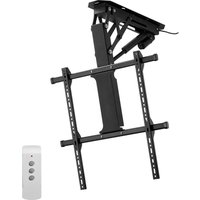
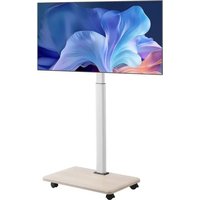
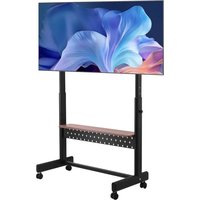
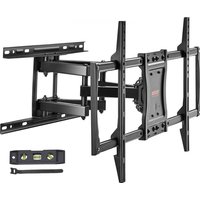
Vevor OK888-DS730+TOP PLATE - Flat screen mount

OK888-DS730+TOP PLATE - Flat screen mount Vevor - Free user manual and instructions

Find the device manual for free OK888-DS730+TOP PLATE Vevor in PDF.
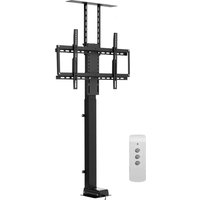
📄 128 pages English EN Download 💬 AI Question
Notice Vevor OK888-DS730+TOP PLATE - page 1
Pick your language and provide your email: we'll send you a specifically translated version.

User questions about OK888-DS730+TOP PLATE Vevor

0 question about this device. Answer the ones you know or ask your own.

Ask a new question about this device

The email remains private: it is only used to notify you if someone responds to your question.

No questions yet. Be the first to ask one.

Download the instructions for your Flat screen mount in PDF format for free! Find your manual OK888-DS730+TOP PLATE - Vevor and take your electronic device back in hand. On this page are published all the documents necessary for the use of your device. OK888-DS730+TOP PLATE by Vevor.

USER MANUAL OK888-DS730+TOP PLATE Vevor

Technical Support and E-Warranty Certificate www. vevor. com/support

TV LIFT

USER MANUAL

OK888-DD560

OK888-DS730+TOP PLATE

We continue to be committed to provide you tools with competitive price.

"Save Half", "Half Price" or any other similar expressions used by us only represents an estimate of savings you might benefit from buying certain tools with us compared to the major top brands and does not necessarily mean to co all categories of tools offered by us. You are kindly reminded to verify carefully when you are placing an order with us if you are actually Saving Half in comparison with the top major brands.

MODEL:OK888-DD560,OK888-DS730+TOP PLATE

Vevor OK888-DS730+TOP PLATE - MODEL:OK888-DD560,OK888-DS730+TOP PLATE - 1

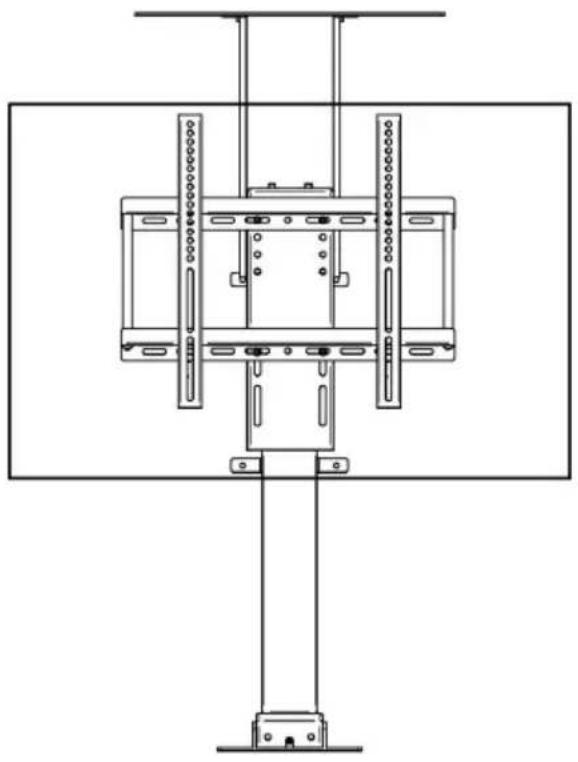
natural_image Technical line drawing of a mechanical assembly with vertical supports and mounting brackets (no text or symbols)

NEED HELP? CONTACT US!

Have product questions? Need technical support? Please feel free to contact us:

Technical Support and E-Warranty Certificate www.vevor.com/support

This is the original instruction, please read all manual instructions carefully before operating. VEVOR reserves a clear interpretation of o user manual. The appearance of the product shall be subject to the product you received. Please forgive us that we won't inform you ag there are any technology or software updates on our product.

Vevor OK888-DS730+TOP PLATE - NEED HELP? CONTACT US! - 1Warning-To reduce the risk of injury, user must read instructions manual carefully.
Vevor OK888-DS730+TOP PLATE - NEED HELP? CONTACT US! - 2CORRECT DISPOSALThis product is subject to the provision of european 2012/19/EU. The symbol showing a wheelie bin crosse through indicates that the product requires separate re collection in the European Union. This applies to the and all accessories marked with this symbol. Products marked as such may not be discarded with normal d waste, but must be taken to acollection point for recy electrical and electronic devices.
CECompliance is a CE security certification.

IMPORTANT SAFEGUARDS

Vevor OK888-DS730+TOP PLATE - IMPORTANT SAFEGUARDS - 1

Vevor OK888-DS730+TOP PLATE - IMPORTANT SAFEGUARDS - 2

Please read and understand this entire manual before attempting to assemble, operate or install the product. Fail to follow all instructions listed below may result in electric shock, fire serious injury.

WARNING:

  1. The load added onto the actuator must be less than or equal to rated load of actuator.
  2. Please use the 29V DC power adapter.
  3. All actuators have duty cycle, they cannot work all the time without stopping.
  4. The actuator is not completely waterproof, please do not immerse water directly.
  5. Children shall not play with the appliance. Cleaning and user maintenance shall not be made by children without supervision.

SAVE THESE INSTRUCTIONS

ATTENTION

  1. Please ensure that the screws and nuts are tightened during install. For your safety, the product must be used in the specified size and limits.
  2. Ensure that the wall's quality and load-bearing capacity are sufficient installation. The manufacturer is not responsible for any consequences arising from improper installation.

If installing in glass or glass curtain wall, foam brick, marble, fiberboard board, please consult a professional installer before installation. Otherwise the manufacturer is not responsible for any consequences caused by improper installation!

PRODUCT PARAMETERS

ModelSafe Loading WeightInputAdapter input voltageRegion
1OK888-DD560132lbsDC29V 1.8A100-240V~50/60HzAmerica
2Europe
3OK888-D S730+TOP PLATE120lbsDC29V 1.8A100-240V~50/60HzAmerica
4Europe

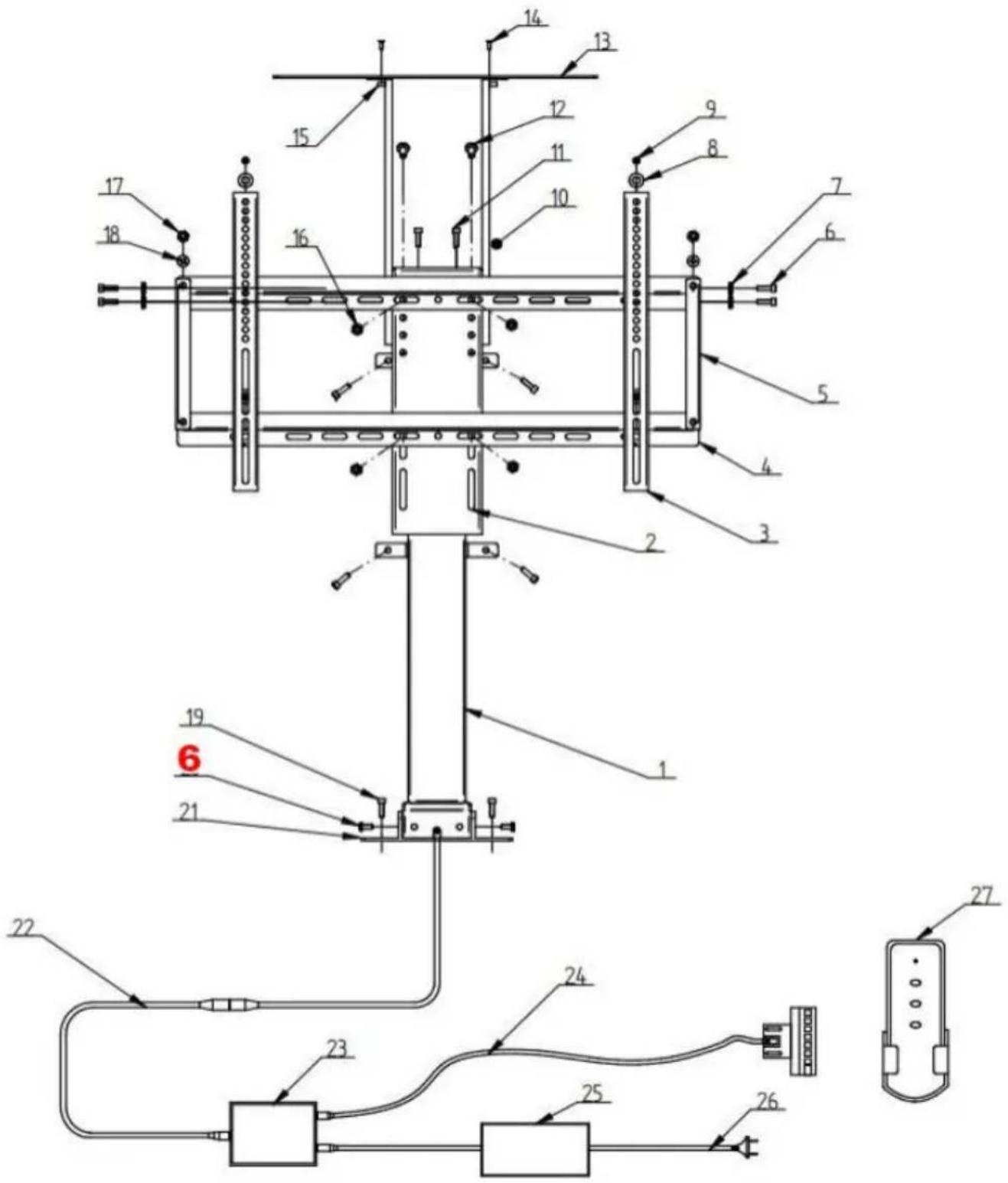
A. Packing list
Vevor OK888-DS730+TOP PLATE - ATTENTION - 1

text_image Technical schematic diagram of a mechanical or electrical device with numbered components and labeled parts
NO.NameQty
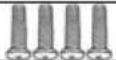
1Main Body Of The Support1
2Tv Mounting Bracket1
3TV stand (vertical)2
4TV stand (horizontal)2
5Tv Stand Connecting Rod2
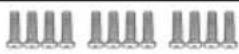
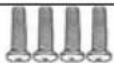
6M6*1212Vevor OK888-DS730+TOP PLATE - ATTENTION - 2
7M6 Nut4Vevor OK888-DS730+TOP PLATE - ATTENTION - 3
8φ6 Gasket4Vevor OK888-DS730+TOP PLATE - ATTENTION - 4
9M6*164Vevor OK888-DS730+TOP PLATE - ATTENTION - 5
107-Shaped Pylon2
11M6*20 (Already Installed And Fixed4
12M8*164Vevor OK888-DS730+TOP PLATE - ATTENTION - 6
13Top Plate1
14M5*102Vevor OK888-DS730+TOP PLATE - ATTENTION - 7
15M5 Nut2Vevor OK888-DS730+TOP PLATE - ATTENTION - 8
16M8 Nut4Vevor OK888-DS730+TOP PLATE - ATTENTION - 9
17M8*124Vevor OK888-DS730+TOP PLATE - ATTENTION - 10
19M8 Hole Position (To Be Equippe The Customer)/
21Fixed Iron Sheet2
22Border Line1
23Controller1Vevor OK888-DS730+TOP PLATE - ATTENTION - 11
24Manual Control Wire1Vevor OK888-DS730+TOP PLATE - ATTENTION - 12
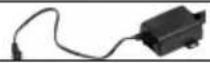
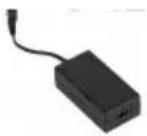
25Power Adapter1Vevor OK888-DS730+TOP PLATE - ATTENTION - 13
26Power Cord1Vevor OK888-DS730+TOP PLATE - ATTENTION - 14
27Remote Control1[ASWS]

How to inst all the desk.

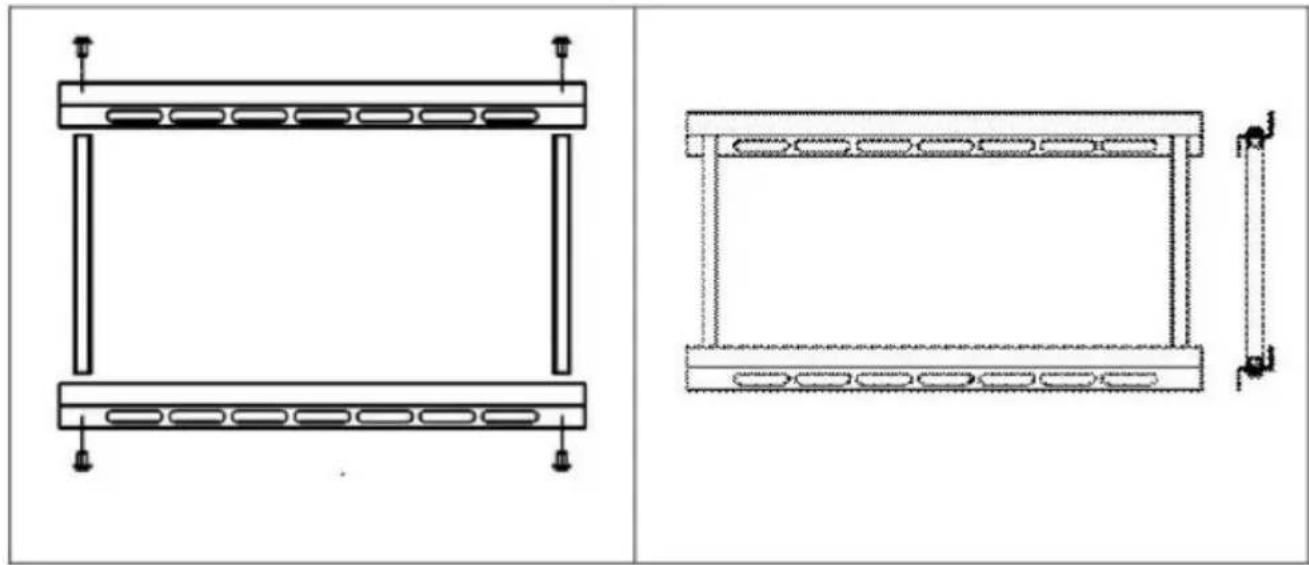
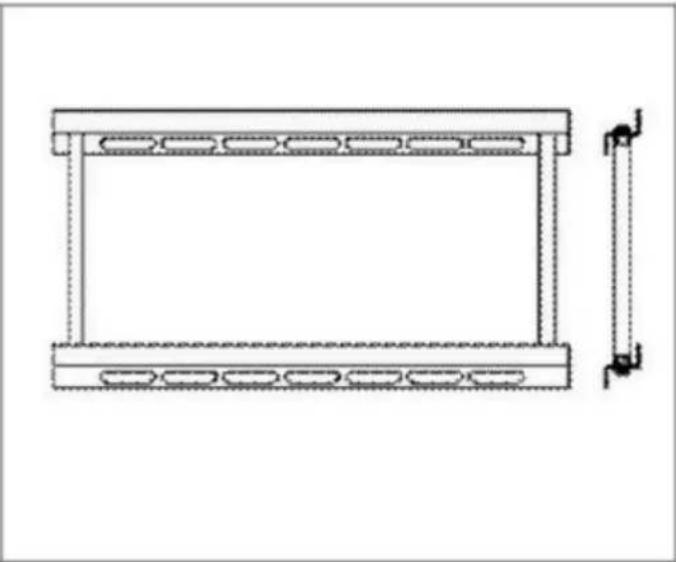
  1. Connect two TV brackets (transverse) with TV bracket connecting r

Vevor OK888-DS730+TOP PLATE - How to inst all the desk. - 1

natural_image Technical line drawings of two structural components with mounting holes and side supports (no text or symbols)
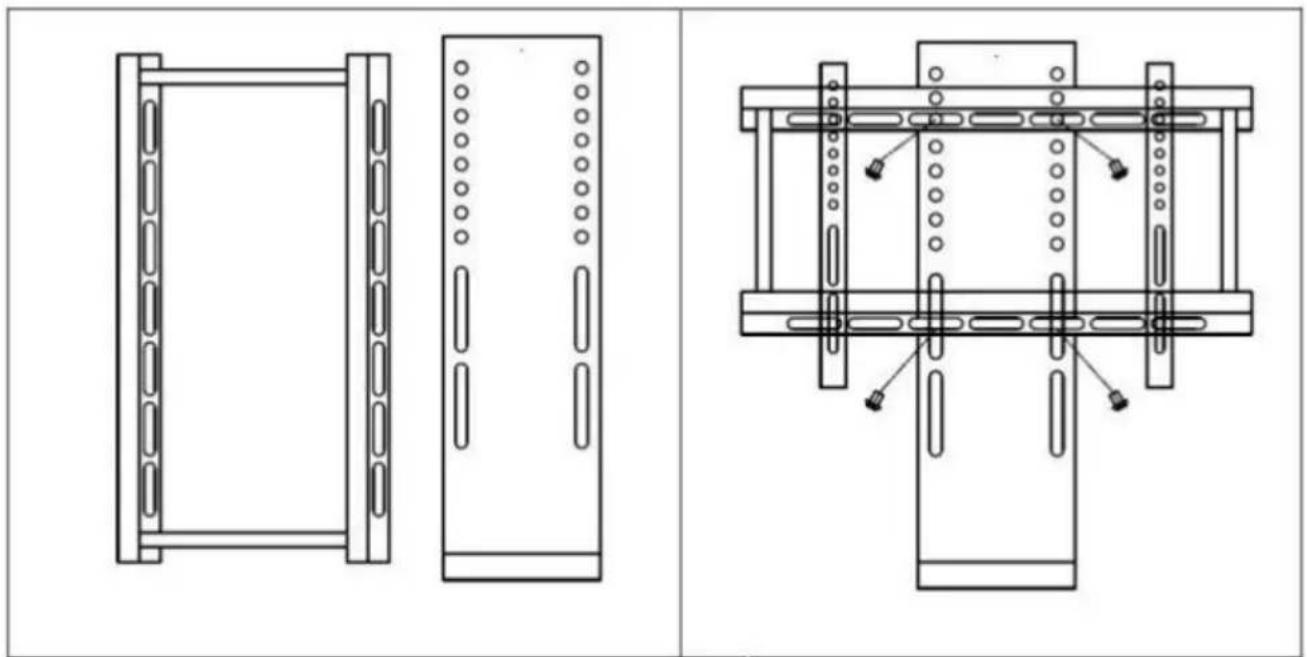
  1. Install frame to TV Mounting Seat with bolt +nut (Parts:4pcs M8x16Screws,4pcs M8 Nuts).

Vevor OK888-DS730+TOP PLATE - How to inst all the desk. - 2

natural_image Technical line drawings of two mechanical components with mounting holes and connecting rods (no text or symbols)
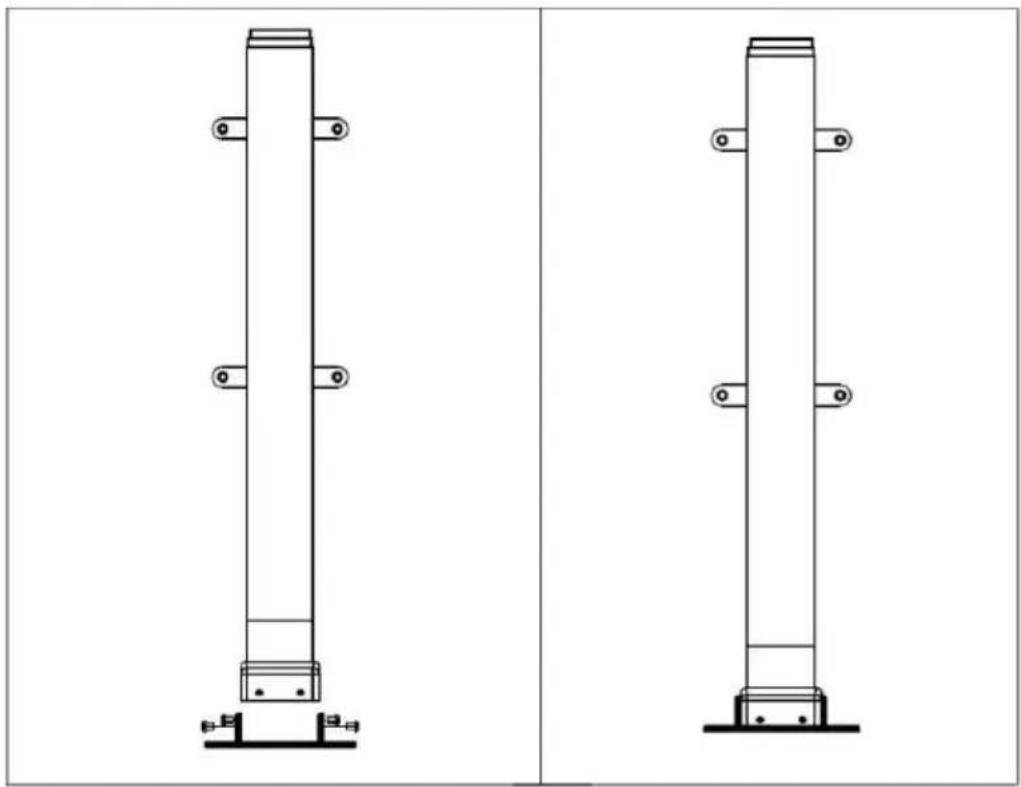
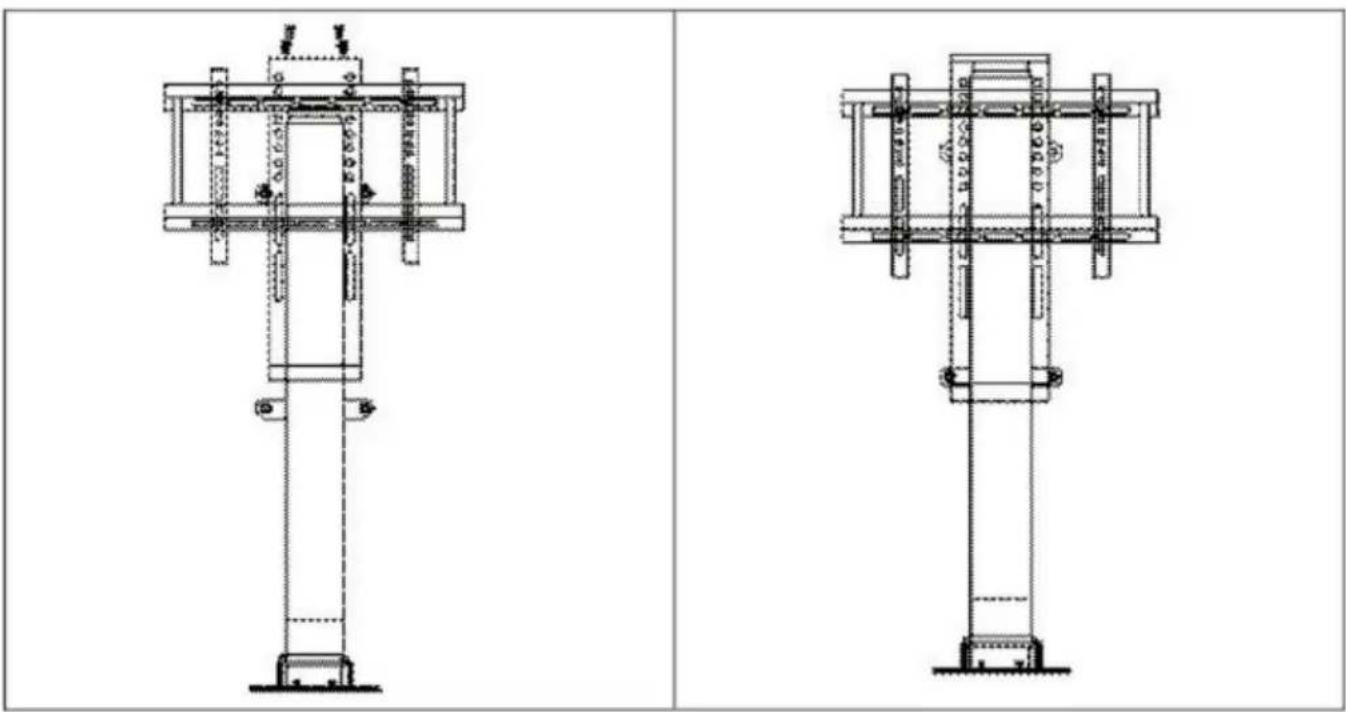
  1. Install base to Lifting Column (Parts:4pcs M6x12Screws).

Vevor OK888-DS730+TOP PLATE - How to inst all the desk. - 3

natural_image Technical line drawing of two vertical structural components with mounting base (no text or symbols)
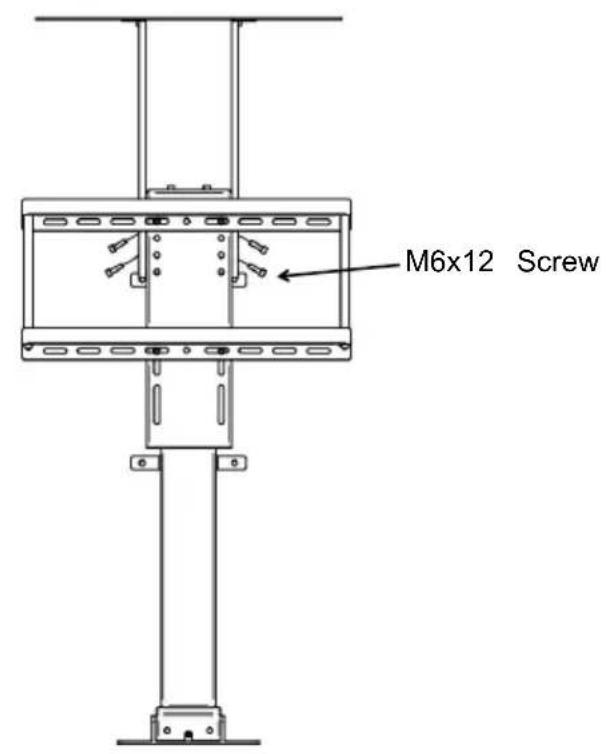
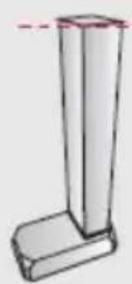
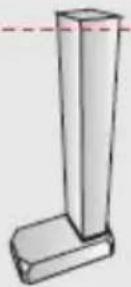
  1. Install TV mounting seat to lifting column with bolt (Parts:4pcs M6x12Screws)

Vevor OK888-DS730+TOP PLATE - How to inst all the desk. - 4

natural_image Technical line drawings of two mechanical or structural components with no visible text or symbols
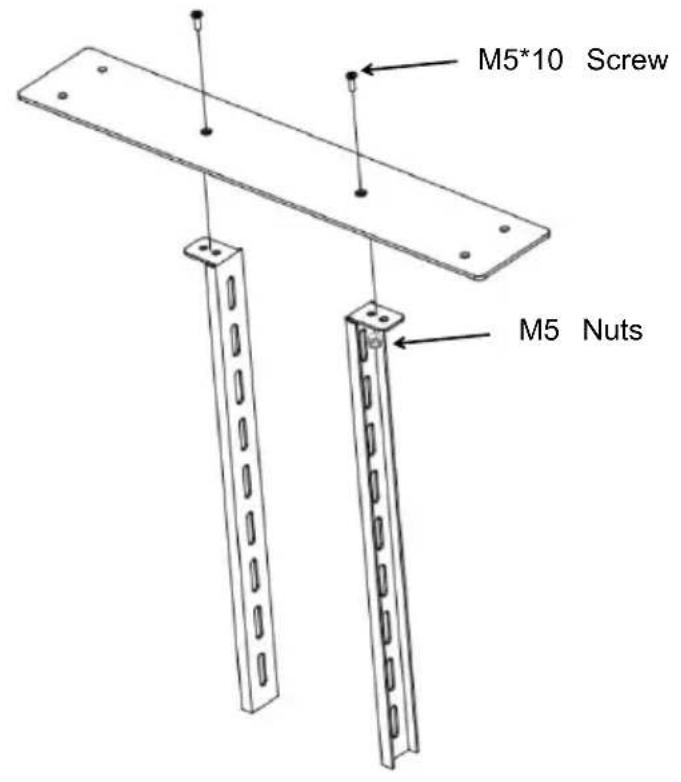
  1. The top plate is connected and fixed with the 7-Shaped Pylon, an connected and fixed with the side face of its column pylon panel. (Parts:4pcs M6x12 Screws, 4pcs M6 Nuts, 2pcs M5*10Screws, 2pcs M5 N

Vevor OK888-DS730+TOP PLATE - How to inst all the desk. - 5

text_image M5*10 Screw M5 Nuts

Vevor OK888-DS730+TOP PLATE - How to inst all the desk. - 6

text_image M6x12 Screw
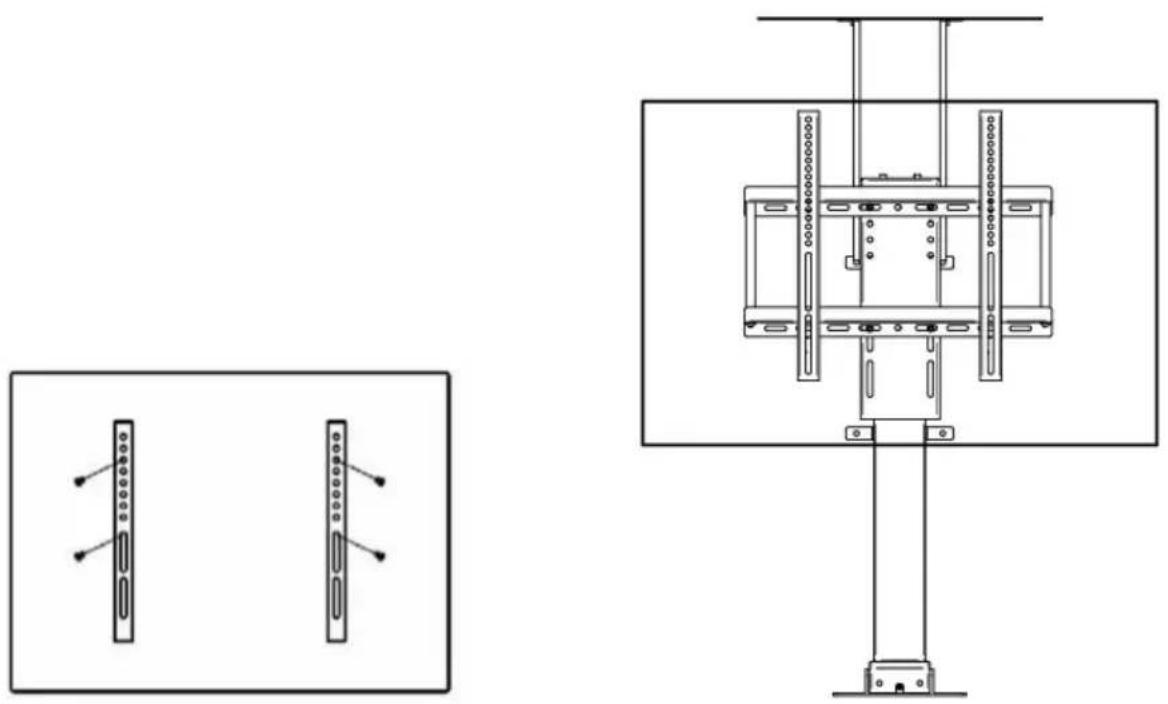
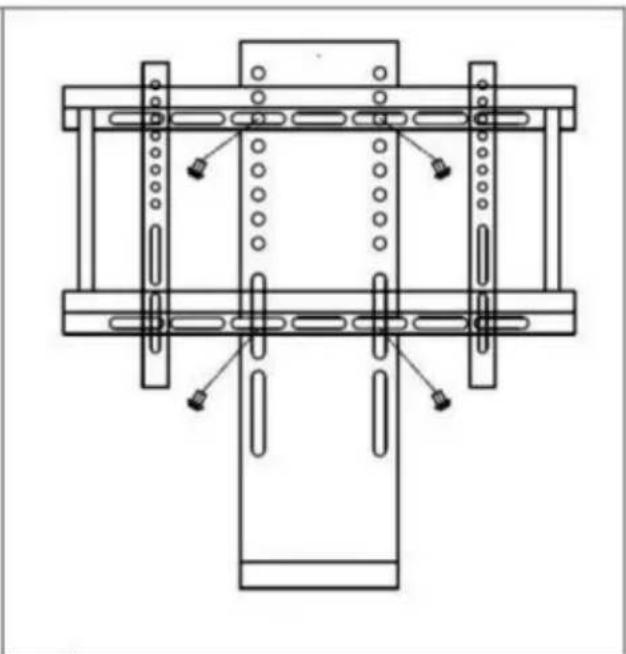
  1. Install TV bracket (vertical) on the back of the TV with bolt. Ther TV on the upright column through the installed bracket. (Parts:4 pcs M6x16Screws).

Vevor OK888-DS730+TOP PLATE - How to inst all the desk. - 7

natural_image Technical line drawing of a mechanical or electrical assembly with two views and a central vertical component (no text or symbols)
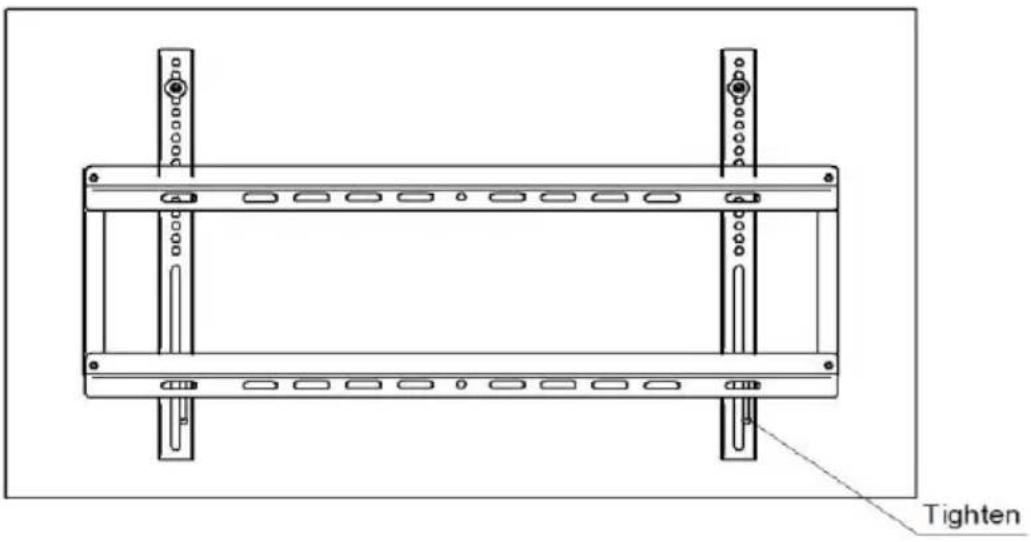
  1. After the TV is installed, the screws at the bottom of the TV rack should be tightened.

Vevor OK888-DS730+TOP PLATE - How to inst all the desk. - 8

text_image Tighten

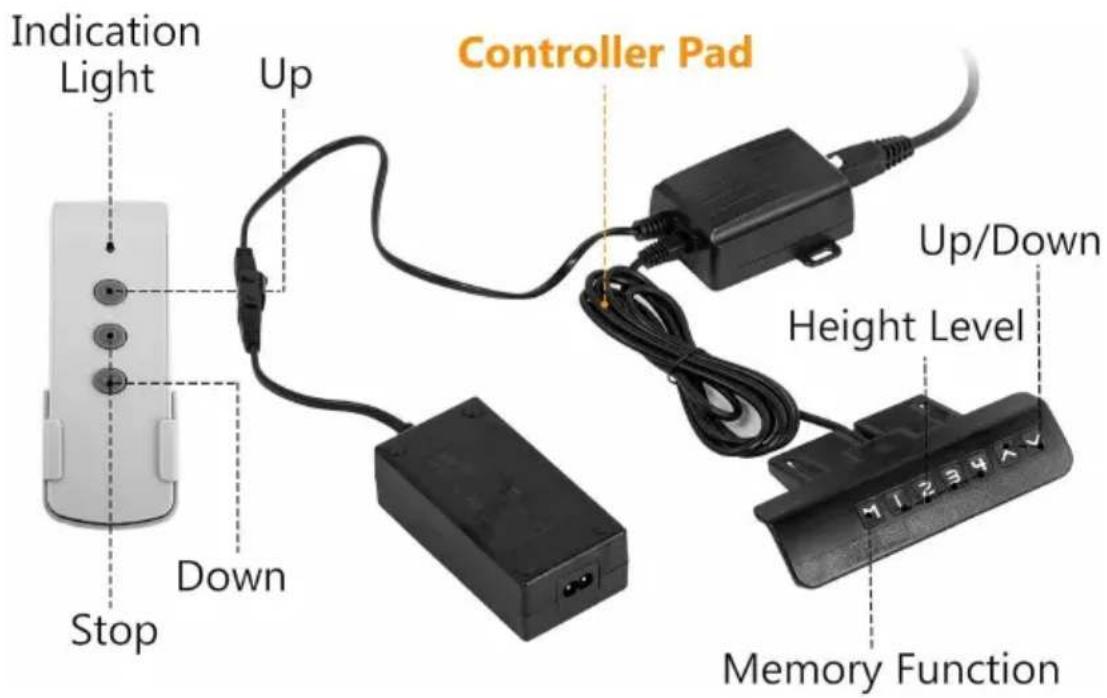
Install the controller
Vevor OK888-DS730+TOP PLATE - How to inst all the desk. - 9

text_image Indication Light Up Controller Pad Stop Down Up/Down Height Level Memory Function

Controller Instruction Manual

I. Function introduction

Intelligent single column controller has the following characteristics:

  1. It can control two motors' output to achieve synchronous operation
  2. Indicator light displays the fault, resetting;
  3. Controlled by up and down buttons;
  4. Wireless remote control(alternative).

II. System parameters

1.Input voltage:DC29V;
2.Input current: recommending above 1.8A and according to the load;
3.Maximum output voltage of mo interface:DC29V;
4.Maximum output current of mot interface:4A;
5. Operating temperature:0\~40°C
6. Working humidity: 20\~90%;
7. Storage temperature:20\~70°C.

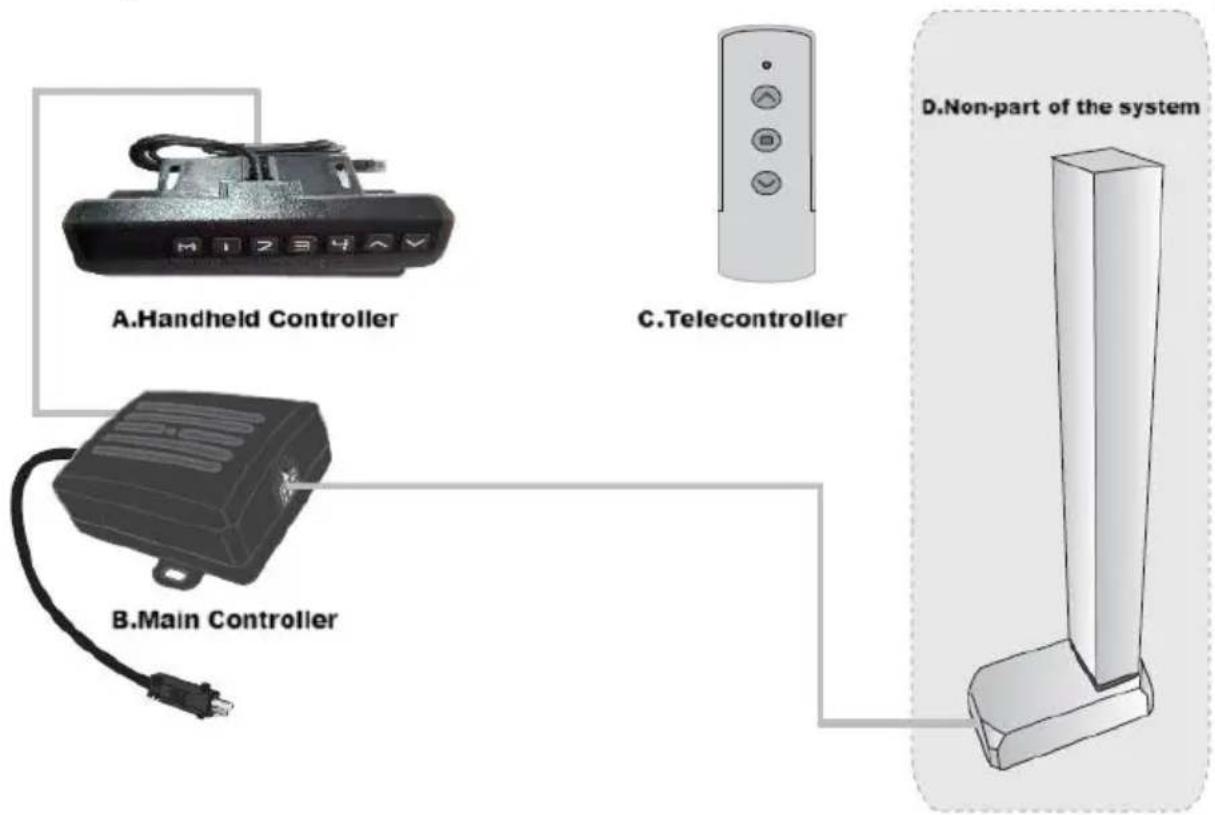
III. System connection

Vevor OK888-DS730+TOP PLATE - System connection - 1

text_image A.Handheld Controller C.Telecontroller B.Main Controller D.Non-part of the system

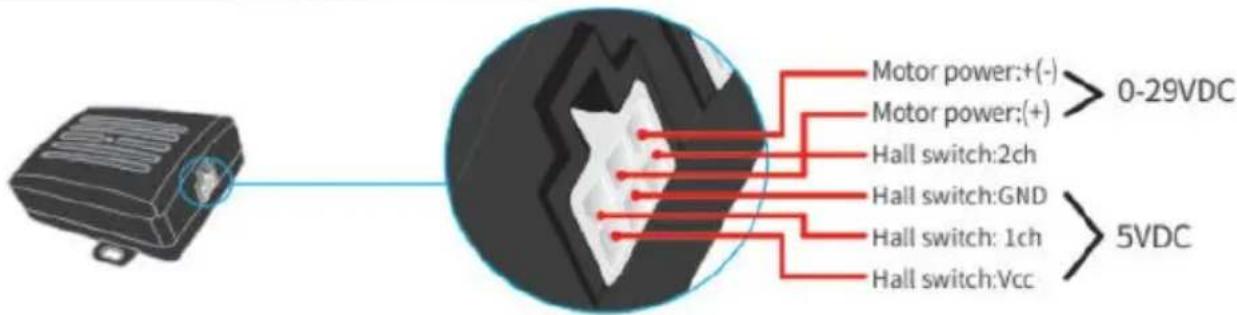
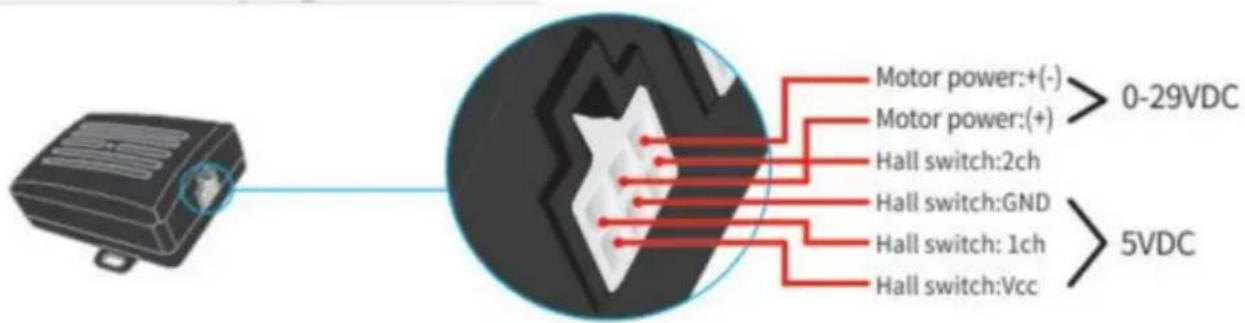
IV. Motor interfase plug definition:

Vevor OK888-DS730+TOP PLATE - Motor interfase plug definition: - 1

text_image Motor power:+(-) > 0-29VDC Motor power:(+) Hall switch:2ch Hall switch:GND Hall switch:1ch Hall switch:Vcc > 5VDC

V. Fault code and its treatment

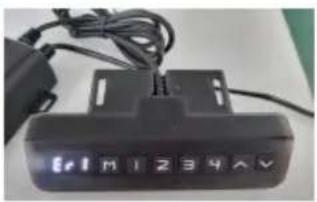
1.Fault code Err1Vevor OK888-DS730+TOP PLATE - Fault code and its treatment - 1
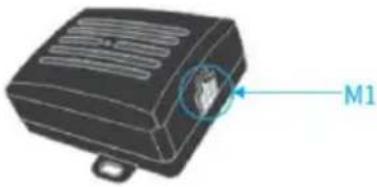
When the manual controller shows Er1, it's a fa Err1. It means there is something wrong with interface channel (see the following picture). Fc example motors are not connected in a positive Hall signal board is not connected; Paper line,Vevor OK888-DS730+TOP PLATE - Fault code and its treatment - 2
After the issue is resolved, press the 'down' but more than 3 seconds to clear the fault, and machine will return to reset state.Vevor OK888-DS730+TOP PLATE - Fault code and its treatment - 3

VI. System reset

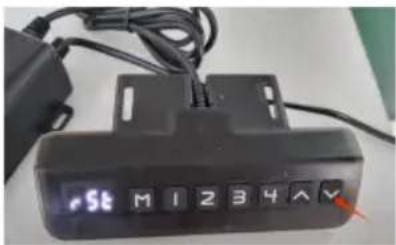
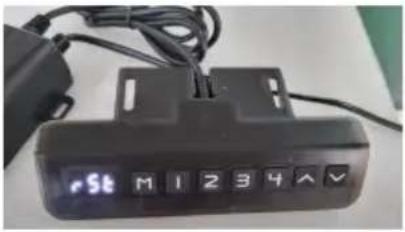
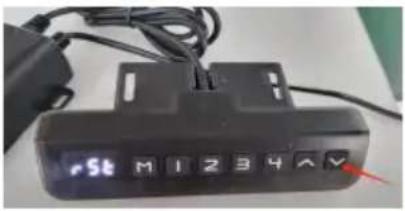
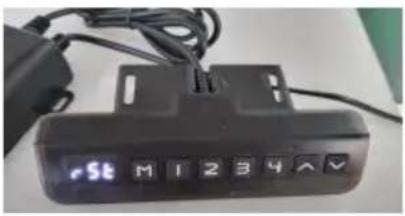
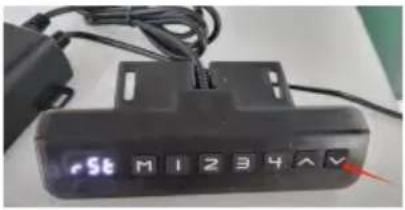
1.Prompt resetWhen the manual controller indicator light alwa stays on (see the following picture), it means resetting, the whole system needs to reset mauVevor OK888-DS730+TOP PLATE - System reset - 1
2.Line resetWhen the manual controller shows the minimum heigh ,pressing"down button" more than 5 secor and the indicator light is on .It means resetinVevor OK888-DS730+TOP PLATE - System reset - 2
3.Releasing the hand and starting to reset system,after the manual controller indicator light iVevor OK888-DS730+TOP PLATE - System reset - 3
4.Reset methodWhen the manual controller indicator light alwa stays on (see the following figure), pressing the button and do not release it.Vevor OK888-DS730+TOP PLATE - System reset - 4

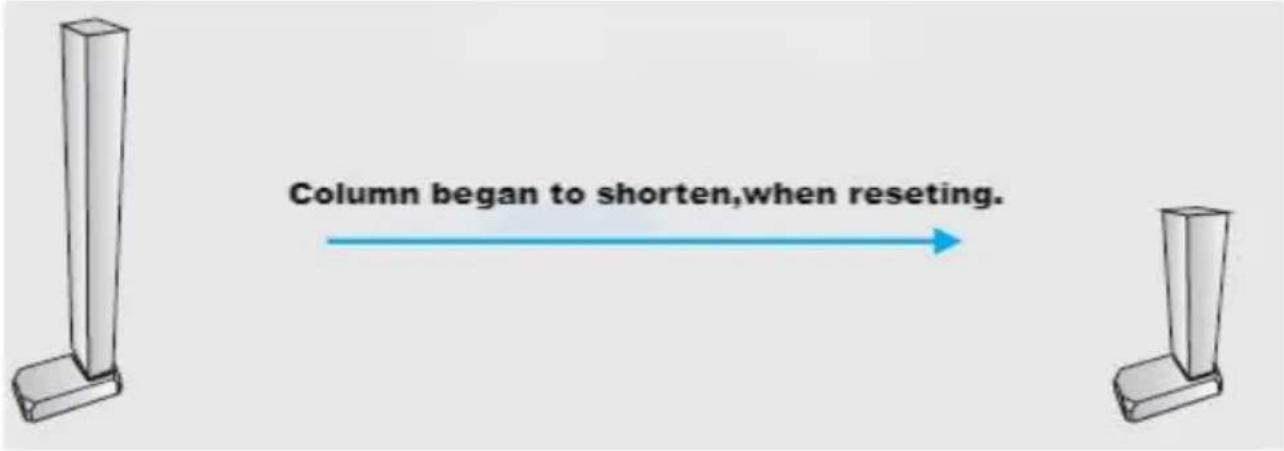
The column may begin to shorten, and the speed could slow down. Of any other damage during operation; if there is any, stop immediately.

Vevor OK888-DS730+TOP PLATE - System reset - 5

text_image Column began to shorten,when resetting.

The column will rise 5\~10mm after a short time when it reach point.

Vevor OK888-DS730+TOP PLATE - System reset - 6

After all arrive, rising a small distance.

Vevor OK888-DS730+TOP PLATE - System reset - 7

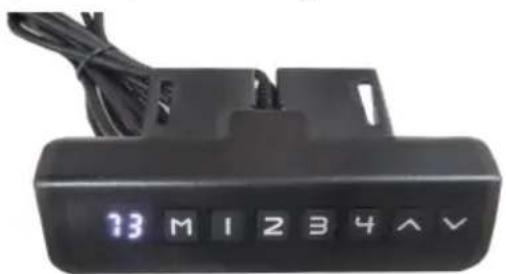
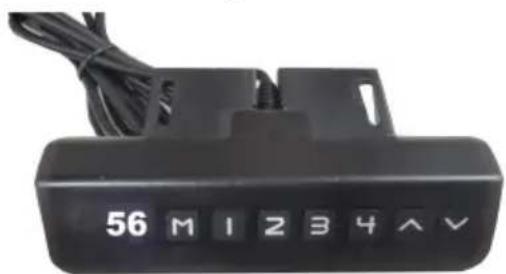
When the manual controller indicator light is off(see the following picture), releasing the hand and end at resetting.

Vevor OK888-DS730+TOP PLATE - System reset - 8

text_image 13 M I 2 3 4 ∧ ∨

(Model: OK888-DS730+Top Plate)

Vevor OK888-DS730+TOP PLATE - System reset - 9

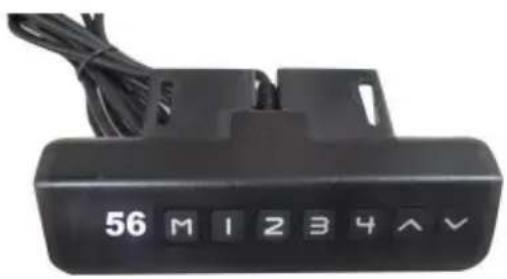
text_image 56 M I 2 3 4 ∧ ∨

(Model: OK888-DD560)

VII.Preset target height

1.Preset target height quantity:

The system provides 4 groups of preset height storage

2.Preset target height data erasure:

The erasing function is not configured separately. When a new p is set, the system automatically erases the old parameter.

3.Preset target height operation method:

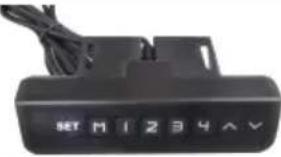
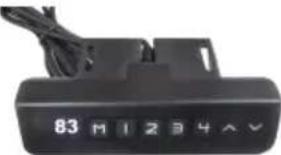
At any height (reset state, cannot perform this operation in error current height parameter can be preset to keys 1-4.

Example: ① Set the current height 83 to key No.
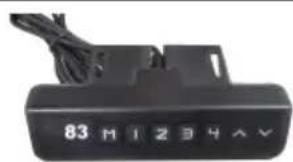
Vevor OK888-DS730+TOP PLATE - VII.Preset target height - 1

text_image 83 M I 2 3 4 A V
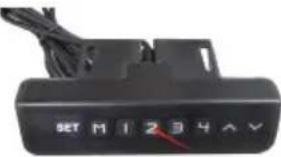
2Press the "M" key to display "SET"Vevor OK888-DS730+TOP PLATE - VII.Preset target height - 2
3Within 2 seconds, press "2" before "SET" disappVevor OK888-DS730+TOP PLATE - VII.Preset target height - 3
4The "S-2" preset is displayed. End, the previous display is restored.Vevor OK888-DS730+TOP PLATE - VII.Preset target height - 4
5. Use the method of preset target height:At any height (reset state, cannot perform this operation in the w state), you can use keys 1-4 to quickly reach the preset target current height is already near the preset target height, no action performed.

VIII. Telecontroller operation

1. Matching window periodMatching window period is repowering after 3 seconds.There will be buzzing sound when the period ends.
2. Right codeIn matching window period, passing the "up button"longly and waiting long and 3 short intervals of buzzing sound, it means righting code

IX. Backtracking when encountering obstacles

In addition to the reset state,when working ,the mechanical struct encounter a sudden changes from loading ,which will cause the carry out a fallback operation to prevent external sound of injury.

VEVOR®

TOUGH TOOLS, HALF PRICE

Technical Support and E-Warranty Certificate

www. vevor. com/support

VEVOR®

TOUGH TOOLS, HALF PRICE

natural_image Technical line drawing of a mechanical assembly with vertical supports and mounting brackets (no text or symbols)

BESOIN D'AIDE ? CONTACTEZ-NOUS !

www.vevor.com/support

PARAMÈTRES DU PRODUIT

text_image Technical schematic diagram of a mechanical or electrical device with numbered components and labeled parts
natural_image Technical line drawings of two structural frame components with mounting holes and side supports (no text or symbols)
natural_image Technical line drawings of two mechanical components with mounting holes and connecting rods (no text or symbols)
natural_image Two identical line drawings of vertical cylindrical structures with mounting feet, shown from different angles (no text or symbols)
text_image Technical schematic diagrams of mechanical components with dimension annotations and cross-sectional views
text_image Vis M6x12
natural_image Technical line drawing of a mechanical device with two side-view diagrams showing internal components (no text or symbols)
text_image Indication Light Up Controller Pad Stop Down Up/Down Height Level Memory Function
text_image A.Handheld Controller C.Telecontroller B.Main Controller D.Non-part of the system
text_image Motor power:+(-) > 0-29VDC Motor power:(+) Hall switch:2ch Hall switch:GND Hall switch:1ch Hall switch:Vcc > 5VDC

Column began to shorten,when resetting.

After all arrive, rising a small distance.
Vevor OK888-DS730+TOP PLATE - BESOIN D'AIDE ? CONTACTEZ-NOUS ! - 1

text_image 56 M I Z 3 Y ^ V
text_image 83 M 1 2 3 4 A V
natural_image Technical line drawing of a mechanical assembly with vertical supports and mounting brackets (no text or symbols)

BESOIN D'AIDE ? CONTACTEZ-NOUS !

www.vevor.com/support

PARAMÈTRES DU PRODUIT

text_image Technical schematic diagram of a mechanical or electrical device with numbered components and labeled parts
natural_image Technical line drawings of two structural frame components with mounting holes and side supports (no text or symbols)
natural_image Technical line drawings of two mechanical components with mounting holes and connecting rods (no text or symbols)
natural_image Two identical line drawings of vertical cylindrical structures with mounting feet, shown from different angles (no text or symbols)
text_image Technical schematic diagrams of mechanical components with dimension annotations and cross-sectional views
text_image Vis M6x12
natural_image Technical line drawing of a mechanical device with two side-view diagrams showing internal components (no text or symbols)
text_image Indication Light Up Controller Pad Stop Down Up/Down Height Level Memory Function
text_image A.Handheld Controller C.Telecontroller B.Main Controller D.Non-part of the system
text_image Motor power:+(-) > 0-29VDC Motor power:(+) Hall switch:2ch Hall switch:GND Hall switch:1ch Hall switch:Vcc > 5VDC

After all arrive, rising a small distance.
Vevor OK888-DS730+TOP PLATE - BESOIN D'AIDE ? CONTACTEZ-NOUS ! - 1

text_image 13 M I 2 3 4 ^ V
text_image 56 M I Z 3 Y ^ V
text_image 83 M 1 2 3 4 A V
natural_image Technical line drawing of a mechanical assembly with vertical supports and mounting brackets (no text or symbols)
text_image Technical schematic diagram of a mechanical or electrical device with numbered components and labeled parts
natural_image Technical line drawings of two structural components with mounting holes and supports (no text or symbols)
natural_image Technical line drawings of two mechanical components with mounting holes and connecting rods (no text or symbols)
natural_image Two identical line drawings of vertical cylindrical structures with mounting feet, shown from different angles (no text or symbols)
text_image Technical schematic diagrams of a mechanical assembly with labeled components and cross-sectional views
natural_image Technical line drawing of a mechanical device with two side-view diagrams showing internal components (no text or symbols)
text_image Indication Light Up Controller Pad Stop Down Up/Down Height Level Memory Function
text_image A.Handheld Controller C.Telecontroller B.Main Controller D.Non-part of the system
text_image Motor power:+(-) > 0-29VDC Motor power:(+) Hall switch:2ch Hall switch:GND Hall switch:1ch Hall switch:Vcc > 5VDC

After all arrive, rising a small distance.
Vevor OK888-DS730+TOP PLATE - BESOIN D'AIDE ? CONTACTEZ-NOUS ! - 2

text_image 56 M I Z 3 Y ^ V
text_image 83 M 1 2 3 4 A V

www.vevor.com/support

VEVOR®

TOUGH TOOLS, HALF PRICE

natural_image Technical line drawing of a mechanical assembly with vertical supports and mounting brackets (no text or symbols)
text_image Technical schematic diagram of a mechanical or electrical device with numbered components and labeled parts
natural_image Technical line drawings of two structural frame components with mounting holes and side supports (no text or symbols)
natural_image Technical line drawings of two mechanical components with mounting holes and connecting rods (no text or symbols)
natural_image Two identical line drawings of vertical cylindrical structures with mounting feet, shown from different angles (no text or symbols)
text_image Technical schematic diagrams of mechanical components with dimension annotations and cross-sectional views
text_image Vite M6x12
natural_image Technical line drawing of a mechanical device with two side-view diagrams showing internal components (no text or symbols)
text_image Indication Light Up Controller Pad Stop Down Up/Down Height Level Memory Function
text_image A.Handheld Controller C.Telecontroller B.Main Controller D.Non-part of the system
text_image Motor power:+(-) > 0-29VDC Motor power:(+) Hall switch:2ch Hall switch:GND Hall switch:1ch Hall switch:Vcc > 5VDC

Column began to shorten, when resetting.

After all arrive, rising a small distance.
Vevor OK888-DS730+TOP PLATE - TOUGH TOOLS, HALF PRICE - 1

natural_image Digital industrial control panel with numeric keypad and cable (no readable text or symbols)

(Modello: OK888-DS730+piatra

Vevor OK888-DS730+TOP PLATE - TOUGH TOOLS, HALF PRICE - 2

text_image 56 M I 2 3 4 ∧ ∨

(Modello: OK888-DD560)superiore)

elettronica www.vevor.com/support

natural_image Technical line drawing of a mechanical assembly with vertical supports and mounting brackets (no text or symbols)
text_image Technical schematic diagram of a mechanical or electrical device with numbered components and labeled parts
natural_image Simple line drawing of a two-panel rectangular frame with vertical supports and mounting holes (no text or symbols)

Vevor OK888-DS730+TOP PLATE - TOUGH TOOLS, HALF PRICE - 3

natural_image Technical line drawing of a rectangular frame with side supports and a vertical dimension line (no text or symbols)
natural_image Technical line drawing of two vertical metal frame structures with side connectors (no text or symbols)

Vevor OK888-DS730+TOP PLATE - TOUGH TOOLS, HALF PRICE - 4

natural_image Technical line drawing of a mechanical assembly with mounting brackets and support elements (no text or symbols)
  1. Instale la base en la columba
natural_image Two identical line drawings of vertical cylindrical structures with mounting feet, shown from different angles (no text or symbols)
text_image Technical schematic diagrams of mechanical components with dimension annotations and cross-sectional views
natural_image Technical line drawing of a mechanical device with two side-view diagrams showing internal components (no text or symbols)
text_image Indication Light Up Controller Pad Stop Down Up/Down Height Level Memory Function
text_image A.Handheld Controller C.Telecontroller B.Main Controller D.Non-part of the system
text_image Motor power:+(-) > 0-29VDC Motor power:(+) Hall switch:2ch Hall switch:GND Hall switch:1ch Hall switch:Vcc > 5VDC

After all arrive, rising a small distance.
Vevor OK888-DS730+TOP PLATE - TOUGH TOOLS, HALF PRICE - 5

text_image 13 M I 2 3 4 ^ V

(Modelo: OK888-DS730+Placa superior)

Vevor OK888-DS730+TOP PLATE - TOUGH TOOLS, HALF PRICE - 6

text_image 56 M I Z 3 Y ^ V

(Modelo: OK888-DD560)

text_image 83 M 1 2 3 4 A V
natural_image Technical line drawing of a mechanical assembly with vertical supports and mounting brackets (no text or symbols)

POTRZEBUJESZ POMOCY? SKONTAKTUJ SIE Z NAMI!

text_image Technical schematic diagram of a mechanical or electrical device with numbered components and labeled parts
natural_image Technical line drawings of two structural frame components with mounting holes and side supports (no text or symbols)
natural_image Technical line drawings of two mechanical components with mounting holes and connecting rods (no text or symbols)
natural_image Two identical line drawings of vertical cylindrical structures with mounting feet, shown from different angles (no text or symbols)
text_image Technical schematic diagrams of mechanical components with dimension annotations and cross-sectional views
text_image Śruba M6x12
natural_image Technical line drawing of a mechanical device with two side-view diagrams showing internal components (no text or symbols)
text_image Indication Light Up Controller Pad Stop Down Up/Down Height Level Memory Function
text_image A.Handheld Controller C.Telecontroller B.Main Controller D.Non-part of the system
text_image Motor power:+(-) > 0-29VDC Motor power:(+) Hall switch:2ch Hall switch:GND Hall switch:1ch Hall switch:Vcc > 5VDC

Column began to shorten, when resetting.

After all arrive, rising a small distance.
Vevor OK888-DS730+TOP PLATE - TOUGH TOOLS, HALF PRICE - 7

text_image 13 M I 2 3 4 ^ V
text_image 56 M I Z 3 Y ^ V

(Model: OK888-DD560)

text_image 83 M 1 2 3 4 A V
natural_image Technical line drawing of a mechanical assembly with vertical supports and mounting brackets (no text or symbols)

HULP NODIG? NEEM CONTACT MET ONS OP!

www.vevor.com/support

text_image Technical schematic diagram of a mechanical or electrical device with numbered components and labeled parts
natural_image Technical line drawings of two structural frame components with mounting holes and side supports (no text or symbols)
natural_image Technical line drawings of two mechanical components with mounting holes and connecting rods (no text or symbols)
natural_image Two identical line drawings of vertical cylindrical structures with mounting feet, shown from different angles (no text or symbols)
text_image Technical schematic diagrams of mechanical components with dimension annotations and cross-sectional views
natural_image Technical line drawing of a mechanical device with two side-view diagrams showing internal components (no text or symbols)
text_image Indication Light Up Controller Pad Stop Down Up/Down Height Level Memory Function
text_image A.Handheld Controller C.Telecontroller B.Main Controller D.Non-part of the system

IV. Definitie varmotorinterfaceplug:

Vevor OK888-DS730+TOP PLATE - Definitie varmotorinterfaceplug: - 1

text_image Motor power:+(-) > 0-29VDC Motor power:(+) Hall switch:2ch Hall switch:GND Hall switch:1ch Hall switch:Vcc > 5VDC

V. Foutcode en de behandeling ervan

After all arrive, rising a small distance.
Vevor OK888-DS730+TOP PLATE - Foutcode en de behandeling ervan - 1

text_image 83 M1234AY

garantiecertificaat www.vevor.com/support

Manual assistant
Powered by Anthropic
Waiting for your message
Product information

Brand : Vevor

Model : OK888-DS730+TOP PLATE

Category : Flat screen mount