
APD40 - Food press Vevor - Free user manual and instructions
Find the device manual for free APD40 Vevor in PDF.
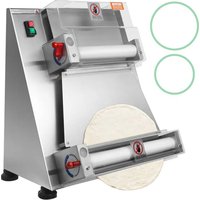


| Product Type | Pizza Dough Press |
| Brand | Vevor |
| Model | APD40 |
| Power Supply Voltage | 220-240 V ~ 50/60 Hz |
| Power | 200 W (estimate) |
| Main Material | Stainless steel |
| Dough Ball Capacity | 20 to 500 g |
| Achievable Shapes | Round, square, rectangular |
| Thickness Adjustment | Knurled lever (turn clockwise to reduce thickness) |
| Controls | Green button start, red button stop |
| Installation Type | On worktop, recommended height 700-900 mm, clearance 150 mm around |
| Safety | Grounding mandatory, protection switch 5-10 A, do not use outdoors |
| Maintenance | Clean after each use: disassemble covers, springs, scrapers, wash with sponge and detergent, rinse and dry |
| Lubrication | Annual on shafts and rollers with paraffin oil |
| Replaceable Parts | Belt (replacement instruction provided) |
| Technical Support | www.vevor.com/support |
Frequently Asked Questions - APD40 Vevor
User questions about APD40 Vevor
0 question about this device. Answer the ones you know or ask your own.
Ask a new question about this device
Download the instructions for your Food press in PDF format for free! Find your manual APD40 - Vevor and take your electronic device back in hand. On this page are published all the documents necessary for the use of your device. APD40 by Vevor.
USER MANUAL APD40 Vevor
Technical Support and E-Warranty Certificate www.vevor.com/support
PIZZA DOUGH PRESSER
MODEL: APD30 APD40
We continue to be committed to providing you with tools at competitive prices. "Save Half", "Half Price", or any other similar expressions used by us only represent an estimate of savings you might benefit from buying certain tools with us compared to top brands and does not necessarily mean to cover all categories of tools offered. We kindly remind you to verify carefully when placing an order with us that you are actually saving half in comparison with the top major brands.
VEVOR®
TOUGH TOOLS, HALF PRICE
PIZZA DOUGH PRESSER
MODEL: APD30 APD40
NEED HELP? CONTACT US!
Have product questions? Need technical support? Please feel free to contact us:
Technical Support and E-Warranty Certificate www.vevor.com/support
This is the original instruction. Please read all manual instructions carefully before operating. VEVOR reserves a clear interpretation of the user manual. The appearance of the product shall be subject to the product you received. Please forgive us that we won't inform you of any technology or software updates on our product.
 | Warning-To reduce the risk of injury, user must re instructions manual carefully. |
 | CORRECT DISPOSALThis product is subject to the provision of European D 2012/19/EC. The symbol showing a wheelie bin cross through indicates that the product requires separate re collection in the European Union. This applies to the and all accessories marked with this symbol. Products as such may not be discarded with normal domestic w must be taken to a collection point for recycling electr electronic devices |
1. IMPORTANT SAFEGUARDS
When using electrical appliances, basic safety precautions should always be followed, including the following:
1.1 Read all instructions. 1.2 To protect against risk of electrical shock, do not put the appliance in water or other liquid. 1.3 Unplug from outlet when not in use, before putting on or taking off parts, and before cleaning. 1.4 Do not operate any appliance with a damaged cord or plug, or if the appliance malfunctions, or has been damaged in any manner. Return the appliance to the nearest authorized service facility for examination, repair, or electrical or mechanical adjustment. 1.5 The use of attachments not recommended or sold by the manufacturer may cause fire, electric shock, or injury. 1.6 Do not use outdoors. 1.7 Do not let cord hang over edge of table or counter. 1.8 Avoid contacting moving parts. Keep hands, hair, clothing, as well as spatulas and other utensils away from rollers during operation to reduce the risk of injury to persons and/or damage to the pasta extruder. 1.9 Do not unplug with wet or even slightly damp hands.
1.10 Do not wash the machine, especially when it is plugged in. 1.11 Do not allow children younger than 8 years old to use the machine. This product may only be used or maintained by children 8 years or older, individuals with reduced physical, sensory, or mental capacities, or unskilled individuals with adequate adult supervision. Children must not play with the device.
1.12 Do not leave the machine unsupervised, especially when it is plugged in.
Always unplug the machine before removing the motor.
1.13 Do not use the machine near sources of heat or water (e.g., over sinks).
1.14 Do not insert knives or cloths in between the rollers.
1.15 This product must only be used for its intended purpose and in the manner indicated in the instructions. All other types of use shall be considered inappropriate and therefore hazardous. The manufacturer shall not be responsible for any damage from improper or incorrect use and improper installation.
1.16 Before connecting the motor to the mains, make sure the voltage indicated on the plate located on the appliance corresponds to the mains voltage.
1.17 Do NOT pull on the power cord or the motor itself to unplug.
1.18 Do NOT tamper with the power cord for any reason. If damaged, contact your retailer.
1.19 Always turn off the motor using the "/O/I" switch and then unplug.
1.20 If the motor falls into water, do not try to reach it, but immediately remove the plug from the power socket.
1.21 Always set the "I/O/I" switch to the "O" position before plugging in to avoid dangerous conditions and/or possible injuries caused by electric current.
mechanical parts, fire or hygiene problems, you must follow the safety indications step by step:
1.22 Keep in order your working area. Disorder can cause dangerous accidents.
1.23 Consider environmental conditions. Do not use the machine in
humid, wet, or badly lit environments, close to inflammable liquids (
1.24 Do not touch the switch and the cable with a wet hand.
1.25 Only utilize the machine with the correct voltage. Normal usage gives better results.
SAVE THESE INSTRUCTIONS
2. Installation
2.1 Remove the protection film, avoid contact with utensils that can damage the surfaces, check that the machine is not damaged. Please contact the manufacturer if it is damaged.
2.2 The machine must be installed in a dry environment with adequate ventilation and light. Position the machine on a flat and firm surface. You can put it on a workbench whose height fits you (about 700-900 mm). Leave a space around it of 150 mm for easier usage and cleaning.
2.3 Connect the machine to the electric network by an electric technical personnel. It is suggested to use copper wires (at least 2.5 mm²) for electric wires. It is important to have a good ground system and a protection switch (5-10A).
2.4 It is necessary for safety to check the cable carefully and verify it is not damaged before putting the plug into the receptacle. The receptacle must be easily accessible and must not require any kind of movement. The cable from the machine to the receptacle must not be pulled tightly, and do not place the machine on the cable.
3. Operation
3.1 The machine has the following control devices on the front panel:
A--Red button to stop the machine B--Green button to start the machine
3.2 Functional test
After having plugged the feeding cable into the electric network, the machine is ready for the functional test. To start: press the green button, the machine starts working. To stop: press the red button, the machine will stop working. Start the machine without loading, let it run for one minute to make sure it is functioning perfectly.
3.3 Before every work-cycle, always make sure the machine is perfectly clean, in particular those surfaces that get in touch with the dough. Clean the machine as necessary.
Warning: Keep loose items and hands away from the rollers before turning on the machine!
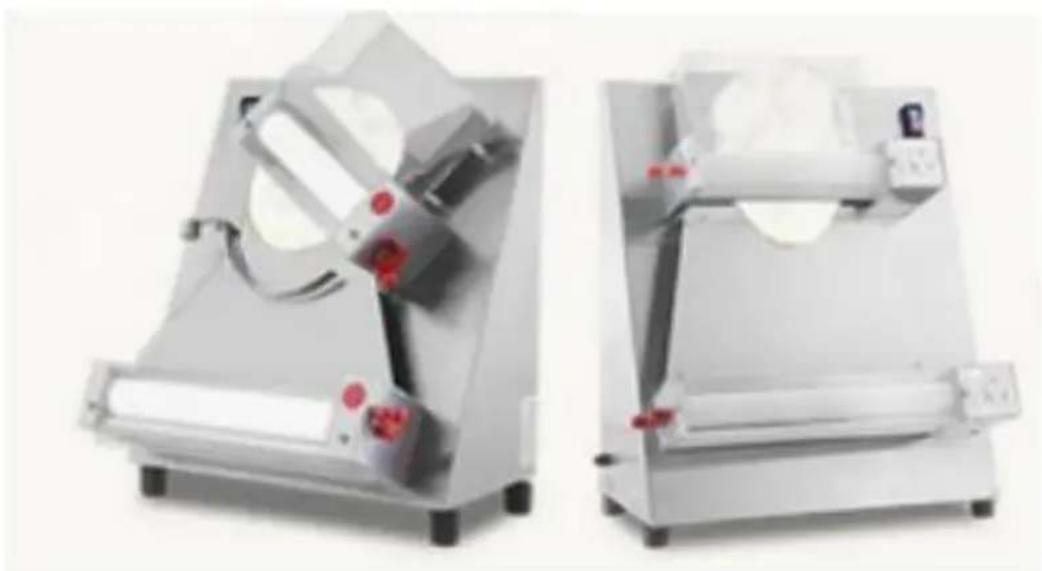
3.4 Operation for shaping round disks
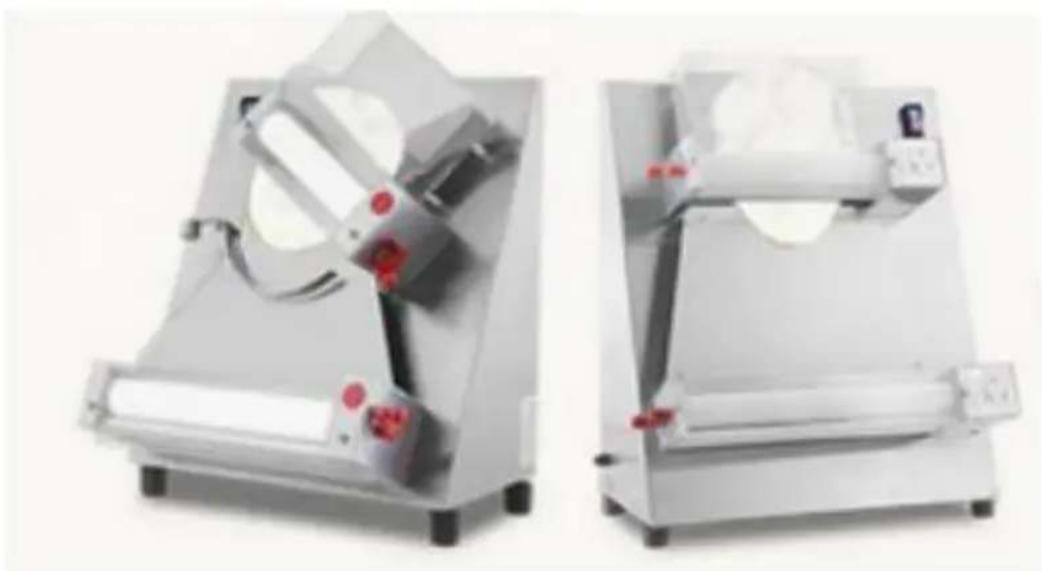
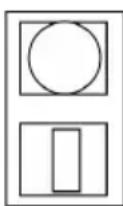
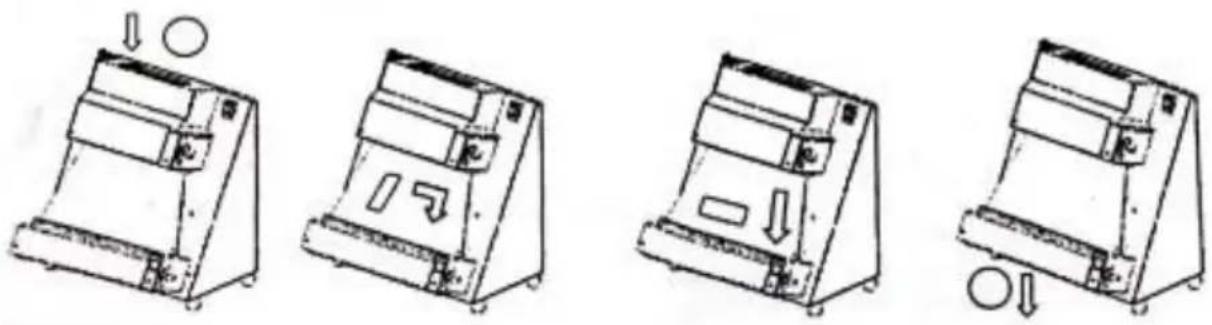
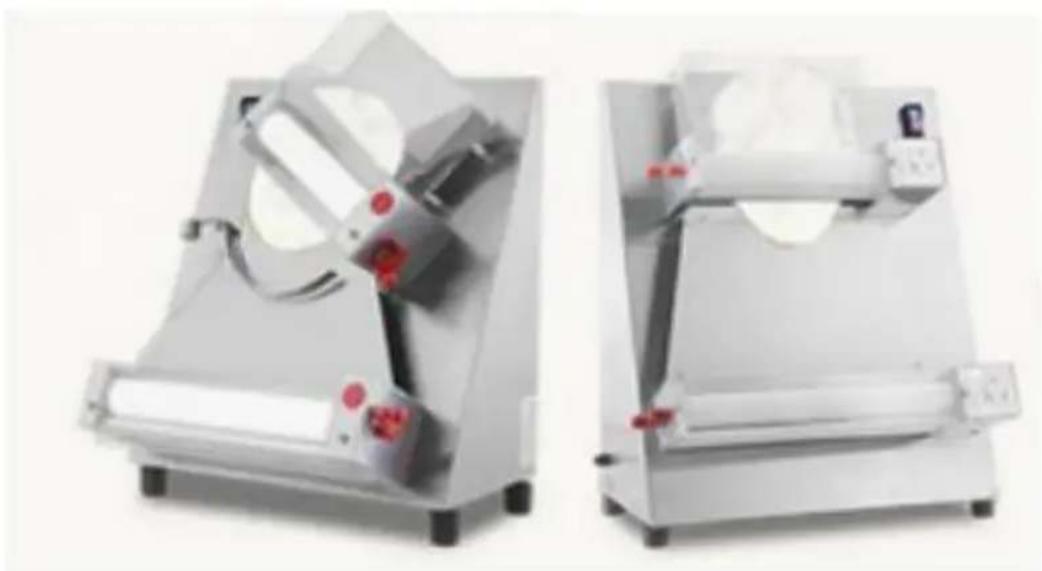
3.4.1 After turning on the machine, you can place the small dough (2) that has fermented previously (at least 4 to 6 hours), flatten it slightly, and dust it with some dry flour so it can easily pass through the rollers. (Pict.1)
3.4.2 When the dough comes out from the upper roller, you will see it has an oval
shape. You can turn the dough 90 degrees by hand rapidly, and then feed it through the lower rollers. Out of these rollers it will be disk-shaped, but this shape is not perfect, so it needs a finishing touch by hand. (Pict.2)
3.5 Usage for shaping rectangles, squares, and others. The methods are the same as in point 2.4. If you want to obtain shaped dough, you can cut the dough to the approximate shape,
for example squares, rectangles, etc., with a knife or a special tool, before introducing the small dough into the opening of the highest cover. Then put the dough into the opening of the highest cover and let it through the rollers. You can choose as follows: A) Let the dough only through the highest rollers. B) Let the dough through both the highest and lowest rollers. Let the dough through the highest roller, then turn the dough 90 degrees by hand rapidly, and let it through the lowest rollers.
3.6 How to regulate the thickness
Regulating the machine can only be recommended as there are different characteristics of the dough: weight, thickness, and size/shape of the disk. Therefore, the correct
regulation of the machine must be done by experience. The machine is provided with a medium-size regulation for pizza shapes. For different dough thicknesses, you may regulate as follows: A) Turn the machine off.
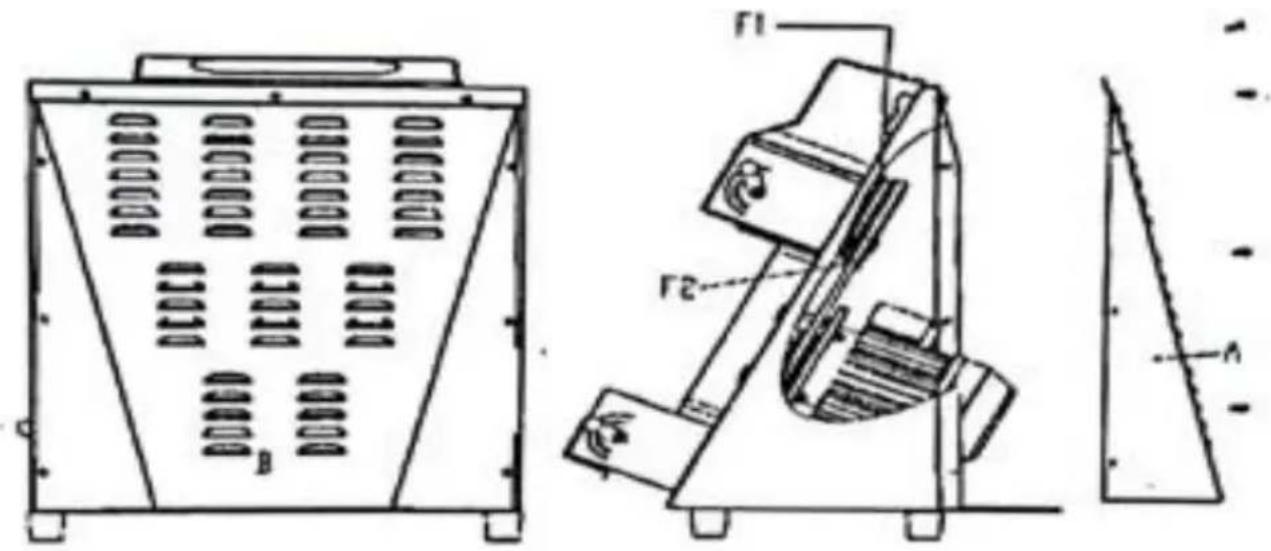
B) Regulate the width between the highest rollers. Pull the black knob to release the lever, and then turn the lever to a proper position. Clockwise reduces the thickness, anti-clockwise increases it. (Pict.3)
Example: The width between the upper rollers is twice that between the lower rollers.
4. Maintenance
4.1 Before performing any kind of maintenance or cleaning, you must unplug the machine. It is important not to use chemical, abrasive, or corrosive products. Absolutely do not use running water, abrasive or non-smooth tools such as metal wool, etc.; these can damage the surfaces and compromise hygienic safety.
4.2 Cleaning must be done every time the machine has been used.
following all the rules to prevent malfunctioning of the machine and for hygienic purposes.
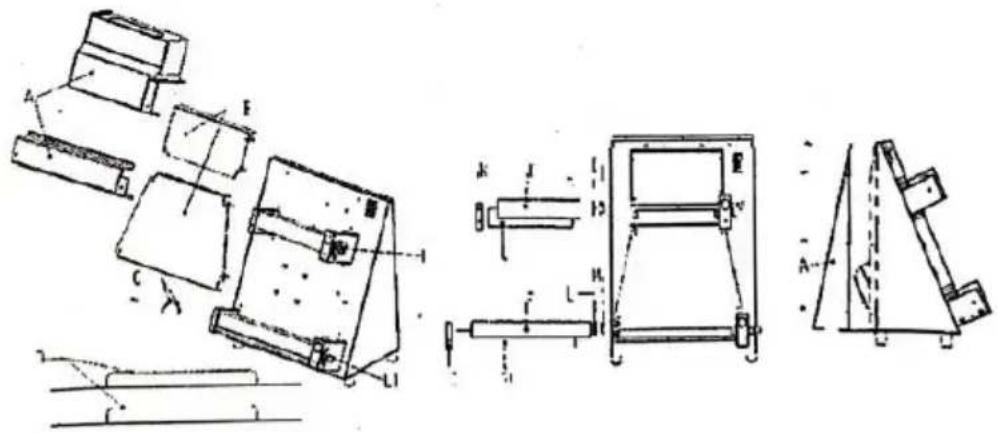
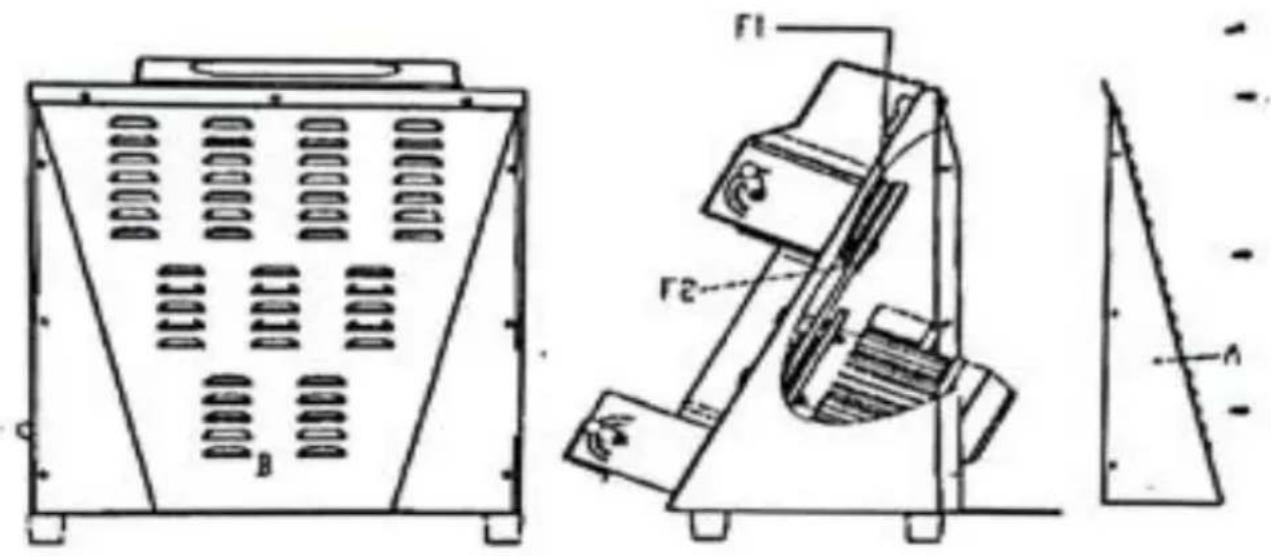
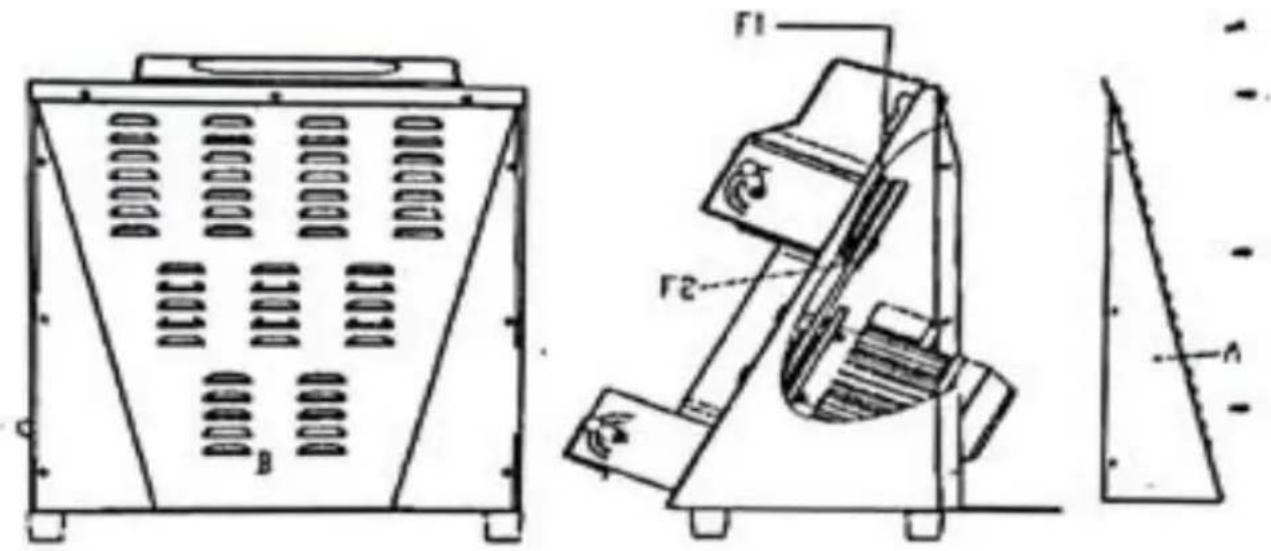
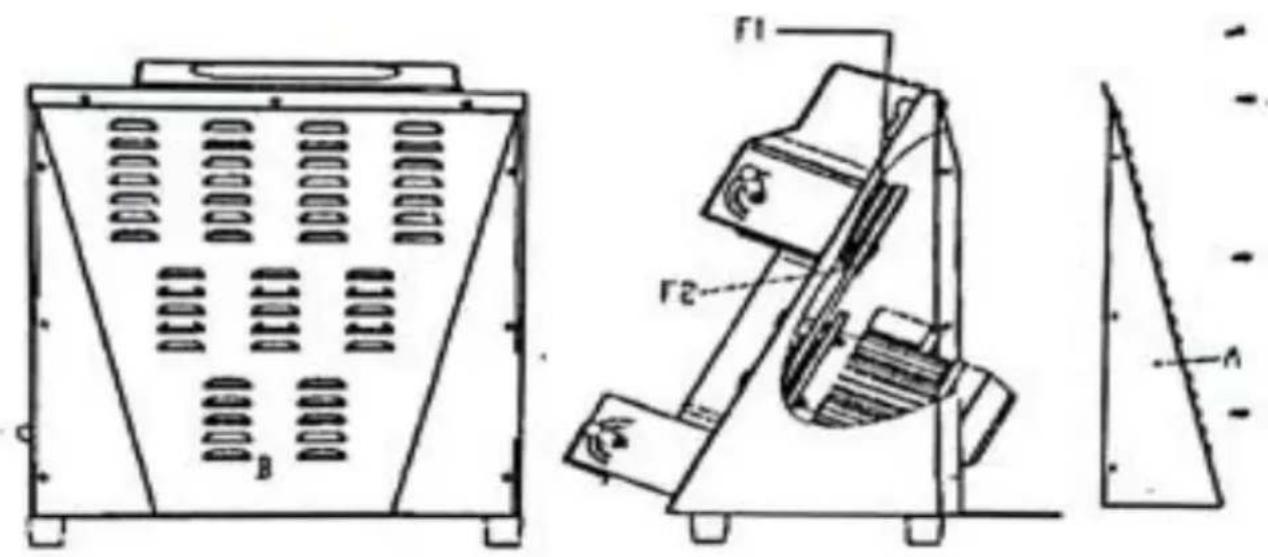
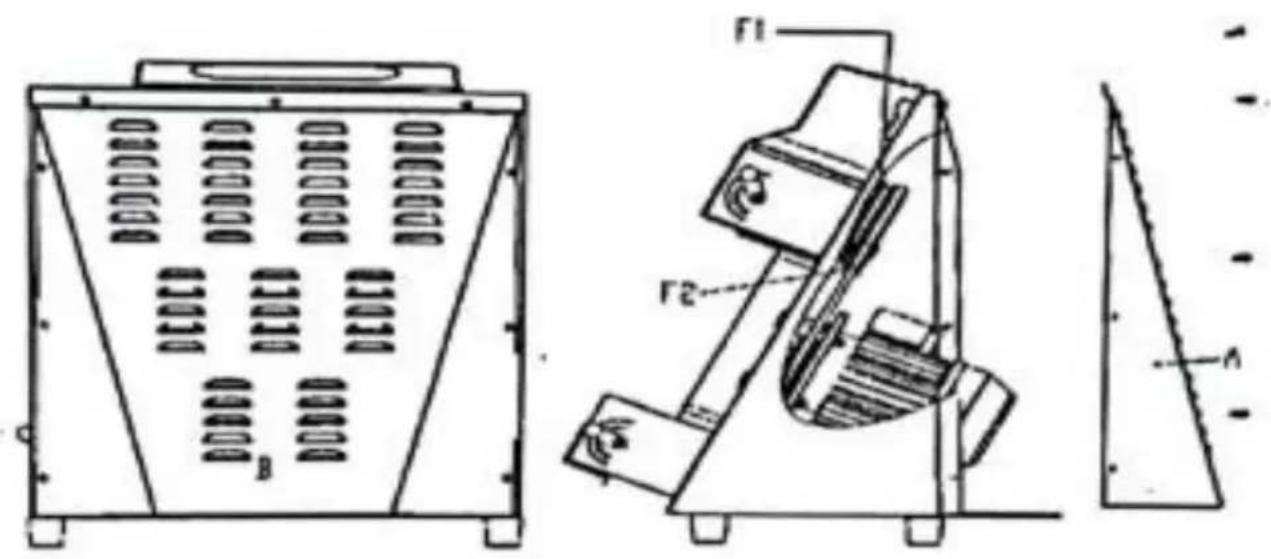
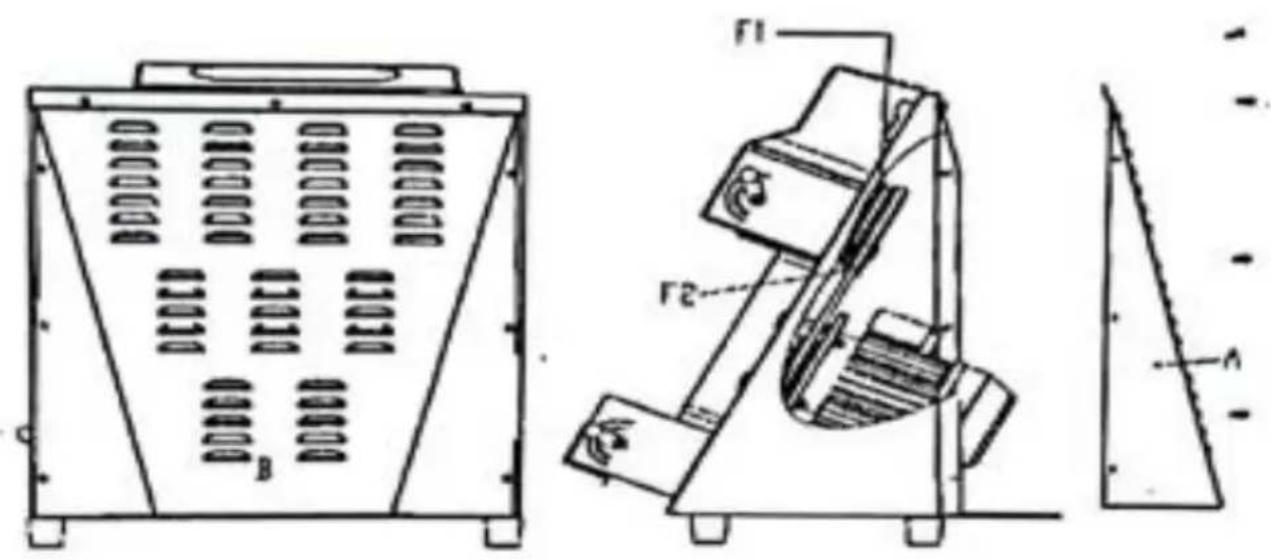
4.3 Using a proper brush and a wooden palate, first clean the resin flour and dough, take them away from the covers, the two slides release springs B, C, remove the scraping dough pieces D then turn regulating levers L-L1 in position of maximum opening of rollers. Accumulate clean the machine and in particular the disassembled parts using a silt or cloth damped with water and detergent.
Rinse thoroughly and dry with an absorbing food-paper, wipe again surfaces that get in touch with the dough and then clean the whole machine with a smooth cloth and specific disinfectant for food-machine
4.4 Mount everything in this order: the scraping dough pieces, the springs, the slides and the protections.
4.5 Lubrication of shafts and rollers
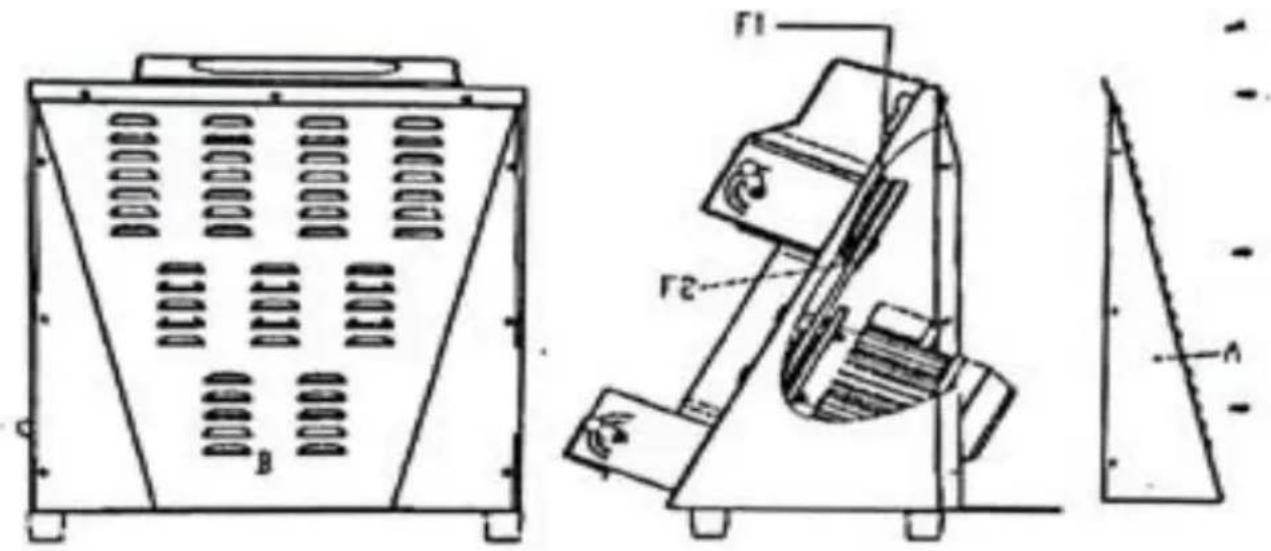
It is necessary to grease shafts and rollers every year. Take off the protections, the slanted wall, the springs and the dough-scrapers; unscrew the fixing screws and take off first the back-panel A and the stands B and C; take off the rollers DEFG and the joints HI L M. Clean these parts accurately by means of a sponge; warm (page9) water and detergent, rinse thoroughly and dry it with absorbing paper. Grease the shafts and the rollers holes with a sufficient quantity of paraffin. Put back on and fix all the parts, starting from the last taken off piece
5. Possible anomalies
| anomaly | cause | solution |
| The machine does not start | Electrical power is missing the input voltage is wrong. other reasons | 1.Check the general switch, the plug and the feeding cable2.use a proper voltage.3.stop using and apply for authorized assistance from the manufacturer. |
| The machine conduct electricity | The wires touch the structure of the machine | Check the wires, verify the wires do not touch the structure of the machine. |
| Only a group rolle working | the belt is broken. the worm wheel is worn out. | change the belt.change a new worm wheel |
6. Electrical diagram
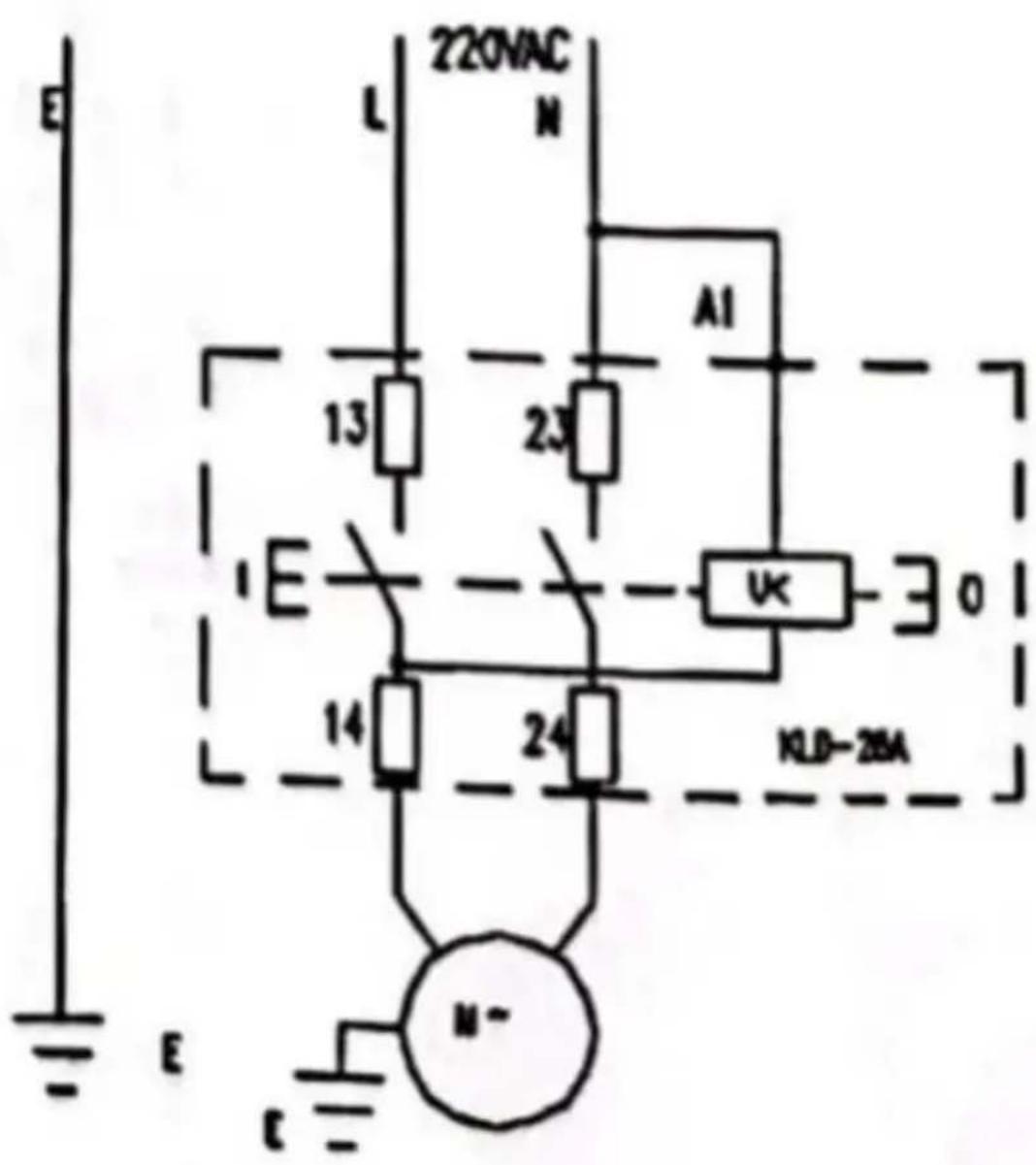
KLD: Switch M: Motor
FA: Thermo-protection of the engine
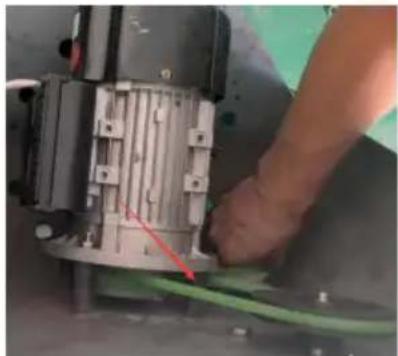
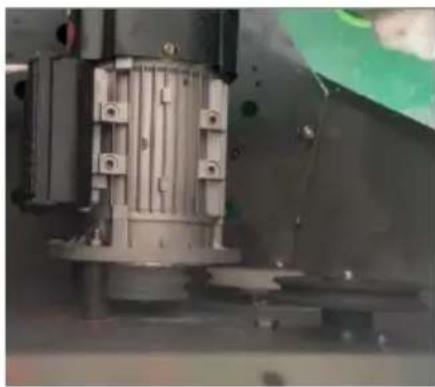
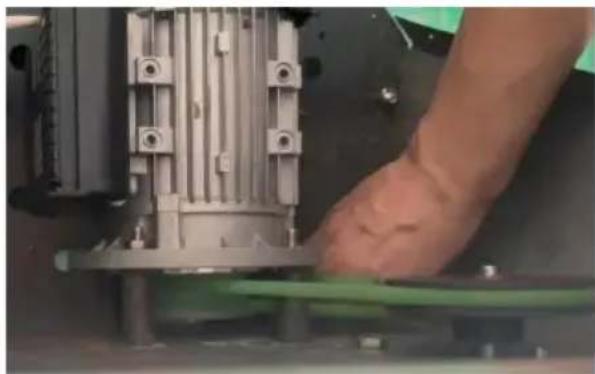
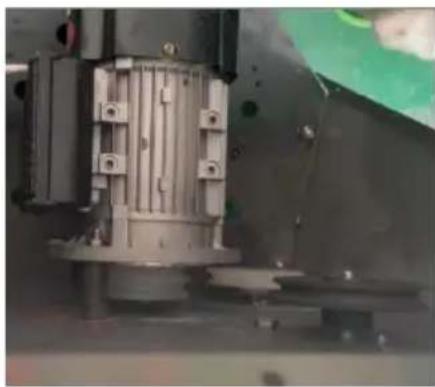
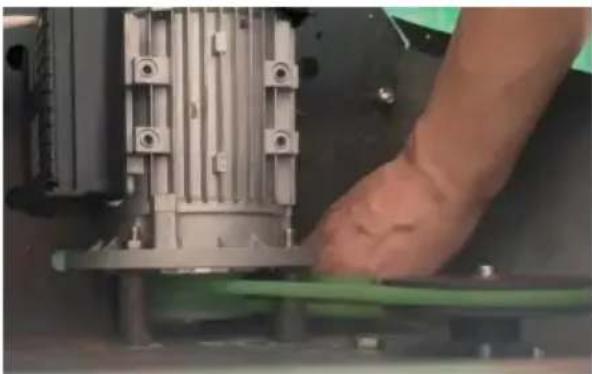
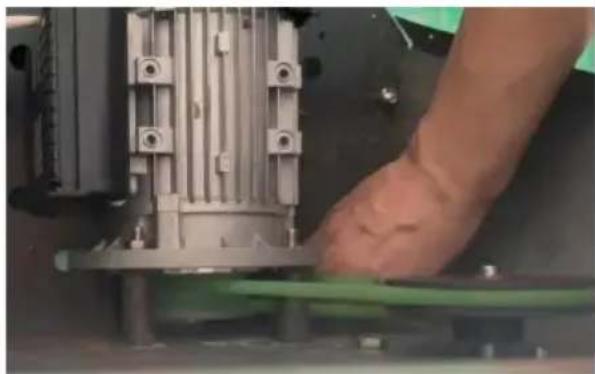
7. Belt replacement instructions
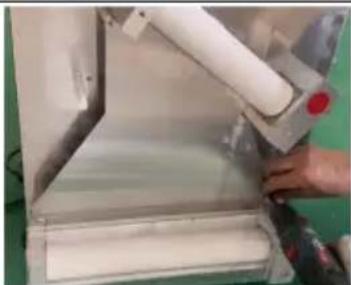
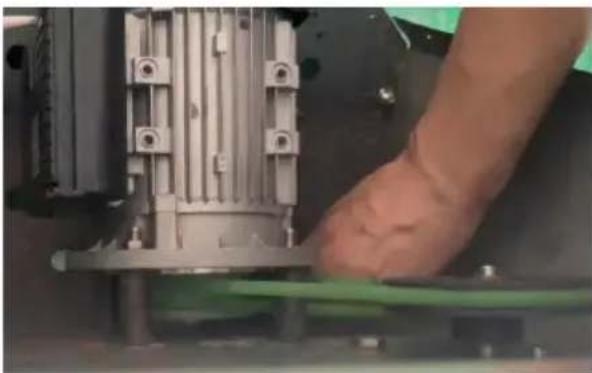
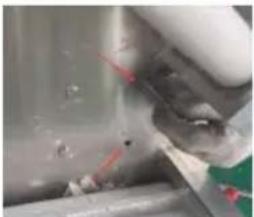
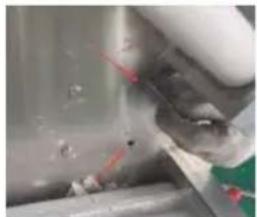
Loosen the panel screws and remove the lower panel
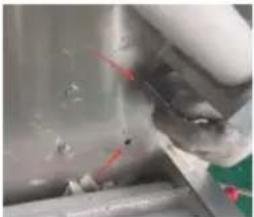
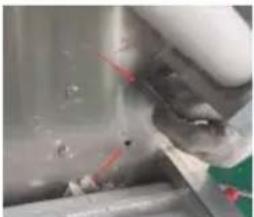
Loosen the two screws pointed by the arrow
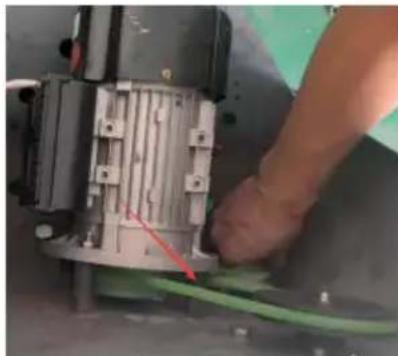
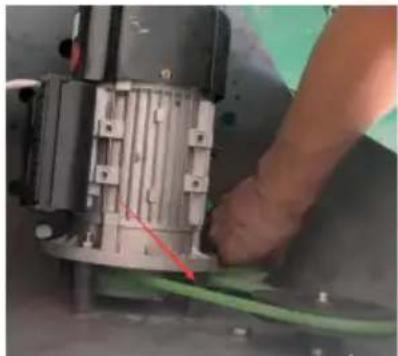
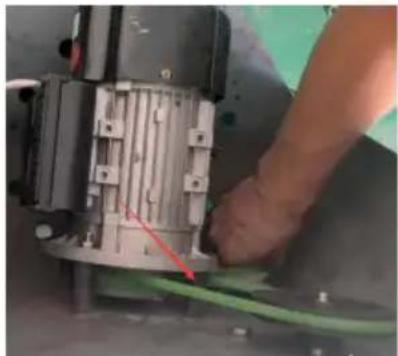
Remove these two support pos
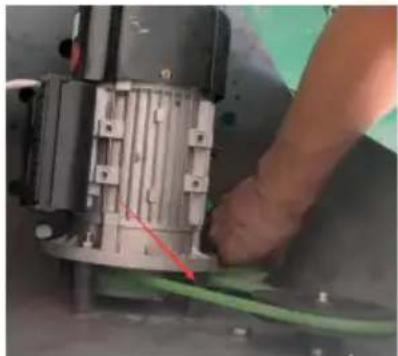
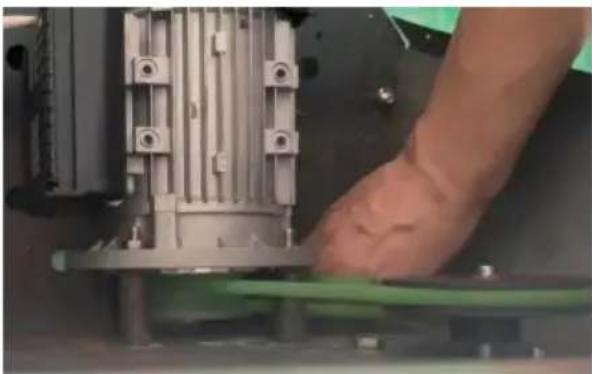
Take out two belts
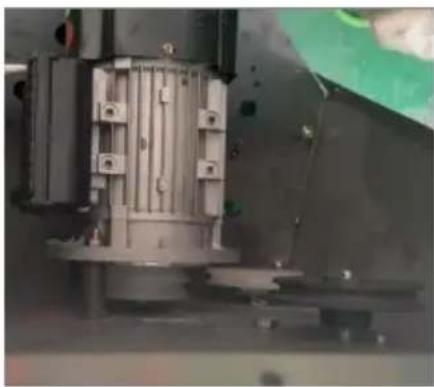
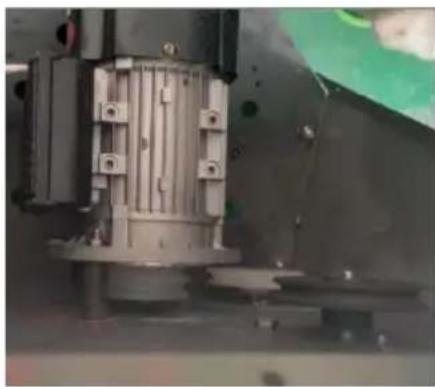
Put back the 2 support posts and belts and lock the front pane.
VEVOR®
TOUGH TOOLS, HALF PRICE
Technical Support and E-Warranty Certificate
www.vevor.com/support
Made In China
VEVOR®
TOUGH TOOLS, HALF PRICE
We continue to be committed to provide you tools with competitive price. "Save Half", "Half Price" or any other similar expressions used by us only represent estimate of savings you might benefit from buying certain tools with us compared to top brands and does not necessarily mean to cover all categories of tools offered. We are kindly reminded to verify carefully when you are placing an order with us if you are actually saving half in comparison with the top major brands.
VEVOR®
TOUGH TOOLS, HALF PRICE
PIZZA DOUGH PRESSER
MODEL: APD30 APD40
NEED HELP? CONTACT US!
Have product questions? Need technical support? Please feel free to contact us:
Technical Support and E-Warranty Certificate www.vevor.com/support
This is the original instruction. Please read all manual instructions carefully before operating. VEVOR reserves a clear interpretation of the user manual. The appearance of the product shall be subject to the product you received. Please forgive us that we won't inform you of any technology or software updates on our product.
Possible anomalies
We continue to be committed to provide you with tools at competitive prices. "Save Half", "Half Price" or any other similar expressions used by us only represent an estimate of savings you might benefit from buying certain tools with us compared to top brands, and does not necessarily mean to cover all categories of tools offered. We kindly remind you to verify carefully when placing an order with us that you are actually saving half in comparison with the top major brands.
VEVOR®
TOUGH TOOLS, HALF PRICE
PIZZA DOUGH PRESSER
MODEL: APD30 APD40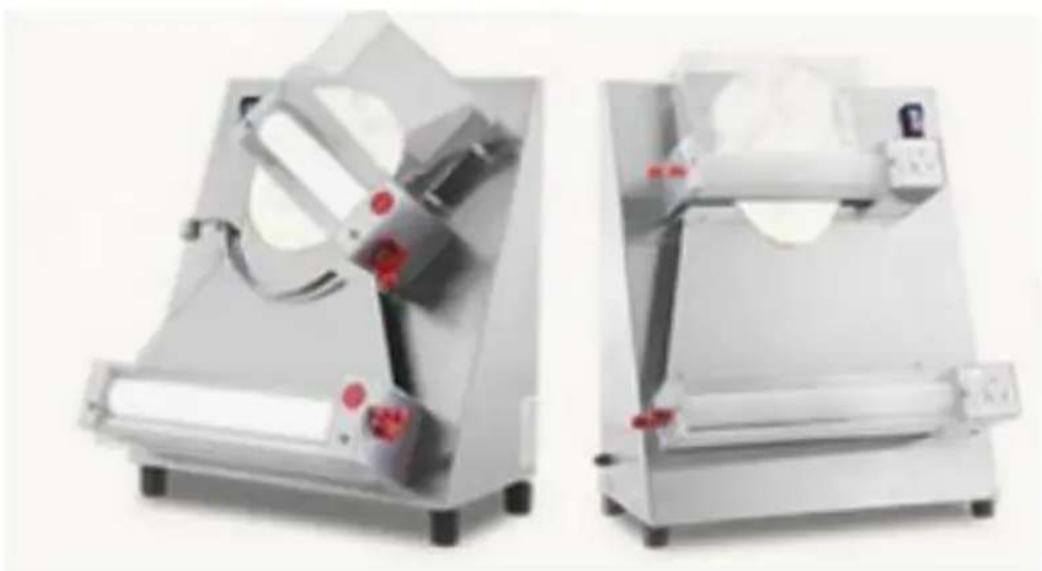
NEED HELP? CONTACT US!
Have product questions? Need technical support? Please feel free to contact us:
Technical Support and E-Warranty Certificate www.vevor.com/support
This is the original instruction. Please read all manual instructions carefully before operating. VEVOR reserves a clear interpretation of the user manual. The appearance of the product shall be subject to the product you received. Please forgive us that we won't inform you of any technology or software updates on our product.
- Possible anomalies
www.vevor.com/support
We continue to be committed to provide you with tools at competitive prices. "Save Half", "Half Price" or any other similar expressions used by us only represent an estimate of savings you might benefit from buying certain tools with us compared to top brands, and does not necessarily mean to cover all categories of tools offered. We kindly remind you to verify carefully when placing an order with us that you are actually saving half in comparison with the top major brands.
VEVOR®
TOUGH TOOLS, HALF PRICE
PIZZA DOUGH PRESSER
MODEL: APD30, APD40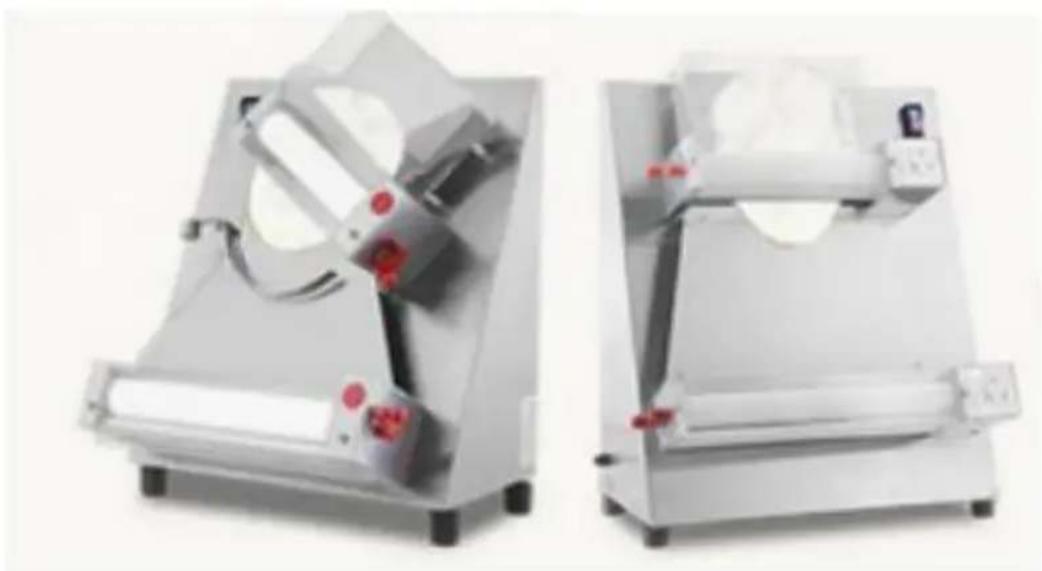
NEED HELP? CONTACT US!
Have product questions? Need technical support? Please feel free to contact us:
Technical Support and E-Warranty Certificate www.vevor.com/support
This is the original instruction. Please read all manual instructions carefully before operating. VEVOR reserves a clear interpretation of the user manual. The appearance of the product shall be subject to the product you received. Please forgive us that we won't inform you of any technology or software updates on our product.
5. Possible anomalies
www.vevor.com/support
Made in China
VEVOR®
TOUGH TOOLS, HALF PRICE
We continue to be committed to providing you with tools at competitive prices. "Save Half", "Half Price", or any other similar expressions used by us only represent an estimate of savings you might benefit from buying certain tools with us compared to top brands, and does not necessarily mean to cover all categories of tools offered. We kindly remind you to verify carefully when placing an order with us that you are actually saving half in comparison with the top major brands.
VEVOR®
TOUGH TOOLS, HALF PRICE
PIZZA DOUGH PRESSER
MODEL: APD30, APD40
NEED HELP? CONTACT US!
Have product questions? Need technical support? Please feel free to contact us:
Technical Support and E-Warranty Certificate www.vevor.com/support
This is the original instruction. Please read all manual instructions carefully before operating. VEVOR reserves the right to interpret the user manual. The appearance of the product shall be subject to the product you received. Please forgive us that we won't inform you of any technology or software updates on our product.
www.vevor.com/support
Made in China
VEVOR®
TOUGH TOOLS, HALF PRICE
We continue to be committed to providing you with tools at competitive prices. "Save Half", "Half Price", or any other similar expressions used by us only represent an estimate of savings you might benefit from buying certain tools with us compared to top brands, and does not necessarily mean to cover all categories of tools offered. We kindly remind you to verify carefully when placing an order with us that you are actually saving half in comparison with the top major brands.
VEVOR®
TOUGH TOOLS, HALF PRICE
PIZZA DOUGH PRESSER
MODEL: APD30 APD40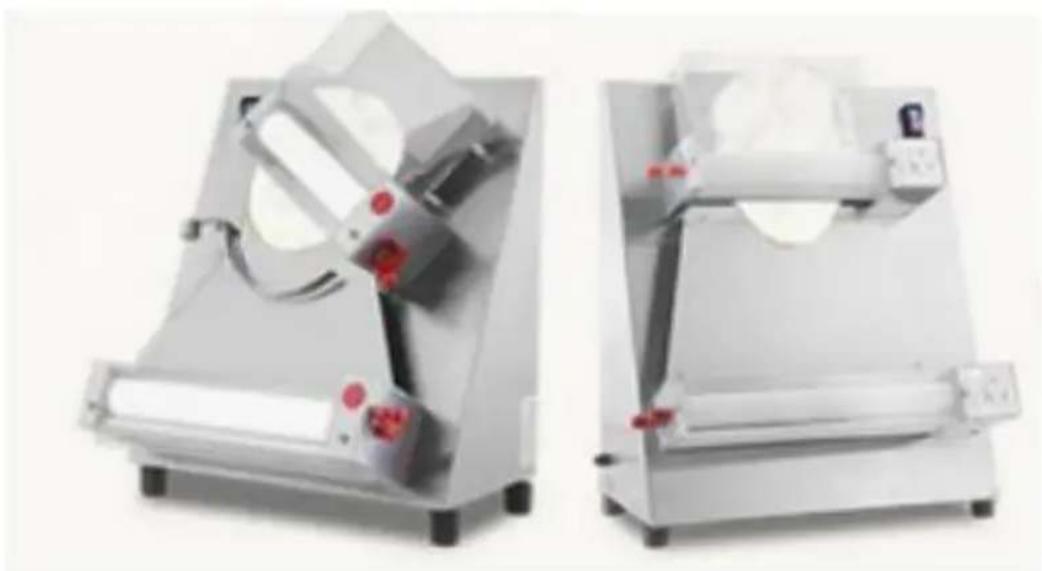
NEED HELP? CONTACT US!
Have product questions? Need technical support? Please feel free to contact us:
Technical Support and E-Warranty Certificate www.vevor.com/support
This is the original instruction. Please read all manual instructions carefully before operating. VEVOR reserves the right to interpret the user manual. The appearance of the product shall be subject to the product you received. Please forgive us that we won't inform you of any technology or software updates on our product.
5. Possible anomalies
www.vevor.com/support
We continue to be committed to providing you with tools at competitive prices. "Save Half", "Half Price" or any other similar expressions used by us only represent an estimate of savings you might benefit from buying certain tools with us compared to top brands and does not necessarily mean to cover all categories of tools offered. We kindly remind you to verify carefully when placing an order with us that you are actually saving half in comparison with the top major brands.
VEVOR®
TOUGH TOOLS, HALF PRICE
PIZZA DOUGH PRESSER
MODEL: APD30 APD40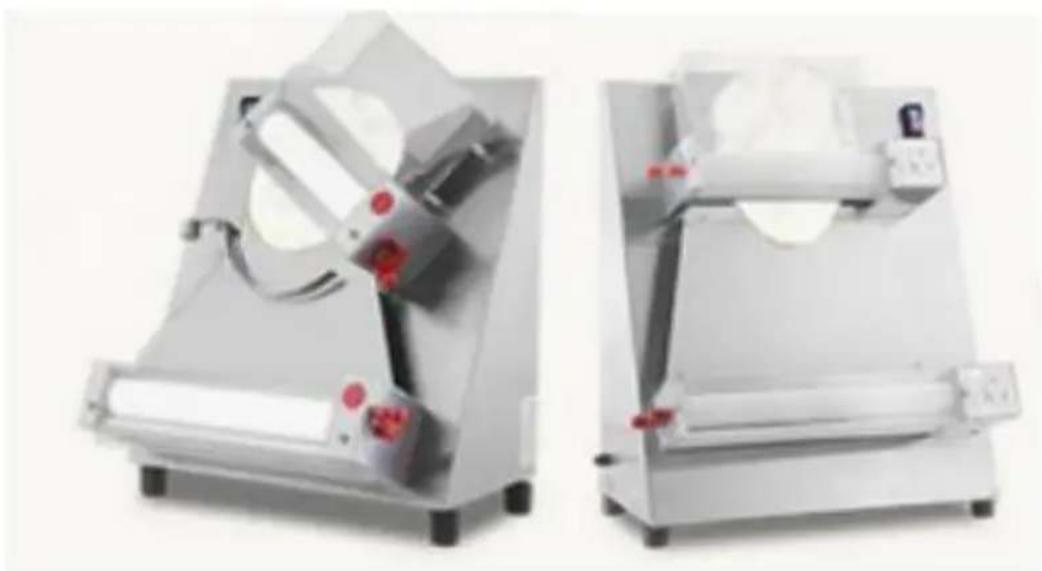
NEED HELP? CONTACT US!
Have product questions? Need technical support? Please feel free to contact us:
Technical Support and E-Warranty Certificate www.vevor.com/support
This is the original instruction. Please read all manual instructions carefully before operating. VEVOR reserves the right to interpret the user manual. The appearance of the product shall be subject to the product you received. Please forgive us that we won't inform you of any technology or software updates on our product.
KLD: Switch, M: Motor, FA: Motor thermal protection

www.vevor.com/support
Made in China
VEVOR®
TOUGH TOOLS, HALF PRICE
We continue to be committed to providing you with tools at competitive prices. "Save Half", "Half Price" or any other similar expressions used by us only represent an estimate of savings you might benefit from buying certain tools with us compared to top brands and does not necessarily mean to cover all categories of tools offered. We kindly remind you to verify carefully when placing an order with us that you are actually saving half in comparison with the top major brands.
VEVOR®
TOUGH TOOLS, HALF PRICE
PIZZA DOUGH PRESSER
MODEL: APD30 APD40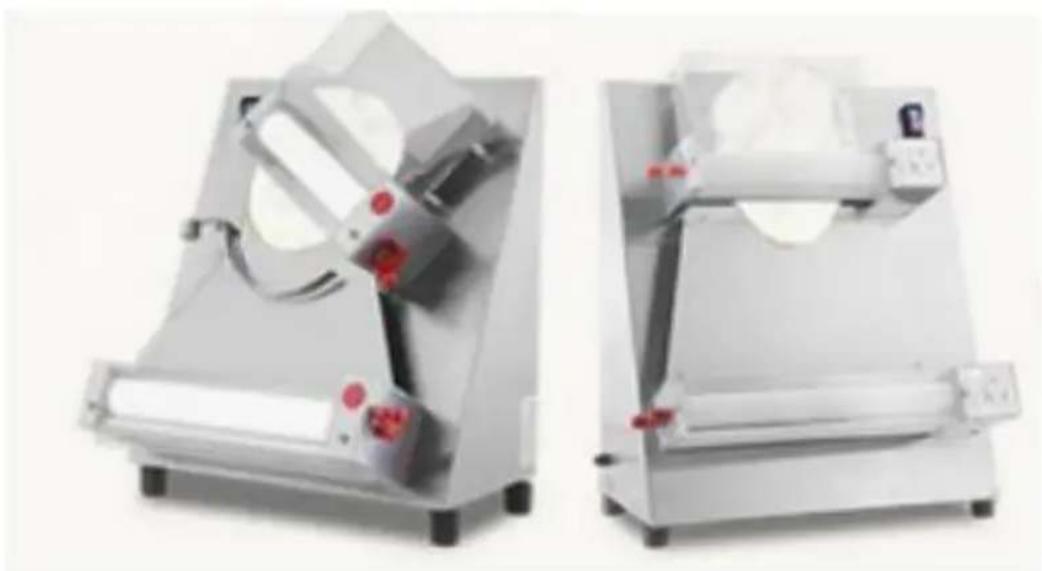
NEED HELP? CONTACT US!
Have product questions? Need technical support? Please feel free to contact us:
Technical Support and E-Warranty Certificate www.vevor.com/support
This is the original instruction. Please read all manual instructions carefully before operating. VEVOR reserves the right to interpret the user manual. The appearance of the product shall be subject to the product you received. Please forgive us that we won't inform you of any technology or software updates on our product.
KLD:Switch M:Motor
www.vevor.com/support
Made in China
- PIZZA DOUGH PRESSER
- VEVOR®
- MODEL: APD30 APD
- NEED HELP? CONTACT US
- IMPORTANT SAFEGUARDS
- SAVE THESE INSTRUCTIONS
- INSTALLATION
- OPERATION
- FUNCTIONAL TEST
- HOW TO REGULATE THE THICKNESS
- MAINTENANCE
- POSSIBLE ANOMALIES
- ELECTRICAL DIAGRAM
- BELT REPLACEMENT INSTRUCTIONS
- TOUGH TOOLS, HALF PRICE
- MODEL: APD30, APD
Brand : Vevor
Model : APD40
Category : Food press