
GS950C-3601800 - Battery charger Vevor - Free user manual and instructions
Find the device manual for free GS950C-3601800 Vevor in PDF.
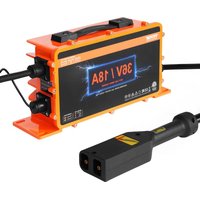


| Product Type | Smart Battery Charger |
| Brand | Vevor |
| Model | GS950C-3601800 |
| Input Voltage | 100–240 V, 60/50 Hz |
| Max Charging Current | 18 A |
| Output Voltage (Battery) | 36 V |
| Maximum Power | 738 W |
| Compatible Battery Types | Lead-acid, LiFePO₄, Ternary Lithium |
| Charging Technology | PWM with CPU control, 3-stage charging (constant current, constant voltage, float) |
| LED Indicators | Battery type LED (green/orange/red) and charging status LED (red/flashing green) |
| Safety | Reverse polarity, short circuit, overvoltage, overcurrent, overheat protection |
| Cooling | Built-in fan, do not block vents |
| Operating Environment | Indoor, well-ventilated, away from moisture and flammable gases |
| Connections | DC terminals (alligator clips) and AC cord |
| Maintenance | Regularly clean dust from vents and fan; wipe the casing with an alcohol-dampened cloth |
| Certifications | FCC, CE (compliant with Directive 2012/19/EC) |
| Warranty and Support | Technical support and electronic warranty certificate at www.vevor.com/support |
Frequently Asked Questions - GS950C-3601800 Vevor
User questions about GS950C-3601800 Vevor
0 question about this device. Answer the ones you know or ask your own.
Ask a new question about this device
Download the instructions for your Battery charger in PDF format for free! Find your manual GS950C-3601800 - Vevor and take your electronic device back in hand. On this page are published all the documents necessary for the use of your device. GS950C-3601800 by Vevor.
USER MANUAL GS950C-3601800 Vevor
Technical Support and E-Warranty Certificate
www.vevor.com/support
We continue to be committed to provide you tools with competitive price.
"Save Half", "Half Price" or any other similar expressions used by us only represents an estimate of savings you might benefit from buying certain tools with us compared to the major top brands and does not necessarily mean to cover all categories of tools offered by us. You are kindly reminded to verify carefully when you are placing an order with us if you are actually saving half in comparison with the top major brands.
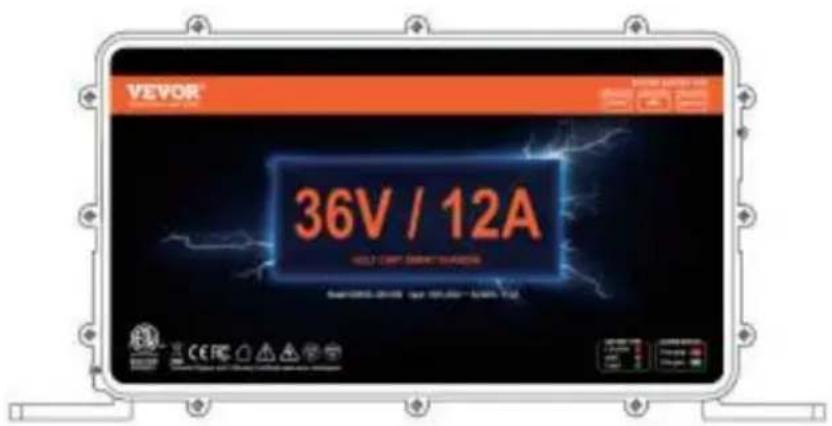
GS950C-3601200 GS950C-3601800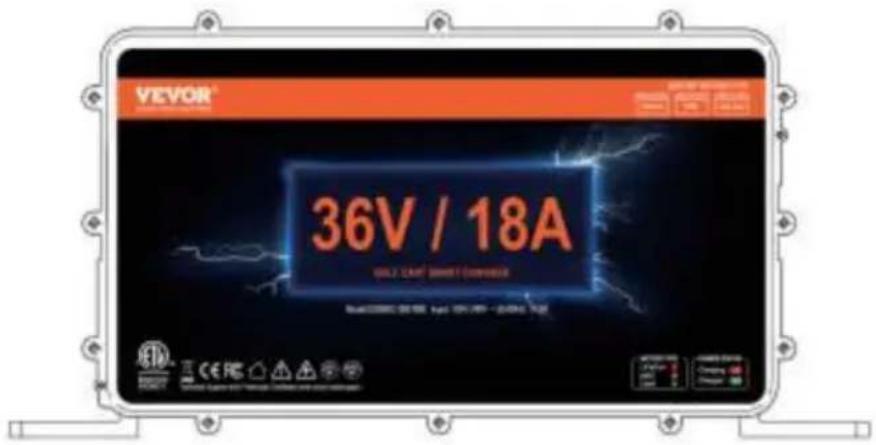
GS950C-4801500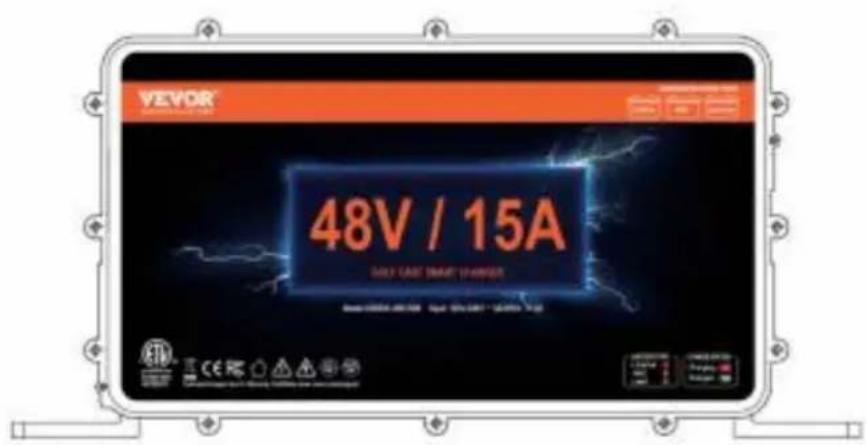
NEED HELP? CONTACT US!
Have product questions? Need technical support? Please feel free to contact us:
Technical Support and E-Warranty Certificate www.vevor.com/support
This is the original instruction, please read all manual instruction carefully before operating. VEVOR reserves a clear interpretation user manual. The appearance of the product shall be subject to product you received. Please forgive us that we won't inform you there are any technology or software updates on our product.
| Warning-To reduce the risk of injury, user must read instructions manual carefully. | |
| This device complies with Part 15 of the FCC Rules. is subject to the following two conditions:(1)This device not cause harmful interference, and (2)this device must any interference received, including interference that may cause undesired operation. | |
| This product is subject to the provision of European D 2012/19/EC. The symbol showing a wheelie bin crossed through indicates that the product requires separate refu collection in the European Union. This applies to the p and all accessories marked with this symbol. Products as such may not be discarded with normal domestic w must be taken to a collection point for recycling electri electronic devices |
WARNING
This Operating Manual covers information on safety and cautions. Please read it carefully before charging.
- READ AND UNDERSTAND ALL SAFETY INFORMATION BEFORE USING PRODUCT. Failure to follow these safety instructions may result in ELECTRICAL SHOCK, EXPLOSION, FIRE, which may result in SERIOUS INJURY, DEATH, OR PROPERTY DAMAGE.
- Electrical Shock. Product is an electrical device that can shock and cause serious injury. Do not cut power cords. Do not submerge in water or get wet.
- Explosion. Unmonitored, incompatible, or damaged batteries can explode if used with product. Do not leave product unattended while in use. Do not attempt to damage or freeze battery. Use product only with batteries of recommended voltage. Operate product in well-ventilated areas.
- Fire. Product is an electrical device that emits heat and is capable of causing fire. Do not cover product. Do not smoke or use any source of electrical spark or fire when operating product. Keep product away from combustible materials.
- Eye Injury. Wear eye protection when operating product. Batteries can explode and cause flying debris. Battery acid can cause eye and skin irritation. In case of contamination of eyes or skin, flush affected area with running clean water and contact poison control immediately.
- Explosive Gases. Working in the vicinity of a lead-acid battery is dangerous. Batteries generate explosive gases during normal battery operation. To reduce risk of battery explosion, follow all safety information, instructions, and those published by the battery manufacturer and manufacturer of any equipment intended to be used in the vicinity of the battery. Review cautionary markings on these products and on the engine.
OVERVIEW
With CPU control and PWM technology, GS950C series charger has advantages like high efficiency, good stability, low-carbon and energy-saving. Three-section charging mode --- Controlling the charging current and voltage automatically and precisely, both ensure that battery is charged fully, and not over charged. Your battery life will be protected.
This product can charge three kinds of batteries: lead-acid battery/lithium iron phosphate battery/ternary lithium battery. Please determine which kind of battery you want to charge before charging, and check the voltage of the battery before charging.
UNPACKING INSPECTION
Open the package case, check the items shown on Table 1. Carefully check for any missing or damaged part.
Table 1. Unpacking Inspection
| Item | Description | Qty |
| 1 | Operating manual | 1 |
- Before charging, determine the type of battery of the equipment to be charged, and press the battery type switch to rotate the battery type. Check whether the battery voltage of the charging device is consistent with the charger. (See Fig1)
- Battery type LED: Battery type indicator LED. -Charging status LED: Charging status indicator LED.
- Battery type selector switch: Rechargeable battery type selection switch.
Fig1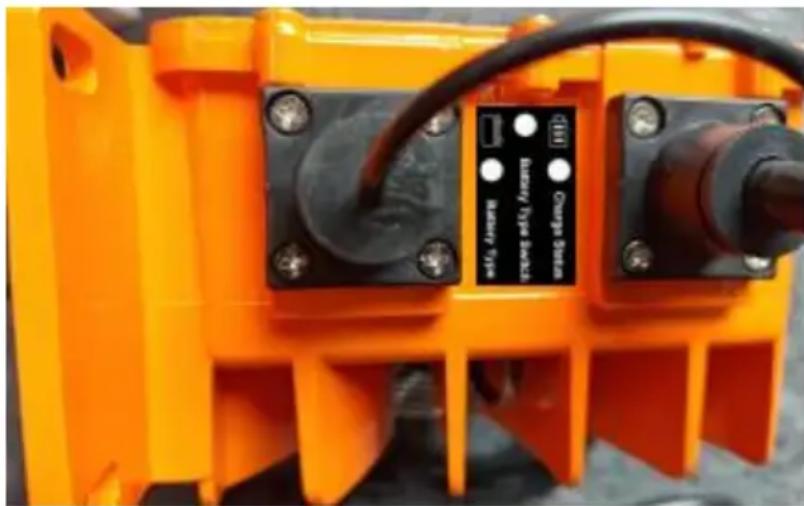
- The type and operating status corresponding to the color of the LED. Battery type LED:
Green ---- Lead-acid batteries
Orange ---- NMC battery
Red ---- LiFePo4 battery
Charging status LED:
Red and green shiny-----Poor battery contact
The red light is always on----Charging
The green light is on----Float charged
The green light is always on----Charging ends
The red light flashes once every 1 second----Battery failure
The red light flashes twice a second----Faulty charger
The red light flashes three times a second----Battery overvoltage
The red light flashes four times a second----Overcurrent
The red light flashes five times a second----Overtemperature
Battery type selector switch:
If you want to charge a ternary lithium battery or lithium iron phosphate battery, please press this switch, and the corresponding LED light color selects the type of rechargeable battery.
Press this switch to cycle through the battery type, and the corresponding LED light will also change.
Note: Before starting charging, you must correctly select the corresponding battery type; otherwise, it may damage the battery, and in serious cases, a fire could occur.
- Before charging, first connect the DC terminal to the battery, then connect the AC terminal (see Fig. 2).
Fig. 2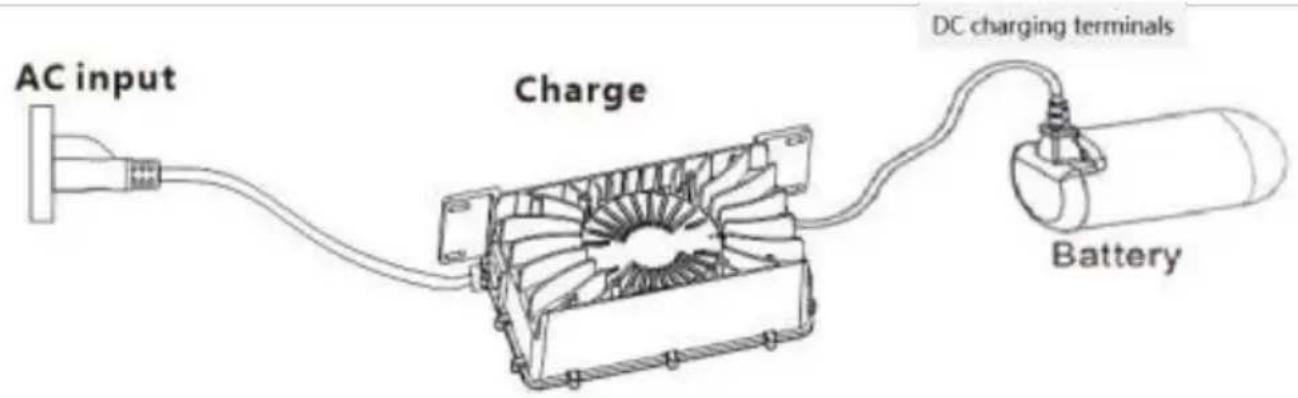
- After charging is complete, first unplug the AC terminal, then unplug the DC terminal (see Fig. 2).
- When not charging or after charging is complete, be sure to unplug both the DC and AC terminals.
Note:
- BEFORE CHARGING, IT IS IMPORTANT TO ENSURE THAT THE TYPE OF RECHARGEABLE BATTERY MATCHES THE TYPE SET ON THE CHARGER.
- BEFORE STARTING CHARGING, YOU MUST FIRST PLUG IN THE DC CHARGING PLUG, THEN THE AC PLUG.
- AFTER CHARGING, YOU MUST FIRST UNPLUG THE AC PLUG, THEN UNPLUG THE DC CHARGING PLUG.
TECHNICAL SPECIFICATIONS
| Specifications | Product model | ||
| GS950C-3601200 | GS950C-3601800 | GS950C-4801500 | |
| Input voltage | 100V-240V 60/50HZ | ||
| Max charging curren | 12A | 18A | 15A |
| Battery voltage | 36V | 36V | 48V |
| Maximum output powe | 492W | 738W | 810W |
MATTERS NEEDING ATTENTION
- Do not cover the charger or its air intake during charging. Place the charger where children cannot reach it.
- Charge indoors in a well-ventilated area with good heat dissipation.
- Do not charge in humid, high-temperature, or flammable/explosive gas environments.
- Danger: High voltage inside the charger. Do not disassemble without authorization.
- The manufacturer does not bear any responsibility for losses caused by not operating according to the instruction manual.
MAINTENANCE
WARNING: Before conducting the following operations, make sure the charger is disconnected from the battery and power connection.
Routine maintenance.
- Clear dust on vents and fan regularly, to ensure the charger has good heat dissipation. Periodically wipe the case with a cloth with some alcohol.
- Do not use or store the charger in a place of humidity or high temperature.
COMMON MALFUNCTION & SOLUTION
| Phenomenon | Cause | Resolution |
| After connecting charger and battery charger can not work Charging status LED blinks red all the time | The positive and negative polarity of the battery is reversed, or the battery is defective | Connect charger and battery correctly |
| The charging status LED flashes 2 times one second | Short Circuit | After replacing the battery, the fault still exists. Please return it to your local dealer for repair |
| The charging status LED flashes 3 times one second | Output over voltage | After replacing the battery, the fault still exists. Please return it to your local dealer for repair |
| The charging status LED flashes 4 times one second | Over Current | The fault persists after restart. Please return it to your local dealer for repair |
| The charging status LED flashes 5 times one second | Charger over heating into thermal protection mode an standby. | Cooling charger Charger can auto-resume to work when temperature cool down. |
| After connecting the charger and battery, the charger charging status LED light flashes between red and green | Charger and battery is disconnected. | Reconnect charger and battery. |
| After connecting the charger to AC power the charging does no work and all the LEI are bad | Plug loose,charger does not connect AC power. | Reconnect the AC wire and make sure that is OK. |
| Charger has damaged | Send charger back to local dealer for repair There is high-voltage inside charger, please don't open the charger personally. |
Manufacturer: Shanghaiuxinmuyeyouxianggsi
Address: Shuangchenglu 803nong11hao1602A-1609shi, baoshanqu, shanghai 200000 CN.
Imported to AUS: SIHAO PTY LTD, 1 ROKEVA STREETEASTWOOD NSW 2122 Australia
Imported to USA: Sanven Technology Ltd., Suite 250, 9166 Anaheim Place, Rancho Cucamonga, CA 91730

E-CrossStu GmbH
Mainzer Landstr.69, 60329 Frankfurt am Main.

YH CONSULTING LIMITED.
C/O YH Consulting Limited Office 147, Centurion House, London Road, Staines-upon-Thames, Surrey, TW18 4AX
VEVOR
TOUGH TOOLS, HALF PRICE
Technical Support and E-Warranty Certificate www.vevor.com/support
VEVOR
TOUGH TOOLS, HALF PRICE
Certificate www.vevor.com/support
BATTERY CHARGER OPERATION MANUAL
MODEL: GS950C-3601800 / GS950C-3601200 / GS950C-4801500
www.vevor.com/support
www.vevor.com/support
www.vevor.com/support
www.vevor.com/support
www.vevor.com/support
BATTERY CHARGER OPERATION MANUAL
MODEL: GS950C-3601800 / GS950C-3601200 / GS950C-4801500
www.vevor.com/support
BATTERY CHARGER MANUAL OPERATION
MODEL: GS950C-3601800 / GS950C-3601200 / GS950C-4801500
NEED HELP? CONTACT US!
www.vevor.com/support
BATTERY CHARGER MANUAL OPERATION
MODEL: GS950C-3601800 / GS950C-3601200 / GS950C-4801500
Red --- LiFePo4 battery
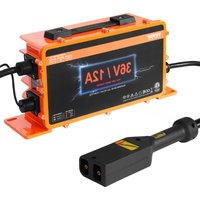

Brand : Vevor
Model : GS950C-3601800
Category : Battery charger