
GS950C-3601200 - Battery charger Vevor - Free user manual and instructions
Find the device manual for free GS950C-3601200 Vevor in PDF.
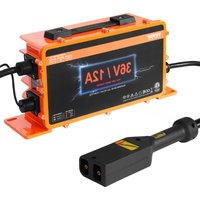


| Product Type | Smart Battery Charger |
| Brand | Vevor |
| Model | GS950C-3601200 |
| Input Voltage | 100-240 V ~ 50/60 Hz |
| Maximum Charging Current | 12 A |
| Battery Voltage | 36 V |
| Maximum Power | 492 W |
| Compatible Battery Types | Lead-acid, LiFePO4, NMC (ternary) |
| Charging Mode | Three-stage (constant current, constant voltage, float) |
| Control Technology | CPU and PWM |
| Built-in Protections | Short circuit, overvoltage, overcurrent, overheat, reverse polarity |
| Display | Battery type LED and charge status LED |
| LED Colors | Green (lead-acid), Orange (NMC), Red (LiFePO4) |
| Cooling | Built-in fan |
| Maintenance | Regularly clean the vents and fan; wipe the case with a cloth soaked in alcohol |
| Safety Precautions | Do not cover, use in a ventilated place, avoid moisture and high temperatures |
| Repairability | Not user-serviceable; return to dealer for repair |
| Included Accessories | User manual |
| Certifications | Complies with FCC Part 15, WEEE directive 2012/19/EU |
Frequently Asked Questions - GS950C-3601200 Vevor
User questions about GS950C-3601200 Vevor
0 question about this device. Answer the ones you know or ask your own.
Ask a new question about this device
Download the instructions for your Battery charger in PDF format for free! Find your manual GS950C-3601200 - Vevor and take your electronic device back in hand. On this page are published all the documents necessary for the use of your device. GS950C-3601200 by Vevor.
USER MANUAL GS950C-3601200 Vevor
Technical Support and E-Warranty Certificate
www.vevor.com/support
We continue to be committed to provide you tools with competitive price.
"Save Half", "Half Price" or any other similar expressions used by us only represents an estimate of savings you might benefit from buying certain tools with us compared to the top brands and does not necessarily mean to cover all categories of tools offered by us. You are kindly reminded to verify carefully when you are placing an order with us if you are actually saving half in comparison with the top major brands.
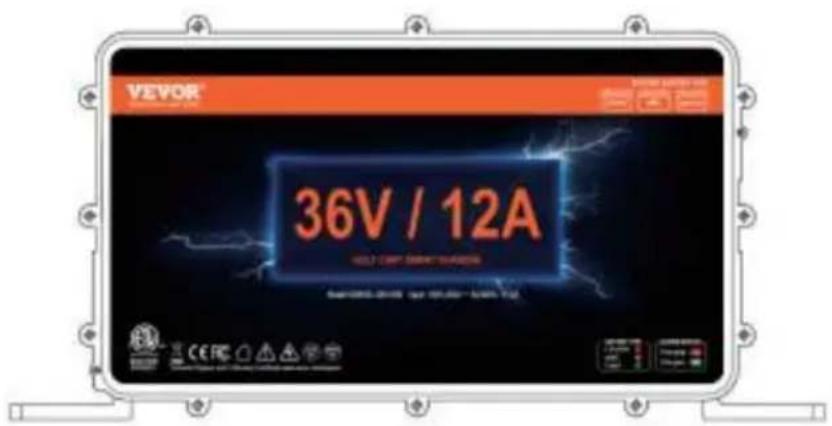
GS950C-3601200
GS950C-3601800
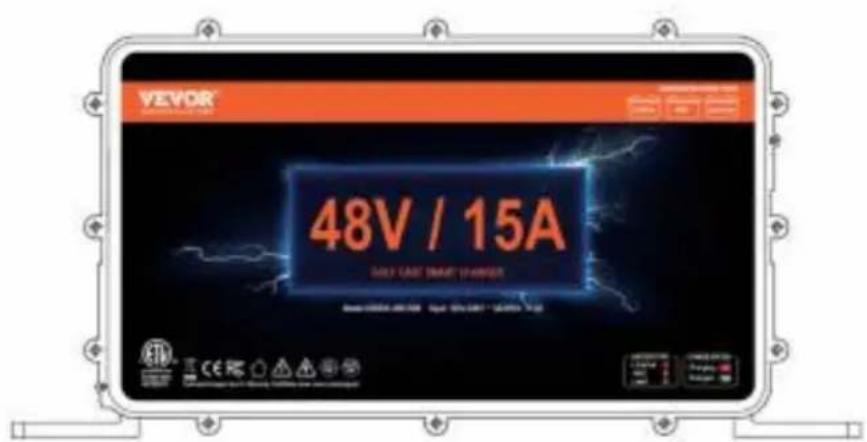
GS950C-4801500
NEED HELP? CONTACT US!
Have product questions? Need technical support? Please feel free to contact us:
Technical Support and E-Warranty Certificate www.vevor.com/support
This is the original instruction. Please read all manual instructions carefully before operating. VEVOR reserves a clear interpretation of the user manual. The appearance of the product shall be subject to the product you received. Please forgive us that we won't inform you of any technology or software updates on our product.
 | Warning-To reduce the risk of injury, user must read instructions manual carefully. |
 | This device complies with Part 15 of the FCC Rules. is subject to the following two conditions:(1)This device not cause harmful interference, and (2)this device must any interference received, including interference that may cause undesired operation. |
 | This product is subject to the provision of European D 2012/19/EC. The symbol showing a wheelie bin crossed through indicates that the product requires separate refu collection in the European Union. This applies to the p and all accessories marked with this symbol. Products as such may not be discarded with normal domestic w must be taken to a collection point for recycling electri electronic devices |
WARNING
This Operating Manual covers information on safety and cautions. Please read it carefully before charging.
- READ AND UNDERSTAND ALL SAFETY INFORMATION BEFORE USING THE PRODUCT. Failure to follow these safety instructions may result in ELECTRIC SHOCK, EXPLOSION, FIRE, which may result in SERIOUS INJURY, DEATH, OR PROPERTY DAMAGE. ● Electrical Shock. The product is an electrical device that can shock and cause serious injury. Do not cut power cords. Do not submerge in water or get wet.
- Explosion. Unmonitored, incompatible, or damaged batteries can explode if used with the product. Do not leave the product unattended while in use. Do not attempt to jump-start a damaged or frozen battery. Use the product only with batteries of recommended voltage. Operate the product in well-ventilated areas. ● Fire. The product is an electrical device that emits heat and is capable of causing fire. Do not cover the product. Do not smoke or use any source of electrical spark or flame while operating the product. Keep the product away from combustible materials.
- Eye Injury. Wear eye protection when operating product. Batteries can explode causing flying debris. Battery acid can cause eye and skin irritation. In the case of contamination of eyes or skin, flush affected area with running clean water and contact poison control immediately.
- Explosive Gases. Working in the vicinity of a lead-acid battery is dangerous. Batteries generate explosive gases during normal battery operation. To reduce risk of battery explosion, follow all safety information instructions and those published by the battery manufacturer and manufacturer of any equipment intended to be used in the vicinity of the battery. Review cautionary markings on these products and on the engine.
OVERVIEW
With CPU control and PWM technology, GS950C series charger has advantages like high efficiency, good stability, low-carbon and energy-saving. Three-section charging mode --- Controlling the charging current and voltage automatically and precisely, both ensure that battery is charged fully, and not over charged. Your battery life will be protected.
This product can charge three kinds of batteries: lead-acid battery/lithium iron phosphate battery/ternary lithium battery, please determine which kind of battery you want to charge before charging, check the voltage of the battery before charging.
UNPACKING INSPECTION
Open the package case, check the items shown on Table 1 careful check any missing or damaged part.
Table 1. Unpacking Inspection
| Item | Description | Qty |
| 1 | Operating manual | 1 |
- Before charging, determine the type of battery of the equipment to be charged, and press the battery type switch to rotate the battery type check whether the battery voltage of the charging device is consistent with the charger.(See Fig1) ●Battery type LED: Battery type indicator LED. ●Charging status LED: Charging status indicator LED. ●Battery type selector switch: Rechargeable battery type selection switch.

Fig1
●The type and operating status corresponding to the color of the LED Battery type LED:
Green ---- Lead-acid batteries
Orange ---- NMC battery
Red ---- LiFePo4 battery
Charging status LED:
Red and green flashing----Poor battery contact
Red light steady on----Charging
Green light on----Float charging
Green light steady on----Charging complete
Red light flashes once per second----Battery fault
Red light flashes twice per second----Charger fault
Red light flashes three times per second----Battery overvoltage
Red light flashes four times per second----Overcurrent
Red light flashes five times per second----Overtemperature
Battery type selector switch:
To charge a ternary lithium battery or lithium iron phosphate battery, press this switch, and the corresponding LED light color indicates the selected battery type.
Press this switch to cycle through battery types, and the corresponding LED light will change accordingly.
Note: Before starting charging, you must correctly select the corresponding battery type; otherwise, it may damage the battery, and in serious cases, a fire could occur.
●Before charging, first connect the DC terminal to the battery, then connect the AC terminal (see Fig. 2).
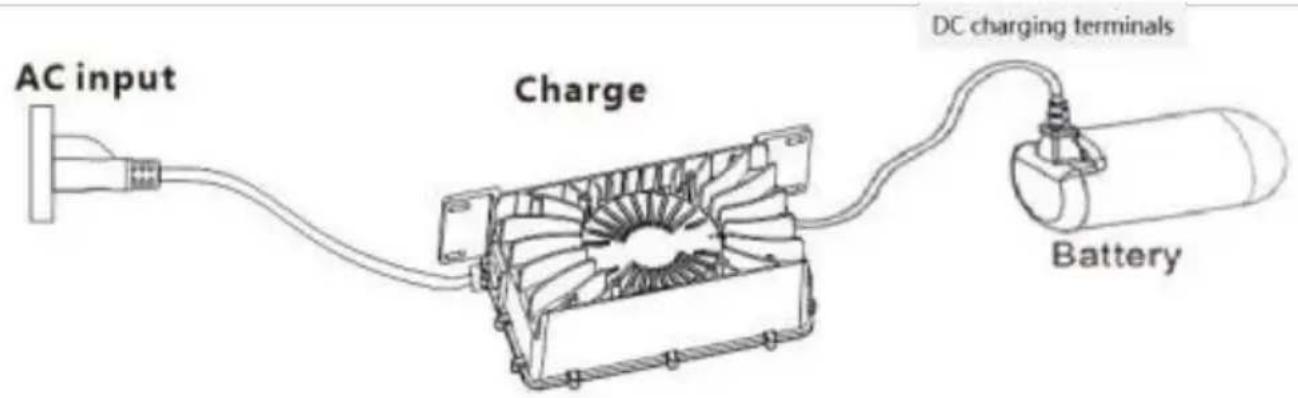
Fig. 2
After charging is complete, unplug the AC terminal first, and then unplug the DC terminal (see Fig. 2). When not charging or after charging is complete, be sure to unplug both the DC terminal and the AC terminal.
Note:
- Before charging, it is important to make sure that the type of rechargeable battery is the same as the type of rechargeable battery set by the charger.
- Before starting charging, you must first plug in the DC charging plug and then the AC plug. After charging, the AC plug must be unplugged first, and then the DC charging plug must be unplugged.
Technical Specifications
| Specifications | Product model | ||
| GS950C-3601200 | GS950C-3601800 | GS950C-4801500 | |
| Input voltage | 100V-240V 60/50HZ | ||
| Max charging curren | 12A | 18A | 15A |
| Battery voltage | 36V | 36V | 48V |
| Maximum output powe | 492W | 738W | 810W |
Matters Needing Attention
- Do not cover the charger or its air intake during charging. The charger should be placed where children cannot touch it.
- Please charge in an indoor area with good ventilation and heat dissipation. Charging is prohibited in humid, high-temperature, or flammable/explosive gas environments.
- There is a danger of high voltage inside the charger case; please do not disassemble it without authorization. The manufacturer does not bear any responsibility for losses caused by not operating according to the instruction manual.
Maintenance
Warning: Before conducting the following operations, make sure the charger is disconnected from the battery and the power supply.
Routine maintenance.
- Clean dust from vents and the fan regularly to ensure the charger has good heat dissipation.
- Periodically wipe the case with a cloth moistened with some alcohol.
- Do not use or store the charger in a humid or high-temperature place.
COMMON MALFUNCTION & SOLUTION
| Phenomenon | Cause | Resolution |
| After connecting charger and battery charger can not work Charging status LED blinks red all the time | The positive and negative polarity of the battery is reversed, or the battery is defective | Connect charger and battery correctly |
| The charging status LED flashes 2 times one second | Short Circuit | After replacing the battery, the fault still exists. Please return it to your local dealer for repair |
| The charging status LED flashes 3 times one second | Output over voltage | After replacing the battery, the fault still exists. Please return it to your local dealer for repair |
| The charging status LED flashes 4 times one second | Over Current | The fault persists after restart. Please return it to your local dealer for repair |
| The charging status LED flashes 5 times one second | Charger over heating into thermo protection mode and standby. | Cooling charger Charger can auto-resume to work when temperature cool down. |
| After connecting the charger and battery, the charger charging status LED light flashes between red and gree | Charger and battery is disconnected. | Reconnect charger and battery. |
| After connecting the charger to AC power the charging does no work and all the LEI are bad | Plug loose,charger does not connect AC power. | Reconnect the AC wind and make sure that is OK. |
| Charger has damaged | Send charger back to local dealer for repair There is high-voltage inside charger, please don't open the charger personally. |
Manufacturer: Shanghai Muxin Muye Youxian Gongsi
Address: Shuangchenglu 803nong11hao1602A-1609shi, Baoshanqu, Shanghai 200000 CN.
Imported to AUS: SIHAO PTY LTD, 1 ROKEVA STREET EASTWOOD NSW 2122 Australia
Imported to USA: Sanven Technology Ltd., Suite 250, 9166 Anaheim Place, Rancho Cucamonga, CA 91730
| EC | REP |
E- CrossStu GmbH
Mainzer Landstr.69, 60329 Frankfurt am Main.
| UK | REP |
YH CONSULTING LIMITED.
C/O YH Consulting Limited Office 147, Centurion House, London Road, Staines-upon-Thames, Surrey, TW18 4AX
VEVOR®
TOUGH TOOLS, HALF PRICE
Technical Support and E-Warranty Certificate www.vevor.com/support
VEVOR®
TOUGH TOOLS, HALF PRICE
Certificate www.vevor.com/support
MANUAL BATTERY CHARGER OPERATION
MODEL: GS950C-3601800 / GS950C-3601200 / GS950C-4801500
Fig1
Fig2
Fig. 1
Fig. 2
www.vevor.com/support
Fig. 1
Fig. 2
www.vevor.com/support
Fig. 1
Fig. 2
www.vevor.com/support
BATTERY CHARGER OPERATION MANUAL
MODEL: GS950C-3601800 / GS950C-3601200 / GS950C-4801500
Fig. 1
Fig. 2
www.vevor.com/support
BATTERY CHARGER OPERATION MANUAL
MODEL: GS950C-3601800 / GS950C-3601200 / GS950C-4801500
GS950C-4801500
NEED HELP? CONTACT US!
Figure 1
Figure 2
www.vevor.com/support
BATTERY CHARGER OPERATION MANUAL
MODEL: GS950C-3601800 / GS950C-3601200 / GS950C-4801500
Fig. 1
Fig. 2
Centurion House, London Road, Staines-upon-Thames
Thames, Surrey, TW18 4AX
VEVOR®
TOUGH TOOLS, HALF PRICE
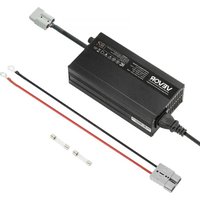
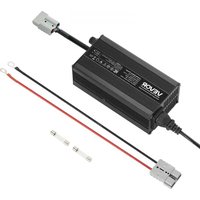

Brand : Vevor
Model : GS950C-3601200
Category : Battery charger