Vevor WJ-004 - Heating

WJ-004 - Heating Vevor - Free user manual and instructions

Find the device manual for free WJ-004 Vevor in PDF.
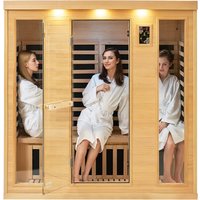
📄 192 pages English EN Download 💬 AI Question
Notice Vevor WJ-004 - page 7
Pick your language and provide your email: we'll send you a specifically translated version.

User questions about WJ-004 Vevor

0 question about this device. Answer the ones you know or ask your own.

Ask a new question about this device

The email remains private: it is only used to notify you if someone responds to your question.

No questions yet. Be the first to ask one.

Download the instructions for your Heating in PDF format for free! Find your manual WJ-004 - Vevor and take your electronic device back in hand. On this page are published all the documents necessary for the use of your device. WJ-004 by Vevor.

USER MANUAL WJ-004 Vevor

Technical Support and E-Warranty Certificate www.vevor.com/support

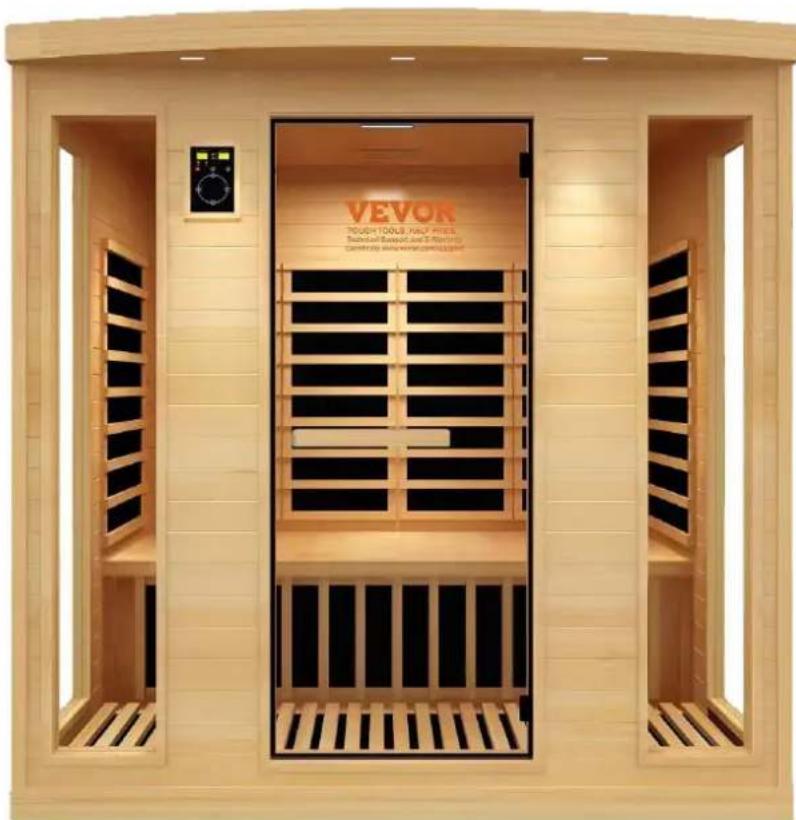
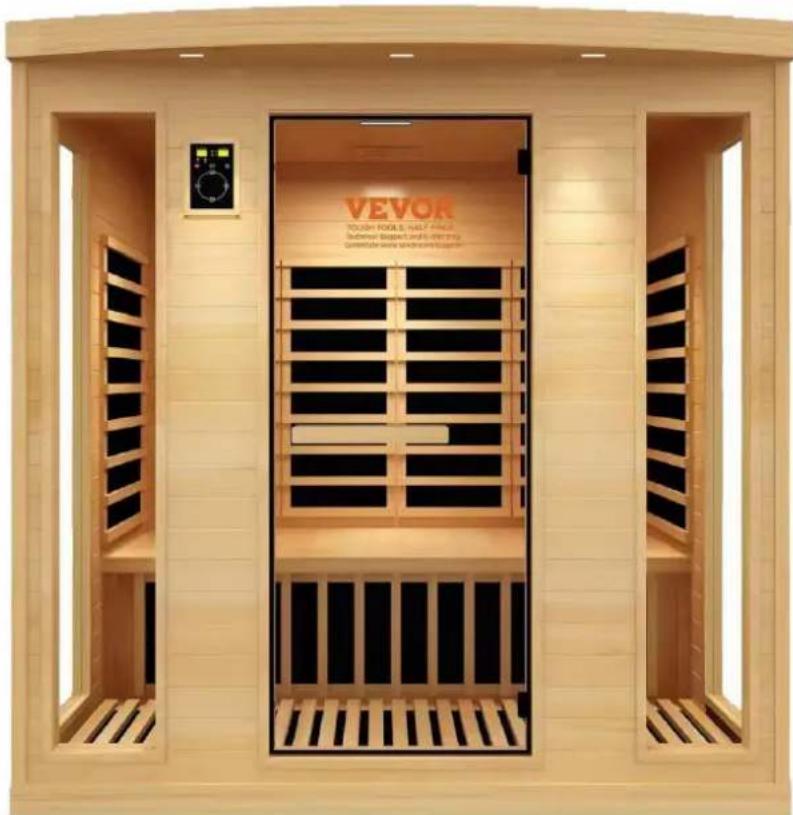
WOOD SAUNA

MODEL: WJ-004

We continue to be committed to provide you tools with competitive "Save Half", "Half Price" or any other similar expressions used by it represents an estimate of savings you might benefit from buying certain us compared to the major top brands and does not necessarily mean categories of tools offered by us. You are kindly reminded to verify when you are placing an order with us if you are actually saving comparison with the top major brands.

MODEL: WJ-004
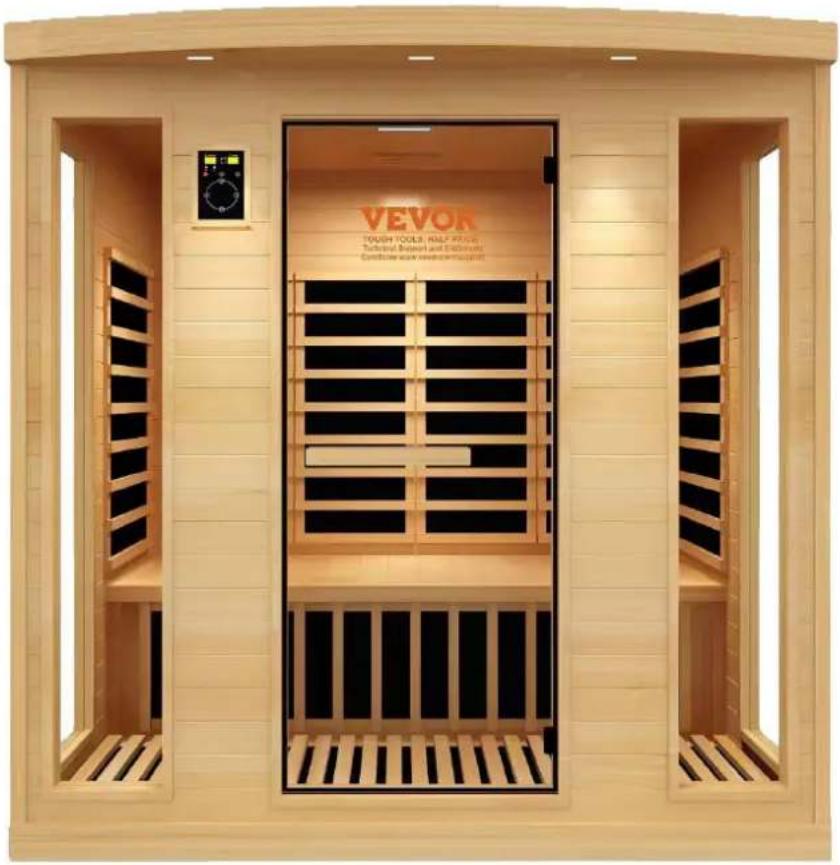
Vevor WJ-004 - WOOD SAUNA - 1

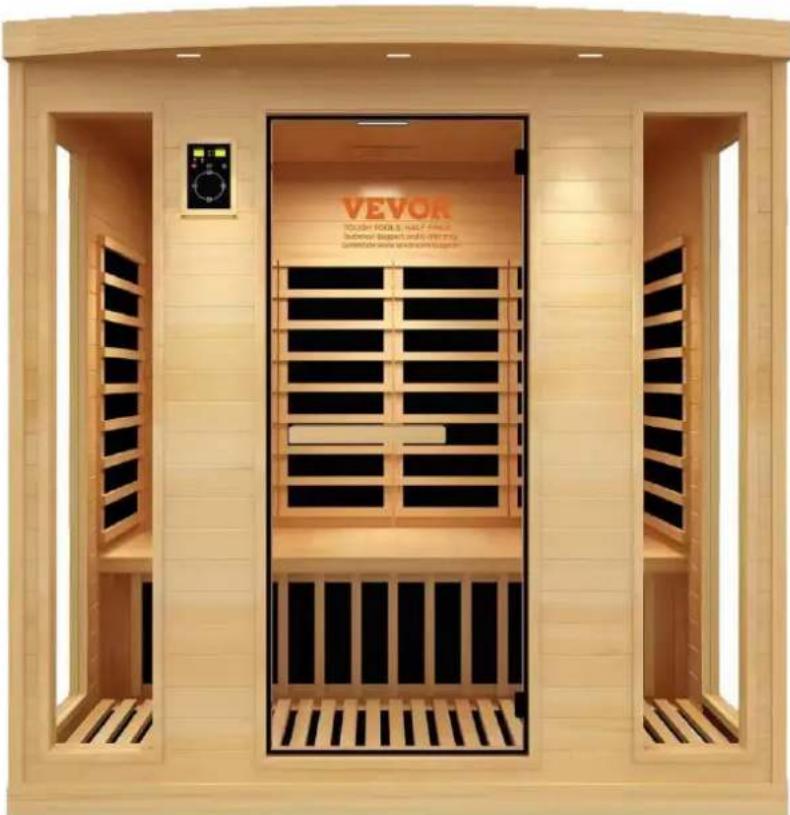
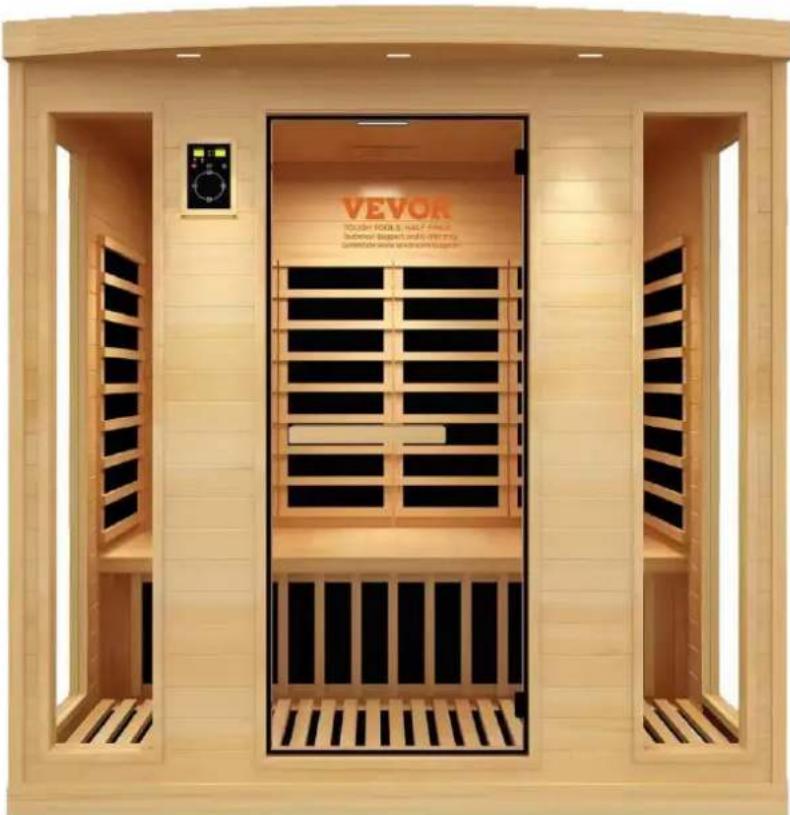
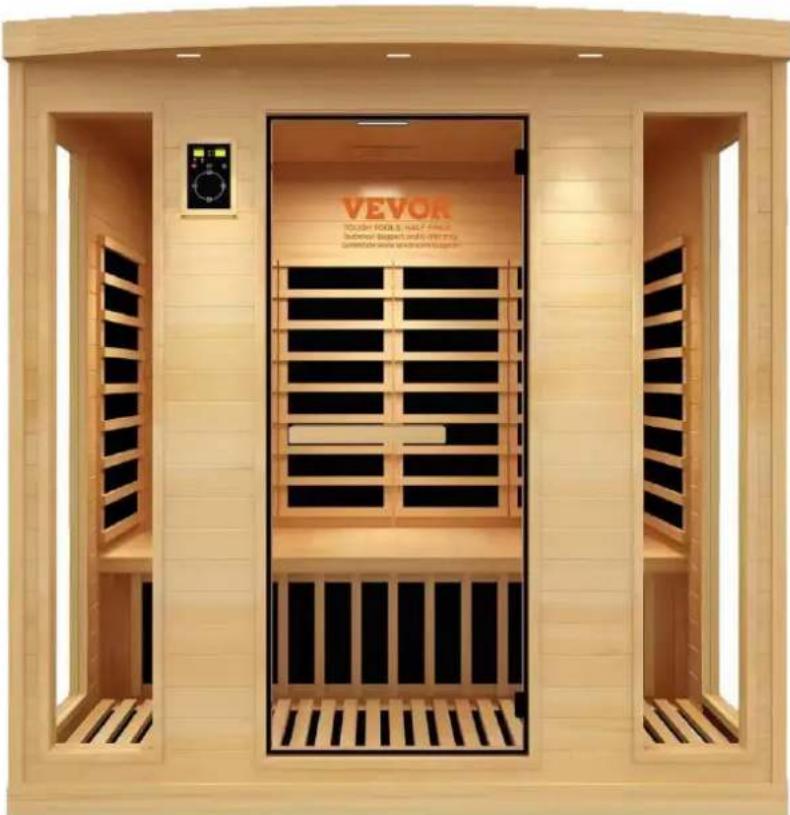
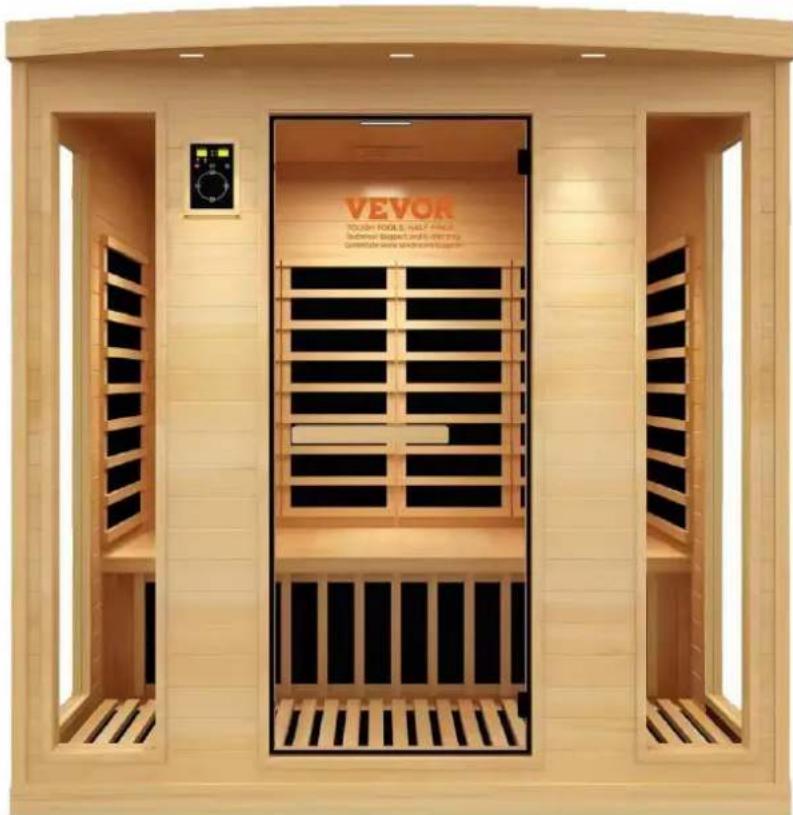
natural_image Exterior view of a Vevor-based outdoor therapy chamber with open doors and black paneling (no signage or text in focus)

NEED HELP? CONTACT US!

Have product questions? Need technical support? Please feel free to conta us:Technical Support and E-Warranty Certificate www.vevor.com/support

This is the original instruction, please read all manual instructions carefully before VEVOR reserves a clear interpretation of our user manual. The appearance of shall be subject to the product you received. Please forgive us that we won't again if there are any technology or software updates on our product.

1) CAUTION

1) Check all the circuitry and the plug connections carefully.
2) Install a voltage regulator if the power is unsuitable.
3) Do not share the outlet with other electrical appliances to avoid danger.
4) Do not use the sauna room if under the influence of alcohol, drugs, or medications.
5) Pregnant women or persons with poor health should consult their physicians before use.
6) Minors should be supervised in order to prevent injury.
7) Allow up to 30 minutes heat up time.
8) Do not use the room for drying clothes, bathing suits, etc.
9) Do not put animals in the room.
10) After 2 hours of continuous use, shut the sauna down for one hour.

Part List
CodePictureNameQTY.
1Vevor WJ-004 - 1) CAUTION - 1Floor panel1
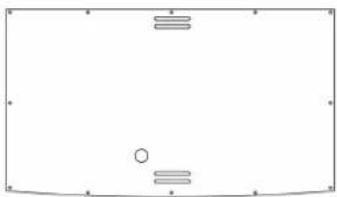
2Vevor WJ-004 - 1) CAUTION - 2Back panel1
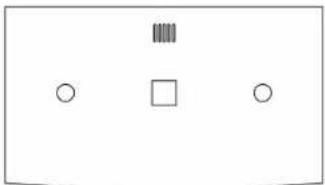
3Vevor WJ-004 - 1) CAUTION - 3Left panel1
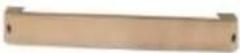
4Vevor WJ-004 - 1) CAUTION - 4Support under seat1
5Vevor WJ-004 - 1) CAUTION - 5Shank panel1
6Vevor WJ-004 - 1) CAUTION - 6Seat panel1
7Vevor WJ-004 - 1) CAUTION - 7Right panel1
8Vevor WJ-004 - 1) CAUTION - 8Font panel2
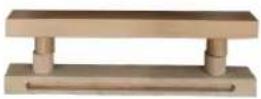
9Vevor WJ-004 - 1) CAUTION - 9Handler1
10Vevor WJ-004 - 1) CAUTION - 10Top panel1
11Vevor WJ-004 - 1) CAUTION - 11Cover1
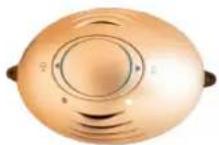
12Vevor WJ-004 - 1) CAUTION - 12Oxygen bar1
13Vevor WJ-004 - 1) CAUTION - 13Cup holde2
14Vevor WJ-004 - 1) CAUTION - 14Book holder1
15Vevor WJ-004 - 1) CAUTION - 15Towel holder1
16Vevor WJ-004 - 1) CAUTION - 16Bench support1
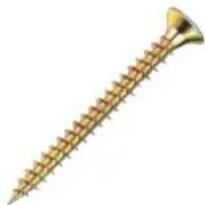
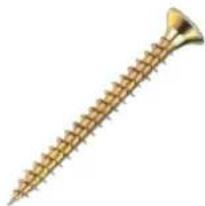
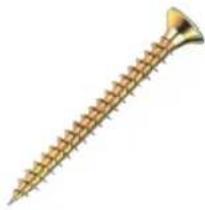
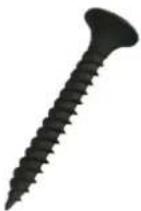
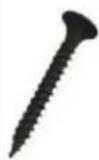
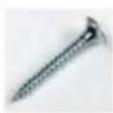
17Vevor WJ-004 - 1) CAUTION - 17Screws for outer to ST4*60mm6
18Vevor WJ-004 - 1) CAUTION - 18Screws ST3*20mm2
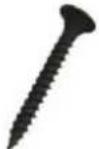
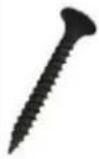
19Vevor WJ-004 - 1) CAUTION - 19Universal screws ST3*30mm20
20Vevor WJ-004 - 1) CAUTION - 20Screws for towel holder ST3 5*40mm4
21Vevor WJ-004 - 1) CAUTION - 21Screws for cover ST3*16mm26
22Vevor WJ-004 - 1) CAUTION - 22Screws for support under seat ST4*50mm15
23Vevor WJ-004 - 1) CAUTION - 23Plastic plug for scre holes 8*13mm20
24Vevor WJ-004 - 1) CAUTION - 24Dry paste for scre holes24
ModelPower (W)Voltage (V)Frequency (Hz)Plug Type
WJ-0042580AC 220-24050European Standard
50Ausstandard
60American Standard

1. INSTALLATION PROCEDURE

CAUTION:

1) No plumbing or plumbing fixtures should be placed in the sauna.

2) Keep all liquids away from the heating panels.

3) Install sauna on a completely level surface.

4) Install sauna in an area that is dry.

5)Flammable objects and Corrosive chemical substances should be kept far away from the :

Each side panel has a white label to identify the side and direction. The panel with

label should be placed on the left side according to the sauna (View from the outside sauna). The same goes with the other panels.

※ For Square Style

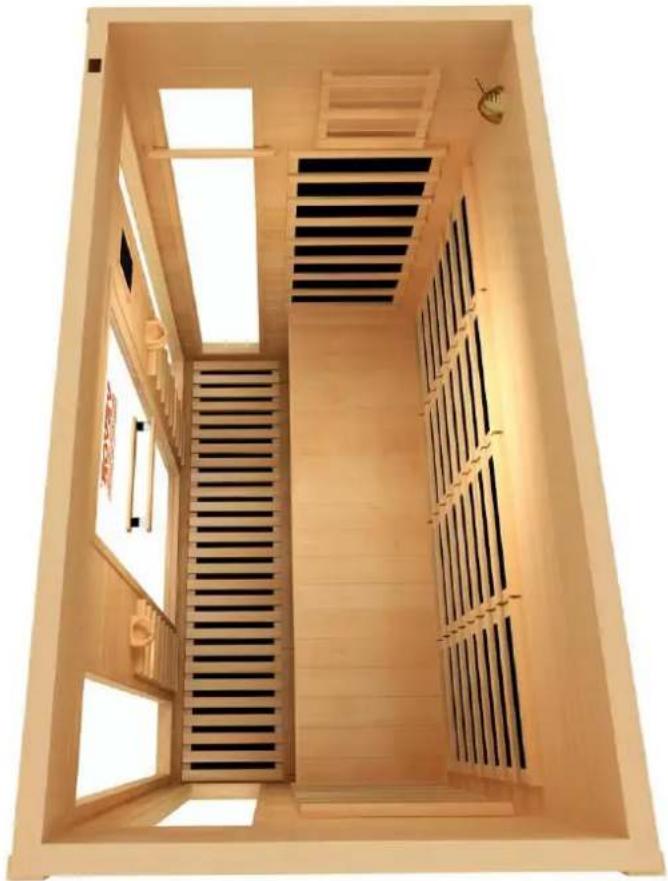
(The following pictures are used for your reference. If your sauna has some difference the pictures, please just follow the steps. Please read this direction carefully before us keep it cautiously for the future. You should not try to install the sauna on your ow damage will easily occur. This sauna requires at least 2 adults to complete assembly.
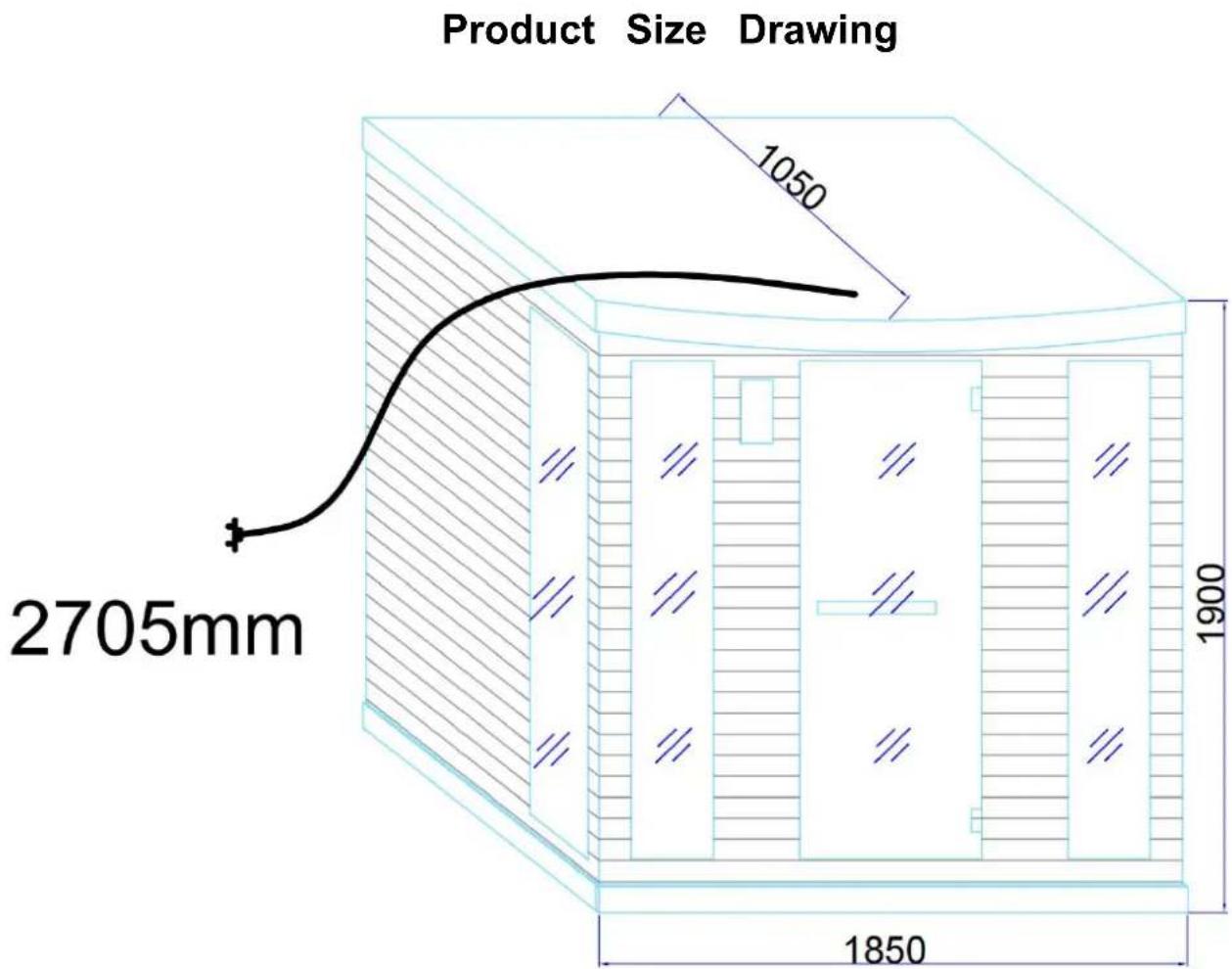
Vevor WJ-004 - ※ For Square Style - 1

text_image Product Size Drawing 2705mm 1050 1900 1850

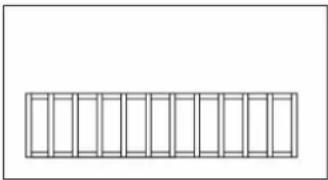
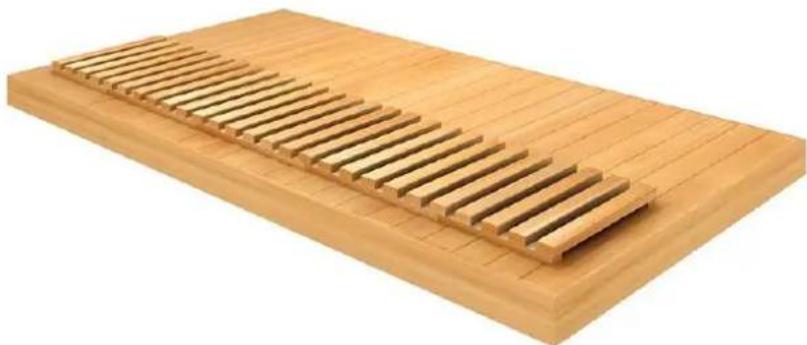
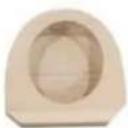
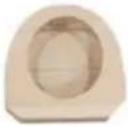
1) Open sauna packages in a large area.

Place floor panels at the desired Horizontal of the ground position.

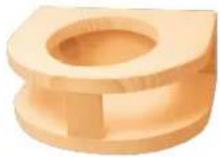
Vevor WJ-004 - ※ For Square Style - 2

natural_image Wooden rectangular tray with slatted side panels, no text or symbols visible

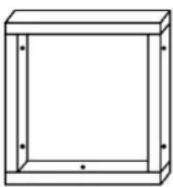
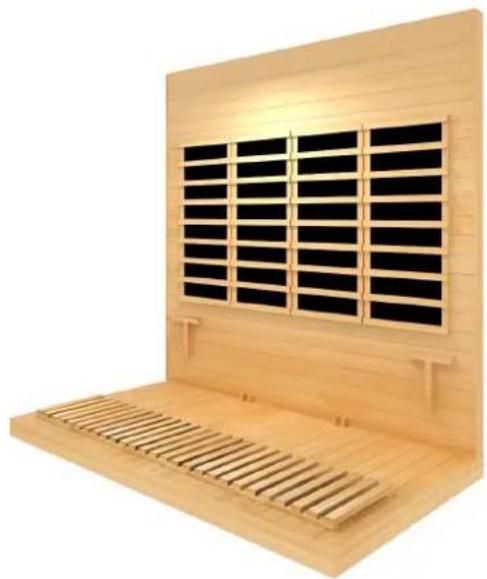
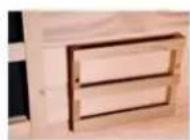
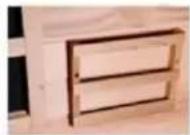
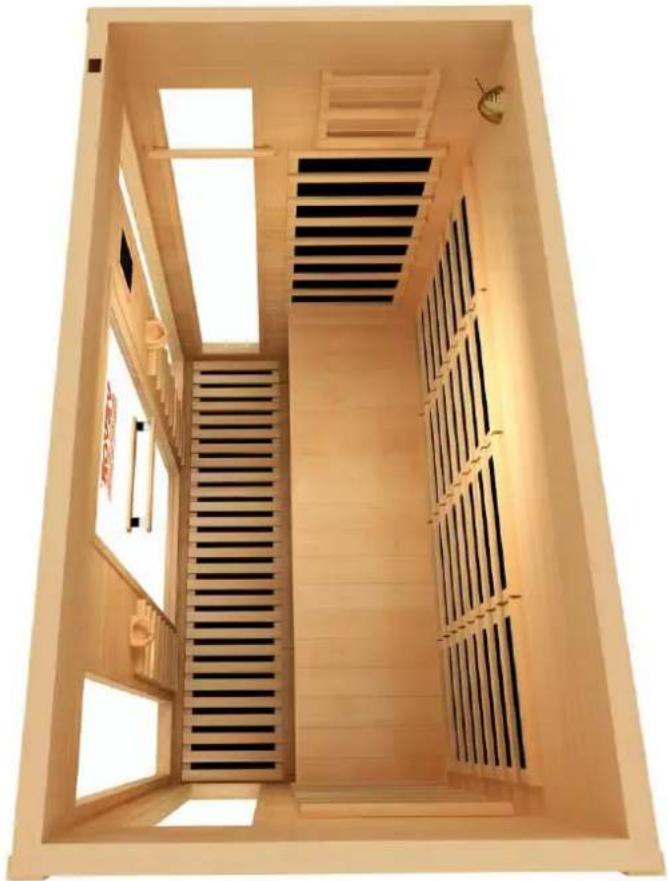
2) Locate Back Panel on the Floor panel .(This step requires someone to gently hold panel.)

Vevor WJ-004 - ※ For Square Style - 3

natural_image Wooden wall-mounted air conditioner unit with black vent grilles and slatted base (no text or symbols visible)

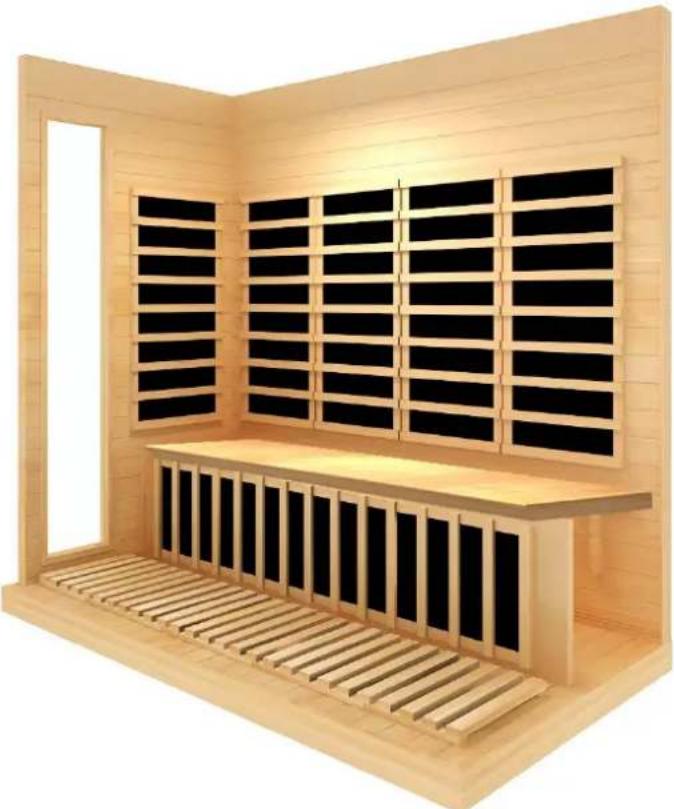
3) Locate Left Panel on the Floor panel in the same way. Close the buckle.
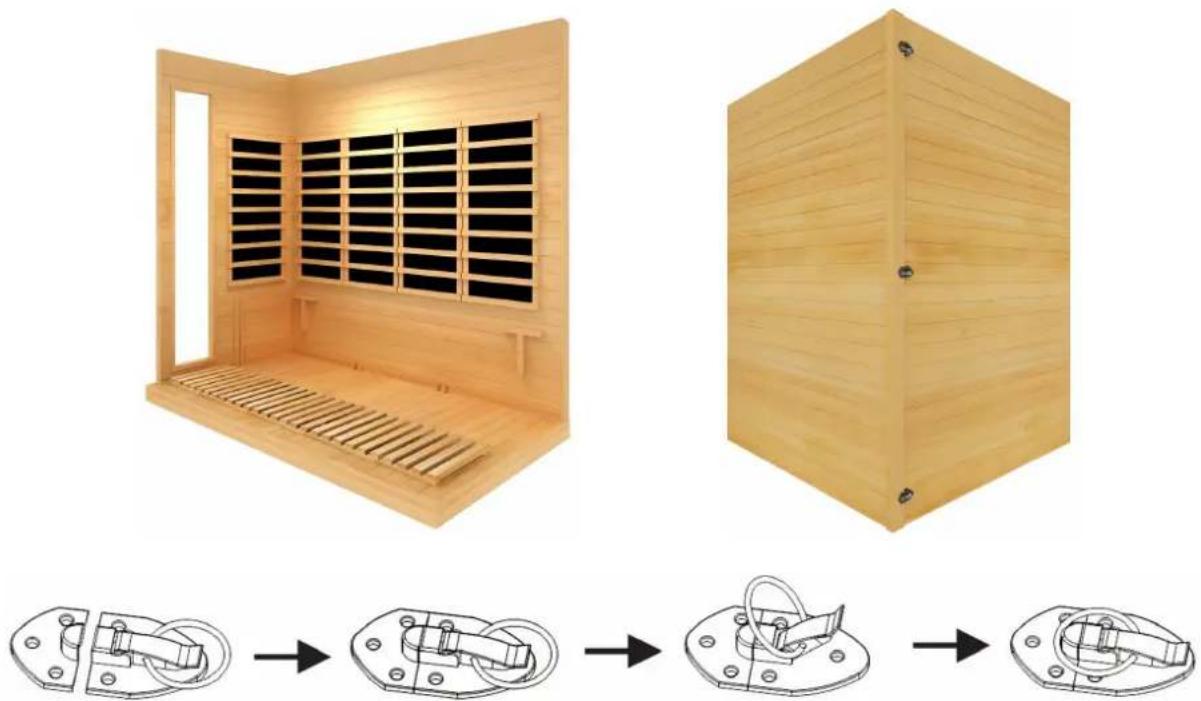
Vevor WJ-004 - ※ For Square Style - 4

natural_image Two wooden indoor devices with ventilation grilles and internal compartments, shown from different angles to final assembled views (no text or symbols)

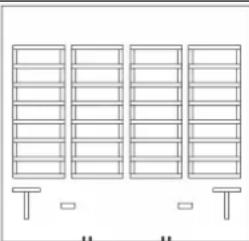
4) Locate Shank panel between the two slips of left wall.
Vevor WJ-004 - ※ For Square Style - 5

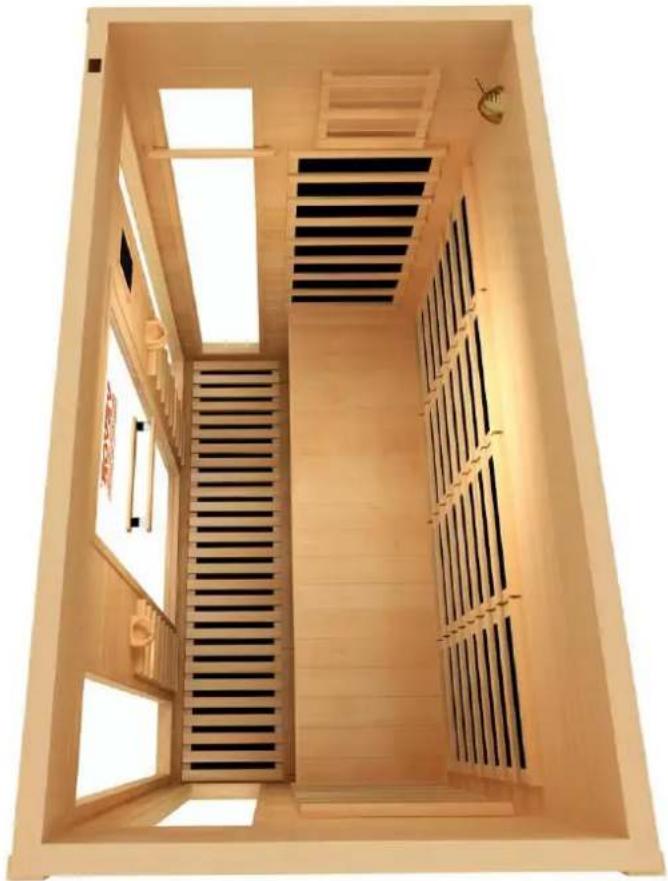
natural_image 3D rendering of a wooden indoor space with black paneling and slatted base (no text or symbols)

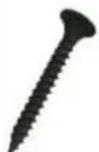
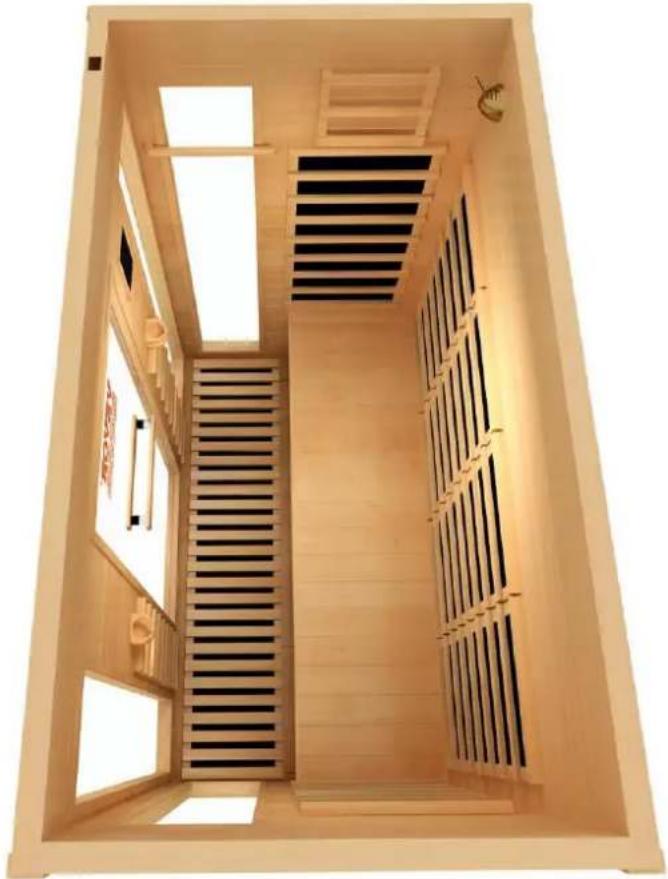
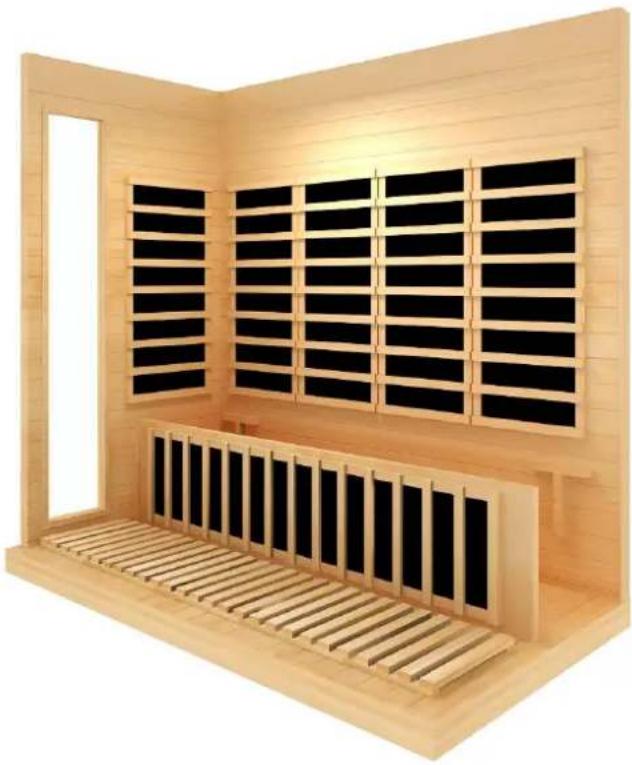
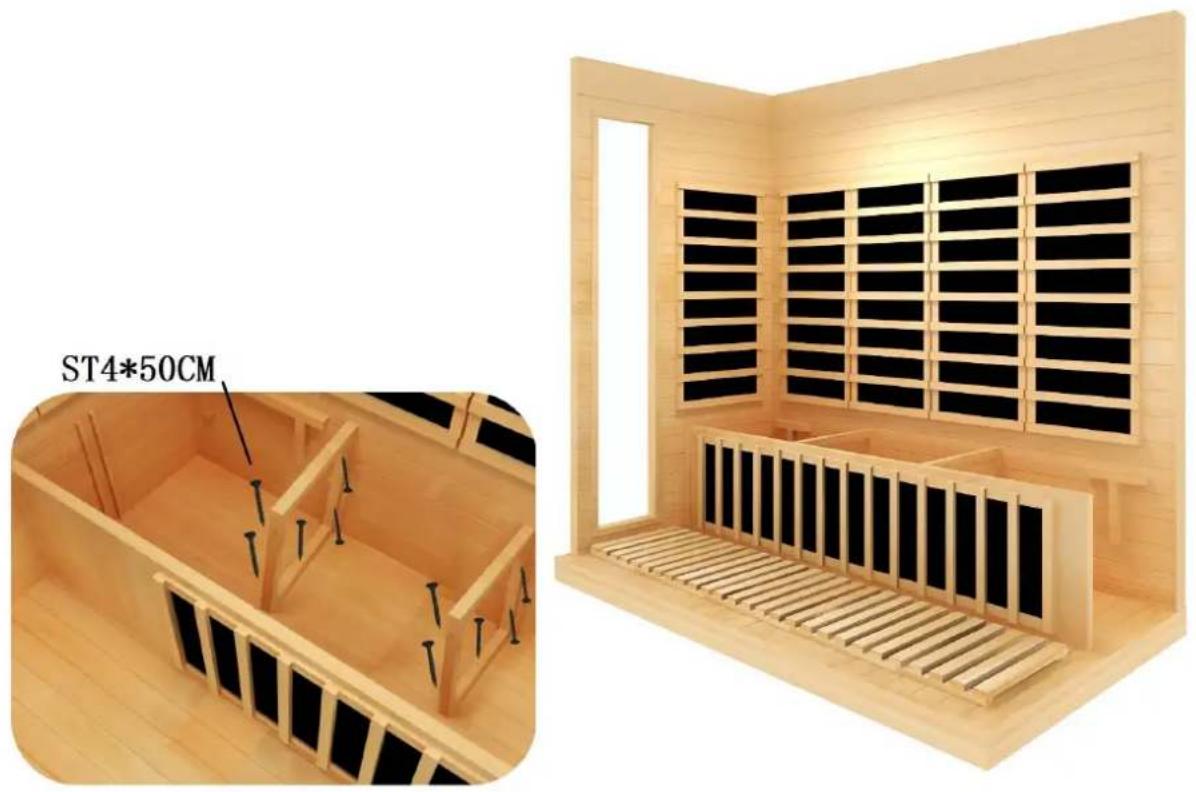
5) Locate the support under seat and Screw the support. Connect the terminals on the panel. (ST4*50CM)
Vevor WJ-004 - ※ For Square Style - 6

text_image ST4*50CM

6) Locate seat panel.

Vevor WJ-004 - ※ For Square Style - 7

natural_image 3D rendering of a wooden indoor space with slatted roof and black paneling (no text or symbols)

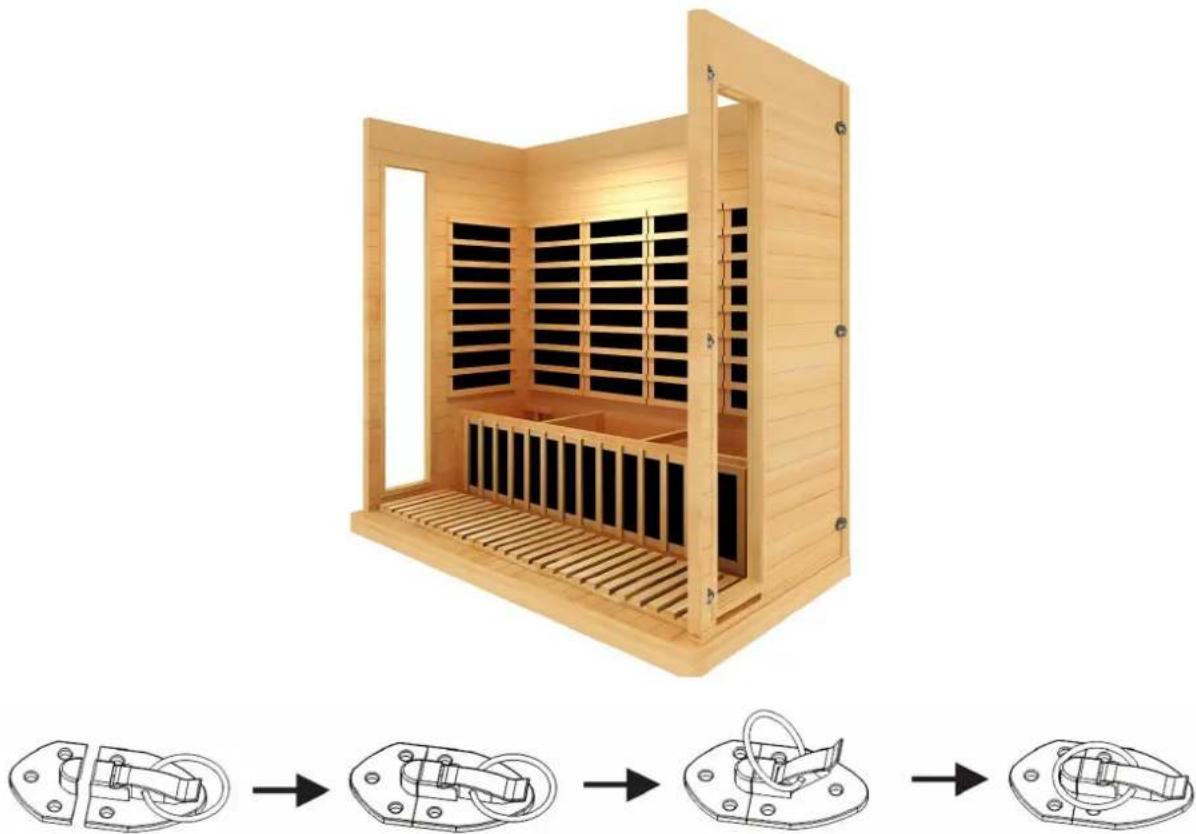
7) Locate Right Panel on the Floor panel in the same way.
Vevor WJ-004 - ※ For Square Style - 8

natural_image Wooden industrial machine with internal compartments and mounting base, shown in sequence with exploded view (no text or symbols)

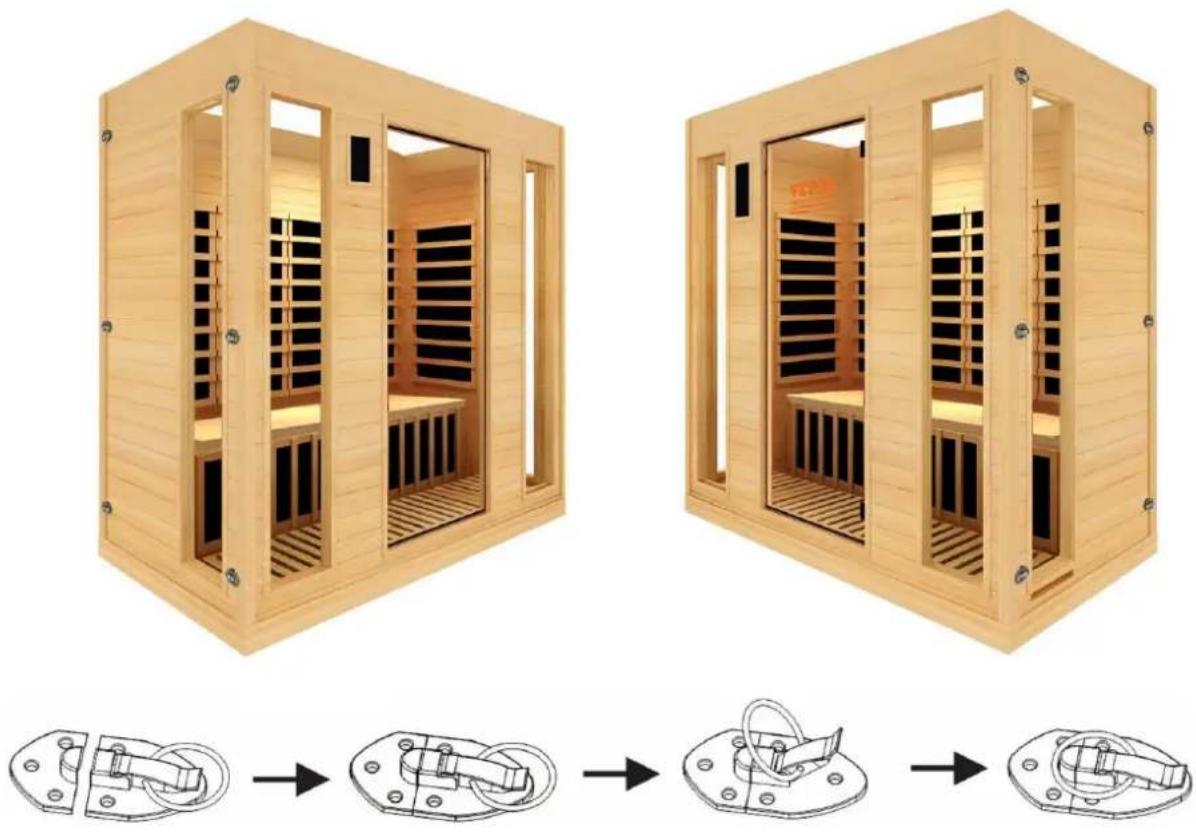
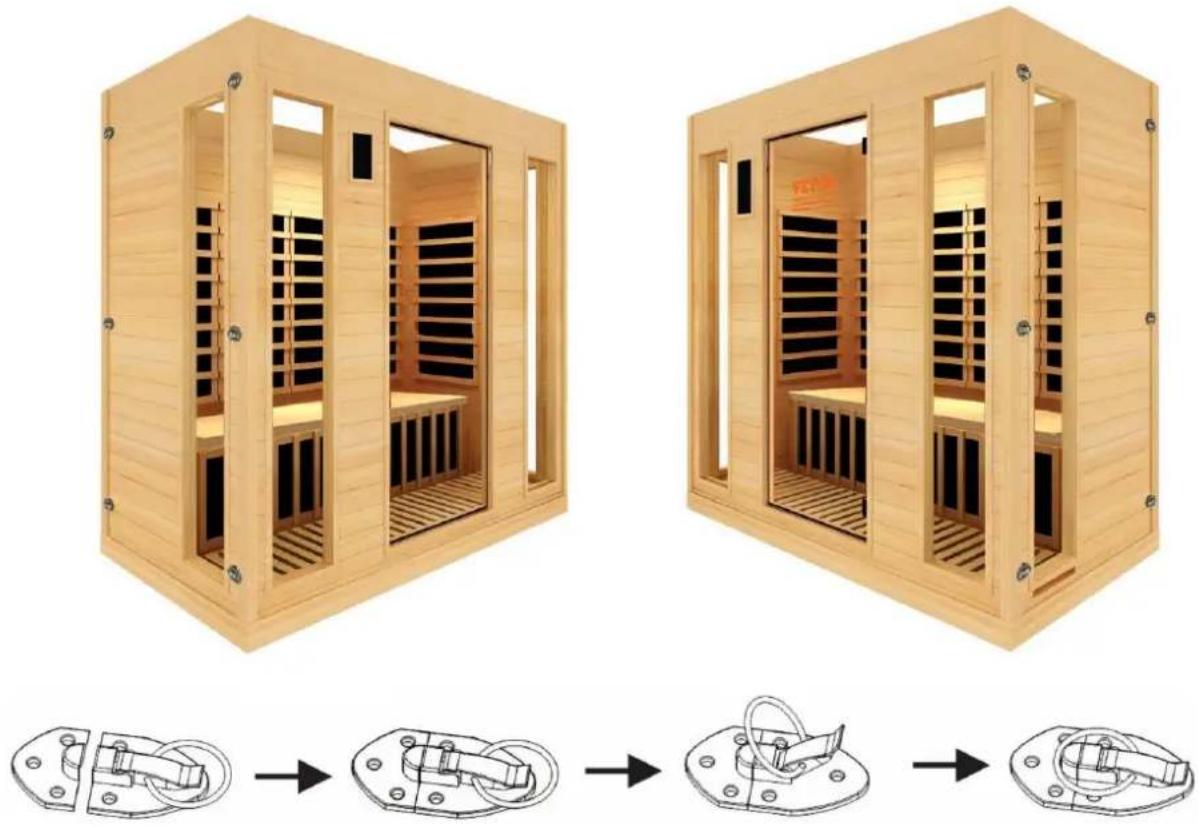
8) Locate front panel.

Vevor WJ-004 - ※ For Square Style - 9

natural_image Two wooden anxiety chamber designs with internal seating and heat sinks, shown from different angles (no text or symbols)

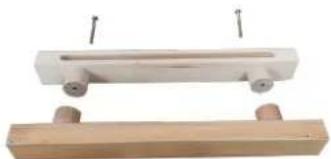
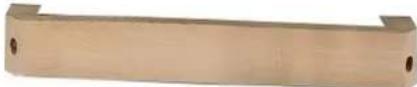
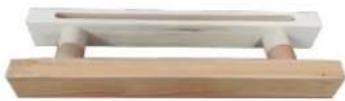
Install the handler.

You will get the following handle.
Vevor WJ-004 - ※ For Square Style - 10

Step 1: Divide the handle into the picture below.

Vevor WJ-004 - ※ For Square Style - 11

natural_image Two wooden blocks with small wheels, one white and one brown, each suspended by a wire (no text or symbols visible)

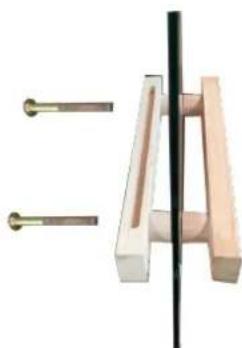
Step 2: Place the handles on the left and right sides of the glass and fasten them

Vevor WJ-004 - ※ For Square Style - 12

natural_image Pure mechanical assembly diagram showing a lever and bracket with no text or symbols

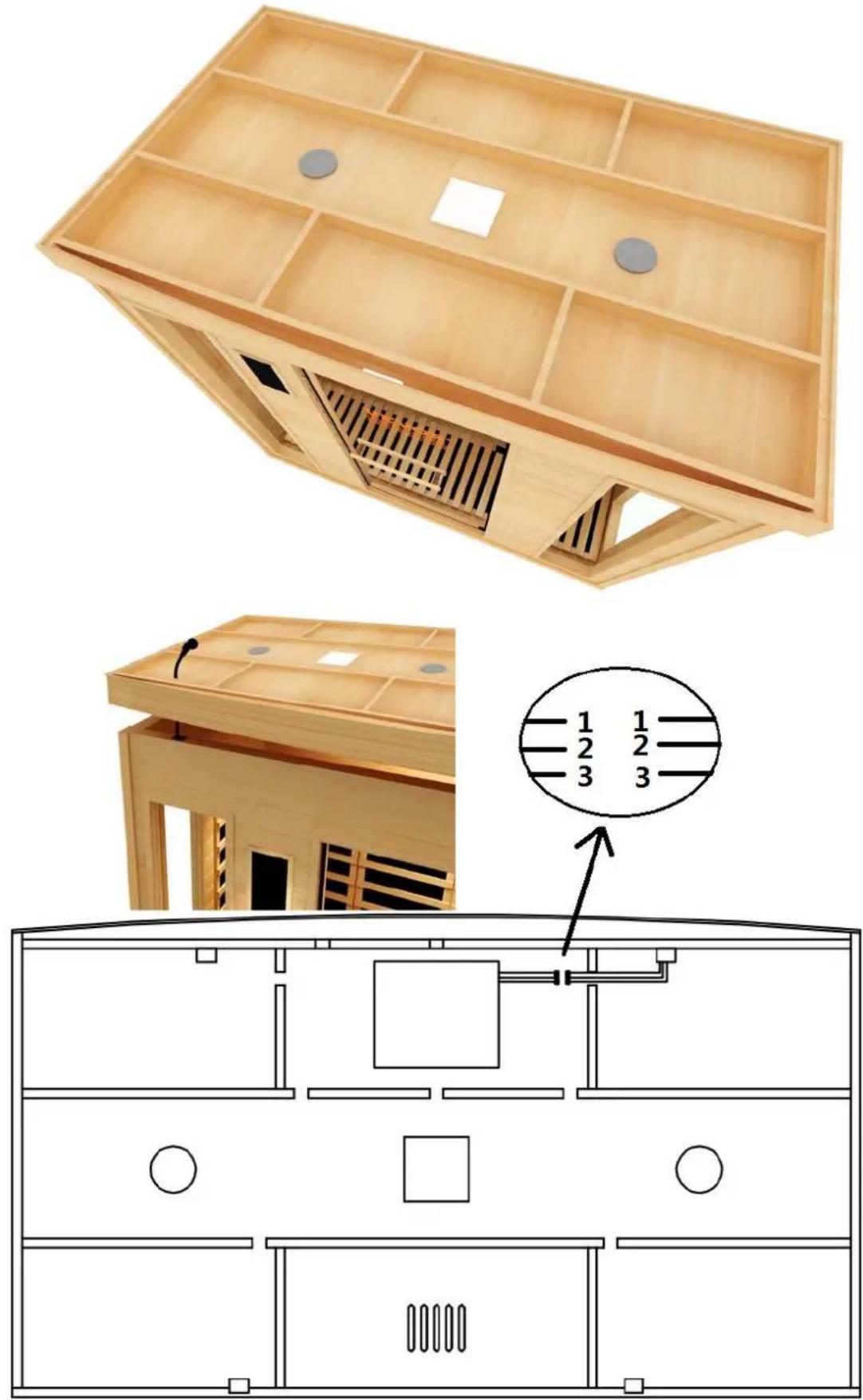
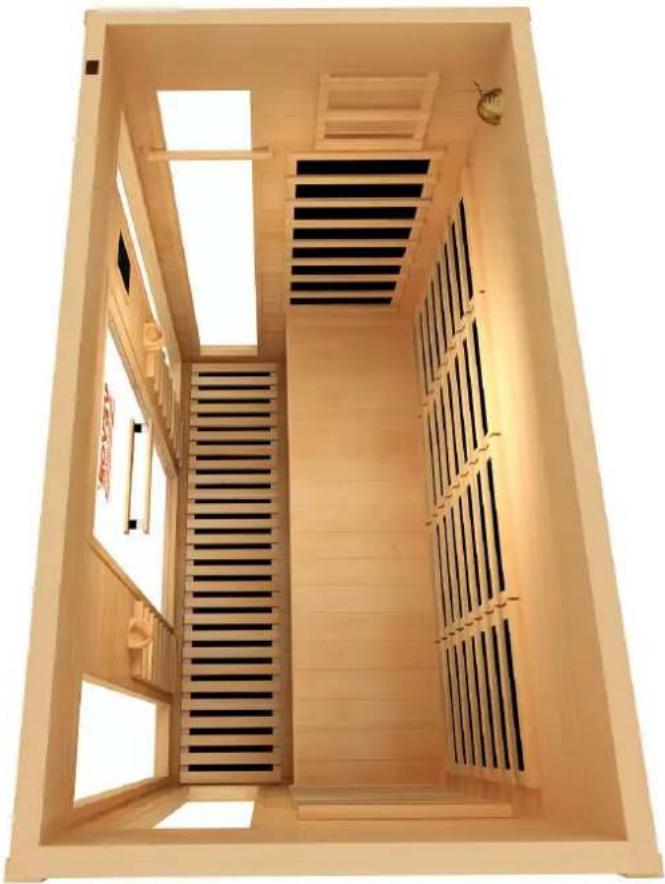
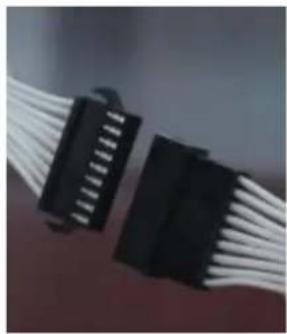
7 ) Install the top and Thread the wire through the hole to the top and connect all according to the line number (1,2,3...).

Vevor WJ-004 - ※ For Square Style - 13

natural_image Architectural diagram of a wooden folding cabinet with internal compartments and a close-up of its interior layout (no text or symbols)

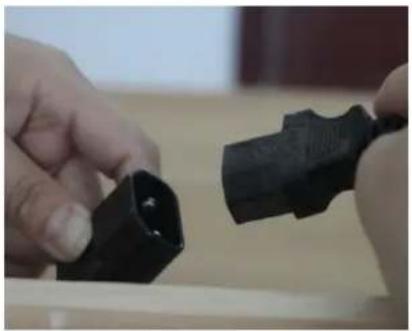
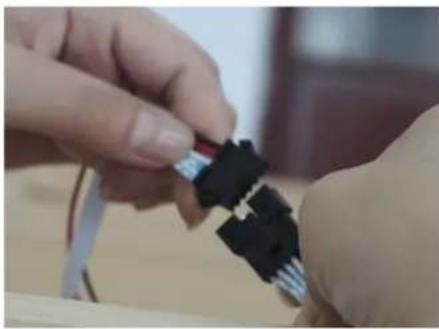
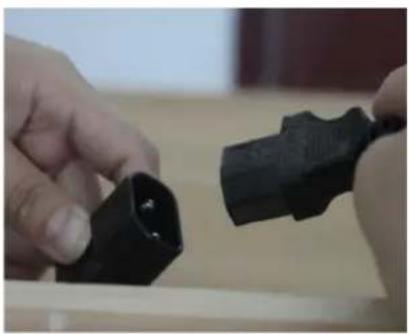
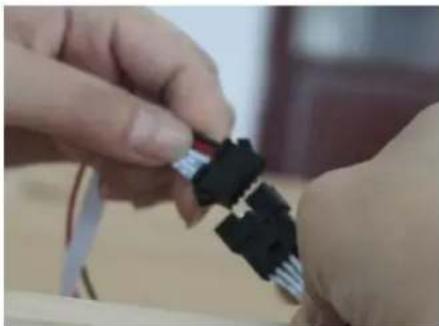
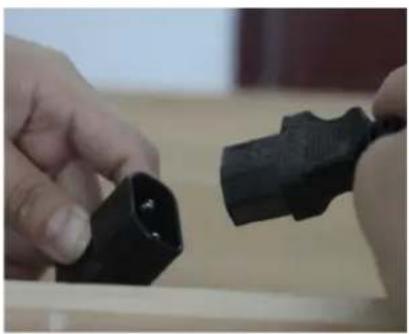
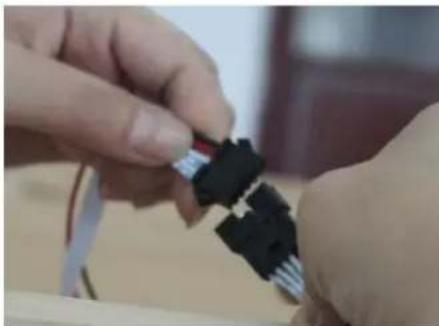
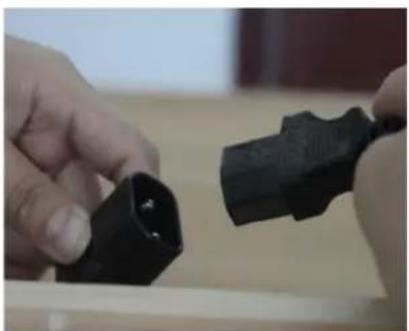
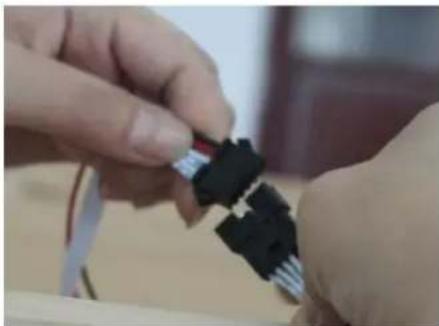
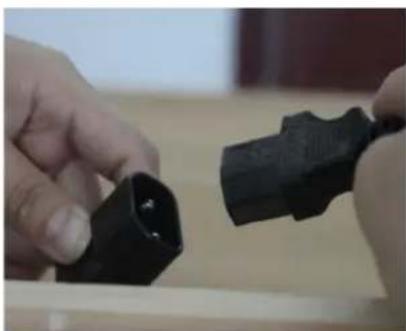
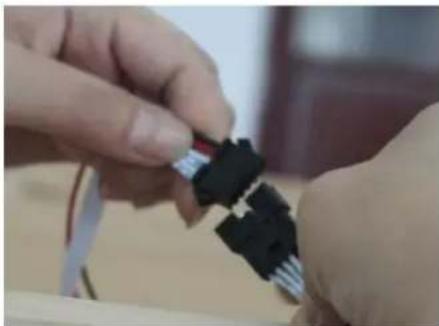
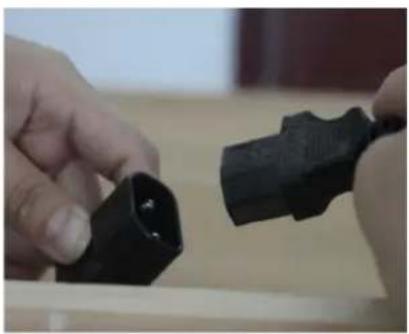
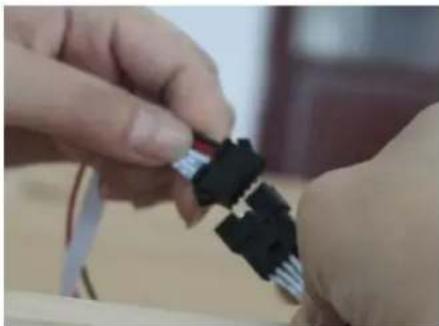
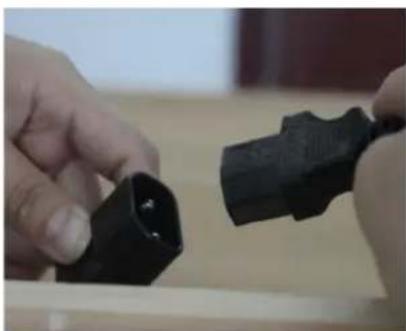
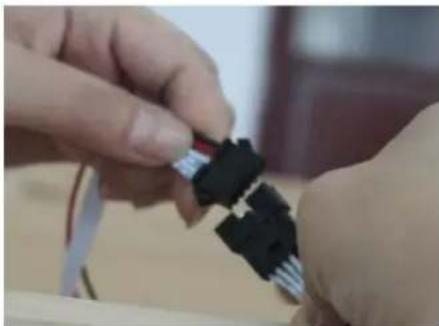
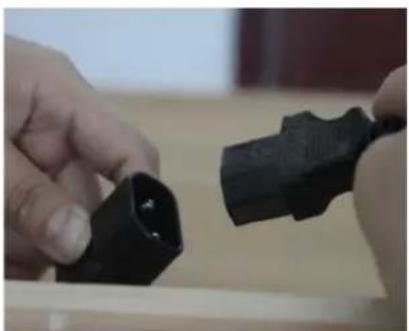
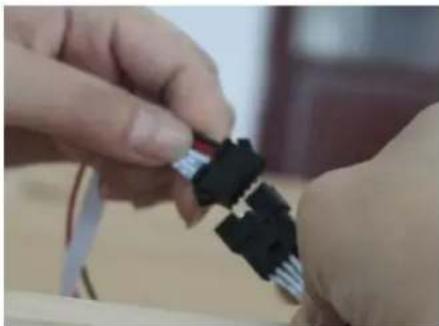
Connect the wires on the top. Please refer to the pictures below (3 steps).
Vevor WJ-004 - ※ For Square Style - 14

natural_image Close-up of two black plastic connectors with white cable leads, no visible text or symbols

Vevor WJ-004 - ※ For Square Style - 15

natural_image Close-up of hands holding a black plastic component, no visible text or symbols

Vevor WJ-004 - ※ For Square Style - 16

natural_image Close-up of hands assembling a small electronic component (no visible text or symbols)

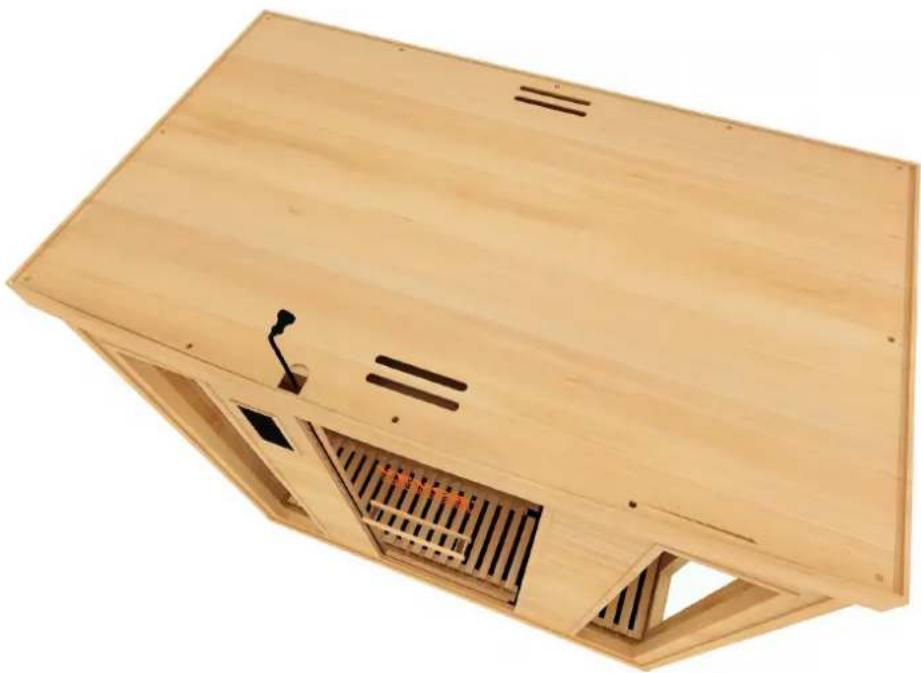
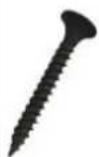
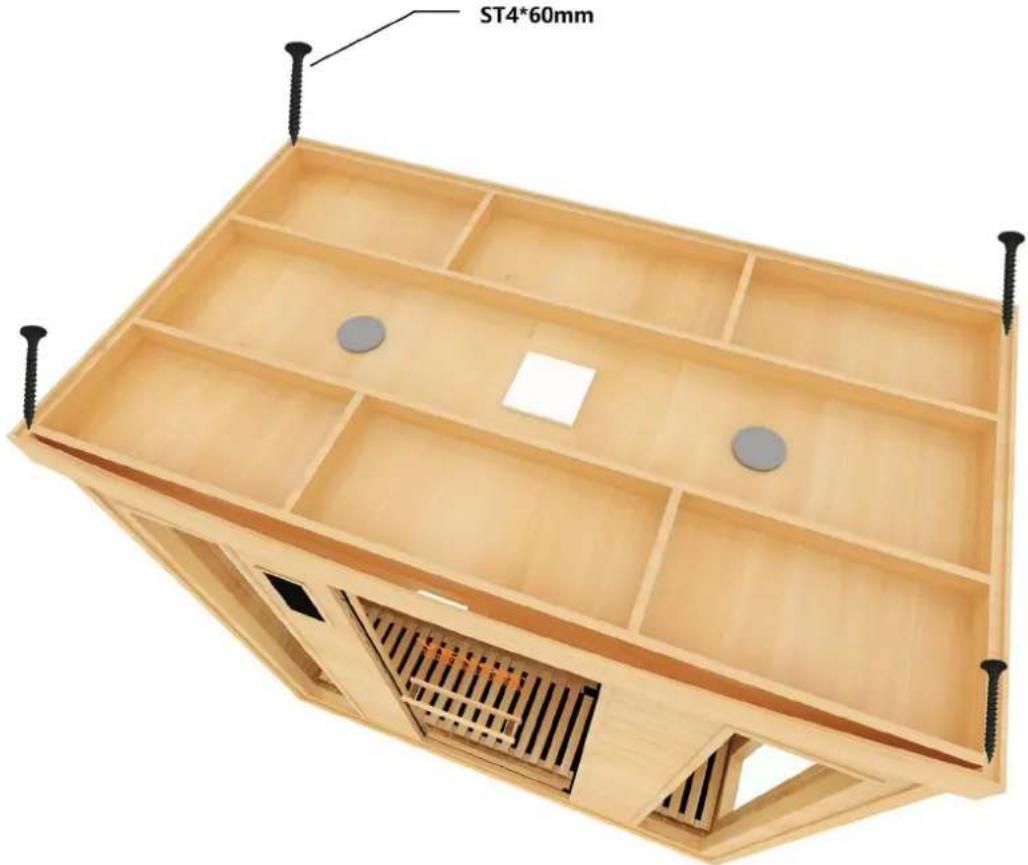
9) Install the top with screws for outside top as shown below. (ST4*60mm)
Vevor WJ-004 - ※ For Square Style - 17

text_image ST4*60mm

8) Raise Internal Top ceiling above the Panels, while pull the wires of front and back through the hole in the ceiling. and fix the cover by a screw. (ST3*16mm)

Vevor WJ-004 - ※ For Square Style - 18

natural_image Wooden enclosure with ventilation ducts and a small vent, no visible text or symbols

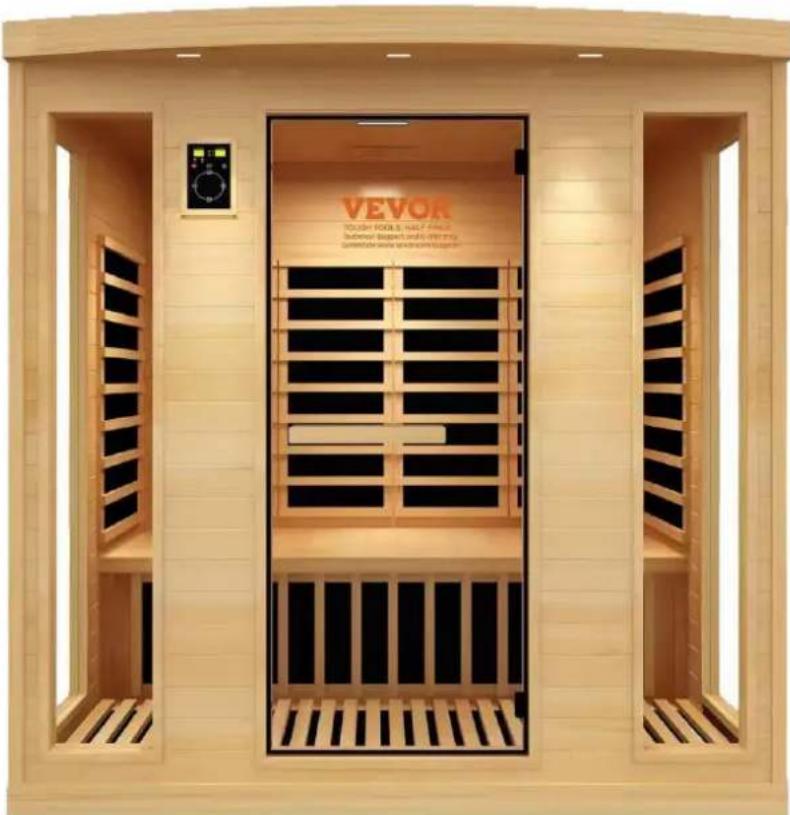
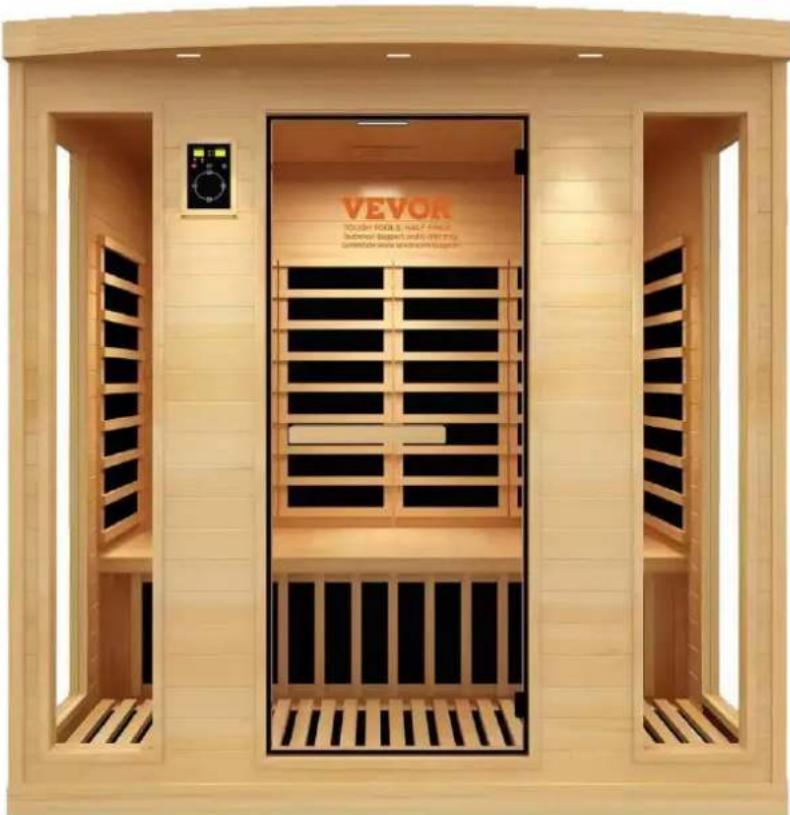
Whole Sauna
Vevor WJ-004 - ※ For Square Style - 19

natural_image Exterior view of a VEVOR (Thousand Tools, New York) home with open doors and black slats (no signage or text on main structure)

Vevor WJ-004 - ※ For Square Style - 20

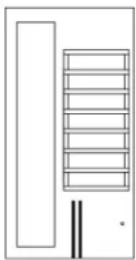
For Towel rack, cup holder, magazine holder, and oxygen ionizer installation

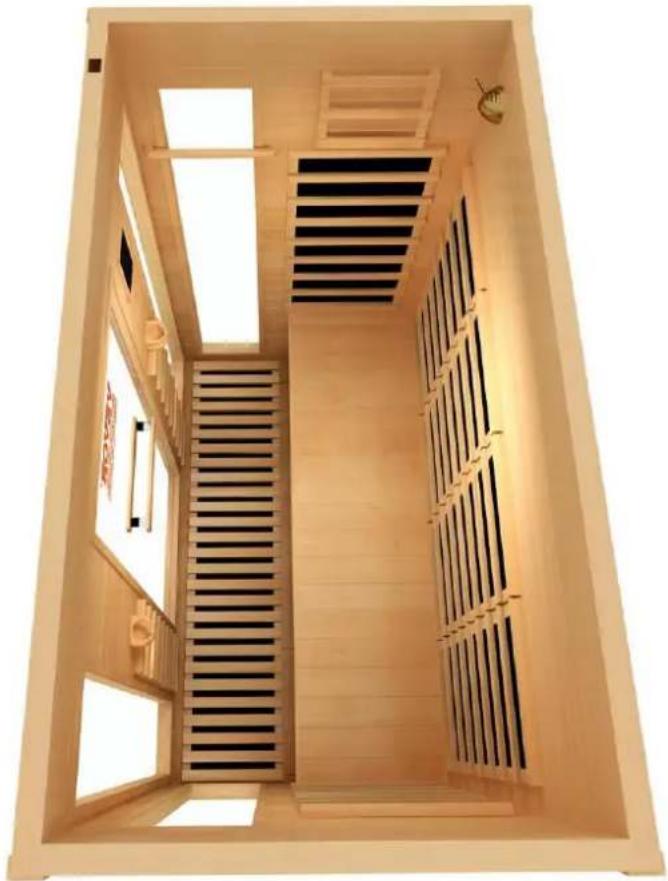
Although there are small pre-drilled holes for the placement of these items, the towel rack, magazine holder, and cup holder can be placed wherever you prefer as long as you do n the wood. If installing in a different location, it would be a good idea to pre-drill the holes tighten the screws. The oxygen ionizer should be installed in the upper left of the back pa

there is a small wire that should be fed from the top panel. The following figure suggests installation position.

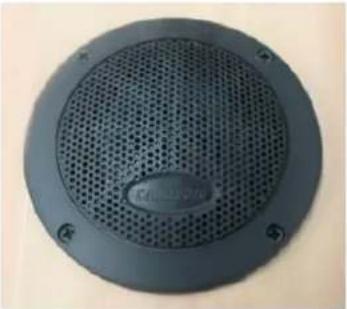
Oxygen IonizerSpeakerColor Light
Vevor WJ-004 - For Towel rack, cup holder, magazine holder, and oxygen ionizer installation - 1Vevor WJ-004 - For Towel rack, cup holder, magazine holder, and oxygen ionizer installation - 2Vevor WJ-004 - For Towel rack, cup holder, magazine holder, and oxygen ionizer installation - 3
Cup HolderTowel rackMagazine
Vevor WJ-004 - For Towel rack, cup holder, magazine holder, and oxygen ionizer installation - 4Vevor WJ-004 - For Towel rack, cup holder, magazine holder, and oxygen ionizer installation - 5Vevor WJ-004 - For Towel rack, cup holder, magazine holder, and oxygen ionizer installation - 6
Vevor WJ-004 - For Towel rack, cup holder, magazine holder, and oxygen ionizer installation - 7Vevor WJ-004 - For Towel rack, cup holder, magazine holder, and oxygen ionizer installation - 8ST3*30mm
Vevor WJ-004 - For Towel rack, cup holder, magazine holder, and oxygen ionizer installation - 9Vevor WJ-004 - For Towel rack, cup holder, magazine holder, and oxygen ionizer installation - 10ST3*30mm
Vevor WJ-004 - For Towel rack, cup holder, magazine holder, and oxygen ionizer installation - 11Vevor WJ-004 - For Towel rack, cup holder, magazine holder, and oxygen ionizer installation - 12ST3.5*40mm
Vevor WJ-004 - For Towel rack, cup holder, magazine holder, and oxygen ionizer installation - 13Vevor WJ-004 - For Towel rack, cup holder, magazine holder, and oxygen ionizer installation - 14ST3*20mm

Vevor WJ-004 - For Towel rack, cup holder, magazine holder, and oxygen ionizer installation - 15

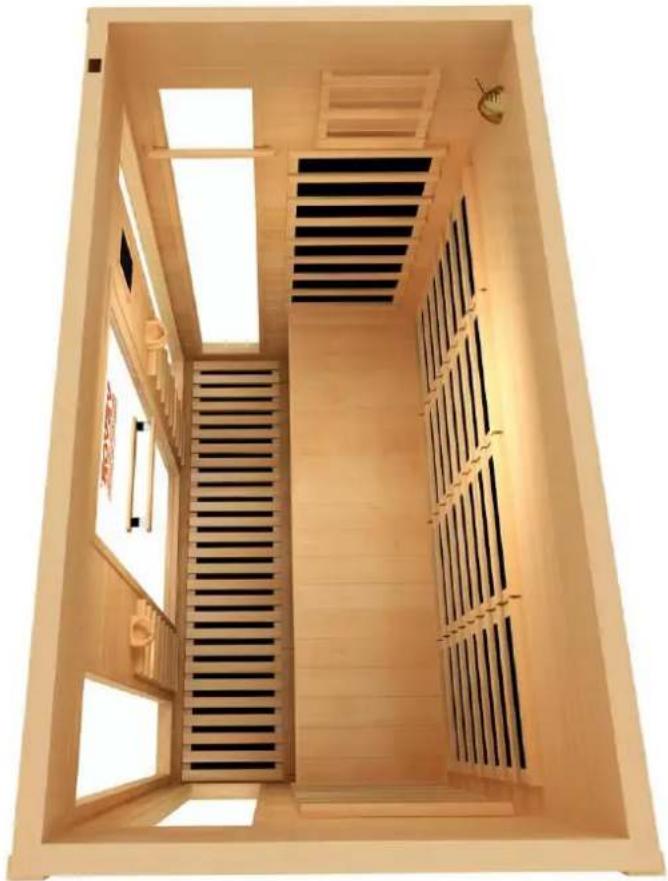
natural_image Interior view of a wooden anxiety chamber with slatted walls and ventilation grilles (no text or symbols visible)

2. HOW TO USE INSTRUCTIONS

1) CAUTION

11) Check all the circuitry and the plug connections carefully.
12) Install a voltage regulator if the power is unsuitable.
13) Do not share the outlet with other electrical appliances to avoid danger.
14) Do not use the sauna room if under the influence of alcohol, drugs or medications.
15) Pregnant women or persons with poor health should consult their physicians before use.
16) Minors should be supervised in order to prevent injury.
17) Allow up to 30 minutes heat up time.
18) Do not use the room for dying clothes, bathing suits, etc.
19) Do not put animals in the room.
20) After 2 hours of continuous use, shut the sauna down for one hour.

2) USE ENVIRONMENT

1) Temperature: 15\~65°C; Time: 1-99 minutes

2) Comparative humidity: ≦85%;

3) Atmospheric pressure: 700hpa\~1060hpa;

3) CHARACTERISTICS

(1) Wooden frame;
(2)Electronic controls and constant temperature automatically;
(3)Imported high-precise numerical transporter;
(4)Electronic keying;
(5)Radiate heaters;

Warm tip: Before use, all the connection cables of the controller must be connected.

  1. Display window: the window displays temperature, compatible with Celsius and Fahrenheit displays.

  2. Display window: the window displays the remaining time of the timing

  3. LED indicators: Power indicator (red) : Heating indicator (green) : On when heating is on heating is off Fahrenheit indicator (red) : On indicates that the temperature displayedis Fahrenheit Celsius indicator (red) : On: The temperature displayed is in Celsius.

  4. On/Off: Press the power on/off button once.

  5. "Light" key, light switch, press once: internal light on, external light off. Press again:inner outer light on. Then press in turn for full on - full off.

  6. LED color light key: Press once on/off: When the color light is on, hold down the color and the temperature digital tube displays "LX" (X is 1-9), and "X" flashes. Then press the "color light" key, you can change the color and change the state of the LED.

  7. Temperature "-" and "_" keys: Adjust the temperature, hold down the key to quickly change status: Hold down for 5 seconds, automatically search the radio frequency and save. After the search is over, press once to select the next frequency.

  8. Time "+" and "-" keys: Adjust the time, press and hold the key to change quickly. You the volume only when you enter the "FM" or "Mp3" mode and press the "+" or "-" keys.

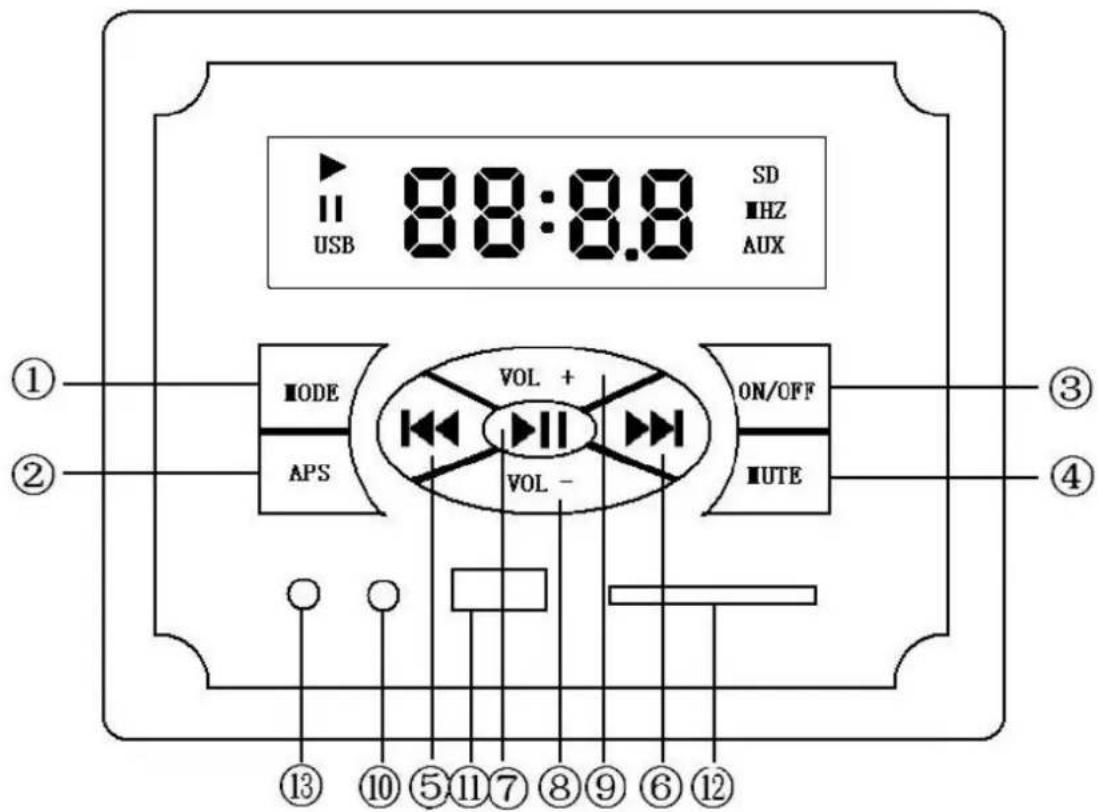
9.G03 Bluetooth multi-function player description
Vevor WJ-004 - 3) CHARACTERISTICS - 1

text_image USB 88:8.8 SD HZ AUX ① ② IODE APS VOL + VOL - ON/OFF UTE ③ ④ ⑬ ⑩ ⑪ ⑫ ⑬ ⑭ ⑨ ⑥ ⑫

1) Mode conversion FM-AUX-BLUE-SD-USB

With each click, a function is replaced, where the Bluetooth name is G-811.

  1. Hold down the temperature "+" and "-" keys at the same time, Fahrenheit and Celsius temperature conversion.
  2. Press and hold the time "+" and "-" keys at the same time, and the time digital tube displays "--", which can work for a long time. Press it again at the same time to cancel the long work and display the remaining time set last time.

The fault code:

1) If the temperature sensor is faulty (on, short circuit), the temperature digital tube display: "EE".
2) Display temperature ≥slant75^ , temperature digital tube display "H".

5) TROUBLESHOOTING

I.The light bulb is out of order

PossibilityRepairing Method
1The bulb fuse is burned up.Change a bulb.
2The bulb and the socket are not con well.Pull out the bulb and check the socket, the socket if necessary. Then plug it ba
3The fuse is burned up.Change a fuse. On the top of ceiling

II.The control panel is out of order

PossibilityRepairing Method
1The cable of control panel is connected well.Check the cable connection and fix it prop
2The fuse is burned up.Change a fuse. On the top of ceiling
3The indicator light of power is or no led displayMost likely will need a new control pane

III. The heaters are out of order

PhenomenonPossibilityRepairing Method
1 One of heaters cannot heat.1) The heater is not connected properlyCheck connection
2) The heater needs replacementReplace heater
2 All heaters can heat.1) The power plug is not connected properlyCheck power plug
2) The heaters are not properly connectedFix the connections
3) Relay malfunctionChange relay
4) Control panel malfunctionChange control panel

CIRCUIT DIAGRAM

Vevor WJ-004 - 5) TROUBLESHOOTING - 1

flowchart
graph TD
    A["HEAT1"] --> B["FUSE"]
    C["HEAT2"] --> B
    D["HEAT3"] --> B
    E["HEAT4"] --> B
    F["HEAT5"] --> B
    G["HEAT6"] --> B
    H["OUTSIDE LIGHT +12V"] --> I["INSIDE LIGHT +12V"]
    I --> J["SPEAKER"]
    K["MAIN"] --> L["MAIN DISPLAY"]
    M["RGB"] --> N["RGB"]
    O["RGB-LED"] --> P["RGB-LED"]
    Q["Oxygen"] --> R["MAIN DISPLAY"]
    S["SENSOR"] --> T["DISPLAY"]
    U["POWER"] --> V["POWER BOARD"]
    W["N L"] --> B
    X["SHITCH POWER"] --> B
    Y["LED"] --> Z["Oxygen"]

6) MAINTENANCE

I. The sauna room should be kept clean and odor free.

II. Damp towels should always be used on benches otherwise perspiration penetrates the soft III. Air out the room often by keeping the door and vents open when the room is not in u IV. Saunas that are in daily use should be washed down at least once a week to keep the air fresh.

V. Inspect benches regularly for required maintenance.

VI. To clean and remove perspiration stains, use soap or detergent in warm water, best app a scrub brush

VII. Badly soiled surfaces may require sanding Sand paper wrapped around a wooden block well.

7) WARRANTY

I. Please fill in the warranty card on the following page within 30 days to register your sau receive a full warranty.

We guarantee our sauna against defective material and/or workmanship for a period of 12

from the purchase date. We warranty the replacement of heaters and any electronic component associated with the sauna for the life of the sauna to its original purchaser. Variations in your texture, color, and normal wear are not covered by any warranty. We do not warranty the CD/DVD/LCD System as it carries its own manufacturer's warranty. The warranty is deemed that the sauna has been misused, altered, or open to the elements of weather. Any deviation from instruction manual causing damage to sauna will not be under warranty. Our Saunas and a subsidiary and/or associates shall not be held responsible for any misuse of the sauna by customer. Our Saunas shall not be liable for any damage and/or injury caused by customer of product. Customers shall use sauna at their own risk. Conditions are subject to change notice.

II. Any damages sustained to sauna set during transportation are not covered by this warrant. Claims for damage must be filed through transport/shipping Company. Any damage must be reported on the Bill of Lading through transport shipping company.

III. You're welcomed to give us suggestions.

DISCLAIMER

Our Saunas and its associates do not provide medical guidance. Consult a doctor for medical advice. All of the information contained in this manual is for information purp only. We reserve the right to change, without notice, anything contained within the ma Our Saunas shall not be held responsible for printing variations. Color variations may Some models are shown with optional features.

Made In China

VEVOR®

TOUGH TOOLS, HALF PRICE

Technical Support and E-Warranty Certificate

www.vevor.com/support

VEVOR®

TOUGH TOOLS, HALF PRICE
natural_image Exterior view of a Vevor self-service home with open doors and black slats (no signage or text in focus)

BESOIN D'AIDE? CONTACTEZ-NOUS!

Machine Translated by Google

Machine Translated by Google

Machine Translated by Google

natural_image Wooden rectangular tray with a slatted wooden panel, no text or symbols visible
natural_image Wooden wall-mounted air vent with black grating and slatted base (no text or symbols)
natural_image Wooden indoor air vent system with internal grating and mounting bracket, shown from two sequential assembly steps (no text or symbols)

Machine Translated by Google

natural_image 3D rendering of a wooden indoor space with black paneling and slatted base (no text or symbols)

Machine Translated by Google

natural_image 3D rendering of a traditional-style wooden shower chamber with slatted base and black panel walls (no text or symbols)
flowchart
graph TD
    A["Top-Left Panel: Internal structural assembly with slats and grating"] --> B["Step 1: Disassembly to internal components"]
    B --> C["Step 2: Assembly to internal components with a loop switch"]
    C --> D["Step 3: Final assembly to internal components"]
natural_image Two wooden anxiety chamber designs with internal compartments, shown from different angles to final assembled views (no text or symbols)
natural_image Two wooden blocks with small pins, one white and one brown, arranged vertically (no text or symbols visible)
natural_image Pure mechanical assembly diagram showing a lever and bracket with no text or symbols
natural_image Architectural diagram of a wooden folding cabinet with internal compartments and a close-up of its interior layout (no text or symbols)

Machine Translated by Google

natural_image Close-up of two black plastic connectors with white cable spools, no visible text or symbols

Vevor WJ-004 - Machine Translated by Google - 1

natural_image Close-up of hands holding and adjusting a black plastic component (no visible text or symbols)

Vevor WJ-004 - Machine Translated by Google - 2

natural_image Close-up of hands assembling a black and white electronic component (no visible text or symbols)
natural_image Wooden enclosure with internal ventilation ducts and ventilation grilles (no text or symbols visible)

Sauna entier
Vevor WJ-004 - Machine Translated by Google - 3

natural_image Exterior view of a Vevor self-service home with wooden paneling and control panel (no signage or text in focus)

Machine Translated by Google

Vevor WJ-004 - Machine Translated by Google - 1Vevor WJ-004 - Machine Translated by Google - 2ST3*30mm
Vevor WJ-004 - Machine Translated by Google - 3Vevor WJ-004 - Machine Translated by Google - 4ST3*30mm
Vevor WJ-004 - Machine Translated by Google - 5Vevor WJ-004 - Machine Translated by Google - 6ST3.5*40mm
Vevor WJ-004 - Machine Translated by Google - 7Vevor WJ-004 - Machine Translated by Google - 8ST3*20mm

Vevor WJ-004 - Machine Translated by Google - 9

natural_image Interior view of a wooden anxiety chamber with slatted walls and ventilation grilles (no text or symbols visible)

2. COMMENT UTILISER LES INSTRUCTIONS

1) ATTENTION

  1. Hold down the temperature "+" and "-" keys at the same time, Fahrenheit and Celsius temperature conversion.
  2. Press and hold the time "+" and "-" keys at the same time, and the time digital tube displays "--", which can work for a long time. Press it again at the same time to cancel the long work and display the remaining time set last time.

The fault code:

1) If the temperature sensor is faulty (on, short circuit), the temperature digital tube display: "EE".
2) Display temperature ≥slant75^ , temperature digital tube display "H".

5) DÉPANNAGE

Machine Translated by Google

www.vevor.com/support

VEVOR®

TOUGH TOOLS, HALF PRICE
natural_image Exterior view of a Vevon-based home heat therapy unit (no signage or text in focus)

BRAUCHEN SIE HILFE? KONTAKTIERE UNS!

Machine Translated by Google

Machine Translated by Google

natural_image Wooden rectangular tray with slatted side panels, no text or symbols visible
natural_image Wooden wall-mounted shelf with black vent grilles and slatted base (no text or symbols)
natural_image Wooden indoor air vent assembly and mechanical component diagrams (no text or symbols)
natural_image 3D rendering of a wooden indoor space with black paneling and slatted base (no text or symbols)

Machine Translated by Google

natural_image 3D rendering of a traditional-style wooden shower chamber with slatted base and black panel walls (no text or symbols)
natural_image Wooden industrial machine with internal compartments and mounting base, shown in sequence with exploded view details (no text or symbols)
natural_image Two wooden anxiety chamber designs with internal compartments, shown from different angles to final assembled views (no text or symbols)
natural_image Two wooden blocks with small pins, one white and one brown, arranged vertically (no text or symbols visible)
natural_image Pure mechanical assembly diagram showing a vertical rod connected to a horizontal block, with two metal rods attached (no text or symbols)
natural_image Architectural diagram of a wooden folding cabinet with internal compartments and a close-up of its interior layout (no text or symbols)
natural_image Close-up of two black plastic connectors with white cable spools, no visible text or symbols

Vevor WJ-004 - BRAUCHEN SIE HILFE? KONTAKTIERE UNS! - 1

natural_image Close-up of hands holding and adjusting a black plastic component (no visible text or symbols)

Vevor WJ-004 - BRAUCHEN SIE HILFE? KONTAKTIERE UNS! - 2

natural_image Close-up of hands assembling a black and white electronic component (no visible text or symbols)
natural_image Wooden modular cabin with internal compartments and a slatted vent, labeled 'ST4*60mm' (no other text or symbols)
natural_image Wooden enclosure with internal ventilation ducts and ventilation grilles (no text or symbols visible)

Ganze Sauna
Vevor WJ-004 - BRAUCHEN SIE HILFE? KONTAKTIERE UNS! - 3

natural_image Exterior view of a Vevor self-service home with wooden paneling and control panel (no signage or text in focus)
Vevor WJ-004 - BRAUCHEN SIE HILFE? KONTAKTIERE UNS! - 4Vevor WJ-004 - BRAUCHEN SIE HILFE? KONTAKTIERE UNS! - 5ST3*30mm
Vevor WJ-004 - BRAUCHEN SIE HILFE? KONTAKTIERE UNS! - 6Vevor WJ-004 - BRAUCHEN SIE HILFE? KONTAKTIERE UNS! - 7ST3*30mm
Vevor WJ-004 - BRAUCHEN SIE HILFE? KONTAKTIERE UNS! - 8Vevor WJ-004 - BRAUCHEN SIE HILFE? KONTAKTIERE UNS! - 9ST3.5*40mm
Vevor WJ-004 - BRAUCHEN SIE HILFE? KONTAKTIERE UNS! - 10Vevor WJ-004 - BRAUCHEN SIE HILFE? KONTAKTIERE UNS! - 11ST3*20mm

Vevor WJ-004 - BRAUCHEN SIE HILFE? KONTAKTIERE UNS! - 12

natural_image Interior view of a wooden anxiety chamber with slatted walls and ventilation grilles (no text or symbols visible)
  1. Hold down the temperature "+" and "-" keys at the same time, Fahrenheit and Celsius temperature conversion.
  2. Press and hold the time "+" and "-" keys at the same time, and the time digital tube displays "--", which can work for a long time. Press it again at the same time to cancel the long work and display the remaining time set last time.

The fault code:

1) If the temperature sensor is faulty (on, short circuit), the temperature digital tube display: "EE".
2) Display temperature ≥slant75^ , temperature digital tube display "H".

5) FEHLERBEHEBUNG

Machine Translated by Google

www.vevor.com/support

VEVOR®

TOUGH TOOLS, HALF PRICE

natural_image Exterior view of a Vevor self-service home with open doors and black slats (no signage or text in focus)

HO BISOGNO DI AIUTO? CONTATTACI!

Machine Translated by Google

natural_image Wooden rectangular tray with slatted side panels, no text or symbols visible
natural_image Wooden wall-mounted air vent with black grating and slatted base (no text or symbols)
natural_image Wooden indoor air vent system with internal grating and mounting bracket, shown from two sequential steps (no text or symbols)
natural_image 3D rendering of a wooden indoor space with black paneling and slatted base (no text or symbols)

Machine Translated by Google

natural_image 3D rendering of a traditional-style wooden shower chamber with slatted base and black panel walls (no text or symbols)
text_image Diagram illustrating the assembly of a wooden industrial machine with labeled components and exploded views.

8) Individuare il pannello anteriore.

Vevor WJ-004 - HO BISOGNO DI AIUTO? CONTATTACI! - 1

natural_image Two wooden anxiety chamber designs with internal compartments, shown from exploded to final assembled views (no text or symbols)
natural_image Two wooden blocks with small pins, one white and one brown, arranged on a plain background (no text or symbols visible)
natural_image Pure mechanical assembly diagram showing a lever and bracket with no text or symbols
natural_image Architectural diagram of a wooden folding cabinet with internal compartments and a close-up of its interior layout (no text or symbols)
natural_image Close-up of two black plastic connectors with white cable spools, no visible text or symbols

Vevor WJ-004 - HO BISOGNO DI AIUTO? CONTATTACI! - 2

natural_image Close-up of hands holding and adjusting a black plastic component (no visible text or symbols)

Vevor WJ-004 - HO BISOGNO DI AIUTO? CONTATTACI! - 3

natural_image Close-up of hands assembling a black and white electronic component (no visible text or symbols)
natural_image Wooden enclosure with internal ventilation ducts and ventilation grilles (no text or symbols visible)

Sauna intera
Vevor WJ-004 - HO BISOGNO DI AIUTO? CONTATTACI! - 4

natural_image Exterior view of a Vevor self-service home with wooden paneling and control panel (no signage or text in focus)

Machine Translated by Google

Vevor WJ-004 - Machine Translated by Google - 1Vevor WJ-004 - Machine Translated by Google - 2ST3*30mm
Vevor WJ-004 - Machine Translated by Google - 3Vevor WJ-004 - Machine Translated by Google - 4ST3*30mm
Vevor WJ-004 - Machine Translated by Google - 5Vevor WJ-004 - Machine Translated by Google - 6ST3.5*40mm
Vevor WJ-004 - Machine Translated by Google - 7Vevor WJ-004 - Machine Translated by Google - 8ST3*20mm

Vevor WJ-004 - Machine Translated by Google - 9

natural_image Interior view of a wooden anxiety chamber with slatted walls and ventilation grilles (no text or symbols visible)

2. COME USARE LE ISTRUZIONI

1) ATTENZIONE

  1. Hold down the temperature "+" and "-" keys at the same time, Fahrenheit and Celsius temperature conversion.
  2. Press and hold the time "+" and "-" keys at the same time, and the time digital tube displays "--", which can work for a long time. Press it again at the same time to cancel the long work and display the remaining time set last time.

The fault code:

1) If the temperature sensor is faulty (on, short circuit), the temperature digital tube display: "EE".
2) Display temperature ≥slant75^ , temperature digital tube display "H".

5) RISOLUZIONE DEI PROBLEMI

Machine Translated by Google

www.vevor.com/support

VEVOR®

TOUGH TOOLS, HALF PRICE

natural_image Exterior view of a Vevon-based home heat therapy unit (no signage or text visible on main structure)

Machine Translated by Google

Machine Translated by Google

Machine Translated by Google

natural_image Wooden rectangular tray with slatted side panels, no text or symbols visible
natural_image Wooden wall-mounted shelf with black vent grilles and slatted base (no text or symbols)
natural_image Wooden industrial air vent assembly and mechanical component diagrams (no text or symbols)

Machine Translated by Google

natural_image 3D rendering of a wooden indoor space with black paneling and slatted base (no text or symbols)

Machine Translated by Google

natural_image 3D rendering of a traditional-style wooden shower chamber with slatted base and black panel walls (no text or symbols)
text_image Diagram illustrating the assembly of a wooden industrial machine with labeled components and exploded views.
natural_image Two wooden anxiety chamber designs with internal compartments, shown from different angles to final assembly (no text or symbols)
natural_image Two wooden blocks with small pins, one white and one brown, arranged vertically (no text or symbols visible)
natural_image Pure mechanical assembly diagram showing a lever and bracket with no text or symbols
natural_image Architectural diagram of a wooden folding cabinet with internal compartments and a close-up of its interior layout (no text or symbols)

Machine Translated by Google

natural_image Close-up of two black plastic connectors with white cable spools, no visible text or symbols

Vevor WJ-004 - Machine Translated by Google - 1

natural_image Close-up of hands holding and adjusting a black plastic component (no visible text or symbols)

Vevor WJ-004 - Machine Translated by Google - 2

natural_image Close-up of hands assembling a black and white electronic component (no visible text or symbols)
natural_image Wooden enclosure with internal ventilation ducts and ventilation grilles (no text or symbols visible)

Sauna entera
Vevor WJ-004 - Machine Translated by Google - 3

natural_image Exterior view of a Vevor self-service home with wooden paneling and control panel (no signage or text in focus)
Vevor WJ-004 - Machine Translated by Google - 4Vevor WJ-004 - Machine Translated by Google - 5ST3*30mm
Vevor WJ-004 - Machine Translated by Google - 6Vevor WJ-004 - Machine Translated by Google - 7ST3*30mm
Vevor WJ-004 - Machine Translated by Google - 8Vevor WJ-004 - Machine Translated by Google - 9ST3.5*40mm
Vevor WJ-004 - Machine Translated by Google - 10Vevor WJ-004 - Machine Translated by Google - 11ST3*20mm

Vevor WJ-004 - Machine Translated by Google - 12

natural_image Interior view of a wooden anxiety chamber with slatted walls and ventilation grilles (no text or symbols visible)

2. INSTRUCCIONES DE CÓMO UTILIZAR

1) PRECAUCIÓN

  1. Hold down the temperature "+" and "-" keys at the same time, Fahrenheit and Celsius temperature conversion.
  2. Press and hold the time "+" and "-" keys at the same time, and the time digital tube displays "--", which can work for a long time. Press it again at the same time to cancel the long work and display the remaining time set last time.

The fault code:

1) If the temperature sensor is faulty (on, short circuit), the temperature digital tube display: "EE".
2) Display temperature ≥slant75^ , temperature digital tube display "H".

Machine Translated by Google

www.vevor.com/support

VEVOR®

TOUGH TOOLS, HALF PRICE

natural_image Exterior view of a Vevon-based home heat therapy unit (no signage or text in focus)

POTRZEBUJE POMOCY? SKONTAKTUJ SIĘ Z NAMI!

Machine Translated by Google

Machine Translated by Google

Machine Translated by Google

natural_image Wooden rectangular tray with slatted side panels, no text or symbols visible
natural_image Wooden wall-mounted air vent with black grating and slatted base (no text or symbols)
natural_image Two wooden industrial cabinets with internal grating and mounting brackets, shown from different angles (no text or symbols)

Machine Translated by Google

natural_image 3D rendering of a wooden indoor space with black paneling and slatted base (no text or symbols)

Machine Translated by Google

natural_image 3D rendering of a traditional-style wooden shower chamber with slatted base and black panel panels (no text or symbols)
natural_image Wooden industrial machine with internal compartments and mounting base, shown in sequence with exploded view diagrams (no text or symbols)

Machine Translated by Google

natural_image Two wooden anxiety chamber designs with internal compartments, shown from exploded to final assembled views (no text or symbols)
natural_image Two wooden blocks with small pins, one white and one brown, arranged on a plain background (no text or symbols visible)
natural_image Pure mechanical assembly diagram showing a lever and bracket with no text or symbols
natural_image Architectural diagram of a wooden folding cabinet with internal compartments and a close-up of its interior layout (no text or symbols)

Machine Translated by Google

natural_image Close-up of two black plastic connectors with white cable spools, no visible text or symbols

Vevor WJ-004 - Machine Translated by Google - 1

natural_image Close-up of hands holding and adjusting a black plastic component (no visible text or symbols)

Vevor WJ-004 - Machine Translated by Google - 2

natural_image Close-up of hands assembling a black and white electronic component (no visible text or symbols)
natural_image Wooden modular cabin with internal compartments and a slatted vent, labeled 'ST4*60mm' (no other text or symbols)
natural_image Wooden enclosure with internal ventilation ducts and ventilation grilles (no text or symbols visible)

Cała Sauna
Vevor WJ-004 - Machine Translated by Google - 3

natural_image Exterior view of a Vevor self-service home with wooden paneling and control panel (no signage or text in focus)
Vevor WJ-004 - Machine Translated by Google - 4Vevor WJ-004 - Machine Translated by Google - 5ST3*30mm
Vevor WJ-004 - Machine Translated by Google - 6Vevor WJ-004 - Machine Translated by Google - 7ST3*30mm
Vevor WJ-004 - Machine Translated by Google - 8Vevor WJ-004 - Machine Translated by Google - 9ST3.5*40mm
Vevor WJ-004 - Machine Translated by Google - 10Vevor WJ-004 - Machine Translated by Google - 11ST3*20mm

Vevor WJ-004 - Machine Translated by Google - 12

natural_image Interior view of a wooden anxiety chamber with slatted walls and ventilation grilles (no text or symbols visible)

2. JAK KORZYSTAĆ Z INSTRUKCJI

1) UWAGA

  1. Hold down the temperature "+" and "-" keys at the same time, Fahrenheit and Celsius temperature conversion.
  2. Press and hold the time "+" and "-" keys at the same time, and the time digital tube displays "--", which can work for a long time. Press it again at the same time to cancel the long work and display the remaining time set last time.

The fault code:

1) If the temperature sensor is faulty (on, short circuit), the temperature digital tube display: "EE".
2) Display temperature ≥slant75^ , temperature digital tube display "H".

5) ROZWIAZYWANIE PROBLEMÓW

Machine Translated by Google

www.vevor.com/support

VEVOR®

TOUGH TOOLS, HALF PRICE

Technische ondersteuning en e-garantiecertificaat www.vevor.com/support

HOUT SAUNA

MODEL: WJ-004

natural_image Exterior view of a Vevor self-service home with open doors and black slats (no signage or text in focus)

HULP NODIG? NEEM CONTACT MET ONS OP!

Machine Translated by Google

Machine Translated by Google

natural_image Wooden rectangular tray with slatted side panels, no text or symbols visible
natural_image Wooden wall-mounted air vent with black grating and slatted base (no text or symbols)
natural_image Two wooden industrial cabinets with internal grating and mounting brackets, shown from different angles (no text or symbols)
natural_image 3D rendering of a wooden indoor space with black paneling and slatted base (no text or symbols)

Machine Translated by Google

natural_image 3D rendering of a wooden indoor space with black paneling and slatted base (no text or symbols)
text_image Diagram illustrating the assembly of a wooden air purifier with labeled components and process steps shown below.
natural_image Two wooden anxiety chamber designs with internal compartments, shown from different angles to final assembled views (no text or symbols present)

Installeer de handler.

natural_image Two wooden blocks with small pins, one white and one brown, arranged vertically (no text or symbols visible)
natural_image Pure mechanical assembly diagram showing a lever and bracket with no text or symbols
natural_image Architectural diagram of a wooden folding cabinet with internal compartments and a close-up of its interior layout (no text or symbols)
natural_image Close-up of two black plastic connectors with white cable spools, no visible text or symbols

Vevor WJ-004 - HULP NODIG? NEEM CONTACT MET ONS OP! - 1

natural_image Close-up of hands holding and adjusting a black plastic connector (no visible text or symbols)

Vevor WJ-004 - HULP NODIG? NEEM CONTACT MET ONS OP! - 2

natural_image Close-up of hands assembling a black and white electronic component (no visible text or symbols)
natural_image Wooden modular cabin with internal compartments and a metal grate (no text or symbols visible)
natural_image Wooden enclosure with internal ventilation ducts and ventilation grilles (no text or symbols visible)

Hele sauna
Vevor WJ-004 - HULP NODIG? NEEM CONTACT MET ONS OP! - 3

natural_image Exterior view of a Vevor self-service home with wooden paneling and control panel (no signage or text in focus)
Vevor WJ-004 - HULP NODIG? NEEM CONTACT MET ONS OP! - 4Vevor WJ-004 - HULP NODIG? NEEM CONTACT MET ONS OP! - 5ST3*30mm
Vevor WJ-004 - HULP NODIG? NEEM CONTACT MET ONS OP! - 6Vevor WJ-004 - HULP NODIG? NEEM CONTACT MET ONS OP! - 7ST3*30mm
Vevor WJ-004 - HULP NODIG? NEEM CONTACT MET ONS OP! - 8Vevor WJ-004 - HULP NODIG? NEEM CONTACT MET ONS OP! - 9ST3.5*40mm
Vevor WJ-004 - HULP NODIG? NEEM CONTACT MET ONS OP! - 10Vevor WJ-004 - HULP NODIG? NEEM CONTACT MET ONS OP! - 11ST3*20mm

Vevor WJ-004 - HULP NODIG? NEEM CONTACT MET ONS OP! - 12

natural_image Interior view of a wooden anxiety chamber with slatted walls and ventilation grilles (no text or symbols visible)

2. HOE DE INSTRUCTIES TE GEBRUIKEN

1) LET OP

  1. Hold down the temperature "+" and "-" keys at the same time, Fahrenheit and Celsius temperature conversion.
  2. Press and hold the time "+" and "-" keys at the same time, and the time digital tube displays "--", which can work for a long time. Press it again at the same time to cancel the long work and display the remaining time set last time.

The fault code:

1) If the temperature sensor is faulty (on, short circuit), the temperature digital tube display: "EE".
2) Display temperature ≥slant75^ , temperature digital tube display "H".

5) PROBLEMEN OPLOSSEN

I. De gloeilamp is defect

Machine Translated by Google

www.vevor.com/support

VEVOR®

TOUGH TOOLS, HALF PRICE

natural_image Exterior view of a Vevor baby home with open doors and black slats (no signage or text in focus)

BEHÖVS HJÄLP? KONTAKTA OSS!

www.vevor.com/support

Machine Translated by Google

natural_image Wooden rectangular tray with slatted side panels, no text or symbols visible
natural_image Wooden wall-mounted shelf with black vent grilles and slatted base (no text or symbols)
natural_image Wooden industrial air vent assembly and mechanical component diagrams (no text or symbols)
natural_image 3D rendering of a wooden indoor space with black paneling and slatted base (no text or symbols)

Machine Translated by Google

natural_image 3D rendering of a traditional-style wooden shower enclosure with slatted base and black panel panels (no text or symbols)
natural_image Wooden industrial machine with internal compartments and mounting base, shown in sequence with exploded view details (no text or symbols)

8) Leta upp frontpanelen.

Vevor WJ-004 - BEHÖVS HJÄLP? KONTAKTA OSS! - 1

natural_image Two wooden anxiety chamber designs with internal compartments, shown from different angles to final assembled views (no text or symbols present)

Installera hanteraren.

natural_image Two wooden blocks with small pins, one white and one brown, arranged vertically (no text or symbols visible)
natural_image Pure mechanical assembly diagram showing a lever and bracket with no text or symbols
natural_image Architectural diagram of a wooden folding cabinet with internal compartments and a close-up of its interior layout (no text or symbols)
natural_image Close-up of two black plastic connectors with white cable spools, no visible text or symbols

Vevor WJ-004 - BEHÖVS HJÄLP? KONTAKTA OSS! - 2

natural_image Close-up of hands holding and adjusting a black plastic component (no visible text or symbols)

Vevor WJ-004 - BEHÖVS HJÄLP? KONTAKTA OSS! - 3

natural_image Close-up of hands assembling a black and white electronic component (no visible text or symbols)
natural_image Wooden enclosure with internal ventilation ducts and ventilation grilles (no text or symbols visible)

Hel bastu
Vevor WJ-004 - BEHÖVS HJÄLP? KONTAKTA OSS! - 4

natural_image Exterior view of a Vevor self-service home with wooden paneling and control panel (no signage or text in focus)
Vevor WJ-004 - BEHÖVS HJÄLP? KONTAKTA OSS! - 5Vevor WJ-004 - BEHÖVS HJÄLP? KONTAKTA OSS! - 6ST3*30mm
Vevor WJ-004 - BEHÖVS HJÄLP? KONTAKTA OSS! - 7Vevor WJ-004 - BEHÖVS HJÄLP? KONTAKTA OSS! - 8ST3*30mm
Vevor WJ-004 - BEHÖVS HJÄLP? KONTAKTA OSS! - 9Vevor WJ-004 - BEHÖVS HJÄLP? KONTAKTA OSS! - 10ST3.5*40mm
Vevor WJ-004 - BEHÖVS HJÄLP? KONTAKTA OSS! - 11Vevor WJ-004 - BEHÖVS HJÄLP? KONTAKTA OSS! - 12ST3*20mm

Vevor WJ-004 - BEHÖVS HJÄLP? KONTAKTA OSS! - 13

natural_image Interior view of a wooden anxiety chamber with slatted walls and ventilation grilles (no text or symbols visible)

2. HUR MAN ANVÄNDER INSTRUKTIONER

1) WARNING

  1. Hold down the temperature "+" and "-" keys at the same time, Fahrenheit and Celsius temperature conversion.
  2. Press and hold the time "+" and "-" keys at the same time, and the time digital tube displays "--", which can work for a long time. Press it again at the same time to cancel the long work and display the remaining time set last time.

The fault code:

1) If the temperature sensor is faulty (on, short circuit), the temperature digital tube display: "EE".
2) Display temperature ≥slant75^ , temperature digital tube display "H".

5) FELSÖKNING

www.vevor.com/support

Manual assistant
Powered by Anthropic
Waiting for your message
Product information

Brand : Vevor

Model : WJ-004

Category : Heating