
T248 R - Game controller THRUSTMASTER - Free user manual and instructions
Find the device manual for free T248 R THRUSTMASTER in PDF.
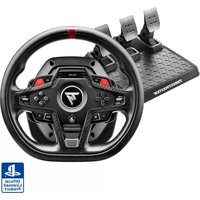


| Product type | Force feedback racing wheel and T3PM pedal set |
| Brand | Thrustmaster |
| Model | T248 R |
| Weight | 8 kg (wheel and pedals included) |
| Power supply | Power adapter: input 100-240 V, 50/60 Hz; output 18.5 V DC, 2.6 A (47.9 W) |
| Force feedback | DC motor with Boost profiles (FFB1, FFB2, FFB3) and global force adjustment (20% to 100%) |
| Screen | Color LCD screen with backlight (adjustable) and four LEDs (RPM, flag, pit) |
| Gear shift paddles | Magnetic paddles (left/right) |
| Encoders | 4 digital encoders (E1-E4) with E+, E- and EP functions |
| Rotation angle | Adjustable: 180°, 360°, 540°, 900° or automatic (AUTO) |
| Pedal set | 3 pedals (accelerator, brake, clutch) with height, spacing, tilt and brake resistance adjustments |
| Connectivity | USB-C to USB-A, RJ12 port for pedal set, mini-DIN for shifter/handbrake, power port |
| Compatibility | PlayStation 4, PlayStation 5, PC (Windows 10/11) |
| Maintenance | Clean ventilation grilles with a dry cloth or brush. Do not obstruct grilles. |
| Safety | Do not disassemble, use only the provided adapter, keep away from children, avoid any liquids, do not bend cables |
| Operating temperature | 15°C to 30°C |
| Spare parts/repairability | Contact Thrustmaster technical support. No user-serviceable parts. |
| Warranty | Refer to the warranty conditions provided with the product. |
Frequently Asked Questions - T248 R THRUSTMASTER
User questions about T248 R THRUSTMASTER
0 question about this device. Answer the ones you know or ask your own.
Ask a new question about this device
Download the instructions for your Game controller in PDF format for free! Find your manual T248 R - THRUSTMASTER and take your electronic device back in hand. On this page are published all the documents necessary for the use of your device. T248 R by THRUSTMASTER.
USER MANUAL T248 R THRUSTMASTER
Carefully read the instructions provided in this manual before installing the product, before any use of the product and before any maintenance. Be sure to follow the safety instructions. Failure to follow these instructions may result in accidents and/or damage. Keep this manual so that you can refer to the instructions in the future.
TABLE OF CONTENTS
- BOX CONTENTS......7
- FEATURES 8
- INFORMATION REGARDING USE OF THE RACING WHEEL....13
- INFORMATION REGARDING USE OF THE PEDAL SET ......21
- INSTALLING THE RACING WHEEL ON A TABLE OR DESK......25
- INSTALLING THE RACING WHEEL AND PEDAL SET ON A SUPPORT* OR IN A COCKPIT*......27
- INSTALLATION 29
On PlayStation®4 consoles 29
On PlayStation®5 consoles 33
On PC* 37
Automatic calibration of the racing wheel and pedals....44
8. MAPPING FOR PLAYSTATION®4
CONSOLES OR PLAYSTATION®5
CONSOLES 46
Using the encoders....47
9. MAPPING FOR PC 49
Using the encoders....50
10. COMPATIBLE GAMES ....52
Changing the compatibility mode ....54
Accessing the Settings or Telemetry
submenu....58
Settings submenu 60
Telemetry submenu 75
Flag (FLAG) and pit (PIT)*......87
Engine speed (RPM)* 87
13. ADJUSTING THE PEDAL SET .....90
Adjusting the height of the accelerator
pedal 91
Adjusting the spacing of the pedals .....93
Adjusting the inclination of the pedals....95
Modifying the brake pedal's resistance...97
14. FAQ AND TECHNICAL SUPPORT......102
T248R
With its interactive color dashboard and powerful, realistic and versatile Force Feedback, T248R is an accessory designed for racing drivers seeking performance and immersion.
This manual will help you install and use your T248R under the best conditions. Before getting started racing, carefully read the instructions and the warnings: they will help you get the most enjoyment out of your product.

Updating the firmware
In order for the T248R racing wheel to work properly with video games, you must update its firmware.
To carry out the update:
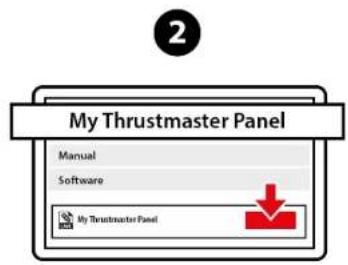
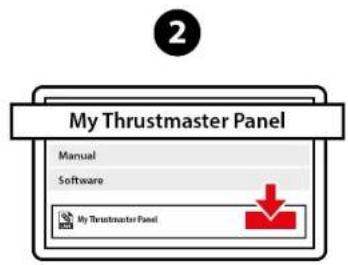
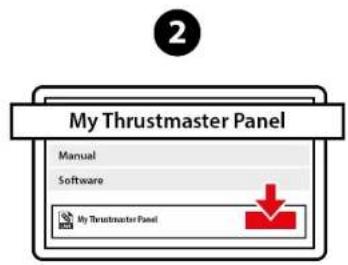
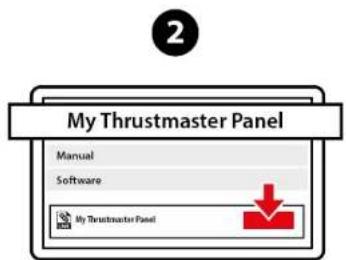
- Go to
https://support.thrustmaster.com/product/T248r/
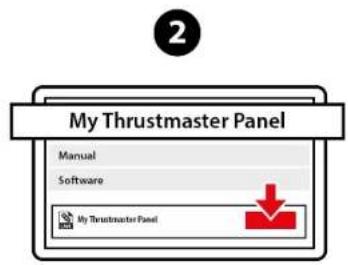
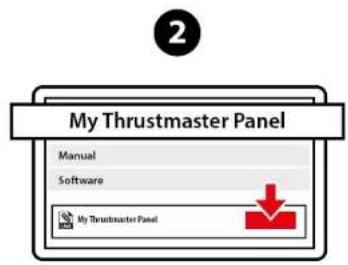
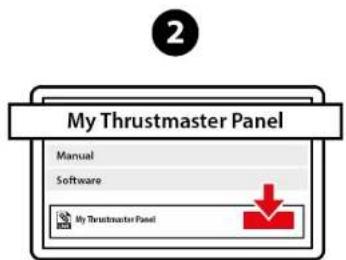
- Download and install the My Thrustmaster Panel software available in the Software section and follow the instructions.
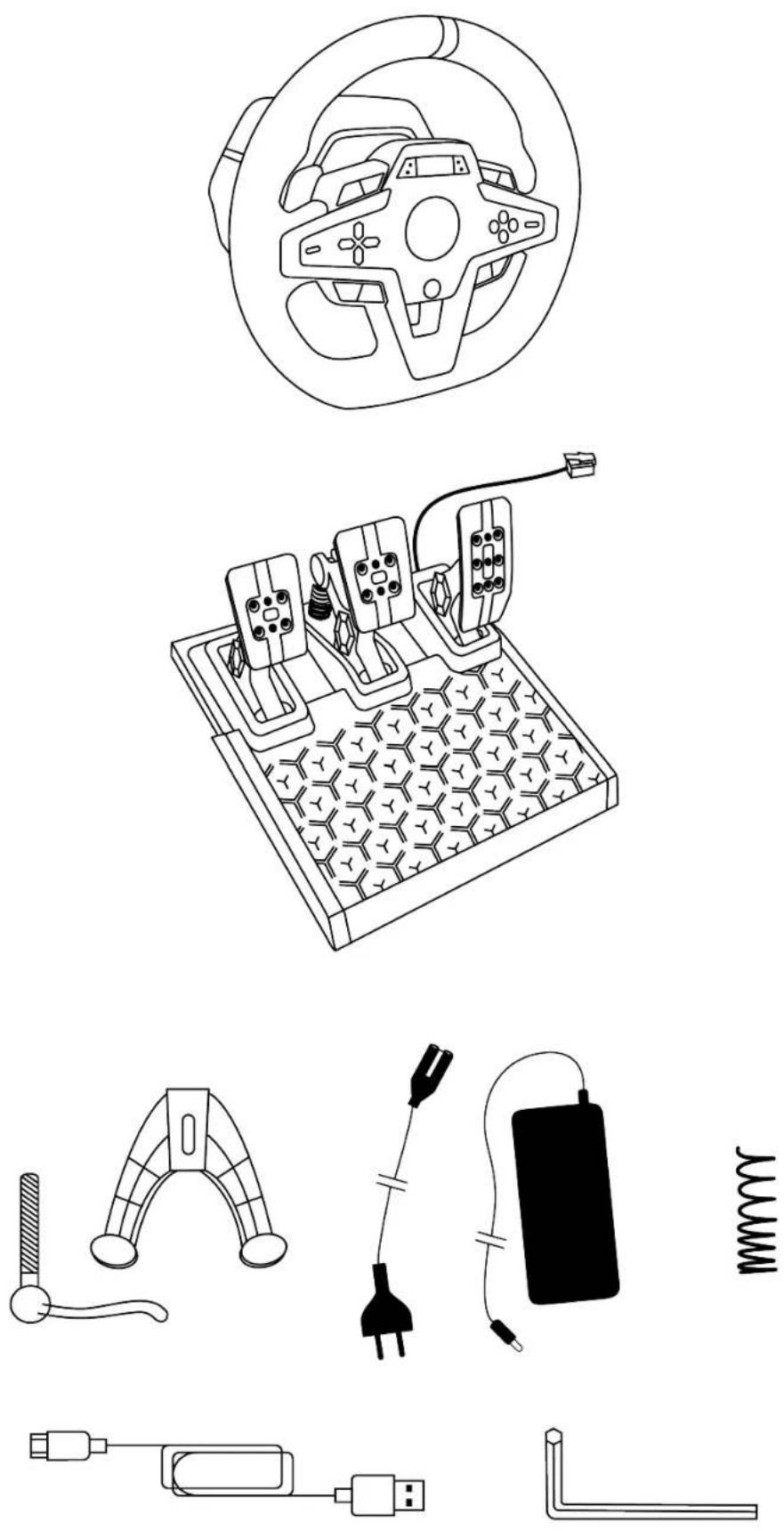
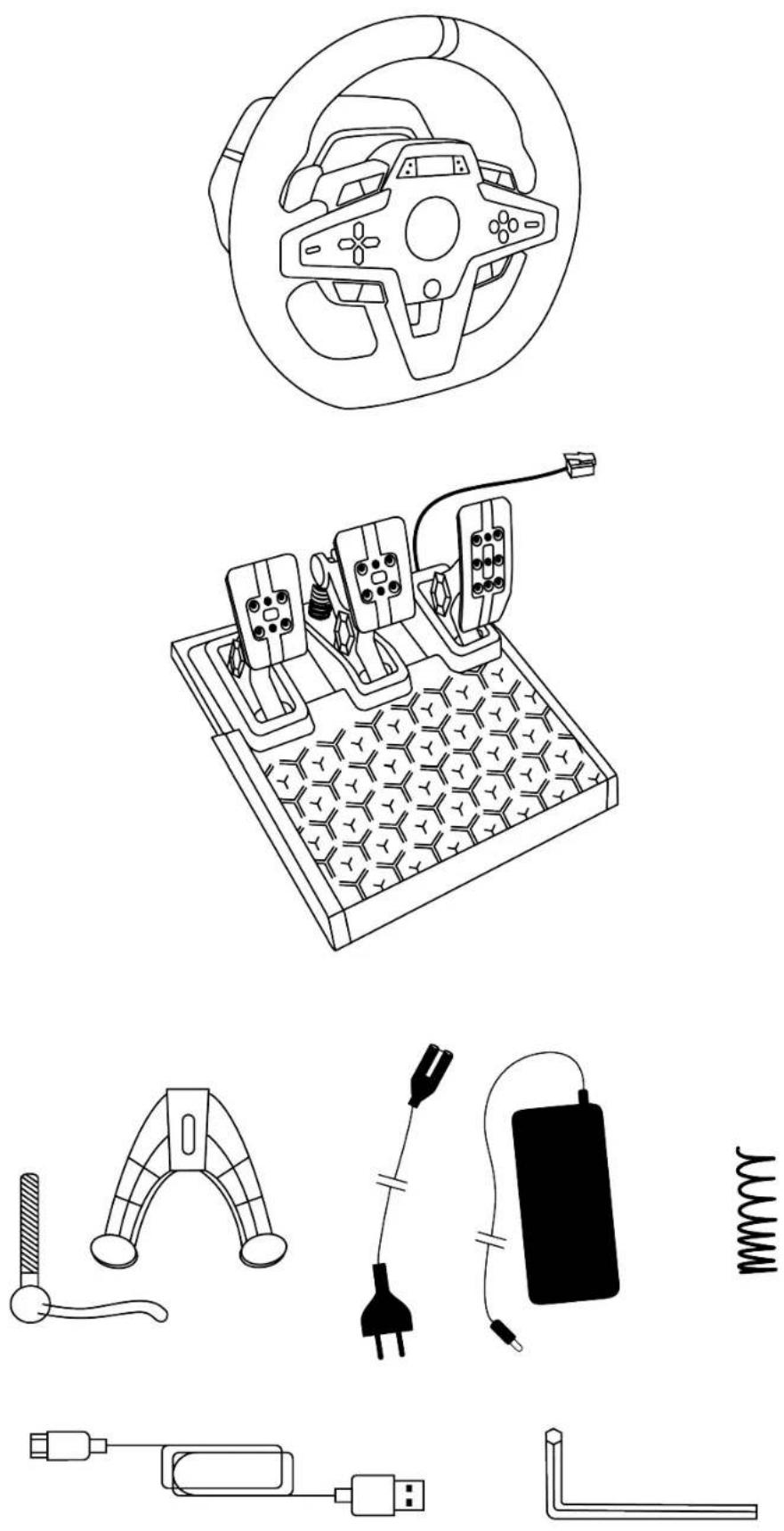
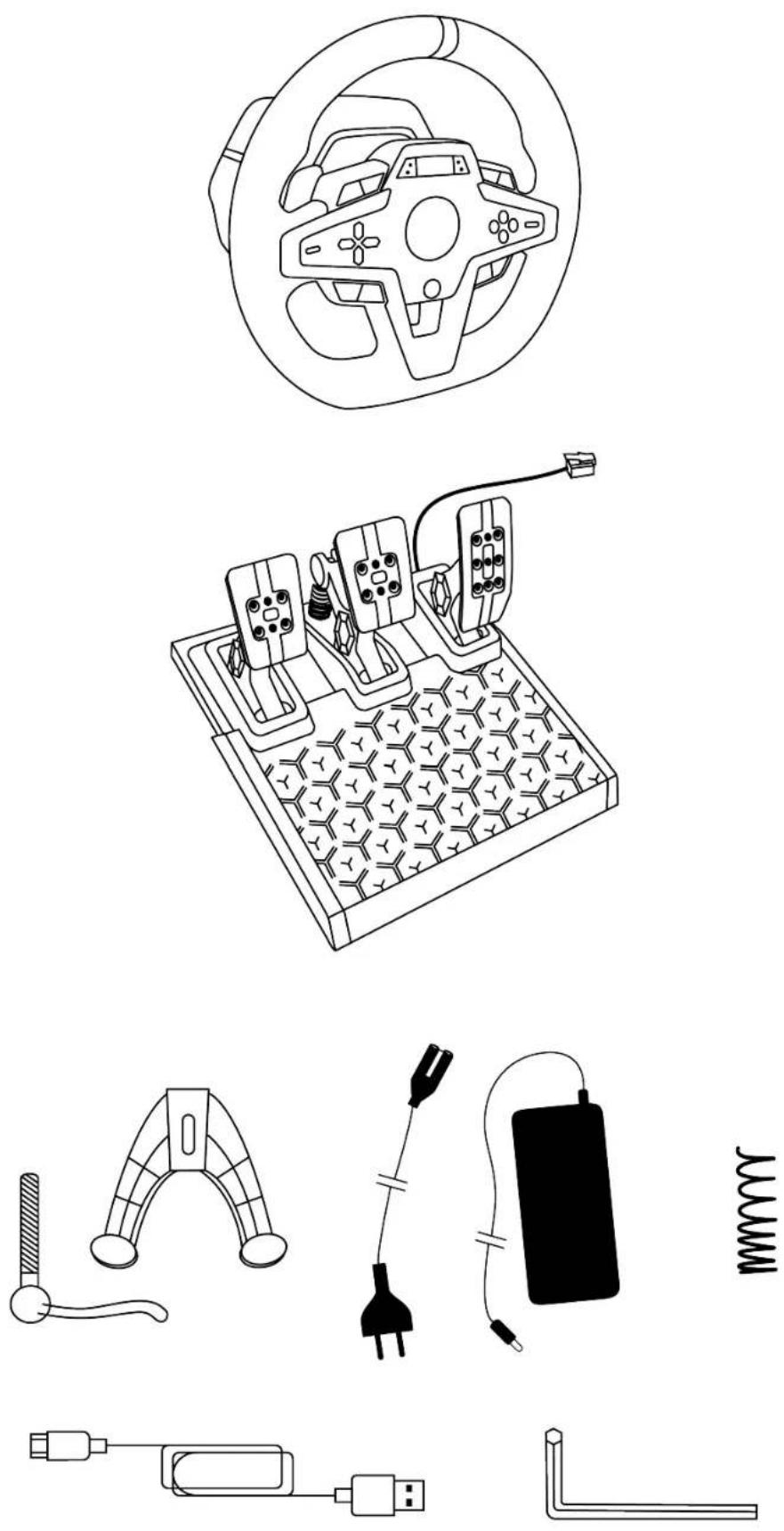
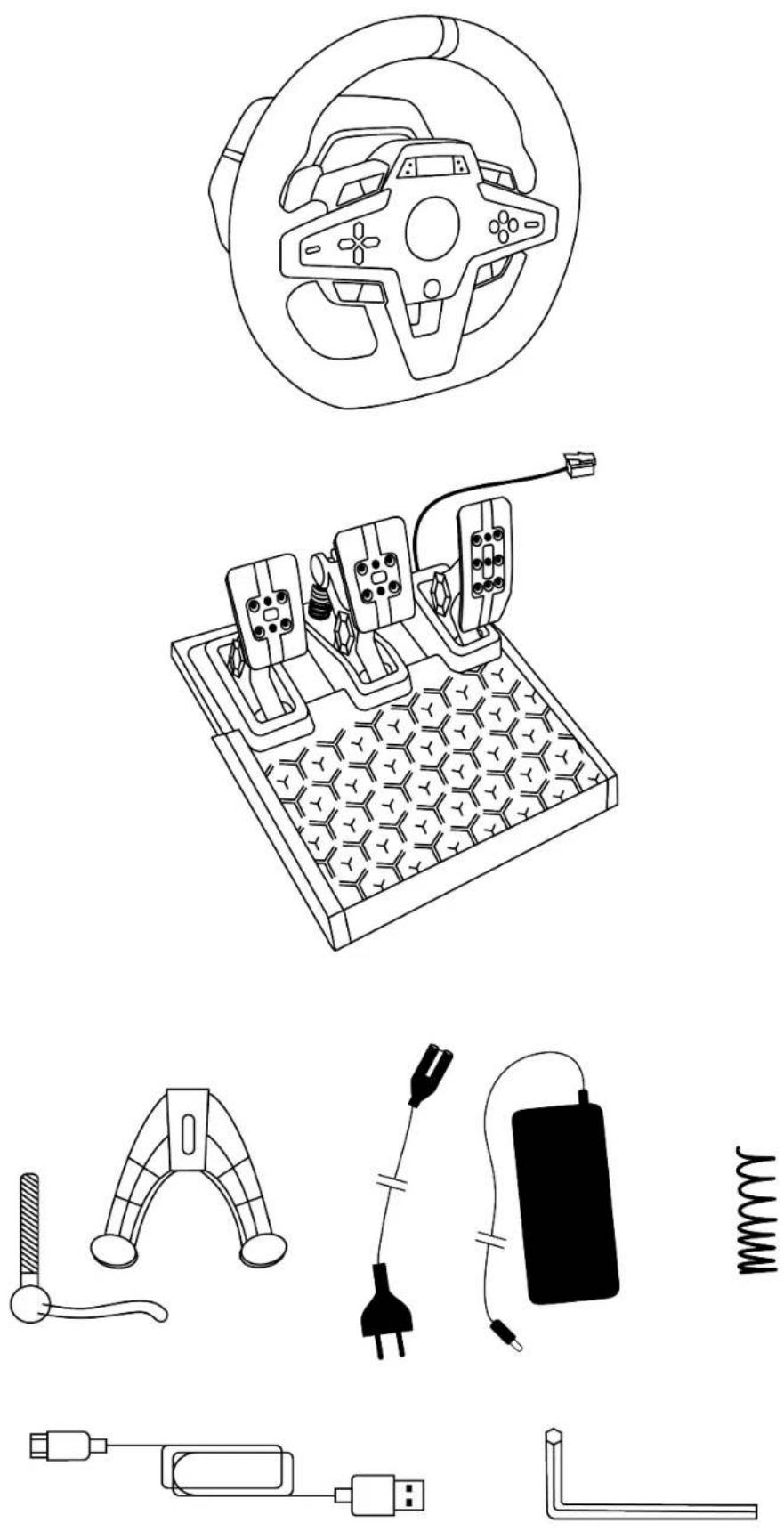
1. Box contents
2. Features
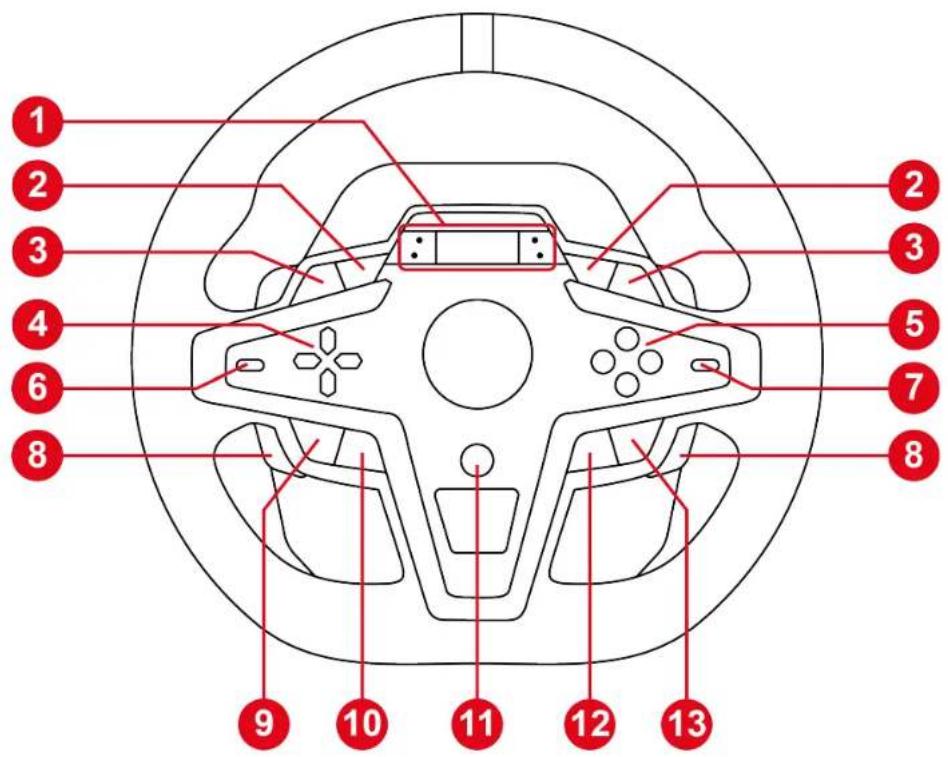
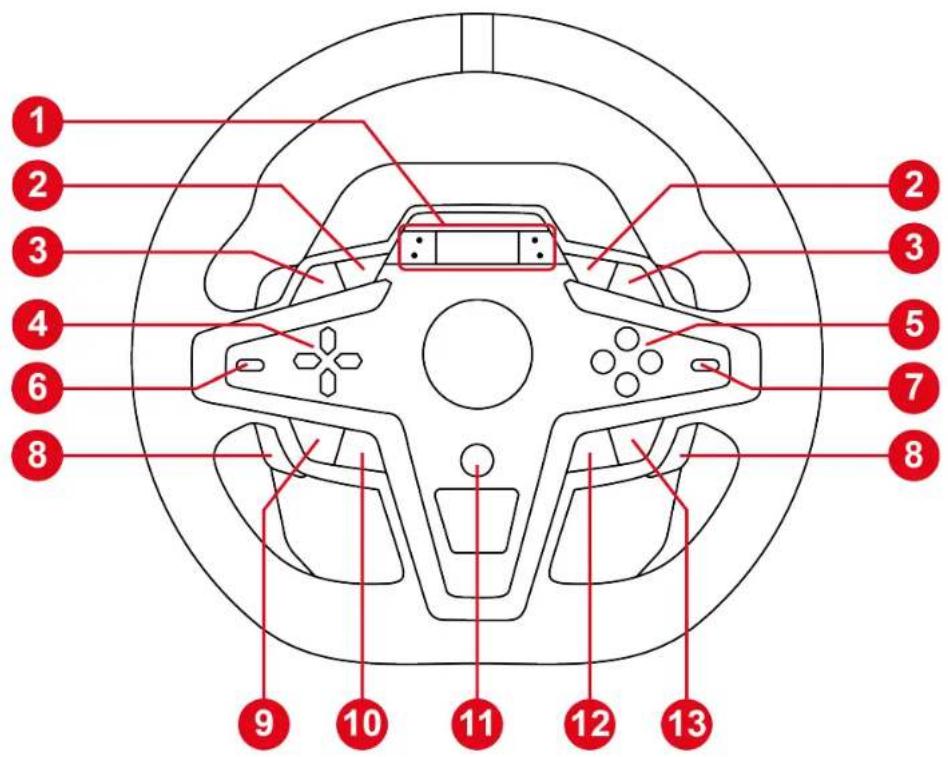
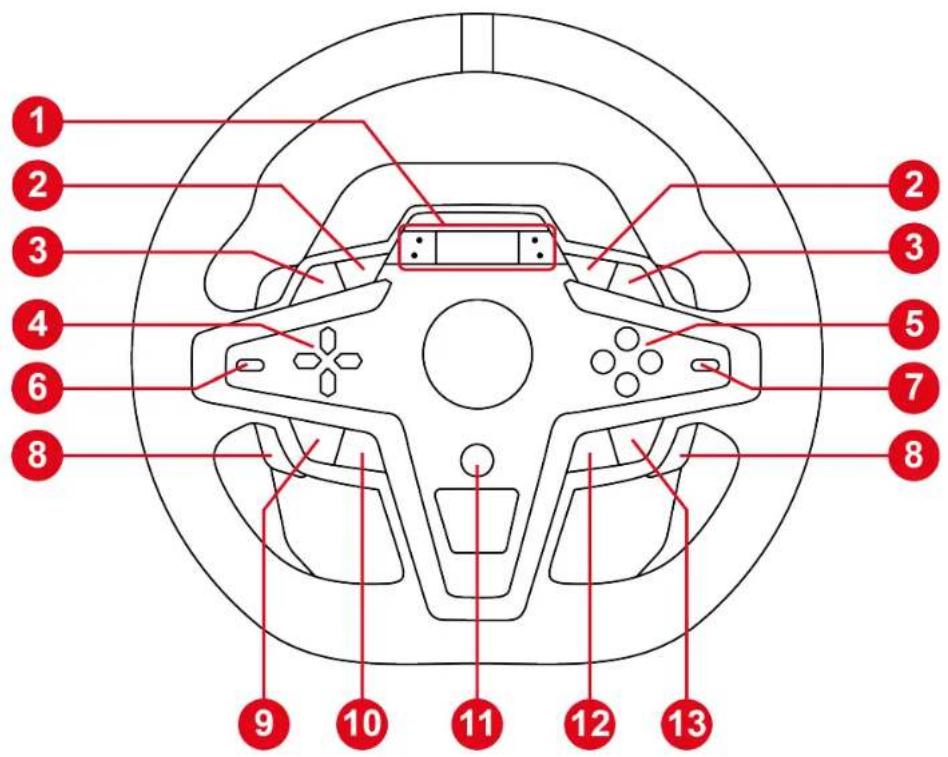
① Color LCD screen and four LEDs (race information: RPM, flag, pit) ② L3 and R3 buttons ③ L2 and R2 buttons ④ Directional buttons ⑤ Action buttons ⑥ Encoder selector and EP function ⑦ E+ and E- functions ⑧ Magnetic paddle shifters
⑨ SHARE button on PS4® consoles / CREATE button on PS5® consoles ⑩ button (Settings) ⑪ PS button ⑫ MODE button ⑬ OPTIONS button on PS4® consoles and PS5® consoles

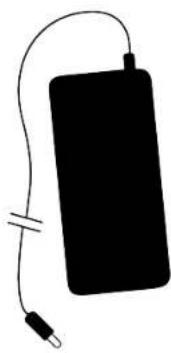
⑭ Large screw thread for attachment system ⑮ Power port ⑯ USB-C port ⑰ Mini-DIN connector for Thrustmaster shifter, handbrake or hub (sold separately) ⑱ RJ12 port for pedal set ⑲ Screw threads for installation in a cockpit (not included) ⑳ Hook-and-loop fastener cable holder
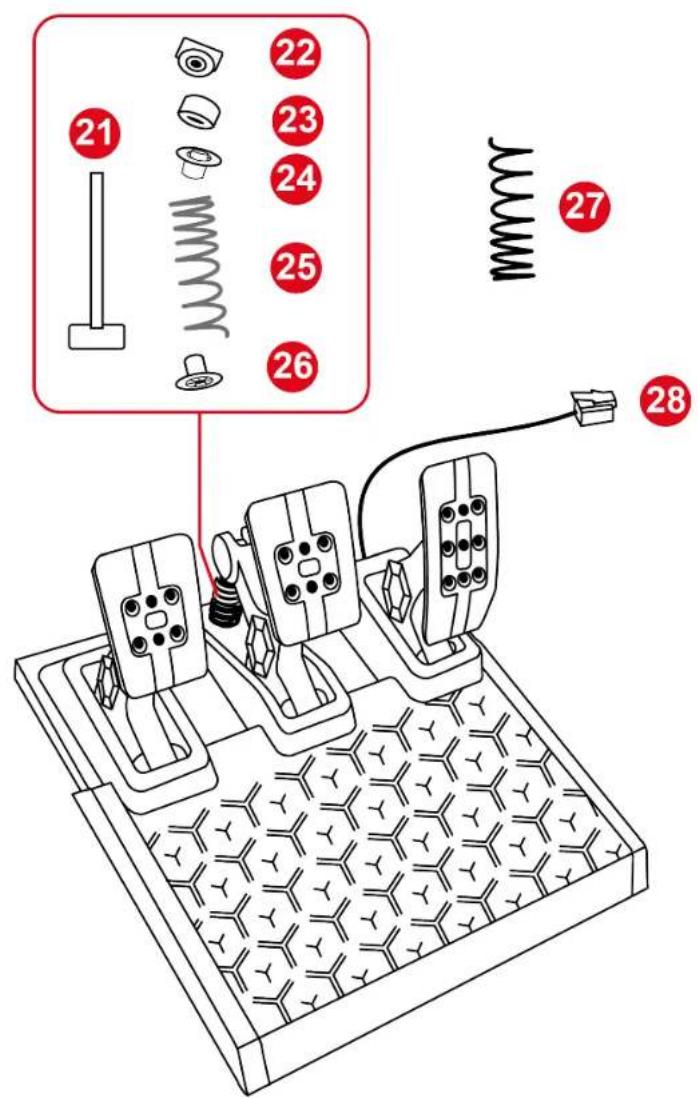
㉑ Spring retaining rod ㉒ Upper retaining head with washer ㉓ Elastomer cushioning ring (white – Shore 70) ㉔ Upper plastic spacer (red) ㉕ Soft spring (silver – installed by default) ㉖ Lower plastic spacer (red) ㉗ Additional hard spring (black) ㉘ Pedal set's RJ12 connector
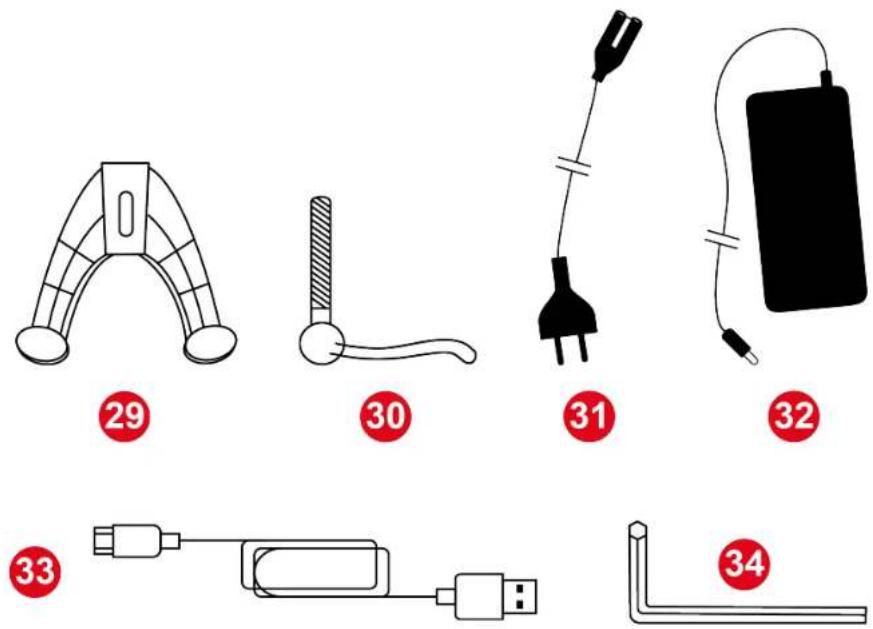
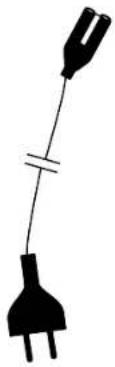
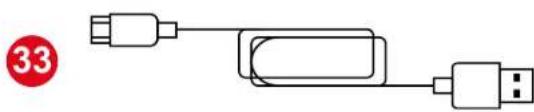
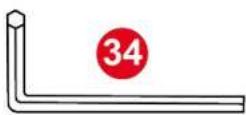
㉙ Attachment system ㉚ Fastening screw ㉛ Power cable (EU/US or UK...) ㉜ Power adapter ㉝ USB-C – USB-A cable ㉞ 2.5 mm Allen key
3. Information regarding use of the racing wheel

Documentation
Before using this product, carefully read this documentation again and keep it for future reference.

Electrical shock
- Keep the product in a dry location and do not expose it to dust or sunlight.
- Use the product in an environment with a temperature between 15°C and 30°C.
- Do not twist or pull on the connectors and cables.
- Follow the connection directions.
- Do not spill any liquid on the product or its connectors.
- Do not short-circuit the product.
- Never dismantle the product; do not throw it onto a fire and do not expose it to high temperatures.
- Do not use a power supply cable other than the one provided with your racing wheel.
- Do not use the power supply cable if the cable or its connectors are damaged, split or broken.
- Make sure that the power supply cable is properly plugged into an electrical outlet, and properly connected to the connector at the rear of the racing wheel's base.
- Do not open up the racing wheel: there are no user-serviceable parts inside. Any repairs must be carried out by the manufacturer, its authorized representative or a qualified technician.
- If the racing wheel is operating abnormally (if it is emitting any abnormal sounds, heat or odors), stop using it immediately, unplug the power supply cable from the electrical outlet and disconnect the other cables.
- If you will not be using the racing wheel for an extended period of time, unplug its power supply cable from the wall outlet.
- The wall outlet must have been installed according to proper electrical trade practices by a specialist.
- The wall outlet must be located near the equipment and must be easily accessible.
- The use of an extension cord or cords is not recommended, due to the risk of the extension cord overheating and therefore the risk of fire.
- Do not plug the device into a wall outlet or unplug it with damp or wet hands.
- Never carry the power supply by holding the cable.
- Never unplug or disconnect the power supply by pulling on the cable.

Power supply
- Use only the power supply listed in the user instructions.
- Only use the power supply with the electrical network voltage and frequency indicated on the power supply's rating plate.

Securing the gaming area
- Do not place any object in the gaming area which may disrupt the practice of the user, or which may provoke an inappropriate movement or an interruption by another person (coffee cup, telephone, keys, for example).
- Do not cover the power cables with a carpet or rug, blanket or covering or any other item, and do not place any cables where people will be walking.

Information for power supply adapter
| Information published | Value Unit | |
| Manufacturer's name or trademark Business number Address | GUILLEMOT CORPORATION S.A. 414 196 758 R.C.S. Vannes 2 Rue du Chêne Héleuc 56910 Carentoir France | |
| Model identifier | A481-1852590D | |
| Input voltage | 100 – 240 | V |
| Input AC frequency | 50 – 60 Hz | |
| Output voltage | 18.5 | V DC |
| Output current | 2.6 | A |
| Output power | 47.9 | W |
| Average active efficiency | 87.8 % | |
| Efficiency at low load (10%) | 87.8 % | |
| No-load power consumption | 0.10 W |

Air vents
Make sure not to block any of the air vents on the racing wheel's base. For optimal ventilation, make sure to do the following:
- Position the wheel's base at least 4 inches/10 cm away from any wall surfaces.
- Do not place the base in any tight spaces.
- Do not cover the base.
- Do not let any dust build up on the air vents. Clean them regularly with a dry cloth or a brush and do not obstruct the sides or top of the base.
- Never insert any object or body part into the product's air vents.

During intensive use, you may notice a slight odor emanating from the base. This specific case mainly occurs with new products: it is normal, and subsides over time.

Injuries due to Force Feedback and repeated movements
Playing with a Force Feedback racing wheel may cause muscle or joint pain. To avoid any problems:
- Avoid overly-long gaming periods (more than 2 hours).
- Take a 10 to 15-minute break after each hour of play.
- If you feel any fatigue or pain in your hands, wrists, arms, feet or legs, stop playing and rest for a few hours before you start playing again.
- If the symptoms or pain indicated above persist when you start playing again, stop playing and consult your doctor.
- Keep out of children's reach.
- Make sure that the racing wheel's base is properly secured, as per this manual's instructions.
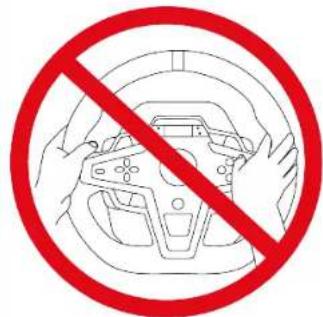
Risk of unforeseen, powerful and rapid rotations: never place a hand or an arm through the openings in the wheel rim, or in the wheel's trajectory of rotation.
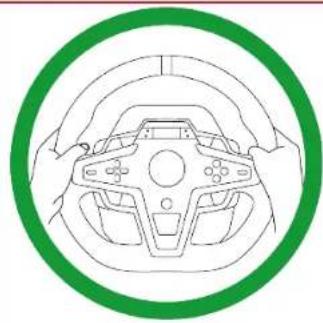
When using the product, always leave both hands correctly positioned on the wheel without ever completely letting go.

Product to be handled only by people 14 years of age or older.

Heavy product – Be careful not to drop the product on yourself or on anyone else.
4. Information regarding use of the pedal set

Documentation
Before using this product, carefully read this documentation again and keep it for future reference.

For safety reasons, never use the pedal set with bare feet or while wearing only socks on your feet. Thrustmaster® disclaims all responsibility in the event of injury resulting from use of the pedal set without shoes.

Electrical shock
- Keep the product in a dry location and do not expose it to dust or sunlight.
- Do not twist or pull on the connectors and cables.
- Follow the connection directions.
- Do not spill any liquid on the product or its connectors.
- Do not short-circuit the product.
- Never dismantle the product (except in the cases of customization specified in this manual); do not throw it onto a fire and do not expose it to high temperatures.

Injuries due to repeated movements
Playing with a pedal set may cause muscle or joint pain.
To avoid any problems:
- Avoid overly-long gaming periods (more than 2 hours).
- Take a 10 to 15-minute break after each hour of play.
- If you feel any fatigue or pain in your feet or legs, stop playing and rest for a few hours before you start playing again.
- If the symptoms or pain indicated above persist when you start playing again, stop playing and consult your doctor.

Pedal set pinch hazard when playing
- Keep the pedal set out of children's reach.
- During gameplay, never place your fingers (or other body parts) on or near the sides, rear base or front base of the pedals.
5. Installing the racing wheel on a table or desk

- Only use the attachment system included with the racing wheel.
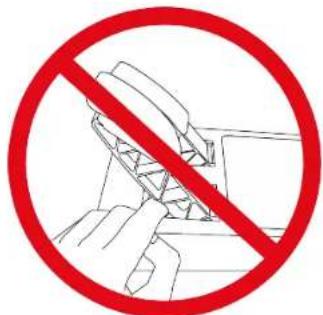
- Never tighten the fastening screw alone without the attachment system in place. This could damage the racing wheel.
- Before each use, verify that the base is still properly attached to the support, as per this manual's instructions.

Make sure that you have connected all of the cables before installing the racing wheel on a table or desk. For more information, please refer to the section dedicated to installation on PlayStation®4 consoles, PlayStation®5 consoles or PC.
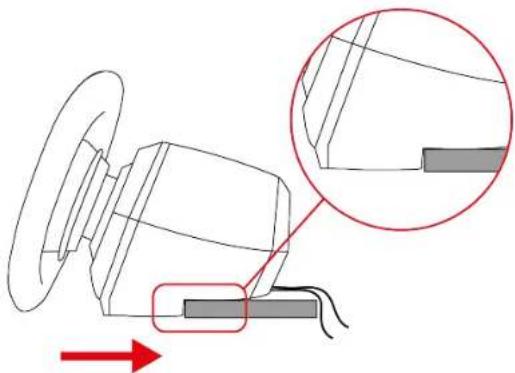
- Place the racing wheel on a table or desk.
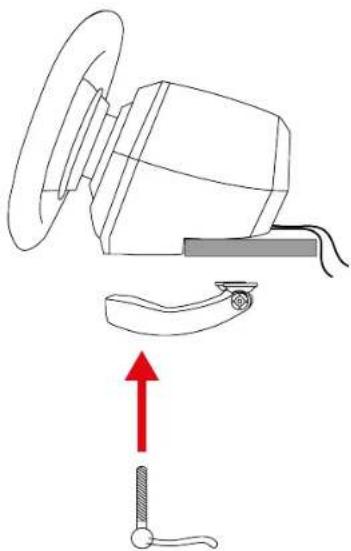
- Insert the fastening screw into the attachment system.
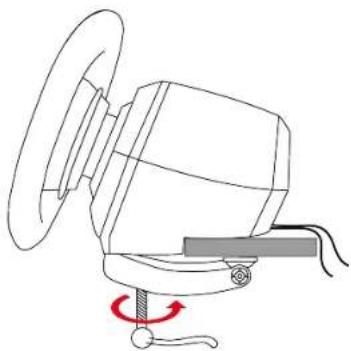
- Screw the assembly into the large screw thread located under the racing wheel, until the racing wheel is perfectly stable.
6. Installing the racing wheel and pedal set on a support* or in a cockpit*

The installation template for T248R and the pedal set on supports is available here:
https://support.thrustmaster.com/product/t248r (in the Manual section).

The length of the two M6 screws must not exceed the thickness of the shelf by more than 0.47 inches/12 mm; longer screws could cause damage to internal components located in the racing wheel's base.
Attaching the racing wheel:
Use the two screw threads located under the racing wheel and two M6 screws (not included).
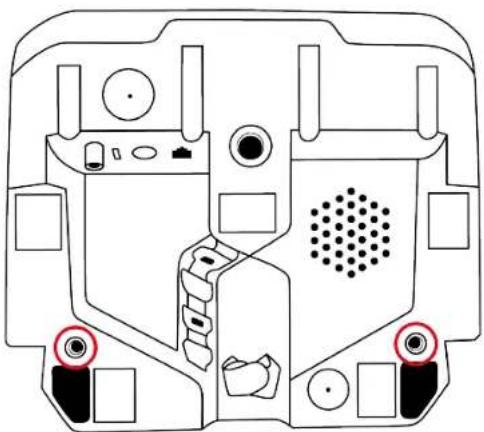

If necessary, you can also screw the included attachment system into the large screw thread.
Attaching the pedal set:
Use the screw threads located under the pedal set and at least two M6 screws (not included).
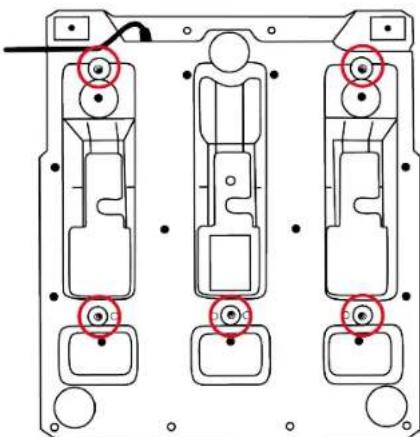
7. Installation
On PlayStation®4 consoles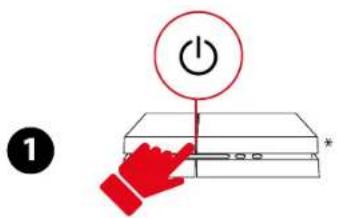
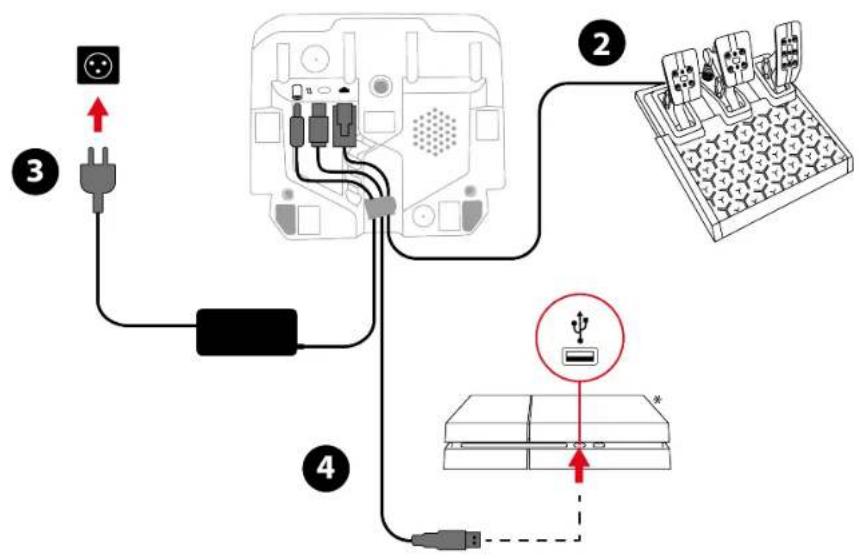

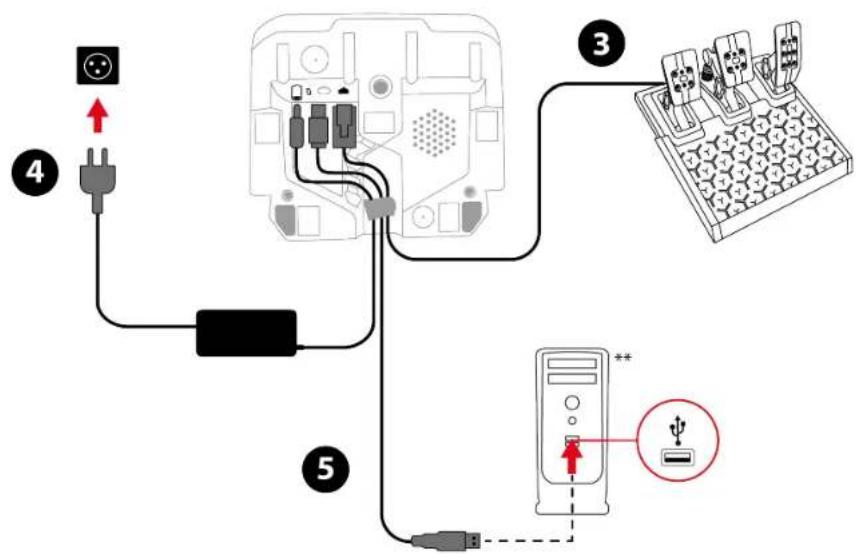
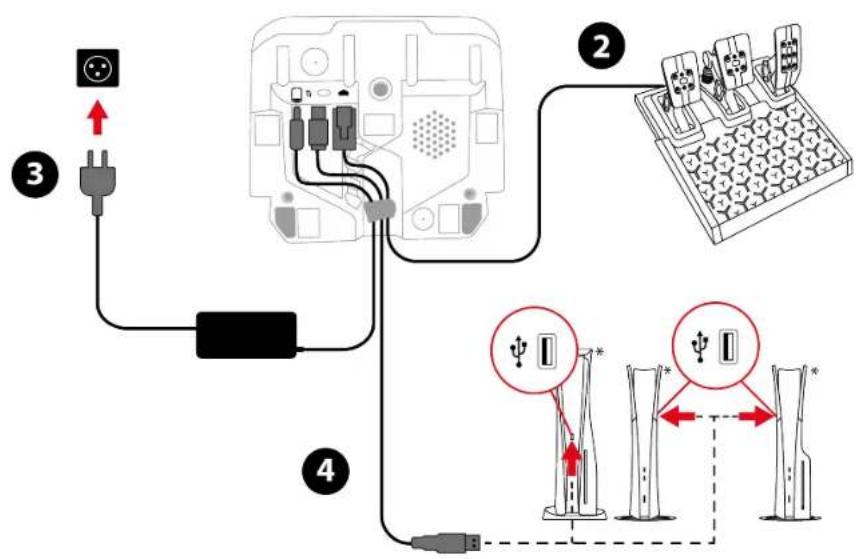
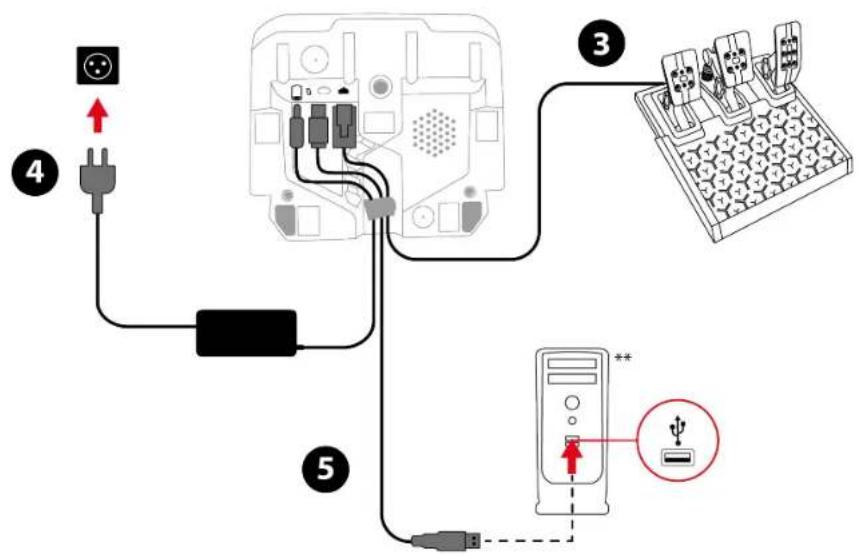
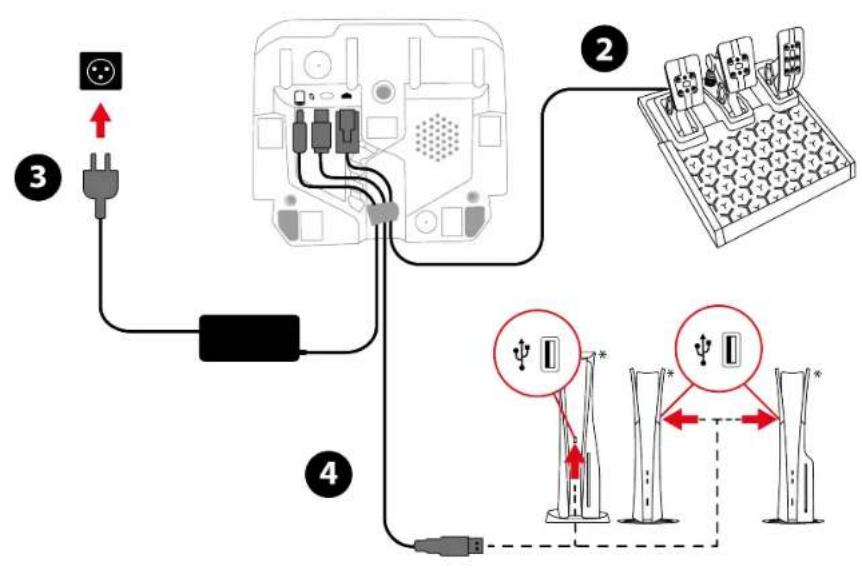
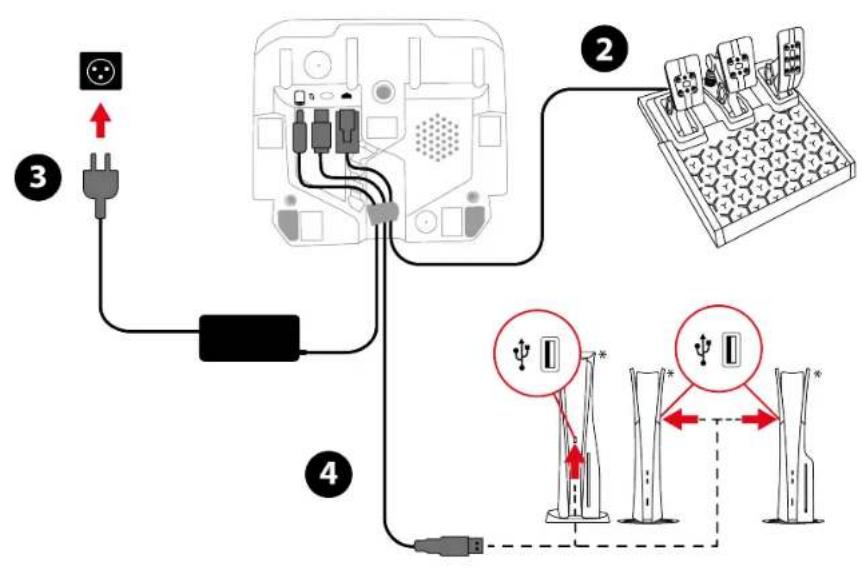
Run the cables through the designated channels on the underside of the racing wheel, and secure the cables using the cable holder.
- Power on your PlayStation®4 console.
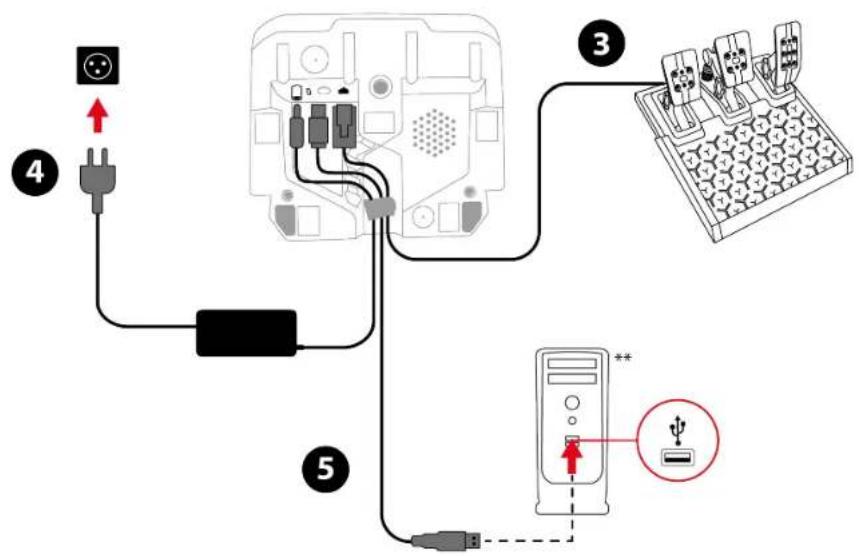
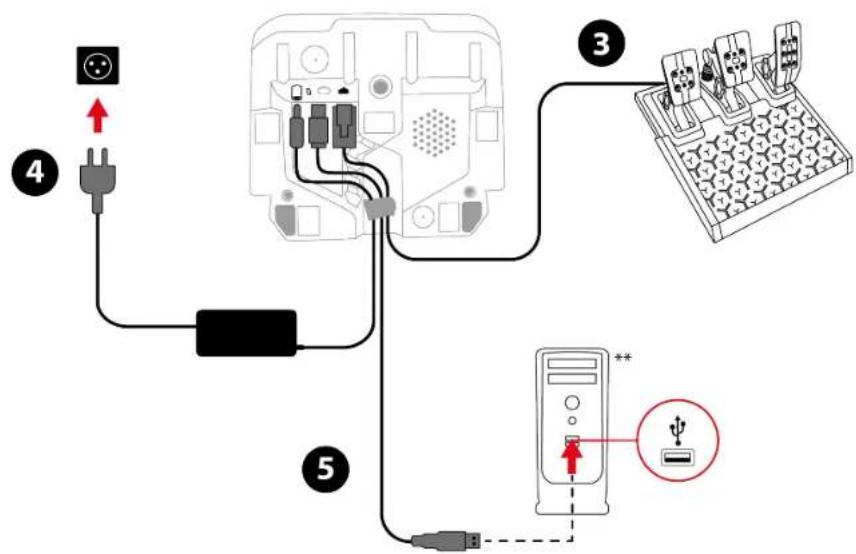
- Connect the pedal set to the RJ12 port on the racing wheel.
- Connect the power adapter to the racing wheel, and plug it into an electrical outlet.
- Connect the USB-C – USB-A cable to the racing wheel's USB-C port, and to a USB-A port on the PlayStation®4 console. Your racing wheel calibrates itself automatically.
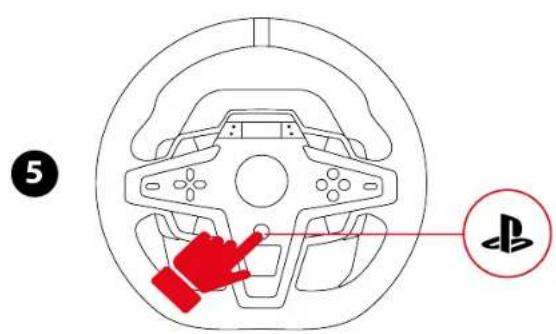
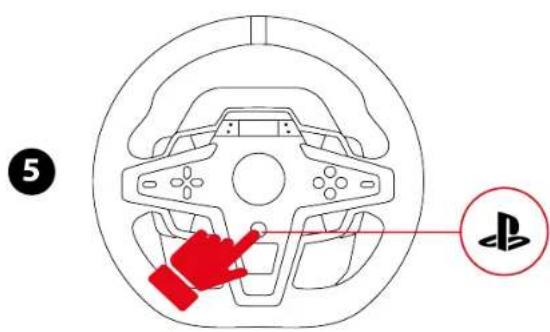
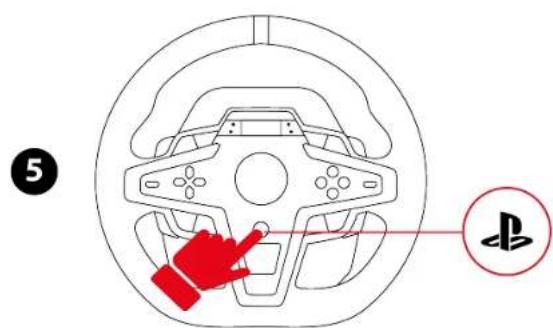
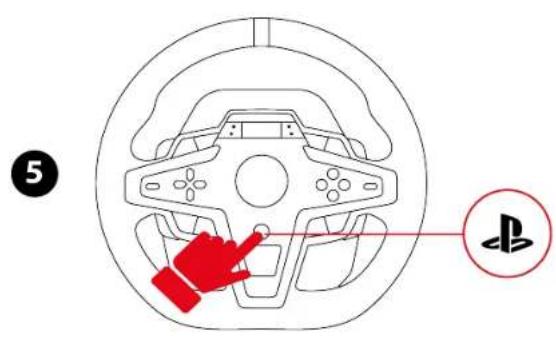
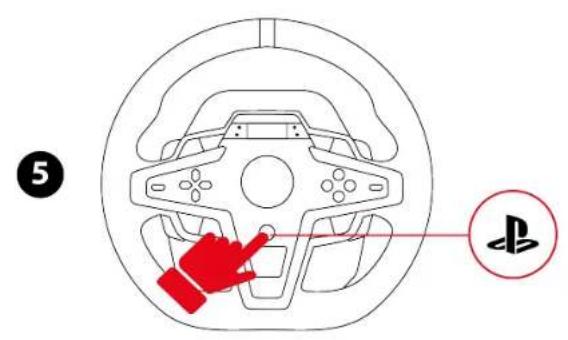
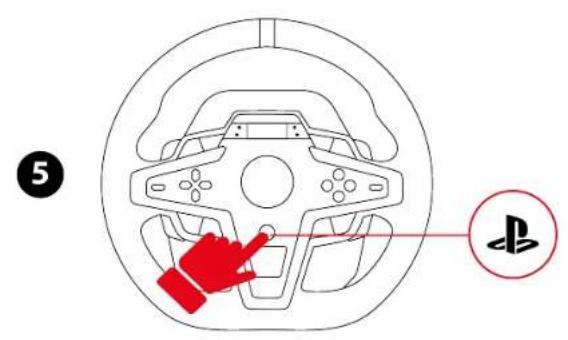
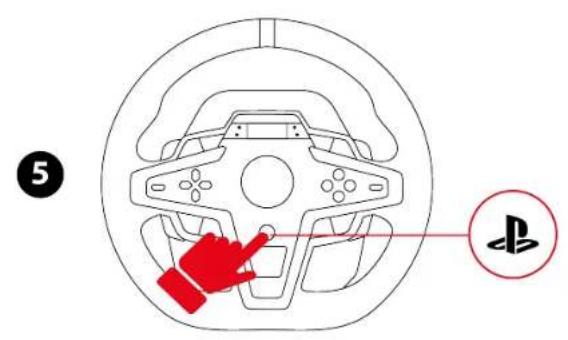
- Press the ⏻ button to connect the racing wheel to your profile.
- The racing wheel's screen lights up. The LED should be blue.
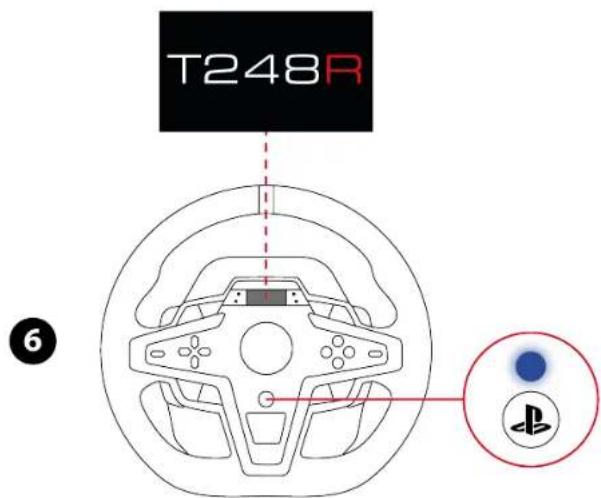
- If the LED is not blue, change the compatibility mode by following the procedure set out here.
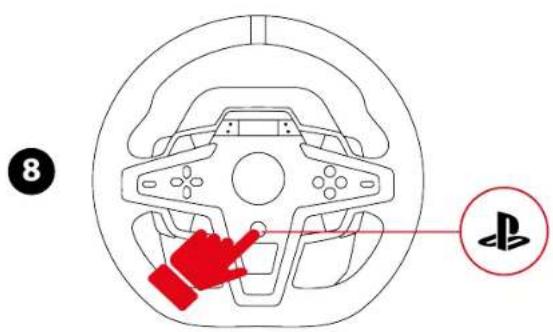
- Press the ⏻ button to connect the racing wheel to your profile.

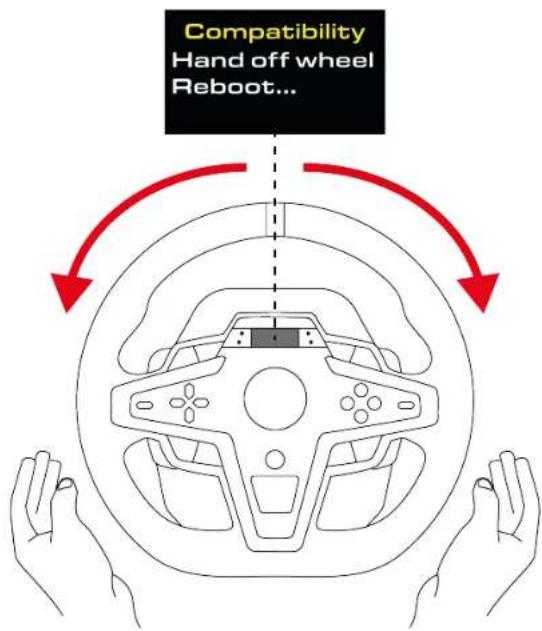
During the racing wheel's self-calibration phase, make sure not to put your hands on the wheel rim.
You are now ready to play!
On PlayStation®5 consoles
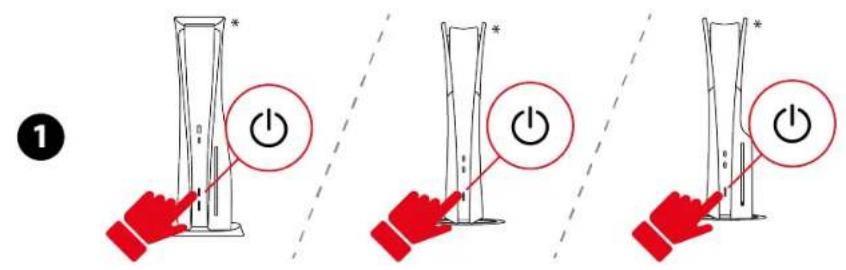
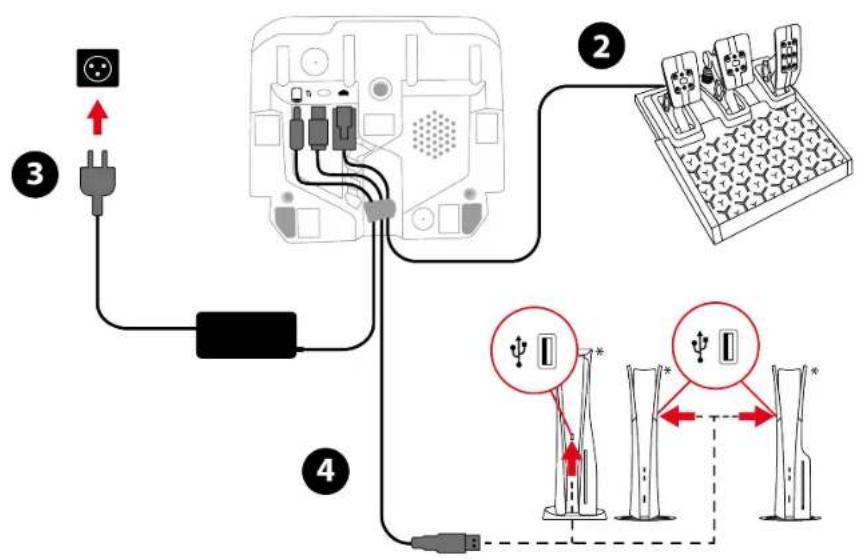
*Not included

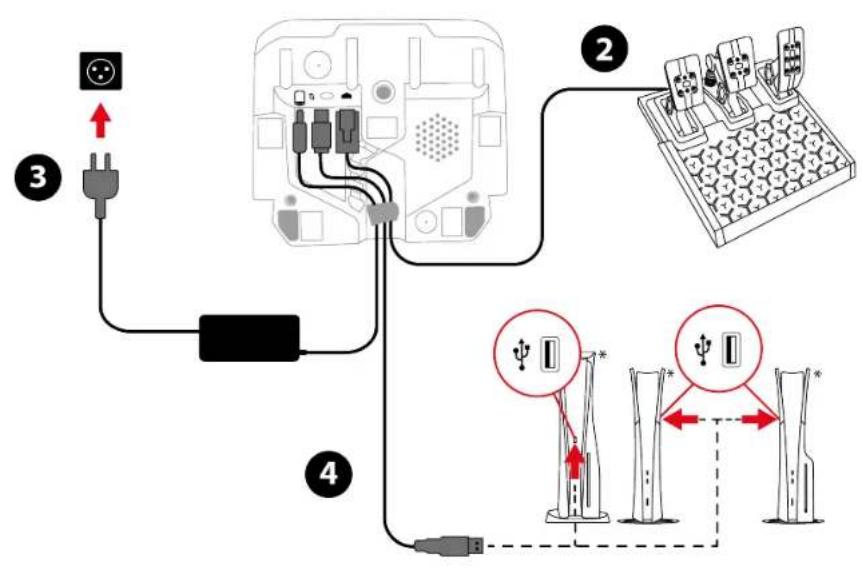
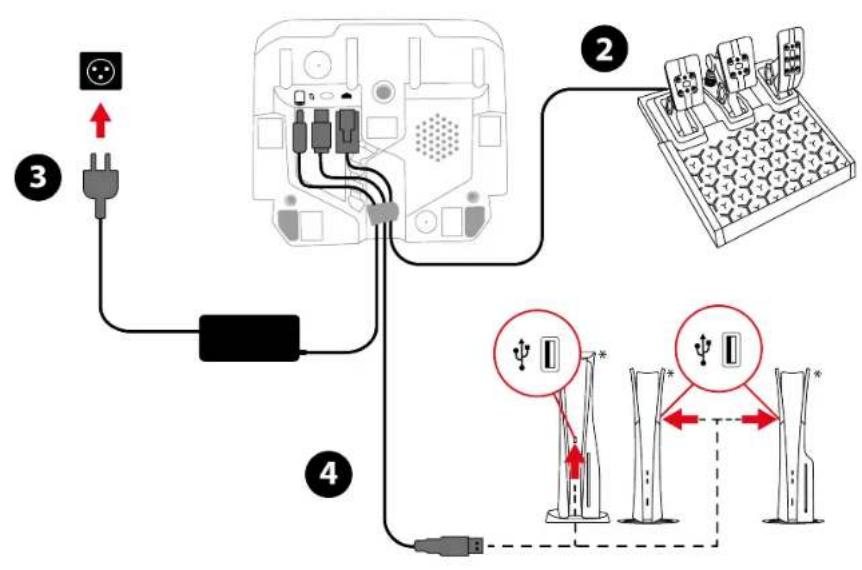
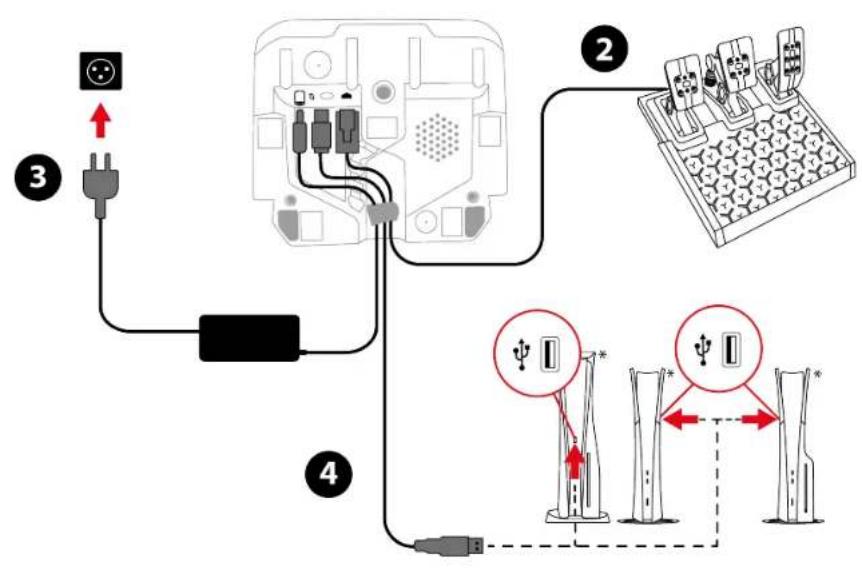
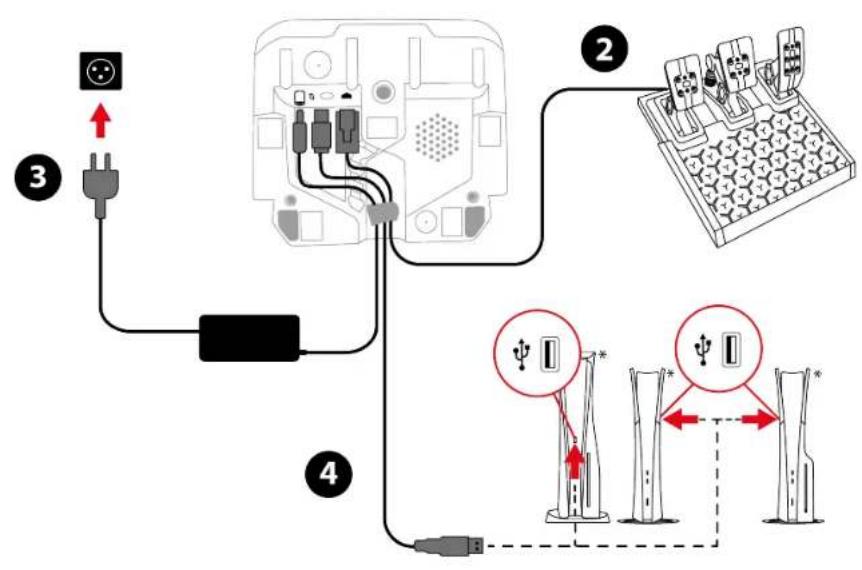
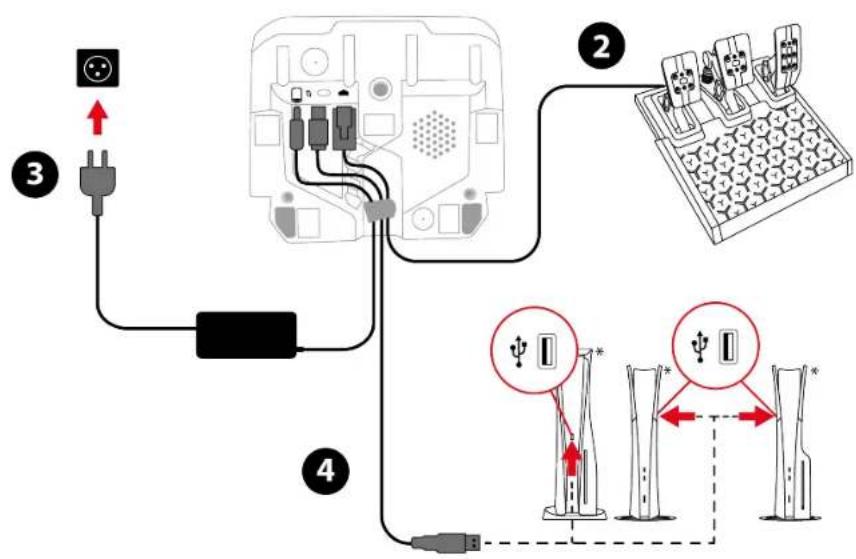
Run the cables through the designated channels on the underside of the racing wheel, and secure the cables using the cable holder.
- Power on your PlayStation®5 console.
- Connect the pedal set to the RJ12 port on the racing wheel.
- Connect the power adapter to the racing wheel, and plug it into an electrical outlet.
- Connect the USB-C – USB-A cable to the racing wheel's USB-C port, and to a USB-A port on the PlayStation®5 console. Your racing wheel calibrates itself automatically.
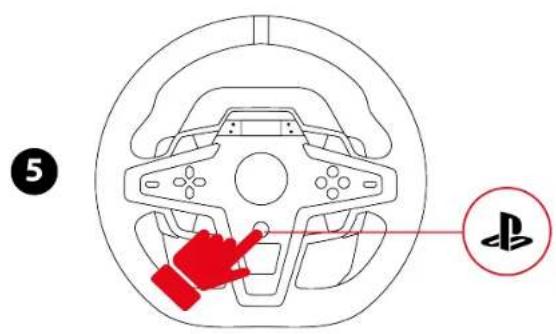
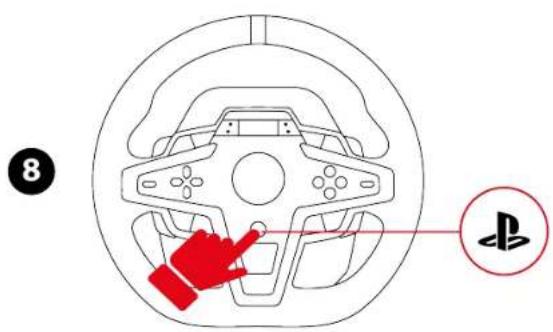
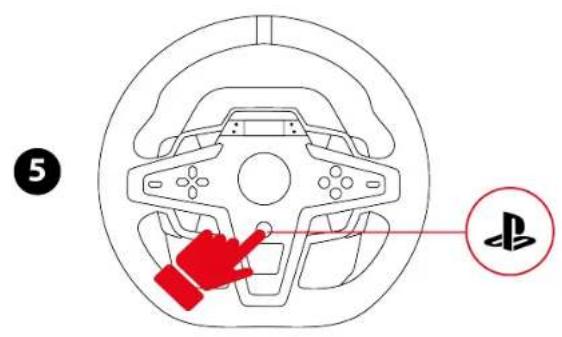
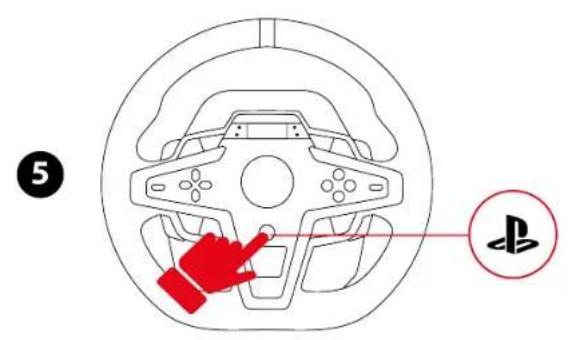
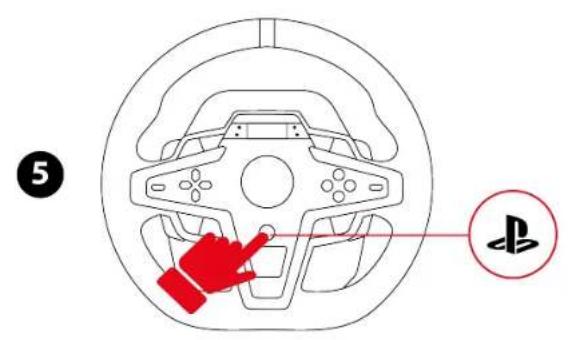
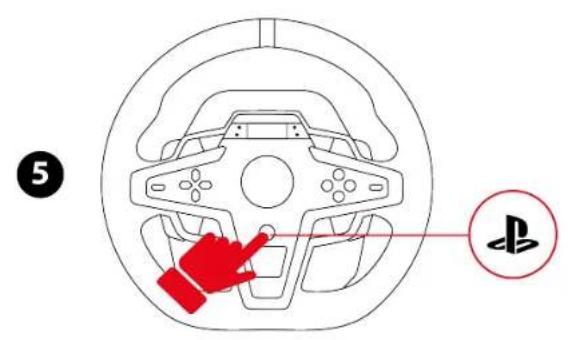
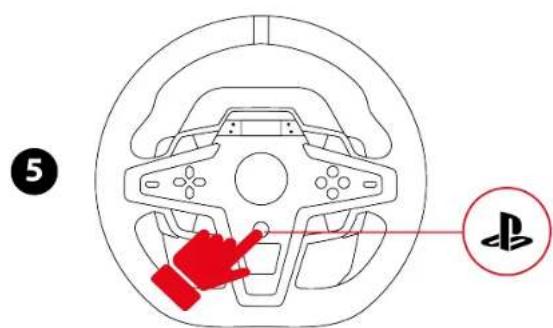
- Press the ⏻ button to connect the racing wheel to your profile.
- The racing wheel's screen lights up. The LED should be blue.
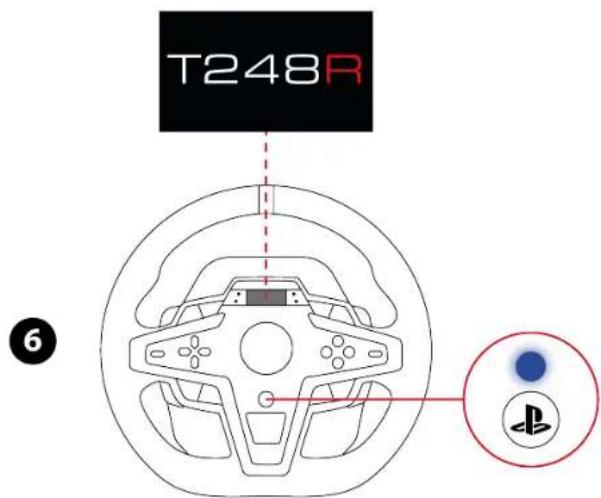
- If the LED is not blue, change the compatibility mode by following the procedure set out here.
- Press the ⏻ button to connect the racing wheel to your profile.

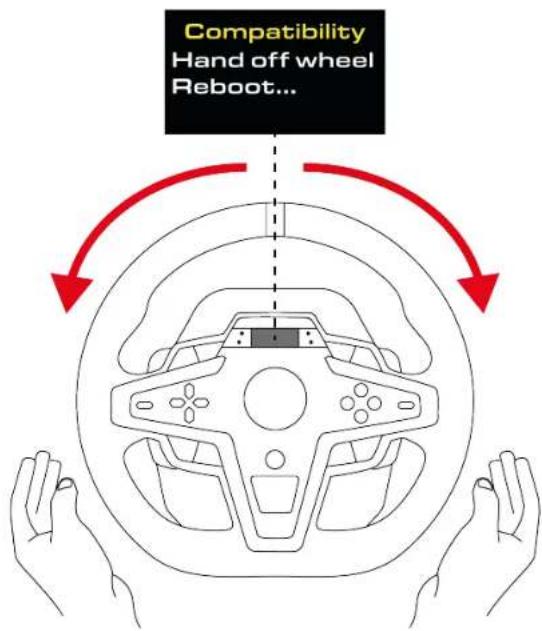
During the racing wheel's self-calibration phase, make sure not to put your hands on the wheel rim.
You are now ready to play!
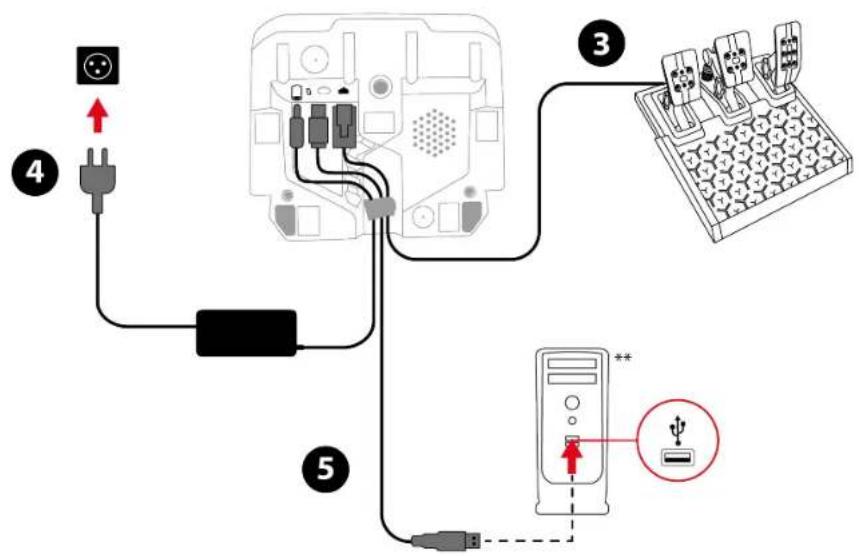
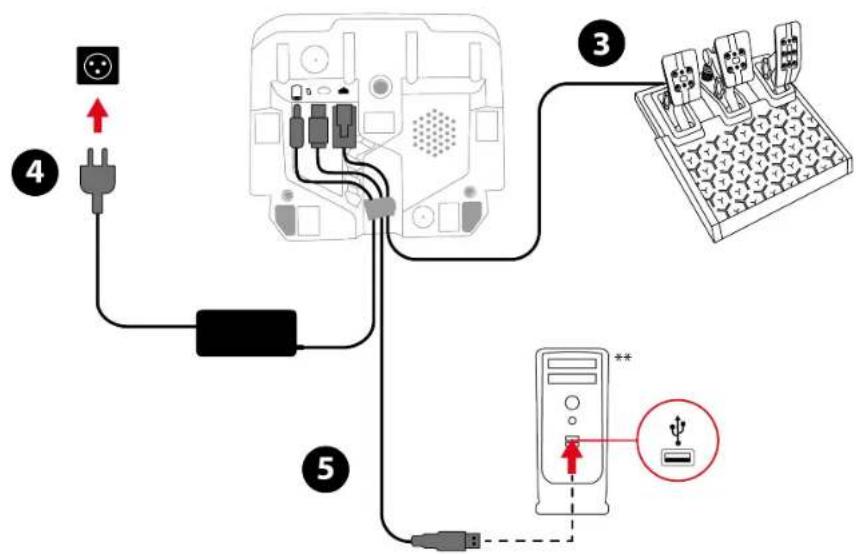
On PC*
*PC compatibility (Windows® 10/11) not tested or endorsed by Sony Interactive Entertainment.
**Not included

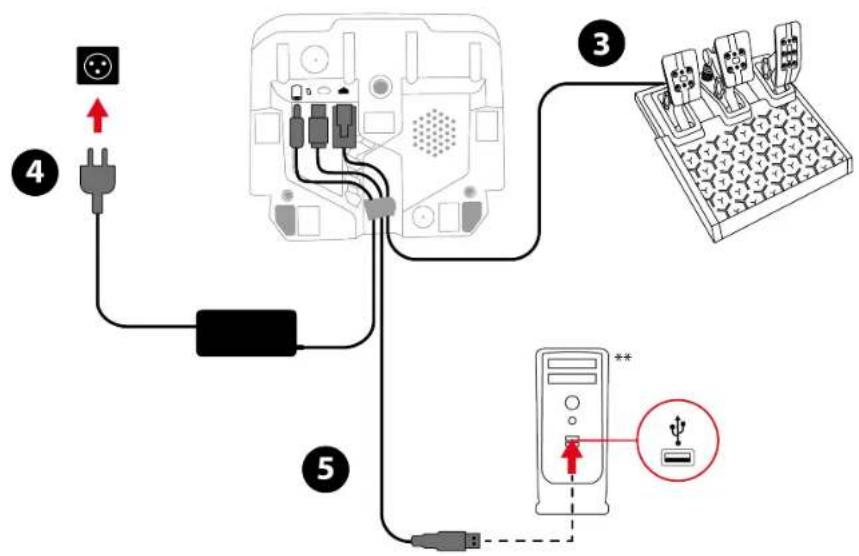
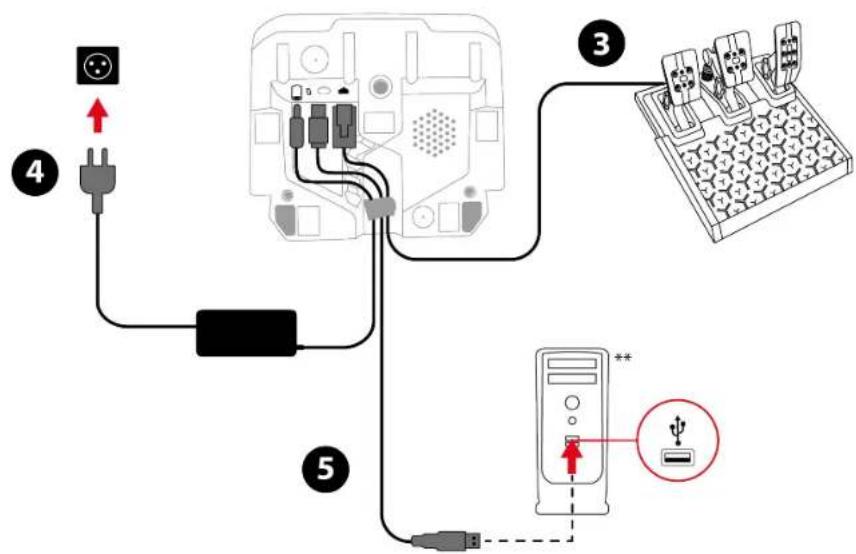
Run the cables through the designated channels on the underside of the racing wheel, and secure the cables using the cable holder.
- Go to:
https://support.thrustmaster.com/product/t248r
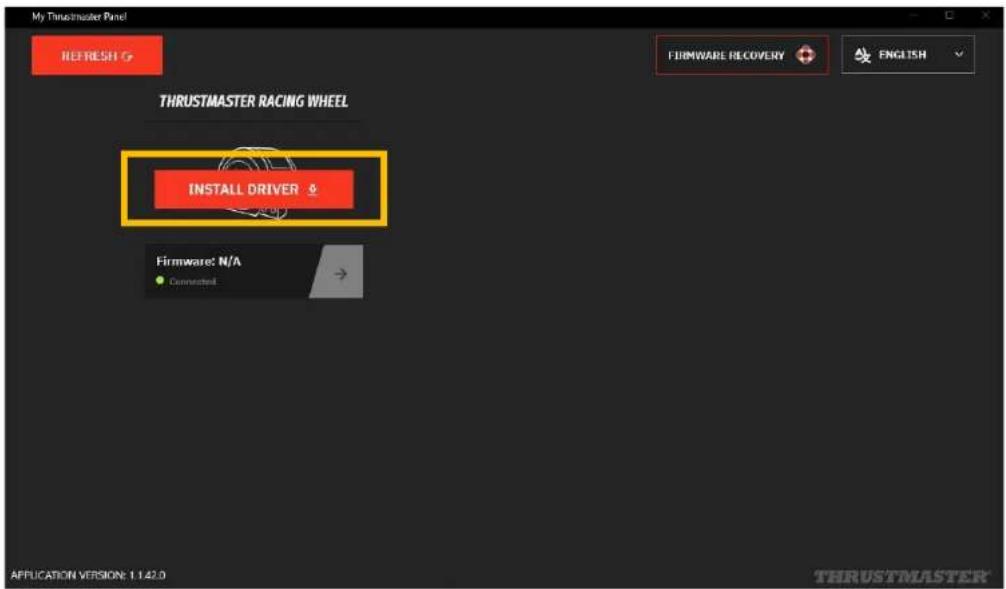
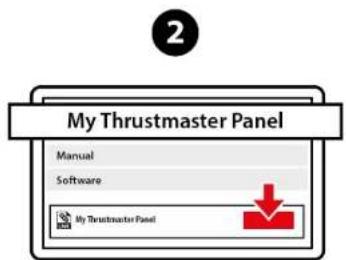
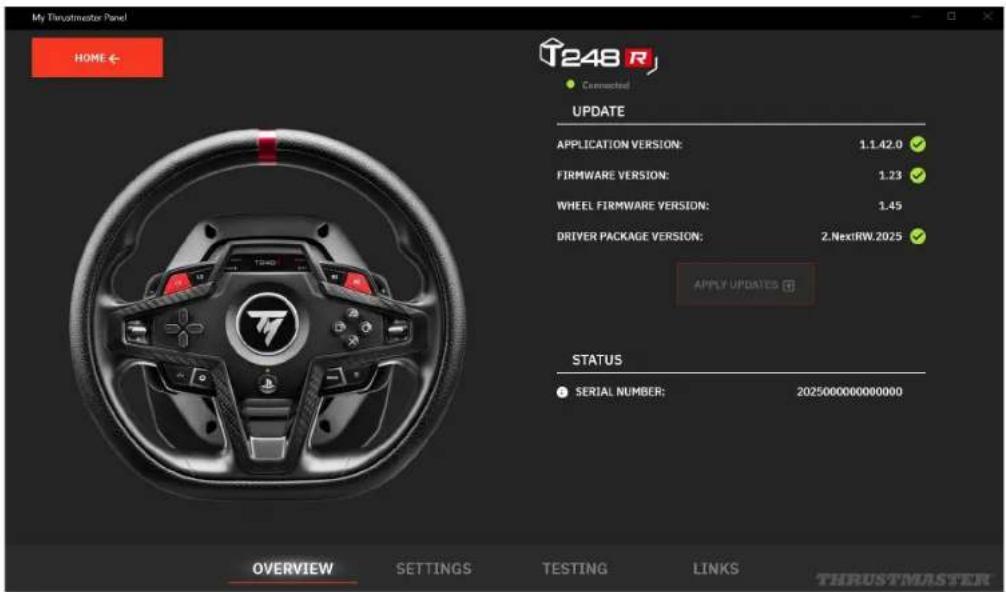
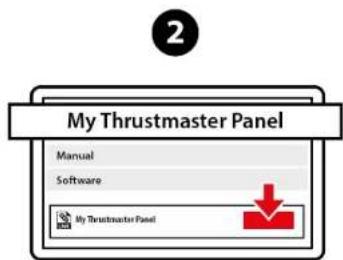
- Download and install the My Thrustmaster Panel software, available in the Software section.
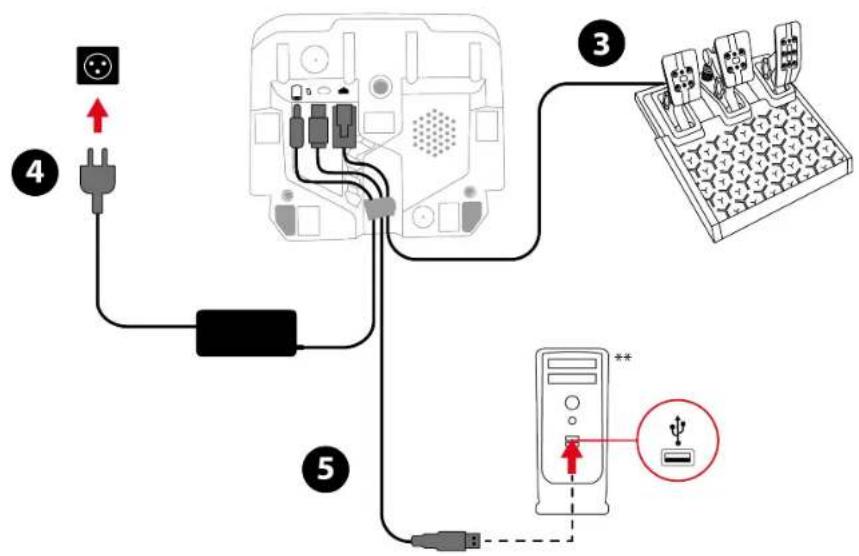
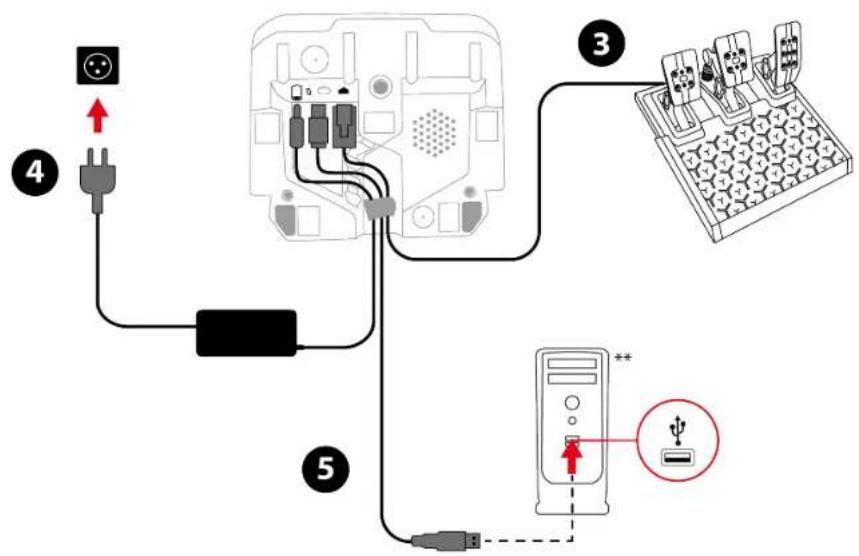
- Connect the pedal set to the RJ12 port on the racing wheel.
- Connect the power adapter to the racing wheel, and plug it into an electrical outlet.
- Connect the USB-C – USB-A cable to the racing wheel's USB-C port, and to a USB-A port on the PC. Your racing wheel calibrates itself automatically.
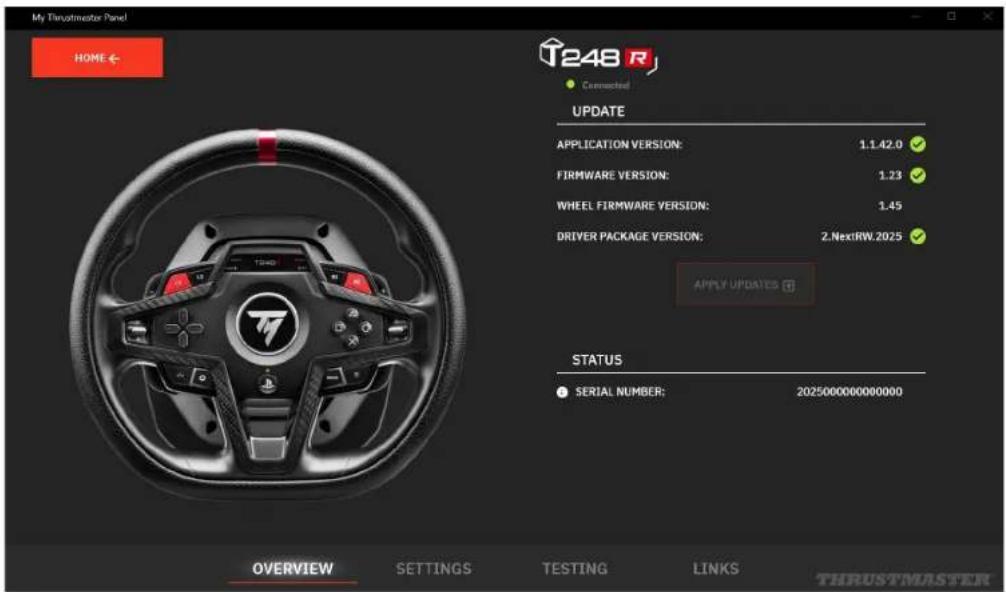
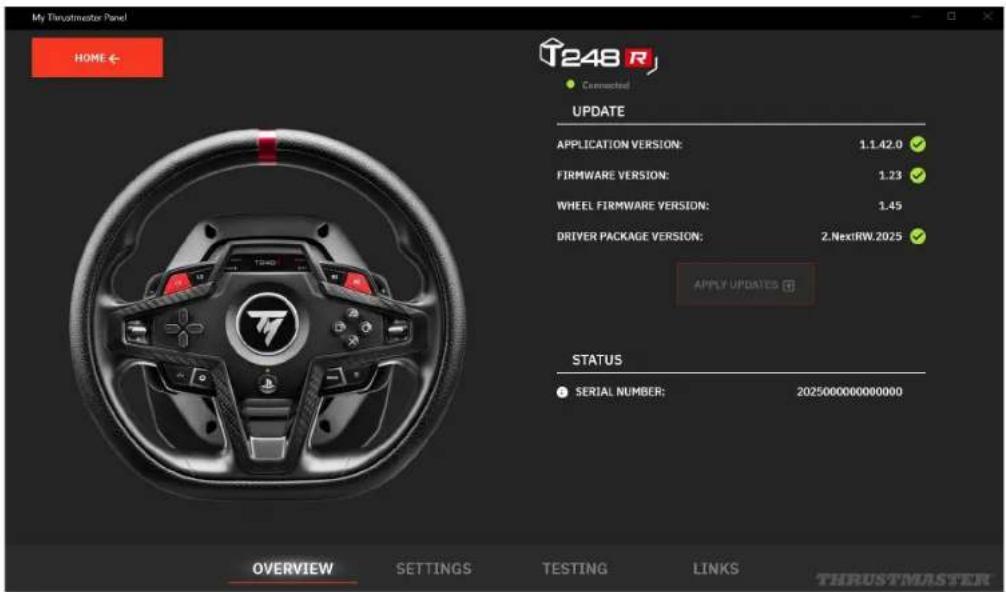
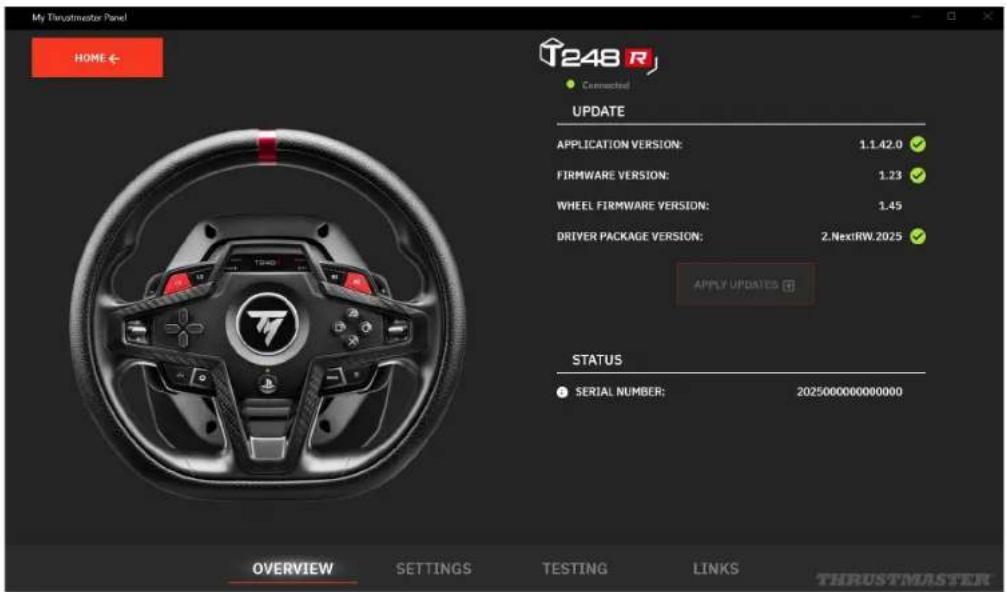
- In the My Thrustmaster Panel software, your racing wheel is automatically detected. Click INSTALL DRIVER and follow the instructions to install the PC driver (X_NextRW_202x).
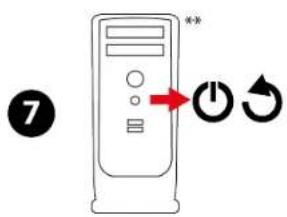
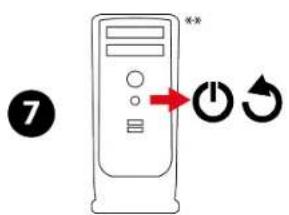
- Once the driver has been installed, restart the PC.
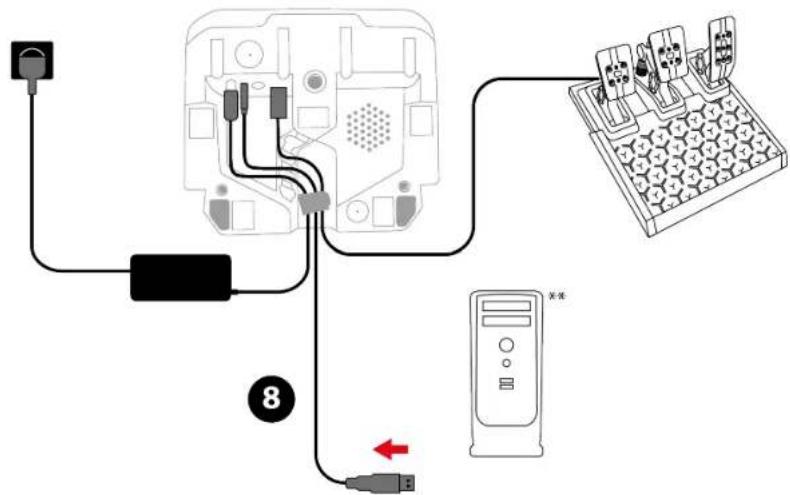
- Disconnect the USB-C - USB-A cable from the PC.

- Once your PC has restarted, reconnect the USB-C – USB-A cable to a USB-A port on the PC.
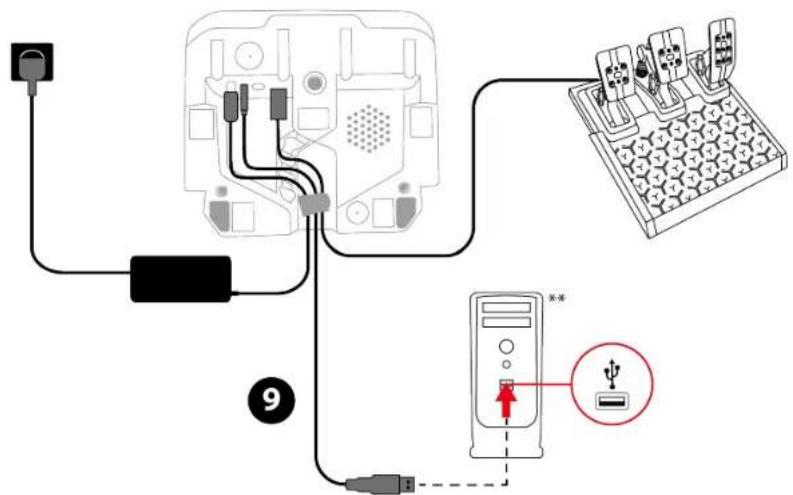
- The racing wheel automatically switches to PC mode and the screen lights up. The LED should be green.
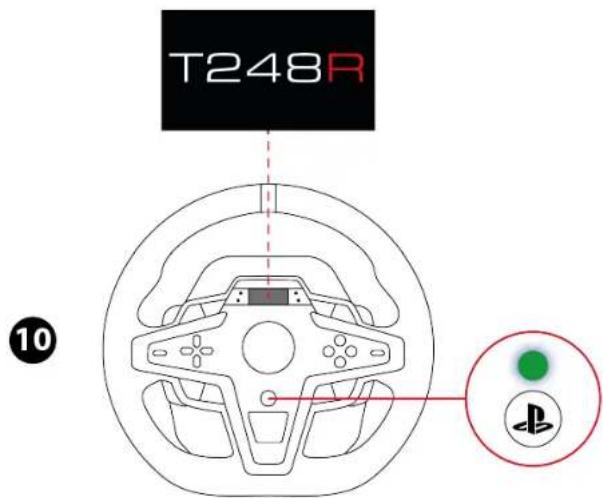
- If the LED is not green, change the compatibility mode by following the procedure set out here.

During the racing wheel's self-calibration phase, make sure not to put your hands on the wheel rim.
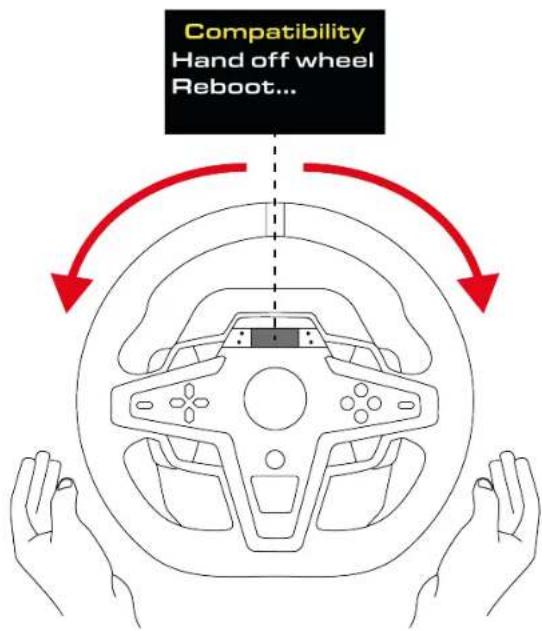
You are now ready to play!
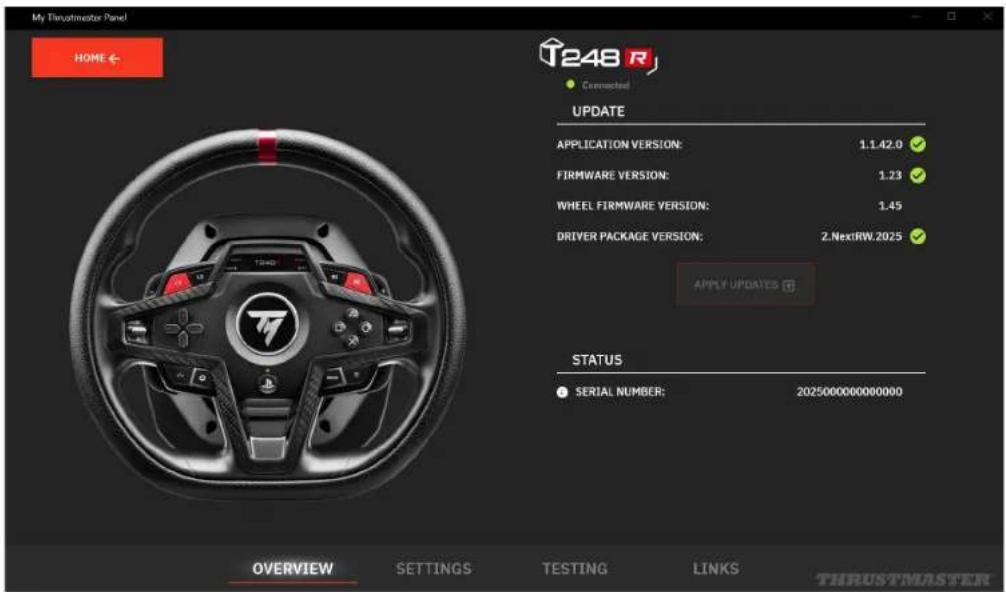
My Thrustmaster Panel software
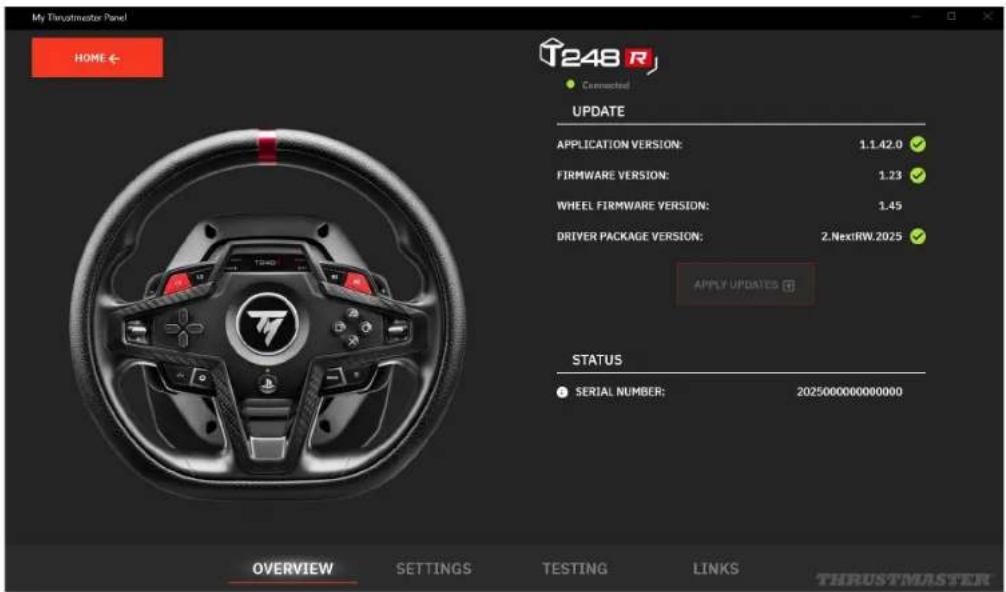
The My Thrustmaster Panel software lets you access all of the racing wheel's features (testing the buttons, adjusting the Force Feedback and the rotation angle, etc.).
Automatic calibration of the racing wheel and pedals
The wheel rim automatically self-calibrates when you plug the racing wheel into an electrical outlet and connect the racing wheel's USB connector to the PlayStation®4 / PlayStation®5 console or PC.
During this phase, the racing wheel will rotate quickly towards the left and the right, covering a 900-degree angle, before stopping at the center.

Never touch the racing wheel during the self-calibration phases. This could result in improper calibration and/or personal injuries.

Never disconnect the pedal set from the racing wheel or connect it to the racing wheel when the PlayStation®4 console, PlayStation®5 console or PC is powered on. This could result in improper calibration.

Always connect the pedal set before connecting the racing wheel to the PlayStation®4 console, PlayStation®5 console or PC.
Once the racing wheel's calibration is complete and the game has been started, the pedals are automatically calibrated after a few presses.

Never press the pedals when powering on your console or your PC, starting a game or changing the compatibility mode, or during the racing wheel's self-calibration phases. This could result in improper calibration.

If your racing wheel and/or pedal set do not function correctly, or if they seem to be improperly calibrated: power off your console or PC and completely disconnect the racing wheel. Then reconnect all cables (including the power supply cable and the pedal set), and restart your console or PC and your game.
8. Mapping for PlayStation®4 consoles or PlayStation®5 consoles
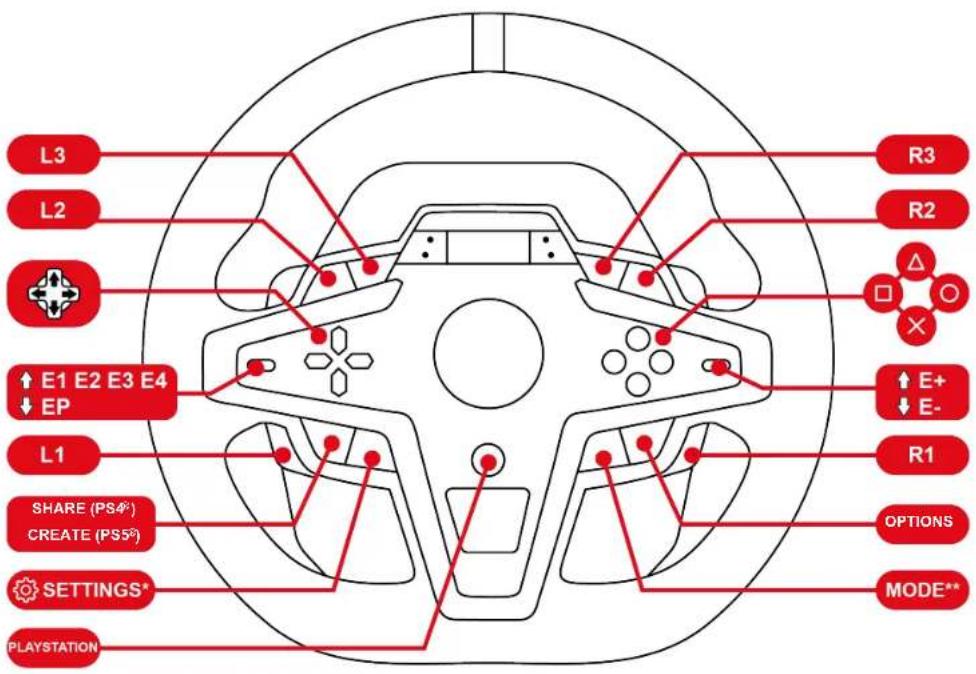

On PlayStation®4 consoles or PlayStation®5 consoles, the racing wheel is recognized with the following name in games: Thrustmaster T-GT or Thrustmaster Advanced Racer.
*SETTINGS: please refer to the Accessing the Settings or Telemetry submenu section.
**MODE: please refer to the Changing the compatibility mode section.
Using the encoders
To choose the active encoder, push the encoder selector upwards.
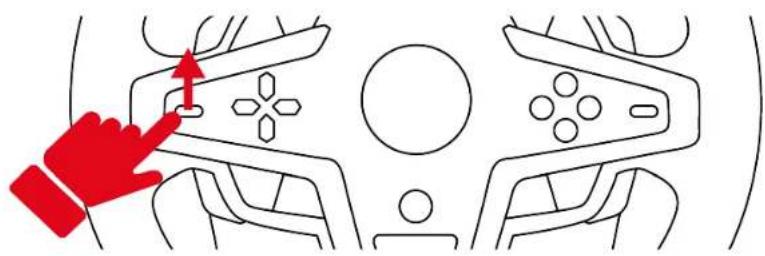
The active encoder is displayed on the screen: E1, E2, E3 and E4, in succession.
Combine the active encoder with the E+, E- or EP function to access the action of your choice.
| E1 | E2 | E3 | E4 | |
| EP | E1P | E2P | E3P | E4P |
| E+ | E1+ | E2+ | E3+ | E4+ |
| E- | E1- E2- E3- E4- | |||
The corresponding action is displayed on the screen.
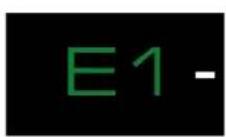
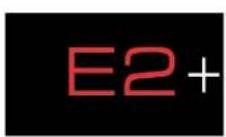
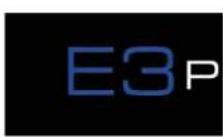
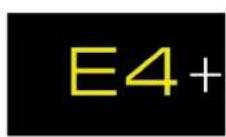

- Encoders E1, E2, E3 and E4 work in games compatible with Thrustmaster encoders. The list of compatible games is available here: https://support.thrustmaster.com/product/T248r/ (in the Games settings section). This list is updated regularly.
- The screen displaying telemetry information functions in games compatible with the Thrustmaster SDK. The list of compatible games is available here: https://support.thrustmaster.com/product/T248r/ (in the Games settings section). This list is updated regularly.
9. Mapping for PC
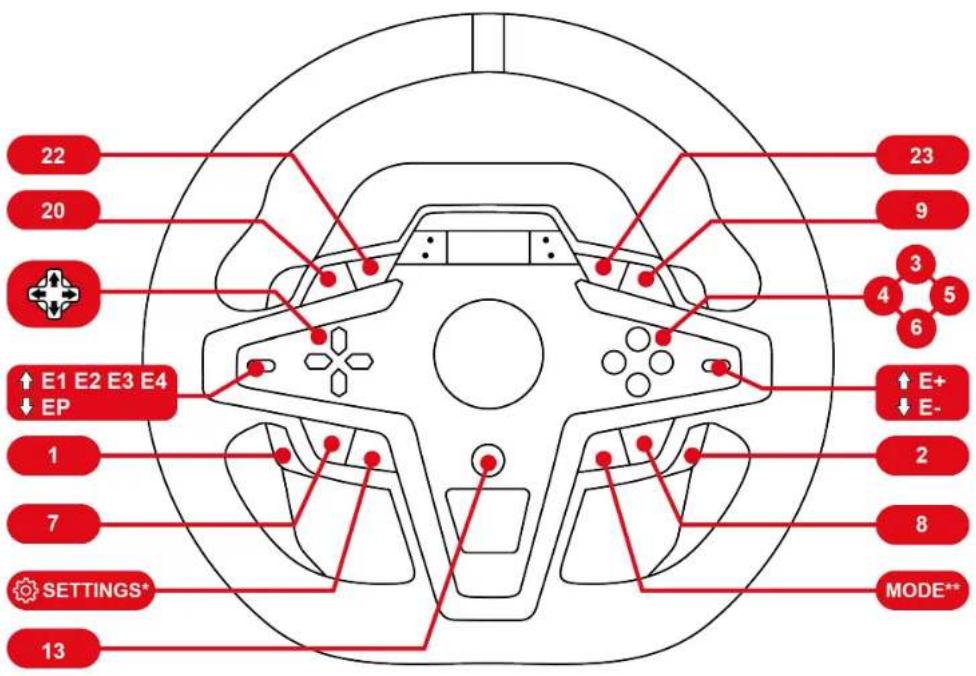

On PC, the racing wheel is recognized with the following name in games: Thrustmaster Advanced Mode Racer.
*SETTINGS: please refer to the Accessing the Settings or Telemetry submenu section.
**MODE: please refer to the Changing the compatibility mode section.
Using the encoders
To choose the active encoder, push the encoder selector upwards.
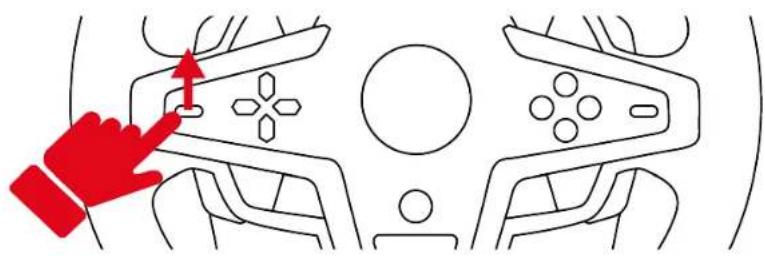
The active encoder is displayed on the screen: E1, E2, E3 and E4, in succession.
Combine the active encoder with the E+, E- or EP function to access the action of your choice.
| E1 | E2 | E3 | E4 | |
| EP | 11 | 12 | 24 | 25 |
| E+ | 14 | 17 | 19 | 21 |
| E- | 15 | 16 | 18 | 20 |
The corresponding action is displayed on the screen.
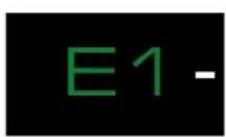
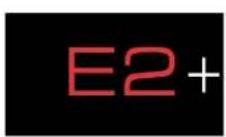
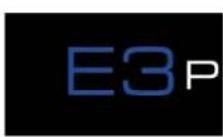
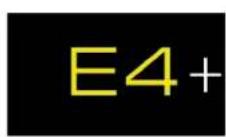

- Encoders E1, E2, E3 and E4 work in games compatible with Thrustmaster encoders. The list of compatible games is available here: https://support.thrustmaster.com/product/T248r/ (in the Games settings section). This list is updated regularly.
- The screen displaying telemetry information functions in games compatible with the Thrustmaster SDK. The list of compatible games is available here: https://support.thrustmaster.com/product/T248r/ (in the Games settings section). This list is updated regularly.
10. Compatible games
The list of compatible games for PlayStation®4 consoles and PlayStation®5 consoles is available here:
https://support.thrustmaster.com/product/T248r/
In the Games settings section, select PlayStation® Games list. This list is updated regularly.
11. Screen operation
The racing wheel's screen lets you:
- Change the compatibility mode;
- Access the Settings or Telemetry submenus;
- Change the settings for the racing wheel and pedal set, and the brightness of the screen and LEDs;
- Select the telemetry information to be displayed.
Changing the compatibility mode
The racing wheel has three compatibility modes:
- On PlayStation® 4 consoles and PlayStation® 5 consoles, select PLAYSTATION MODE 1 (blue LED).
- On PC, select PC MODE (green LED).
- The red LED corresponds to an inactive mode. It will be available in the future.
| LED color | Mode |
 | PLAYSTATION MODE 1Standard compatibility(default mode) |
 | Future compatibility(inactive mode) |
 | PC MODE |

Do not select the red LED.
To change the compatibility mode:
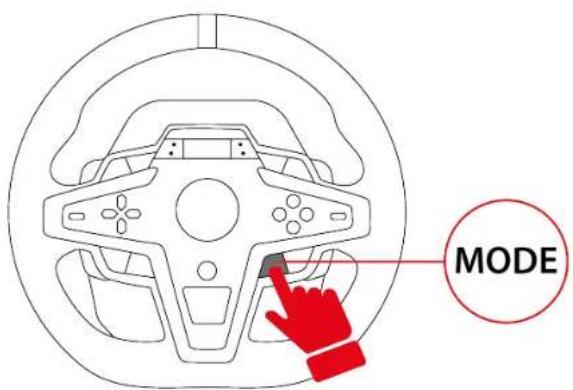
- Press the MODE button.
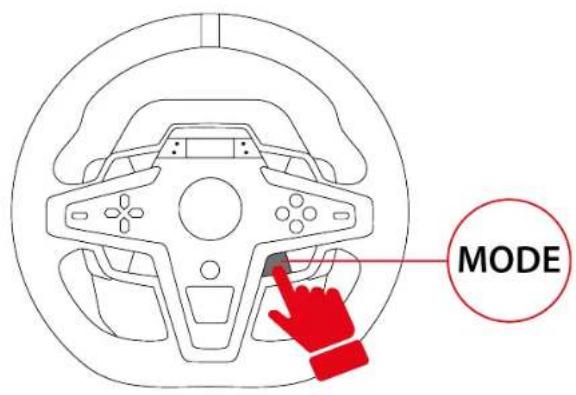
- Use the directional buttons ✕ to display the compatibility mode of your choice.
![graph TD A["PC MODE"] --> B["Playstation MODE 1"] B --> C["Playstation MODE 2"] C --> D["Compatibility PC MODE"]](/content/2026/04/733004/images/4bf8c97151bda9add22807615b137b30f3636d032b9f44c1105517f639814d68.jpg)
- Press the MODE button to confirm the selection. Your selection is saved in the racing wheel's internal memory.
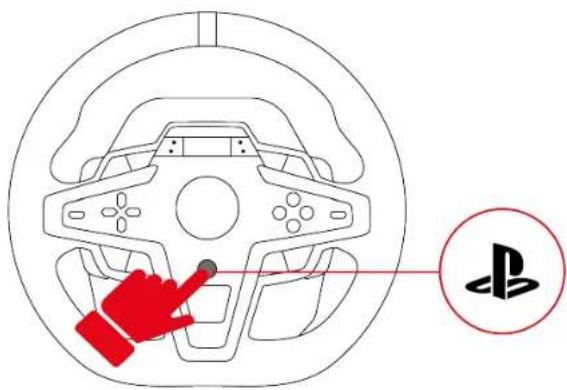
- On PlayStation® 4 consoles and PlayStation® 5 consoles, press the button to connect the racing wheel to your profile.

- If the selected mode is identical to the mode that was previously selected, the screen you were on before selecting the mode is displayed.
- If the selected mode is different from the mode that was previously selected, the racing wheel will restart and perform a self-calibration.

During the racing wheel's self-calibration phase, make sure not to put your hands on the wheel rim.
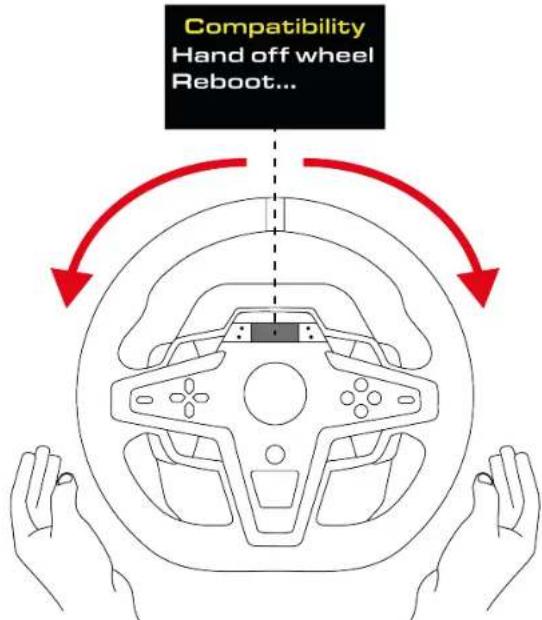
You are now ready to play!
Accessing the Settings or Telemetry submenu

For safety reasons and to avoid any risk of injury, we very strongly advise you to pause the game before pressing the ⏻ button (Settings).

When you are in the Settings or Telemetry submenu, the directional buttons are disabled in games and in the console's interface.
To display the Settings or Telemetry submenu selection screen:
- Press the ⏻ button (Settings).
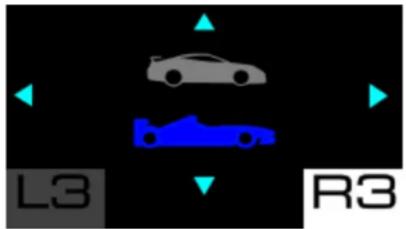
The following screen is displayed:
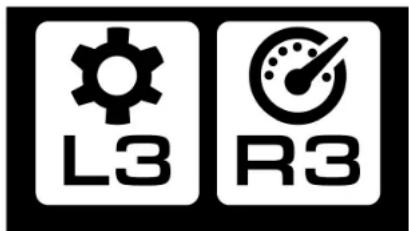
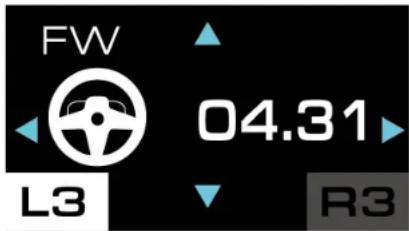
- Press the L3 button to select the Settings submenu.
The following screen is displayed:
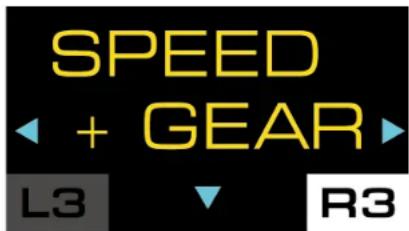
Press the R3 button to select the Telemetry submenu.
The following screen is displayed:
Settings submenu
The Settings submenu lets you display information about the racing wheel and pedal set, and change their settings.

To access the Settings submenu, press the ⏻ button (Settings), then press the L3 button.
The following screen is displayed:
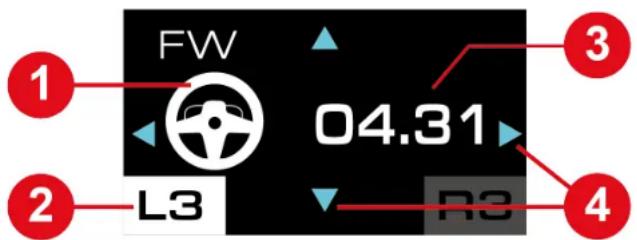
① Accessory involved: wheel rim or pedal set ② Selected Settings submenu ③ Information about the racing wheel or the pedal set or settings to be changed ④ Possible navigation in the submenu
To navigate through the Settings submenu:
- Use the directional buttons.
To change the value of a setting:
- Use the directional buttons.
To confirm the value of a setting:
- Press the ⏻ button (Settings).
You will exit the Settings submenu and the screen will display the telemetry information (SPEED + GEAR screen by default).
Racing wheel settings![graph TD A["LED +2 L3"] --> B["LCD +1 L3"] B --> C["FW 04.31 L3"] C --> D["BOOST +1 L3"] D --> E["FORCE 65% L3"] E --> F["ROT 900 L3"] G["Serial Number 24414047 400666821 L3"] --> C H["T 26°C L3"] --> D I["Pedal L3"] --> D J["FACTORY RESET? L3"] --> D K["RESET? NO YES L3"] --> E L["MODE T3PM L3"] --…](/content/2026/04/733004/images/525c882c5228f6279cb0aef3a331a409ab8c1a18671a88f23ee22365060b539a.jpg)
Adjusting the LEDs' brightness
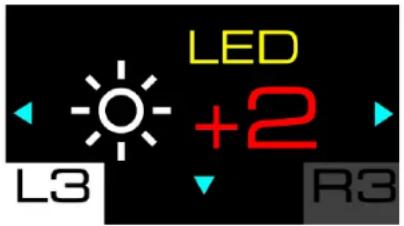
This screen lets you change the brightness of the LEDs. Five settings are possible: -2; -1; 0 (default setting); +1; +2.
Adjusting the screen's brightness
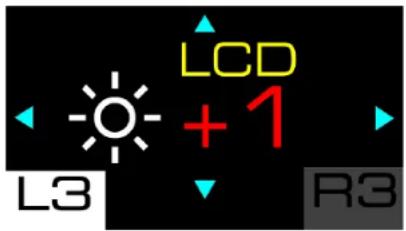
This screen lets you change the overall brightness of the screen's display. Three settings are possible: -1; 0 (default setting); +1.
Racing wheel firmware
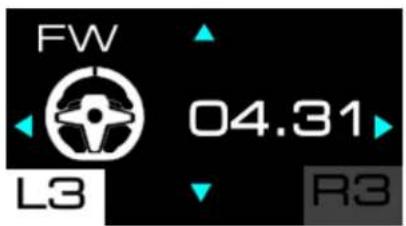
This screen shows the firmware version of the racing wheel.
Boost (Force Feedback profiles)
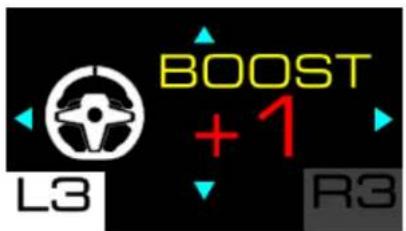
This screen is used to select the Force Feedback profile. You have the choice between three saved profiles, ranging from the least aggressive Force Feedback to the most aggressive: 0 (FFB 1); +1 (FFB 2 – default); +2 (FFB 3).
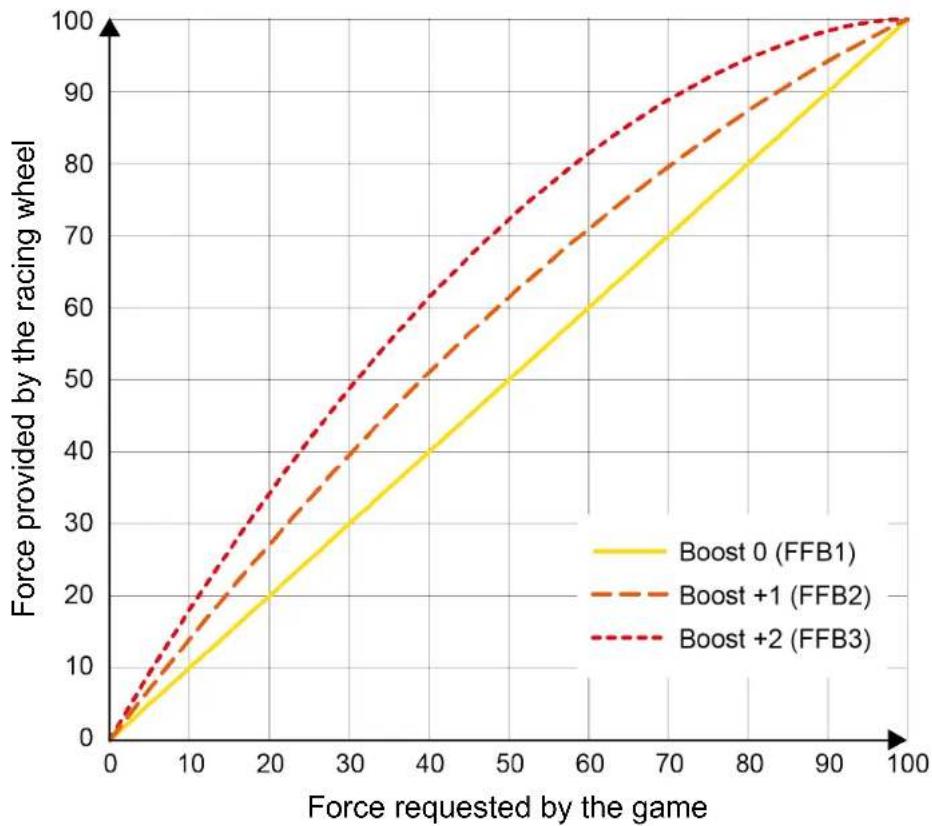
Boost 0 (FFB 1)
The Boost 0 (FFB 1) effect provides linear Force Feedback. The force that you feel is 100% proportional to the force requested by the game.
Boost +1 (FFB 2) and Boost +2 (FFB 3)
The Boost +1 (FFB 2) and Boost +2 (FFB 3) effects boost the Force Feedback in order to accentuate the force that you feel in relation to the force requested by the game.
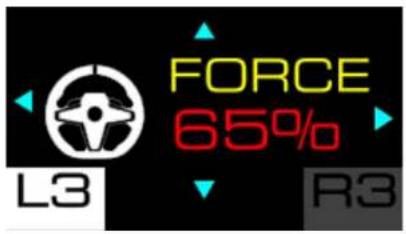
Force (overall Force Feedback)
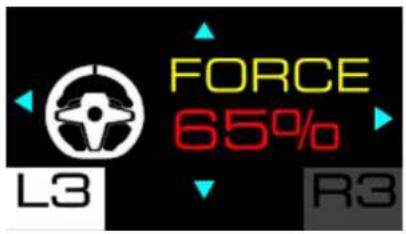
This screen lets you adjust the overall power of the Force Feedback effects. There are six settings to choose from: 20%; 35%; 50%; 65% (default); 80%; 100%.
Rotation angle
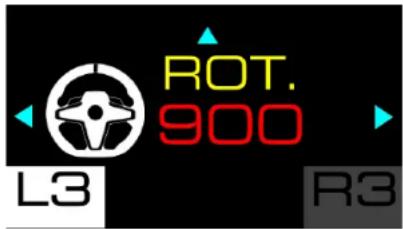
This screen lets you set the racing wheel's angle of rotation. There are five settings to choose from: 180°; 360°; 540°; 900°; AUTO (default).

- When the wheel rim's angle of rotation is set to AUTO, the angle is automatically adjusted by the game according to the vehicle being used.
- The angle of rotation can only be changed manually in video games where the angle is not automatically set.
Example: In the game GRAN TURISMO™ 7, the angle of rotation is automatically adjusted according to the vehicle being used, in order to reproduce the same angle as on the real vehicle. It is therefore not possible to change this angle manually.
Pedal set settings![graph TD A["LED +2"] --> B["LCD +1"] B --> C["Serial Number 24414047 40066821"] C --> D["T 26°C"] D --> E["FW 04.31"] E --> F["BOOST +1"] F --> G["FORCE 85%"] G --> H["ROT 900"] H --> I["PEDAL"] I --> J["MODE T3PM"] J --> K["MODE"] K --> L["FACTORY RESET?"] L --> M["RESET? NO YES"] M --> N["MODE"] N…](/content/2026/04/733004/images/aa73a87ca9e1e20683723fc28268c81f31a408d68bcdb30447c1924d3d682e2b.jpg)
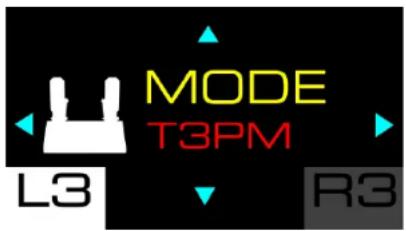
Home page for pedal set settings
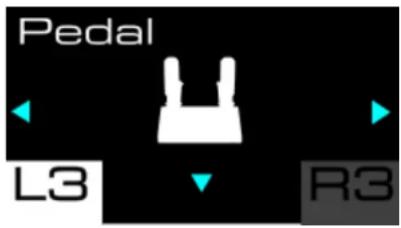
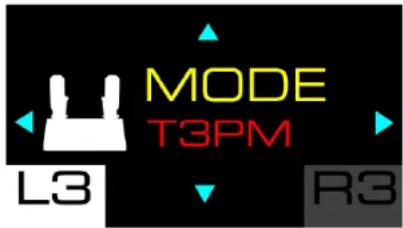
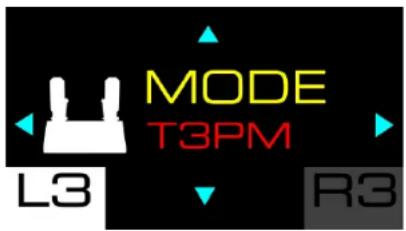
Type of pedal set
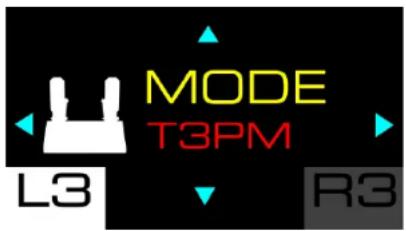
This screen lets you select the type of pedal set being used. There are two types of pedal sets to choose from:
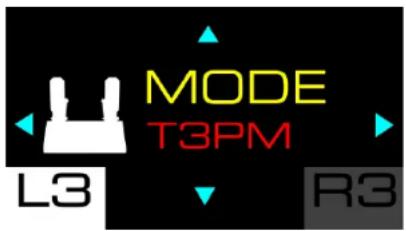
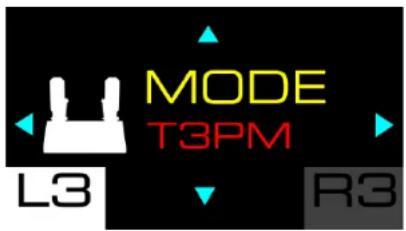
- T3PM: for the T2PM*, T3PA* and T3PM pedal sets (without a Load Cell force sensor);
- T-LCM: for the T-LCM Pedals* pedal set (with a Load Cell force sensor).
Pedal set configuration
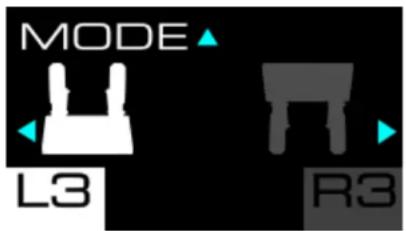
This screen lets you select the pedal set configuration.
There are two positions to choose from:
- (default): normal position;
- Inverted position.

- The inverted position is only available with a 3-pedal pedal set.
- In the inverted position, the accelerator and clutch pedals are reversed.
Resetting the settings![graph TD A["LED +2"] --> B["LCD +1"] B --> C["Serial Number 24414047 40066821"] C --> D["T 26°C"] D --> E["FW 04.31"] E --> F["BOOST +1"] F --> G["FORCE 65%b"] G --> H["ROT 900"] H --> I["PEDAL"] I --> J["MODE T3PM"] J --> K["MODE"] K --> L["FACTORY RESET?"] L --> M["RESET? NO YES"] M --> N["L3 ✓"]](/content/2026/04/733004/images/0a89c9c15b564e85a23d30f0ea386e5ec15a2e8eaaf0a565b2d7a4e7d70d8d9c.jpg)
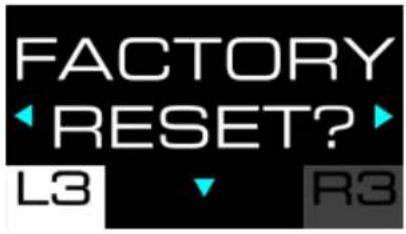
This screen lets you reset the settings for the racing wheel, pedal set, screen and telemetry.
To reset the settings:
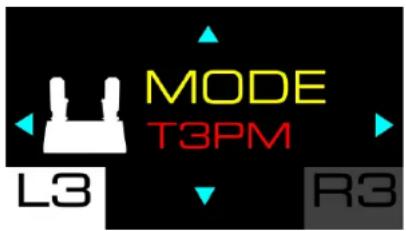
- Press 🙏 The following screen is displayed:
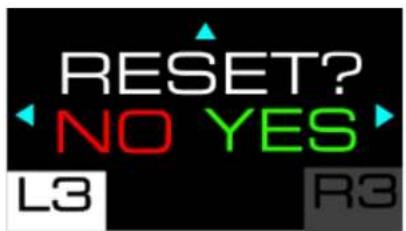
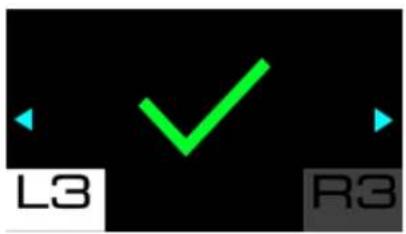
- Press to confirm the reset. When the settings have been reset, the following screen is displayed for five seconds:
Press to refuse the reset. The following screen is displayed:
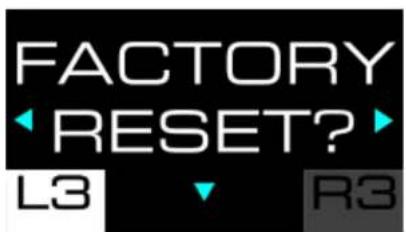
Information about the racing wheel![graph TD A["LED +2 L3"] --> B["LCD +1 L3"] B --> C["FW 04.31 L3"] C --> D["BOOST +1 L3"] D --> E["FORCE 85% L3"] E --> F["ROT 900 L3"] G["Serial Number 24414047 40066821 L3"] --> H["T 26°C L3"] I["Pedal L3"] --> J["MODE TOPM L3"] K["FACTORY RESET? L3"] --> L["RESET? NO YES L3"] M["MODE L3"] --> N["M…](/content/2026/04/733004/images/a8f22585e42c580dae6e6fca3ce6b633e6e6ef6fa47cf717eb054f6730fe79e8.jpg)
Serial number
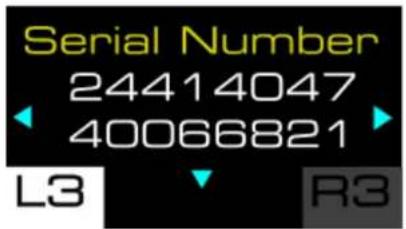
This screen displays the racing wheel's serial number.
Racing wheel temperature

This screen displays the racing wheel's temperature.
Telemetry submenu
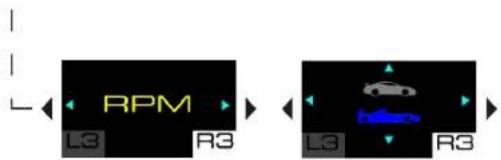
The Telemetry submenu lets you select the telemetry information to be displayed on the screen: gear selected, speed, number of laps, position, session time, or engine speed (RPM).

To access the Telemetry submenu, press the ⏻ button (Settings), then press the R3 button.
In the Telemetry submenu, the following screen is displayed:
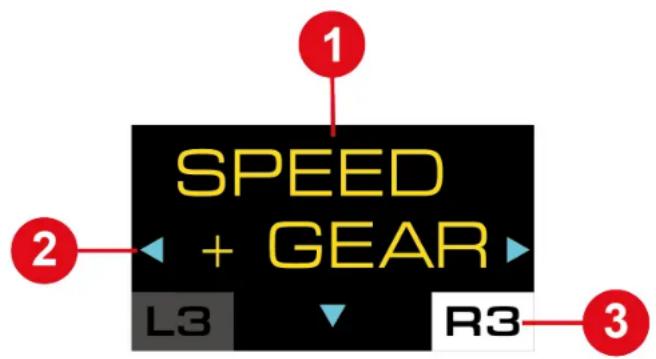
1 Type of information to be displayed on the screen ② Possible navigation in the submenu 3 Selected Telemetry submenu
During the game, the following screen is displayed:
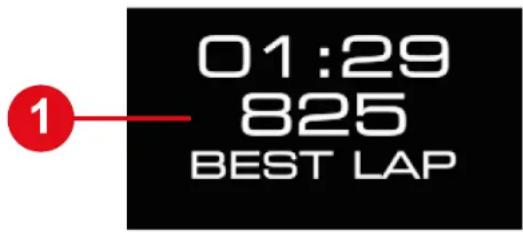
1 Telemetry information
To navigate through the Telemetry submenu and select the telemetry information to be displayed:
- Use the directional buttons.
To confirm your selection:
- Press the ⚙ button (Settings).
You will exit the Telemetry submenu and the screen will display the selected telemetry information.

Telemetry and compatibility
The telemetry information is only displayed in games that are compatible with the Thrustmaster SDK.
The list of compatible games is available here:
https://support.thrustmaster.com/product/T248r/
(in the Games settings section). This list is updated regularly.
When telemetry information is not supported, the T248R logo is displayed on the screen.

Updating the firmware
To use the telemetry features, you may need to update the racing wheel's firmware.
To carry out the update:
- Go to
https://support.thrustmaster.com/product/t248r
- Download and install the My Thrustmaster Panel software available in the Software section and follow the instructions.
![graph TD A["SPEED + GEAR"] --> B["GEAR ONLY"] B --> C["SPEED ONLY"] D["LAP"] --> E["POS"] E --> F["TIME CL"] F --> G["TIME LL"] G --> H["TIME BL"]](/content/2026/04/733004/images/9d2c0379a472e00073bc45888691a5147535f853062d8393f0d499c8c5b07db8.jpg)
Speed + Gear (speed and selected gear)
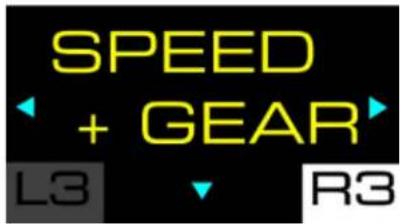
This screen lets you display the vehicle's speed and the selected gear when shifting gears.
Example of display:
Gear (gear)
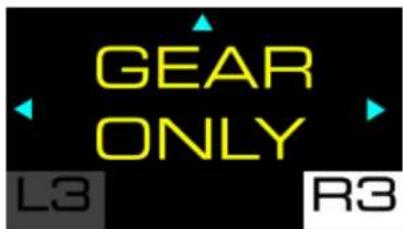
This screen lets you display the selected gear.
Example of display:
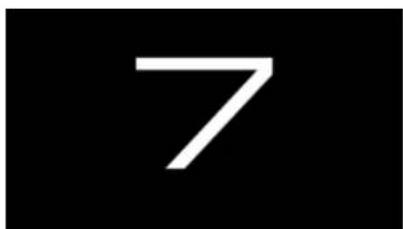
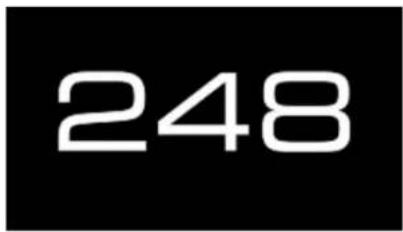
Speed (speed)
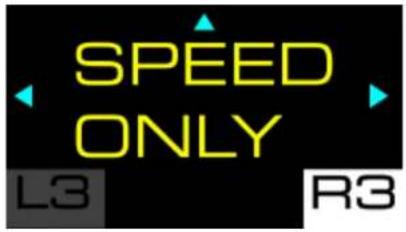
This screen lets you display the vehicle's speed.
Example of display:
248
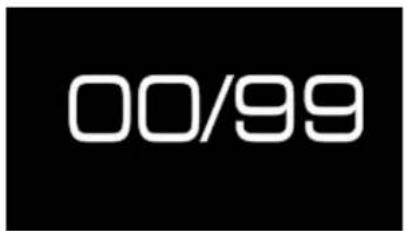
Lap (lap)
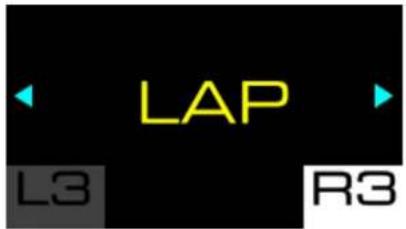
This screen lets you display the number of laps completed.
Example of display:
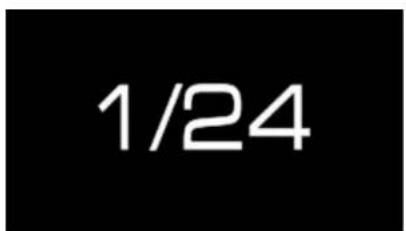
Position (position)
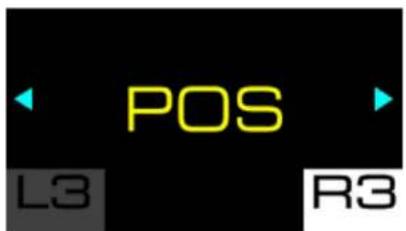
This screen lets you display the position in the ranking.
Example of display:
Time (time)
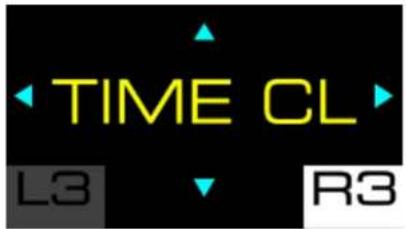
This screen lets you select the time display mode (TIME).
There are three modes to choose from:
– TIME CL: displays the current lap time (CURR LAP); – TIME LL: displays the last lap time (LAST LAP); – TIME BL: displays the personal best lap time (BEST LAP).
Examples of displays:
| TIME CL | TIME LL | TIME BL |
| 01:29 825 CURR LAP | 01:29 825 LAST LAP | 01:29 825 BEST LAP |

Use the ✕ directional buttons to select a mode, then press the ⏻ button (Settings) to confirm your selection.
Engine speed
This screen lets you display the engine speed (RPM).
Example of display:
GT or Formula mode
This screen lets you select the display mode for the RPM LEDs. There are two modes to choose from:
- GT mode (red); – Formula mode (blue, by default).

Use the ✕ directional buttons to select a mode, then press the ⏻ button (Settings) to confirm your selection.
12. Operation of the LEDs
The T248R racing wheel provides information that can be viewed via the LEDs: engine speed (RPM), flag (FLAG), and pit (PIT).
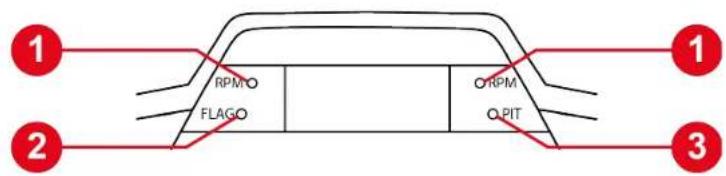
① Engine speed (RPM) ② Flag (FLAG) ③ Pit (PIT)

- To change the brightness of the LEDs, go to the Settings submenu and then to the Adjusting the LEDs' brightness screen.
- To change the display sequence of the RPM LEDs, go to the Telemetry submenu and then to the GT or Formula mode screen.

- The LEDs displaying race information only work in games that support telemetry. The list of compatible games is available here:
https://support.thrustmaster.com/product/T248r/ (in the Games settings section). This list is updated regularly.
- In games that do not support telemetry, the T248R logo is displayed on the screen.
Flag (FLAG) and pit (PIT)*
The FLAG LED displays information about the flag, and the PIT LED displays information about the status of the pit.
Engine speed (RPM)*
The RPM LEDs display information about the engine speed.
Display sequence of the LEDs in GT mode:![graph TD A["Front Panel"] --> B{Condition} B -->|Yes| C["State 1: RPM FLAGO"] B -->|No| D["State 2: RPM PIT"] C --> E["State 3: RPM FLAGO"] D --> F["State 4: RPM PIT"] E --> G["State 5: RPM FLAGO"] F --> H["State 6: RPM PIT"] G --> I["Final State"] H --> J["Final State"]](/content/2026/04/733004/images/8887233b73f3e60fdfb117fcba96d978ef384ccf11f2e724cf349a3acb6b3166.jpg)
Display sequence of the LEDs in Formula mode: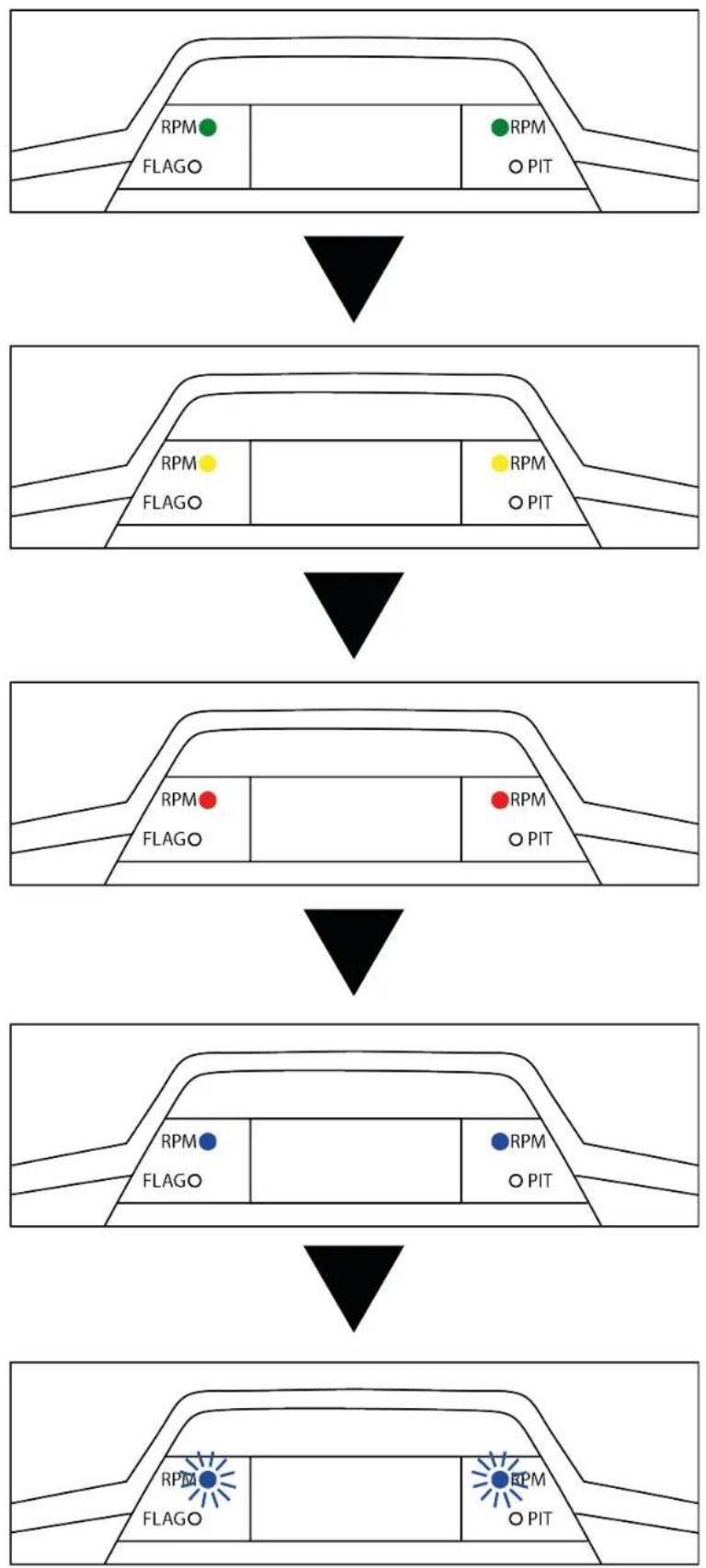
13. Adjusting the pedal set

To avoid any calibration problems, be sure to always disconnect your racing wheel's USB cable before making any adjustments to your pedal set.
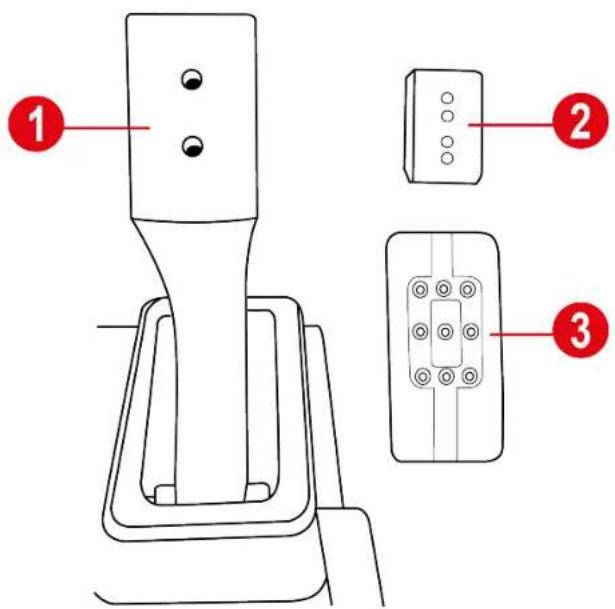
Each of the three pedals includes
- a pedal arm ①;
- a plastic head support ② placed between the head and the arm;
- a metal head ③ with multiple perforations (nine for the accelerator, six for the brake and six for the clutch).
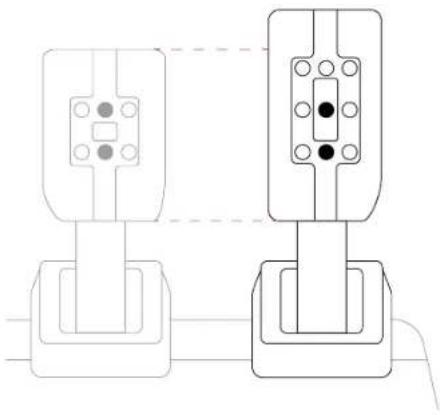
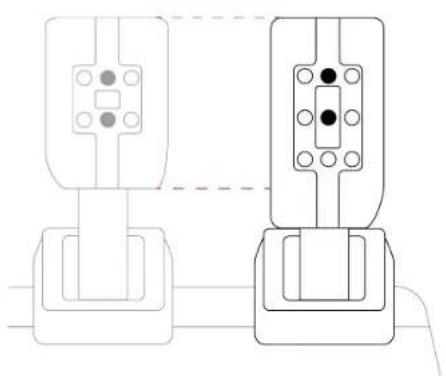
Adjusting the height of the accelerator pedal
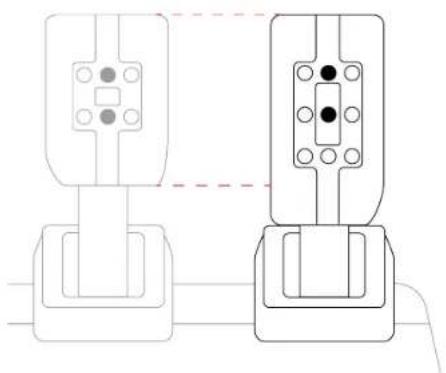
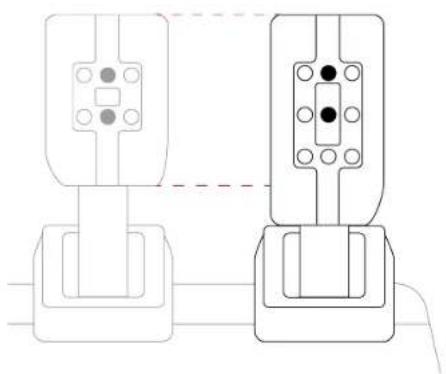
The accelerator pedal can be placed in two different positions.
High position (default):
Low position:
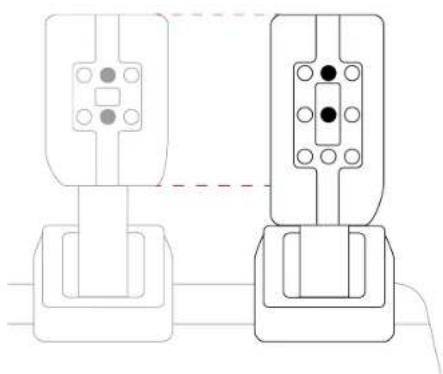
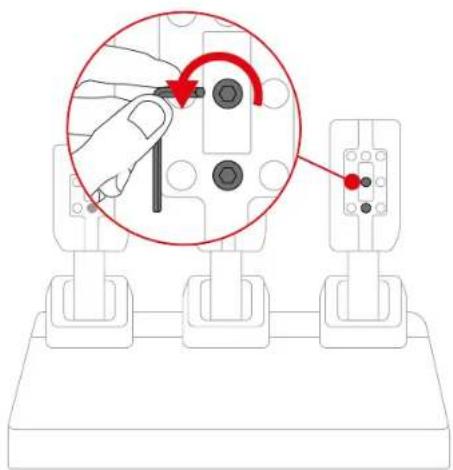
- Use the included 2.5 mm Allen key to unscrew the two screws holding the metal head and its support in place.
- Select the new metal head position.
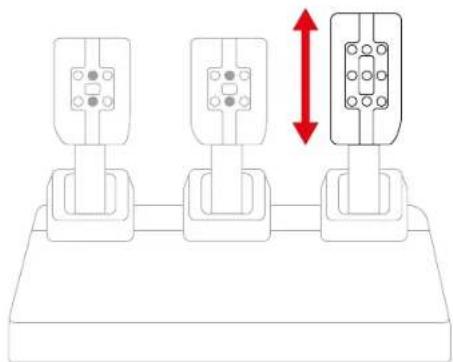
- Reinsert and retighten the two screws holding the metal head and its support in place.
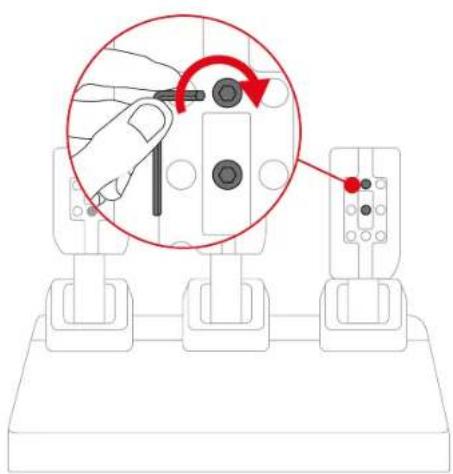
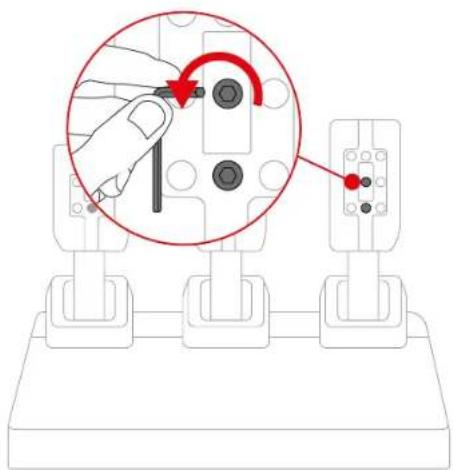
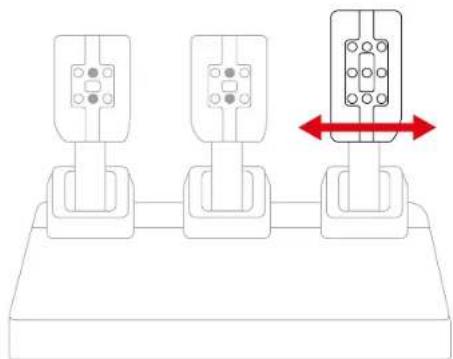
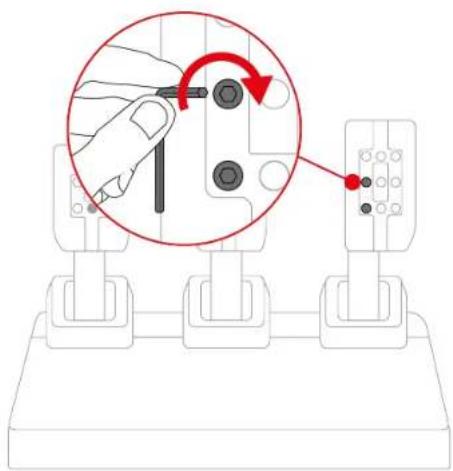
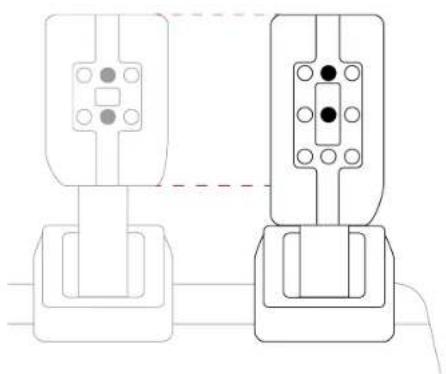
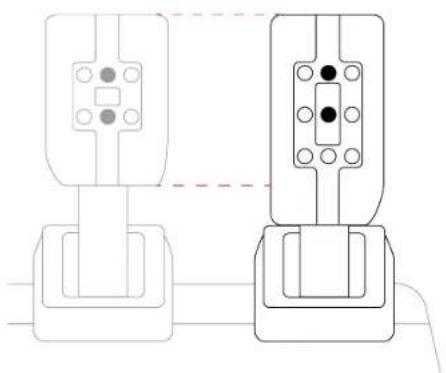
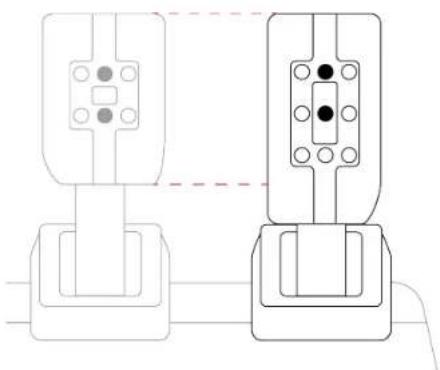
Adjusting the spacing of the pedals
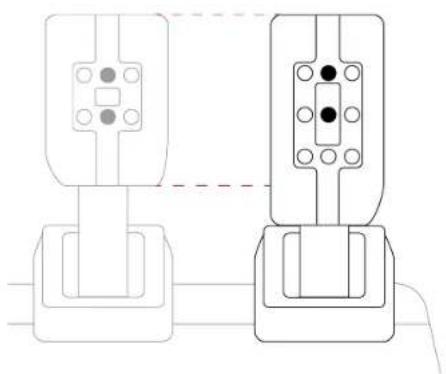
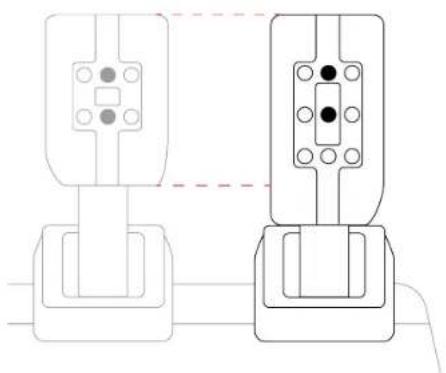
Each pedal can be placed in three different positions.
Example with the accelerator pedal:
In the center (default)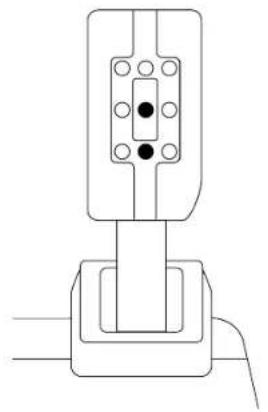
To the left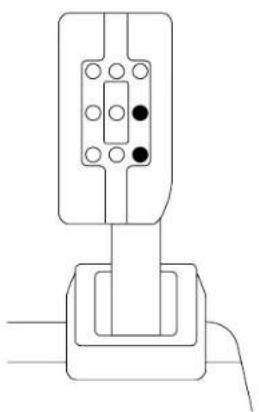
To the right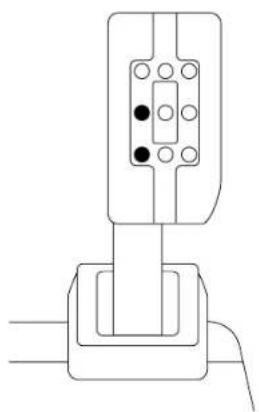
- Use the included 2.5 mm Allen key to unscrew the two screws holding the metal head and its support in place.
- Select the new metal head position.
- Reinsert and retighten the two screws holding the metal head and its support in place.
Adjusting the inclination of the pedals
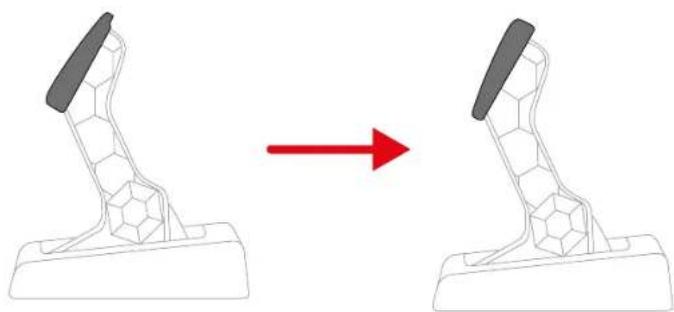
Each pedal can be angled in two different positions.
Least inclined position (default):
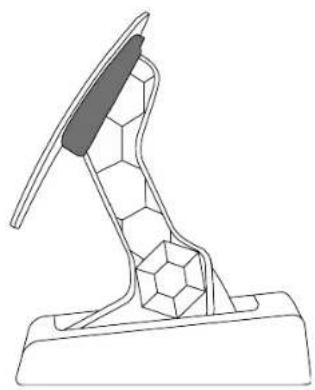
Most inclined position:
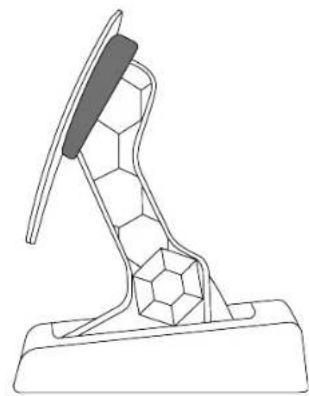
- Use the included 2.5 mm Allen key to unscrew the two screws holding the metal head and its support in place.
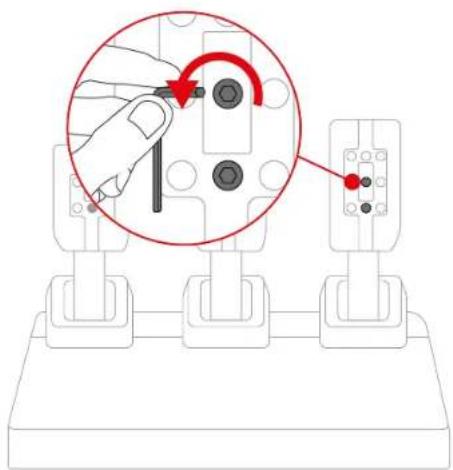
- Rotate the plastic head support 180°.
- Reinsert and retighten the two screws holding the metal head and its support in place.
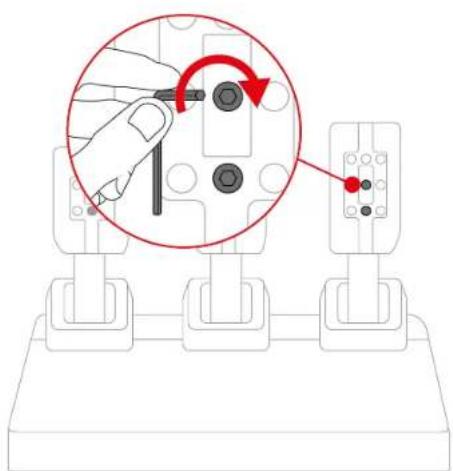
Modifying the brake pedal's resistance
To adjust the brake pedal's resistance, an elastomer cushioning ring and two springs (silver: weak resistance; black: strong resistance) are included.
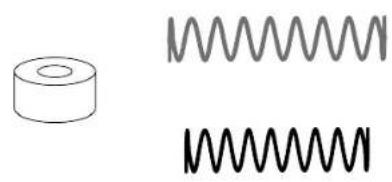
Four configurations are possible.
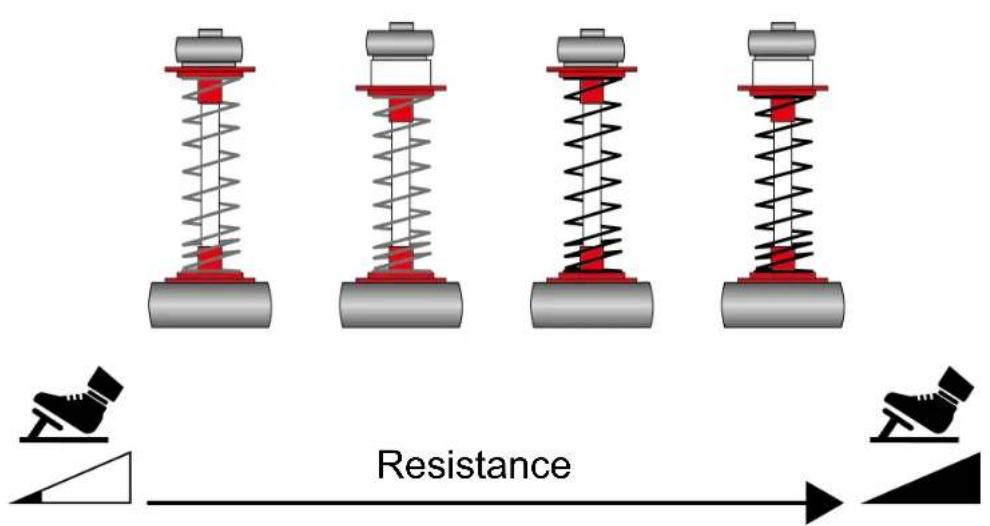
| Configuration | Resistance/Use | |
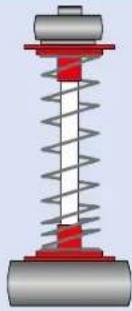 | Soft spring (silver) | Resistance: weakRecommended use: desk |
 | Soft spring (silver)+ cushioning ring | Resistance: medium (default)Recommended use: desk |
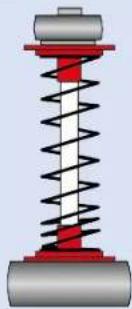 | Hard spring (black) | Resistance: strongRecommended use: pedal set support |
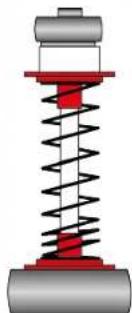 | Hard spring (black)+ cushioning ring | Resistance: very strongRecommended use: cockpit |

A video showing how to install the spring is available here:
https://support.thrustmaster.com/product/t248r
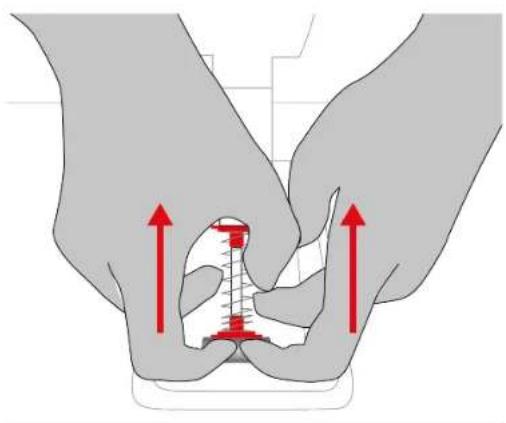
- To release the spring's retaining rod from its position, compress the spring using the lower plastic spacer.
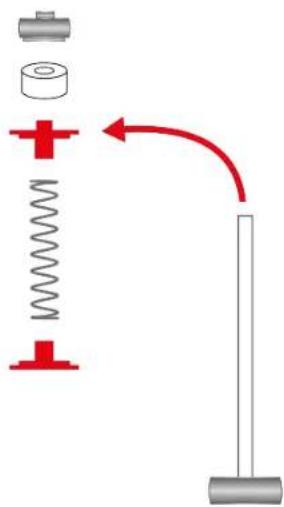
- Remove all of the parts comprising the brake pedal's spring.
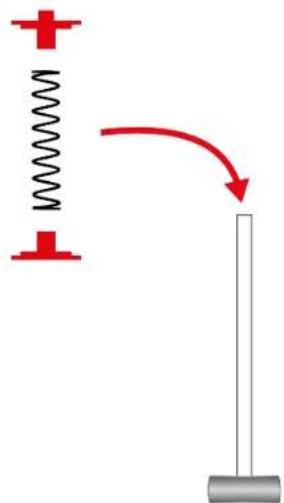
- Insert the parts comprising the brake pedal's spring onto the retaining rod in the following order: lower plastic spacer, spring of your choice, then upper plastic spacer.
- (Optional) Insert the elastomer cushioning ring onto the retaining rod.
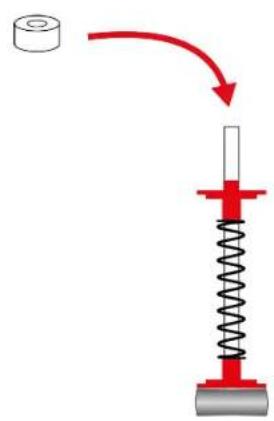
- Insert the upper retaining head with washer onto the retaining rod.
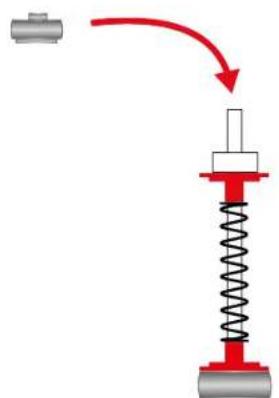
- Insert the retaining rod at the back of the brake pedal, then compress the spring to insert the lower part of the retaining rod into its position.
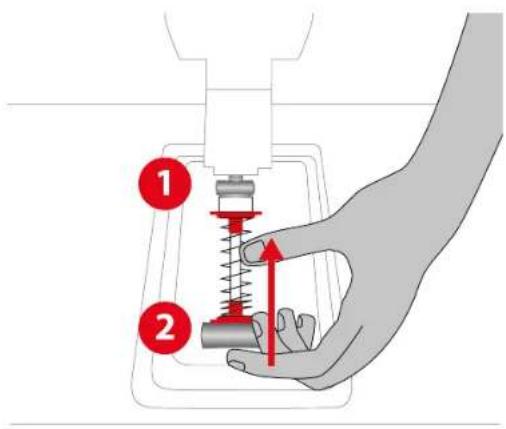
14. FAQ and technical support
Do you have questions regarding the T248R racing wheel, or are you experiencing technical problems? If so, visit the Thrustmaster technical support website:
https://support.thrustmaster.com/product/t248r
THRUSTMASTER®
For PlayStation®5 consoles, PlayStation®4 consoles and PC*
9. PC MAPPING ....49
https://support.thrustmaster.com/product/T248r/

7. Installation
On PlayStation®4 consoles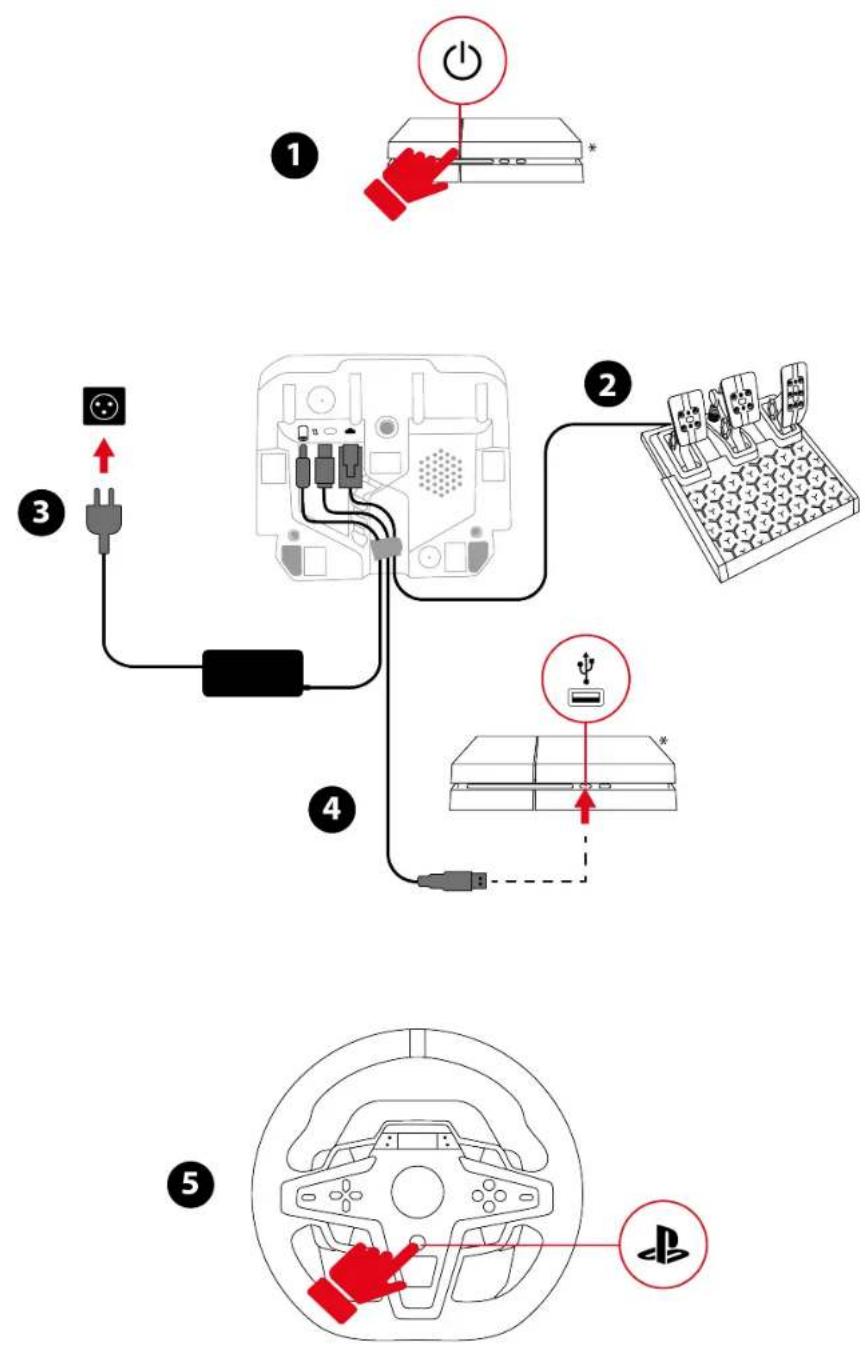

*not supplied


https://support.thrustmaster.com/product/T248r
https://support.thrustmaster.com/product/T248r/

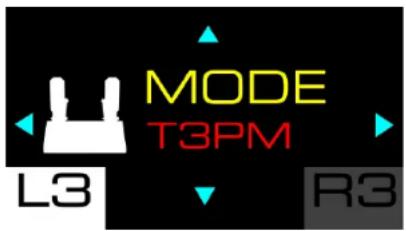
Pedal set type
https://support.thrustmaster.com/product/T248r/
https://support.thrustmaster.com/product/t248r
Low position:
On the left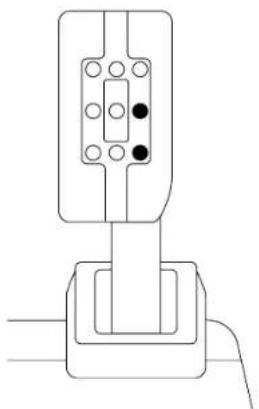
On the right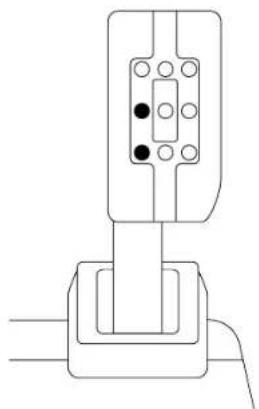
https://support.thrustmaster.com/product/t248r
Visit the Thrustmaster technical support website:
https://support.thrustmaster.com/product/t248r
THRUSTMASTER®
https://support.thrustmaster.com/product/T248r/
29
30
31
32
https://support.thrustmaster.com/product/t248r

7. Installation
On PlayStation®4 consoles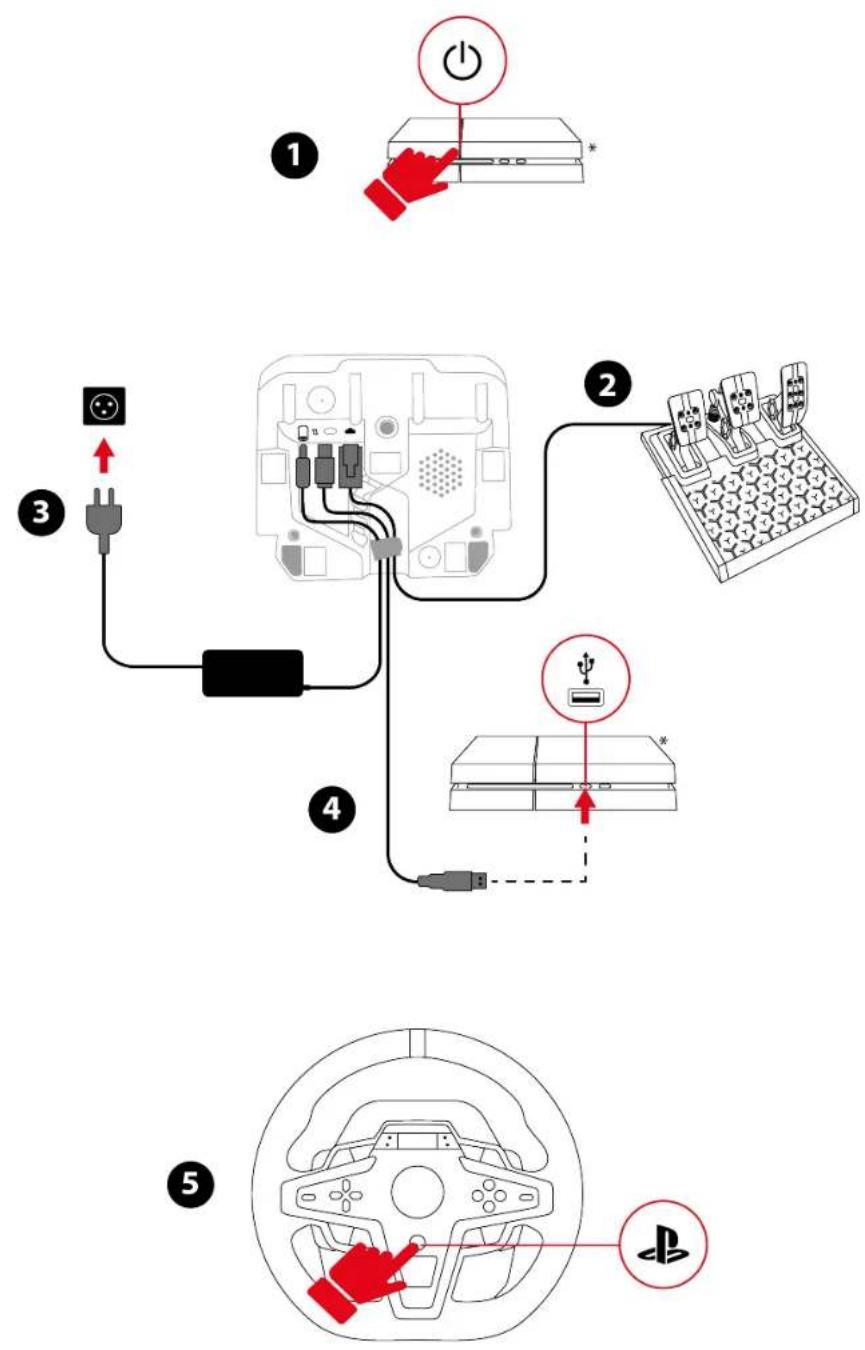



Type of pedal set
https://support.thrustmaster.com/product/T248r/
https://support.thrustmaster.com/product/t248r
https://support.thrustmaster.com/product/t248r
Deep position:
https://support.thrustmaster.com/product/t248r
THRUSTMASTER®
For PlayStation®5 consoles, PlayStation®4 consoles and PC*
Manual

https://support.thrustmaster.com/product/T248r/

7. Installation
On PlayStation®4 consoles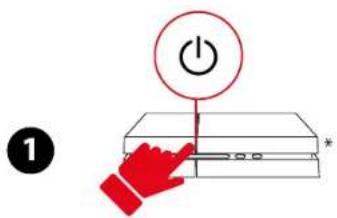
![graph TD A["Switch"] --> B["Device 1"] B --> C["Terminal Block 2"] C --> D["Terminal Block 3"] D --> E["Terminal Block 4"] E --> F["Terminal Block 5"] style A fill:#f9f,stroke:#333 style B fill:#ccf,stroke:#333 style C fill:#cfc,stroke:#333 style D fill:#fcc,stroke:#333 style E fill:#cff,stroke:#333…](/content/2026/04/733004/images/15666d387cbf8e8f3fa074189f6450568c963e824f380686d9cc6d2748ff1c7f.jpg)


https://support.thrustmaster.com/product/t248r
My Thrustmaster Panel software
https://support.thrustmaster.com/product/T248r/

Type of pedal set
https://support.thrustmaster.com/product/T248r/
https://support.thrustmaster.com/product/t248r
https://support.thrustmaster.com/product/t248r
Low position:
To the left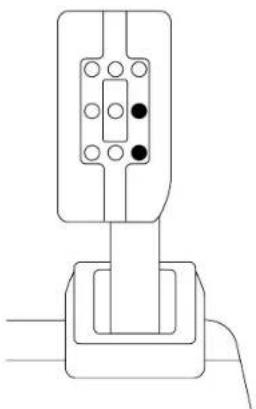
To the right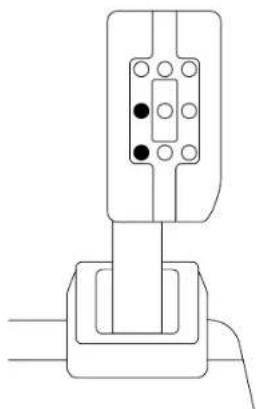
https://support.thrustmaster.com/product/T248R

14. FAQ
en
technical
support
https://support.thrustmaster.com/product/t248r
THRUSTMASTER®
For PlayStation®5 console, PlayStation®4 console and PC*
User manual

https://support.thrustmaster.com/product/T248r/

7. Installation
On PlayStation®4 console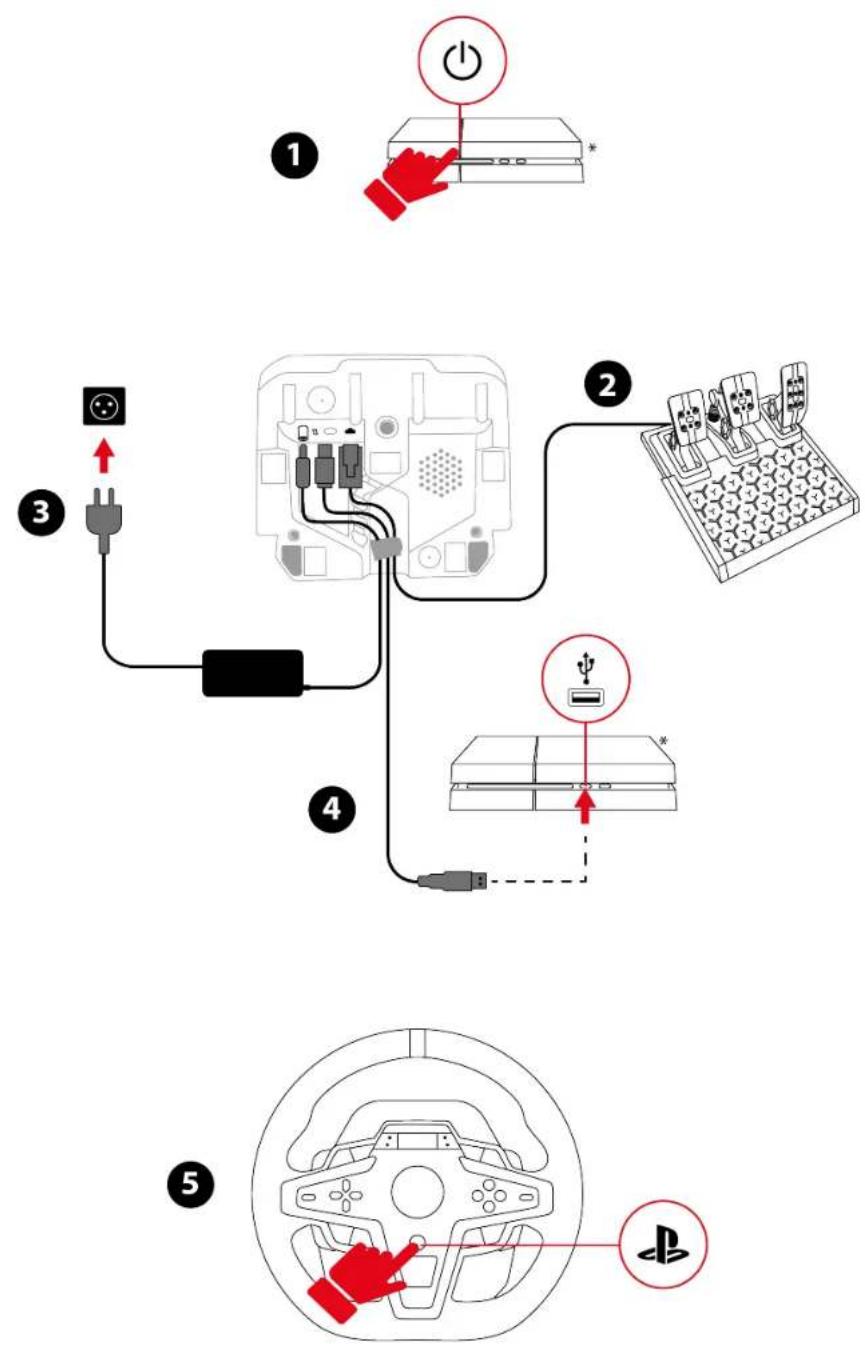

*Not included

https://support.thrustmaster.com/product/t248r
My Thrustmaster Panel software
https://support.thrustmaster.com/product/T248r/

Boost + 1 (FFB 2) and Boost + 2 (FFB 3)
Type of pedal set
To reset the settings:
https://support.thrustmaster.com/product/T248r/
https://support.thrustmaster.com/product/t248r
Low position:
On the left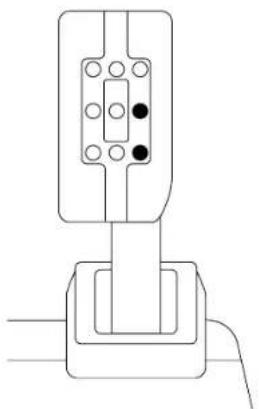
On the right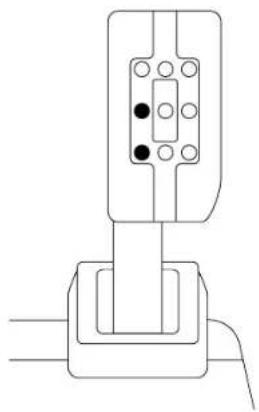
https://support.thrustmaster.com/product/t248r
THRUSTMASTER®

For PlayStation®5 consoles, PlayStation®4 consoles and PC*
User manual

https://support.thrustmaster.com/product/T248r/

7. Installation
On PlayStation®4 consoles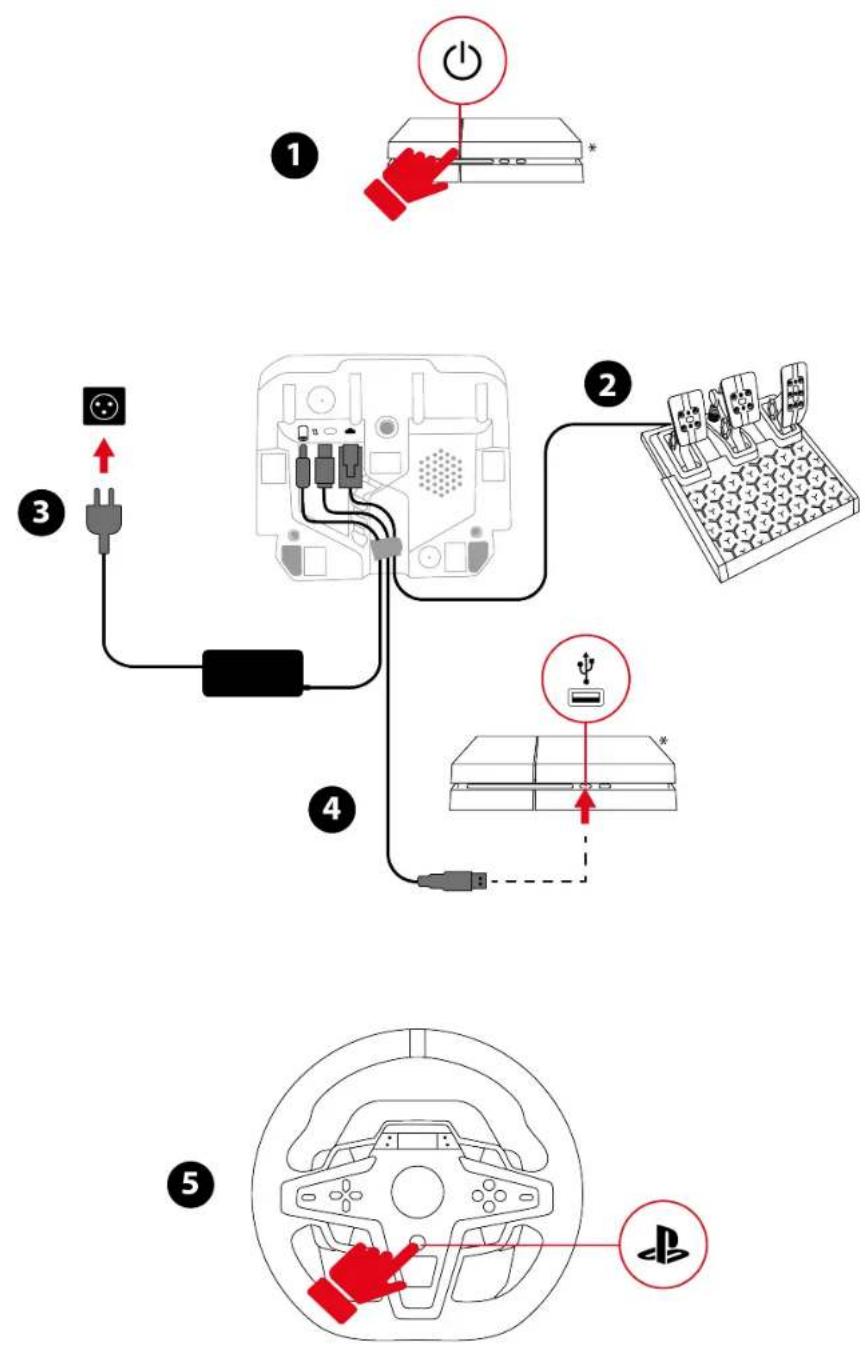


https://support.thrustmaster.com/product/t248r
My Thrustmaster Panel Software
https://support.thrustmaster.com/product/T248r/

Pedal type
https://support.thrustmaster.com/product/T248r/
https://support.thrustmaster.com/product/t248r
① Engine speed (RPM) ② Flag (FLAG) ③ Pit (PIT)

Low position:
On the left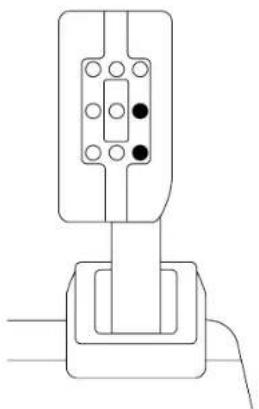
On the right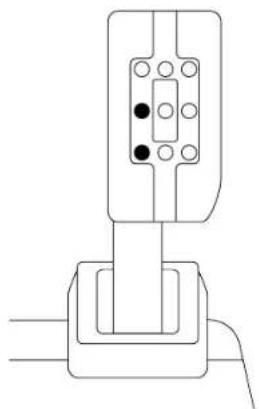
https://support.thrustmaster.com/product/t248r
https://support.thrustmaster.com/product/t248r
THRUSTMASTER®
For PlayStation®5 consoles, PlayStation®4 consoles and PC*
User Manual

https://support.thrustmaster.com/product/T248r/
6. Installing the wheel and pedal set on a stand* or cockpit*

https://support.thrustmaster.com/product/t248r (in the Manual section).


7. Installation
On PlayStation®4 consoles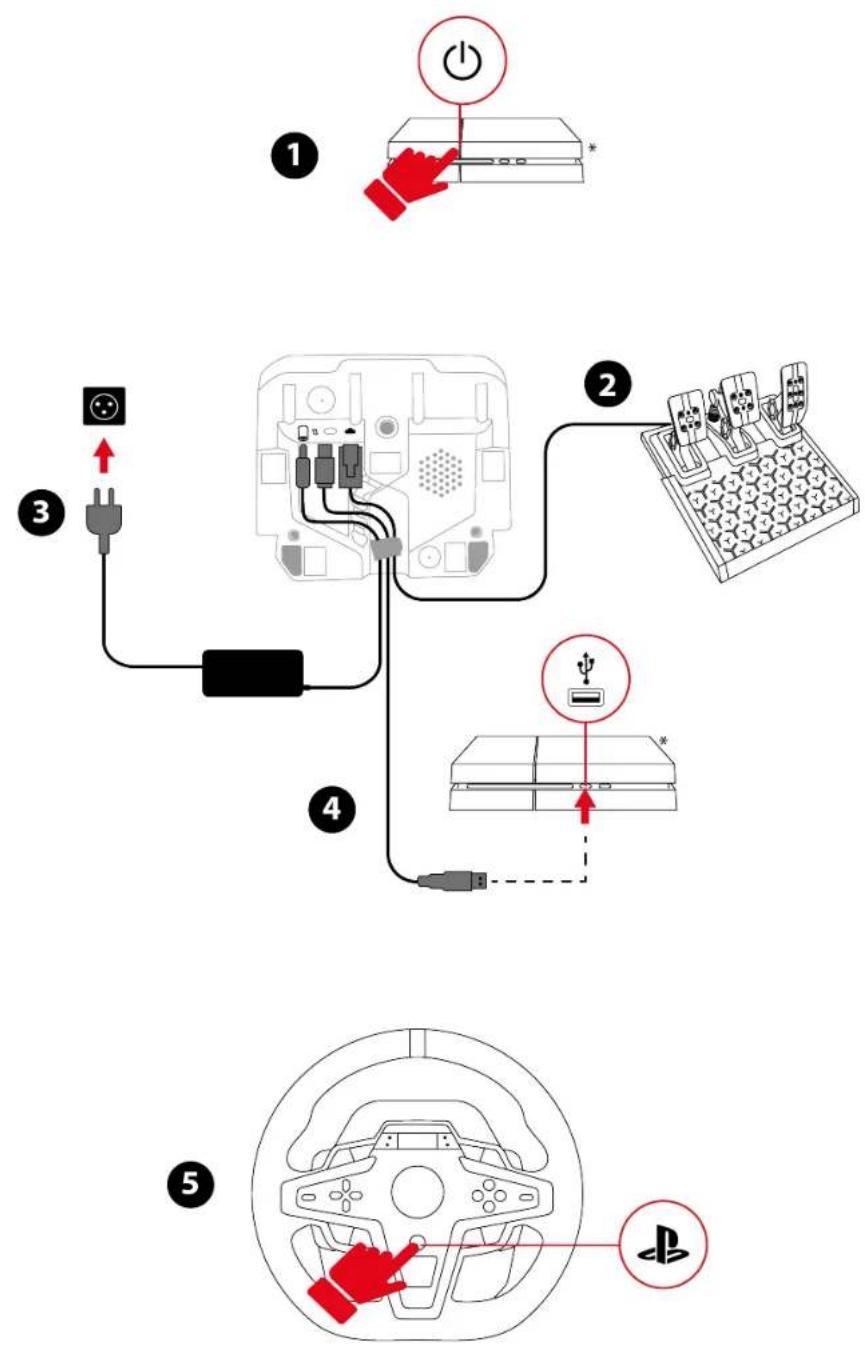


https://support.thrustmaster.com/product/t248r
- When the controller has been installed, restart the PC.
- Disconnect the USB-C/USB-A cable from the PC.
My Thrustmaster Panel software
Thrustmaster Advanced Racer.
https://support.thrustmaster.com/product/T248r/

Boost + 1 (FFB 2) and Boost + 2 (FFB 3)
This screen allows you to select the type of pedal set used. There are two types of pedal sets to choose from:
https://support.thrustmaster.com/product/t248r
1 Engine speed (RPM) ② Flag (FLAG) ③ Pit stop (PIT)

Adjusting the height of the accelerator pedal
Low position:
Left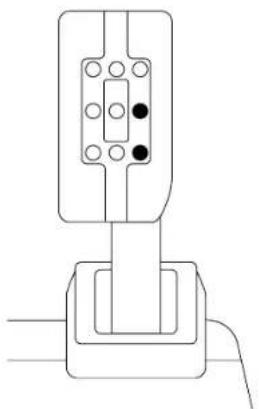
Right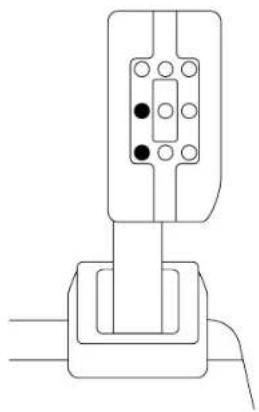
https://support.thrustmaster.com/product/t248r
THRUSTMASTER®
- Box contents

7. Installation


https://support.thrustmaster.com/product/T248r/
https://support.thrustmaster.com/product/T248r/
https://support.thrustmaster.com/product/T248r/
https://support.thrustmaster.com/product/T248r/
https://support.thrustmaster.com/product/T248r/

Boost + 1 (FFB 2) and Boost + 2 (FFB 3)
https://support.thrustmaster.com/product/T248r/
Low position:
Left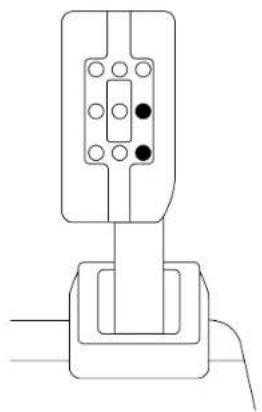
Right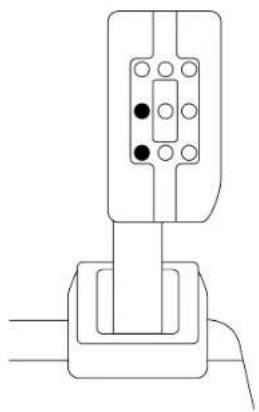
https://support.thrustmaster.com/product/t248r
https://support.thrustmaster.com/product/t248r
THRUSTMASTER®
For PlayStation®5, PlayStation®4 consoles and PC*
User manual

https://support.thrustmaster.com/product/T248r/
1. Box contents
2. Features

7. Installation
On PlayStation®4 console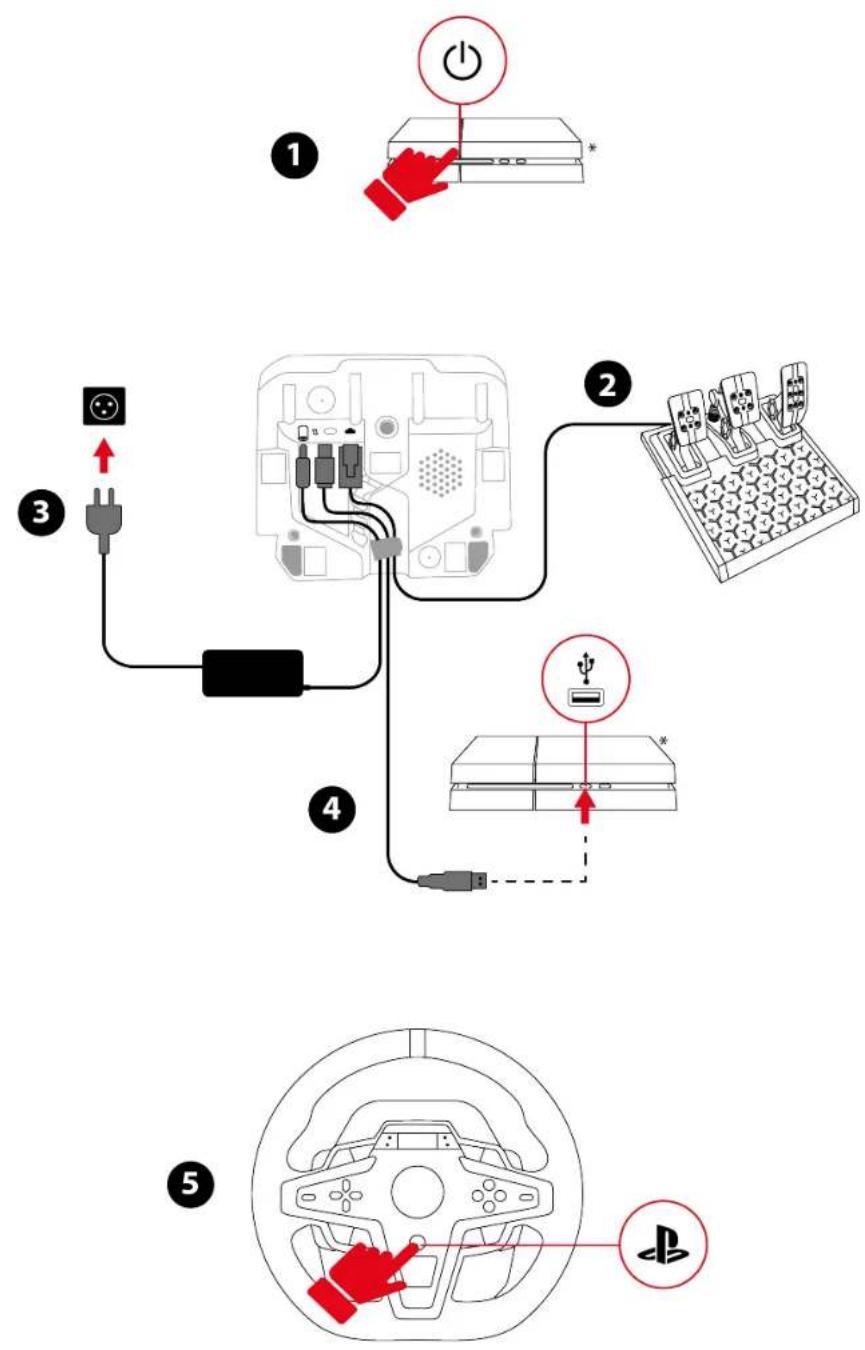



My Thrustmaster Panel Software
https://support.thrustmaster.com/product/T248r/

Boost + 1 (FFB 2) to Boost + 2 (FFB 3)
Pedal set type
https://support.thrustmaster.com/product/t248r
1 Engine speed (RPM) ② Flag (FLAG) ③ Pit (PIT)

https://support.thrustmaster.com/product/T248r/
Low position:
Left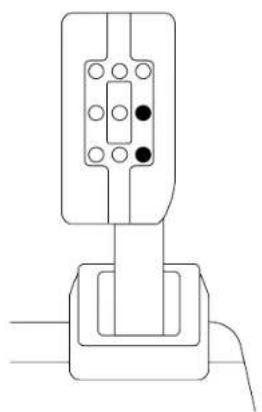
Right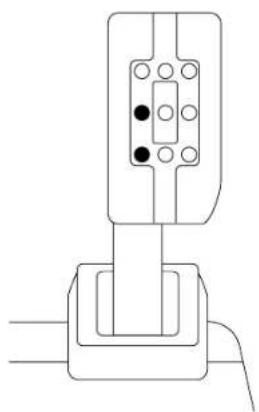
https://support.thrustmaster.com/product/t248r
THRUSTMASTER®
Engine speed (RPM)*......87
- ADJUSTING THE PEDAL SET .....90
https://support.thrustmaster.com/product/T248r/
1. Package contents
2. Features

7. Installation
On PlayStation®4 consoles


https://support.thrustmaster.com/product/t248r

https://support.thrustmaster.com/product/T248r/
https://support.thrustmaster.com/product/T248r/
https://support.thrustmaster.com/product/T248r/
https://support.thrustmaster.com/product/T248r/
https://support.thrustmaster.com/product/T248r/

Boost + 1 (FFB 2) and Boost + 2 (FFB 3)
Force (general Force Feedback)
Type of pedal set
https://support.thrustmaster.com/product/T248r/


- TABLE OF CONTENTS
- MAPPING FOR PLAYSTATION®
- CONSOLES OR PLAYSTATION®
- CONSOLES
- MAPPING FOR PC
- COMPATIBLE GAMES
- ADJUSTING THE PEDAL SET
- FAQ AND TECHNICAL SUPPORT
- T248R
- UPDATING THE FIRMWARE
- BOX CONTENTS
- FEATURES
- INFORMATION REGARDING USE OF THE RACING WHEEL
- ELECTRICAL SHOCK
- POWER SUPPLY
- SECURING THE GAMING AREA
- AIR VENTS
- INJURIES DUE TO FORCE FEEDBACK AND REPEATED MOVEMENTS
- INFORMATION REGARDING USE OF THE PEDAL SET
- DOCUMENTATION
- INJURIES DUE TO REPEATED MOVEMENTS
- PEDAL SET PINCH HAZARD WHEN PLAYING
- INSTALLING THE RACING WHEEL ON A TABLE OR DESK
- INSTALLING THE RACING WHEEL AND PEDAL SET ON A SUPPORT* OR IN A COCKPIT
- ATTACHING THE PEDAL SET
- INSTALLATION
- ON PLAYSTATION®5 CONSOLES
- ON PC
- MY THRUSTMASTER PANEL SOFTWARE
- AUTOMATIC CALIBRATION OF THE RACING WHEEL AND PEDALS
- MAPPING FOR PLAYSTATION®4 CONSOLES OR PLAYSTATION®5 CONSOLES
- USING THE ENCODERS
- SCREEN OPERATION
- CHANGING THE COMPATIBILITY MODE
- ACCESSING THE SETTINGS OR TELEMETRY SUBMENU
- SETTINGS SUBMENU
- ADJUSTING THE LEDS' BRIGHTNESS
- ADJUSTING THE SCREEN'S BRIGHTNESS
- RACING WHEEL FIRMWARE
- BOOST (FORCE FEEDBACK PROFILES)
- BOOST 0 (FFB 1)
- BOOST +1 (FFB 2) AND BOOST +2 (FFB 3)
- FORCE (OVERALL FORCE FEEDBACK)
- ROTATION ANGLE
- HOME PAGE FOR PEDAL SET SETTINGS
- TYPE OF PEDAL SET
- PEDAL SET CONFIGURATION
- SERIAL NUMBER
- RACING WHEEL TEMPERATURE
- TELEMETRY SUBMENU
- TELEMETRY INFORMATION
- TELEMETRY AND COMPATIBILITY
- SPEED + GEAR (SPEED AND SELECTED GEAR)
- SPEED (SPEED)
- LAP (LAP)
- TIME (TIME)
- EXAMPLES OF DISPLAYS
- ENGINE SPEED
- GT OR FORMULA MODE
- OPERATION OF THE LEDS
- FLAG (FLAG) AND PIT (PIT)
- ENGINE SPEED (RPM)
- ADJUSTING THE HEIGHT OF THE ACCELERATOR PEDAL
- ADJUSTING THE SPACING OF THE PEDALS
- ADJUSTING THE INCLINATION OF THE PEDALS
- MODIFYING THE BRAKE PEDAL'S RESISTANCE
- THRUSTMASTER®
- PC MAPPING
- PEDAL SET TYPE
- MANUAL
- FAQ
- TECHNICAL
- SUPPORT
- BOOST + 1 (FFB 2) AND BOOST + 2 (FFB 3)
- USER MANUAL
- PEDAL TYPE
- INSTALLING THE WHEEL AND PEDAL SET ON A STAND* OR COCKPIT
- BOOST + 1 (FFB 2) TO BOOST + 2 (FFB 3)
- PACKAGE CONTENTS
- FORCE (GENERAL FORCE FEEDBACK)
Brand : THRUSTMASTER
Model : T248 R
Category : Game controller