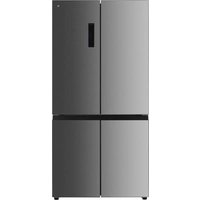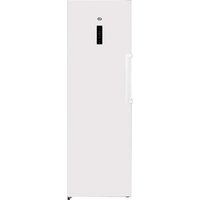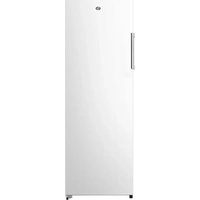
ERLV170-60hib1 - Fridge Essentiel B - Free user manual and instructions
Find the device manual for free ERLV170-60hib1 Essentiel B in PDF.


| Product type | Refrigerator |
| Brand | Essentiel B |
| Model | ERLV170-60hib1 |
| Capacity | Approximately 170 L (estimate) |
| Climate class | SN/N/ST/T (from +10 °C to +43 °C) |
| Power supply | 220-240 V ~50 Hz |
| Interior lighting | LED (class F) |
| Defrost | Automatic |
| Temperature setting | From 2 °C to 8 °C (or 36 °F to 46 °F) |
| Super Cool function | Yes, fast cooling for 6 h |
| Eco mode | Yes, temperature set to 6 °C |
| Key lock | Yes, automatic after 20 s of inactivity |
| Door alarm | Yes, after 2 min of opening |
| Adjustable feet | Yes, at the front |
| Rear castors | Yes |
| Door opening direction | Reversible (with QR code for instructions) |
| Door handle | To be installed (provided) |
| Fresh compartment | Yes, about 3 °C below the rest |
| Cleaning | Warm water and white vinegar, avoid abrasive products |
| Service life | 5 years |
| Weight | Not disclosed (estimate 50–60 kg) |
| Dimensions (H x W x D) | Not disclosed (estimate 150 x 60 x 65 cm) |
Frequently Asked Questions - ERLV170-60hib1 Essentiel B
User questions about ERLV170-60hib1 Essentiel B
0 question about this device. Answer the ones you know or ask your own.
Ask a new question about this device
Download the instructions for your Fridge in PDF format for free! Find your manual ERLV170-60hib1 - Essentiel B and take your electronic device back in hand. On this page are published all the documents necessary for the use of your device. ERLV170-60hib1 by Essentiel B.
USER MANUAL ERLV170-60hib1 Essentiel B
https://boulanger.scene7.com/is/content/Boulanger/3497674179113 a 0
Clayettes amovibles
before using for the first time
Unpacking
- Remove the shipping box.
- Check that the appliance has not been damaged during transport. Do not plug in a damaged appliance under any circumstances! If the appliance is damaged, please contact your retailer.
- Remove all tape and packaging material on the inside and outside of the appliance.
Preliminary cleaning
- Clean the inside of the appliance with lukewarm water with a little white wine vinegar added to it. Do not use soap or detergent as the odour may linger. After cleaning, completely dry the appliance.
- You can use white spirit to remove any remaining adhesive from the outside of the appliance.
- To clean the appliance, always turn it off and unplug it, or remove the fuses or flip the circuit breaker to the off position.
set-up
Place of installation
WARNING: to avoid any risk due to the instability of the appliance, it must be secured as per the instructions.
- Place your refrigerator on a stable, level surface.
- The appliance must be installed in a dry, well-ventilated room.
- The appliance's energy consumption and efficient operation are affected by the room temperature.
- Your appliance will be heavy when loaded with food: it must, therefore, be placed on a strong, solid floor.
- Avoid placing the refrigerator in a location with high humidity to minimise the possibility of any metal parts rusting. Avoid splashing water on the unit to avoid the risk of a short circuit.
- Avoid placing your refrigerator close to any combustible substances such as gas, petrol, alcohol, hairspray, etc. These products cannot be stored in the refrigerator.
- The installation of the appliance must not obstruct the socket.
- Once you have installed the appliance, make sure that it is not resting on its power cable.
Protection against heat and splashes
- Do not expose the appliance to direct sunlight or splashing.
- Do not use the refrigerator outdoors or expose it to rain.
- Do not install the appliance next to a radiator, cooker or any other heat source.
- Only install the appliance in a location where the room temperature matches the climate class for which it was designed. Above the corresponding temperatures, its performance may be impaired.
Climate class
The climate class is on the rating plate located inside the appliance.
The table below shows the correct room temperature for each climate class:
| Climate class Room tem | perature |
| SN from +10 to +32°C | |
| N from +16 to +32°C | |
| ST from +16 to +38°C | |
| T from +16 to +43°C | |
Your refrigerator is "SN/N/ST/T" classified. If the room temperature is below or above the indicated room temperature, the performance of your refrigerator may be affected, and your food may spoil.
Sufficient ventilation
To ensure the proper operation of your appliance, ensure that air can circulate freely around the unit. If you are planning to place the appliance in a recess or directly underneath a unit, there must be a gap of 5cm between the top of the appliance and the unit above.
IMPORTANT: be careful not to block the air vents in the cabinet or recess in which the appliance is installed.
If your appliance is to be installed next to another refrigerator or freezer, make sure the appliances are not touching each other to prevent condensation from forming on the outside.
You can install the two devices side by side as shown in the diagram below. Please note that the power consumption will increase slightly in this case.
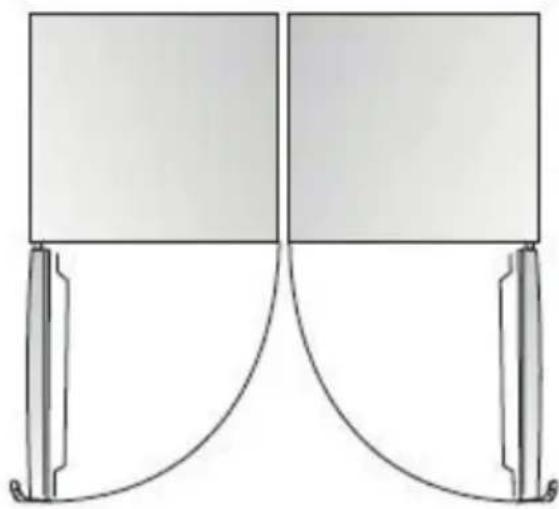
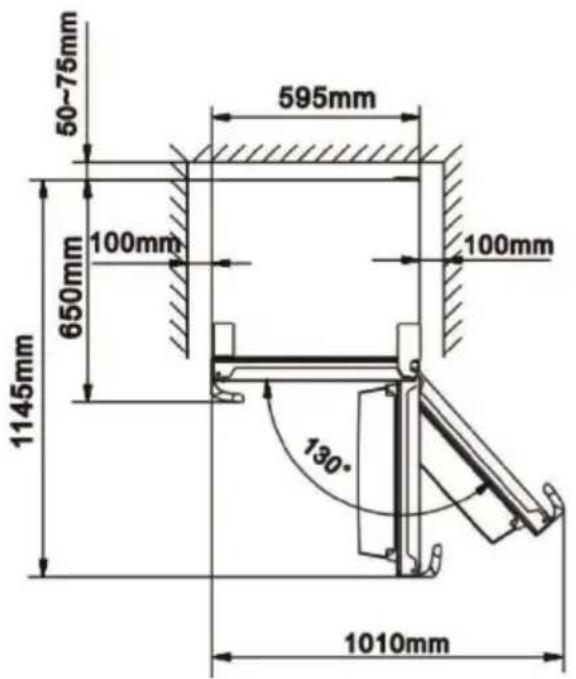
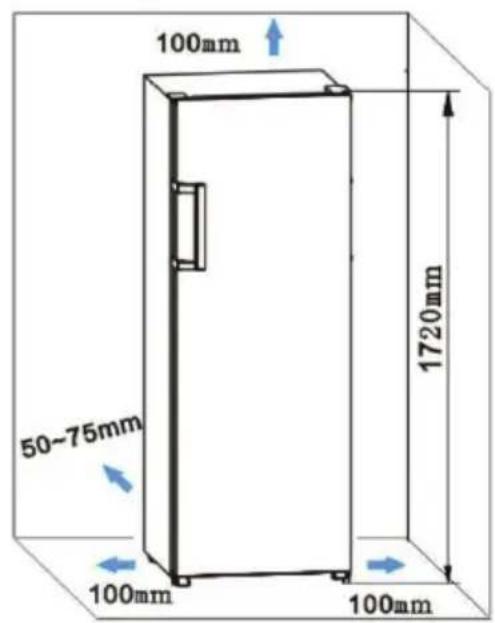
The appliance may be installed on its own or next to a piece of furniture or a wall.
- Placing it next to a piece of furniture or a wall may lead to an increase in its power consumption.
- There must be also be a sufficient gap behind the appliance (see installation diagram).
- Make sure you leave enough free space at the front so that the door can be fully opened when removing the drawers and shelves (see installation drawing).
Levelling
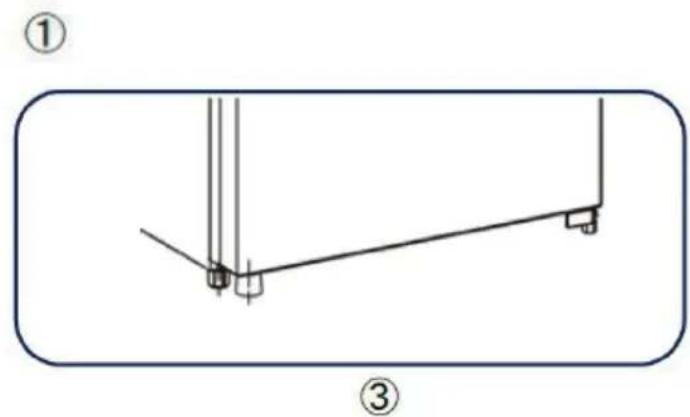
To prevent the appliance from vibrating when it is on, it must be levelled or slightly inclined towards the rear.
This is easy to do using its height-adjustable feet at the front.
To allow the door to close automatically, tilt the top back 10-15mm.
The rollers at the rear of the unit should only be used for forward or backward movement. Moving the refrigerator sideways could damage the floor and the rollers.
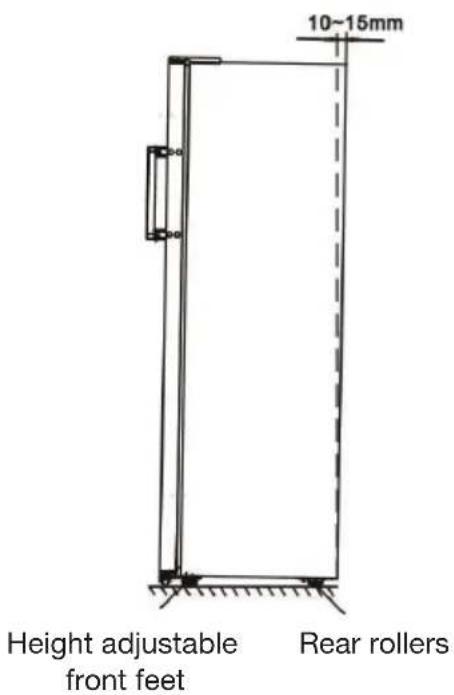
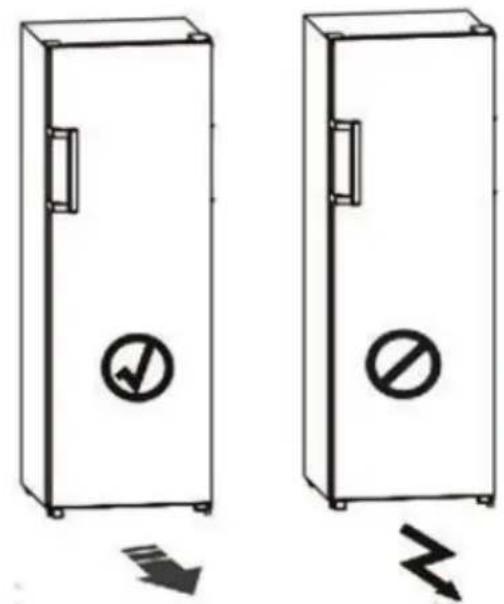
If necessary, you can lay the refrigerator on its back in order to access the underside of the door, you must rest it on a soft foam pad or similar material to prevent damage to the rear panel of the refrigerator.
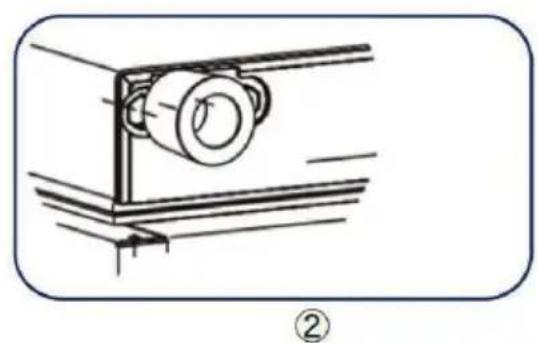
Installation of the rubber supporting pad
It is not necessary to install this accessory under normal conditions of use. However, and only in extreme circumstances, if the cavity is empty while a load is placed on the refrigerator door and the door is opened approximately 90 degrees, the refrigerator may lean forward. Therefore, the rubber pad must be attached to the bottom of the door on the side opposite the hinge to steady the device.
- Tilt the device to find the screw hole (located on the side opposite the hinge) of the lower base cover.
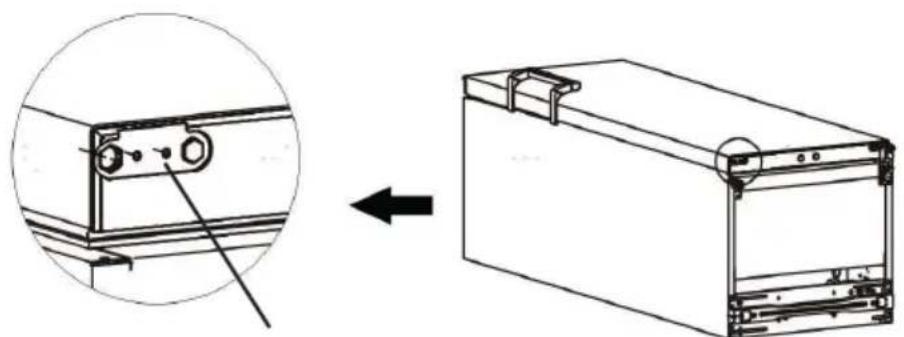
Door lower base cover
- Insert the screw through the hole in the rubber pad.
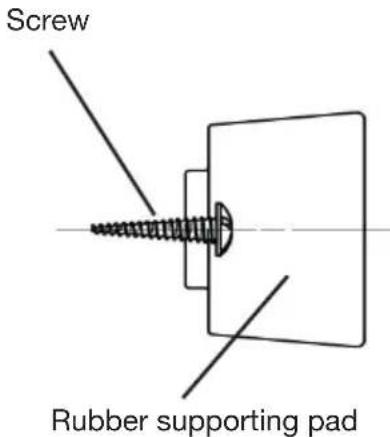
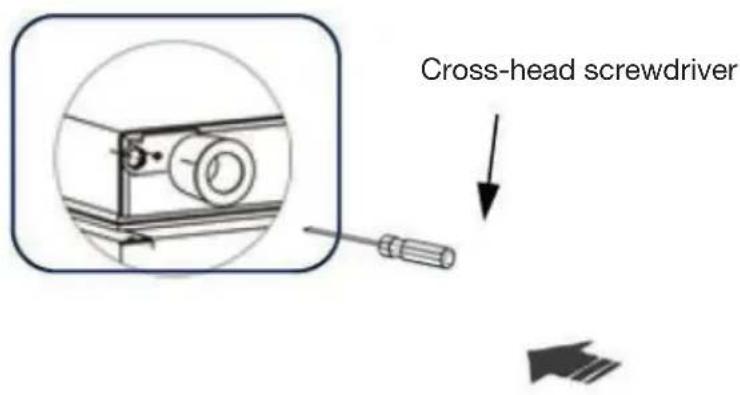
- Align the screw with the hole on the bottom base cover. Firmly attach the rubber pad to the base cover using a cross-head screwdriver (not supplied).
Installing the door handle
For the convenience of transportation, the door handle is separately provided in a plastic bag, you can install the door handle as follows:
艺
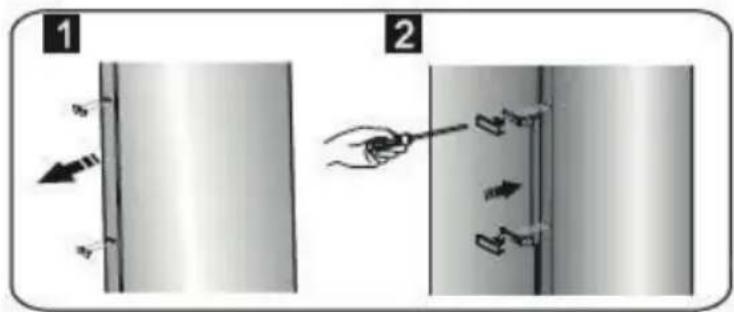
- Remove the screw covers located on the left side of the door using a flat screwdriver (fig. 1) then, put them back in the plastic bag.
- Using a cross-head screwdriver, tighten the screws provided to secure the handle to the door (fig. 2).
Reversing the opening direction of the door
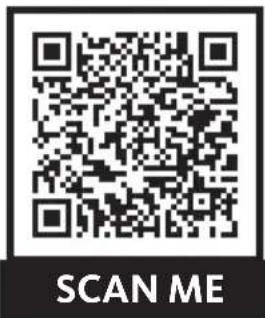
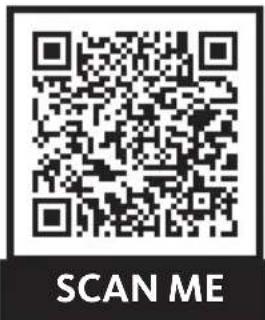
You can change the direction that your fridge door opens, if necessary. To make this change, remove all accessories (drawers, door shelves, etc.) and then, using a mobile device, scan the QR code below and follow the steps indicated. We recommend that you get help from another person or contact a qualified professional.

Unplug the appliance from the power point when reversing the opening direction of the door.
https://boulanger.score7.com/is/content/Boulanger/3497674179113_a_0
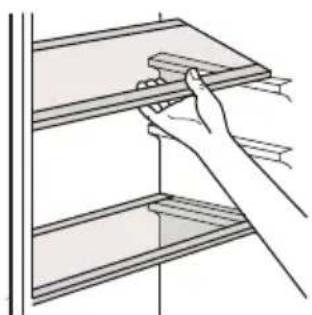
Removables shelves
The walls of the refrigerator are equipped with a series of runners allowing you to position the shelves according to your needs.
You can remove the shelves for easy cleaning.
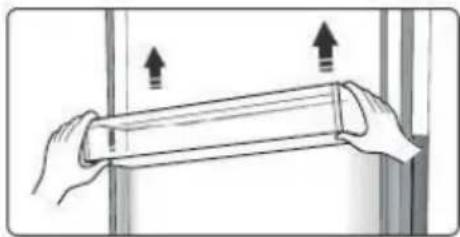
The door shelves
They are intended for the storage of eggs, condiments, canned drinks, etc. Do not place too many heavy objects in the door shelves.
You can remove the door shelves for cleaning. Gradually lift the shelf upwards until it comes free. After cleaning, reposition it in the opposite direction.
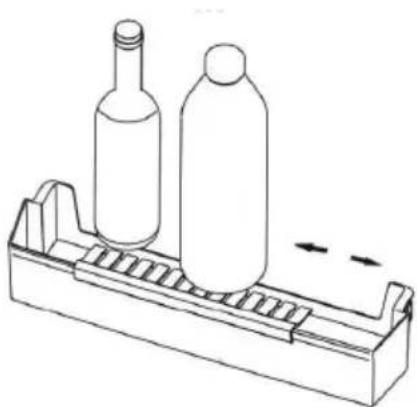
Bottle racks
To position the bottles (water or milk, for example) and prevent them from slipping or falling, the bottle racks have a support that can be positioned on the right or left according to your needs.
The fresh compartment
The temperature there is about 3^ lower than that of the rest of the refrigerator. This area is used for storing fish, meat and other perishable foods for a short time.
usage
Getting started
- Before plugging it into the mains socket for the first time, leave the appliance to rest for 2 hours if it was transported in an upright position, or 24 hours if it was transported in a horizontal position. This is to allow the refrigerant gas to go back down into the compressor. Not respecting this waiting period may damage the compressor.
- Plug the appliance into an earthed socket.
Description of the control panel
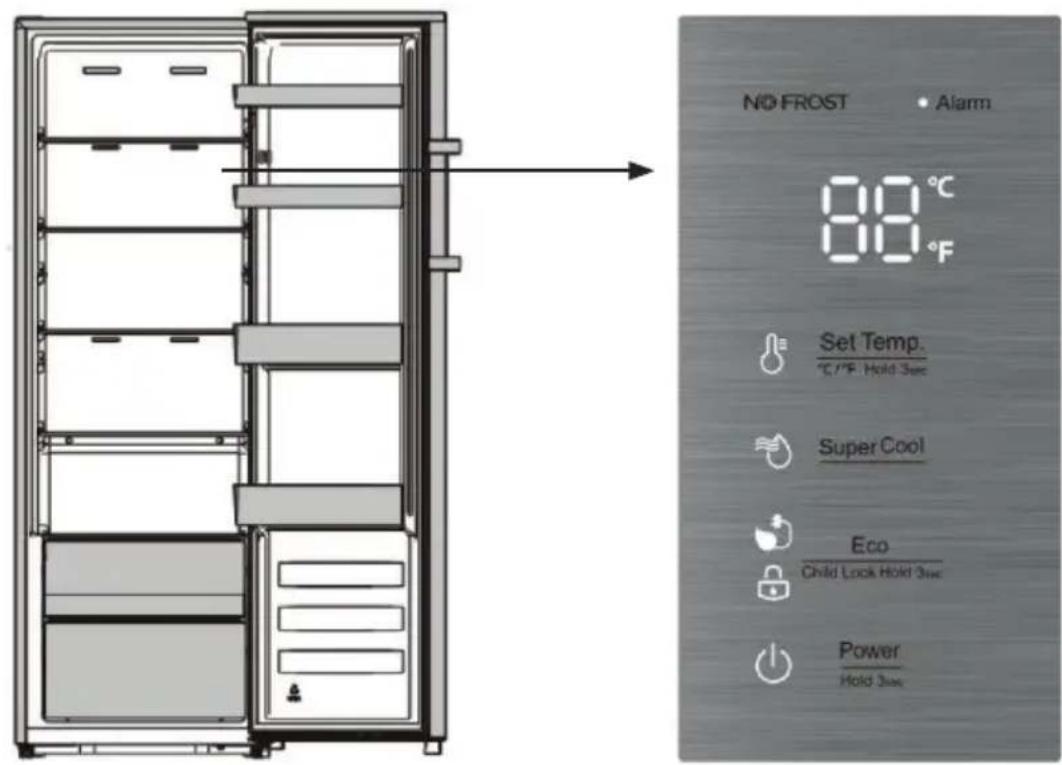
1- On/off/sleep mode
Power Press the key for 3 seconds to turn the device on or off.
When the refrigerator is working and it is in "unlocked" mode, you can stop the appliance by pres- sing the key for 3 seconds, the indicator light is on while the display screen shows "- -".
Important! Do not store food in the appliance when it is off.
Power
Hotkey for 3
seconds, the indicator light is off, the refrigerator turns on.
NOTE: The control panel can only be adjusted in "unlocked" mode (see paragraph "5- Locking/ unlocking the keys").
If you want to shut down your device for a long time, disconnect the power plug.
2- Temperature setting
For optimal food preservation, we recommend that when you turn on your refrigerator for the first time, you set the temperature to 4^ (39^) . If you need to change the temperature later, follow the instructions below.
Attention!
!
When you set the temperature, you are setting an average temperature for the entire refrigerator. The temperature inside each compartment may differ from the temperature values displayed on the control panel, depending on the amount of food you store and where you place it. Ambient temperature can also affect the actual temperature inside the device.
NOTE: A high temperature setting will accelerate food waste.
You can switch between temperature display in degrees Celsius (^) and degrees Fahrenheit (^) by pressing the key for 3 seconds.
In unlocked mode, press the Set Temp. ^ C / ^ F Hold 3sec key when the "oC" indicator light is on, the refrigerator set temperature is adjusted cyclically between 8^ and 2^ .

When the "°F" indicator light is on, the refrigerator set point temperature is adjusted cyclically between 46^ and 36^ .

3- Fast cooling ("Super cool")
This function allows you to quickly refrigerate a large quantity of food (when returning from shopping, for example). Remember to select this function a little before putting your groceries in the fridge.
In unlocked mode, press the Super Cool key to enter fast cooling mode. The mode indicator light comes on and the temperature is set to 2^ (36^) .
Fast cooling mode automatically stops after approximately 6 hours.
When this mode is activated, in unlocked mode, you can deactivate it by pressing the Super Cool key and the refrigerator temperature setting will return to the previous setting.
4- "Eco" mode
If you are going away for a while (during the summer holidays for example), you can put your refrigerator in "Eco" mode to save electricity.
Eco
In unlocked mode, press the key to access "Eco" mode. The Eco mode indicator light comes on and the temperature is set to 6^ (43^) .
When "Eco" mode is activated, in unlocked mode, you can deactivate it by pressing the key. The refrigerator temperature setting will return to the previous setting.
5- Locking/unlocking the keys
When the indicator light is on, the refrigerator is in "locked" mode, you cannot change the settings.
To switch to "unlocked" mode, press and hold the key for 3 seconds: the indicator light goes out. You can then change the settings.

If you press no key for 20 seconds, the indicator light will come on and the device will automatically return to "locked" mode.
6- Alarm
If a fault is detected, the indicator light flashes and an audible signal sounds.
Door
alarm
When the door is opened for more than 2 minutes, the door alarm will sound, while the display panel will display "dr".
In case of door alarm, the buzzer will sound 3 times every 1 minute.
In this case, close the door (or make sure it is properly closed).
The door alarm stops automatically after 10 minutes: the alarm indicator light goes out and the display screen returns to normal.
To save energy, avoid leaving the door open for too long when using the appliance.
7-Delayed start
In the event of a short-term power cut (less than five minutes), the compressor will not start immediately after the power returns. This is to protect the refrigerator compressor from any damage.
Storage Tips
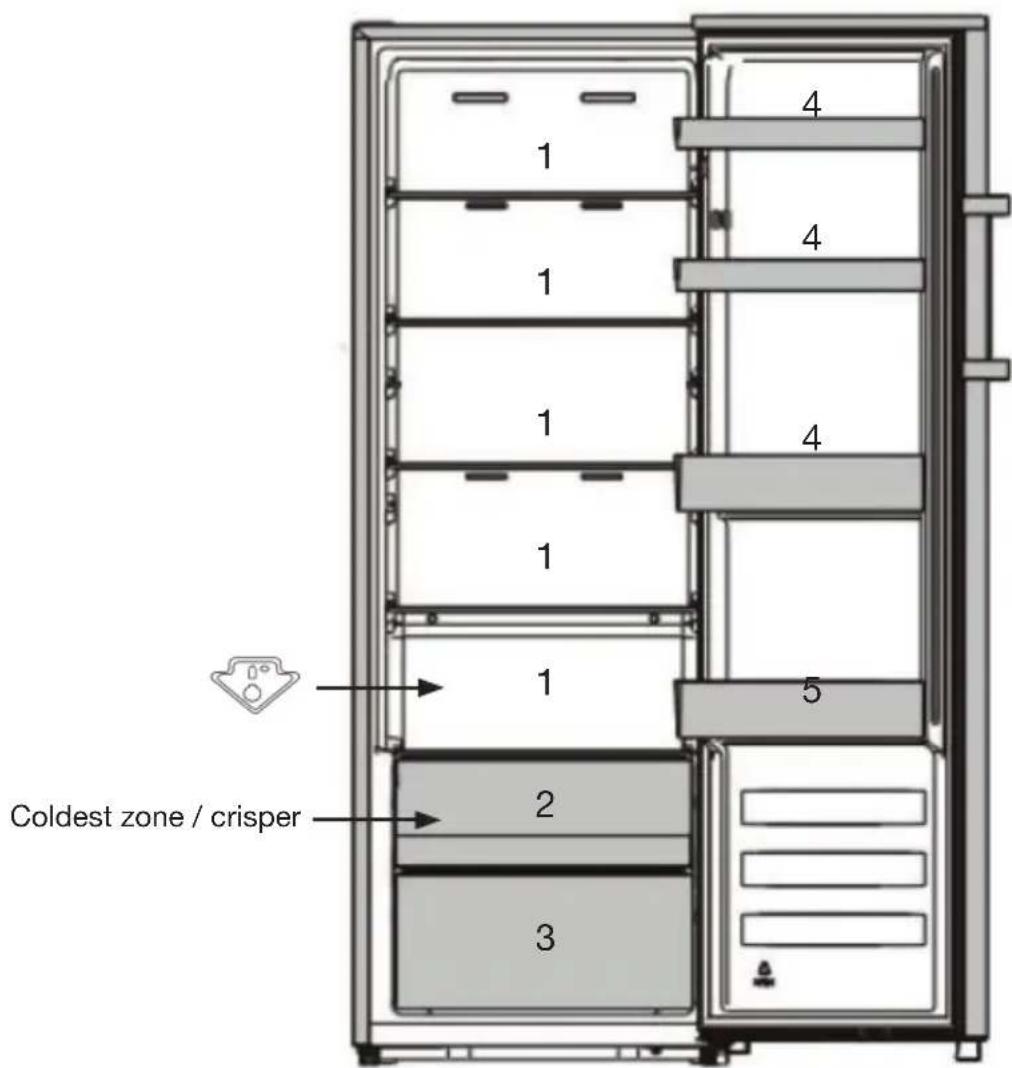
- Dairy products, cheeses, etc.
- Coldest zone / crisper: raw and cooked meat, fish
- Fruits and vegetables
- Butter, eggs (1 egg tray provided), condiments
- Bottles and other drinks
Always pack products to prevent different foods from contaminating each other.
- So that the air can flow properly, never cover the shelves with paper or plastic sheets. Arrange food so that air can circulate freely around it.
- Do not put hot food or evaporating liquids inside the refrigerator. Wait for anything cooked to cool completely before storing it (for example : soup).
- Store only fresh foods, cleaned and wrapped in appropriate food packaging or containers.
- Limit how often the door is opened and, in any case, do not leave the door open for too long to prevent the refrigerator's temperature from rising.
The coldest zone
- The symbol indicates the location of the coldest zone of your refrigerator, whose temperature is less than or equal to 4^ . The latter is located in the crispers (as shown in the diagram on page 10).
- Given that the shelves are removable, always keep the shelf, located at the edge of the cold zone, in the position indicated by the sticker. This is to preserve the temperature in this area.
Temperature indicator
- To ensure that food items are properly conserved in your refrigerator, especially in the coldest zone, make sure that 'OK' is displayed on the temperature display. If 'OK' does not appear, the average temperature of the zone is too high. You need to change the refrigerator's temperature setting to a higher position.
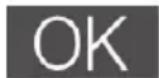
Incorrect setting Correct setting
- Whenever you change the settings, wait for the temperature inside the unit to stabilise before making any further adjustments, if needed. Only change the position of the thermostat gradually and wait at least 12 hours before checking again or changing it.
- After loading the appliance with fresh food or after opening the door repeatedly (or leaving it open for a prolonged period), it is normal that the word "OK" does not appear in the temperature indicator; wait at least 12 hours before adjusting or deciding not to adjust the temperature.
Energy saving tips
- Wait for anything cooked to cool completely before storing it (e.g. soup). Do not put hot food in your appliance.
- Spread the food out in various locations so that the air flow is not blocked.
- Make sure that the food does not touch the walls of the appliance, especially the back wall.
- In the event of a power cut, do not open the door.
- Open the door as little as possible.
- Do not leave the door open for a long time because hot air will enter the refrigerator and the cold air inside will escape, thereby wasting energy.
- Make sure there are no obstructions preventing the door from closing properly.
- Do not set the temperature to a colder temperature than necessary.
cleaning and maintenance
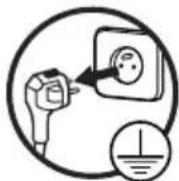
Unplug the appliance before performing any cleaning or maintenance work.
Defrosting
Your refrigerator's defrosting system is automatic. The back of the appliance gets covered with frost when the compressor is running and defrosts when the compressor is off. When the frost melts, the water evaporates by itself.
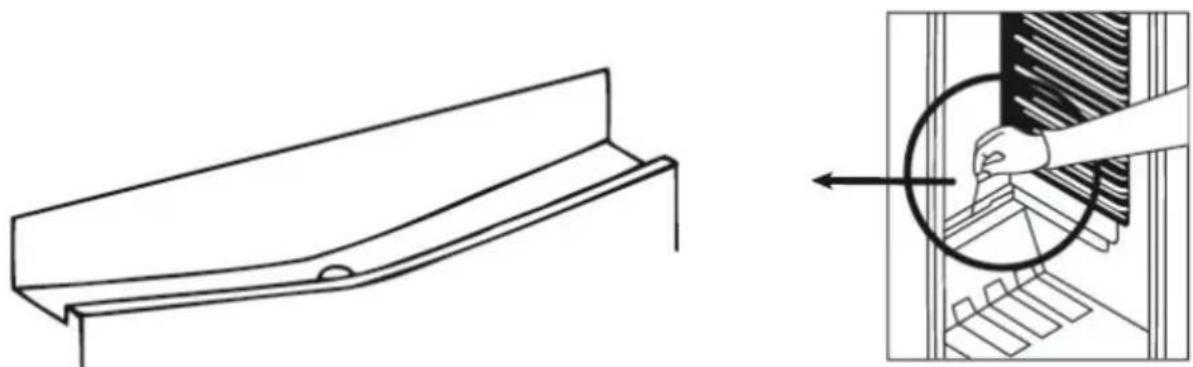
The defrosting water chute and drain line must be cleaned periodically to ensure that the defrost water drains continuously.
You can also pour 12 glass of water into the drain opening for cleaning.
Cleaning
Regularly clean and disinfect the appliance.
- Remove the fresh food from the refrigerator. Wrap the food and store it in a cool place.
- Clean the appliance and accessories inside with a soft sponge and soapy, lukewarm water.
- After cleaning, rinse with clean water and dry the parts thoroughly.
- Once everything is dry, the appliance can be used again.
Never clean the appliance with a steam cleaner. Moisture could accumulate in the electrical components, causing a risk of electric shock! Hot steam can damage plastic parts.
Never use abrasive or caustic products, or sponges with scouring pads to clean the inside or outside of your appliance.
艺
Replacing the bulb
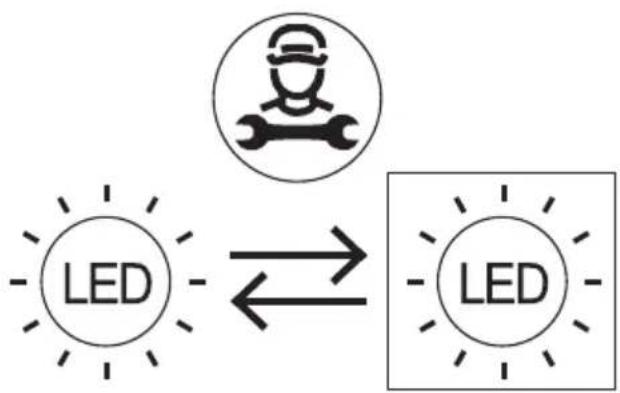
Your appliance has LED lighting. This type of lighting is designed to work longer than a conventional light bulb. Contact your dealer's after-sales service if a fault occurs with the lighting.
This product contains a light source of energy efficiency class 'F'.
Light source in this product is replaceable only by qualified engineers.
Noises during operation
The following noises are a normal part of the appliance's operation.
- Clicking: when the compressor starts or stops, there is a clicking sound.
- Humming: as soon as the compressor starts up, you can hear it humming.
- Gurgling/sloshing: when the refrigerant flows through the narrow tubes, gurgling and sloshing sounds can be heard. Even after the compressor stops, these noises continue for a short time.
In case of prolonged absence or non-use
- Unplug, empty, defrost and clean the appliance.
- Keep the door ajar when the appliance is unplugged and not in use.
INFORMATION
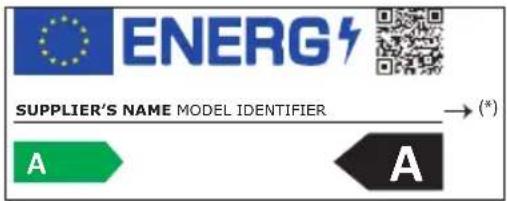
You can find information on the models as recorded in the product database on the following website by searching for your model (^*) , which is specified on the Energy label:
os://eprel.ec.europa.eu/
The service life of your appliance is 5 years. During this period, original spare parts will be available to ensure proper operation of the appliance.
Link to the manufacturer's website where the information referred to in point 4a of the appendix to Commission Regulation (EU) 2019/2019 can be found: https://www.boulanger.com/info/assistance/
troubleshooting guide
A malfunction may be due to a minor problem that you can solve yourself using the instructions in the following table. Before calling a technician, perform the following checks:
| Problems Possible causes Solutions | ||
| The appliance is not working. Power cut. Open the door and check | to see if the LED light comes on. | |
| The plug is not plugged in or is improperly plugged in. | ||
| A fuse has blown or is defective. | ||
| The electrical outlet is defective. | ||
| The interior lighting is not working. | The appliance is not plugged in or the LED bulb is defective. | Contact your retailer's after-sales service centre. |
| There are bad odours in the appliance. | Smelly food (for example cheese) must be well packed. Check that there are no expired foods. If there are, remove them. Check that there are no deposits in the drain (see above). Clean the inside of the appliance with water with white wine vinegar added to it. Then rinse with clear water. | |
| The compressor runs continuously. | This is normal in the summer when the room temperature is high. It is not recommended to have too much food in the appliance or to put food that has not yet cooled in the appliance. Please do not open the door too frequently. | |
| Unusual noises. The appliance is not straight. Adjust the feet. | ||
| The appliance touches the wall or other objects. | ||
| Some noises are typical of refrigeration appliances. | ||
| Refer to "Noise when running". | ||
| The door seals are not watertight. | The door seals are dirty. Clean the direction that the door opens. | em with water and a soft sponge. |
| Perhaps you just reversed the direction that the door opens. | Carefully heat the leaking seal sections with a hair dryer (set to cool). At the same time, correct the position of the door seal with your hand. | |
| The appliance does not cool down enough.The food is too warm. | The temperature is not set correctly. | Please refer to the paragraph “Setting the temperature”. |
| The door stayed open for a long time. | Do not open the door longer than necessary. | |
| A large amount of hot food has been placed in the appliance in the past 24 hours. | Temporarily set the thermostat to a cooler temperature. Avoid overloading the inside of the refrigerator. | |
| The appliance is located near a heat source. | Please refer to the paragraph "Place of installation". | |
| The compressor does not start immediately after changing the temperature setting. | This is normal, it is not a malfunction. | The compressor will start after a while. |
| There is water at the back of the appliance or on the shelves. | The drain hole for the defrost water is blocked. | Refer to the paragraph "Cleaning and maintenance". |
If the information in this table does not help you resolve your specific problem, do not attempt to repair the appliance yourself. Contact your retailer's after-sales department.
IMPORTANT: repairs to your appliance should only be performed by qualified service technicians. Improper repairs can lead to hazards for users and are not covered by the warranty.
https://boulanger.score7.com/is/content/Boulanger/3497674179113 a 0