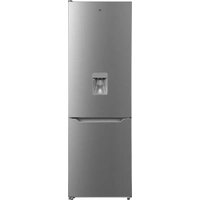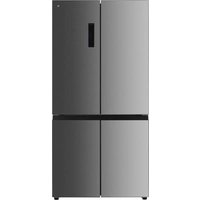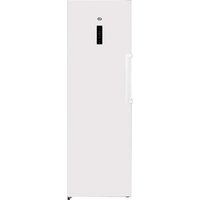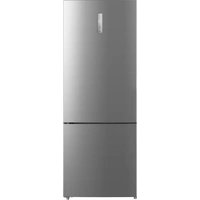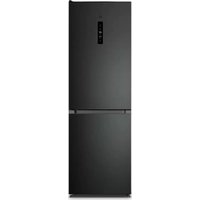
ERCVE185-60hin - Fridge Essentiel B - Free user manual and instructions
Find the device manual for free ERCVE185-60hin Essentiel B in PDF.


| Product type | Combined refrigerator |
| Brand | Essentiel B |
| Model | ERCVE185-60hin |
| Climate class | SN/N/ST/T (from +10°C to +43°C) |
| Dimensions (H x W x D) | 185 x 60 x 65 cm (approximate) |
| Weight | Approximately 65 kg |
| Power supply | 220-240 V ~ 50 Hz |
| Freezer star rating | 4 stars |
| Defrost | Automatic for the freezer |
| Special functions | Quick freezing, Energy saving mode, Door alarm, Freshness compartment with humidity control |
| Lighting | LED, energy efficiency class F |
| Accessories | Removable shelves, adjustable door balconies, vegetable drawer with humidity control lid, ice cube tray |
| Door opening direction reversal | Possible, procedure via QR code |
| Maintenance | Clean with warm water and white vinegar; dust the back once a year |
| Safety | Ventilation necessary; do not expose to heat; do not use electrical appliances inside; do not freeze carbonated drinks |
| Spare parts | Available for 10 years |
| Repairability | Repairs by qualified technician only |
| General information | Manual available in multiple languages; manufacturer's website: https://www.boulanger.com/info/assistance/ |
Frequently Asked Questions - ERCVE185-60hin Essentiel B
User questions about ERCVE185-60hin Essentiel B
0 question about this device. Answer the ones you know or ask your own.
Ask a new question about this device
Download the instructions for your Fridge in PDF format for free! Find your manual ERCVE185-60hin - Essentiel B and take your electronic device back in hand. On this page are published all the documents necessary for the use of your device. ERCVE185-60hin by Essentiel B.
USER MANUAL ERCVE185-60hin Essentiel B
natural_image
Interior view of a fully stocked refrigerator with open doors and labeled compartments (no visible text or symbols beyond product labels)Notice d'utilisation / User guide / Bedienungsanleitung / Gebruiksaanwijzing
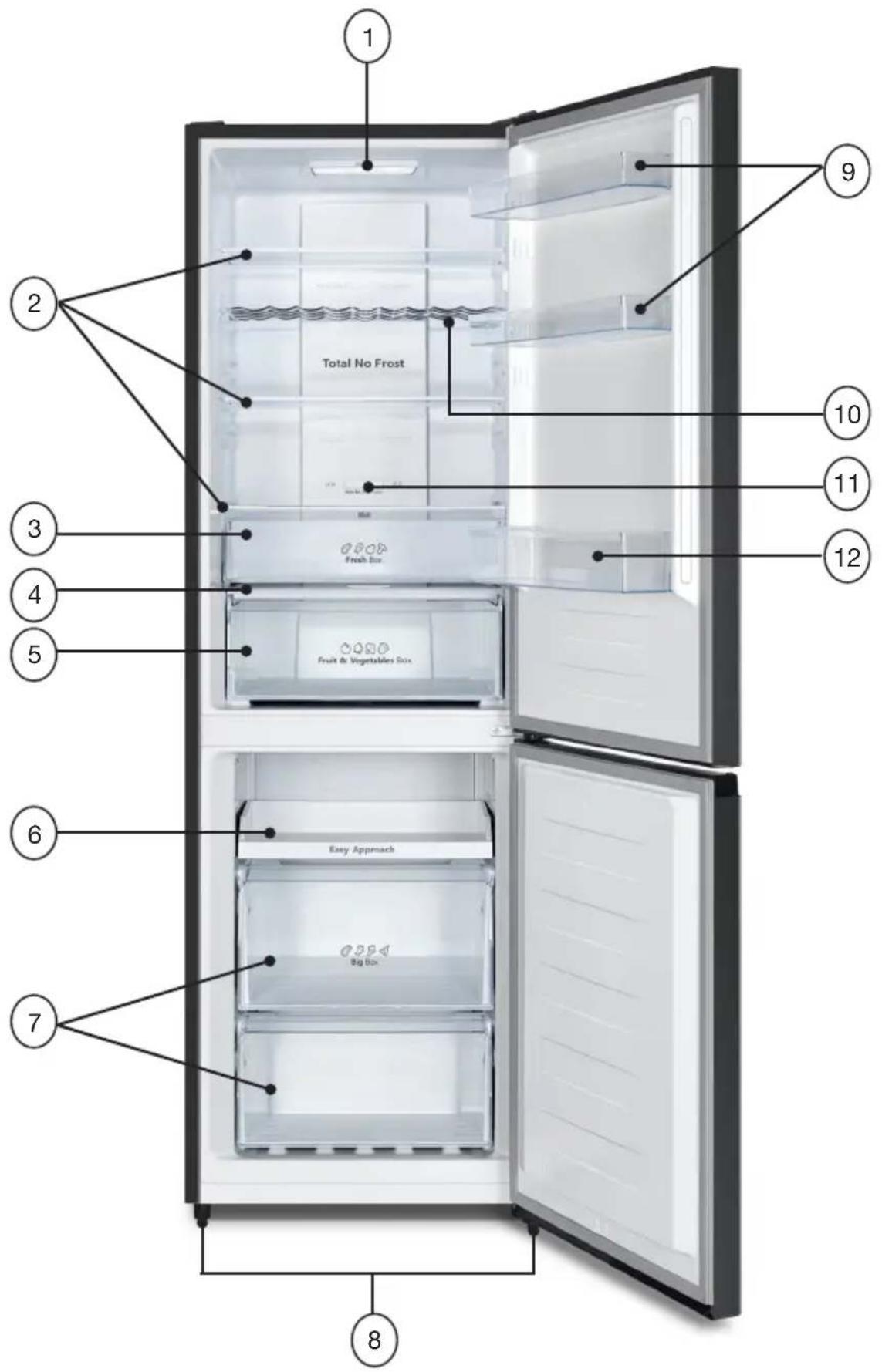
| FR EN DE NL | ||||
| 1 | Éclairage LED LED lighting | LED-Beleuchtung Ledverlichting | ||
| 2 | Clayettes du compartiment réfrigérateur | Refrigerator compartment shelves | Kühlschrankablagen Legplanken van koelvak | |
| 3 | Compartiment fraîcheur | Fresh box Frischhaltefach | Vershoudvak | |
| 4 | Couvercle du bac à légumes | Fruit & Vegetables box lid | Abdeckung des Gemüsefachs | Deksel van groentelade |
| 5 | Bac à fruits et légumes | Fruit & Vegetables box Obst- und Gemüsefach Fruit- en groentelade | ||
| 6 | Tiroir coulissant Sliding | drawer Herausziehbare Ablage Uittrekbare lade | ||
| 7 | Bacs de congélation (x 2) avec 1 bac à glaçons fourni | Freezer boxes (x 2) with 1 ice cube tray provided | Gefrierschrankschubladen (x 2) mit 1 mitgelieferte Eiswürfelschale | Vriesladen (x 2) met 1 bijgeleverde ijsblokjeshouder |
| 8 | Pieds avant réglables en hauteur | Height-adjustable front feet | Höhenverstellbare Vorderfüße | Voorste stelvoetjes |
| 9 | Balconnets de porte du réfrigérateur | Refrigerator door trays Kühlschranktürablagen Deurvakken van koelkast | ||
| 10 | Porte-bouteilles Bottle rack | Flaschenablage | Flessenrek | |
| 11 | Volet de réglage | Control panel | Schieberegler | Regelklep |
| 12 | Balconnet porte-bouteilles | Bottle rack tray | Türablage für Flaschen | Flessenvak in deur |
Déballage
natural_image
Illustration of a hand placing an arrow on a shelf (no text or symbols)natural_image
Illustration of hands holding a transparent cylindrical object with upward arrows indicating motion or force (no text or symbols)natural_image
Line drawing of two hands holding a small grid device (no text or symbols)Le porte-bouteilles
natural_image
Technical line drawing of a mechanical assembly with coiled components and internal channels (no text or symbols)Utilisation
Mise en route
1. Marche/arrêt

chemical
Temperature gradient diagram showing alternating 8°C and 2°C to 4°C intervals3. Congélateur

chemical
Temperature gradient notation for a substance with labeled degrees Celsius4. Congélation expresse

flowchart
graph LR
    A["LED"] --> B["Worker Icon"]
    B --> C["LED"]
Guide de dépannage
https://boulanger.scene7.com/is/content/Boulanger/3497674190798_n_0

INFORMATION
- Remove all transportation-related packaging.
- Check that the appliance has not suffered any damage during transport. Under no circumstances should you plug in a damaged appliance! If the appliance is damaged, please contact the retailer.
- Remove all tape and packaging materials from both inside and outside the appliance.
Before first use
- Clean the inside of the appliance with lukewarm water and a little white vinegar. Do not use soap or detergent as the smell may persist. Thoroughly dry the appliance after cleaning it. Only use a soft cloth to wipe electrical parts.
- You can use white spirit to remove any adhesive residue from the exterior of the appliance.
- Before cleaning the appliance, you must always unplug it, remove the fuses or turn off the circuit breaker.
Installation
Installation location
- This refrigeration appliance is not intended for use as a built-in appliance. Place your fridge freezer on a stable, flat surface. Your appliance will be heavy once filled with food: it must therefore be placed on a solid, sturdy floor. The appliance must be installed in a dry, well-ventilated room at room temperature. Refer to the table in the upcoming “Climate Class” section.
- Never place a heat-emitting appliance (microwave, toaster, etc.) on top of the refrigerator.
- The appliance must not be exposed to direct sunlight.
- The appliance must not be exposed to rain.
- The appliance must not be installed next to a radiator, stove or any other heat source.
- The appliance's power consumption and efficient operation are affected by room temperature.
- The appliance must be installed in such a way that the power socket remains accessible. The appliance can be installed freestanding, next to a piece of furniture or in front of a wall. Make sure to leave enough room around the appliance to ensure that the door and drawers can open unhindered.
• After installation, ensure that the appliance is not resting on its power cable.
- Before plugging the appliance into the mains socket for the first time, please let it stand for two hours if it has been transported in an upright position or for 24 hours if the appliance has been transported in a horizontal position. This will allow the refrigerant gas to drain back into the compressor. Failure to do so could damage the compressor.
Climate class
Only install the appliance in a location where the room temperature corresponds to the intended climate class (see the table below). The climate class is found on the rating plate located on the outside of the appliance.
The table below indicates the appropriate room temperature for each climate class:
| Climate class | Room temperature |
| SN From +10 to +32°C | |
| N From +16 to +32°C | |
| ST From +16 to +38°C | |
| T From +16 to +43°C |
Your ERCVE185-60hin refrigerator is classified as “SN/N/ST/T”. Below or above the indicated room temperature values, your refrigerator's performance may be affected, with a risk of food spoiling.
Sufficient ventilation
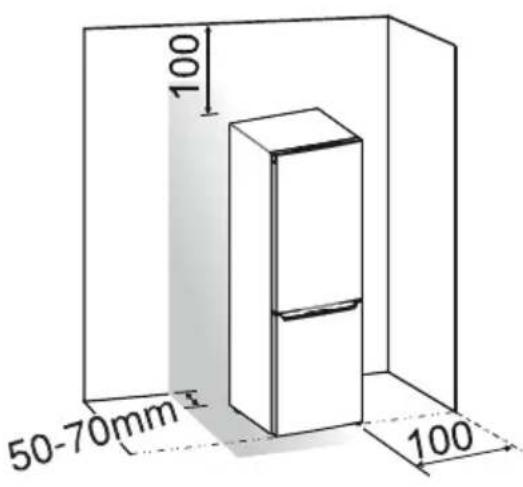
- To ensure your appliance is operating correctly, make sure that air can circulate freely around the appliance (see the illustrations below).
- The empty space above the refrigerator should be more than 100 mm, and the refrigerator should be placed against a wall with a clearance of 50-70 mm to facilitate heat dissipation.
• Furthermore, leave enough space for the door to open properly. - If your appliance will be installed next to another refrigerator or freezer, make sure that the two appliances do not touch, to prevent condensation from forming on the outside.
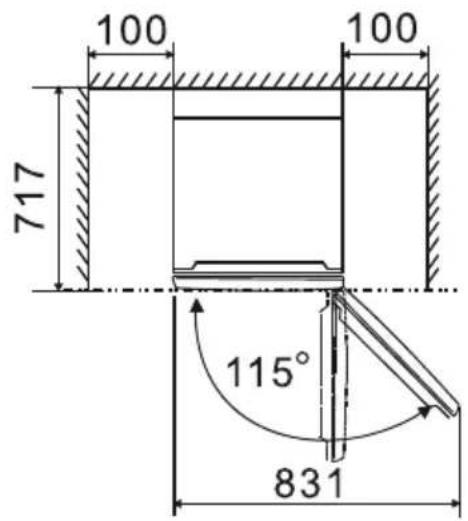
Levelling
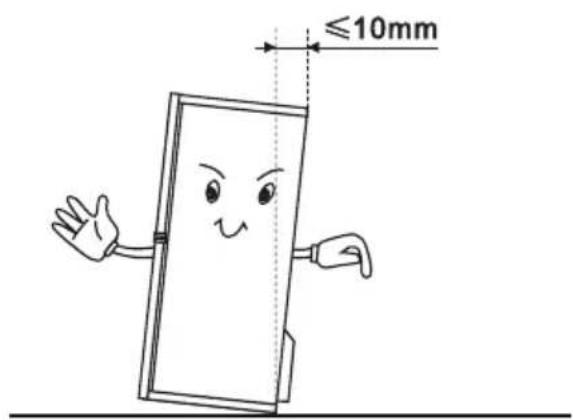
For vibration-free operation, the appliance must be levelled. To do this, adjust the adjustable front feet to properly balance the appliance.
To let the doors close automatically, tilt the top backwards approximately 10 mm.
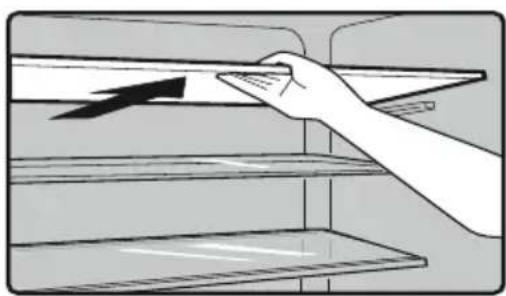
Removable shelves
The refrigerator walls are equipped with a series of runners, allowing you to position the shelves according to your needs.
The shelves can be removed to make cleaning easier.
natural_image
Illustration of a hand placing a tray with an arrow on the shelf (no text or symbols)Door trays
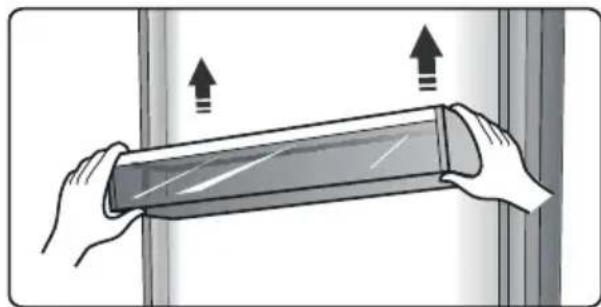
The door trays can be removed to clean them.
To remove a door tray, gradually lift it up until it comes free. Once cleaned, reposition it by doing the opposite.
natural_image
Illustration of hands holding a flexible electronic device with upward arrows indicating motion (no text or symbols)The cooling zone
This zone is used for the short-term storage of fish, meat and other perishable foodstuffs. Its temperature will be approximately 2^ C lower than the rest of the refrigerator.
You can slide the control panel to adjust the temperature.
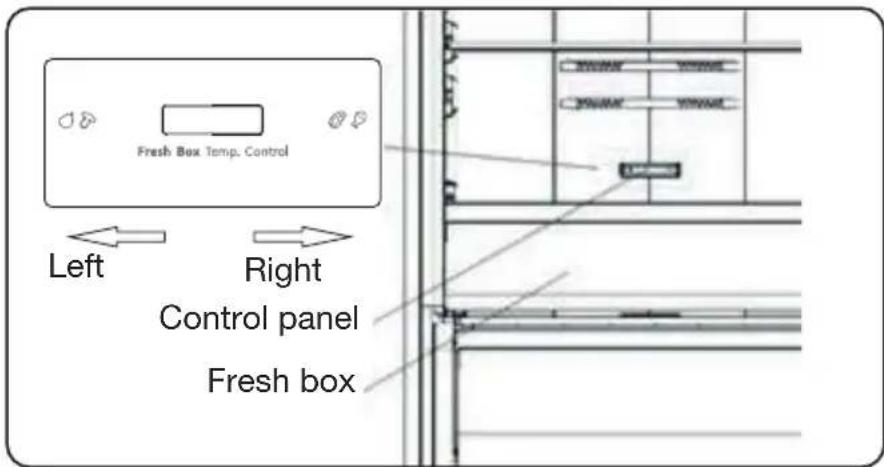
Some recommendations can be found in the table below:
| Refrigerator temperature | Control panel Food Storage period | |
| 2°C To the right Fish and meat < 3 days | ||
| 5°C To the right Fruit < 2 weeks | ||
| 8°C To the right Vegetables < 5 days | ||
Please note: As both the room temperature and set temperature influence the Fresh box temperature, the actual temperature may vary slightly.
The temperature in this drawer may drop below 0^ , so it is normal for any liquid stored in this drawer to freeze.
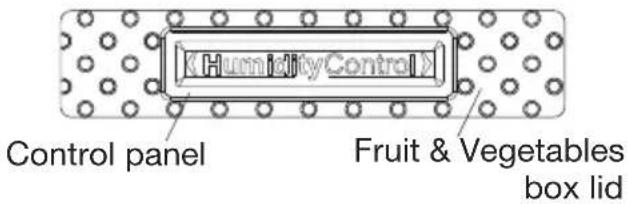
The Fruit & Vegetables box lid
It is used to control the temperature of the crisper drawer and prevent vegetables from losing moisture.
You can adjust the slide bar on the crisper lid to maintain a different humidity level in the crisper drawer. Push the slide bar to the left: this will maintain a higher humidity level, in turn keeping fruits and vegetables fresher for longer. The humidity level will be lower on the right-hand side.
Ice cube tray
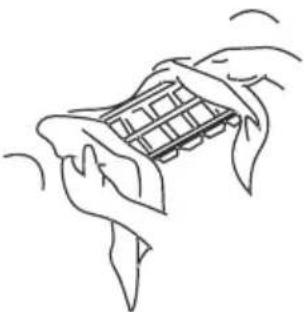
It is used to make ice cubes. To make ice cubes, please fill the ice cube tray with water. The water level should not exceed the top line (ideally 80% of the ice cube tray's volume). Put the tray in the freezer drawer and wait at least two hours for ice cubes to form. When the ice cubes have formed, gently twist the tray to dislodge them.
natural_image
Line drawing of two hands holding a small electronic device (no text or symbols visible)Bottle rack
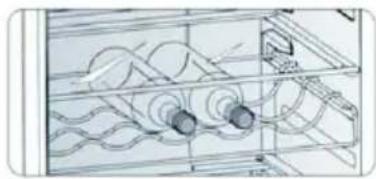
It allows you to horizontally store bottles of wine, water or fruit juice. It can easily be removed for cleaning purposes.
natural_image
Technical line drawing of a mechanical assembly with rollers and housing (no text or symbols)Use
Getting started
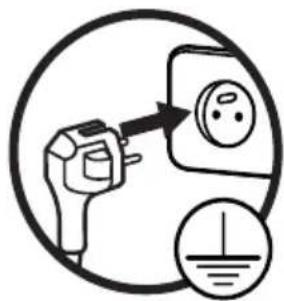
Before plugging the appliance into the mains socket for the first time, please let it stand for two hours, to allow the refrigerant gas to drain back into the compressor. Failure to do so could damage the compressor.
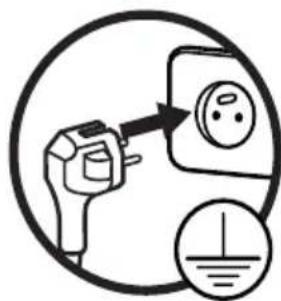
- Plug the appliance into an easily accessible earthed mains socket.
- When the door is opened, the refrigerator compartment's internal lighting will turn on.
Adjusting the temperature
To best preserve your food, we recommend setting the refrigerator temperature to 4^ and the freezer temperature to -18^ when you first turn on your appliance. If you'd like to change the temperature, follow the instructions below.
Please note: Food will spoil more quickly when set at a higher temperature.

CAUTION!
When you set a temperature, you are setting an average temperature for the entire refrigerator. The temperatures in each compartment may differ from those displayed on the panel, depending on the quantity of food stored and where it has been stored. The room temperature can also affect the actual temperature inside the appliance.
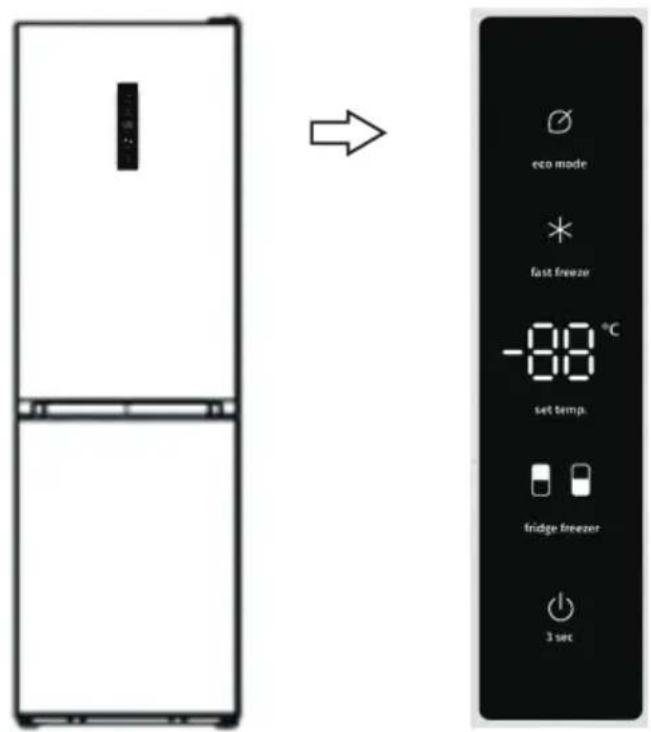
1. ON/OFF

You can turn your appliance on or off by pressing this button.
Press and hold the button for 3 seconds. A beep will sound. The display screen will then indicate "OF" and the appliance will be turned off.
Press and hold the ⏻ button for 3 seconds. A beep will sound. Then the display screen will turn on.
2. Fridge

Press the "Refrigerator" button. The indicator light will turn on. Then, press the "Set temp." button. You can adjust the temperature between 2 and 8^ to your liking; the display panel will indicate the corresponding values in the following sequence.

chemical
Temperature gradient notation for carbon chain reaction3. Freezer

Press the "Freezer" button. The indicator light will light up. Then, press the "Set temp." button. You can adjust the temperature between -14 and -24^ to your liking; the display panel will indicate the corresponding values in the following sequence.

chemical
Temperature scale diagram showing Celsius values from -24°C to -18°C4. Express Freeze

The “Express Freeze” mode quickly lowers the temperature in the freezer, in order to freeze food at a faster rate. This function preserves the vitamins and nutrients found in fresh food, ensuring a longer life.
- When the “Express Freeze” mode is selected, the freezer temperature is set to -24°C.
• Freezing the maximum amount of food possible can take around 24 hours. - The “Express Freeze” mode will automatically switch off after 52 hours. The freezer temperature will then return to the previous setting.
5. Energy Saving

This function enables the freezer's energy-saving mode, helping reduce your power consumption when you are away from home.
- When the "Energy Saving" mode is activated, the indicator light will turn on. The freezer temperature is set to -17^ and the refrigerator temperature, 6^ .
6. Door alarm
When the refrigerator door is left open for more than 2 minutes, the door alarm will sound. A beep will sound 3 times a minute and will automatically stop after 8 minutes. To save energy, avoid leaving the door open for long periods of time when using the appliance. You can also stop the alarm by closing the door.
Coldest area of the refrigerator compartment
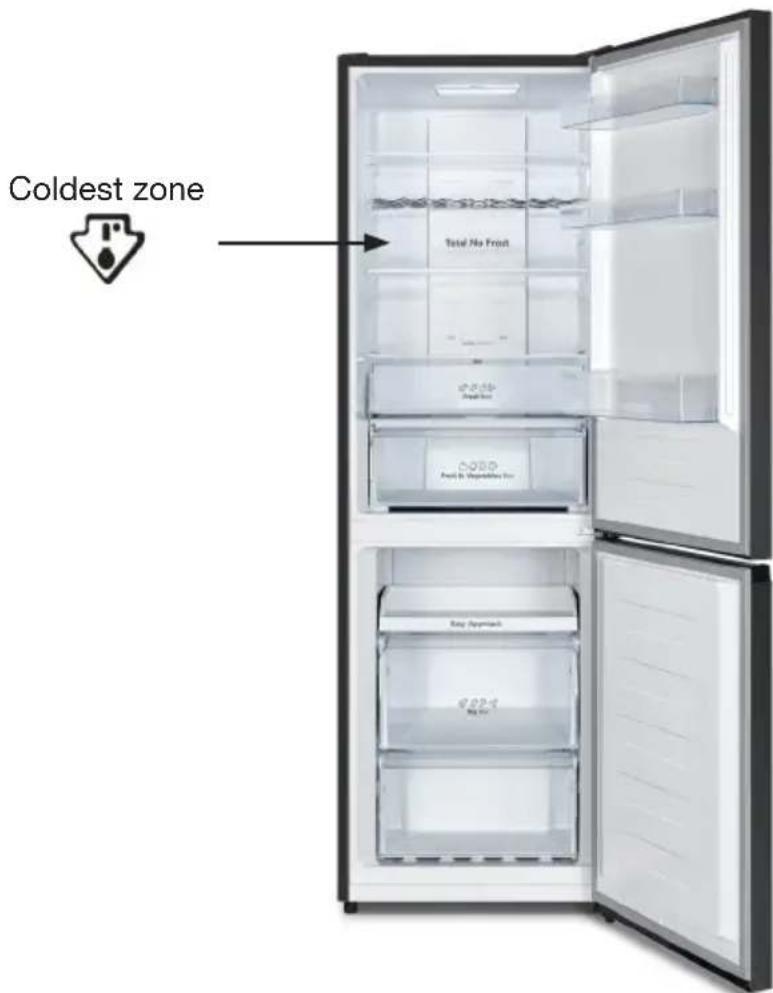
- The symbol indicates the location of the coldest area of your refrigerator, where the temperature is less than or equal to 4°C. It is located at the bottom of the refrigerator compartment, as shown in the diagram found in the "Food storage tips" section.
- As the shelves are removable, always ensure that the shelf pertaining to the cold zone is positioned at sticker level, to guarantee the temperature in this zone.
Temperature indicator

Incorrect setting
To correctly preserve food in your refrigerator, especially in the coldest zone, ensure that "OK" appears on the temperature indicator.

Correct setting
If "OK" does not appear, then the average temperature in the zone is too high. Set the thermostat to a higher setting.
- After each change, wait for the temperature inside the appliance to stabilise before making any further adjustments, if necessary. Only change the temperature in small increments/decrements and wait at least 12 hours before checking again and making further changes.
- After filling the appliance with fresh food or repeatedly opening the door/leaving the door open, it is normal for the "OK" message to not appear on the temperature indicator; wait at least 12 hours before readjusting the temperature.
Food storage advice
Stored food should not touch other food or the walls so that the cold air can flow freely around everything.
| Refrigerator compartment | Food type |
| Door trays | Foods with natural preservatives such as jams, juices, drinks and condiments.Do not store perishable foods here. |
| Vegetable drawer | Fruits, herbs and vegetables should be placed separately in this box.Bananas, potatoes, onions and garlic should not be stored in the refrigerator. |
| Lower shelfMeat drawer | Raw meat, poultry and fish (for short-term storage) |
| Middle shelf Dairy products and eggs | |
| Upper shelf | Food that does not require cooking, such as ready meals, cold cuts and leftovers. |
| Freezer tray(s)/shelf(ves) | Foods to store for a long period of timeLower drawer for raw meat, poultry and fish.Middle drawer for frozen vegetables and fries.Top drawer for ice, frozen fruit and frozen meals. |
- Only store fresh, pre-cleaned food in suitable food packaging or containers. Washed meat and fish should be wrapped in plastic or cling film, and preferably consumed within two days.
- Fruits and vegetables can be stored directly in the vegetable drawer. They do not need to be wrapped separately.
• To allow for proper air circulation, never cover the shelves with paper or plastic sheets.
| Food Duration | |
| Eggs, marinades and smoked meat Up to 10 days | |
| Cheese Up to 10 days | |
| Root vegetables Up to 8 days | |
| Fresh butter Up to 7 days | |
| Desserts, fruit, ready meals and fresh minced meat Up to 2 days | |
| Fish, fresh minced meat and seafood 1 day |
Energy saving tips
We recommend the following tips to help save energy:
- Limit the number of times you open the doors and do not leave them open for too long to prevent the temperature from rising.
- Make sure the appliance is not situated near any heat sources (direct sunlight, electric heaters, hobs, etc.).
- Do not set the temperature cooler than necessary.
- Do not store hot food or liquids that evaporate in the appliance. Allow hot food and drink to cool to room temperature before putting them in the appliance.
• In the event of a power cut, do not open the appliance doors.
• Install the appliance in a well-ventilated, moisture-free room. Please refer to the chapter regarding installing the appliance. - Follow the recommendations provided in the diagram which indicates the correct positions for the shelves and other compartments within the appliance. These are the best positions for energy-saving purposes.
Making ice cubes
- To make ice cubes, fill the ice cube tray three quarters-full with cold water and then place it in the freezer compartment for more than 2 hours. To remove the ice cubes, gently twist the tray or place it under running tap water for a few seconds.
- To reduce the time it takes to make ice cubes, you can select the “Fast Freeze” express freezing mode.
Storing Frozen Food in the Freezer compartment
- Your appliance bears the “4-star” standard mark, like you can store frozen food, freeze fresh produce and make ice cubes.
- When using the appliance for the first time, we recommend waiting 2 hours before placing fresh produce in the freezer compartment. If the appliance is already in operation, this delay is not necessary.
- Do not put hot food in the freezer until it has cooled down; this may cause any previously frozen food to spoil.
- Place fresh food to be frozen in the top drawer and use the 2 lower drawers to store pre-frozen products. Do not mix pre-frozen products with fresh products.
- When freezing food (meat, minced meat, fish, etc.), remember to divide it into portions so you don't have to use it all in one go. Leave a space of at least 3 cm between the food to be frozen and the top wall inside the drawers. Use airtight, leak-proof packaging that is easy to open and close when freezing food (freezer bags, storage containers, etc.) Do not refreeze food that has thawed. This poses health risks, such as food poisoning.
- When buying frozen food, make sure that it has been frozen properly and the packaging is not torn.
- When storing frozen food, follow the storage instructions indicated on the packaging. If there are no instructions, the food should be consumed as soon as possible.
- Food should be transported in appropriate packaging to maintain its quality and returned to the freezer as soon as possible. If the frozen food packaging is damp and smells bad, the food may have been previously stored in unsuitable conditions. Do not store this food!
-
The shelf life of frozen food varies depending on the room temperature, repeated opening and closing of the door, temperature setting, type of food, and the time that elapsed between when the food was purchased and when it was placed in the freezer. Always follow the instructions on the packaging and never exceed the expiration date.
-
WARNING: Bottles and cans should not be placed in the freezer compartment. They can burst when the contents freeze and carbonated drinks can even explode! Never store lemonades, juices, beers, sparkling wines, etc., in the freezer compartment.
- WARNING: Do not put ice cream or ice cubes in your mouth immediately after removing them from the freezer compartment. Very cold ice can burn your lips or tongue and cause injury.
- WARNING: Do not touch frozen food with wet hands. The frost could cause your hands to stick to the food.
- WARNING: Do not use electrical appliances in the refrigerator and/or freezer (e.g. electric ice cream makers, blenders, etc.).
Food Storage period
| Fruit and beef From 10 to 12 months | |
| Vegetables, veal and poultry From 8 to 10 months | |
| Game From 6 to 8 months | |
| Pork From 4 to 6 months | |
| Minced or chopped meat 4 months | |
| Bread, cakes, ready meals and lean fish 3 months | |
| Tripe 2 months | |
| Smoked sausages and oily fish 1 month |
IMPORTANT: Do not place oils or oily dishes in the refrigerator in unsealed containers, as grease can damage the refrigerator's plastic surfaces. If you accidentally spill or splash oil on the plastic surfaces, immediately wipe and clean the soiled parts with warm water.
Cleaning and maintenance
Cleaning
Unplug the appliance before cleaning it.
We recommend cleaning and disinfecting your appliance on a regular basis.
- Remove frozen and fresh food from the appliance. Wrap frozen food in several layers of newspaper, cover it and store in a cool place.
- Clean the refrigerator and freezer compartments with a sponge soaked in a solution of white vinegar and warm water.
- Use a soft sponge to clean the accessories with warm soapy water.
- Once cleaned, rinse with clean water and dry thoroughly.
- At least once a year, remove any dust that has accumulated at the back of the appliance. Use a soft brush, electrostatic cloth or vacuum cleaner for this.
- When everything is clean and dry, the appliance can be turned back on.
Never use abrasive products, caustic products or sponges with scouring pads to clean the interior or exterior of your appliance.
• Take care not to get water inside the light housing and other electrical components.
- Regularly inspect the door seals to ensure they are clean and free of food particles. Door seals must be kept clean at all times. Clean them with hot water and dry them well.
- Do not clean the glass shelves with hot water when they are cold. The glass could break due to the sudden change in temperature and cause either personal injury or property damage.
Clean it and leave the doors open to prevent mould and bad odours from forming.
Defrosting
The freezer compartment defrosts automatically.
In the event of a power cut
- If the power isn't out for very long, there is no risk of the food spoiling. However, do not open the doors. This time may shorten significantly, depending on how full the appliance is.
- When the appliance is switched back on, the refrigerator and freezer compartments will continue operating with the same settings used before the power cut.
- If the power cut is likely to be lengthy, transfer the frozen and frozen products to another freezer.
- As soon as you notice the food starting to defrost, consume it as quickly as possible.
- Caution! Thawed food should not be refrozen.
- To prevent damaging the appliance in the event of sudden power outages and restorations, the appliance will not start immediately if the power outage lasted less than 5 minutes.
Interior lighting
Your appliance is fitted with LED lighting. This type of lighting is designed to last longer than a conventional light bulb. Contact your retailer's after-sales service if there is a fault with the lighting.
This product contains a class ‘F’ light source, as far as energy efficiency is concerned.
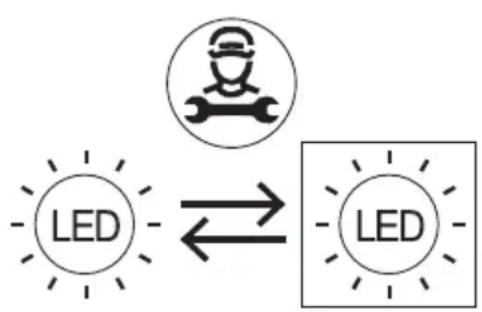
This product's light source can only be replaced by qualified engineers.
flowchart
graph LR
    A["LED"] --> B["Worker Icon"]
    B --> C["LED"]
Troubleshooting guide
Resolving a malfunction
A malfunction may be due to a minor issue that you can resolve yourself by following the instructions below. Before calling a technician, please check the following:
1) Your refrigerator is not working:
Check that:
- It is plugged in.
- The socket is suitable and in a good condition. To do this, plug another appliance into the same socket.
- That the fuse has not blown or is faulty.
2) Your refrigerator is not working optimally:
Check that:
• You have not overfilled it.
- That the doors are closed properly and have not been left open for too long.
- You have not placed hot food in the appliance.
- The appliance has not been installed next to a heat source.
- There is enough space at the back and sides of the appliance.
3) Your appliance is noisy:
The cooling gas circulating in the refrigeration circuit can sometimes make a slight noise, even when the compressor is not running. Don't worry, this is completely normal. If you hear a different sound, check that:
• The appliance is level.
• Nothing is touching the back.
- The contents of the appliance are not vibrating.
If these points do not help resolve your specific problem, do not attempt to repair the appliance yourself; contact your retailer's after-sales service.
Refrigerator repairs should only be performed by qualified service technicians. Improperly performed repairs can pose a risk to users and are not covered by the warranty.
Operation-related sounds
The following noises are normal and to be expected when the appliance is on:
• Cracking (ice cracking):
This noise is heard during the automatic defrosting process.
You can also hear it when the refrigerator is cooling or heating up (due to the appliance materials expanding).
- Clanging:
This noise is heard when the compressor starts or stops.
- Compressor noise:
This is the normal sound of the motor. This noise indicates that the compressor is operating normally. When the compressor starts, the noise may increase slightly for a short period of time.
• Bubbling and gurgling noise:
This noise is heard when the refrigerant flows through the coils inside the system.
- Dripping water:
This is the normal sound of water flowing into the evaporation tray during the defrosting process. This sound can be heard whilst the appliance is defrosting.
In the event of prolonged absence or non-use
If you will not be using the appliance for a long period of time, empty its contents and unplug it.
Reversing the door's opening direction
The procedure used to change the opening direction of the refrigerator door can be consulted here:
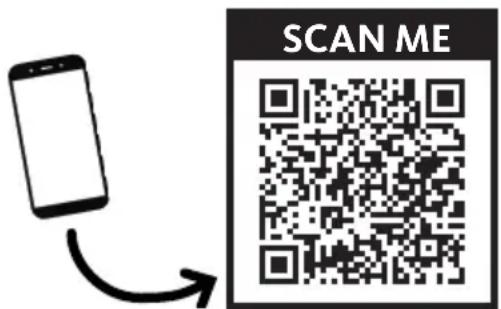
https://boulanger.scene7.com/is/content/Boulanger/3497674190798_n_0

INFORMATION
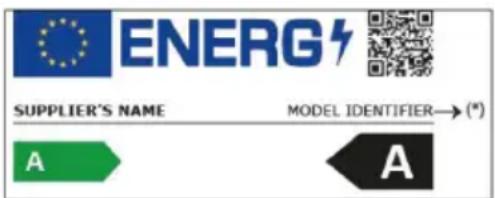
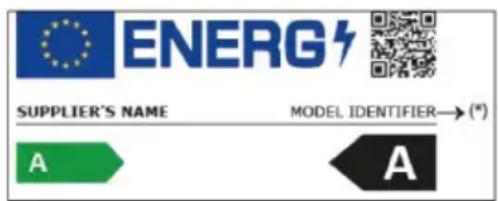
- You can find the model information as registered in the product database on the following website by searching for the model ID(*) indicated on the energy label. https://eprel.ec.europa.eu/
The availability period for your appliance's spare parts is 10 years.
Internet link to the manufacturer's website where the information referred to in point 4(a) of the Annex to Commission Regulation (EU) 2019/2019 can be found:
https://www.boulanger.com/info/assistance/
Auspacken
natural_image
Illustration of a hand placing a tray with an arrow on the shelf (no text or symbols)Türablagen
natural_image
Illustration of hands holding a transparent cylindrical object with upward arrows indicating motion or force (no text or symbols)natural_image
Line drawing of two hands holding a small grid device (no text or symbols)Die Flaschenablage
natural_image
Technical line drawing of a mechanical assembly with rollers and housing (no text or symbols)Einschalten
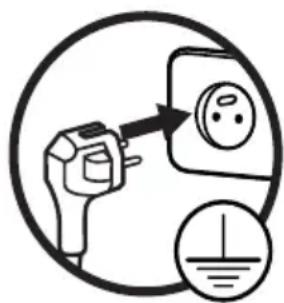
1. Ein/Aus
chemical
Temperature range diagram for a substance with labeled degrees Celsius3. Gefrierschrank
chemical
Temperature scale diagram showing Celsius values from -24°C to -18°Cflowchart
graph LR
    A["LED"] --> B["Worker Icon"]
    B --> C["LED"]
https://boulanger.scene7.com/is/content/Boulanger/3497674190798_n_0

INFORMATIONEN
natural_image
Illustration of a hand placing a tray with an arrow on the shelf (no text or symbols)Deurvakken
natural_image
Illustration of hands holding a transparent cylindrical object with upward arrows indicating motion or force (no text or symbols)Vershoudzone ('cooling zone')
natural_image
Line drawing of two hands holding a small grid device (no text or symbols)Flessenrek
natural_image
Technical line drawing of a mechanical assembly with coiled components and housing (no text or symbols)Gebruik
Ingebruikname

1. In-/uitschakelen

chemical
Temperature range diagram for a substance with labeled degrees Celsius3. Vriezer

chemical
Temperature scale diagram showing Celsius values from -24°C to -18°C4. Snel invriezen

flowchart
graph TD
    A["LED"] --> B["Worker Icon"]
    B --> C["LED"]
    style A fill:#f9f,stroke:#333
    style C fill:#bbf,stroke:#333
natural_image
Simple line drawing of a smartphone with an arrow indicating direction (no text or symbols)
https://boulanger.scene7.com/is/content/Boulanger/3497674190798_n_0

INFORMATIE

All information, designs, drawings and pictures in this document are the property of SOURCING & CREATION. SOURCING & CREATION reserves all rights to its brands, designs and information. Any copy and reproduction through any means shall be deemed and considered as counterfeiting.
Protection of the environment
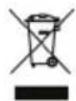
This symbol attached to the product means that it is an appliance whose disposal is subject to the directive on waste from electrical and electronic equipment (WEEE). This appliance may not in any way be treated as household waste and must be subject to a specific type of removal for this type of waste. Recycling and
recovery systems are available in your area (waste removal) and by distributors. By taking your appliance at its end of life to a recycling facility, you will contribute to environmental conservation and prevent any harm to your health.
Umweltschutz
\* Tested in our laboratories
Warranty valid from the date of purchase (receipt as proof of purchase). This warranty does not cover defects or damage caused by improper set up, incorrect use, or normal wear and tear of this product.
\* In unseren Labors getestet
SERVICE RELATION CLIENTS / Customer Relations Department / Kundenservice / Klantenafdeling
Avenue de la Motte CS 80137 59811 Lesquin cedex
FABRIQUÉ EN R.P.C. / Made in China / Hergestellt in VR China / Gefabriceerd in VRC.
SOURCING & CREATION Avenue de la Motte 59810 Lesquin - FRANCE contact@sc-ub.com