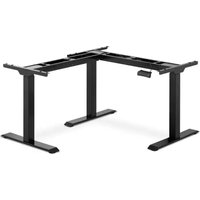
STAR_ATFE_13 - Office Fromm & Starck - Free user manual and instructions
Find the device manual for free STAR_ATFE_13 Fromm & Starck in PDF.


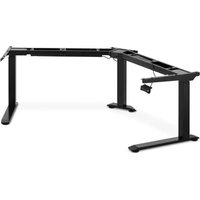
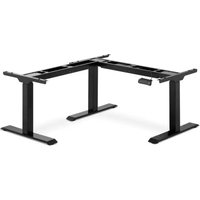
| Product type | Electric sit-stand corner desk frame |
| Model | STAR_ATFE_13 |
| Brand | Fromm & Starck |
| Supply voltage | 230 V~ / 50 Hz |
| Nominal power | 450 W |
| Electrical insulation class | II |
| Dimensions (L × D × H) | Left side: 902 × 680 × 692 mm; Right side: 1103 × 680 × 692 mm |
| Weight | 44.95 kg |
| Number of feet | 3 |
| Maximum load capacity | 150 kg |
| Height adjustment range | 692 – 1184 mm |
| Width adjustment range | Left side: 902 – 1500 mm; Right side: 1103 – 1900 mm |
| Maximum stroke | 492 mm |
| Duty cycle | On 2 min / off 18 min |
| Maximum adjustment speed | 27 mm/s |
| Control panel functions | Height adjustment (▲/▼), 3 height memories (1,2,3), memory (M), anti-sedentary reminder alarm (A), anti-collision |
| Included accessories | M6 screws (variable quantities), Allen key 4×4 mm, cable channels |
| Care and cleaning | Soft damp cloth, no caustic products |
| Safety | Double insulation (class II), anti-collision function, stop on obstacle, do not sit on the desk surface |
Frequently Asked Questions - STAR_ATFE_13 Fromm & Starck
User questions about STAR_ATFE_13 Fromm & Starck
0 question about this device. Answer the ones you know or ask your own.
Ask a new question about this device
Download the instructions for your Office in PDF format for free! Find your manual STAR_ATFE_13 - Fromm & Starck and take your electronic device back in hand. On this page are published all the documents necessary for the use of your device. STAR_ATFE_13 by Fromm & Starck.
USER MANUAL STAR_ATFE_13 Fromm & Starck
Teileliste
LD - LED-Display
*NOTE: After every 2 minutes of continuous motor operation, allow the unit to cool down and remain idle for at least 18 minutes.
1. General Description
The instruction manual is intended to assist in safe and reliable use. The product is designed and manufactured strictly according to technical specifications using the latest technology and components and maintaining the highest quality standards.
PLEASE CAREFULLY READ AND UNDERSTAND THIS INSTRUCTION MANUAL BEFORE OPERATION,
To ensure long and reliable operation of the unit, make sure to operate and maintain it properly in accordance with the guidelines in this instruction manual. The technical data and specifications contained in this instruction manual are up to date. The manufacturer reserves the right to make changes in order to improve the quality.
Taking the technical progress and the possibility of reducing noise into account, the unit is designed and built in such a way so that risks resulting from noise emissions are reduced to the lowest possible level.
Explanation of symbols
| CE | The product complies with applicable safety standards. |
 | Please read the instructions before use. |
 | Recyclable product. |
 | CAUTION! or WARNING! or REMINDER! describing a situation.(general warning sign). |
 | CAUTION! Warning of electric shock! |
 | Safety class II equipment with double insulation. |
 | For indoor use only. |

CAUTION! The illustrations in this instruction manual are for reference only and may differ from the actual product in some details.
The original instruction manual is in the German language version. Other language versions are translations from German.
2. Safety of use

CAUTION! Read all safety warnings and all instructions. Failure to follow warnings and instructions could result in serious injury or even death.
The term "unit" or "product" in the warnings and in the description of the instructions refers to the CORNER ELECTRIC SIT STAND DESK FRAME
2.1. Electrical safety
a) The plug of this unit must fit into the outlet. Do not modify the plug in any way. Original plugs and matching outlets reduce the risk of electric shock.
b) Do not touch the unit with wet or damp hands.
c) Do not use the cord in an unintended manner. Never use it to carry the unit or to pull the plug out of the socket. Keep the cord away from heat sources, oil, sharp edges or moving parts. Damaged or tangled cords increase the risk of electric shock.
d) If you cannot avoid using the unit in a wet environment, use a residual current unit (RCD). Using an RCD reduces the risk of electric shock.
e) Do not use the unit if the power cord is damaged or shows signs of wear. A damaged power cord should be replaced by a qualified electrician or the manufacturer's service department.
f) To avoid electric shock, do not immerse the cable, plug, or unit itself in water or other liquid. Do not use the unit on wet surfaces.
2.2. Safety in the workplace
a) Keep the work area tidy and well lit. Disorder or poor lighting can lead to accidents. Be foresighted, watch what you are doing and use common sense when using the unit.
b) If you find any damage or irregularities in the operation of the unit, immediately turn it off and report it to an authorized person.
c) If you have any doubts as to whether the product is working properly or if it is damaged, contact the manufacturer's service department.
d) Only the manufacturer's service department can repair the unit. Do not carry out repairs yourself!
e) In case of open flames or fire, use only dry powder or snow (CO2) fire extinguishers to extinguish the live equipment.
f) Keep these instructions for use for future reference. If the unit is to be passed on to a third party, the operating instructions must also be handed over together with the unit.
g) Keep the packaging and small assembly parts out of the reach of children.
h) When using this unit together with other units, also follow the other instructions for use.
2.3. Personal safety
a) The unit is not intended to be used by persons (including children) with reduced mental, sensory or intellectual functions or persons who lack experience and/or knowledge unless they are supervised or have been instructed by a person responsible for their safety on how to operate the unit.
b) The unit may be operated by persons who are physically fit, capable of operating it and appropriately trained, and who have read this instruction manual and have been trained in occupational safety and health.
c) The unit is not a toy. Children should be watched to ensure that they do not play with the unit.
2.4. Safe use of the unit
a) Do not overload the unit. Use tools that are suitable for the application. A correctly selected unit will do a better and safer job for which it was designed.
b) Do not use the unit if the ON/OFF switch does not function properly (does not turn on and off). Units that cannot be controlled by the switch are unsafe, cannot operate, and must be repaired.
c) Unplug the unit before making adjustments, changing accessories, or putting it away. This precaution reduces the risk of accidental start-up.
d) Keep unused equipment out of the reach of children and out of the reach of anyone unfamiliar with the unit or this instruction manual. These units are dangerous in the hands of inexperienced users.
e) Keep the unit in good working condition. Check before each use for general damage or damage to moving parts (cracks in parts and components or any other condition that may affect the safe operation of the unit). If damaged, have the unit repaired before use.
f) Keep the unit out of the reach of children.
g) Repairs and maintenance should be carried out by qualified personnel using only original spare parts. This will ensure the safety of use.
h) To ensure the designed operational integrity of the unit, do not remove factory-installed covers or loosen screws.
i) When transporting or moving the unit from storage to the place of use, observe the health and safety rules for manual handling applicable in the country where the unit is used.
j) Avoid situations in which the machine stops under heavy loads during operation. This can cause overheating of the drive elements and consequent damage to the equipment.
k) Do not touch any moving parts or accessories unless the unit is unplugged.
I) Do not move, shift, or rotate the machine while in operation.
m) Clean the unit regularly to prevent permanent dirt build-up.
n) The unit is not a toy. Cleaning and maintenance must not be performed by children without adult supervision.
o) Do not tamper with the unit to alter its performance or design.
p) Keep the unit away from sources of fire and heat.
q) Do not overload the unit.
r) Exceeding the maximum allowable load may result in damage to the product.
s) Inappropriate use of the product, such as sitting on the work top, may result in product damage and/or personal injury.
t) Sitting on the desk top is prohibited to prevent serious injury.
u) Do not move or lie under the desk structure during adjustment. Do not sit or stand on the desk frame. Use extreme caution when making adjustments.
v) Check regularly whether the adjustment mechanism of the desk is working properly and remove any obstacles which may block the smooth adjustment of the desk.
w) Make sure that cables, connections and plugs do not interfere with the use of the product.
x) When adjusting the height of the desk, make sure that the lead wires are of sufficient length. The cables and connections that are too short may hinder height adjustment or damage other equipment.

CAUTION! Although the product has been designed to be safe, with adequate safeguards, and despite the additional safety features provided to the user, there is still a slight risk of accident or injury when handling the unit. You are advised to use caution and common sense when using this product.
3. Rules of use
The product is designed to support and adjust the height of the desk top.
The user is responsible for any damage resulting from misuse.
3.1. Description
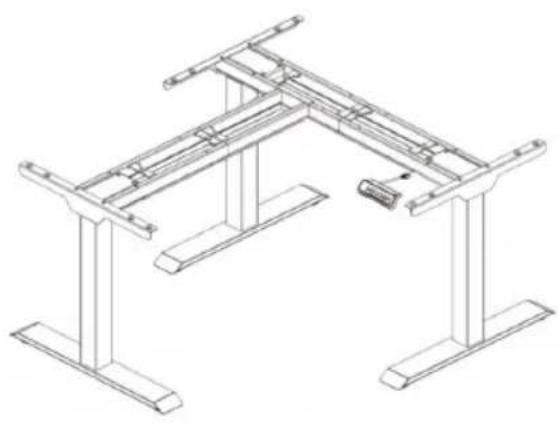
natural_image
Technical line drawing of a structural frame with supports and a small component (no text or symbols)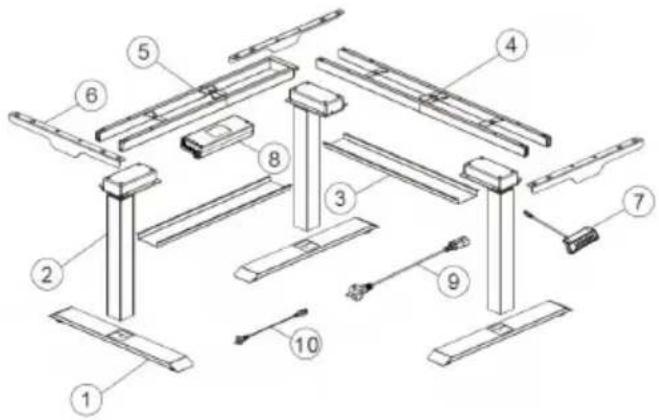
Part list
| No. | Picture 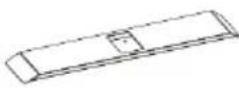 | Name | Number | |
| 1 | Foot | 3 | ||
| 2 | 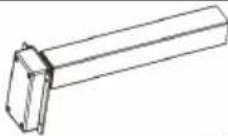 | Lifting column | 3 | |
| 3 | 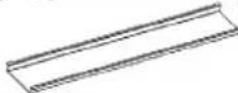 | Cable tray | 2 | |
| 4 | 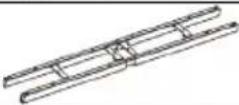 | Cross beam | 1 | |
| 5 | 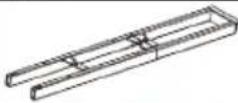 | Supporting beam | 1 | |
| 6 | 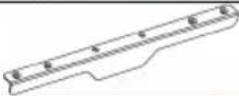 | Side bracket | 3 | |
| 7 | 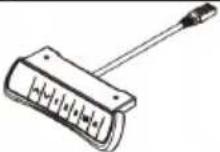 | Control panel | 1 | |
| 8 | 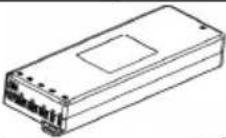 | Control box | 1 | |
| 9 | 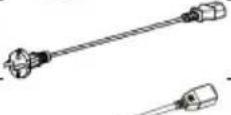 | Power cord | 1 | |
| 10 | 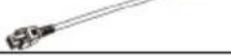 | Signal cable | 1 | |
Accessories list
| No.A | Picture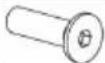 | TypeM6 | Number6 |
| B | 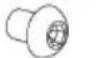 | M6 | 8 |
| C | 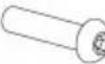 | M6 | 12 |
| D | 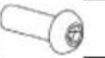 | M6 | 16 |
| E | 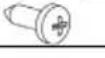 | St4.2 | 24 |
| F | 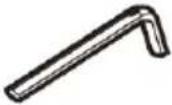 | Allen key 4x4mm | 1 |
3.2. Preparation for operation
POSITIONING OF THE UNIT
The ambient temperature must not exceed 40^ C and ambient humidity should not exceed 85%. Place the unit in a way that ensures good air circulation. Keep the unit away from any hot surfaces. Always operate the unit on a level, stable, clean, fireproof and dry surface.
Place the unit in such a way that the mains plug can be reached at any time. Ensure that the power supply to the unit corresponds to that specified on the identification plate!
ASSEMBLY OF THE UNIT
Adequate space must be prepared and secured before installation. Using a protective mat or pad to prevent scratching the product/floor is recommended.
Step 1
I. Assemble the cross beam (4).
II. Connect the lifting column (2) to the cross beam (4), using the Allen key (F) to tighten the bolts (D).
III. Assemble the supporting beam (5)
IV. Connect the lifting column (2) to the auxiliary beam (5), using the Allen key (F) to tighten the bolts (D).
Step 2
V. Assemble the feet (1).
VI. Connect the feet (1) to the lifting columns (2), using the Allen key (F) to tighten the bolts (C).
Step 3
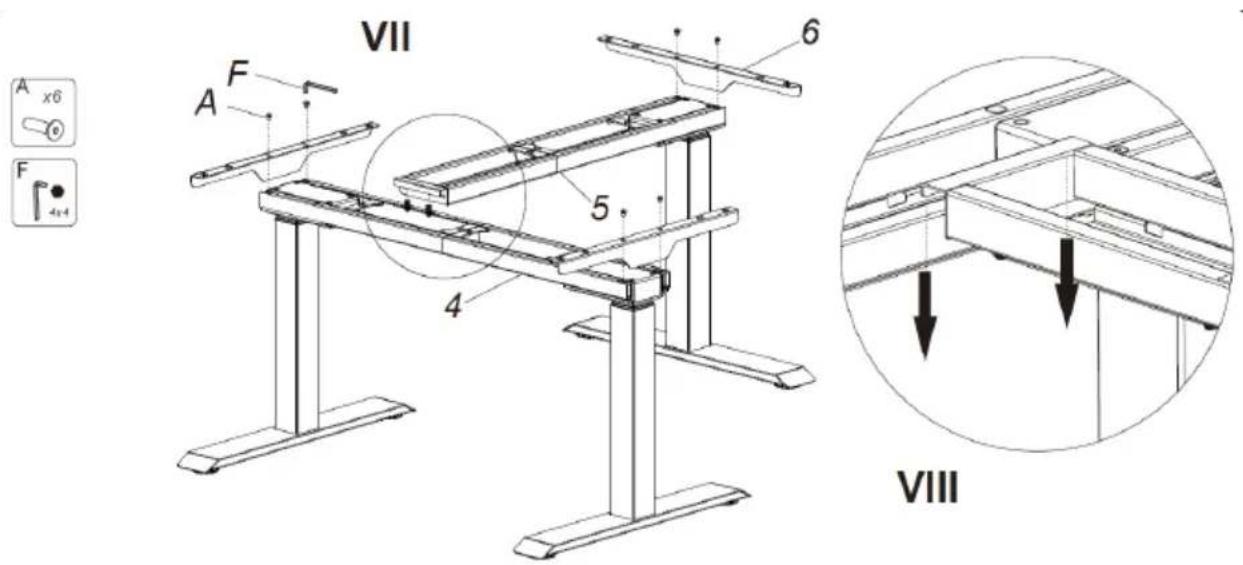
VII. Install the support beam (5) and side brackets (6).
VIII. Attach the support beam (5) to the cross beam (4), and you can choose the specific position depending on your desk top.
Step 4
IX. Connect all cables to the sockets in the control box (8):
- connect the signal cable from the control panel to the socket (G1),
- connect the power cable to the socket (G2),
- connect signal cable from lifting column to socket (G3).
Step 5
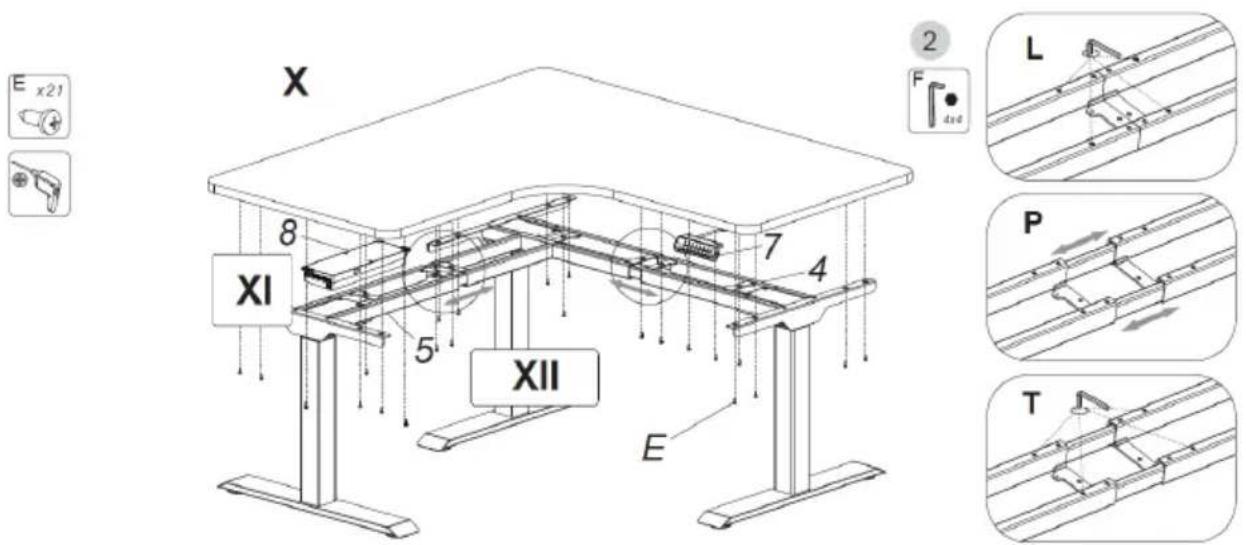
X. Assemble the desk top, control panel (7) and control box (8).
XI. The control box must be attached to the desk top.
XII. If extension of the crossbar is required, perform the following steps:
- loosen (L),
- slide (P),
- tighten (T).
Step 6-A
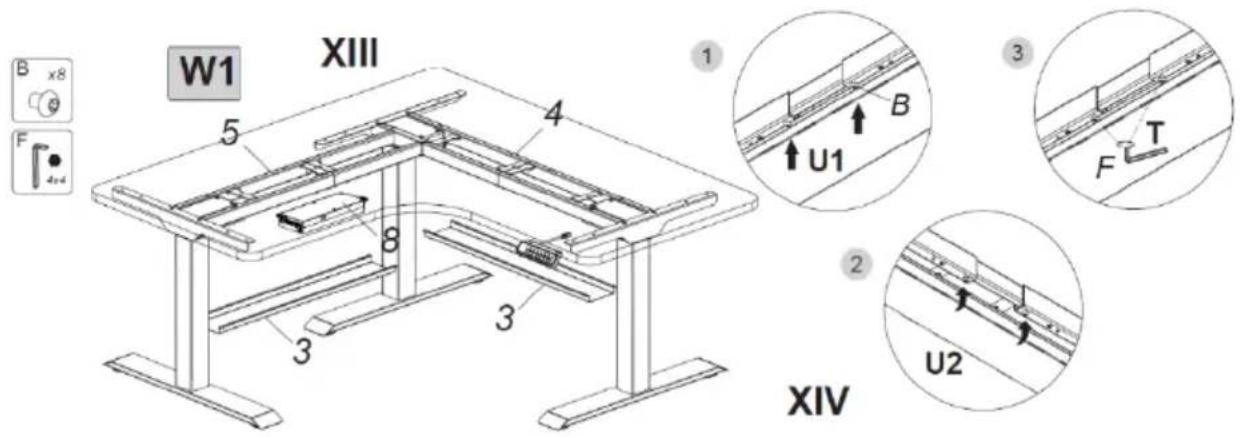
Method 1 (W1)
XIII. Assemble the cable trays (3).
XIV. Proceed in the following 3 steps:
- first screw (U1) the bolts (B) into the crossbar (4) with the wrench (F), without tightening completely,
- Push one side of the cable tray (3) onto bolts (B) and then push (U2) the other side of the cable tray onto bolts (B),
- Finally, tighten (T) the bolts (B) with the Allen key (F).
The cable tray (3) on the support beam (5) is installed in the same way.
Step 6-B
Method 2 (W2)
XV. Assemble the cable trays (3).
XVI. Assembling the cable tray (3) is done in the same way as with method 1 (W1) in step 6-A.
XVII. The cable tray (3) should be mounted in the middle of the beam joint when the frame is extended more than 1720 ~mm .
XVIII. The length of the cross beam should not be longer than the position of the limit hole determines.
3.3. Working with the unit
Height adjustment:
- Connect the plug to the power outlet.
- Adjust the height using the buttons on the control panel.
CONTROL PANEL DESCRIPTION:
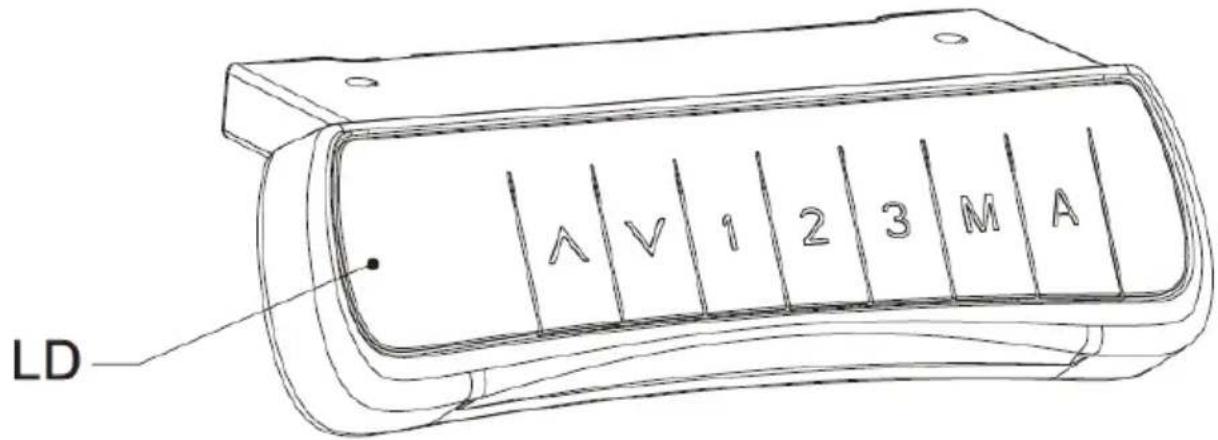
LD - LED display
There are 7 buttons on the control panel as follows:
▲ : up height adjustment button
▼ : height adjustment down button
1 : button for the first height position saved by the user
2 : button for the second height position saved by the user
3 : button for the third height position saved by the user
M : altitude memory function button
A : button to set the alarm that reminds the user to change position
Control panel operation:
• Height adjustment function:
Use the ▲ or ▼ buttons to adjust the height. The LED display shows the current height.
• Height memory function:
a. Press the ▲ or ▼ buttons to obtain the desired height. To store the height in the memory press the M button - S- will appear on the display. Then press the 1, 2 or 3 button which will assign the height to the pressed button and display S-1, S-2 or S-3 respectively.
b. Pressing button 1, 2 or 3 will automatically set the height stored in memory.
- Reminder function:
a. To activate the reminder function press button A - the display will show ON or on.
b. Two seconds later press ▲ or ▼ button to set reminder time only when the display screen is flashing. The default reminder time is 45 minutes, which is displayed as _45. Then press any button to save the time setting, or wait 5 seconds for the system to automatically save the set time. During the countdown, any operation will restart the timer. When the countdown is over, the display will show _00 and the buzzer will sound a 10-second beep.
c. During the 10-second reminder beep, press any button to reactivate the countdown timer that you set (in step b). If no action is performed during the 10-second reminder signal, another reminder signal will be issued after 5
minutes. No action during the second signal will turn off the repositioning reminder function.
d. To turn off the position change reminder function, press and hold button A for three seconds. The LED display will show OFF or oFF.
- Setting the anti-collision sensitivity:
a. To set the anti-collision sensitivity, press and hold the ▲ and ▼ buttons simultaneously for 5 seconds. There are 4 levels available (A-3, A-2, A-1, A-0).
b. Anti-collision sensitivity markings on the display: A-0 - anti-collision sensitivity function is disabled, A-1 - low sensitivity, A-2 - medium sensitivity, A-3 - high sensitivity. The factory default setting is A-3.
c. During height adjustment, when the desk top comes into contact with another object, it will immediately stop and retract to avoid damage.
d. Press and hold the ▲ and ▼ buttons simultaneously for 5 seconds. If the above code does not appear on the display, the anti-collision function is inactive.
- Resetting:
a. When ASf or rSt appears on the LED display, press and hold the ▼ button. The desk will move to the lowest or highest position and then move in the opposite direction until it stops. The number indicating the height will appear on the display, then release the ▼ button. After resetting, you can use the desk normally.
b. When an error code occurs, briefly press the ▼ button to switch to the ASF or rSt state and perform the reset operation (as in a).
c. If the desk still does not work properly after performing the above steps, contact customer service.
3.4. Cleaning and maintenance
a) Pull the mains plug and let the unit cool down completely before cleaning, adjusting or replacing accessories and when the unit is not in use.
b) Use only non-corrosive cleaning agents for cleaning the surfaces.
c) After each cleaning, all the parts should be dried well before the unit is used again.
d) Store the unit in a dry and cool place protected from moisture and direct sunlight.
e) Do not spray the unit with a stream of water or immerse it in water.
f) Perform regular inspections of the unit checking technical fitness and any damages.
g) Use a soft cloth for cleaning.
h) Use a soft, damp cloth for cleaning.
i) Do not use sharp and/or metal objects (e.g. a wire brush or metal spatula) for cleaning, as these may damage the surface of the material from which the unit is made.
DISPOSAL OF USED UNITS.
At the end of its useful life, this product should not be disposed of with normal household waste but should be taken to a collection point for the recycling of electrical and electronic equipment. This is indicated by the symbol on the product, operating instructions or packaging. The materials used in this unit are recyclable according to their marking. You will be making an important contribution to protecting our environment by reusing, recycling or otherwise disposing of used units.
Your local administration will provide you with information about the appropriate disposal point for used units.
TROUBLESHOOTING
| Problem | Possible cause | Action |
| No response when pressing the ▲ or ▼ buttons after connecting the power supply. | No cable connection. | Ensure that all cables are well connected. |
| Low lifting speed or slippage when lowering. | Desk overloaded - maximum load 150 kg. | Ensure that the load on the desk does not exceed 150 kg. |
| Motor does not work as instructed. | Problem with the motor. | Contact your supplier or dealer. |
| Work overload. | Work cycle exceeded: maximum on 2 min / off 18 min. | Restart after 18 min disconnection from the power supply. |
| Insufficient height for raising/lowering. | Change factory settings. | Press and hold the M and 3 buttons simultaneously for at least three seconds until two continuous beeps sound, indicating that the factory settings have been restored. |
Dane techniczne
Lista części
natural_image
Technical line drawing of a structural frame with supports and a small component (no text or symbols)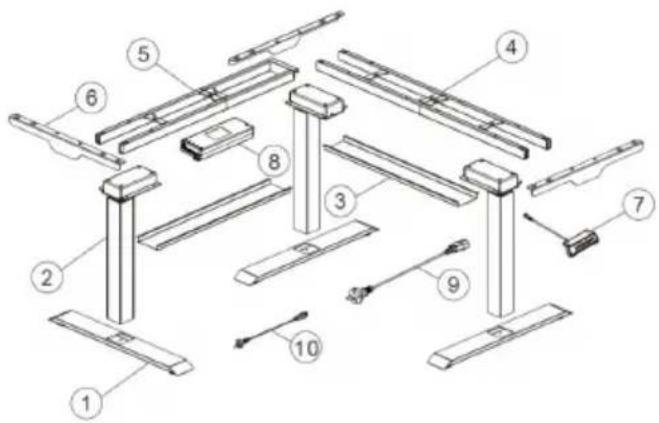
Seznam dílů
LD - LED displej
natural_image
Technical line drawing of a structural frame assembly with supports and a central component (no text or symbols)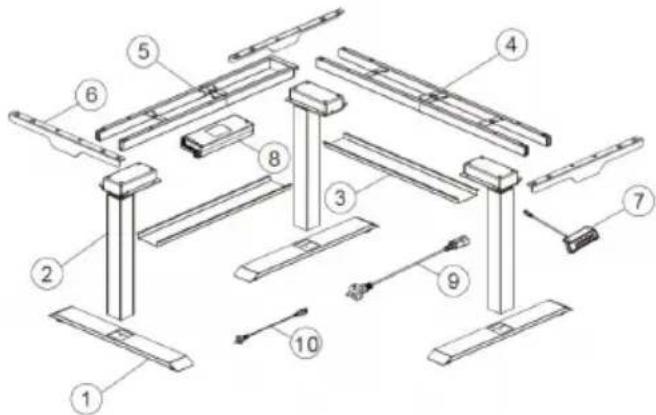
Liste des pièces
natural_image
Technical line drawing of a structural frame assembly with supports and a small device (no text or symbols)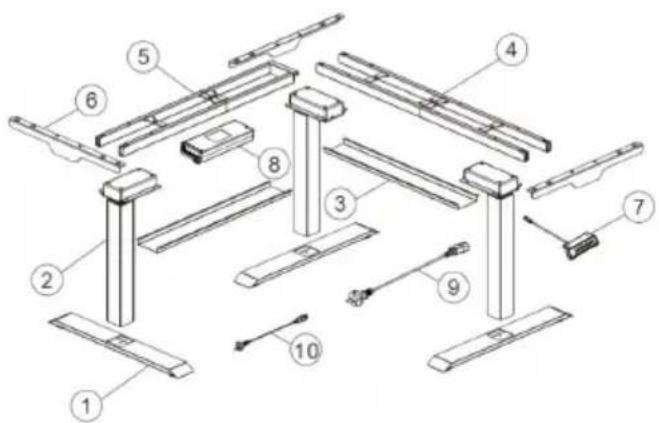
Elenco delle parti
LD - Display a LED
LD-Pantalla LED
natural_image
Technical line drawing of a structural frame with supports and a small device (no text or symbols)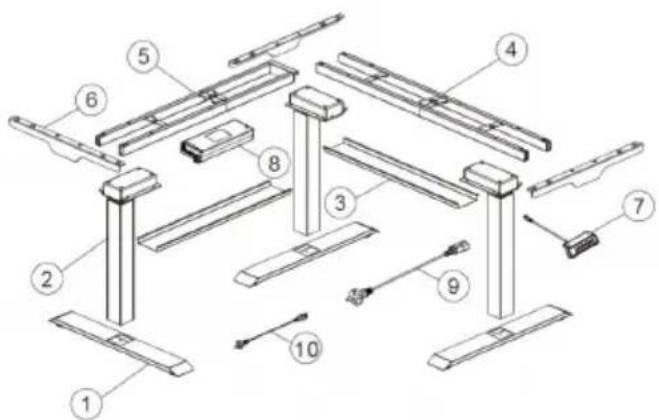
Alkatrészek listája
natural_image
Technical diagram showing two downward arrows pointing to structural beams or supports (no text or symbols present)VIII
LED kijelző
natural_image
Technical line drawing of a structural frame with supports and a small component (no text or symbols)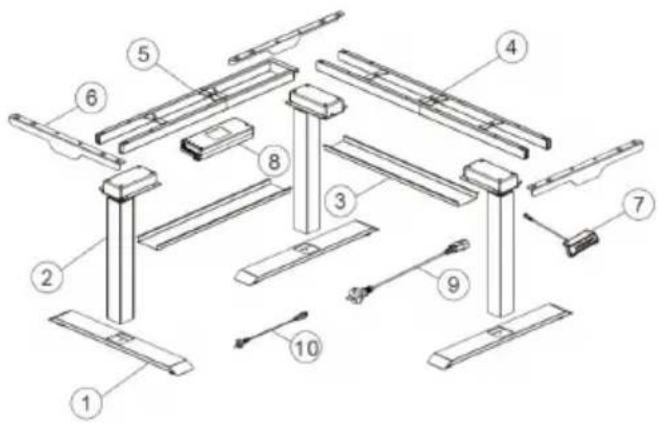
Liste over komponenter
APPARATETS PLACERING
LED - Display LED
For the disposal of the device please consider and act according to the national and local rules and regulations.
CONTACT
expondo Polska sp. z o.o. sp. k.
- General Description
- PLEASE CAREFULLY READ AND UNDERSTAND THIS INSTRUCTION MANUAL BEFORE OPERATION,
- Explanation of symbols
- Safety of use
- Electrical safety
- Safety in the workplace
- Personal safety
- Safe use of the unit
- Rules of use
- Description
- Preparation for operation
- POSITIONING OF THE UNIT
- ASSEMBLY OF THE UNIT
- Step 1
- Step 2
- Step 3
- Step 4
- Step 5
- Step 6-A
- Step 6-B
- Working with the unit
- CONTROL PANEL DESCRIPTION:
- Control panel operation:
- Cleaning and maintenance
- DISPOSAL OF USED UNITS.
- Dane techniczne
- APPARATETS PLACERING
- CONTACT
Brand : Fromm & Starck
Model : STAR_ATFE_13
Category : Office