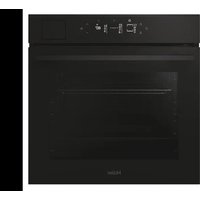
H6 ID46G5SYTB - Oven HAIER - Free user manual and instructions
Find the device manual for free H6 ID46G5SYTB HAIER in PDF.


User questions about H6 ID46G5SYTB HAIER
0 question about this device. Answer the ones you know or ask your own.
Ask a new question about this device
Download the instructions for your Oven in PDF format for free! Find your manual H6 ID46G5SYTB - HAIER and take your electronic device back in hand. On this page are published all the documents necessary for the use of your device. H6 ID46G5SYTB by HAIER.
USER MANUAL H6 ID46G5SYTB HAIER
Haier.com
English
Français
Italiano
Deutsch
Español
Ελληνικά
Nederlands
Português
Slovenčina
Polski
Čeština
Română
Magyar
Slovenščina
Srpski
Lietuvių
Eesti
Latviešu
Български
Hrvatski
Dansk
Suomi
Norsk
Svenska
Українська
Türkçe
WELCOME
Thank you for choosing our product. To ensure your safety and get the best results, please read this manual carefully, including the safety instructions, and keep it for future reference.
Before installing the oven note the serial number, which you might need for repairs. Check for any damage during transportation and consult a technician if you're unsure before using it. Keep packaging materials away from children.
NOTE: Please note that the oven's features and accessories may vary depending on the model you purchased.
SUMMARY
1. SAFETY INFORMATION
2. PRODUCT INTRODUCTION
2.1. Overview of the product
2.2. Accessories
2.3. Control panel
2.4. Connectivity
3. BEFORE STARTING
3.1. Information to start
3.2. First usage
3.3. Preliminary cleaning
4. OPERATION OF PRODUCT
4.1. How the product works
4.2. Cooking functions
4.2.1. Standard functions
4.2.2. Special functions
4.2.3. Multi step feature
5. COOKING GUIDELINES
5.1. General Cooking tables
5.2. Everyday Cooking tables
6. CARE & CLEANING
6.1. General recommendations
6.2. Cleaning the oven
6.2.1. Inside the oven: cleaning functions
6.2.2. Outside the oven: removal and cleaning the glass door
6.3. Cleaning of accessories
6.4. Maintenance
7. TROUBLESHOOTING
8. ENVIRONMENTAL PROTECTION & DISPOSAL
8.1. Appliance disposal
8.2. Saving and respecting the environment
9. INSTALLATION
GENERAL WARNINGS
- Do not use a steam cleaner for cleaning operations.
- CAUTION: in order to avoid a hazard due to inadvertent resetting of the thermal cut-out, this appliance must not be supplied through an external switching device, such as a timer, or connected to a circuit that is regularly switched on and off by the utility
- During use the appliance become hot. Care should be taken to avoid touching heating elements inside the oven.
Use in accordance with attendend use
- Only use the oven for its intended purpose, that is only for the cooking of foods: any other use, for example as a heat source, is considered improper and therefore dangerous. The manufacturer cannot be held responsible for any damage resulting from improper, incorrect or unreasonable usage.
Use limitations
- The appliance can be used by children aged from 8 years and above and persons with reduced physical, sensory or mental capabilities or lack of experience and knowledge if they have been given supervision or instruction concerning use of the appliance in a safe way and understand the hazards involved. Children shall not play with the appliance. Cleaning and maintenance shall not be made by children without supervision.
- This appliance is not intended to be used by persons (including children) with reduced physical, sensory or mental capabilities, or lack of experience and knowledge, unless they have been given supervision or instruction concerning use of the appliance by a person responsible for their safety.
- Children should be supervised to ensure that they do not play with the appliance.
- ⚠WARNING: the appliance and its accessible parts become hot during use. Care should be taken to avoid touching heating elements Children less than 8 years of age shall be kept at away unless continuously supervised.
- WARNING: Accessible parts may become hot during use. Young children should be kept away.
INSTALLATION WARNINGS
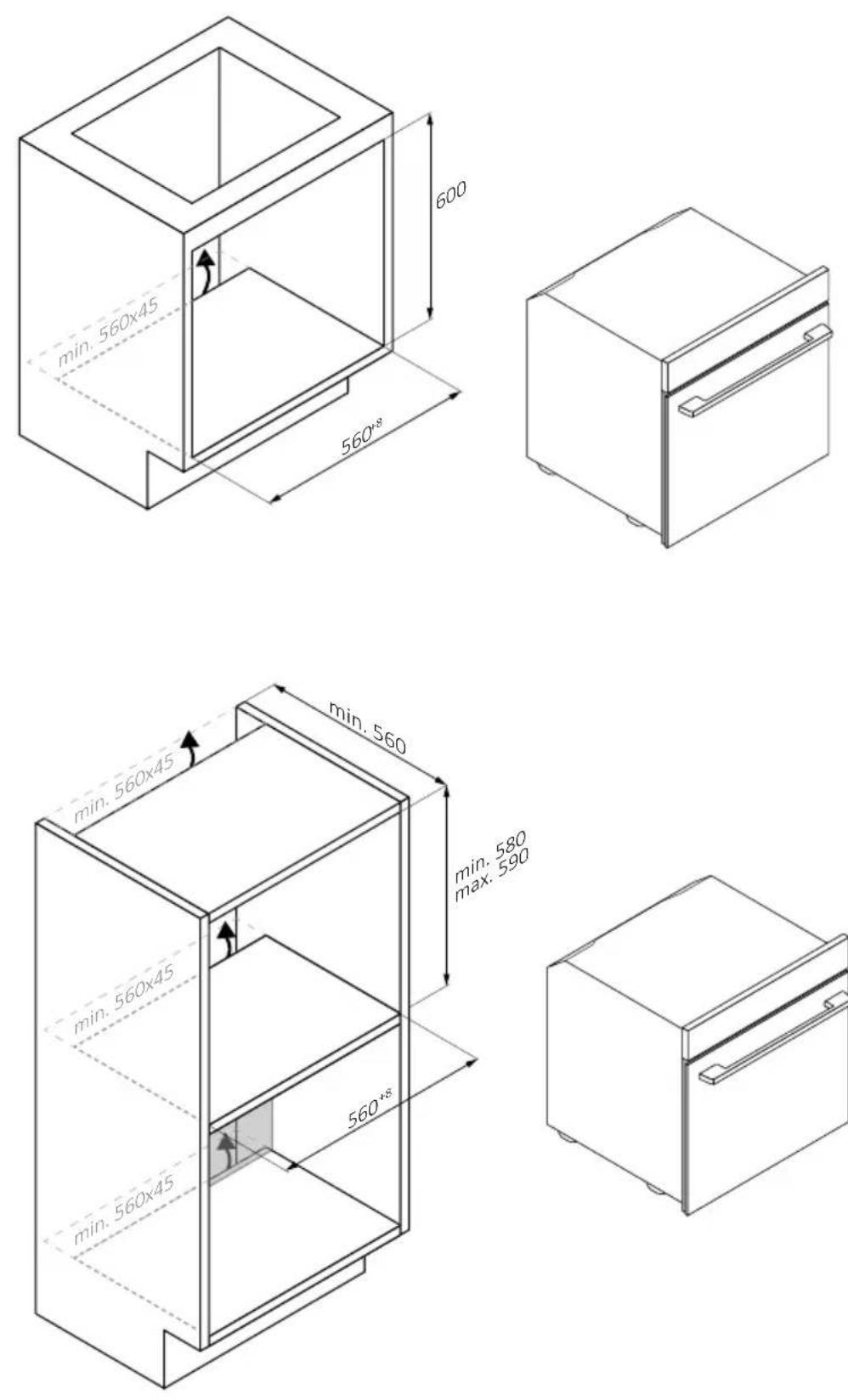
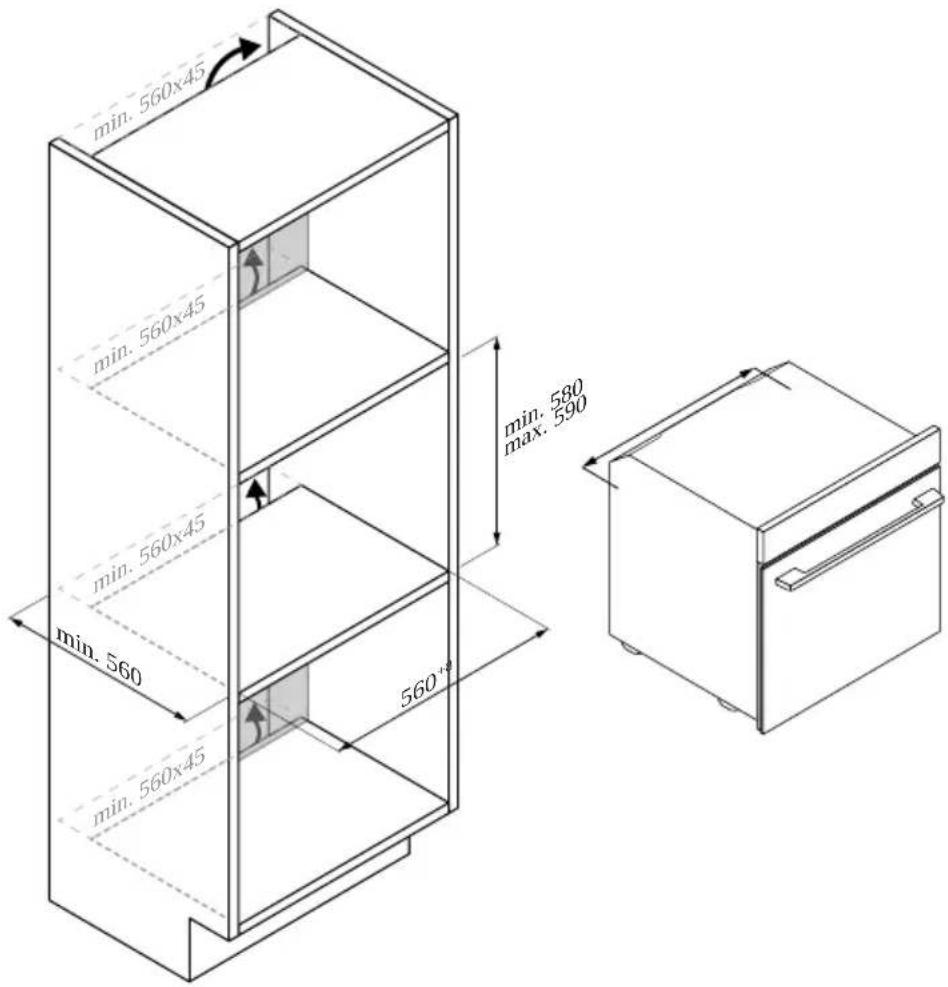
- The oven can be located high in a column or under a worktop.
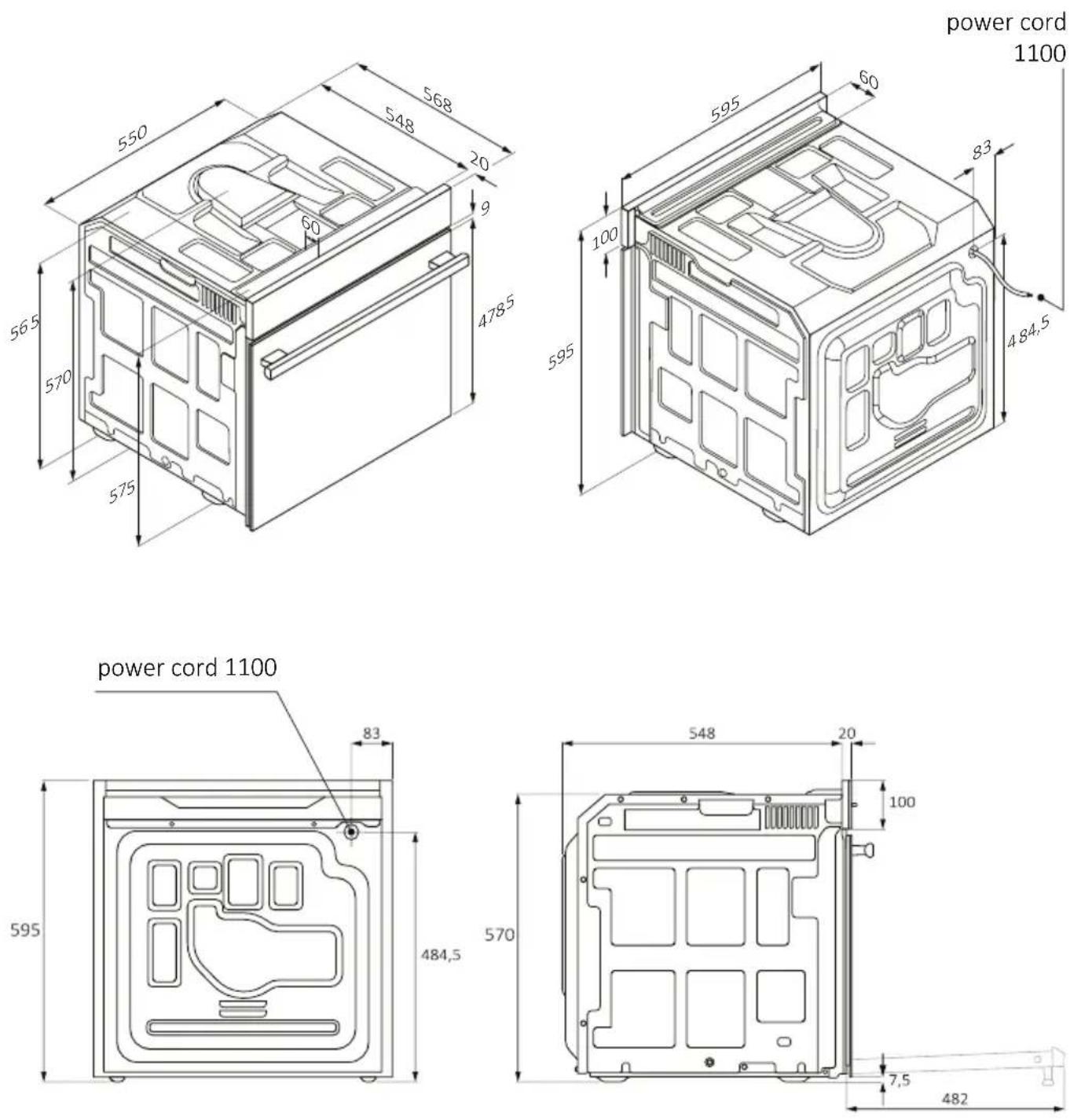
- Before fixing, you must ensure good ventilation in the oven space to allow proper circulation of the fresh air required for cooling and protecting the internal parts. Make the openings specified on the illustrations according to the type of fitting. Always fix the oven to the furniture with screws provided with the appliance.
- No additional operation/setting is required in order to operate the appliance at the rated frequencies.
- The appliance must not be installed behind a decorative door in order to avoid overheating.
- During installation the oven should be disconnected from the mains to avoid overheating.
- If the assistance of the manufacturer is required to rectify faults arising from incorrect installation, this assistance is not covered by the guarantee. The installation instructions for professionally qualified personnel must be followed.
- Incorrect installation may cause harm or injury to people, animals or belongings. The manufacturer cannot be held responsible for such harm or injury.
- Installation must be carried on by a qualified technician who must know and respect the laws in force in the country of installation and the manufacturer's instruction.
- After unboxing the appliance, always check it is not damaged, in case of issue contact the customer service before installing and do not connect to the power supply.
- Remove the packaging material before operating the appliance.
- During installation do not use the oven door's handle to lift and move the oven.
- The installation furniture and the adjacent ones must with stand temperatures of 95°C.
- It is recommended to wear protective gloves during installation to avoid cut injuries.
- Do not install the product in open environments exposed to atmos-
pheric agents.
- This appliance is designed to be used at altitude lower than 2000m.
- To remove protective films and advertisement stickers on front surface of the oven before first usage
ELECTRICAL WARNINGS
- The socket must be suitable for the load indicated on the tag and must have ground contact connected and in operation. The earth conductor is yellow-green in colour. This operation should be carried out by a suitably qualified professional.
- Connection to the power source can be made by plug or by fixed wiring placing an omnipolar breaker, with contact separation compliant to the requirements for overvoltage category III, between the appliance and the power source that can bear the maximum connected load and that is in line with current legislation.
- In case of incompatibility between the socket and the appliance plug, ask a qualified electrician to substitute the socket with another suitable type. The plug and the socket must be conformed to the current norms of the installation country.
- The yellow-green earth cable should not be interrupted by the breaker. The socket or omnipolar breaker used for the connection should be easily accessible when the appliance is installed.
- If the supply cord is damaged, it must be replaced by the manufacturer, its service agent or similarly qualified persons in order to avoid a hazard. For any repairs, refer only to the Customer Care Department and request the use of original spare parts.
- Disconnect the appliance from the mains electricity supply before carrying out any work or maintenance on it.
- WARNING: ensure that the appliance is switched off before replacing the bulb, to avoid the possibility of electric shocks.
- The oven must be switched off before removing the removable parts. After cleaning, reassemble them according the instructions.
- The use of any electrical appliance implies the observance of some fundamental rules:
- do not pull on the power cable to disconnect the appliance from the power source;
- do not touch the appliance with wet or damp hands or feet;
- in general the use of adaptors, multiple sockets and extension cables is not recommended; - in case of malfunction and/or poor operation, switch off the appliance and do not tamper with it.
NOTE: as the oven could require maintenance work, it is advisable to keep another wall socket available so that the oven can be connected to this if it is removed from the space in which it is installed.
- Any repair, installation and maintenance not carried out correctly can seriously endanger the user.
- The manufacturing company hereby states that it does not assume any responsibility for direct or indirect damages caused by incorrect installation, maintenance, or repair work. Furthermore, it is not liable for damages caused by the absence or interruption of the grounding system (e.g., electric shock).
- CAUTION: in order to avoid a hazard due to inadvertent resetting of the thermal cut-out, this appliance must not be supplier through an external switching device, such as a timer, or connected to a circuit that is regularly switched on and off by the utility.
- The appliance is not designed to be activated by an external timer or separate remote control system.
USE & MANTEINANCE
- The dripping pan collects the residues that drip during cooking.
- When you place the Airfry tray or the grid on the side racks, make sure that the shorter section of the side (between the stop and the extremity) is directed towards the interior of the oven. If the grid has a decorative metal bar, pay attention to position it on the exterior of the oven so that the brand logo can be visible and readable. For the correct positioning refer also to the image in the Accessories section of this user manual.
- Do not use harsh abrasive cleaners or sharp metal scrapers to clean the oven door glasses, since they can scratch the surface, which may result in shattering of the glass.
- Only use the temperature probe recommended for this oven.
- During cooking, moisture may condense inside the oven cavity or on the glass of the door. This is a normal condition. To reduce this effect, wait 10-15 minutes after turning on the power before putting food
inside the oven. In any case, the condensation disappears when the oven reaches the cooking temperature.
- Cook the vegetables in a container with a lid instead of an open tray.
- Avoid leaving food inside the oven after cooking for more than 15/20 minutes.
- A long power supply failure during an occurring cooking phase may cause a malfunction of the monitor. In this case contact customer service.
- WARNING: Do not line the oven walls with aluminium foil or single-use protection available from stores. Aluminium foil or any other protection, in direct contact with the hot enamel, risk melting and deteriorating the enamel of the insides.
- WARNING: Never remove the oven door seal.
- CAUTION: Do not refill the cavity bottom with water during cooking or when the oven is hot.
- For a correct use of the oven it is advisable not to put the food in direct contact with the racks and trays, but to use oven papers and/or special containers.
WARNINGS (\*FOR PYRO OVENS)
- Excess spillage must be removed before cleaning.
- WARNING: before initiating the automatic cleaning cycle:
- Clean the oven door;
- Remove large or coarse food residues from the inside of the oven using a damp sponge. Do not use detergents;
- Remove all accessories and the sliding rack kit (where present);
-
Do not place tea towels.
-
In ovens with meat probe it is necessary, before making the cleaning cycle, close the hole with the nut provided. Always close the hole with the nut when the meat probe is not used.
- During the pyrolytic cleaning process (if available), the surfaces may get hotter than usual and children should be kept away.
- If a hob has been fitted above the oven, never use the hob while the Pyrolizer is working, this will prevent the hob from overheating.
WARNINGS (\*FOR STEAM PLUS)
- When filling in the steam tank the level of the water must not exceed the maximum level indicated on the tank
- Use only drinking water to fill in the tank.
- Before starting a pyrolytic cleaning function the steam tank must be removed. Do not insert the steam tank during the pyrolytic cleaning function.
WARNINGS for WIRELESS TEMPERATURE PROBE
- This product is exclusive for oven appliances. It should only be used as described in this User Manual.
- DO NOT TOUCH Preci Probe WITH BARE HANDS JUST AFTER COOKING. Always wear oven gloves to remove Preci Probe from the food after cooking.
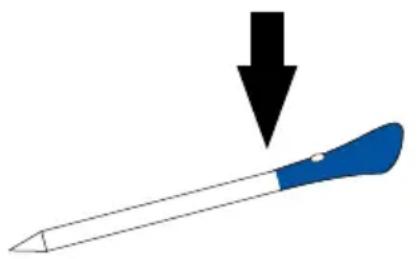
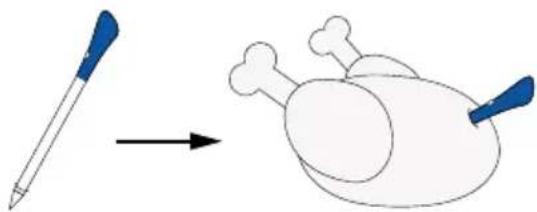
- To use the temperature probe correctly, it is essential to fully insert the metal bar of the probe into the food during cooking until it reaches the black-colored ceramic portion located at the tip of the probe.
Insert Preci Probe in the food up to there
natural_image
Illustration of a blue-handled tool with a downward arrow pointing to it (no text or symbols)- Do not expose the metal part of Preci Probe to the heat generated by oven directly.
- Do not use Preci Probe in another appliance except for the built-in oven.
- Do not use Preci Probe in a microwave oven.
- Preci Probe can be cleaned and washed but do not immerse it long in water.
- This product is not intended for use by persons with ages 12 and under.
- The supplier will not be liable for any damage of Preci Probe due to misuse of the device.
- Clean the Preci Probe before the use.
- Probe can work in this range of temperature: 10 °C to an internal maximum temperature of 100°C of the metal part. Ceramic part can reach 350°C.
- If the Preci Probe temperature exceeds 100^ C, cooking will stop and the Preci Probe must be removed from the oven as soon as possible, wearing gloves, to avoid damage to the probe.
2. PRODUCT INTRODUCTION
2.1. OVERVIEW OF THE PRODUCT
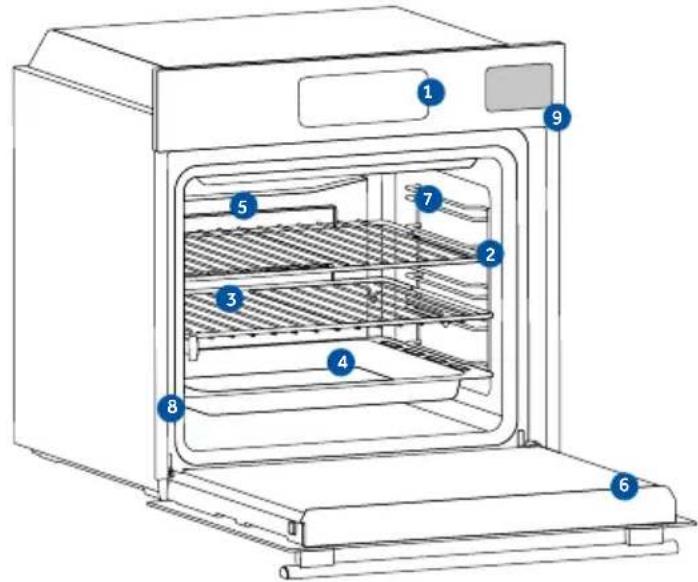
- Control panel
- Shelf positions numbers
- Grids
- Trays
- Fan cover
- Oven door
- Lateral wire grids (if present: only for flat cavity)
- Serial number & QRcode
- Steam Tank Insertion
natural_image
Empty white rectangle with black border (no text or symbols)Write here your serial number for future reference.
2.2. ACCESSORIES
Lateral wire grids (only if present*)
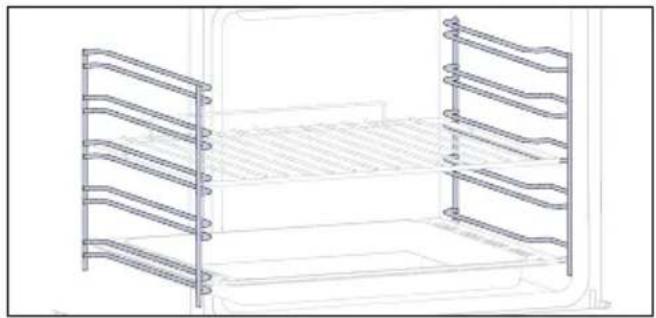
natural_image
Line drawing of a two-tiered storage unit with horizontal and vertical metal racks (no text or symbols)Located on both sides of the oven cavity, the side racks are designed for placing baking tray and grids during the cooking.
NOTE: 6 or 7 levels depending on the model.
Baking tray (only if present*)
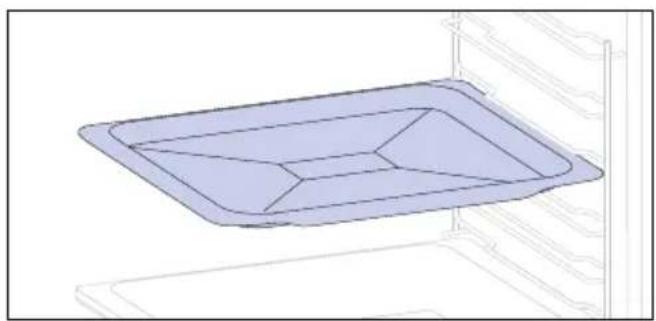
natural_image
3D diagram of a rectangular tray with internal geometric lines, placed inside an oven (no text or symbols)A baking tray is ideal for achieving even bottom browning, making it perfect for cookies and pastries due to its shallow, flat design. Additionally, placing it under a cooking grid can help collect drips and prevent messes in the oven.
Metal grid
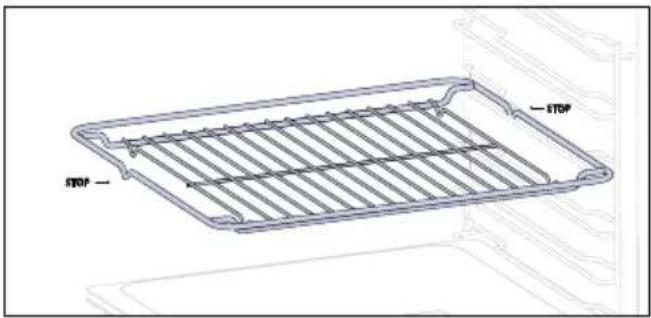
A metal grid in an oven is a removable, adjustable shelf that supports cookware, ensuring even cooking, and makes cleaning easy. It can be used to hold plates and pans at different heights for various cooking needs.
Deeper Tray
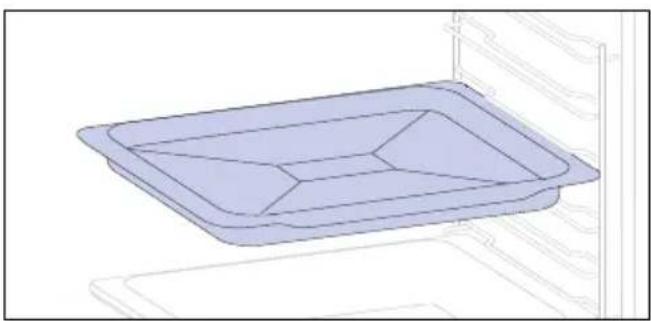
natural_image
3D line drawing of a rectangular tray with internal compartments, placed inside an oven (no text or symbols)The deeper tray is ideal for recipes with added liquids or layers, such as casseroles or roasts. Its depth is specifically designed to ensure the desired consistency of the food prepared in it.
Telescopic Guides (only if present*)
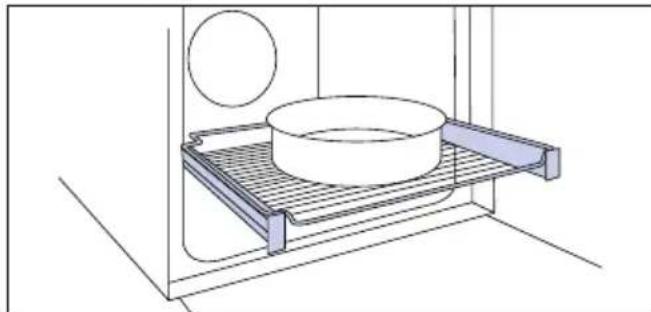
natural_image
Technical line drawing of a kitchen sink with a bowl, plate, and circular object (no text or symbols)Telescopic oven rails are shelves that can be extended, making it easier to place or remove items, without the need to reach deep inside a hot oven. They improve safety, stability, and can be adjusted at different level positions.
Dual tray – STEAM mode (only if present*)
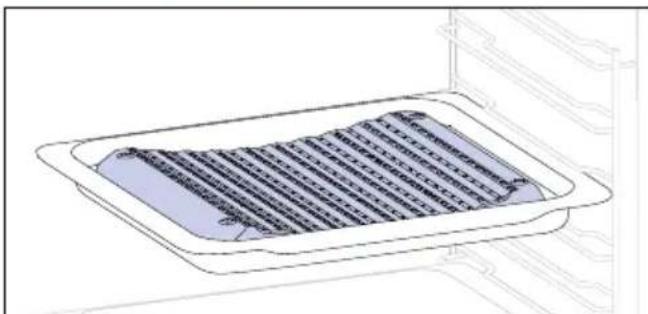
natural_image
Technical line drawing of a rectangular tray with internal grid pattern, no text or symbols presentThe concave shape allows a correct circulation of humidity generated in cooking, keeping the food humidity rate high. According to the quantity of water inserted in the tray, a drier or more "wet" cooking will be obtained.
Preci probe (only if present*)
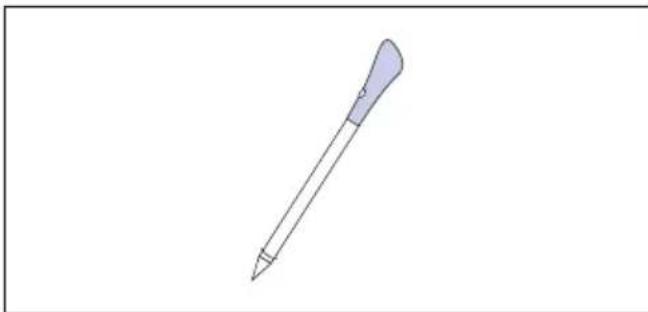
natural_image
Simple line drawing of a pen or stylus (no text or symbols)This probe is a temperature sensor that, inserted into the food and connected to the oven via bluetooth, allows to control the inner temperature of the food during cooking. It is mainly used for fish and meat.
Softclose/Soft open hinges (only if present*)
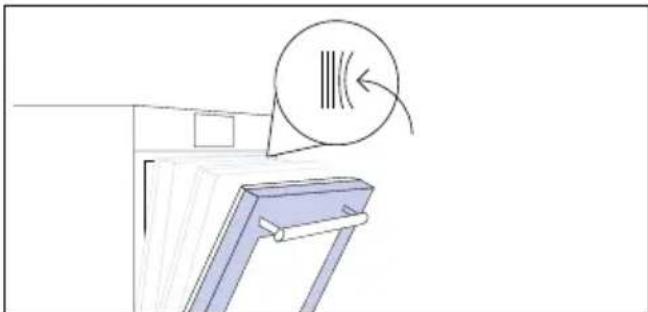
natural_image
Simple line drawing of a window with a circular icon and arrow, no text or symbols presentSoft close and open hinges control the door's motion, ensuring smooth movement and preventing slamming.
Dual tray – BBQ mode (only if present*)
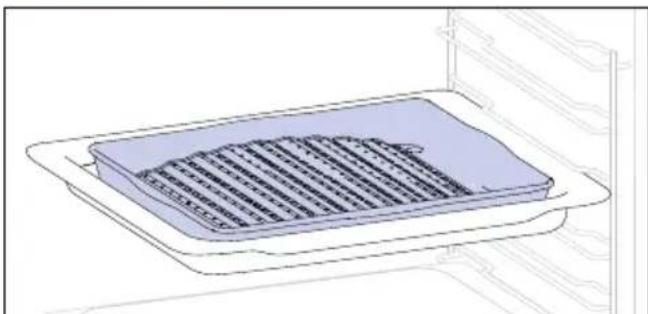
natural_image
3D technical line drawing of a rectangular appliance with internal grating, mounted on an oven (no text or symbols)The convex shape is suitable for grilling in the oven at high temperature (220°) allowing a BBQ result even at home with little smoke thanks to the drainage action of the fats on the bottom of the tray.
Steam Tank
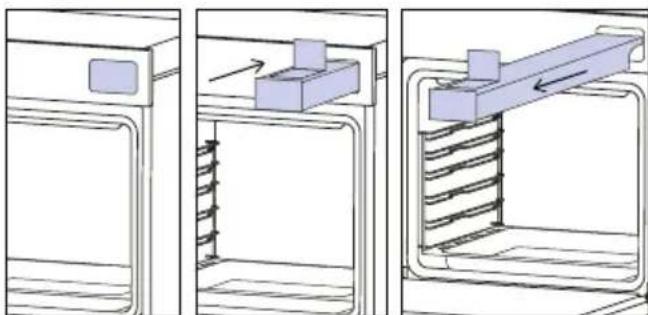
natural_image
Three-panel diagram showing a door, spring mechanism, and mechanical assembly (no text or symbols)The Steam Tank is a drawer that can be filled with the water needed to carry out steam-assisted cooking and cleaning programs.
2.3. CONTROL PANEL
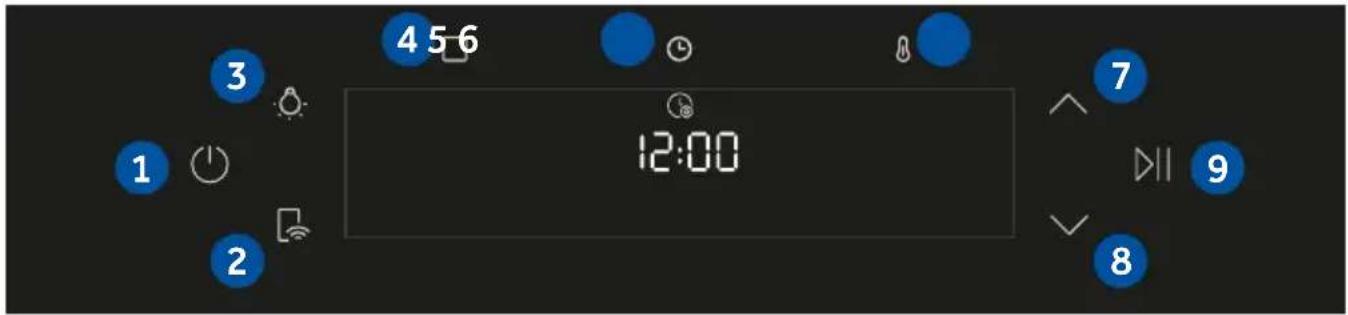
Functions and function ranking can be changed depending on the model.
- On/Off
- Remote Control
- Lamp
- Functions
- Time
- Temperature
7/8Navigation buttons - Start/Pause
MAIN FUNCTIONS
The control panel has the following main functions:
| Symbol Function Description | ||
| On/Off Press to turn on/off the oven. | ||
| Remote Control ON/OFF | Press the button to activate remote control, after pairing the oven with the hOn app (through the application). | |
| Light Press to turn on/off the oven cavity light | ||
| Functions | Press once to access Manual functions, twice for Everyday cooking programs, three times for Cleaning menu, and four times for WIFI menu. | |
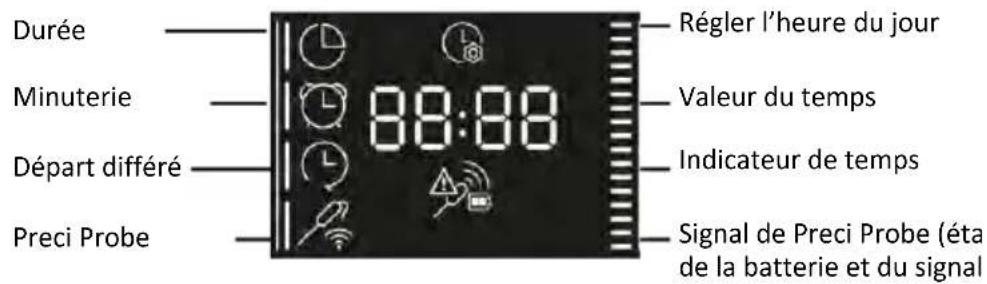
| Time | Press once for cooking duration, twice for the minute minder (available in standby mode), three times for delay start. In standby mode are available the kitchen timer and, by pressing for 3 sec, the Time of day. | |
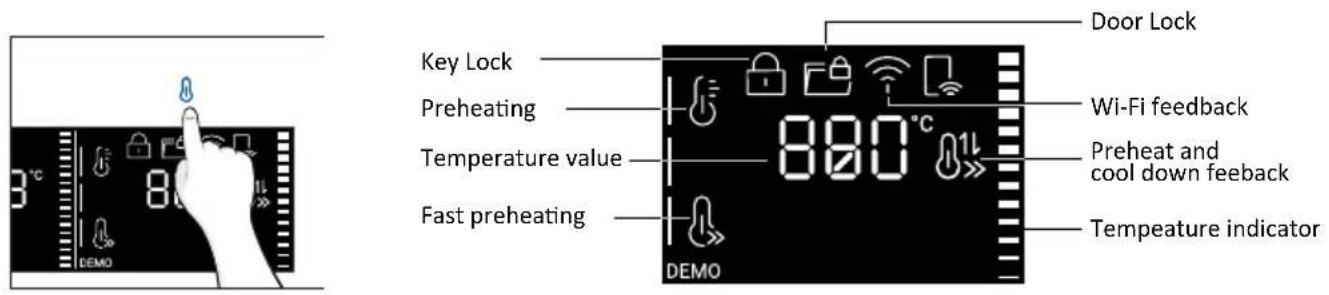
| Temperature | Press once to check the cavity temperature, twice to activate the fastpreheating option (only available during the oven's preheat phase). | |
| Navigation buttons | Press Navigation buttons to scroll between function and to adjust the parameters. | |
| Start/Pause | Press to Start/Pause cooking or to confirm the functions. | |
| Symbol Feedback Description | ||
 | Tank Missing The icon appears when the Steam Tank is missing. | |
 | Fill the Tank | The icon appears when water must be added to the Steam Tank. |
 | Drain in Progress The icon appears during the Drain process. | |
 | Tank Empty | The icon appears when there is no water inside the Steam Tank. |
 | Empty the Tank | The icon appears to prompt the user to empty the Steam Tank. |
 | Water Level Feedback | The bars next to the icon represent the amount of water available in the Steam Tank. |
 | ||
 | ||
 | ||
2.4. CONNECTIVITY
Wireless parameters
| Technology Wi-Fi Bluetooth | ||
| Standard IEEE 802.11 | b/g/n Bluetooth v4.2, BR/EDR, BLE | |
| Frequency Band(s) [MHz] | 2401 ÷2483 2402÷2480 | |
| Maximum Power [mW] | 100 10 | |
Preci probe model et180 wireless parameters
| Technology Bluetooth | |
| Standard Bluetooth v4.0 BLE | |
| Frequency Band(s) [MHz] | 2400÷2480 |
| Maximum Power [mW] | 2.5 - (4dBm) |
PRODUCT INFORMATION FOR NETWORKED EQUIPMENT
Power consumption of the product in networked standby if all wired network ports are connected and all wireless network ports are activated: 2,0 W
How to activate wireless network port:
Wifi module switches on as soon as the user press the power on button.
How to deactivate wireless network port:
Wi-fi module deactivates as soon as the user presses the power off button. The wi-fi can also be deactivated when the oven is on by selecting "off" in the Wi-fi settings menu.
Hereby, Candy Hoover Group Srl declares that the radio equipment is in compliance with Directive 2014/53/EU and with the relevant statutory requirements for the UK market. The full text of the declaration of conformity is available at the following internet address: www.candy-group.com
HOW TO INTERACT WITH THE APP
Your appliance may be connected to your home wireless network and operated remotely using the app. Connect your appliance to ensure it stays up to date with the latest software and features.

NOTE
- Once the oven is turned on, the WIFI icons blinks for 30 minutes. During this period it's possible to enroll the product.
- Ensure your home Wi-Fi network is turned on.
- You will be given step by step guidance on both your appliance and mobile device.
- It may take up to 10 minutes to connect your oven.
- For further guidance and troubleshooting, please refer to the app.
Download on your smartphone.


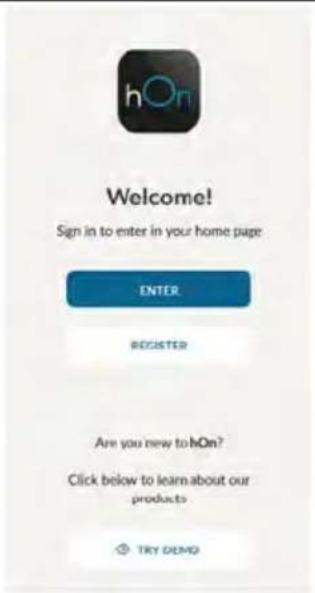
NEW USER REGISTRATION
- Click on "Register"
- You can register through social accounts or sign up with your personal email

QUICK PAIR ENROLLMENT
Step 1
- Select "Add appliance".
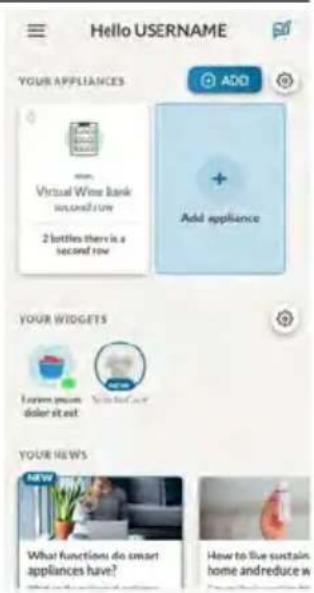
Step 2
- Allow your location permission.
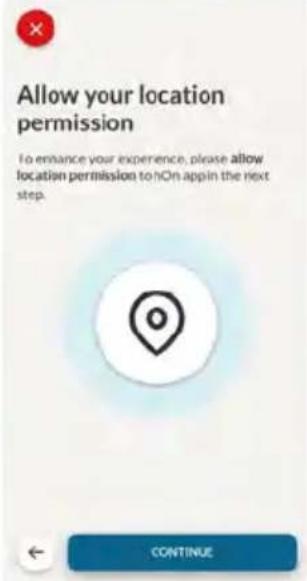
Step 3
- Select oven from the appliance category.
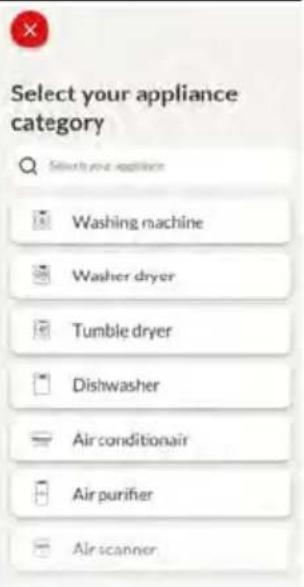
Step 4
- Turn on your appliance; if it is already on, turn it off and on again.
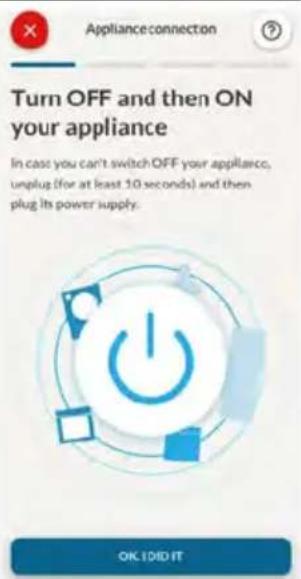
Step 5
• After turning on, the hOn app will start searching for your home appliance.
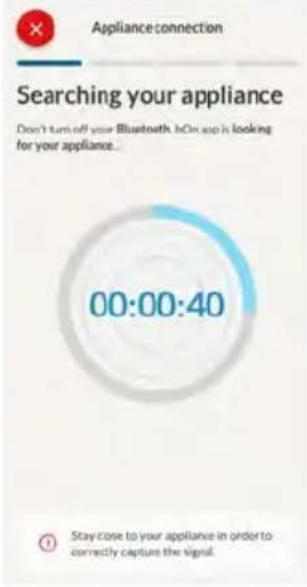
Step 6.1-6.2
- Select your home appliance, tap on "connect" and wait a few seconds.
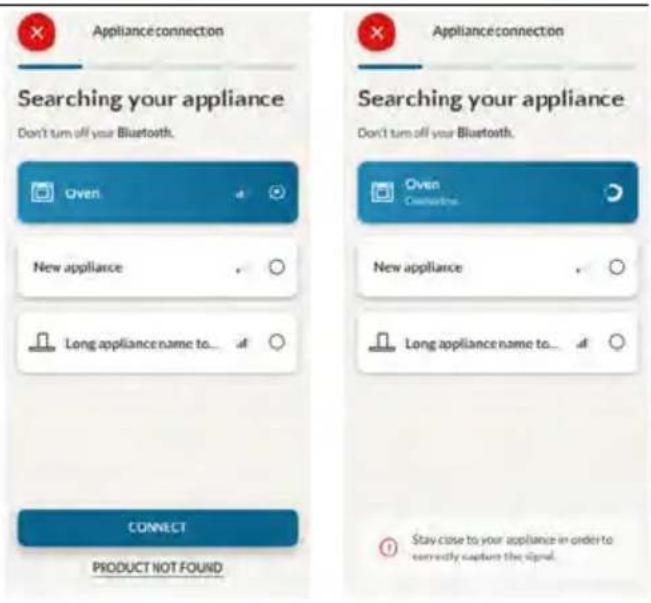
Step 7
- Your Oven will be found and you can control it through hOn.
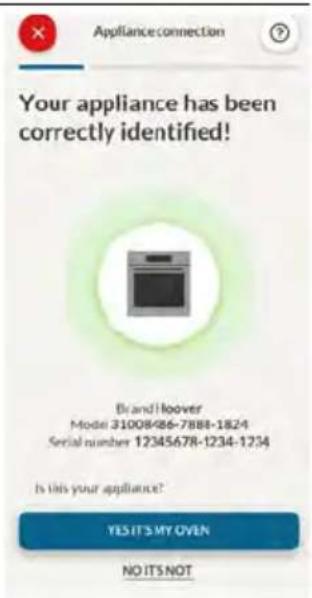

HOW TO CHANGE WIFI SETTINGS
Once the appliance is connected, the user can change the WiFi settings between:
- WIFI ON: It is only possible to monitor the oven status by App.
- WIFI hOn: The oven can be used exclusively by App.
- WIFI OFF: The oven is not connected but still enrolled with network credentials saved.
-
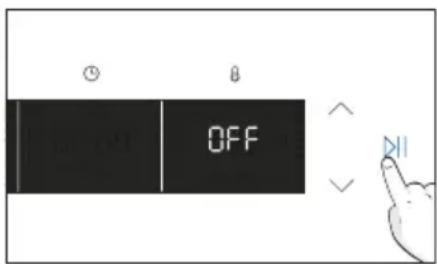
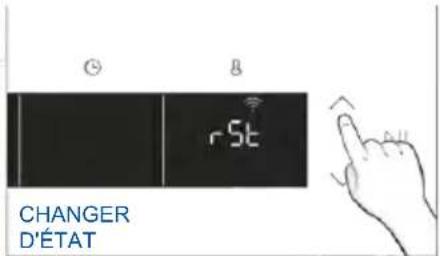
WIFI RESET: The connection is reset and a new enrollment is possible.
-
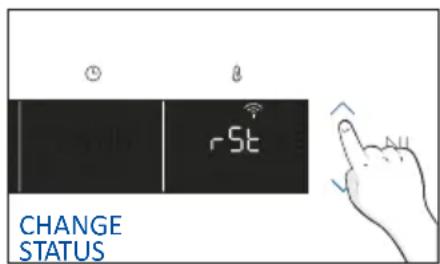
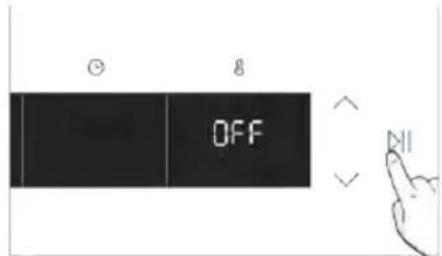
Tap □ and enter in WIFI menu. On display appears "On".
- On display appears "On".
- Use the arrows until "Off" or reset setting "rSt" will be showed.
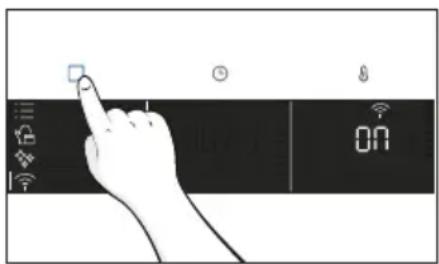

REMOTE CONTROL
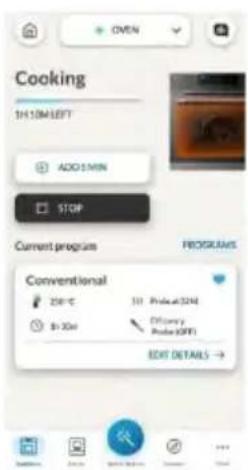
The Remote Control offers numerous advantages for users, enhancing convenience, efficiency, and the overall cooking experience, by giving the capability to control the product directly from both the appliance and hOn App.
This function allows, through your device, to enjoy various features, such as: instant or scheduled start of recipes or cooking programs already available in the app; real-time monitoring of the progress of your recipes; adjustment of the cooking parameters in use; monitoring of the cooking process using the probe; managing saved recipes using the “Jolly function” on the product (see related section). Furthermore, it is possible to receive notifications once programs or recipes are completed. The Remote Control can be activated exclusively when the product is enrolled.
NOTE: It is available for all cooking functions on the product, except for Gratin, Grill and Supergrill programs.
How to activate Remote Control:
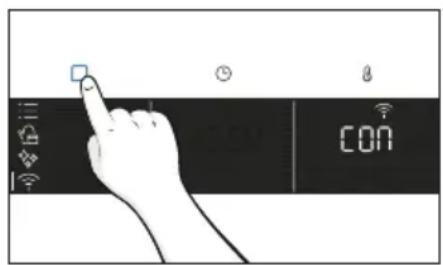
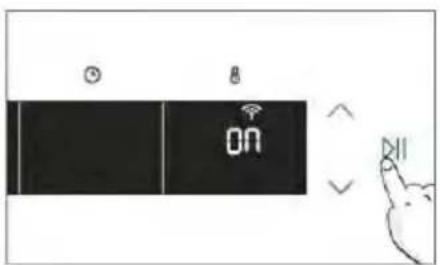
- Tap □ to select the WIFI mode.
- On display appears "connect". Tap ▷. "On" will start blinking.
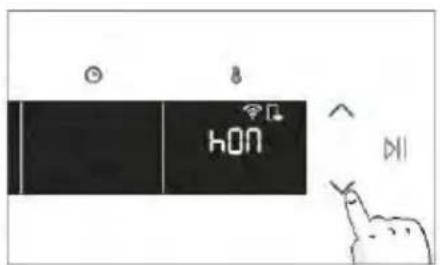
- Tap √ to select the "hOn" mode and tap ▷to activate Remote Control.
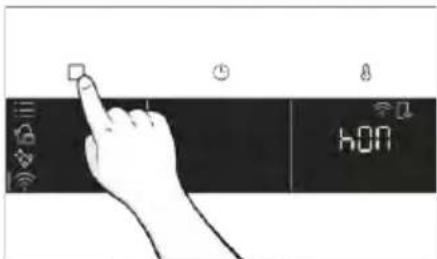
-
Press □ to exit "hOn" mode.
-
Access to the App, select a program and let the cooking starts. During the process is possible to control and change the program parameters from both product and App.
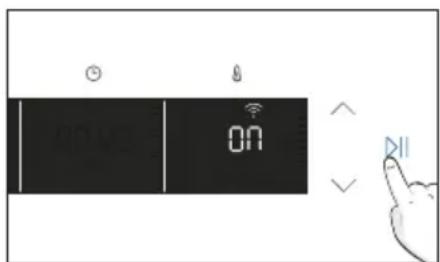
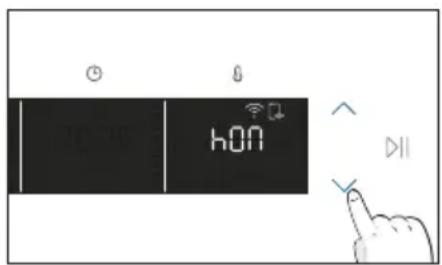
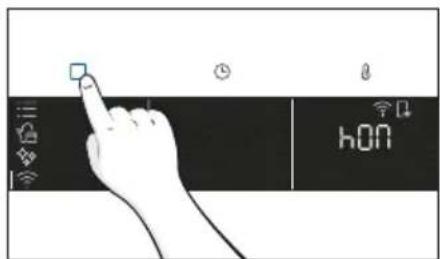
It's also possible to activate Remote Control during cooking process by pressing related button
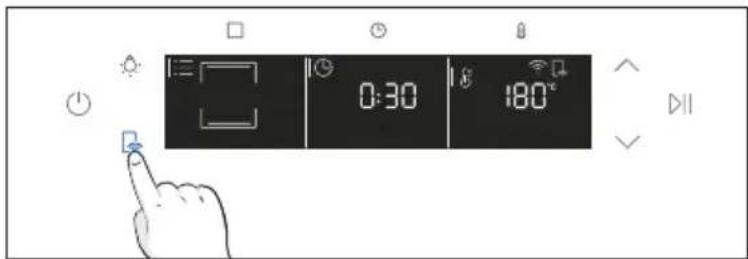
How to stop Remote Control:
While the cooking program is in progress, it can be stopped directly from the product itself by pressing the corresponding button of Remote Control that came with your appliance.
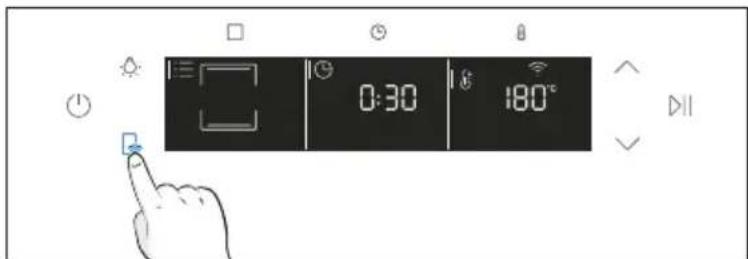
You can also stop the cooking program remotely using the app by clicking the 'STOP' Button on display device. The oven will automatically stop the cooking.
NOTE: If the user stops the cooking in progress from the oven, simultaneously the stopped cooking will be seen in the App.
3. BEFORE STARTING
3.1. INFORMATION TO START
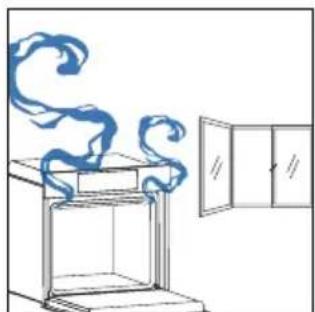
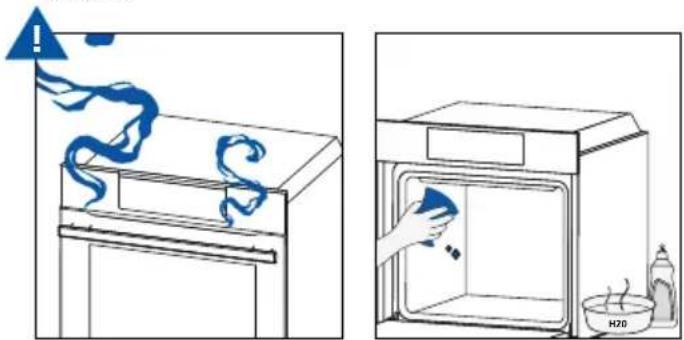
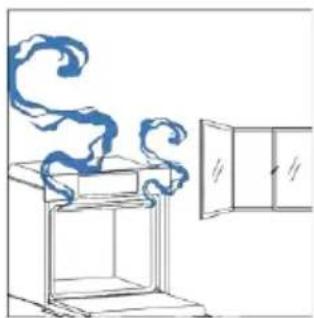
When you first turn on the oven, you might notice some smoke. Don't worry, just wait for the smoke to clear before using the oven.
How door works
During the pyrolytic cleaning process, the oven door remains locked at all times. If it's not locked, the oven will display error code 24 and pause the cleaning function.
How illumination works
The oven cavity is illuminated by one or more light bulbs, typically activated each time a cooking function begins.
For ovens equipped with a door switch (see below), the light automatically turns on when the door is opened.
For ovens equipped with lamp button, it can also be used to activate the lighting.
If the oven door remains open for more than 10 minutes, the lights will automatically turn off.
During pyrolytic cleaning process light remains off. *
How cooling fan works
The cooling fan is responsible for dissipating the heat, keeping the oven and its surroundings from getting too hot, as well as protecting kitchen appliances from the effects of high temperatures. For this reason, the cooling fan remains audible for a period of time even after the oven is turned off.
It operates during and after cooking cycle in relation to the internal temperature of the oven.
When the cooling fan is operational, it usually generates a gentle humming or whirring noise. You may also notice a warm airflow emanating from the gap between the oven door and the control panel.
During pyrolytic cleaning and when door is locked, cooling fan is switched on. *
During ECO function the light will remain off.
(*only for pyro ovens)
3.2. FIRST USAGE
When the appliance is switched On for the first time, the initial step is to set time of day, choose between 13 ampere or 16 ampere, and select sound level.
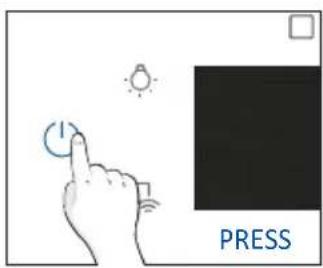
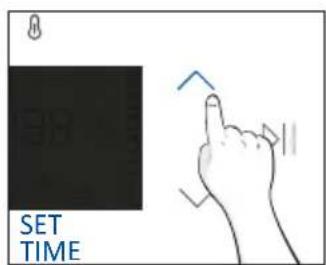
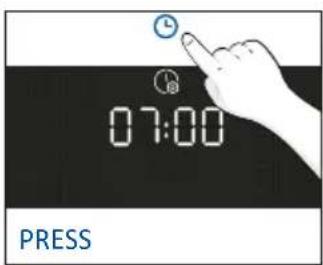
- SET THE TIME: The display will show the blinking preset time '12:00'. To modify it, hold ⏻ and use the arrows to set the current hour. Press ⏱ to confirm hours. Follow the same procedure to set the minutes. To confirm press ▷II.

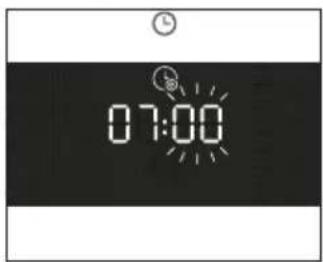
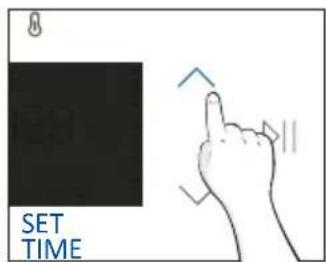
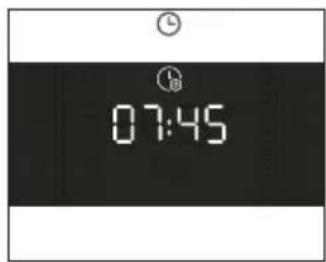
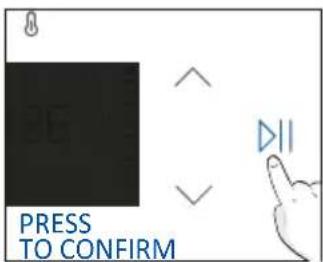
- AMPERAGE: By default, the oven is set to work with higher power suitable for households with more than 3 kW (16 A). If your home has lower power, you can change this setting to ▷□ 13 A. This setting affects how quickly the oven heats up. Choosing the higher option (16A) means it heats up faster (because the power absorption is increased). On the display, you'll see two choices: 13A and 16A. Select your preferred one by using the arrows. To confirm press ▷□.
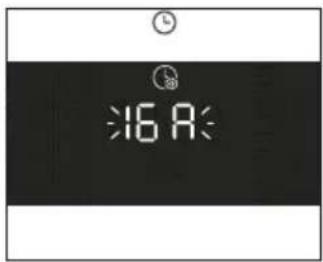
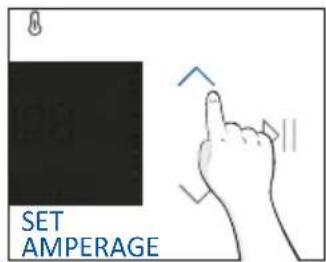
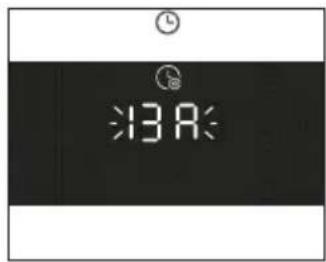
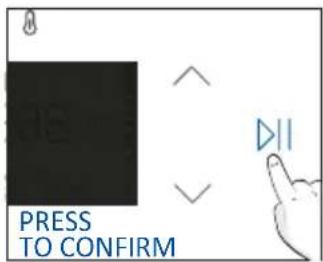
NOTE: The option to set the amperage is only available during the initial installation. To modify the set amperage, please refer to the post-installation instructions.
- BRIGHTNESS: The display shows the symbol "brig". The numbers represent the level of brightness intensity, editable using the arrows. To confirm press ▷II.
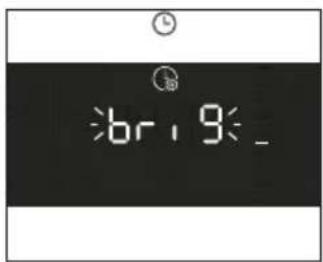
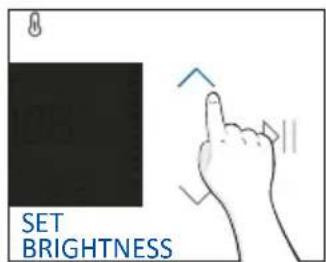
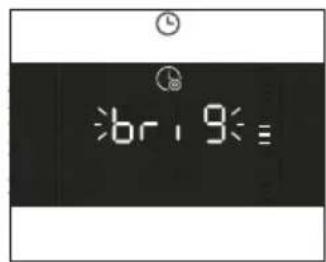
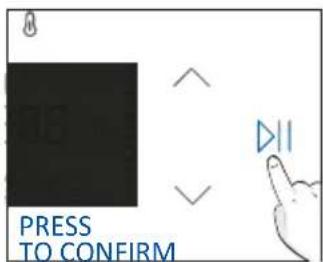
- SOUND: The display shows the symbol "Sound". The numbers represent the level of sound intensity, editable using the arrows. To confirm press ▷II.
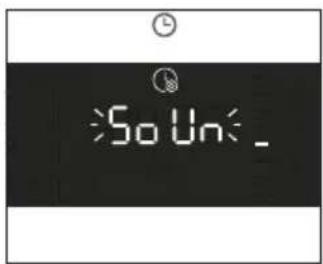
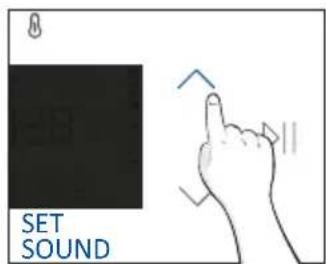
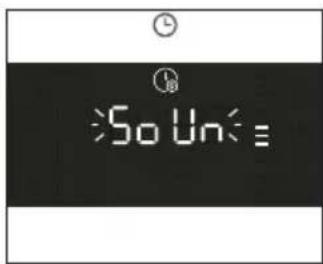
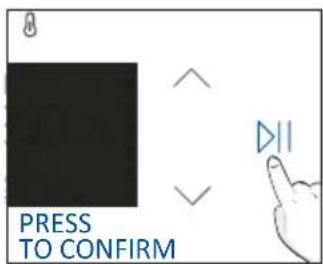
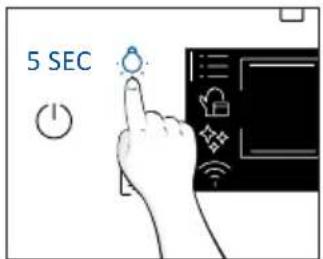
• POST INSTALLATION INSTRUCTION
It is possible to go back to initial settings by pressing Lamp button for 5 sec
3.3. PRELIMINARY CLEANING
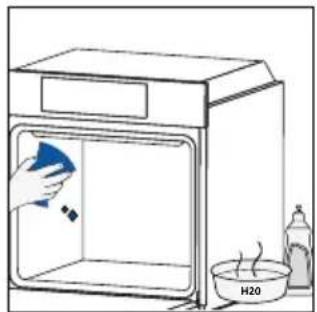
Clean the oven before using for the first me . Wipe over external surfaces with a damp so cloth. Wash all accessories and wipe inside the oven with a solution of hot water and washing up liquid. Set the empty oven to the maximum temperature and leave on for about 1 hour, this will remove any lingering smells of newness.
natural_image
Simple line drawing of a kitchen sink with a hand cleaning the interior and a bottle labeled H20 (no text or symbols on main elements)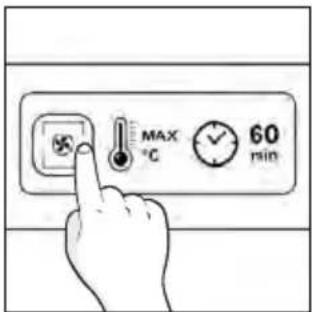
natural_image
Simple line drawing of a cabinet with swirling smoke rising, next to an open door (no text or symbols)4. OPERATION OF PRODUCT
4.1. HOW THE PRODUCT WORKS
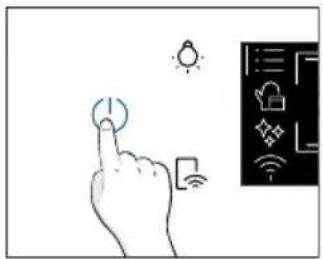
SWITCHING ON/OFF THE OVEN
To turn ON/OFF the oven, hold ⏻
natural_image
Hand interacting with a touchscreen icon and a digital interface panel (no text or symbols visible)FUNCTIONS MENU
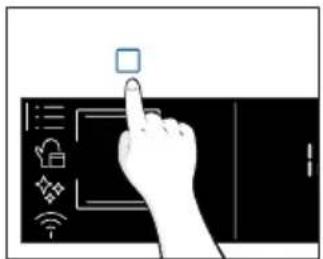
Access the Function menu by pressing □.
To navigate into tap as many times as is needed to enter in the following settings:
natural_image
Hand interacting with a touchscreen display (no text or symbols visible)| Symbol Function Description | ||
 | MAIN FUNCTIONS | This function allows to select the desired cooking program by using arrows. Tap◎ and ⚠ to set time and temperature. Press ➤ to start the function. To pause the program, click again. |
 | FOOD CATEGORIES | In this menu you can access to 4 food cooking categories already integrated on your oven by using arrows. The display will show default time and temperature. |
 | WIFI | In this mode you can connect your oven to a network and enroll it with the hOn App. |
 | CLEANING FUNCTIONS | This function allows to choose a cleaning system available on your oven. |
TIME MENU
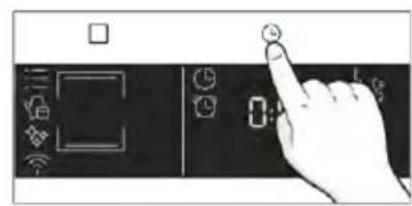
After having selecting the cooking program, access Time menu by pressing Ⓤ. To navigate into tap ⏻ as many times as is needed to enter in the following settings:
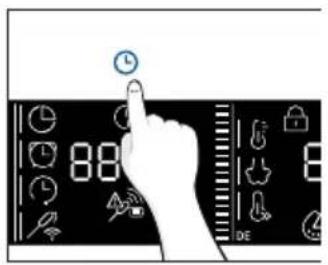
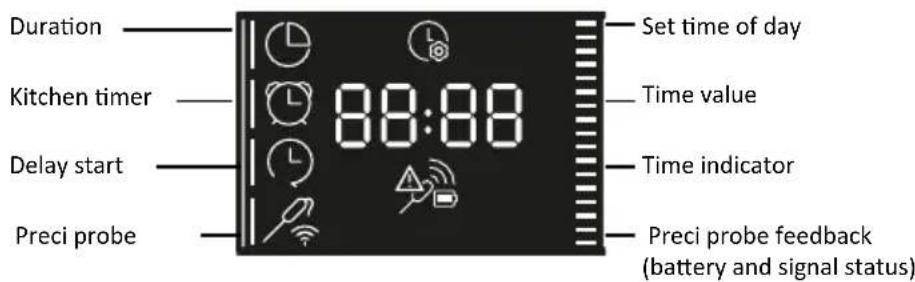
NOTE: several parameters cannot be set at the same time, therefore only the last set remains in the memory while the previous one is deleted.
| Symbol Function Description | ||
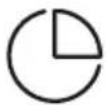 | a)COOKING DURATION | Allows to preset the cooking time required for the recipe chosen.Press Ⓜto enter in the Time menu. Tap ⓐas many times as you need to select “Cooking duration” function. Then use the arrows to regulate the value and pressⓍto confirm.The countdown starts at the end of preheating (if present). During cooking phase is possible to change the duration value by pressing ⏻and by using the arrows. When duration is elapsed the display shows “End” and the cooking stops. |
 | b)MINUTE MINDER | Allows to use the oven as alarm clock.Press Ⓝto enter in the Time menu. Tap ⓐas many times as you need to select “Minute minder” function. Then use the arrows to regulate the value and pressⓍto confirm.During cooking phase is possible to change the duration value by pressing ⏻and by using the arrows. Then press Ⓝto restart the cooking. When duration is elapsed, the cooking continues until manually interrupted.This function can be also set when the oven is in stand by mode by pressing ⏻When activated, the minute minder operates independently of the oven’s cooking functions. |
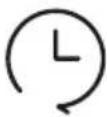 | c)DELAY START | Allows to choose the cooking start time.Press Ⓝto enter in the Time menu. Tap ⓐas many times as you need to select “Delay start” function. Then use the arrows to regulate the value and pressⓍto confirm.NOTE: Delay start is activable only after setting Cooking Duration and it is not available with grill’s functions |
a. COOKING DURATION
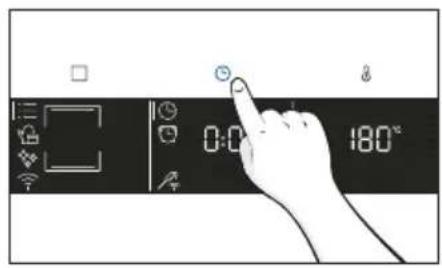
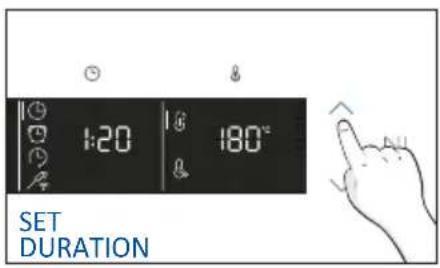
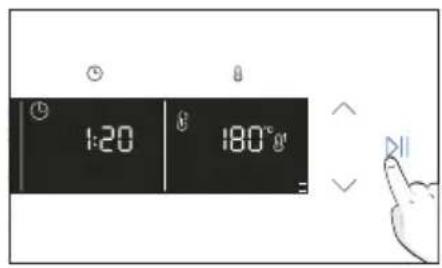
b. MINUTE MINDER
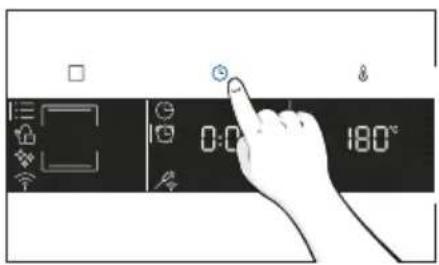
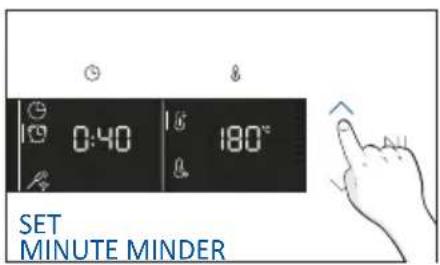
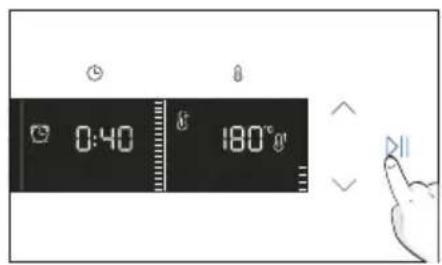
C. DELAY START
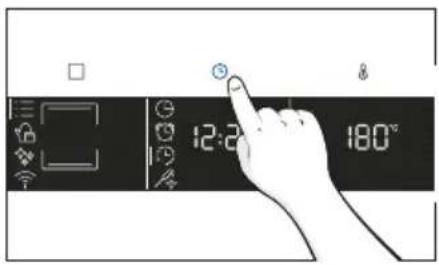
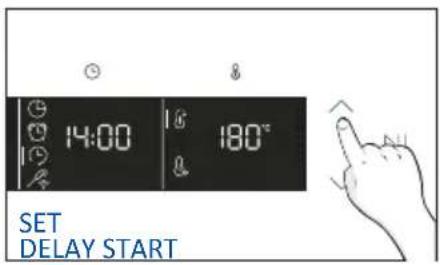
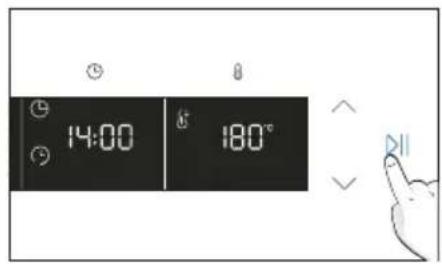
TEMPERATURE MENU
After having selecting the cooking program, access Temperature menu by pressing Ⓐ. To navigate into tap Ⓐ as many times as is needed to enter in the following settings:
| Symbol Function Description | ||
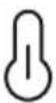 | TEMPERATURE | Press ⚫ to set the temperature and use arrows to regulate the value. |
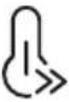 | FAST PREHEATING | Press twice ⚫ to set the fast temperature. |
ADDITIONAL FUNCTION
| Symbol Function Description | ||
 | CHILD LOCK | 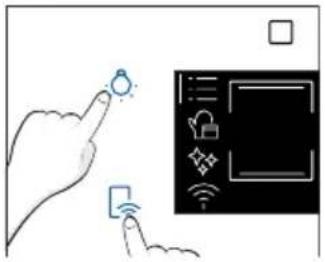 This function allows you to lock the screen to prevent any unwanted use by minors. To activate it, simultaneously press the Lamp and Remote Control buttons for 3 seconds.An icon with a padlock will appear on the user interface. In this condition, the oven user interface is locked, and no changes in settings can be made. To deactivate the child lock, press the Lamp and Remote Control buttons again for 3 seconds (the icon with the key will disappear). This function allows you to lock the screen to prevent any unwanted use by minors. To activate it, simultaneously press the Lamp and Remote Control buttons for 3 seconds.An icon with a padlock will appear on the user interface. In this condition, the oven user interface is locked, and no changes in settings can be made. To deactivate the child lock, press the Lamp and Remote Control buttons again for 3 seconds (the icon with the key will disappear). |
4.2. COOKING FUNCTIONS
FAST PREHEATING OPTION
In order to accelerate preheating phase, the fast-preheating option can be selected by pressing the temperature icon for 3s after having selected cooking program and temperature. This option will activate a combination of fan and heating elements regardless of the chosen cooking function. To save energy, when fast preheating is activated the lamp will be turned OFF until the oven reaches the desired temperature
4.2.1. STANDARD FUNCTIONS
NOTE: for functions that require preheating, ensure all accessories are removed during this phase. Follow instructions in the table below for what regards preheating. "YES/FAST PREHEAT" means that preheating is required and fast preheat option is available; "NO" means that preheat is not available and foods must be inserted with cold oven.
* Tested in accordance with the EN 60350-1 for the purpose of energy consumption declaration and energy class.
**Use with the door closed.
| Symbol | Function | T°C default T°C range | Suggested shelf position | Preheat | PRECI PROBE available | Suggestions |
| *Conventional | 200°C 30-250°C L2/L3 | YES/FAST PREHEAT | YES | IDEAL FOR: cakes, breads, biscuits on one level. | ||
| Convection + fan | 175°C 50-250°C | L2/L3 | YES/FAST PREHEAT | YES | IDEAL FOR: roasts, casseroles, vegetables or pies with moist fillings. | |
| Multi-Level | 160°C 50-250°C | L3 (one tray) L3+L6 (two trays) L2+L4+L6 (three trays) | YES/FAST PREHEAT | YES | IDEAL FOR: cakes, biscuits and pizzas on one or more levels. Ideal to cook different foods. | |
| Bottom heating | 170°C 50-230°C | L1/L2 | YES/FAST PREHEAT | YES | IDEAL FOR: stews and gentle cooking on one level | |
| Bottom heating+fan | 170°C 50-230°C | L2/L3 | YES/FAST PREHEAT | YES | IDEAL FOR: salty cakes or foods with liquid toppings on one level | |
| Grill | L5 L1-L5 | L6/L7 NO YES | IDEAL FOR: small quantities of sausages or steak. Use with the door closed. | |||
| **Supergrill | L5 L1-L5 | L7 for thin food, L5 for thicker food. | NO YES | IDEAL FOR: big quantities of sausages, steaks and toast bread. The entire area below the grill element becomes hot. Use with the door closed. Turn food two thirds of the way through cooking (If necessary). | ||
 | **Gratin | 200°C 150-250°C | L4/L5 | YES/FAST PREHEAT | YES | IDEAL FOR: whole pieces of meat (roasts) or grati-nated foods. Use with the door closed. Slide the drip tray under the shelf to col-lect juices. Turn food over halfway through cooking if needed. |
 | Multilevel + | 200°C 150-250°C | L1+L2+L3+L6 | YES/FAST PREHEAT | YES | IDEAL FOR: complete menu cooking without odor mixing. Foods do not have to be extracted at the same cooking time |
 | Pizza | 300°C 200-300°C | L2/L3 NO NO | IDEAL FOR: all kind of pizzas without preheating the oven. Use lower temperatures for frozen items and 300°C for home-made recipes | ||
 | *ECO | 190 °C 150-220 °C | L3/L4 NO NO | IDEAL FOR: cooking meat, fish or vegetables. This function allows to save energy during cook-ing keeping the food moist and tender. Cavity lamp is switched off. | ||
 | Airfry | 200°C 150-250°C | L4 NO NO | IDEAL FOR: preparing frozen foods or breaded par-cooked foods which are usually fried. Thanks to the dedicated tray**, the hot air can flow evenly | ||
 | Bread (Steam) | 210°C 180-220°C | L2/L3 NO YES | IDEAL FOR: cooking bread and bread loaves | ||
 | Jolly - - - - | Special Function | ||||
| Symbol Function | T°C default T°C range | Suggested shelf position | Preheat | PRECI PROBE available | Suggestions | |
 | White meat (Steam) | 190°C 180-200°C | L3/L4 NO YES | IDEAL FOR: poultry and cuts of white meat | ||
 | Red meat (Steam) | 190°C 180-200°C | L3/L4 NO YES | IDEAL FOR: beef and cuts of red meat | ||
 | Fish (Steam) | 170°C 160-180°C | L3/L4 NO YES | IDEAL FOR: whole fish and fillets | ||
 | Veg (Steam) | 190°C 180-200°C | L3/L4 NO YES | IDEAL FOR: roasted vegetables and potatoes | ||
* Tested in accordance with the EN 60350-1 for the purpose of energy consumption declaration and energy class.
**Use with the door closed.
4.2.2. SPECIAL FUNCTIONS
| Symbol Function | T°C default T°C range | Suggested shelf position | Preheat | Suggestions | |
 | Jolly - - - | Add to the preset list of functions your favorite one that's not already present in your oven. You canconfigure it through the hOn app. | |||

Jolly function
Thanks to the Jolly function, this product offers a fully customizable experience, allowing you to store your personalized recipes directly on the oven. You can execute these recipes as often as you like, even without the need to log into the app.
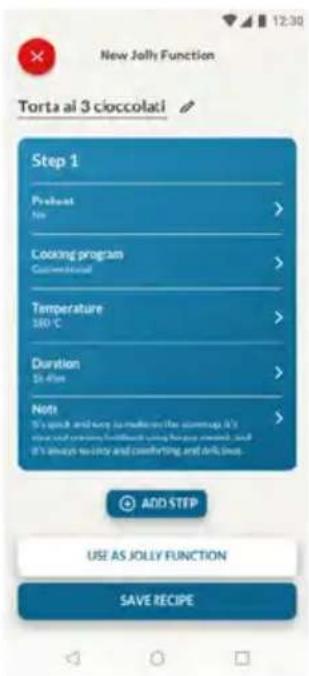
How to Set the Jolly Function:
To set the Jolly function on your oven, open the app's recipe section, select the recipe you want to use, and click 'Use As Jolly Function'.
From this point onward, you can launch it from the product even without interaction with the app. Simply turn the function knob to the Jolly function to start the cooking process.
The display will show the preset temperature.
How to edit the Jolly function:
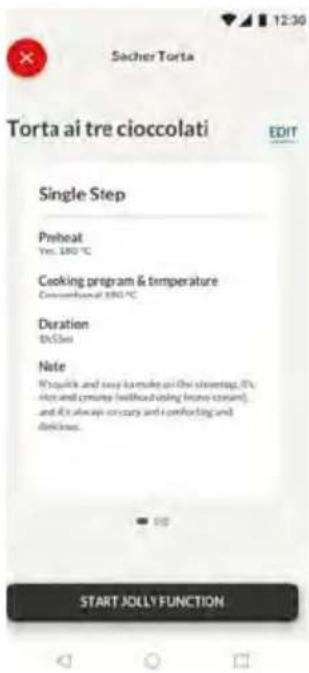
To edit a Jolly function, go to the app's recipe section and select the card of the recipe designated as a Jolly function. Tap the "edit" button to customize the recipe and modify the previously set settings.
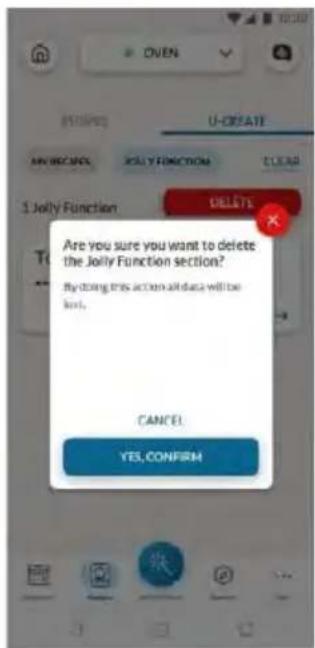
A pop-up message will inform you that to save the newly modified Jolly function, you must remove the previous one. If you confirm, the previous Jolly function will be deleted, and the new parameters will be saved on the product and will be visible in the app.
How to Delete the Jolly Function:
To remove the Jolly function from the oven's user interface, access the app's recipe section.
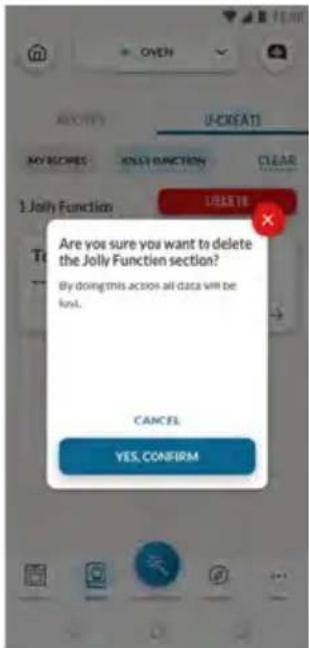
By tapping on the card of the recipe designated as a Jolly function, it's possible to delete it by clicking the red button 'delete button'.
A pop-up will confirm the operation, asking for your confirmation. If you proceed, the Jolly function saved on the oven will be removed, and it will no longer be available in the app.
PRECI PROBE
Before the use verify the charge of the Preci Probe:
- Put Preci Probe into the charger and close the cover.
- Connect the charger to a USB power source, such as USB adapter or USB socket of PC/ note - book with the USB cable. The charger may not be working properly with power bank because of its auto switch-off function.
- LED of the charger will turn on and is flashing during charging. It will turn off when Preci Probe is fully charged.

natural_image
Diagram of a mechanical component with an open lid and a blue arrow indicating rotation (no text or symbols)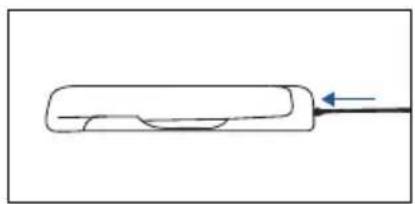
natural_image
Simple line drawing of a rectangular object with a curved cutout and an arrow pointing to it (no text or symbols)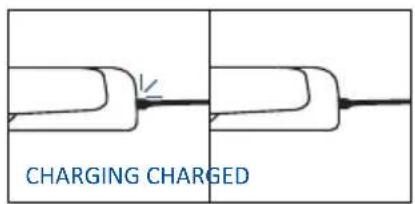
How to enroll and use Preci Probe:
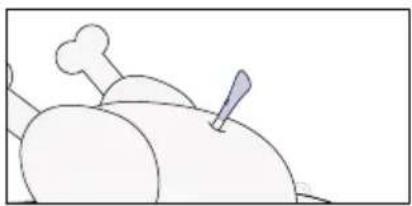
- Insert the Probe in the food.
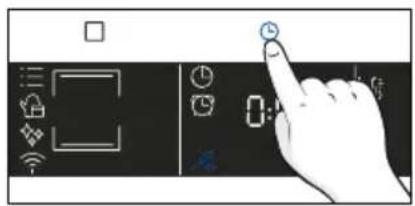
- Tap □ to select the desired function and Tap Ⓞ as many times as you need to select Probe icon.
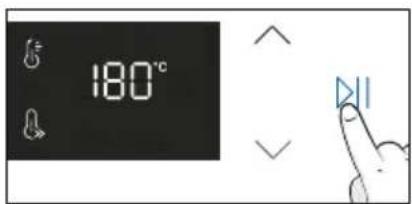
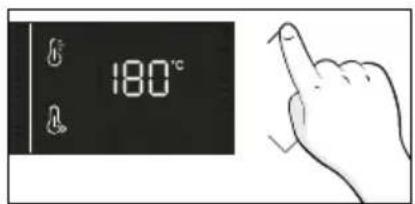
- After a while, the oven will recognize the Probe code. Tap ▷II, and use arrows to set the target temperature.
- Tap ▷to confirm. From this moment, the oven will use the Probe's data to monitor the internal temperature of your food.
- Once the desired internal temperature is reached, the alarm sounds and the oven turns off. Carefully remove the Probe from the food.
natural_image
Simple line drawing of a roasted chicken with a chimney and leaf (no text or symbols)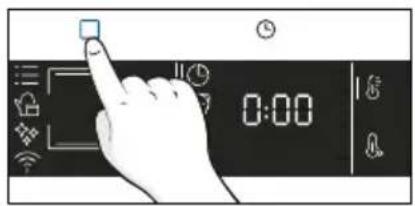

Cooking tips
The Probe is equipped with a single measuring point. Insert it entirely into the food with the metal tip positioned at the centre of the food. Place this point as close as possible to the thickest (coldest) part of the food to accurately monitor the cooking process.
natural_image
Illustration of a pen writing on a bone next to a cartoon dog (no text or symbols)The Probe can be used with manual functions (Conventional, Conventional + Fan, Grill, Super grill, Gratin and Multilevel), with FOOD COOKING CATEGORIES (Meat, Fish and Vegetables) and Gentle cooking.
| Food category Suggested core T°C Suggested positioning | |
| Roast beef 45°C | |
| Roasted meats 55 °C / 60 °C / 65 °C | |
| Poultry 83-85°C Into the thickest part of the breast | |
| Fish (whole/steaks) 65°C Diagonally in the thickest part | |
| Bread/casseroles 90°C |
4.2.3. MULTI STEP FEATURE
The multi step feature allows to maintain previously set cooking parameters (temperature and time) while changing function during cooking.
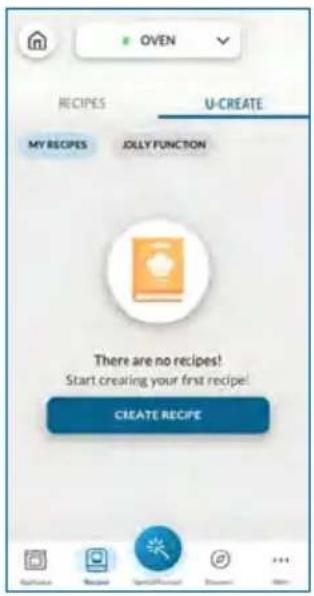
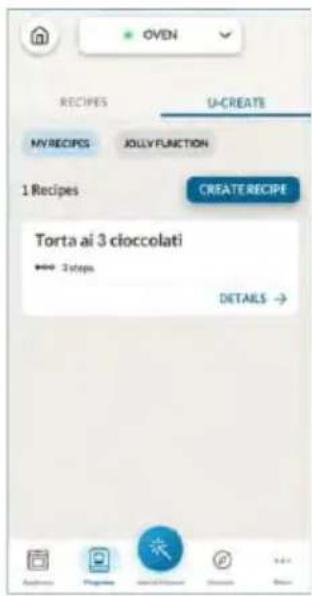
Multi-step recipes can be created on hOn App through the U-Create function and saved on the oven.
The user can save the Multi-step recipe as a Jolly Function to store it on the oven, or save it on hOn to start it remotely from the App.
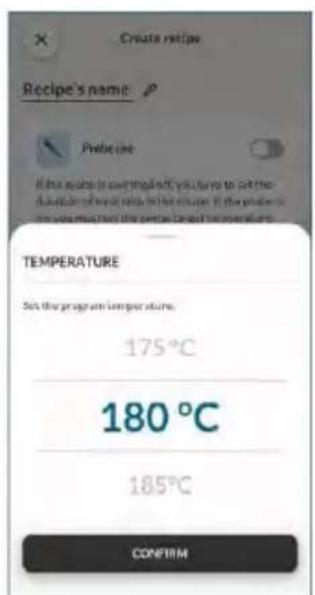
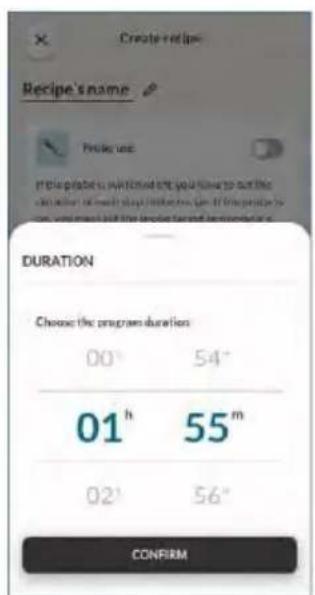
Step 1. From the U-Create section of the App, press "Create Recipe".
Step 2. Edit the recipe's name and choose the parameters for the first step of the recipe.
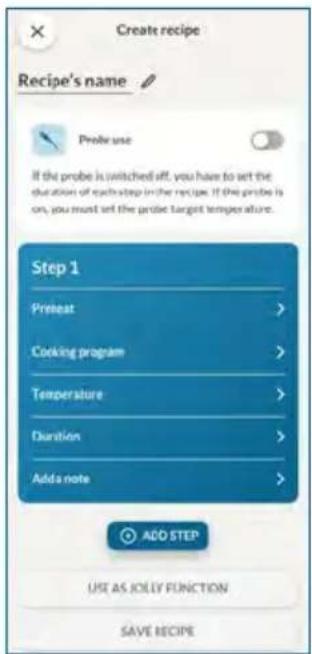
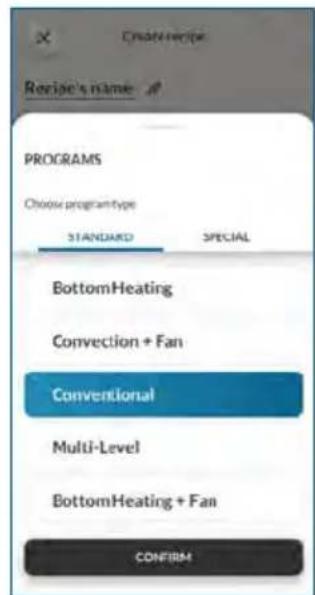
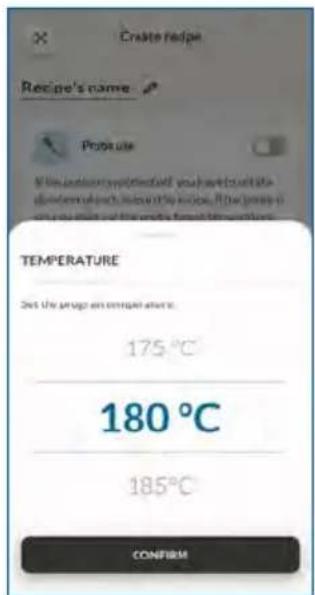
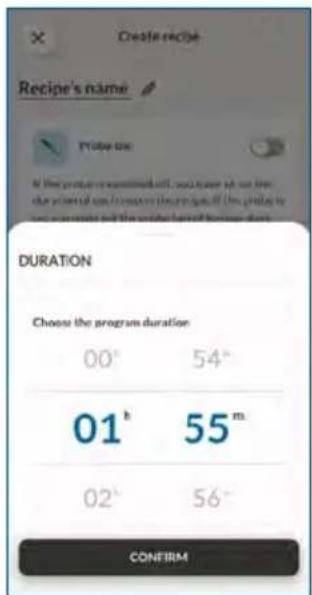
Step 3. After customizing the first step, press "Add step" to add another cooking function to the recipe and customize its parameters.
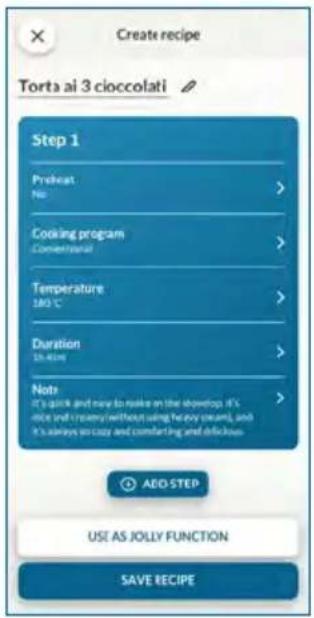
Step 4. Save the recipe on the app to start it from hOn remotely, or save it as a "Jolly Function" to find it directly on the oven.
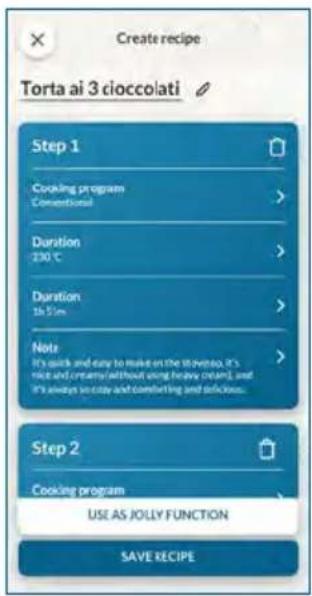
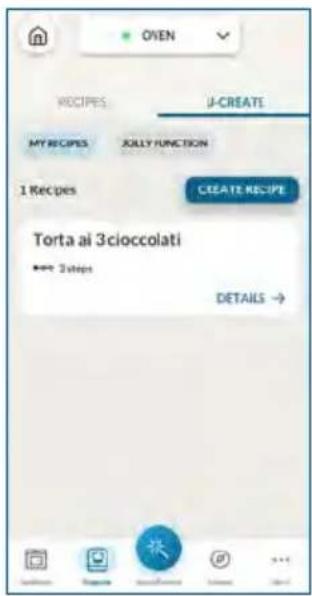
5. COOKING GUIDELINES
5.1. GENERAL COOKING TABLE
- 7 Levels
| Category Recipe | N°of levels | Cooking program | T°C Preheat | Cooking accessory | Shelf position | Cooking time after preheating* (min) | |
| Sweet bakery | Small cakes /Muffins | 1 | Conventional Multilevel | 175°C 160°C | Y | Baking tray L3 | |
| 2 Mul | tilevel 150°C | Baking + Deeper trays | L3+L6 30-40 | ||||
| 3 Mul | tilevel 140°C Baking | trays L2+L4+L6 40-50 | |||||
| Sponge cakes (26 cm ∅) | 1 | Conventional 170°C | Y | Metal grid + Cake tin | L2 30-40 | ||
| Multilevel 150°C | Metal grid + Cake tin | L3 40-50 | |||||
| 2 Mul | tilevel 150°C | Metal grids + Cake tin | L3+L6 50-60 | ||||
| Biscuits/Shortbreads | 1 | Conventional Multilevel | 150°C 150°C | Y | Baking tray L3 | ||
| 2 Mul | tilevel 140°C Baking | trays L3+L6 35-45 | |||||
| 3 Mul | tilevel 140°C Baking | trays L2+L4+L6 35-40 | |||||
| Choquettes | 1 Mul | tilevel 190°C | Y | Baking tray L3 | 25-35 | ||
| 2 Mul | tilevel 170°C | Baking tray | L3+L6 25-35 | ||||
| Yorkshire pudding | 1 | Conventional | 200°C | Y | Baking tray | L3 | |
| Meringues | 1 | Multilevel | 90°C | Y | Baking tray | L3 | |
| Macaron | 1 | Conventional | 150°C | Y | Baking tray | L3 | |
| Apple pie | 1 | Conventional 185°C | Y | Metal grid + Cake tin | L2 60-70 | ||
| 1 Mul | tilevel 170°C | Metal grid + Cake tin | L3 65-75 | ||||
| Tarte tatin | 1 | Conventional | 170°C | Y | Metal grid + Cake tin | L2 40-60 | |
| Chocolate souffle | 1 | Conventional 200°C | Y | Baking tray + molds | L3 10-15 | ||
| Cheesecake 1 | Conventional 150°C | Y | Metal grid + Cake tin | L2 50-65 | |||
| Frozen croissants | 1 | Conventional 180°C | L5 28-35 | Baking tray L3 | 20-25 | ||
| 2 Mul | tilevel 180°C Baking | trays L2+L4+L6 30-40 | |||||
| 3 Mul | tilevel 160°C Baking | trays L2+L4+L6 30-40 | |||||
| Strudel, frozen | 1 | Conventional | 210°C | Y | Baking tray | L3 | |
| Breads and Flatbread | Toast bread | 1 | Supergrill | 05 | N | Metal grid | L7 |
| Focaccia | 1 | Conventional | 200°C | Y | Baking tray | L2/L3 | |
| Bread, whole | 1 | Conventional | 200°C | Y | Baking tray | L3 | |
| Category Recipe | N°of levels | Cooking program | T°C Preheat | Cooking accessory | Shelf position | Cooking time after preheating* (min) | ||
| Savory pies and casseroles | Salty cakes / Quiches (26 cm ∅) | 1 Convection+Fan 180°C | Y | Metal grid + Quiche tin | L3 45-60 | |||
| 2 Multilevel 180°C | Metal grid + Quiche tin | L2+L5 50-70 | ||||||
| Cheese souffle | 1 Conventional 200°C Y Baking tray L3 20-35 | |||||||
| Lasagna, fresh | 1 Conventional 200°C Y | Metal grid + ovenproof dish | L3 40-60 | |||||
| Lasagna, frozen | 1 Convection+Fan 180°C Y | Metal grid + ovenproof dish | L3 50-60 | |||||
| Cannelloni, frozen | 1 Convection+Fan 180°C Y | Metal grid + ovenproof dish | L3 45-55 | |||||
| Baked pasta 1 | Gratin 200°C Y | Metal grid + ovenproof dish | L4 20-30 | |||||
| Pizza | Pizza, fresh (Tray) | 1 | Conventional Pizza | 250°C 300°C | YN | Baking tray | L2/L3 | 15-20 18-25 |
| 2 Multilevel 180°C Y | Baking + Deeper trays | L2+L5 25-35 | ||||||
| Pizza, fresh (Round) | 1 | Conventional Pizza | 250°C 300°C | YN | Baking tray | L2/L3 | 8-10 15-20 | |
| 2 Multilevel 180°C Y | Baking + Deeper trays | L2+L5 30-40 | ||||||
| Pizza, frozen (thin crust) | 1 | Conventional Pizza | 220°C 200°C | YN | Metal grid | L3 10-15 | ||
| 2 Multilevel 200°C | Y Metal grid | Metal grid | L2+L5 15-25 | |||||
| 3 Multilevel 180°C | L2+L4+L6 25-35 | |||||||
| Meat & Poultry | Roasted whole chicken (1-1.2kg) | 1 Gratin 220°C Y | Metal grid Place baking tray at L1 | L4 40-60 | ||||
| Chicken thighs | 1 | Air Fry | 220°C | N | Air Fry tray** | L4 | 30-50 | |
| Roasted duck | 1 Gratin 200°C Y | Metal grid + Ovenproof dish | L3 50-60 | |||||
| Rooster 1 Gratin 220°C Y | Metal grid Place baking tray at L1 | L4 20-40 | ||||||
| Roasted Turkey | 1 Gratin 200°C Y | Metal grid + Ovenproof dish | L3 50-60 | |||||
| Pork ribs (1000-1200g) | 1 Conventional 200°C Y | Metal grid + Ovenproof dish | L3 | 80-100 | ||||
| Category Recipe | N° of levels | Cooking program | T°C | Preheat | Cooking accessory | Shelf position | Cooking time after preheating* (min) | |
| Meat & Poultry | Sausages 1 S | Supergrill 04 Y Metal grid L5 40-50 | ||||||
| Roast beef (500g) | 1 Gratin 220°C Y Baking tray L3 20-40 | |||||||
| Meatloaf (1000-1500g) | 1 Conventional 180°C Y Baking tray L3 40-50 | |||||||
| Roasted chicken with potatoes | 1 Gratin 200°C Y Deeper tray L4 45-60 | |||||||
| Fish and Seafood | Grilled seafood | 1 Supergrill 04 N | Metal grid | L5 15-30 | ||||
| Frozen fish sticks | 1 | Air Fry | 200°C | N | Air Fry tray** | L4 | 20-25 | |
| Baked fish | 1 | ECO | 200°C | N | Metal grid Place baking tray at L1 | L3 40-60 | ||
| Vegetables | Vegetable gratin | 1 | ECO | 200°C | N | Metal grid + Ovenproof dish | L3 80-90 | |
| Frozen French fries (300-500g) | 1 | Air Fry | 220°C | N | Air Fry tray** | L4 | 18-25 | |
| Potato gratin | 1 Gratin 200°C Y | Metal grid + Ovenproof dish | L4 15-25 | |||||
| Roasted potatoes | 1 Conventional 200°C Y Baking tray L4 30-50 | |||||||
Cooking times may vary according to consumer's recipe and ingredients.
*if preheating required
** Depending on the oven model.
NOTE: For cooking cakes, quiches and other recipes that require a mold or a container on 2 levels, place the staggered: the upper tray on the left side and the lower tray on the right side.
- 6 Levels
| Category Recipe | N° of levels | Cooking program | T°C Preheat | Cooking accessory | Shelf position | Cooking time after preheating* (min) | |
| Sweet bakery | Small cakes /Muffins | 1 | Conventional Multilevel | 175°C 160°C | Y | Baking tray L3 | |
| 2 Mu | tilevel 150°C | Baking + Deeper trays | L2+L5 30-40 | ||||
| 3 Mu | tilevel 140°C Baking | trays L2-L4+L6 40-50 | |||||
| Sponge cakes (26 cm ∅) | 1 | Conventional 170°C | Y | Metal grid + Cake tin | L2 30-40 | ||
| Multilevel 150°C | Metal grid + Cake tin | L3 40-50 | |||||
| 2 Mu | tilevel 150°C | Metal grids + Cake tin | L2+L5 50-60 | ||||
| Biscuits/Shortbreads | 1 | Conventional Multilevel | 150°C 150°C | Y | Baking tray L3 | ||
| 2 Mu | tilevel 140°C Baking | trays L2-L5 35-45 | |||||
| 3 Mu | tilevel 140°C Baking | trays L2-L4+L6 35-40 | |||||
| Choquettes | 1 Mu | tilevel 190°C | YL3+L6 25 | Baking tray L3 | 25-35 | ||
| 2 Mu | tilevel 170°C Baking | tray | 35 | ||||
| Yorkshire pudding | 1 | Conventional | 200°C | Y | Baking tray | L3 | |
| Meringues | 1 | Multilevel | 90°C | Y | Baking tray | L3 | |
| Macaron | 1 | Conventional | 150°C | Y | Baking tray | L3 | |
| Apple pie | 1 | Conventional 185°C | Y | Metal grid + Cake tin | L2 60-70 | ||
| 1 Mu | tilevel 170°C Y | Metal grid + Cake tin | L3 65-75 | ||||
| Tarte tatin | 1 | Conventional | 170°C | Y | Metal grid + Cake tin | L2 40-60 | |
| Chocolate souffle | 1 | Conventional 200°C | Y | Baking tray + molds | L3 10-15 | ||
| Cheesecake | 1 | Conventional | 150°C | Y | Metal grid + Cake tin | L2 50-65 | |
| Frozen croissants | 1 | Conventional 180°C | Y | Baking tray | L3 20-25 | ||
| 2 | Multilevel | 180°C | Baking trays | L2+L5 | |||
| 3 | Multilevel | 160°C | Baking trays | L2+L4+L6 | |||
| Strudel, frozen | 1 | Conventional | 210°C | Y | Baking tray | L3 | |
| Breads and Flatbread | Toast bread | 1 | Supergrill | 05 | N | Metal grid | L6 |
| Focaccia | 1 | Conventional | 200°C | Y | Baking tray | L2/L3 | |
| Bread, whole | 1 | Conventional | 200°C | Y | Baking tray | L3 | |
| Category Recipe | N°of levels | Cooking program | T°C Preheat | Cooking accessory | Shelf position | Cooking time after preheating* (min) | ||
| Savory pies and casseroles | Salty cakes / Quiches (26 cm ∅) | 1 Convection+Fan 180°C | Y | Metal grid + Quiche tin | L3 45-60 | |||
| 2 Multilevel 180°C | Metal grid + Quiche tin | L2+L5 50-70 | ||||||
| Cheese souffle | 1 Conventional 200°C Y Baking tray L3 20-35 | |||||||
| Lasagna, fresh | 1 Conventional 200°C Y | Metal grid + ovenproof dish | L3 40-60 | |||||
| Lasagna, frozen | 1 Convection+Fan 180°C Y | Metal grid + ovenproof dish | L3 50-60 | |||||
| Cannelloni, frozen | 1 Convection+Fan 180°C Y | Metal grid + ovenproof dish | L3 45-55 | |||||
| Baked pasta 1 | Gratin | 200°C Y | Metal grid + ovenproof dish | L4 20-30 | ||||
| Pizza | Pizza, fresh (Tray) | 1 | Conventional Pizza | 250°C 300°C | YN | Baking tray | L2/L3 | 15-20 18-25 |
| 2 Multilevel 180°C Y | Baking + Deeper trays | L2+L5 25-35 | ||||||
| Pizza, fresh (Round) | 1 | Conventional Pizza | 250°C 300°C | YN | Baking tray | L2/L3 | 8-10 15-20 | |
| 2 Multilevel 180°C Y | Baking + Deeper trays | L2+L5 30-40 | ||||||
| Pizza, frozen (thin crust) | 1 | Conventional Pizza | 220°C 200°C | YN | Metal grid | L3 10-15 | ||
| 2 Multilevel 200°C | Y Metal grid | Metal grid | L2+L5 15-25 | |||||
| 3 Multilevel 180°C | L2+L4+L6 25-35 | |||||||
| Meat & Poultry | Roasted whole chicken (1-1.2kg) | 1 Gratin 220°C Y | Metal grid Place baking tray at L1 | L4 40-60 | ||||
| Chicken thighs | 1 | Air Fry | 220°C | N | Air Fry tray** | L4 | 30-50 | |
| Roasted duck | 1 Gratin 200°C Y | Metal grid + Ovenproof dish | L3 50-60 | |||||
| Rooster | 1 Gratin 220°C Y | Metal grid Place baking tray at L1 | L4 20-40 | |||||
| Roasted Turkey | 1 Gratin 200°C Y | Metal grid + Ovenproof dish | L3 50-60 | |||||
| Pork ribs (1000-1200g) | 1 Conventional 200°C Y | Metal grid + Ovenproof dish | L3 | 80-100 | ||||
| Category Recipe | N° of levels | Cooking program | T°C | Preheat | Cooking accessory | Shelf position | Cooking time after preheating* (min) | |
| Meat & Poultry | Sausages 1 S | Supergrill 04 Y Metal grid L5 40-50 | ||||||
| Roast beef (500g) | 1 Gratin 220°C Y Baking tray L3 20-40 | |||||||
| Meatloaf (1000-1500g) | 1 Conventional 180°C Y Baking tray L3 40-50 | |||||||
| Roasted chicken with potatoes | 1 Gratin 200°C Y Deeper tray L4 45-60 | |||||||
| Fish and Seafood | Grilled seafood | 1 | Supergrill | 04 | N | Metal grid | L4 | 15-30 |
| Frozen fish sticks | 1 | Air Fry | 200°C | N | Air Fry tray** | L4 | 20-25 | |
| Baked fish | 1 | ECO | 200°C | N | Metal grid Place baking tray at L1 | L3 40-60 | ||
| Vegetables | Vegetable gratin | 1 | ECO | 200°C | N | Metal grid + Ovenproof dish | L3 80-90 | |
| Frozen French fries (300-500g) | 1 | Air Fry | 220°C | N | Air Fry tray** | L4 | 18-25 | |
| Potato gratin | 1 Gratin 200°C Y | Metal grid + Ovenproof dish | L4 15-25 | |||||
| Roasted potatoes | 1 Conventional 200°C Y Baking tray L4 30-50 | |||||||
Cooking times may vary according to consumer's recipe and ingredients.
*if preheating required
** Depending on the oven model.
NOTE: For cooking cakes, quiches and other recipes that require a mold or a container on 2 levels, place the staggered: the upper tray on the left side and the lower tray on the right side.
5.2. EVERYDAY COOKING TABLE
Food category menu allows to cook a variety of recipes without preheating the oven, thanks to dedicated cooking programs tailored to each category needs.
After selecting the cooking program, the default values for time and temperature will be shown; the cooking time and temperature can be changed by pressing the dedicated icons. Both parameters can be set within a limited range as shown in the table below.
While navigating the Everyday Cooking functions, the food category menu with steam can be activated by pressing the Temperature icon until the Steam icon appears. Confirm your choice by pressing the Start button.
| Symbol | Description Preheat | Shelf position | Temperature range (°C) | Time Range (min) | Meat Probe temperature (if available) | Description | |
| White Meat | NO | L3 | 180-200 | 40-80 | 70-85°C | For poultry and cuts of white meat | |
| Red Meat | NO | L3 | 180-200 | 20-80 | 58-65°C | For beef and cuts of red meat | |
| Fish | NO | L3 | 160-180 | 15-45 | 55-65°C | For whole fish and fillets. | |
| Vegetables | NO | L3 | 180-200 | 30-80 | 70-90°C | For roasted vegetables and potatoes | |
| White Meat (Steam) | NO | L3 | 160-220 | 40-90 | 70-85°C | For poultry and cuts of white meat | |
| Red Meat (Steam) | NO | L3 | 180-220 | 20-100 | 58-65°C | For beef and cuts of red meat | |
| Fish (Steam) | NO | L3 | 150-180 | 15-60 | 55-65°C | For whole fish and fillets. | |
| Vegetables (Steam) | NO | L3 | 150-200 | 30-90 | 70-90°C | For roasted vegetables and potatoes |
NOTE: if, after turning off the oven, there is a need to continue cooking, it's recommended avoiding the use of everyday cooking programs and instead opting for standard functions.
How to use the Steam Tank for steam cooking programs
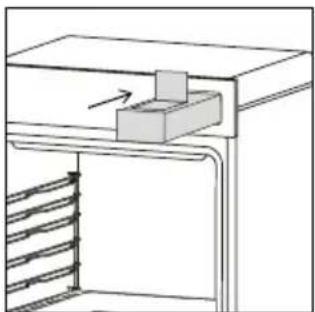
After selecting the steam cooking program, if the Steam Tank is empty, will appear on the display to notify you to fill it with water. Proceed as follows:
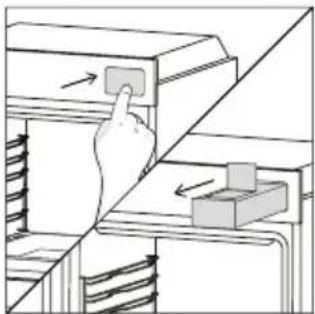
- Slightly press the Steam Tank to open it.
natural_image
Illustration of a hand pressing a button on a cabinet shelf with arrows indicating motion (no text or symbols)- Add drinking water to the Steam Tank through a jug or directly from the sink. Do not exceed the maximum level of water indicated inside the tank.
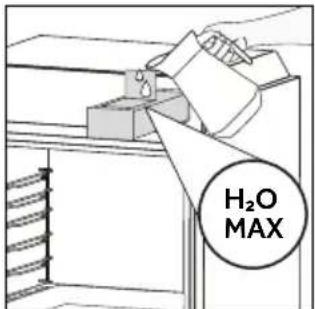
- Push the Steam Tank to close it and close the oven door.
natural_image
Technical line drawing of a door frame with an arrow indicating motion or force (no text or symbols)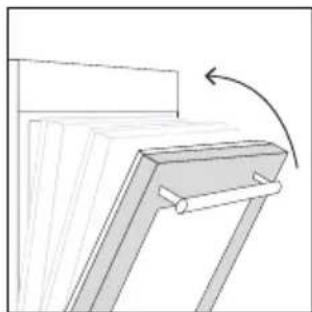
natural_image
Diagram of a mechanical bracket with an arrow indicating rotation (no text or symbols present)- Press the Start button to confirm and let the cooking start.
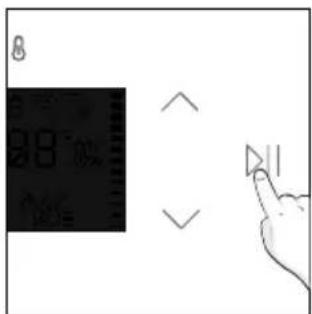
In case the amount of water added isn't enough to carry out the cooking program, will appear on the display to notify you to refill the tank.
| Recipe Serving size | Cooking program | T°C | Cooking accessory | Shelf position | Cooking time (min) | |
| Beef roast 500-800g | Red Meat (Steam) | 180°C Metal | grid L3 30-40 | |||
| Beef fillet 200g | Red Meat (Steam) | 200°C Metal | grid L3 20-25 | |||
| Meatloaf 1000-1500g | Red Meat (Steam) | 200°C Metal | grid L3 40-50 | |||
| Beef wellington | 500g | Red Meat (Steam) | 210°C Metal | grid L3 50-80 | ||
| Pork roast 800-1000g | White Meat (Steam) | 180°C Metal | grid L3 40-70 | |||
| Pork ribs 1000-1200g | White Meat (Steam) | 200°C Metal | grid L3 80-100 | |||
| Lamb rack 800-1000g | White Meat (Steam) | 190°C Metal | grid L3 60-80 | |||
| Lamb leg 1500-2000g | White Meat (Steam) | 200°C Metal | grid L3 80-100 | |||
| Salmon fillets | 200-600g | Fish (Steam) | 170°C | Baking tray | L3 | 20-35 |
| Tuna steaks | 600g(app. 4 pcs) | Fish (Steam) 180°C Metal grid L3 | 15-20 | |||
| Swordfish steaks | 700g(app. 4 pcs) | Fish (Steam) 180°C Baking tray L3 | 15-20 | |||
| Cod fillet | 600g(app. 4 pcs) | Fish (Steam) 150°C Baking tray L3 | 15-20 | |||
| Seabream, whole | 1 Fish (Steam) 170°C Baking tray L3 35-45 | |||||
| Seabream, fillet | 600g(app. 4 pcs) | Fish (Steam) 150°C Baking tray L3 | 15-20 | |||
| Seabass fillet | 600g(app. 4 pcs) | Fish (Steam) 150°C Baking tray L3 | 15-20 | |||
| Fish skewers | 8 pieces Fish (Steam) 150°C Metal grid L3 20-30 | |||||
| Stuffed squid | 4 pieces Fish (Steam) 180°C Baking tray L3 25-40 | |||||
| Fennels 1 tray | Vegetables (Steam) | 200°C Metal | grid L3 30-40 | |||
| Mixed vegetables | 1 tray | Vegetables (Steam) | 190°C Metal | grid L3 40-45 | ||
| Cauliflowers 1 tray | Vegetables (Steam) | 150°C Metal | grid L3 40-50 | |||
| Pumpkins, cubed | 1 tray | Vegetables (Steam) | 160°C Metal | grid L3 30-40 | ||
| Stuffed peppers | 1 tray | Vegetables (Steam) | 180°C Metal | grid L3 70-80 | ||
| Stuffed zucchini | 1 tray | Vegetables (Steam) | 190°C Metal | grid L3 35-45 | ||
| Carrot sticks 1 tray | Vegetables (Steam) | 150°C Baking tray L3 35-40 | ||||
| Broccoli | 1 tray | Vegetables (Steam) | 150°C Baking tray L3 30-40 | |||
| Ratatouille | 1 tray | Vegetables (Steam) | 190°C Metal | grid L3 40-45 | ||
| Vegetable flan | 6 ramekins | Vegetables (Steam) | 180°C | Baking tray + molds | L3 25-35 | |
6. CARE & CLEANING
6.1. GENERAL RECOMMENDATIONS
Regular cleaning can extend the lifecycle of your appliance. Wait for the oven to cool before carrying out manual cleaning.
• After each use of the oven, a minimum of cleaning will help keep the oven perfectly clean.
- Do not line the oven walls with aluminum foil or single-use protection available from stores.
Aluminum foil or any other protection, in direct contact with the hot enamel, risks melting and deteriorating the enamel of the insides.
- In order to prevent excessive dirt of your oven and the resulting strong smokey smells, we recommend not using the oven at very high temperature. It is better to extend the cooking time and lower the temperature a little.
- In addition to the accessories supplied with the oven, we advise you only use dishes and baking molds resistant to very high temperatures.
6.2. CLEANING THE OVEN
6.2.1. INSIDE THE OVEN: cleaning functions
Pyrolytic cleaning (*depending on the oven model)
This process relies on the chemical process bearing the same name, which involves the decomposition of complex substances through the application of heat treatment.
Once initiated, it automatically locks the oven door and swiftly elevates the temperature to a searing 410°C.
At the end of the cleaning cycle, food residues will leave a white coating on the enamel surfaces. To remove these particles, wipe with a cloth soaked in hot soapy water and use a brush or steel wool. Suitable cleaning agents are hot soapy water or oven cleaner.
How does it work:
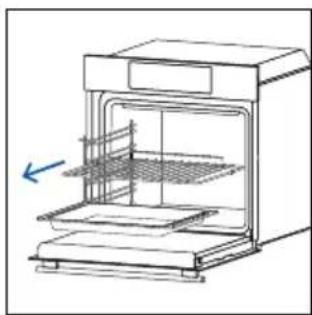
- Remove any accessories from the oven, such as grids, side racks and side racks screw (*);
- Turn function knob on 🎨. Turn the dial control to set the Pyrolytic program; Allow the function to operate for the preset time. During this process and the following cooling phase, the oven door will remain locked.
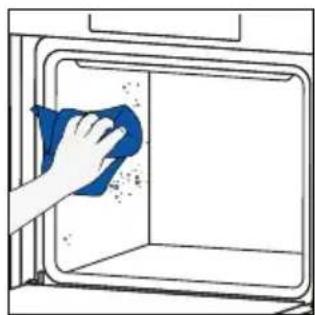
- When the appliance is cool, clean the inner surfaces of the oven with a cloth.
▲ WARNING: Make sure that the appliance is cool before you touch it. Care must be taken with all hot surfaces as there is a risk of burns. Use distilled or drinkable water.
(*) only for models with 7 levels.
natural_image
Line drawing of an oven with cooling rack and side panel (no text or symbols)
natural_image
Hand cleaning a window with a blue cloth, showing surface dust and debris (no text or symbols)
H_2 O Steam
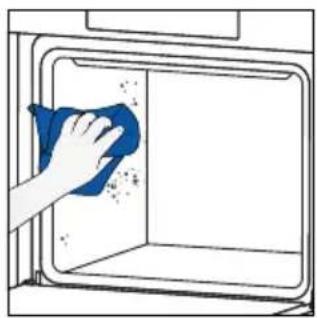
The H_2O Steam cleaning function is designed to effortlessly tackle light dirt and provide a quick and eco-friendly solution for cleaning your oven cavity using the power of steam.
How does it work:
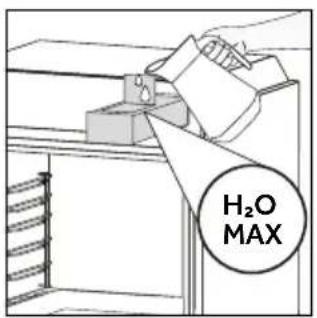
- Pour water into the Steam Tank until reaching the maximum level indicated on the tank.
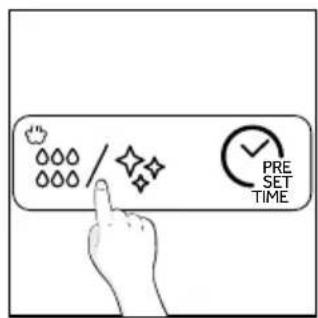
- Select the H_2O Steam cleaning program. Allow the function to operate for the preset time.
- At the end of the cleaning process, allow the oven to cool down.
- When the appliance is cool, clean the inner surfaces of the oven with a cloth.
- ⚠ WARNING: Make sure that the appliance is cool before you touch it. Care must be taken with all hot surfaces as there is a risk of burns. Use distilled or drinkable water.
natural_image
Hand cleaning a blue cloth inside a kitchen oven (no text or symbols visible)STEAM SYSTEM CLEANING

Descale
This function is suggested after 25 cycles, and it will be mandatory after 40 cycles. The oven will show at the end of every steam cycle starting from the 25th if users have not performed descale yet. After 40 steam cycles, none of the steam cooking programs will start before users execute the descaling program. It is divided into three steps:
Step 1 (Removing residual water from steamer):
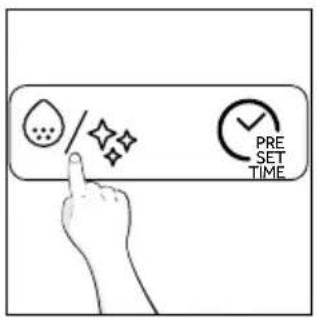
i. Select descaling mode and then press the start button.
ii. When the buzzer beeps to proceed with the second step, remove the water tank.
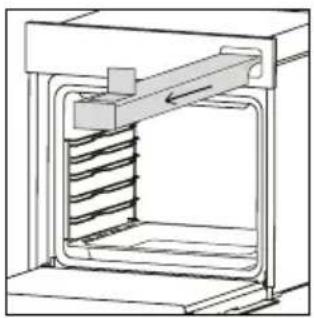
natural_image
Technical line drawing of a mechanical assembly with spring-loaded housing (no text or symbols)Step 2 (Descaling):
i. Add 400 ml of tap water and 100 ml of descaler into the Steam Tank. Then press the start button.
ii. This step will take 30 minutes, after that to proceed to the third stage, the Steam Tank must be removed again.

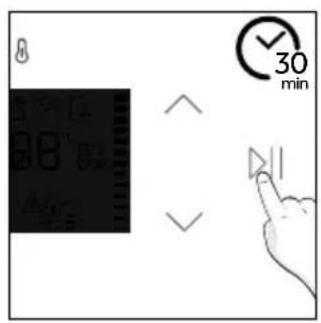
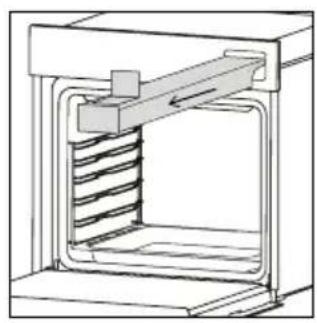
natural_image
Technical line drawing of a mechanical assembly with spring-loaded housing (no text or symbols)Step 3 (Rinsing):
i. Add 500 ml of tap water into the Steam Tank. Then press the start button.
ii. This step will take 4 minutes; at the end of the process the buzzer beeps
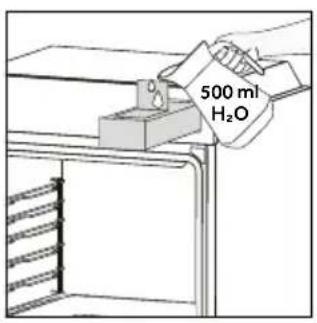
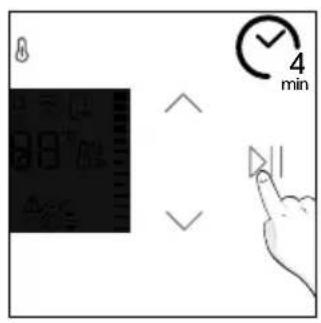
Drain
After each steam cooking cycle, the water remaining in the steamer will be automatically drained back into the Steam Tank.
During this process, Ⓞ will be shown on the display.
In case the Steam Tank is already full, will appear on the display to notify you to empty the tank to allow the draining process to start.
Catalytic cleaning (available depending on the model)
The Catalytic panels line the oven cavity and grant you the luxury of never having to contend with a dirty oven.
The panels are coated with a specialized enamel that boasts a microporous structure, adept at absorbing absorbs grease from splashes.
Through a catalytic chemical reaction, they efficiently convert the absorbed grease into gaseous elements when exposed to high temperatures.
Recommendation: Consider replacing the catalytic panels after approximately three years of use, especially if you use your oven for two to three cooking cycles per week. This ensures optimal performance and cleanliness.
6.2.2. OUTSIDE THE OVEN: removal and cleaning the glass door
- Position the door at 90°. Rotate the hinge locking tabs outward from the oven.
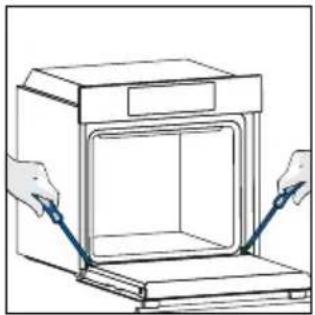
natural_image
Line drawing of a door opening with two hands inserting blue probes (no text or symbols)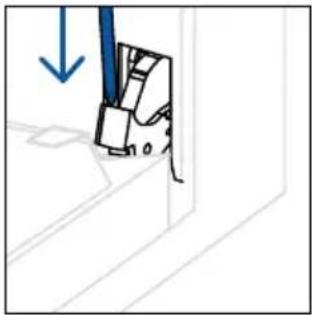
natural_image
Simple line drawing of a mechanical component with a blue arrow indicating downward motion (no text or symbols)- Position the door at 45°. Simultaneously press the two buttons on both the sides of the door's lateral shoulders and pull towards yourself to remove the upper glasses' door cover.
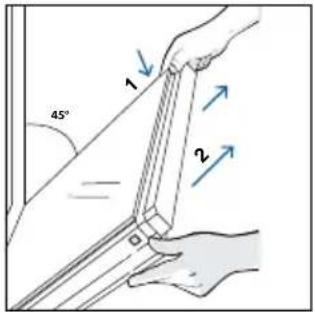
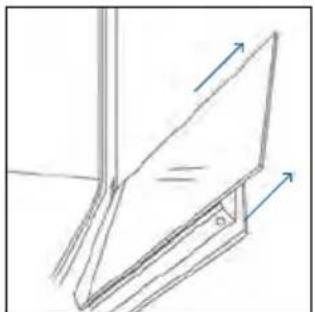
- Very carefully remove the oven glass, starting with the inner one. During the procedure, firmly hold the glass with both hands and place them on a cushioned flat surface (e.g., on a fabric).
natural_image
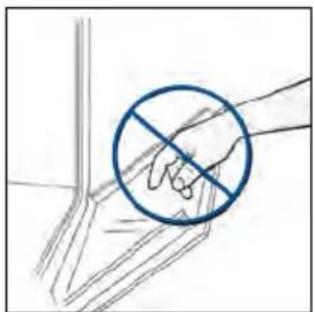
Simple line drawing of a folding chair or folding frame with arrows indicating direction (no text or symbols)- ⚠ WARNING: The outer glass is not removable.
natural_image
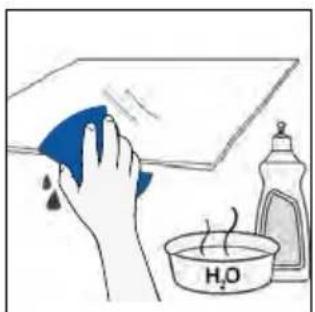
Hand holding a hand with a blue circle and diagonal line, no text or symbols present- Clean the glass using a soft cloth and suitable cleaning products.
natural_image
Illustration of a hand cleaning a surface with a cloth, a water bottle, and a bowl labeled H2O (no text or symbols on main objects)- Insert the glass panels, making sure that the "Low-E/PYRO" label is correctly readable and positioned on the lower left side of the door, near the left-side hinge. This way, the printed label on the first glass will remain on the inside of the door.
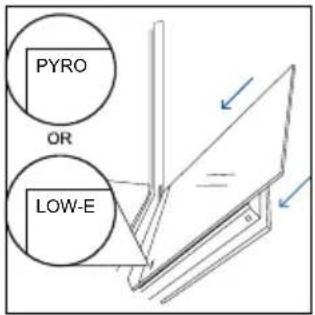
- Reattach the upper glasses' door cover by pushing it inwards until you hear a click from the two side buttons.
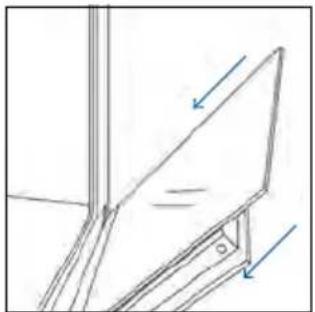
natural_image
Technical line drawing of a mechanical component with arrows indicating direction (no text or symbols)- Then, bring the door back to 90^ and rotate the hinge locking tabs inward towards the inside of the oven.
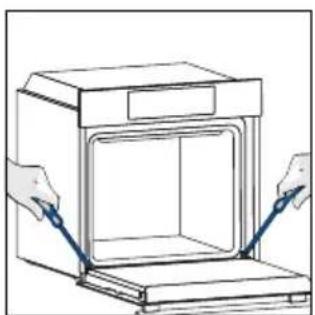
natural_image
Illustration of hands installing or adjusting a cabinet interior with blue tools (no text or symbols)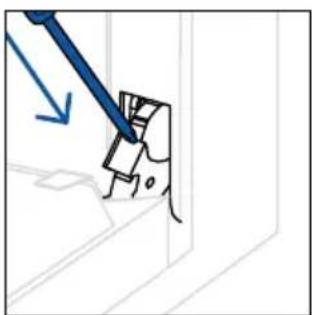
natural_image
Simple line drawing of a mechanical component with a blue tool and arrow indicating direction (no text or symbols)6.3 CLEANING OF ACCESSORIES
Ensure that you clean the accessories thoroughly after every use and dry them using a towel. For persistent residues, consider soaking the accessories in a mixture of water and soap for approximately 30 minutes before giving them a second wash.
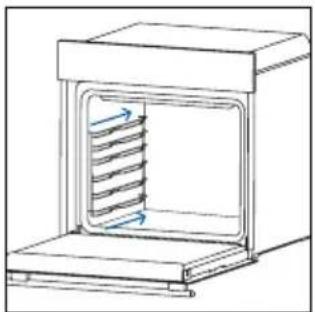
CLEANING OF SIDE RACKS:
- 6 levels model
- Remove the side racks by pulling them in the direction of the arrows.
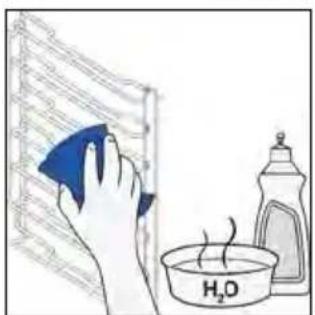
- To clean the side racks either put them in the dishwasher or use a wet sponge, ensuring that they are dried afterwards.
- After the cleaning process install the side racks in reverse order.
natural_image
Diagram of a laboratory oven with internal airflow arrows (no text or labels)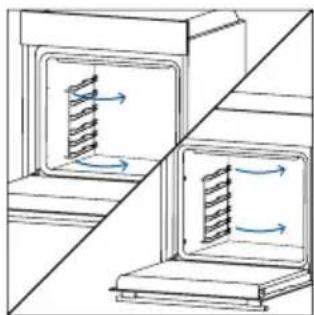
natural_image
Diagram showing two cross-sectional views of a mechanical or electrical component with internal flow arrows (no text or symbols)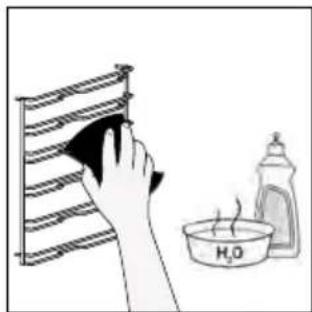
natural_image
Illustration of a hand cleaning a rack with a cloth, next to a water bottle labeled H2O (no text or symbols on the main subject)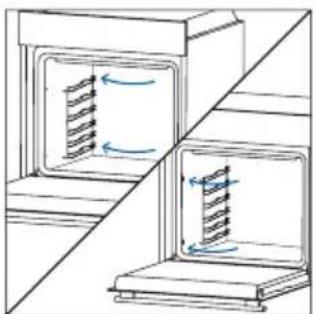
natural_image
Diagram showing two cross-sectional views of a storage or oven system with internal flow arrows (no text or symbols)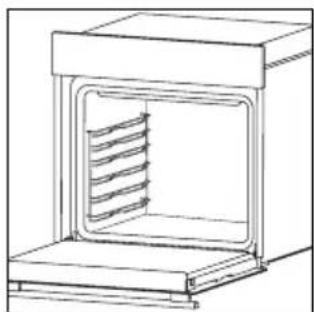
natural_image
Line drawing of a laboratory oven with internal cooling ducts (no text or symbols)- 7 levels model
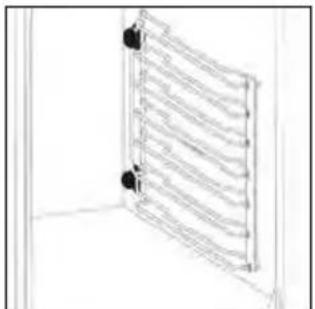
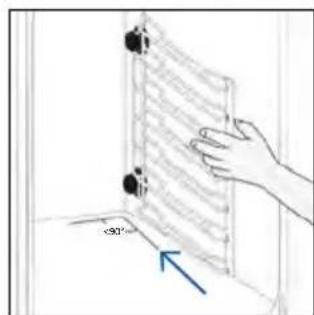
- Remove the side racks by first pulling the front part in the direction of the arrow and detaching the rear part from the screws.
- To clean the side racks either put them in the dishwasher or use a wet sponge, ensuring that they are dried afterwards.
- After the cleaning process install the side racks in reverse order: positioning the rear part between the screws and push the front part in the direction of the arrow.
natural_image
Line drawing of a ladder-like structure with multiple parallel bars, no text or symbols present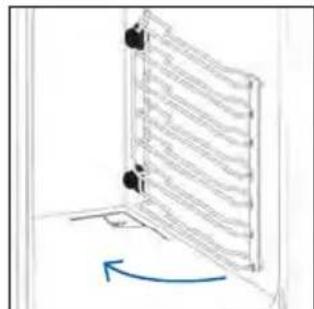
natural_image
Diagram of a vertical panel mounted on a base with a blue curved arrow indicating rotation (no text or symbols present)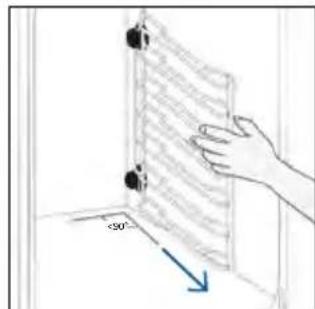
natural_image
Hand holding a document with arrows pointing to a corner detail (no text or symbols visible)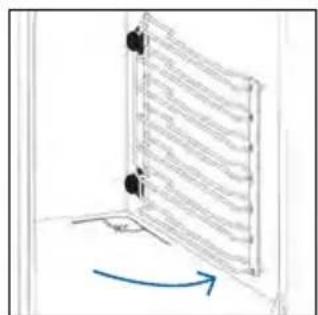
natural_image
Simple line drawing of a window with a blue arrow indicating rotation (no text or symbols)6.4 MAINTENANCE
COMPONENTS REPLACEMENT
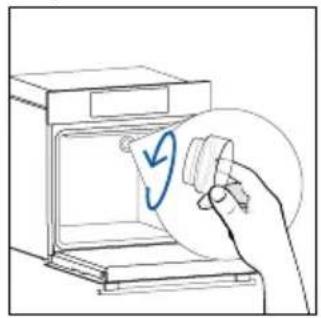
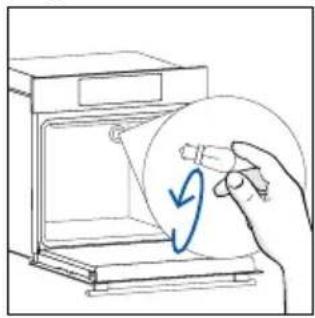
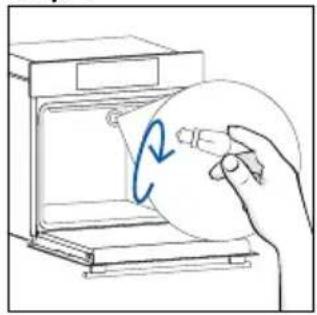
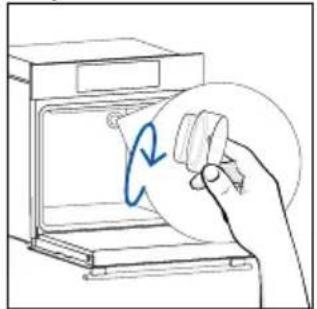
Changing the bulb on top:
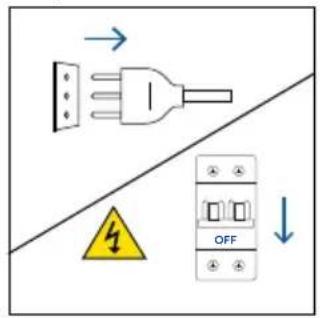
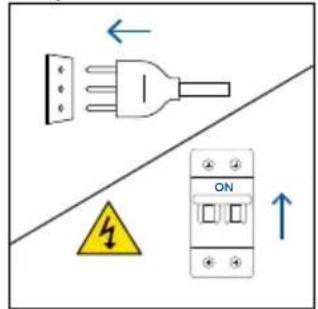
- Disconnect the oven from mains supply.
- Remove the lamp's glass cover.
- Disassemble the bulb.
- Replace the bulb with a new one of the same type.
- Relocate the lamp's glass cover.
- Reconnect the oven from mains supply.
Step 1
Step 2
natural_image
Hand holding a circular object with a blue checkmark inside an oven (no text or symbols visible)Step 3
natural_image
Line drawing of a hand holding a circular object with a blue arrow, inside an open appliance (no text or symbols)Step 4
natural_image
Hand holding a circular object inside an oven with a blue circular arrow indicating rotation (no text or symbols)Step 5
natural_image
Line drawing of a hand holding a circular object inside an oven (no text or symbols)Step 6
This product contains one or more light sources of energy efficiency class G (Lamp)
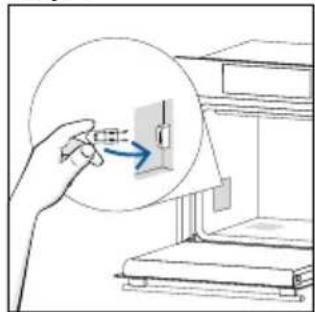
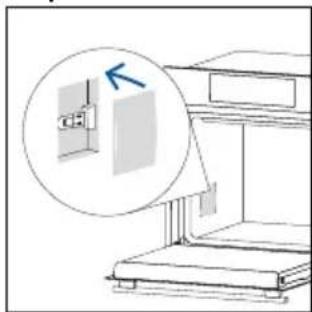
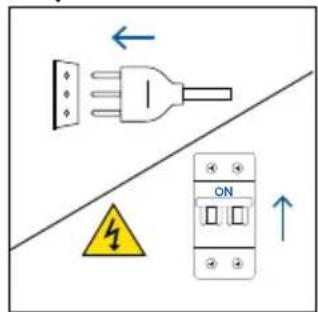
Changing the lateral bulb:
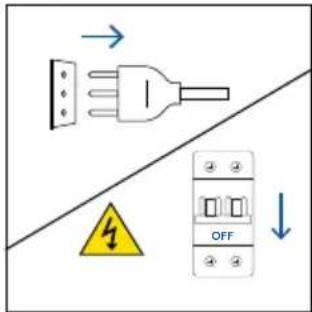
- Disconnect the oven from mains supply.
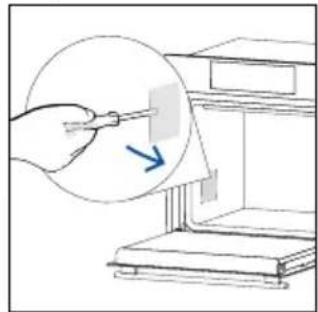
- Use a flat-head screwdriver by positioning it to the side of the protective glass and gently apply pressure to remove it.
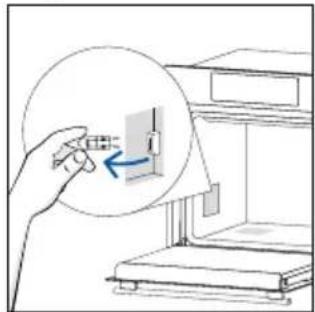
- Carefully grasp the bulb from its base.
- Insert the new one.
- Reinstall the protective glass by pressing it gently until it's locked into position.
- Reconnect the oven from mains supply.
Step 1
Step 2
natural_image
Illustration of a hand using a tool to clean or store items, with a magnified inset showing the process (no text or symbols present)Step 3
natural_image
Illustration of a hand inserting a small component into a device, with no visible text or symbols.Step 4
natural_image
Illustration of a hand inserting a component into a device (no text or symbols present)Step 5
natural_image
Diagram of a staircase with an inset showing a window and a blue arrow, no text or symbols present.Step 6
This product contains one or more light sources of energy efficiency class G (Lamp)
7. TROUBLESHOOTING
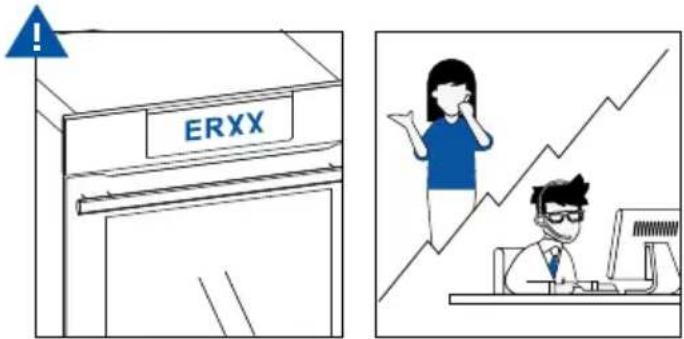
If, during oven use, an error occurs, the display will show the code "ER" followed by two digits, which will identify the error.
Proceed by turn off the oven and un-plug it, wait for a few minutes, and then reconnect it.
If the error disappears, you can resume using the oven. If it doesn't, call customer service and communicate the code (ERXX) you see on the display.
Error
Smoke
8. ENVIRONMENTAL PROTECTION & DISPOSAL
8.1. APPLIANCE DISPOSAL
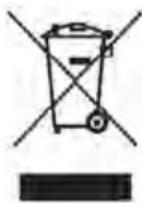
This appliance is labelled in accordance with European Directive 2012/19/EU regarding electric and electronic appliances (WEEE). The WEEE contain both polluting substances (that can have a negative effect on the environment) and base elements (that can be re-used). It is important that the WEEE undergo specific treatments to correctly remove and dispose of the pollutants and recover all the materials.
Individuals can play an important role in ensuring that the WEEE do not become an envi -
ronmental problem; it is essential to follow a few basic rules:
– the WEEE should not be treated as domestic waste;
– the WEEE should be taken to dedicated collection areas managed by the town council or a registered company.
In many countries, domestic collections may be available for large WEEEs. When you buy a new appliance, the old one can be returned to the vendor who must accept it free of charge as a one-off, as long as the appliance is of an equivalent type and has the same functions as the purchased appliance.
8.2. SAVING AND RESPECTING THE ENVIRONMENT
Where possible, avoid pre-heating the oven and always try to fill it.
Open the oven door as infrequently as possible, because heat from the cavity disperses every time it is opened. For a significant energy saving, switch off the oven between 5 and 10 minutes before the planned end of the cooking time, and use the residual heat that the oven continues to generate.
Keep the seals clean and in order, to avoid any heat dispersal outside of the cavity. If you have an electric contract with an hourly tariff, the “delayed cooking” programme makes energy saving simpler, moving the cooking process to start at the reduced tariff time slot.
Back view Side view
natural_image
Isometric line drawing of a multi-level refrigerator with drawers, shelves, and a drawer (no text or symbols)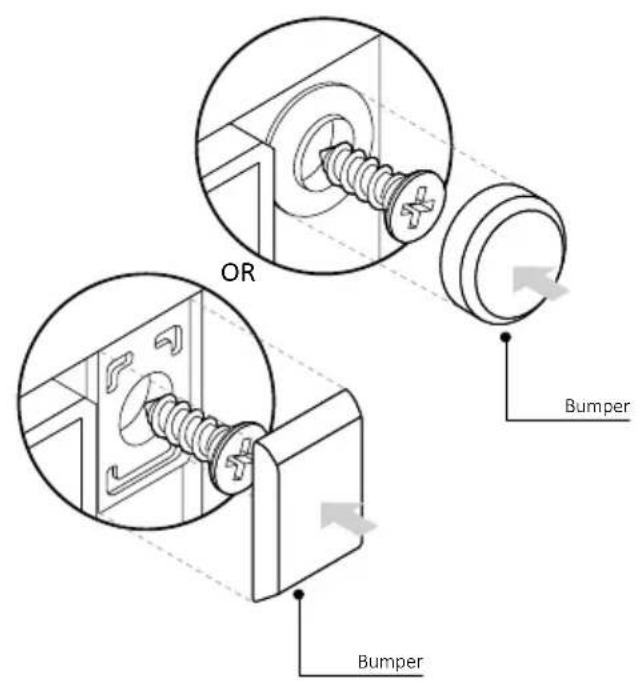
BIENVENUE
natural_image
Simple illustration of a blue-handled tool with a black downward arrow (no text or symbols)natural_image
Empty white rectangle with black border (no text or symbols)natural_image
Line drawing of two vertical metal racks with horizontal bands, no text or symbols presentnatural_image
3D diagram of a rectangular tray with internal compartments, placed inside an oven (no text or symbols)natural_image
Simple line drawing of a rectangular tray or container with internal geometric lines, placed on a shelf (no text or symbols)natural_image
Line drawing of a kitchen sink with a bowl, a round tube, and a wall-mounted rack (no text or symbols)natural_image
Line drawing of a rectangular tray with a grid pattern, placed on a shelf (no text or symbols)natural_image
Simple line drawing of a pen tip (no text or symbols)natural_image
Simple line drawing of a kitchen appliance with a circular button and fan, no text or symbols presentnatural_image
Line drawing of a rectangular appliance with a grid-patterned lid and base, placed on a shelf (no text or symbols)natural_image
Three-panel diagram showing a kitchen appliance with a box, a side panel with arrows indicating motion, and a final view of a tray with a handle (no text or symbols)COMMENT INTERAGIR AVEC L'APPLICATION
INSCRIPTION D'UN NOUVEL UTILISATEUR
APPAIRAGE RAPIDE
Étape 1
Étape 2
Étape 3
Étape 4
Étape 5
Étape 6.1-6.2
Étape 7

COMMENT MODIFIER LES PARAMÈTRES DU WI-FI

CONTRÔLE À DISTANCE

3. AVANT DE COMMENCER
3.1. INFORMATIONS POUR COMMENCER
natural_image
Simple line drawing of a kitchen sink with a hand cleaning the interior and a bottle labeled H2B (no text or symbols on main elements)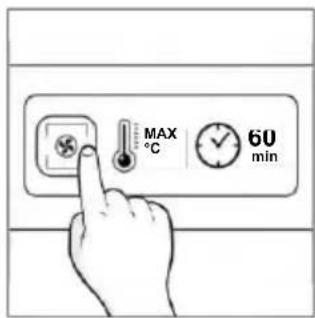
natural_image
Line drawing of a window with a swirling cloud and a cabinet, no text or symbols present4. FONCTIONNEMENT DU PRODUIT
4.1. FONCTIONNEMENT DU PRODUIT
MISE EN MARCHE/ARRÊT DU FOUR
natural_image
Hand interacting with a touchscreen interface and a digital display panel (no text or symbols visible)MENU DES FONCTIONS
natural_image
Simple line drawing of a mechanical component with an arrow indicating rotation (no text or symbols)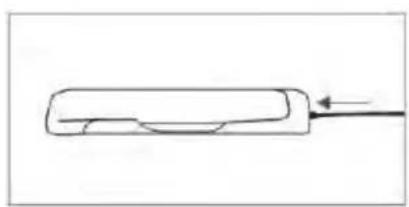
natural_image
Simple line drawing of a rectangular object with a curved cutout and an arrow pointing to it (no text or symbols)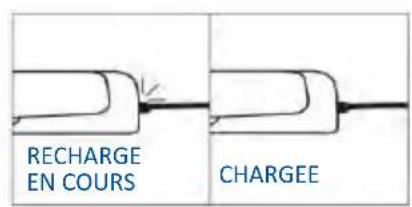
natural_image
Simple line drawing of a chicken with a fork (no text or symbols)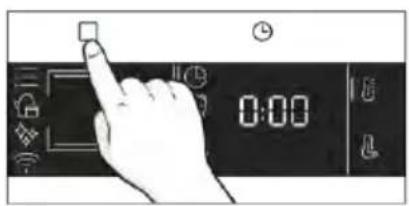
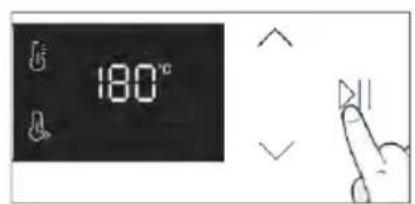
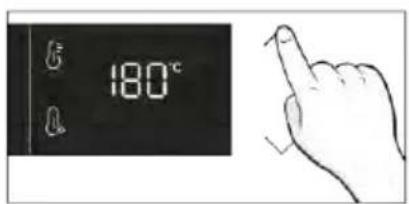
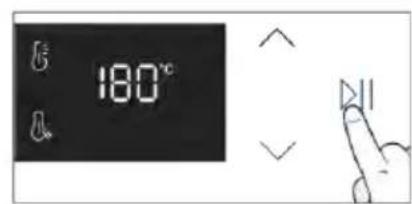
Astuces de cuisson
natural_image
Simple line drawing showing a pen tip transforming into a rolled-up chicken (no text or symbols)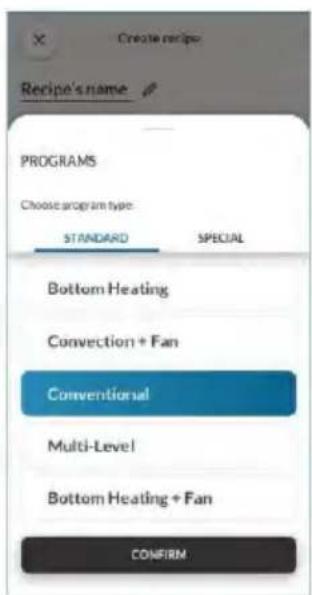
5. DIRECTIVES DE CUISSON
5.1. TABLEAU POUR LA CUISINE GENERALE
- 7 niveaux
natural_image
Illustration of a hand pressing a button on a cabinet rack (no text or symbols)natural_image
Technical line drawing of a mechanical assembly with a component and spring-loaded parts (no text or symbols)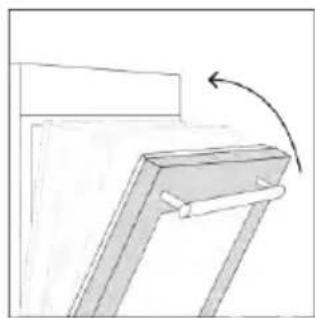
natural_image
Simple line drawing of a mechanical bracket with an arrow indicating rotation (no text or symbols)natural_image
Line drawing of an oven with a rack inside, showing internal structure and airflow direction (no text or symbols)
natural_image
Hand cleaning a window with a blue cloth, showing surface dust and debris (no text or symbols)
natural_image
Technical line drawing of a mechanical assembly with spring-loaded housing (no text or symbols)natural_image
Technical line drawing of a mechanical assembly with spring-loaded housing (no text or symbols)Étape 3 (Rinçage) :
Vidange
natural_image
Line drawing of hands operating a small oven with blue tool tips (no text or symbols)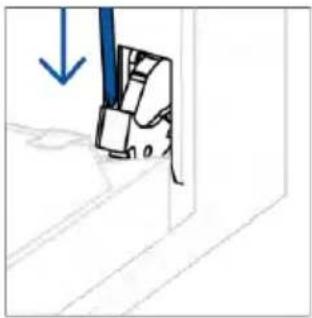
natural_image
Simple line drawing of a mechanical component with a blue downward arrow indicating force or direction (no text or symbols)natural_image
Simple line drawing of a tilted rectangular object with directional arrows indicating movement or force (no text or symbols)natural_image
Hand holding a diagonal line with a blue circle highlighting the intersection of two lines (no text or symbols present)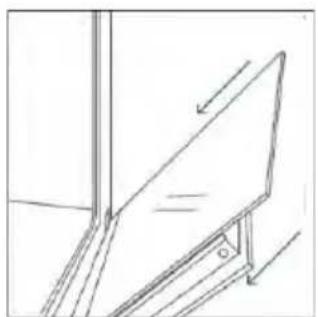
natural_image
Simple line drawing of a ladder leaning against an inclined plane, no text or symbols present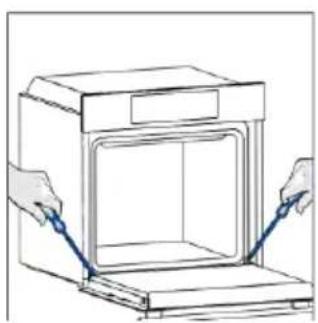
natural_image
Line drawing of hands operating a door with blue tool pins (no text or symbols)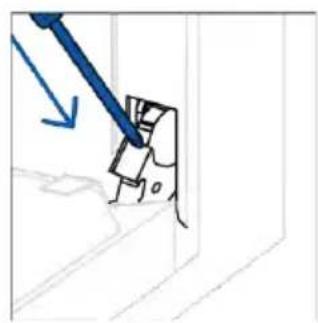
natural_image
Simple line drawing of a mechanical component with a blue tool and arrow indicating direction (no text or symbols)6.3. NETTOYAGE DES ACCESSOIRES
natural_image
Line drawing of a laboratory oven with internal airflow or heat transfer (no text or symbols)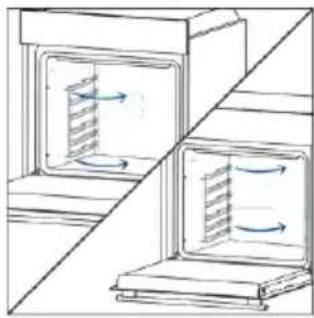
natural_image
Diagram showing two open storage units with internal flow arrows, separated by a diagonal line (no text or symbols)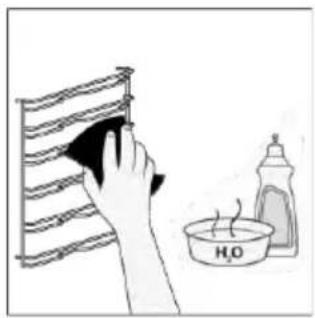
natural_image
Illustration of a hand cleaning a rack with a cloth, next to a water bottle labeled 'H2O' (no text or symbols on the main subject)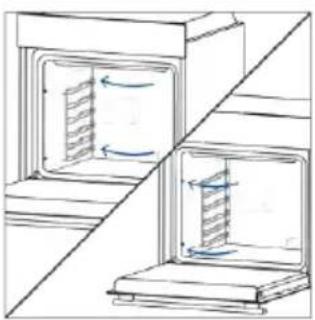
natural_image
Diagram showing two open storage units with internal flow arrows, separated by a diagonal line (no text or symbols)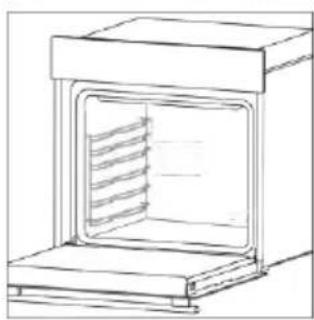
natural_image
Line drawing of a laboratory oven with internal cooling duct (no text or symbols)natural_image
Simple line drawing of a window with vertical slats and a door, no text or symbols present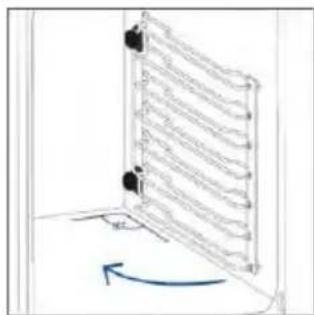
natural_image
Diagram of a vertical ladder structure with a blue curved arrow indicating rotation (no text or symbols)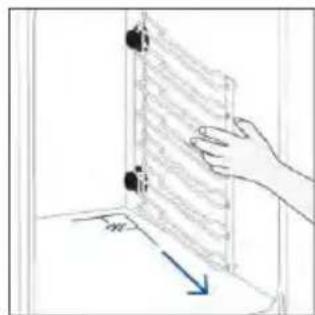
natural_image
Hand placing a wall-mounted device into a room with a blue arrow indicating direction (no text or symbols)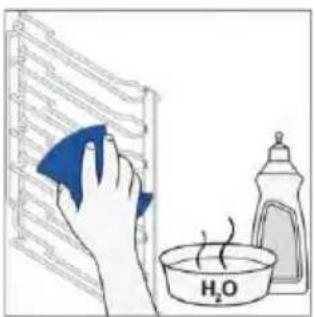
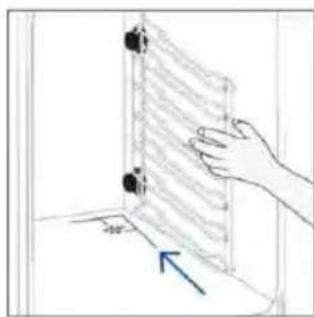
natural_image
Hand placing a wall-mounted device into a room with a blue arrow indicating direction (no text or symbols)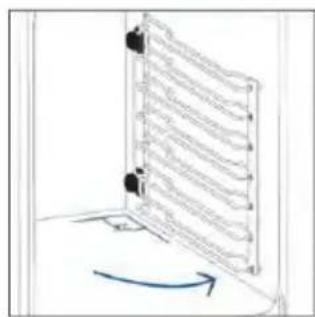
natural_image
Diagram of a door with a ladder and directional arrow indicating rotation (no text or symbols)6.4. ENTRETIEN
REMPLACEMENT DES COMPOSANTS
Étape 2
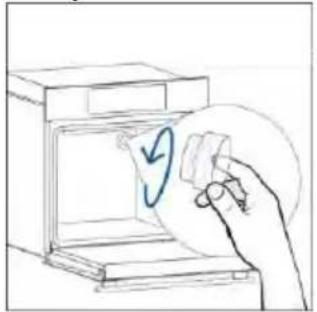
natural_image
Hand placing a paper into a washing machine with a circular arrow symbol (no text or labels)Étape 3
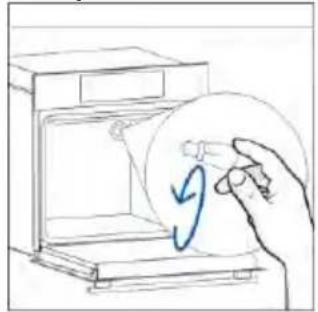
natural_image
Hand holding a circular object with a blue arrow inside, next to an open appliance (no text or symbols visible)Étape 4
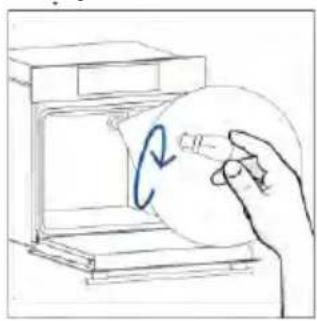
natural_image
Hand holding a circular object inside a device, with a blue curved arrow indicating rotation (no text or symbols)Étape 5
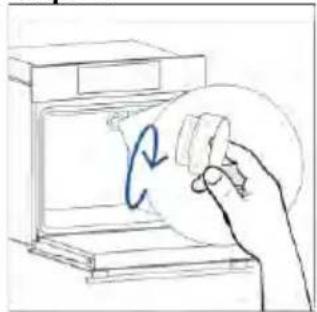
natural_image
Hand holding a circular object with a blue curved arrow inside, next to an open device (no text or symbols visible)Étape 6
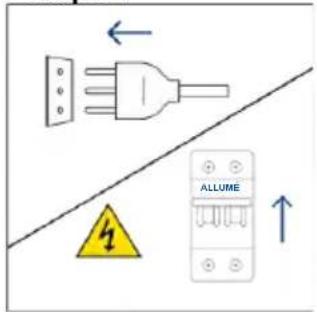
Étape 2
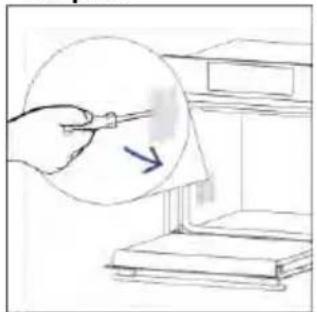
natural_image
Hand holding a pen over a document with an arrow pointing to it, placed on a bookshelf (no text or symbols visible)Étape 3
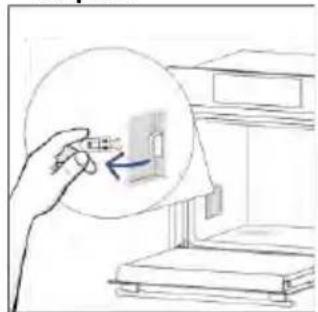
natural_image
Hand holding a circular diagram showing a device inside a room with bookshelves (no text or symbols)Étape 4
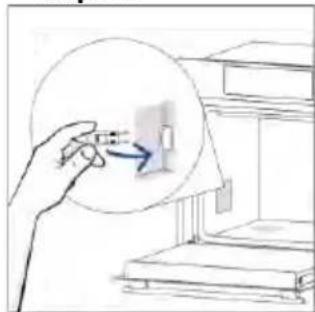
natural_image
Hand holding a small object with an arrow pointing to it, next to stacked books (no text or symbols visible)Étape 5
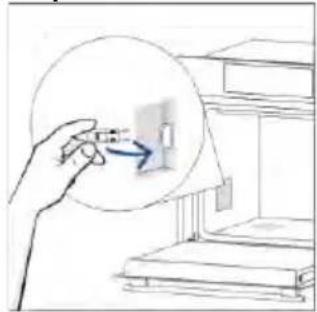
natural_image
Hand holding a small object with an arrow pointing to it, next to a bookshelf (no text or symbols visible)Étape 6
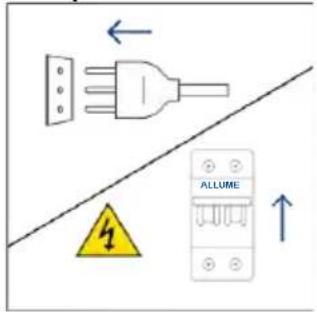
natural_image
Illustration showing a kitchen cleaning process: dropping leaves from a stove to a washing machine with a hand cleaning the interior (no text or symbols)8. PROTECTION DE L'ENVIRONNEMENT ET ÉLIMINATION
8.1. ÉLIMINATION DE L'APPAREIL
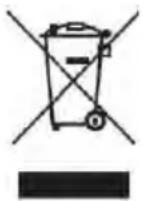
natural_image
Line drawing of a 3D box with a side panel and handle (no text or symbols)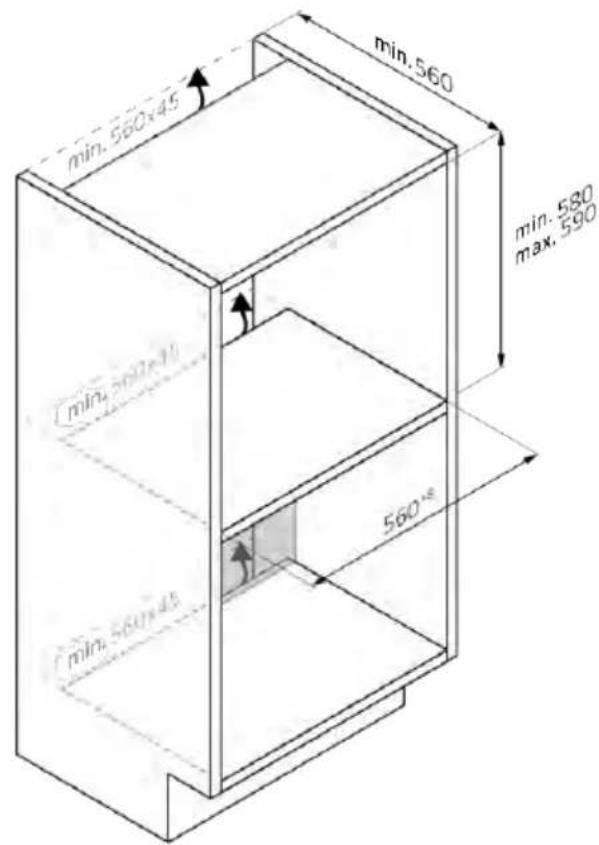

natural_image
Isometric line drawing of a rectangular box with a side panel and handle (no text or symbols)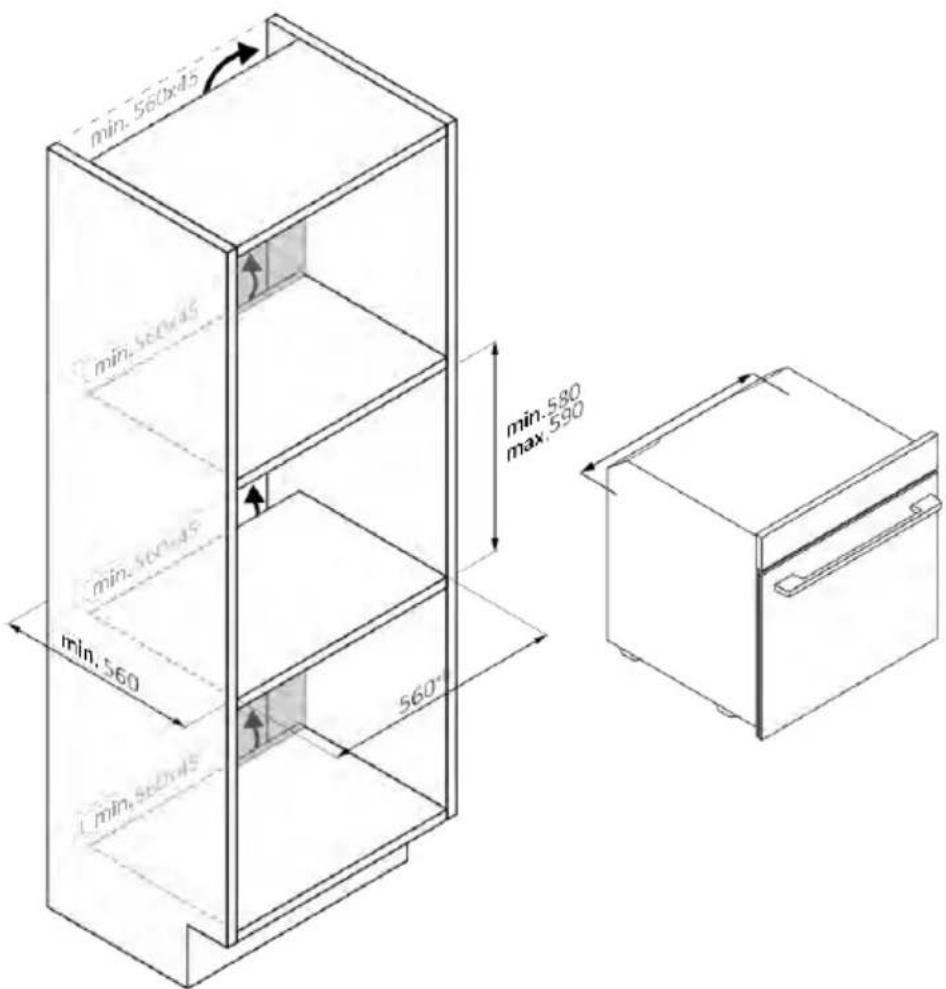
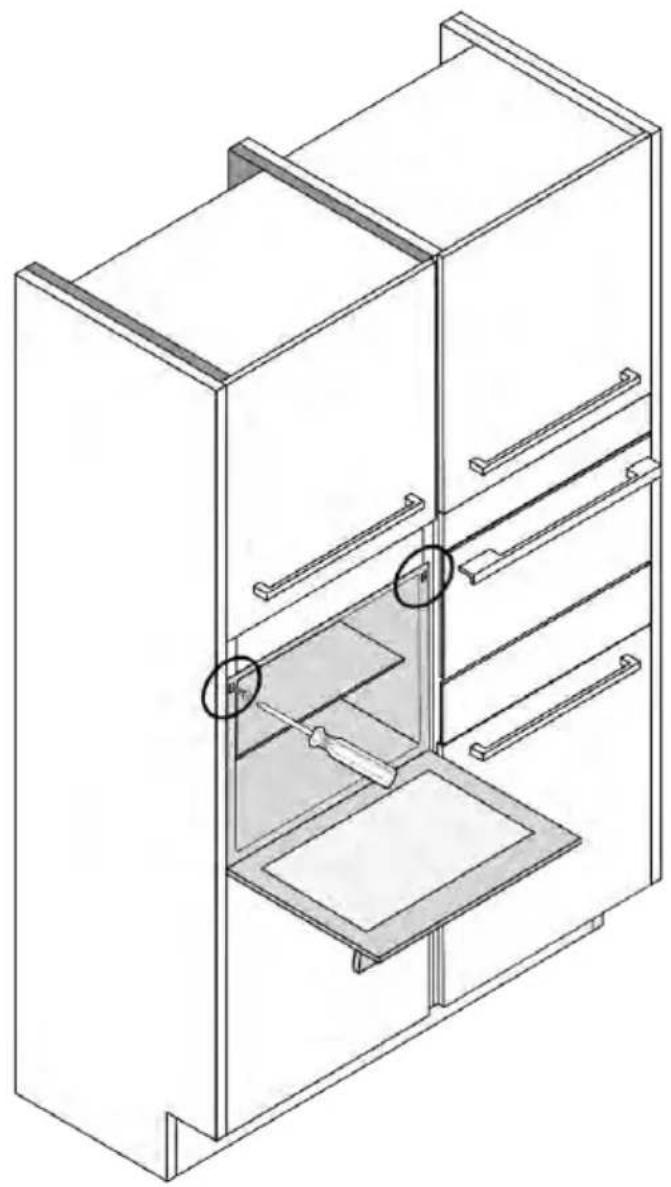
natural_image
Isometric line drawing of a multi-level refrigerator with drawers and shelves (no text or symbols)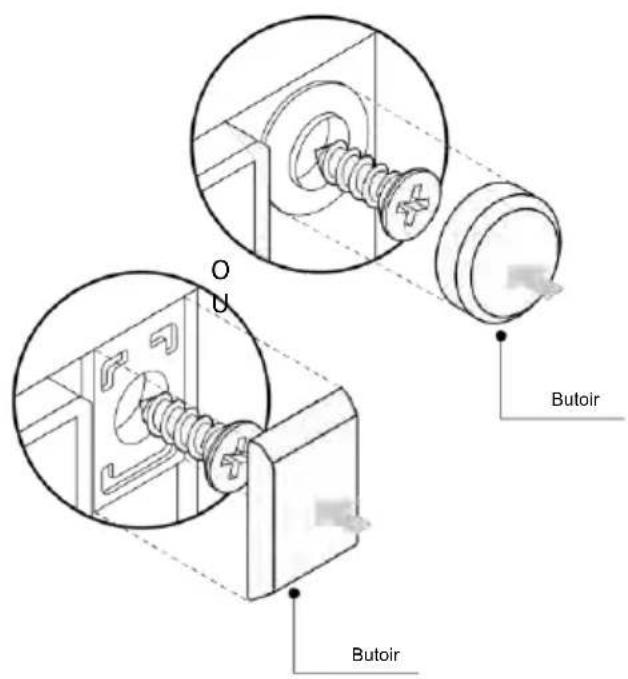
BENVENUTI
natural_image
Simple line drawing of a blue-handled tool with a downward arrow, no text or symbols presentnatural_image
Empty white rectangle with black border (no text or symbols)natural_image
Technical line drawing of two vertical structural beams with curved supports, no text or symbols presentnatural_image
Line drawing of a rectangular tray placed inside a rack, no text or symbols presentnatural_image
3D diagram of a rectangular tray with internal compartments, placed inside an oven (no text or symbols)natural_image
Line drawing of a kitchen sink with a bowl and a circular object on the side (no text or symbols)natural_image
Line drawing of a rectangular appliance with a grid-patterned lid, placed inside an oven (no text or symbols)natural_image
Simple line drawing of a needle or pipette (no text or symbols)natural_image
Simple line drawing of a kitchen appliance with a circular arrow indicating airflow or motion (no text or symbols)natural_image
Line drawing of a rectangular appliance with internal grating, placed inside an oven (no text or symbols)natural_image
Three-panel line drawing showing a refrigerator, a door, and a storage unit with heat transfer arrows (no text or symbols)
Passo 2
Passo 3
Passo 4
Passo 5
Passo 6.1-6.2
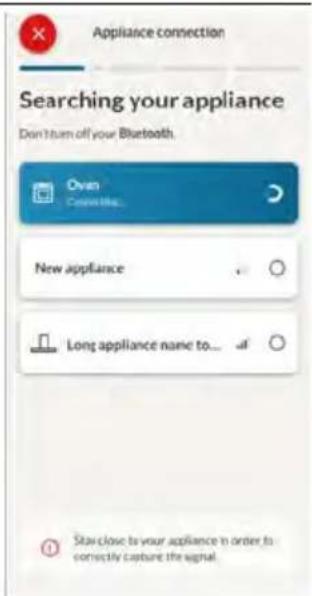
Passo 7

3. PRIMA DI COMINCIARE
natural_image
Simple line drawing of a kitchen appliance with a hand cleaning the door and a bowl nearby (no text or symbols)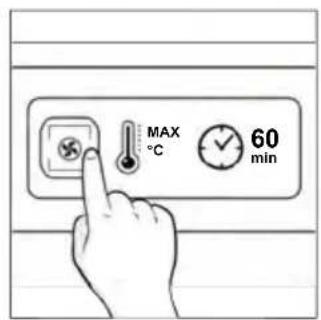
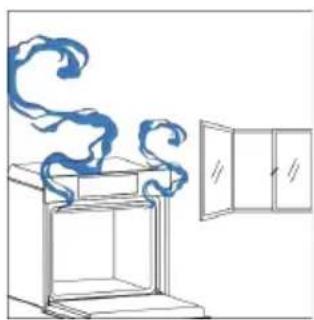
natural_image
Simple line drawing of a cabinet with swirling smoke rising, next to an open door (no text or symbols)4. USO DEL PRODOTTO
natural_image
Hand pointing at a circular icon with sun and Wi-Fi symbols (no text or labels)MENÙ FUNZIONI
natural_image
Hand interacting with a touchscreen display (no text or symbols visible)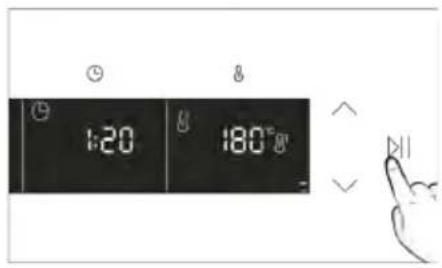
b. PROMEMORIA MINUTI
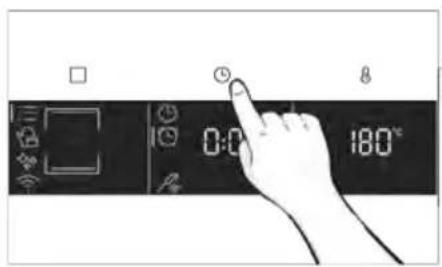
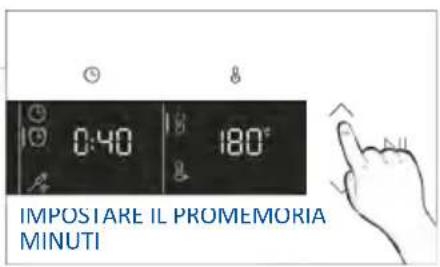
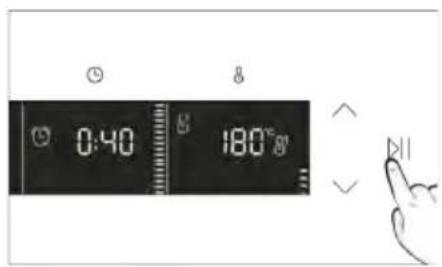
C. PARTENZA RITARDATA
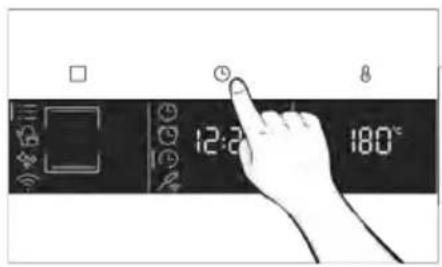
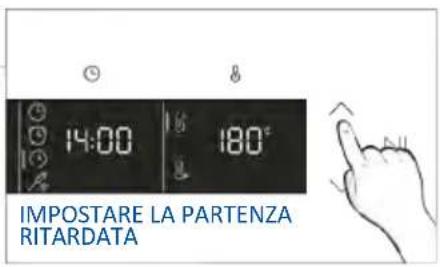
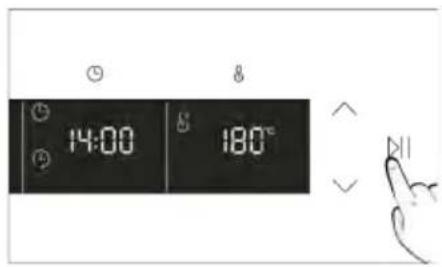
MENU TEMPERATURA
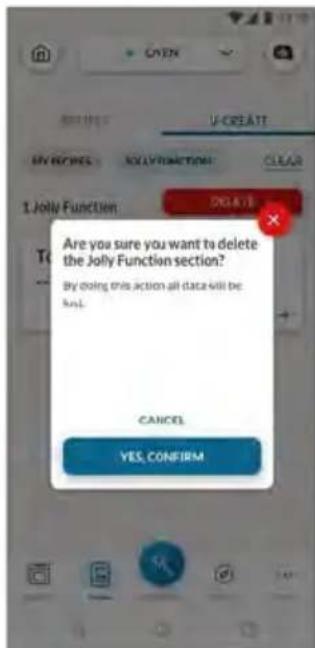
natural_image
Simple line drawing of a mechanical component with an arrow indicating rotation (no text or symbols)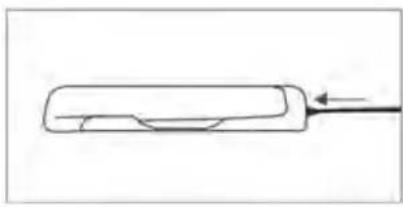
natural_image
Simple line drawing of a rectangular object with a curved cutout and an arrow pointing to it (no text or symbols)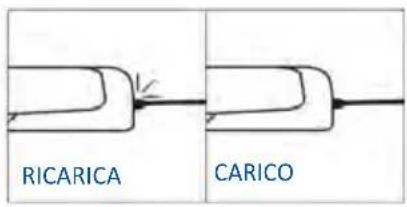
natural_image
Simple line drawing of a chef's hat and coat (no text or symbols)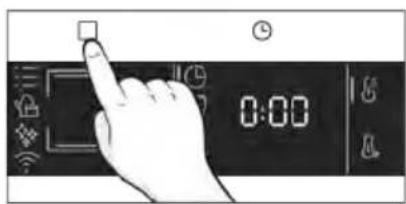
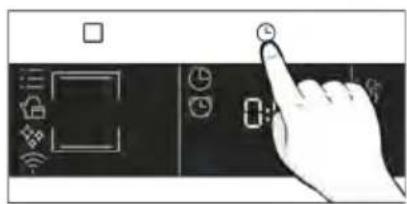
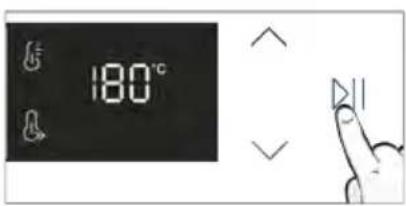
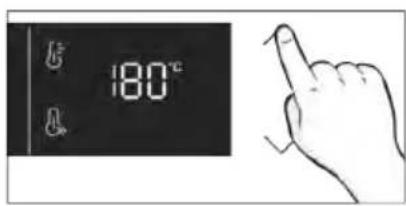
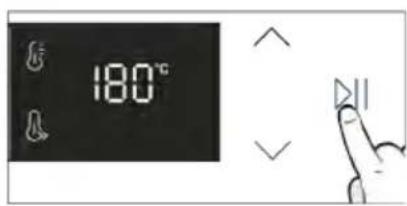
Consigli di cottura
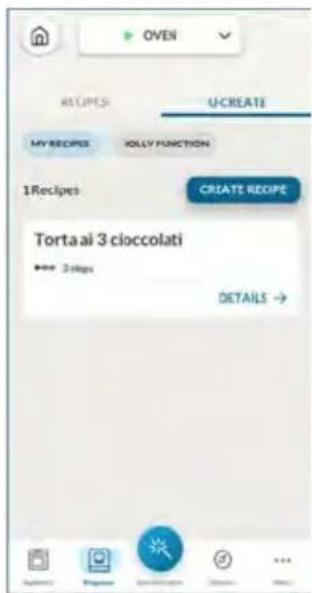
5. LINEE GUIDA PER LA COTTURA
natural_image
Illustration of a hand pressing a button on a cabinet shelf (no text or symbols visible)natural_image
Technical line drawing of a mechanical assembly with no visible text or symbols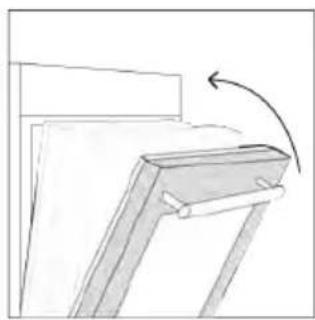
natural_image
Simple line drawing of a wooden frame with an arrow indicating rotation (no text or symbols)natural_image
Line drawing of an oven with cooling rack and vent, showing internal structure (no text or symbols)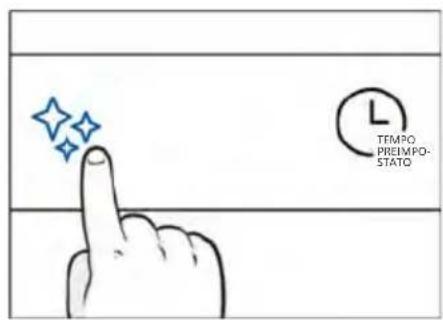
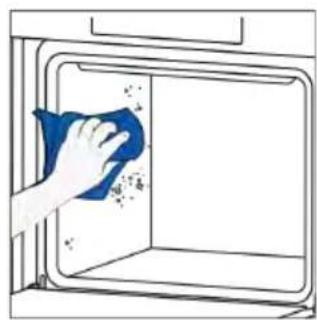
natural_image
Hand cleaning a window with a blue cloth, no text or symbols visible
natural_image
Technical line drawing of a mechanical device with internal spring-like structure (no text or symbols)natural_image
Technical line drawing of a mechanical device with internal spring mechanism (no text or symbols)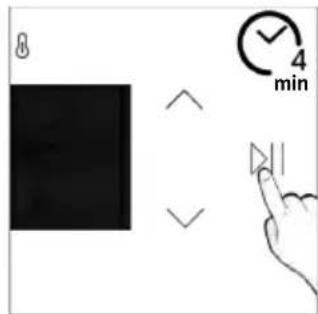
Scarico
natural_image
Illustration of hands installing or adjusting a cabinet with a door (no text or symbols)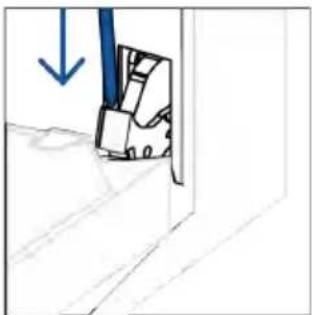
natural_image
Simple line drawing of a door with a blue arrow pointing downward (no text or symbols)natural_image
Simple line drawing of a folded paper or panel with arrows indicating direction (no text or symbols)natural_image
Hand holding a hand with a blue circle and diagonal line, no text or symbols present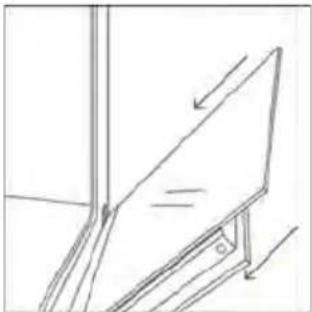
natural_image
Simple line drawing of a tilted rectangular object on an inclined stand, with no text or symbols present.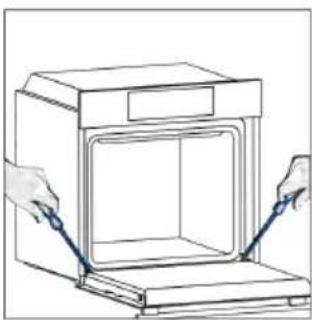
natural_image
Line drawing of hands installing or adjusting a cabinet with blue tools (no text or symbols)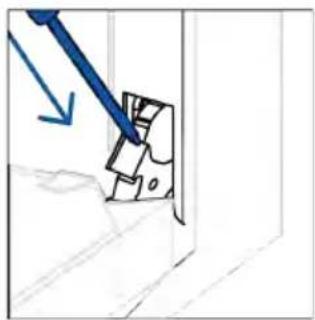
natural_image
Hand-drawn sketch of a mechanical component with a blue tool and arrow indicating direction (no text or symbols)6.3. PULIZIA DEGLI ACCESSORI
Passo 2
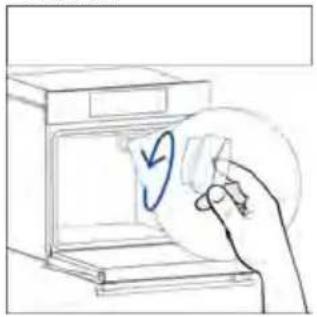
natural_image
Hand placing a paper into an oven with a blue circular arrow symbol (no text or labels)Passo 3
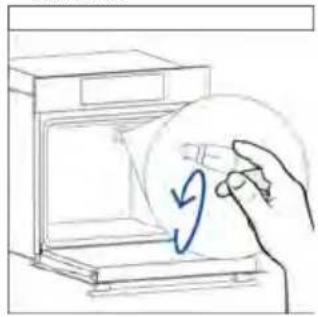
natural_image
Hand placing a circular object with a blue arrow inside a box (no text or symbols)Passo 4
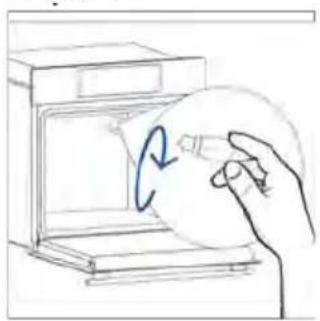
natural_image
Hand holding a circular object inside a kitchen appliance (no text or symbols visible)Passo 5
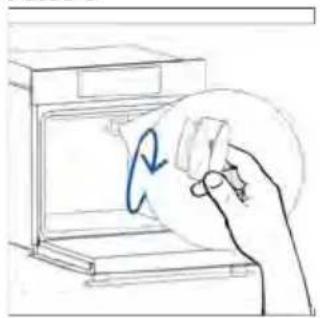
natural_image
Hand holding a circular object with a blue arrow inside, next to an open appliance (no text or symbols visible)Passo 6
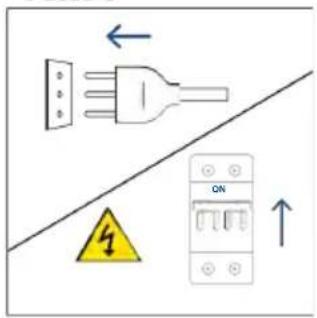
Passo 2
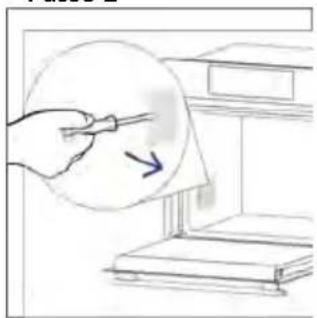
natural_image
Illustration of a hand holding a pen near a stack of books, with an arrow indicating direction (no text or symbols present)Passo 3
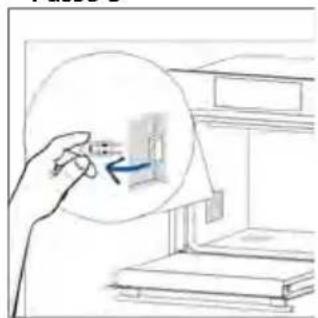
natural_image
Hand holding a magnified inset showing a small object inside a room with stacked books (no text or symbols visible)Passo 4
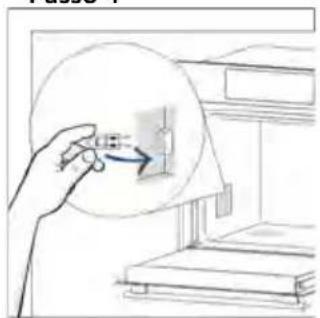
natural_image
Hand holding a circular object with an arrow pointing to a small rectangular object inside a window (no text or symbols visible)Passo 5
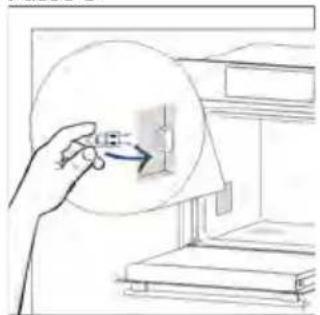
natural_image
Illustration of a hand holding a circular object with an arrow pointing to a small object inside, next to stacked books (no text or symbols visible)Passo 6
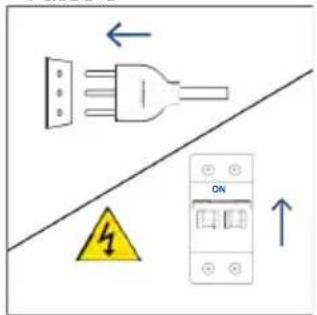
natural_image
Illustration showing a kitchen appliance with a blue swirl and a hand cleaning the interior (no text or symbols)8.1. SMALTIMENTO DELL'ELETTRODOMESTICO
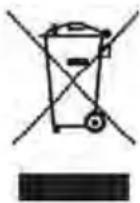
natural_image
Line drawing of a 3D box with lid and side panel (no text or symbols)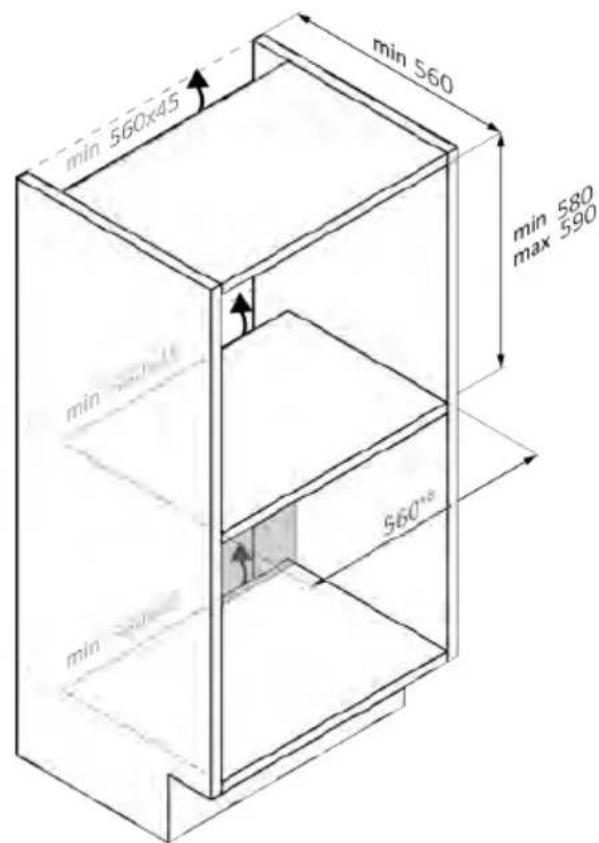
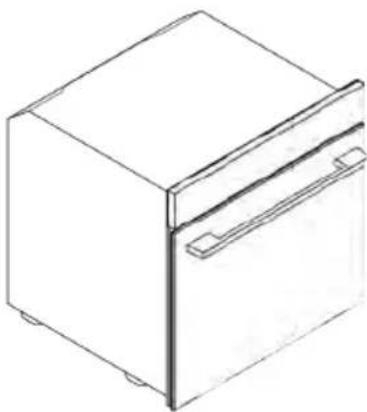
natural_image
Line drawing of a 3D box with a lid and side panel (no text or symbols)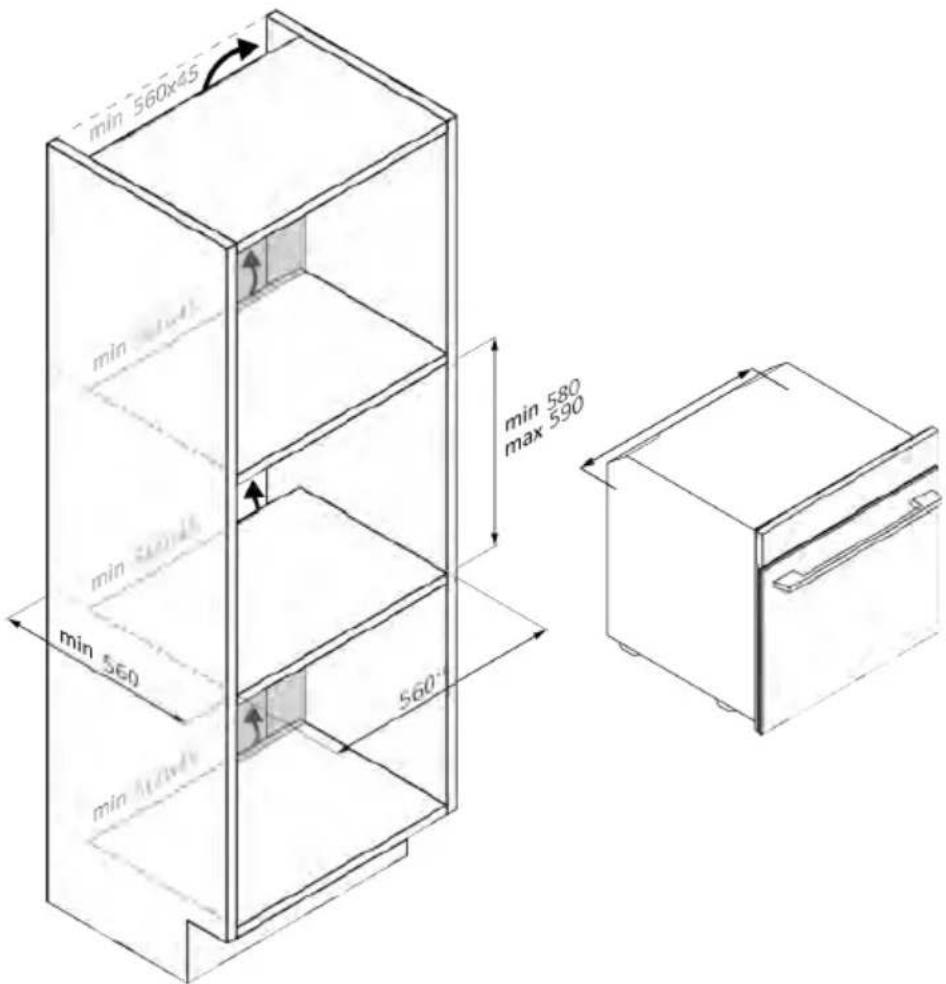
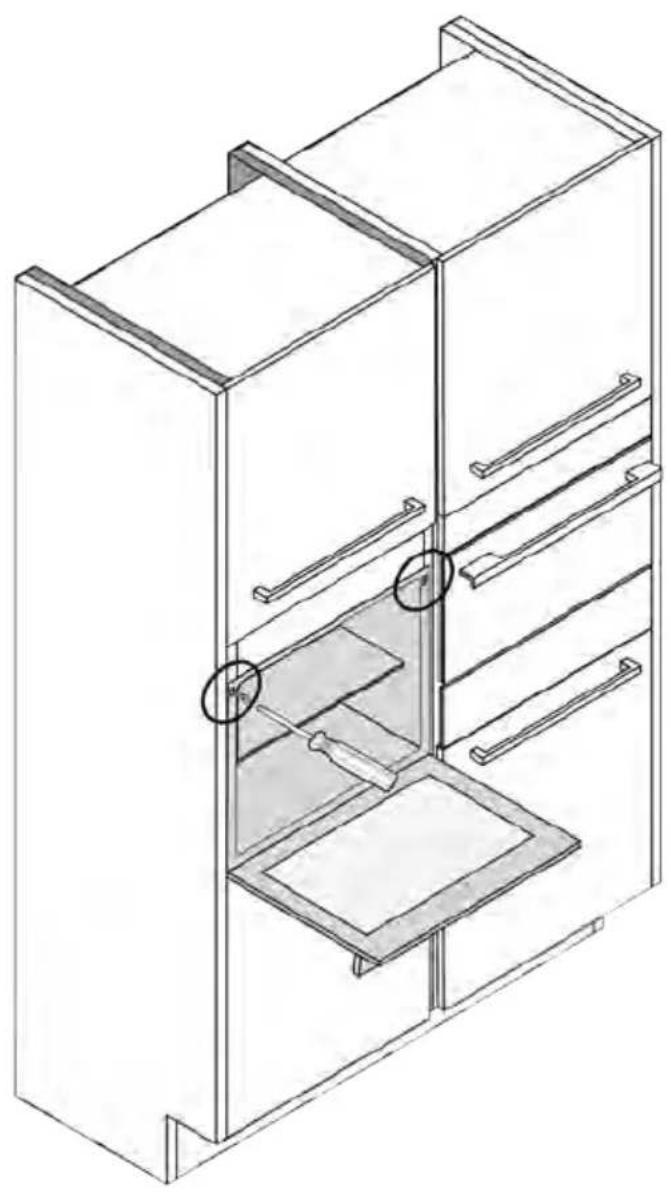
natural_image
Isometric line drawing of a multi-level refrigerator with drawers and shelves (no text or symbols)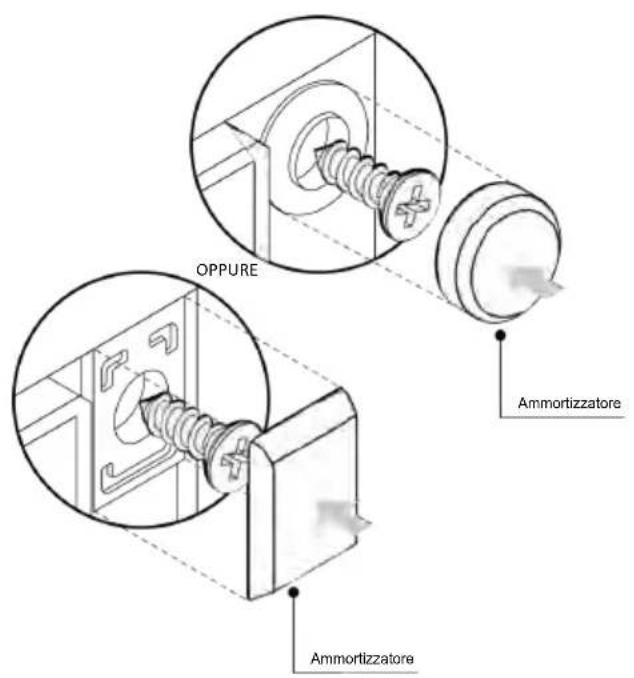
natural_image
Simple illustration of a blue-handled tool with a black downward arrow pointing to it (no text or symbols)natural_image
Empty white rectangle with black border (no text or symbols)natural_image
Technical line drawing of two vertical structural beams with curved supports, no text or symbols presentnatural_image
Line drawing of a rectangular tray or appliance with internal compartments, mounted on a shelf (no text or symbols)natural_image
Illustration of a rectangular tray with internal compartments, placed inside an oven (no text or symbols)natural_image
Line drawing of a kitchen sink with a bowl and a circular object on the shelf (no text or symbols)natural_image
Line drawing of a microwave oven with a grid-patterned tray inside (no text or symbols)natural_image
Simple line drawing of a pen tip (no text or symbols)natural_image
Simple line drawing of a kitchen appliance with a circular arrow indicating airflow or motion (no text or symbols)natural_image
Line drawing of a rectangular appliance with a grating inside, mounted on an open shelf (no text or symbols)natural_image
Three-step diagram showing a refrigerator, a door with heat exchanger, and a tray with cooling mechanism (no text or symbols)
Schritt 2
Schritt 6.1-6.2
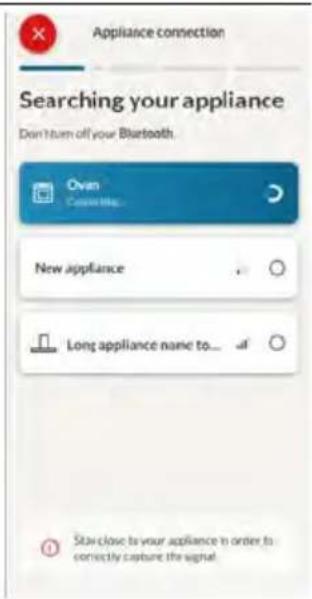
Schritt 7

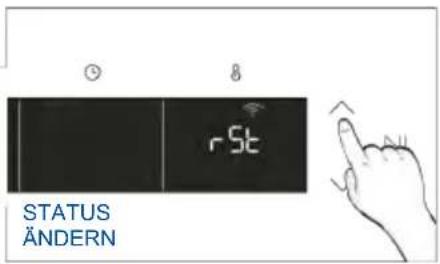
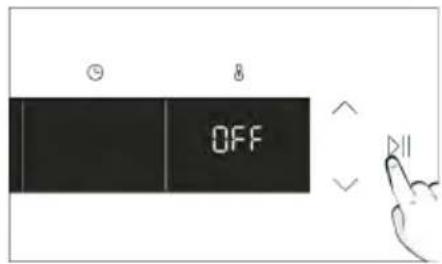

APP-BEDIENUNG
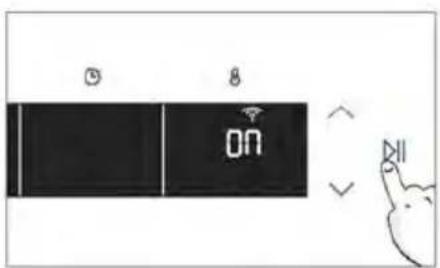
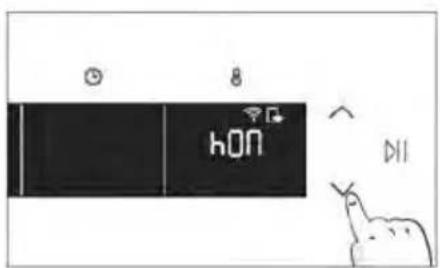
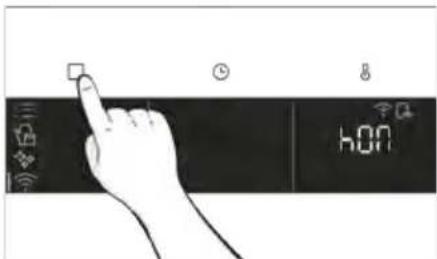
3. VOR DEM START
3.1. INFORMATIONEN ZUM START
natural_image
Simple line drawing of a kitchen appliance with a hand cleaning the door and a bowl nearby (no text or symbols)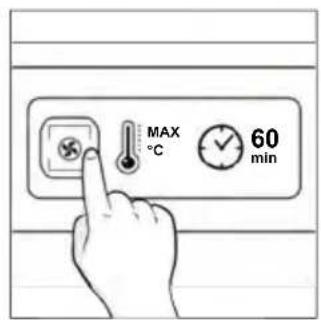
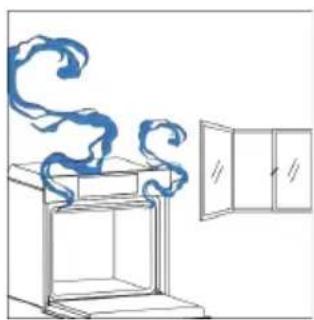
natural_image
Simple line drawing of a cabinet with swirling smoke rising, next to an open door (no text or symbols)natural_image
Hand interacting with a touchscreen and a smart device interface (no text or symbols visible)MENÜ FUNKTIONEN
natural_image
Hand interacting with a touchscreen display (no text or symbols visible)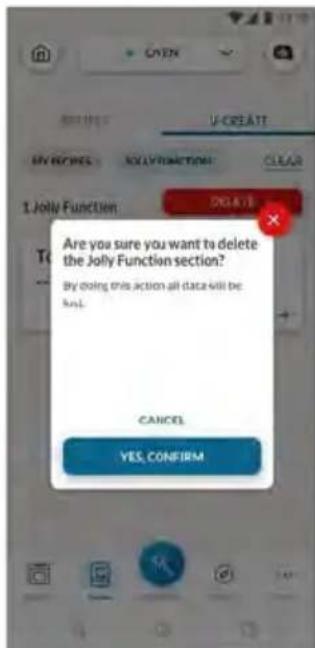
natural_image
Simple line drawing of a mechanical component with an arrow indicating rotation (no text or symbols)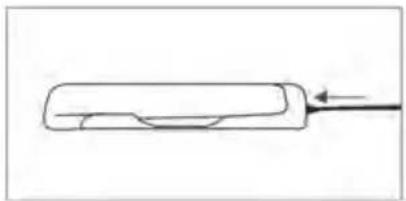
natural_image
Simple line drawing of a rectangular object with a curved cutout and an arrow pointing to it (no text or symbols)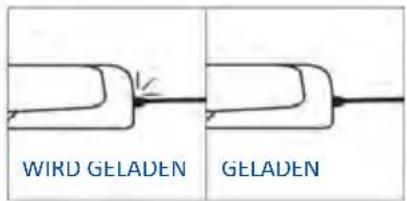
natural_image
Simple line drawing of a chicken with a fork (no text or symbols)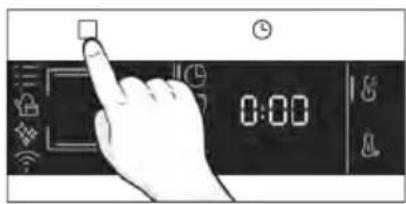
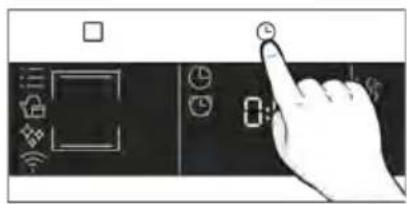
natural_image
Hand pressing a button on a device control panel (no text or symbols visible)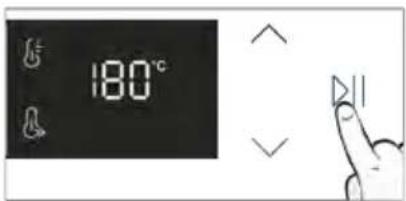
Tipps fürs Garen
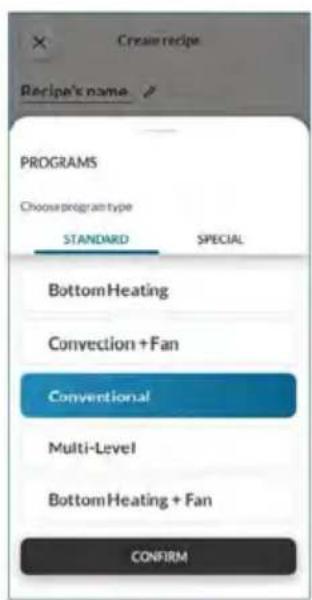
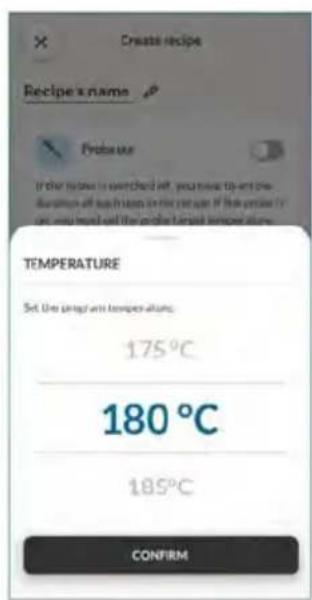
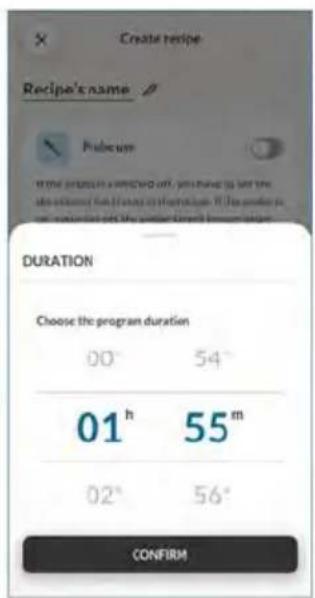
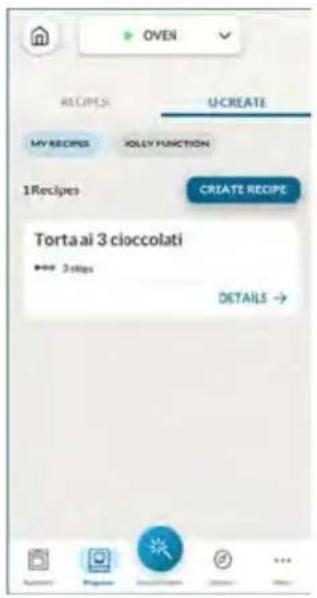
natural_image
Illustration of a hand pressing down on stacked boxes (no text or symbols visible)natural_image
Technical line drawing of a mechanical assembly with spring-loaded components and a block on top (no text or symbols)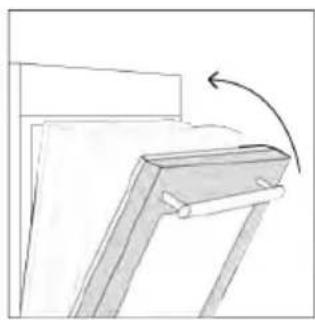
natural_image
Simple line drawing of a wooden frame with an arrow indicating rotation (no text or symbols)natural_image
Line drawing of a laboratory oven with cooling fins and an open chamber (no text or symbols)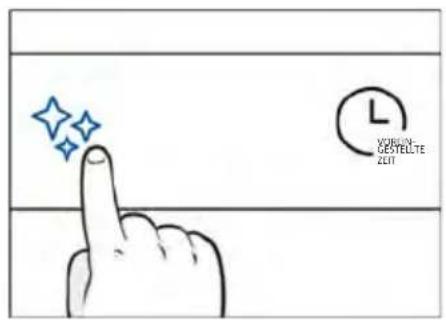
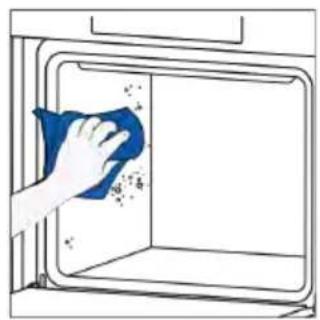
natural_image
Illustration of a hand cleaning a window with a blue cloth (no text or symbols)
H₂O Dampf

natural_image
Technical line drawing of a mechanical assembly with spring-loaded housing (no text or symbols)natural_image
Technical line drawing of a mechanical or electrical enclosure with internal spring-like structure (no text or symbols)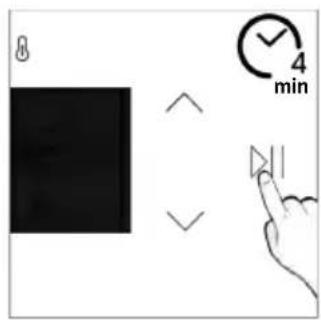
Entleerung
natural_image
Illustration of hands installing or adjusting a cabinet with a door (no text or symbols)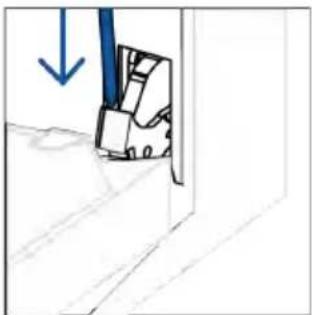
natural_image
Simple line drawing of a door with a blue arrow pointing downward (no text or symbols)natural_image
Simple line drawing of a folded paper or panel with arrows indicating direction (no text or symbols)natural_image
Hand holding a hand with a blue circle and diagonal line, no text or symbols presentnatural_image
Simple line drawing of a tilted rectangular object with an arrow indicating direction (no text or symbols)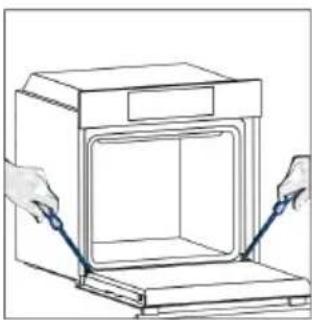
natural_image
Line drawing of hands operating a small oven with a lid, no text or symbols present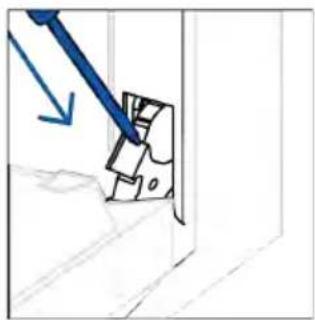
natural_image
Simple line drawing of a mechanical component with a blue tool and arrow indicating direction (no text or symbols)Schritt 2
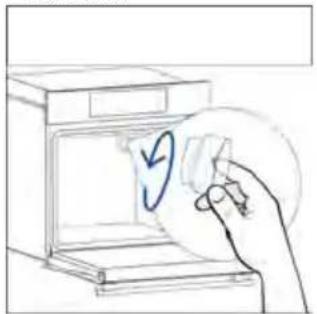
natural_image
Hand placing a paper into a washing machine with a blue circular arrow indicating direction (no text or symbols)Schritt 3
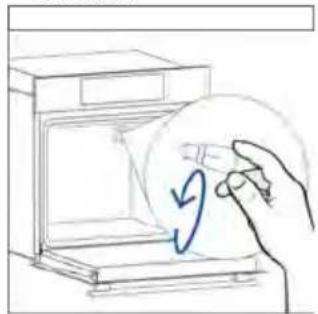
natural_image
Hand drawing a hand holding a circular object with an arrow inside, next to an open appliance (no text or symbols)Schritt 4
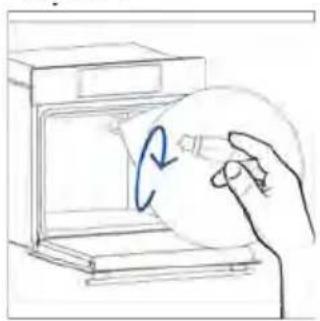
natural_image
Hand holding a circular object inside an oven, with a blue arrow indicating rotation (no text or symbols)Schritt 5
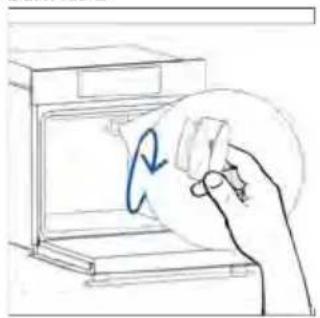
natural_image
Hand holding a circular object with a blue arrow inside, next to an open appliance (no text or symbols visible)Schritt 6
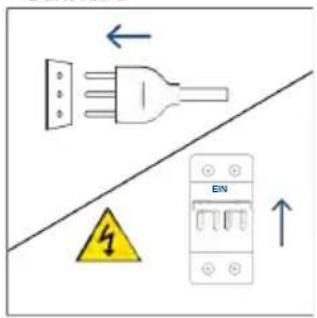
Schritt 2
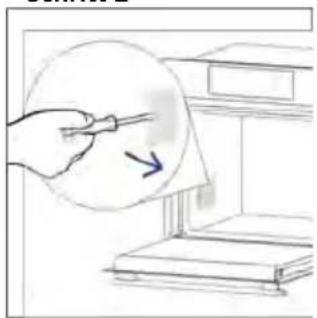
natural_image
Illustration of a hand holding a pen near a stack of books, with an arrow indicating direction (no text or symbols present)Schritt 3
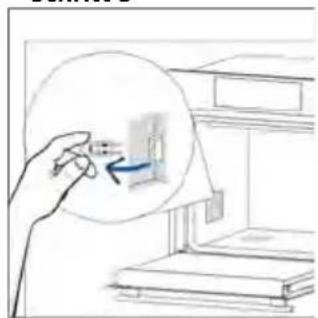
natural_image
Hand holding a small object inside a circular frame, with no visible text or symbolsSchritt 4
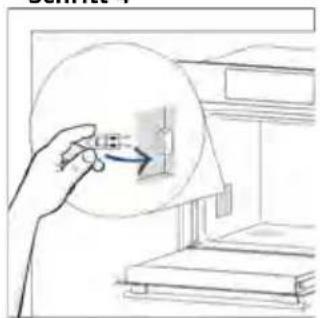
natural_image
Hand holding a circular object with an arrow pointing to a small rectangular object inside a window (no text or symbols visible)Schritt 5
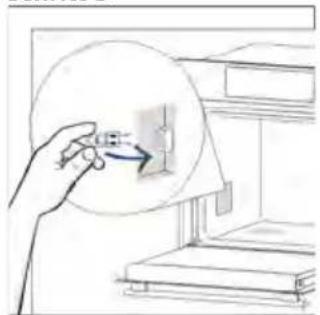
natural_image
Illustration of a hand holding a circular object with an arrow pointing to a small object inside, next to stacked books (no text or symbols visible)Schritt 6
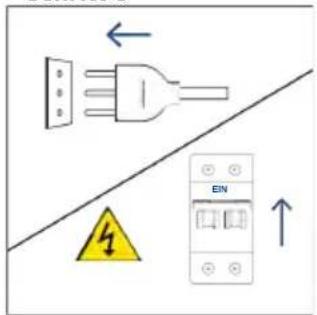
natural_image
Illustration showing a kitchen appliance with a blue swirl and a hand cleaning the interior (no text or symbols)natural_image
Line drawing of a 3D box with lid and side panel (no text or symbols)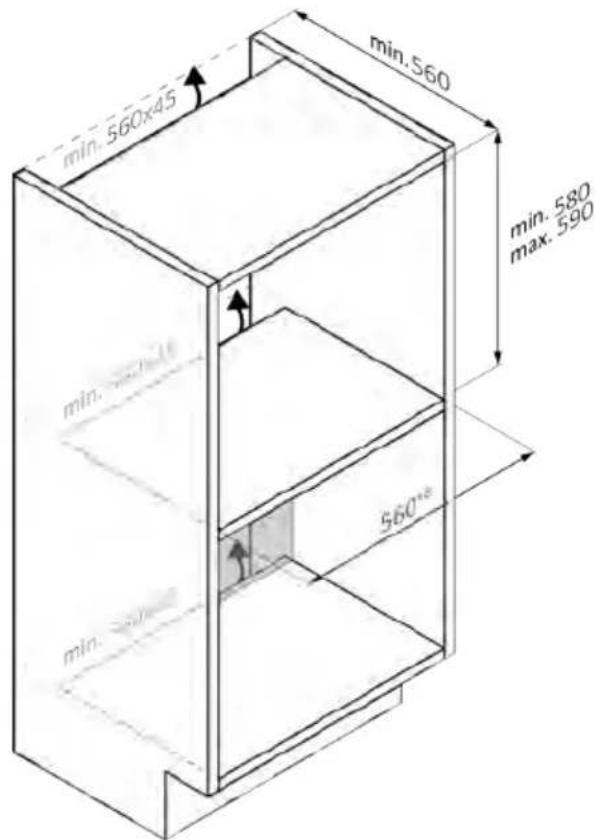
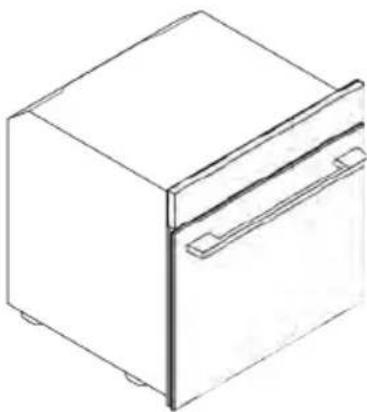
natural_image
Line drawing of a rectangular refrigerator with a side door and lid (no text or symbols)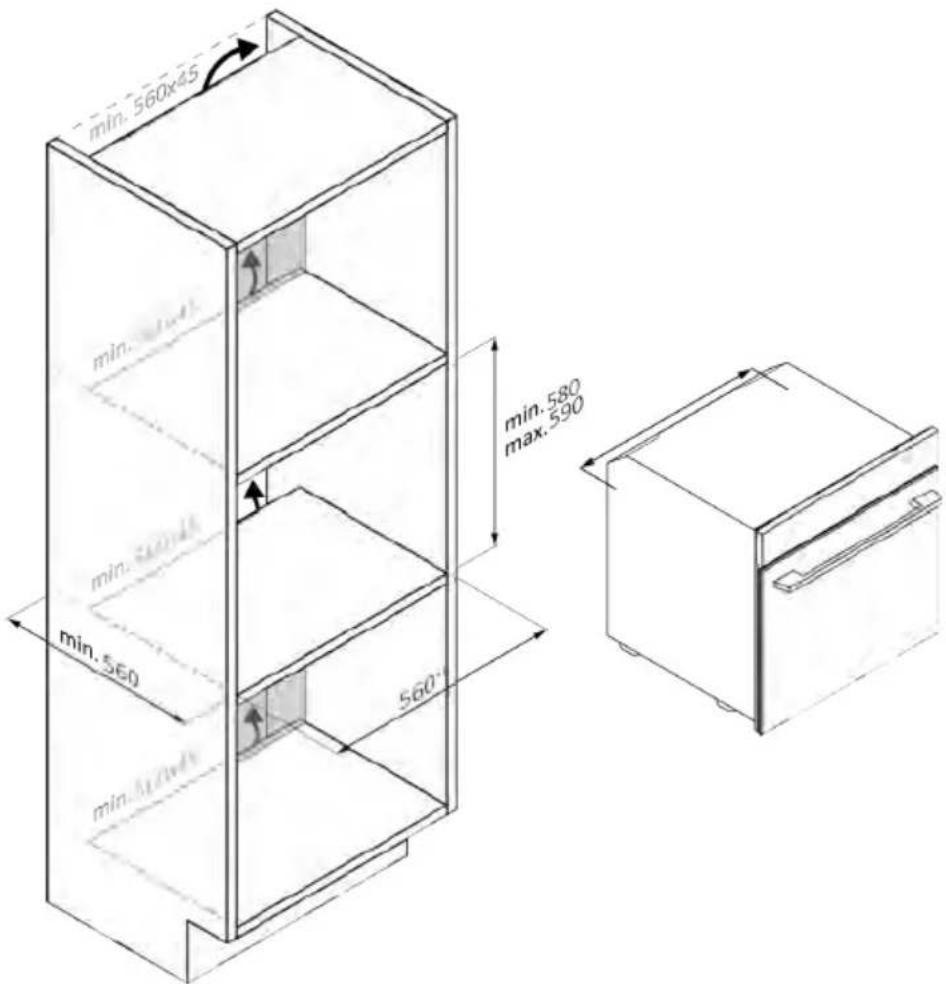
natural_image
Isometric line drawing of a multi-level refrigerator with shelves and drawers (no text or symbols)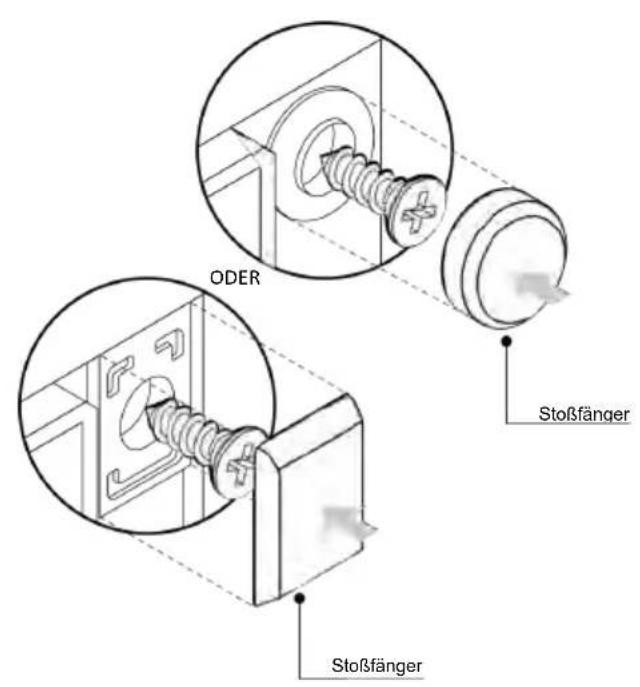
natural_image
Simple illustration of a blue-handled pen with a black downward arrow pointing to it (no text or symbols)natural_image
Empty white rectangle with black border (no text or symbols)natural_image
Diagram of two vertical panels with horizontal wavy lines, no text or symbols presentnatural_image
Line drawing of a rectangular tray or container placed inside a rack (no text or symbols)natural_image
Line drawing of a rectangular tray with internal compartments, placed inside an oven (no text or symbols)natural_image
Line drawing of a kitchen sink with a bowl and a circular object on the side (no text or symbols)natural_image
Line drawing of a microwave oven with a grid-patterned tray (no text or symbols)natural_image
Simple line drawing of a needle or pipette (no text or symbols)natural_image
Simple line drawing of a window with a circular arrow and striped pattern, no text or symbols present.natural_image
Line drawing of a rectangular appliance with internal grating, placed inside an oven (no text or symbols)natural_image
Three-panel line drawing showing a refrigerator, a door, and a cabinet with a spring-loaded handle (no text or symbols)
REGISTRO RÁPIDO PARA EMPAREJAMIENTO
Paso 1
Paso 2
Paso 3
Paso 4
Paso 5
Paso 6.1-6.2
Paso 7


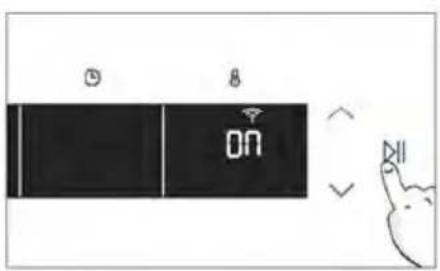
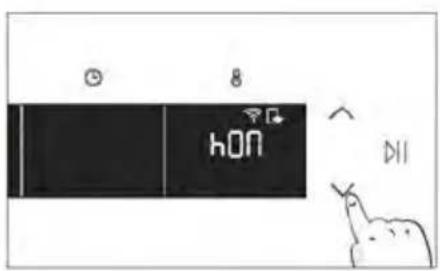
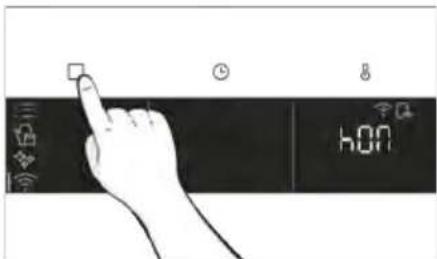
natural_image
Simple line drawing of a kitchen appliance with a hand cleaning the door and a bowl nearby (no text or symbols)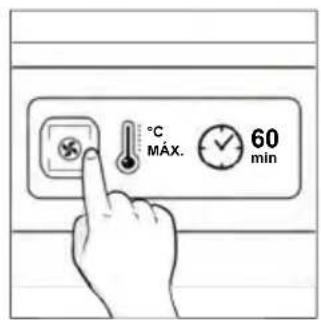
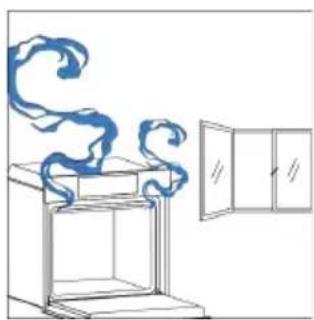
natural_image
Simple line drawing of a cabinet with swirling smoke rising, next to an open door (no text or symbols)natural_image
Hand iconizing a touch screen with a light bulb and Wi-Fi symbol (no text or labels)MENÚ DE FUNCIONES
natural_image
Hand interacting with a touchscreen display (no text or symbols visible)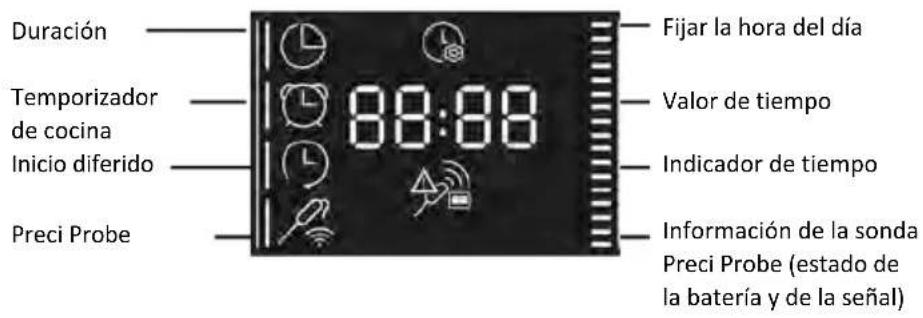
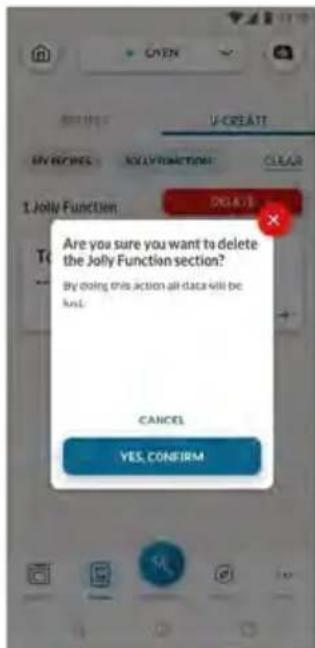
natural_image
Simple line drawing of a mechanical component with an arrow indicating rotation (no text or symbols)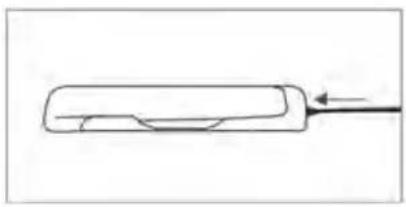
natural_image
Simple line drawing of a rectangular object with an arrow pointing to it, no text or symbols present.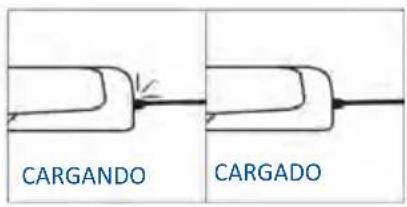
natural_image
Simple line drawing of a chef's hat and knife on a plate (no text or symbols)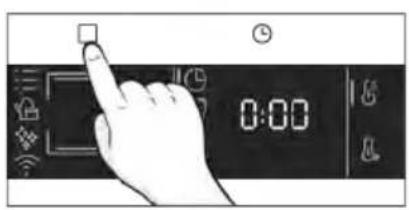
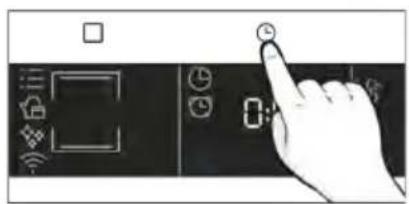
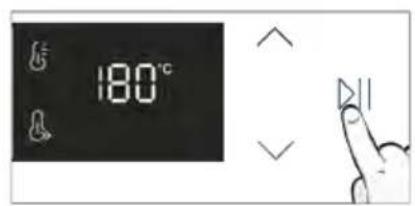
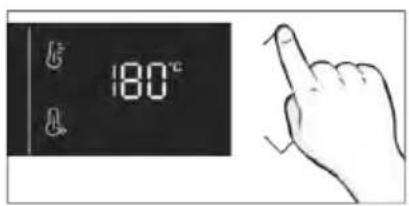
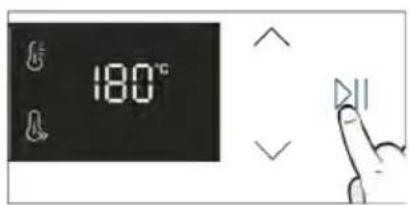
Consejos de cocción
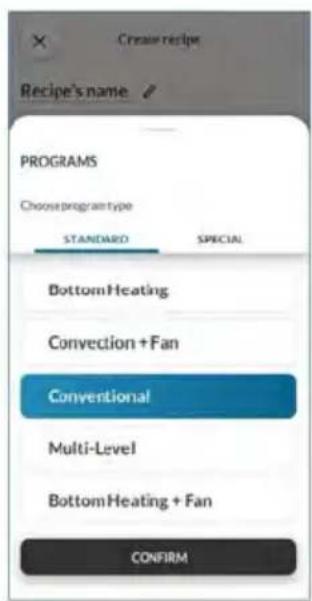
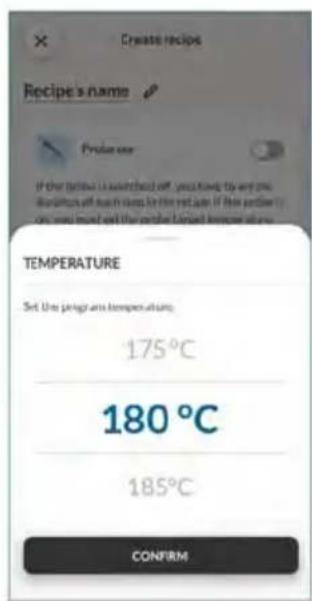
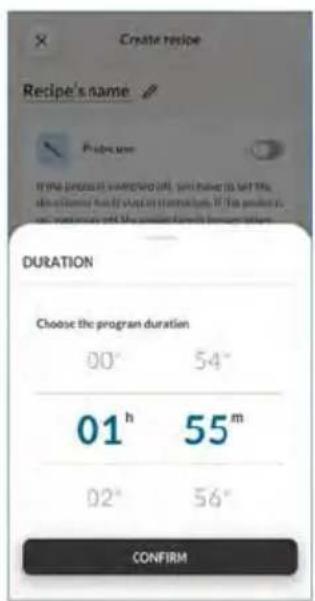
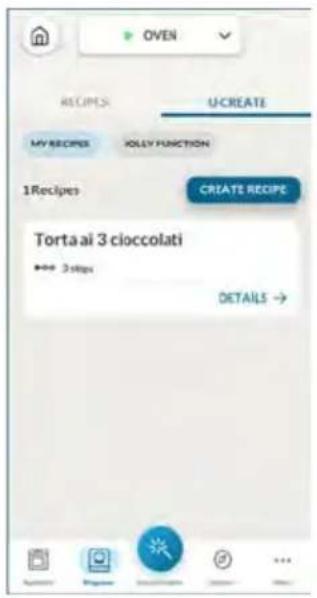
natural_image
Illustration of a hand pressing a button on a cabinet shelf (no text or symbols visible)natural_image
Technical line drawing of a mechanical assembly with no visible text or symbols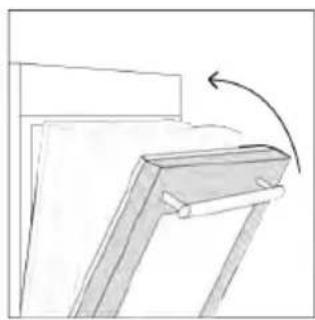
natural_image
Simple line drawing of a wooden frame with an arrow indicating rotation (no text or symbols)natural_image
Line drawing of an oven with a rack and vent, showing internal structure without any text or symbols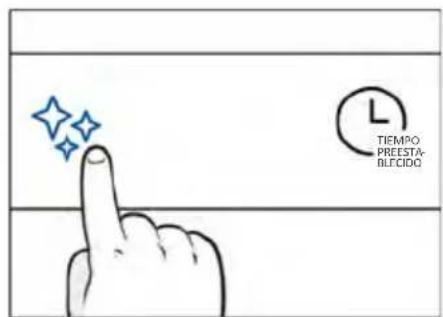
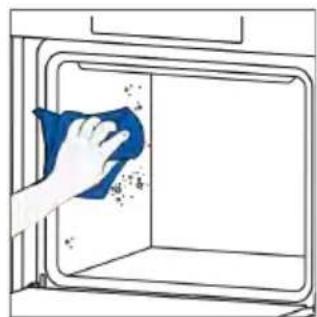
natural_image
Hand cleaning a kitchen appliance with a blue cloth (no text or symbols visible)
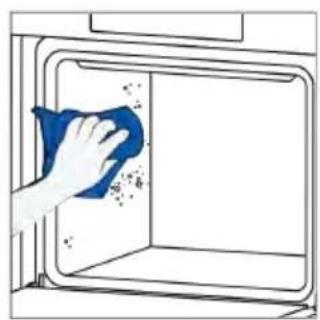
natural_image
Hand cleaning a kitchen appliance with a blue cloth (no text or symbols visible)STEAM SYSTEM CLEANING

Descalcificación
natural_image
Technical line drawing of a mechanical device with internal spring mechanism (no text or symbols)natural_image
Technical line drawing of a mechanical device with internal spring mechanism (no text or symbols)Paso 3 (enjuague):
Drenaje
natural_image
Illustration of hands installing or adjusting a cabinet with blue tools (no text or symbols)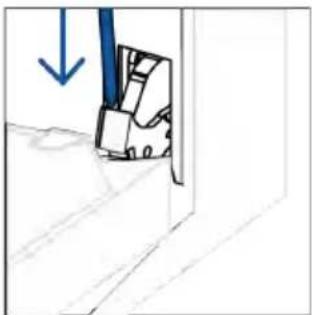
natural_image
Simple line drawing of a door with a blue arrow pointing downward (no text or symbols)natural_image
Simple line drawing of a folded paper or panel with arrows indicating direction (no text or symbols)natural_image
Hand holding a hand with a blue circle highlighting the intersection of two fingers (no text or symbols present)natural_image
Illustration of a hand cleaning a blue cloth over a bowl with a water bottle and label 'H2O' (no text or symbols on main objects)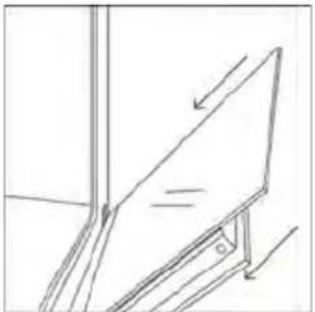
natural_image
Simple line drawing of a tilted rectangular object with an arrow indicating direction (no text or symbols)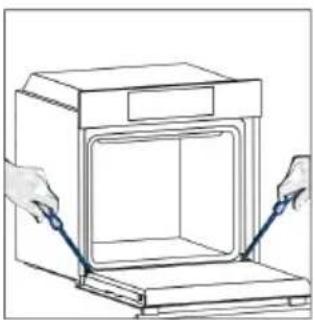
natural_image
Illustration of hands installing or adjusting a cabinet opening with blue tools (no text or symbols)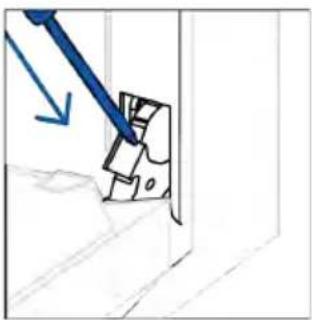
natural_image
Simple line drawing of a mechanical component with a blue tool and arrow indicating direction (no text or symbols)6.3. LIMPIEZA DE LOS ACCESORIOS
natural_image
Line drawing of a laboratory oven with internal cooling duct and ventilation slots (no text or symbols)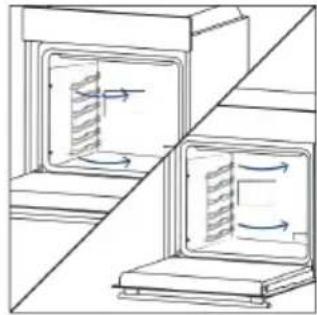
natural_image
Diagram showing airflow or heat transfer between two indoor storage units (no text or symbols)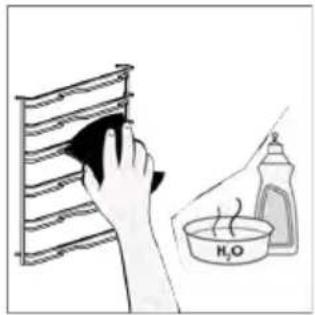
natural_image
Illustration of a hand cleaning a rack with a cloth, next to a bottle labeled 'H2O' (no text or symbols on the main subject)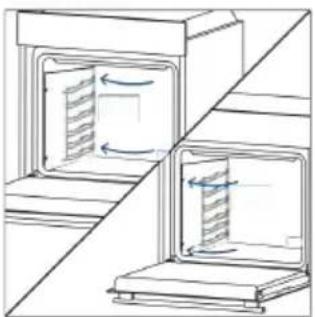
natural_image
Diagram of two kitchen cabinets with internal compartments and directional arrows indicating movement (no text or symbols)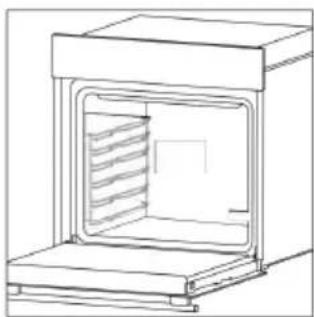
natural_image
Line drawing of a laboratory oven with internal cooling unit (no text or symbols)natural_image
Simple line drawing of a ladder-like structure with no text or symbols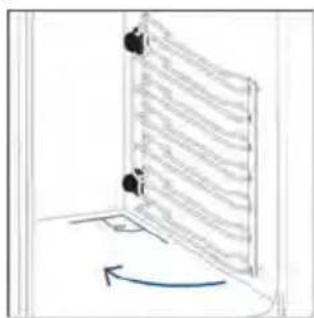
natural_image
Diagram of a door with a curved arrow indicating rotation or movement (no text or symbols present)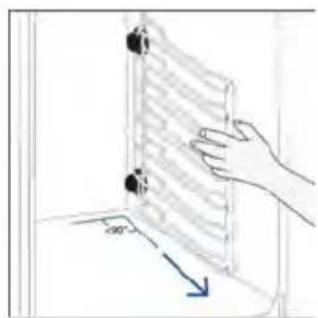
natural_image
Hand holding a transparent panel with a blue arrow indicating direction (no text or symbols)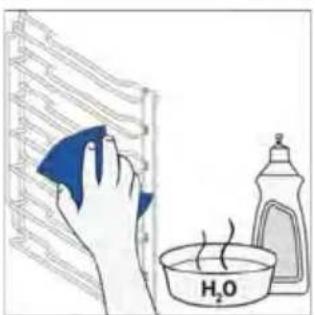
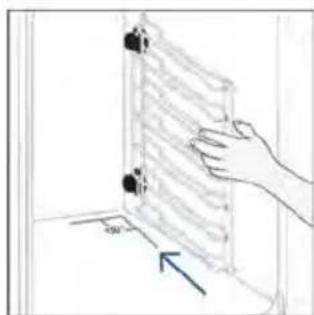
natural_image
Hand placing a wall-mounted device into a room with a 40-degree angle indicator (no text or symbols on the device itself)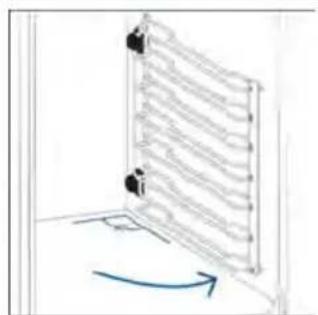
6.4. MANTENIMIENTO
Paso 2
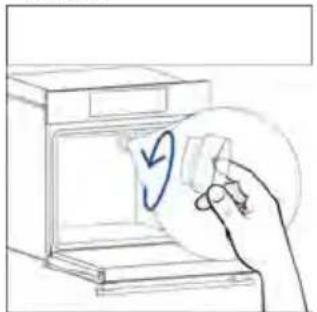
natural_image
Hand placing a paper into a washing machine with a circular arrow symbol (no text or labels)Paso 3
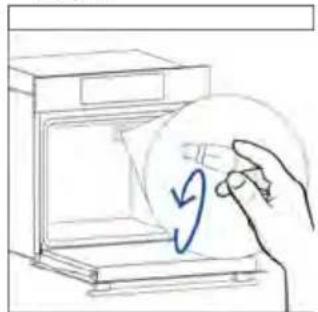
natural_image
Hand drawing a hand holding a circular object with a blue arrow inside, next to an open appliance (no text or symbols)Paso 4
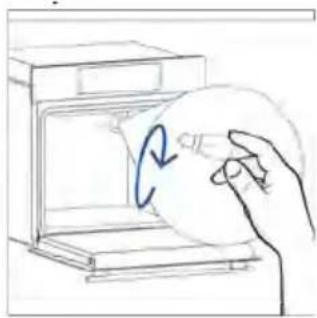
natural_image
Hand placing a circular object into a kitchen appliance (no text or symbols visible)Paso 5
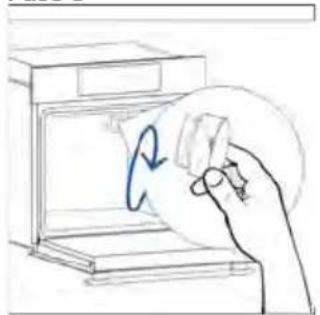
natural_image
Hand holding a paper with a circular arrow inside, next to an open appliance (no text or symbols)Paso 6
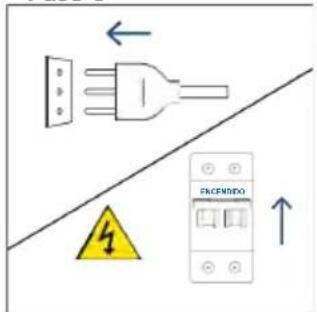
Paso 2
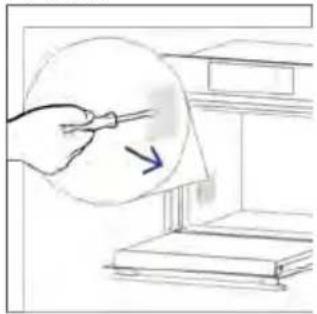
natural_image
Hand holding a pen over a document with an arrow, placed on a shelf (no text or symbols visible)Paso 3
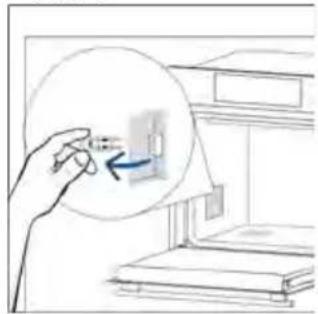
natural_image
Hand holding a magnified inset showing a small object inside a room with bookshelves (no text or symbols visible)Paso 4
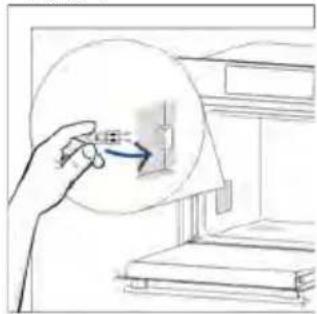
natural_image
Hand holding a magnifying glass over a small electronic component, with no visible text or symbols.Paso 5
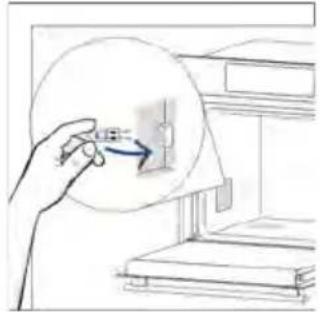
natural_image
Hand holding a small object with an arrow pointing to it, next to a staircase (no text or symbols visible)Paso 6
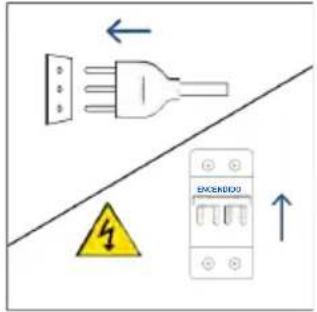
natural_image
Illustration showing a kitchen appliance with a blue swirl and a hand cleaning the interior (no text or symbols)natural_image
Line drawing of a 3D box with lid and side panel (no text or symbols)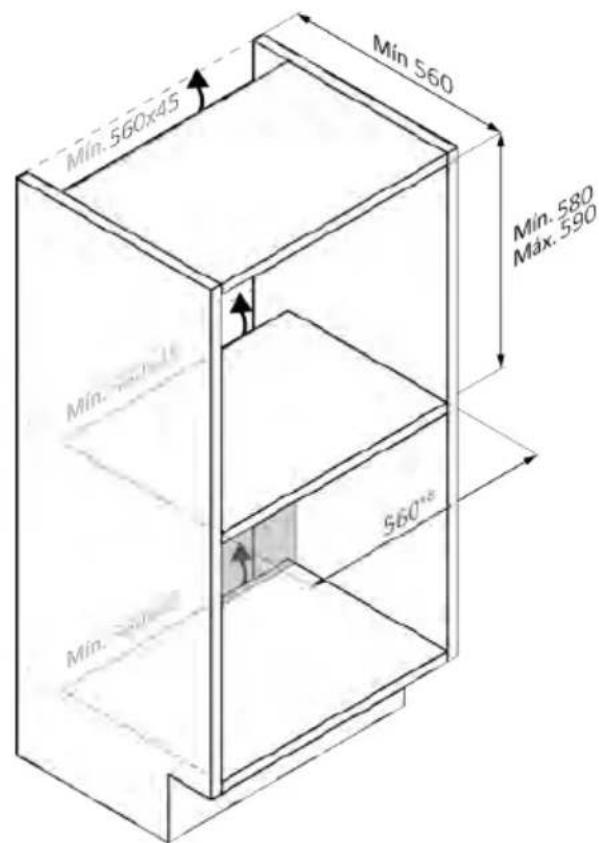
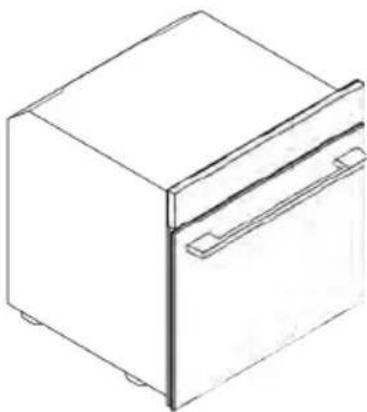
natural_image
Line drawing of a rectangular refrigerator with a side door and front panel (no text or symbols)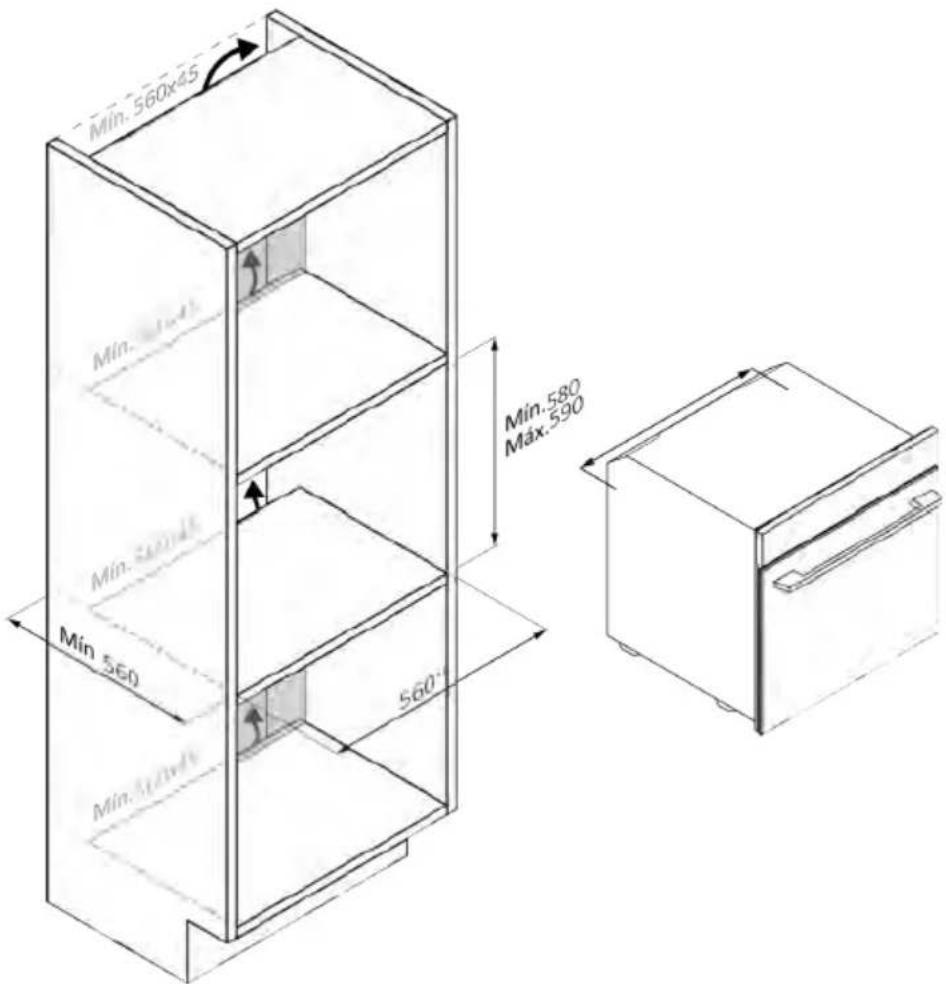
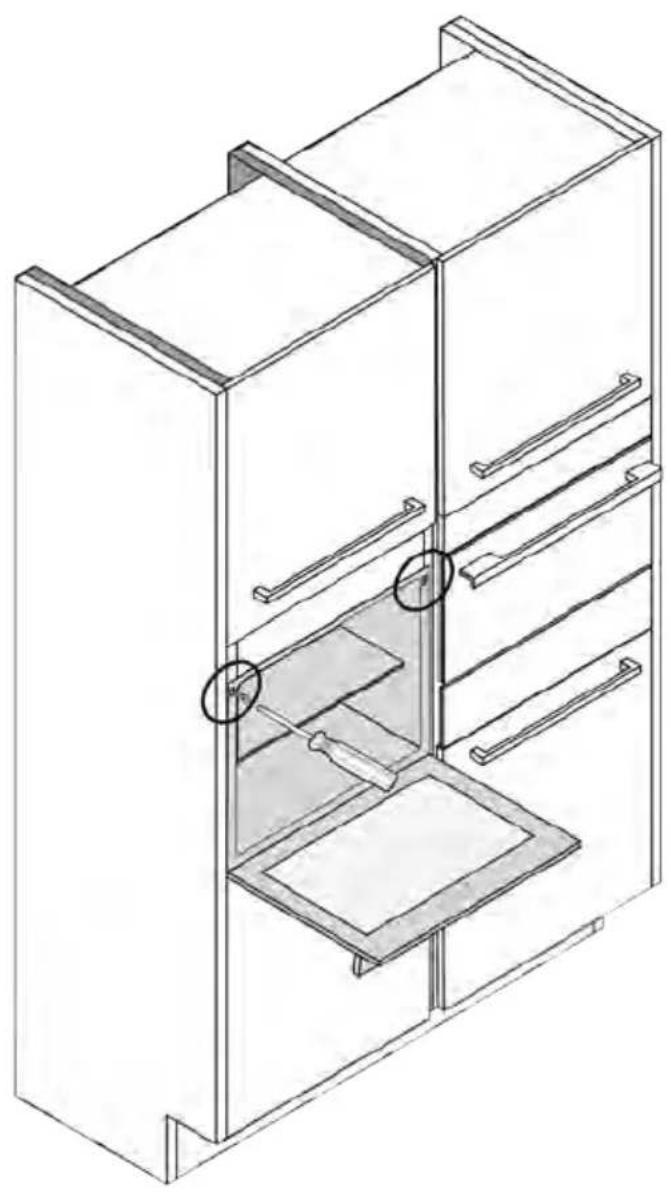
natural_image
Isometric line drawing of a multi-level refrigerator with drawers and shelves (no text or symbols)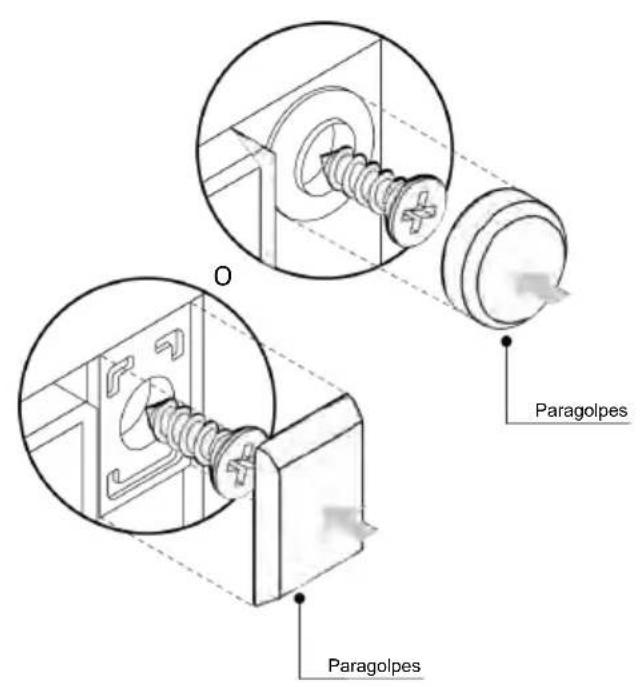
ΚΑΛΩΣΗΡΘΑΤΕ
natural_image
Simple illustration of a blue-handled tool with a black downward arrow (no text or symbols)2.2. E≡APTHMATA
natural_image
Line drawing of two vertical metal racks with horizontal bands, no text or symbols presentnatural_image
Simple line drawing of a rectangular tray with internal geometric patterns (no text or symbols)natural_image
Empty white rectangle with black border (no text or symbols)natural_image
3D line drawing of a rectangular tray with internal compartments, placed on an inclined shelf (no text or symbols)natural_image
Line drawing of a kitchen sink with a bowl, a round head, and a side shelf (no text or symbols)natural_image
Simple line drawing of a door with a circular component and directional arrow, no text or symbols presentnatural_image
Line drawing of a rectangular tray with a grid pattern, placed on a shelf (no text or symbols)natural_image
Line drawing of a rectangular appliance with a grid-patterned lid, placed on a tray (no text or symbols)natural_image
Simple line drawing of a pen or stylus with a pointed tip and handle (no text or symbols)natural_image
Three-panel diagram showing a door, a spring-loaded component, and a mechanical assembly with arrows indicating motion (no text or symbols)ΕΓΓΡΑΦΗ ΝΕΟΥ ΧΡΗΣΤΗ

Βήμα 2
Βήμα 3
Βήμα 4
Βήμα 5
Βήμα 6.1-6.2
Βήμα 7

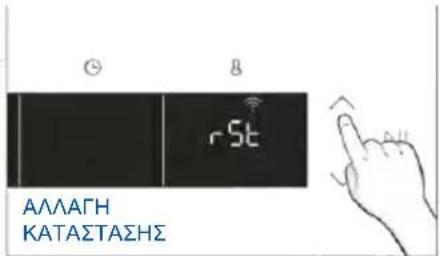
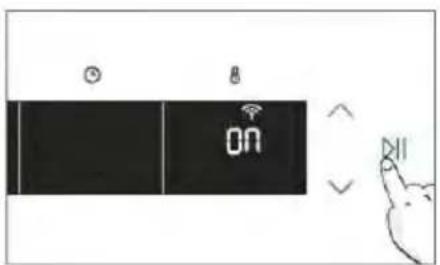
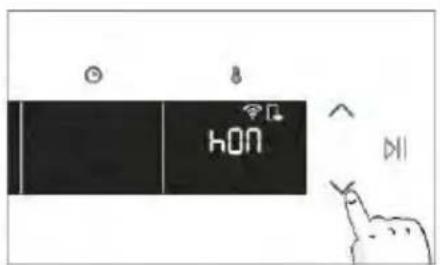

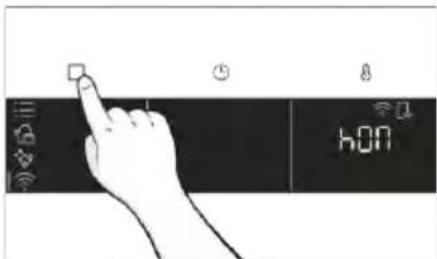
natural_image
Line drawing of a kitchen sink with a hand cleaning the interior and a bottle labeled H20 nearby (no text or symbols)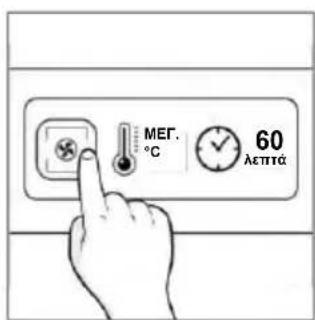
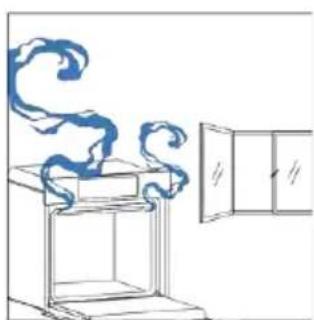
natural_image
Simple line drawing of a cabinet with swirling smoke and a door (no text or symbols)natural_image
Hand iconizing a touch screen with a light bulb and Wi-Fi symbol (no text or labels)MENOY ΛΕΙΤΟΥΡΓΙΩΝ
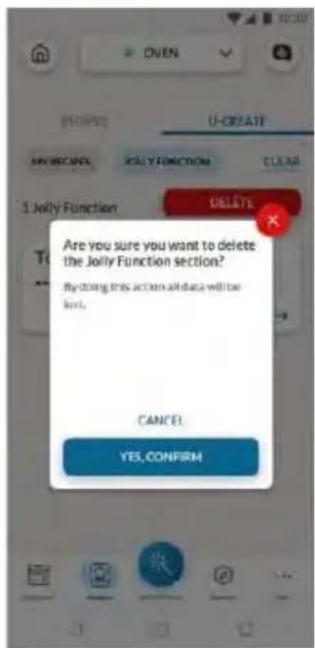
natural_image
Simple line drawing of a mechanical component with an arrow indicating direction (no text or symbols)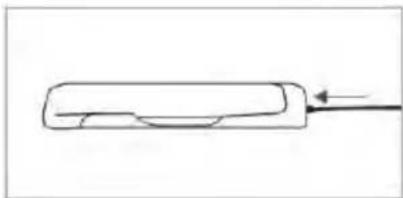
natural_image
Simple line drawing of a rectangular object with a curved internal feature and an arrow pointing to it (no text or symbols)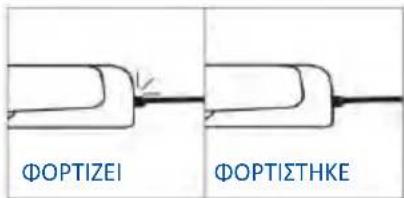
natural_image
Simple line drawing of a chicken with a fork (no text or symbols)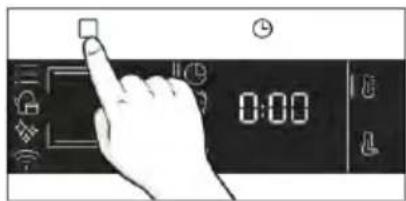
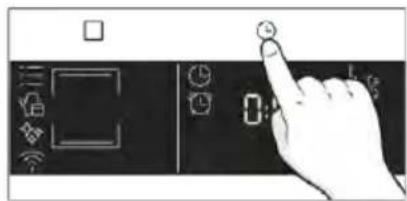
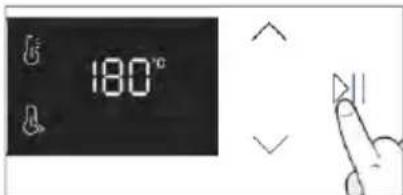
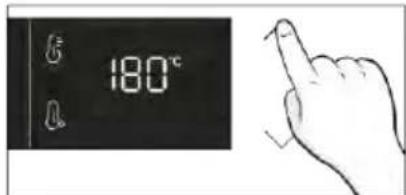
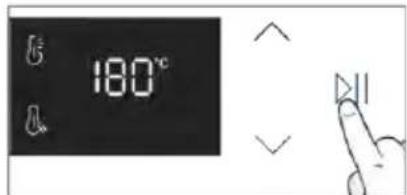
natural_image
Simple line drawing showing a pen and a rolled-up of a bone-like object (no text or symbols)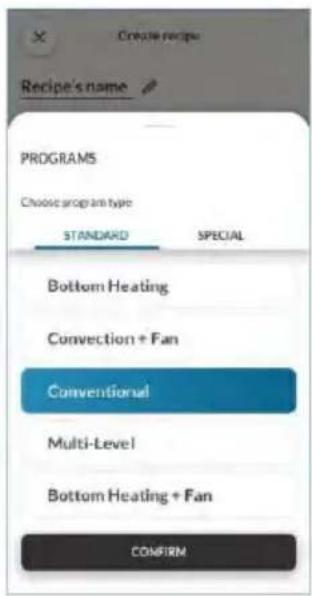
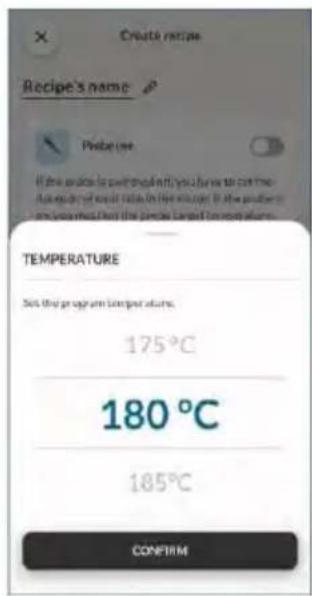
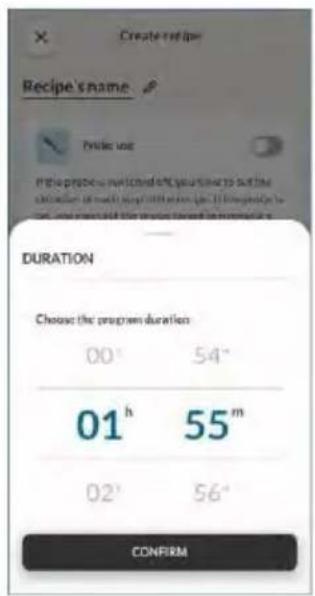
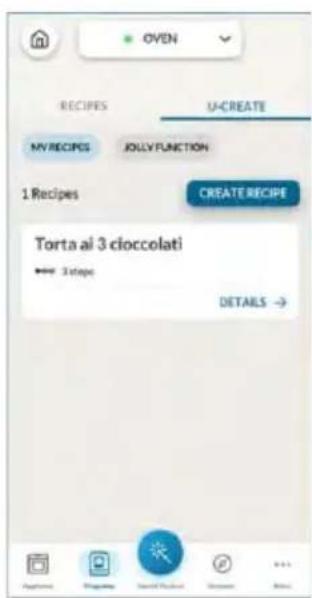
natural_image
Illustration of a hand pressing a button on a cabinet rack (no text or symbols visible)natural_image
Technical line drawing of a mechanical assembly with spring-loaded components and a block on top (no text or symbols)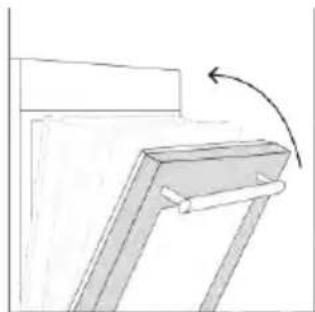
natural_image
Simple line drawing of a mechanical bracket with an arrow indicating rotation (no text or symbols)natural_image
Line drawing of an oven with a rack and vent, showing internal structure (no text or symbols)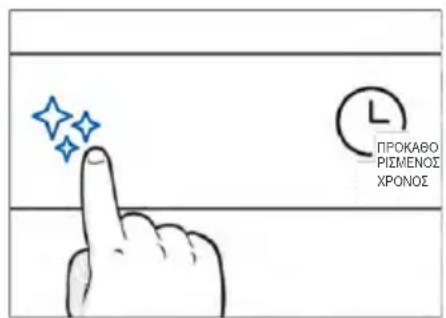
natural_image
Hand cleaning a window with a blue cloth, no text or symbols visible
H_2 O Steam
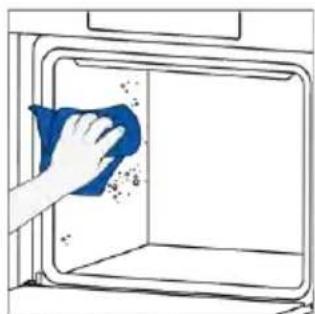
natural_image
Hand cleaning a window with a blue cloth, showing debris and spray (no text or symbols)natural_image
Technical line drawing of a mechanical assembly with spring-loaded housing (no text or symbols)Βήμα 2 (Αφαλάτωση):
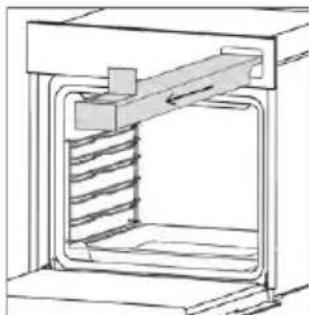
natural_image
Technical line drawing of a mechanical assembly with spring-loaded housing (no text or symbols)Βήμα 3 (Ξέβγαλμα):
Αποχέτευση
natural_image
Line drawing of hands operating a small oven with blue tool tips (no text or symbols)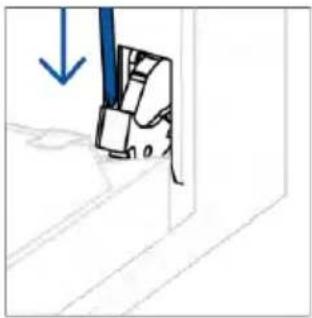
natural_image
Simple line drawing of a mechanical component with a blue downward arrow, no text or symbols presentnatural_image
Simple line drawing of a tilted rectangular object with directional arrows indicating movement (no text or symbols)natural_image
Illustration of a hand holding a diagonal line with a blue circle highlighting the intersection (no text or symbols present)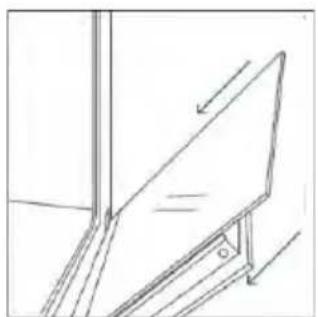
natural_image
Simple line drawing of a ladder leaning against an inclined plane, no text or symbols present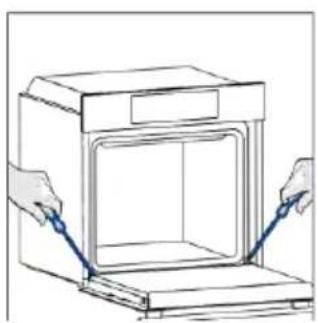
natural_image
Line drawing of hands operating a door with blue tool pins (no text or symbols)
natural_image
Simple line drawing of a mechanical component with a blue tool and arrow, no text or symbols present6.3. ΚΑΘΑΡΙΣΜΟΣ ΕΞΑΡΤΗΜΑΤΩΝ
natural_image
Line drawing of a laboratory oven with internal airflow arrows (no text or symbols)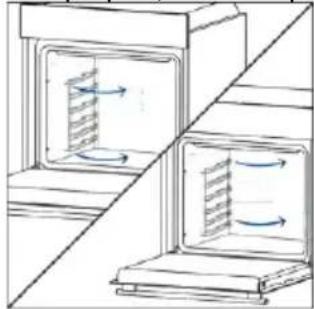
natural_image
Diagram showing two open storage or drying units with internal flow arrows, no text or symbols present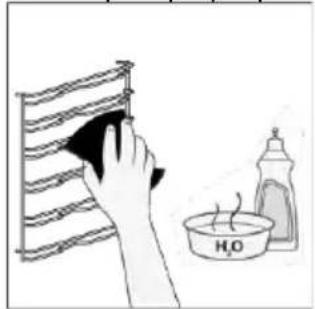
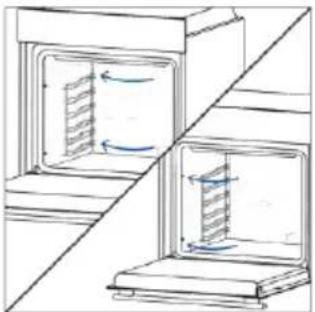
natural_image
Diagram of two open storage units with internal flow arrows, no text or symbols present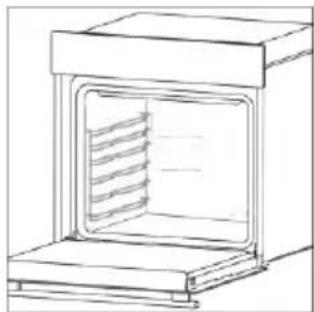
natural_image
Line drawing of a simple oven with internal grating (no text or symbols)natural_image
Simple line drawing of a door with a ladder and handle, no text or symbols present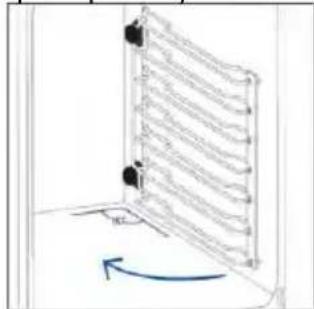
natural_image
Diagram of a vertical ladder structure with a blue curved arrow indicating rotation (no text or symbols)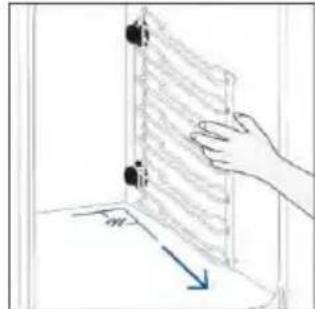
natural_image
Hand placing a wall-mounted device into a room with a blue arrow indicating direction (no text or symbols)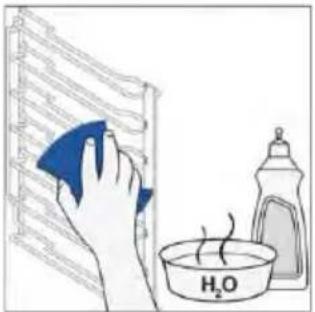
natural_image
Illustration of a hand cleaning a window with a blue cloth, a water bottle labeled H₂O, and a paint can (no text or symbols on the main objects)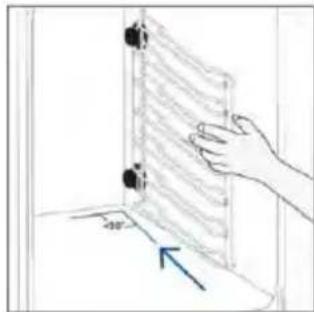
natural_image
Hand holding a wall-mounted device with a blue arrow indicating direction (no text or symbols)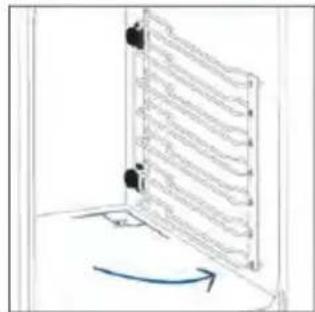
6.4. ΣΥΝΤΗΡΗΣΗ
Βήμα 2
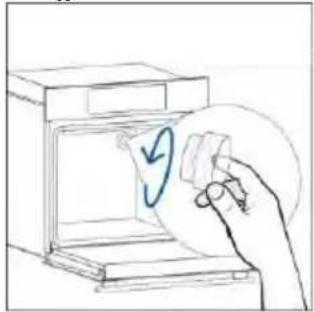
natural_image
Hand placing a paper into a washing machine with a circular arrow symbol (no text or labels)Βήμα 3
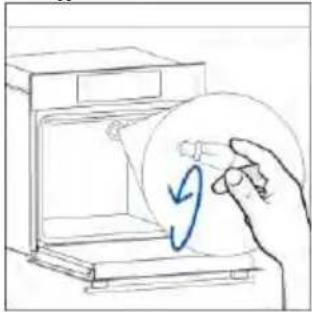
natural_image
Hand holding a circular object with a blue arrow inside, next to an open appliance (no text or symbols visible)Βήμα 4
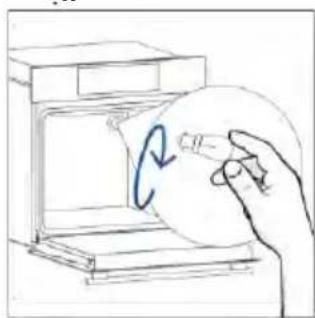
natural_image
Hand holding a circular object with a blue arrow inside, next to an open box (no text or symbols visible)Βήμα 5
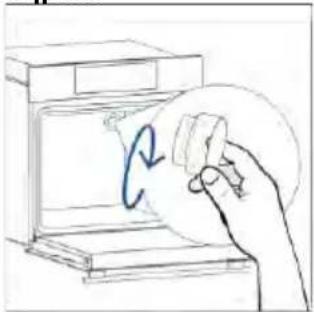
natural_image
Hand holding a circular object with a blue arrow inside, next to an open device (no text or symbols visible)Βήμα 6
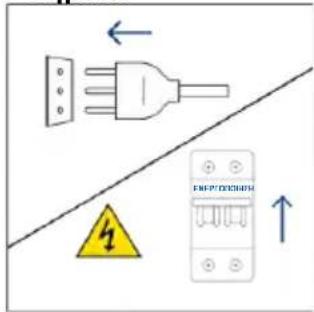
Βήμα 2
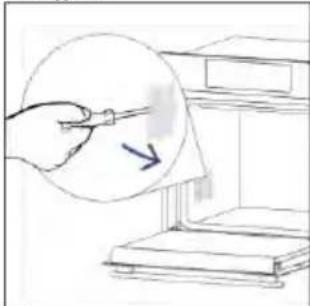
natural_image
Hand holding a pen over a document with an arrow, placed on a shelf (no text or symbols visible)Βήμα 3
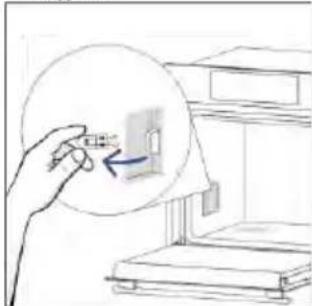
natural_image
Hand holding a magnifying glass over a small object inside a room (no text or symbols visible)Βήμα 4
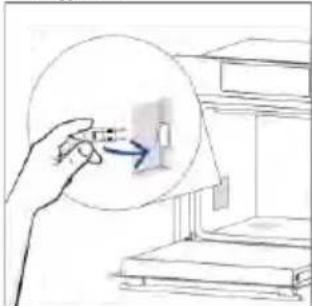
natural_image
Hand holding a small object with an arrow pointing to it, next to a bookshelf (no text or symbols visible)Βήμα 5
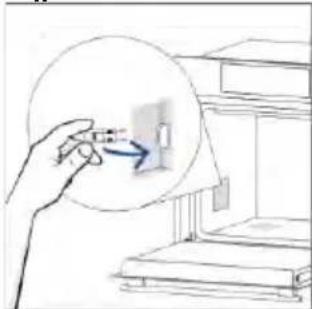
natural_image
Hand holding a magnifying glass over a small object, with bookshelves in the background (no text or symbols visible)Βήμα 6
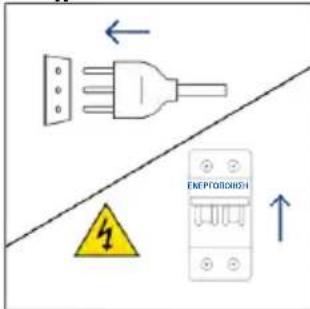
natural_image
Illustration showing a kitchen appliance with a blue swirl and a hand cleaning the interior (no text or symbols)natural_image
Isometric line drawing of a rectangular box with a side panel and handle (no text or symbols)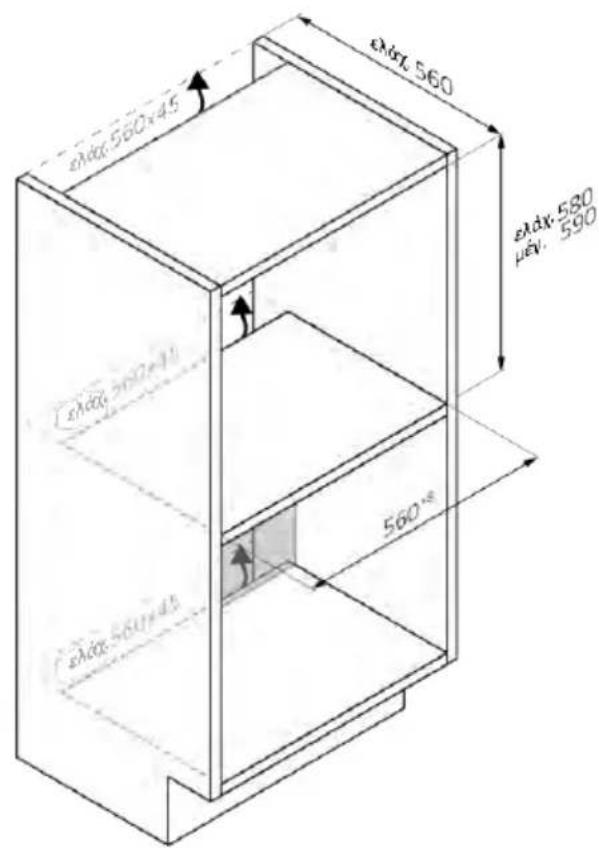
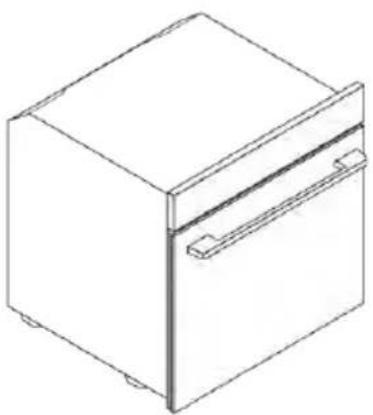
natural_image
Isometric line drawing of a 3D rectangular box with a side tab and handle (no text or symbols)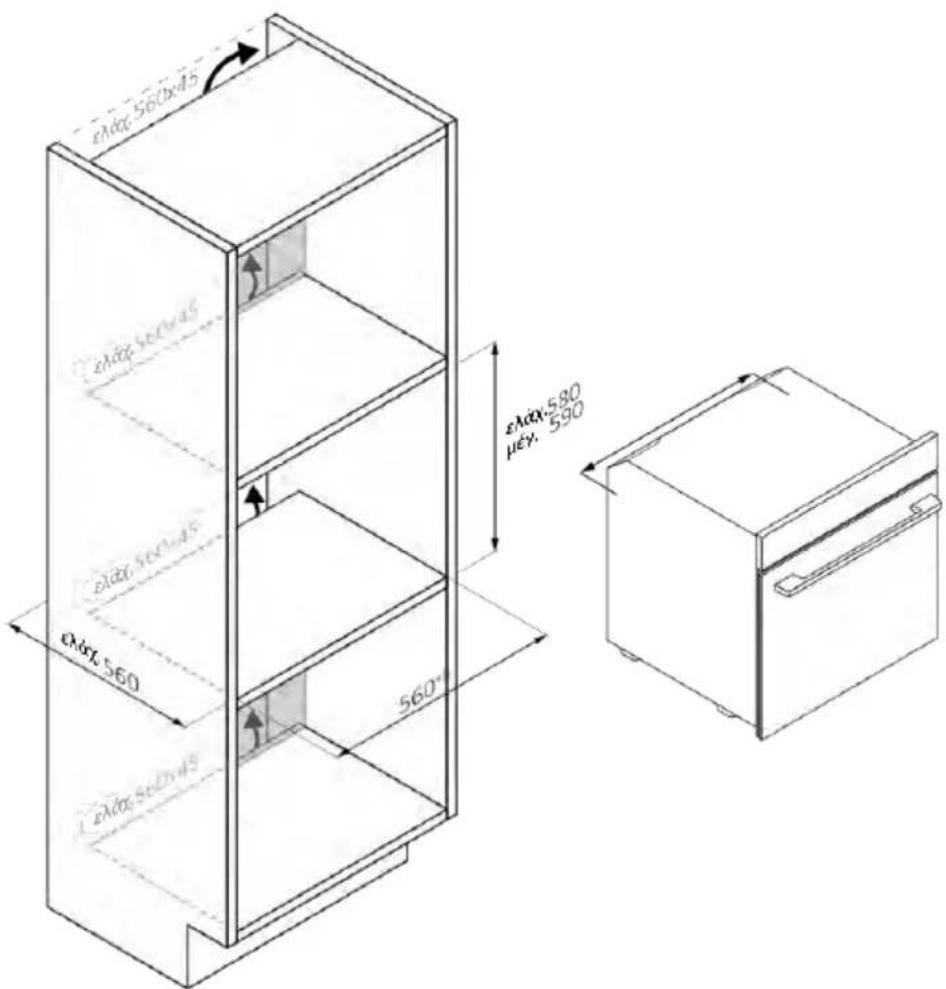
natural_image
Isometric line drawing of a multi-level refrigerator with drawers and shelves (no text or symbols)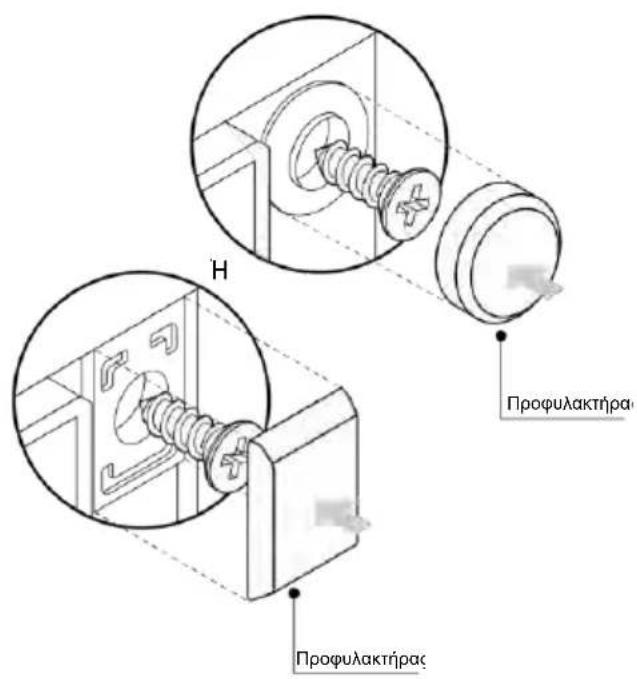
2. PRODUCTINTRODUCTIE
4. WERKING VAN HET PRODUCT
ALGEMENE WAARSCHUWINGEN
INSTALLATIEWAARSCHUWINGEN
natural_image
Simple illustration of a blue-handled tool with a black downward arrow pointing to it (no text or symbols)2. PRODUCTINTRODUCTIE
2.1. OVERZICHT VAN HET PRODUCT
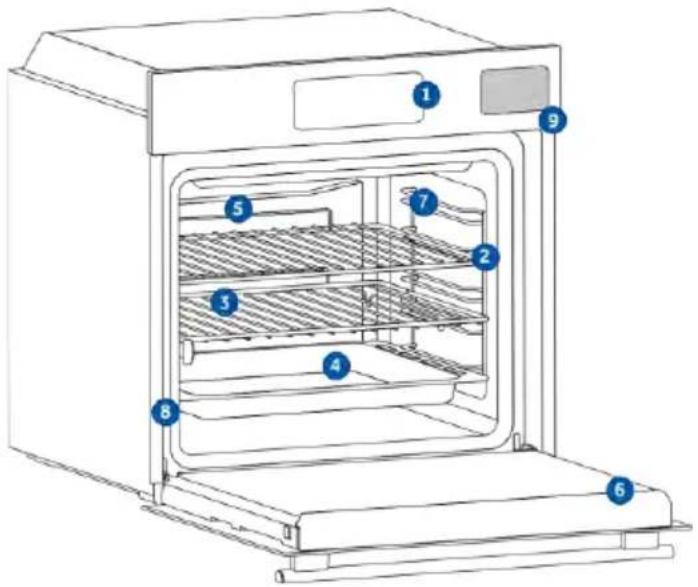
natural_image
Line drawing of a two-tiered storage rack system with no text or symbolsnatural_image
Line drawing of a rectangular tray with internal geometric pattern, placed inside an oven (no text or symbols)natural_image
Illustration of a rectangular tray with internal compartments, placed inside a storage unit (no text or symbols)natural_image
Line drawing of a kitchen sink with a bowl, a round pan, and a wall-mounted shelf (no text or symbols)natural_image
Line drawing of a rectangular tray with a grid pattern on the side, placed inside a kitchen appliance (no text or symbols)natural_image
Simple line drawing of a pipette or stylus (no text or symbols)natural_image
Simple line drawing of a kitchen appliance with a circular component and a hanging fan (no text or symbols)natural_image
Illustration of a rectangular appliance with a slatted lid and internal grating (no text or symbols)natural_image
Diagram showing three stages of a refrigeration or cooling system with heat exchangers and a conveyor belt (no text or symbols)REGISTRATIE NIEUWE GEBRUIKER
SNELLE KOPPELING
Stap 1
Stap 2
Stap 3
- Selecteer 'Oven' in de apparaatcategorie.
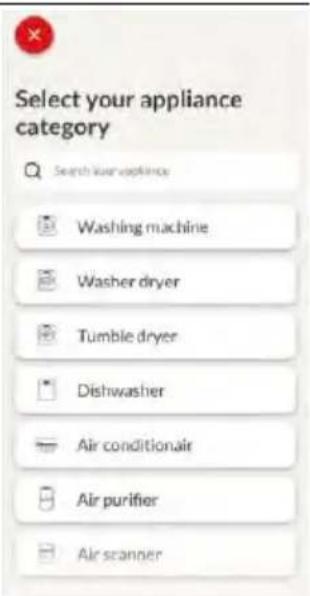
Stap 4
Stap 5
Stap 6.1–6.2
Stap 7

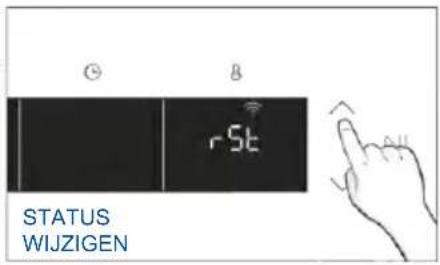
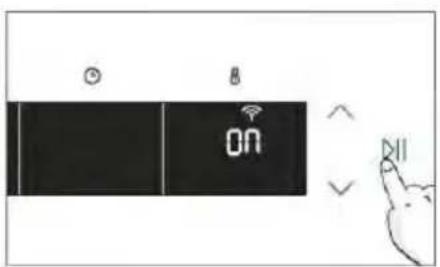
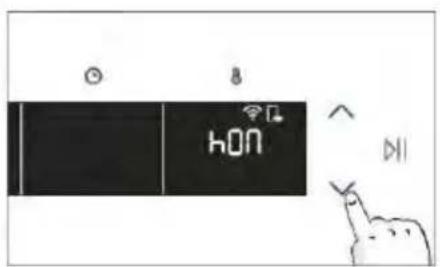

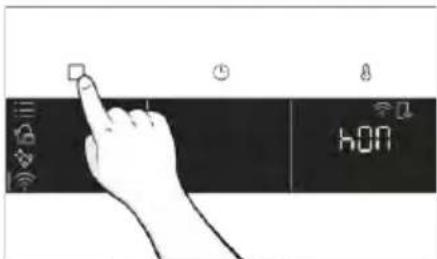
3. VOORDAT U BEGINT
3.1. INFORMATIE OM TE BEGINNEN
natural_image
Illustration of a hand cleaning a washing machine with a blue cloth and a small water bottle nearby (no text or symbols)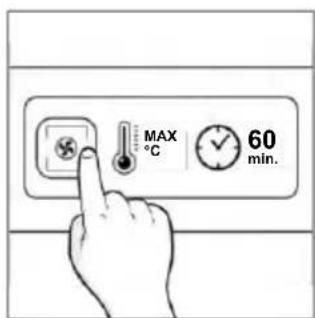
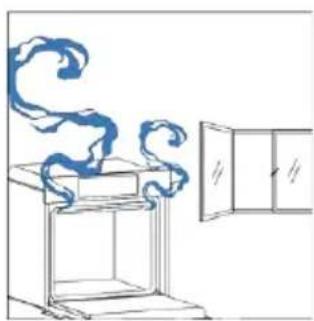
natural_image
Simple line drawing of a chimney with steam rising, next to a cabinet (no text or symbols)4. WERKING VAN HET PRODUCT
4.1. HOE HET PRODUCT WERKT
DE OVEN AAN-/UITZETTEN
natural_image
Hand icon pointing at a circular button with a sun symbol and Wi-Fi icons nearby (no text or symbols)FUNCTIEMENU
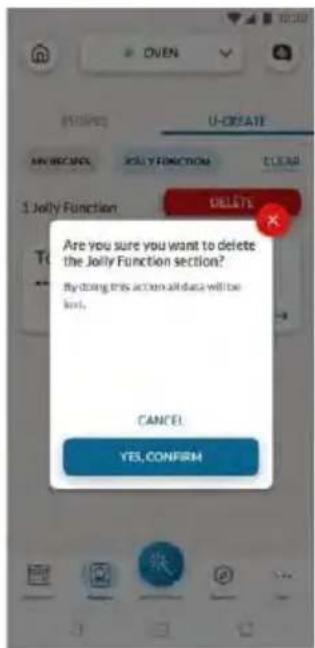
natural_image
Simple line drawing of a mechanical component with an arrow indicating rotation (no text or symbols)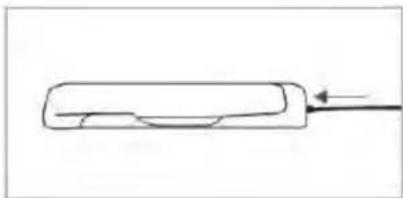
natural_image
Simple line drawing of a rectangular object with a curved internal feature and an arrow pointing to it (no text or symbols)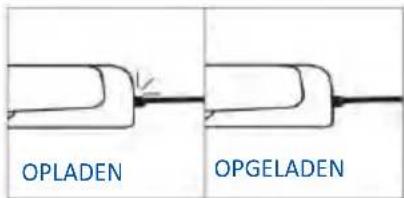
natural_image
Simple line drawing of a bread roll with a steaming cup (no text or symbols)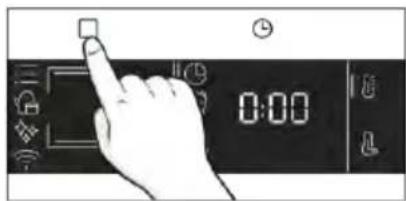
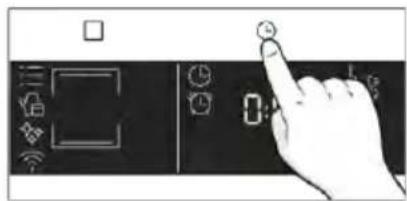
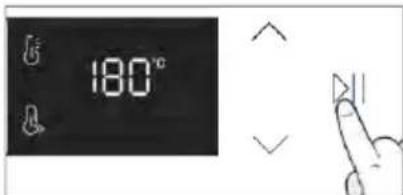
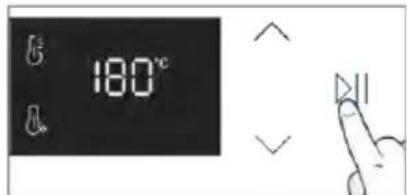
Kooktips
natural_image
Simple line drawing showing a pen tip transforming into a rolled dough with two blue tips (no text or symbols)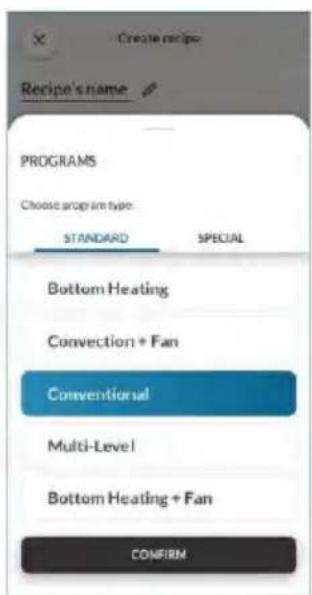
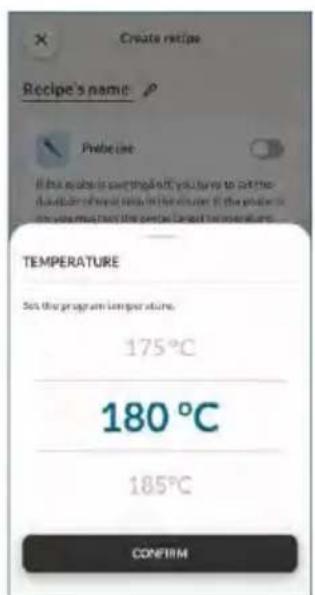
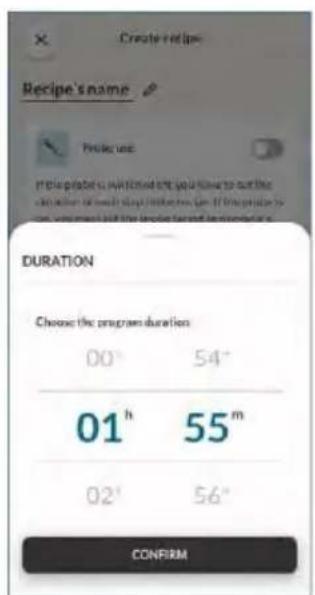
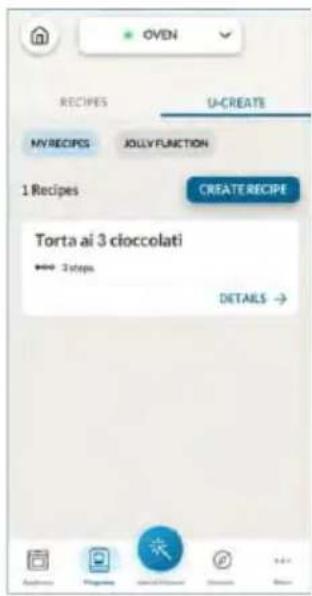
natural_image
Illustration of a hand pressing a button on a cabinet rack (no text or symbols)natural_image
Technical line drawing of a mechanical assembly with spring-loaded components and a block on top (no text or symbols)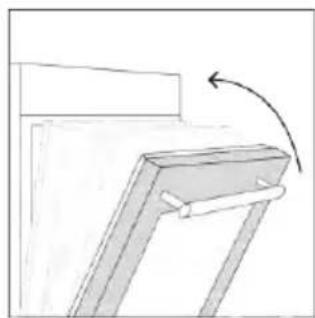
natural_image
Simple line drawing of a mechanical bracket with an arrow indicating rotation (no text or symbols)natural_image
Line drawing of an oven with a rack inside, showing internal structure and a blue arrow indicating direction (no text or symbols)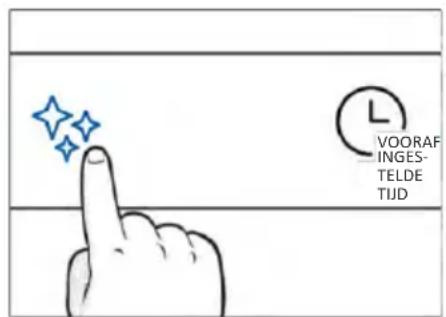
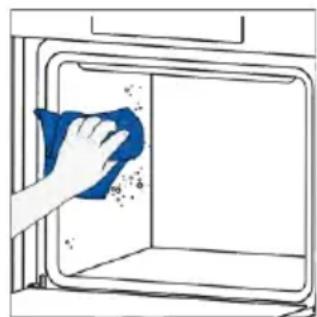
natural_image
Hand cleaning a window with a blue cloth, no text or symbols visible
H_2 O Steam
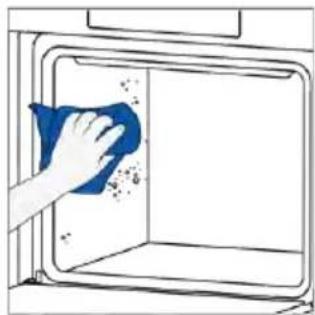
natural_image
Hand cleaning a window with a blue cloth, no text or symbols visibleHET STOOMSYSTEEM REINIGEN

Ontkalken
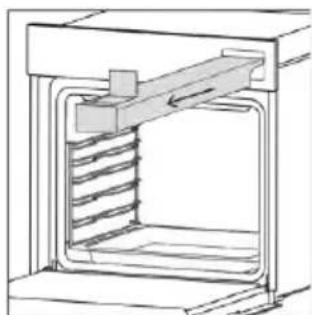
natural_image
Technical line drawing of a mechanical assembly with spring-loaded housing (no text or symbols)Stap 2 (Ontkalken):
natural_image
Technical line drawing of a mechanical assembly with spring-loaded housing (no text or symbols)Stap 3 (Spoelen):
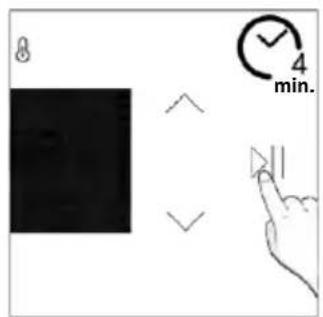
Afvoeren
natural_image
Line drawing of hands operating a small oven with blue tool tips (no text or symbols)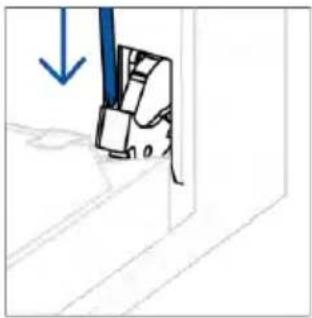
natural_image
Simple line drawing of a mechanical component with a blue arrow indicating downward motion (no text or symbols)natural_image
Simple line drawing of a tilted rectangular object with directional arrows indicating movement (no text or symbols)natural_image
Illustration of a hand holding a diagonal line with a blue circle highlighting the intersection (no text or symbols present)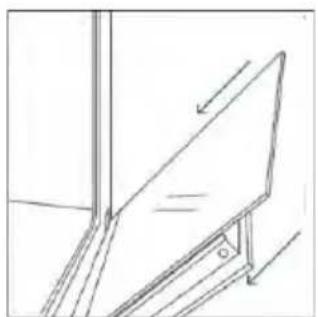
natural_image
Simple line drawing of a ladder leaning against a wall, with an arrow indicating upward motion (no text or symbols)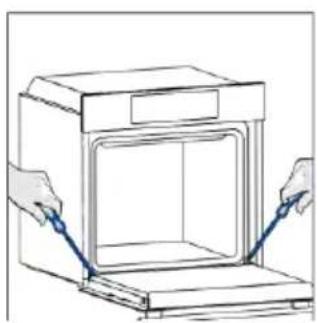
natural_image
Line drawing of hands installing or adjusting a door panel inside an oven (no text or symbols)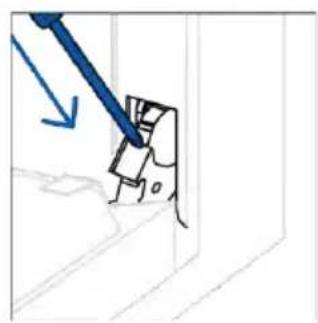
natural_image
Simple line drawing of a mechanical component with a blue tool and arrow indicating direction (no text or symbols)6.3. SCHOONMAKEN VAN ACCESSOIRES
Stap 2
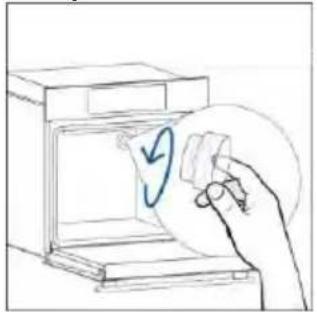
natural_image
Hand placing a paper into an open kitchen appliance with a circular arrow symbol (no text or labels)Stap 3
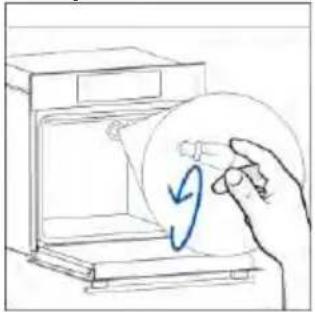
natural_image
Hand holding a circular object inside a microwave oven (no text or symbols visible)Stap 4
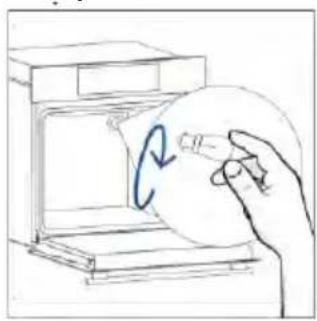
natural_image
Hand holding a circular object inside a device, with a blue curved arrow indicating rotation (no text or symbols)Stap 5
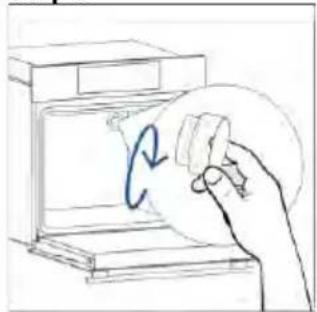
natural_image
Hand holding a circular object with a blue curved arrow inside, next to an open device (no text or symbols visible)Stap 6
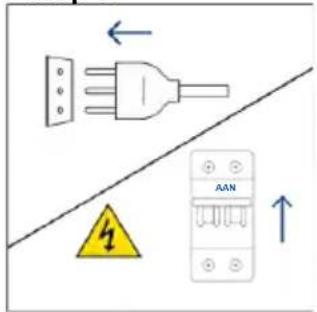
Stap 2
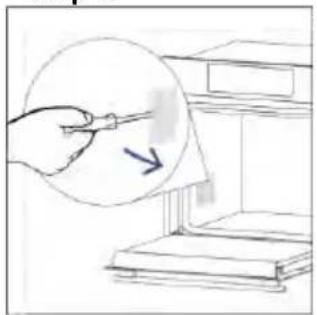
natural_image
Hand holding a pen over a stack of books, with a magnified inset showing a pointing arrow (no text or symbols)Stap 3
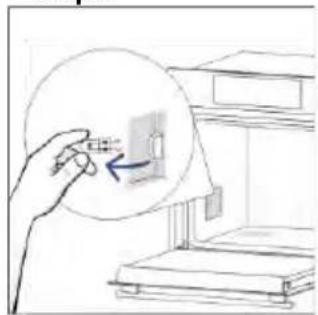
natural_image
Hand holding a small object with an arrow pointing to it, next to a bookshelf (no text or symbols visible)Stap 4
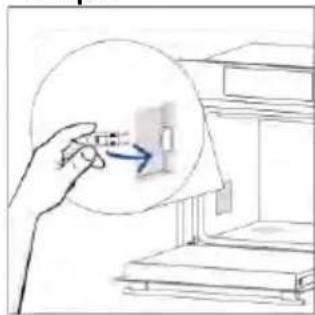
natural_image
Hand holding a small object with an arrow pointing to it, next to a bookshelf (no text or symbols visible)Stap 5
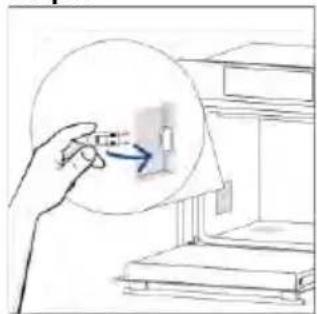
natural_image
Hand holding a small object with an arrow pointing to it, next to a bookshelf (no text or symbols visible)Stap 6
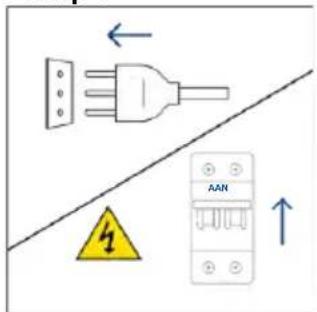
natural_image
Illustration showing a kitchen cleaning process: dropping leaves from a stove to clean air by a washing machine (no text or symbols)8.1. VERWIJDERING VAN APPARATEN
natural_image
Line drawing of a 3D box with a side panel and handle (no text or symbols)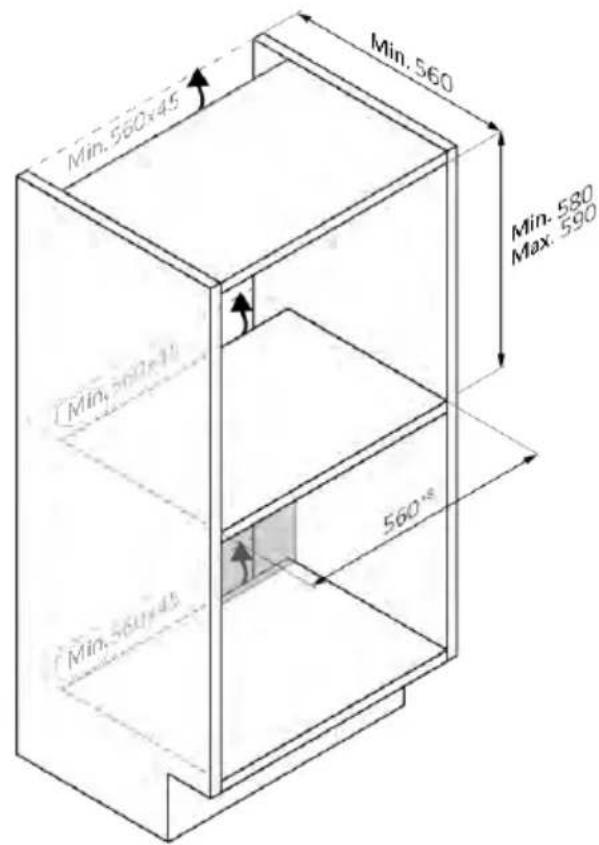
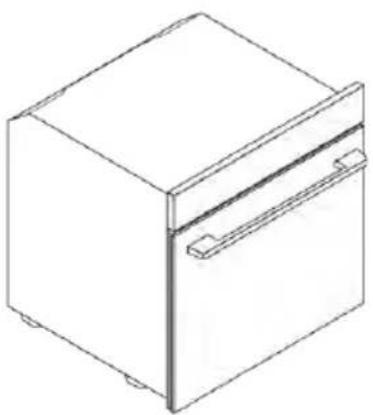
natural_image
Line drawing of a 3D rectangular box with a side panel and mounting holes (no text or symbols)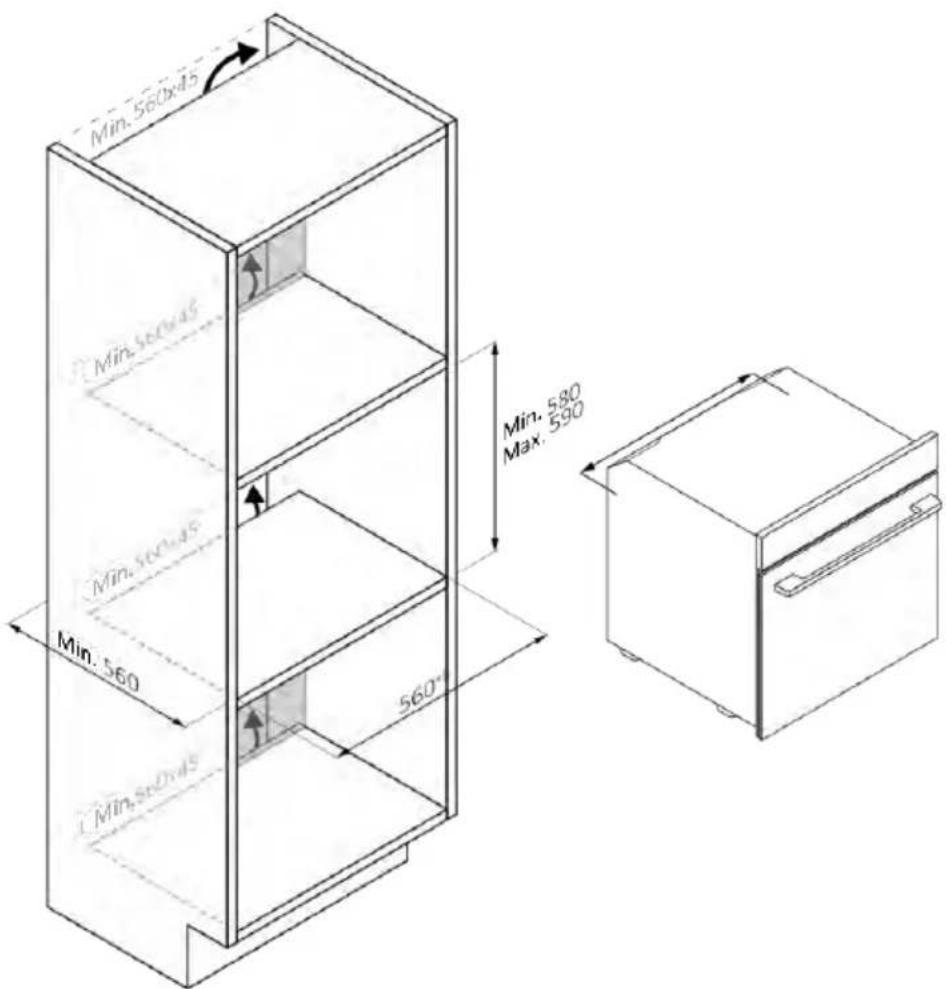
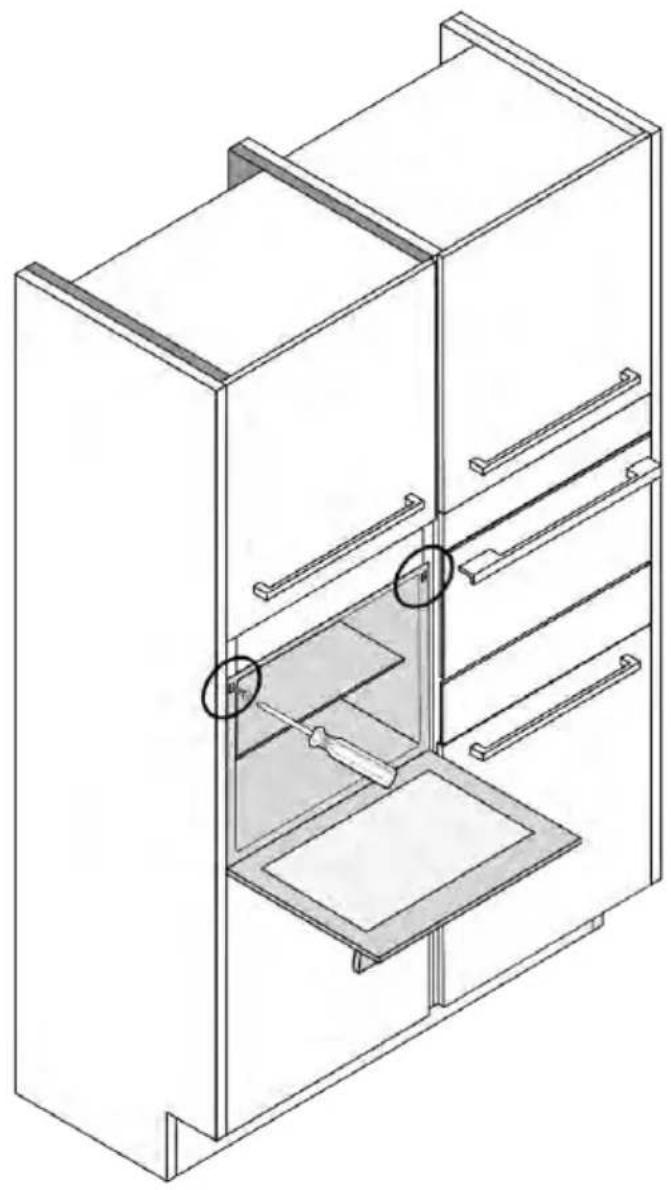
natural_image
Isometric line drawing of a multi-level refrigerator with drawers and shelves (no text or symbols)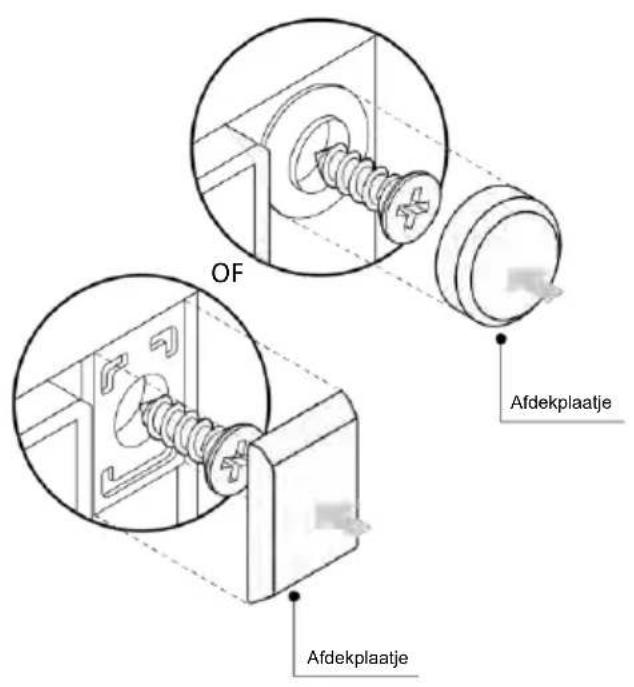
natural_image
Simple illustration of a blue-handled tool with a black downward arrow pointing to it (no text or symbols)2.2. ACESSÓRIOS
Grades de arame laterais (apenas se presentes*
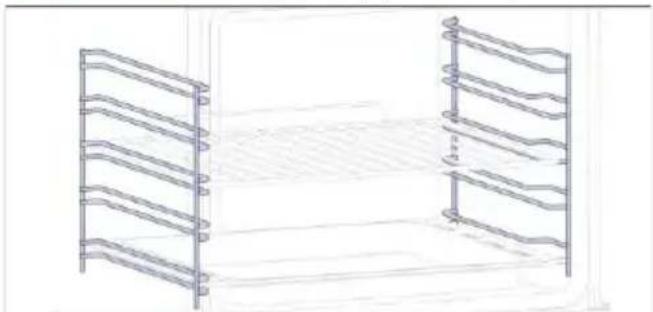
natural_image
Line drawing of a two-tiered storage rack or rack system with no text or symbolsnatural_image
Simple line drawing of a rectangular tray or vent with internal grid pattern, placed inside a rack (no text or symbols)natural_image
Empty white rectangle with black border (no text or symbols)natural_image
Illustration of a rectangular tray with internal compartments, placed inside a storage unit (no text or symbols)natural_image
Line drawing of a kitchen sink with a bowl, a round hole, and a side shelf (no text or symbols)natural_image
Line drawing of a rectangular tray with a grid pattern inside, placed on a shelf (no text or symbols)natural_image
Simple line drawing of a pen or stylus with a pointed tip and handle (no text or symbols)natural_image
Simple line drawing of a door with a circular component and a curved arrow indicating motion (no text or symbols)natural_image
Line drawing of a rectangular appliance with a grid-patterned lid, placed on a tray (no text or symbols)natural_image
Three-panel line drawing showing a kitchen appliance with a box, side by side, and internal structure (no text or symbols)Passo 2
Passo 3
Passo 4
Passo 5
Passo 6.1-6.2
Passo 7

COMO ALTERAR AS DEFINIÇÕES DE WIFI
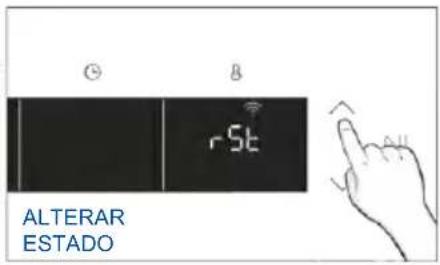
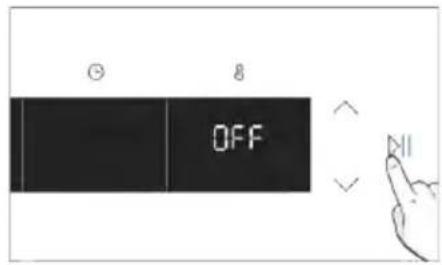

CONTROLO REMOTO
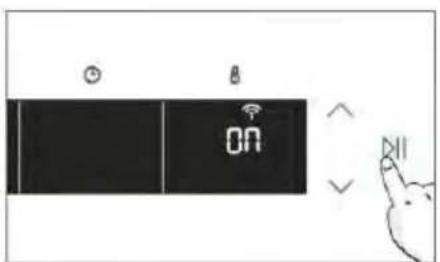
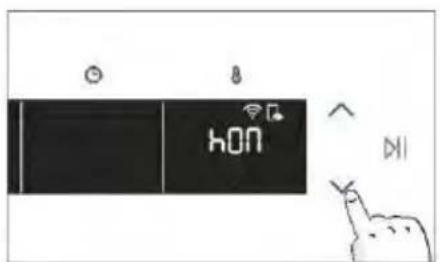
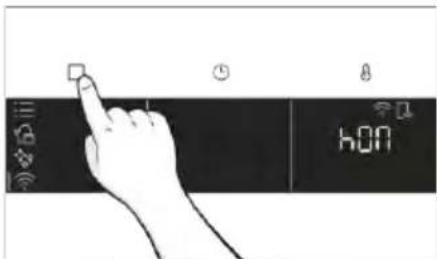
3. ANTES DE COMEÇAR
3.1. INFORMAÇÕES PARA COMEÇAR
natural_image
Simple line drawing of a kitchen appliance with a hand cleaning it, water droplets, and a bottle labeled H20 (no text or symbols on main elements)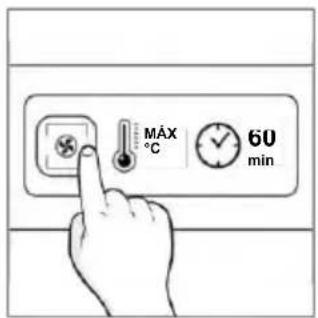
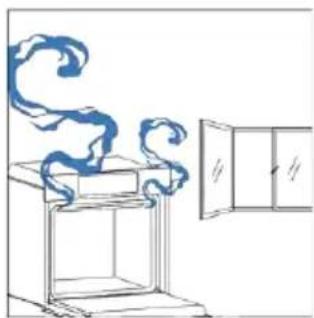
natural_image
Simple line drawing of a chimney with steam rising, next to an open door (no text or symbols)natural_image
Hand icon pointing at a circular button with a sun symbol and Wi-Fi icons nearby (no text or symbols)MENU FUNÇÕES
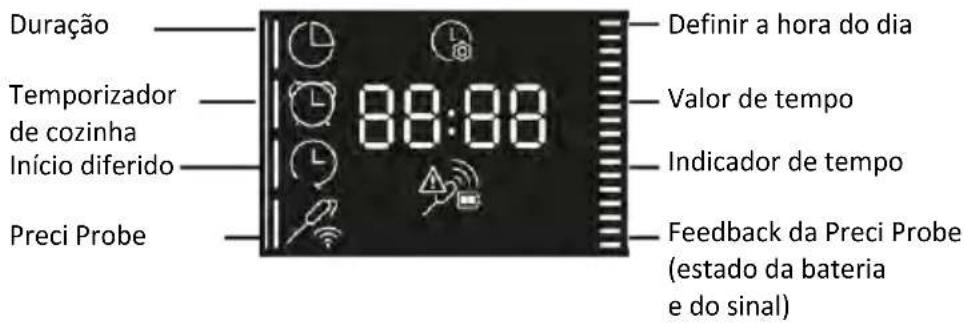
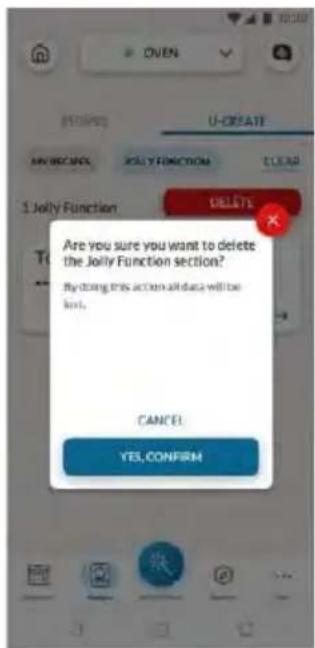
natural_image
Simple line drawing of a mechanical component with an arrow indicating rotation (no text or symbols)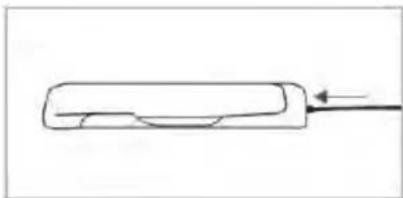
natural_image
Simple line drawing of a rectangular object with a curved top and a horizontal line extending outward (no text or symbols)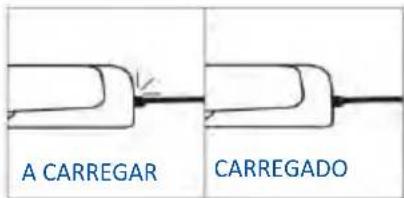
Como registar e utilizar a Preci Probe:
natural_image
Simple line drawing of a steamed chicken with a fork (no text or symbols)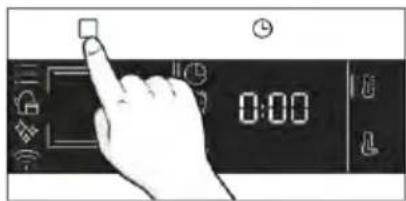
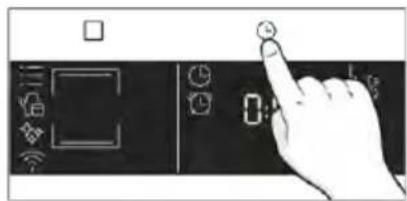
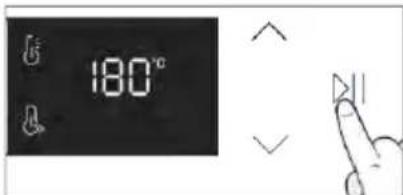
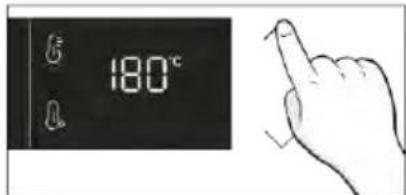
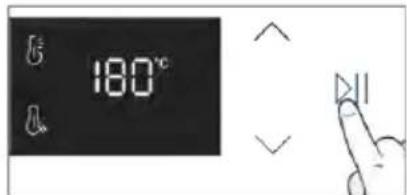
Dicas de cozinha
natural_image
Simple line drawing showing a pen tip transforming into a rolled-up chicken (no text or symbols)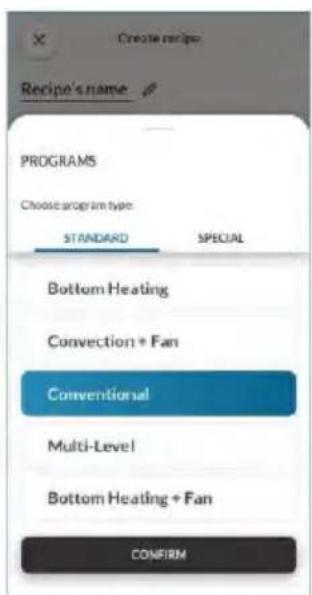
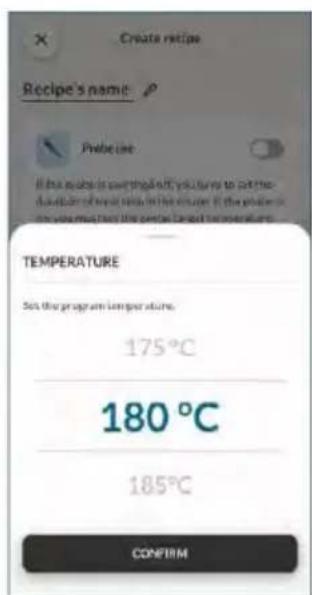
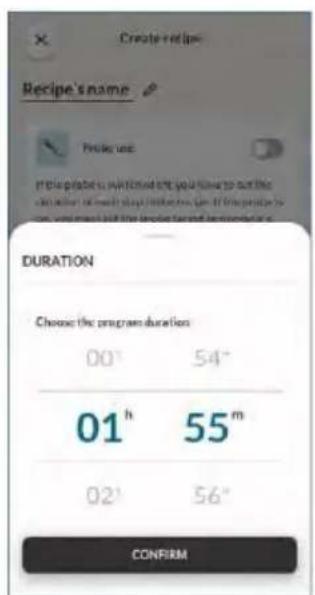
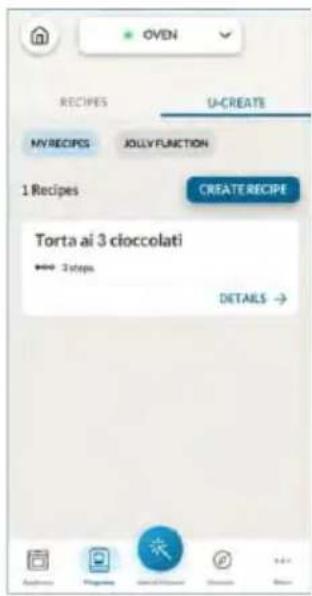
5. ORIENTAÇÕES PARA COZINHAR
5.1. TABELA DE COZEDURA GERAL
- 7 Níveis
natural_image
Illustration of a hand pressing a button on a cabinet shelf with arrows indicating movement (no text or symbols)natural_image
Diagram of a mechanical assembly with a box and spring-loaded components (no text or symbols)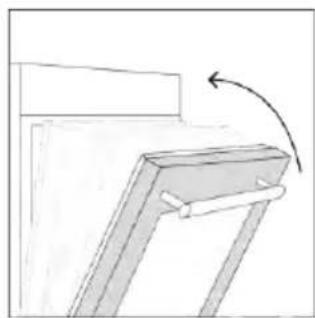
natural_image
Simple line drawing of a mechanical bracket with an arrow indicating rotation (no text or symbols)natural_image
Line drawing of an oven with a rack inside, showing internal structure and airflow direction (no text or symbols)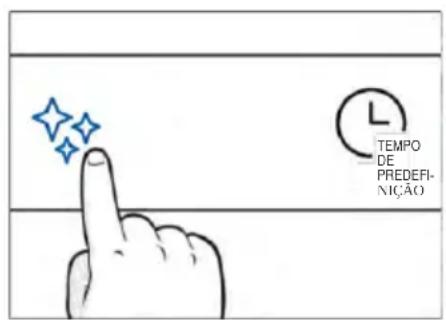
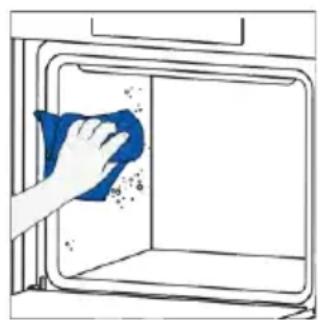
natural_image
Hand cleaning a window with a blue cloth, showing surface dust and debris (no text or symbols)
Vapor H_2O
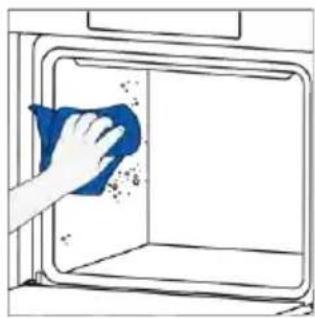
natural_image
Hand cleaning a window with a blue cloth, showing surface dust and debris (no text or symbols)LIMPEZA DE SISTEMAS A VAPOR

Descalcificar
natural_image
Technical line drawing of a mechanical assembly with spring-loaded housing (no text or symbols)natural_image
Technical line drawing of a mechanical assembly with spring-loaded housing (no text or symbols)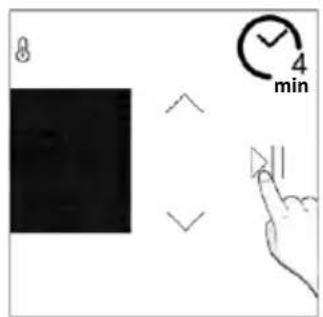
Drenagem
natural_image
Line drawing of hands operating a small oven with blue tool tips (no text or symbols)
natural_image
Simple line drawing of a mechanical component with a blue downward arrow, no text or symbols presentnatural_image
Simple line drawing of a tilted rectangular object with directional arrows indicating movement (no text or symbols)natural_image
Hand holding a diagonal line through a window frame, with no text or symbols presentnatural_image
Illustration of a hand cleaning a surface with a blue cloth and a water bottle labeled H₂O (no text or symbols on the main subject)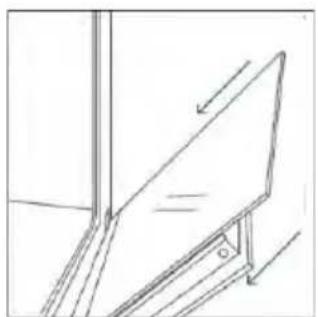
natural_image
Simple line drawing of a ladder leaning against an inclined plane, no text or symbols present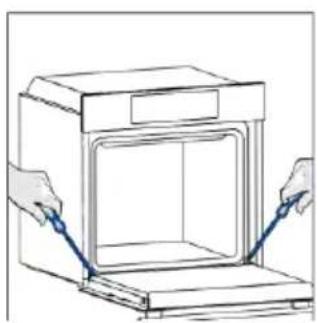
natural_image
Line drawing of hands installing or adjusting a door panel inside an oven (no text or symbols)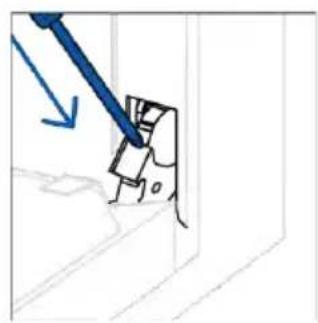
natural_image
Simple line drawing of a mechanical component with a blue tool and arrow indicating direction (no text or symbols)6.3. LIMPEZA DOS ACESSÓRIOS
Passo 2
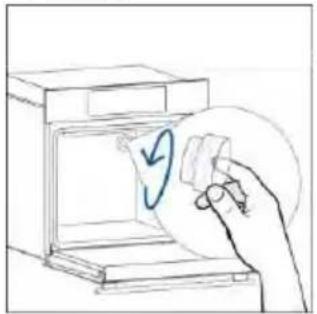
natural_image
Hand holding a circular object with a blue checkmark inside an open appliance (no text or symbols)Passo 3
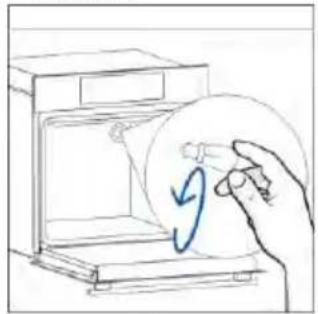
natural_image
Hand holding a circular object with a blue arrow inside, next to an open device (no text or symbols visible)Passo 4
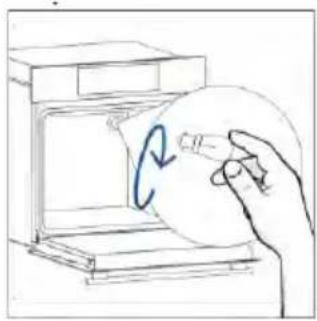
natural_image
Hand holding a circular object inside a device, with a blue curved arrow indicating rotation (no text or symbols)Passo 5
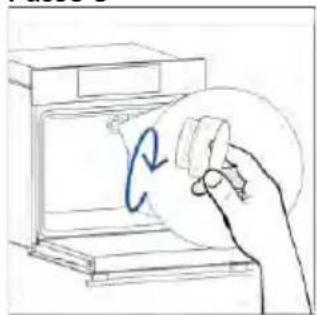
natural_image
Hand holding a circular object with a blue arrow inside, next to an open device (no text or symbols visible)Passo 6
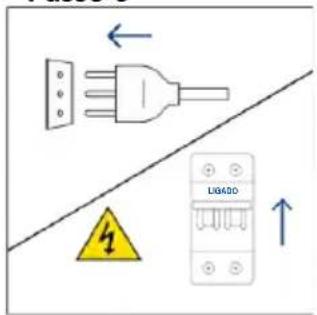
Passo 2
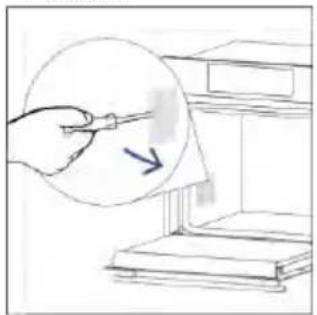
natural_image
Hand holding a pen over a stack of books, with a magnified inset showing a pointing arrow (no text or symbols)Passo 3
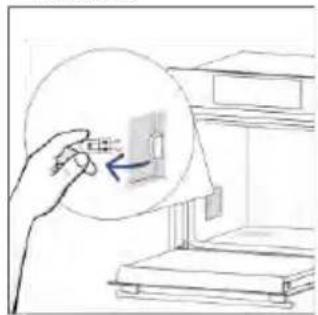
natural_image
Hand holding a small object with an arrow pointing to it, next to stacked books (no text or symbols visible)Passo 4

natural_image
Hand holding a small object with an arrow pointing to it, next to a bookshelf (no text or symbols visible)Passo 5
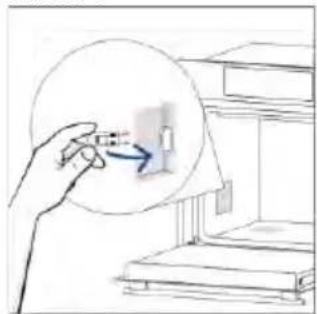
natural_image
Hand holding a small object with an arrow pointing to it, next to a bookshelf (no text or symbols visible)Passo 6
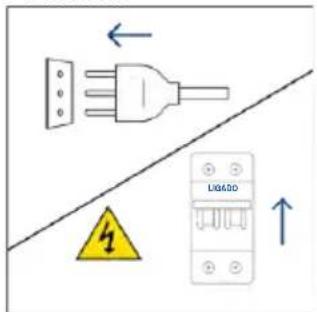
natural_image
Illustration showing a kitchen cleaning process: dropping leaves from a stove to a washing machine with a hand cleaning it (no text or symbols)natural_image
Line drawing of a 3D box with a side panel and handle (no text or symbols)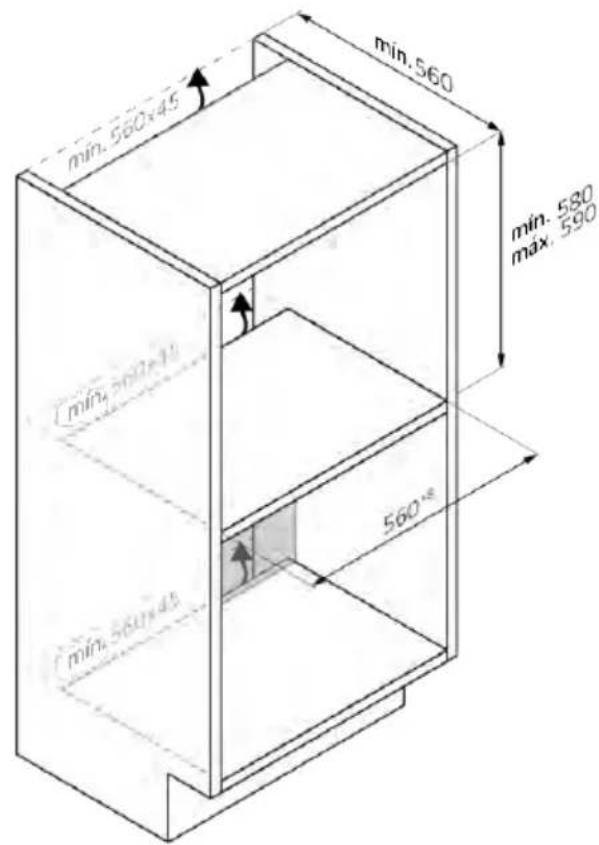
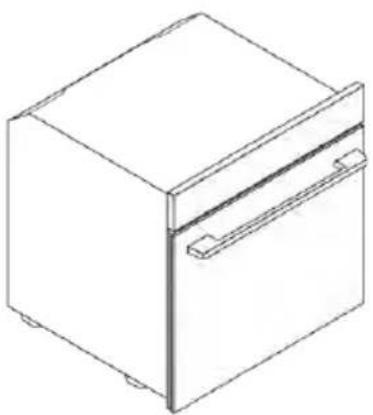
natural_image
Isometric line drawing of a rectangular box with a side tab and handle (no text or symbols)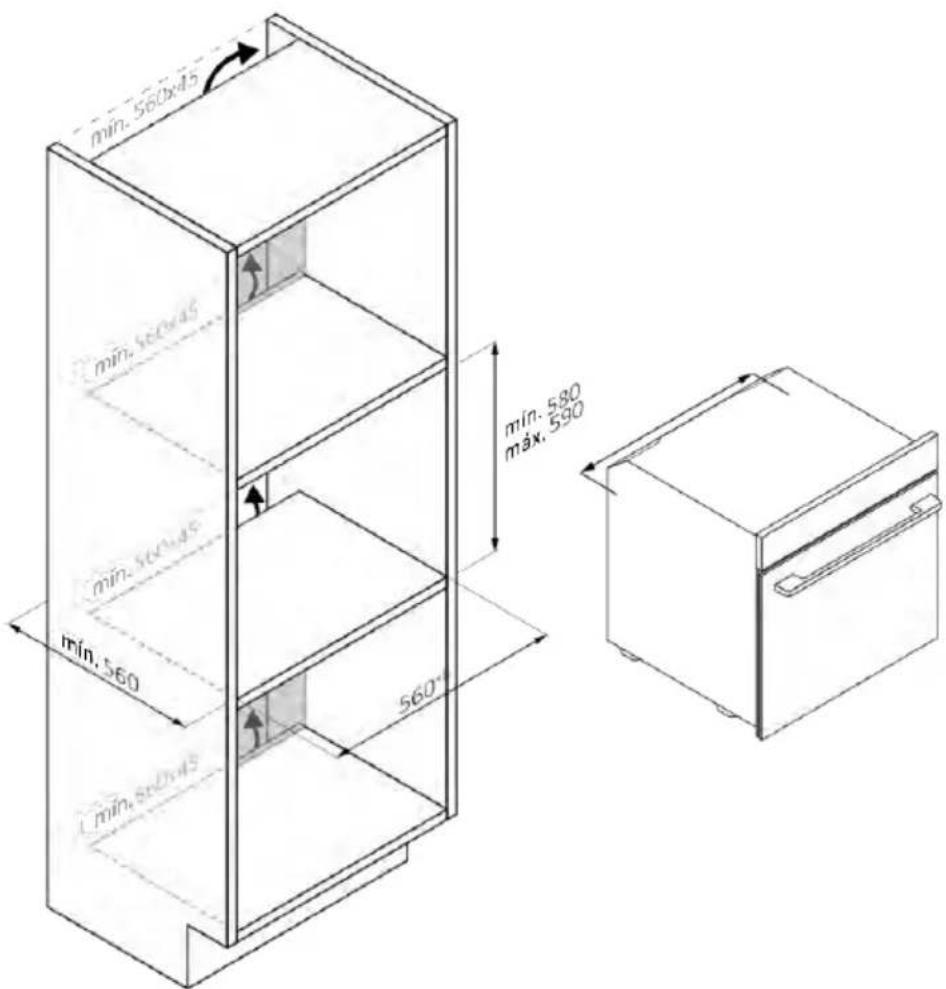
natural_image
Isometric line drawing of a multi-level refrigerator with drawers and shelves (no text or symbols)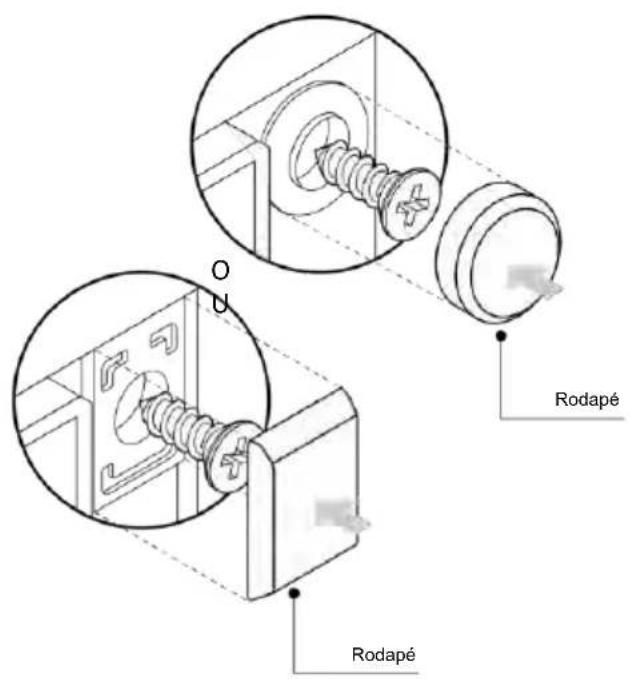
natural_image
Simple illustration of a blue-handled tool with a black downward arrow pointing to it (no text or symbols)natural_image
Empty white rectangle with black border (no text or symbols)natural_image
Line drawing of a two-tiered storage rack system with no text or symbolsnatural_image
Line drawing of a rectangular tray with internal compartments, placed inside an oven (no text or symbols)natural_image
Illustration of a rectangular plastic tray with internal compartments, placed on a shelf (no text or symbols)natural_image
Line drawing of a kitchen sink with a bowl, a round head, and a mesh tray (no text or symbols)natural_image
Line drawing of a rectangular tray with a grid pattern inside, placed on a shelf (no text or symbols)natural_image
Simple line drawing of a pen with a handle and pointed tip (no text or symbols)natural_image
Simple line drawing of a kitchen appliance with a circular button and directional arrow (no text or symbols)natural_image
Diagram of a rectangular appliance with internal grating and ventilation slots, placed inside a rack (no text or symbols)natural_image
Three-step diagram showing a door opening, a spring-loaded component being inserted into a rack, and a mechanical lever with directional arrows (no text or symbols)REGISTRÁCIA NOVÉHO POUŽÍVATEL'A
RÝCHLE PÁROVANIE
Krok 1
Krok 2
- Povol'te povolenie polohy.
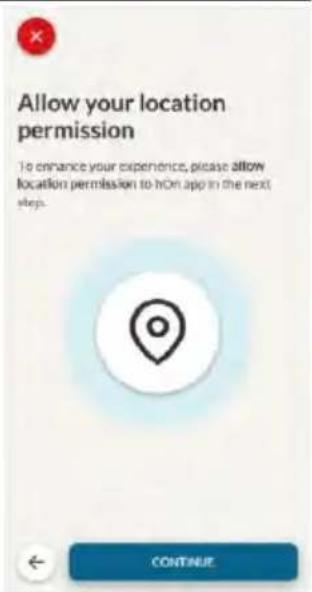
Krok 3
• Vyberte rúru z kategórie spotrebičov.
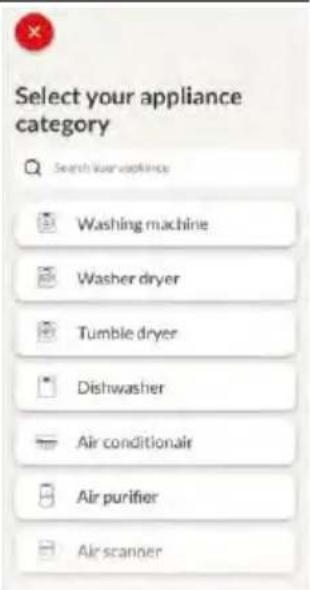
Krok 4
- Zapnite spotrebič. Ak už je zapnutý, vypnite ho a znova zapnite.
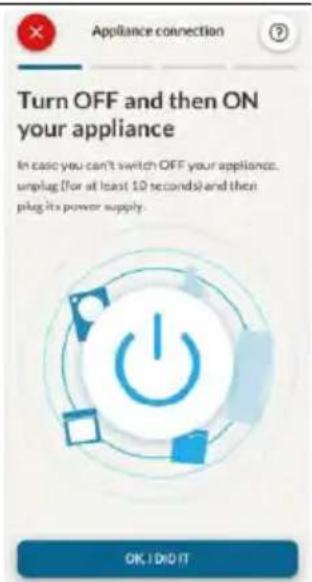
Krok 5
Krok 6.1 - 6.2
Krok 7

AKO ZMENIČ NASTAVENIA WI-FI
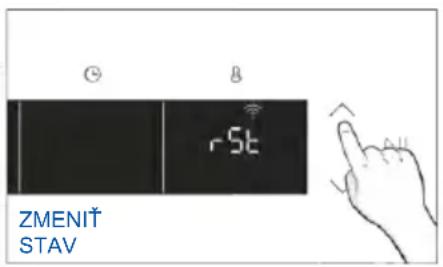
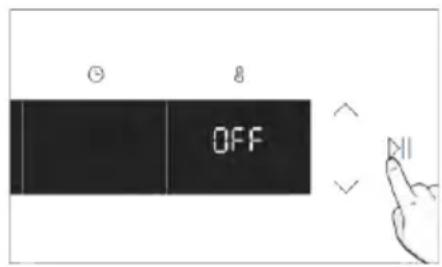

DIALKOVÉ OVLÁDANIE
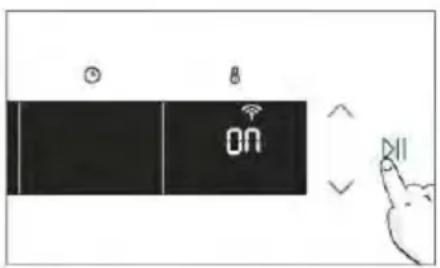
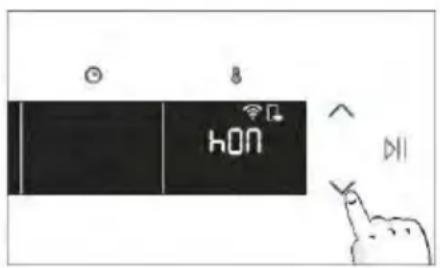
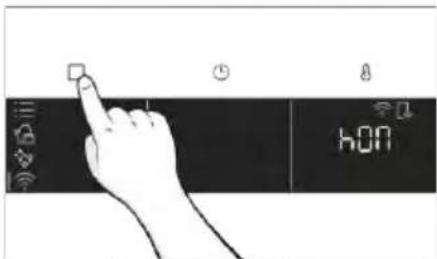
3. PRED ZAČATÍM
3.1. INFORMÁCIE PRED SPUSTENÍM
natural_image
Illustration of a hand cleaning a cleaner with a blue cloth, next to a water bottle and a bowl labeled H2a (no text or symbols on main objects)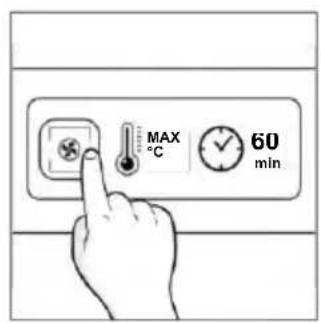
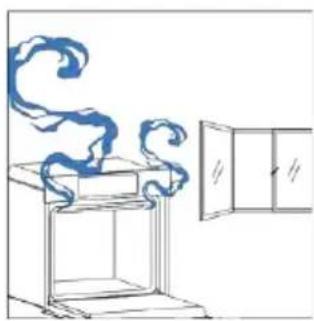
natural_image
Simple line drawing of a cabinet with swirling smoke and a cabinet lid (no text or symbols)4. OBSLUHA SPOTREBIČA
4.1. PREVÁDZKA PRODUKTU
ZAPNUTIE/VYPNUTIE RÚRY
natural_image
Hand icon pointing at a circular button with a sun symbol and Wi-Fi signal icon (no text or symbols)PONUKA FUNKCIÍ
Ako nastavit funkciu Jolly:
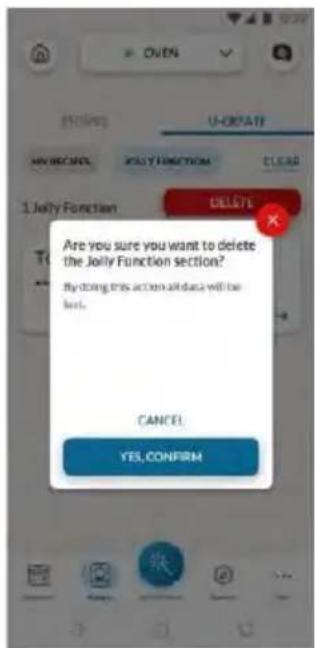
natural_image
Simple line drawing of a mechanical component with an arrow indicating rotation (no text or symbols)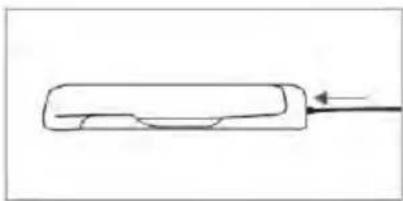
natural_image
Simple line drawing of a rectangular object with a curved side and an arrow pointing to it (no text or symbols)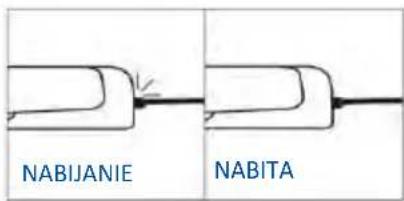
natural_image
Simple line drawing of a stylized animal head with a fork and chimney (no text or symbols)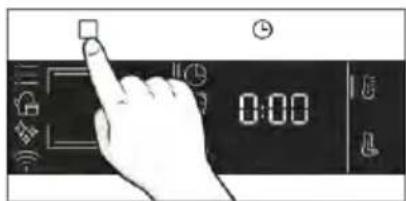
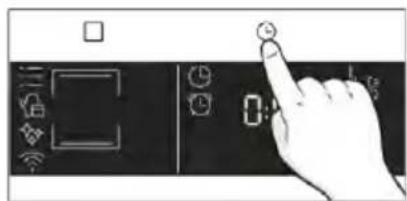
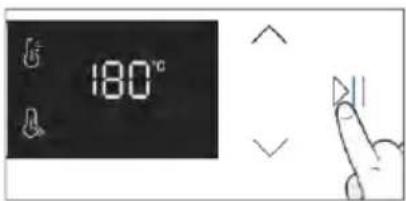
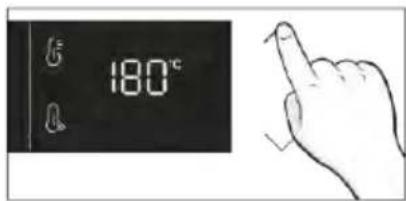
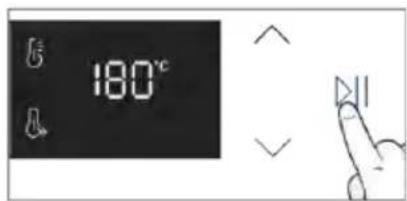
Tipy na varenie
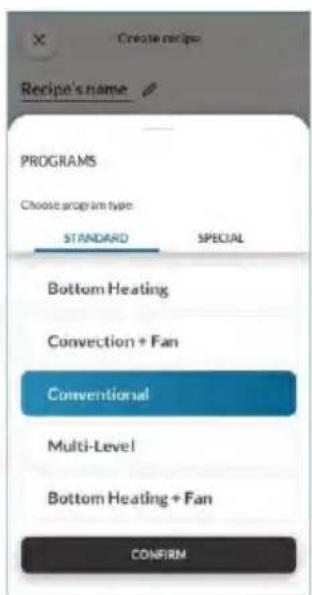
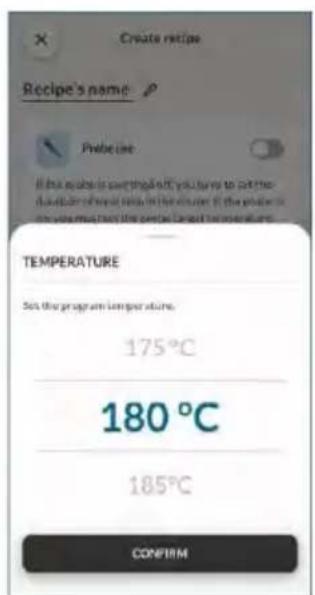
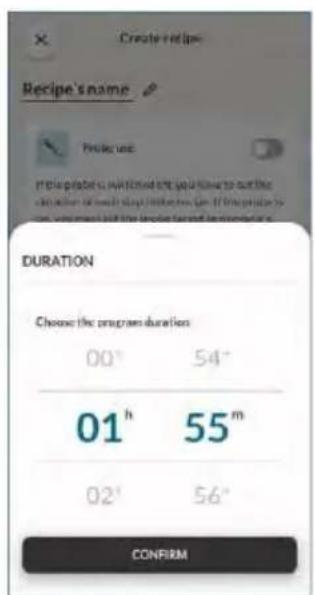
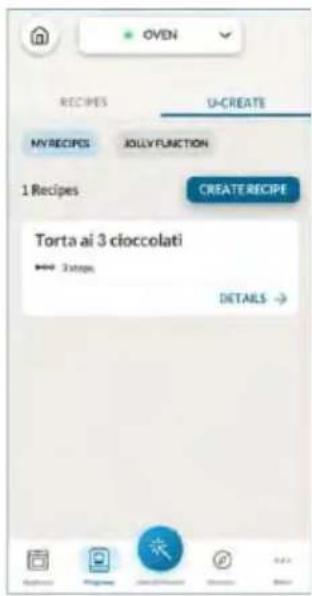
5. KUCHÁRSKA PRÍRUČKA
5.1. VŠEOBECNÁ KUCHÁRSKA TABULKA
• 7 úrovní
natural_image
Illustration of a hand pressing a button on a cabinet rack (no text or symbols)natural_image
Diagram of a mechanical assembly with a block pressing into a housing, showing motion direction (no text or symbols)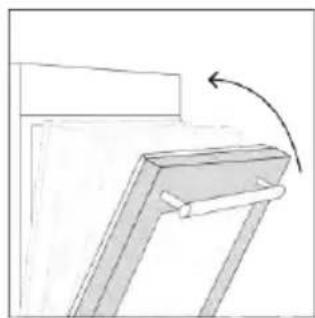
natural_image
Simple line drawing of a mechanical bracket with an arrow indicating rotation (no text or symbols)- Stlačte tlačidlo Štart na potvrdenie a spustenie varenia.
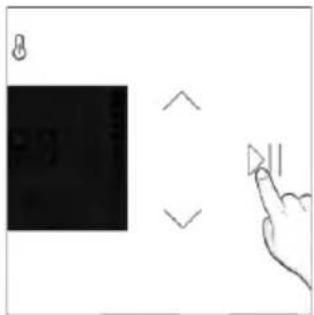
natural_image
Line drawing of an oven with a rack and vent, showing internal structure and airflow direction (no text or symbols)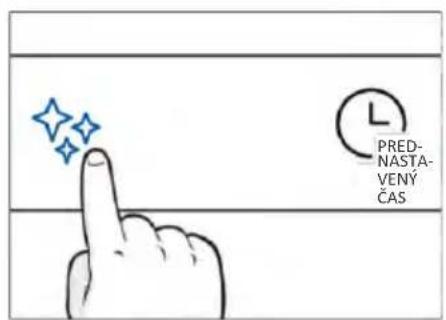
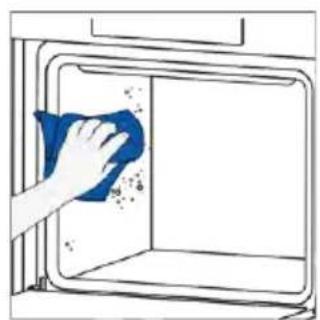
natural_image
Hand cleaning a window with a blue cloth (no text or symbols visible)
H_2O para
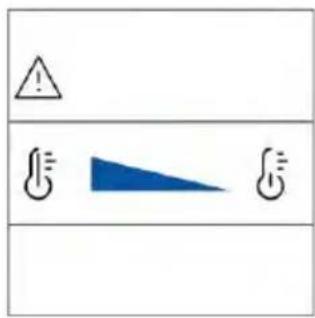
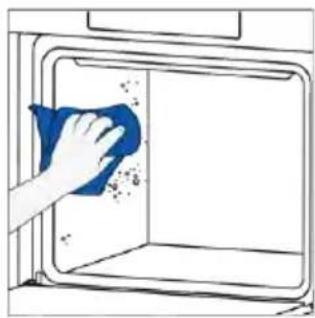
natural_image
Hand cleaning a window with a blue cloth, showing debris and spray (no text or symbols)ČISTENIE SYSTÉMU PARY

natural_image
Technical line drawing of a mechanical assembly with spring-loaded housing (no text or symbols)natural_image
Technical line drawing of a mechanical assembly with spring-loaded housing (no text or symbols)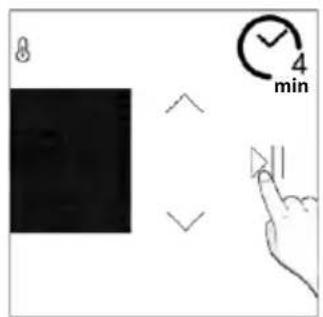
Vypúštanie
natural_image
Line drawing of hands installing or adjusting a cabinet interior with blue tool tips (no text or symbols)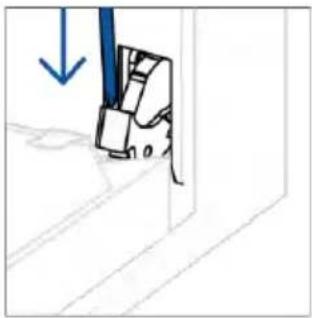
natural_image
Simple line drawing of a mechanical component with a blue arrow indicating downward motion (no text or symbols)natural_image
Simple line drawing of a tilted rectangular object with directional arrows indicating movement or force (no text or symbols)- VAROVANIE: Vonkajšie sklo sa nedá vybrat.
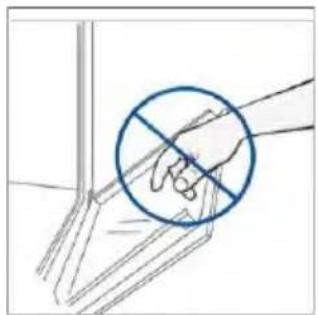
natural_image
Hand holding a hand with a blue circle and diagonal line, no text or symbols presentnatural_image
Simple line drawing of a tilted rectangular object with an arrow indicating direction, no text or symbols present.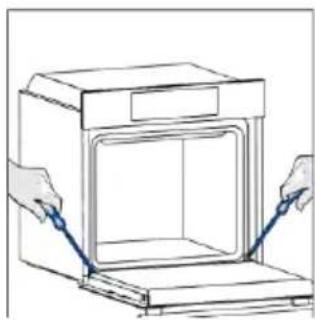
natural_image
Line drawing of hands operating a small oven with a blue tool inside (no text or symbols)
natural_image
Simple line drawing of a mechanical component with a blue tool and arrow indicating direction (no text or symbols)6.3. ČISTENIE PRÍSLUŠENSTVA
Krok 2
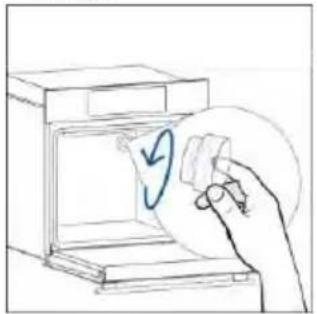
natural_image
Hand holding a circular object with a blue checkmark inside an open appliance (no text or symbols)Krok 3
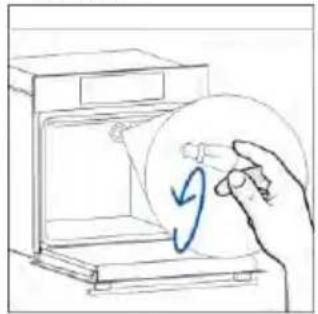
natural_image
Hand holding a circular object with a blue arrow inside, next to an open device (no text or symbols visible)Krok 4
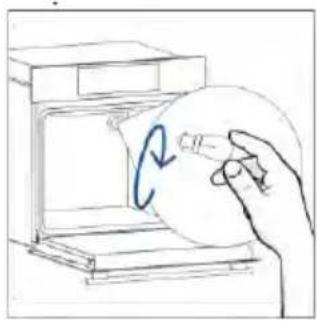
natural_image
Hand holding a circular object inside a device, with a blue curved arrow indicating rotation (no text or symbols)Krok 5
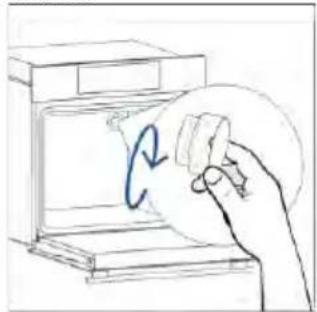
natural_image
Hand holding a circular object with a blue curved arrow inside, next to an open device (no text or symbols visible)Krok 6
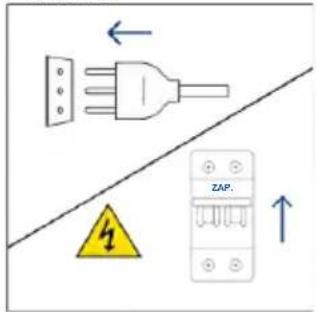
Krok 2
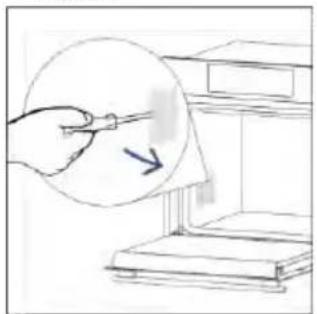
natural_image
Hand holding a pen over a document with an arrow pointing to it, placed on a bookshelf (no text or symbols visible)Krok 3
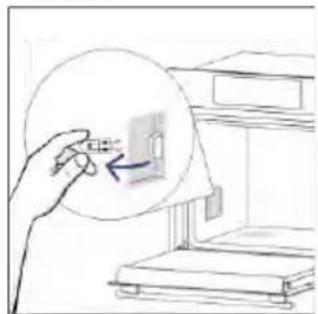
natural_image
Hand holding a small object inside a circular frame, pointing at a device (no text or symbols visible)Krok 4
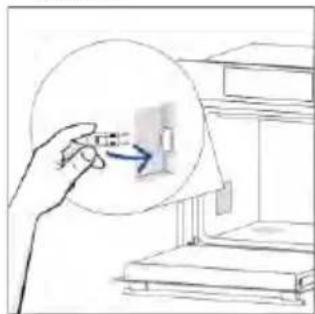
natural_image
Illustration of a hand interacting with a small object inside a circular frame, no text or symbols presentKrok 5
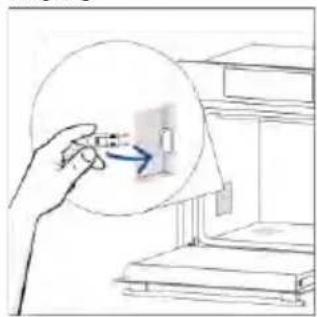
natural_image
Hand holding a magnifying glass over a small object, with an arrow pointing to it (no text or symbols visible)Krok 6
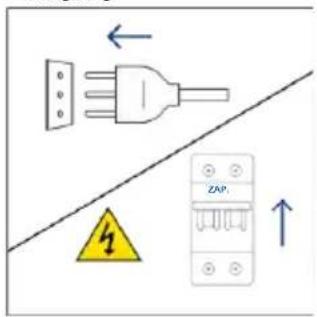
natural_image
Illustration showing a kitchen cleaning process: dropping leaves from a stove to a washing machine with a hand cleaning it (no text or symbols)8. OCHRANA ŽIVOTNÉHO PROSTREDIA A LIKVIDÁCIA SPOTREBIČA
8.1. LIKVIDÁCIA SPOTREBIČA
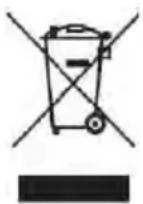
natural_image
Isometric line drawing of a rectangular box with a side panel and handle (no text or symbols)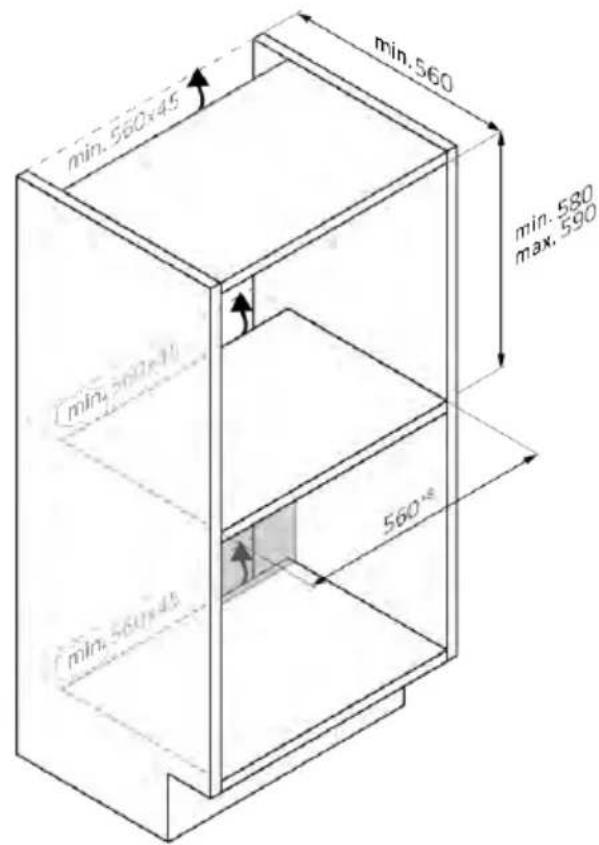
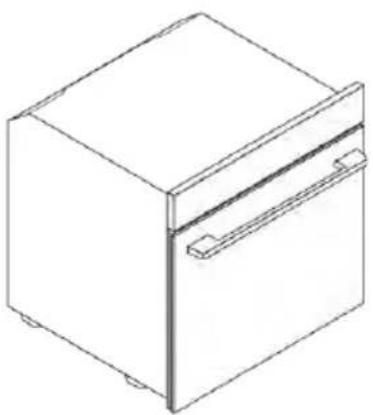
natural_image
Isometric line drawing of a rectangular box with a side panel and handle (no text or symbols)mm
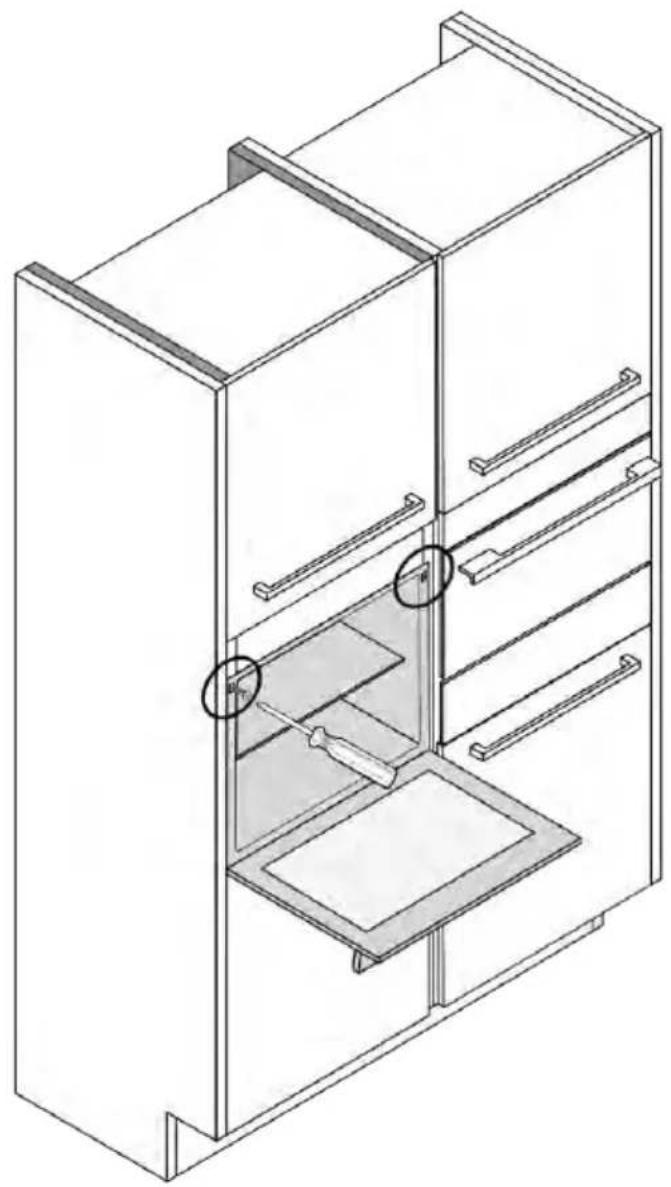
natural_image
Isometric line drawing of a multi-level refrigerator with drawers and shelves (no text or symbols)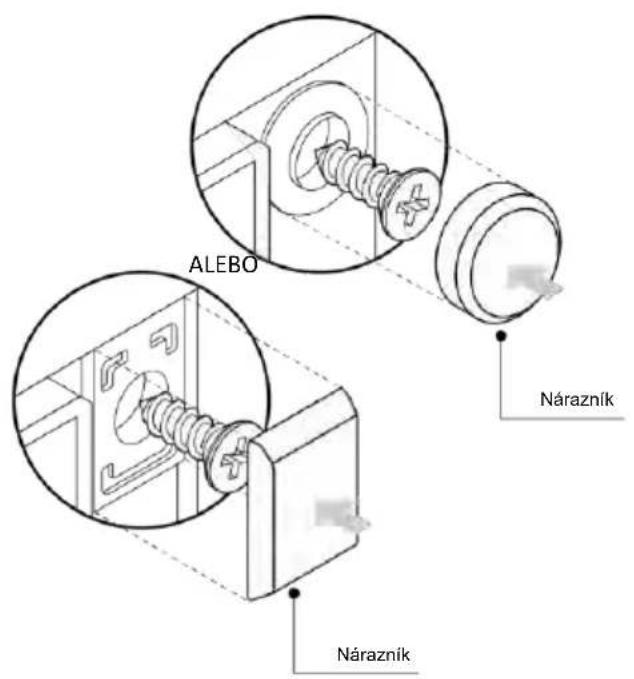
WITAMY
natural_image
Simple illustration of a blue tool with a black downward arrow pointing to it (no text or symbols)natural_image
Empty white rectangle with black border (no text or symbols)natural_image
Technical line drawing of two vertical structural beams with curved supports, no text or symbols presentnatural_image
Line drawing of a rectangular tray placed inside a rack, no text or symbols presentnatural_image
3D diagram of a rectangular tray with internal compartments, placed inside an oven (no text or symbols)natural_image
Technical line drawing of a kitchen sink with a bowl and side sink (no text or symbols)natural_image
Line drawing of a bed tray with a grid-patterned seat and metal frame (no text or symbols)natural_image
Simple line drawing of a needle or pipette (no text or symbols)natural_image
Simple line drawing of a window with a circular arrow and a curved arrow, no text or symbols present.natural_image
Line drawing of a rectangular appliance with internal grating, placed on an oven (no text or symbols)natural_image
Three-panel diagram showing a refrigerator, a door with a box, and a mechanical device inside a storage unit (no text or symbols)INFORMACJE O PRODUKCIE DOT. URZĄDZEŃ SIECIOWYCH

SZYBKA REJESTRACJA PAROWANIA
Krok 1
Krok 2
Krok 3
Krok 4
Krok 5
Krok 6.1-6.2
Krok 7

JAK ZMIENIĆ USTAWIENIA WIFI
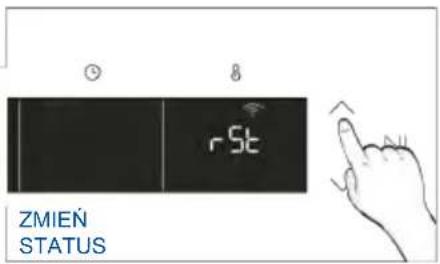
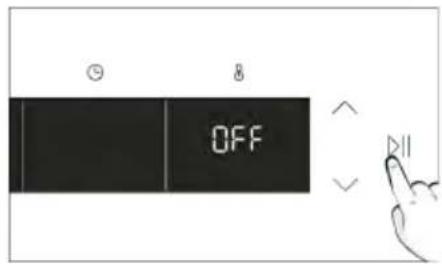

ZDALNE STEROWANIE
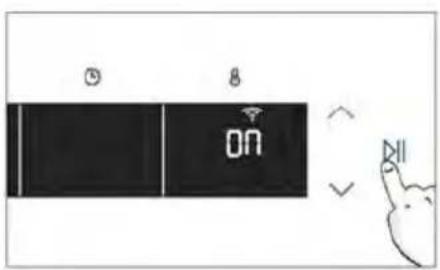
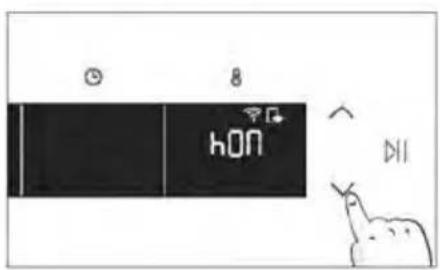
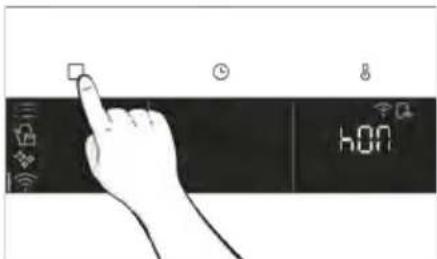
3. PRZED URUCHOMIENIEM
3.1. INFORMACJE NA START
natural_image
Hand iconizing a touch screen with a light bulb and Wi-Fi symbol (no text or labels)MENU FUNKCJI
natural_image
Hand interacting with a touchscreen display (no text or symbols visible)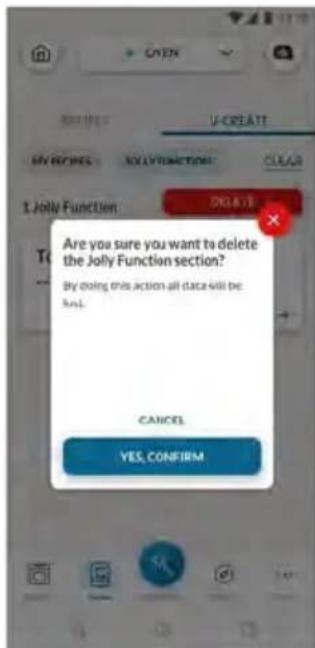
natural_image
Simple line drawing of a mechanical component with an arrow indicating rotation (no text or symbols)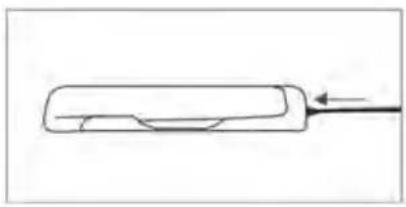
natural_image
Simple line drawing of a rectangular object with a curved cutout and an arrow pointing to it (no text or symbols)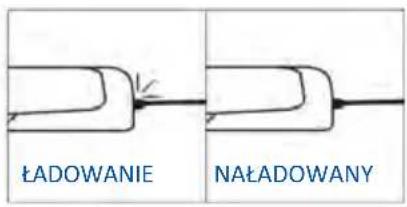
natural_image
Simple line drawing of a rolled-up chicken with a chef's hat and chimney (no text or symbols)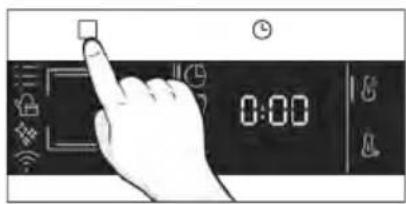
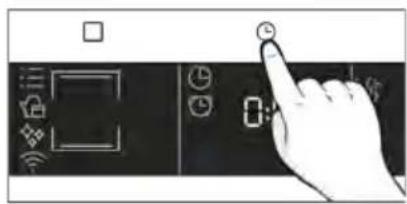
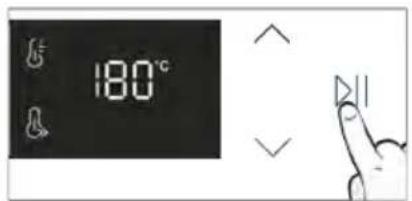
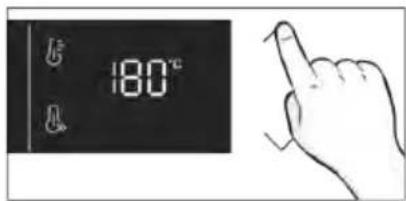
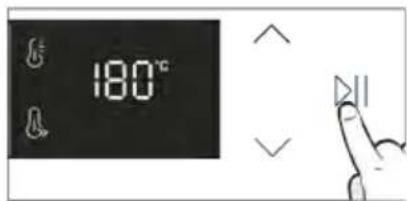
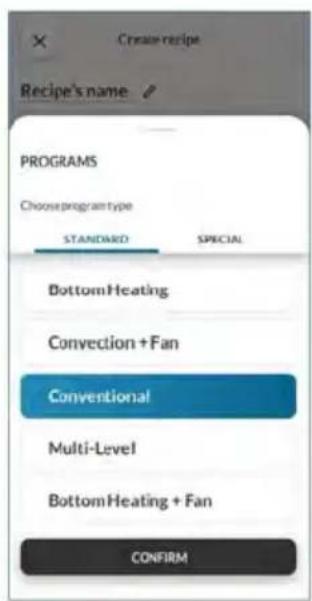
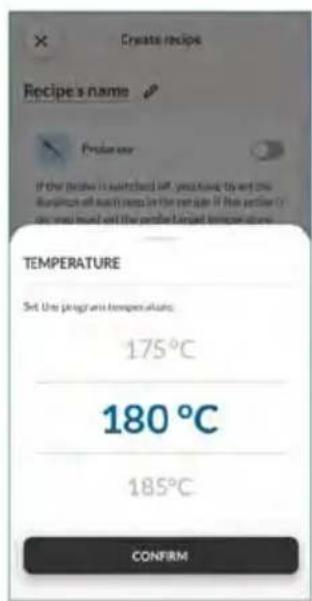
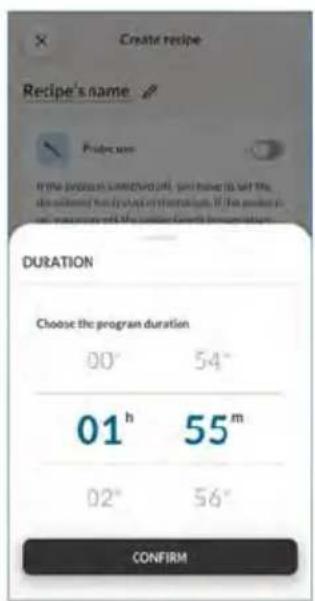
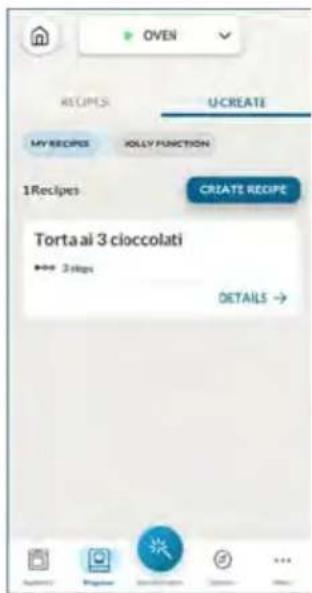
5. WYTYCZNE DOTYCZĄCE GOTOWANIA
5.1. OGÓLNA TABELA GOTOWANIA
- 7 poziomów
natural_image
Illustration of a hand pressing a button on a cabinet or shelf, with no visible text or symbols.natural_image
Diagram of a mechanical assembly with a box and ribbed structure (no text or symbols)
natural_image
Simple line drawing of a wooden frame with an arrow indicating rotation (no text or symbols)natural_image
Line drawing of an oven with a rack and vent, showing internal structure without any text or symbols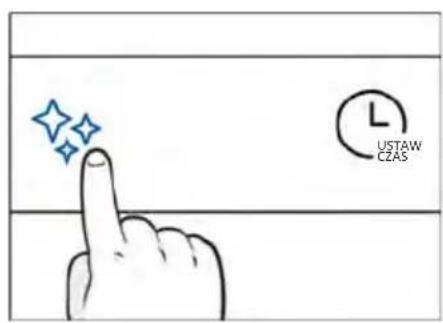
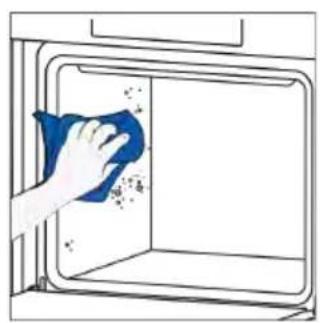
natural_image
Hand cleaning a window with a blue cloth, showing surface dust and debris (no text or symbols)Para wodna
natural_image
Technical line drawing of a mechanical device with internal spring mechanism (no text or symbols)Krok 3 (Płukanie):
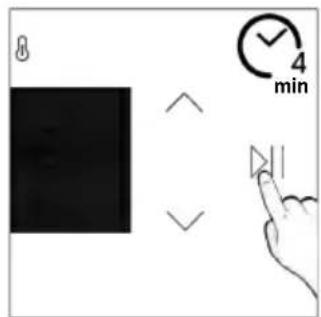
Opróżnianie
natural_image
Line drawing of hands installing or adjusting a cabinet interior with a door (no text or symbols)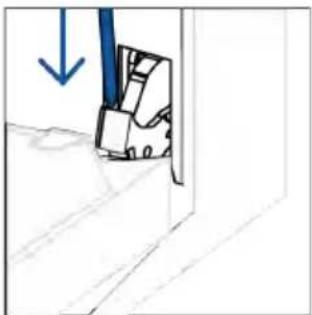
natural_image
Simple line drawing of a door with a blue arrow pointing downward (no text or symbols)natural_image
Simple line drawing of a folded paper or panel with arrows indicating direction (no text or symbols)natural_image
Hand holding a hand crossed out of a window, enclosed in a blue circle with a diagonal line (no text or symbols)natural_image
Simple line drawing of a tilted rectangular object with an arrow indicating direction (no text or symbols)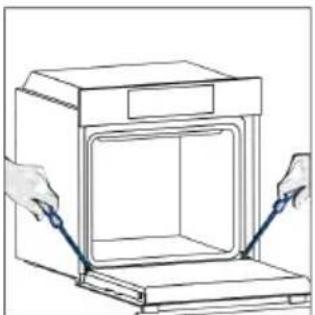
natural_image
Line drawing of a kitchen appliance with two hands holding blue probes (no text or symbols)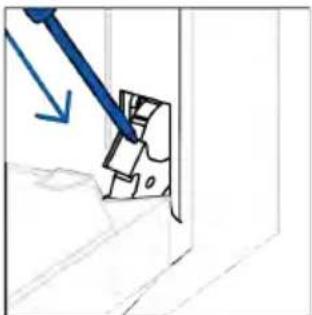
natural_image
Simple line drawing of a mechanical component with a blue arrow indicating direction (no text or symbols)6.3. CZYSZCZENIE AKCESORIÓW
Krok 2
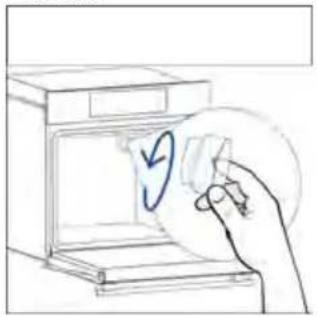
natural_image
Hand placing a paper into an oven with a blue circular arrow indicating rotation (no text or symbols)Krok 3
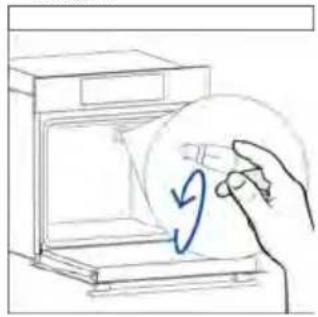
natural_image
Hand placing a circular object with a blue arrow inside a box (no text or symbols)Krok 4
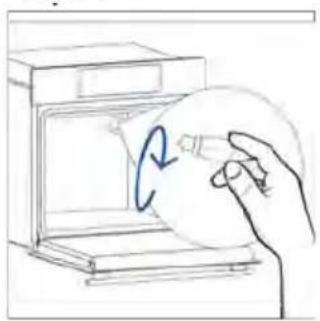
natural_image
Hand holding a circular object inside a kitchen appliance (no text or symbols visible)Krok 5
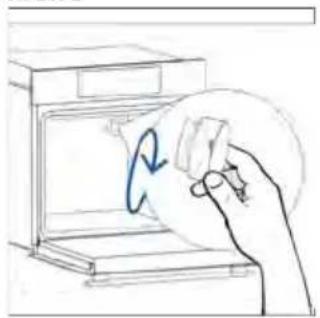
natural_image
Hand holding a circular object with a blue arrow inside, next to an open oven (no text or symbols)Krok 6
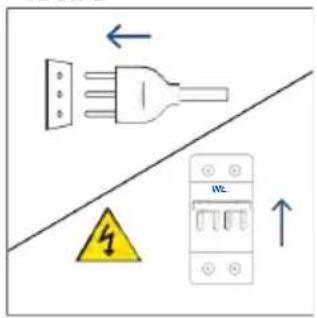
Krok 2
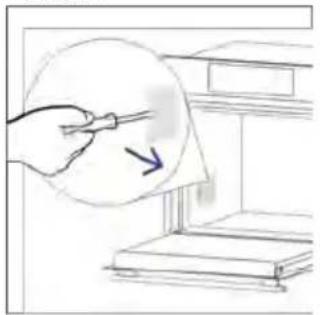
natural_image
Hand holding a tool near a document or paper, with an arrow indicating direction (no text or symbols present)Krok 3
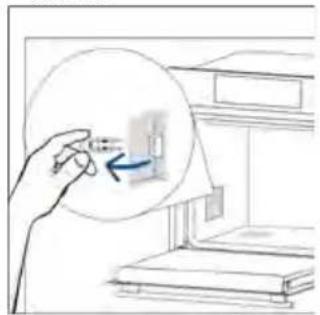
natural_image
Hand holding a small object inside a room with bookshelves (no visible text or symbols)Krok 4
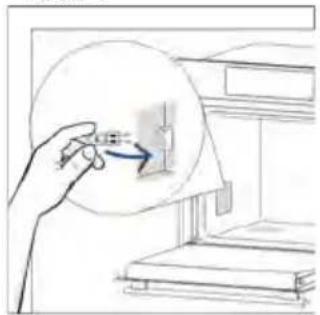
natural_image
Hand holding a circular object with an arrow pointing to a small rectangular object, next to stacked books (no text or symbols visible)Krok 5
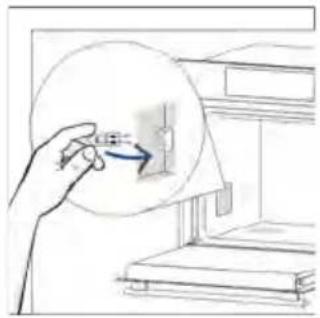
natural_image
Illustration of a hand holding a circular object with an arrow pointing to a small component, next to a shelf (no text or symbols)Krok 6
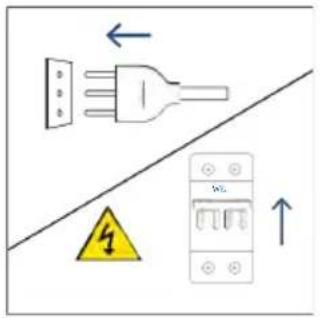
natural_image
Illustration showing a kitchen appliance with a blue swirl and a hand cleaning the interior (no text or symbols)8. OCHRONA ŚRODOWISKA I UTYLIZACJA ODPADÓW
8.1. UTYLIZACJA URZĄDZENIA
natural_image
Line drawing of a simple 3D box with lid and side panel (no text or symbols)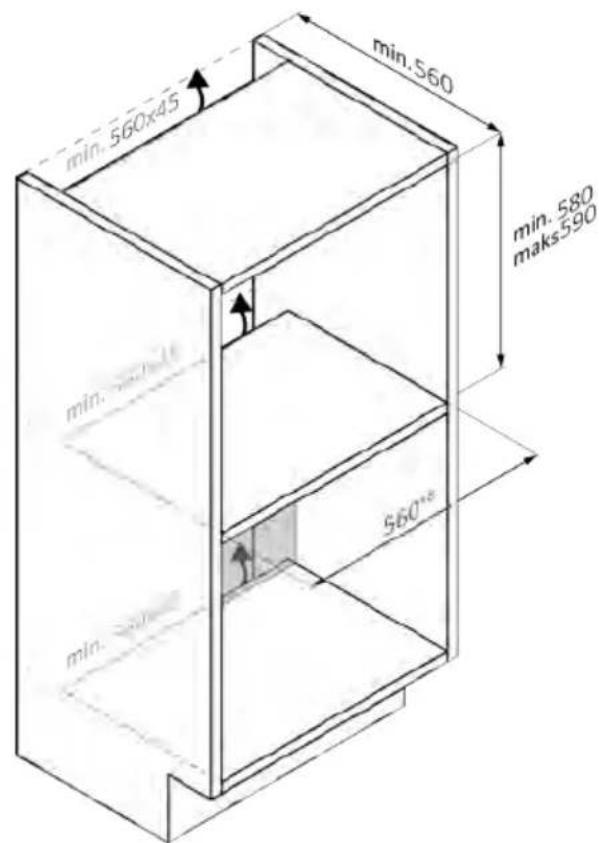

natural_image
Line drawing of a rectangular refrigerator with a side door and front panel (no text or symbols)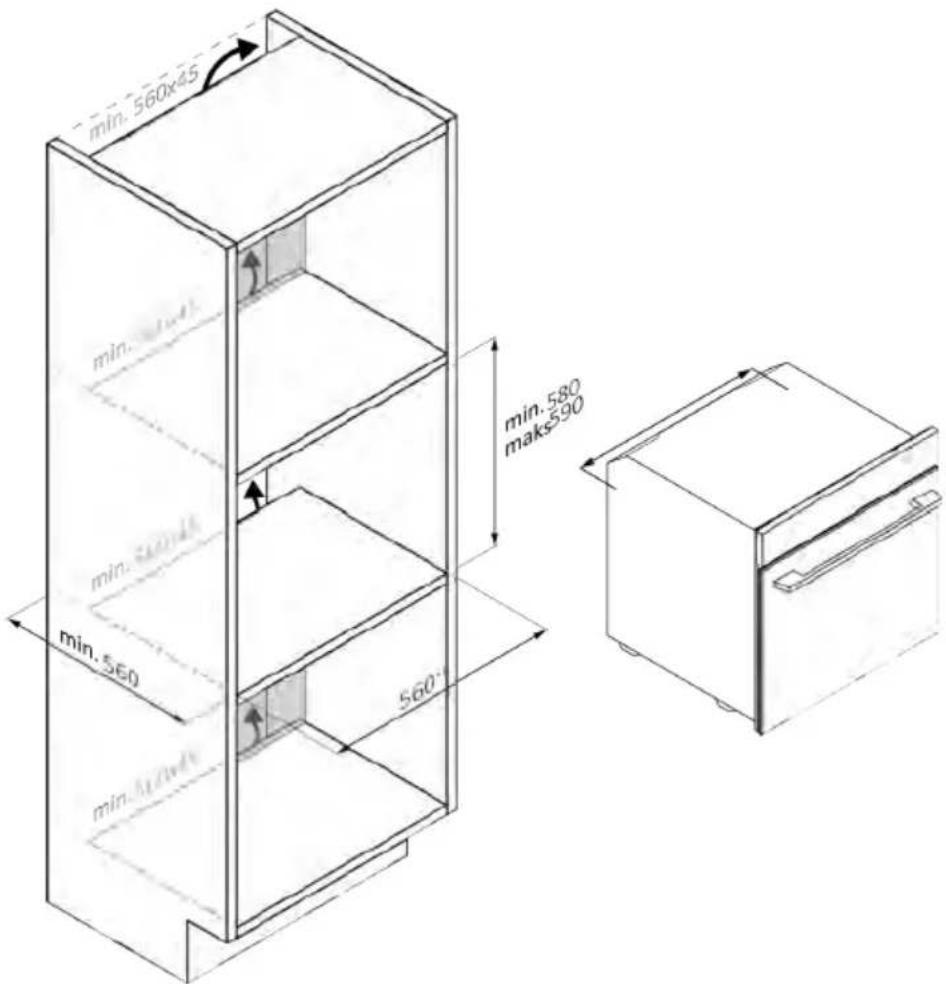
natural_image
Isometric line drawing of a multi-level refrigerator with drawers and shelves (no text or symbols)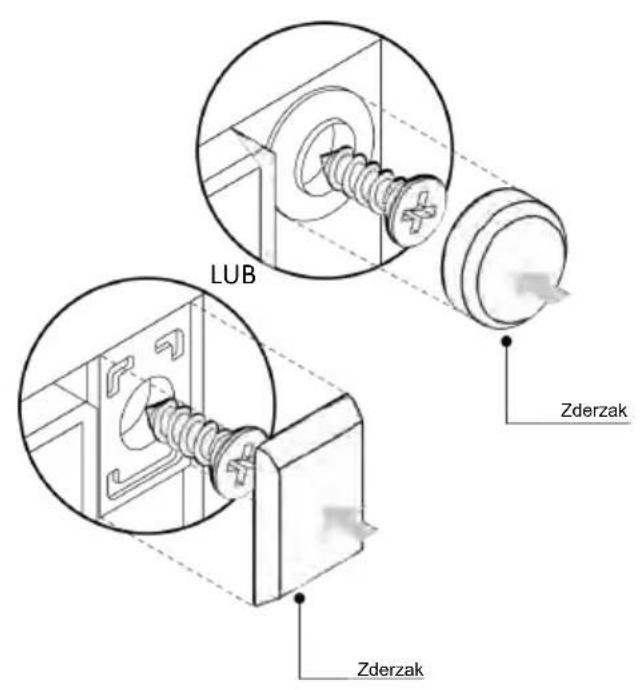
VÍTEJTE
natural_image
Simple illustration of a blue-handled tool with a black downward arrow pointing to it (no text or symbols)natural_image
Empty white rectangle with black border (no text or symbols)natural_image
Diagram of two vertical panels with horizontal wavy lines, no text or symbols presentnatural_image
Line drawing of a rectangular tray placed on a rack, no text or symbols presentnatural_image
Line drawing of a rectangular tray placed inside an oven (no text or symbols)natural_image
Line drawing of a kitchen sink with a bowl and a circular object on the wall (no text or symbols)natural_image
Line drawing of a rectangular appliance with a grid-patterned lid, placed inside an oven (no text or symbols)natural_image
Simple line drawing of a needle or pipette (no text or symbols)natural_image
Simple line drawing of a window with a circular arrow and directional arrow, no text or symbols present.natural_image
Line drawing of a rectangular appliance with internal grating, placed inside an oven (no text or symbols)natural_image
Three-panel line drawing showing a refrigerator interior, a mechanical device with blocks, and a rack-mounted device (no text or symbols)REGISTRACE NOVÉHO UŽIVATELE
RYCHLÉ PÁROVÁNÍ S REGISTRACÍ
Krok 1
Krok 2
Krok 3
Krok 4
Krok 5
Kroky 6.1–6.2
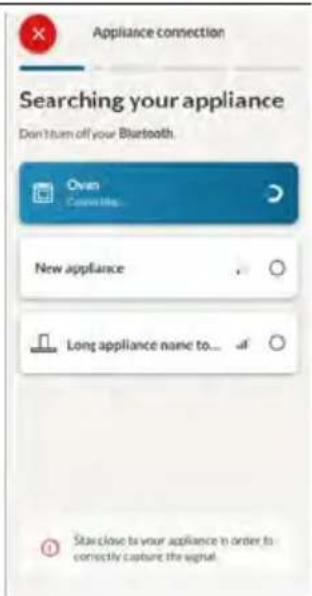
Krok 7

JAK ZMĚNIT NASTAVENÍ WIFI
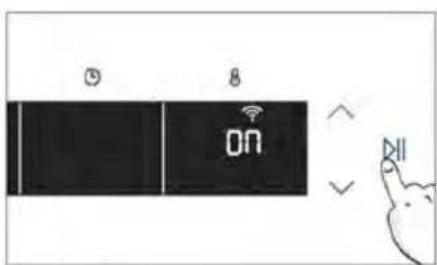
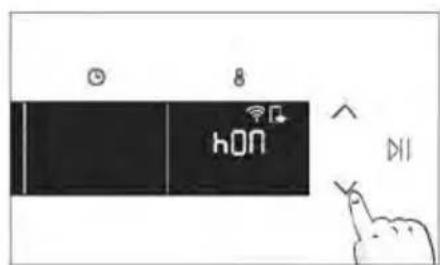
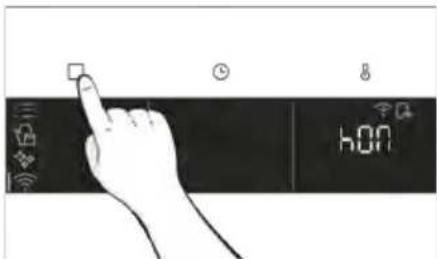
3. NEŽ ZAČNETE
3.1. INFORMACE KE SPUŠTĚNÍ
natural_image
Simple line drawing of a kitchen oven with a hand cleaning the interior and a small bowl nearby (no text or symbols)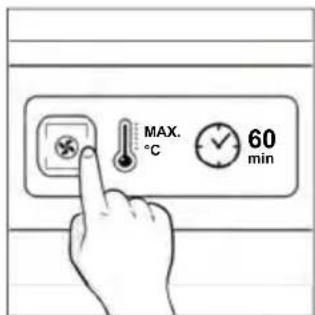
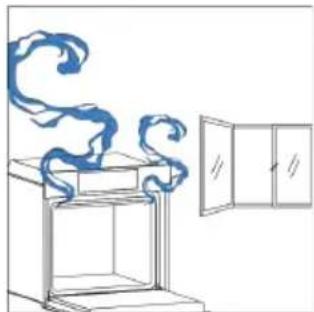
natural_image
Line drawing of a window with a scroll emitting smoke, next to an open cabinet (no text or symbols)4. OVLÁDÁNÍ SPOTŘEBIČE
4.1. JAK TENTO VÝROBEK FUNGUJE
natural_image
Hand interacting with a touchscreen device displaying icons (no text or symbols)NABÍDKA FUNKCÍ
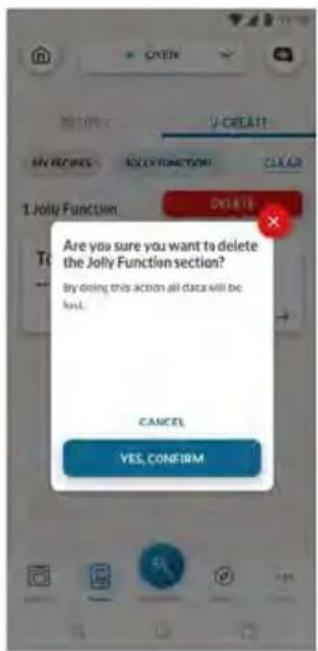
natural_image
Simple line drawing of a mechanical component with an arrow indicating rotation (no text or symbols)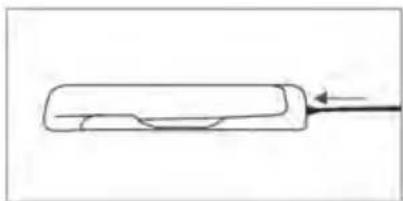
natural_image
Simple line drawing of a rectangular object with a pointed tip and an arrow pointing to it (no text or symbols)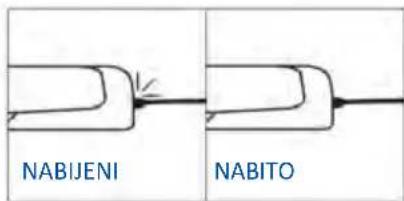
natural_image
Simple line drawing of a chicken with a fork (no text or symbols)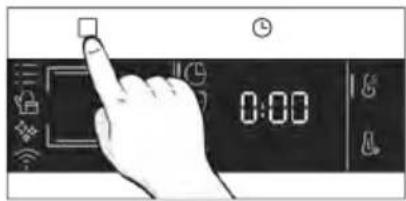
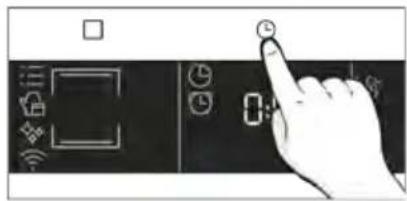
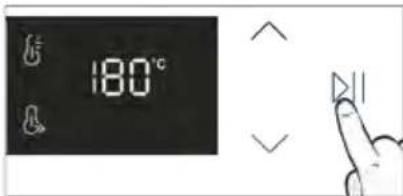
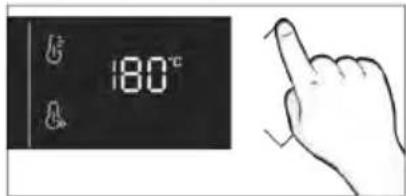
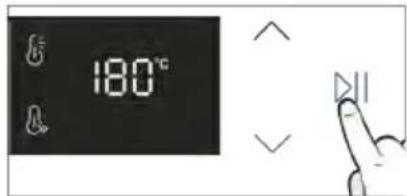
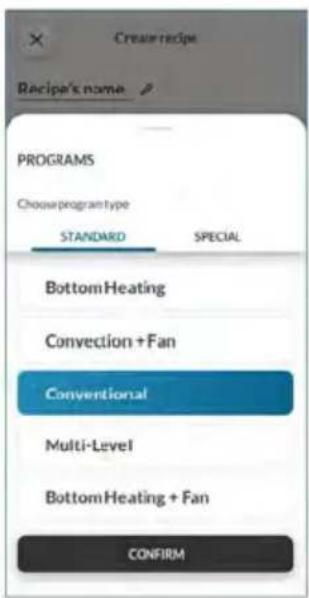
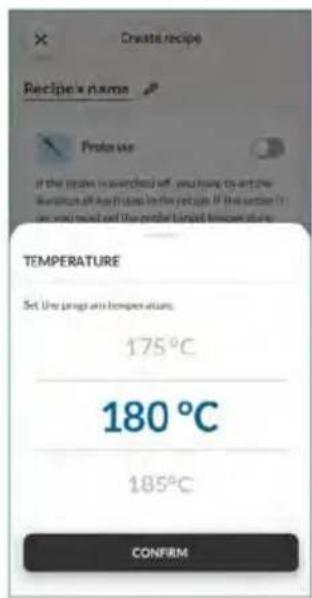
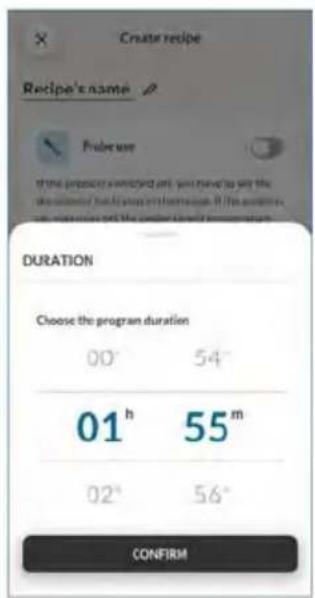
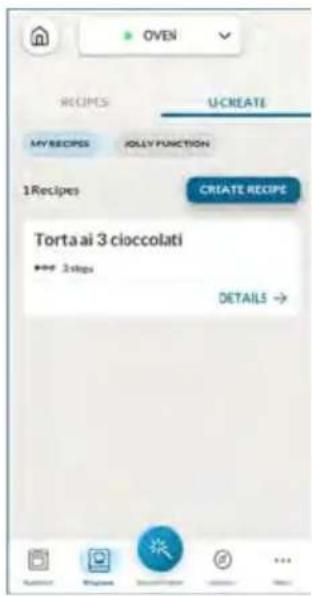
5. POKYNY PRO PEČENÍ
5.1. VŠEOBECNÁ TABULKA PEČENÍ
• 7 úrovní
natural_image
Illustration of a hand pressing a component on a shelf with arrows indicating movement (no text or symbols)natural_image
Technical line drawing of a mechanical assembly with no visible text or symbols
natural_image
Simple line drawing of a wooden frame with an arrow indicating rotation (no text or symbols)natural_image
Line drawing of an oven with a rack and vent, showing internal structure without any text or symbols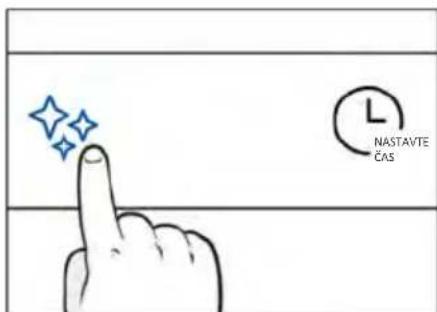
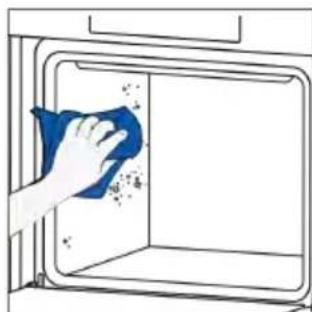
natural_image
Hand cleaning a window with a blue cloth, showing surface dust and spray (no text or symbols)
H_2O Steam
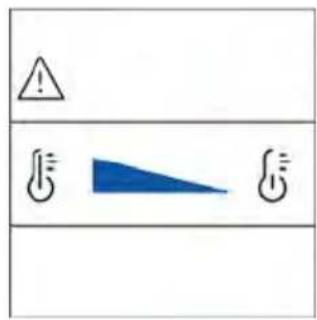
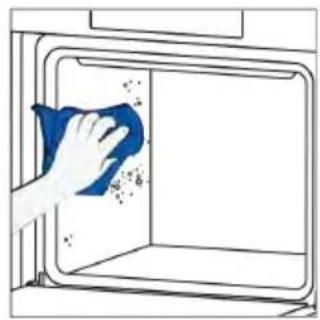
natural_image
Illustration of a hand cleaning a window with a blue cloth (no text or symbols)ČIŠTĚNÍ PARNÍHO SYSTÉMU

natural_image
Technical line drawing of a mechanical device with internal spring-like structure (no text or symbols)natural_image
Technical line drawing of a mechanical device with internal spring mechanism (no text or symbols)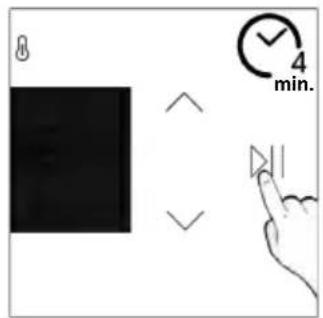
Vypouštění
natural_image
Illustration of hands installing or adjusting a door panel inside an oven (no text or symbols)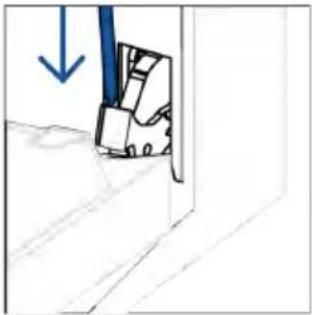
natural_image
Simple line drawing of a door with a blue arrow pointing downward (no text or symbols)natural_image
Simple line drawing of a folding chair or stand with an open door (no text or symbols)natural_image
Hand holding a hand crossed out of a wall, no text or symbols presentnatural_image
Illustration of a hand cleaning a surface with a blue cloth and a water bottle, showing a steaming bowl (no text or symbols)natural_image
Simple line drawing of a tilted rectangular object with an arrow indicating direction (no text or symbols)natural_image
Line drawing of hands installing or adjusting a cabinet interior with a blue tool (no text or symbols)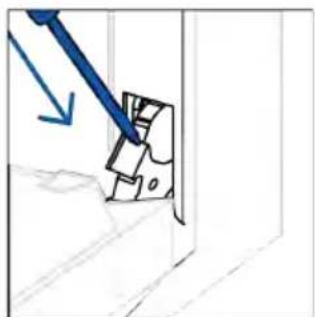
natural_image
Diagram showing a blue tool interacting with a mechanical component, no text or symbols presentnatural_image
Line drawing of a window with horizontal bars and corner connectors (no text or symbols)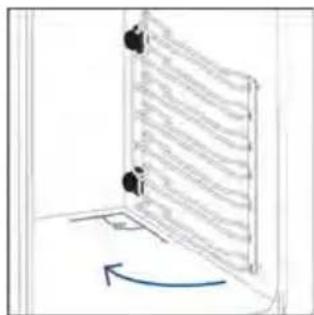
natural_image
Diagram of a door with a curved arrow indicating rotation or movement (no text or symbols present)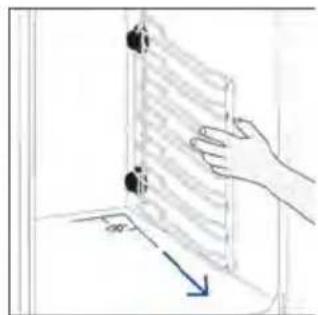
natural_image
Hand holding a transparent panel with a blue arrow indicating direction (no text or symbols)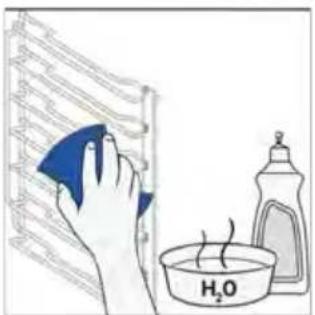
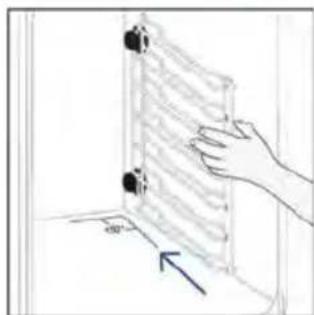
natural_image
Hand holding a wall-mounted device with a blue arrow pointing to it, no text or symbols present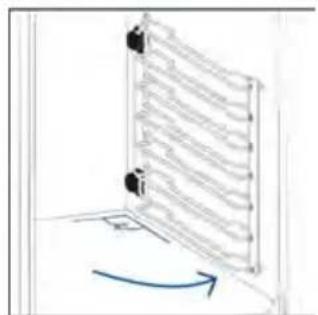
natural_image
Diagram of a vertical panel with arrows indicating direction, no text or symbols present6.4. ÚDRŽBA
VÝMĚNA SOUČÁSTÍ
Krok 2
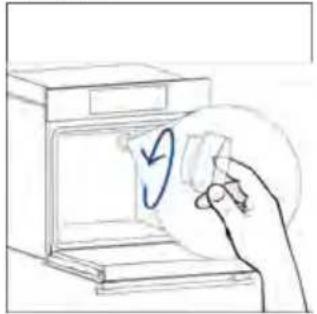
natural_image
Hand placing a circular mark on a device into an open oven (no text or symbols visible)Krok 3
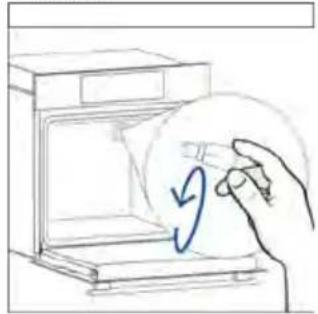
natural_image
Hand placing a circular arrow on a device into an open appliance (no text or symbols)Krok 4
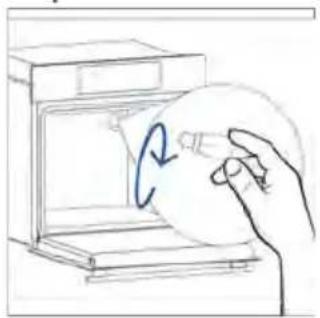
natural_image
Hand holding a circular object inside an oven, with a blue arrow indicating rotation (no text or symbols)Krok 5
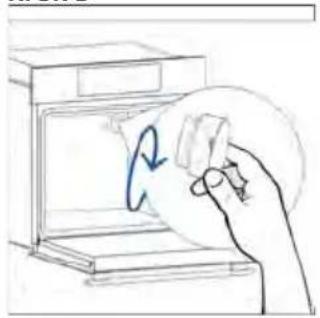
natural_image
Hand holding a circular object with a blue arrow inside, next to an open kitchen appliance (no text or symbols)Krok 6
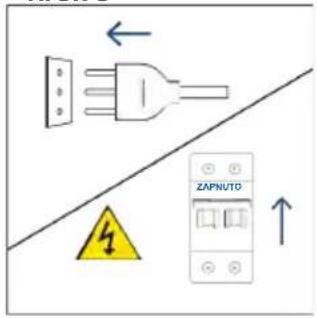
Krok 2
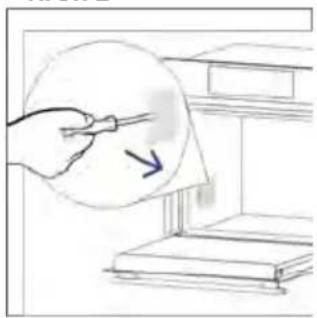
natural_image
Illustration of a hand holding a pen near a window with a paper, showing a blue arrow pointing to the screen (no text or symbols present)Krok 3
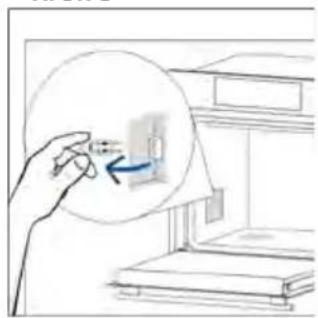
natural_image
Hand holding a magnified inset showing a small object inside a room with bookshelves (no text or symbols visible)Krok 4
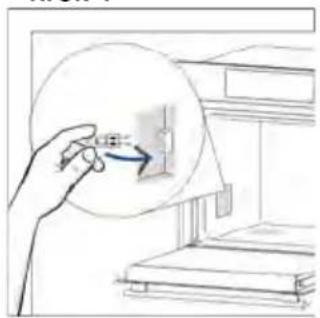
natural_image
Illustration of a hand holding a circular object with an arrow, next to a shelf (no text or symbols)Krok 5
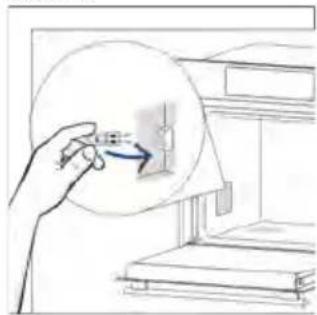
natural_image
Illustration of a hand holding a circular object with an arrow pointing to a small object inside, next to a bookshelf (no text or symbols visible)Krok 6
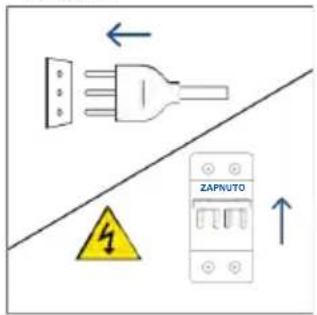
natural_image
Illustration showing a kitchen appliance with a blue swirl and a hand cleaning the interior (no text or symbols)8.1. LIKVIDACE SPOTŘEBIČE
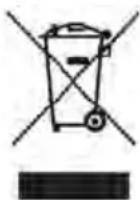
natural_image
Line drawing of a simple 3D box with lid and side panel (no text or symbols)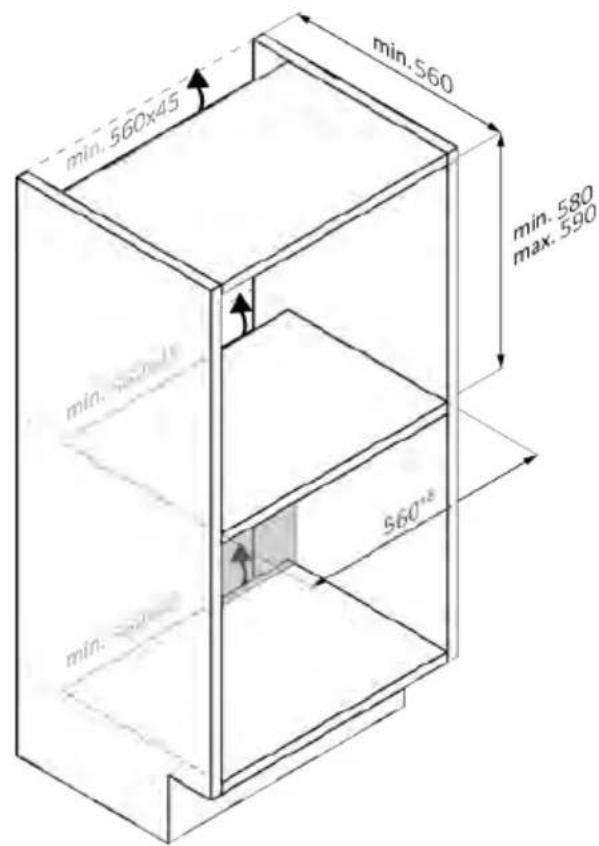
natural_image
Line drawing of a 3D box with a side panel and handle (no text or symbols)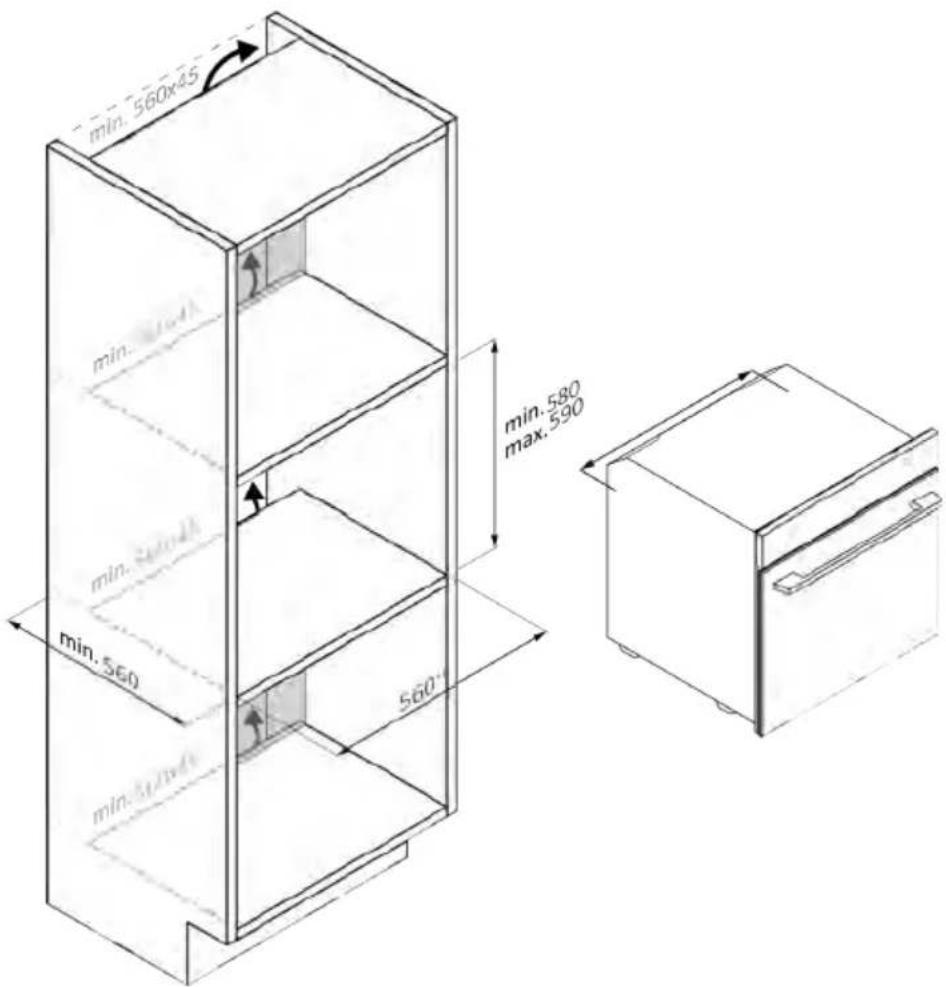
natural_image
Isometric line drawing of a multi-level refrigerator with drawers and shelves (no text or symbols)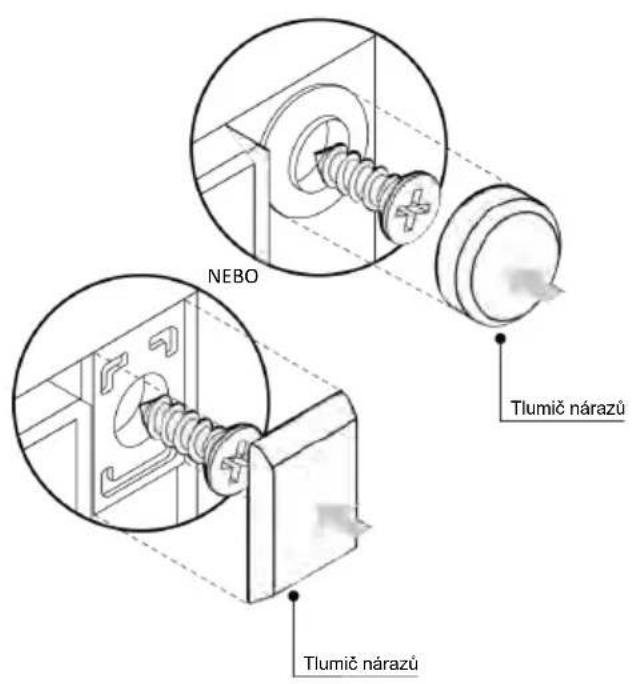
natural_image
Simple illustration of a blue-handled tool with a black downward arrow pointing to it (no text or symbols)natural_image
Empty white rectangle with black border (no text or symbols)natural_image
Diagram of two vertical panels with horizontal wavy lines, no text or symbols presentnatural_image
Line drawing of a rectangular tray placed on a shelf, no text or symbols presentnatural_image
3D wireframe diagram of a rectangular tray with internal compartments, placed inside a rack (no text or symbols)natural_image
Line drawing of a kitchen sink with a bowl and a circular object on the shelf (no text or symbols)natural_image
Line drawing of a rectangular tray with a grid pattern inside, placed on an appliance rack (no text or symbols)natural_image
Simple line drawing of a pen or stylus (no text or symbols)natural_image
Simple line drawing of a window with a circular arrow and striped pattern, no text or symbols present.natural_image
Line drawing of a rectangular appliance with internal grating, placed inside an oven (no text or symbols)natural_image
Three-panel diagram showing a refrigerator, a mechanical device with spring, and a heat exchanger (no text or symbols)ÎNREGISTRAREA UNUI NOU UTILIZATOR

ÎNREGISTRAREA RAPIDĂ A ASOCIERILOR
Pasul 1
Pasul 2
Pasul 3
Pasul 4
Pasul 5
Pasul 6.1-6.2
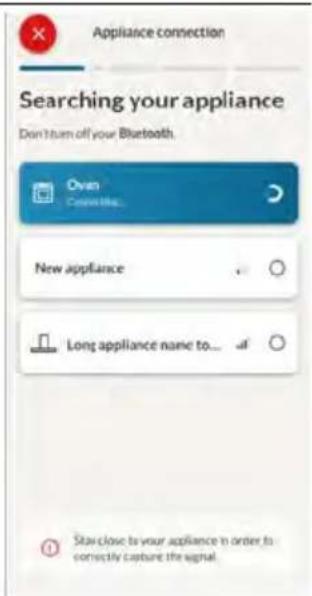
Pasul 7

CUM SE SCHIMBĂ SETĂRILE WI-FI
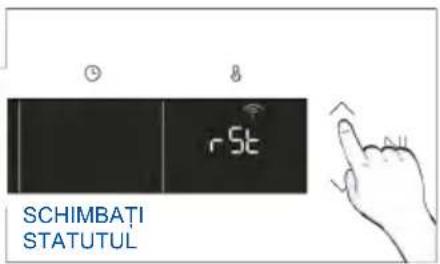
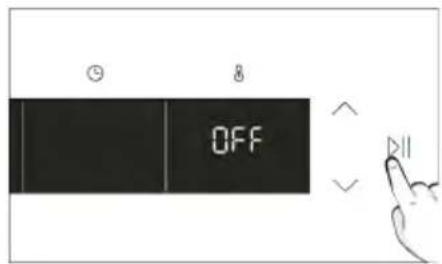

CONTROL LA DISTANTĂ
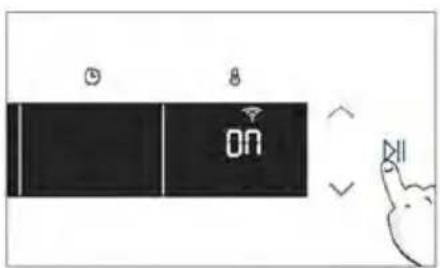
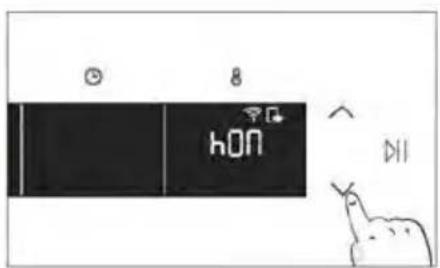
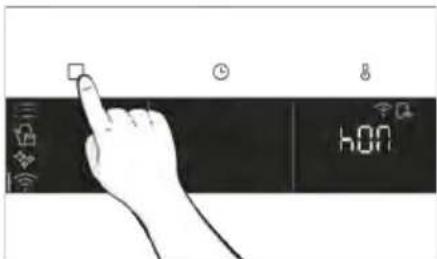
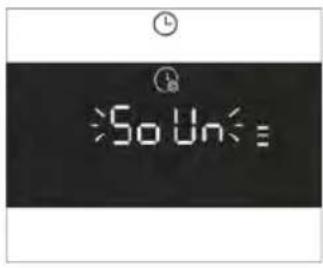
• INSTRUCTIUNI DE INSTALARE ULTERIOARĂ
natural_image
Simple line drawing of a kitchen appliance with a hand cleaning the door and a bowl nearby (no text or symbols)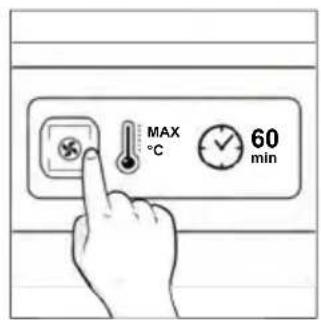
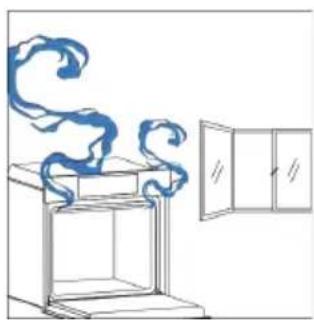
natural_image
Simple line drawing of a cabinet with swirling smoke rising, next to an open door (no text or symbols)4. UTILIZAREA PRODUSULUI
4.1. CUM FUNCȚIONEAZĂ PRODUSUL
PORNIREA/OPRIREA CUPTORULUI
natural_image
Hand interacting with a touchscreen and a smart device interface (no text or symbols visible)MENIUL FUNCTIUNI
natural_image
Hand interacting with a touchscreen display (no text or symbols visible)natural_image
Simple line drawing of a mechanical component with an arrow indicating rotation (no text or symbols)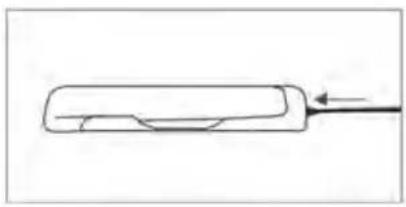
natural_image
Simple line drawing of a rectangular object with a curved cutout and an arrow pointing to it (no text or symbols)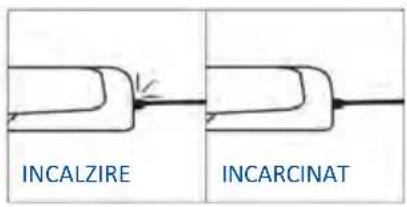
natural_image
Simple line drawing of a steamed chicken with a fork (no text or symbols)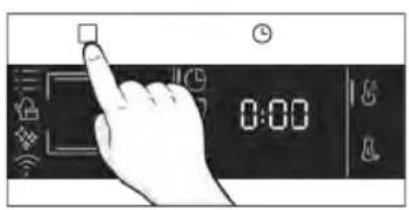
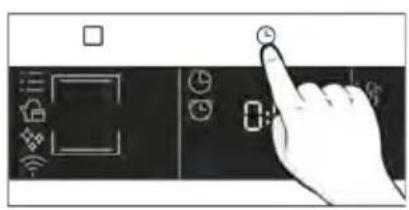
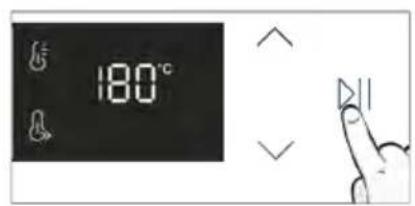
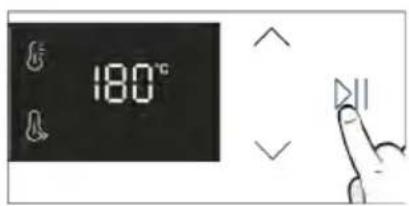
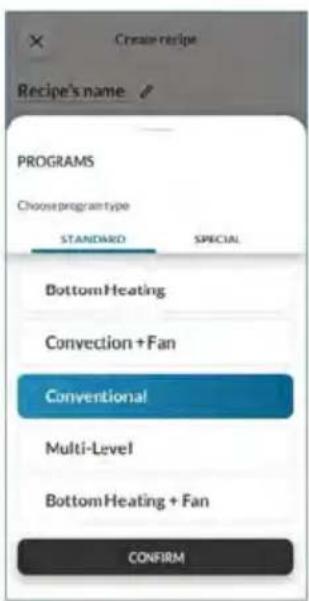
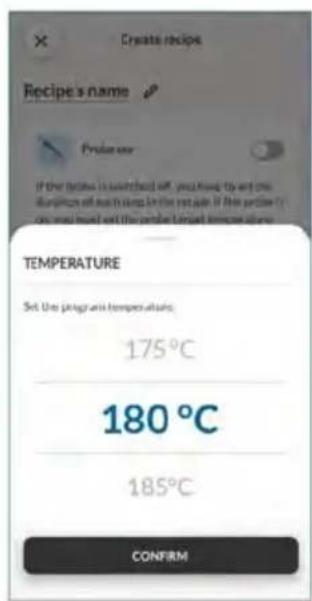
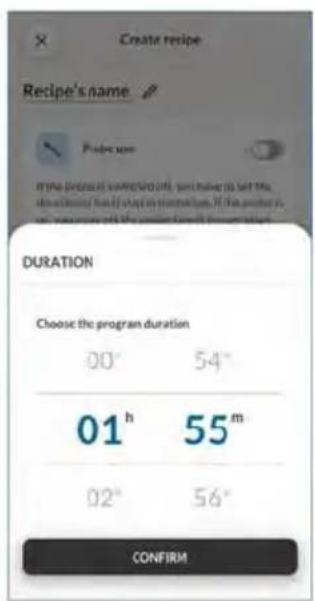
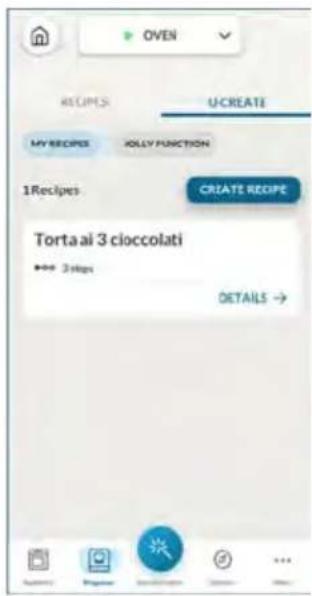
5. RECOMANDĂRI PENTRU GĂTIT
5.1. TABEL GENERAL DE GĂTIT
- 7 niveluri
natural_image
Illustration of a hand pressing a button on a cabinet or shelf, with arrows indicating movement (no text or symbols present)natural_image
Technical line drawing of a mechanical assembly with a bracket and ribbed structure (no text or symbols)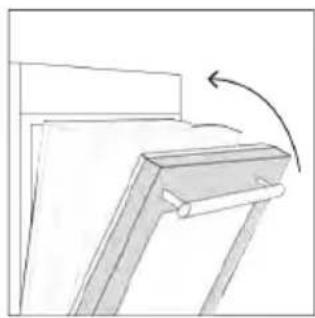
natural_image
Simple line drawing of a chair or bench with an arrow indicating rotation (no text or symbols)natural_image
Line drawing of a laboratory oven with cooling fins and a side panel (no text or symbols)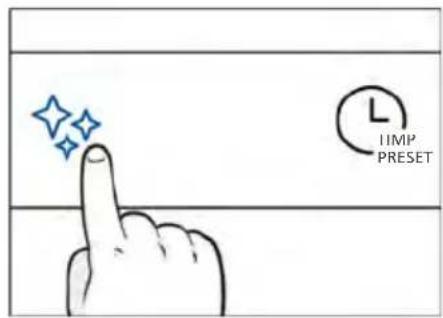
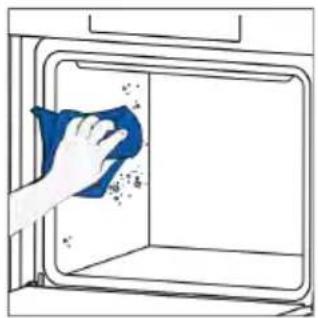
natural_image
Hand cleaning a window with a blue cloth, showing surface dust and spray (no text or symbols)
Abur H2O
natural_image
Technical line drawing of a mechanical device with internal spring and housing (no text or symbols)Pasul 2 (Decalcifiere):
natural_image
Technical line drawing of a mechanical or electrical enclosure with internal spring-like structure (no text or symbols)Etapa 3 (Clătire):
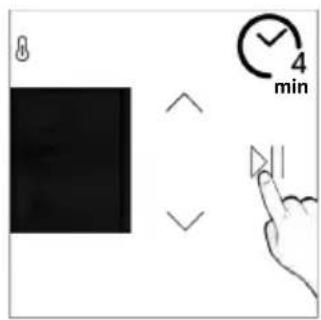
Drenaj
natural_image
Line drawing of hands installing or adjusting a cabinet opening with a tool (no text or symbols)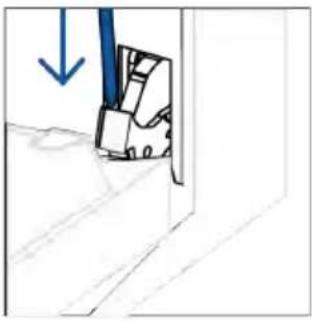
natural_image
Simple line drawing of a door with a blue arrow pointing downward (no text or symbols)natural_image
Simple line drawing of a folding chair or folding frame with no text or symbolsnatural_image
Hand holding a hand with a blue circle highlighting the intersection of two lines (no text or symbols present)natural_image
Illustration of a hand cleaning a blue cloth over a bowl with a water droplet, next to a bottle and a label 'H2O' (no text or symbols on the main objects)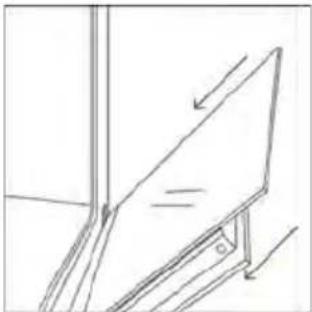
natural_image
Simple line drawing of a tilted rectangular object with an arrow indicating direction (no text or symbols)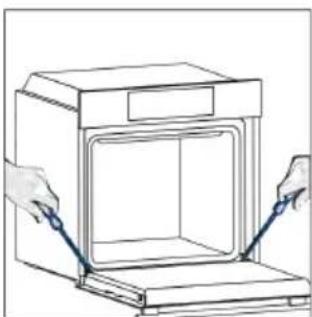
natural_image
Line drawing of hands installing or adjusting a door panel inside a cabinet (no text or symbols)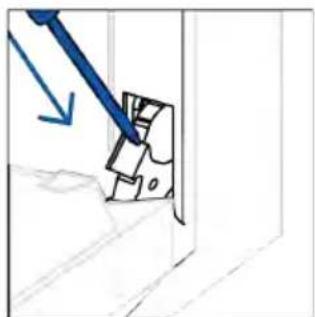
natural_image
Diagram showing a blue tool interacting with a mechanical component, no text or symbols present6.3. CURĂȚAREA ACCESORIILOR
Pasul 2
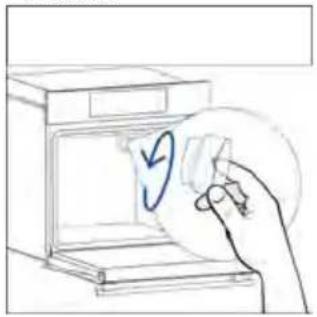
natural_image
Hand placing a paper into an oven with a blue circular arrow symbol (no text or labels)Pasul 3
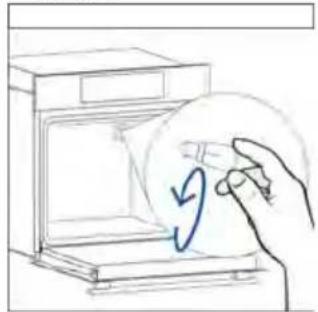
natural_image
Hand holding a circular object with a blue arrow inside, next to an open appliance (no text or symbols)Pasul 4
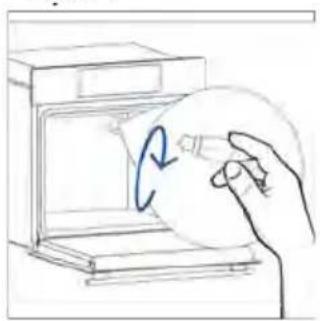
natural_image
Hand holding a circular object inside an oven, with a blue arrow indicating rotation (no text or symbols)Pasul 5
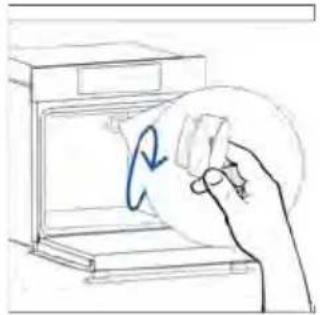
natural_image
Hand holding a circular object inside a kitchen appliance (no text or symbols visible)Pasul 6
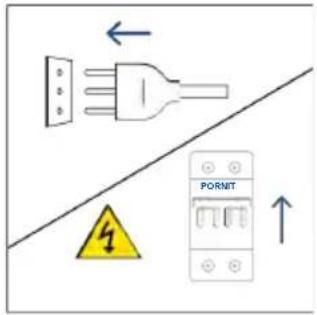
Pasul 2
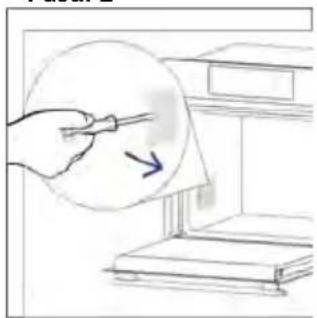
natural_image
Illustration of a hand holding a pen near a stack of books, with an arrow indicating direction (no text or symbols present)Pasul 3
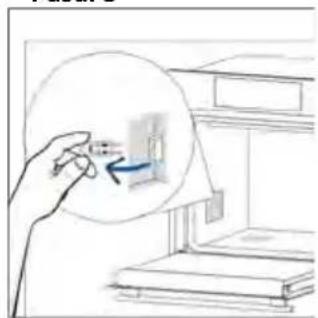
natural_image
Hand holding a magnified view of a small object inside a room with bookshelves (no text or symbols visible)Pasul 4
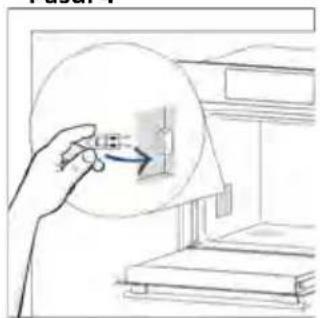
natural_image
Illustration of a hand holding a circular object with an arrow pointing to a small rectangular component inside a window (no text or symbols)Pasul 5
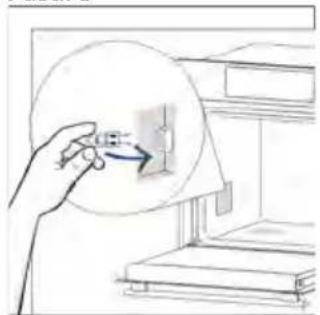
natural_image
Illustration of a hand holding a circular object with an arrow pointing to a small object inside, next to stacked books (no text or symbols visible)Pasul 6
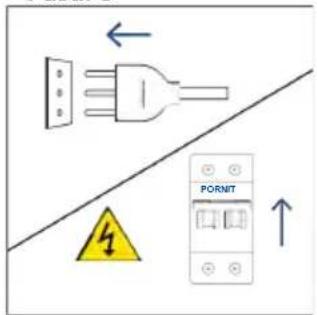
natural_image
Illustration showing a kitchen appliance with a blue swirl and a hand cleaning the interior (no text or symbols)8. PROTECTIA MEDIULUI ŞI ELIMINAREA PRODUSULUI
8.1. ELIMINAREA APARATULUI
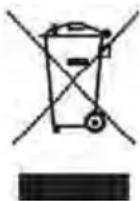
natural_image
Line drawing of a simple 3D box with lid and side panel (no text or symbols)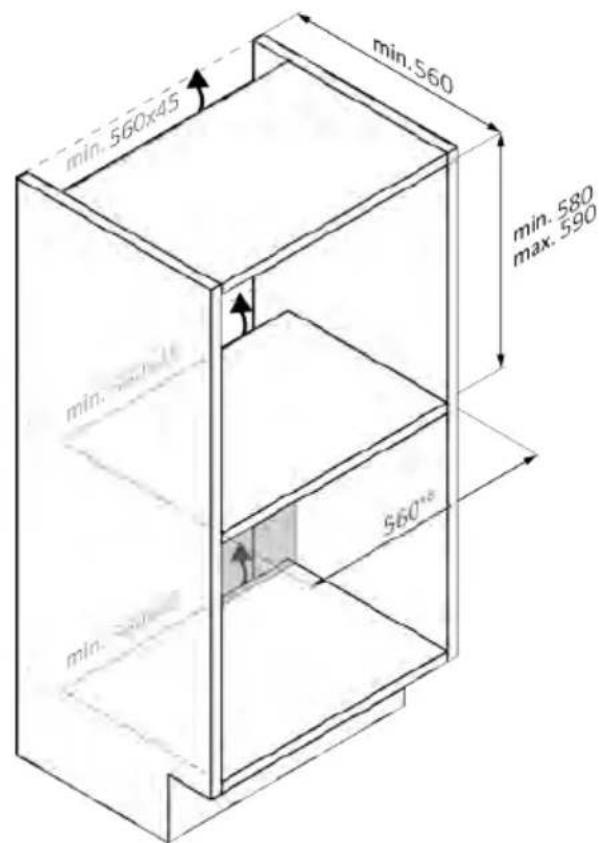
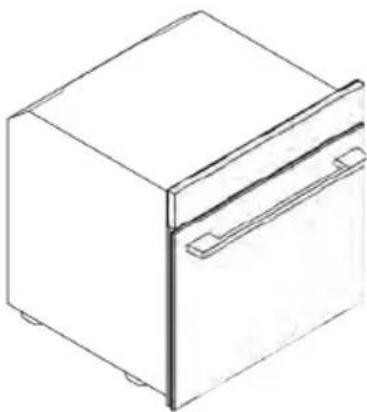
natural_image
Line drawing of a rectangular refrigerator with a side door and lid (no text or symbols)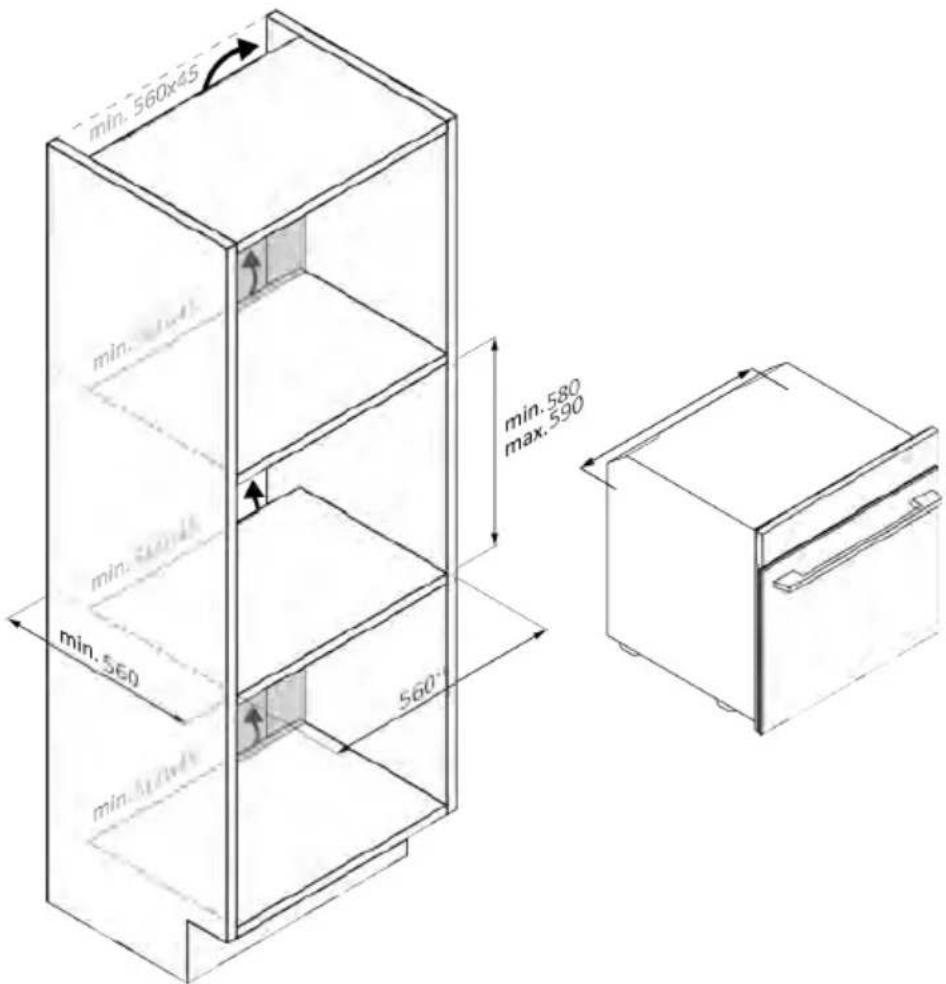
natural_image
Isometric line drawing of a multi-level refrigerator with shelves and drawers (no text or symbols)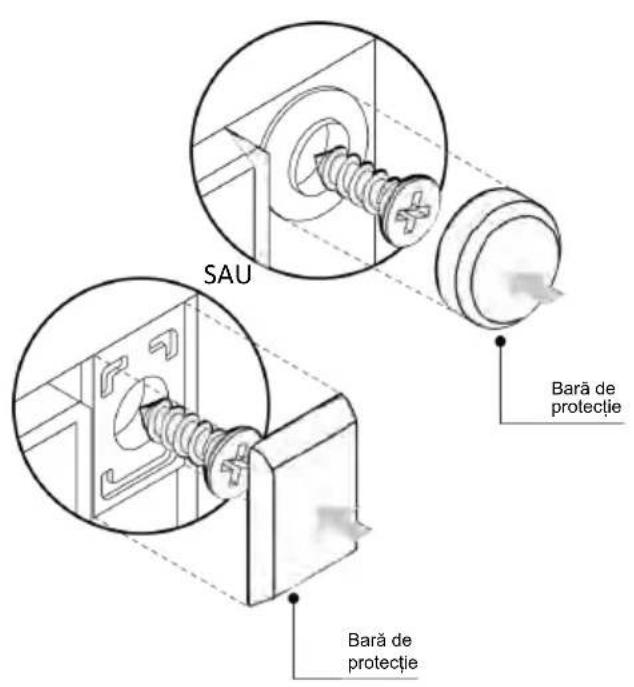
natural_image
Simple illustration of a blue-handled tool with a downward arrow pointing to it (no text or symbols)natural_image
Empty white rectangle with black border (no text or symbols)natural_image
Diagram of two vertical panels with horizontal wavy lines, no text or symbols presentnatural_image
3D wireframe diagram of a rectangular tray or basin mounted on a shelf, with no visible text or symbols.natural_image
3D wireframe diagram of a rectangular tray inside an oven (no text or symbols)natural_image
Line drawing of a kitchen sink with a bowl and a circular object on the wall (no text or symbols)natural_image
Line drawing of a rectangular tray with a grid pattern inside, placed on an open shelf (no text or symbols)natural_image
Simple line drawing of a needle or pipette (no text or symbols)natural_image
Simple line drawing of a window with a circular arrow and striped pattern, no text or symbols present.natural_image
Line drawing of a rectangular appliance with internal grating, placed inside an oven (no text or symbols)natural_image
Three-panel diagram showing a door, internal structure with blocks, and a mechanical component (no text or symbols)ÚJ FELHASZNÁLÓ REGISZTRÁLÁSA
GYORS PÁROSÍTÁS
1. lépés
2. lépés
3. lépés
4. lépés
5. lépés
6.1-6.2. lépés
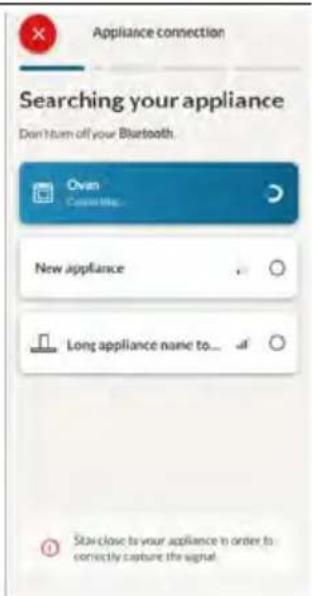
7. lépés

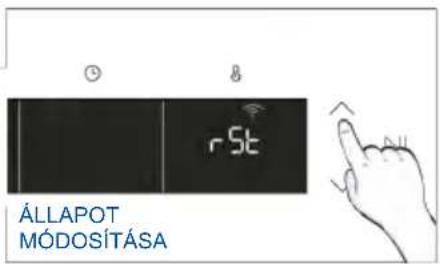
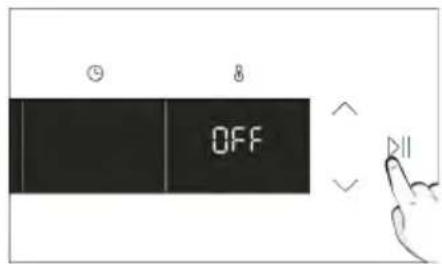

TÁVVEZÉRLÉS
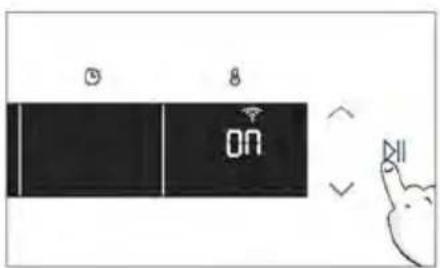
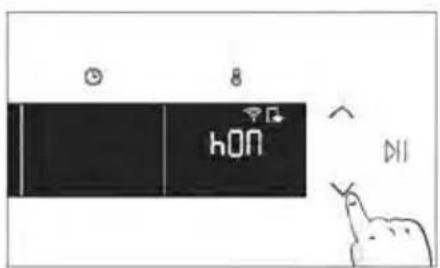
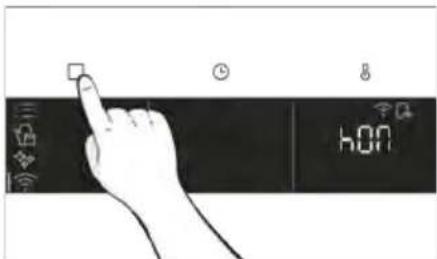
3. MIELÓTT ELKEZDENÉ
3.1. KEZDÉSHEZ SZÜKSÉGES INFORMÁCIÓK
natural_image
Simple line drawing of a kitchen sink with a hand cleaning the interior (no text or symbols)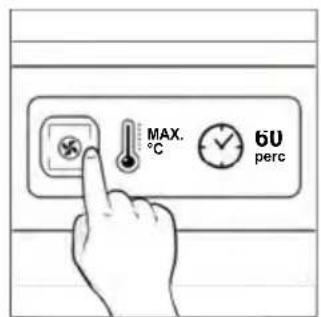
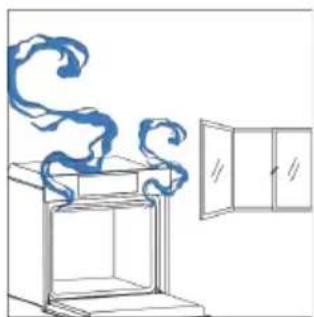
natural_image
Simple line drawing of a cabinet with swirling smoke and a door open (no text or symbols)4. A TERMÉK MÜKÖDÉSE
4.1. A TERMÉK MÜKÖDÉSE
A SÜTŐ BE-/KIKAPCSOLÁSA
natural_image
Hand iconizing a touch screen with a light bulb and Wi-Fi symbol (no text or labels)FUNKCIÓK MENÜ
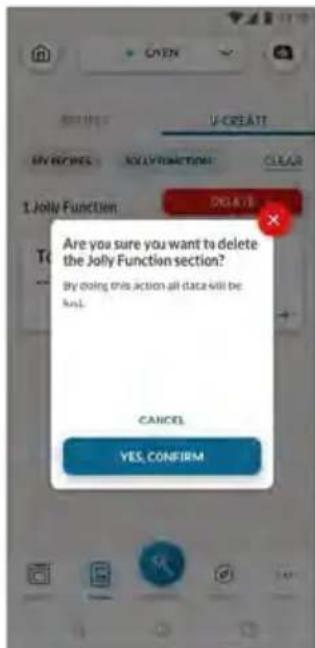
natural_image
Simple line drawing of a mechanical component with an arrow indicating rotation (no text or symbols)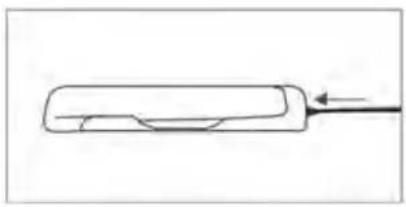
natural_image
Simple line drawing of a rectangular object with a curved cutout and an arrow pointing to it (no text or symbols)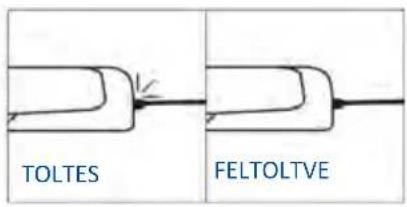
natural_image
Simple line drawing of a chef's hat and coat (no text or symbols)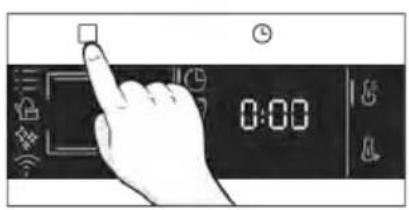
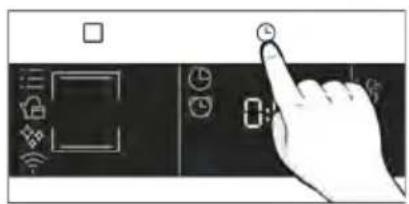
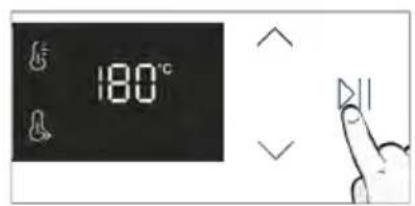
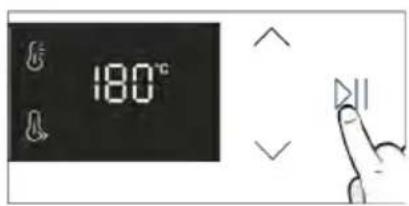
Főzési tippek
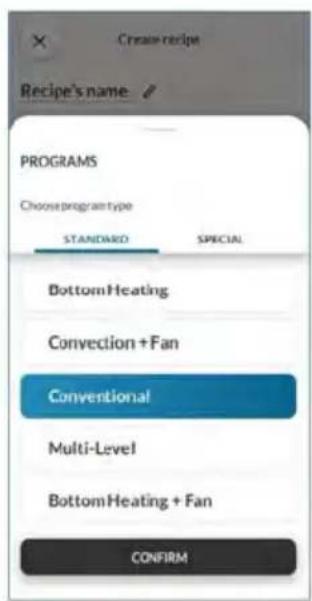
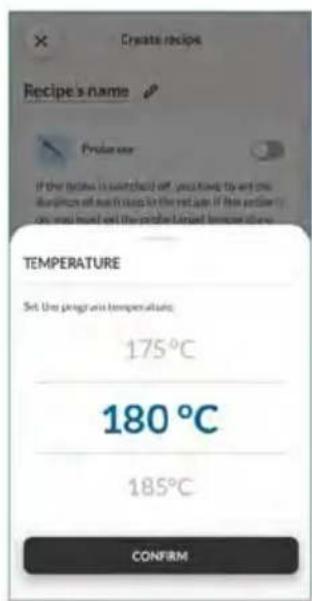
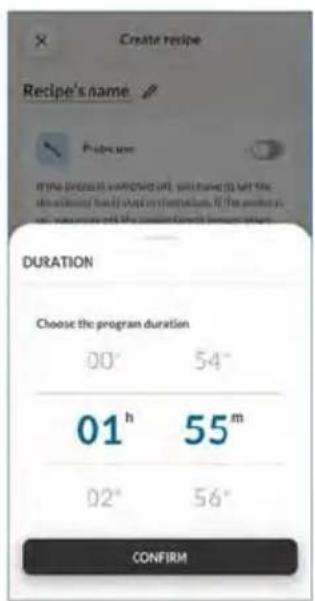
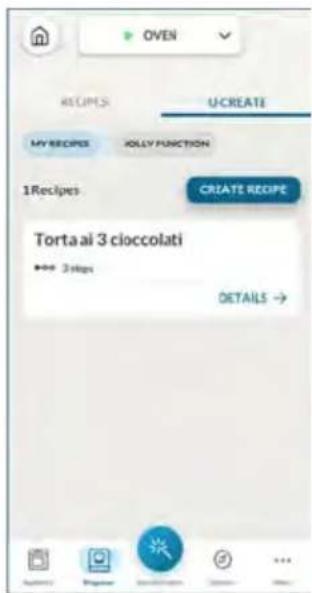
natural_image
Illustration of a hand pressing a button on a cabinet shelf (no text or symbols visible)natural_image
Technical line drawing of a mechanical assembly with a bracket and internal components (no text or symbols)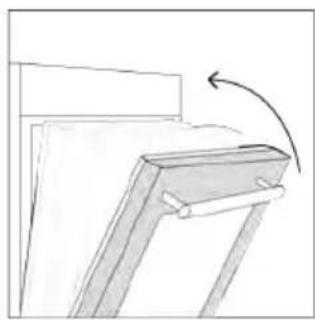
natural_image
Simple line drawing of a wooden frame with an arrow indicating rotation (no text or symbols)natural_image
Line drawing of an oven with cooling fins and a side panel, showing internal structure without any text or symbols.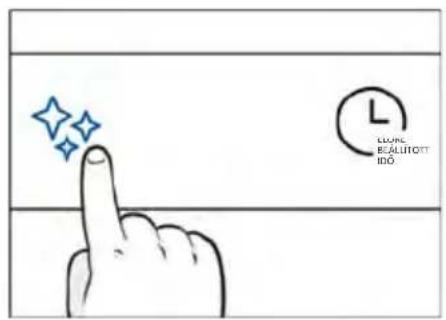
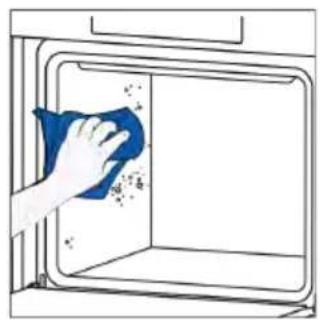
natural_image
Hand cleaning a window with a blue cloth, showing surface dust and debris (no text or symbols)
H₂O góz
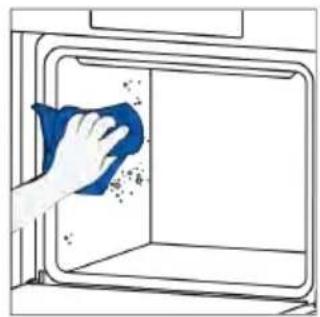
natural_image
Hand cleaning a window with a blue cloth, showing surface dust and spray (no text or symbols)
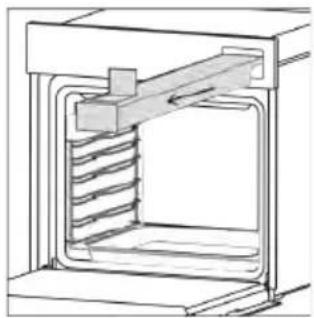
natural_image
Technical line drawing of a mechanical assembly with spring-loaded housing (no text or symbols)natural_image
Technical line drawing of a mechanical device with internal spring mechanism (no text or symbols)3. lépés (Öblítés):
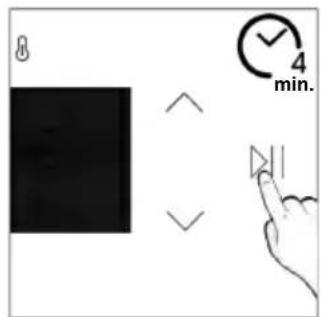
Leeresztés
natural_image
Illustration of hands installing or adjusting a cabinet with a door (no text or symbols)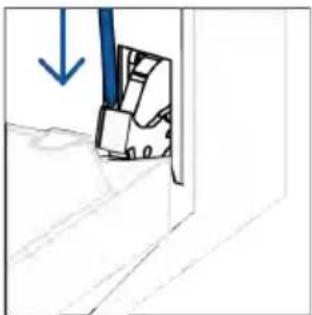
natural_image
Simple line drawing of a door with a blue arrow pointing downward (no text or symbols)natural_image
Simple line drawing of a folded paper or panel with arrows indicating direction (no text or symbols)natural_image
Hand holding a hand with a blue circle and diagonal line, no text or symbols present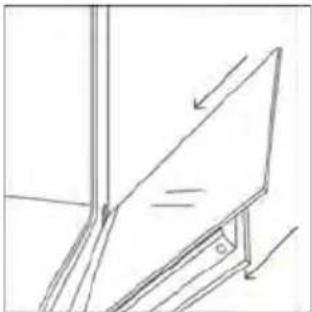
natural_image
Simple line drawing of a tilted rectangular object with an arrow indicating direction (no text or symbols)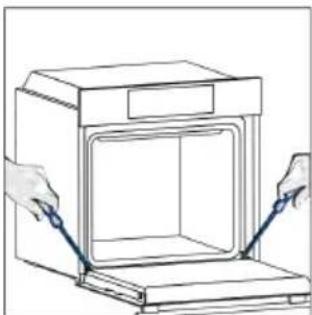
natural_image
Line drawing of hands installing or adjusting a cabinet interior with a blue tool (no text or symbols)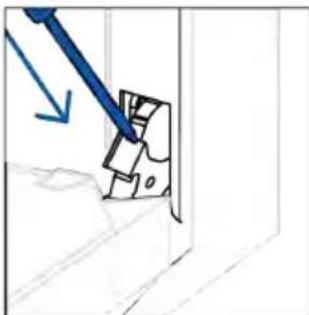
natural_image
Simple line drawing of a mechanical component with a blue arrow indicating direction (no text or symbols)- lépés

natural_image
Illustration of a hand holding a pen near a stack of books, with an arrow indicating direction (no text or symbols present)- lépés
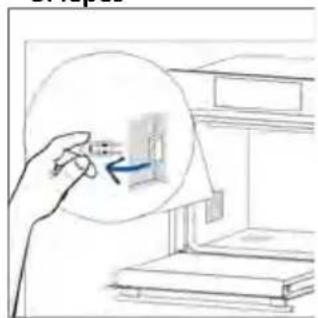
natural_image
Hand holding a magnified inset showing a small object inside a room with stacked books (no text or symbols visible)- lépés
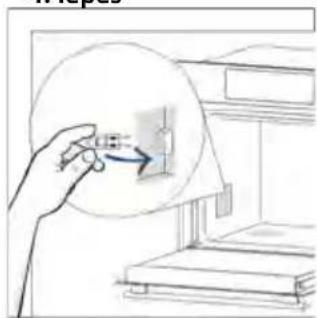
natural_image
Hand holding a circular device with a blue arrow pointing to it, next to a shelf (no text or symbols visible)- lépés
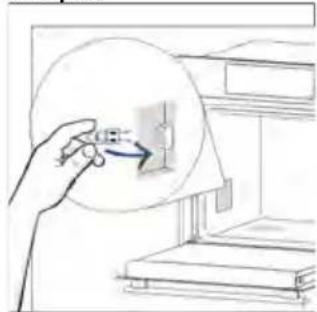
natural_image
Hand holding a magnifying glass over a wall-mounted device, no text or symbols visible- lépés
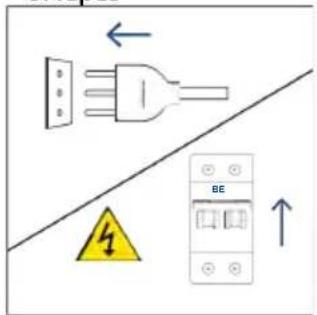
natural_image
Line drawing of a simple 3D box with lid and side panel (no text or symbols)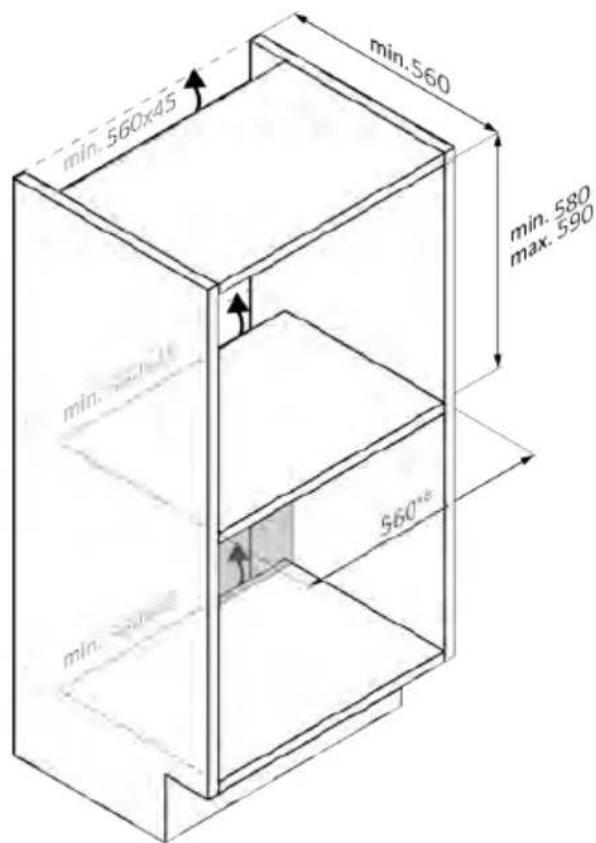
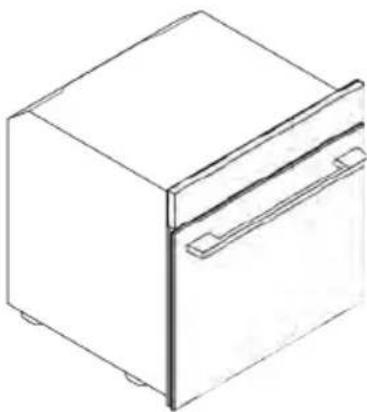
natural_image
Line drawing of a 3D rectangular box with a side panel and lid (no text or symbols)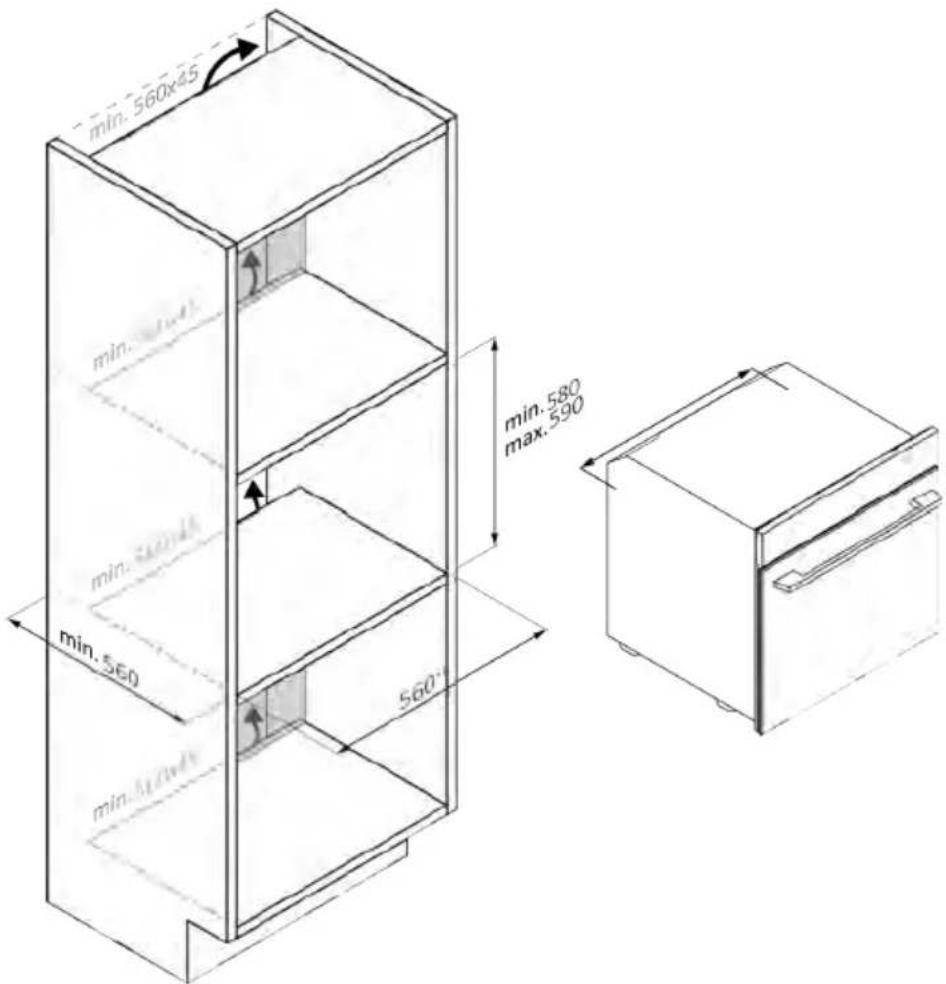
natural_image
Isometric line drawing of a multi-level refrigerator with shelves and drawers (no text or symbols)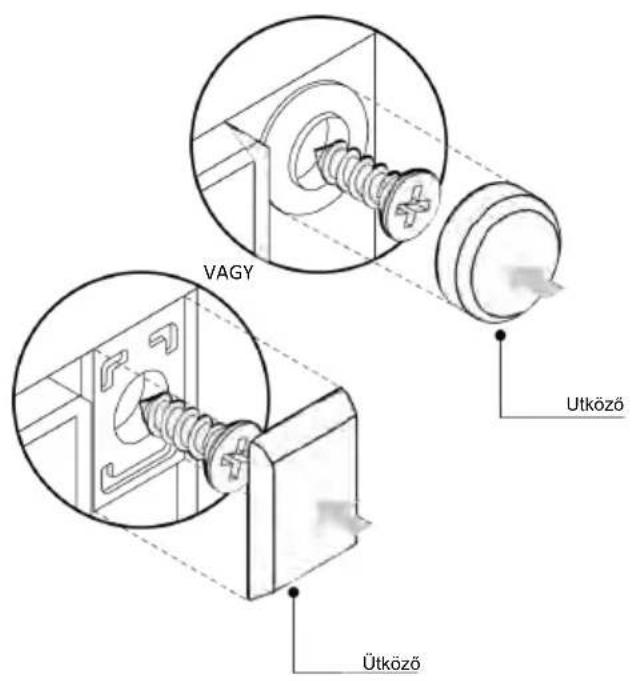
natural_image
Simple illustration of a blue-handled tool with a black downward arrow pointing to it (no text or symbols)natural_image
Empty white rectangle with black border (no text or symbols)natural_image
Line drawing of a two-panel bed layout with horizontal and vertical railings (no text or symbols)natural_image
3D wireframe diagram of a rectangular tray or container placed inside an oven (no text or symbols)natural_image
Illustration of a rectangular plastic tray with internal compartments, placed inside a storage unit (no text or symbols)natural_image
Line drawing of a kitchen sink with a bowl, a round head, and a mesh tray (no text or symbols)natural_image
Line drawing of a rectangular tray with a grid pattern, placed inside a kitchen appliance (no text or symbols)natural_image
Simple line drawing of a pen with a pointed tip (no text or symbols)natural_image
Simple line drawing of a kitchen appliance with a circular button and directional arrow (no text or symbols)natural_image
Line drawing of a rectangular appliance with a grid-patterned lid, placed inside an oven (no text or symbols)natural_image
Three-step diagram showing a kitchen appliance with a moving box and a mechanical component inside, no text or symbols present.REGISTRACIJA NOVEGA UPORABNIKA
VPIS S HITRO SEZNANITVIJO
1. korak
2. korak
• Dajte dovoljenje za lokacijo.
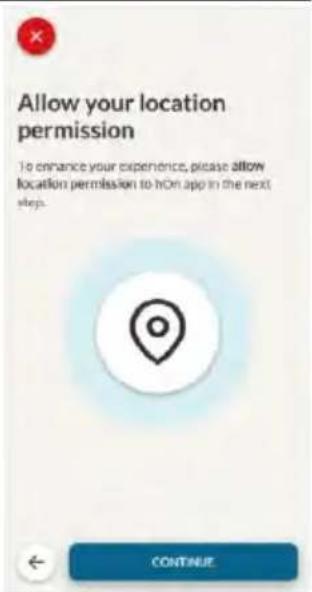
3. korak
- Izberite pečico v kategorijah aparatov.
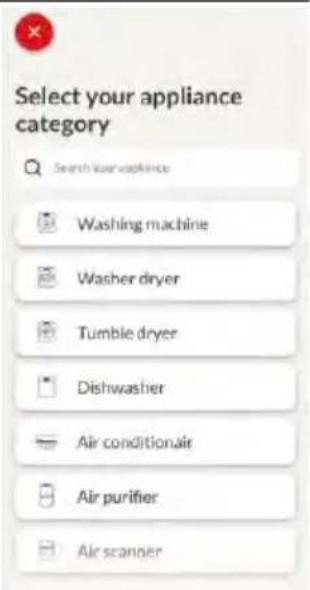
4. korak
5. korak
6.1-6.2 korak
7. korak

KAKO SPREMENITI NASTAVITVE WIFI
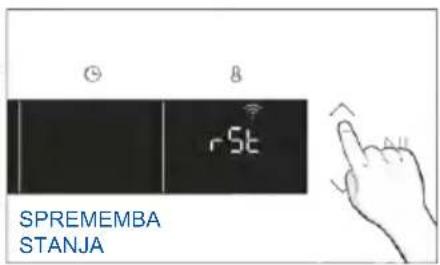
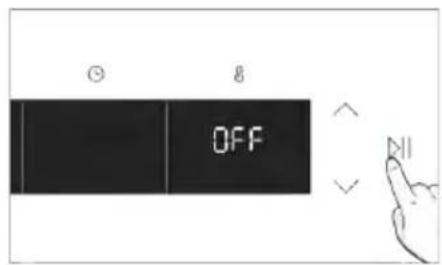

DALJINSKO UPRAVLJANJE
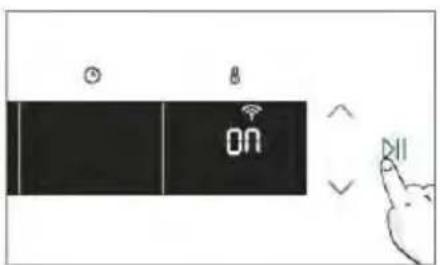
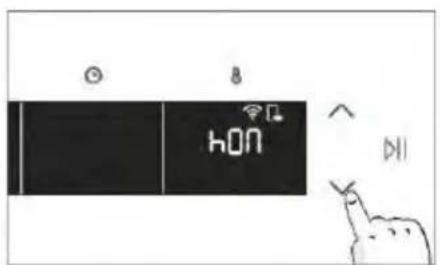

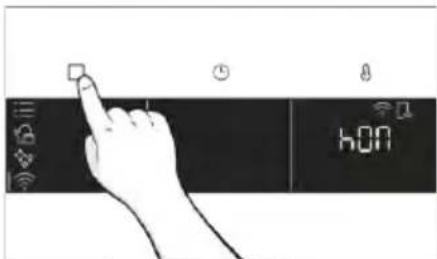
natural_image
Illustration of a hand cleaning a kitchen with a blue cloth and a water bottle nearby (no text or symbols)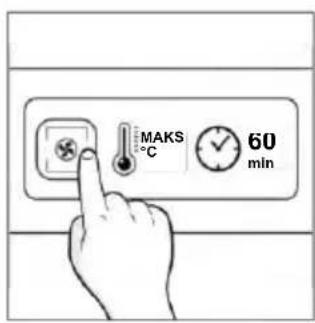
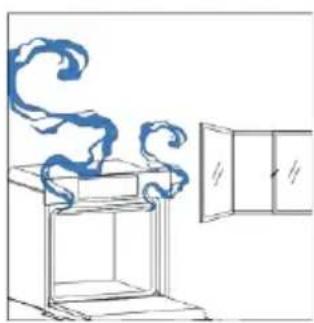
natural_image
Simple line drawing of a cabinet with swirling smoke and a door open (no text or symbols)natural_image
Hand pointing at a circular icon with a sun symbol and Wi-Fi icons nearby (no text or labels)MENI FUNKCIJ
Kako nastaviti funkcijo Jolly:
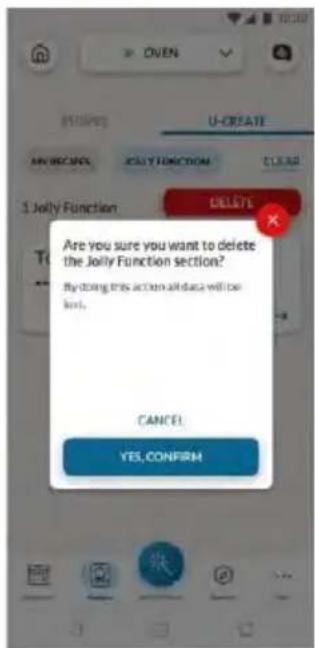
natural_image
Simple line drawing of a mechanical component with an arrow indicating rotation (no text or symbols)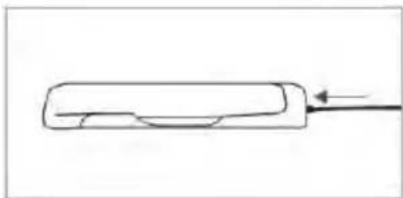
natural_image
Simple line drawing of a rectangular object with a curved internal feature and an arrow pointing to it (no text or symbols)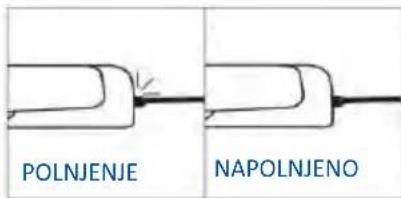
natural_image
Simple line drawing of a bread roll with a spoon (no text or symbols)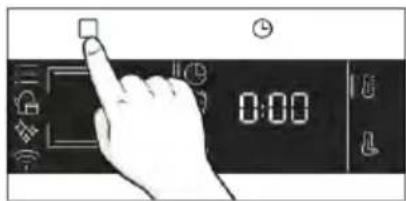
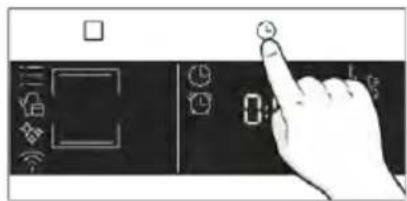
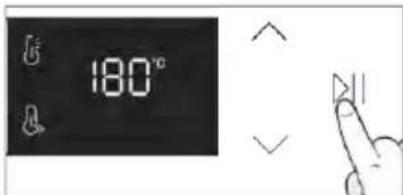
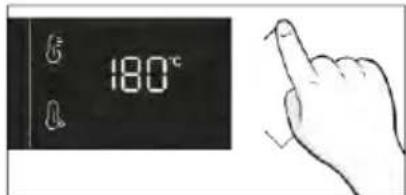
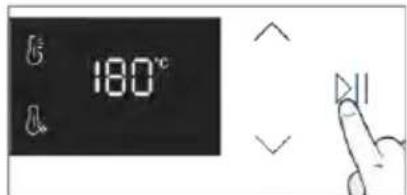
Nasveti za kuhanje
natural_image
Simple line drawing showing a pen tip transforming into a rolled-up chicken (no text or symbols)- korak Uredite ime recepta in izberite parametre za prvi korak recepta.
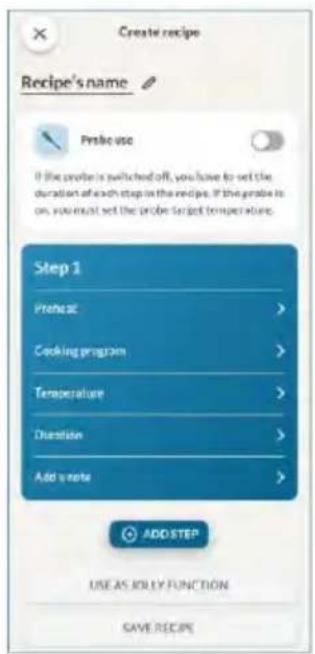
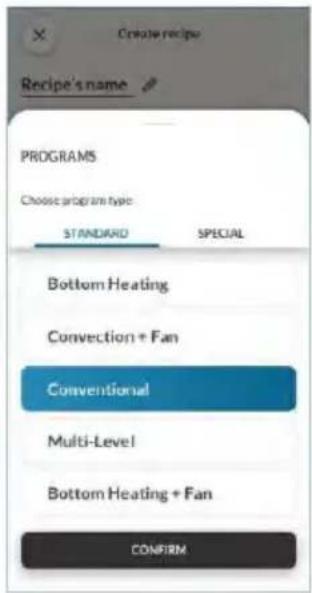
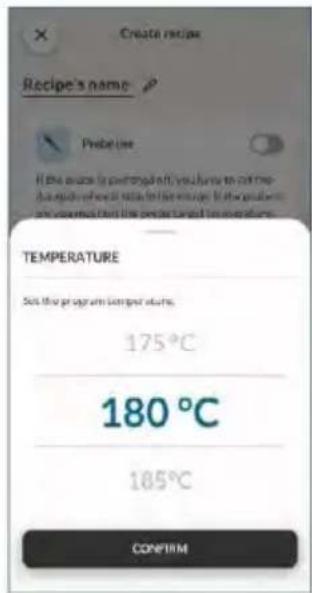
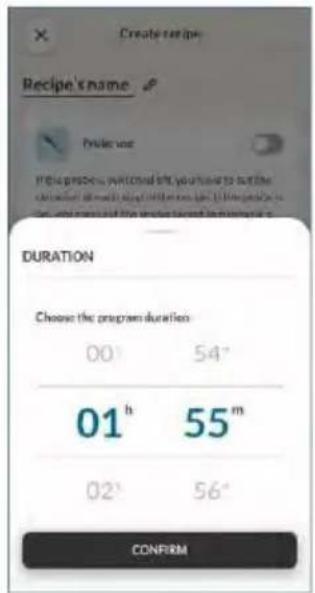
- korak Po urejanju prvega koraka pritisnite »Dodaj korak«, će želite receptu dodati še eno funkcijo kuhanja in prilagoditi njene parametre.
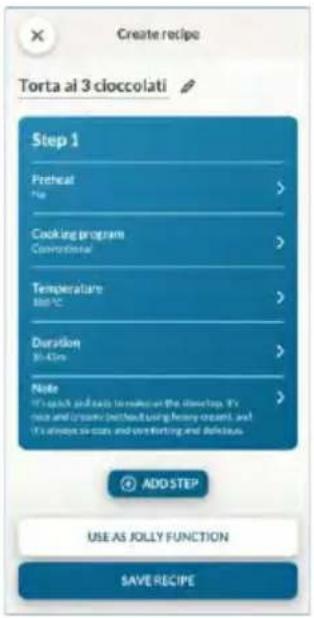
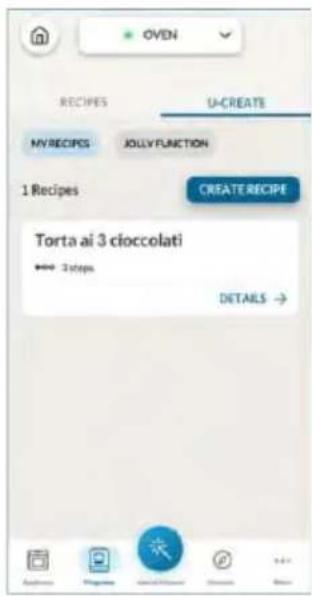
5. NAPOTKI ZA KUHANJE
5.1. SPLOŠNA TABELA KUHANJA
- 7 ravni
natural_image
Illustration of a hand pressing a button on a cabinet rack (no text or symbols)natural_image
Technical line drawing of a mechanical assembly with a bracket and spring-loaded component (no text or symbols)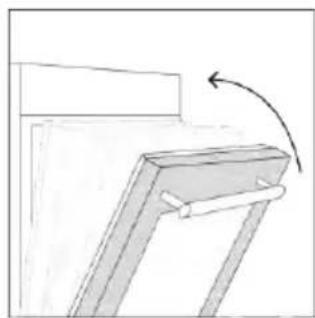
natural_image
Simple line drawing of a mechanical bracket with an arrow indicating rotation (no text or symbols)natural_image
Line drawing of an oven with cooling rack and side-mounted dish (no text or symbols)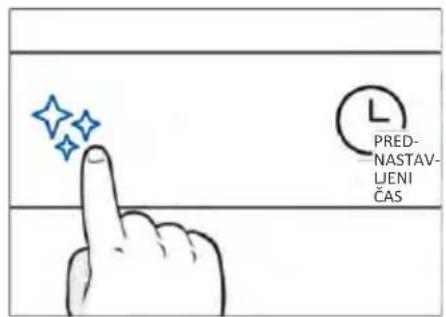
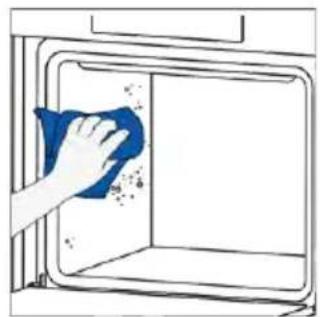
natural_image
Hand cleaning a window with a blue cloth (no text or symbols visible)
H_2O para
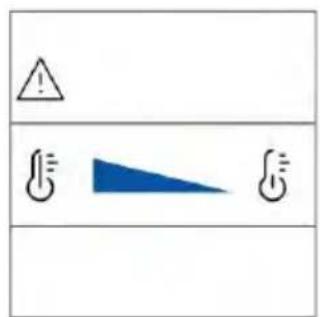
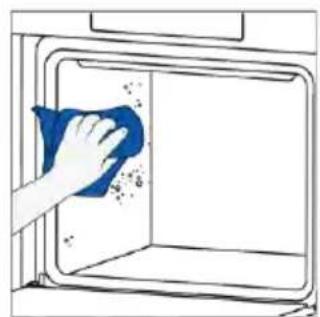
natural_image
Hand cleaning a blue cloth inside a kitchen oven (no text or symbols visible)ČIŠČENJE PARNEGA SISTEMA

natural_image
Technical line drawing of a mechanical device with internal spring mechanism (no text or symbols)natural_image
Technical line drawing of a mechanical assembly with spring-loaded housing (no text or symbols)3. korak (izpiranje):
i. V rezervoar za paro dodajte 500 ml vode iz pipe. Nato pritisnite gumb za zagon. ii. Ta korak bo trajal 4 minute, na koncu postopka pa brenčalo zapiska.
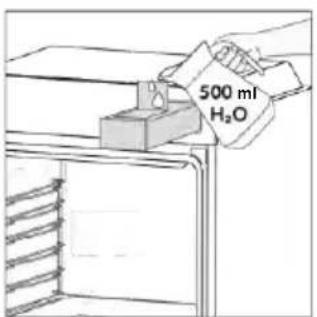
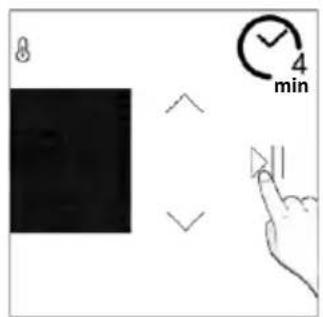
Odvajanje vode
Po vsakem ciklu kuhanja s paro se voda, ki je ostala v parniku, samodejno odvede nazaj v rezervoar za paro.
natural_image
Line drawing of hands operating a small oven with blue toolps (no text or symbols)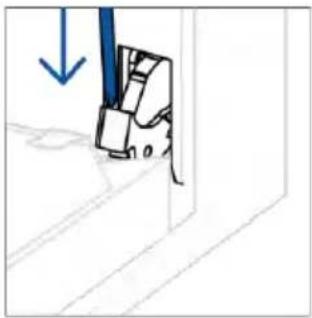
natural_image
Simple line drawing of a mechanical component with a blue arrow indicating downward motion (no text or symbols)- Vrata postavite pod kotom 45°. Hkrati pritisnite oba gumba na obeh straneh stranskih ramen vrat in jih povlecite proti sebi, da odstranite pokrov zgornjih stekel vrat.

natural_image
Simple line drawing of a tilted rectangular object with directional arrows indicating movement (no text or symbols)natural_image
Hand holding a diagonal line through a window frame, with a blue circle highlighting the hand (no text or symbols present)- Očistite steklo z mehko krpo in ustreznim čistilnim sredstvom.
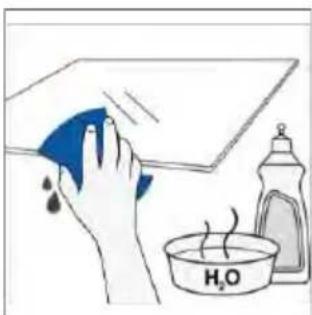
natural_image
Illustration of a hand cleaning a surface with a blue cloth and a water bottle labeled 'H2O' (no text or symbols on the main subject)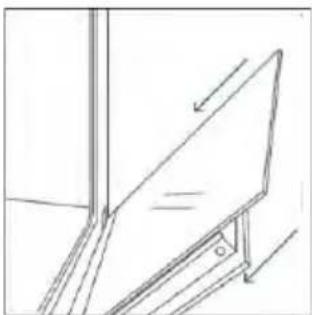
natural_image
Simple line drawing of a whiteboard with an arrow indicating direction, no text or symbols present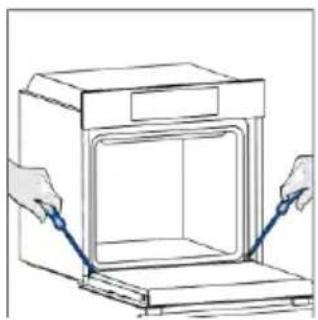
natural_image
Illustration of hands installing or adjusting a door frame inside an oven (no text or symbols)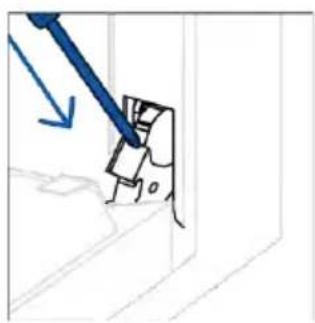
natural_image
Simple line drawing of a mechanical component with a blue arrow indicating direction (no text or symbols)6.3. ČIŠČENJE DODATKOV
natural_image
Hand holding a circular object with an arrow inside, next to an open box (no text or symbols visible)- korak
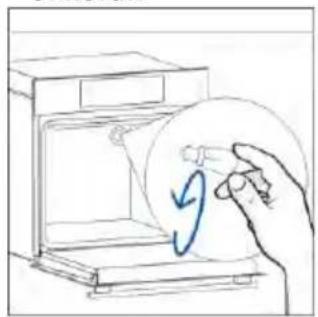
natural_image
Hand holding a circular object inside a device (no text or symbols visible)- korak
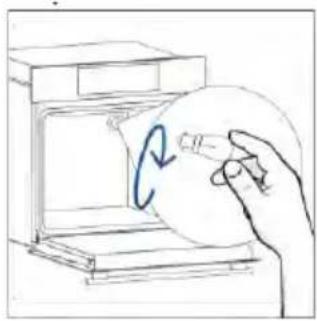
natural_image
Hand holding a circular object inside a device, with a blue curved arrow indicating rotation (no text or symbols)- korak
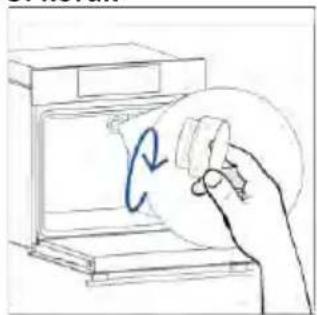
natural_image
Hand holding a circular object with a blue arrow inside, next to an open device (no text or symbols visible)- korak
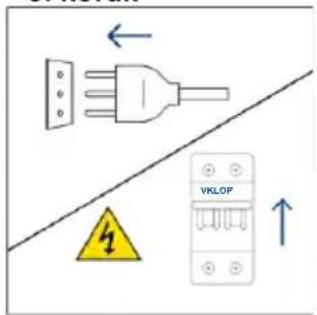
natural_image
Illustration of a hand holding a pen over a document with an arrow, placed on a shelf (no text or symbols)- korak
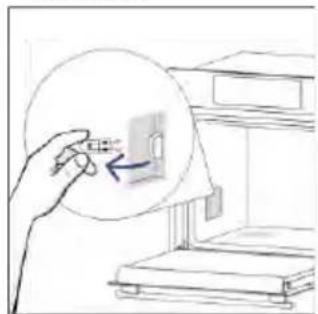
natural_image
Hand holding a small object inside a circular frame, pointing at a device (no text or symbols visible)- korak
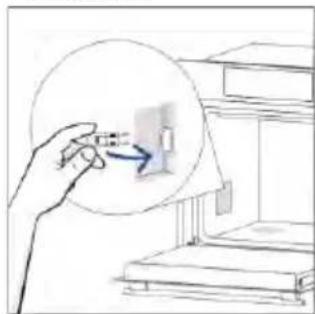
natural_image
Illustration of a hand interacting with a small object inside a circular frame, no text or symbols present- korak
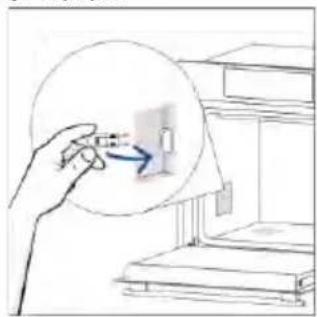
natural_image
Hand holding a magnifying glass over a small object, with no visible text or symbols- korak
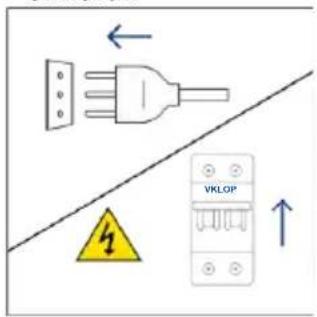
natural_image
Illustration showing a kitchen scene with a blue swirl and a hand cleaning a window (no text or symbols)8.1. ODSTRANJEVANJE APARATA
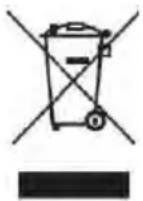
natural_image
Line drawing of a 3D box with a side panel and handle (no text or symbols)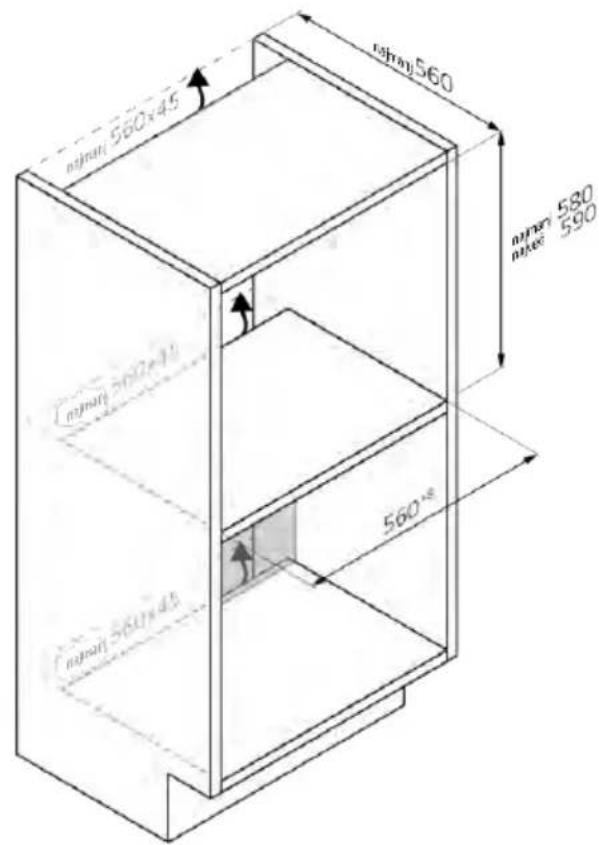
natural_image
Isometric line drawing of a rectangular box with a side tab and handle (no text or symbols)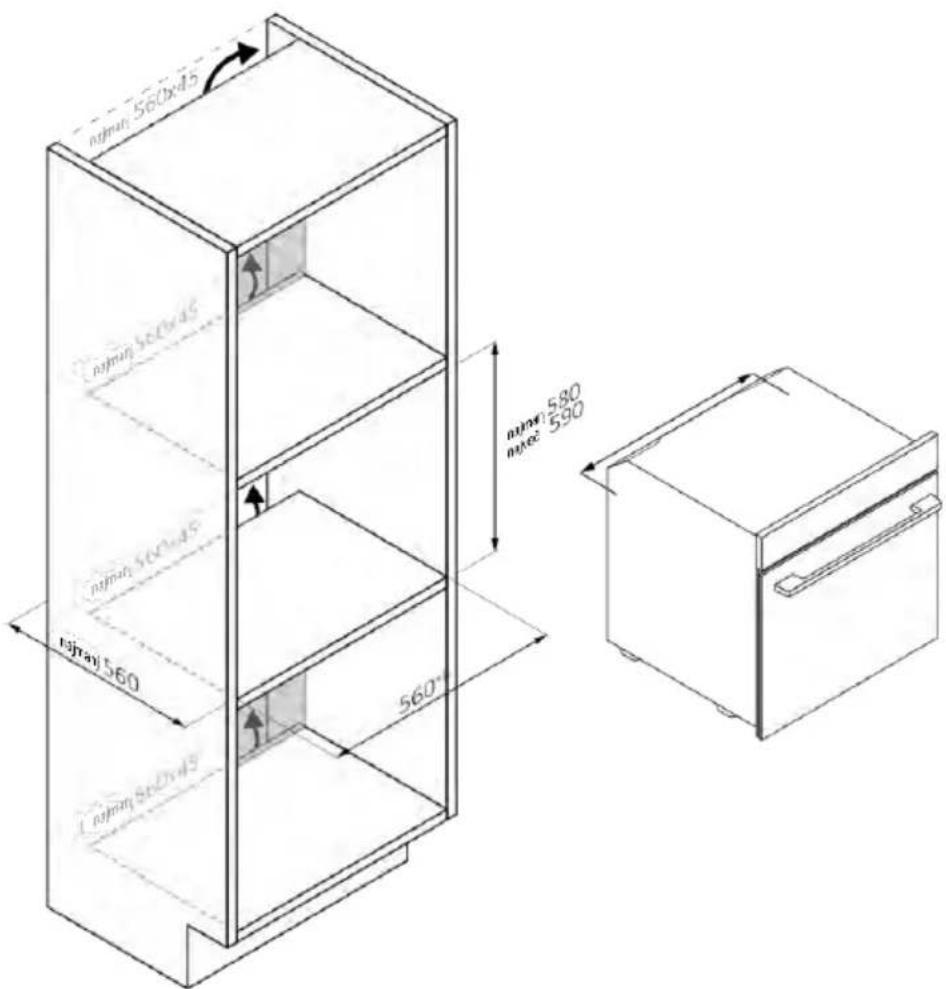
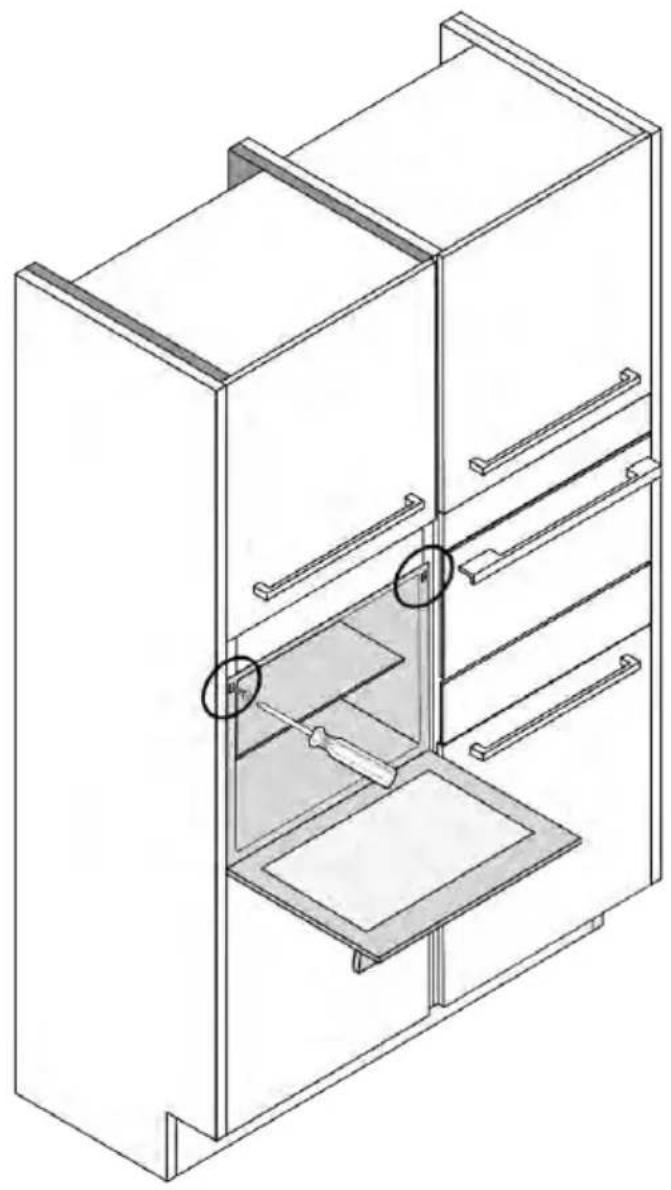
natural_image
Isometric line drawing of a multi-level refrigerator with drawers and shelves (no text or symbols)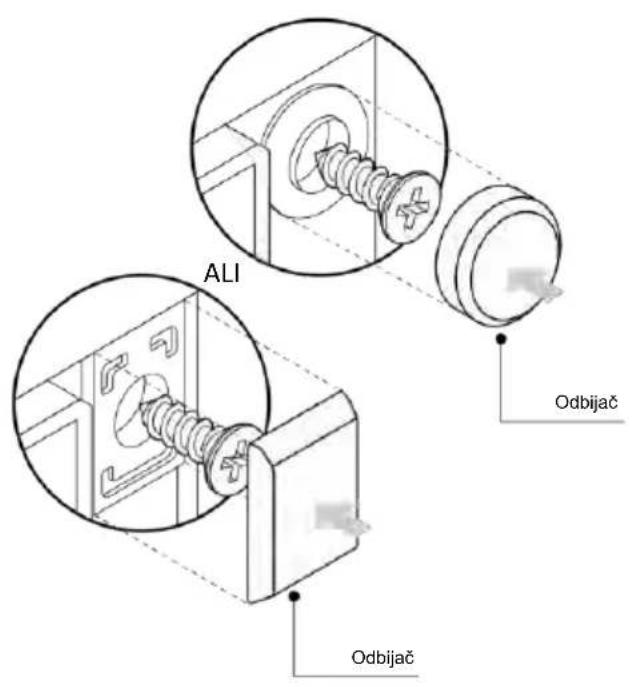
DOBRO DOŠLI
natural_image
Simple illustration of a blue-handled tool with a black downward arrow pointing to it (no text or symbols)- Kontrolni panel
- Brojevi pozicija polica
- Rešetke
- Plehovi
- Poklopac ventilatora
- Vrata pećnice
- Bočne žičane rešetke (ako postoje: samo za ravnu šupljinu)
- Serijski broj i QR kod
- Umetanje rezervoara za paru
natural_image
Empty white rectangle with black border (no text or symbols)natural_image
Line drawing of a two-tiered bed layout with horizontal and vertical railings (no text or symbols)natural_image
Simple line drawing of a rectangular tray or container placed inside an oven (no text or symbols)Pleh za pečenje je idealan za postizanje ravnomernog potamnjivanja sa donje strane, što ga čini savršenim za kolače i peciva zbog svog plitkog, ravnog dizajna. Pored toga, ako se postavi ispod rešetke za kuvanje može pomoći u sakupljanju curenja i sprečava prljanje pećnice.
Metalna rešetka
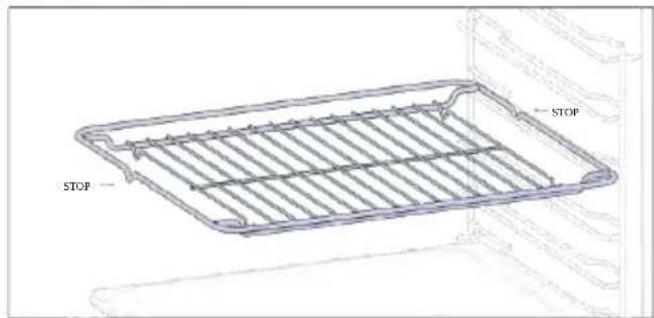
natural_image
3D wireframe diagram of a rectangular tray or container with internal compartments, placed on a shelf (no text or symbols)Dublji pleh je idealan za recepte prema kojima sodaju tečnosti ili slojevi, kao što su duveč il pečenja. Njegova dubina je posebno dizajnirana da osigura željenu ujednačenost hrane pripremljene u njemu.
Teleskopske vodice (samo ako su deo opreme*)
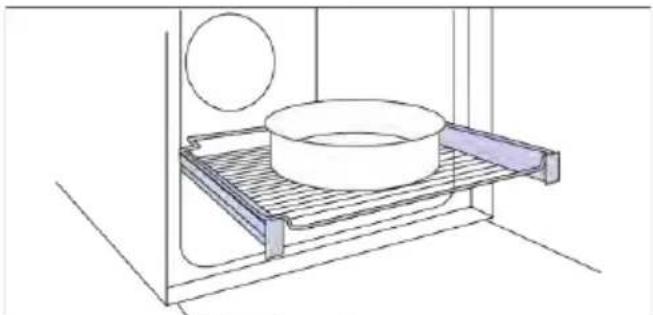
natural_image
Technical line drawing of a kitchen sink with a bowl, a sphere, and a mesh tray (no text or symbols)natural_image
Line drawing of a rectangular tray with a grid pattern inside, placed on a shelf (no text or symbols)natural_image
Simple line drawing of a pen with a pointed tip and handle (no text or symbols)natural_image
Simple line drawing of a kitchen appliance with a circular button and directional arrow (no text or symbols)natural_image
Line drawing of a rectangular appliance with a grating or ventilation grille, placed inside a rack (no text or symbols)Konveksni oblik je pogodan za pravljenje roštilja u pećnici na visokoj temperaturi (220°), omogućavajući rezultat roštiljanja čak i kod kuće sa malo dima zahvaljujući dejstvu ceđenja masti na dno posude.
Rezervoar za paru
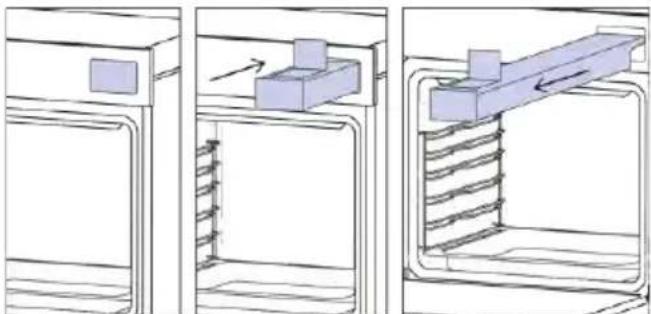
natural_image
Three-panel diagram showing a door, internal structure with arrows indicating motion, and a mechanical component inside (no text or symbols)REGISTRACIJA NOVOG KORISNIKA
- Kliknite na „Registrujte se“
- Registrujte se pomoću naloga na društvenim mrežama ili ličnom imejl adresom
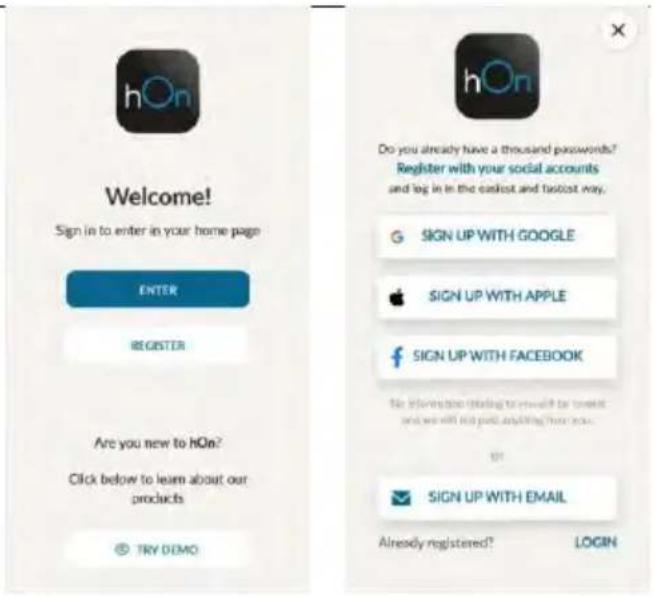
PRIJAVLJIVANJE ZA BRZO UPARIVANJE
1. korak
- Izaberite „Dodaj uredaj“.
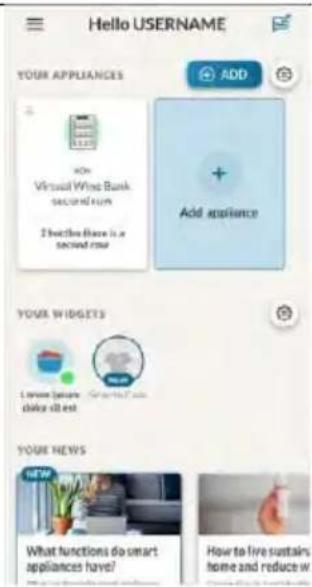
2. korak
6.1-6.2. korak
7. korak
KAKO DA PROMENITE PODEŠAVANJA WI-FI MREŽE
Kada je uređaj povezan, korisnik može da promeni W-Fi podešavanja između:
• Wi-Fi ON: Moguće je pratiti stanje pećnice samo pomoću aplikacije.
• Wi-Fi hOn: Pećnica može da se koristi samo preko aplikacije.
• Wi-Fi OFF: Pećnica nije povezana, ali je i dalje registrovana sa sačuvanim mrežnim akreditivima.
• Wi-Fi RESET: Veza se resetuje i registracija može ponovo da se izvrši.
- Dodirnite □ i uđite u Wi-Fi meni. Na displeju se pojavljuje „On“.
- Na displeju se pojavljuje „On“.
- Koristite strelice dok se ne prikaže „Off“ ili resetovanje podešavanja „rSt“.
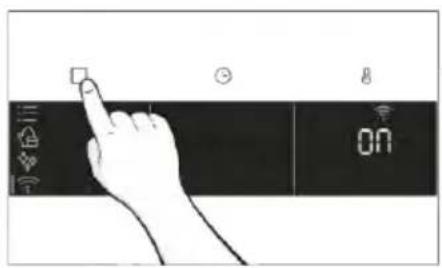
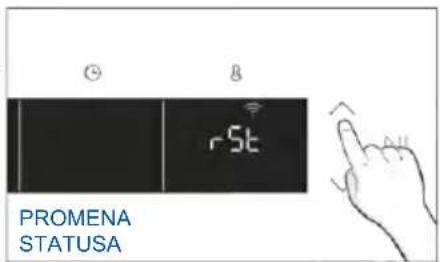
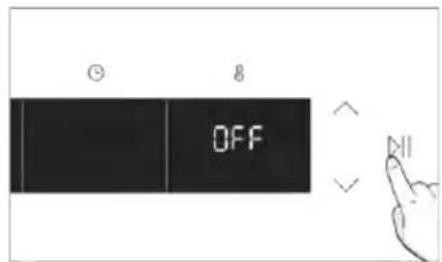
DALJINSKO UPRAVLJANJE
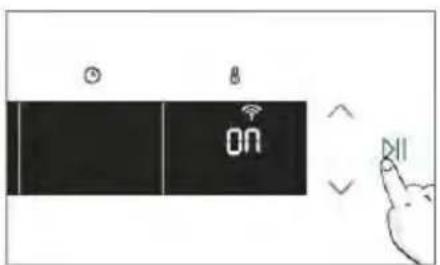
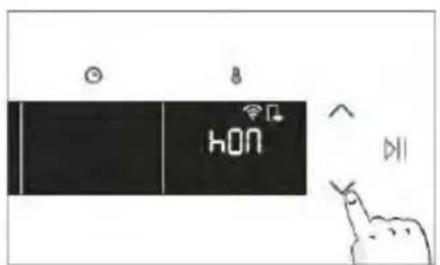
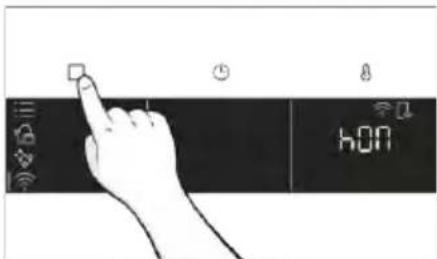
3. PRE POČETKA
3.1. INFORMACIJE VEZANE ZA POČETAK
Kada prvi put uključite pećnicu, možda ćete primetiti dim. Ne brinite, pre upotrebe pećnice samo sačekajte da se dim raščisti.
natural_image
Illustration of a hand cleaning a small kitchen oven with a water bottle and a beaker labeled H2a (no text or symbols on the main diagram)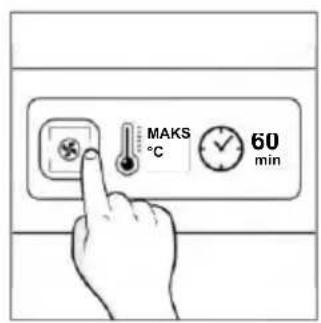
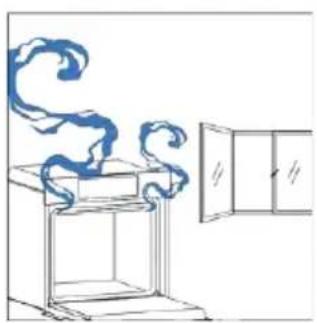
natural_image
Line drawing of a window with a cabinet and swirling cloud-like lines, no text or symbols present4. RAD PROIZVODA
4.1. KAKO PROIZVOD RADI
UKLJUČIVANJE/ISKLJUČIVANJE PEĆNICE
natural_image
Hand icon pointing at a circular button with a sun symbol and Wi-Fi icons nearby (no text or symbols)MENI FUNKCIJA
Pristupite meniju Funkcija pritiskom na dugme □.
Kako da podesite funkciju Jolly:
Da biste podesili funkciju Jolly na pećnici, otvorite odeljak sa receptima u aplikaciji, izaberite recept koji želite da koristite i kliknite na „Koristi kao Jolly funkciju“.
Od tog trenutka, možete je pokrenuti iz proizvoda čak i bez interakcije sa aplikacijom. Jednostavno okrenite funkcijsko dugme na funkciju Jolly da biste započeli proces kuvanja.
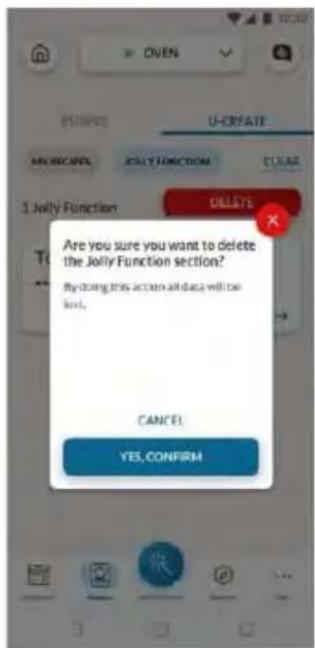
natural_image
Simple line drawing of a mechanical component with an arrow indicating rotation (no text or symbols)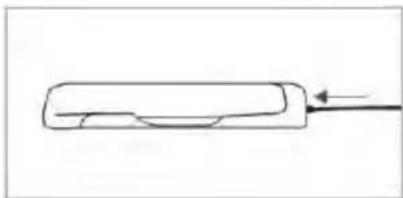
natural_image
Simple line drawing of a rectangular object with a curved internal feature and an arrow pointing to it (no text or symbols)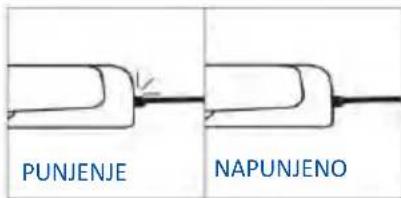
Kako prijaviti i koristiti Preci Probe sondu:
- Umetnite sondu u hranu.
- Dodirnite □ da biste izabrali željenu funkciju i dodirnite ⓣ onoliko puta koliko vam je potrebno da izaberete ikonu sonde.
- Nakon nekog vremena, pećnica će prepoznati šifru sonde. Dodirnite bi pomoću strelica podesite željenu temperaturu.
- Dodirnite > da biste potvrdili. Od ovog trenutka, pećnica će koristiti podatke sonde za praćenje unutrašnje temperature vaše hrane.
- Kada se dostigne željena unutrašnja temperatura, oglašava se alarm i pećnica se isključuje. Pažljivo uklonite sondu iz hrane.
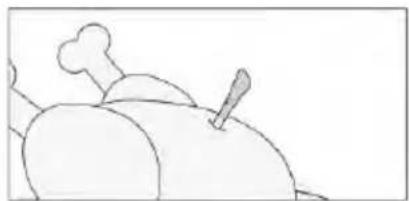
natural_image
Simple line drawing of a steamed chicken with a fork (no text or symbols)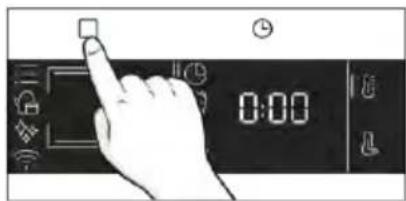
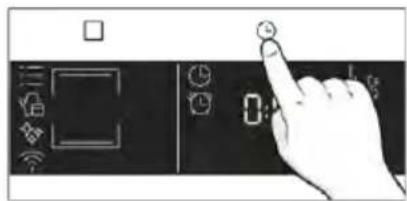
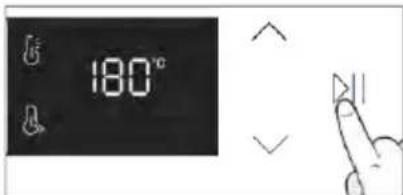
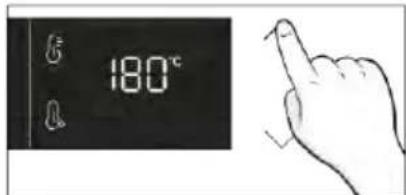
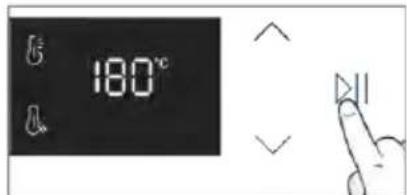
Saveti za kuvanje
natural_image
Simple line drawing showing a pen and a rolled-up of a bone with two blue tips (no text or symbols)Sonda se može koristiti sa ručnim funkcijama (Konvencionalno, Konvekcija + ventilator, Roštilj, Super grill, Gratiniranje i Više nivoa), sa KATEGORIJAMA KUVANJA HRANE (meso, riba i povrće) i Gentle Cooking.
| Kategorija hrane | Predložena T °C sredine | Predloženo pozicioniranje |
| Pečena govedina | 45 °C | Dijagonalno u najdebljem delu.Za namirnice cilindričnog oblika (kao što je goveđe pečenje),postavite vrh što bliže geometrijskom centru |
| Pečeno meso | 55 °C / 60 °C / 65 °C | |
| Živinsko meso | 83-85 °C | U najdeblji deo grudi |
| Riba (cela/odresci) | 65 °C | Dijagonalno u najdebljem delu |
| Hleb/musaka | 90 °C | Blizu geometrijskog centra hrane |
4.2.3. FUNKCIJA U VIŠE KORAKA
- korak Izmenite naziv recepta i izaberite parametre za prvi korak recepta.
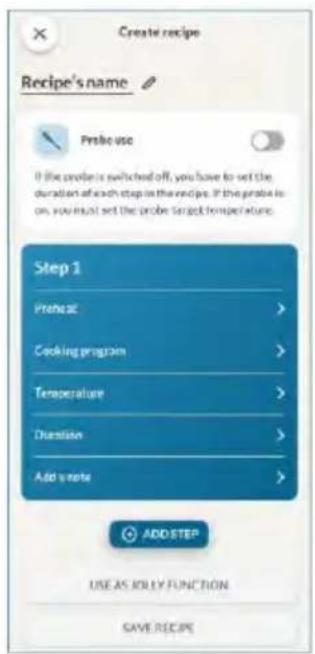
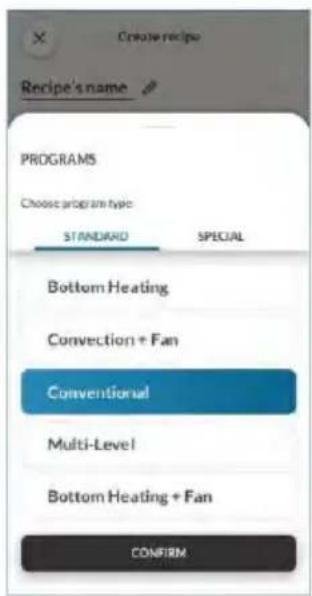
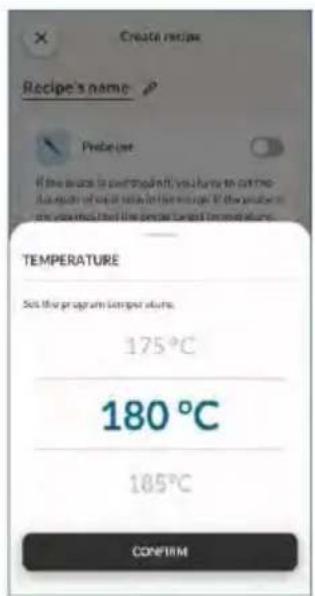
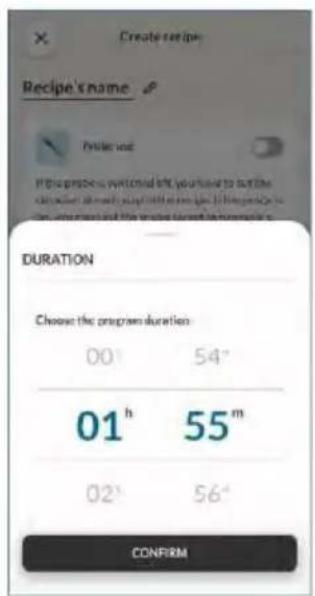
- korak Nakon prilagođavanja prvog koraka, pritisnite „Dodaj korak“ da biste receptu dodali još jednu funkciju kuvanja i prilagodili njene parametre.
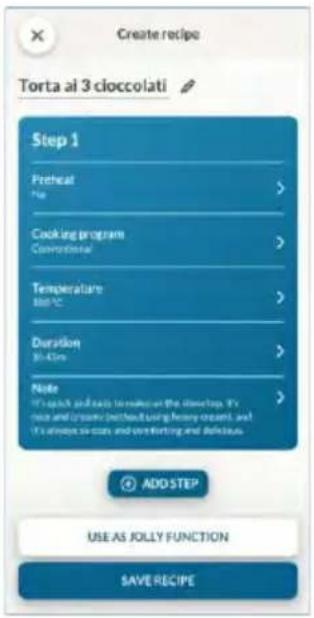
- korak Sačuvajte recept u aplikaciji da biste ga pokrenuli na daljinu sa hOn ili ga sačuvajte kao „funkciju Jolly“ da biste ga pronašli direktno u pećnici.
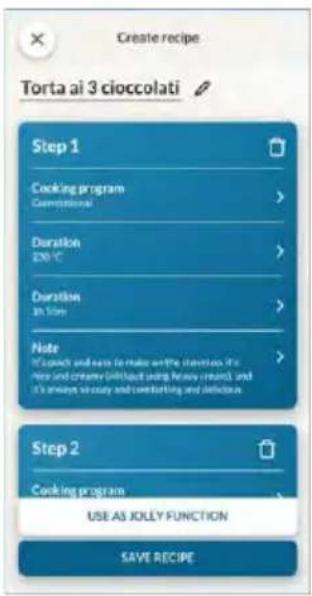
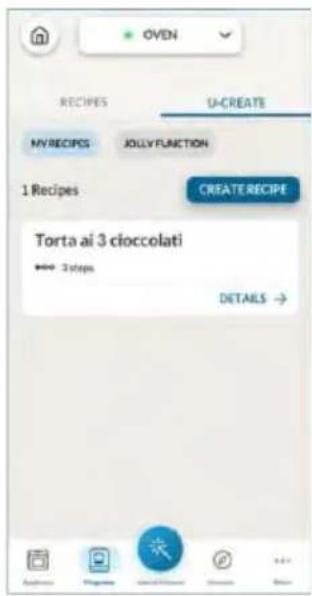
5. SMERNICE ZA KUVANJE
5.1. OPŠTA TABELA KUVANJA
- 7 nivoa
| 1 | Konvencionalno na više nivoa | 175 °C 160 °C | Pleh za pečenje | L3 | 20-30 30-40 | ||
| Sitni kolači / mafini | 2 | Više nivoa | 150 °C | Da | Pleh za pečenje + dublji pleh | L3+L6 | 30-40 |
| 3 | Više nivoa | 140 °C | Plehovi za pečenje | L2+L4+L6 | 40-50 | ||
| Konvencionalno | 170 °C | Metalna rešetka + kalup za kolače | L2 | 30-40 | |||
| Vazdušasti kolači (26 cm ) | 1 | Više nivoa | 150 °C | Da | Metalna rešetka + kalup za kolače | L3 | 40-50 |
| 2 | Više nivoa | 150 °C | Metalne rešetke + kalup za kolače | L3+L6 | 50-60 | ||
| 1 | Konvencionalno na više nivoa | 150 °C 150 °C | Pleh za pečenje | L3 | 25-30 30-40 | ||
| Keksi/kolačići | 2 | Više nivoa | 140 °C | Da | Plehovi za pečenje | L3+L6 | 35-45 |
| 3 | Više nivoa | 140 °C | Plehovi za pečenje | L2+L4+L6 | 35-40 | ||
| Slatka peciva | Kroketi | Više nivoa | 190 °C | Da | Pleh za pečenje | L3 | 25-35 |
| Više nivoa | 170 °C | Pleh za pečenje | L3+L6 | 25-35 | |||
| Jorkširski puding | 1 | Konvencionalno | 200 °C | Da | Pleh za pečenje | L3 | |
| Puslice | 1 | Više nivoa | 90 °C | Da | Pleh za pečenje | L3 | |
| Makaronsi | 1 | Konvencionalno | 150 °C | Da | Pleh za pečenje | L3 | |
| 1 | Konvencionalno | 185 °C | Da | Metalna rešetka + kalup za kolače | L2 | ||
| Pita od jabuka | 1 | Više nivoa | 170 °C | Da | Metalna rešetka + kalup za kolače | L3 | |
| 1 | Konvencionalno | 170 °C | Da | Metalna rešetka + kalup za kolače | L2 | ||
| Tart tatin | 1 | Konvencionalno | 200 °C | Da | Pleh za pečenje + modle | L3 | |
| Čokoladni sufle | 1 | Konvencionalno | 150 °C | Da | Metalna rešetka + kalup za kolače | L2 | |
| Čizkejk | 1 | Konvencionalno | 180 °C | Pleh za pečenje | L3 | ||
| 1 | Više nivoa | 180 °C | Da | Plehovi za pečenje | L2+L5 | ||
| 1 | Više nivoa | 160 °C | Plehovi za pečenje | L2+L4+L6 | |||
| Smrznuti kroasani | 2 | Konvencionalno | 210 °C | Da | Pleh za pečenje | L3 | |
| 1 | Supergrill | 05 | Ne | Metalna rešetka | L7 | ||
| Hleb i lepinja | Fokača | 1 | Konvencionalno | 200 °C | Da | Pleh za pečenje | L2/L3 |
| Hleb, ceo | 1 | Konvencionalno | 200 °C | Da | Pleh za pečenje | L3 |
| Kategorija | Recept | Br. nivoa | Program kuvanja | T°C | Predgre vanje | Pribor za kuvanje | Položaj police | Vreme kuvanja nakon predgrevanja* (min) |
| Slane pite i musake | Slani kolači / kiševi (26 cm 1) | 1 | Konvekcija + ventilator | 180 °C | Da | Metalna rešetka + Pleh za kiš | L3 | 45-60 |
| 2 | Više nivoa | 180 °C | Metalna rešetka + Pleh za kiš | L2+L5 | 50-70 | |||
| Sufle od sira | 1 | Konvencionalno | 200 °C | Da | Pleh za pečenje | L3 | 20-35 | |
| Lazanje, sveže | 1 | Konvencionalno | 200 °C | Da | Metalna rešetka + posuda za pečenje | L3 | 40-60 | |
| Lazanje, smrznute | 1 | Konvekcija + ventilator | 180 °C | Da | Metalna rešetka + posuda za pečenje | L3 | 50-60 | |
| Kaneloni, smrznuti | 1 | Konvekcija + ventilator | 180 °C | Da | Metalna rešetka + posuda za pečenje | L3 | 45-55 | |
| Pečena testenina | 1 | Gratiniranje | 200 °C | Da | Metalna rešetka + posuda za pečenje | L4 | 20-30 | |
| Pica | Pica, sveža (pleh) | 1 | Konvencionalno pica | 250 °C 300 °C | Da Ne | Pleh za pečenje | L2/L3 | 15-20 18-25 |
| 2 | Više nivoa | 180 °C | Da | Pleh za pečenje + dublji pleh | L2+L5 | 25-35 | ||
| Pica, sveža (okrugla) | 1 | Konvencionalno pica | 250 °C 300 °C | Da Ne | Pleh za pečenje | L2/L3 | 8-10 15-20 | |
| 2 | Više nivoa | 180 °C | Da | Pleh za pečenje + dublji pleh | L2+L5 | 30-40 | ||
| Pica, smrznuta (tanka kora) | 1 | Konvencionalno pica | 220 °C 200 °C | Da Ne | Metalna rešetka | L3 | 10-15 | |
| 2 | Više nivoa | 200 °C | Da | Metalna rešetka | L2+L5 | 15-25 | ||
| 3 | Više nivoa | 180 °C | Metalna rešetka | L2+L4+L6 | 25-35 | |||
| Meso i živina | Pečeno celo pile (1-1,2 kg) | 1 | Gratiniranje | 220 °C | Da | Metalna rešetka Postavite pleh za pečenje na L1 | L4 | 40-60 |
| Pileći karabatak | 1 | Air Fry | 220 °C | Ne | Pleh za Air Fry** | L4 | 30-50 | |
| Pečena patka | 1 | Gratiniranje | 200 °C | Da | Metalna rešetka + posuda za pečenje | L3 | 50-60 | |
| Petao | 1 | Gratiniranje | 220 °C | Da | Metalna rešetka Postavite pleh za pečenje na L1 | L4 | 20-40 | |
| Pečena ćurka | 1 | Gratiniranje | 200 °C | Da | Metalna rešetka + posuda za pečenje | L3 | 50-60 | |
| Svinjska rebra (1000-1200g) | 1 | Konvencionalno | 200 °C | Da | Metalna rešetka + posuda za pečenje | L3 | 80-100 | |
| Meso i živina | Kobasice | 1 | Supergrill | 04 | Da | Metalna rešetka | L5 | 40-50 |
| Pečena govedina (500g) | 1 | Gratiniranje | 220 °C | Da | Pleh za pečenje | L3 | 20-40 | |
| Mesna vekna (1000-1500g) | 1 | Konvencionalno | 180 °C | Da | Pleh za pečenje | L3 | 40-50 | |
| Pečena piletina sa krompirom | 1 | Gratiniranje | 200 °C | Da | Dublji pleh | L4 | 45-60 | |
| Riba i morski plodovi | Morski plodovi sa roštilja | 1 | Supergrill | 04 | Ne | Metalna rešetka | L5 | 15-30 |
| Smrznuti riblji štapići | 1 | Air Fry | 200 °C | Ne | Pleh za Air Fry** | L4 | 20-25 | |
| Pečena riba | 1 | ECO | 200 °C | Ne | Metalna rešetka Postavite pleh za pečenje na L1 | L3 | 40-60 | |
| Povrće | Gratinirano povrće | 1 | ECO | 200 °C | Ne | Metalna rešetka + posuda za pečenje | L3 | 80-90 |
| Zamrznuti pomfrit (300-500g) | 1 | Air Fry | 220 °C | Ne | Pleh za Air Fry** | L4 | 18-25 | |
| Gratinirani krompir | 1 | Gratiniranje | 200 °C | Da | Metalna rešetka + posuda za pečenje | L4 | 15-25 | |
| Pečeni krompir | 1 | Konvencionalno | 200 °C | Da | Pleh za pečenje | L4 | 30-50 |
natural_image
Illustration of a hand pressing a button on a cabinet rack (no text or symbols visible)natural_image
Technical line drawing of a mechanical assembly with a component and spring-loaded parts (no text or symbols)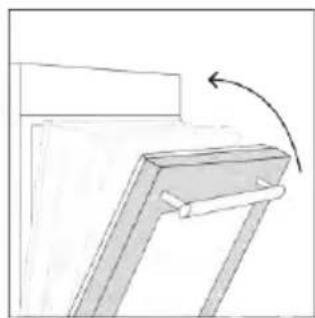
natural_image
Simple line drawing of a wooden frame with a curved arrow indicating rotation (no text or symbols)natural_image
Line drawing of an oven with a rack inside, showing internal structure and airflow direction (no text or symbols)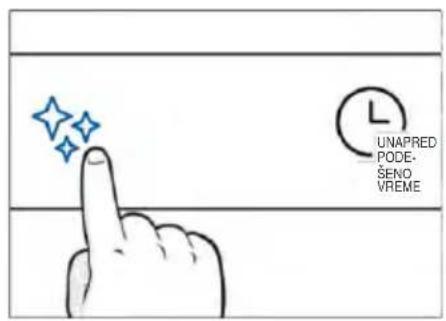
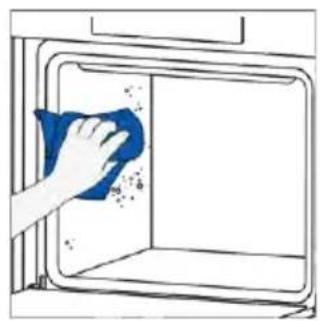
natural_image
Hand cleaning a window with a blue cloth, no text or symbols visible
H_2O para
Funkcija čišćenja H₂O Steam je dizajnirana da se bez napora uhvati u koštac sa laganom zaprljanošću i pruži brzo i ekološki prihvatljivo rešenje za čišćenje unutrašnjosti pećnice pomoću snage pare.
Kako funkcioniše:
- Sipajte vodu u rezervoar za paru dok ne dostigne maksimalni nivo naznačen na rezervoaru.
- Izaberite program za čišćenje H2O Steam. Funkcija će raditi tokom unapred podešenog vremena.
- Na kraju postupka čišćenja, pustite pećnicu da se ohladi.
- Kada se uređaj ohladi, očistite unutrašnje površine pećnice krpom.
- UPOZORENJE: Proverite da li je uređaj ohlađen pre nego što ga dodirnete. Vodite računa o svim vrućim površinama jer postoji rizik od opekotina. Koristite destilovanu ili pijaću vodu.
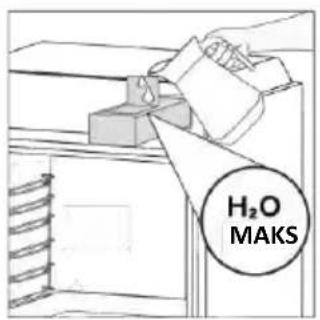
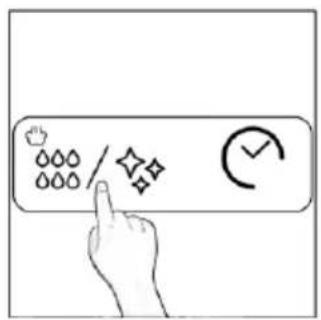
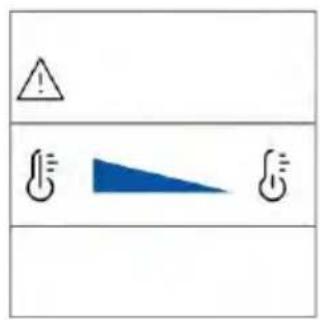
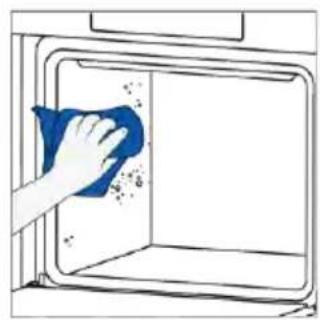
natural_image
Hand cleaning a window with a blue cloth, showing surface dust and debris (no text or symbols)ČIŠĆENJE PARNOG SISTEMA

Uklanjanje kamenca
Ova funkcija se predlaže nakon 25 ciklusa, a biće obavezna nakon 40 ciklusa. Rerna će pokazati na kraju svakog ciklusa pare počevši od 25. ako korisnici još nisu izvršili uklanjanje kamenca. Nakon 40 ciklusa pare, nijedan od programa za kuvanje na pari neće se pokrenuti pre nego što korisnici izvrše program za uklanjanje kamenca. Deli se na tri koraka:
1. korak (uklanjanje zaostale vode iz odeljka za paru):
i. Izaberite režim uklanjanja kamenca, a zatim pritisnite dugme za pokretanje.
ii. Kada se oglasi zvučni signal za nastavak drugog koraka, izvadite rezervoar za vodu.
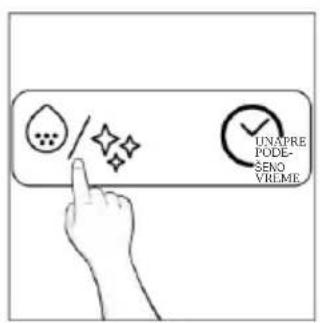
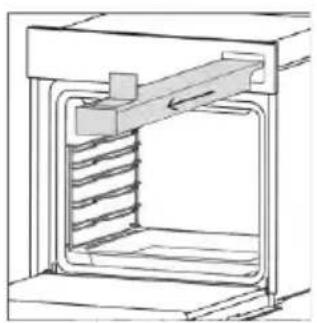
natural_image
Technical line drawing of a mechanical device with internal spring mechanism (no text or symbols)2. korak (uklanjanje kamenca):
natural_image
Line drawing of hands operating a small oven with blue tool tips (no text or symbols)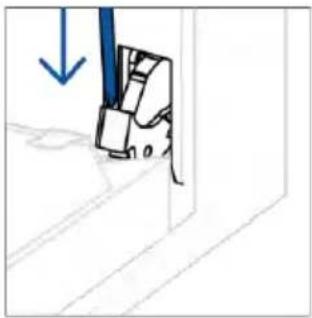
natural_image
Simple line drawing of a mechanical component with a blue downward arrow, no text or symbols present- Postavite vrata na 45°. Istovremeno pritisnite dva dugmeta sa obe strane bočnih strana vrata i povucite prema sebi da biste uklonili poklopac gornjih stakala.
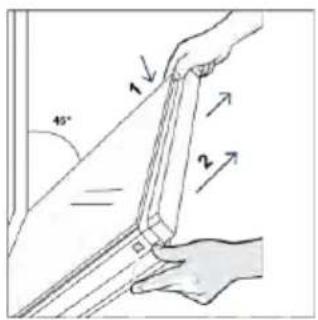
- Veoma pažljivo uklonite staklo pećnice, počevši od unutrašnjeg stakla. Tokom postupka, čvrsto držite staklo obema rukama i stavite ga na mekanu ravnu površinu (npr. na tkaninu).
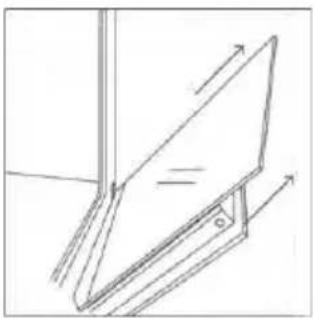
natural_image
Simple line drawing of a tilted rectangular object with directional arrows indicating movement or force (no text or symbols)natural_image
Hand holding a diagonal line with a blue circle highlighting the intersection of two lines (no text or symbols present)- Očistite staklo mekom krpom i odgovarajućim sredstvima za čišćenje.
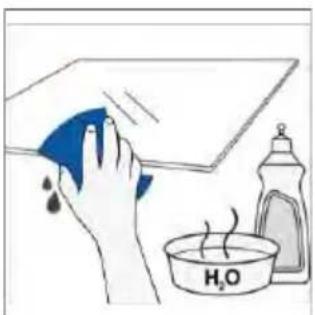
natural_image
Illustration of a hand cleaning a surface with a blue cloth and a water bottle, no text or symbols present.-
Umetnite staklene ploče, vodeći računa da oznaka „Low-E/PYRO“ bude ispravno čitljiva i postavljena na donjoj levoj strani vrata, u blizini leve šarke. Na taj način će štampana etiketa na prvom staklu ostati na unutrašnjoj strani vrata.
-
Ponovo pričvrstite poklopac vrata gornjeg stakla tako što ćete ga gurati prema unutra dok ne čujete klik dva bočna dugmeta.
-
Zatim vratite vrata na 90° i okrenite jezičke za zaključavanje šarki prema unutrašnjosti pećnice.
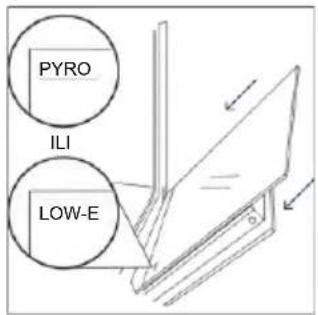
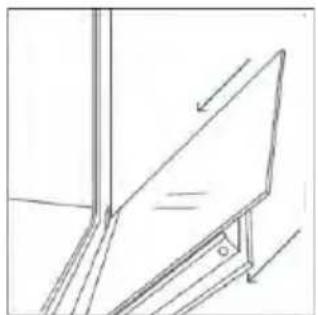
natural_image
Simple line drawing of a mechanical component with an arrow indicating direction (no text or symbols)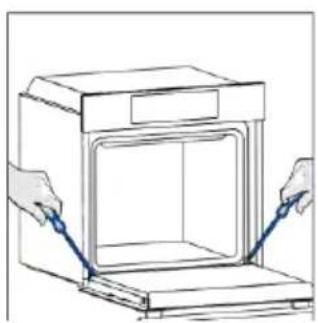
natural_image
Line drawing of hands installing or adjusting a door panel inside an oven (no text or symbols)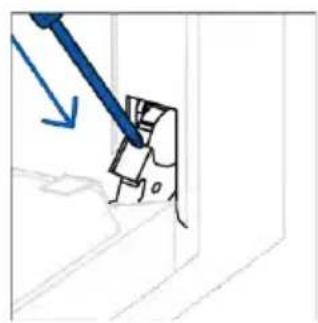
natural_image
Simple line drawing of a mechanical component with a blue tool and arrow indicating direction (no text or symbols)6.3. ČIŠĆENJE DODATNE OPREME
Obavezno temeljno očistite dodatnu opremu nakon svake upotrebe i osušite je peškirom. Za tvrdokorne naslage, natopite dodatnu opremu u mešavini vode i sapuna oko 30 minuta pre nego što je ponovo operete.
ČIŠĆENJE BOČNIH NOSAČA:
- Model sa 6 nivoa
- Uklonite bočne nosače povlačenjem u pravcu strelica.
- Da biste očistili žičane nosače, stavite ih u mašinu za pranje sudova ili koristite vlažni suđer i obavezno ih posle osušite.
- Nakon procesa čišćenja, postavite žičane nosače obrnutim redosledom.
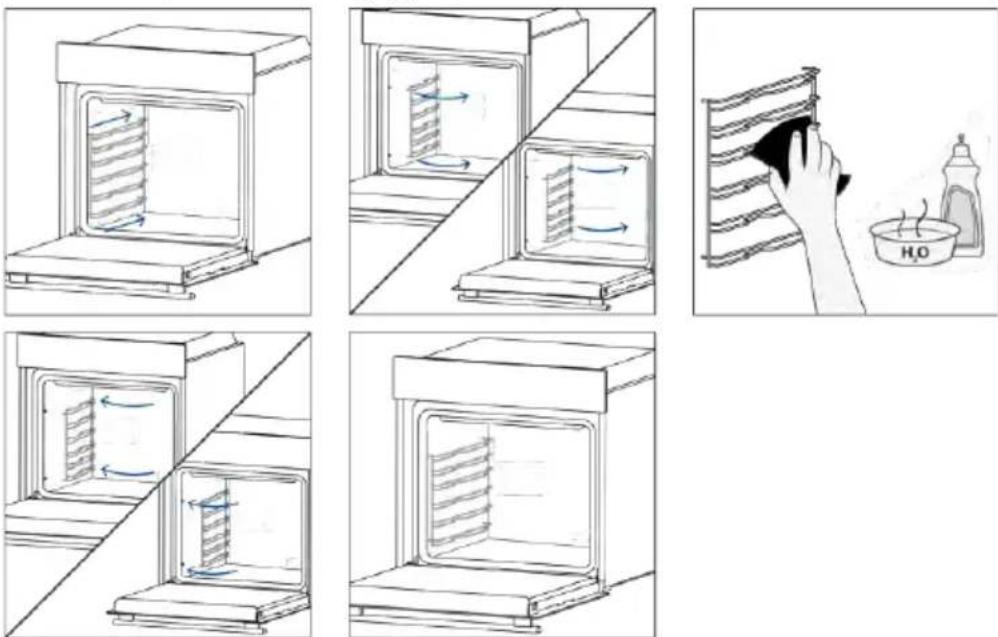
- Model sa 7 nivoa
- Uklonite bočne držače tako što ćete prvo povući prednji deo u smeru strelice i odvojiti zadnji deo od vijaka.
- Da biste očistili žičane nosače, stavite ih u mašinu za pranje sudova ili koristite vlažni suđer i obavezno ih posle osušite.
- Nakon postupka čišćenja postavite bočne nosače obrnutim redosledom: postavite zadnji deo između vijaka i gurnite prednji deo u smeru strelice.
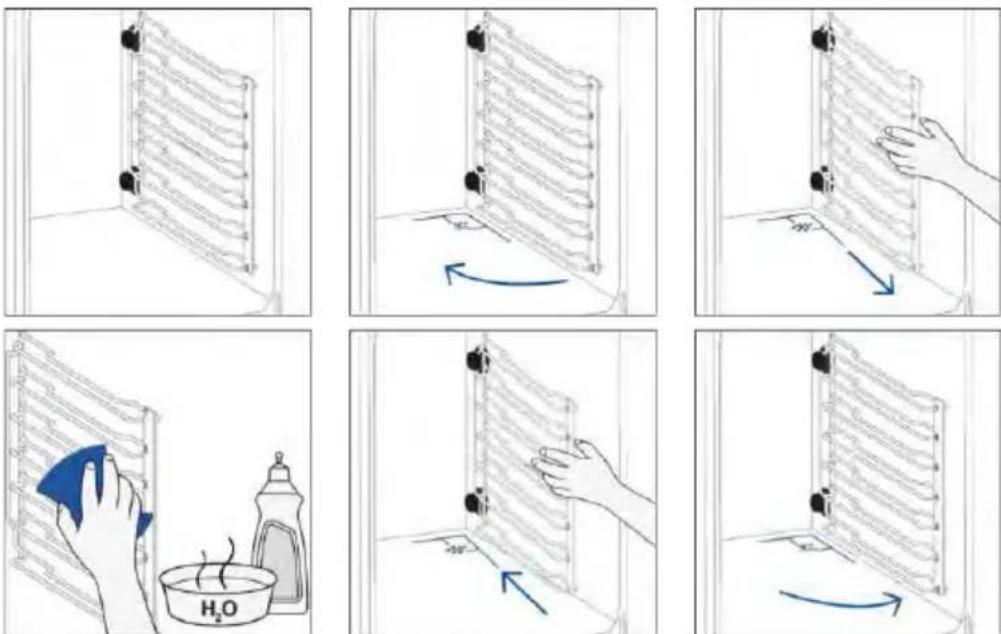
6.4. ODRŽAVANJE
ZAMENA KOMPONENTI
- korak
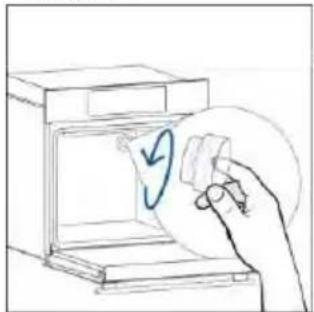
natural_image
Hand placing a circular object into a device with a blue arrow, no text or symbols present- korak
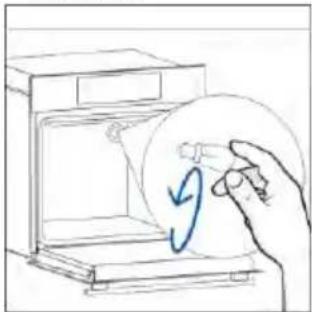
natural_image
Hand placing a circular object into a device inside a microwave oven (no text or symbols visible)- korak
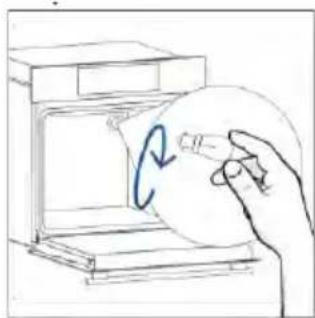
natural_image
Hand holding a circular object with a blue arrow inside, next to an open box (no text or symbols visible)- korak
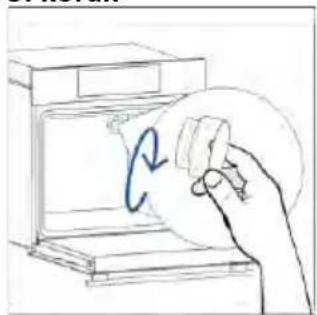
natural_image
Hand holding a circular object with a blue arrow inside, next to an open device (no text or symbols visible)- korak
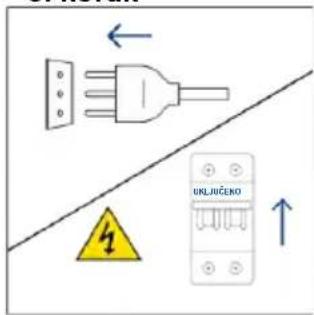
8. ZAŠTITA ŽIVOTNE SREDINE I ODLAGANJE NA OTPAD
8.1. ODLAGANJE UREĐAJA NA OTPAD
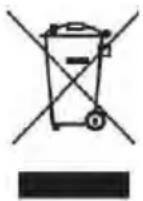
natural_image
Isometric line drawing of a rectangular box with a side panel and handle (no text or symbols)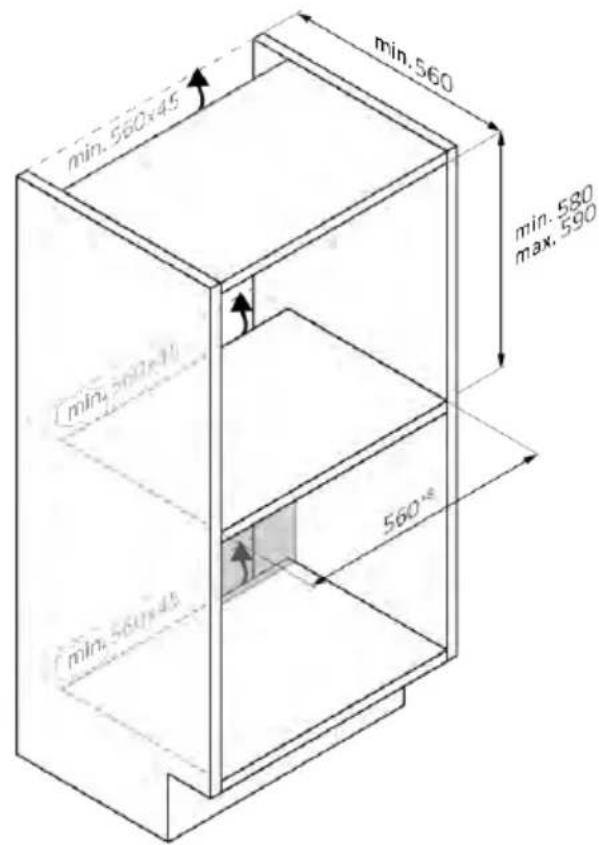
natural_image
Isometric line drawing of a rectangular box with a side panel and handle (no text or symbols)mm
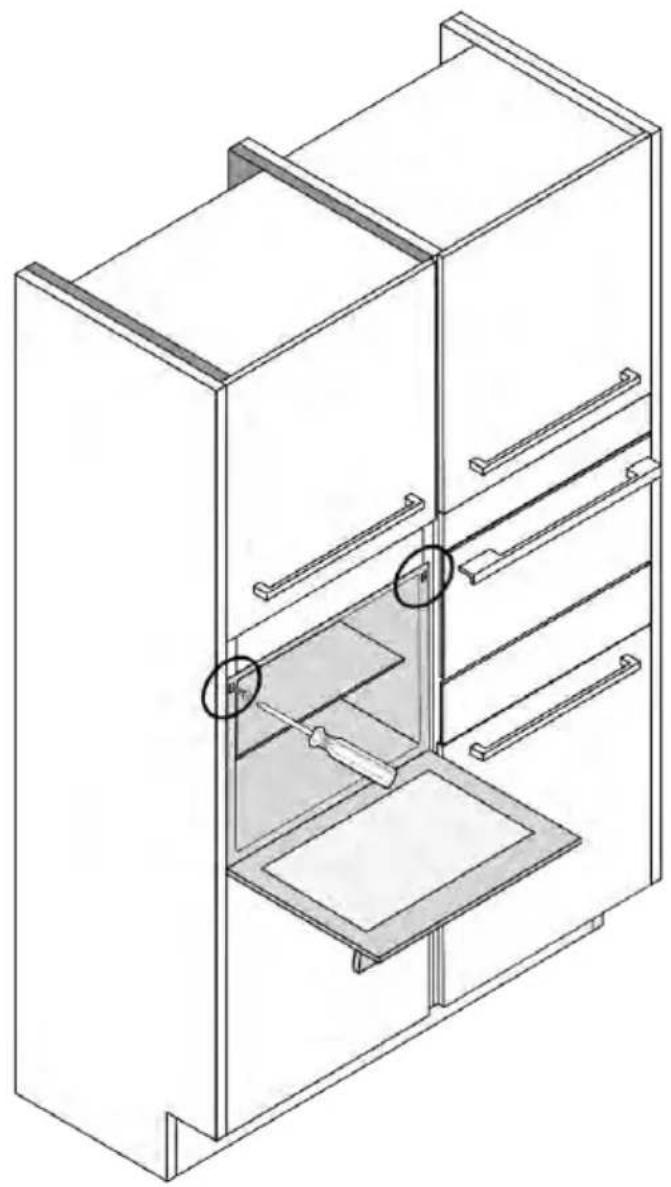
natural_image
Isometric line drawing of a multi-level refrigerator with drawers and shelves (no text or symbols)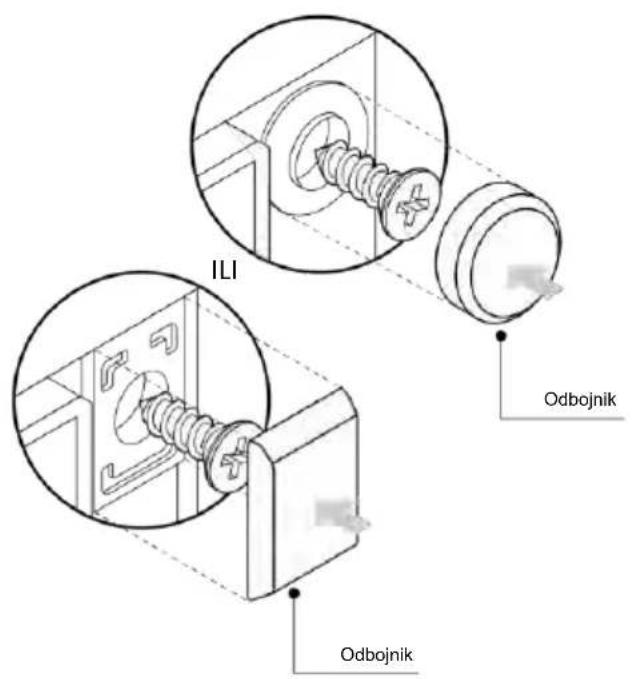
SVEIKI
natural_image
Simple illustration of a blue pen with a black downward arrow pointing to it (no text or symbols)natural_image
Empty white rectangle with black border (no text or symbols)natural_image
Diagram of two vertical panels with horizontal wavy lines, no text or symbols presentnatural_image
Line drawing of a rectangular tray with internal geometric pattern, placed on a shelf (no text or symbols)natural_image
Line drawing of a rectangular tray with internal compartments, placed inside an oven (no text or symbols)natural_image
Line drawing of a kitchen sink with a bowl and a circular object on the wall (no text or symbols)natural_image
Line drawing of a rectangular appliance with a grid-patterned lid, mounted on a rack (no text or symbols)natural_image
Simple line drawing of a needle or pipette (no text or symbols)natural_image
Simple line drawing of a door with a circular arrow and striped pattern, no text or symbols presentnatural_image
Line drawing of a rectangular appliance with internal grating, placed inside an oven (no text or symbols)natural_image
Three-panel line drawing showing a refrigerator, a door, and a storage unit with a spring-loaded mechanism (no text or symbols)NAUJO NAUDOTOJO REGISTRACIJA
SPARČIOJO SUSIEJIMO REGISTRACIJA
1 veiksmas
2 veiksmas
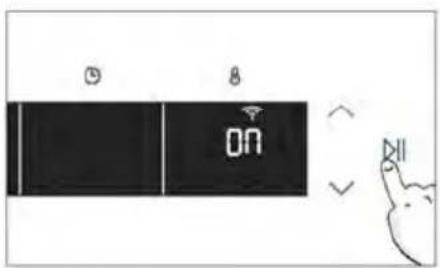
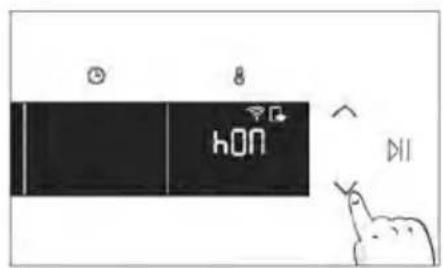
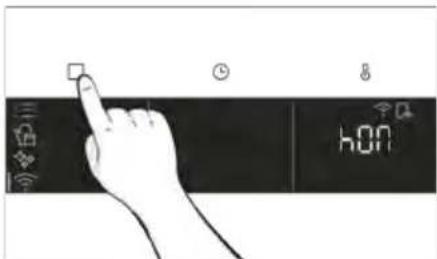
3. PRIEŠ PALEIDŽIANT
3.1. INFORMACIJA PRADEDANT
natural_image
Simple line drawing of a kitchen appliance with a hand cleaning a blue object, next to a bowl and a chimney (no text or symbols)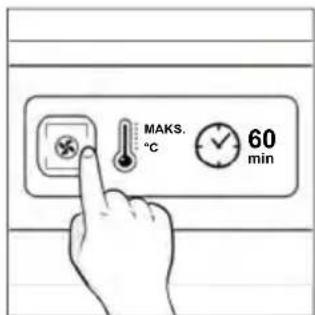
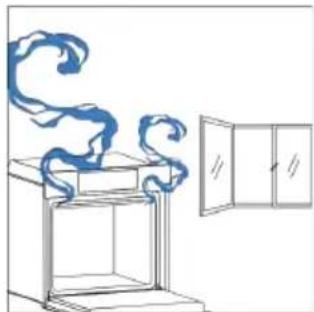
natural_image
Line drawing of a window with a swirling blue smoke rising from a cabinet (no text or symbols)4. GAMINIO VEIKIMAS
4.1. KAIP GAMINYS VEIKIA
ORKAITĖS IJUNGIMAS / IŠJUNGIMAS
natural_image
Hand interacting with a touchscreen icon and a digital interface panel (no text or symbols)FUNKCIJŲ MENIU
Atidarykite funkciju meniu paspausdami □.

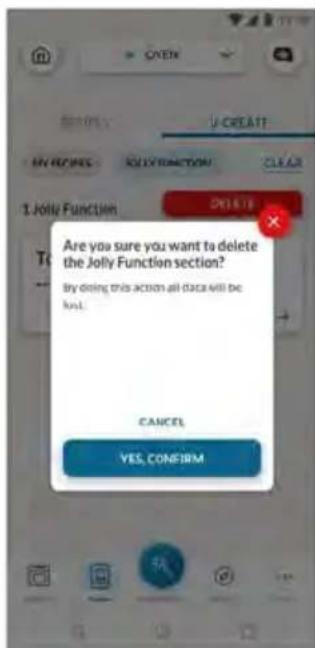
natural_image
Simple line drawing of a mechanical component with an arrow indicating rotation (no text or symbols)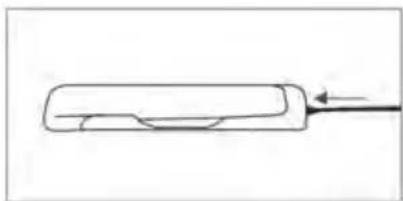
natural_image
Simple line drawing of a cylindrical object with an arrow pointing to it, no text or symbols present.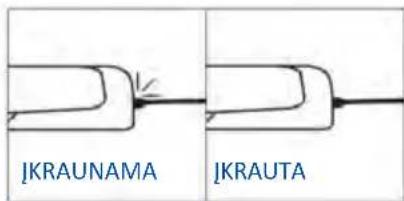
natural_image
Simple line drawing of a person's legs and shoulders, no text or symbols present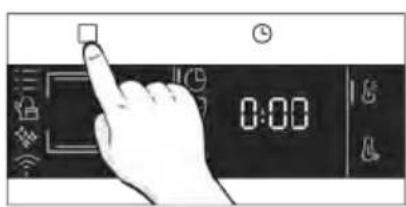
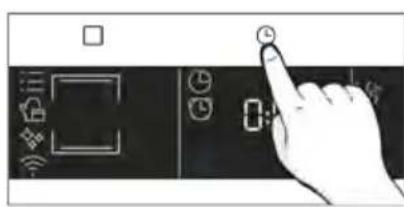
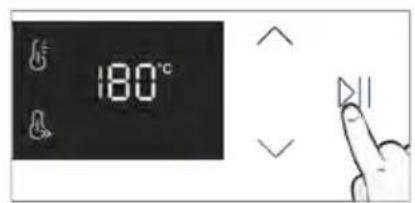
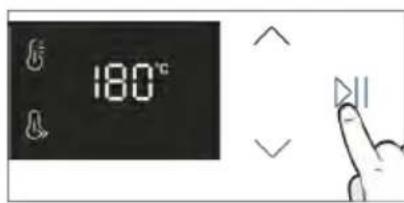
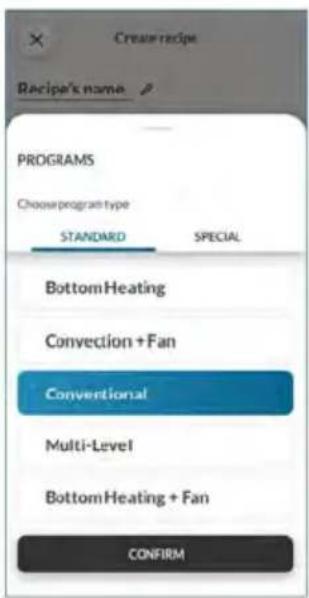
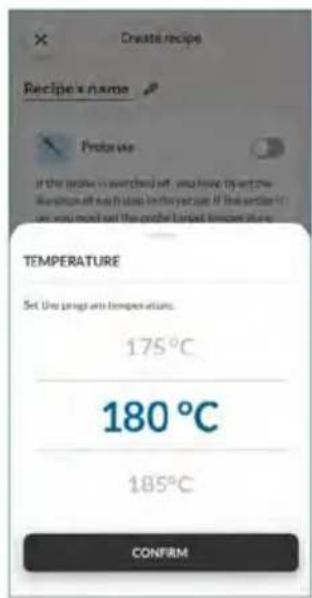
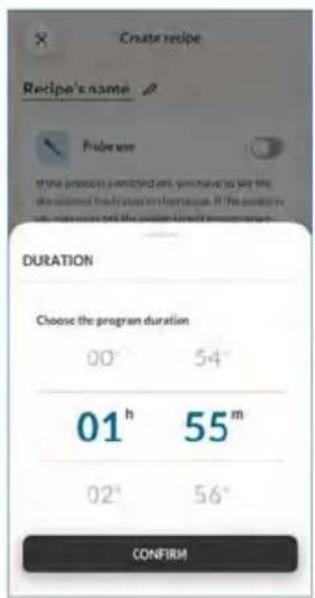
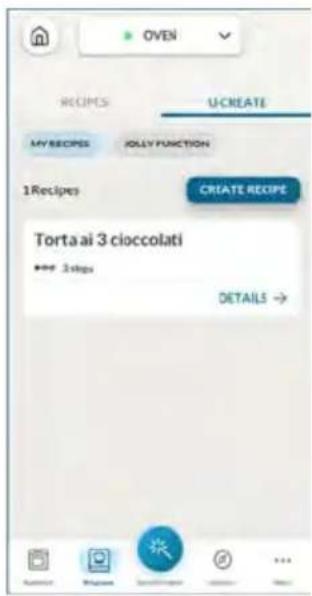
5. MAISTO RUOŠIMO GAIRĖS
5.1. BENDROJI MAISTO RUOŠIMO LENTELĖ
• 7 lygiai
natural_image
Line drawing of an oven with cooling rack and side panel (no text or symbols)
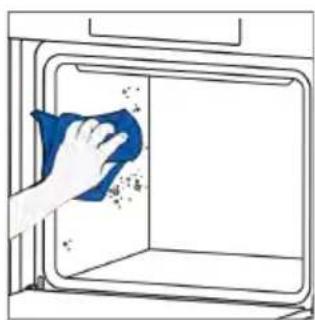
natural_image
Hand cleaning a window with a blue cloth, showing surface dust and debris (no text or symbols)
Vandens garai
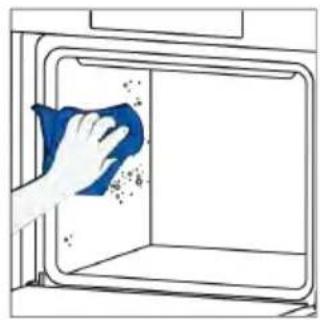
natural_image
Illustration of a hand cleaning a window with a blue cloth (no text or symbols)GARU SISTEMOS VALYMAS

Kalkių šalinimas
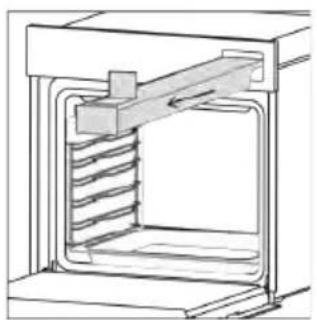
natural_image
Technical line drawing of a mechanical device with internal spring-like structure (no text or symbols)2 etapas (nukalkinimas):
natural_image
Technical line drawing of a mechanical device with internal spring mechanism (no text or symbols)
Išleidimas
natural_image
Line drawing of hands operating a door oven with a handle (no text or symbols)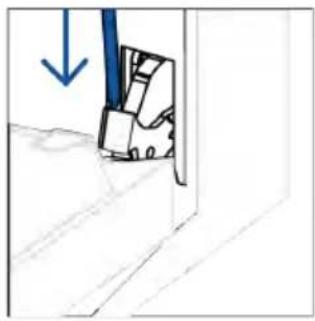
natural_image
Simple line drawing of a door with a blue arrow pointing downward (no text or symbols)natural_image
Simple line drawing of a folding chair or folding frame with no text or symbolsnatural_image
Hand holding a hand with a blue circle highlighting the area of no contact or barrier (no text or symbols present)natural_image
Illustration of a hand cleaning a blue cloth over a plate with a water bottle and a bowl labeled H2O (no text or symbols on the main image)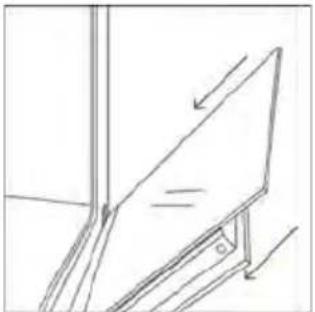
natural_image
Simple line drawing of a tilted rectangular object with an arrow indicating direction (no text or symbols)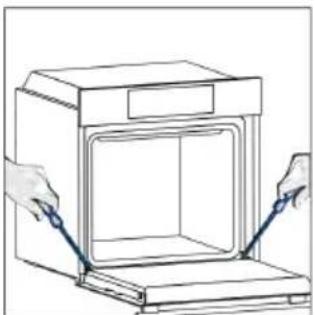
natural_image
Line drawing of hands installing or adjusting a cabinet panel (no text or symbols)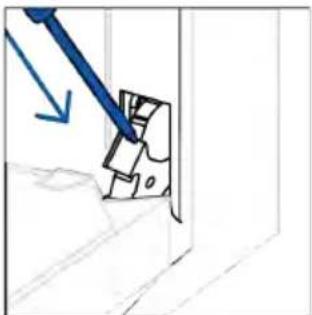
natural_image
Simple line drawing of a mechanical component with a blue arrow indicating direction (no text or symbols)6.3. PRIEDU VALYMAS
natural_image
Illustration of a hand holding a pen over a document, with an arrow indicating direction (no text or symbols present)3 veiksmas
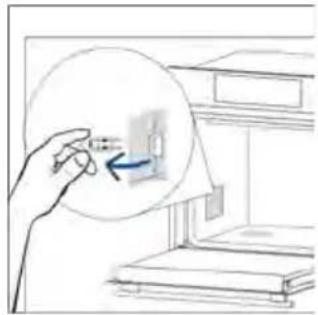
natural_image
Hand holding a magnified inset showing a small object inside a cabinet (no text or symbols visible)4 veiksmas
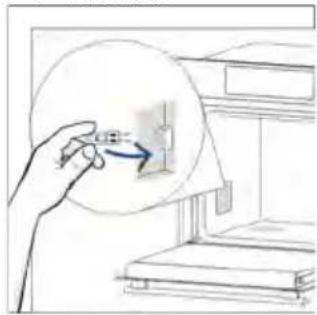
natural_image
Hand holding a circular object with an arrow pointing to a small object inside a window (no text or symbols visible)5 veiksmas
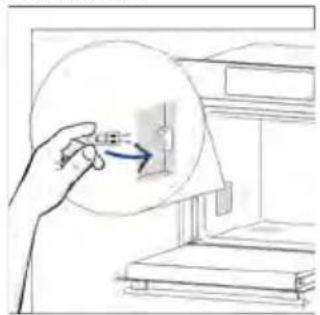
natural_image
Hand holding a circular object with a blue arrow pointing to a small object inside, next to a shelf (no text or symbols visible)6 veiksmas
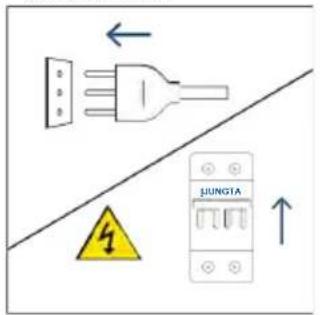
natural_image
Illustration showing a kitchen appliance with a blue swirl and a hand cleaning the interior (no text or symbols)8. APLINKOS APSAUGA IR ATLIEKŲ ŠALINIMAS
8.1. PRIETAISO ŠALINIMAS
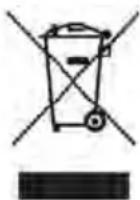
natural_image
Line drawing of a simple 3D box with lid and side panel (no text or symbols)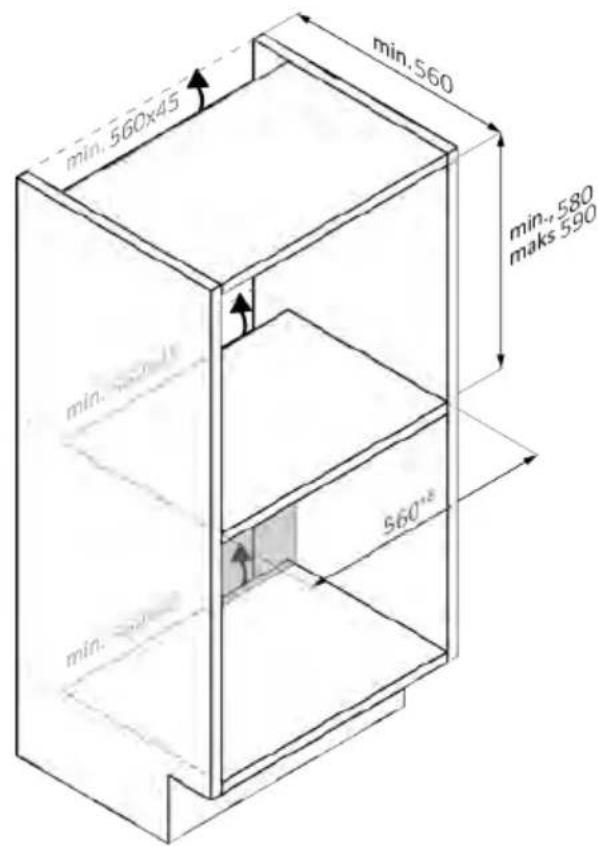
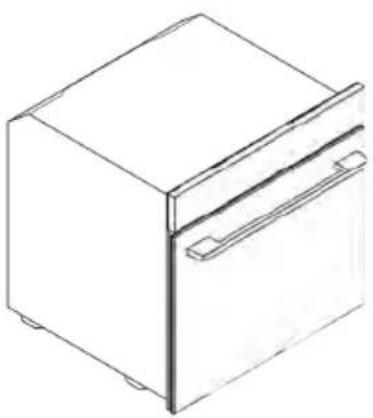
natural_image
Line drawing of a 3D box with a lid and side panel (no text or symbols)mm
ARBA
Balana
Buffalo
TERE TULEMAST!
natural_image
Simple line drawing of a blue pen with a black downward arrow pointing to it (no text or symbols)natural_image
Empty white rectangle with black border (no text or symbols)natural_image
Diagram of two vertical panels with horizontal wavy lines, no text or symbols presentnatural_image
Line drawing of a rectangular tray with internal compartments, placed on a shelf (no text or symbols)natural_image
Line drawing of a rectangular tray with internal compartments, placed inside an oven (no text or symbols)natural_image
Line drawing of a kitchen sink with a bowl and a circular object on the shelf (no text or symbols)natural_image
Line drawing of a rectangular tray with a grid pattern inside, placed on an open shelf (no text or symbols)natural_image
Simple line drawing of a needle or pipette (no text or symbols)natural_image
Simple line drawing of a window with a circular icon and arrow, no text or symbols presentnatural_image
Line drawing of a rectangular appliance with a grid-patterned lid, placed inside an oven (no text or symbols)natural_image
Three-panel diagram showing a refrigerator interior with a door, a side panel with blocks, and an open storage unit with a handle (no text or symbols)UUE KASUTAJA REGISTREERIMINE
KIRÜHENDAMINE
1. samm
2. samm
3. samm
4. samm
5. samm
6.1–6.2. samm
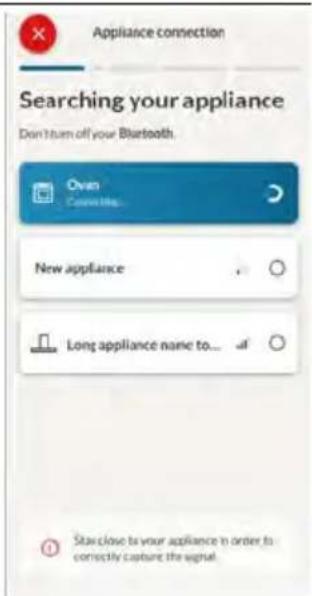
7. samm

KUIDAS WIFI-SEADEID MUUTA
natural_image
Simple line drawing of a kitchen appliance with a hand cleaning the door and a bowl nearby (no text or symbols)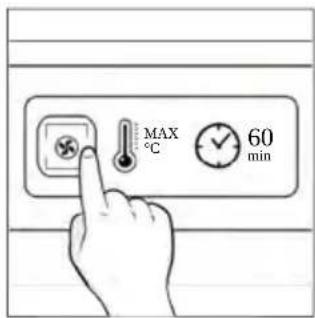
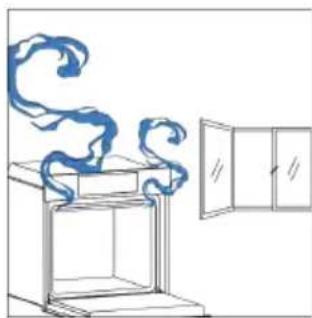
natural_image
Line drawing of a cabinet with swirling blue smoke and a door open (no text or symbols)4. TOOTE KASUTAMINE
4.1. KUIDAS TOODE TOIMIB
AHJU SISSE-/VÄLJALÜLITAMINE
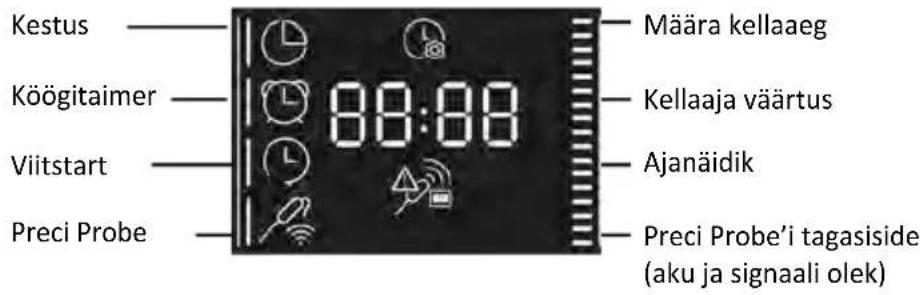
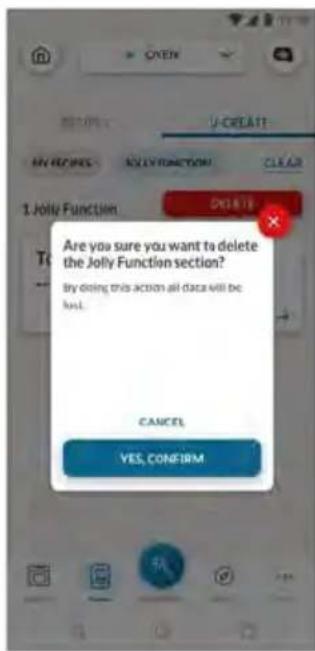
natural_image
Simple line drawing of a mechanical component with an arrow indicating rotation (no text or symbols)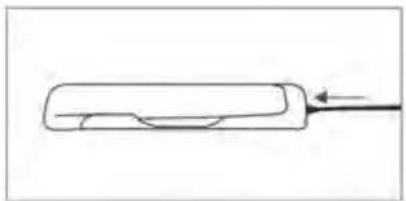
natural_image
Simple line drawing of a rectangular object with an arrow pointing to it, no text or symbols present.
natural_image
Simple line drawing of a chicken with a chimney and leaf (no text or symbols)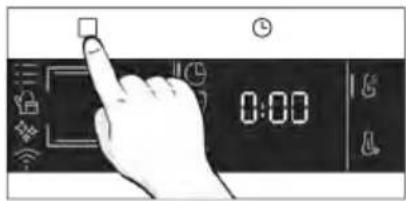
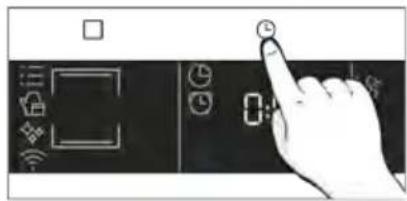
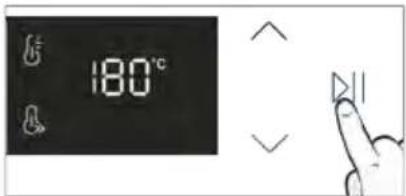
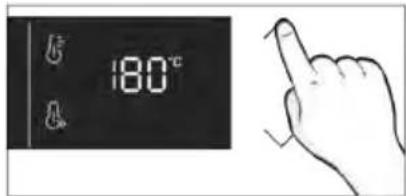
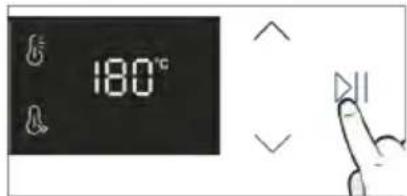
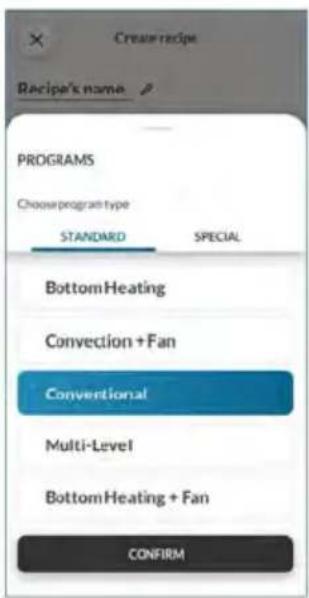
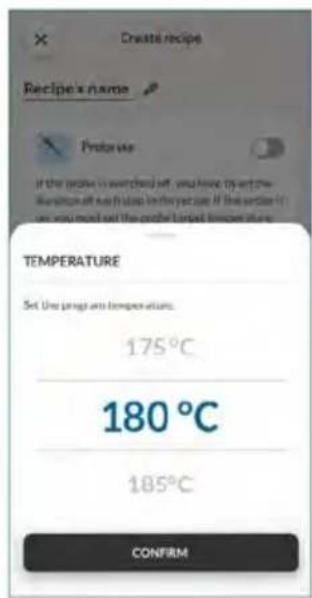
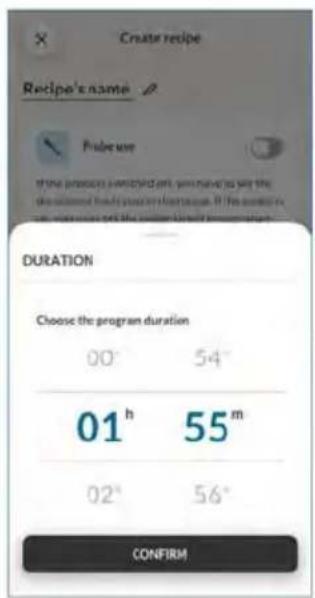
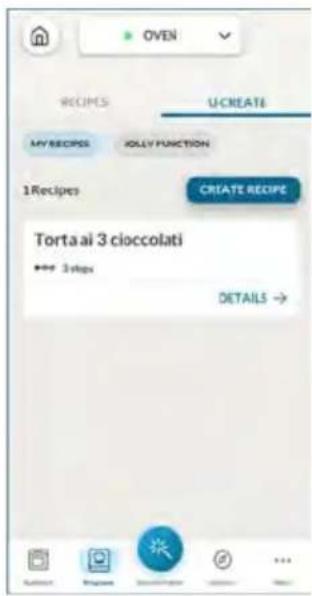
5. TOIDUVALMISTAMISE JUHISED
5.1. ÜLDINE KÜPSETUSTABEL
- 7 taset
natural_image
Illustration of a hand pressing a button on a cabinet shelf with arrows indicating movement (no text or symbols)natural_image
Technical line drawing of a mechanical assembly with spring-loaded components and a block on top (no text or symbols)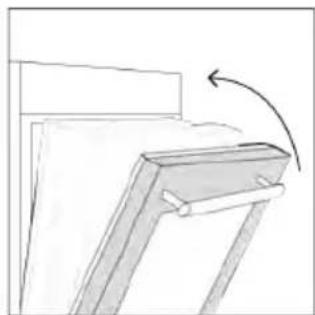
natural_image
Simple line drawing of a wooden frame with an arrow indicating rotation (no text or symbols)natural_image
Line drawing of a laboratory oven with cooling fins and a side panel (no text or symbols)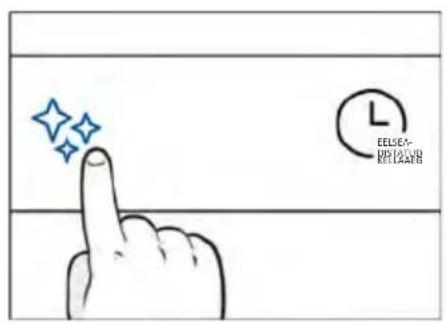
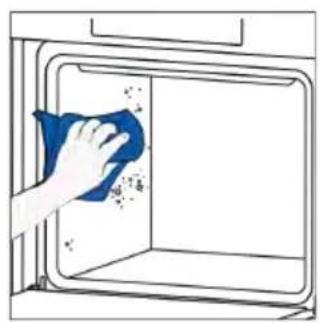
natural_image
Hand cleaning a window with a blue cloth, showing surface dust and debris (no text or symbols)
H_2O aur
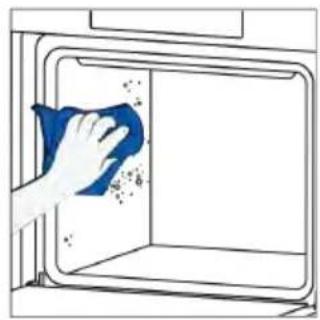
natural_image
Illustration of a hand cleaning a window with a blue cloth (no text or symbols)
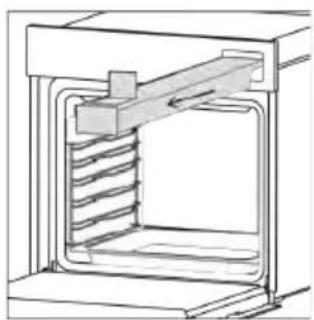
natural_image
Technical line drawing of a mechanical device with internal spring and housing (no text or symbols)natural_image
Technical line drawing of a mechanical assembly with spring-loaded housing (no text or symbols)3. samm (loputamine):
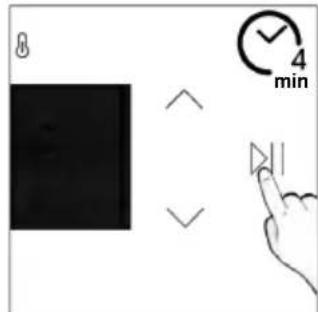
Veest tühjendamine
natural_image
Illustration of hands installing or adjusting a door panel inside an oven (no text or symbols)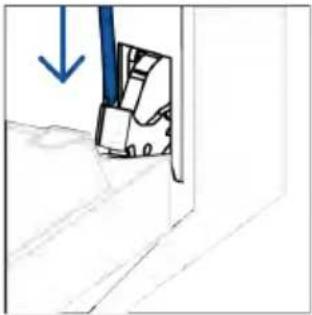
natural_image
Simple line drawing of a mechanical component with a blue arrow indicating downward motion (no text or symbols)natural_image
Simple line drawing of a folding chair or stand with an open door (no text or symbols)natural_image
Hand holding a hand crossed out of a wall, no text or symbols presentnatural_image
Illustration of a hand cleaning a surface with a blue cloth and a water bottle, showing a steaming bowl labeled H₂O (no text or symbols on the main image)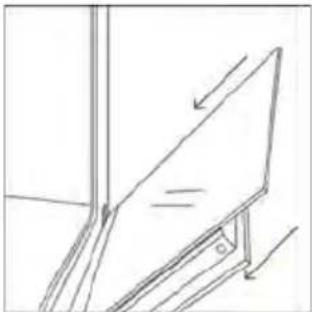
natural_image
Simple line drawing of a tilted rectangular object with an arrow indicating direction (no text or symbols)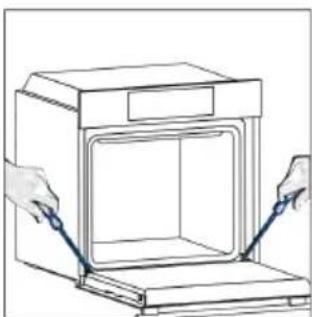
natural_image
Line drawing of hands installing or adjusting a door panel inside a cabinet (no text or symbols)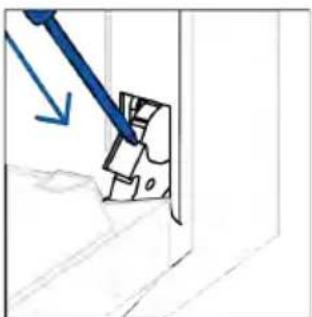
natural_image
Simple line drawing of a mechanical component with a blue tool and arrow indicating direction (no text or symbols)6.3. TARVIKUTE PUHASTAMINE
natural_image
Line drawing of a ladder leaning against a wall, no text or symbols present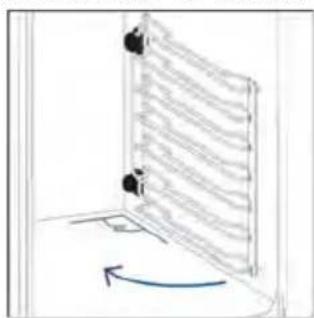
natural_image
Diagram of a door with a curved arrow indicating rotation or movement (no text or symbols present)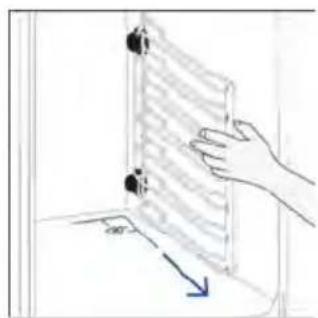
natural_image
Illustration of hands holding a rectangular panel with a blue arrow indicating direction (no text or symbols)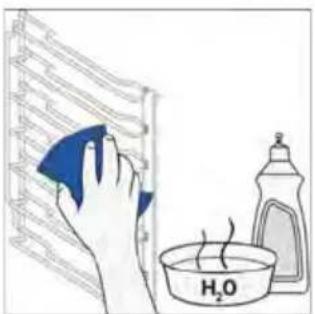
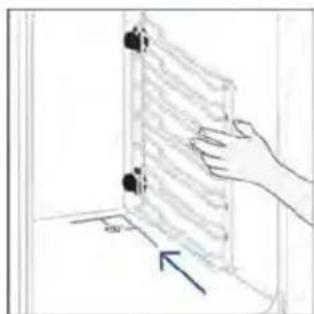
natural_image
Hand placing a wall-mounted device into a room, with an arrow indicating the motion direction (no text or symbols present)
natural_image
Diagram of a vertical ladder with horizontal bars and a blue curved arrow indicating rotation (no text or symbols)6.4. HOOLDUS
KOMPONENTIDE VAHETAMINE
Lambipirni vahetamine:
- samm
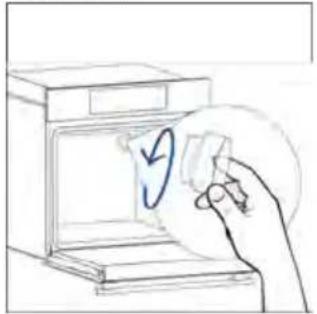
natural_image
Hand placing a paper into an open kitchen appliance with a circular arrow symbol (no text or labels)- samm
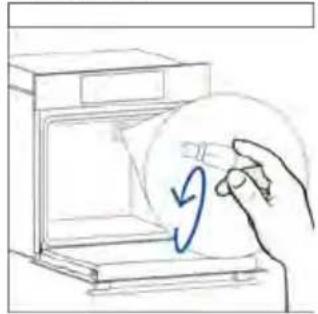
natural_image
Hand placing a circular object with a blue arrow inside a box (no text or symbols)- samm
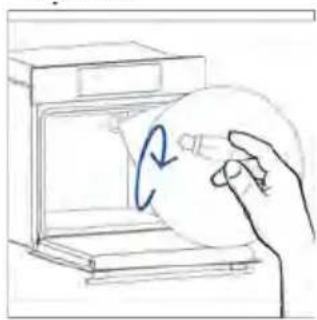
natural_image
Hand holding a circular object inside a kitchen appliance (no text or symbols visible)- samm
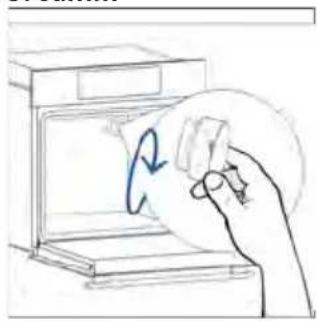
natural_image
Hand holding a circular object with a blue arrow inside, next to an open oven (no text or symbols)- samm
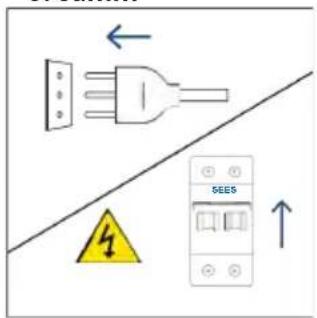
- samm
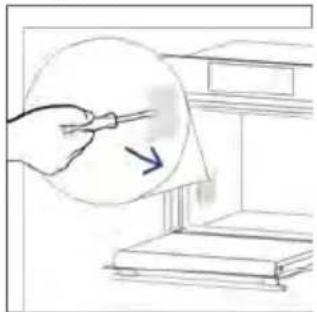
natural_image
Illustration of a hand holding a pen near a stack of books, with an arrow indicating direction (no text or symbols present)- samm
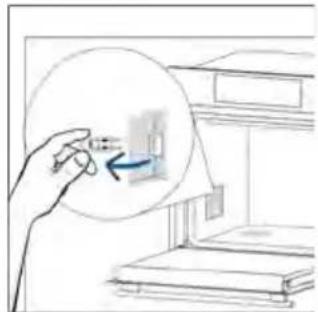
natural_image
Hand holding a small object inside a circular frame, with no visible text or symbols- samm
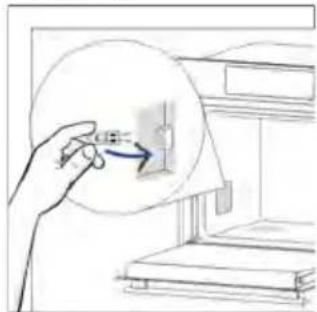
natural_image
Hand holding a circular device with an arrow pointing to a small component, next to a bookshelf (no text or symbols visible)- samm
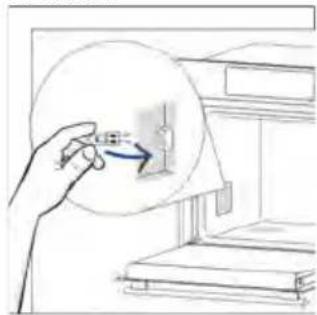
natural_image
Hand holding a circular object with an arrow pointing to a small object inside a device (no text or symbols visible)- samm
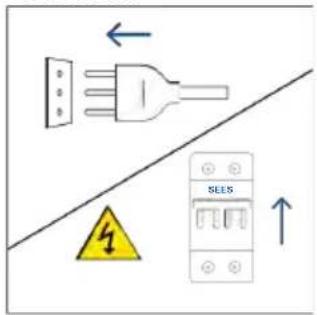
natural_image
Illustration showing a kitchen appliance with a blue swirl and a hand cleaning the interior (no text or symbols)8.1. SEADME KÖRVALDAMINE
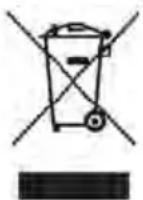
natural_image
Line drawing of a simple 3D box with lid and side panel (no text or symbols)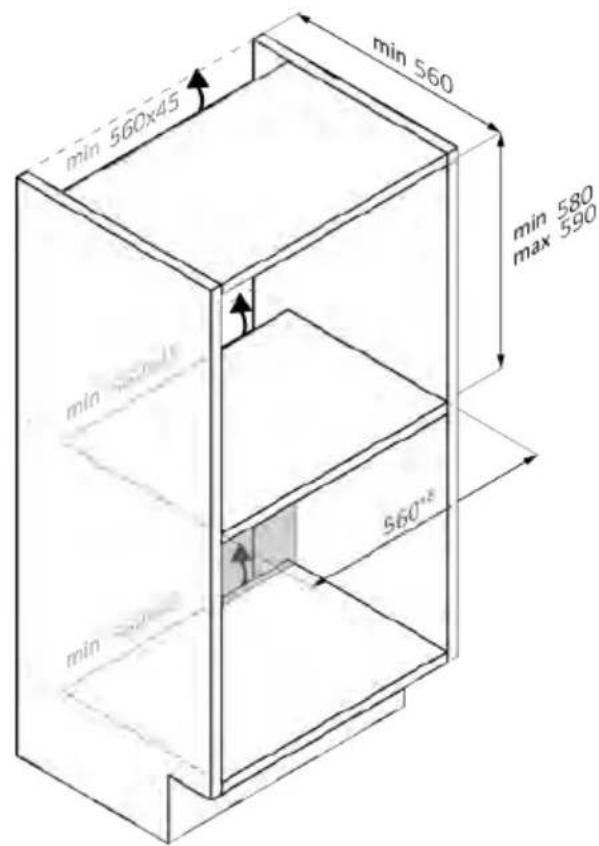
natural_image
Line drawing of a 3D box with a lid and side panel (no text or symbols)mm
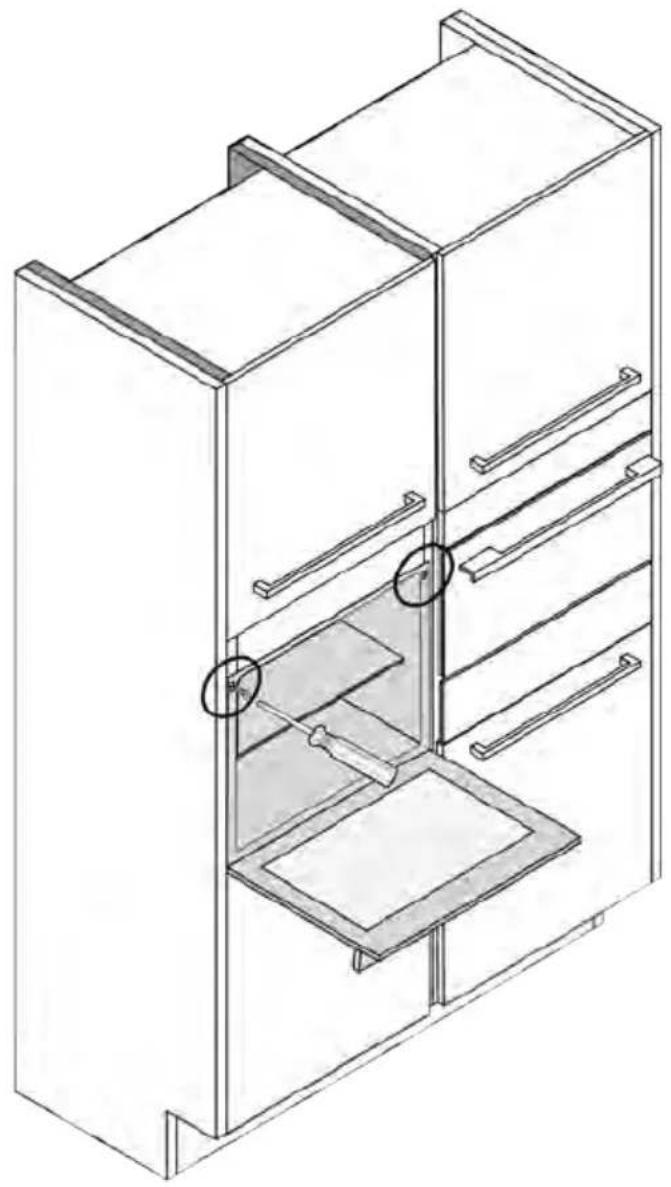
natural_image
Isometric line drawing of a multi-level refrigerator with drawers and shelves (no text or symbols)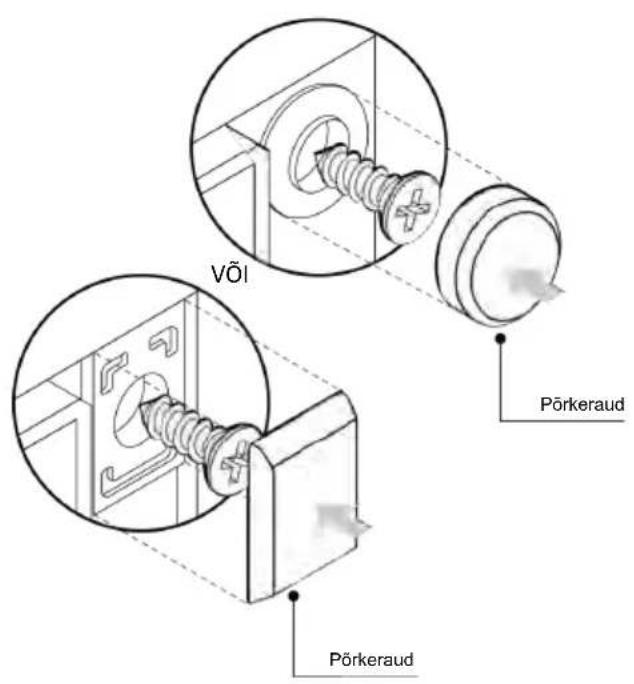
LAIPNI LÜDZAM
natural_image
Simple line drawing of a blue-handled tool with a black downward arrow pointing to it (no text or symbols)natural_image
Empty white rectangle with black border (no text or symbols)natural_image
Technical line drawing of two vertical structural beams with curved supports, no text or symbols presentnatural_image
Line drawing of a rectangular tray placed inside a rack, no text or symbols presentnatural_image
Line drawing of a rectangular tray placed inside an oven, with no text or symbols present.natural_image
Line drawing of a kitchen sink with a bowl and a circular object on the shelf (no text or symbols)natural_image
Line drawing of a kitchen appliance with a grating tray and rack (no text or symbols)natural_image
Simple line drawing of a pen tip (no text or symbols)natural_image
Simple line drawing of a kitchen appliance with a circular arrow indicating airflow or motion (no text or symbols)natural_image
Line drawing of a rectangular appliance with internal grating, placed inside an oven (no text or symbols)natural_image
Three-panel diagram showing a kitchen interior with a box, a side view of a storage unit, and an upward arrow indicating motion (no text or symbols)JAUNA LIETOTĀJA REGISTRĀCIJA
ĀTRĀ PĀRA REGISTRĀCIJA
1. darbība
- Atlasiet "Pievienot ierīci".
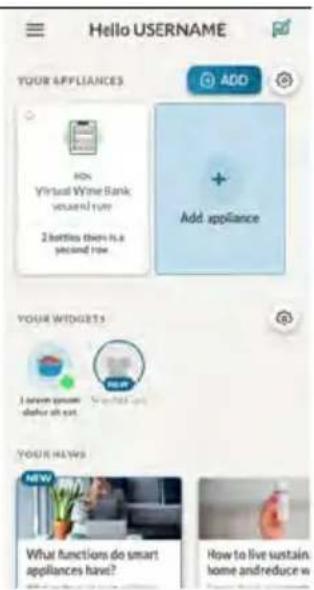
2. darbība
3. darbība
4. darbība
5. darbība
6.1.-6.2. darbība
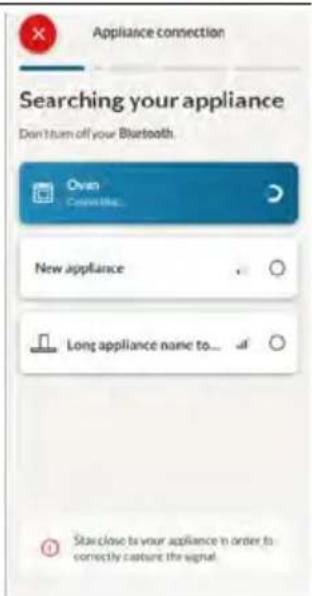
7. darbība
