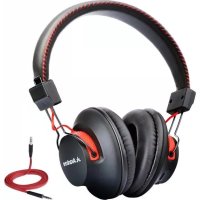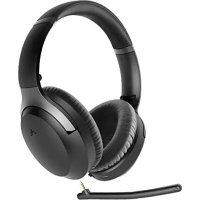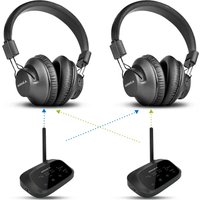
Shift - Earphones Avantree - Free user manual and instructions
Find the device manual for free Shift Avantree in PDF.


User questions about Shift Avantree
0 question about this device. Answer the ones you know or ask your own.
Ask a new question about this device
Download the instructions for your Earphones in PDF format for free! Find your manual Shift - Avantree and take your electronic device back in hand. On this page are published all the documents necessary for the use of your device. Shift by Avantree.
USER MANUAL Shift Avantree
Model No:WSHT-5599 Dispose of the packaging and this product in accordance with the latest provisions.
Z PKOG HT5599 V0

Model No.: WSHT 5599
Contents
EN Quick Start Guide 2
DE Kurzanleitung 18
Prefer to watch a video tutorial? Scan the QR code below or visit avantree.com/shift/video for a step-by-step guide.
VIDEO GUIDE
Personal Setup Guides

You can also book a 1-on-1 setup appointment with one of our support agents at avantree.com/book-a-call
2
Quick Start Guide
SHIFT
Box Contents
A
natural_image
Line drawing of a pair of outdoor headphones (no text or symbols)B
natural_image
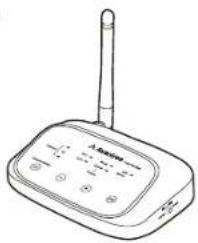
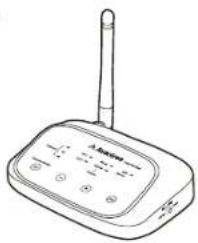
Line drawing of a wireless router device with antenna and control buttons (no text or symbols)C

D
E
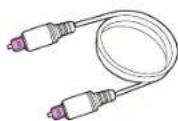
F
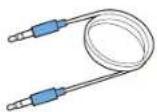
G
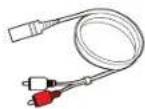
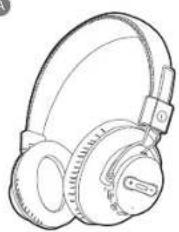
A. 2 Headphones
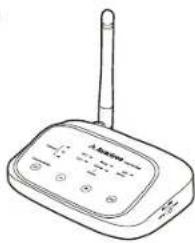
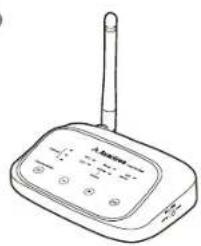
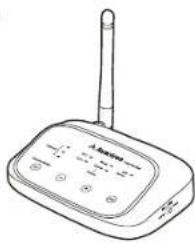
B.2 Transmitters
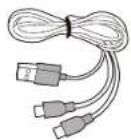
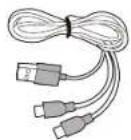
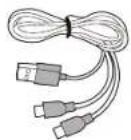
C. Power Cables for Transmitters
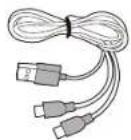
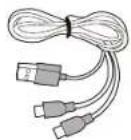
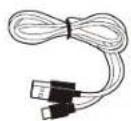
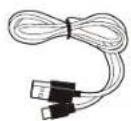
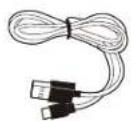
D. 2-in-1 USB C Charging Cable for Headphones
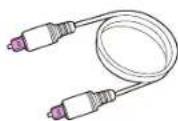
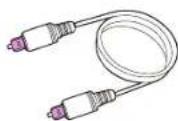
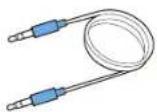
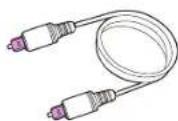
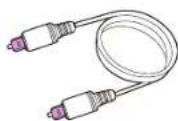
E. 2 Optical Audio Cables (5ft / 1.5m)
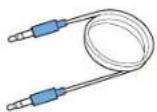
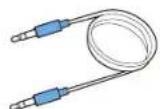
F. AUX 3.5mm Audio Cable (5ft / 1.5m)
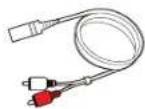
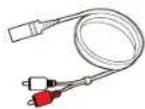
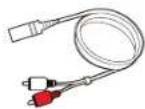
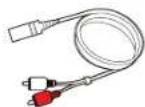
G. AUX 3.5mm to RCA Adapter (1ft / 35cm)
To view and purchase Shift accessories, please visit avantree.com/shift/accessories
3

Product Overview
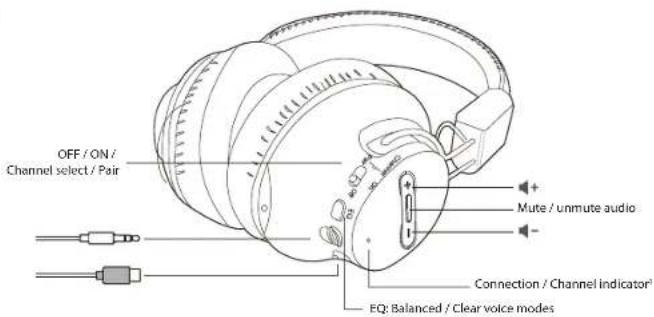
text_image
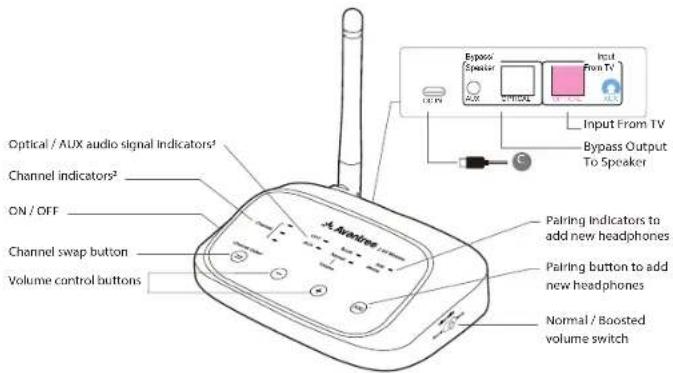
OFF / ON / Channel select / Pair Mute / unmute audio Connection / Channel Indicator EQ: Balanced / Clear voice modes^1 Solid blue, green, and white lights represent the three different channels. Flashing blue light = pairing mode
text_image
Optical / AUX audio signal indicators¹ Channel indicators² ON / OFF Channel swap button Volume control buttons A-Auxiaa Pairing indicators to add new headphones Pairing button to add new headphones Normal / Boosted volume switch Input From TV Bypass/ Speaker Input From TV Output To Speaker^2 Solid blue, green, and white lights represent the three different channels ^3 OPT / AUX solid light = valid audio signal detected OPT / AUX flashing = no valid audio signal detected; please adjust TV audio settings
Button Functions
HEADPHONES
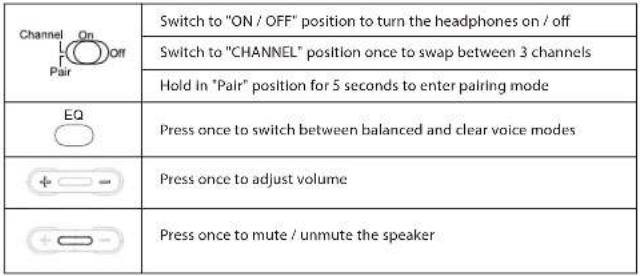 |
TRANSMITTER
| ON OFF | Switch to turn the transmitter on / off |
| Channel Select | Press once to swap between 3 channels |
| Press once to adjust volume | |
| Press & hold for 5 seconds to enter pairing mode | |
| Volume Setting Normal Boost | Switch between normal and boost volume |
Quick Start Guide
SHIFT
Charging Headphones & Powering Transmitter
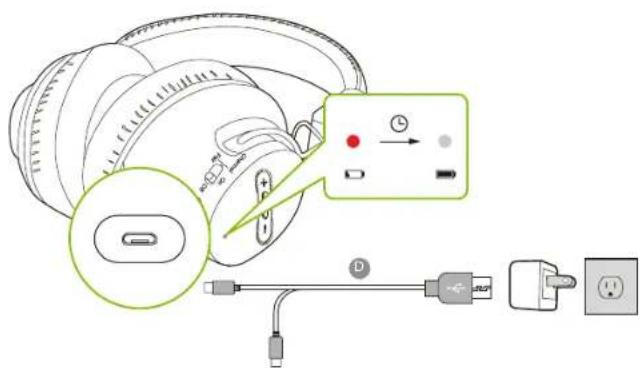
Charge the headphones through their power ports using the provided USB C charging cable (Figure D) and a USB adapter (not included – please contact support@avantree.com if you'd like to claim a free one). A solid red light indicates that charging is in progress; once the light turns off, your headphones will be at full battery.
text_image
Diagram illustrating the installation of a device with labeled components including cable, switch, and power plug connection.The transmitters do not require charging. However, they must be connected to a power source via the provided power cables (Figure C) in order to function. Plug each transmitter into either:
- A TV's USB power port (we recommend this so that they auto power ON / OFF in tandem with your TV), OR
- A nearby wall outlet (requires USB adapter)
Quick Start Guide
SHIFT
Connecting to Your TV
Once the transmitters are connected to their respective power sources, you can then connect them to each TV's audio output ports. You can choose one of 3 different ways to do this:
OPTION 1
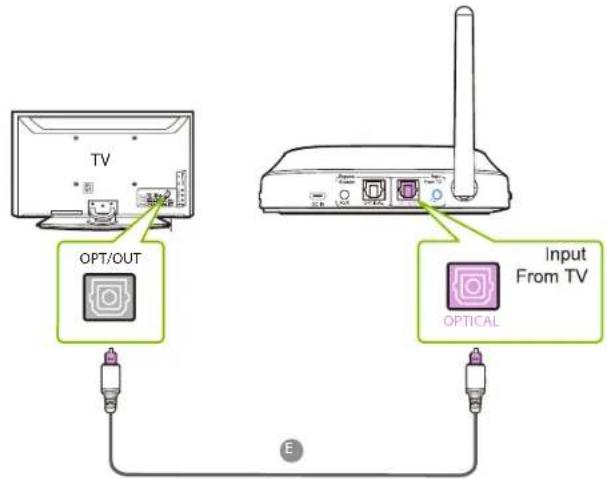
Optical port (recommended) - plug the provided optical audio cable (Figure E) into the TV's optical OUT or "OPT / OUT" port, then plug the other end into the transmitter's optical port in the "INPUT FROM TV" section.
text_image
TV OPT/OUT Input From TV OPTICAL EQuick Start Guide
SHIFT
OPTION 2
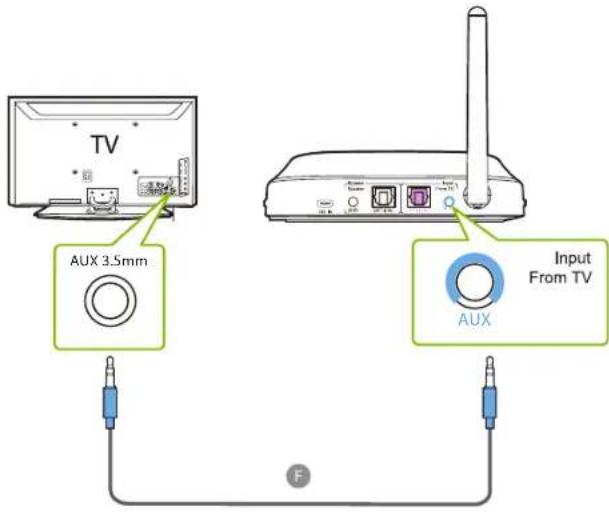
AUX 3.5mm port - plug the provided AUX 3.5mm audio cable (Figure F) into the TV's AUX 3.5mm output port, then plug the other end into the transmitter's AUX 3.5mm input port.
text_image
TV AUX 3.5mm Input From TV AUX F8
Quick Start Guide
SHIFT
OPTION 3
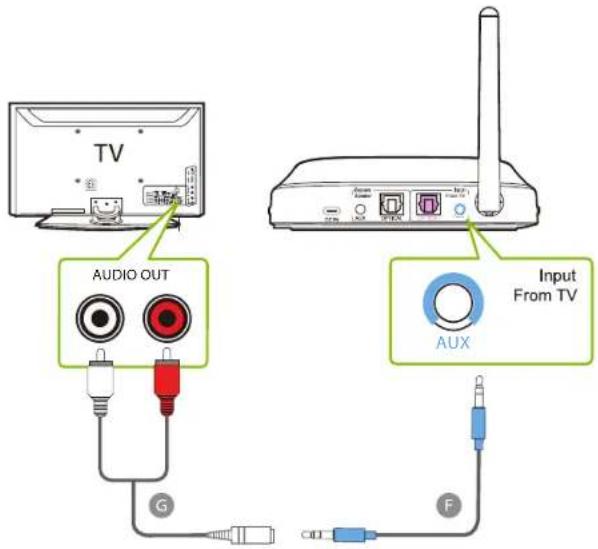
RCA port - connect the provided RCA adapter (Figure G) to the AUX 3.5mm audio cable (Figure F). Plug the red & white RCA connectors into the TV's "AUDIO OUT" ports, then plug the other end into the transmitter's AUX 3.5mm input port.
text_image
TV AUDIO OUT G Input From TV AUX FDouble check to ensure that optical / RCA cables are plugged into the audio OUT ports and not the audio IN ports.
9
Quick Start Guide
SHIFT
FOR OPTICAL CONNECTIONS ONLY

Setting Up Your TV
If you connected to your TV via the optical OUT or "OPT / OUT" port, you'll need to configure your TV settings before you'll receive audio.
STEP 1
Using your TV's remote control, press the SETTINGS button and navigate to the AUDIO tab within the settings menu. (Please note that there may be differences in the setting names depending on your brand of TV).
STEP 2
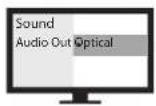
Proceed to AUDIO OUTPUT and select "OPTICAL OUT / EXTERNAL SPEAKER". Many TVs will do this automatically; skip this step as needed.
STEP 3
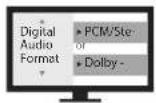
Go back to the AUDIO tab in your SETTINGS, then navigate to DIGITAL OUTPUT and turn "PCM / STEREO" ON or "DOLBY" OFF.
If you're having trouble finding these settings, you can scan the QR code correlating to your TV's brand OR visit avantree.com/shift/tv-audio-settings for a more detailed guide.
LG SONY SAMSUNG
1011
Quick Start Guide
SHIFT
Connecting the Headphones
Now that your transmitters are all set up, all that's left is connecting the headphones.
STEP 1
First, power everything on.
STEP 2
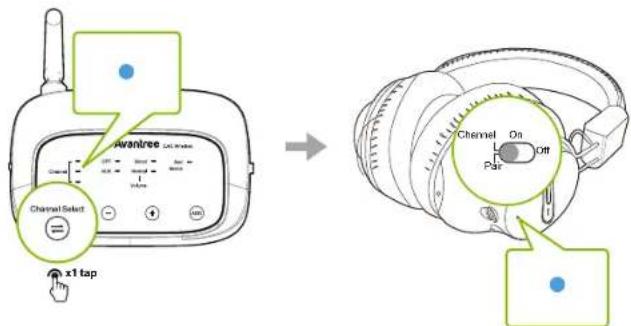
Switch both the headphones and the transmitter to the same channel using the CHANNEL SELECT button on the transmitter and the CHANNEL switch on the headphones. Their LED channel indicators should show the same color.
text_image
Channel Select x1 tap Avantree Channel On Par Off Channel Select x1 tapEach pair of headphones can work individually with each transmitter (1 pair of headphones per transmitter), or both pairs of headphones can also work with a single transmitter (2 pairs of headphones connected to 1 transmitter). They are fully cross-compatible, so you can swap between TVs and transmitters quickly and easily.
Quick Start Guide
SHIFT
Adding Another Transmitter / Headphones
You can add extra Shift transmitters and up to 100 Shift-Extra headphones to your setup. The Shift retains its cross-compatibility when adding an extra Shift transmitter and / or headphones.
STEP 1
Press & hold the "ADD" button on your transmitter for 5 seconds. The "ADD DEVICE" LED indicator will flash blue.
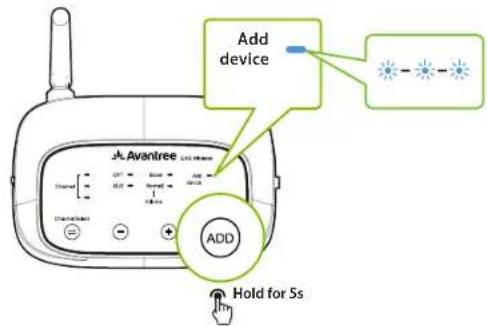
text_image
Add device Avantree ADD ADD Hold for 5sSTEP 2
Turn on your pair of Shift-Extra headphones, then slide and hold the power switch to the "PAIR" position for 5 seconds. The LED indicator will flash blue.
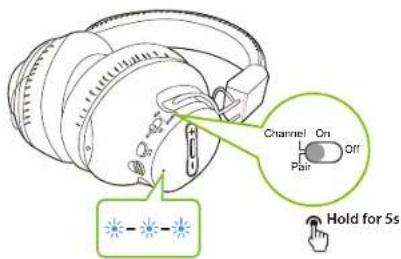
text_image
Channel On Off Pair Hold for 5s12 13
Quick Start Guide
SHIFT
STEP 3
Once connected, the channel indicator on both the transmitter and the headphones will switch to a solid blue ^1 . You can then swap channels as desired.
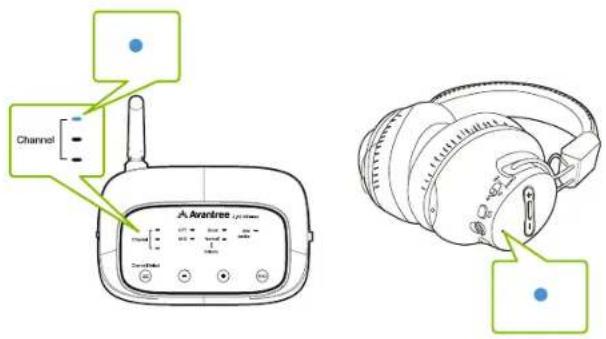
text_image
Channel A-ArardreeRepeat these steps to add more headphones if needed.
'Please note that for first time use, the transmitter will always pair & connect to new headphones via blue channel.
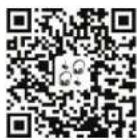
To purchase Shift-Extra headphones or transmitters, scan the QR code below.
SHIFT TRANSMITTER
avantree.com/shift-transmitter
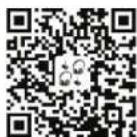
SHIFT EXTRA HEADPHONES
avantree.com/shift-extra-headphones
Quick Start Guide
SHIFT
Listening with a Soundbar

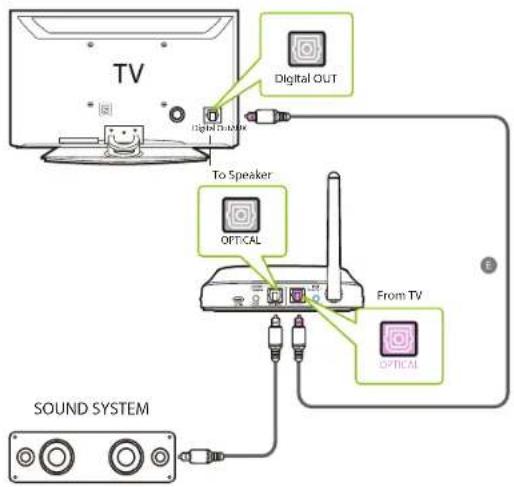
The Shift's pass-through function allows you to listen through both the headphones and an external soundbar / stereo AVR simultaneously.
STEP 1
Set up the transmitter and connect it to your TV.
STEP 2
Plug an additional optical, 3.5mm AUX, or RCA audio cable into the correlating audio port in the transmitter's "BYPASS / SPEAKER" section.
STEP 3
Plug the other end into your external sound system, then you're good to go.
flowchart
graph TD
    TV["TV"] -->|Digital OUT| Router["Router"]
    ToSpeaker["To Speaker"] -->|OPTICAL| Router
    ToSpeaker -->|OPTICAL| Router
    Router -->|From TV| SoundSystem["SOUND SYSTEM"]
    SoundSystem -->|USB| ToSpeaker
    SoundSystem -->|USB| ToSpeaker
    SoundSystem -->|USB| ToSpeaker
    SoundSystem -->|USB| ToSpeaker
14 15
Quick Start Guide
SHIFT
Specifications
| Carrier frequency 2.4GHz | |
| Frequency response 20Hz - 20KHz | |
| Headphones battery life Up to 17 hours | |
| Time to full charge 3 hours | |
| Distortion 0.5% | |
| Signal to noise ratio 85dB | |
| Operating range Up to 100ft / 30m | |
| Headphones net weight 200g |

Quick Start Guide
SHIFT
Troubleshooting
Below are some of the most common questions people have during setup. You can find a full FAQ list at avantree.com/support/shift, or contact us directly for additional assistance.
Why don't I get sound when watching Netflix / Prime Video?
You may need to change your TV's audio settings an additional time when watching Netflix / Prime Video. This can be due to the movie being in Dolby Digital Surround Sound format, or because you're watching with a separate streaming device / cable box. While Netflix / Prime Video is open, go into your TV's audio settings and make sure that the audio output is set to "PCM / STEREO" and that "DOLBY" is turned OFF.
Why won't my headphones "shift" to the other transmitter?
When shifting headphones to another transmitter, please make sure that the channels match. Otherwise, they may stay connected to the previous transmitter.
Can I have both of the transmitters in the same room?
Yes, you can have 2-3 transmitters in the same room with no interference as long as they stay at least 3 feet apart from each other.
Quick Start Guide
SHIFT
Contact Us

Ticket Support avantree.com/submit-a-ticket

Support Email support@avantree.com

| USA / CA +1800 232 2078 (US Toll Free, 9am-6pm PST, Mon-Fri) | |
| UK +44 20 8068 2023 (9am-6pm, GMT, Mon-Sat) | |
| DE | +49 32221097297 (11am-9pm, CET, Mon-Sat) |
| FR | +33 176340312 (11am-9pm, CET, Mon-Sat) |
| IT | +39 06 9480 3330 (9am-6pm, CET, Mon-Sat) |
| ES | +34 931786261 (9am-6pm, CET, Mon-Sat) |
| AU | +61 2 8310 9897 (11am-7pm, Sydney Time, Mon-Fri) |

Live Chat avantree.com (18/h weekday)

Videos avantree.com/shift/video

Faqs avantree.com/support/shift

Product Registration avantree.com/product-registration
Video Anleitung
natural_image
Line drawing of a pair of outdoor headphones (no text or symbols)B
natural_image
Line drawing of a wireless router device with a vertical antenna and control buttons (no text or symbols)DE
C

D
E
F

G
A. 2 Kopfhörer
text_image
Diagram showing cable connector and terminal connections with labeled components and a highlighted connection pointtext_image
TV OPT/OUT Input From TV OPTICAL E
Kurzanleitung
SHIFT
OPTION 2
text_image
TV AUX 3.5mm Input From TV AUX F24 25
Kurzanleitung
SHIFT
OPTION 3
text_image
TV AUDIO OUT G AUX Input From TV Ftext_image
AVANTREE Channel Select x1 tap Channel On Off Pstrtext_image
Add device Avantree ADD ADD Hold for 5sSCHRITT 2
text_image
Channel On Off Pair Hold for 5s28 29
SCHRITT 3
text_image
Channel Avantree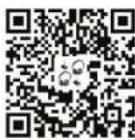
SHIFT TRANSMITTER
avantree.com/shift-transmitter
SHIFT EXTRA HEADPHONES
avantree.com/shift-extra-headphones
Ticket-Support avantree.com/submit-a-ticket


Support-E-Mail support@avantree.com

USA / CA +1800 232 2078 (US Toll Free, 9am-6pm PST, Mon-Fri)
UK +44 20 8068 2023 (9am-6pm, GMT, Mon-Sat)
DE +49 32221097297 (11am-9pm, CET, Mon-Sat)
FR +33 176340312 (11am-9pm, CET, Mon-Sat)
IT +39 06 9480 3330 (9am-6pm, CET, Mon-Sat)
ES +34 931786261 (9am-6pm, CET, Mon-Sat)
AU +61 2 8310 9897 (11am-7pm, Sydney Time, Mon-Fri)

Live Chat avantree.com (18/h weekday)

Videos avantree.com/shift/video

FAQs avantree.com/support/shift

Produktregistrierung avantree.com/product-registration
Guide Video
natural_image
Line drawing of a pair of outdoor headphones (no text or symbols)B
natural_image
Line drawing of a wireless router device with a antenna and control buttons (no text or symbols)C
D
E
F
G
text_image
Diagram illustrating the installation of a device with labeled components including plug, socket, and power outlettext_image
TV OPT/OUT Input From TV OPTICAL Etext_image
TV AUX 3.5mm Input From TV AUX F40 41
text_image
TV AUDIO OUT G AUX Input From TV Ftext_image
Avantree Channel Select x1 tap Channel On Off Partext_image
Add device Avantree ADD Hold for 5sETAPE 2
text_image
Channel On Off Pair Hold for 5sETAPE 3
text_image
Channel A. Avantree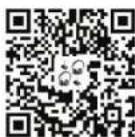
SHIFT TRANSMITTER
avantree.com/shift-transmitter
SHIFT EXTRA HEADPHONES
avantree.com/shift-extra-headphones
Support via email support@avantree.com

| USA / CA +1800 232 2078 (US Toll Free, 9am-6pm PST, Mon-Fri) | |
| UK +44 20 8068 2023 (9am-6pm, GMT, Mon-Sat) | |
| DE +49 32221097297 (11am-9pm, CET, Mon-Sat) | |
| FR +33 176340312 (11am-9pm, CET, Mon-Sat) | |
| IT +39 06 9480 3330 (9am-6pm, CET, Mon-Sat) | |
| ES +34 931786261 (9am-6pm, CET, Mon-Sat) | |
| AU +61 2 8310 9897 (11am-7pm, Sydney Time, Mon-Fri) |

Chat en live avantree.com (18/h weekday)

FAQ avantree.com/support/shift

natural_image
Line drawing of a pair of outdoor headphones (no text or symbols)B
natural_image
Line drawing of a wireless router device with antenna and control buttons (no text or symbols)©
D
E
F
G
A. 2 cuffie
E. 2 cavi audio ottici (5ft / 1.5m)
B.2 Trasmettitori
F. Cavo audio aux da 3,5 mm (5 ft / 1,5 m)
text_image
Diagram illustrating the installation of a device with labeled components including battery, switch, and power plug.text_image
TV OPT/OUT Input From TV OPTICAL Etext_image
TV AUX 3.5mm Input From TV AUX F56 57
text_image
TV AUDIO OUT G Input From TV AUX Ftext_image
Avantree Channel Select x1 tap Channel On Off Partext_image
Add device J.A. Avantree ADD Hold for 5sPASSO 2
text_image
Channel On Off Pair Hold for 5s60 61
PASSO 3
text_image
Channel A. Avantree
SHIFT TRANSMITTER
avantree.com/shift-transmitter
SHIFT EXTRA HEADPHONES
avantree.com/shift-extra-headphones
Supporto ticket avantree.com/submit-a-ticket

Video avantree.com/shift/video

Domande frequenti (FAQ) avantree.com/support/shift

natural_image
Line drawing of a pair of outdoor headphones (no text or symbols)B
natural_image
Line drawing of a wireless router device with antenna and control buttons (no text or symbols)©
D
E
F
G
A. 2 Auriculares
B.2 Transmisores
text_image
Diagram illustrating the installation of an electronic device with labeled components including a connector, switch, and power outlet.text_image
TV OPT/OUT Input From TV OPTICAL Etext_image
TV AUX 3.5mm Input From TV AUX F7273
text_image
TV AUDIO OUT G Input From TV AUX Ftext_image
Avantree Channel Select x1 tap Channel On Off Partext_image
Add device Avantree ADD Hold for 5sPASO 2
text_image
Channel On Off Pair Hold for 5s76 77
PASO 3
text_image
Channel A. Arandree
SHIFT TRANSMITTER
avantree.com/shift-transmitter
SHIFT EXTRA HEADPHONES
avantree.com/shift-extra-headphones
text_image
TV Digital OUT To Speaker OPTICAL Sound SYSTEM From TV OPTICAL78 79