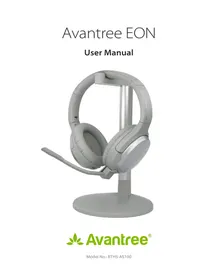
Alto Clair - Headphones Avantree - Free user manual and instructions
Find the device manual for free Alto Clair Avantree in PDF.


Pick your language and provide your email: we'll send you a specifically translated version.
| Product Type | Over-Ear Wireless Headphones |
| Brand | Avantree |
| Model | Alto Clair |
| Dimensions | Approx. 7.5 x 6.5 x 3 inches (folding) |
| Weight | Approx. 7.1 oz (200 g) |
| Battery Type | Rechargeable Lithium-Ion |
| Battery Life | Up to 30 hours (playback) |
| Charging Time | Approx. 2 hours |
| Charging Port | Micro USB |
| Bluetooth Version | Bluetooth 5.0 |
| Wireless Range | Up to 33 ft (10 m) |
| Driver Size | 40 mm |
| Frequency Response | 20 Hz - 20 kHz |
| Impedance | 32 Ohm |
| Noise Cancellation | Passive (closed-back design) |
| Microphone | Built-in with CVC noise reduction |
| Controls | Multifunction button, Volume +/-, Track control |
| Foldable | Yes (for portability) |
| Ear Pad Material | Memory foam with leatherette |
| Headband Adjustment | Adjustable sliding mechanism |
| Compatibility | Bluetooth-enabled devices; also works with 3.5 mm cable (included) |
| Cleaning | Wipe with a soft, dry cloth. Avoid liquids. |
| Safety | Do not expose to extreme temperatures or moisture. |
| Spare Parts | Replacement ear pads and charging cable available from Avantree |
| Repairability | Moderate; batteries and ear pads replaceable by user |
Frequently Asked Questions - Alto Clair Avantree
How do I pair my Avantree Alto Clair headphones with a device?
Turn on the headphones by pressing the multifunction button for 3 seconds until the LED flashes red and blue. Enable Bluetooth on your device and select 'Alto Clair' from the pairing list. If prompted, enter PIN 0000.
How long does the battery last and how do I charge it?
The battery lasts up to 30 hours on a full charge. To charge, connect the included Micro USB cable to the headphones and a USB power source. Charging takes about 2 hours.
Can I use these headphones wired?
Yes, you can use the included 3.5mm audio cable to connect to devices without Bluetooth. Simply plug the cable into the headphone jack and the other end into your device.
How do I adjust the volume or skip tracks?
Use the volume +/- buttons on the ear cup. Press and hold the volume + to skip to the next track, or volume - to go to the previous track.
How do I reset the headphones if they are not working?
To reset, turn off the headphones. Then press and hold the multifunction button for about 10 seconds until the LED flashes rapidly. Release, then turn on again and re-pair.
Are the headphones noise-cancelling?
The Alto Clair headphones offer passive noise isolation due to the closed-back design and comfortable ear pads. They do not have active noise cancellation.
Can I use the microphone for calls?
Yes, there is a built-in microphone with CVC noise reduction for clear calls. Press the multifunction button to answer/end calls.
What is the wireless range?
The Bluetooth range is up to 33 feet (10 meters) in open space. Walls and obstacles may reduce the range.
How do I clean the headphones?
Use a soft, dry cloth to wipe the ear pads and headband. For stubborn dirt, slightly dampen the cloth with water (do not soak). Avoid using chemicals or abrasive cleaners.
Are spare parts available?
Yes, replacement ear pads and charging cables are available from Avantree directly or through authorized sellers. Check their website for compatibility.
User questions about Alto Clair Avantree
0 question about this device. Answer the ones you know or ask your own.
Ask a new question about this device
No questions yet. Be the first to ask one.
Download the instructions for your Headphones in PDF format for free! Find your manual Alto Clair - Avantree and take your electronic device back in hand. On this page are published all the documents necessary for the use of your device. Alto Clair by Avantree.