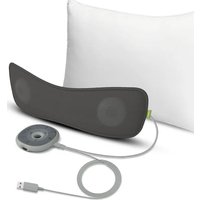
Slumber - Loudspeaker Avantree - Free user manual and instructions
Find the device manual for free Slumber Avantree in PDF.


| Product type | Sleep pillow with built-in speakers |
| Dimensions | 400 mm x 135 mm x 15 mm |
| Weight | 215 g |
| Power supply | DC 5V / 500 mA - 2 A via USB-C port |
| Bluetooth version | 5.3 |
| Bluetooth profiles | A2DP, AVRCP |
| Frequency response | 20 Hz - 20 kHz |
| Audio input level | 1000 mV |
| Bluetooth range | Up to 10 m |
| Outer material | Nylon polyester |
| Speakers | 2 x 28 mm, 4 Ω, 3 W each |
| Audio modes | MP3 (white noise + download), Bluetooth, AUX |
| Built-in storage | 4 GB memory card for MP3 files |
| Sleep timer | 30 min, 1 h, 2 h |
| Main functions | Volume control, mono/stereo mode, equalizer (clear voice / balanced audio), playback controls |
| Care and cleaning | Hand washable after removing speakers |
| Safety | Use with USB adapter 5 V / 500 mA - 2 A |
| Spare parts and repairability | Removable speakers for cleaning; online support available |
| General information | Brand Avantree, model Slumber |
Frequently Asked Questions - Slumber Avantree
User questions about Slumber Avantree
0 question about this device. Answer the ones you know or ask your own.
Ask a new question about this device
Download the instructions for your Loudspeaker in PDF format for free! Find your manual Slumber - Avantree and take your electronic device back in hand. On this page are published all the documents necessary for the use of your device. Slumber by Avantree.
USER MANUAL Slumber Avantree
Avantree®
Model No.: SLP-370
Choosing an Audio Mode 8
MP3 Mode 8
AUX Mode 9
Bluetooth Mode 10
Setting a Sleep Timer 11
Specifications 12
FAQ 13
Contact Us 14
Box Contents
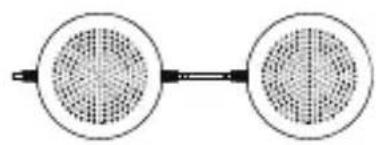
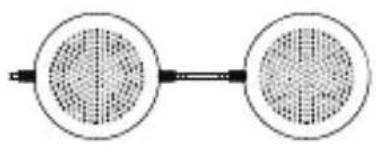
Slumber Cushion Slumber Speakers
Control
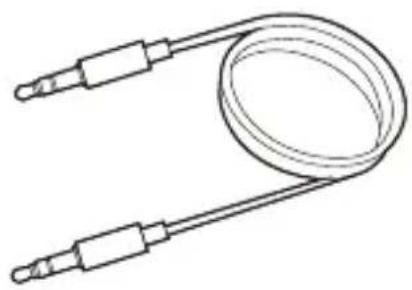
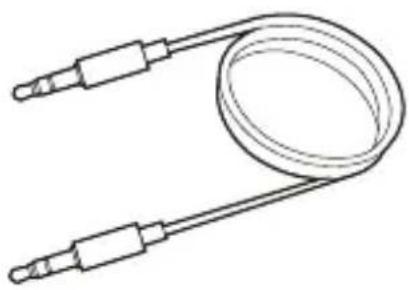
Aux 3.5 Audio Cable
Product Introduction
Product Overview
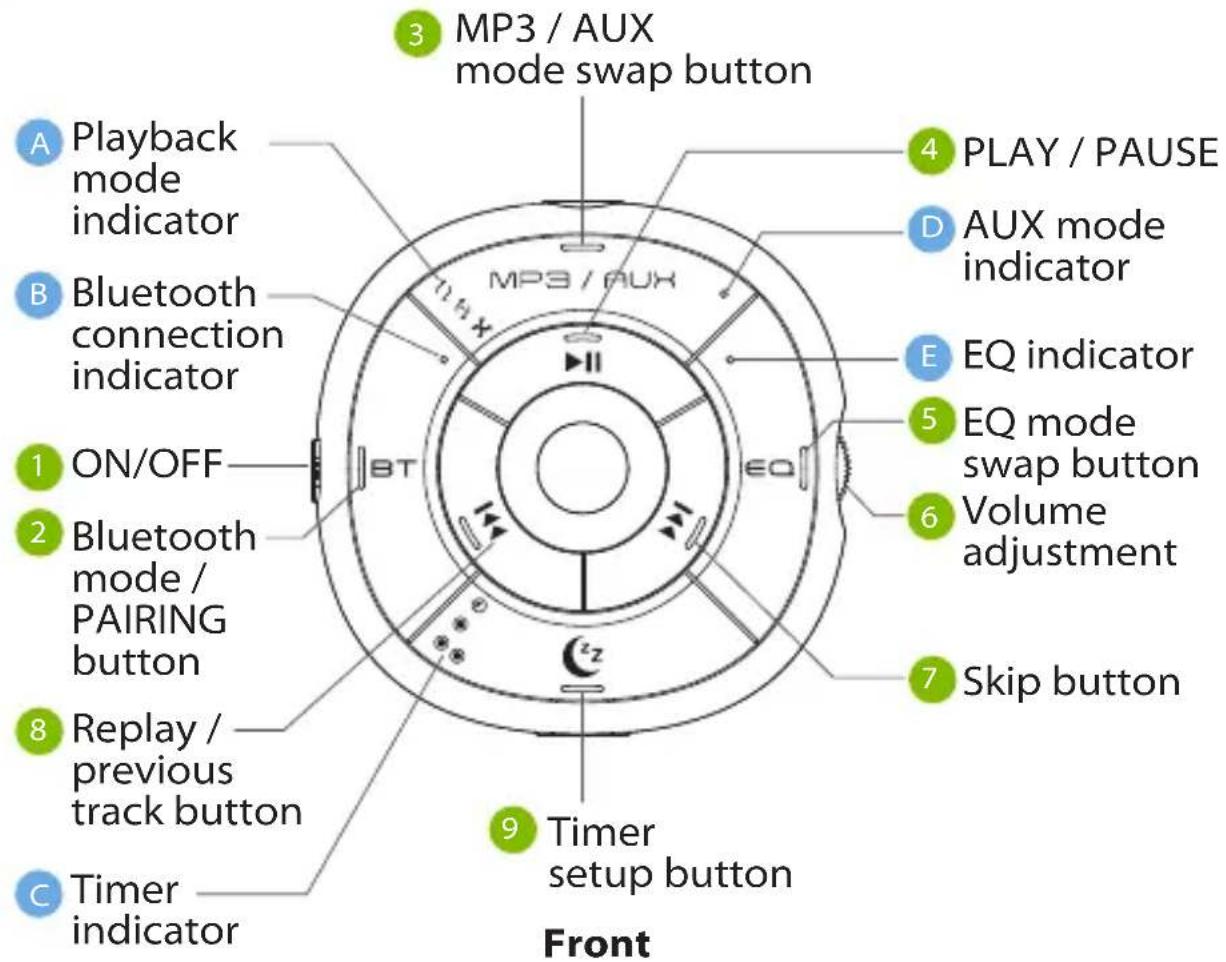
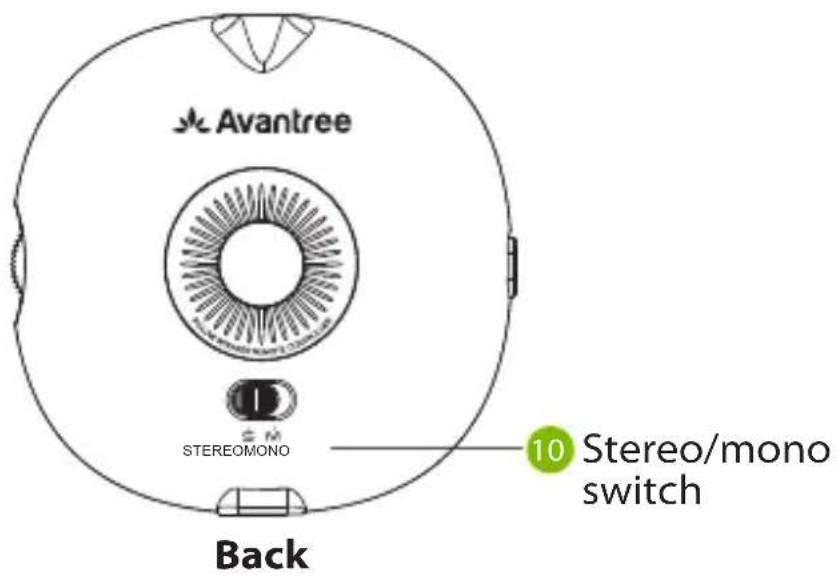
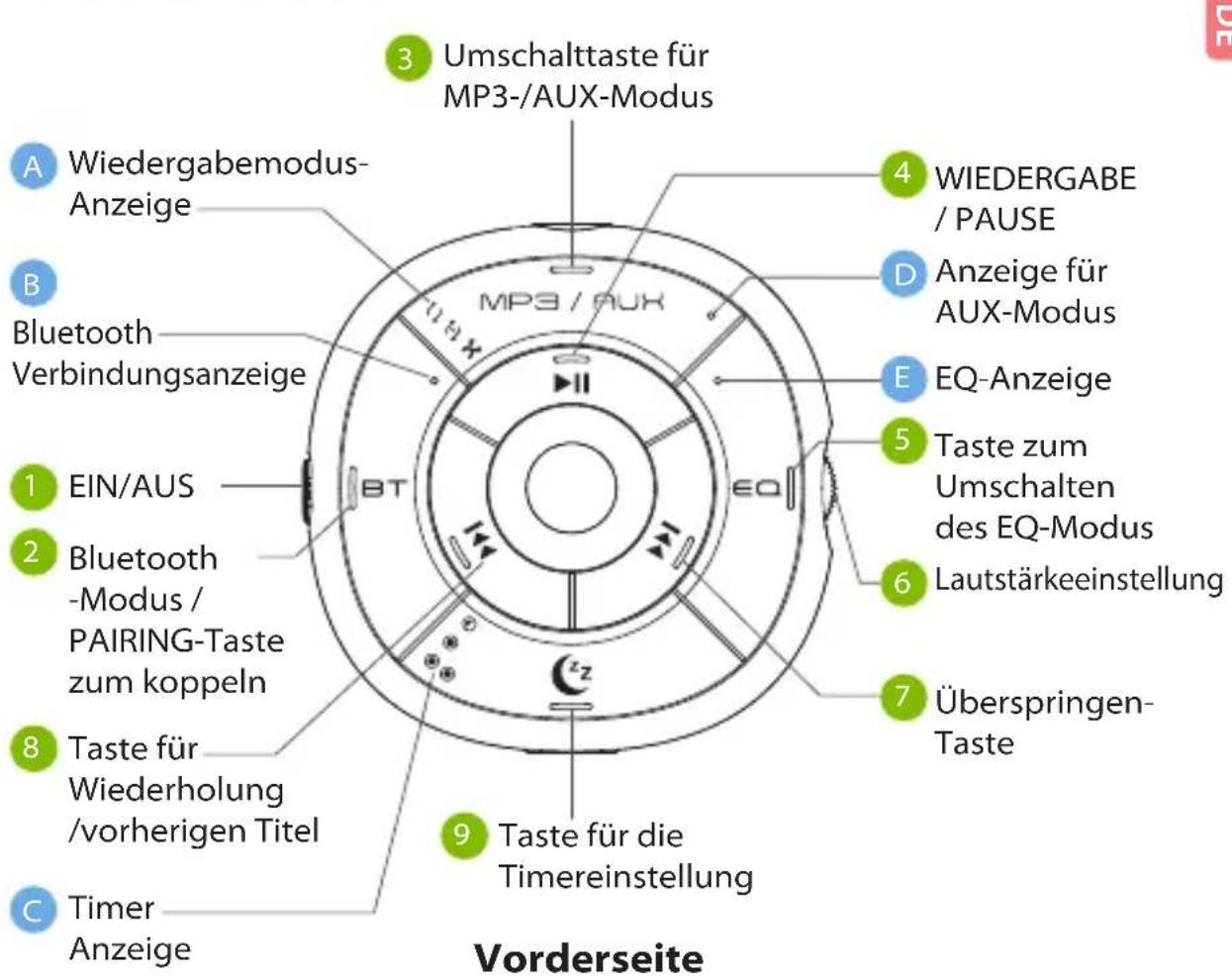
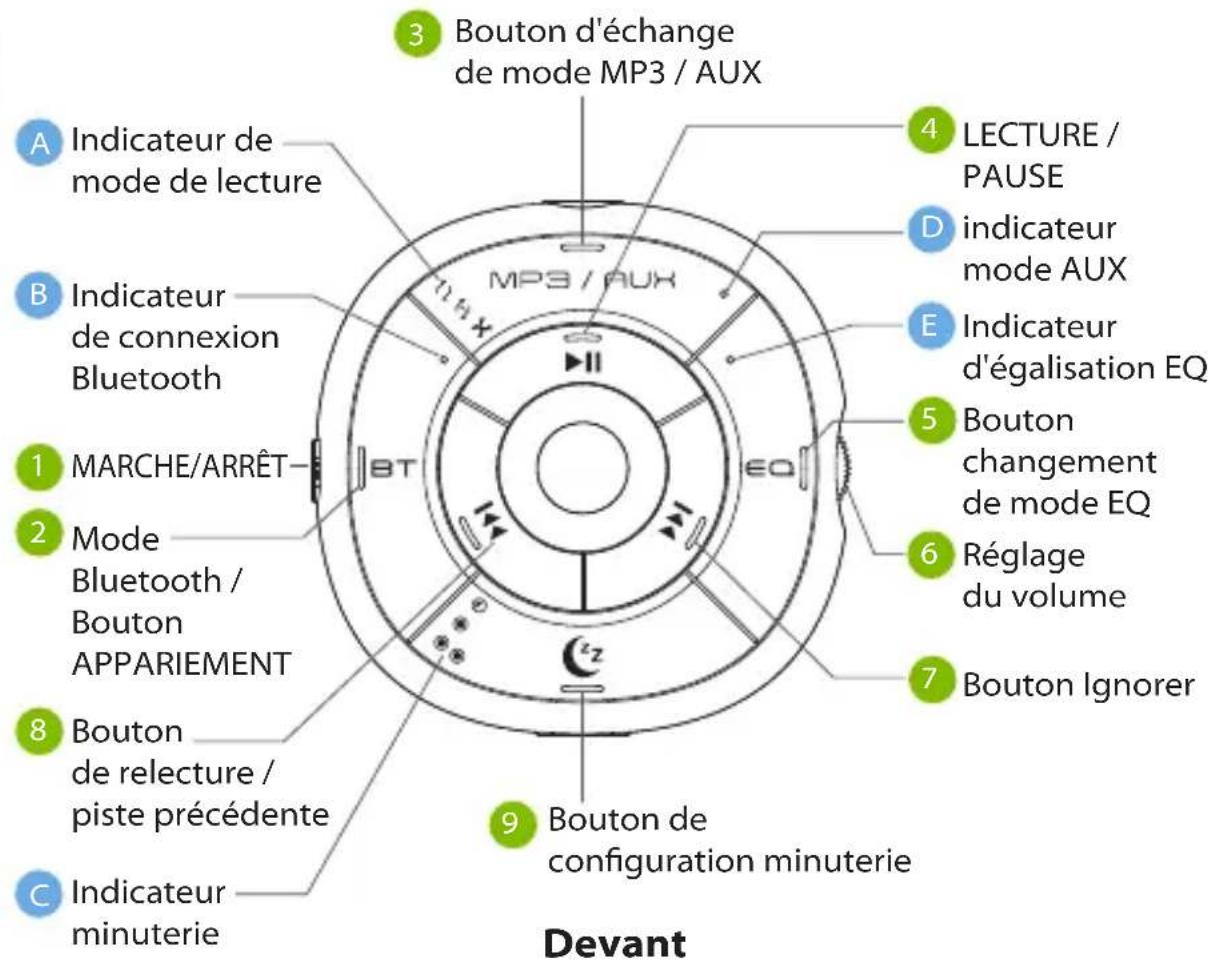
Button Functions
| No. | Button | Functions |
| 1 | ONOFF | Switch to turn the Slumber on / off |
| 2 |  | Press once to enter Bluetooth mode or to manually reconnect to the last-paired device |
| Press & hold for 2 seconds to enter pairing mode | ||
| 3 |  | Press once to enter AUX / MP3 mode |
| Press & hold for 2 seconds to switch among ordered / single cycle / shuffle playback modes (MP3 only) | ||
| 4 |  | Press once to play / pause music |
| 5 |  | Press once to switch between clear voice / well-balanced audio modes |
| 6 |  | Turn to adjust volume |
| 78 |  | Press once to skip / replay track (Bluetooth / MP3 only) |
| Press & hold both buttons for 10 seconds to clear pairing history | ||
| 9 |  | Press once to cycle through sleep timer options (30 mins / 1hr / 2hr) or to cancel the timer |
  | Switch to put the Slumber in stereo / mono mode (stereo mode splits audio between L & R speakers; mono mode combines audio signals so L & R speakers both receive the same audio) |

LED Indicators
In order to avoid disturbing your sleep, all LED indicators will turn off after 30 seconds.
| No. | Indicator | Status |
| A | Solid white for 30 seconds then off | Ordered / single cycle / shuffle playback mode (MP3 only) |
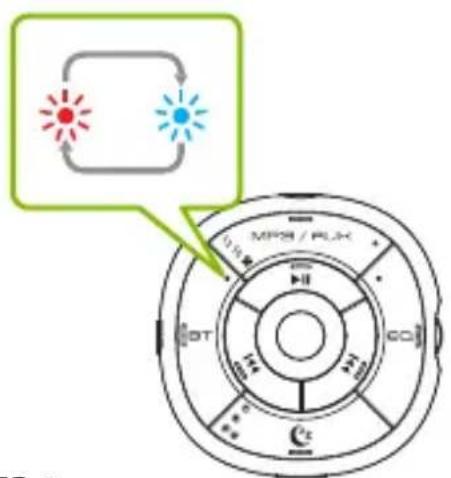
| B | Alternate red & blue flashes | Pairing |
| Solid blue for 30 seconds then off | Connected | |
| C | Solid white for 30 seconds then off | Timer on |
| D | Solid white for 30 seconds then off | AUX mode |
| E | Solid white for 30 seconds then off | Clear voice mode |
Getting Started
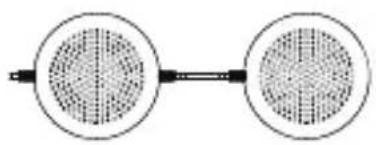
You can use the Slumber by placing it on top of your existing pillow, or by inserting it into your pillow cover, or placing it under your pillowcase for minimal sound leakage. Make sure that both speakers are facing upwards.
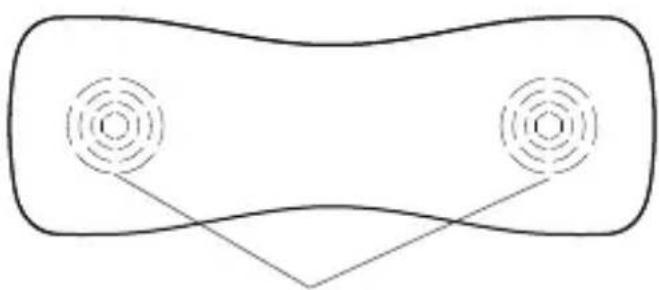
The two speakers facing upward
STEP 1
The Slumber must be connected to a power source via the provided power cable in order to function. Plug the provided type C charging cable into the charging port, then connect the other end to a 5V/500mA-2A rated USB adapter (your phone charger or similar should work) or PC USB port.
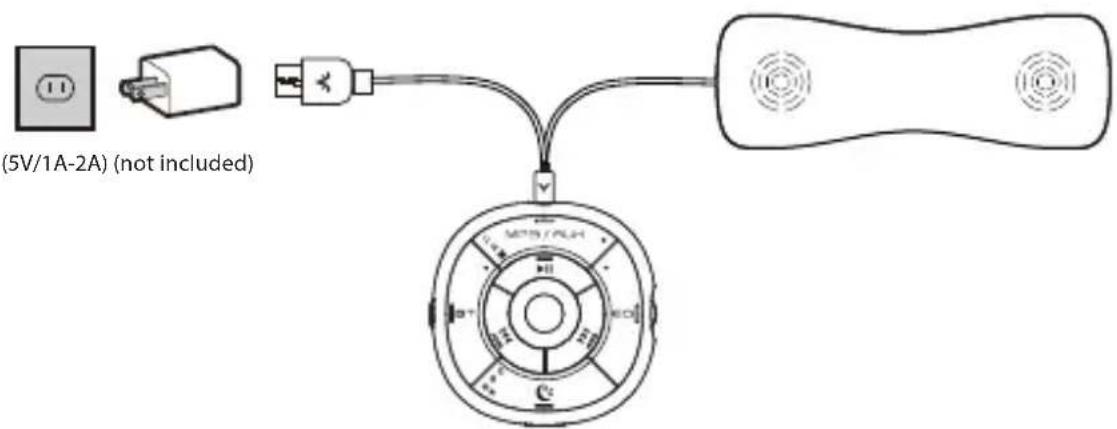
STEP 2
Slide the ONOFF switch to the "ON" position to turn the Slumber on.
Choosing an Audio Mode
You can choose to stream audio in three different ways: via MP3, Bluetooth, or AUX. The Slumber will default to the last-used mode each time it's powered on.
MP3 Mode
For first time use, the Slumber will enter MP3 mode automatically, playing the built-in white noises. If not, press the MP3 / AUX button once to enter MP3 mode manually. You can change the playback mode by pressing & holding the MP3 / AUX button until the corresponding indicator turns solid white.
11 Ordered playback
1-2 Single cycle playback
Shuffle playback
The Slumber contains a built-in 4GB storage card that it uses while in MP3 mode. In addition to the 10 enclosed white noise options, you can upload your own tracks by connecting the Slumber to your PC via the included USB C cable. Transfer your chosen files to the "Avantree Slumber" disc and enjoy!
AUX Mode
Plug the AUX 3.5mm audio cable into both the Slumber and your audio output device (i.e. your phone / PC / tablet), and the Slumber will enter AUX mode automatically. If not, press MP3 / AUX once to swap from MP3 mode or twice if you're swapping from Bluetooth mode.
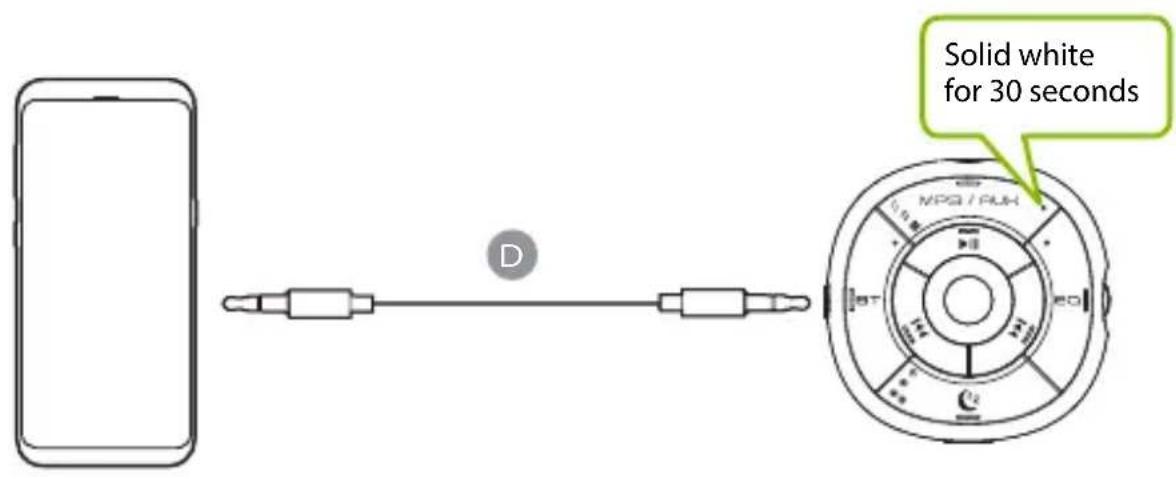
NOTE: The ◀◀ and ▶▶ buttons do not work in AUX mode.
Bluetooth Mode
STEP 1
Press the BT button once to enter Bluetooth mode. For first time use, the Slumber will enter PAIRING mode automatically. If not, put your Slumber into PAIRING mode by pressing & holding the BT button until the LED flashes blue and red alternately.
STEP 2
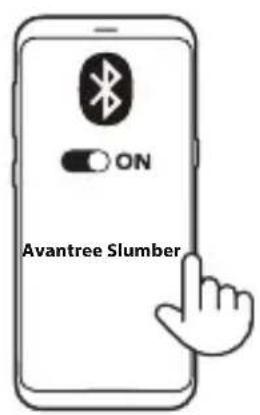
Turn on your device's Bluetooth and select "Avantree Slumber" in the Bluetooth menu.
STEP 3
Keep them close and wait for 5-10 seconds or until they connect. Once connected, the Slumber's Bluetooth connection indicator will turn solid blue.
For subsequent use, the Slumber should automatically reconnect to the last-paired device within a few seconds of being switched to Bluetooth mode. If not, you can manually activate reconnection by tapping the BT button once, or by selecting "Avantree Slumber" in your device's Bluetooth menu.
NOTE: You'll need to adjust the volume on both the Slumber & your audio device to reach the lowest volume level.
Setting a Sleep Timer
The sleep timer can be set to make the Slumber automatically turn off after a specified amount of time. You can choose among 30 mins, 1 hour, or 2 hours by pressing the Ⓤz button. The corresponding LED will light up to indicate your selection.
30 mins
1 hour
2 hours

Specifications
| v5.3Bluetooth version | |
| Supported profiles | A2DP; AVRCP |
| Frequency response | 20Hz-20KHz |
| Audio input level | 1000mV |
| Rated Input | DC5V/500mA-2.0A |
| Operating range | Up to 30ft / 10m |
| Fabric | Polyester nylon |
| Speakers | 28mm drivers, 4Ω, 3W |
| Product dimensions | 400mm x 135mm x 15mm |
| Net weight | 215g |
FAQ
Below are some of the most common questions people have during setup.
Is the pillow washable?
Yes, you can wash the pillow by hand whenever necessary. Please take out the speakers before washing. When re-assembling, make sure that the main speakers are facing upwards. You can find more specific directions on re-assembling at avantree.com/support/slumber/install.
I turned the volume down as low as possible -- why can someone else still hear?
Make sure to adjust the volume on both your device and the Slumber in order to reach the lowest volume levels. If the sound is still leaking, you can consider resting your ear directly on top of the speaker and turning the volume down even further.
You can find a full FAQ list at avantree.com/support/slumber, or contact us directly for additional assistance.
Contact Us

Support Tickets avantree.com/submit-a-ticket

Support Email support@avantree.com

USA / CA +1800 232 2078 (9am-6pm PST, Mon-Fri)
UK +44 20 8068 2023 (9am-6pm, GMT, Mon-Sat)
DE +49 32221097297 (11am-9pm, CET, Mon-Sat)
FR +33 176340312 (11am-9pm, CET, Mon-Sat)
IT +39 06 9480 3330 (9am-6pm, CET, Mon-Sat)
ES +34 931786261 (9am-6pm, CET, Mon-Sat)
AU +61 2 8310 9897 (11am-7pm, AEST, Mon-Fri)

Live Chat avantree.com (18/h weekday)

Video Guide avantree.com/slumber/video

FAQ avantree.com/support/slumber
Inhaltsübersicht
B
Steuerung
D
Aux 3.5 Audiokabel
Produkteinführung
Produktübersicht
Support-Tickets support@avantree.com

USA / CA +1800 232 2078 (9am-6pm PST, Mon-Fri)
UK +44 20 8068 2023 (9am-6pm, GMT, Mon-Sat)
DE +49 32221097297 (11am-9pm, CET, Mon-Sat)
FR +33 176340312 (11am-9pm, CET, Mon-Sat)
IT +39 06 9480 3330 (9am-6pm, CET, Mon-Sat)
ES +34 931786261 (9am-6pm, CET, Mon-Sat)
AU +61 2 8310 9897 (11am-7pm, AEST, Mon-Fri)

Live Chat avantree.com (18/h weekday)

B
FR
Télécommande
D
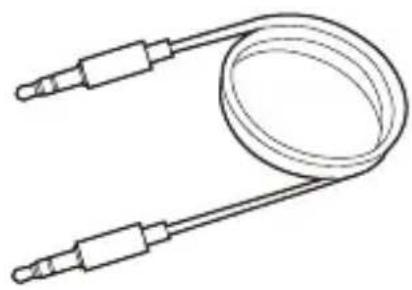
Câble Audio Aux 3.5
Introduction
Vue d'ensemble
E
ETAPE 2
ETAPE 3
Support via email support@avantree.com

USA / CA +1800 232 2078 (9am-6pm PST, Mon-Fri)
UK +44 20 8068 2023 (9am-6pm, GMT, Mon-Sat)
DE +49 32221097297 (11am-9pm, CET, Mon-Sat)
FR +33 176340312 (11am-9pm, CET, Mon-Sat)
IT +39 06 9480 3330 (9am-6pm, CET, Mon-Sat)
ES +34 931786261 (9am-6pm, CET, Mon-Sat)
AU +61 2 8310 9897 (11am-7pm, AEST, Mon-Fri)

Chat en live avantree.com (18/h weekday)

FAQ avantree.com/support/slumber
Inhaltsübersicht
Telecomado
D
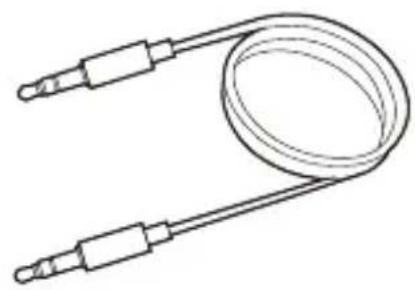
Cavo Audio Aux 3.5mm
PASSO 2
PASSO 3
Specifiche
Supporto ticket avantree.com/submit-a-ticket

Domande frequenti (FAQ) avantree.com/support/slumber
índice de contenido
B
E
Almohada Slumber Altavoces Slumber
C

Control
D
PASO 3
Manufacturer: Avantronics Limited
Address: Luohu District, Shenzhen 518000 China
US Importer:
Avantree Corporation
San Jose, California 95119 USA
UK Importer:
Avantree Limited
Watford, WD180 0HQ UK
EC REP
Servicer in Europe:
Gizmex GmbH,
Sternstr. 67, 40479 Dusseldorf, Germany
Tel: 01-408 334 8648 support@avantree.com

Model No:SLP-370
Dispose of the packaging and this product in accordance with the latest provisions.
Z-PKQG-SLP370-V1
- BOX CONTENTS
- PRODUCT INTRODUCTION
- PRODUCT OVERVIEW
- LED INDICATORS
- GETTING STARTED
- STEP 1
- STEP 2
- CHOOSING AN AUDIO MODE
- MP3 MODE
- AUX MODE
- BLUETOOTH MODE
- STEP 3
- SETTING A SLEEP TIMER
- FAQ
- IS THE PILLOW WASHABLE
- I TURNED THE VOLUME DOWN AS LOW AS POSSIBLE -- WHY CAN SOMEONE ELSE STILL HEAR
- CONTACT US
- INHALTSÜBERSICHT
- PRODUKTEINFÜHRUNG
- INTRODUCTION
- VUE D'ENSEMBLE
- ETAPE 2
- ETAPE 3
- PASSO 2
- PASSO 3
- ÍNDICE DE CONTENIDO
- ALMOHADA SLUMBER ALTAVOCES SLUMBER
- PASO 3
- EC REP
Brand : Avantree
Model : Slumber
Category : Loudspeaker