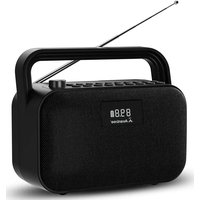
Soundbyte T - Speaker Avantree - Free user manual and instructions
Find the device manual for free Soundbyte T Avantree in PDF.


User questions about Soundbyte T Avantree
0 question about this device. Answer the ones you know or ask your own.
Ask a new question about this device
Download the instructions for your Speaker in PDF format for free! Find your manual Soundbyte T - Avantree and take your electronic device back in hand. On this page are published all the documents necessary for the use of your device. Soundbyte T by Avantree.
USER MANUAL Soundbyte T Avantree
text_image
CH06/14 95.8 Avantree File / SPIK 5G Cord OK SEEK II SEEK
Avantree®
EN User Manual 2
DE Kurzanleitung 17
Prefer to watch a video tutorial? Scan the QR code below or visit avantree.com/soundbyte-t/video for a step-by-step guide.
text_image
QR code image with a small embedded logo in the centerVIDEO GUIDE
Book an Appointment

You can also book a 1-on-1 setup appointment with one of our support agents at avantree.com/book-a-call
Table of Contents
Box Contents 5
Product Introduction 5
Product Overview 5
Button Functions 6
Using as an FM Radio 7
Using with Your Bluetooth Headphones 9
Using as a Bluetooth Speaker 11
Using as a MicroSD Card Player 12
Charging 13
Configuring the System Settings 13
Specifications 14
FAQ 15
Contact Us 16
Box Contents
EN
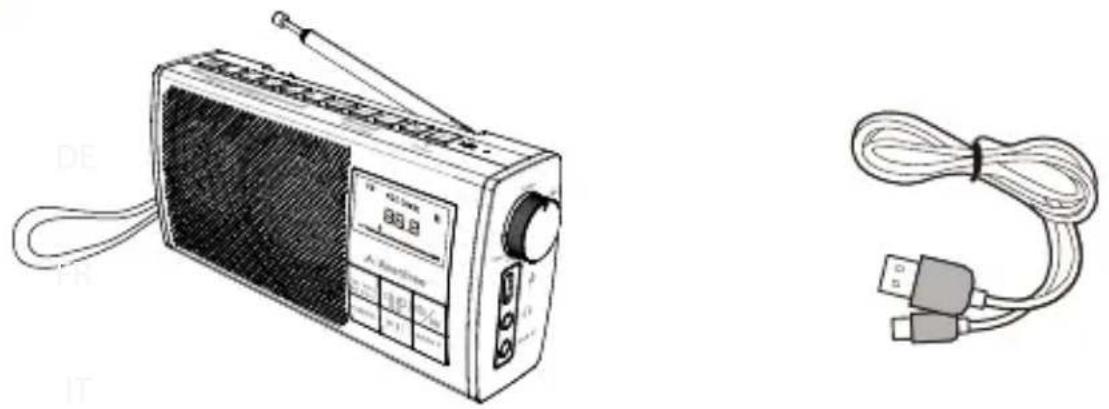
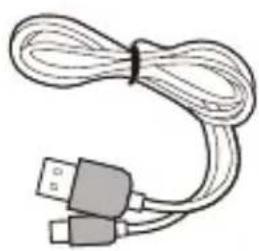
Soundbyte T Type C Charging Cable
natural_image
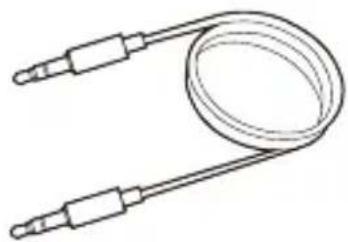
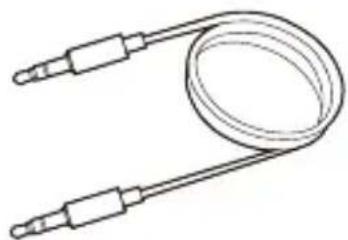
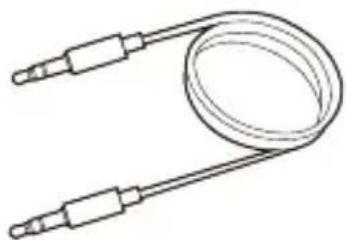
Simple line drawing of a coiled cable or tube with two connectors (no text or symbols)3.5mm AUX Audio Cable
To view and purchase Soundbyte T accessories, please visit avantree.com/soundbyte-t/accessories
Product Introduction
Product Overview
EN
text_image
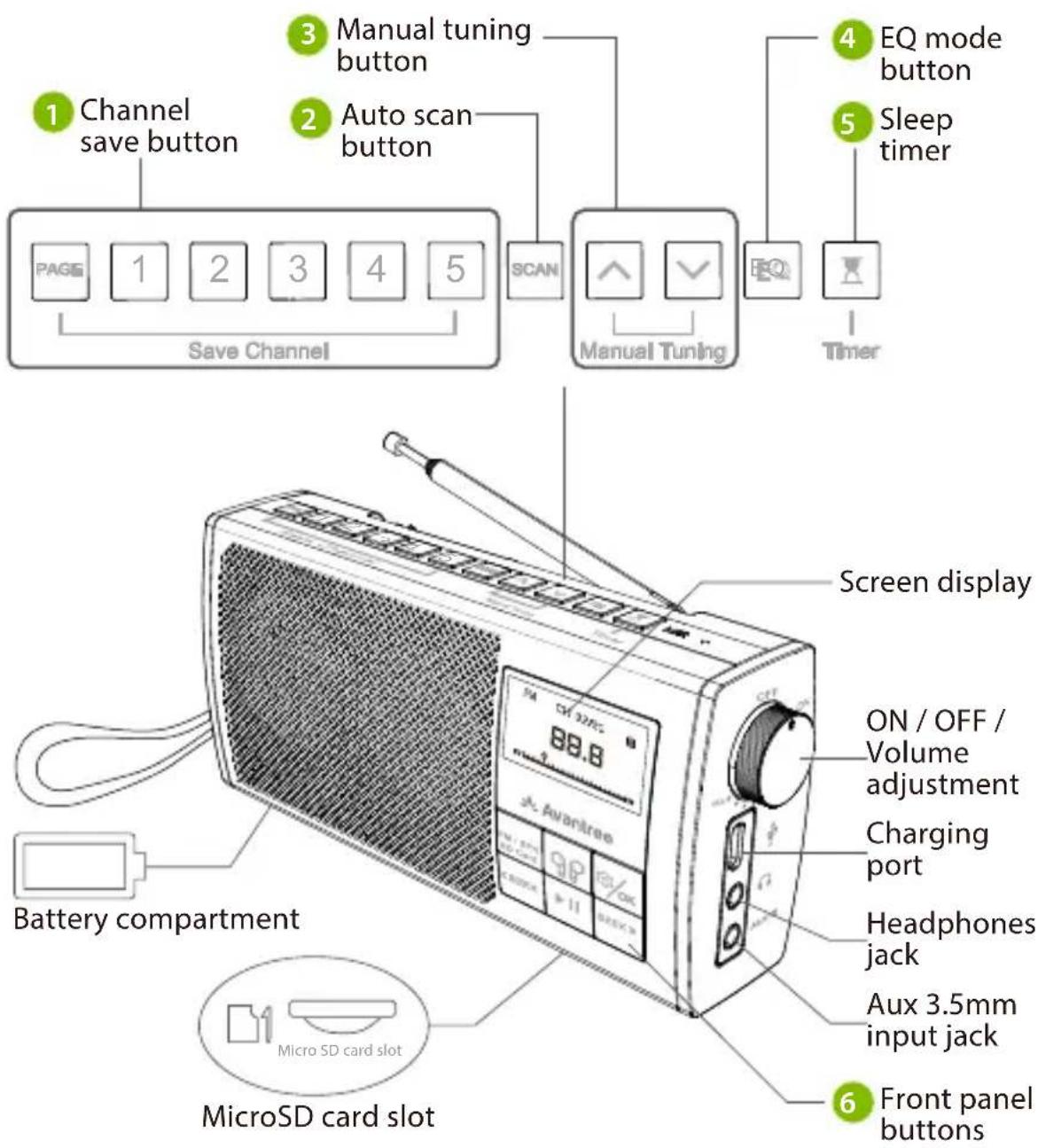
1 Channel save button 2 Auto scan button 3 Manual tuning button 4 EQ mode button 5 Sleep timer SCAN Manual Tuning EQ Timer Save Channel Battery compartment MicroSD card slot Screen display ON / OFF / Volume adjustment Charging port Headphones jack Aux 3.5mm input jack 6 Front panel buttons MicroSD card slotButton Functions
| No. | Button | Functions |
 | PAGE | Press once to switch between pages 1 / 2 /3 / 4 |
1  | Press and hold to save an FM channel | |
| Press once to swap to saved FM channel | ||
 |  | Press once to automatically search for all available channels |
 |  | Press once to adjust channel up / down by 0.1 MHz |
 |  | Press once to switch between clear voice / bass-enhanced / balanced sound modes |
| [WK6S] | [437S] | Press once to enter sleep timer settings |
 |  | Press once to switch between FM / Bluetooth speaker / micro SD card player mode |
 | Press & hold to pair with your headphones | |
 | Press once to enter system settings | |
| Press once to confirm your selection while in the menu | ||
 | Press once for previous/next channel / track (FM / Bluetooth / microSD card player modes) | |
| Press & hold to seek for the next clear FM channel | ||
| [kZW8] | Press once to play / pause (Bluetooth speaker & microSD card player modes) or to mute / unmute (FM / wired speaker modes) |
Using as an FM Radio
STEP 1
For first time use, the radio will automatically enter FM mode (if not, press FM / SPK SD Card) and auto-scan for FM channels by default (if not, press the SCAN button). Please wait until auto-scan is complete.
STEP 2
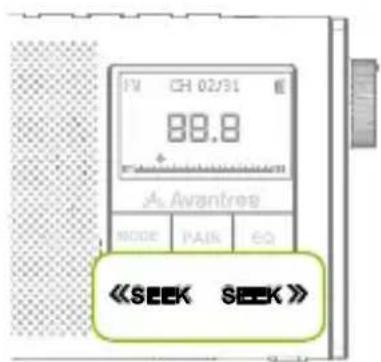
Press the «SEEK/SEEK» button once to select your channel.
text_image
TV CH 02/31 88.8 Avantres MODE PAIK EQ <STEP 3
To save a channel, press the PAGE button once, then press & hold the 1 2 3 4 5 buttons. The screen will display "Saved to P#-#" to indicate that the channel has been properly saved.

text_image
PAGE 2 5 6 7 8 9 10 11 12 13 14 15 16 17 18 19 20 MIC FM CH 02/31 Saved to P1-2NOTE1: In "P1-2", 1 indicates the page number, and 2 indicates the number button.
NOTE2: There are 4 total pages and 5 channels can be saved to each page (for a total of 20 channels). Press the PAGE button once to swap between pages."
STEP 4
To jump to a saved channel, press the corresponding number button once.
NOTE: If you saved the channel to pages 2 / 3 / 4, you'll need to press the PAGE button until you reach the proper page before pressing the corresponding number button.
Using with Your Bluetooth Headphones

The Soundbyte T can wirelessly transmit FM / micro SD / AUX audio signals to your Bluetooth headphones.
STEP 1
Ensure the speaker is in FM, micro SD, or AUX playing mode. It will NOT work in Bluetooth speaker mode.
STEP 2
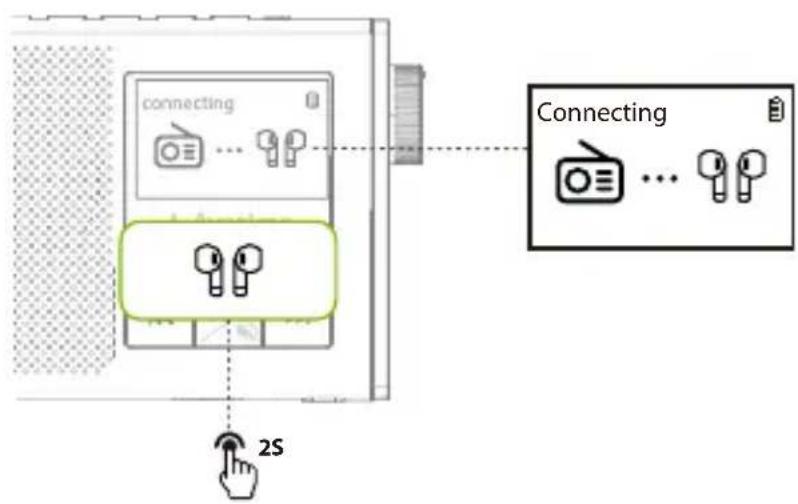
Press & hold the 🔊 button for 2 seconds. The screen will display as follows.
text_image
connecting Connecting 2SStep 3
Put your headphones into PAIRING mode.
Step 4
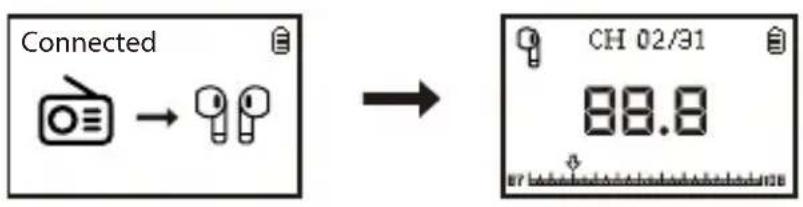
Keep your headphones & the Soundbyte T close to each other. Once they successfully connect, the screen will display as follows.
text_image
Connected → → CH 02/31 88.8NOTE1: Most cases where your device & the radio fail to connect happen because the device is not properly placed into PAIRING mode. Double check that your device is successfully in PAIRING MODE (typically indicated by an LED indicator's alternate red & blue flashes). For more details, please refer to your device's online user manual.
NOTE2: Bluetooth devices normally automatically reconnect to their last paired / connected device. You may need to turn the Bluetooth OFF on any previously used devices in order to avoid interference.
For Subsequent Use
Turn on both the radio and your headphones and press the button once. They should automatically reconnect. If not, repeat the steps above to re-pair them.
Using as a Bluetooth Speaker
STEP 1
Turn on the Soundbyte T and press the FM/SPK SD Card button once to enter Bluetooth speaker mode.
STEP 2
Activate Bluetooth on your device (i.e. your phone, tablet, laptop, etc.) and select "Avantree Soundbyte T."
STEP 3
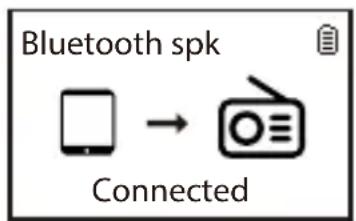
Keep the two devices close to each other. Once they successfully connect, the screen will display as follows.
text_image
Bluetooth spk ConnectedFor Subsequent Use
Every time you turn it on, the speaker should automatically reconnect to the last connected device. If not, select "Avantree Soundbyte T" on your device.
Using as a MicroSD Card Player
When you insert a microSD card ( not included ), the radio will automatically switch to microSD mode if the radio is on. If the radio is off when you insert the card, you'll need to press the FM / SPK SD Card button to switch to microSD mode.
The Soundbyte T supports MP3 / WMA / WAV / APE / FLAC file formats.
Repeat / Shuffle Settings
Press the ⏻/ok button once to enter the system settings. Press SEEK» to select "REPEAT / SHUFFLE", then press SEEK» «SEE» select the desired option and press ⏻/ok once to confirm.
Repeat/Shuffle
-Back
- Repeat All
- Repeat One
- Repeat Folder
- Shuffle
NOTE: The Soundbyte T cannot read microSD cards larger than 32GB.
Charging
A □ icon will flash on the Soundbyte T's screen to indicate low battery. You can charge the radio using any USB adapter with a 5V/0.5-1A output (i.e. your phone charger or similar) via the included USB C charging cable.
The 📄 icon on the LCD screen will flash while charging and stop once charging is complete. It takes about 3 hours to fully charge the radio.
Configuring the System Settings
Turn on the device and press the 📄/OK button once to enter the system settings.
System Settings
。…
- Backlight
- Contrast
- Factory Reset
。...
Press SEEK >> «SEEK to select your desired option, then press 🧑/OK to confirm your selection.
EN
Specifications
| FM frequency range | 87MHz - 108MHz |
| Frequency range | 160Hz - 20KHz |
| Power | 6W(dual 3W speakers) |
| Battery | 18650 lithium rechargeable2200mAh battery |
| Playtime | Up to 11hrs |
| Charging voltage | 5V /1A |
| Operating range | Up to 30ft / 10m |
| Supported profiles | HFP v1.5, A2DP v1.0, AVRCP v1.4 |
| Product size | 14.3 cm x 7 cm x 3 cm |
| Product weight | 270g |
FAQ
Below are some of the most common questions people have during setup.
Can I replace the battery?
Yes. You can purchase a replacement battery at avantree.com/soundbyte-t/accessories or use any 3.7V 18650 lithium-ion battery.
Why is my FM reception so bad?
Why is my microSD card not working?
Why are my headphones failing to connect?
●●●●●●
For answers to questions like these and for a full FAQ list, you can visit avantree.com/support/soundbyte-t, or you can contact us directly for additional assistance.
Contact Us

Support Tickets avantree.com/submit-a-ticket

Support Email support@avantree.com

USA / CA +1800 232 2078 (9am-6pm PST, Mon-Fri)
UK +44 20 8068 2023 (9am-6pm, GMT, Mon-Sat)
DE +49 32221097297 (11am-9pm, CET, Mon-Sat)
FR +33 176340312 (11am-9pm, CET, Mon-Sat)
IT +39 06 9480 3330 (9am-6pm, CET, Mon-Sat)
ES +34 931786261 (9am-6pm, CET, Mon-Sat)
AU + 61 2 8310 9897 (11am-7pm, AEST, Mon-Fri)

FAQ avantree.com/support/soundbyte-t

Video Guide avantree.com/soundbyte-t/video

Product Registration avantree.com/product-registration
Video Anleitung
text_image
QR code image with a small embedded logo in the centernatural_image
Line drawing of a vintage radio with antenna and control panel (no text or symbols)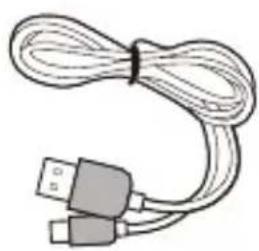
natural_image
Coiled cable with two USB connectors (no text or symbols visible)Soundbyte T USB-C-Ladekabel
natural_image
Simple line drawing of a coiled cable or sensor with two connectors (no text or symbols)AUX 3,5 mm Audiokabel
text_image
FM CH 02/21 88.8 Avantree MODE PAIR EQ 《SEEK SEEK》Schritt 3
text_image
PAGE 2 5 6000 7 7 EQ 8 MC Manual Tuning Time FM CH 02/31 Saved to P1-2text_image
Connected Connecting 2SSchritt 3
text_image
Connected → → CH 02/31 88.8Support-Tickets support@avantree.com

USA / CA +1800 232 2078 (9am-6pm PST, Mon-Fri)
UK +44 20 8068 2023 (9am-6pm, GMT, Mon-Sat)
DE +49 32221097297 (11am-9pm, CET, Mon-Sat)
FR +33 176340312 (11am-9pm, CET, Mon-Sat)
IT +39 06 9480 3330 (9am-6pm, CET, Mon-Sat)
ES + 34 931786261 (9am-6pm, CET, Mon-Sat)
AU + 61 2 8310 9897 (11am-7pm, AEST, Mon-Fri)

text_image
QR code image with a small embedded logo in the centerPrenez rendez-vous

natural_image
Line drawing of a vintage radio with antenna, control panel, and earpiece (no text or symbols)Soundbyte T
natural_image
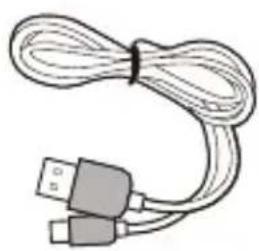
Illustration of a USB cable with two connectors (no text or symbols)Câbke de charge USB-C
natural_image
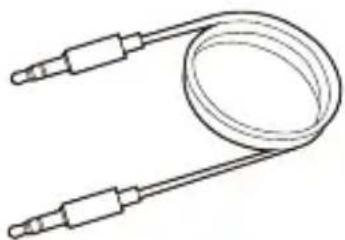
Simple line drawing of a coiled cable or tube with two connectors (no text or symbols)Câble audio AUX 3.5 mm
text_image
Connected Connecting 2SEtape 3
text_image
Connected CH 02/31 88.8text_image
Bluetooth spk ConnectedSupport via email support@avantree.com

USA / CA +1800 232 2078 (9am-6pm PST, Mon-Fri)
UK +44 20 8068 2023 (9am-6pm, GMT, Mon-Sat)
DE +49 32221097297 (11am-9pm, CET, Mon-Sat)
FR +33 176340312 (11am-9pm, CET, Mon-Sat)
IT +39 06 9480 3330 (9am-6pm, CET, Mon-Sat)
ES +34 931786261 (9am-6pm, CET, Mon-Sat)
AU +61 2 8310 9897 (11am-7pm, AEST, Mon-Fri)

FAQ avantree.com/support/soundbyte-t

text_image
QR code image with a small embedded logo in the centernatural_image
Illustration of a USB cable with two connectors (no text or symbols)natural_image
Simple line drawing of a coiled cable or tube with two connectors (no text or symbols)Cavo Audio AUX 3.5mm
avantree.com/soundbyte-t/accessories
text_image
FM CH 02/31 88.8 AC Avantree BOOK PAIR EQ 《SEEK SEEK》Passo 3
text_image
PAGE 2 5 SCAN MANUAL TUNING EQ MIC S saved to P1-2text_image
Connected Connecting 2SPasso 3
text_image
Connected CH 02/31 88.8flowchart
graph TD
    A["Mobile Device"] --> B["Radio Radio"]
For Subsequent Use
Supporto ticket avantree.com/submit-a-ticket

text_image
QR code image with a small embedded logo in the center
Reservar una cita

natural_image
Line drawing of a portable radio with antenna, control panel, and speaker (no text or symbols)Soundbyte T
natural_image
Illustration of a USB cable with two connectors (no text or symbols)Cable de Carga USB-C
natural_image
Simple line drawing of a coiled cable or tube with two connectors (no text or symbols)text_image
F2 CH 02/31 88.8 Avantree MORE PAIR EQ <Paso 3
text_image
PAGE 2 5 SCAN ↑ V EQ R MIC Manual Tuning Time FM CH 02/31 Saved to P1-2text_image
Connected Connecting 2SPaso 3
text_image
Connected CH 02/31 88.8text_image
Bluetooth spk ConnectedManufacturer: Avantronics Limited
Address: Luohu District, Shenzhen 518000 China
US Importer:
Avantree Corporation
San Jose, California 95119 USA
UK Importer:
Avantree Limited
Watford, WD180 0HQ UK
EC REP
Servicer in Europe:
Gizmex GmbH,
Sternstr. 67, 40479 Dusseldorf, Germany
Tel: 01-408 334 8648 support@avantree.com