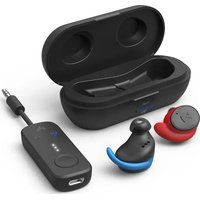
Sky Ace - Earplug Avantree - Free user manual and instructions
Find the device manual for free Sky Ace Avantree in PDF.


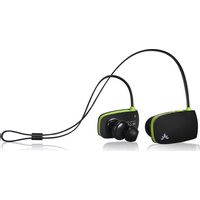
| Product type | Wireless earplug (Bluetooth earbuds) |
| Brand | Avantree |
| Model | Sky Ace |
| Bluetooth version (transmitter) | 5.3 |
| Bluetooth version (earbuds) | 5.2 |
| Supported audio codecs (transmitter) | aptX Low Latency, aptX adaptive, aptX HD, aptX, SBC |
| Supported audio codecs (earbuds) | aptX adaptive, aptX, AAC, SBC |
| Range | Up to 10 m |
| Earbuds battery life | Up to 10.5 hours |
| Total battery life with case | Up to 36 hours |
| Earbuds dimensions | 19 × 22 × 25 mm |
| Earbuds weight | 6 g |
| Weight with charging case | 60 g |
| Transmitter dimensions | 125 × 24 × 12 mm |
| Transmitter weight | 15 g |
| Power supply | DC 5V, 500 mA – 2 A (USB charging) |
| Main functions | Auto pairing, airplane mode, volume control, track skip, hands-free calling, dual link |
| Care and cleaning | Clean the ear tips regularly with a soft dry cloth. Store the earbuds in the charging case. |
| Safety | Use only chargers compliant with DC 5V standard. Do not expose to moisture or extreme temperatures. |
| Spare parts and repairability | Ear tips, fins and hooks available at avantree.com. Contact Avantree support for any repairs. |
| General information | Compatible with any audio device with a 3.5 mm AUX output. Can be used with phones, tablets, in-flight entertainment systems, etc. |
Frequently Asked Questions - Sky Ace Avantree
User questions about Sky Ace Avantree
0 question about this device. Answer the ones you know or ask your own.
Ask a new question about this device
Download the instructions for your Earplug in PDF format for free! Find your manual Sky Ace - Avantree and take your electronic device back in hand. On this page are published all the documents necessary for the use of your device. Sky Ace by Avantree.
USER MANUAL Sky Ace Avantree

Contents
EN User Manual 2
DE Kurzanleitung 19
How to Wear the Earbuds 09
Using the Earbuds with Your Phone/Tablet 10
Use Sky Ace on Airplane 11
Connecting the Transmitter to an Audio Source ..... 11
Connecting the Earbuds to Transmitter 11
Advanced Features 13
Adding a Second Pair of Headphones 13
Charging 14
Specifications 15
FAQ 16
Contact Us 18
Box Contents
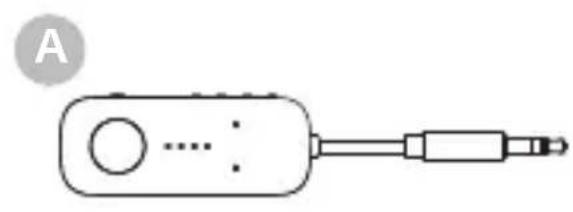
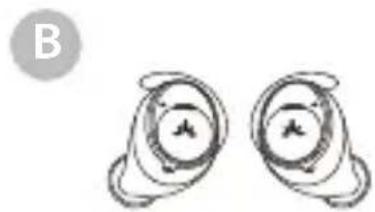
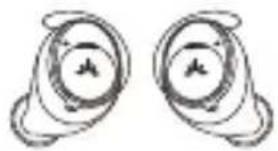
Relay Transmitter Ace 130 Earbuds
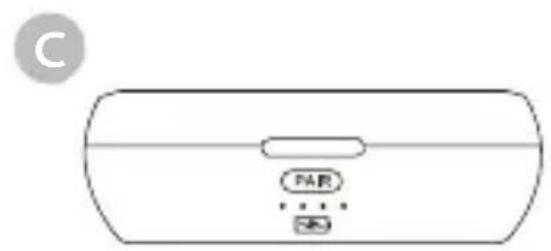
Charging Case
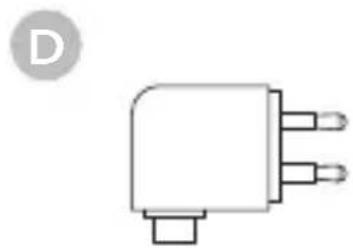
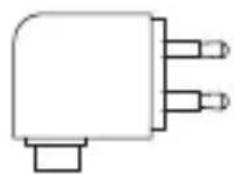
Dual 3.5mm Adapter
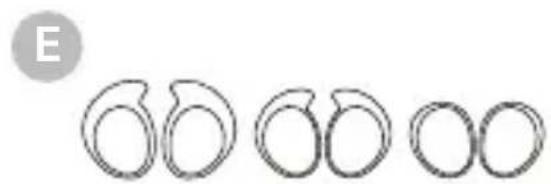
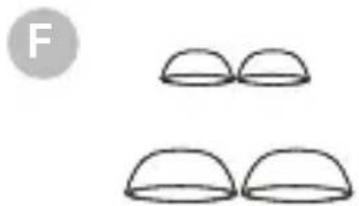
Earbud Fins Earbud Tips
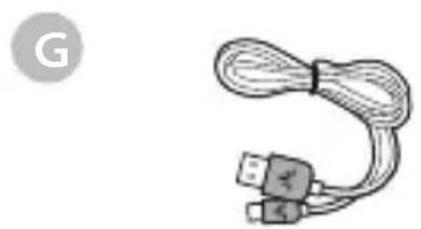
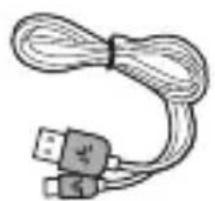
USB C Charging Cable (1.5ft / 0.5m)
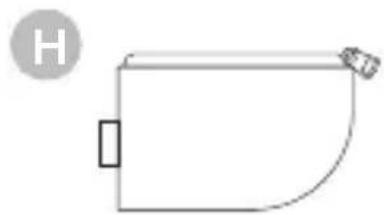
Traveling Pouch
To view and purchase Sky Ace accessories, please visit avantree.com/Sky-Ace/accessories

Product Introduction (Transmitter)
EN
Product Overview
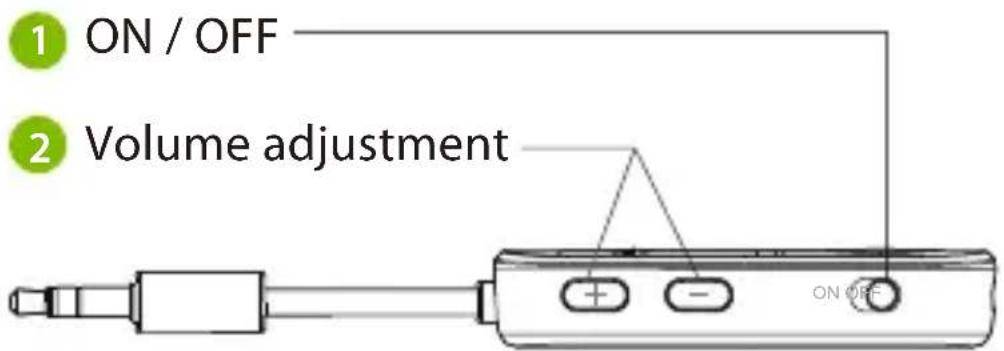
Button Functions
| No. | Button Functions | |
| 1 | ON OFF | Switch to turn the Relay on / off |
| 2 | Press once or hold to adjust volume | |
| Press & hold both for 6 seconds to clear pairing history (will not clear the locked ACE earbuds) | ||
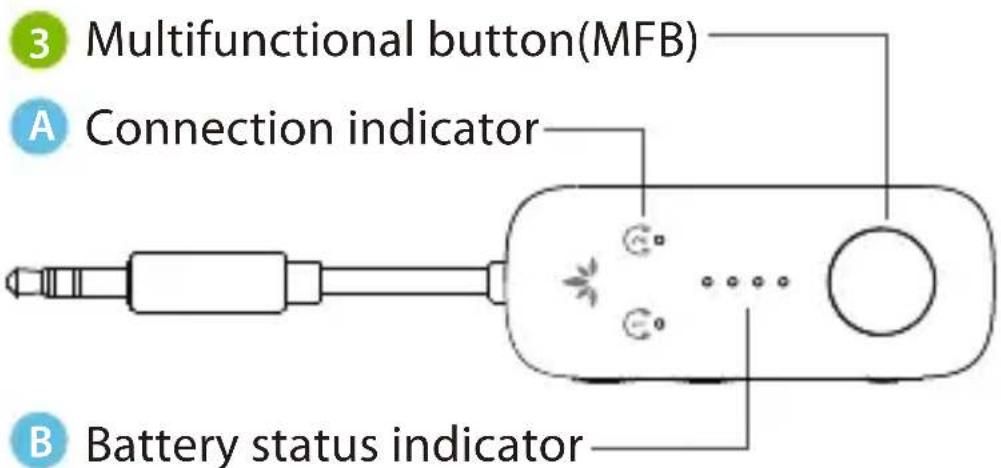
| 3 | MFB | Press & hold for 2 seconds to enter pairing mode |
| Press once to manually initiate reconnection to last-paired device | ||
| Double click to show battery level |
E
LED Indicators
E
| No. Indicator Status | ||
 | Alternate red & blue flashes | Pairing |
| Solid blue | Connected | |
| Blue flashes every second | Reconnecting | |
| Solid blue & red simultaneously for 3 seconds | Clearing pairing history | |
 | Any of the 4 LED indicators flashing | Charging |
| All the 4 LED indicators off | Fully charged | |
| Solid white for 1 second (after power on) | Battery status | |
Product Introduction (Earbuds)
Product Overview
E

4 Multifunction button (MFB)
C LED indicator on earbuds
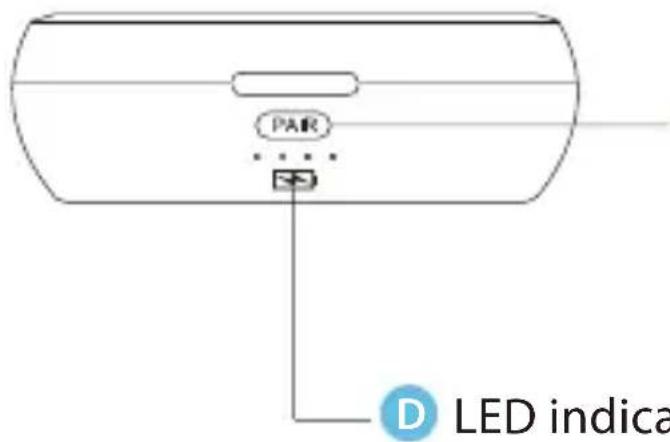
5 Pairing button
D LED indicator on charging case
Button Functions
EN
| No. | Button Functions | |
| 4 | 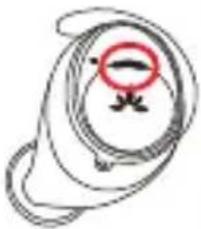 Multifunction button (MFB) Multifunction button (MFB) | Press & hold either Left or Right for 3 seconds to turn on the earbuds |
| Press & hold either Left or Right for 5 seconds to turn off the earbuds | ||
| Press Right twice to raise volume | ||
| Press Left twice to lower volume | ||
| Press either Left or Right once to answer or end a call | ||
| Press & hold either Left or Right for 1 second to reject a call | ||
| Press & hold Right for 1 second to skip track | ||
| Press & hold Left for 1 second for previous track | ||
| Press either Left or Right once to Play/Pause | ||
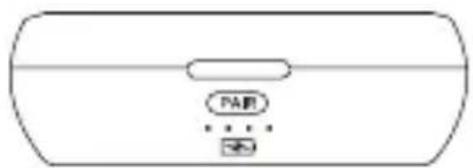
| 5 | PAIR Pairing Button | Press & hold for 3 seconds to enter pairing mode manually |
| Press once to show current battery status |
LED Indicators
| No. | Indicator Status | |
| C | Solid blue for 1 second | Power on |
| Solid red for 1 second | Power off | |
| Alternate red & blue flashes | Pairing | |
| Flashes red | Low battery | |
| D | Any of the 4 LED indicators flashing | Charging |
| All the 4 LED indicators solid blue | Fully charged |
E
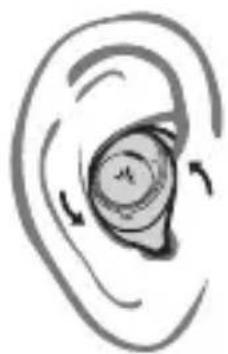
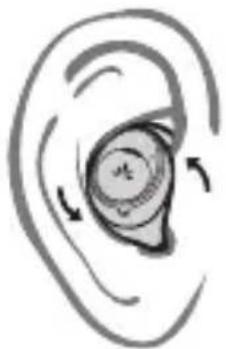
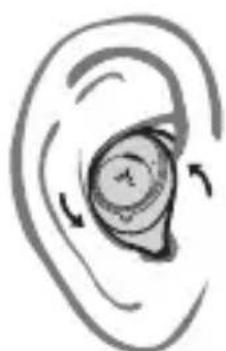
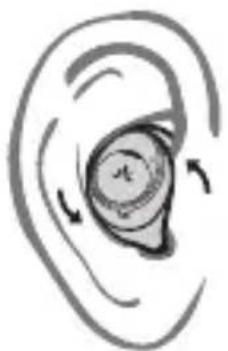
How to Wear the Earbuds
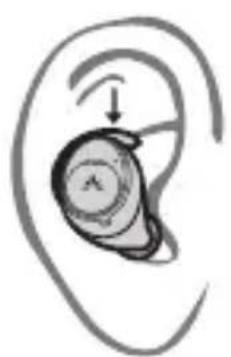
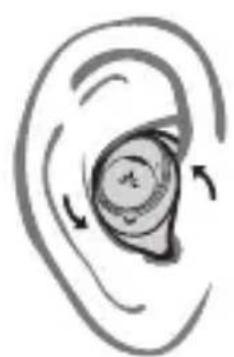
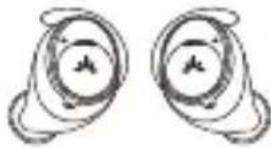
Orient the earbuds so that the Avantree logo is right side up –this ensures both a secure fit and that the microphone is properly positioned.
Using the Earbuds with Your Phone/Tablet
Z
STEP 1
Ensure that the Transmitter is powered off. (If not, the transmitter and the earbuds will connect automatically as they're locked together by default.)
STEP 2
Open the charging case, put the earbuds back into the charging case and close the lid. Then open it again, and the earbuds will go into pairing mode automatically. The LED indicator will flash red and blue alternately.
STEP 3
Turn on your audio source's Bluetooth and select "Avantree ACE 130" from the Bluetooth menu to connect.

| < Bluetooth |
| Bluetooth |
| DEVICES |
| Avantree Ace 130 |
Use Sky Ace on Airplane
Connecting the Transmitter to an Audio Source
E
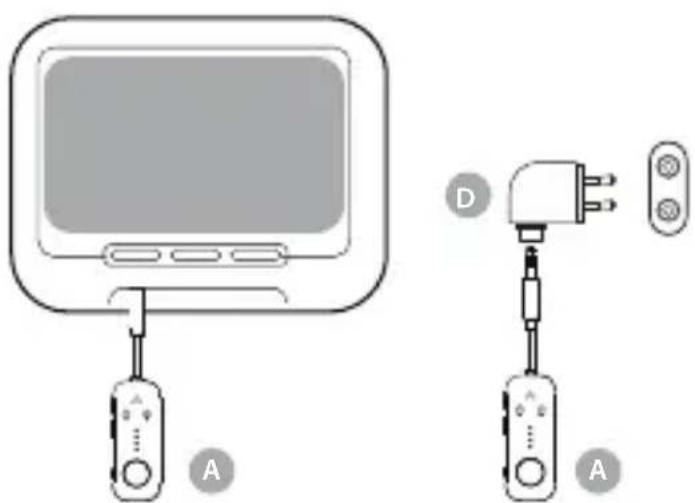
Plug the transmitter into an in-flight entertainment system (use the adapter if necessary) or any other audio source that has an AUX 3.5mm audio connector.
Connecting the Earbuds to Transmitter
Step 1
Slide the transmitter's ON OFF switch to the "ON" position.
Step 2
Open the charging case to turn on the earbuds
Step 3
The transmitter and earbuds will connect automatically.
EN
Once connected, the 1 indicator on the transmitter will turn solid blue. If not, you can manually re-connect by pressing the Transmitter's MFB once.
If they still don't connect, you may need to re-pair your devices. Put your Transmitter into PAIRING mode by pressing & holding the MFB until the 1 LED flashes blue and red alternately. Press & hold the Pairing button on the charging case to enter Pairing Mode: until the LED indicator on the earbuds flash red and blue alternately. Once connected, the 1 indicator on the transmitter will turn solid blue.
NOTE: If you paired your earbuds with a different Bluetooth device, turn Bluetooth OFF on said device(s). They may be connecting to that device instead of the Relay transmitter.
Advanced Features
Adding a Second Pair of Headphones
E
STEP 1
Once the ACE earbuds are successfully connected, put your Transmitter into PAIRING mode by pressing & holding the MFB until the 2 LED flashes blue and red alternately.
STEP 2
Put your second pair of Bluetooth headphones into PAIRING mode. Please refer to your headphones' user manual for more details if necessary.
STEP 3
Keep the Transmitter & your second device close together and wait for 5-10s until they connect. Once connected, both 1 2 indicators will turn solid blue.
NOTE: The dual headphones mode works with most headphones but not all. Certain true wireless earbuds in particular do not work well with Bluetooth transmitters' dual headphones mode. If you're not getting audio while dual linked, try turning the affected headphones off and then on again.
Charging
E
Charging the Transmitter
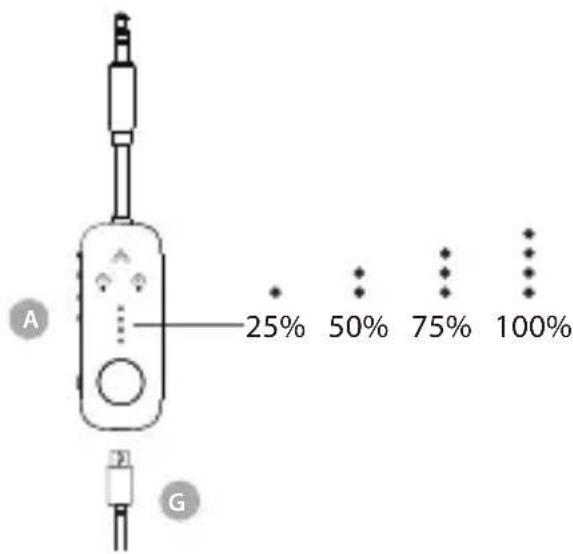
Double click the MFB of the Transmitter to check the battery level. It's best to initiate charging when the Relay is at 25 % battery level or below.
Charging the Earbuds
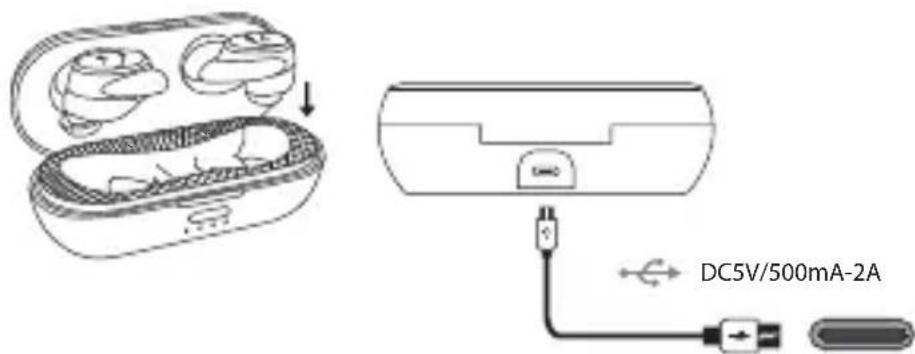
If you hear the voice prompt "Battery Low" from the earbuds, that means it's time to charge them. Place the earbuds back into the charging case and close the case.
Specifications Transmitter
| Bluetooth version v5.3 | |
| Operating range | Up to 33ft / 10m |
| Bluetooth profiles | AVRCP, A2DP |
| Supported audio codecs | aptX Low Latency; aptX adaptive; aptX HD, aptX, SBC |
| Rated input | DC5.0V / 500Ma-2A |
| Product dimensions | 125mmx24mmx12mm |
| Net weight | 15g |
E
Earbuds
| Bluetooth version v5.2 | |
| 20Hz-20KHzFrequency re | |
| Bluetooth profiles | HSP v1.2, HFP v1.7.1,AVRCP v1.6, A2DP v1.3.1 |
| Supported audio codecs | aptX adaptive, aptX,AAC, SBC |
| Battery life | Up to 10.5 hours forearbuds; 36 hours forcharging case |
| 19x22x25mmEarbud size | |
| Earbud weight | 6g; 60g (withcharging case) |
FAQ
EN
Below are some of the most common questions people have during setup.
Can I use the transmitter while it's charging?
Yes, you can use it while it's charging.
Can I use the transmitter with the GYM machine?
Yes, it can be used on any audio devices with 3.5mm AUX output, even with a treadmill or TV.
How to change earbuds tips & fins?
Select the most comfortable and secure fit tips and fins. Please take note of L / R when picking the fins. Apply tips and fins on the earbuds. When attaching the earbud fins please take note to align the positioning-pin hole and mic cut-out correctly.
Can I use only one earbud each time?
Yes. And you can use each earbud individually, even with two different devices.
How to lock a replacement pair of ACE earbuds with the transmitter?
After connecting the replacement ACE earbuds to the transmitter successfully (no other headphones connected at the same time), please press and hold both the MFB button and volume + button on the transmitter for 6 seconds, the LED on earbuds will flash red for 1 second. Once locked, the ACE earbuds will automatically re-connect to the transmitter every time of power on.
Why aren't my headphones connecting?
Why aren't I getting sound from my headphones?
●●●●●●
For answers to questions like these and for a full FAQ list, you can visit avantree.com/support/sky-ace, or you can contact us directly for additional assistance.
Contact Us
EN

Support Tickets avantree.com/submit-a-ticket

Support Email support@avantree.com

USA / CA +1800 232 2078 (9am-6pm PST, Mon-Fri)
UK +44 20 8068 2023 (9am-6pm, GMT, Mon-Sat)
DE +49 32221097297 (11am-9pm, CET, Mon-Sat)
FR +33 176340312 (11am-9pm, CET, Mon-Sat)
IT +39 06 9480 3330 (9am-6pm, CET, Mon-Sat)
ES +34 931786261 (9am-6pm, CET, Mon-Sat)
AU + 61 2 8310 9897 (11am-7pm, AEST, Mon-Fri)

FAQ avantree.com/support/sky-ace

Product Registration avantree.com/product-registration
Inhaltsverzeichnis
Lieferumfang 20
B
H
Support Tickets avantree.com/submit-a-ticket

Support Email support@avantree.com


USA / CA +1800 232 2078 (9am-6pm PST, Mon-Fri)
UK +44 20 8068 2023 (9am-6pm, GMT, Mon-Sat)
DE +49 32221097297 (11am-9pm, CET, Mon-Sat)
FR +33 176340312 (11am-9pm, CET, Mon-Sat)
IT +39 06 9480 3330 (9am-6pm, CET, Mon-Sat)
ES +34 931786261 (9am-6pm, CET, Mon-Sat)
AU + 61 2 8310 9897 (11am-7pm, AEST, Mon-Fri)

FAQ avantree.com/support/sky-ace

Product Registration avantree.com/product-registration
Sommaire
Câble de charge USB C (0.5m)
H
Support Tickets avantree.com/submit-a-ticket

Support Email support@avantree.com

USA / CA +1800 232 2078 (9am-6pm PST, Mon-Fri)
UK +44 20 8068 2023 (9am-6pm, GMT, Mon-Sat)
DE +49 32221097297 (11am-9pm, CET, Mon-Sat)
FR +33 176340312 (11am-9pm, CET, Mon-Sat)
IT +39 06 9480 3330 (9am-6pm, CET, Mon-Sat)
ES +34 931786261 (9am-6pm, CET, Mon-Sat)
AU + 61 2 8310 9897 (11am-7pm, AEST, Mon-Fri)

FAQ avantree.com/support/sky-ace

Product Registration avantree.com/product-registration
B
Ganci Auricolari Gommini Auricolari
G
Custodia da Viaggio
Ricaricare le Cuffie
Support Tickets avantree.com/submit-a-ticket

Support Email support@avantree.com

USA / CA +1800 232 2078 (9am-6pm PST, Mon-Fri)
UK +44 20 8068 2023 (9am-6pm, GMT, Mon-Sat)
DE +49 32221097297 (11am-9pm, CET, Mon-Sat)
FR +33 176340312 (11am-9pm, CET, Mon-Sat)
IT +39 06 9480 3330 (9am-6pm, CET, Mon-Sat)
ES +34 931786261 (9am-6pm, CET, Mon-Sat)
AU +61 2 8310 9897 (11am-7pm, AEST, Mon-Fri)

FAQ avantree.com/support/sky-ace

Product Registration avantree.com/product-registration
índice de Contenido
B

Transmisor Relay Auriculares Ace 130
C
Estuche de Carga
D
Cable de Carga USB C (1.5ft / 0.5m)
H
Estuche de Viaje
avantree.com/Sky-Ace/accessories
Support Tickets avantree.com/submit-a-ticket

Support Email support@avantree.com

USA / CA +1800 232 2078 (9am-6pm PST, Mon-Fri)
UK +44 20 8068 2023 (9am-6pm, GMT, Mon-Sat)
DE +49 32221097297 (11am-9pm, CET, Mon-Sat)
FR +33 176340312 (11am-9pm, CET, Mon-Sat)
IT +39 06 9480 3330 (9am-6pm, CET, Mon-Sat)
ES +34 931786261 (9am-6pm, CET, Mon-Sat)
AU + 61 2 8310 9897 (11am-7pm, AEST, Mon-Fri)

FAQ avantree.com/support/sky-ace

Product Registration avantree.com/product-registration

Manufacturer: Avantronics Limited
Address: Luohu District, Shenzhen 518000 China
US Importer:
Avantree Corporation
San Jose, California 95119 USA
UK Importer:
Avantree Limited
Watford, WD180 0HQ UK
EC REP
Servicer in Europe:
Gizmex GmbH,
Sternstr. 67, 40479 Dusseldorf, Germany
Tel: 01-408 334 8648 support@avantree.com

Model No:BTHT-2130
Dispose of the packaging and this product in
accordance with the latest provisions
Z-PKQG-BTHT-2130
- CONTENTS
- BOX CONTENTS
- PRODUCT INTRODUCTION (TRANSMITTER)
- EN
- PRODUCT OVERVIEW
- BUTTON FUNCTIONS
- LED INDICATORS
- PRODUCT INTRODUCTION (EARBUDS)
- HOW TO WEAR THE EARBUDS
- USING THE EARBUDS WITH YOUR PHONE/TABLET
- STEP 1
- STEP 2
- STEP 3
- USE SKY ACE ON AIRPLANE
- CONNECTING THE TRANSMITTER TO AN AUDIO SOURCE
- CONNECTING THE EARBUDS TO TRANSMITTER
- ADVANCED FEATURES
- ADDING A SECOND PAIR OF HEADPHONES
- CHARGING
- E
- CHARGING THE TRANSMITTER
- CHARGING THE EARBUDS
- SPECIFICATIONS TRANSMITTER
- FAQ
- HOW TO LOCK A REPLACEMENT PAIR OF ACE EARBUDS WITH THE TRANSMITTER
- WHY AREN'T MY HEADPHONES CONNECTING
- CONTACT US
- INHALTSVERZEICHNIS
- SOMMAIRE
- RICARICARE LE CUFFIE
- ÍNDICE DE CONTENIDO
- EC REP
Brand : Avantree
Model : Sky Ace
Category : Earplug