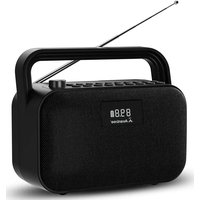
PowerByte - Loudspeaker Avantree - Free user manual and instructions
Find the device manual for free PowerByte Avantree in PDF.


| Product type | Portable speaker |
| Brand | Avantree |
| Model | PowerByte |
| Dimensions (L x W x H) | 235 x 198 x 112 mm |
| Weight | 1745 g ± 10 g |
| Power supply | Built-in battery 7.4 V, 3600 mAh |
| Output power | 30 W (2 x 15 W) |
| Battery life | Up to 7 hours (at 50% volume) |
| Charging | 5 V / 3 A |
| FM frequency | 87 MHz - 108 MHz |
| Bluetooth | Version 5.3, range 10 m (30 ft) |
| Supported audio formats | MP3, WMA, WAV, APE, FLAC |
| External storage | microSD card or USB drive up to 32 GB |
| Main functions | FM radio, Bluetooth, microSD/USB player, AUX input, sleep timer, equalizer (3 modes) |
| Display | LCD screen with backlight |
| Care and cleaning | Clean with a soft, dry cloth |
| Safety | Do not expose to water, moisture, or extreme temperatures |
Frequently Asked Questions - PowerByte Avantree
User questions about PowerByte Avantree
0 question about this device. Answer the ones you know or ask your own.
Ask a new question about this device
Download the instructions for your Loudspeaker in PDF format for free! Find your manual PowerByte - Avantree and take your electronic device back in hand. On this page are published all the documents necessary for the use of your device. PowerByte by Avantree.
USER MANUAL PowerByte Avantree
natural_image
Black portable radio with antenna and digital display showing 8:00 AM (no text or symbols on device body)Avantree®
Model No.: BTSP-880

Book an Appointment
You can also book a 1-on-1 setup appointment with one of our support agents at avantree.com/book-a-call

natural_image
Icon of a person wearing a headset (no text or symbols)Contents
EN UserManual 2
DE Benutzerhandbuch 17
FR Manueldel'Utilisateur 32
IT ManualeUtente 47
ES Manual del Usuario 62
Table of Contents
Product Introduction 3
Product Overview.... 3
Button Functions.... 4
LCD Screen Status.... 5
Use as an FM Radio 6
Use as a Bluetooth Speaker 7
Use as a MicroSD Card Player 8
Use as a USB Drive Player....8
Use as a Wired Speaker 9
Charging 9
Turn Off and On the Voice Prompt 9
Factory Reset 9
Specifications 10
FAQ 11
Contact Us 56

Product Introduction
Product Overview
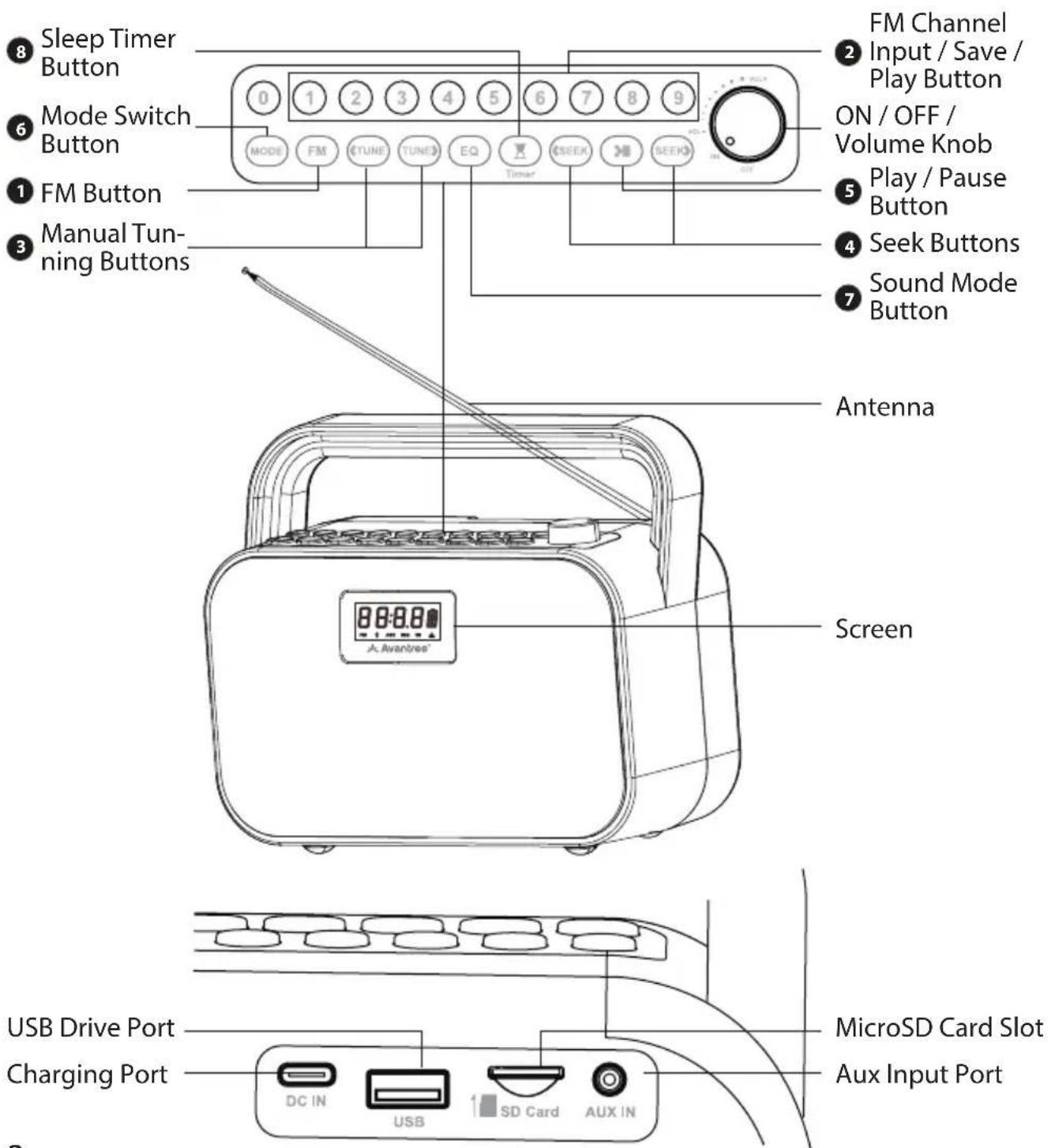
Button Functions
| No. Button Functions | ||
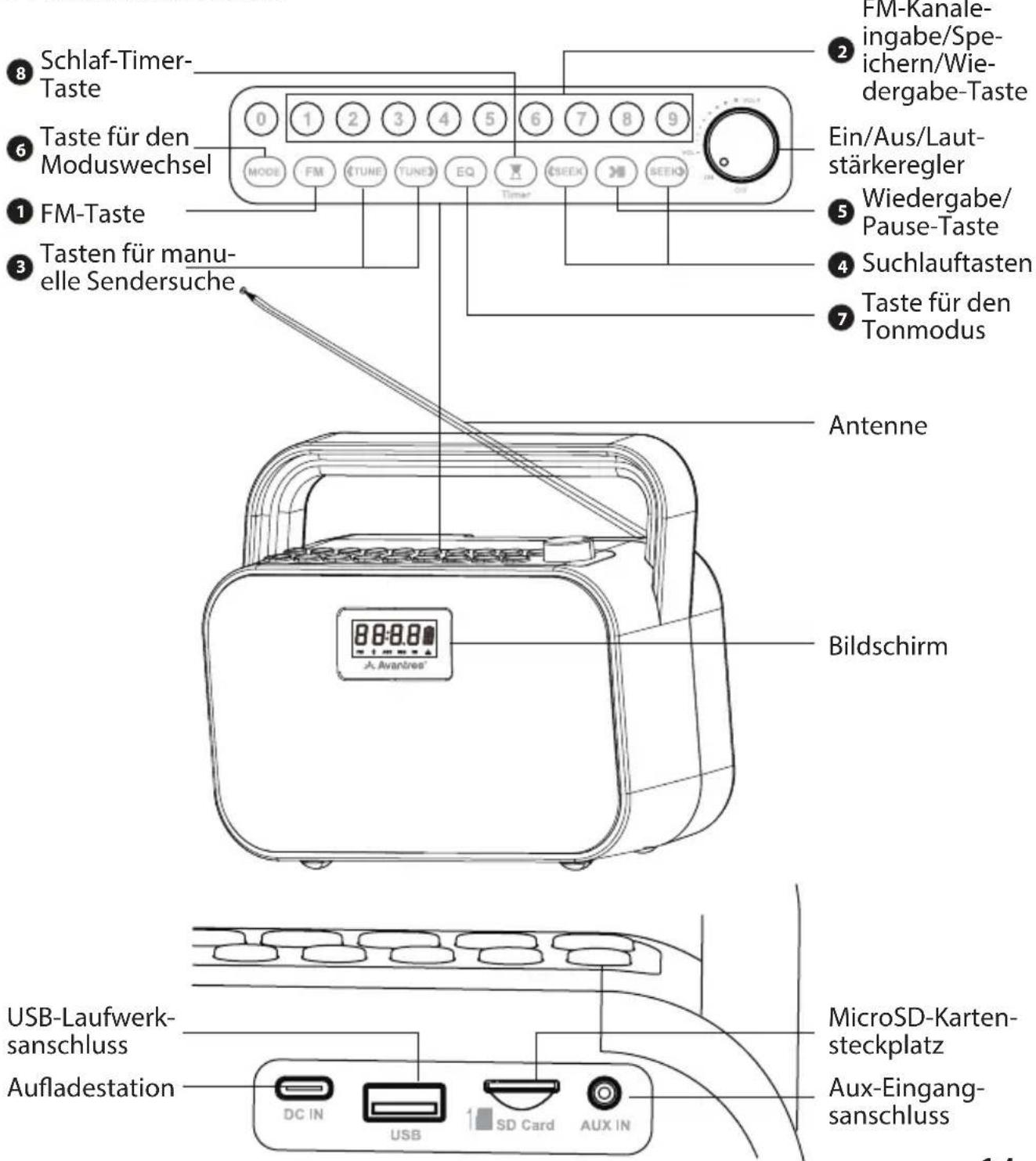
| 1 | FM | Press to enter FM mode |
| Press and hold to start searching for all available FM channels | ||
| 2 | 1 2......9 | Directly input the FM channel, e.g., for 102.5, press the number sequence 1-0-2-5 |
| Press and hold to save FM channel to desired number button | ||
| Press to play saved FM channel | ||
| 3 | 〈TUNE TUNE〉 | Press once to adjust channel up / down by 0.1 MHz(FM mode) |
| 4 | 〈SEEK SEEK〉 | Press for previous / next channel / track |
| Press and hold to search up / down for the next clear FM channel | ||
| 5 | >II | Press once to mute / unmute (FM / wired speaker mode) or play / pause (other modes) |
| 6 | MODE | Press to switch between Bluetooth speaker / micro SD card / USB drive player / wired speaker modes |
| 7 | EQ | Press once to switch between EQ1 (balanced), EQ2 (clear voice), and EQ3 (bass boost) |
| 8 | Timer | Press once to set sleep timer between 30/60/90/120 mins |


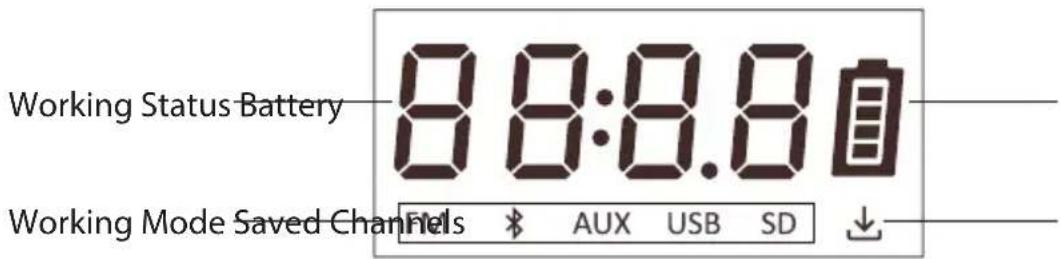
LCD Screen Status
Avantree®
| LCD Status | |
 | Flashing, Bluetooth speaker mode - pairing mode |
| Solid, connected | |
 | Micro SD card mode |
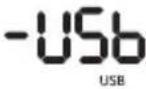 | USB drive mode |
 | Wired speaker mode |
 | Bluetooth paired history cleared |
Use as an FM Radio
STEP 1: Turn on the PowerByte
Rotate the volume control clockwise to ON; the screen will light up.
For 1st time use, it will start auto-scanning for channels. If not, press and hold the button FM to start auto-scanning. Please wait until the auto-scanning complete.
STEP 2: Tune into Channels
Press the /SEEK buttons to choose your desired channel.
Or you can directly input the channel frequency using the number pad, e.g., for FM102.5, press the number sequence 1-0-2-5.
Or press and hold the /SEEK button, it will scan up / down for the next clear channel.
STEP 3: Save and play your favorite channels
Save channels to the number pad for quick access - Find local FM channels as described above, then save any channel for quick access by pressing and holding the number pad until the screen displays -01- --- -09-. You can save up to 9 channels.
Play the saved channels - Click the corresponding number pad button once.

Use as a Bluetooth Speaker
Pair and connect - Turn the speaker on, press the button MODE once to enter Bluetooth speaker mode, you will see the screen display -bt- and hear "Bluetooth speaker mode, pairing". Now activate Bluetooth on your device (i.e., phone, tablet, laptop etc.) and search for "Avantree PowerByte" to pair and connect.
To reconnect - Each time you turn it on and enter Bluetooth mode, the speaker should automatically reconnect to the last connected device. If not, select "Avantree PowerByte" on your device.
Clear Bluetooth pairing history - Press and hold both buttons (SEEK and SEEK) for 5 seconds, the screen will display cLEr, then its Bluetooth pairing history is cleared and it enter pairing mode automatically.
Use as a MicroSD Card Player
When you insert a microSD card (not included) while the radio is on, it will automatically switch to microSD mode. If you insert the card when the radio is off, you'll need to press the button MODE to switch to microSD mode, the screen will display -Sd-, and you will hear "microSD card mode".
The PowerByte supports MP3, WMA, WAV, APE, FLAC file formats, and the max storage capacity of the SD card is 32GB.
Repeat One - Press both the buttons MODE and number pad 1, the screen will display 01 and you will hear "repeat one".
Repeat All - Repeat all is the default setting. If you need to switch from other play mode to repeat all, press both the buttons MODE and number pad 2, the screen will display 02 and you will hear "repeat all".
Shuffle - Press both the buttons MODE and number pad 3, the screen will display 03 and you will hear "shuffle".
Use as a USB Drive Player
Follow the instructions for the MicroSD card player above, swapping "microSD card" with "USB drive". Make sure to press the button MODE to switch to USB drive mode, the screen will display -USb and you will hear "USB drive mode".

Use as a Wired Speaker
Follow the instructions for the MicroSD card player above, swapping "microSD card" with "AUX audio cable", the screen will display -RUH and you will hear "Auxiliary mode".
Charging
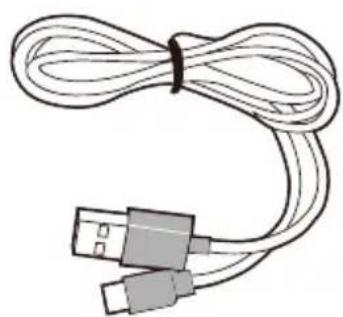
A icon will flash on the PowerByte's screen to indicate low battery. You can charge the radio using the provided charging cable.
The 📄 icon on the screen will flash while charging and stop once charging is complete.
Turn Off and On the Voice Prompt
Press and hold both the buttons ▶II and SEEK for 5 seconds, you will hear "voice prompt on".
Press and hold both the buttons ▶II and ◀SEEK for 5 seconds, you will hear "voice prompt off".
Factory Reset
Press and hold both the buttons MODE and number pad 0 for 5 seconds, screen letters will all light up for 5 seconds and turn off, now it is factory reset. The radio will turn off and back on, enter FM mode and start auto searching.
Specifications
| FM Frequency Range 87MHz - 108MHz | |
| Frequency Range 2.402 - 2.48 GHz | |
| BT V5.3 | |
| Power Output 30W(15WX2) | |
| Battery Type Built-in 7.4V 3600mAh battery | |
| Playtime Up to 20hrs(at 50% volume) | |
| Charging Voltage 5V/3A | |
| Operating Range 30ft/10m | |
| Supported Profiles A2DP, HFP, AVRCP | |
| Supportee Music File Format MP3, WMA, WAV, APE, FLAC | |
| Supported Storage Up to 32GB Micro SD card/U disk | |
| Speaker Size 235*198*112mm | |
| Speaker Weight 1745g±10g |
E2

FAQ
Below are some of the most common questions people have during setup.
Why is my FM reception so bad?
Why is my microSD card not working?
• • • • • •
For answers to questions like these and for a full FAQ list, you can visit avantree.com/support/powerbyte, or you can contact us directly for additional assistance.
Inhaltsverzeichnis
natural_image
Line drawing of a portable electronic device with a digital display and antenna (no text or symbols on the device itself)Radio
natural_image
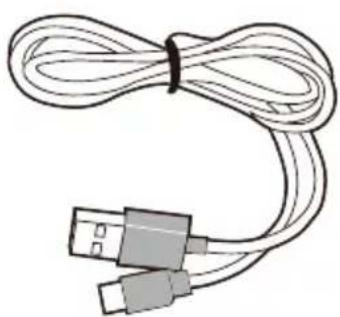
Coiled cable with two USB connectors (no text or symbols visible)Aufladekabel
Produkt-Einführung
Produktübersicht
natural_image
Line drawing of a portable electronic device with a digital display and antenna (no text or symbols on the device itself)Radio
natural_image
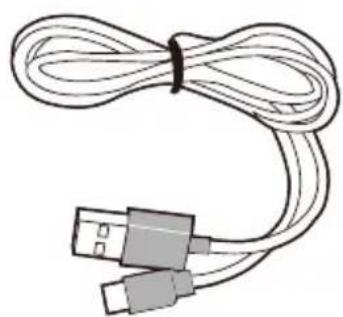
Coiled cable with two USB connectors (no text or symbols visible)Câble de chargement
natural_image
Line drawing of a portable electronic device with a digital display and antenna (no text or symbols)Radio
natural_image
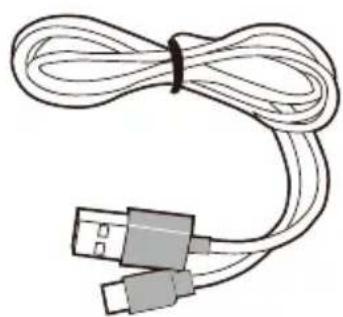
Coiled cable with two USB connectors (no text or symbols visible)Cavo di ricarica
natural_image
Line drawing of a portable electronic device with a digital display and antenna (no text or symbols on the device itself)Radio
natural_image
Coiled cable with two USB connectors (no text or symbols visible)Cable de carga
Support Tickets avantree.com/submit-a-ticket

Support Email support@avantree.com

Support Numbers
| US+1 800 232 2078 9am-6pm PST | Mon-Fri |
| CA +1 800 232 2078 9am-6pm PST | Mon-Fri |
| UK+44 208 068 2023 9am-6pm GMT | Mon-Sat |
| DE +49 322 2109 7297 11am-9pm CET | Mon-Sat |
| FR +33 17 634 0312 11am-9pm CET | Mon-Sat |
| IT+39 069 4803 330 9am-6pm CET | Mon-Sat |
| ES+34 93 1786 261 9am-6pm CET | Mon-Sat |
| AU+61 2 8310 9897 11am-7pm AEST | Mon-Fri |

FAQ avantree.com/support/powerbyte

Product Registration See QR code on the product.
Manufacturer:
Avantronics Limited
Luohu District, Shenzhen 518000 China
+ 86 755 8228 5022 support@avantree.com
US Importer:
Avantree Corporation
San Jose, California 95119 USA
+1 800 232 2078 support@avantree.com
UK Importer:
Avantree Limited
Watford, WD180 0HQ UK
+44 20 8068 2023 support@avantree.com
EC REP
Servicer in Europe:
Gizmex GmbH,
Sternstr. 67, 40479 Dusseldorf, Germany
+49 322 2109 7297 support@avantree.com




Model No.: BTSP-880
Dispose of the packaging and this product in accordance with the latest provisions.
Z-PKQG-BTSP-880-V0
- Book an Appointment
- Contents
- Table of Contents
- Product Introduction
- LCD Screen Status
- Avantree®
- Use as an FM Radio
- STEP 1: Turn on the PowerByte
- STEP 2: Tune into Channels
- STEP 3: Save and play your favorite channels
- Use as a Bluetooth Speaker
- Use as a MicroSD Card Player
- Use as a USB Drive Player
- Use as a Wired Speaker
- Charging
- Turn Off and On the Voice Prompt
- Factory Reset
- FAQ
- Inhaltsverzeichnis
- Produkt-Einführung
- Support Numbers
- EC REP
Brand : Avantree
Model : PowerByte
Category : Loudspeaker