Avantree BTHSAS9 - Earphones

BTHSAS9 - Earphones Avantree - Free user manual and instructions

Find the device manual for free BTHSAS9 Avantree in PDF.

📄 6 pages English EN Download 💬 AI Question 10 questions ⚙️ Specs
Notice Avantree BTHSAS9 - page 1
View the manual : Français FR English EN
Pick your language and provide your email: we'll send you a specifically translated version.
Product TypeBluetooth Wireless Headset
BrandAvantree
ModelBTHSAS9 (Audition)
Dimensions (folded)20 x 18 x 8 cm
Weight200 g
Power Source500 mAh rechargeable lithium-ion battery
Battery LifeUp to 40 hours
Charging TimeApproximately 2 hours
ConnectivityBluetooth 5.0
RangeUp to 10 meters
Main FunctionsPlay/pause, volume, track change, hands-free call, NFC, 3.5 mm audio jack
Maintenance and CleaningClean the ear cushions with a soft dry cloth
SafetyUse the provided charger, do not expose to moisture, do not disassemble
Spare Parts and RepairabilityReplaceable ear cushion padding
General Information2-year warranty, support at support.avantree.com

Frequently Asked Questions - BTHSAS9 Avantree

How to pair the headset with my phone?
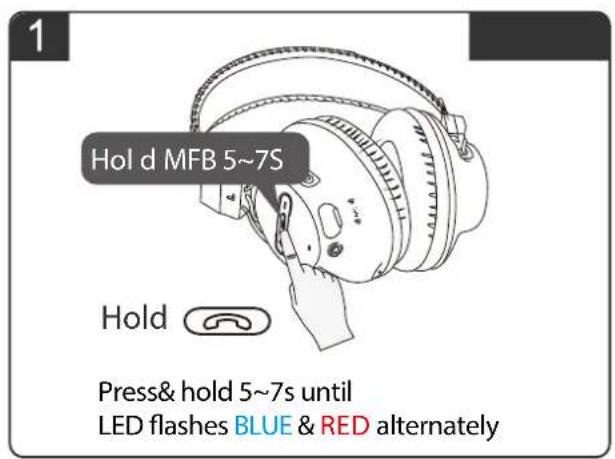
Press the multi-function button (MFB) for 5 to 7 seconds until the LED flashes blue and red alternately. On your phone, search for Bluetooth devices and select Avantree Audition.
How to charge the headset?
Use the provided USB cable to connect the headset to a standard USB charger. Charging time is about 2 hours. The LED turns off when the battery is full.
What to do if the headset won't turn on?
Make sure the battery is charged. Plug the headset into a charger and wait a few minutes. If the problem persists, try resetting the headset (see question about reset).
How to adjust the volume?
Use the + and - buttons on the headset. The + button increases volume, the - button decreases it. They also serve to skip to next or previous track by pressing and holding.
Can I use the headset in wired mode?
Yes, the headset has a 3.5 mm audio jack. Plug in an audio cable for wired use when the battery is low or with non-Bluetooth devices.
How to use the NFC function?
Place your NFC-compatible phone near the NFC position indicated on the headset for quick pairing. Make sure NFC is enabled on your phone.
How to clean the leather ear cushions?
Use a soft, slightly damp cloth to wipe the cushions. Avoid harsh chemicals. Let them air dry.
What to do if the sound is distorted or choppy?
Check the distance from the source device (max 10 meters). Make sure there are no obstacles. Try restarting the headset and device. If the problem persists, reset the headset.
How to reset the headset to factory settings?
Press and hold the multi-function button for about 10 seconds until the LED flashes red quickly. The headset will turn off. Restart the pairing process.
Where to find technical support?
Visit support.avantree.com for FAQs, user guide videos, and to contact phone support. You can also book a call at avantree.com/contact-us.

User questions about BTHSAS9 Avantree

0 question about this device. Answer the ones you know or ask your own.

Ask a new question about this device

The email remains private: it is only used to notify you if someone responds to your question.

No questions yet. Be the first to ask one.

Download the instructions for your Earphones in PDF format for free! Find your manual BTHSAS9 - Avantree and take your electronic device back in hand. On this page are published all the documents necessary for the use of your device. BTHSAS9 by Avantree.

USER MANUAL BTHSAS9 Avantree

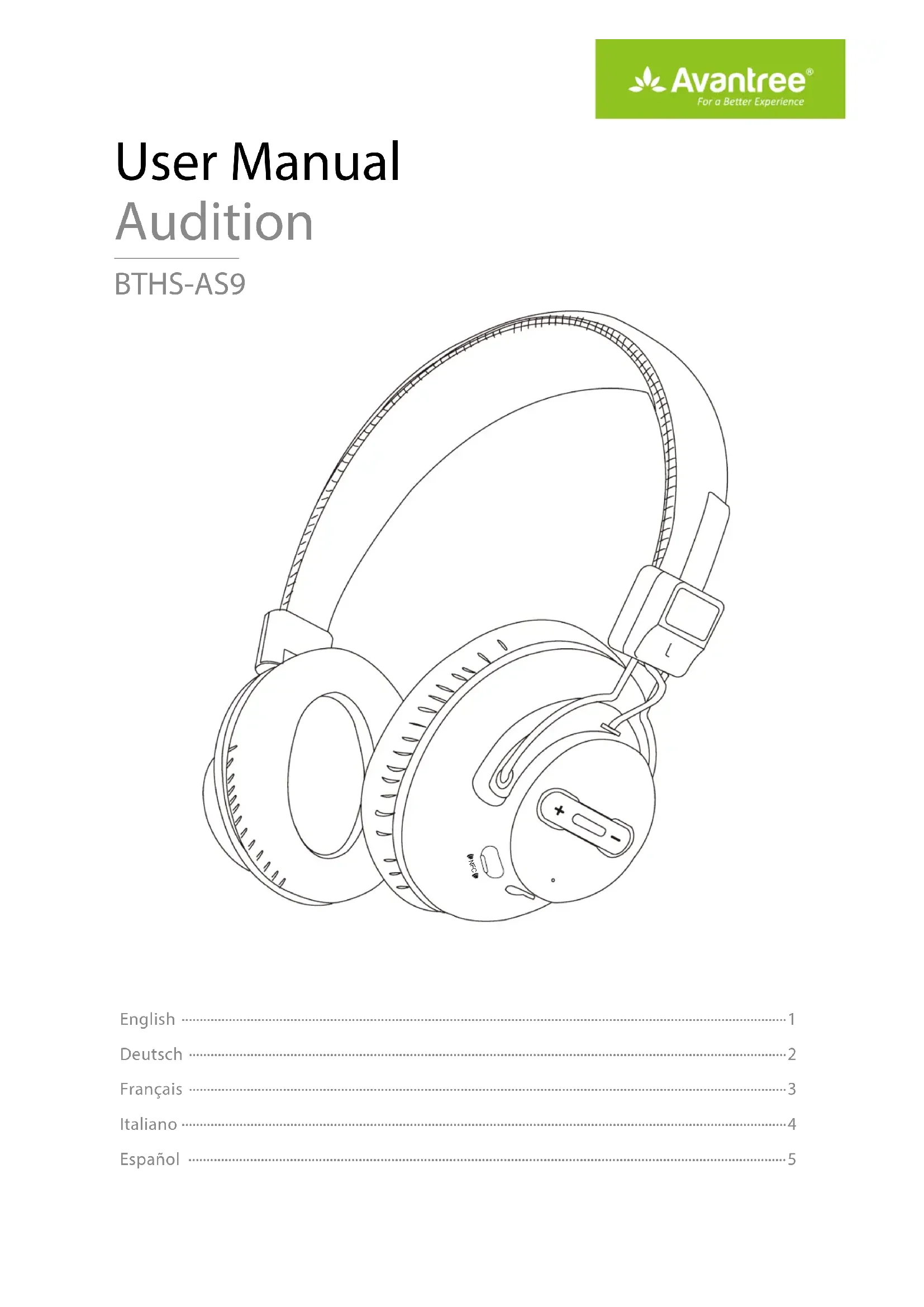
natural_image Line drawing of a pair of white Sony headphones with earbuds and accessories (no text or symbols)

English 1

Deutsch 2

Français 3

Italiano 4

Español 5

Quick User Guide
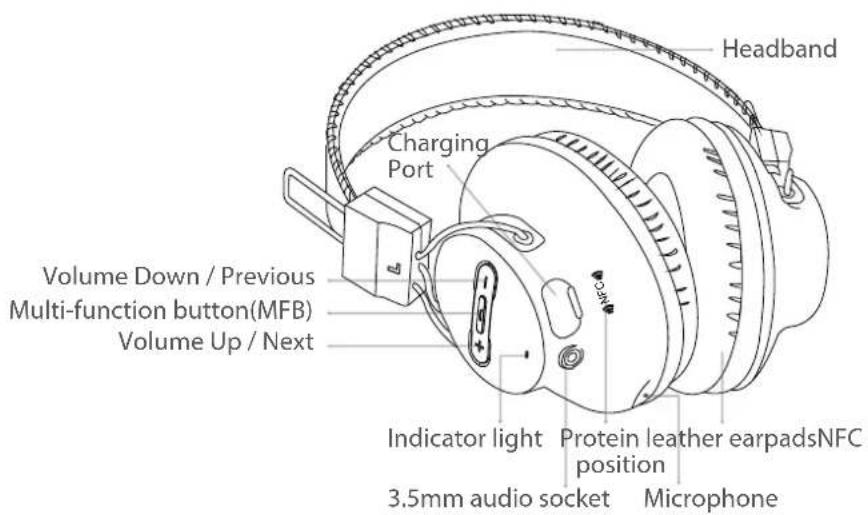
Avantree BTHSAS9 - Quick User Guide - 1

text_image Headband Charging Port Volume Down / Previous Multi-function button(MFB) Volume Up / Next Indicator light Protein leather earpadsNFC position 3.5mm audio socket Microphone

Pair with your phone

Avantree BTHSAS9 - Pair with your phone - 1

text_image 1 Hol d MFB 5~7S Hold Press& hold 5~7s until LED flashes BLUE & RED alternately
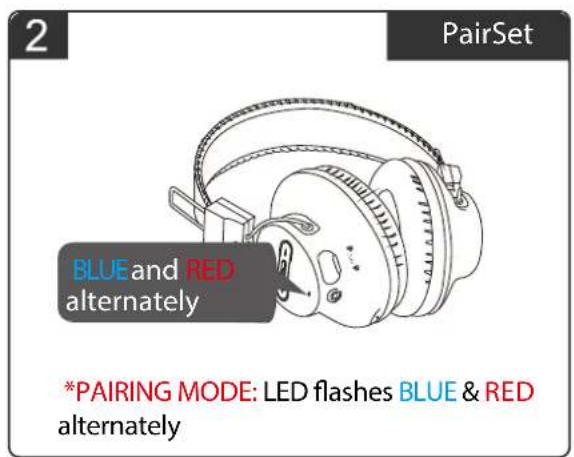
Avantree BTHSAS9 - Pair with your phone - 2

text_image 2 PairSet BLUEand RED alternately *PAIRING MODE: LED flashes BLUE & RED alternately
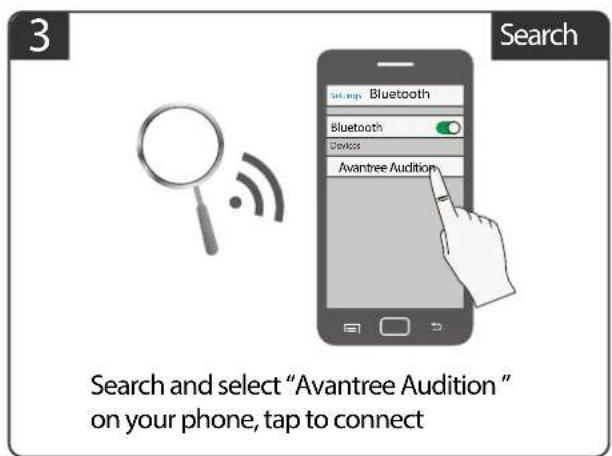
Avantree BTHSAS9 - Pair with your phone - 3

text_image 3 Search Search and select "Avantree Audition" on your phone, tap to connect
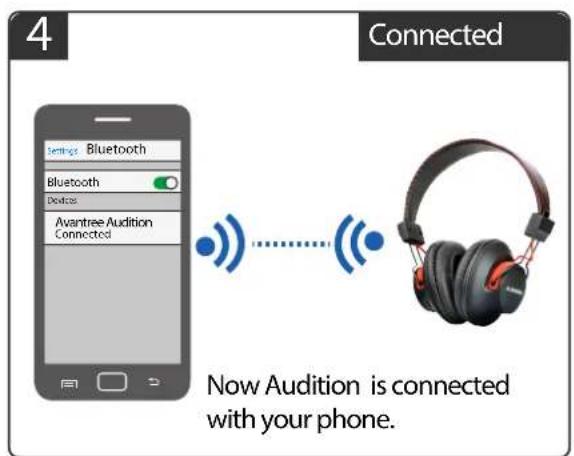
Avantree BTHSAS9 - Pair with your phone - 4

text_image 4 Connected Settings Bluetooth Bluetooth Desktops Avantree Audition Connected Now Audition is connected with your phone.

More FAQs on support.avantree.com

Video user guide: Search "Product Name" on Youtube.com

Telephone support refer to http://www.avantree.com/contact-us

Email support: support@avantree.com

Support email: support@avantree.com

Supporto E-mail ore:support@avantree.com
Table of contents Click a title to access it
Manual assistant
Powered by Anthropic
Waiting for your message
Product information

Brand : Avantree

Model : BTHSAS9

Category : Earphones