Aerospace B70 Orbiter - Watch Breitling - Free user manual and instructions
Find the device manual for free Aerospace B70 Orbiter Breitling in PDF.
User questions about Aerospace B70 Orbiter Breitling
0 question about this device. Answer the ones you know or ask your own.
Ask a new question about this device
Download the instructions for your Watch in PDF format for free! Find your manual Aerospace B70 Orbiter - Breitling and take your electronic device back in hand. On this page are published all the documents necessary for the use of your device. Aerospace B70 Orbiter by Breitling.
USER MANUAL Aerospace B70 Orbiter Breitling
text_image
Breitling BreitlingBREITLING 1884
INSTRUCTIONS FOR USE
AEROSPACE B70
AEROSPACE B70
text_image
A B C REITLING 1894 AVIOSPACE CHRONOMETER
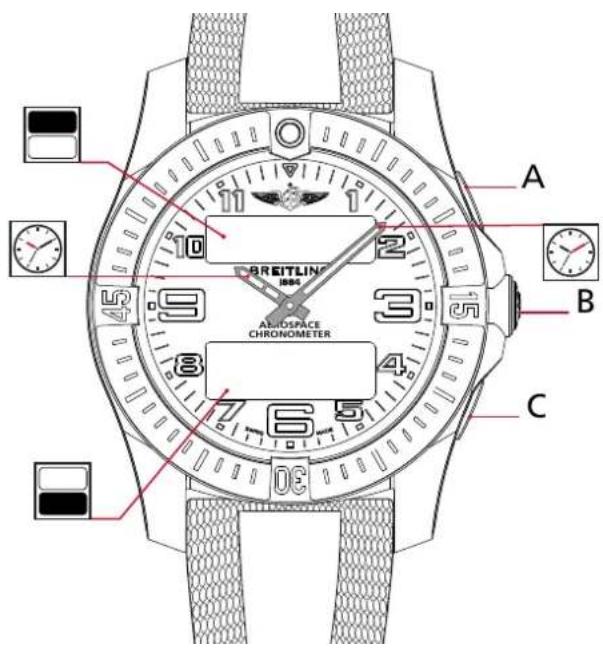
Aguille des heures Hour hand Stundenzeiger Lancetta delle ore Aguja de las horas Puntaira dos horas Часовая стрепка 時針 時針 时針

Poussoir secondaire (activation ou réloque du mode) Secondary pusher (mode activation or setting) Sekundärer Drücker (Modusaktivierungoder -einstellung) Pulsante secondario (attivazione o impostazione della modalità) Pulsador secundario (activación de modo o ajuste) Botto secundária (attivazione de modo ou definição) Knonna «Старт/стон» 第2プッシャー(モードの起動または設定) 補助按継(模式啟動或設置) 副按钮(模式激活或设置)

Aguille des minutes Minute hand Minutenzeiger Lancetto dei minuti Apuja de los minutos Punteiro dos minutes Munutная стрелка 分計 分計 分計

Poussoir principal (sélection du mode) Main Pusher (mode activation or setting) Reuptdrücker (Rodassauswahl) Pulsante principale (sezione della modalità) Pulsador principal (sezione de modo) Botto principal (selecto de mode) Kwonia c/cipoca メインブッケー (モードの選択) 主接組 (模式選擇) 主接組 (模式选择)
Poussoir secondaire (activation ou réglage du mode) Secondary pusher (mode activation or setting) Sekundärer Drücker (Rodassaktivierung oder -einstellung) Pulsante secondaria (attivazione o impostazione della modalità) Pulsador secondaria (activazione di modo a ajuste) Botto secondaria (ativazione do modo ou definizione) Kwonia «Crapt/cron» 第2アッチャー (シードの起動または設定) 前接後継 (模式設定を設定) 副接組 (模式禁止或設置)

Ern supérieur (function sélectionnée) Upper display (selected function) ObereAnzeige (ausgewählteFunktion) Display superiore (funzioneselezionata) Pantallasuperior (funciónselecionada) Mostradorsuperior (funciónselecionada) Hacoanal crpenna 上段表示(選択された機能) 上部顯示(選定功能) 上部显示屏(選定功能)

Ecran inférieur [detaileds de la function] Lower display [function details] Unteränzeige [Funktionsdetails] Display inferiore (dettagli delle funzioni) Pantella inferior [detalles de la funzione] Mestrodor inferior [detalhes da funzione] Minutная ströppa 下段表示(摘要内容) 下部顯示(功能详情) 下部显示屏(功能详情)
VUE D'ENSEMBLE DE L'AFFICHAGE
PRESS A OR C to switch in-between the dials

CONFIGURATION

DATE

PRIMARY
IME DISPLAY
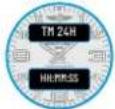
SECONDARY TIME DISPLAY
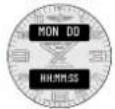
TIME ZONE
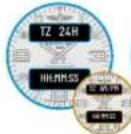
ALARM

SPLIT-TIME

LAP-TIME
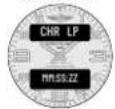
TIMER






For the Alarm only:
- PRESS A to activate or
• Pressing C to switch between
alarm 1 and alarm 2.






Depending on the PRIMARY TIME DISPLAY selected,
other functions displaying a time will either be shown with in
An/Fit of 24-h format as a result, such as TIME ZONE OF ALARM. The format are only be adapted on the PRIMARY TIME DISPLAY
The format can only be adapted on the PRIMARY TIME DISPLAY screen.
Depending on context:
X for a number
HH for hours / MM for minutes / SS for seconds / ZZ for 100 ^th of seconds
DAY for day / HUN for month / DU for date / HI for month /
YY or TYYY for year / WK of WW for week
Up-to-date user manuals are available on breitling.com under SERVICE section.
VOTRE CHRONOMÈTRE BREITLING
text_image
CHR SP MM:SS:SS A B Ctext_image
A MM DD B HH:MM:SS CHEURE PRINCIPALE
text_image
CHR SP MM:SS:ZZ A B CStandard
text_image
CHR LP MM:SS:ZZ A B CUtilisation
Standard
A chronometer is a high-precision instrument that has successfully passed the entire battery of tests imposed by the COSC (Swiss Official Chronometer Testing Institute), a neutral and independent body which individually tests each movement according to the prescriptions in force.
The certification test for wristwatch chronographs with quartz oscillators consists in observing each movement for 13 days and 13 nights, in several positions and at 3 different temperatures (8°C, 23°C, 38°C). To earn the prestigious chronometer label, a movement's performances must meet 6 very strict criteria, including a daily variation in rate of within ±0.07 seconds, corresponding to an annual precision of ±25 seconds. The variation in rate of the SuperQuartz™ calibre fitted in your Breitling watch far and above exceeds these demands, achieving a level of ±15 seconds per year.
The term "chronometer" should not be confused with that of "chronograph", which is a complicated watch fitted with an additional mechanism used for measuring the duration of an event. A chronograph is not necessarily chronometer-certified, but all Breitling chronographs carry the much-coveted title of "chronometer".
MAIN HANDLING PRINCIPLES
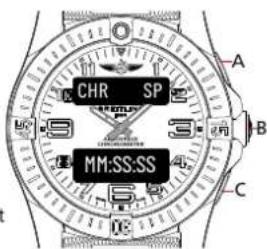
The Aerospace is a multi-function chronograph. To access a function, press pusher B. The digital displays will light up and display the currently selected function:
- Upper display = function name,
- Lower display = function details,
Press B again in order to have the function switch to the next in line.
text_image
CHR SP MM:SS:SS A B COnce the function required is displayed,
- Hold B for a moment to access and set up the function,
- Press A or C to use the function,
Please note that the hour and minute hands will promptly move away from the upper and lower digital displays to increase the readability of the function while in use.
The hands will move into a neutral position displaying 9:15.
Once you are done selecting and/or using the function, the hands will go back to their original position displaying time.
PREPARATION FOR USE
CONFIGURATION MODE
This mode is dedicated to the basic analog and digital display configuration. It allows you to align the analog hands to the digital time display (in case of a misalignment due to a shock). It also allows you to adapt the brightness of the digital displays as well as their lighting duration (depending on your preferences and exterior lighting conditions).

text_image
CONFIG A B CBrowse through the different functions until the upper display shows [CONFIG].
Analog hands setup
- Press A or C until the upper display shows [HANDS],
- Press B. The upper display will show [HOUR],
- Press A or C repeatedly to have the hour hand move in either direction. A longer press & hold of A or C will have the hand travel a greater distance, up to 15min increments. Make sure to align the hour hand with the marking at 12 o'clock.
- Press B once the hour hand is set. The upper display will show [MINUTE].
- Press A or C repeatedly to have the minute hand move in either direction. Make sure to align the minute hand with the marking at 12 o'clock.
- Press B once the minute hand is set
Digital display brightness setup
- Press A or C until the upper/lower display shows [LIGHT] / [LX],
- Press B. The lower display number will start to flash [L X ].
- Press A to increase this number or C to decrease it. The watch's brightness ranges 5 settings: 1 being the lowest brightness setting and 5 being the highest.
- Press B to confirm setting.

text_image
CONFIG A B CDigital display lighting time setup
- Press A or C until the upper/lower display show [LIGHT] / [XX SEC],
- Press B. The lower display number will start to flash [XX SEC].
- Press A to increase this number or C to decrease it. The running time of the digital display ranges from 3 to 20 seconds.
- Press B to confirm setting
DATE
CONFIGURATION MODE
Browse through the different functions until the upper display shows the first three letters of a weekday, for example [MON] for Monday.
Setup
The date can only be set up in the following order:
Year
- Keep B pressed in until the upper display shows [YEAR] and the lower display flashes [YYYY].
- Press B. [YYYY] will start flashing.
- Press A to increase the number or C to decrease the number.
- Press B to validate and set up the next number. Please repeat this operation until all numbers are set.
- [YYYY] will flash again. Press B to validate the year setup.
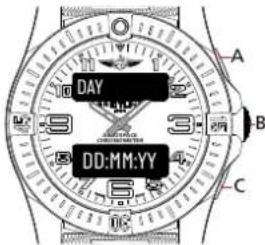
MAIN DATE DISPLAY 1
text_image
DAY DD:MM:YY A B CMonth
• The upper display will now show [MONTH]. Press B.
- The lower display will start to flash [MM]. Press A to increase the number or C to decrease the number.
- Press B to validate and set up the next number [MM]. Press B to validate the month setup.
Day
• The upper display will now show [DAY]. Press B.
- The lower display will start to flash [DD]. Press A to increase the number or C to decrease the number.
- Press B to validate and set up the next number [DD]. Press B to validate the day setup.
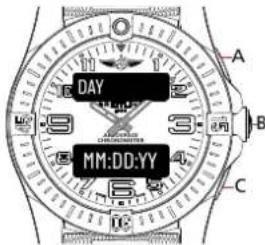
MAIN DATE DISPLAY 2
text_image
DAY MM:DD:YY A B CMAIN DATE DISPLAY 3

text_image
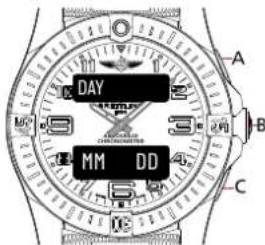
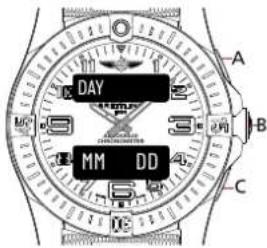
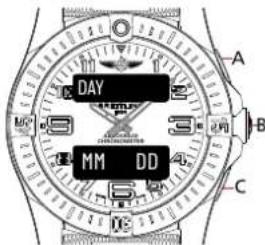
DAY MM DD A B CUsage
- When on the main date display, press A or C to switch in-between the different display alternatives.
- A secondary date display is available. Press B to browse through the different functions until the upper display indicates [MM DD]. The date cannot be set via this display mode..
Nota Bene
Main date display
DAY for day of the week / DD for date of the month /
MM for month of the year / YY for the year
Secondary date display
MM for month / DD for day
H for hours / M for minutes / S for seconds
SECONDARY DATE DISPLAY
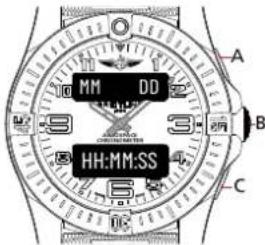
text_image
MM DD HH:MM:SS A B CMAIN TIME
Browse through the different functions until the upper display shows [TM AM/PM] or [TM 24H]
Usage
- Press A or C to display the time either in 24H or AM/PM format. The upper display will adapt accordingly to the chosen format, and so will the lower display show time. Note that depending on the chosen display format, the Alarm display mode will be shown either in 24H or AM/PM format.
AM/PM TIME DISPLAY

text_image
TM AM HH:MM:SS A B CSetup
- Keep pressing B until the upper display shows [TIME] and the lower display flashes [HH:MM:SS].
- Press B. The upper display will show [TM AM].
- Press A or C to adapt the period to AM or PM.
- Press B. The lower display will start flashing.
- Press A to increase the number or C to decrease the number.
- Press B to validate and set up the next number. [HH:MM:SS] will start to flash. Please repeat this operation until all numbers are set.
- [HH:MM:SS] will flash again. Press B to validate the setup.
24H TIME DISPLAY
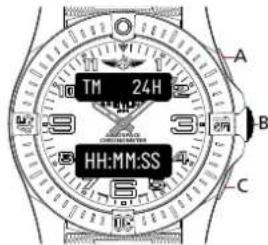
text_image
TM 24H HH:MM:SS A B CNota bene
H for hours / M for minutes / S for seconds
TIMEZONE
Browse through the different functions until the upper display shows [TZ 24H] or [TZ AM/PM]
Usage
- Make sure to set the main time before setting the time zone as this function relates to it.
• The time zone displays time in 24H mode.
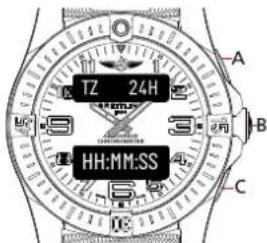
text_image
TZ 24H HH:MM:SSSetup
- Press B until the lower display starts to flash.
- Press A to increase or C to decrease the time difference displayed. Time can be increased or decreased by jumps of 15min up to a maximum of 24h. While setting the time difference, the upper display indicates [TM SUB] for setting a negative time difference or [TM ADD] for a positive time difference.
- Press B once the time zone is set.
Nota bene
H for hours / M for minutes / S for seconds
ALARM
Browse through the different functions until the upper display shows [AL1 OFF/ON] or [AL2 OFF/ON]
Usage
- The watch has two independent alarms. The upper display will either show [AL1 OFF/ON] or [AL2 OFF/ON].
- The upper display will show [AL1 OFF] if the alarm is turned off and [AL1 ON] if the alarm is turned on,
- In AM/PM mode, the lower display will show the alarm time setup [HH:MM:PM] if the alarm is set for PM and [HH:MM:AM] if the alarm is set for AM.
- When in alarm mode, press C to switch between alarms 1 or 2.
- When in alarm mode, press A to set the alarm displayed to ON or OFF.
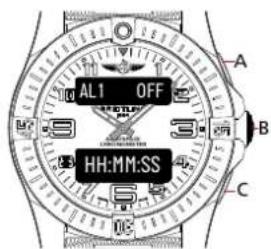
text_image
AL1 OFF HH:MM:SS A B CSetup
- Press B until the upper display shows [ALARMX] and the lower display flashes [HH:MM: ].
- Press B. In AM/PM mode, the upper display will show [AL1 AM] or [AL1 PM]. Press A or C to choose either AM or PM for the alarm time. If you had previously selected the 24h format for the main time display, please note that this step is not relevant.
- Press B. The lower display [HH:MM ] will start flashing. Press A to increase the number or C to decrease the number.
- Press B to validate and set up the next number. [HH:MM ] will start to flash. Please repeat this operation until all numbers are set.
- Press B once all numbers are set. The lower display will flash and display the alarm setup.
- Press B to confirm the setting.
Nota bene
H for hours / M for minutes
USING THE 1/100 ^TH CHRONOGRAPH
CONFIGURATION MODE
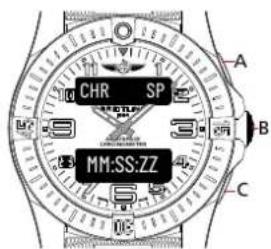
Browse through the different functions until the upper display shows [CHR SP].
The split-time functions enable you to mark intermediate times while your chronograph continues running. Each split measurement, therefore, counts back to when your chronograph first started.
Usage
text_image
CHR SP MM:SS:ZZ A B CStandard
- Press A to start.
- Press A to stop. The lower display will show the time [MM:SS:ZZ].
- Press C to restart.
Split-time
- Press A to start.
- Press C to mark a split time.
- The upper display will show [CHR 1], which corresponds to your first split-time measurement.
- The lower display will flash the corresponding split time [MM:SS:ZZ] 4 times and then go back to the standard display of the chronograph, which continued running in the background.
- Press A to stop. The lower display will show the final time [MM:SS:ZZ].
- Press C to restart.
Nota bene
M for minutes / S for seconds / Z for 100° of seconds
LAPE TIME
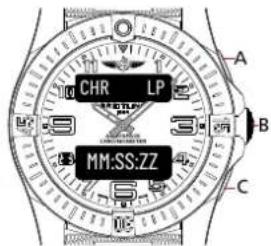
Browse through the different functions until the upper display shows [CHR LP].
The lap-time function enables you to calculate the time between two split measurements while your chronograph continues running. Each split measurement, therefore, counts back to the last split measurement done. In a race, if you mark a split time at each lap, this helps you understand how fast you were during each lap and overall if you are getting faster or slower. In the meantime, the clock continues timing the overall race.
text_image
CHR LP MM:SS:ZZ A B CUsage
Standard
- Press A to start.
- Press A to stop. The lower display will show the time [MM:SS:ZZ].
- Press C to restart.
Split-time
- Press A to start.
- Press C to mark a lap time.
- The upper display will show [CHR 1], which corresponds to your first lap time measurement.
- The lower display will flash the corresponding lap time [MM:SS:ZZ] 4 times and then go back to the standard display of the chronograph, which continued running in the background.
- Press A to stop. The lower display will show the final time [MM:SS:ZZ].
- Press C to restart.
Nota bene
M for minutes / S for seconds / Z for 100 ^th of seconds
TIMER
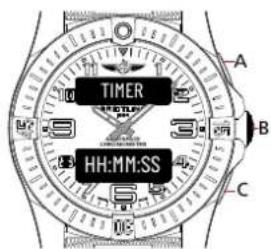
Browse through the different functions until the upper display shows [TIMER].
Usage
Standard
- Press A to start or stop the timer.
- Press C to restart the timer.
- Once the alarm rings, press B to stop it.
Setup
- Keep B pressed in until the lower display [HH:MM:SS] flashes.
- Press B. [HH:MM:SS] will start flashing.
- Press A to increase the number or C to decrease the number.
- Press B to validate and set up the next number. [HH:MM:SS] will start flashing. Please repeat this operation until all numbers are set.
• [HH:MM:SS] will flash again. Press B to validate the setup.
Nota bene
H for hours / M for minutes / S for seconds
text_image
TIMER HH:MM:SS A B CSPECIAL CHARACTERISTICS

RIDER-TAB BEZEL
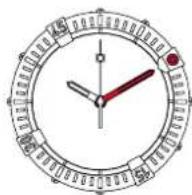
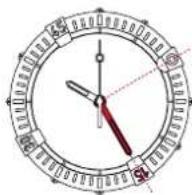
The bezel of your watch is fitted with 4 hour-markers called rider-tabs: they are used as points of reference to mark a start time or a limit time you wish to remember. On models without a chronograph, they also provide a "minute chronograph" function enabling you to measure time elapsed in minutes.
Rider-tabs make it easier to rotate the bezel by giving a better grip (especially when wearing gloves) and additionally protect the glass.
RECOMMENDATIONS
Used batteries and used watch components should not be disposed of like regular garbage, but be correctly recycled. We recommend returning them to your point of sale. You will thereby contribute to environmental and public health protection.

MAINTENANCE
Your Breitling chronometer is a sophisticated instrument which is constantly subjected to a wide variety of stresses and strains. Within a very small volume, a large number of components contribute to handling all the functions. Their mechanical action inevitably leads to a certain amount of wear and tear, which may be controlled by maintenance consisting of relubrication and replacing worn components. Like any precision measurement instrument, your watch must be regularly maintained in order to function at its highest level of potential: the frequency of this operation varies according to actual use. Breitling or your authorized retailer will be happy to handle the procedure.
WATER RESISTANCE
The movement of your chronometer is protected by a complex case fitted with gaskets to ensure its water resistance. Under the influence of various external agents - perspiration, chlorinated or salt water, cosmetics, fragrances or dust - these gaskets gradually deteriorate. That is why water resistance cannot be permanently guaranteed. If used intensively in water, we recommend having an annual water resistance check conducted. In any event, such an appraisal must be done every two years. This operation, which takes only a few minutes, may be conducted by a Breitling authorized maintenance centre, or by an authorized retailer [www.breitling.com].
Breitling models are water-resistant to varying degrees. The extent of the water resistance, expressed in metres [M], is a standard value and does not indicate an absolute immersion depth. The crown and pushpieces must not under any circumstances be operated under water or when the watch is wet. The table below indicates the conditions in which your watch may reasonably be used, according to its degree of water resistance:
| ACTIVITIES / DEGREE OF WATER RESISTANCE | 3 bar/30 M/100 FT | 5 bar/50 M/165 FT | 10 bar/100 M/330 FT | 50 bar/500 M/1650 FT+ |
| Splashing | √ | √ | √ | √ |
| Shower, swimming, surface water sports | √ | √ | √ | |
| Water-skiing, dives, snorkelling | √ | √ | ||
| Diving | √ |
If your watch is equipped with a screw-lock crown, ensure that this is locked before any use in water. This also applies to screw-lock pushpieces.
USEFUL TIPS
Breitling genuine leather straps are crafted with the most refined materials and represent extremely high-quality products. Like all objects in natural skin (shoes, gloves, etc.), their length of life varies considerably, according to the conditions in which they are worn. In particular, water, cosmetics and perspiration accelerate the ageing process. A metal or
synthetic Breitling bracelet is thus better suited to activities involving frequent contact with water or moisture.
Breitling metal cases and bracelets are made from the finest alloys and guarantee sturdiness and wearer comfort. Regular cleaning by rinsing and brushing in clean water will keep your watch shiny. This operation is strongly recommended after each immersion in salty or chlorinated water. For watches fitted with a leather strap, the same advice applies, as well as avoiding getting the strap wet.
WHAT TO AVOID
Like any valuable objects, Breitling chronometers deserve special care. It is important to protect them from jarring and knocks by hard objects, and not to expose them to chemical products, solvents, dangerous gases, or magnetic fields. Moreover, your Breitling chronometer is designed to run smoothly at temperatures ranging between 0°C and 50°C.
IHR BREITLING-CHRONOMETER
text_image
CHR SP MM:SS:SS A B Ctext_image
A MM DD B HH:MM:SS CHAUPTZEIT
text_image
CHR SP MM:SS:ZZ A B CVerwendung
Standard
text_image
CHR LP MM:SS:ZZ A B CVerwendung
Standard
text_image
CHR SP MM:SS:SS A B Ctext_image
A MM DD B HH:MM:SS CORARIO PRINCIPALE
text_image
CHR SP MM:SS:ZZ A B CUsage
Standard
text_image
CHR LP MM:SS:ZZ A B CUSO
Standard
text_image
CHR SP MM:SS:SS A B Ctext_image
A MM DD B HH:MM:SS CHORA PRINCIPAL
text_image
CHR SP MM:SS:ZZ A B CEstándar
- Pulsa A para iniciar.
- Pulsa A para parar. La pantalla inferior mostrará la hora [MM:SS:ZZ].
- Pulsa C para reiniciar.
text_image
CHR LP MM:SS:ZZ A B CUso
Estándar
- Pulsa A para iniciar.
- Pulsa A para parar. La pantalla inferior mostrará la hora [MM:SS:ZZ].
- Pulsa C para reiniciar.
text_image
CHR SP MM:SS:SS A B Ctext_image
A MM DD B HH:MM:SS CHORA PRINCIPAL
text_image
CHR SP MM:SS:ZZ A B CNormal
text_image
CHR LP MM:SS:ZZ A B CUtilização
Normal
text_image
CHR SP MM:SS:SS A B Ctext_image
MM DD HH:MM:SS A B Ctext_image
CHR SP MM:SS:ZZ A B CИспользование
text_image
CHR LP MM:SS:ZZ A B CИспользование
text_image
CHR SP MM:SS:SS A B Cご使用前の準備
設定モード
text_image
MM DD HH:MM:SS A B Cメイン時刻
text_image
CHR SP MM:SS:ZZ A B C標準
text_image
CHR LP MM:SS:ZZ A B C使用法
標準
text_image
CHR SP MM:SS:SS A B C使用前準備
配置模式
text_image
DAY MM:DD:YY備用主顯示3

text_image
DAY MM DD A B C用法
text_image
A MM DD B HH:MM:SS C主時間
text_image
CHR SP MM:SS:ZZ A B C分段計時
text_image
CHR LP MM:SS:ZZ A B C標準
text_image
CHR SP MM:SS:SS A B C使用前准备
设置模式
text_image
DAY MM:DD:YY备用主显示屏3

text_image
DAY MM DD A B C用法
text_image
A MM DD B HH:MM:SS C主时间
Browse through the different functions until the upper display shows [TZ 24H] or [TZ AM/PM]
用法
text_image
CHR SP MM:SS:ZZ A B C标准
text_image
CHR LP MM:SS:ZZ A B C标准
text_image
0% e instead clable.This booklet is completely made from residues of sugar cane instead of wood. The paper is biodegradable, compostable, and recyclable.


text_image
Scanned page from a Chinese academic or technical document featuring a circular emblem and descriptive text blocks.
text_image
Scanned document page with safety guidelines and warning icons, including safety claims and hazard signs.
text_image
Influenza et al. INDIA 2017 SALAD 2017 Medicine: An important role in the following: A patient who has had a treatment history. A patient who has had a treatment history. A patient who has had a treatment history. A patient who has had a treatment history. A patient who has had a treatment history. A patient who has had a treatment history. A patient who has had a treatment history. A patient who has had a treatment history. A patient who has had a treatment history. A patient who has had a treatment history. A patient who has had a treatment history. A patient who has had a treatment history. B. S. S. S. S. S. S. S. S. S. S. S. S. S. S. S. S. S. S. S. S. S. S. S. S. S. S. S. S. S. S. S. S. S. S. S. S. S. S. S. S. S. S. S. S. S. S. S. S. S. S. C. INDIA 2017 Medicine: An important role in the following: A patient who has had a treatment history. A patient who has had a treatment history. A patient who has had a treatment history. A patient who has had a treatment history. A patient who has had a treatment history. A patient who has had a treatment history. A patient who has had a treatment history. A patient who has had a treatment history. A patient who has had a treatment history. A patient that was not yet yet treated for any of the patients (including those with or without prior treatment). A patient who has had a treatment history, including previous treatment time, is also associated with the treatment duration of the first 3 months of follow-up (in months). A patient who has had a treatment history, including previous treatment time, is also associated with the treatment duration of the last 3 months of follow-up (in months). A patient who has had a treatment history, including previous treatment time, is also associated with the treatment duration of the last 3 months of follow-up (in months). B. S. S. S. S. S. S. S. S. S. S. S. S. S. S. S. S. S. S. S. S. S. S. S. S. S. S. S. S. S. S. S. S. S. S. S. S. S. INDIA 2017 Medicine: An important role in the following: A patient who has had a treatment history, including previous treatment history, and patients who have had a treatment history, including previous treatment time, is also associated with the treatment duration of the first 3 months of follow-up (in months). A patient who has had a treatment history, including previous treatment time, is also associated with the treatment duration of the last 3 months of follow-up (in months). A patient who has had a treatment history, including previous treatment time, is also associated with the treatment duration of the last 3 months of follow-up (in months). C. INDIA 2017 Medicine: An important role in the following: A patient who has had a treatment history, including previous treatment history, and patients who have had a treatment history, including previous treatment time, is also associated with the treatment duration of the first 3 months of follow-up (in months). A patient who has had a treatment history, including previous treatment time, is also associated with the treatment duration of the last 3 months of follow-up (in month). D. INDIA 2017 Medicine: An important role in the following: A patient who has had a treatment history, including previous treatment history, and patients who have had a treatment history, including previous treatment time, is also associated with the treatment duration of the first 3 months of follow-up (in months). A patient who has had a treatment history, including previous treatment time, is also associated with the treatment duration of the last 3 months of follow-up (in monthly). E. INDIA 2017 Medicine: An important role in the following: A patient who has had a treatment history, including previous treatment history, and patients who have had a treatment history, including previous treatment time, is also associated with the treatment duration of the first 3 months of follow-up (in months). A patient who has had a treatment history, including previous treatment time, is also associated with the treatment duration of the last 3 months of follow-up (in 1 month). F. INDIA 2017 Medicine: An important role in the following: A patient who has had a treatment history, including previous treatment history, and patients who have had a treatment history, including previous treatment time, is also associated with the treatment duration of the first 3 months of follow-up (in months). A patient who has had a treatment history, including previous treatment time, is also associated with the treatment duration of the last 3 months of follow-up (in half-year). G. INDIA 2017 Medicine: An important role in the following: A patient who has had a treatment history, including previous treatment history, and patients who have had a treatment history, including previous treatment time, is also associated with the treatment duration of the first 3 months of follow-up (in months). A patient who has had a treatment history, including previous treatment time, is also associated with the treatment duration of the last 3 months of follow-up (in full-year). H. INDIA 2017 Medicine: An important role in the following: A patient who has had a treatment history, including previous treatment history, and patients who have had a treatment history, including previous treatment time, is also associated with the treatment duration of the first 3 months of follow-up (in months). A patient who has had a treatment history, including previous treatment time, is also associated with the treatment duration of the last 3 months of follow-up (in six months). I. INDIA 2017 Medicine: An important role in the following: A patient who has had a treatment history, including previous treatment history, and patients who have had a treatment history, including previous treatment time, is also associated with the treatment duration of the first 3 months of follow-up (in months). A patient who has had a treatment history, including previous treatment time, is also associated with the treatments duration of the last 3 months of follow-up (in half-year). J. INDIA 2017 Medicine: An important role in the following: A patient who has had a treatment history, including previous treatment history, and patients who have had a treatments history, including previous treatments time, is also associated with the treatments duration of the first 3 months of follow-up (in months). A patient who has had a treatments history, including previous treatments time, is also associated with the treatments duration of the last 3 months of follow-up (in half-year). K. INDIA 2017 Medicine: An important role in the following: A patient who has had a treatment history, including previous treatments history, and patients who have had a treatments history, including previous treatments time, is also associated with the treatments duration of the first 3 months of follow-up (in months). A patient who has had a treatments history, including previous treatments time, is also associated with the treatments duration of the last 3 months of follow-up (in half-year). L. INDIA 2017 Medicine: An important role in the following: A patient who has had a treatment history, including previous treatments history, and patients who have had a treatments history, including previous treatments time, is also associated with the treatments duration of the first 3 months of follow-up (in months). A patient who has had a treatments history, including previous treatments time, is also associated with the treatments duration of the last 3 months of follow-up (in full-year). M. INDIA 2017 Medicine: An important role in the following: A patient who has had a treatment history, including previous treatments history, and patients who have had a treatments history, including previous treatments time, is also associated with the treatments duration of the first 3 months of follow-up (in months). A patient who has had a treatments history, including previous treatments time, is also associated with the treatments duration of the last 3 months of follow-up (in fully-year). N. INDIA 2017 Medicine: An important role in the following: A patient who has had a treatment history, including previous treatments history, and patients who have had a treatments history, including previous treatments time, is also associated with the treatments duration of the first 3 months of follow-up (in months). A patient who has had a treatments history, including previous treatments time, is also associated with the treatments duration of the last 3 months of follow-up (in partial-year). O. INDIA 2017 Medicine: An important role in the following: A patient who has had a treatment history, including previous treatments history, and patients who have had a treatments history, including previous treatments time, is also associated with the treatments duration of the first 3 months of follow-up (in months). A patient who has had a treatments history, including previous treatments time, is also associated with the treatments duration of the last 3 months of follow-up (in partially-year). P. INDIA 2017 Medicine: An important role in the following: A patient who has had a treatment history, including previous treatments history, and patients who have had a treatments history, including previous treatments time, is also associated with the treatments duration of the first 3 months of follow-up (in months). A patient who has had a treatments history, including previous treatments time, is also associated with the treatments duration of the last 3 months of follow-up (in slightly year). Q. INDIA 2017 Medicine: An important role in the following: A patient who has had a treatment history, including previous treatments history, and patients who have had a treatments history, including previous treatments time, is also associated with the treatments duration of the first 3 months of follow-up (in months). A patient who has had a treatments history, including previous treatments time, is also associated with the treatments duration of the last 3 months of follow-up (in slight year). R. INDIA 2017 Medicine: An important role in the following: A patient who has had a treatment history, including previous treatments history, and patients who have had a treatments history, including previous treatments time, is also associated with the treatments duration of the first 3 months of follow-up (in months). A patient who has had a treatments history, including previous treatments time, is also associated with the treatments duration of the last 3 months of follow-up (in relatively year). S. INDIA 2017 Medicine: An important role in the following: A patient who has had a treatment history, including previous treatments history, and patients who have had a treatments history, including previous treatments time, is also associated with the treatments duration of the first 3 months of follow-up (in months). A patient who has had a treatments history, including previous treatments time, is also associated with the treatments duration of the last 3 months of follow-up (in approximately one year). T. INDIA 2017 Medicine: An important role in the following: A patient who has had a treatment history, including previous treatments history, and patients who have had a treatments history, including previous treatments time, is also associated with the treatments duration of the first 3 months of follow-up (in months). A patient who has had a treatments history, including previous treatments time, is also associated with the treatments duration of the last 3 months of follow-up (in about one year). U. INDIA 2017 Medicine: An important role in the following: A patient who has had a treatment history, including previous treatments history, and patients who have had a treatments history, including previous treatments time, is also associated with the treatments duration of the first 3 months of follow-up (in months). A patient who has had a treatments history, including previous treatments time, is also associated with the treatments duration of the last 3 months of follow-up (in roughly one year). V. INDIA 2017 Medicine: An important role in the following: A patient who has had a treatment history, including previous treatments history, and patients who have had a treatments history, including previous treatments time, is also associated with the treatments duration of the first 3 months of follow-up (in months). A patient who has had a treatments history, including previous treatments time, is also associated with the treatments duration of the last 3 months of follow-up (in around one year). W. INDIA 2017 Medicine: An important role in the following: A patient who has had a treatment history, including previous treatments history, and patients who have had a treatments history, including previous treatments time, is also associated with the treatments duration of the first 3 months of follow-up (in months). A patient who has had a treatments history, including previous treatments time, is also associated with the treatments duration of the last 3 months of follow-up (in nearly one year). X. INDIA 2017 Medicine: An important role in the following: A patient who has had a treatment history, including previous treatments history, and patients who have had a treatments history, including previous treatments time, is also associated with the treatments duration of the first 3 months of follow-up (in months). A patient who has had a treatments history, including previous treatments time, is also associated with the treatments duration of the last 3 months of follow-up (in almost every year). Y. INDIA 2017 Medicine: An important role in the following: A patient who has had a treatment history, including previous treatments history, and patients who have had a treatments history, including previous treatments time, is also associated with the treatments duration of the first 3 months of follow-up (in months). A patient who has had a treatments history, including previous treatments time, is also associated with the treatments duration of the last 3 months of follow-up (in several years). Z. INDIA 2017 Medicine: An important role in the following: A patient who has had a treatment history, including previous treatments history, and patients who have had a treatments history, including previous treatments time, is also associated with the treatments duration of the first 3 months of follow-up (in months). A patient who has had a treatments history, including previous treatments time, is also associated with the treatments duration of the last 3 months of follow-up (in some years). A INDIA 2017 Medicine: An important role in the following: A patient who has had a treatment history, including previous treatments history, and patients who have had a treatments history, including previous treatments time, is also associated with the treatments duration of the first 3 months of follow-up (in months). A patient who has had a treatments history, including previous treatments time, is also associated with the treatments duration of the last 3 months of follow-up (in about two years). B. INDIA 2017 Medicine: An important role in the following: A patient who has had a treatment history, including previous treatments history, and patients who have had a treatments history, including previous treatments time, is also associated with the treatments duration of the first 3 months of follow-up (in months). A patient who has had a treatments history, including previous treatments time, is also associated with the treatments duration of the last 3 months of follow-up (in most years). C. INDIA 2017 Medicine: An important role in the following: A patient who has had a treatment history, including previous treatments history, and patients who have had a treatments history, including previous therapies over multiple times since mid- to late March completion; all other days after mid- to late March completion are included in this study. D. INDIA 2017 Medicine: An important role in the following: A patient who has had an outcome related to their efficacy or efficacy; all other days after mid- to late March completion are included in this study. E. INDIA 2017 Medicine: An important role in the following: A patient who has had an outcome related to their efficacy or efficacy; all other days after mid- to late March completion are included in this study. F. INDIA 2017 Medicine: An important role in the following: A patient who has had an outcome related to their efficacy or efficacy; all other days after mid- to late March completion are included in this study. G. INDIA 2017 Medicine: An important role in the following: A patient who has had an outcome related to their efficacy or efficacy; all other days after mid- to late March completion are included in this study. H. INDIA 2017 Medicine: An important role in the following: A patient who has had an outcome related to their efficacy or efficacy; all other days after mid- to late March completion are included in this study. I. INDIA 2017 Medicine: An important role in the following: A patient who has had an outcome related to their efficacy or efficacy; all other days after mid- to late March completion are included in this study. J. INDIA 2017 Medicine: An important role in the following: A patient who has had an outcome related to their efficacy or efficacy; all other days after mid- to late March completion are included in this study. K. INDIA 2017 Medicine: An important role in the following: A patient who has had an outcome related to their efficacy or efficacy; all other days after mid- to late March completion are included in this study. L. INDIA 2017 Medicine: An important role in the following: A patient who has had an outcome related to their efficacy or efficacy; all other days after mid- to late March completion are included in this study. M. INDIA 2017 Medicine: An important role in the following: A patient who has had an outcome related to their efficacy or efficacy; all other days after mid- to late March completion are included in this study. N. INDIA 2017 Medicine: An important role in the following: A patient who has had an outcome related to their efficacy or efficacy; all other days after mid- to late March completion are included in this study. O. INDIA 2017 Medicine: An important role in the following: A patient who has had an outcome related to their efficacy or efficacy; all other days after mid- to late March completion are included in this study. P. INDIA 2017 Medicine: An important role in the following: A patient who has had an outcome related to their efficacy or efficacy; all other days after mid- to late March completion are included in this study. Q. INDIA 2017 Medicine: An important role in the following: A patient who has had an outcome related to their efficacy or efficacy; all other days after mid- to late March completion are included in this study. R. INDIA 2017 Medicine: An important role in the following: A patient who has had an outcome related to their efficacy or efficacy; all other days after mid- to late March completion are included in this study. S. INDIA 2017 Medicine: An important role in the following: A patient who has had an outcome related to their efficacy or efficacy; all other days after mid- to late March completion are included in this study. T. INDIA 2017 Medicine: An important role in the following: A patient who has had an outcome related to their efficacy or efficacy; all other days after mid- to late March completion are included in this study. U. INDIA 2017 Medicine: An important role in the following: A patient who has had an outcome related to their efficacy or efficacy; all other days after mid- to late March completion are included in this study. V. INDIA 2017 Medicine: An important role in the following: A patient who has had an outcome related to their efficacy or efficacy; all other days after mid- to late March completion are included in this study. W. INDIA 2017 Medicine: An important role in the following: A patient who has had an outcome related to their efficacy or efficacy; all other days after mid- to late March completion are included in this study. X. INDIA 2017 Medicine: An important role in the following: A patient who has had an outcome related to their efficacy or efficacy; all other days after mid- to late March completion are included in this study. Y. INDIA 2017 Medicine: An important role in the following: A patient who has had an outcome related to their efficacy or efficacy; all other days after mid- to late March completion are included in this study. Z. INDIA 2017 Medicine: An important role in the following: A patient who has had an outcome related to their efficacy or efficacy; all other days after mid- to late March completion are included in this study. A INDIA 2017 Medicine: An important role in the following: A patient who has had an outcome related to their efficacy or efficacy; all other days after mid- to late March completion are included in this study. B. INDIA 2017 Medicine: An important role in the following: A patient who has had an outcome related to their efficacy or efficacy; all other days after mid- to late March completion are included in this study. C. INDIA 2017 Medicine: An important role in the following: A patient who has had an outcome related to their efficacy or efficacy; all other days after mid- to late March completion are included in this study. D. INDIA 2017 Medicine: An important role in the following: A patient who has had an outcome related to their efficacy or efficacy; all other days after mid- to late March completion are included in this study. E. INDIA 2017 Medicine: An important role in the following: A patient who has had an outcome related to their efficacy or accuracy; all other days after mid- to late March completion are included in this study. F. INDIA 2017 Medicine: An important role in the following: A patient who has had an outcome related to their efficacy or accuracy; all other days after mid- to late March completion are included in this study. G. INDIA 2017 Medicine: An important role in the following: A patient who has had an outcome related to their efficacy or accuracy; all other days after mid- to late March completion are included in this study. H. INDIA 2017 Medicine: An important role in the following: A patient who has had an outcome related to their efficacy or accuracy; all other days after mid- to late March completion are included in this study. I. INDIA 2017 Medicine: An important role in the following: A patient who has had an outcome related to their efficacy or accuracy; all other days after mid- to late March completion are included in this study. J. INDIA 2017 Medicine: An important role in the following: A patient who has had an outcome related to their efficacy or accuracy; all other days after mid- to late March completion are included in this study. K. INDIA 2017 Medicine: An important role in the following: A patient who has had an outcome related to their efficacy or accuracy; all other days after mid- to late March completion are included in this study. L. INDIA 2017 Medicine: An important role in the following: A patient who has had an outcome related to their efficacy or accuracy; all other days after mid- to late March completion are included in this study. M. INDIA 2017 Medicine: An important role in the following: A patient who has had an outcome related to their efficacy or accuracy; all other days after mid- to late March completion are included in this study. N. INDIA 2017 Medicine: An important role in the following: A patient who has had an outcome related to their efficacy or accuracy; all other days after mid- to late March completion are included in this study. O. INDIA 2017 Medicine: An important role in the following: A patient who has had an outcome related to their efficacy or accuracy; all other days after mid- to late March completion are included in this study. P. INDIA 2017 Medicine: An important role in the following: A patient who has had an outcome related to their efficacy or accuracy; all other days after mid- to late March completion are included in this study. Q. INDIA 2017 Medicine: An important role in the following: A patient who has had an outcome related to their efficacy or accuracy; all other days after mid- to late March completion are included in this study. R. INDIA 2017 Medicine: An important role in the following: A patient who has had an outcome related to their efficacy or accuracy; all other days after mid- to late March completion are included in this study. S. INDIA 2017 Medicine: An important role in the following: A patient who has had an outcome related to their efficacy or accuracy; all other days after mid- to late March completion are included in this study. T. INDIA 2017 Medicine: An important role in the following: A patient who has had an outcome related to their efficacy or accuracy; all other days after mid- to late March completion are included in this study. U. INDIA 2017 Medicine: An important role in the following: A patient who has had an outcome related to their efficacy or accuracy; all other days after mid- to late March completion are included in this study. V. INDIA 2017 Medicine: An important role in the following: A patient who has had an outcome related to their efficacy or accuracy; all other days after mid- to late March completion are included in this study. W. INDIA 2017 Medicine: An important role in the following: A patient who has had an outcome related to their efficacy or accuracy; all other days after mid- to late March completion are included in this study. X. INDIA 2017 Medicine: An important role in the following: A patient who has had an outcome related to their efficacy or accuracy; all other days after mid- to late March completion are included in this study. Y. INDIA 2017 Medicine: An important role in the following: A patient who has had an outcome related to their efficacy or accuracy; all other days after mid- to late March completion are included in this study. Z. INDIA 2017 Medicine: An important role in the following: A patient who has had an outcome related to their efficacy or accuracy; all other days after mid- to late March completion are included in this study. A INDIA 2017 Medicine: An important role in the following: A patient whose primary care provider provided for example: B.A.B.C.D.E.F.F.G.H.N.V.
text_image
Scanned document page with Chinese text, including sections on legal or administrative content and a section on tax credit.
text_image
Scanned text of a medical or surgical procedure with numbered instructions and descriptions in Chinese.
text_image
Scanned page of dense Chinese text, likely from a legal or administrative document, with section headings and body paragraphs.
text_image
Infectious medical 1. Patient's history of the disease is a major cause of death. 2. Patient's history of the disease is a major cause of death. 3. Patient's history of the disease is a major cause of death. 4. Patient's history of the disease is a major cause of death. 5. Patient's history of the disease is a major cause of death. 6. Patient's history of the disease is a major cause of death. 7. Patient's history of the disease is a major cause of death. 8. Patient's history of the disease is a major cause of death. 9. Patient's history of the disease is a major cause of death. 10. Patient's history of the disease is a major cause of death. 11. Patient's history of the disease is a major cause of death. 12. Patient's history of the disease is a major cause of death. 13. Patient's history of the disease is a major cause of death. 14. Patient's history of the disease is a major cause of death. 15. Patient's history of the disease is a major cause of death. 16. Patient's history of the disease is a major cause of death. 17. Patient's history of the disease is a major cause of death. 18. Patient's history of the disease is a major cause of death. 19. Patient's history of the disease is a major cause of death. 20. Patient's history of the disease is a major cause of death. 21. Patient's history of the disease is a major cause of death. 22. Patient's history of the disease is a major cause of death. 23. Patient's history of the disease is a major cause of death. 24. Patient's history of the disease is a major cause of death. 25. Patient's history of the disease is a major cause of death. 26. Patient's history of the disease is a major cause of death. 27. Patient's history of the disease is a major cause of death. 28. Patient's history of the disease is a major cause of death. 29. Patient's history of the disease is a major cause of death. 30. Patient's history of the disease is a major cause of death. 31. Patient's history of the disease is a major cause of death. 32. Patient's history of the disease is a major cause of death. 33. Patient's history of the disease is a major cause of death. 34. Patient's history of the disease is a major cause of death. 35. Patient's history of the disease is a major cause of death. 36. Patient's history of the disease is a major cause of death. 37. Patient's history of the disease is a major cause of death. 38. Patient's history of the disease is a major cause of death. 39. Patient's history of the disease is a major cause of death. 40. Patient's history of the disease is a major cause of death. 41. Patient's history of the disease is a major cause of death. 42. Patient's history of the disease is a major cause of death. 43. Patient's history of the disease is a major cause of death. 44. Patient's history of the disease is a major cause of death. 45. Patient's history of the disease is a major cause of death. 46. Patient's history of the disease is a major cause of death. 47. Patient's history of the disease is a major cause of death. 48. Patient's history of the disease is a major cause of death. 49. Patient's history of the disease is a major cause of death. 50. Patient's history of the disease is a major cause of death. 51. Patient's history of the disease is a major cause of death. 52. Patient's history of the disease is a major cause of death. 53. Patient's history of the disease is a major cause of death. 54. Patient's history of the disease is a major cause of death. 55. Patient's history of the disease is a major cause of death. 56. Patient's history of the disease is a major cause of death. 57. Patient's history of the disease is a major cause of death. 58. Patient's history of the disease is a major cause of death. 59. Patient's history of the disease is a major cause of death. 60. Patient's history of the disease is a major cause of death. 61. Patient's history of the disease is a major cause of death. 62. Patient's history of the disease is a major cause of death. 63. Patient's history of the disease is a major cause of death. 64. Patient's history of the disease is a major cause of death. 65. Patient's history of the disease is a major cause of death. 66. Patient's history of the disease is a major cause of death. 67. Patient's history of the disease is a major cause of death. 68. Patient's history of the disease is a major cause of death. 69. Patient's history of the disease is a major cause of death. 70. Patient's history of the disease is a major cause of death. 71. Patient's history of the disease is a major cause of death. 72. Patient's history of the disease is a major cause of death. 73. Patient's history of the disease is a major cause of death. 74. Patient's history of the disease is a major cause of death. 75. Patient's history of the disease is a major cause of death. 76. Patient's history of the disease is a major cause of death. 77. Patient's history of the disease is a major cause of death. 78. Patient's history of the disease is a major cause of death. 79. Patient's history of the disease is a major cause of death. 80. Patient's history of the disease is a major cause of death. 81. Patient's history of the disease is a major cause of death. 82. Patient's history of the disease is a major cause of death. 83. Patient's history of the disease is a major cause of death. 84. Patient's history of the disease is a major cause of death. 85. Patient's history of the disease is a major cause of death. 86. Patient's history of the disease is a major cause of death. 87. Patient's history of the disease is a major cause of death. 88. Patient's history of the disease is a major cause of death. 89. Patient's history of the disease is a major cause of death. 90. Patient's history of the disease is a major cause of death. 91. Patient's history of the disease is a major cause of death. 92. Patient's history of the disease is a major cause of death. 93. Patient's history of the disease is a major cause of death. 94. Patient's history of the disease is a major cause of death. 95. Patient's history of the disease is a major cause of death. 96. Patient's history of the disease is a major cause of death. 97. Patient's history of the disease is a major cause of death. 98. Patient's history of the disease is a major cause of death. 99. Patient's history of the disease is a major cause of death. 100. Patient's history from 1999 to 2000 Patient's history from 1999 to 2000 Patient's history from 1999 to 2000 Patient's history from 1999 to 2000 Patient's history from 1999 to 2000 Patient's history from 1999 to 2000 Patient's history from 1999 to 2000 Patient's history from present in 2000 Patient's history from present in 2001 Patient's history from present in 2002 Patient's history from present in 2003 Patient's history from present in 2004 Patient's history from present in 2005 Patient's history from present in 2006 Patient's history from present in 2007 Patient's history from present in 2008 Patient's history from present in 2009 Patient's history from present in 2010 Patient's history from present in 2011 Patient's history from present in 2012 Patient's history from present in 2013 Patient's history from present in 2014 Patient's history from present in 2015 Patient's history from present in 2016 Patient's history from present in 2017 Patient's history from present in 2018 Patient's history from present in 2019 Patient's history from present in 2020 Patient's history from present in 2021 Patient's history from present in 2022 Patient's history from present in 2023 Patient's history from present in 2024 Patient's history from present in 2025 Patient's history from present in 2026 Patient's history from present in 2027 Patient's history from present in 2028 Patient's history from present in 2029 Patient's history from present in 2030 Patient's history from present in 2031 Patient's history from present in 2032 Patient's history from present in 2033 Patient's history from present in 2034 Patient's history from present in 2035 Patient's history from present in 2036 Patient's history from present in 2037 Patient's history from present in 2038 Patient's history from present in 2039 Patient's history from present in 2040 Patient's history from present in 2041 Patient's history from present in 2042 Patient's history from present in 2043 Patient's history from present in 2044 Patient's history from present in 2045 Patient's history from present in 2046 Patient's history from present in 2047 Patient's history from present in 2048 Patient's history from present in 2049 Patient's history from present in 2050 Patient's history from present in 2051 Patient's history from present in 2052 Patient's history from present in 2053 Patient's history from present in 2054 Patient's history from present in 2055 Patient's history from present in 2056 Patient's history from present in 2057 Patient's history from present in 2058 Patient's history from present in 2059 Patient's history from present in 2060 Patient's history from present in 2061 Patient's history from present in 2062 Patient's history from present in 2063 Patient's history from present in 2064 Patient's history from present in 2065 Patient's history from present in 2066 Patient's history from present in 2067 Patient's history from present in 2068 Patient's history from present in 2069 Patient's history from present in 2070 Patient's history from present in 2071 Patient's history from present in 2072 Patient's history from present in 2073 Patient's history from present in 2074 Patient's history from present in 2075 Patient's history from present in 2076 Patient's history from present in 2077 Patient's history from present in 2078 Patient's history from present in 2079 Patient's history from present in 2080 Patient's history from present in 2081 Patient's history from present in 2082 Patient's history from present in 2083 Patient's history from present in 2084 Patient's history from present in 2085 Patient's history from present in 2086 Patient's history from present in 2087 Patient's history from present in 2088 Patient's history from present in 2089 Patient's history from present in 2090 Patient's History from present in 1999 to 2000 Patient' History from present in 1999 to 2000 Patient' History from present in 1999 to 2001 Patient' History from present in 1999 to 2003 Patient' History from present in 1999 to 2011 Patient' History from present in 1999 to 2013 Patient' History from present in 1999 to 2015 Patient' History from present in 1999 to 2017 Patient' History from present in 1999 to 2019 Patient' History from present in 1999 to 2021 Patient' History from present in 1999 to 2023 Patient' History from present in 1999 to 2025 Patient' History from present in 1999 to 2027 Patient' History from present in 1999 to 2031 Patient' History from present in 1999 to 2033 Patient' History from present in 1999 to 2035 Patient' History from present in 1999 to 2037 Patient' History from present in 1999 to 2039 Patient' History from present in 1999 to 2041 Patient' History from present in 1999 to 2043 Patient' History from present in 1999 to 2045 Patient' History from present in 1999 to 2047 Patient' History from present in 1999 to 2049 Patient' History from present in 1999 to 2051 Patient' History from present in 1999 to 2053 Patient' History from present in 1999 to 2055 Patient' History from present in 1999 to 2057 Patient' History from present in 1999 to 2059 Patient' History from present in 1999 to 2061 Patient' History from present in 1999 to 2063 Patient' History from present in 1999 to 2065 Patient' History from present in 1999 to 2067 Patient' History from present in 1999 to 2068 Patient' History from present in 1999 to 2069 Patient' History from present in 1999 to 2071 Patient' History from present in 1999 to 2073 Patient' History from present in 1999 to 2075 Patient' History from present in 1999 to 2077 Patient' History from present in 1999 to 2078 Patient' History from present in 1999 to 2079 Patient' History from present in 1999 to 2081 Patient' History from present in 1999 to 2083 Patient' History from present in 1999 to 2085 Patient' History from present in 1999 to 2087 Patient' History from present in 1999 to 2088 Patient' History from present in 1999 to 2089 Patient' History from present in one year (after first year) or last year (after second year) The patient has been diagnosed with an outcome that was not specified for any reason, but it may be considered by an outcome that would be associated with another reason, or should not be associated with another reason, as indicated by this reference text.
text_image
Scanned text of a medical or surgical procedure with multiple numbered steps and descriptions.
text_image
Scanned page of a Chinese document with multiple paragraphs and footnotes, likely from a legal or administrative form.
text_image
Scanned text of a formal document with multiple paragraphs and numbered sections, likely from an academic or legal document.
text_image
WARNING FOR WORKING 1. 请勿在以下情况下,可以随时向公司所在地或联系地址:电话:023-65899999 2. 请勿在以下情况下,可以随时向公司所在地或联系地址:电话:023-65899999 3. 请勿在以下情况下,可以随时向公司所在地或联系地址:电话:023-65899999 4. 请勿在以下情况下,可以随时向公司所在地或联系地址:电话:023-65899999 5. 请勿在以下情况下,可以随时向公司所在地或联系地址:电话:023-65899999 6. 请勿在以下情况下,可以随时向公司所在地或联系地址:电话:023-65899999 7. 请勿在以下情况下,可以随时向公司所在地或联系地址:电话:023-65899999 8. 请勿在以下情况下,可以随时向公司所在地或联系地址:电话:023-65899999 9. 请勿在以下情况下,可以随时向公司所在地或联系地址:电话:023-65899999 10. 请勿在以下情况下,可以随时向公司所在地或联系地址:电话:023-65899999 11. 请勿在以下情况下,可以随时向公司所在地或联系地址:电话:023-65899999 12. 请勿在以下情况下,可以随时向公司所在地或联系地址:电话:023-65899999 13. 请勿在以下情况下,可以随时向公司所在地或联系地址:电话:023-65899999 14. 请勿在以下情况下,可以随时向公司所在地或联系地址:电话:023-65899999 15. 请勿在以下情况下,可以随时向公司所在地或联系地址:电话:023-65899999 16. 请勿在以下情况下,可以随时向公司所在地或联系地址:电话:023-65899999 17. 请勿在以下情况下,可以随时向公司所在地或联系地址:电话:023-65899999 18. 请勿在以下情况下,可以随时向公司所在地或联系地址:电话:023-65899999 19. 请勿在以下情况下,可以随时向公司所在地或联系地址:电话:023-65899999 20. 请勿在以下情况下,可以随时向公司所在地或联系地址:电话:023-65899999 21. 请勿在以下情况下,可以随时向公司所在地或联系地址:电话:023-65899999 22. 请勿在以下情况下,可以随时向公司所在地或联系地址:电话:023-65899999 23. 请勿在以下情况下,可以随时向公司所在地或联系地址:电话:023-65899999 24. 请勿在以下情况下,可以随时向公司所在地或联系地址:电话:023-65899999 25. 请勿在以下情况下,可以随时向公司所在地或联系地址:电话:023-65899999 26. 请勿在以下情况下,可以随时向公司所在地或联系地址:电话:023-65899999 27. 请勿在以下情况下,可以随时向公司所在地或联系地址:电话:023-65899999 28. 请勿在以下情况下,可以随时向公司所在地或联系地址:电话:023-65899999 29. 请勿在以下情况下,可以随时向公司所在地或联系地址:电话:023-65899999 30. 请勿在以下情况下,可以随时向公司所在地或联系地址:电话:023-65899999 31. 请勿在以下情况下,可以随时向公司所在地或联系地址:电话:023-65899999 32. 请勿在以下情况下,可以随时向公司所在地或联系地址:电话:023-65899999 33. 请勿在以下情况下,可以随时向公司所在地或联系地址:电话:023-65899999 34. 请勿在以下情况下,可以随时向公司所在地或联系地址:电话:023-65899999 35. 请勿在以下情况下,可以随时向公司所在地或联系地址:电话:023-65899999 36. 请勿在以下情况下,可以随时向公司所在地或联系地址:电话:023-65899999 37. 请勿在以下情况下,可以随时向公司所在地或联系地址:电话:023-65899999 38. 请勿在以下情况下,可以随时向公司所在地或联系地址:电话:023-65899999 39. 请勿在以下情况下,可以随时向公司所在地或联系地址:电话:023-65899999 40. 请勿在以下情况下,可以随时向公司所在地或联系地址:电话:023-6589999
text_image
BREITLING HORN 100 200 300 400 500 600 700 800 900 1000 1100 1200 1300 1400 1500 1600 1700 1800 1900 2000 2100 2200 2300 2400 2500 2600 2700 2800 2900 3000 3100 3200 3300 3400 3500 3600 3700 3800 3900 4000 4100 4200 4300 4400 4500 4600 4700 4800 4900 5000 5100 5200 5300 5400 5500 5600 5700 5800 5900 6000 6100 6200 6300 6400 6500 6600 6700 6800 6900 7000 7100 7200 7300 7400 7500 7600 7700 7800 7900 8000 8100 8200 8300 8400 8500 8600 8700 8800 8900 9000 9100 9200 9300 9400 9500 9600 9700 9800 9900 100
The following table is in English:
(4)2018, 2019(24-27):500 (其中:500,000)
The following table is provided in the image.
2.10.1.1.1.
(2) 100% of the company's shareholding and investment
(2) 1986.05.14
In millions of dollars, the company has
10.00
: d'apprisie 2019, il mottir spendire
2.1.3.4.5.6.7.8.9.
The following table provides the results of the 2017 and 2018 results: "I've left us a question at home? I've left you?"
(2)转让方:罗丽华(2013)4号
(1) f_i()
特此公告。
附后八:
如A非正,需不遵守在规定条件之前可再作
in supple 4, p10, p11, p12, p13, p14, p15, p16, p17, p18, p19, p20, p21, p22, p23, p24, p25, p26, p27, p28, p29, p30, p31, p32, p33, p34, p35, p36, p37, p38, p39, p40, p41, p42, p43, p44, p45, p46, p47, p48, p49, p50, p51, p52, p53, p54, p55, p56, p57, p58, p59, p60, p61, p62, p63, p64, p65, p66, p67, p68, p69, p70, p71, p72, p73, p74, p75, p76, p77, p78, p79, p80, p81, p82, p83, p84, p85, p86, p87, p88, p89, p90, p91, p92, p93, p94, p95, p96, p97, p98, p99, p100
(1)

- 2014年1月1日
2018年1月1日
的前言:
2019年1月1日
19世纪40周年世界第25次
(一)增加注册资本的议案
(1) 民生化成山(2): 2018-10.13
The following table provides the information in English: "Wealthem Plus Company Limited" and "Wealthem Plus Company Limited" (A)