
CP100T - Alarm Clock THOMSON - Free user manual and instructions
Find the device manual for free CP100T THOMSON in PDF.
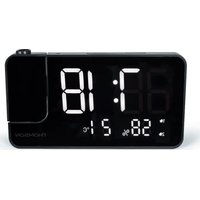


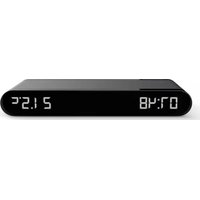
| Product type | Radio alarm clock with projector and temperature |
| Brand | Thomson (under license Bigben Interactive) |
| Model | CP100T |
| Dimensions | 156 x 40 x 88 mm |
| Main power supply | DC 5 V / 1.5 A mains adapter (USB-C) |
| Backup battery | CR2032 (included) |
| FM radio | 87.5 - 108 MHz, automatic search and memory (up to 70 stations) |
| Speaker | 0.5 W, impedance 8 Ω |
| Alarms | Dual alarm (AL1 and AL2) with radio or buzzer choice, repeat (snooze 9 min) |
| Projector | Adjustable 180° time projection |
| Display | LED with brightness adjustment (high, medium, low, off) and automatic night mode |
| Temperature and humidity | Indoor display: 0 °C to 50 °C (32 °F to 122 °F), humidity 20% to 95% |
| Sleep timer | Automatic radio shut-off adjustable from 5 to 90 minutes |
| Time formats | 12H / 24H, time and date setting (year, month, day) |
| USB charging port | USB-C output DC 5 V / 1 A |
| Power consumption | 0.78 W |
| Maintenance | Clean with a soft cloth, do not use abrasive products. Disconnect before cleaning. |
| Safety | Overvoltage protection, do not expose to water, indoor use only, keep out of reach of children (risk of battery ingestion) |
| Repairability | Do not open; entrust any repair to a qualified professional. Spare parts not specified. |
| Warranty | 2 years from date of purchase (unless longer duration in EEA) |
| General information | Manufactured in China by Bigben Interactive. Support: 09 69 39 79 59 (mainland France, Mon-Fri 10am-6pm) or support.thomson@bigben.fr |
Frequently Asked Questions - CP100T THOMSON
User questions about CP100T THOMSON
0 question about this device. Answer the ones you know or ask your own.
Ask a new question about this device
Download the instructions for your Alarm Clock in PDF format for free! Find your manual CP100T - THOMSON and take your electronic device back in hand. On this page are published all the documents necessary for the use of your device. CP100T by THOMSON.
USER MANUAL CP100T THOMSON
INSTRUCTIONS FOR USE
BEFORE USING THIS DEVICE, PLEASE READ THESE INSTRUCTIONS FOR USE CAREFULLY AND KEEP THEM FOR FUTURE REFERENCE.
Getting started
BELGIUM, customerservice@bigben-interactive.be
NETHERLANDS, customerservice@bigben-interactive.nl
SPAIN, soporte@metronic.com
Tel.: 93 713 26 25
Projection alarm clock with temperature
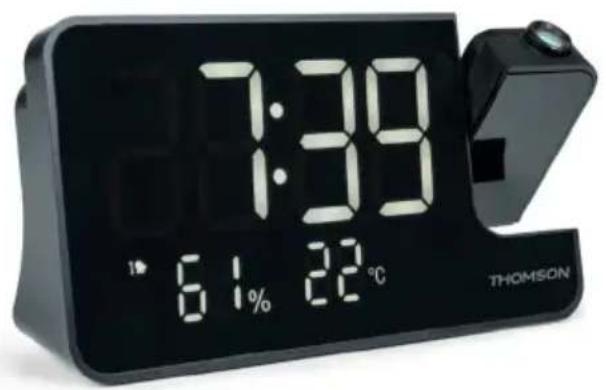
USER GUIDE
PLEASE READ THIS USER GUIDE CAREFULLY BEFORE OPERATING THE UNIT AND RETAIN FOR FUTURE REFERENCE.
Getting started
• Take the device out of the box. - Remove all the packaging from the product. - Place the packaging inside the box or dispose of it safely in compliance with the waste sorting instructions shown on the outside.
Safety warning and notice
You must read and understand all the instructions before using this device. The warranty will not apply if damage is caused by failure to follow the instructions.

- Never remove the device casing.
- Never place this device on top of other electrical equipment.
- Protect the power cable from being stepped on or pinched, particularly at the plugs, sockets, and the point where it exits the device. Make sure that the power rating corresponds to the voltage shown on the rating plate at the rear of the device. Always pull the plug from the socket when disconnecting from the mains. Never pull on the cable. Ensure you have completed all the other connections before connecting the mains plug.
- Only use attachments/accessories that are recommended by the manufacturer.
- Entrust all device repairs to qualified repairers. Repair is needed when the device has been damaged in any fashion, and in particular:
- If the power cable is damaged;
- In the event of a liquid spill or objects being inserted into the device;
- If the device is exposed to rain or dampness;
- If the device does not operate normally;
- Or if the device has been dropped or impacted.
- The series panel is located on the bottom of the device.
- Never block the air vents.
- Make sure you have enough space for ventilation. Place the product on a stable surface.
- This device must be used in a moderate climate, away from direct sunlight, naked flames or sources of heat, heaters, cookers or any other devices (including amplifiers) that generate heat. Do not install near a heat source.
- The batteries (battery pack or inserted batteries) must not be exposed to excessive heat, such as sunshine, fire, etc.
- Always unplug the device before cleaning it. Never lubricate any part of this device. Clean it using a soft cloth. Do not use abrasive products or harsh cleaners.
- Ensure that you always have easy access to the power cable, plug or adapter to disconnect this device from the mains if necessary.
- Do not use this device near water. It must not be dripped on or splashed. Do not use this device in a damp or wet environment.
- Disconnect this device in the event of a storm, or if you intend not to use it for a long period of time.
- This device can be used by children aged 8 and over, and by persons with a physical or sensory disability, learning difficulties or a lack of experience and knowledge, provided they are supervised or have received instructions on the safe use of the device, and understand the risks involved. Children must not play with the device or power cable (risk of strangulation). Children must not clean or maintain the device without supervision.
- This device must only be supplied with very low safety voltage as indicated on the device.
- The battery should be removed from the device before disposal. The device must be disconnected from the power supply when removing the battery.
- The product must be at a minimal distance of 20 cm from the human body when working.
- This device is for household use only; do not use outdoors.
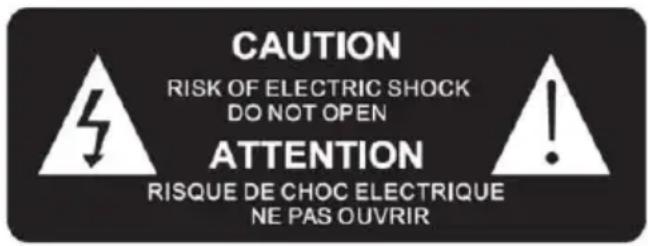

The lightning bolt symbol within an equilateral triangle alerts users to the presence of dangerous uninsulated voltages, inside the device, that may present a risk of electric shock.

The exclamation mark inside a triangle indicates the presence of important operating and maintenance (repair) instructions in the literature accompanying the device.
VI The symbol indicates the energy efficiency label
WARNING
Do not ingest the batteries: risk of chemical burns
(The remote control supplied with it) This product contains a button cell battery. If the button cell battery is ingested, severe internal burns can occur in as little as two hours, which can be fatal.
Keep new and used batteries out of the reach of children.
If the battery compartment does not close completely, stop using the product and keep it out of reach of children.
If you think batteries may have been ingested or inserted into any orifice of the body, seek medical attention immediately.
| Class II material |  |
| Direct current |  |
| Alternating current |  |
| For indoor use only |  |
Contents of the box
Check and identify the contents of your box:
- Projection alarm clock with temperature
- 1 mains adapter • 1 USB A/USB C charging cable
- Instruction manual
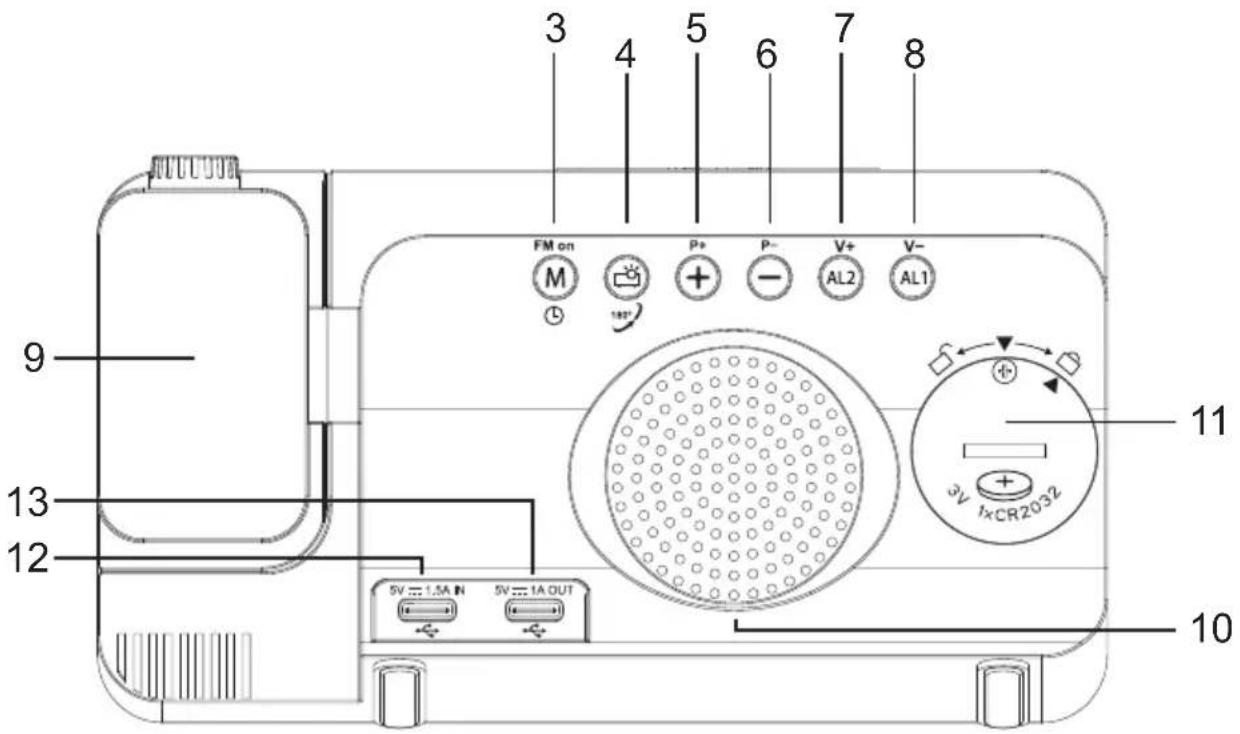
Description of parts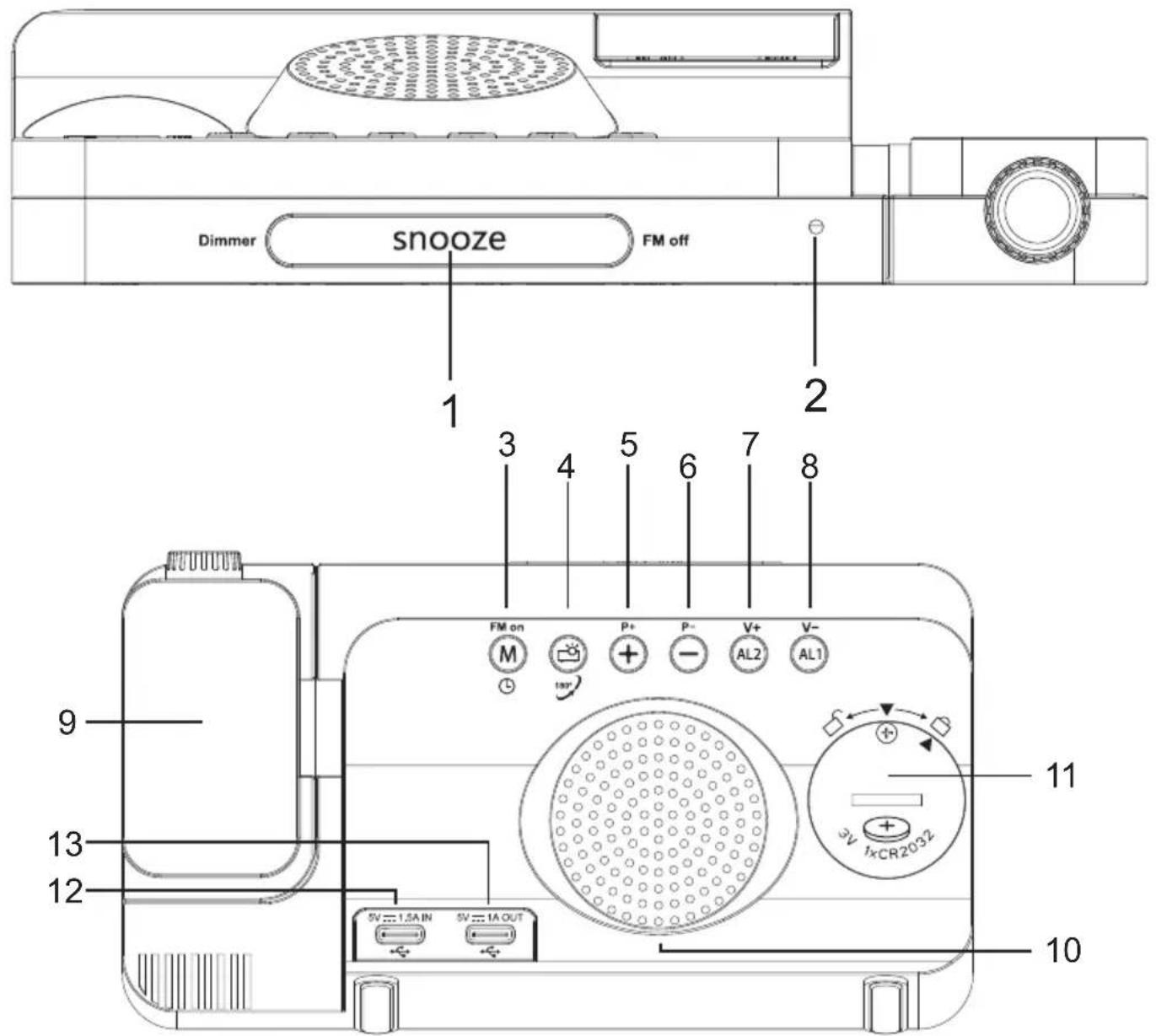
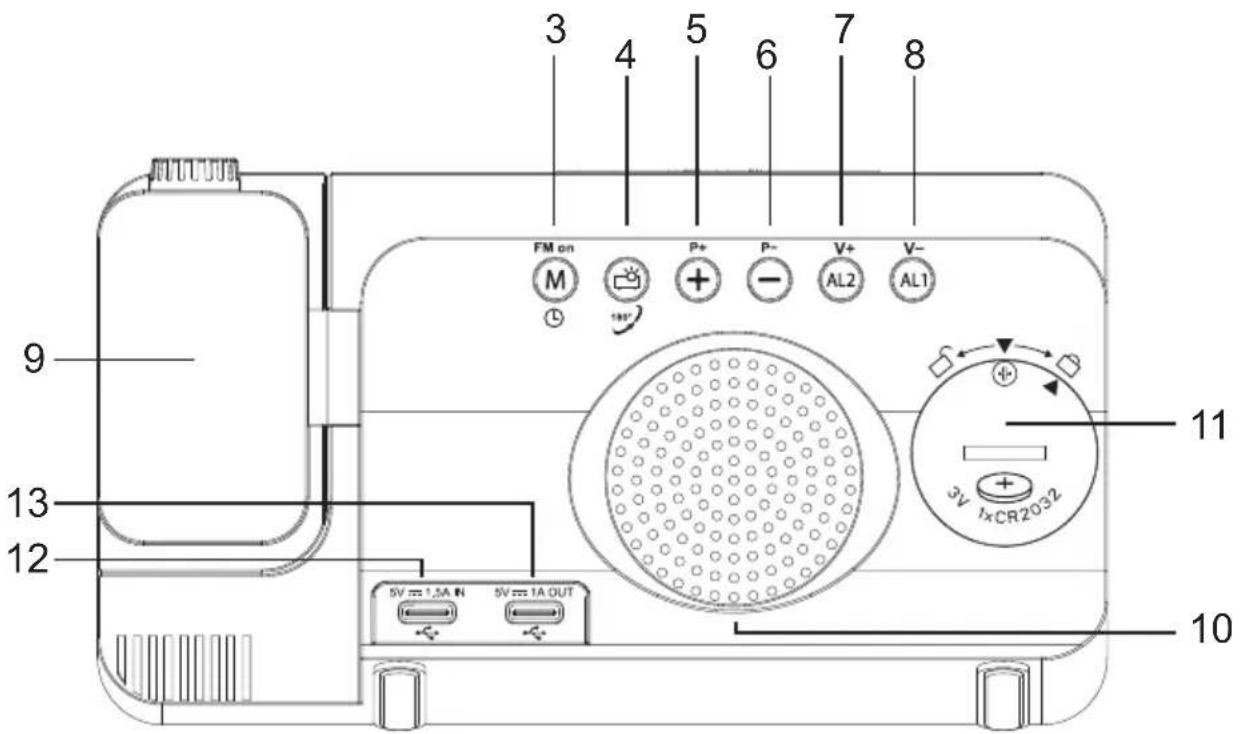
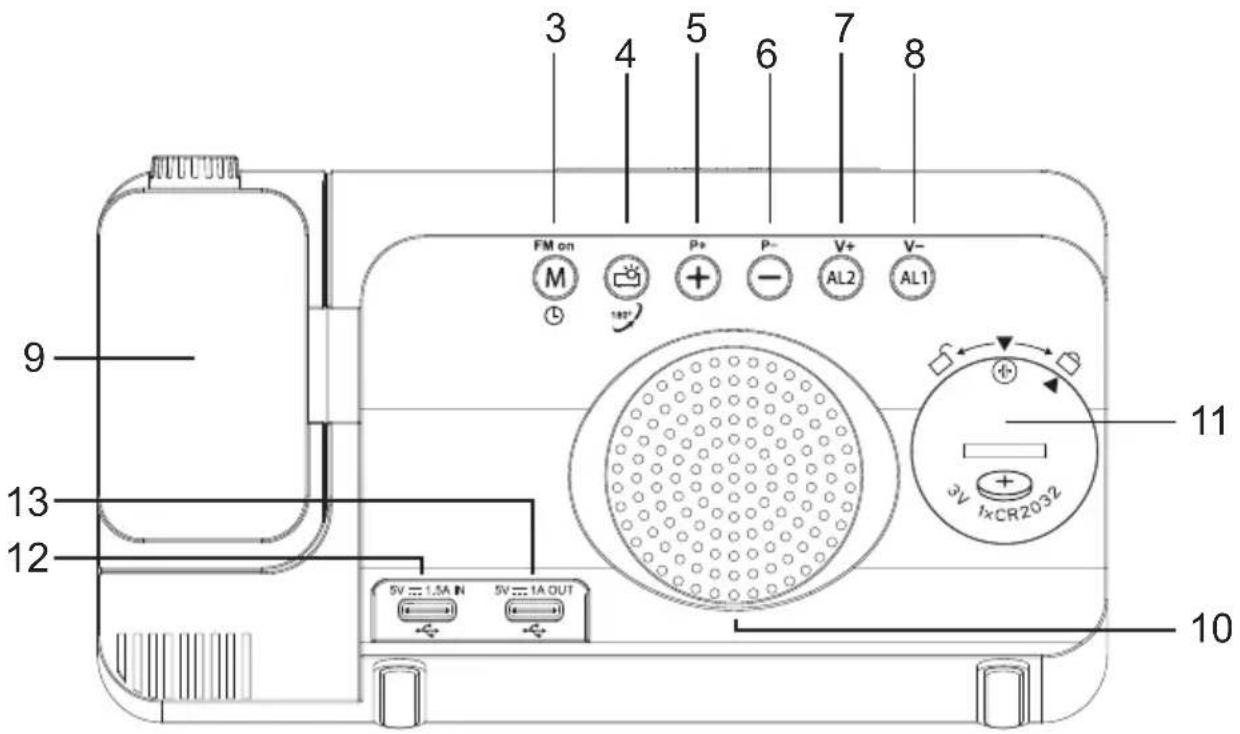
- SNOOZE button: Snooze, auto dimming, FM radio off
- Brightness detection sensor
- M button: FM radio on, FM radio auto search, time setting, sleep time setting
- Clock projector on/off, clock projector direction adjustment
- button: Value up, night display brightness adjustment
- – button: Value down. Display date, press and hold to change the temperature from Celsius to Fahrenheit.
- AL2 button: Alarm 2 on/off, alarm 2 adjustment, volume up
- AL1 button: Alarm 1 on/off, alarm 1 adjustment, volume down
- Adjustable clock projector
- Speaker
- Compartment for backup battery (CR2032)
- USB-C input interface
- USB-C output port (5V/1A DC)
Operation
- The product is supplied with a backup battery already inserted. Remove the insulating strip.
- Remove the screen protector.
- Connect the USB-A to USB-C cable to the USB-A port of the power adapter, plug the power adapter into an outlet and the other end into the USB-C input interface of the product.
- Once the device is plugged in, the LED screen lights up;
Setting the time
- Press and hold the "M" button for 3 seconds, the screen displays a flashing 24H symbol. Press "+" or "-" to select the 12H or 24H format.
- Press the "M" button again, and the year digits will flash. Then press "+" or "-" to set the year. (Press and hold "+" or "-" to quickly change the number).
- Press the "M" button again, and the day digits will flash. Then press "+" or "-" to set the day's date (press and hold "+" or "-" to change the number quickly).
- Press the "M" button again, and the month digits will flash. Then press "+" or "-" to set the month (press and hold "+" or "-" to change the number quickly).
- Press the "M" button again, and the hour digits will flash. Then press "+" or "-" button to set the hour (press and hold "+" or "-" to change the number quickly).
- Press the "M" button again, and the minute digits will flash. Press "+" or "-" to set the minutes (press and hold "+" or "-" to quickly change the number).
- Press the "M" button or do nothing for 10 seconds to quit the current time setting mode.
Setting the alarm
- Briefly press "AL1" or "AL2" to activate or deactivate the alarm. After activating the alarm clock, the alarm symbol will light up.
- Press and hold the "AL1" or "AL2" button for 3 seconds to enter the alarm clock setting mode. The order is as follows: "hour" - "minute" - "ringing mode selection".
- Adjust the value by pressing "+" or "-". After setting, press "AL1" or "AL2" once to confirm and return to clock mode.
- The default alarm snooze time is 9 minutes.
- Press "+" or "-" to select the ringing mode ("rd" = wake-up with radio, "bu" = wake-up
with buzzer), the radio will always play in "rd" mode; In "bu" mode, the alarm clock automatically switches to SLEEP mode after 15 minutes.
- Press "+" or "-" to select the snooze cycle (1-7 = every day, 1-5 = weekdays, 6-7 = weekends).
Alarm on or off
- Once the alarm is set and activated, the "AL1" and "AL2" symbols are displayed on the screen. When the alarm rings, the corresponding symbols flash. Press the "snooze" button once, the alarm is muted and goes off after 9 minutes of snooze time. Then it will ring again.
- In addition to pressing the "snooze" button, pressing any other button once turns off the alarm clock and the alarm symbol stops flashing until the alarm time on the following day.
NB:
- Alarm 1 is ringing or in sleep mode. When alarm 2 starts ringing, the ringing pattern is based on alarm 2. Alarm 1 will be reset and will not ring again until the alarm time on the next day.
- If radio is selected as the ringtone, the station and volume will be based on the most recent station and volume.
- The radio plays until stopped by pressing any button.
Listening to FM radio
• Radio frequency range: 87.5MHz---108.0MHz. - Briefly pressing "M" turns the radio on and the display shows "ON" and the frequency. When the radio is on, press and hold the "M" button for 2 seconds. The FM radio automatically searches and saves stations (up to 70 stations) and stops at the first station when the search is complete. - When the radio is on, press "+" or "-" to select the stored station. - When the radio is on, press the "AL1/AL2" button once to adjust the volume. Press and hold them to quickly increase or decrease the volume. The device automatically returns to clock mode if no buttons are pressed for 5 seconds. The volume is set to L10 by default, and the volume range is from level 0 to level 15. - To change the saved radio station, when the radio is on, press and hold the "M" button for 2 seconds to automatically search and save the new stations. This will replace any previously saved stations. - Briefly press the "snooze" button to turn off the radio.
Setting sleep mode
- In radio mode, press the "M" button once to activate sleep mode. The screen displays "SL" and the default sleep time 05 ("05" represents 5 minutes). Continuously press "M" to set the sleep time between 05, 15, 30, 45, 60, 75, 90 minutes or "OFF".
- When the set sleep period has elapsed, the radio will automatically turn off.
Setting the projector function
- When the power is on, briefly press "projector" to activate the projection function and the projector lamp will switch on;
- Once projection is activated, press and hold the "projector" button and the projection screen will rotate 180 degrees.
- Comment: When the device is only powered by a button cell battery, all the buttons are
inoperative. The screen is not displayed, only the memory and process time functions are saved.
Setting display brightness
- In clock mode, press and hold "snooze" for 3 seconds to switch on/off the auto-dimming mode. (by default, the automatic dimmer is activated)
- Briefly press "snooze" to adjust the screen brightness. (order of brightness: High brightness - Medium brightness - Low brightness - Off).
- When auto-dimming mode "ON" is selected, the screen automatically switches to low brightness mode in a dark environment; When the "OFF" mode is selected, the screen brightness can be adjusted manually at any time.
Comment: Adjusting the screen brightness is only possible when the radio is turned off and no sound is being produced.
Night mode
- Night mode means that the brightness of the LED screen automatically switches to a low level at night.
- In clock mode, briefly press "+" to switch to night mode. Press "+" to switch between "OFF" and "ON" ("OFF" by default). After entering the mode, the device automatically switches to low brightness display mode from 6:00 p.m. to 6:00 a.m. on the following day, by default.
- When night mode is activated, press "+" for 3 seconds to adjust the night mode time range as you want. The adjustment sequence is as follows: "start hour"--"start minutes"- "end hour"--"end minutes". The dot above the colon lights up when the "start hour" and "start minutes" are set, and the dot below the colon lights up when the "end hour" and "end minutes" are set. Press and hold "+" for 3 seconds to validate the hours, and then the minutes, when adjusting.
Comment: When auto dimming mode is enabled, night mode is disabled.
Temperature and humidity display
- After switching on the device, the temperature unit is set to °C by default. Press "-" for 3 seconds to switch the temperature unit from °C to °F.
- Indoor temperature range: 32°F - 122°F (0°C - 50°C) .
- Indoor humidity range: 20%--95%
Restore factory settings
After removing the battery and power adapter, you can restore the factory settings and reset the functions.
Battery warning

Risk of fire or explosion if the battery is replaced with the wrong type of battery.
Disposing of a battery in fire or a hot oven, crushing it or cutting it manually may cause an explosion;
Leaving a battery in an environment where the ambient temperature is extremely high can cause an explosion or a leak of a liquid or flammable gas.
Subjecting a battery to extremely low atmospheric pressure may cause an explosion or leak of a liquid or flammable gas.
The maximum ambient temperature for the product to work properly is between 0°C and 40°C. Please refer to the information on the underside of the packaging regarding safety and electrics before installing or using the device.
Technical specifications
| Type | Technical specifications | Type | Technical specifications |
| Speaker 0.5 W | Speaker resistance | 8Ω | |
| Energy consumption | 0.78W FM frequency 87.5 - 108 MHz | ||
| Input power 5V, 1.5A DC Dimensions 156 x 40 x 88mm | |||
The device may turn off in an environment with electrostatic discharge. The user must then recharge the battery and reset the device.
Environmental protection

Your product has been designed and manufactured using high-quality materials and components that can be recycled and reused. Attention should be drawn to the environmental aspects of battery disposal.

When the crossed-out wheelie bin symbol appears on a product, it means that the product is covered by European Directive 2002/96/EC. Please find out about the local sorting and collection system for electrical and electronic products. Please act according to local rules and do not dispose of your old products in your household waste. By ensuring this product is disposed of correctly, you are helping to prevent potentially negative consequences for the environment and human health.
Additional information
• THOMSON is a trademark of Talisman Brands, Inc. used under licence by Bigben Interactive. - This product is manufactured and sold under the responsibility of Bigben Interactive. • THOMSON and the THOMSON logo are trademarks operated under licence by Bigben
Interactive – for more information: www.thomson-brand.com.
- All other products, services, corporate names, trademarks, trade names, and logos referenced herein are the property of their respective owners.
Declaration of conformity
- Bigben Interactive hereby declares that the CP100T-type radio equipment is in compliance with Directive 2014/53/EU. The full text of the EU declaration of conformity is available at the following internet address: https://www.bigben-interactive.co.uk/support/
Warranty
This product is guaranteed by Bigben for a period of 2 years from the date of purchase, except in countries of the European Economic Area, which offer a longer warranty period. We recommend that you keep your receipt for any claims. The warranty covers breakdowns due to defective material, a missing element or manufacturing defect. In this case, contact our technical support. For any problem with a defective product, contact your point of purchase with your receipt. The warranty does not cover problems of improper use.
Made in China
Manufactured by BIGBEN INTERACTIVE SA
396, Rue de la Voyette
CRT2 - FRETIN
CS 90414
59814 LESQUIN Cedex - France
www.bigben.eu

![graph LR A["This product can be recycled"] --> B["TO DROP OFF IN STORE"] B --> C["TO DROP OFF IN A RECYCLING CENTER"]](/content/2026/04/697384/images/f7a8d77531e55ac89bbbe152f0d66f4348dced8bf97ce4b6d6424ce67c9ec62e.jpg)




Manufacturer: Bigben Interactive FRANCE
396, Rue de la Voyette, C.R.T. 2, Fretin,
CS90414 - 59814 Lesquin Cedex, France
BELGIUM, customerservice@bigben-interactive.be
NETHERLANDS, customerservice@bigben-interactive.nl
SPAIN, soporte@metronic.com
Tel.: 93 713 26 25
BELGIUM, customerservice@bigben-interactive.be
NETHERLANDS, customerservice@bigben-interactive.nl
SPAIN, soporte@metronic.com
Tel.: 93 713 26 25
INSTRUCTIONS FOR USE
READ THIS MANUAL CAREFULLY BEFORE USING THE DEVICE AND KEEP IT FOR FUTURE REFERENCE.
Startup
BELGIUM, customerservice@bigben-interactive.be
NETHERLANDS, customerservice@bigben-interactive.nl
SPAIN, soporte@metronic.com
Tel.: 93 713 26 25
INSTRUCTION MANUAL
BEFORE USING THIS DEVICE, READ THIS INSTRUCTION MANUAL CAREFULLY AND KEEP IT FOR FUTURE REFERENCE.
Initialization 42
BELGIUM, customerservice@bigben-interactive.be
NETHERLANDS, customerservice@bigben-interactive.nl
OPERATING INSTRUCTIONS
INSTRUCTIONS FOR USE
BEFORE USING THIS DEVICE, READ THESE INSTRUCTIONS CAREFULLY AND KEEP THEM FOR FUTURE REFERENCE.
Getting started
62

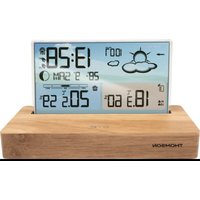
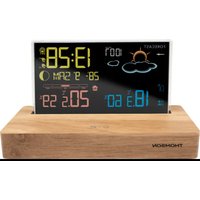
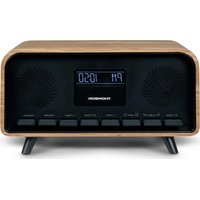
- INSTRUCTIONS FOR USE
- GETTING STARTED
- PROJECTION ALARM CLOCK WITH TEMPERATURE
- USER GUIDE
- SAFETY WARNING AND NOTICE
- VI THE SYMBOL INDICATES THE ENERGY EFFICIENCY LABEL
- WARNING
- CONTENTS OF THE BOX
- OPERATION
- SETTING THE TIME
- SETTING THE ALARM
- ALARM ON OR OFF
- NB
- LISTENING TO FM RADIO
- SETTING SLEEP MODE
- SETTING THE PROJECTOR FUNCTION
- SETTING DISPLAY BRIGHTNESS
- NIGHT MODE
- TEMPERATURE AND HUMIDITY DISPLAY
- RESTORE FACTORY SETTINGS
- BATTERY WARNING
- ENVIRONMENTAL PROTECTION
- ADDITIONAL INFORMATION
- DECLARATION OF CONFORMITY
- WARRANTY
- STARTUP
- INSTRUCTION MANUAL
- OPERATING INSTRUCTIONS
Brand : THOMSON
Model : CP100T
Category : Alarm Clock