
CT600 - Alarm Clock THOMSON - Free user manual and instructions
Find the device manual for free CT600 THOMSON in PDF.
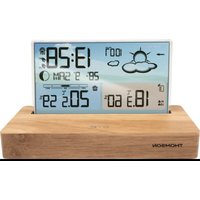


| Product Type | Radio alarm clock with weather station |
| Brand | Thomson |
| Model | CT600 |
| Main unit dimensions | 165 x 95 x 45 mm |
| LCD screen size | 131 x 78 mm |
| Power supply | 2 AAA batteries (not included) or USB-C cable (included) |
| Battery type | AAA (LR03) |
| Outdoor sensor power supply | 2 AAA batteries (not included) |
| RF transmission frequency | 433.92 MHz |
| RF transmission range | 60 meters in open field |
| Radio-controlled time signal | DCF77 (Germany) |
| Main functions | Radio-controlled time, calendar until 2099, programmable alarm (weekdays/weekends/daily), Snooze function (1-30 min or OFF), weather forecast (sunny, cloudy, rainy, snowy), moon phases, indoor comfort index, frost alert, indoor temperature (-9.9°C to +50°C) and outdoor temperature (-40°C to +70°C), humidity (20% to 95%), atmospheric pressure (850-1100 hPa), trend display, min/max value recording, adjustable backlight |
| Number of sensor channels | 3 (outdoor sensor included) |
| Maintenance and cleaning | Unplug the device before cleaning. Use a soft cloth. Do not use abrasive products or harsh cleaners. |
| Safety instructions | Do not expose to water, do not open the casing, use at least 20 cm from the body, keep out of reach of children under 3 years (choking hazard). |
| Warranty | 2 years from date of purchase (unless longer duration in EEA) |
| Environmental information | Recyclable product. Do not dispose of with household waste. Batteries to be disposed of at collection points. |
Frequently Asked Questions - CT600 THOMSON
User questions about CT600 THOMSON
0 question about this device. Answer the ones you know or ask your own.
Ask a new question about this device
Download the instructions for your Alarm Clock in PDF format for free! Find your manual CT600 - THOMSON and take your electronic device back in hand. On this page are published all the documents necessary for the use of your device. CT600 by THOMSON.
USER MANUAL CT600 THOMSON
Commands
Sensor

BELGIUM, customerservice@bigben-interactive.be
NETHERLANDS, customerservice@bigben-interactive.nl
SPAIN, soporte@metronic.com
Tel.: 93 713 26 25
Alarm clock with weather display

OPERATING INSTRUCTIONS
PLEASE READ THIS USER MANUAL CAREFULLY BEFORE OPERATING THIS UNIT AND RETAIN FOR FUTURE REFERENCE.
| Getting started 18 | Battery warning | 29 | |
| Safety warning and notice 18 | Product Specifications | 30 | |
| What's in the box 20 | Care for the environment | 31 | |
| Specifications | 20 | Additional information | 31 |
| Description of parts 21 | Declaration of conformity | 31 | |
| Controls 22 | Warranty | 31 | |
| Use | 24 |
Getting started
• Take the appliance out of the box. - Remove all the packaging from the product. - Place the packaging inside the box or dispose of it safely in compliance with the waste sorting instructions shown on the outside.
Safety warning and notice
Please read and understand all the instructions before using this device. The warranty will not apply if damage is caused by failure to follow the instructions.
- Never remove the device casing.
- Never place this appliance on top of other electrical equipment.
- Protect the power cable, so as to avoid it being walked over or trapped somewhere, particularly by the plugs, power sockets, and the device's power connection. Make sure that the power rating corresponds to the voltage shown on the rating plate at the rear of the appliance. Always pull the plug from the socket when disconnecting from the mains. Never pull on the cable. Ensure you have completed all the other connections before connecting the mains plug.
- Only use attachments/accessories that are recommended by the manufacturer.
- Entrust all device repairs to qualified repairers. Repair is needed when the appliance has been damaged in any fashion, and in particular:
- if the power cord is damaged;
- in the event of a liquid spill or objects being inserted into the appliance;
- if the appliance is exposed to rain or dampness;
- if the appliance does not operate normally;
- or if the device has been dropped or impacted.
- The series panel is located on the bottom of the appliance.
- Do not block any ventilation openings.
- Make sure you have enough space for ventilation. Place the product on a stable surface.
- This device must be used in a moderate climate, away from direct sunlight, naked flames or sources of heat, heaters, cookers or any other devices (including amplifiers) that generate heat. Do not install or use near a heat source.
- The batteries (battery pack or batteries installed) must not be exposed to excessive heat, such as direct sunlight, fire, etc.
- Always unplug the appliance before cleaning it. Never lubricate any part of this apparatus. Clean it using a soft cloth. Do not use abrasive or aggressive cleaning products.
- Ensure that you always have easy access to the power cable, plug or adapter to disconnect this device from the mains if necessary.
- Do not use this device near water. It must not be dripped on or splashed. Do not use this device in a wet or humid environment.
- Disconnect this appliance in the event of a storm, or if you intend not to use it for a long period of time.
- This appliance can be used by children aged 8 and over, and by persons with a physical or sensory disability, learning difficulties or a lack of experience and knowledge, provided they are supervised or have received instructions on the safe use of the appliance, and they understand the risks involved. Children must not play with the appliance or power cord (risk of strangulation). Children must not clean or maintain the device without supervision.
- This device must only be supplied with very low safety voltage as indicated on the device.
- The battery should be removed from the device before disposal. The device must be disconnected from the power supply when removing the battery.
- When in operation, the appliance must be at a minimum distance of 20 cm from the human body.
- Risk of suffocation: Small parts are not intended for children under 3 years old or for people with a tendency to put inedible objects in their mouths.
| Class II material |  |
| Direct current |  |
| Alternating current |  |
| For indoor use only |  |
What's in the box
Check and identify the contents of the packaging:
- Weather Station
- USB-C power cable
- User instructions
Specifications
- DCF Radio-controlled clock feature
- Radio control feature can be switched ON and OFF • Time displayed in 12/24-hour format • Perpetual Calendar Up to Year 2099
- Day of week displayed in 7 languages, selected by the user: English, German, Italian, French, Spanish, Dutch and Danish
- Dual Alarm clock can be set on weekdays/weekends and daily
- Snooze time setting (1 to 30 Minutes or OFF)
- Low battery indicator
- Indoor comfort indicator • Weather forecasting and air pressure detection
- Ice alert
- Moon phases • Window opening and closing prompt
- Remote sensor temperature alert range setting
- Change trend display • Humidity: 20%RH \~ 95%RH
- Temperature:
- Indoor temperature measurement range: -9.9 °C (14.2 °F) \~ 50 °C (122 °F)
- Outdoor temperature measurement range: -40°C (-40°F) \~ 70°C (158°F)
- Temperature displayed in °C or °F
• Maximum/minimum temperature and humidity values recorded
- Wireless Outdoor Sensor:
- 3 Channels available
- Transmission frequency: 433.92 MHz RF
- Transmission range: 60-meter in an open area
- Barometric pressure:
- Measurement range: 850 ~ 1100 mB/hPa (25.10 ~ 32.48 inHg)
- Pressure displayed in mB/hPa or inHg
- Power Supply:
- Weather Station:
- Battery: 2 x LR03 AAA (not included)
- USB-C power cable (included)
- Remote Sensor:
- Battery: 2 x LR03 AAA (not included)
Description of parts
1 2 3 4 5 6
15
16 17
18 19 20 21 22 23 24
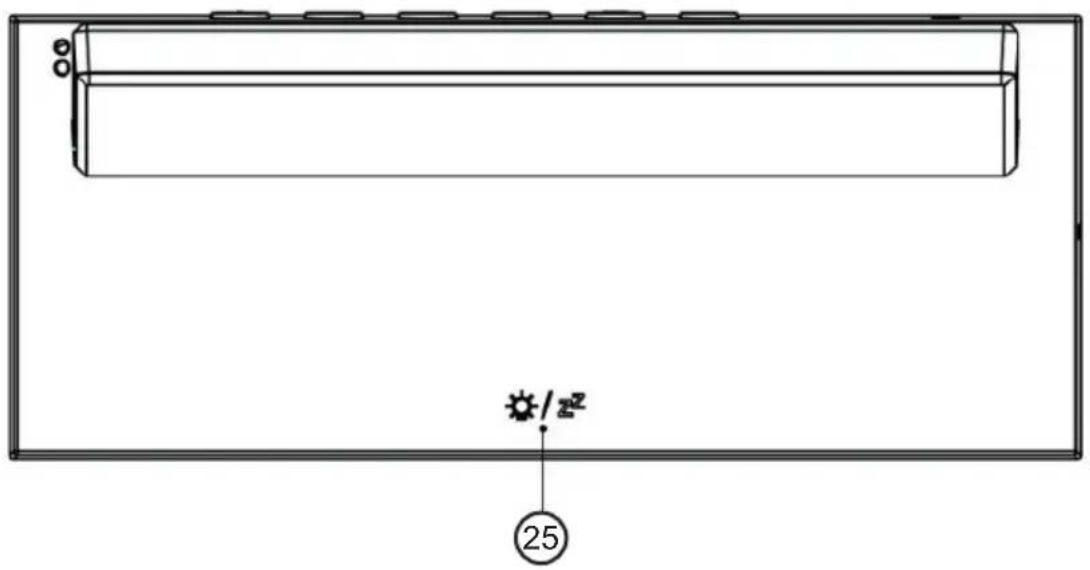
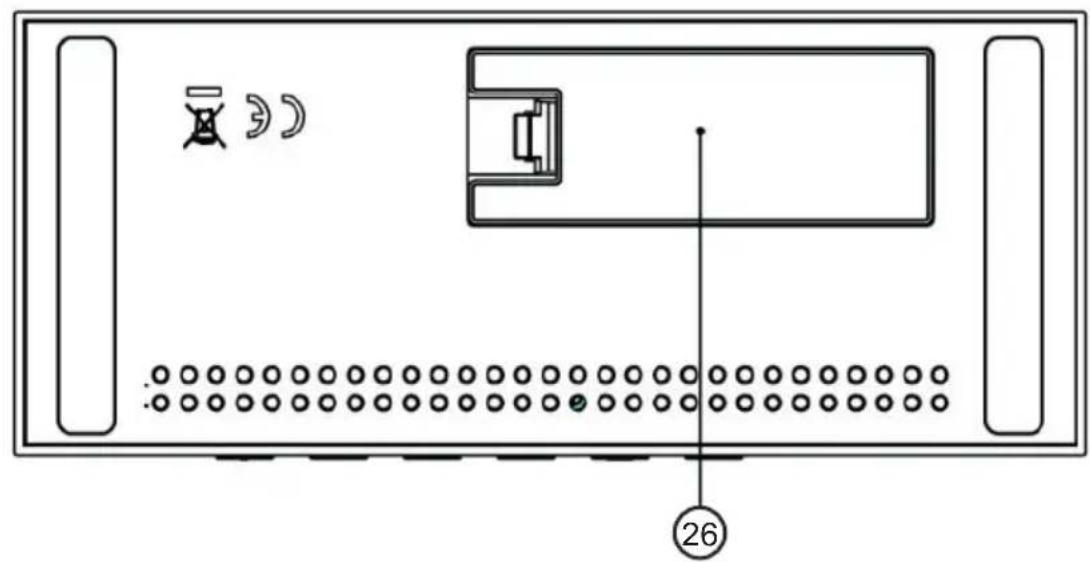
Controls
- Weather forecast feature
- Barometric pressure
- Window opening and closing prompt
- Date
- Time
- Radio signal reception
- Alarm status indicator
- Day of week
- Moon phase
- Indoor comfort indicator
- Ice alert
- Channel number
- Remote sensor low battery indicator
- Remote sensor temperature and humidity
- Remote sensor temperature alert status symbol
- Main unit low battery
- Indoor temperature and humidity
- USB-C port
- General setting button
- Alarm setting button
- +/Memory button
- -/Alarm ON or OFF button
- Channel button
- Alert setting button
- Light and snooze button
- Battery compartment cover
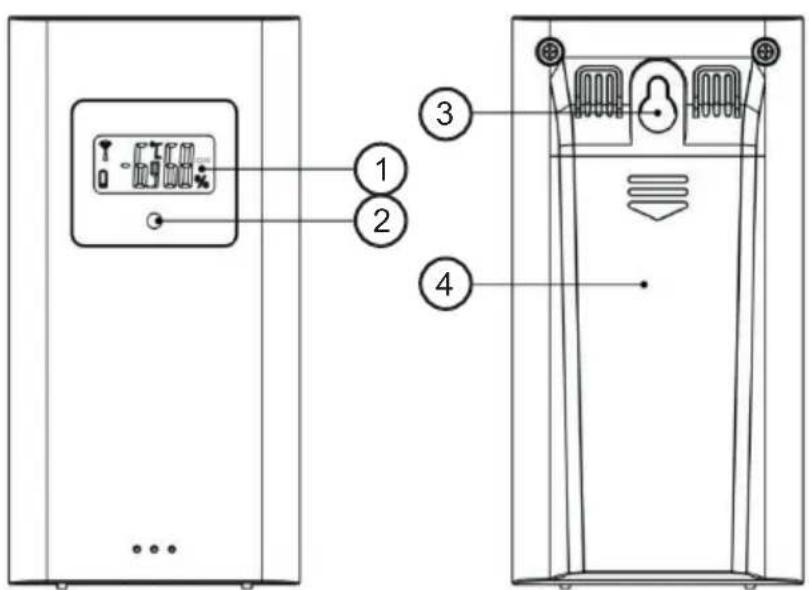
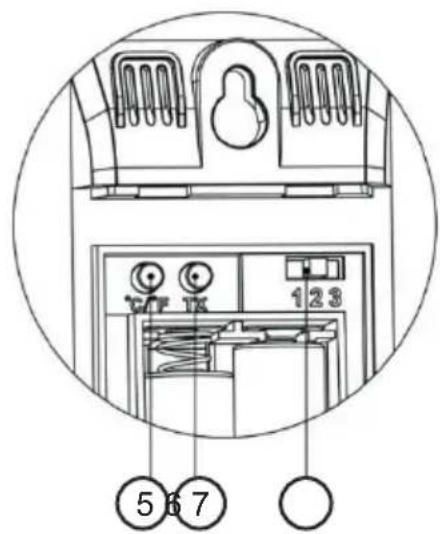
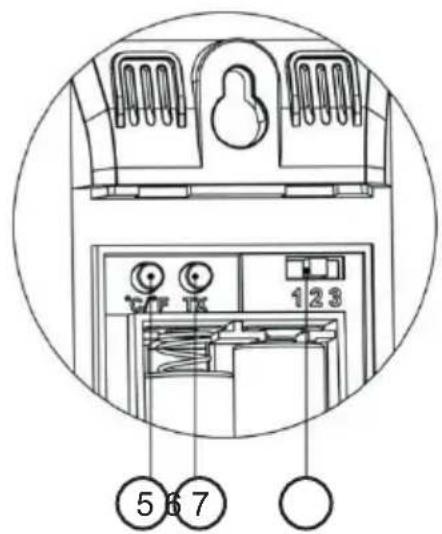
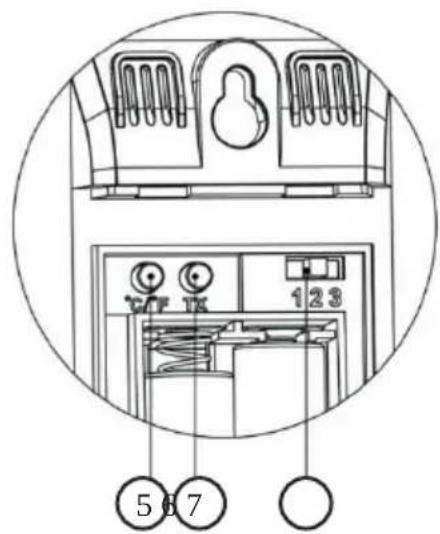
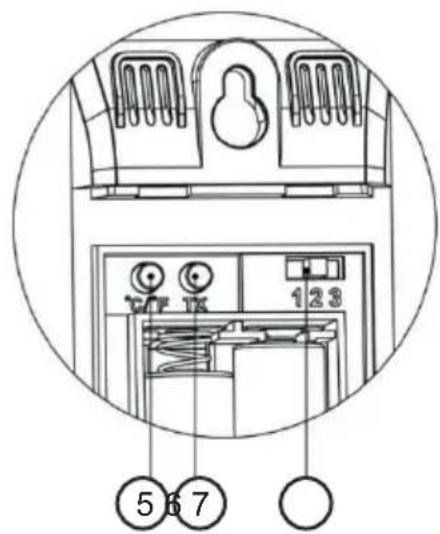
Sensor
- LCD
- LED transmission indicator
- Wall mounting hole
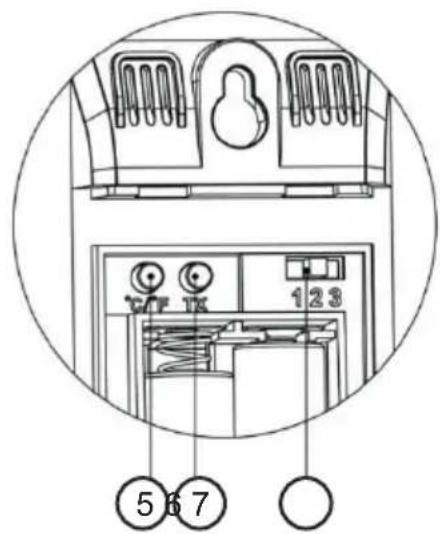
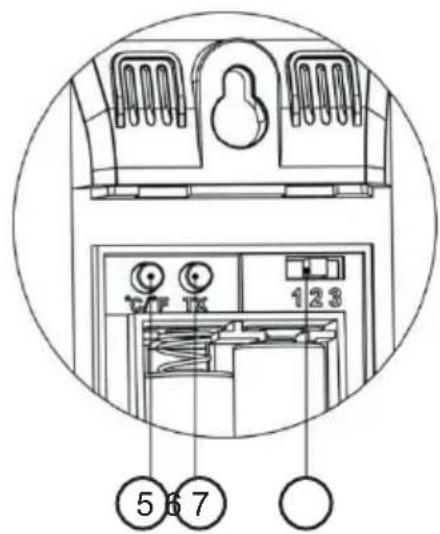
- Battery compartment cover
- Temperature unit display button
- Manual pairing button
- Channel switch
Use
Please refer to the information on the outer packaging for electrical and safety information before installing or operating the appliance.
Initial operation
- Open the main unit battery compartment cover.
- Insert 2 x AAA batteries observing polarity ["+" and "−" marks].
- When you insert the batteries, all icons on the LCD will light up for 3 seconds, you will hear a beep, and the indoor temperature & humidity will be detected.
- The main unit will now start connecting to the outdoor remote sensor. This process will last for a maximum of 3 minutes and will be displayed by a flashing reception antenna symbol in the upper right corner of the channel number.
- Open the remote sensor battery compartment cover, press the channel switch button to select the appropriate channel number. Insert 2 x AAA batteries observing polarity ["+" and "−" marks]. Press the "C/°F" button to select the temperature unit you want and close the battery cover.
- Once receiver has connected to the outdoor remote sensor, within 3 minutes it will enter the DCF Radio control time signal receiving mode (The backlight will switch off during RC reception).
- The backlight will stay on after DCF reception is completed.
USB Power
Power can also be provided via the USB-C port at the rear. Simply connect the supplied USB cable to this port and connect to another USB power source such as a USB power adaptor.
Weather forecast feature
Warning: Please take the weather forecast from your local weather forecasting service into account as well as the forecast from your weather station. If there are discrepancies between the information from your device and from the local weather forecasting service, please take the advice of the latter as authoritative.
- The weather forecast is calculated by evaluating fluctuations in the barometric pressure and may deviate from actual weather conditions.
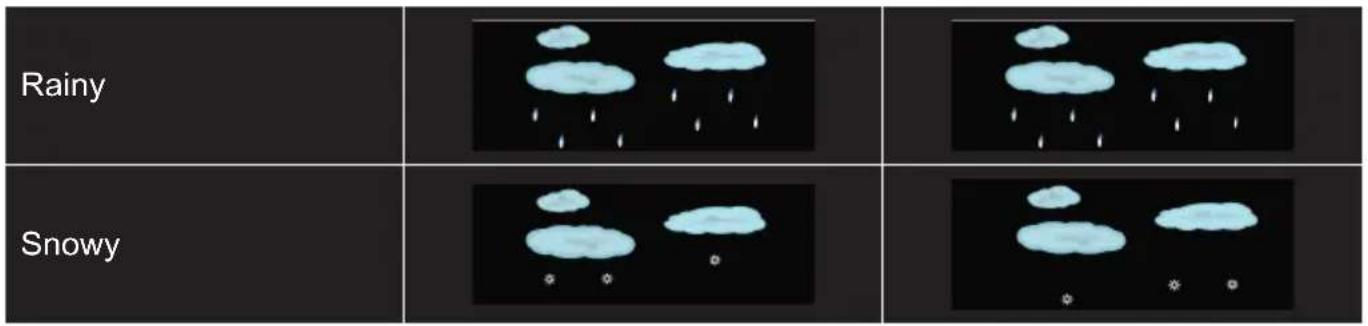
- The weather station displays the following weather symbols:
| Sunny |  |  |
| Slightly cloudy | 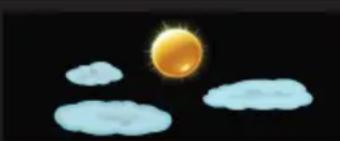 |  |
| Cloudy | 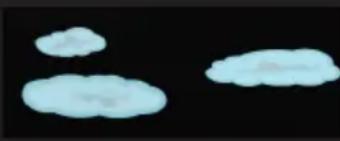 |  |
Moon phases
The weather station automatically displays the current lunar phase.
 |  |  |  |
| New moon Waxing crescent First quarter | Waxing gibbous | ||
 |  |  |  |
| Full moon Waning gibbous Third quarter | Waning crescent | ||
Ice alert
The ice alert symbol 🏠️ appears and flashes when the remote sensor temperature ranges between -1.0 and 2.9°C (30.2 to 37.3°F).
Outdoor temperature alert
- Press ⚠ to set the outdoor temperature alert feature ON or OFF. This operation is only valid for the currently displayed channel. If you want to set other channels, press “CH” to switch to the channel display you want to set. When the symbol HI⚠ is displayed, it means the upper limit alert feature is ON. When the symbol LO⚠ is displayed, it means the lower limit alert feature is ON. When the symbols HI⚠ or LO⚠ appear, it means the outdoor temperature alert feature is OFF.
- Press and hold ▲ for 2 seconds to enter the outdoor temperature upper limit or lower limit setting mode. The set item will flash. Press “+” or “−” to set the value. Press ▲ to confirm the item has been set and go to the next one. Press “CH” to set the value of other channels.
- When the outdoor temperature exceeds the limit set for the channel, the temperature and corresponding icon will flash. If the temperature decreases but still exceeds the set limit, there will be a beep reminder.
Comfort level
Different levels of display are calculated according to the following formula:
 |  |  |  |  | |
| Humidity <35% 35~44% 45~44% 66~80%>80% | |||||
Window opening and closing prompt
After complex calculation and comparison of indoor and outdoor absolute humidity, the system will use symbols to remind users whether they need to open or close windows.

: It is recommended to open the window

: It is recommended to close the window
Trend display
- The current temperature/humidity/barometric pressure and the temperature/humidity/barometric pressure trend are shown in the LCD display.
- After successfully connecting with the remote sensor, the main unit can display the outdoor temperature/humidity and the change trend.
Radio signal reception:
- Press and hold "—" to manually enter the DCF radio control signal receiving feature. When an adapter is used for the power supply, the backlight will be automatically and temporarily turned off during reception. After reception, it will automatically return to the previous backlight brightness.
- When it enters DCF signal receiving mode, the symbol ▲ will be flashing. When a valid signal is detected, the symbol ▲ will stop flashing and the symbol 📂 will start flashing. After a few minutes, the receiving process will end.

: Received successfully
▲ : The previous reception was successful, but the last reception failed
- At 1:00/2:00/3:00 AM, the clock will automatically synchronize with the DCF signal to correct any deviations from the correct time. If synchronization is unsuccessful, the system will automatically attempt synchronization after one full hour has elapsed. This procedure is repeated automatically up to 5 times.
- During RC reception, to stop searching radio signal, press "—" once.
NOTES :
- We recommend the product be placed at a minimum distance of 2.5 meters (8.2 Feet) from any source of interference, such as televisions, computer monitors and switching power adapters.
- Radio reception is weaker in rooms with concrete walls (e.g.: in cellars) and in offices. In such extreme circumstances, place the system near a window.
- During the RC signal receiving mode, only the "Light/Snooze" and "—" buttons are functional, other buttons are disabled. If you want to carry out other features, please press "—" to exit the RC signal receiving mode.
Manual time setting:
- Press and hold 📋 for 2 seconds, the "I" button will start flashing. Press "+" and "-" to set the radio control feature ON or OFF.
- Press ✅ to confirm item setting and go to the next one. The sequence of item setting is as follows:
RCC ON/OFF → DST ON/OFF (daylight saving time) → Time zone → 12/24HR → HOUR → MINUTE → Format of DATE (D/M or M/D) → YEAR MONTH DATE Language → Temperature Unit (°C/°F) → Pressure unit (hPa/mb or inHg) → Current standard air pressure → Current weather
- Press and hold "+" or "-" for quick setting.
- Press ☑ to confirm the last item and complete settings, the device will return to the standard display.
- When choosing the 12Hr format, if "PM" is displayed before the hours, this stands for post-meridiem.
- Here are the weekday abbreviations in the seven languages:
| LANGUAGE | |||||||
| ENGLISHENG | GERMAN FGER | FRENCH SPANFRE | ISH ITALIANSPA | DUTCH DANISHITA | OUT | CAN | |
| MONDAY | MON | MON | LUN | LUN | LUN | MAA | MAN |
| TUESDAY | TUE | CIE | MAR | MAR | MAR | CIN | TIR |
| WEDNESDAY | WED | MIT | MER | MIE | MER | WOE | ONS |
| THURSDAY | THU | DON | JEU | JUE | GIO | CON | TOR |
| FRIDAY | FRI | FRE | VEN | VIE | VEN | VRI | FRE |
| SATURDAY | SAT | SAM | SAM | SAB | SAB | ZAT | LOT |
| SUNDAY | SUN | SON | DIM | COM | COM | ZON | ZON |
NOTE:
- If there is no valid operation within 20 seconds, it will automatically return to normal time mode from the set mode.
Setting the daily alarms:
- Press "-" to set Alarm1 and Alarm2 ON or OFF. The symbol appears, meaning that ALARM1 is ON. When the symbol appears, this means that ALARM2 is ON. If symbols or disappear, this means the corresponding ALARM is OFF.
- Press ☐. LCD displays Alarm1 time (for 5 seconds). Press ☐ again when Alarm1 time is displayed, LCD displays Alarm2 time (for 5 seconds). Press ☐ again when Alarm 2 time is displayed, to return to current time display.
- When Alarm1 time is displayed, press and hold 🔒 for 2 seconds until Alarm1 time starts to flash. Press "+" or "-" to set the value.
- Press 🔗 to confirm the item has been set and go to the next one. The sequence of item setting is as follows:
Hour of Alarm1 → Minutes of Alarm1 → Repeat period of Alarm1 → Snooze time of Alarm1
- When setting the repeat period, select as follows:
M-F: From Monday to Friday
S-S: From Saturday to Sunday
M-F: From Monday to Sunday
- The snooze time can be set from 1 to 30 minutes or OFF. If "OFF" is selected, this means the snooze function is turned off.
- The Alarm2 time can be set in the same way.
NOTES:
- If there is no valid operation within 20 seconds, it will automatically return to normal time mode from the alarm time set mode.
- When adjusting the value, press and hold "+" or "−" for quick setting.
- The Alarm will ring for 2 minutes if you do not deactivate it by pressing any button.
Turning OFF the alarm
- When it's ringing, press any button except the "SNOOZE" button to turn off the alarm.
- When it's ringing, press and hold the "SNOOZE" button for 2 seconds to stop the alarm.
Snooze feature
When it's ringing, touch the "SNOOZE" button once. A sound indicates snooze mode. When the set snooze time has elapsed, it will ring again.
RF transmission procedure
- The main unit automatically starts receiving transmission from the remote sensor for temperature and humidity after batteries have been inserted.
- The remote sensor will automatically transmit temperature and humidity data to the main unit after batteries have been inserted.
- If the main unit fails to receive transmission from the remote sensor ("- -.-" and "--" displayed on the LCD), press and hold "CH" for 2 seconds. The 📋 icon will flash, and the main unit will start rescanning the channel launch signal.
- The main unit can receive remote signals from up to 3 channels. Press "CH" to switch and display data from different channels. When the symbol 🔒 appears, the data from different channels will be displayed automatically every 5 seconds.
Recording of maximum/minimum numerical values
- When the temperature and humidity are shown on the LCD, the main unit starts recording maximum and minimum temperature/humidity values.
- Press "+" and the LCD will display the maximum temperature/humidity value. When the maximum value is displayed, press "+" again to display the minimum temperature/humidity value.
- At the same time, "MAX" or "MIN" will be displayed on the LCD.
- The maximum/minimum values will be reset if you press and hold "+" for 3 seconds.
- The recorded values of the day will be automatically cleared at 0:00 every night.
Background lighting
- When the USB-C cable is used for power supply, press ⚙️ to adjust the backlight brightness.
- After the backlight is dimmed, press “SNOOZE/LIGHT” once to switch to the brightest backlight for 15 seconds.
- When the product is powered only by battery (without cable), press “SNOOZE/LIGHT” once to turn on the backlight for 15 seconds.
Battery warning:
This product contains one or more batteries.
- Use batteries correctly to prevent any injury or fire caused by a leak, overheating, explosion, erosion or other damage.
- Keep new and used batteries out of the reach of children or any vulnerable person. Stop using the device if the battery compartment does not close properly.
- If the liquid from an alkaline battery comes into contact with skin or eyes, rinse immediately with fresh water and consult a physician.
- If an alkaline battery leaks, clean the liquid with a cloth and replace the battery with a new one.
- Do not swallow the battery/ies. If swallowed, a battery can cause severe internal burns in 2 hours and can cause death. If batteries are swallowed, contact a poison centre immediately and consult a physician.
• Use AA Ni-MH, alkaline or lithium batteries.
- Do not charge these batteries. Charging non-rechargeable batteries generates gas or heat emissions that can cause explosions or fires.
- Do not use different types of batteries or a mixture of new and old batteries.
- Insert the batteries according to the correct polarity (+ and -).
- Do not allow the same battery poles to be in contact.
- Remove spent batteries quickly. There is a risk of the battery exploding if it is not replaced or if the device is unused for a long period of time.
- Replace the battery with an identical or equivalent model.
- The batteries (or battery pack) must not be exposed to excessive heat, such as sunlight, fire, etc.
- Do not heat batteries or dispose of them in a fire or in water.
- Do not use metal pliers or metal objects such as the point of a pen or tweezers to remove batteries. Avoid deforming, crushing or piercing batteries.
- Do not disassemble the batteries.
- Cover the ends of the batteries with tape to prevent explosions and combustion when these are scrapped.
- Scrap batteries in an environmentally friendly way.
- Do not dispose of batteries in ordinary household waste.
- Be sure to comply with the local recycling regulations when scrapping batteries.

BATTERY WARNING
KEEP OUT OF REACH OF CHILDREN
Swallowing can lead to chemical burns, perforation of soft tissue, and death. Severe burns can occur within 2 hours of ingestion. Seek medical attention immediately.


Risk of fire or explosion if the battery is replaced by an incorrect type.
Disposing of a battery into fire or a hot oven, or mechanically crushing or cutting a battery can result in explosion;
Leaving a battery in extremely high temperatures can result in explosion or the
leakage of flammable liquid or gas;
A battery subjected to extremely low air pressure may result in explosion or the leakage of flammable liquid or gas.
Maximum operating ambient temperature of the product is 50°C
Please refer to the information on the outer packaging for electrical and safety information before installing or operating the appliance.
Product Specifications
| Type | Specifications | Type | Specifications |
| LCD display dimension | 131x78mm | Main unit dimension | 165 x 95 x 45 mm |
| Radio controlled mode | DCF77 | EIRP -1.11dBm | |
| RF transmitting frequency | 433.92MHz | RF transmitting range | 60 meters |
| Weather Station power supply | 2 x AAA Battery or USB-C power cable | Remote Sensor power supply | 2 x AAA Battery |
In an environment with electrostatic discharge, the device may switch off. The user must then recharge the battery and reset the device.

Your product has been designed and manufactured using high-quality materials and components that can be recycled and reused.
Attention should be drawn to the environmental aspects of battery disposal.
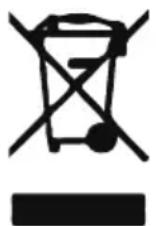
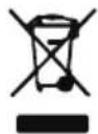
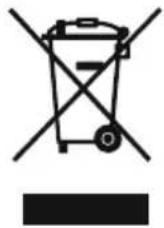
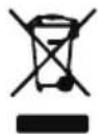
When this crossed-out wheelie bin symbol is applied to a product, it means that the product is covered by European Directive 2002/96/EC. Please find out about the local separate collection system for electrical and electronic products. Please act according to your local rules and do not dispose of your old products in your household waste. By ensuring this product is disposed of correctly, you are also helping to prevent potentially negative consequences for the environment and human health.
Additional information
- The word Bluetooth®, the mark and logo are registered trademarks owned by Bluetooth SIG, Inc., and any use of such marks by Bigben Interactive is under licence. All other brands and trade names are the property of their respective owners.
- THOMSON is a trademark of Talisman Brands, Inc. used under licence by Bigben Interactive. • This product is manufactured and sold under the responsibility of Bigben Interactive.
- THOMSON and the THOMSON logo are trademarks operated under licence by Bigben Interactive – For more information: www.thomson-brand.com.
- All other products, services, corporate names, trademarks, trade names, product names and logos referenced herein are the property of their respective owners.
Declaration of conformity
Bigben Interactive hereby declares that the CT600/CT610 is in compliance with Directive 2014/53/EU. The full text of the EU declaration of conformity is available at the following internet address: https://www.bigben-interactive.co.uk/support/
Warranty
This product is guaranteed by Bigben for a period of 2 years from the date of purchase, except in countries of the European Economic Area, which offer a longer warranty period. We recommend that you keep your receipt for any claims. The warranty covers breakdowns due to defective material, a missing element or manufacturing defect. In this case, contact our technical support. For any problem with a defective product, contact your point of purchase with your receipt. The warranty does not cover problems of improper use.
![graph LR A["EN"] --> B["This product can be recycled"] B --> C["TO DROP OFF IN STORE"] C --> D["TO DROP OFF IN A RECYCLING CENTER"] D --> E["or"]](/content/2026/04/711958/images/37ed35b46e115bfdae63d2777648a877f5917d16cc1fd34b0115ed91c5c233b7.jpg)



Manufacturer: Bigben Interactive FRANCE
396, Rue de la Voyette, C.R.T. 2, Fretin, CS90414 - 59814 Lesquin Cedex, France
BELGIUM, customerservice@bigben-interactive.be
NETHERLANDS, customerservice@bigben-interactive.nl
SPAIN, soporte@metronic.com
Tel.: 93 713 26 25
Controllers
Sensor

http://www.bigben-interactive.co.uk/support
support@bigben.fr
Made in China
BELGIUM, customerservice@bigben-interactive.be
NETHERLANDS, customerservice@bigben-interactive.nl
SPAIN, soporte@metronic.com
Tel.: 93 713 26 25
Controls
Sensor
Moon phases
KEEP OUT OF REACH OF CHILDREN

http://www.bigben-interactive.co.uk/support
support@bigben.fr
Made in China
Manufactured by BIGBEN INTERACTIVE SA 396,
rue de la Voyette
CRT2 - FRETIN
CS 90414
59814 LESQUIN Cedex - France
www.bigben.eu
![graph LR A["PortARLO IN NEGozio"] --> B["Non-pure"] C["PORTARLO ALLA STAZIONE ECOLOGICA"] --> D["Non-pure"] style A fill:#f9f,stroke:#333 style C fill:#f9f,stroke:#333 style B fill:#ccf,stroke:#333 style D fill:#ccf,stroke:#333](/content/2026/04/711958/images/7813e73f4e2d52d2697df1ba89252bb961f94c26afa285d151814614811de255.jpg)



Manufacturer: Bigben Interactive FRANCE
396, Rue de la Voyette, C.R.T. 2, Fretin, CS90414 - 59814 Lesquin Cedex, France
BELGIUM, customerservice@bigben-interactive.be
NETHERLANDS, customerservice@bigben-interactive.nl
SPAIN, soporte@metronic.com
Tel.: 93 713 26 25
Controls
Sensor

http://www.bigben-interactive.co.uk/support
support@bigben.fr
Made in China
BELGIUM, customerservice@bigben-interactive.be
NETHERLANDS, customerservice@bigben-interactive.nl
SPAIN, soporte@metronic.com
Tel.: 93 713 26 25
Controls
Sensor

BELGIUM, customerservice@bigben-interactive.be
NETHERLANDS, customerservice@bigben-interactive.nl
SPAIN, soporte@metronic.com
Tel.: 93 713 26 25
Control buttons

BELGIUM, customerservice@bigben-interactive.be
NETHERLANDS, customerservice@bigben-interactive.nl
SPAIN, soporte@metronic.com
Tel.: 93 713 26 25
- COMMANDS
- SENSOR
- ALARM CLOCK WITH WEATHER DISPLAY
- OPERATING INSTRUCTIONS
- GETTING STARTED
- SAFETY WARNING AND NOTICE
- WHAT'S IN THE BOX
- SPECIFICATIONS
- DESCRIPTION OF PARTS
- CONTROLS
- USE
- INITIAL OPERATION
- USB POWER
- WEATHER FORECAST FEATURE
- MOON PHASES
- ICE ALERT
- OUTDOOR TEMPERATURE ALERT
- COMFORT LEVEL
- WINDOW OPENING AND CLOSING PROMPT
- TREND DISPLAY
- RADIO SIGNAL RECEPTION
- NOTES
- MANUAL TIME SETTING
- NOTE
- SETTING THE DAILY ALARMS
- TURNING OFF THE ALARM
- SNOOZE FEATURE
- RF TRANSMISSION PROCEDURE
- RECORDING OF MAXIMUM/MINIMUM NUMERICAL VALUES
- BACKGROUND LIGHTING
- BATTERY WARNING
- KEEP OUT OF REACH OF CHILDREN
- ADDITIONAL INFORMATION
- DECLARATION OF CONFORMITY
- WARRANTY
- CONTROLLERS
- CONTROL BUTTONS
Brand : THOMSON
Model : CT600
Category : Alarm Clock