CS-A28BKP5 - Air Conditioning PANASONIC - Free user manual and instructions
Find the device manual for free CS-A28BKP5 PANASONIC in PDF.


User questions about CS-A28BKP5 PANASONIC
0 question about this device. Answer the ones you know or ask your own.
Ask a new question about this device
Download the instructions for your Air Conditioning in PDF format for free! Find your manual CS-A28BKP5 - PANASONIC and take your electronic device back in hand. On this page are published all the documents necessary for the use of your device. CS-A28BKP5 by PANASONIC.
USER MANUAL CS-A28BKP5 PANASONIC
text_image
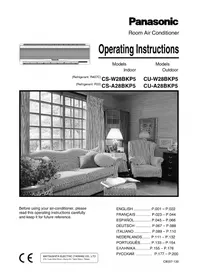
PanasonicOperating Instructions
Models
Indoor
Models
Outdoor
(Refrigerant: R407C)
(Refrigerant: R22)
CS-W28BKP5
CS-A28BKP5
CU-W28BKP5
CU-A28BKP5
natural_image
Black-and-white interior photo of a cozy living room with striped sofas, armchairs, and large windows (no visible text or symbols)Before using your air-conditioner, please read this operating instructions carefully and keep it for future reference.
ENGLISH ...... P.001 – P.022
FRANÇAIS ...... P.023 – P.044
ESPAÑOL..... P.045 - P.066
DEUTSCH ...... P.067 – P.088
ITALIANO ...... P.089 – P.110
NEDERLANDS..... P.111 - P.132
PORTUGUÊS...... P.133 – P.154
ΕΛΛΗΝΙΚΑ......P.155 – P.176
- Safety Precautions ...... 2 – 4
- Installation precautions
- Operation precautions
- Name of Each Part 5 - 6
- Indoor unit
- Outdoor unit
- Accessories
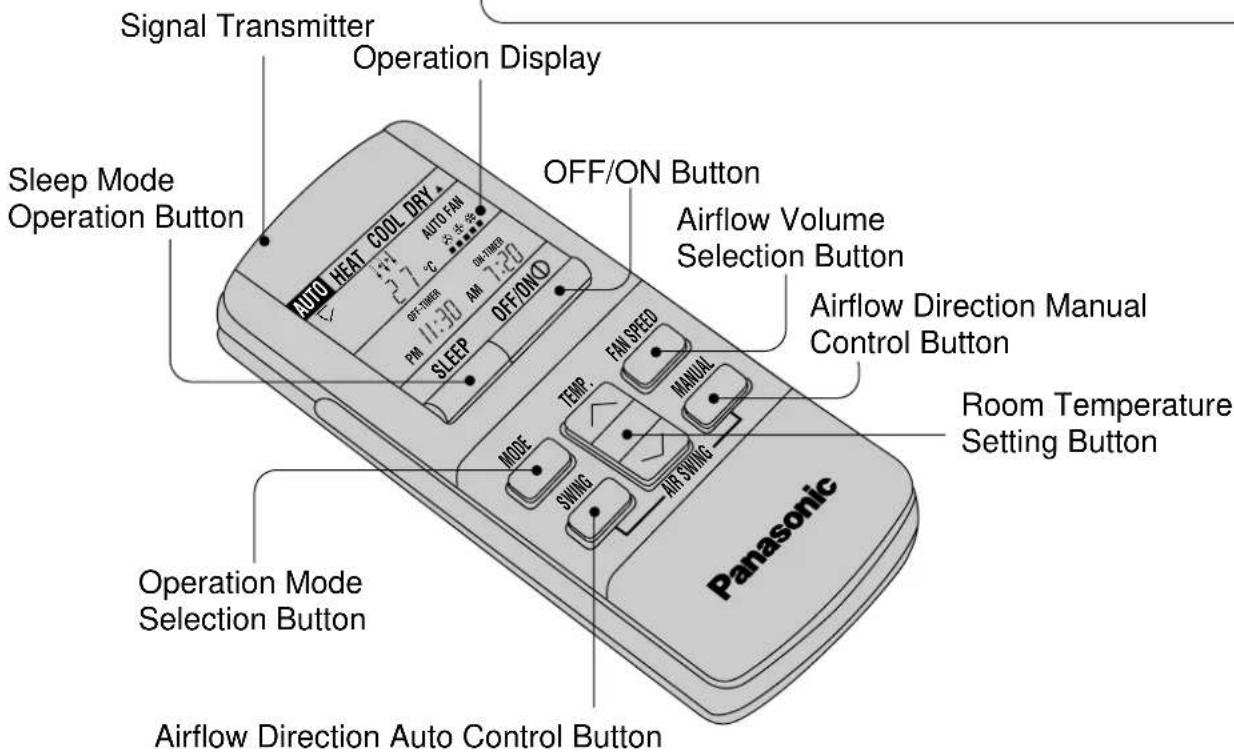
- Remote control
• Preparation Before Operation 7 - 8
– Before operating the unit
- How to insert batteries
- Operating the remote control
How to use
• How to Operate 9 – 10
- Setting the Timer 11 - 12
- Convenient Operation 13 - 14
- Sleep mode
- When remote control cannot be used
– OFF/ON remote control signal receiving sound
If necessary
• Operation Hints ...... 15 – 16
- Better Care and Maintenance .... 17 – 18
– Cleaning the air conditioner and air filters
– Replacement of air purifying filters
- When not using the air conditioner for a long period
- Pre-season inspection
- Troubleshooting 19 – 20
- Normal operation
- Abnormal operation
- Call the dealer immediately
Safety Precautions
Before operating, please read the following “Safety Precautions” carefully.
To prevent personal injury, injury to others and property damage, the following instructions must be followed.
■ Incorrect operation due to ignoring of instructions will cause harm or damage, the seriousness of which is classified as follows :

Warning:
This sign warns of death or serious injury.

Caution :
This sign warns of injury or damage to property only.
■ The instructions to be followed are classified by the following symbols :

This symbol (with a white background) denotes an action that is PROHIBITED.


These symbols (with a black background) denote an action that is COMPULSORY.
Installation precautions

Warning
■ Do not install, remove and reinstall the unit yourself.
Improper installation will cause leakage, electric shock or fire. Please engage an authorized dealer or specialist for the installation work.

Caution
■ This room air conditioner must be earthed.

Improper grounding could cause electric shock.
■ Ensure that drainage piping is connected properly.

Otherwise, water will leak out.
■ Do not install the unit in a place where there may be explosive gas leaks.

Gas leaks near the unit could cause fires.
Operation precautions

Warning
■ Insert the power plug properly.
Heat generated by a loose power plug could cause electric shock or fire.
Electrical outlet and power plug shall be easily accessible.

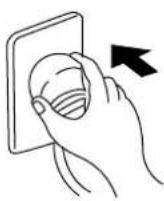
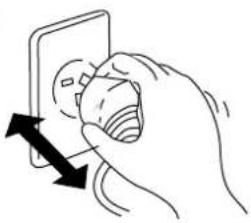
■ Do not operate or stop the unit by inserting or pulling out the power plug.
It could cause electric shock or fire.
natural_image
Hand holding a wall-mounted device with a magnified view of the screen (no text or symbols visible)■ Do not damage or use an unspecified power cord.
It will cause electrical shock or fire.

natural_image
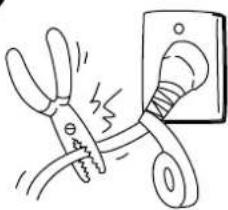
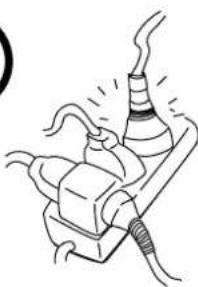
Illustration of a pair of pliers cutting down an electrical outlet with a fuse (no text or symbols)■ Do not modify the length of the power cord or use an extension cord.
It could cause electric shock or fire.
natural_image
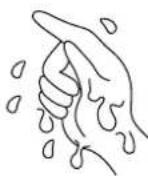
Simple line drawing of a mechanical device with hoses and a conical component (no text or symbols)■ Do not operate the unit with wet hands.
It could cause an electric shock.
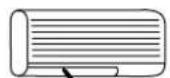
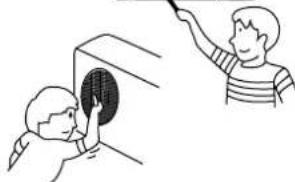
■ Do not insert finger, sticks or other objects into the units.
It could lead to physical injury and cause damage to the units.
natural_image
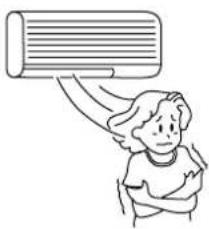
Illustration of two children interacting with a wall-mounted device, one pointing at the screen (no text or symbols present)■ Do not be directly exposed to the cold airstream for too long.
It could lead to health problems.
natural_image
Illustration of a person with wings and a large air conditioner (no text or symbols)■ If there is a smell of burning, stop the air conditioner and disconnect the power supply.
The heat generated could cause electric shock or fire. Please consult an authorized dealer or service centre.
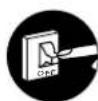
Switch off the breaker.
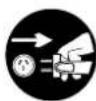
Disconnect the power plug.
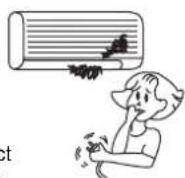
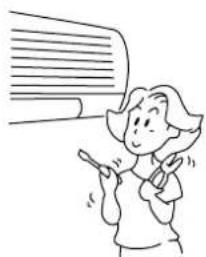
■ Do not try to repair the unit yourself.
It could lead to fire or cause an electric shock. Please call an authorized dealer or service centre.
natural_image
Illustration of a person holding a pointer, with a large speech bubble in the background (no text or symbols)
Caution
■ Do not remove the power plug by pulling the cord. Hold the plug when disconnecting the plug from the wall outlet.
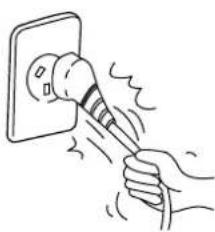
natural_image
Hand using a power tool to lift a wall-mounted device (no text or symbols visible)■ Do not use for other purposes. Do not use for preservation purposes. It will affect food quality, animals or plants.

natural_image
Illustration of a potted plant with framed photos and a curved surface above (no text or symbols)■ Do not wash the unit with water. It could cause an electric shock.

natural_image
Illustration of a person cleaning a wall-mounted air conditioner with a bucket (no text or symbols)■ Switch off the power supply if the unit is not going to be used for a long period of time. If dust accumulates on the plug, it will generate heat and this could cause a fire.
Switch off the breaker.
Disconnect the power plug.

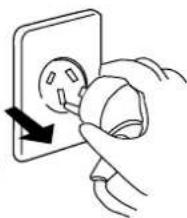
natural_image
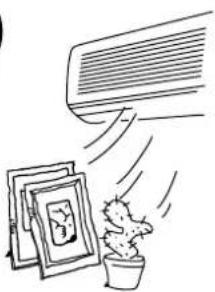
Illustration of a hand inserting a plug into an electrical outlet (no text or symbols)■ Do not place combustor in the path of the airflow from the unit. Incomplete combustion could cause toxic gas (CO) poisoning.

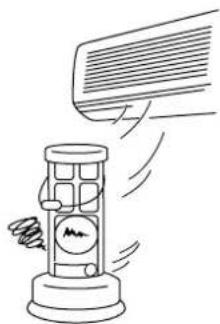
natural_image
Illustration of a hand holding a large rectangular object with a spring-like symbol, emitting motion (no text or symbols present)■ Inspect the unit for any damage. Ensure that the necessary repairs are carried out.

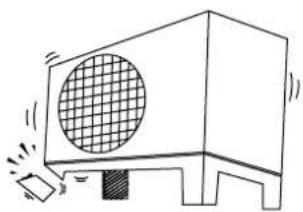
natural_image
Simple line drawing of a device emitting sound waves, no text or symbols present■ When cleaning the unit, remove the plug. This is to prevent injury due to the rotating fan in the unit.
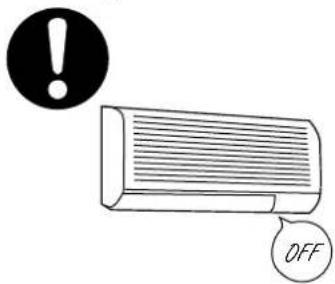
text_image
! OFF■ Ventilate the room regularly. If not ventilated regularly, the lak of oxygen could cause headaches.
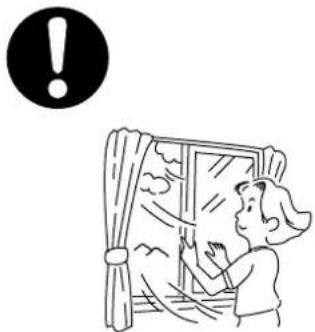
natural_image
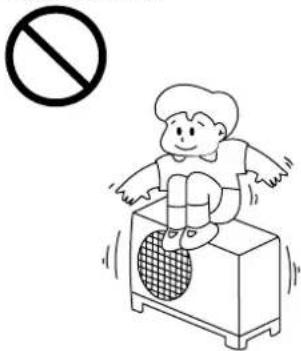
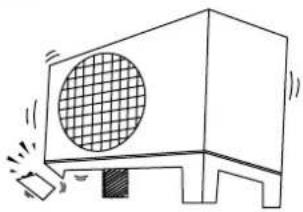
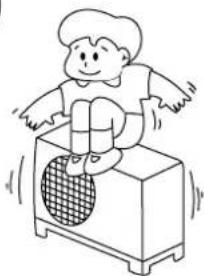
Illustration of a person looking through a window with a warning symbol (no text or labels)■ Do not sit or place anything on the outdoor unit. You might fall off or the unit might collapse.
text_image
Illustration showing a person using a device with a 'no' symbol above, indicating no smoking or no smoking.Name of Each Part
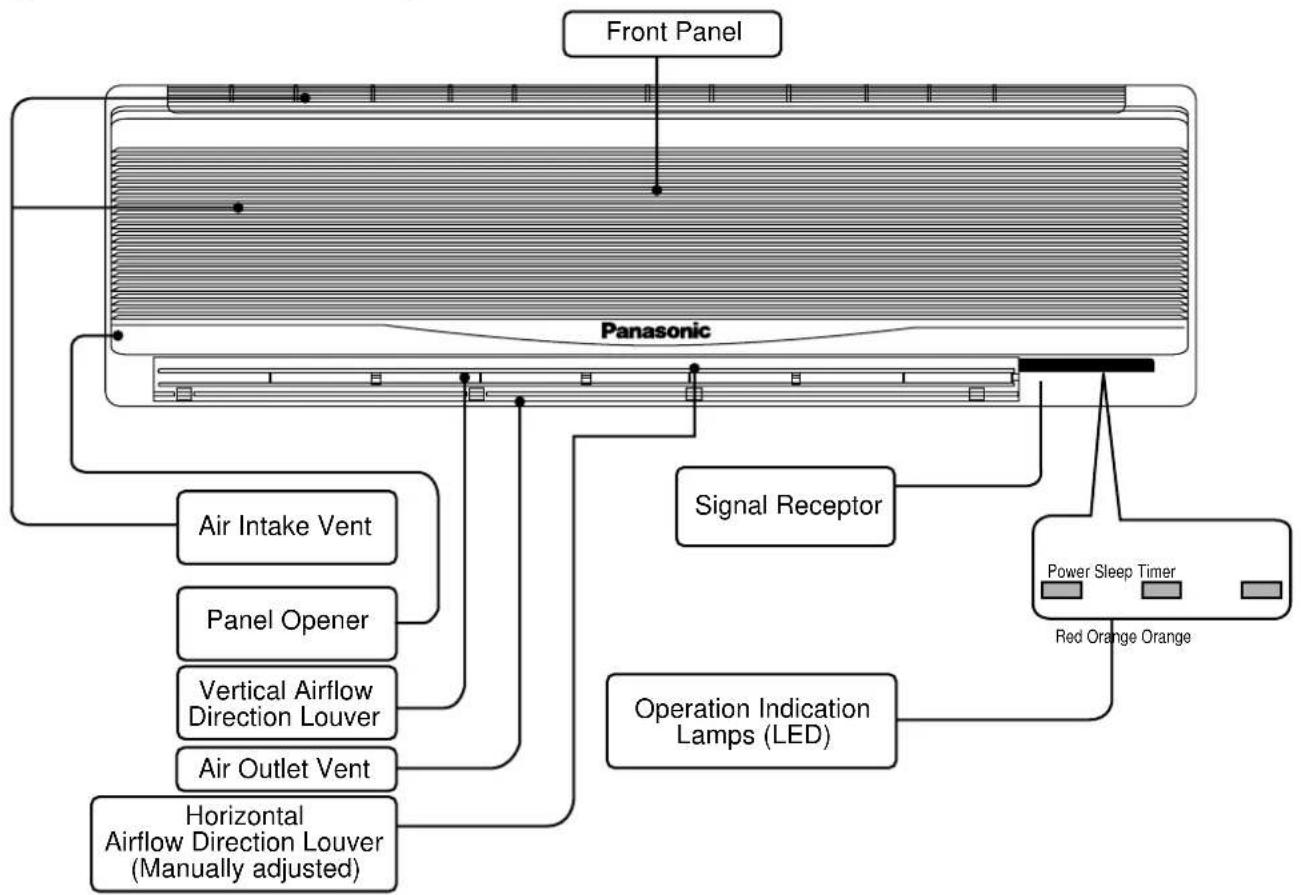
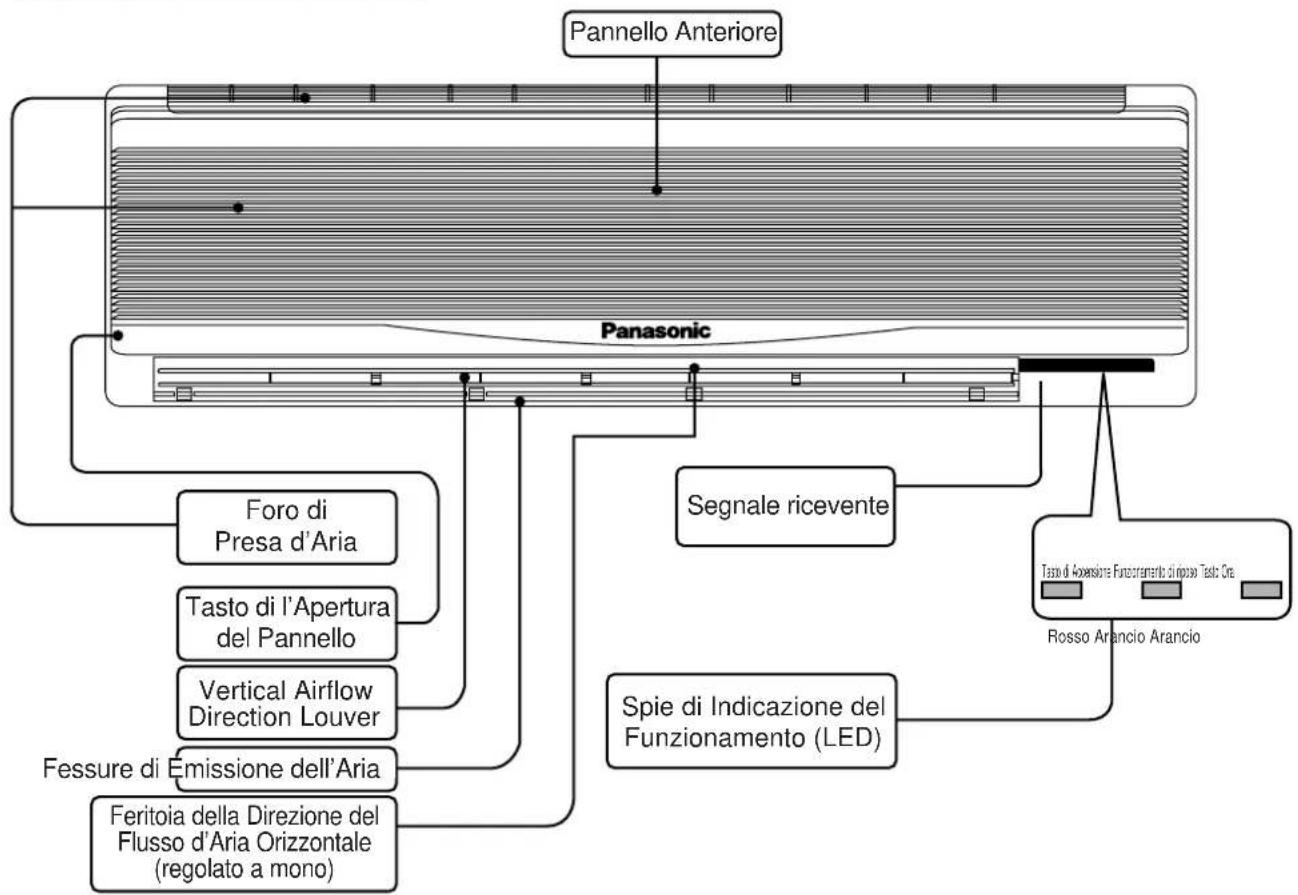
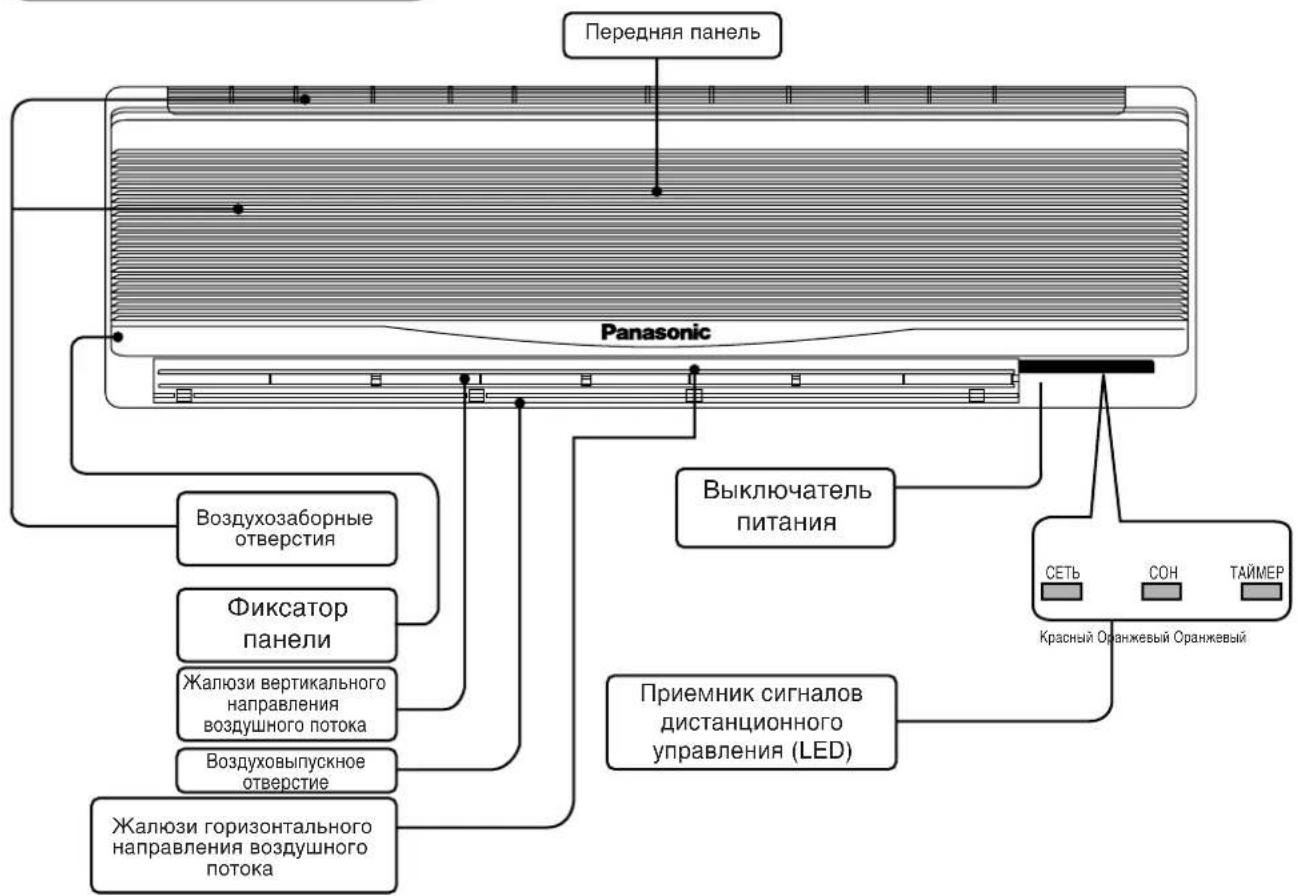
Indoor unit
flowchart
graph TD
    A["Front Panel"] --> B["Panasonic"]
    B --> C["Air Intake Vent"]
    B --> D["Panel Opener"]
    B --> E["Vertical Airflow Direction Louver"]
    B --> F["Air Outlet Vent"]
    B --> G["Horizontal Airflow Direction Louver (Manually adjusted)"]
    B --> H["Signal Receptor"]
    H --> I["Operation Indication Lamps (LED)"]
    I --> J["Power Sleep Timer"]
    I --> K["Red Orange Orange"]
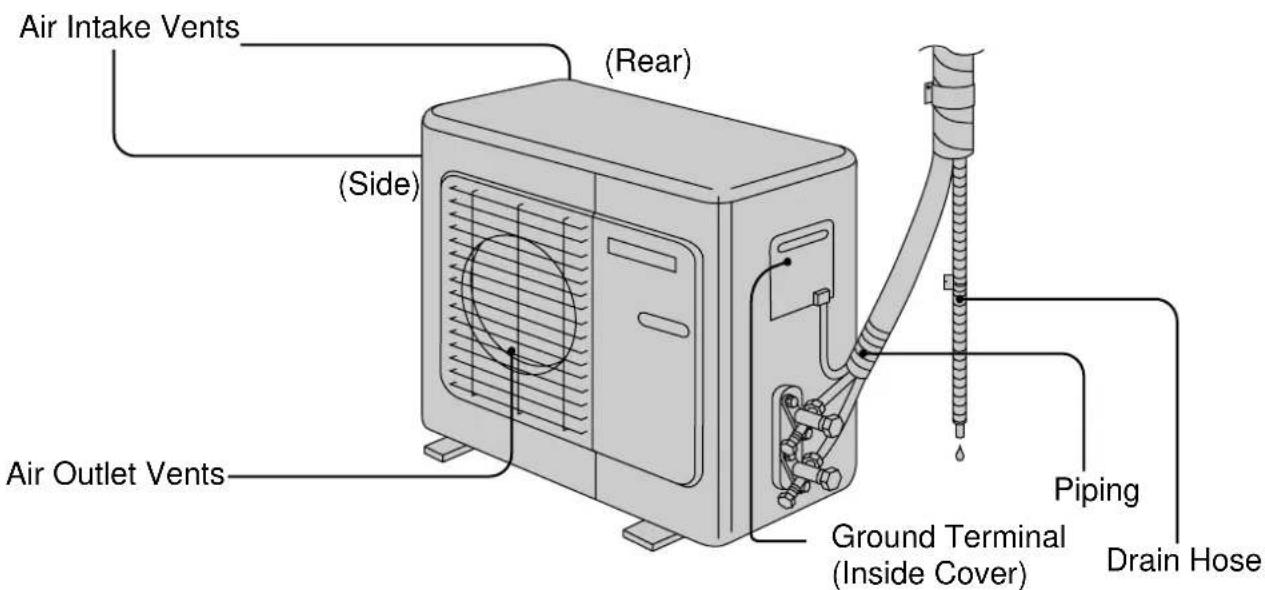
Outdoor unit
text_image
Air Intake Vents (Rear) (Side) Air Outlet Vents Ground Terminal (Inside Cover) Piping Drain HoseRemote control
Accessories
Remote Control Two R03 dry-cell
batteries or equivalent
text_image
Illustration of a remote control device with labeled buttons and display screen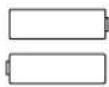
Air Purifying Filters
text_image
Signal Transmitter Operation Display Sleep Mode Operation Button AUTO HEAT COOL DRY AUTO FAN OFF/ON Button AIRFLOW Volume Selection Button OFF/ON 1:30 AM 7:20 PAM SLEEP OFF/ONO Airflow Direction Manual Control Button ROOM Temperature Setting Button Panasonic Temperature FAN SPEED MANUAL MODE SWING AIR SWING Operation Mode Selection Button Airflow Direction Auto Control ButtonSeparate displays and functions are available when the door is opened.
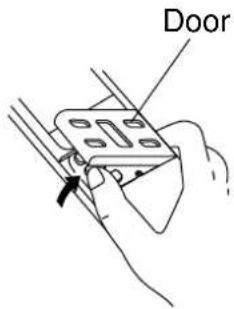
text_image
Door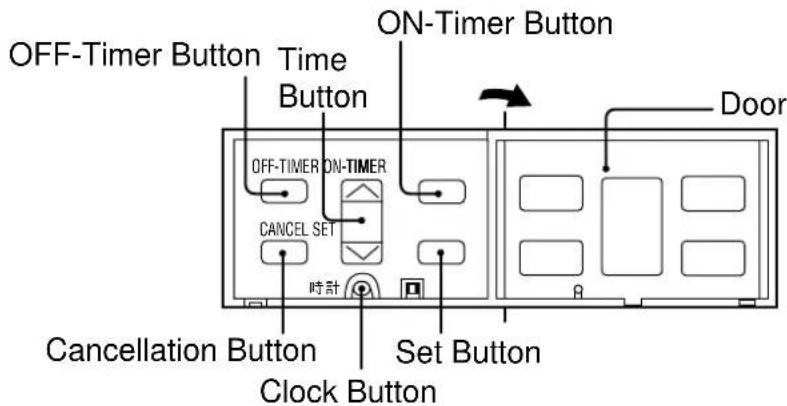
text_image
OFF-Timer Button Time Button ON-Timer Button OFF-TIMER ON-TIMER CANCEL SET 時計 Cancellation Button Clock Button Set Button DoorPreparation Before Operation
Before operating the unit
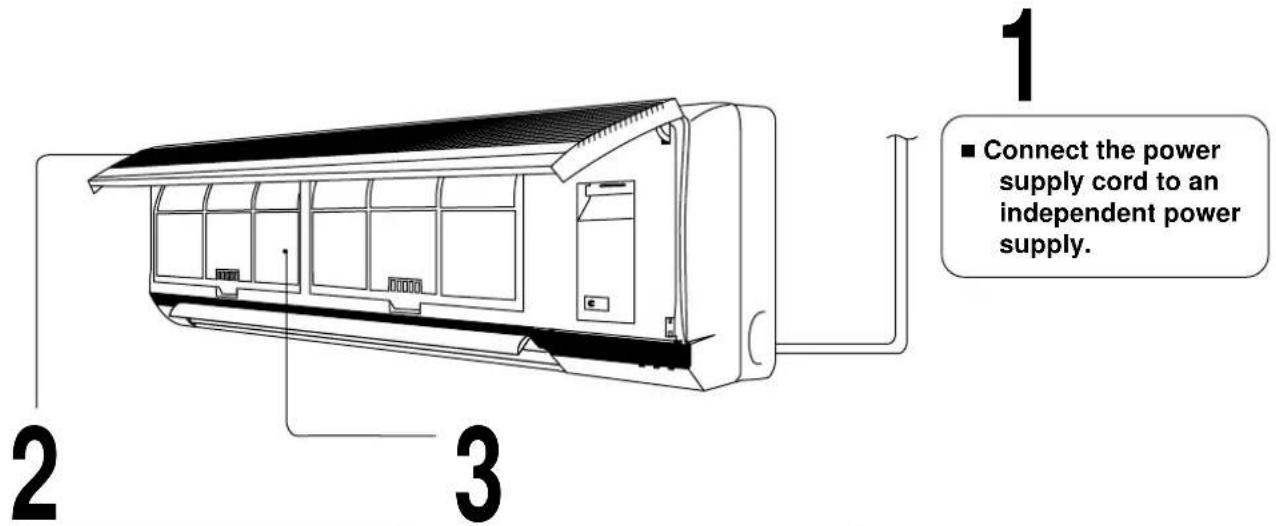
text_image
1 ■ Connect the power supply cord to an independent power supply. 2 3■ Open the front panel.
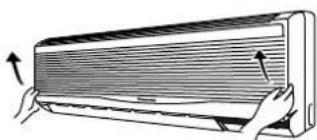
natural_image
Illustration of a hand holding a wooden panel with arrows indicating airflow or movement (no text or symbols)Hold the panel openers at both sides and pull up the front panel.
■ Remove air filter.
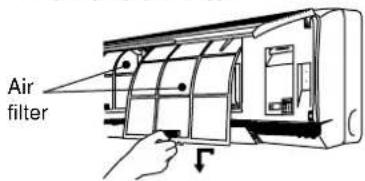
text_image
Air filterHold the tab to raise up slightly and then pull down.
■ Insert air purifying filter. Insert the air filters.
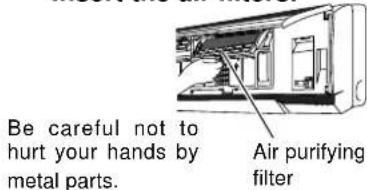
text_image
Be careful not to hurt your hands by metal parts. Air purifying filterUse under the following conditions :
(Unit in °C)
| DBT : Dry Bulb TemperatureWBT : Wet Bulb Temperature | Cooling | Heating | ||||||
| Indoor Outdoor | Indoor Outdoor | |||||||
| DBT W | WBT DBT | WBT | DBT W | WBT DBT | WBT | |||
| Maximum Temperature | 32 23 | 43 26 | 30 – | 24 18 | ||||
| Minimum Temperature | 16 11 | 16 11 | 16 – | -5 -6 | ||||
How to insert batteries
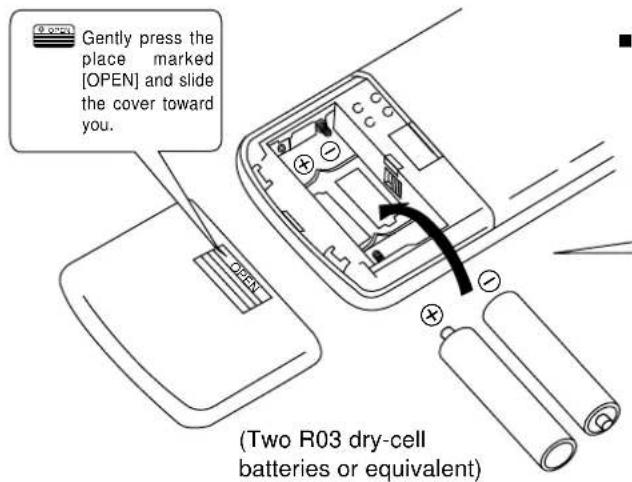
text_image
Gently press the place marked [OPEN] and slide the cover toward you. (Two R03 dry-cell batteries or equivalent)■ Fix the cover to the back of the remote control ("PM 12:00" will flash in the operation display.)
⊕⊖ Be sure that the (+) and (−) directions are correct.
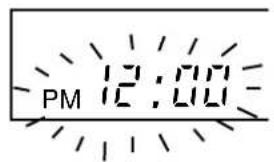
text_image
PM 12:00If the display does not appear when the batteries are inserted, remove the batteries and insert them once more.
Operating the remote control

text_image
Make sure that the signal path is not obstructed. The maximum distance at which signals can be received is about 10 m.■ Aim at the signal receptor on the room air conditioner when operating.
■ Do not drop or throw the remote control.
■ Do not place the remote control in a location that is exposed to direct sunlight or next to a heating unit or other heat source.
■ Signal received sound: One short beep or one long beep.
Pull out the power plug or turn off the power breaker when:
■ The air conditioner is not going to be used for an extended period of time.
If the power supply cord connect, approximately 3.25 watts of electric power are used even if the main unit is turned off by remote control.
■ There is a danger of lightning.
The air conditioner is provided with a built-in protective device, but the control equipment may be adversely affected depending on the extent of lightning activity.
Regarding the batteries.
■ The batteries can be used for approximately one year.
■ Do not use rechargeable (Ni-Cd) batteries, because such batteries differ from standard dry-cell batteries in shape, dimensions and performance.
■ Be sure to replace the batteries with two new batteries of the same type.
■ Remove the batteries if the air conditioner is not going to be used for an extended period of time.
■ Do not dispose of empty batteries in household waste. Take them to special local collection sites.
How to Operate
Auto Restart Control.
■ If there is a power failure, operation will be automatically restarted after 3 minutes when the power is resumed with previous operation mode and airflow direction.
(When the operation is not stopped by remote control.)
■ If you do not intend to continue the operation when the power is resumed, pull out the power plug at main unit or power supply.
When you insert the power plug the operation will be automatically restarted with previous operation mode and airflow direction.
Note: 1. If you do not require Auto Restart Control, please consult your dealer.
- Auto Restart Control is not available when Timer or Sleep Mode is set.
Recommended temperature for health and comfort.
For Heating : 20°C - 24°C
For Cooling : 26°C - 28°C
For Soft Dry : 1°C - 2°C lower than room temperature.
text_image
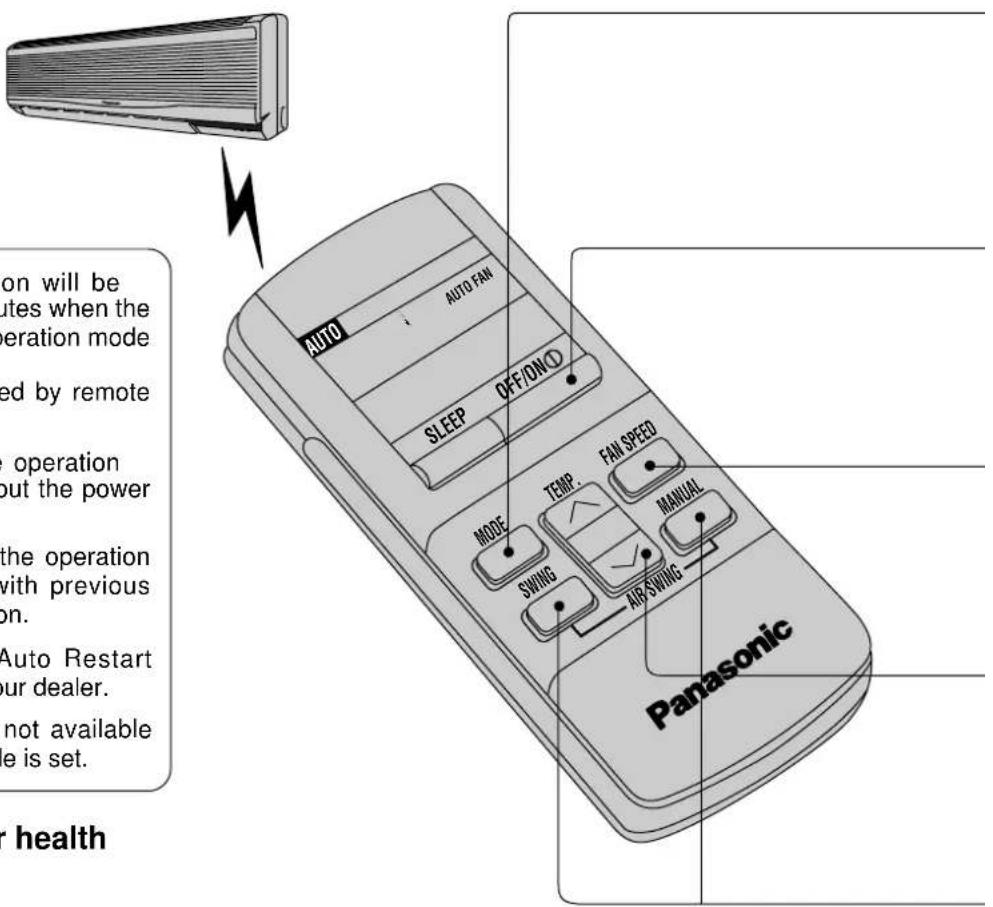
ON will be utes when the operation mode ed by remote operation out the power the operation with previous on. Auto Restart our dealer. not available le is set. r health AUTO AUTO FAN SLEEP OFF/ON/O MODE TEMP. FAN SPEED SWING MANUAL AIR SWING PanasonicAUTO – Automatic Operation.
■ Once the Automatic Operation is selected, the indoor temperature sensor operates automatically to select the desired operation mode with Cooling, Soft Dry or Heating.
■ The operation mode changes every hour, when necessary.
DRY – Soft Dry Operation.
■ Soft Dry is a very gentle Cooling Operation consisting primarily of dehumidifying. It does not lower the room temperature very much.
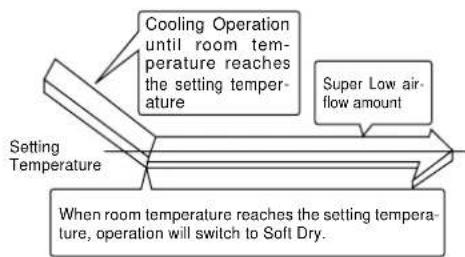
flowchart
graph TD
    A["Setting Temperature"] --> B["Cooling Operation until room temperature reaches the setting temperature"]
    B --> C["Super Low air-flow amount"]
    C --> D["When room temperature reaches the setting temperature, operation will switch to Soft Dry."]
| 1 | 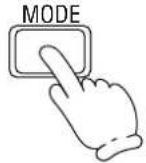 | Press to select operation mode.■ The display changes in the order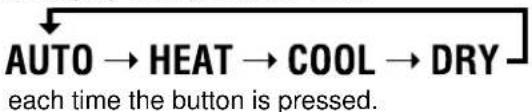 |
| 2 | OFF/ON 1 | Press to start the operation.■ Operation indication lamp (RED) will light up.■ Press once more, to stop the operation. |
| 3 |  | Press to select airflow volume.■ The display changes in the order. |
| 4 |  | Press to select room temperature.■ Heating, Cooling, Soft Dry – Select temperature as desired. (16°C 30°C) ■ Automatic.2°C lower than standardstandard2°C higher than standard |
| 5 |  | PressMANUALcontinuously.■ The vertical airflow direction louver will move up and down. Release the button when the louver is at the desired position.PressSWING.■ Cooling & Soft Dry – The vertical airflow direction louver will swing up and down automatically.Heating – When the discharge air temperature is low such as at the start of heating operation, the cold air blows at horizontal level.As the temperature rises, the hot air blows in a downwards direction.To stop the automatic airflow direction operation, pressSWINGbutton. |
HEAT – Heating Operation
■ Defrosting Operation
■ Depend on the outdoor temperature, the operation occasionally stops to melt the frost on the outdoor unit.
■ Heat is obtained from outdoor air to warm up the room. When the outdoor ambient air temperature falls, the heating capacity of the unit might be reduced.
We recommend that you use an additional heating device when the outdoor ambient air temperature is low.
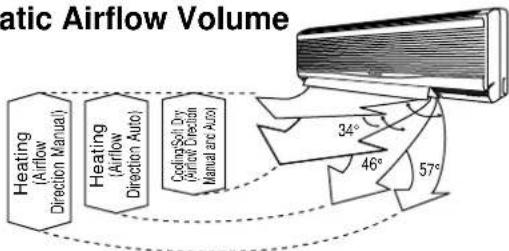
Automatic Airflow Volume
■ The speed of the indoor fan is adjusted automatically according to the operation. The indoor fan stops occasionally during cooling operation.
Automatic Airflow Volume
flowchart
graph LR
    A["Heating (Airflow Direction Manual)"] --> B["Heating (Airflow Direction Auto)"]
    B --> C["Cooling Soil Dry (Airflow Direction Manual and Auto)"]
    C --> D["34°"]
    C --> E["46°"]
    C --> F["57°"]
Setting the Timer
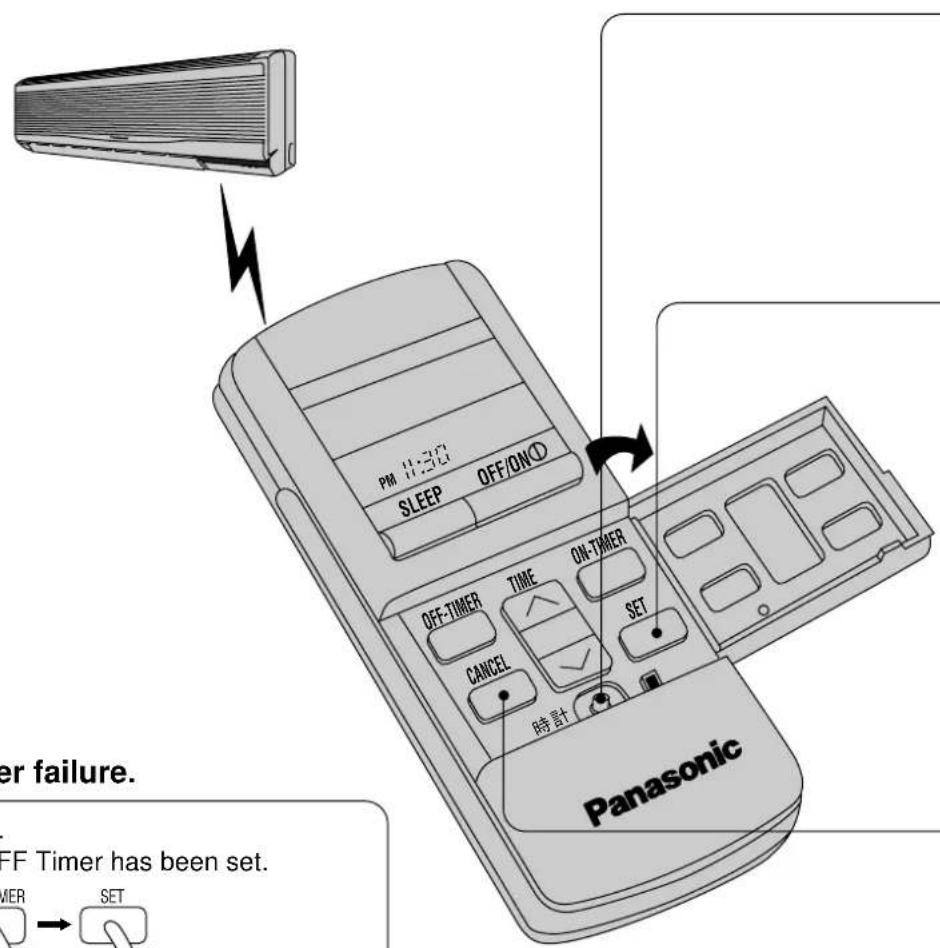
text_image
PM 1:30 SLEEP OFF/ON OFF-TIMER TIME ON-TIMER CANCEL SET 時計 Panasonic er failure. FF Timer has been set. MER SETIf there is a power failure.
To reset the Timer.
(Example) If the OFF Timer has been set.
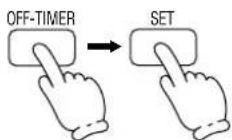
■ Even if there is a power failure, the setting time is still stored in the memory because the remote control is a battery operated type.
Regarding remote control.
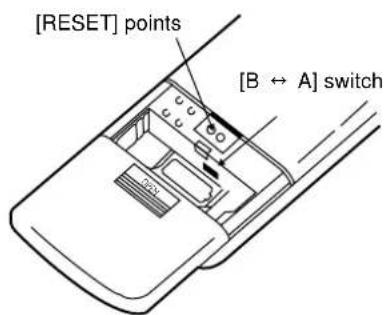
text_image
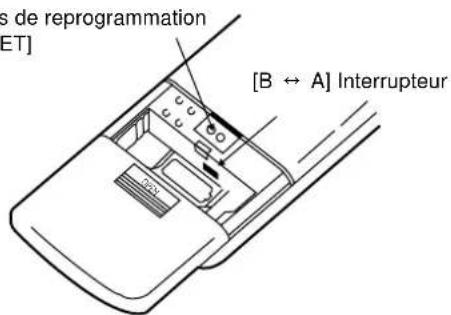
[RESET] points [B ↔ A] switch■ If the current time is not set correctly, correct Timer setting will not be possible.
■ When the Timer is set, the current time display will vanish.
■ [RESET] points will clear the memory once they are shorted.
■ [B ← A] switch is used when two air conditioners units have been installed in one room. Please consult your dealer.
To set the current time.
■ Set hours and minutes
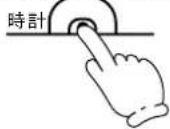
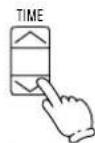
.... to advance the time
.... to reverse the time

To set the Timer.
■ OFF Timer Set hours and minutes
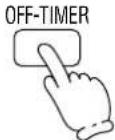
The "OFF-TIMER" will blink.

.... to increase 10 minutes each step.
.... to decrease 10 minutes each step.
The Timer indication lamp at main unit will light up. LED colour: Orange.
■ ON Timer Set hours and minutes
The "ON-TIMER" will blink.
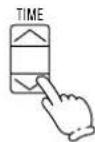
.... to increase 10 minutes each step.
.... to decrease 10 minutes each step.
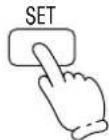
The Timer indication lamp at main unit will light up. LED colour: Orange.
To cancel the Timer.
■ OFF Timer
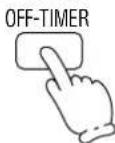
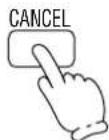
- The Timer indication lamp at main unit will go off.
- To cancel the ON Timer, follow the same procedure.
To change the Timer setting time.
■ (Example) To change the ON Timer setting time.
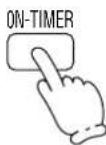
Change hours and minutes setting
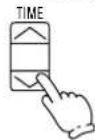
.... to increase 10 minutes each step.
.... to decrease 10 minutes each step.
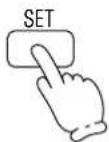
Timer
■ The ON Timer and OFF Timer can only be set once during a day.
■ The operation will start before the actual setting time with ON Timer setting.
Cooling and Soft Dry : 15 minutes before Heating and Automatic: 30 minutes before
This is to allow time to attain your desired set temperature.
■ Setting the OFF Timer.
This is useful for saving electricity costs incurred by forgetting to turn off the air conditioner.
■ Setting the ON Timer.
If the air conditioner is set before you go out, the room temperature will be close to your desired temperature when you return.
Convenient Operation
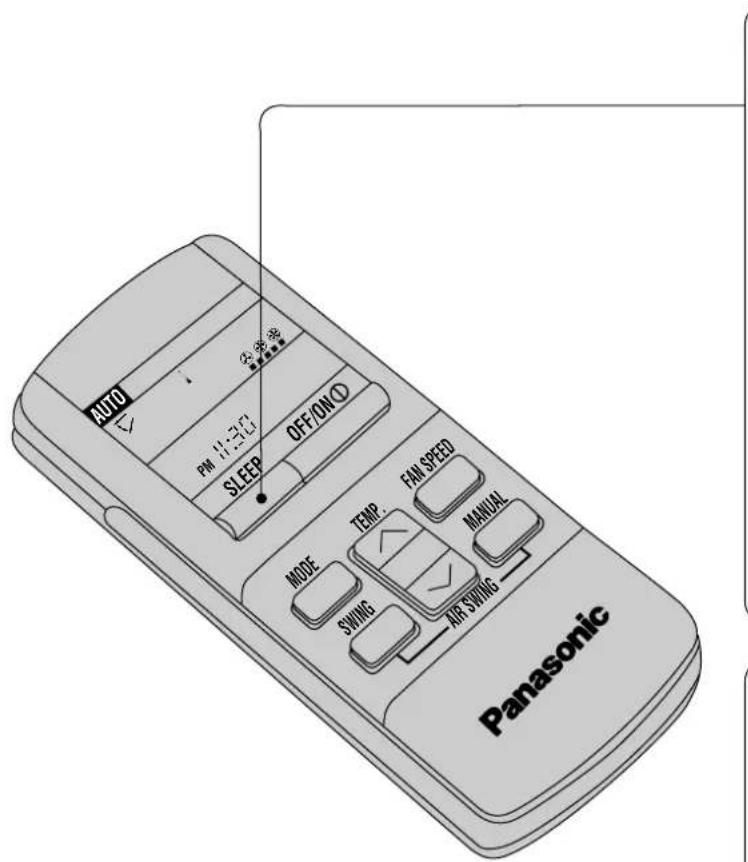
Sleep Mode
This is to gain a comfortable room temperature while sleeping.
text_image
AUTO PM 1:30 SLEEP OFF/ON TEMP. FAN SPEED MANUAL MODE SWING AIR SWING PanasonicTo set Sleep Mode.
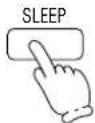
■ Press
(The sleep indication lamp on the main unit will light up.)
To cancel Sleep Mode.
■ Press once more
(The sleep indication lamp on the main unit will switch off.)
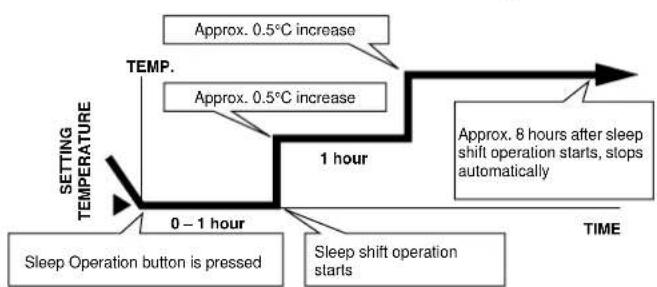
Sleep Mode Operation.
■ When the room temperature reaches the setting temperature or after 1 hour of operation, sleep shift operation starts and the airflow volume will automatically change to low.
■ Sleep Mode Operation time is 8 hours.
■ When using together with the Timer, the Timer has priority.
■ Cooling or Soft Dry Operation for Sleep Mode movement will start to avoid overcooling.
flowchart
graph TD
    A["0–1 hour"] --> B["1 hour"]
    B --> C["TIME"]
    D["Sleep Operation button is pressed"] --> E["Sleep shift operation starts"]
    F["Approx. 0.5°C increase"] --> G["Approx. 8 hours after sleep shift operation starts, stops automatically"]
    H["Setting TEMPERATURE"] --> I["TEMP."]
■ Heating Operation for Sleep Mode movement will start to avoid overheating.
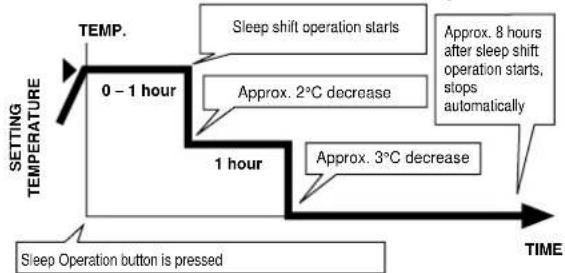
flowchart
graph TD
    A["0 - 1 hour"] --> B["1 hour"]
    B --> C["TIME"]
    D["Sleep shift operation starts"] --> E["Approx. 2°C decrease"]
    E --> F["Approx. 3°C decrease"]
    F --> G["Approx. 8 hours after sleep shift operation starts, stops automatically"]
    H["Sleep Operation button is pressed"] --> I["TIME"]
When the remote control cannot be used
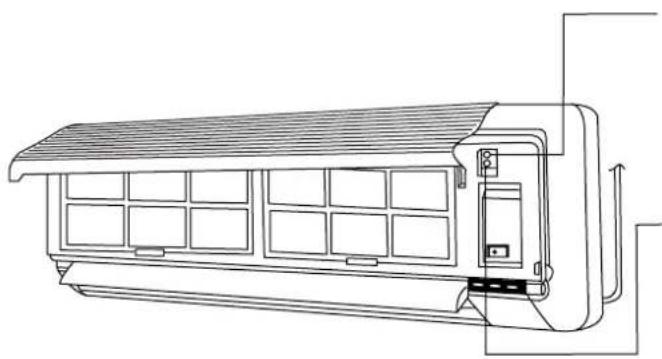
natural_image
Line drawing of a modular air conditioner unit with heat exchangers and ventilation ducts (no text or symbols)Test Run Button.
(Use when installing and moving)
Auto Operation Button.
■ When the remote control cannot be used, press Auto Operation Button to run Automatic Operation. (Airflow direction setting will be automatic.)
■ Press Auto Operation Button.
(The operation indication lamp will blink for 20 seconds, and then light up)
- If the button is pressed once more, the air conditioner will stop. (The operation indication lamp will switch off.)
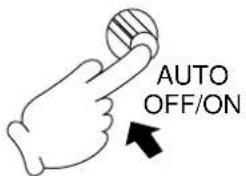
text_image
AUTO OFF/ONOFF/ON remote control signal receiving sound
■ The Remote Control Signal receiving sound can be omitted as desired.
■ To switch OFF the signal receiving sound, press Auto Operation Button for 10 seconds or more. At the same time, Automatic Operation starts.
(To switch ON, press Auto Operation Button once more for 10 seconds or more.)
Operation Hints
Adjust room temperature properly. Set the temperature 1°C higher (Cooling Operation) or 2°C lower (Heating Operation) than actually desired. Approximately 10% of electricity costs can be saved.
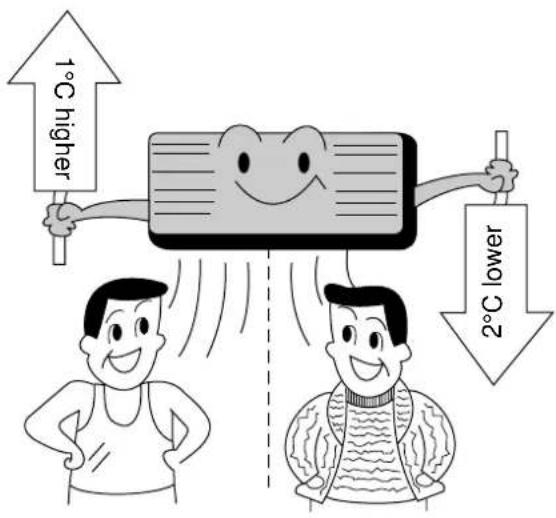
text_image
1°C higher 2°C lower■ Clean the air filter regularly. Blockage in the air filter reduces the airflow and lowers the cooling or heating. Clean at least once every 2 weeks. Otherwise, about 6% of electricity cost will be wasted.
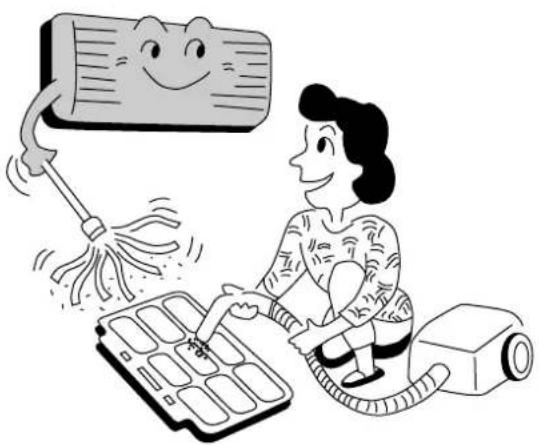
natural_image
Illustration of a person using an electric vacuum cleaner with a smiling face, no text or symbols present■ Prevent wastage with the Timer. Use Timer when sleeping or going out to save electricity cost.
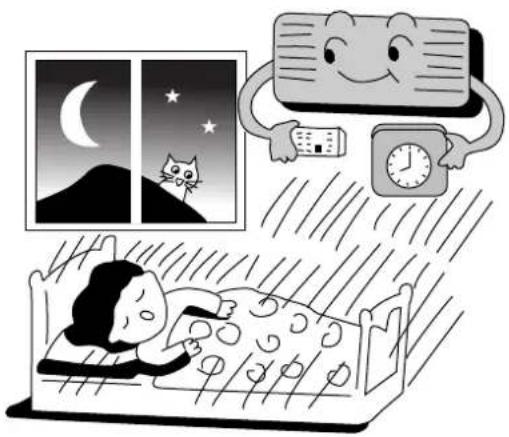
natural_image
Illustration of a person sleeping in bed with a cat on the moon and a clock, next to a window showing a crescent moon and stars (no text or symbols)Do not block the air outlet vents at outdoor unit. Otherwise, it will lower the cooling or heating performance.
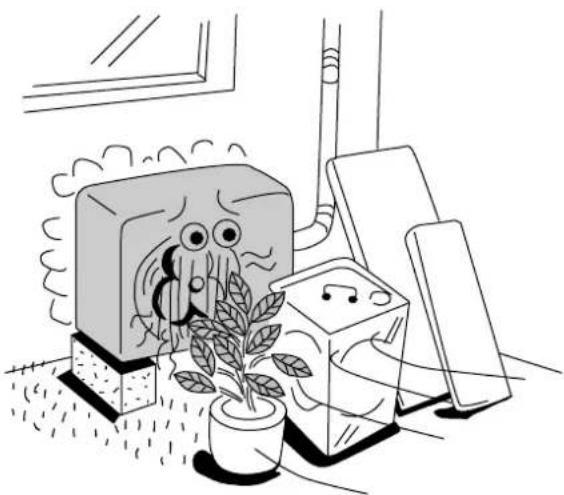
natural_image
Illustration of a potted plant growing near a TV with cartoon characters, next to a smartphone and wall-mounted devices (no text or symbols)■ Make sure that the doors and windows are shut. Otherwise, cooling and heating performance will be reduced and electricity cost is wasted.
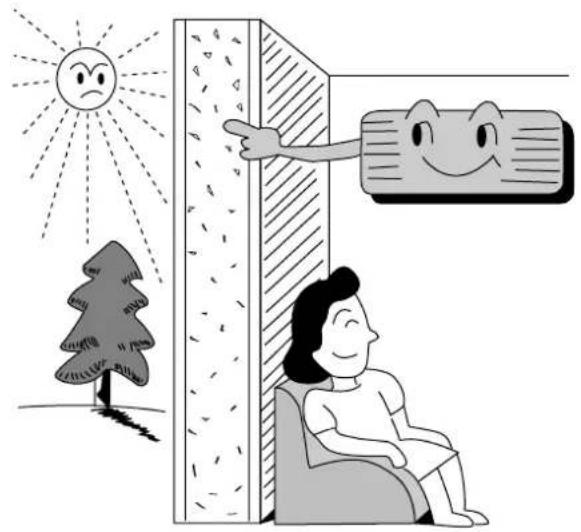
- Keep blinds or curtains closed. Do not let sunshine enter the room directly. About 5% of electricity cost can be saved.
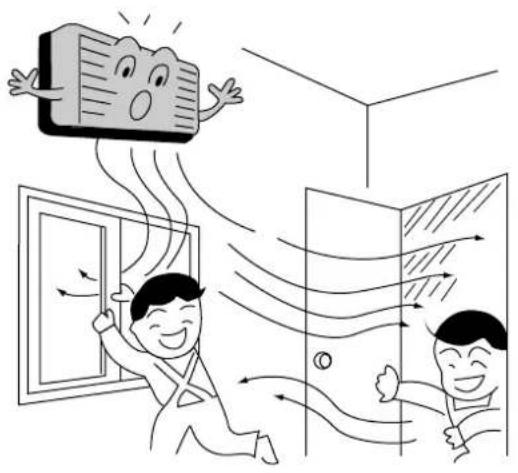
natural_image
Illustration of two people interacting with a door and ceiling, showing airflow patterns (no text or symbols)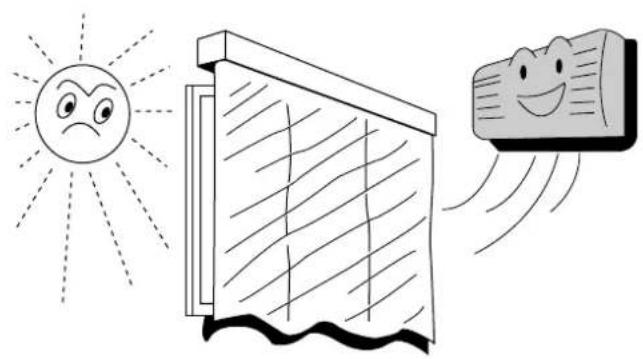
natural_image
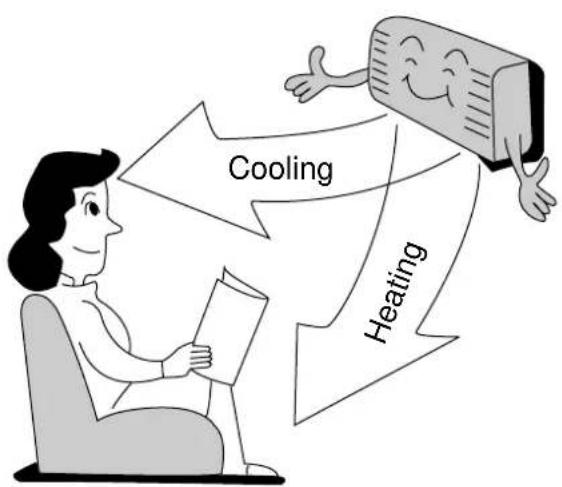
Illustration of a smiling sun, a window, and a smiling face with motion lines (no text or symbols)■ Proper airflow direction adjustment. Set the airflow direction louvers horizontal for Cooling Operation and downwards for Heating Operation. Operation result will be better.
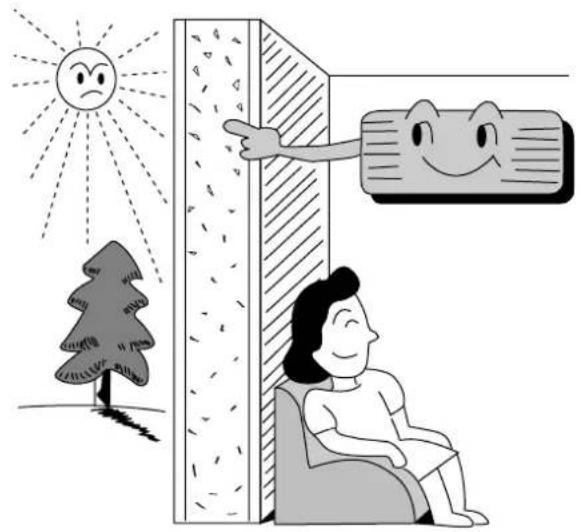
■ Use insulating material for better performance. Use insulating material during construction or renovations. It will save electricity cost.
flowchart
graph TD
    A["Person reading documents"] --> B["Cooling"]
    B --> C["Heating"]
    C --> D["Computer icon with smiling face"]
natural_image
Illustration of a person relaxing near a wall with a smiling face, under a sun and tree (no text or symbols)Better Care and Maintenance
Regular care and maintenance will extend the life of the air conditioner and prevent wastage of electricity. Before performing any maintenance procedure, be sure to switch off the main power supply.
Caution
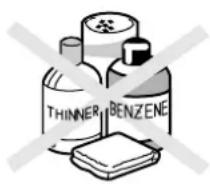
Do not use water or volatile liquids.
■ Do not make air conditioner wet, as there is the danger that it could cause electric shocks.
Be sure not to apply water when cleaning or at any other time.
■ Using water above 40^ C could cause deformation and/or discolouration.
■ Volatile liquids such as thinner or benzene may damage the air conditioner.
Cleaning the air conditioner and air filters
Once every 2 weeks is recommended.
■ Clean the air conditioner.
Wipe gently with a soft, dry cloth.

text_image
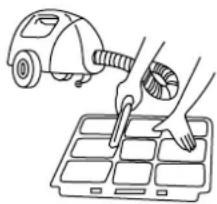
OK!■ Clean the air filters.
natural_image
Line drawing of a hand using a tool to clean or adjust a small object into a grid (no text or symbols)■ To remove the dust adhering to the filters, either use a vacuum cleaner, or wash them in water and dry in the shade.
■ Re-insert the filters correctly at the left and right, with the side marked [FRONT] facing forward.
■ Purchase replacement filters from your air conditioner dealer if the air filters become damage.
Air Filter No. CWD4209540 (right)
CWD4209550 (left)
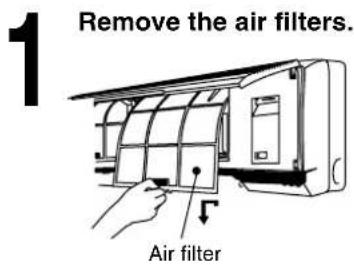
Replacement of air purifying filters
text_image
1 Remove the air filters. Air filter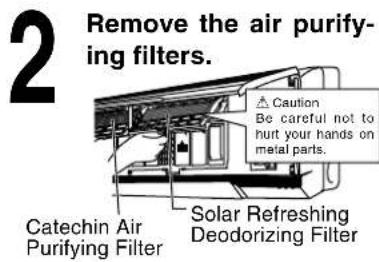
text_image
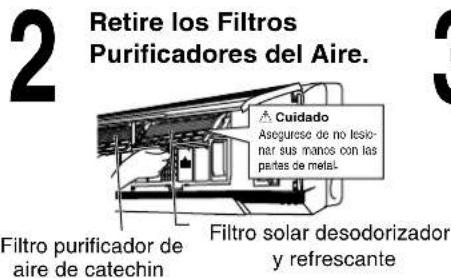
2 Remove the air purifying filters. Caution Be careful not to hurt your hands on metal parts. Catechin Air Purifying Filter Solar Refreshing Deodorizing Filter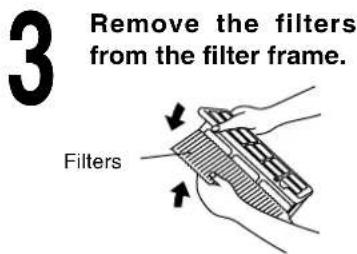
text_image
3 Remove the filters from the filter frame. Filters■Solar Refreshing Deodorizing Filter
• Used to remove unpleasant odour and deodorize the air in the room.
- Reusable.
• Vacuum, place under direct sunlight for 6 hours and fit it back in place. (Recommended: every 6 months)
■Catechin Air Purifying Filter
- The filter is coated with catechin to prevent growth of bacteria and viruses.
- Reusable.
• Vacuum and fit it back in place (Recommended: every 6 months)
■Recommended to change these filters every 3 years.
Do not reuse damaged filters.
Consult the nearest authorized dealer to purchase a new filter.
Catechin Air Purifying Filter No.: CZ-SF71P
Solar Refreshing Deodorizing Filter No.: CZ-SFD71P
If you operate the air conditioner with dirty filters:-
- Air is not purified
– Cooling capacity decreases - Foul odour is emitted
When not using the air conditioner for a long period
text_image
1 Operate the air conditioner for 2 to 3 hours. ■Type of operation: Cooling ■Temperature setting: 30°C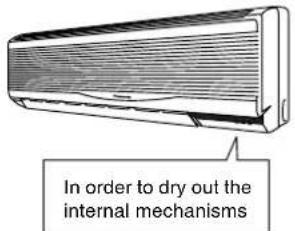
text_image
In order to dry out the internal mechanisms
text_image
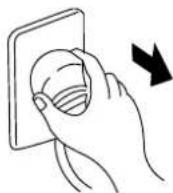
2 For air conditioners with a power plug, stop opera- tion by remote control and pull out the power plug.Note: If the unit is not off by remote control, the unit will operate when you plug in (because of Auto-restart Control is provided).

natural_image
Simple line drawing of a cylindrical device with a base and a battery, no text or symbols present.Pre-season inspection (The earlier the better)
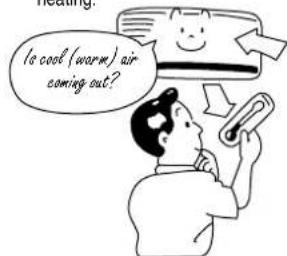
■Is the discharge air cold (warm)?
Operation is normal if, 15 minutes after the start of operation, the temperature difference between the air intake vent and outlet vent is 8°C or above for cooling and 14°C or above for heating.
text_image
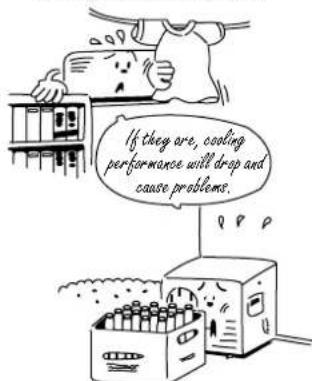
Is cool (warm) air coming out?■Are the air outlet vents and air intake vents obstructed?
text_image
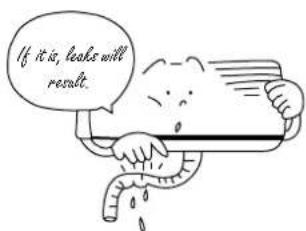
If they are, cooling performance will drop and cause problems.■Is the drain hose cracked or crushed?
text_image
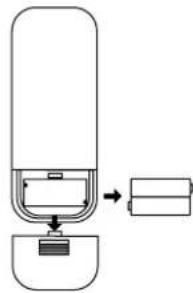
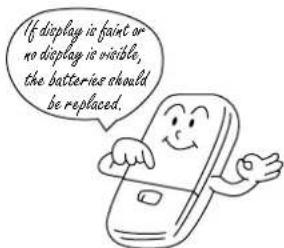
If it is, looks will result.■Are the remote control batteries in good condition?
text_image
If display is faint or no display is visible, the batteries should be replaced.Normal operation
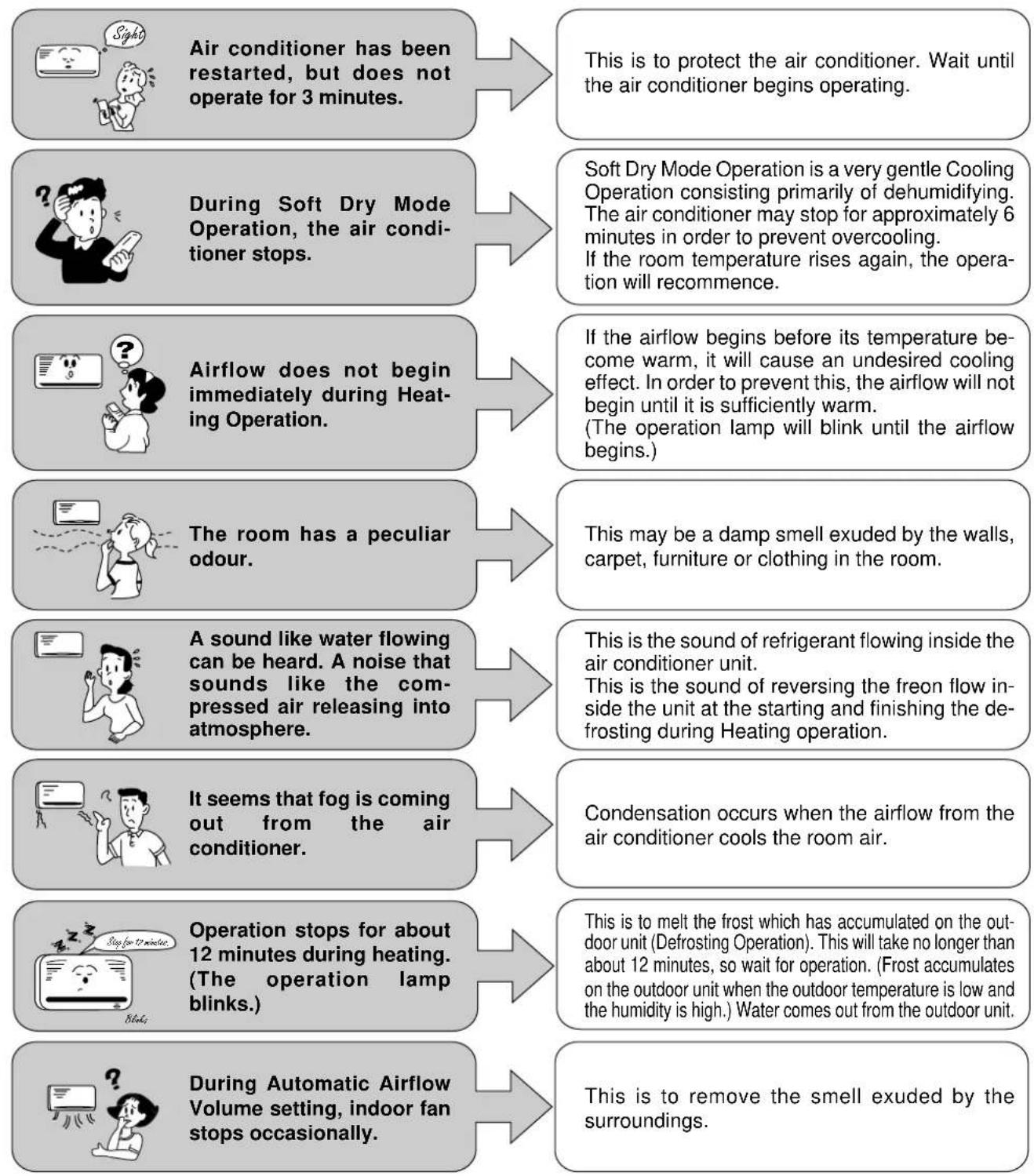
Q Is it okay? A This is the answer.
flowchart
graph TD
    A["Air conditioner has been restarted, but does not operate for 3 minutes."] --> B["This is to protect the air conditioner. Wait until the air conditioner begins operating."]
    C["During Soft Dry Mode Operation, the air conditioner stops."] --> D["Soft Dry Mode Operation is a very gentle Cooling Operation consisting primarily of dehumidifying. The air conditioner may stop for approximately 6 minutes in order to prevent overcooling. If the room temperature rises again, the operation will recommence."]
    E["Airflow does not begin immediately during Heating Operation."] --> F["If the airflow begins before its temperature become warm, it will cause an undesired cooling effect. In order to prevent this, the airflow will not begin until it is sufficiently warm. (The operation lamp will blink until the airflow begins.)"]
    G["The room has a peculiar odour."] --> H["This may be a damp smell exuded by the walls, carpet, furniture or clothing in the room."]
    I["A sound like water flowing can be heard. A noise that sounds like the compressed air releasing into atmosphere."] --> J["This is the sound of refrigerant flowing inside the air conditioner unit. This is the sound of reversing the freon flow inside the unit at the starting and finishing the defrosting during Heating operation."]
    K["It seems that fog is coming out from the air conditioner."] --> L["Condensation occurs when the airflow from the air conditioner cools the room air."]
    M["Operation stops for about 12 minutes during heating. (The operation lamp blinks.)"] --> N["This is to melt the frost which has accumulated on the outdoor unit (Defrosting Operation). This will take no longer than about 12 minutes, so wait for operation. (Frost accumulates on the outdoor unit when the outdoor temperature is low and the humidity is high.) Water comes out from the outdoor unit."]
    O["During Automatic Airflow Volume setting, indoor fan stops occasionally."] --> P["This is to remove the smell exuded by the surroundings."]
Abnormal operation
The air conditioner does not operate.
■ Has the circuit breaker been tripped?
■ Has the power plug been removed from the wall outlet?
■ Is the Timer being used correctly?
■ Has the REMOTE CONTROLLER B ↔ A switch been set to "B"?
The air conditioner does not cool effectively.
■ Has the temperature been set incorrectly?
■ Are the filters dirty?
■ Are the intake or outlet vents of the outdoor unit obstructed?
■ Are all windows and doors closed?
Air conditioner operation noise too loud.
■ Is the installation work slanted?
■ Is the front grille closed properly?
Call the dealer immediately
If the following conditions occur, immediately turn the power plug or turn off the power breaker.
■ Abnormal noise is heard during operation.
■ Switches or buttons do not operate properly.
■ Water or foreign material gets into the remote control by mistake.
■ The circuit breaker switches off frequently.
■ Water leaks from the indoor unit.
■ Power supply cord and plug become unusually warm.

WARNING
(1) REMOVE POWER PLUG OR DISCONNECT FROM THE MAINS BEFORE SERVICING THIS APPLIANCE.
(2) THIS APPLIANCE MUST BE EARTHED.
(3) THE APPLIANCE IS NOT INTENDED FOR USE BY YOUNG CHILDREN OR INFIRM PERSONS WITHOUT SUPERVISION
(4) YOUNG CHILDREN SHOULD BE SUPERVISED TO ENSURE THAT THEY DO NOT PLAY WITH THE APPLIANCE.
IMPORTANT
Replacement or installation of power plugs shall be performed only by authorised/qualified personnels.
- WHEN THE POWER CORD IS CONNECTED TO THE MAINS THROUGH A MULTI POLAR SWITCH
THERE MUST BE A MULTI POLAR SWITCH (DISCONNECTING MEANS) WITH A MINIMUM 3 mm CONTACT GAP IN THE FIXED INSTALLATION CIRCUIT.
- WHEN THE POWER PLUG IS CONNECTED TO THE RECEPTACLE
The wires in this main lead are coloured in accordance with the following code :
Green-and-yellow : Earth
Blue : Neutral
Brown : Live
If the colours of the wires in the main lead of this appliance do not correspond with the coloured markings indentifying the terminals in your plug, proceed as follows :
The green-and-yellow wire must be connected to the terminal in the plug which is marked with letter E or by the earth symbol ⊕ or coloured green or green-and-yellow.
The blue wire must be connected to the terminal which is marked with the letter N or coloured black.
The brown wire must be connected to the terminal which is marked with the letter L or coloured red.
| Fuse Specifications | Indoor | Outdoor |
| T3.15(A), L250(V) | T3.15(A), L250(V) |
NOTE
IF THE SUPPLY CORD IS DAMAGED, IT MUST BE REPLACED WITH A SPECIAL CORD OR ASSEMBLY AVAILABLE FROM THE MANUFACTURER OR IT'S SERVICE AGENT.
Sommaire
natural_image
Hand holding a small object with an arrow indicating direction (no text or symbols)natural_image
Simple line drawing of a pair of scissors cutting down an electrical outlet (no text or symbols)natural_image
Illustration of a mechanical device with hoses and a conical component (no text or symbols)natural_image
Illustration of two children interacting with a wall-mounted device (no text or symbols present)natural_image
Illustration of a person with wings blowing out a fan-shaped object (no text or symbols)natural_image
Illustration of a person holding a tablet with a speech bubble (no text or symbols present)
Attention
natural_image
Hand using a tool to clean or store air quality (no text or symbols visible)natural_image
Illustration of a hand inserting a plug into an electrical outlet (no text or symbols)natural_image
Illustration of a potted plant with framed photos and a curved surface above (no text or symbols)natural_image
Illustration of a person opening a window with curtains and cloud-like patterns (no text or symbols)text_image
Hand-drawn illustration showing a person cleaning a wall-mounted air conditioner with sound waves labeled 'V' and 'd'
natural_image
Simple line drawing of a device emitting sound waves, no text or symbols present
natural_image
Cartoon illustration of a person sitting on a box with a mesh grille, no text or symbols presenttext_image
Illustration of a handheld remote control with labeled buttons and display screennatural_image
Illustration of a wooden HVAC unit being handled with arrows indicating airflow or heat transfer (no text or symbols)natural_image
Illustration of a double air conditioner unit (no text or symbols visible)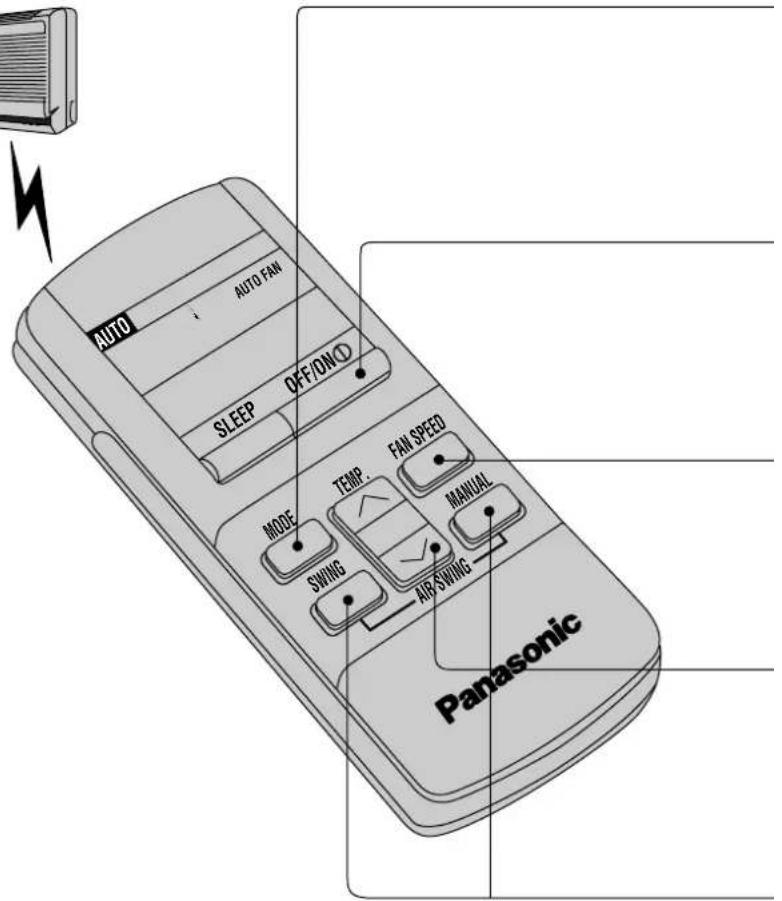
text_image
AUTO AUTO FAN SLEEP OFF/ON① MODE TEMP. FAN SPEED SWING MANUAL AIR/SWING PanasonicPoints de reprogrammation [RESET]
text_image
AUTO OFF/ON SLEEP PM 1:30 TEMP. FAN SPEED MANUAL MODE SWING AIR SWING Panasonicnatural_image
Line drawing of a modular air conditioner unit with ventilation grilles and control panel (no text or symbols)Touche mode test.
natural_image
Cartoon illustration of a person using a vacuum cleaner to clean or clean the air, with a smiling smartphone and brush nearby (no text or symbols)natural_image
Illustration of a person sleeping in bed with raindrops and a cat on the wall, next to a smiling computer and clock (no text or symbols)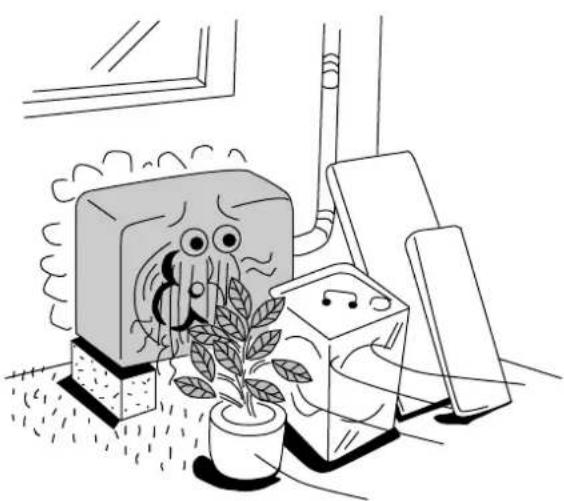
natural_image
Illustration of a cartoon scene with a potted plant, a TV, and a small box (no text or symbols)natural_image
Illustration of two people interacting with a door and ceiling, showing airflow patterns (no text or symbols)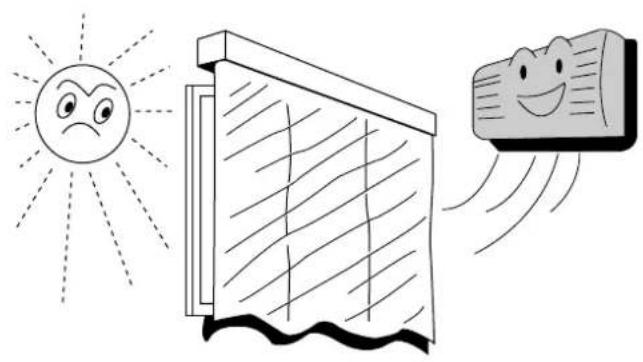
natural_image
Illustration of a smiling sun, a window, and a smiling fabric swatch with motion lines (no text or symbols)flowchart
graph TD
    A["Person reading"] -->|Refroidissement| B["Character with smiling face"]
    B -->|Chauffage| C["Arrow pointing down"]
    C --> A
natural_image
Illustration of a person relaxing near a wall with a smiling face, under a sun and tree (no text or symbols)Soins et Entretien
text_image
THINNER BENZENEnatural_image
Line drawing of a hand using a tool to clean or adjust a small object into a grid (no text or symbols)natural_image
Diagram of a hand inserting a component into a device panel (no text or symbols visible)Filtre à air
natural_image
Simple line drawing of a cylindrical device with a base and a battery, no text or symbols present.natural_image
Illustration of a double-hinged air conditioner unit (no text or symbols visible)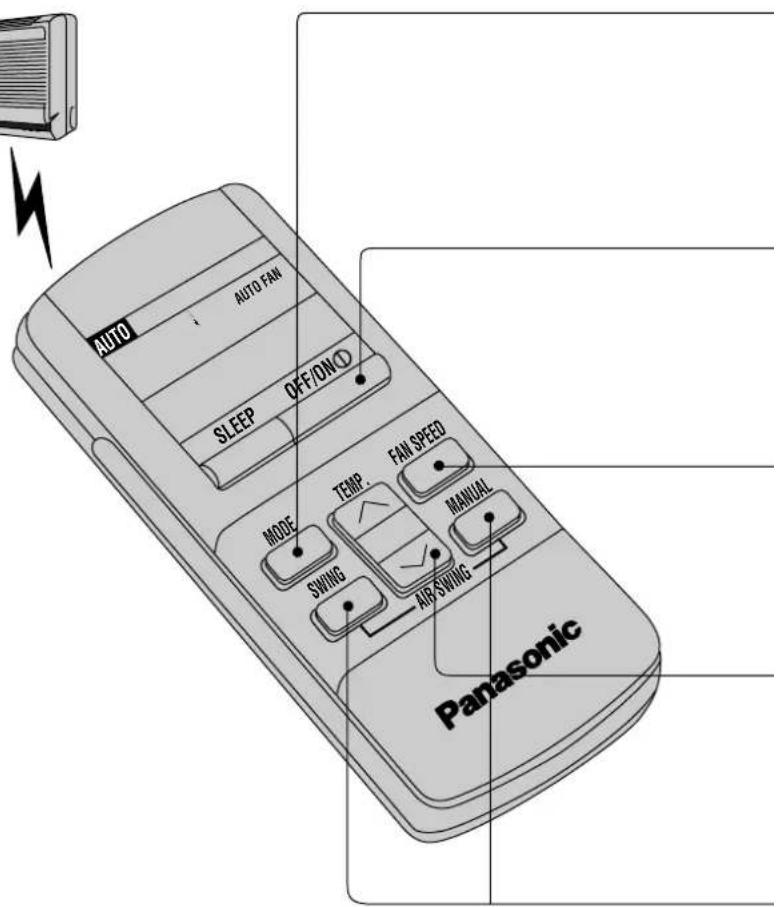
text_image
AUTO AUTO FAN SLEEP OFF/ON① MODE TEMP. FAN SPEED SWING MANUAL AIR/SWING Panasonic■ Even if there is a power failure, the setting time is still stored in the memory because the remote control is a battery operated type.
text_image
AUTO PM 1:7°C SLEEP OFF/ON/O MODE TEMP. FAN SPEED SWING AIR SWING MANUAL Panasonicnatural_image
Line drawing of a small air conditioner unit with ventilation ducts and panel layout (no text or symbols)natural_image
Cartoon illustration of a person using a vacuum cleaner to clean a small appliance (no text or symbols present)natural_image
Illustration of a sleeping person in bed with night sky, cat, and clock icons (no text or symbols)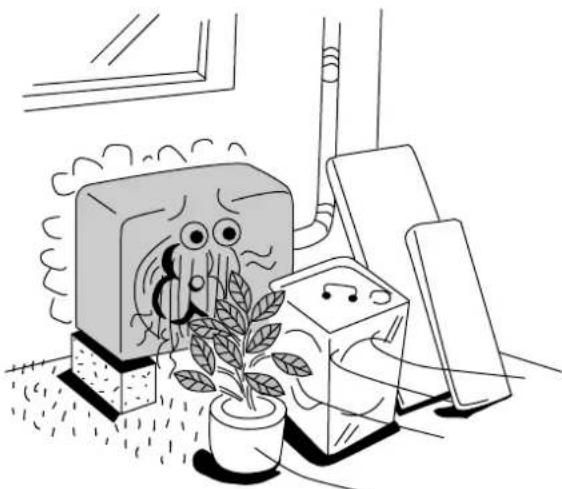
natural_image
Illustration of a cartoon illustration of an octopus emerging from a box, with a potted plant nearby (no text or symbols)natural_image
Illustration of two people interacting with a door and ceiling, showing airflow patterns (no text or symbols)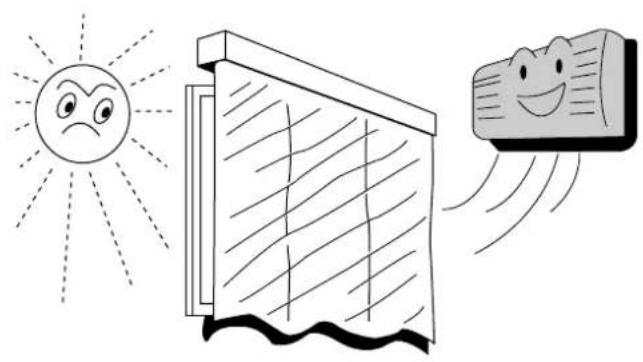
natural_image
Illustration of a smiling sun, a window, and a smiling fabric swatch with motion lines (no text or symbols)natural_image
Illustration of a person relaxing near a wall with a smiling face, under a sun and tree (no text or symbols)natural_image
Line drawing of a hand using a vacuum cleaner to clean or adjust a grid of compartments (no text or symbols present)natural_image
Diagram of a hand inserting a component into a device housing (no text or symbols visible)Air filter
natural_image
Simple line drawing of a cylindrical device with a base and a battery, no text or symbols present.natural_image
Hand holding a wall-mounted device with a magnified view of the screen (no text or symbols visible)natural_image
Simple line drawing of a pair of scissors cutting down an electrical outlet (no text or symbols)natural_image
Illustration of a mechanical device with hoses and a conical component (no text or symbols)natural_image
Illustration of a person using a large cylindrical device to interact with another person (no text or symbols present)natural_image
Illustration of a person with wings and a curved arrow pointing upward, holding a large cylindrical object (no text or symbols)natural_image
Illustration of a person holding a pointer, with a large speech bubble above (no text or symbols present)
Vorsicht
natural_image
Hand holding a screwdriver with motion lines indicating speed (no text or symbols)natural_image
Illustration of a hand inserting a plug into an electrical socket (no text or symbols)natural_image
Simple line drawing of a car air conditioner with horizontal stripes and a speech bubble containing the word 'AUS' (no other text or symbols)natural_image
Simple line drawing of a potted plant hanging from a wall-mounted air conditioner unit (no text or symbols)natural_image
Illustration of a hand holding a vintage-style phone with a watch, emitting sound waves (no text or symbols)natural_image
Illustration of a person opening a window with curtains (no text or symbols)text_image
Illustration showing a person cleaning an air conditioner with a 'no stop' symbol above, indicating no stop.natural_image
Simple line drawing of a speaker emitting sound waves (no text or symbols)natural_image
Cartoon illustration of a person sitting on a device with a mesh grille (no text or symbols)text_image
Illustration of a remote control device with labeled buttons and display screennatural_image
Illustration of a hand holding a wooden panel with arrows indicating airflow or movement (no text or symbols)natural_image
Illustration of a double air conditioner unit (no text or symbols visible)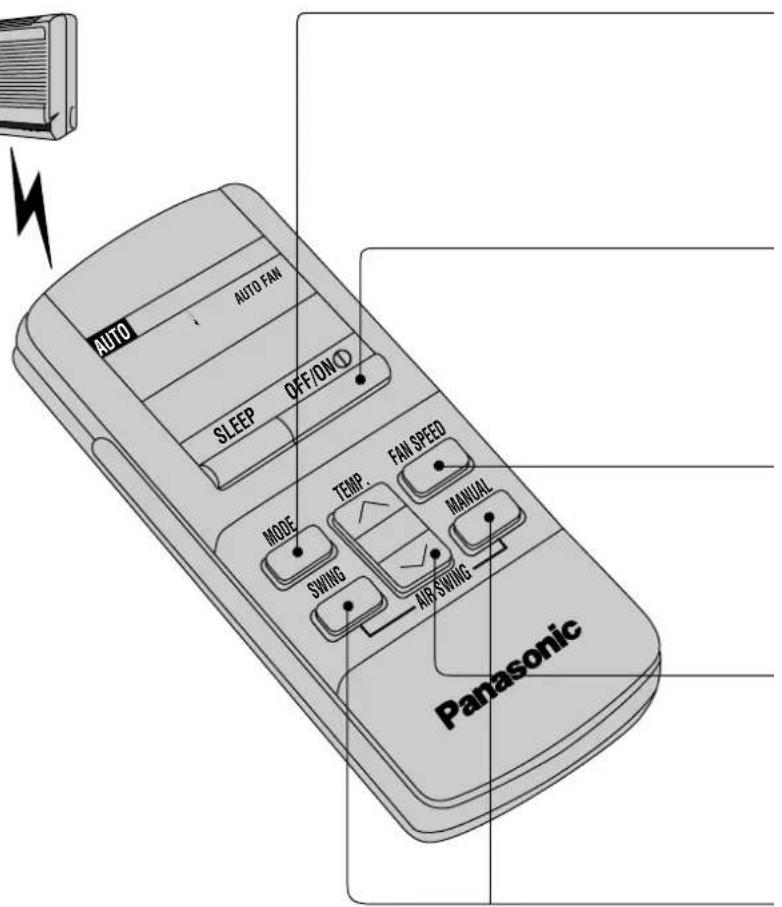
text_image
AUTO AUTO FAN SLEEP OFF/ON① MODE TEMP. FAN SPEED SWING MANUAL AIR SWING Panasonicnatural_image
Line drawing of a small air conditioner unit with ventilation ducts and panel layout (no text or symbols)natural_image
Illustration of a person using a vacuum cleaner to clean air from a device (no text or symbols present)natural_image
Illustration of a person sleeping in bed with a cat, night scene, and clock icons (no text or symbols)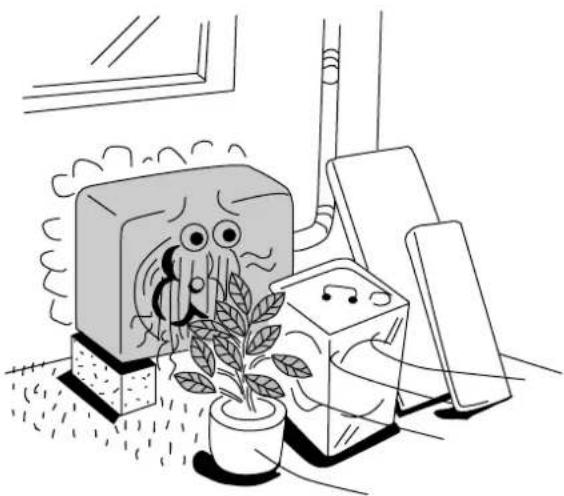
natural_image
Illustration of a potted plant growing near a TV with a cartoon octopus, next to a bookshelf (no text or symbols)natural_image
Illustration of two people running toward a door with airflow lines, one emitting exhaust smoke (no text or symbols)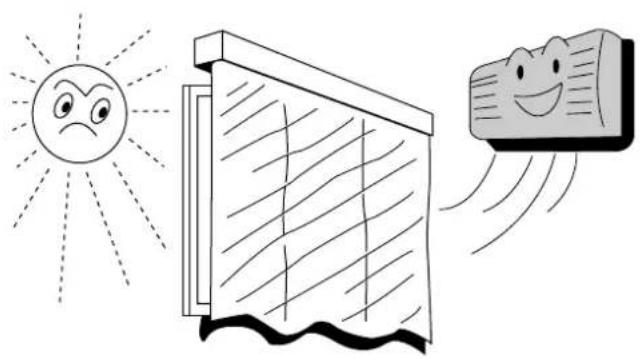
natural_image
Illustration of a smiling sun, a window, and a smiling emoji with motion lines (no text or symbols)natural_image
Illustration of a person relaxing under a tree with a smiling face, next to a sun and tree (no text or symbols)Pflege und Wartung
natural_image
Line drawing of a hand using a tool to clean or adjust a small object into a grid (no text or symbols)natural_image
Simple line drawing of a vertical cylindrical device with an arrow pointing to a battery (no text or symbols)natural_image
Hand holding a wall-mounted device with an arrow indicating left-hand motion (no text or symbols)natural_image
Simple line drawing of a tool being inserted into an electrical outlet (no text or symbols)natural_image
Illustration of a medical procedure with tubing and a conical device (no text or symbols)natural_image
Illustration of a person using a wall-mounted air conditioner to interact with another person (no text or symbols present)natural_image
Illustration of a person with wings and a curved arrow pointing upward, holding a large rectangular object (no text or symbols)natural_image
Illustration of a person holding a tablet with a large speech bubble (no text or symbols present)
Attenzione
natural_image
Hand using a screwdriver to clean electrical socket (no text or symbols visible)natural_image
Illustration of a hand inserting a plug into an electrical outlet (no text or symbols)natural_image
Simple line drawing of a cylindrical object with horizontal lines and a speech bubble containing the word 'SPEENERS' (no other text or symbols)natural_image
Illustration of a potted plant with framed pictures and a curved panel above, emitting motion (no text or symbols)natural_image
Illustration of a hand holding a large rectangular object with a spring-like handle, emitting motion lines (no text or symbols)natural_image
Illustration of a person opening a window with curtains (no text or symbols)natural_image
Illustration of a person cleaning a large air conditioner with a bucket (no text or symbols)natural_image
Simple line drawing of a speaker emitting sound waves (no text or symbols)natural_image
Cartoon illustration of a person sitting on a machine with arms outstretched (no text or symbols)Nomi dei Componenti
Unita' interna
natural_image
Illustration of a hand pressing down on a curved panel with arrows indicating motion (no text or symbols)natural_image
Illustration of a double air conditioner unit (no text or symbols visible)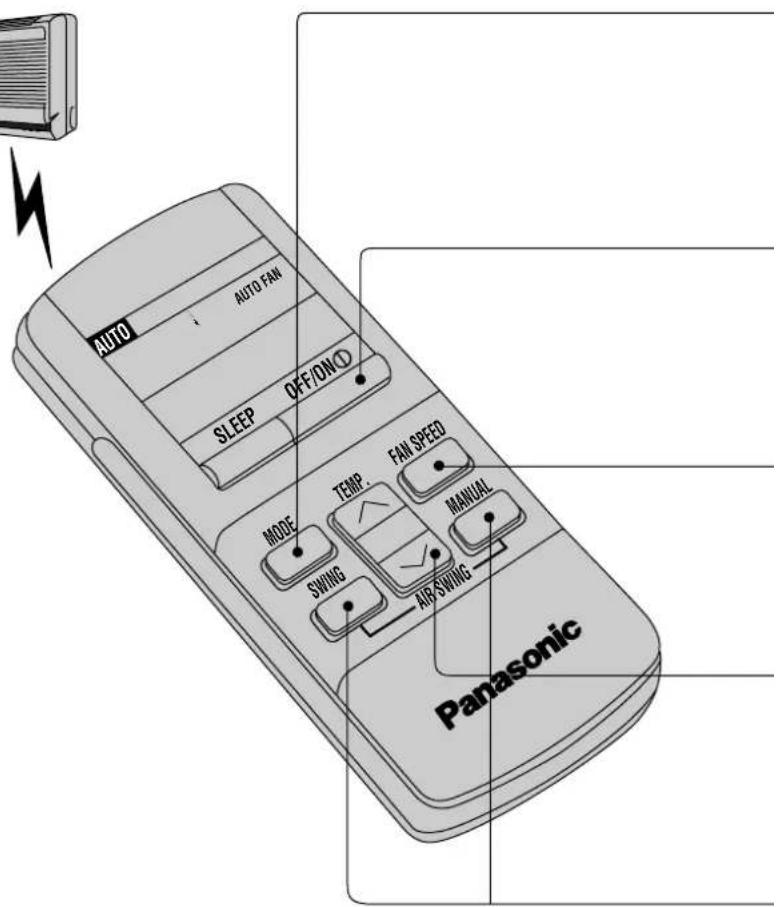
text_image
AUTO AUTO FAN SLEEP OFF/ON① MODE TEMP. FAN SPEED SWING MANUAL AIR/SWING Panasonictext_image
AUTO PM 1:20 SLEEP OFF/ON/O TEMP. FAN SPEED MANUAL MODE SWING AIR SWING Panasonicnatural_image
Technical line drawing of a wall-mounted air conditioner unit with ventilation grilles and control panel (no text or labels)Tasto di prova.
text_image
1°C in piu 2°C in memo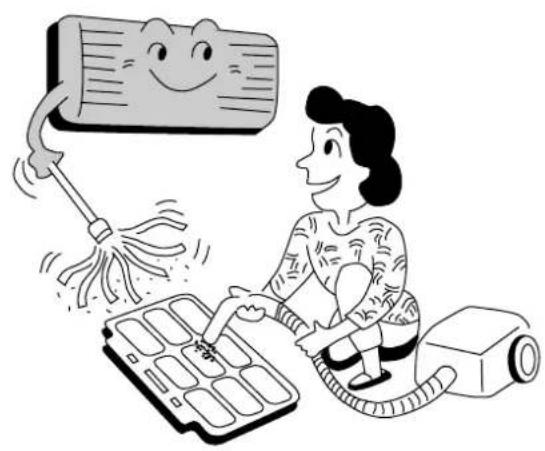
natural_image
Cartoon illustration of a person using a vacuum cleaner to clean air from a device (no text or symbols present)natural_image
Illustration of a sleeping person in bed with night scene, next to a smiling computer and clock (no text or symbols)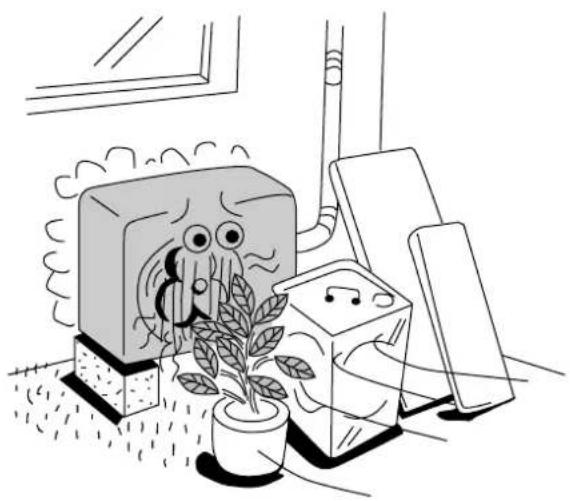
natural_image
Illustration of a potted plant growing near a TV with cartoon characters, next to a window and computer monitors (no text or symbols)natural_image
Illustration of two people interacting with a door and ceiling, showing airflow patterns (no text or symbols)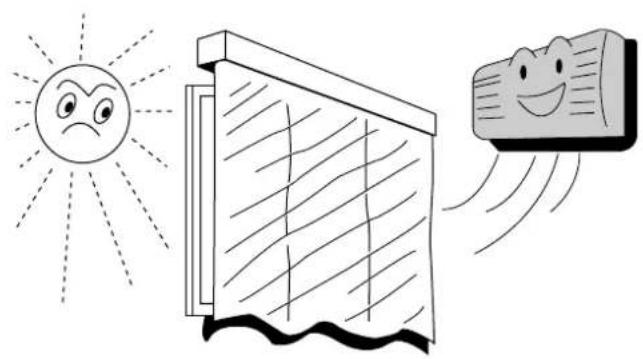
natural_image
Illustration of a smiling sun, a window, and a smiling airfoil with motion lines (no text or symbols)natural_image
Illustration of a person relaxing near a wall with a smiling face, under a sun and tree (no text or symbols)natural_image
Line drawing of a hand using a tool to clean or adjust a small object into a grid (no text or symbols)natural_image
Illustration of a hand inserting a component into a device panel (no text or symbols visible)Filtri dell'aria
natural_image
Simple line drawing of a cylindrical device with a base and a battery, no text or symbols present.natural_image
Hand holding a wall-mounted device with a magnified view of the screen (no text or symbols visible)natural_image
Simple line drawing of a tool cutting through a socket with a bulb (no text or symbols)natural_image
Simple line drawing of a mechanical device with hoses and a conical component (no text or symbols)natural_image
Illustration of two children interacting with a wall-mounted device, one pointing upward (no text or symbols)natural_image
Illustration of a person with wings and a curved arrow pointing upward, holding an air conditioner (no text or symbols)natural_image
Illustration of a person holding a pen and a magnifying glass (no text or symbols)
Pas Op
natural_image
Hand using a tool to clean or store air from a wall socket (no text or symbols visible)natural_image
Illustration of a potted plant with a framed picture and a cloud above it, no text or symbols present.natural_image
Illustration of a person cleaning a wall-mounted air conditioner (no text or symbols)natural_image
Illustration of a hand inserting a plug into an electrical outlet (no text or symbols)natural_image
Line drawing of a hand holding a vintage phone with a watch and a screen above it (no text or symbols)natural_image
Simple line drawing of a device emitting sound waves, no text or symbols presentnatural_image
Simple line drawing of a cylindrical object with horizontal lines and a speech bubble containing the letters 'UNT' (no text or symbols on the object itself)natural_image
Illustration of a person painting on a window with curtains (no text or symbols)natural_image
Cartoon illustration of a person sitting on a large air conditioner unit with motion lines indicating speed (no text or symbols)text_image
Illustration of a remote control device with labeled buttons and display screen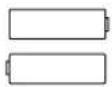
natural_image
Illustration of a hand holding a wooden panel with arrows indicating airflow or movement (no text or symbols)natural_image
Illustration of a double air conditioner unit with grille and ventilation slots (no text or symbols)text_image
AUTO PM 1:3:17 SLEEP OFF/ON/O MODE TEMP. FAN SPEED SWING MANUAL AIR SWING Panasonicnatural_image
Line drawing of a modular air conditioner unit with ventilation grilles and cooling fins (no text or symbols)Test Werkingstoets.
natural_image
Illustration of a person using a vacuum cleaner to clean air from a device (no text or symbols present)natural_image
Illustration of a person sleeping in bed with a cat on the moon and a smiling computer with hands, next to a night scene (no text or symbols)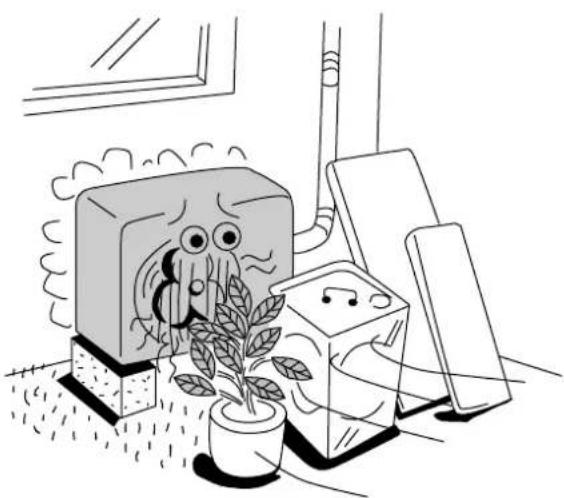
natural_image
Illustration of a potted plant growing near a TV with cartoon characters, next to a window and a bookshelf (no text or symbols)natural_image
Illustration of two people running toward a door with airflow lines, one emitting exhaust smoke (no text or symbols)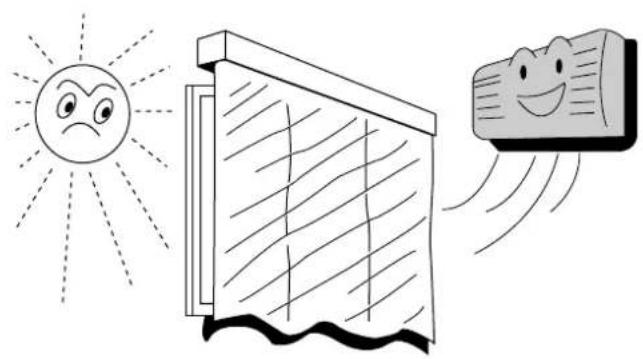
natural_image
Illustration of a smiling sun, a window, and a smiling airfoil with motion lines (no text or symbols)natural_image
Illustration of a person relaxing near a wall with a smiling face, under a sun and tree (no text or symbols)natural_image
Line drawing of a hand using a vacuum cleaner to clean or adjust a grid of compartments (no text or symbols present)natural_image
Diagram of a hand inserting a component into a device panel (no text or symbols visible)Luchtfilter
natural_image
Technical line drawing of a conical air duct or duct with horizontal grooves and a flat base (no text or symbols)natural_image
Simple line drawing of a cylindrical device with a base and a battery, no text or symbols present.natural_image
Hand holding a wall-mounted device with a magnified view of the screen (no text or symbols visible)text_image
Safety warning symbol showing a pair of pliers causing a power plug to switch, with no text present.natural_image
Illustration of a mechanical device with hoses and a conical component (no text or symbols)text_image
Safety warning illustration showing a person using an air conditioner to stop the phone while another person holds a fan.natural_image
Illustration of a person with wings carrying an air conditioner (no text or symbols)natural_image
Illustration of a person holding a tablet with a large screen in the background (no text or symbols)
CUIDADO
natural_image
Hand using a power tool to clean or store air, no text or symbols visiblenatural_image
Illustration of a hand inserting a plug into an electrical socket (no text or symbols)natural_image
Simple line drawing of a cylindrical object with horizontal lines and a speech bubble containing the word 'OFF' (no text or symbols on the object itself)natural_image
Illustration of a potted plant hanging from a wall-mounted air conditioner unit (no text or symbols)natural_image
Line drawing of a vintage-style air conditioner unit with cooling effect, no text or symbols present■ Areje a sala regularmente.
natural_image
Line drawing of a person opening a window with curtains (no text or symbols)natural_image
Illustration of a person cleaning a large cylindrical object with visible vibration lines (no text or symbols)■ Verifique a unidade para ver está danificada.
natural_image
Simple line drawing of a device with a grid-patterned screen and sound waves, no text or symbols present.natural_image
Cartoon illustration of a child sitting on a machine with a patterned vent, no text or symbols presenttext_image
Illustration of a Panasonic remote control with labeled buttons and display screen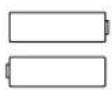
Filtros Purificadores do Ar
natural_image
Line drawing of a hand holding a small object with a tool, no text or symbols presentTecla OFF-TIMER
natural_image
Illustration of a hand holding a wooden panel with arrows indicating airflow or movement (no text or symbols)Segure os pontos de abertura do painel por ambos os lados e puxe o painel frontal.
natural_image
Illustration of a double air conditioner unit (no text or symbols visible)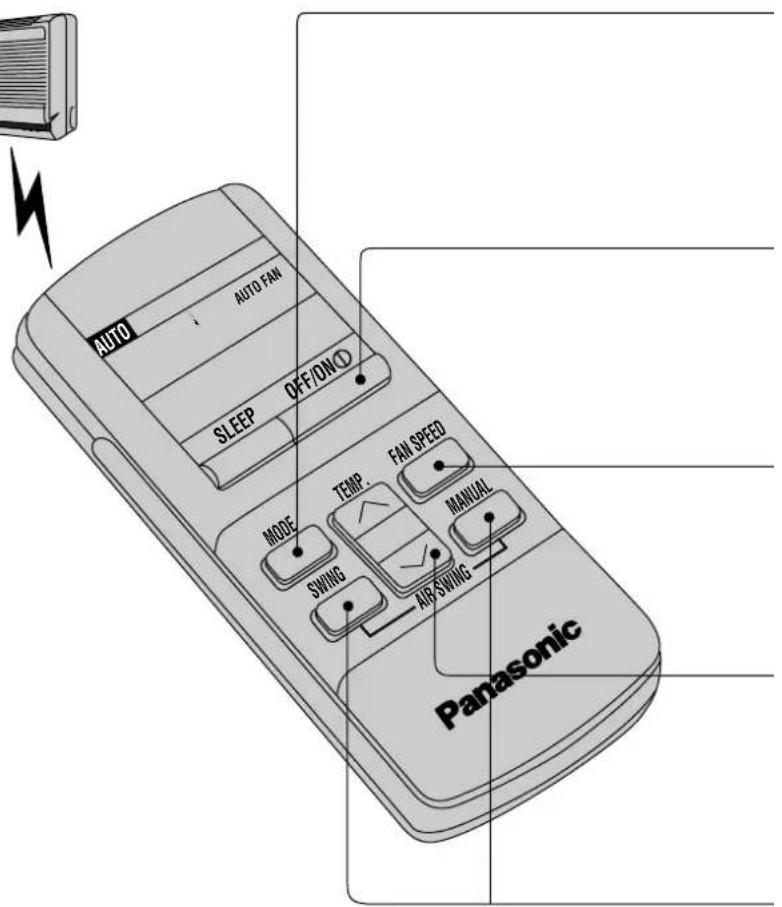
text_image
AUTO AUTO FAN SLEEP OFF/ON① MODE TEMP. FAN SPEED SWING MANUAL AIR SWING Panasonic AUTO – Funcionamento Automático.
text_image
AUTO PM 1:7°C SLEEP OFF/ON/O MODE TEMP: FAN SPEED SWING AIR SWING MANUAL PanasonicPara programar o modo SLEEP.
■ Prima
natural_image
Line drawing of a modern air conditioner unit with heat exchanger and ventilation duct (no text or symbols)Tecla TEST RUN.
natural_image
Cartoon illustration of a person using a vacuum cleaner to clean air from a device (no text or symbols present)natural_image
Illustration of a person sleeping in bed with night and night sky, next to a smiling computer and clock (no text or symbols)natural_image
Illustration of a potted plant growing inside a room with a TV and wall-mounted equipment (no text or symbols)natural_image
Illustration of two people running toward a door with airflow lines, one emitting exhaust smoke (no text or symbols)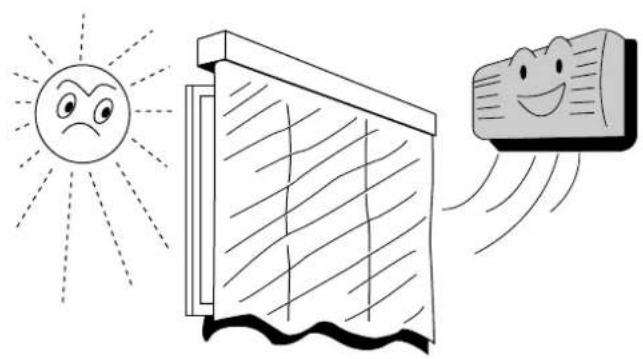
natural_image
Illustration of a smiling sun, a window, and a smiling airfoil with motion lines (no text or symbols)natural_image
Illustration of a person relaxing near a wall with a smiling face, under a sun and tree (no text or symbols)natural_image
Illustration of a hand using a vacuum cleaner to clean or store items on a grid tray (no text or symbols)■ Limpe os filtros de ar.
natural_image
Illustration of a wooden panel or duct with visible grain patterns (no text or symbols)Para secar os mecanismos internos.
natural_image
Simple line drawing of a cylindrical device with a base and a battery, no text or symbols present.natural_image
Hand holding a small electronic device with an arrow indicating rotation (no text or symbols)natural_image
Simple line drawing of a tool emitting sparks from a plug into a socket (no text or symbols)natural_image
Illustration of a mechanical device with hoses and a conical component (no text or symbols)natural_image
Illustration of a person blowing out a large cylindrical object (no text or symbols)natural_image
Illustration of a person holding a pen and a magnifying glass (no text or symbols)
Προσοχή
natural_image
Hand using a power tool to clean or store air from a wall socket (no text or symbols visible)natural_image
Simple line drawing of a rectangular object with horizontal lines and a speech bubble containing the word 'OFF' (no other text or symbols)natural_image
Illustration of a potted plant with framed pictures and a curved panel above, no text or symbols present.natural_image
Illustration of a hand holding a device with motion lines indicating movement (no text or symbols)natural_image
Illustration of a person opening a window with curtains (no text or symbols)natural_image
Illustration of a person cleaning a wall-mounted air conditioner (no text or symbols)natural_image
Simple line drawing of a device emitting sound waves (no text or symbols)natural_image
Cartoon illustration of a person sitting on a machine with a fan, no text or symbols presenttext_image
Hand-drawn sketch of a remote control device with labeled buttons and display screen
natural_image
Illustration of a double air conditioner unit (no text or symbols visible)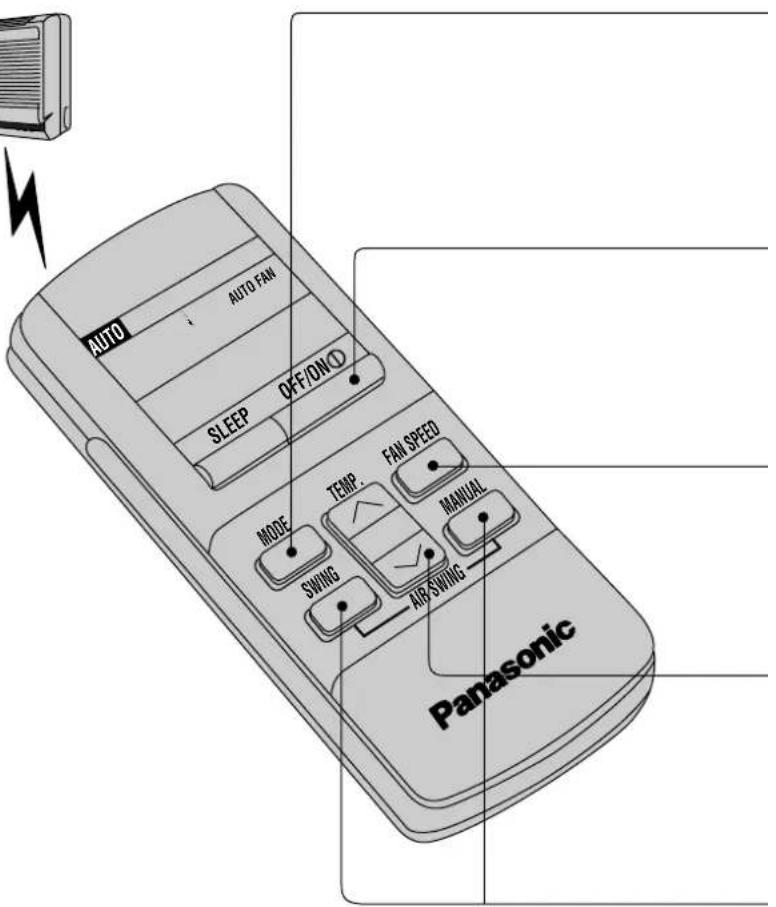
text_image
AUTO AUTO FAN SLEEP OFF/ON(1) MODE TEMP FAN SPEED SWING MANUAL AIR SWING Panasonictext_image
AUTO PM 1:3:17 SLEEP OFF/ON O TEMP FAN SPEED MODE MANUAL SWING AIR SWING Panasonicnatural_image
Line drawing of a wall-mounted air conditioner unit with ventilation ducts and panel layout (no text or symbols)natural_image
Cartoon illustration of a person using a cleaning tool with a smiling emoji on the phone (no text or symbols)natural_image
Illustration of a person sleeping in bed with a night scene and a smiling computer monitor, no text or symbols present.natural_image
Illustration of a potted plant growing near a TV with cartoon characters, next to a wall-mounted device (no text or symbols)natural_image
Illustration of two people running inside a room with air flow arrows, one emitting exhaust smoke (no text or symbols)natural_image
Illustration of a smiling sun, a window, and a smiling fabric with motion lines (no text or symbols)natural_image
Illustration of a person relaxing near a wall with a smiling face, under a sun and tree (no text or symbols)natural_image
Illustration of a hand using a tool to press down a grid of compartments (no text or symbols present)natural_image
Line drawing of a hand pressing down on a curved panel or device (no text or symbols)Φίλτρο αέρα
natural_image
Simple line drawing of a vertical cylindrical device with a base and an arrow pointing to it, no text or symbols present.natural_image
Hand holding a small object with an arrow indicating direction (no text or symbols)natural_image
Illustration of a pair of scissors cutting through a socket with a power outlet (no text or symbols)natural_image
Simple line drawing of a mechanical device with hoses and a conical component (no text or symbols)text_image
Safety warning illustration showing a person using an air conditioner with a 'no' symbol above and another person below.natural_image
Illustration of a person with airflow or heat transfer from a large air conditioner (no text or symbols)natural_image
Simple line drawing of a person holding a tablet, with a large screen in the background (no text or symbols)
ПРЕДОСТЕРЕЖЕНИЕ
natural_image
Hand holding a screwdriver inside an electrical outlet socket (no text or symbols visible)natural_image
Illustration of a potted plant next to a wall-mounted air conditioner unit, with no text or symbols present.natural_image
Illustration of a hand holding a large rectangular object with a small arrow symbol, no text or symbols present.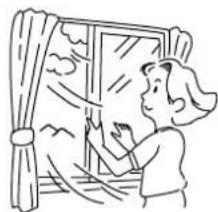
natural_image
Line drawing of a person opening a window with curtains (no text or symbols)natural_image
Illustration of a person cleaning an air conditioner with a bucket (no text or symbols)natural_image
Simple line drawing of a device with a grid-patterned screen and base, emitting sound waves (no text or symbols)natural_image
Cartoon illustration of a person sitting on a machine with arms extended (no text or symbols)НАИМЕНОВАНИЕ КОМПОНЕНТОВ КОНДИЦИОНЕРА
Внутренний блок
natural_image
Illustration of a hand holding a wooden panel with arrows indicating force or movement (no text or symbols)text_image
AUTO AUTO FAN SLEEP OFF/ON① MODE TEMP. FAN SPEED SWING MANUAL AIR SWING Panasonicnatural_image
Line drawing of a wall-mounted air conditioner unit with ventilation ducts and panel layout (no text or symbols)natural_image
Illustration of a person using a vacuum cleaner to clean or manage equipment, with a smiling smartphone and brush nearby (no text or symbols)natural_image
Illustration of a person sleeping in bed with a cat, night scene, and cartoon character holding alarm clock (no text or symbols)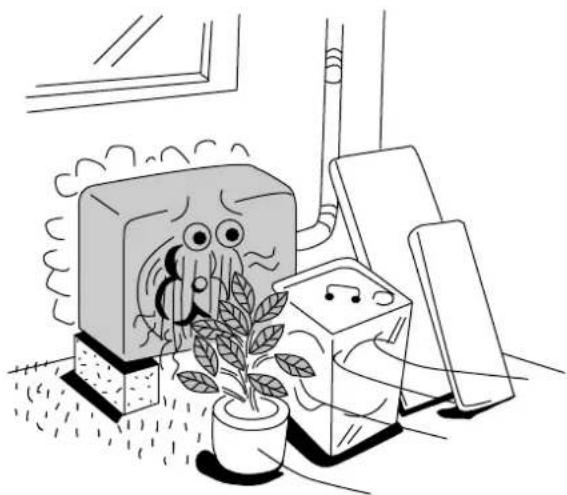
natural_image
Illustration of a potted plant growing near a TV with cartoon characters, next to a bookshelf (no text or symbols)natural_image
Illustration of two people running toward a door with airflow lines, one waving and the other smiling (no text or symbols)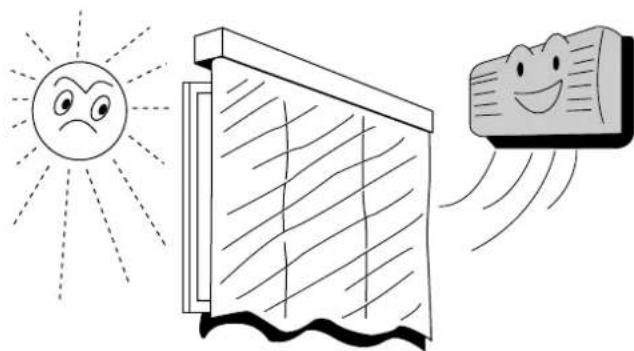
natural_image
Illustration of a smiling sun, a window, and a smiling stone with motion lines (no text or symbols)natural_image
Illustration showing a person relaxing under sunlight with a smiling face, and a tree nearby (no text or symbols)УХОД И ТЕХНИЧЕСКОЕ ОЪСЛУЖИВАНИЕ КОНДИЦИОНЕРА
natural_image
Cartoon illustration of a person shouting with a speech bubble containing 'OK!' (no text or symbols on the image itself)natural_image
Line drawing of a hand using a tool to clean or adjust a small object into a grid (no text or symbols)natural_image
Line drawing of a modern air conditioner unit (no text or symbols)natural_image
Simple line drawing of a cylindrical device with a base and a separate rectangular component, connected by an arrow (no text or symbols)Please remember to record the following:
- Model Number
- Serial Number
- Dealer's Name
- Date Purchased