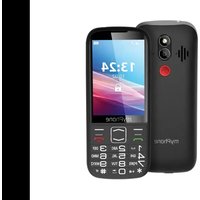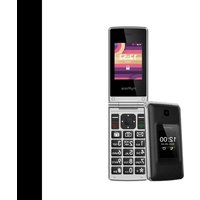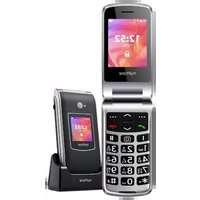
Rumba 2 - Phone myPhone - Free user manual and instructions
Find the device manual for free Rumba 2 myPhone in PDF.


User questions about Rumba 2 myPhone
0 question about this device. Answer the ones you know or ask your own.
Ask a new question about this device
Download the instructions for your Phone in PDF format for free! Find your manual Rumba 2 - myPhone and take your electronic device back in hand. On this page are published all the documents necessary for the use of your device. Rumba 2 by myPhone.
USER MANUAL Rumba 2 myPhone
www.myphone.pl/qr/myphone-rumba-2
-WODA I INNE PŁ YNY-
text_image
Yellow triangular warning sign with a black ear symbol and sound waves, indicating hearing or noise hazard.-STUCH-
natural_image
Yellow triangular warning sign with a stylized eye and sun symbol (no text)-WZROK-
www.myphone-mobile.com
natural_image
Symbol of a trash bin with crossed lines indicating no waste, and a solid black rectangle below (no text or labels)natural_image
Simple line drawing of a trash bin with two crossed lines indicating no waste or prohibition (no text or symbols)Table of Contents 20
Safety 21
Package contentmyPhone Rumba 2....24
Technical Specification 24
The phone, its functions and buttons.... 25
Turning the phone on/off 27
Inserting SIM, memory card and the battery 27
Charging the battery 28
Accidental change of language 28
Factory settings 28
Troubleshooting 28
Device maintenance 29
Correct disposal of electrical and electronic equipment ....30
Correct disposal of used batteries....30
| Attention | Statement |
| The manufacturer is not responsible for any consequences caused by improper usage of the phone and not obeying the above instructions. | The software version can be upgraded without earlier notice. The representative retains the right to determine the correct interpretation of the above instructions. |
The use of the manual
Without prior written consent of the manufacturer, no part of this manual may be photocopied, reproduced, translated or transmitted in any form or by any means, electronic or mechanical, including photocopying, recording or storing in any systems of storing and sharing information.
Please read the precautions and phone user's manual before use. The descriptions contained in this manual are based on the default settings of the phone. The newest version of the manual can be found on our company website:
www.myphone.pl/qr/myphone-rumba-2
Depending on the installed version of the software, applications, service provider, SIM card or country, some of the descriptions in this manual may not match your phone.
Safety
—PETROL STATIONS—
Do not use your mobile phone while refuelling at a petrol station or in the vicinity of chemicals.
CAUTION! In places where there is a risk of explosion (i.e. Petrol stations, chemical factories etc.), it is advisable to turn off the phone. Please refer to regulations governing the use of GSM equipment in these places.
-ALARM CALLS-
Making alarm calls may not be possible in some areas or circumstances. It is recommended to find an alternative way to notify emergency services if you are going to undeveloped or remote areas.
-QUALIFIED SERVICE-
Only qualified personnel or an authorized service center may install or repair this product. Repairing by an unauthorized or unqualified service may cause device damage and warranty loss.
-CHILDREN AND PHYSICALLY OR MENTALLY DISABLED PEOPLE-
This device should not be operated by people (including children) with limited physical or mental abilities, as well as by people with no earlier experience in operation of electronic equipment. They may use the device only under supervision of people responsible for their safety. This device is not a toy. Memory card and SIM card are small enough to be swallowed by a child and cause choking. Keep the device and its accessories out of reach of children.
-ROAD SAFETY-
Do not use this device while driving any kind of vehicle.
-WATER AND OTHER LIQUIDS-
Protect the device from water and other liquids. It can influence work and the life span of electronic components. Avoid using the device in environments with high humidity like kitchens, bathrooms or during rainy weather. Particles of water can cause the liquefaction of moisture in the device, and this may have a negative impact on the work of electronic components.
-BATTERY AND ACCESSORIES-
Avoid exposing the battery to very high/low temperatures (below 0^ C/ 32^ F and over 40^ C/ 104^ F). Extreme temperatures may
influence capacity and battery life. Avoid contact with liquids and metal objects as it may cause partial or complete battery damage. The battery should be used according to its purpose. Do not destroy, impair or throw the battery into flames - it might be dangerous and may cause fire. Worn-out or impaired battery should be placed in a dedicated container. Excessive charging the battery can cause damage. Therefore, a single battery charge should not last longer than 1 day. Installing an incorrect battery type can cause an explosion. Never open the battery. Please dispose of battery according to the instructions. Disconnect an unused charger from power grid. In case of the charger wire damage, it should not be repaired but replaced with a new one. Use the original manufacturer's accessories only.
text_image
Yellow triangular warning sign with a yellow circle containing a human ear and sound waves, indicating hearing or noise.
natural_image
Yellow triangular warning sign with a sun and eye symbol (no text)-HEARING-
To avoid hearing damage, do not use the device at high volume levels for a long period of time, do not put operating device directly to the ear.
-EYESIGHT-
To avoid eyesight damage do not look closely onto the diode during its work. A strong bean of light may cause permanent eye damage!
Manufacturer:
mPTech Sp. z o.o.
www.myphone-mobile.com
Package content myPhone Rumba 2
Before you start using your phone, make sure all of the following items are included in the box:
- myPhone Rumba 2 phone
- battery
- charger (adapter + USB cable)
- cradle charger
- user manual
If any of the above items is missing or damaged, please contact your dealer. We advise to keep the container in case of any complaints. Keep the container out of reach of children.
Technical Specification
One SIM card slot, speakerphone mode, a torch, camera, FM radio, SOS function
Main display 2.4", external display 1.44"
Battery capacity: 800mAh
Dimensions: 101.8 x 50.5 x 18.5mm
Weight: 88g
Memory cards support up to 128 GB
Input parameters Chargers: 100-240V\~ 0.2A, 50/60Hz
Output parameters Chargers: 5.0V - 0.55A, 2.75W
Average efficiency during operation (for 230V, 50hz): 72.83%
Energy consumption in no-load condition: less than 0.3W
The phone, its functions and buttons
| 1 | Speaker | A speaker used in phone conversations. |
| 2 | Display | Main LCD screen |
| 3 | Display | External LCD screen |
| 4 | button | While on the main screen enables entering the Menu, and confirms choice while in the Menu. |
| 5 | button | Allows you to receive an incoming call or look through the list of all calls. |
| 6 | Navigation button up / down | While in menu enables navigating around the menu. On the main screen, it will run shortcuts to selected functions. |
| 7 | button | On the Mainscreen, launch the Phonebook. While in the menu you can exit or opt out. |
| 8 | button | Allows you to reject an incoming call. While in the menu allows you to return to the main screen. When held for a long time, it turns off the phone or, if it is switched off, turns it on. |
| 9 | button | When writing an SMS, it displays symbols for insertion into the content. |
| 10 | <#> button | Toggles the audio and character input modes when writing a text message |
| 11 | Camera | Camera lens |
| 12 | SOS button | Press and hold to activate an alarm and/or auto-dial of predefined numbers. |
| 13 | External speaker | Loudspeaker for system sounds, ringtones, music. |
| 14 | Phone keypad | Buttons allowing you to dial a phone number and, in the text message mode, type letters and digits. |
| 15 | Volume buttons | They are designed to change the volume of the media and during the call. When held down the volume up button turns the flashlight on or off |
| 16 | LED | Diode is used as a torch. |
| 17 | Contacts | Allow you to connect your phone to the charging base. |
| 18 | USB-C port | When connected, the charger enables recharging the battery. You can transfer data (photos, videos, music) when you connect it to your computer. |
| 19 | Gap | Allows to take off a cover of thephone. |
| 20 | Headphone port minijack 3.5 mm | It allows you to connect headphones to your phone, so you can listen to the radio (improve the quality of reception - act as an additional antenna), music, and also make calls (when headphones are equipped with a microphone). |
Turning the phone on/off
To turn the phone on/off press and hold the Red handset button. If directly after turning the phone on you will see a PIN code request, (in form of “****”) type the code and press Menu button
Inserting SIM, memory card and the battery
If the phone is switched on - switch it off. Remove the back cover of the phone - use your fingernail to raise it using the gap in the case. Insert the SIM card - It is supposed to be placed with its gold contacts facing down, the way in which the slot is embossed. Insert the memory card - to open the cover of the card reader slide it gently up. Insert the microSD memory card with its gold contacts facing down, the way in which the slot is embossed. Close the flip by sliding it delicately downwards. Insert the battery so that its gold contacts touch the tripple connector in the phone bay. Put on and gently press down the cover until you hear the click of the latches. Make sure the cover is well attached.
Charging the battery
Connect the USB-C charger to the charger connector on your phone, then connect the charger into the power grid. *Attention: Improper connection of the charger can cause serious damage to the phone. Damages caused by an improper use of the phone are not covered by the warranty.
During charging, the battery icon in the upper right corner of the screen should be animated. When charged, the battery icon will no longer be animated and then disconnect the charger from the wall outlet. Unplug the cable from the socket on the phone.
Accidental change of language
To set the language of the user, if someone accidentally chooses an unknown language, press the [Menu] >
Factory settings
To get back to factory settings enter [Settings] > [Restore settings]. Defalut code for restoring factory settings r 1122.
Troubleshooting
| Message | Possible solution |
| Insert SIM card | Make sure SIM card has been correctly installed. |
| Input PIN | If the SIM card is secured with the PIN code you have to enter the PIN when turning the phone on and press <OK>. |
| No one can call me | The phone has to be on and within GSM network reach. |
| Network fail | In areas where signal or reception is weak, calls may not be possible. Also receiving calls may not be possible. Move to another location and try again. |
| Poor sound quality while on the phone. | Make sure that the speaker and mic. are not covered. |
| I cannot hear the caller./ The caller cannot hear me | The mic. should be close to mouth.Check if the built-in mic. is not covered.When a headset is un use, check if it ho been connected correctly.Check if the built-in speaker isn't covered. |
| The connection cannot be established | Check if the typed-in phone number is correct.Check if the phone number entered to the [Phonebook] is correct.Enter the correct phone number if necessary. |
Device maintenance
Follow the instructions below.
- For cleaning use only a dry cloth. Never use any agent with a high concentration of acids or alkalis.
- Use the original accessories only. Violation of this rule may result in an invalidation of the warranty.
Correct disposal of electrical and electronic equipment
natural_image
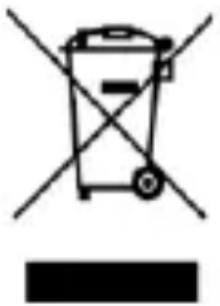
Symbol of a trash bin crossed with a diagonal line, no text or numbers presentThe device is marked with a crossed-out garbage bin, in accordance with the European Directive 2012/19/EU on used electrical and electronic Equipment (Waste Electrical and Electronic equipment - WEEE). Products marked with this
symbol should not be disposed of or dumped with other household waste after a period of use. The user is obliged to get rid of used electrical and electronic equipment by delivering it to designated recycling point in which dangerous waste are being recycled. Collecting this type of waste in designated locations, and the actual process of their recovery contribute to the protection of natural resources. Proper disposal of used electrical and electronic equipment is beneficial to human health and environment. To obtain information on where and how to dispose of used electrical and electronic equipment in an environmentally friendly manner, user should contact their local government office, the waste collection point, or point of sale, where the equipment was purchased.
Correct disposal of used batteries
natural_image
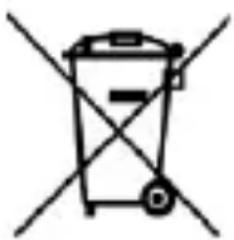
Simple line drawing of a trash bin with crossed lines indicating no waste or restriction (no text or symbols)According to the EU directive 2006/66/EC with changes contained in EU directive 2013/56/UE on the disposal of batteries, this product is marked with crossed-out garbage bin symbol. The symbol
indicates that the batteries used in this product should not be disposed with regular household waste, but treated according to the legal directives and local regulations. It is not allowed to
dispose of batteries and accumulators with unsorted municipal waste. Users of batteries and accumulators must use the available collection points of these items, which allows them to return, recycle and disposal. Within the EU, the collection and recycling of batteries and accumulators is a subject to separate procedures. To learn more about existing procedures of recycling of batteries and accumulators please contact your local office or an institution for waste disposal or landfill.
Rychlý návod
myPhone Rumba 2
Obsah balení
Obsah balení 32
Bezpečnost....33
www.myphone-mobile.com/qr/myphone-rumba-2
text_image
Yellow triangular warning sign with a black ear and sound waves symbol-SLUCH-
www.myphone-mobile.com
natural_image
Symbol of a trash bin with crossed lines and a solid black rectangle below (no text or labels)natural_image
Simple line drawing of a trash bin with crossed lines indicating no waste or discharge (no text or symbols)www.myphone.pl/qr/myphone-rumba-2
text_image
Warning sign with yellow triangle and black outline depicting a human ear with sound wavesnatural_image
Yellow triangular warning sign with sun and eye symbol (no text)www.myphone-mobile.com
Obsah balenia myPhone Rumba 2
natural_image
Symbol of a trash bin with crossed lines indicating no waste, and a solid black rectangle below (no text or labels)natural_image
Simple line drawing of a trash bin with crossed lines indicating no waste or discharge (no text or symbols)www.myphone.pl/qr/myphone-rumba-2
text_image
Warning sign with yellow triangle and ear icon, indicating sound or hearing hazardnatural_image
Yellow triangular warning sign with a sun and eye symbol (no text)ülhöz tartva.
-LÁTÁS-
www.myphone-mobile.com
Csomag tartalma myPhone Rumba 2
natural_image
Symbol of a trash bin with crossed lines indicating no waste, and a solid black rectangle below (no text or labels)natural_image
Simple line drawing of a trash bin with crossed lines indicating no waste or plastic (no text or symbols)www.myphone.pl/qr/myphone-rumba-2
text_image
Yellow triangular warning sign with a black-and-white icon of a human ear and sound waves-UDITO-
natural_image
Yellow triangular warning sign with black sun and eye symbol (no text)-VISTA-
www.myphone-mobile.com
natural_image
Simple line drawing of a trash bin with crossed lines indicating no waste or discharge (no text or symbols)natural_image
Simple line drawing of a trash bin with two crossed lines indicating no text or symbols (no text or labels)www.myphone.pl/qr/myphone-rumba-2
text_image
Yellow triangular warning sign with a black-and-white icon of an ear and sound waves-óído-
natural_image
Yellow triangular warning sign with sun and eye symbol (no text)-VISTA-
www.myphone-mobile.com
natural_image
Simple line drawing of a trash bin with crossed lines indicating no waste or discharge (no text or symbols)natural_image
Simple line drawing of a trash bin with two crossed lines indicating no waste or prohibition (no text or symbols)www.myphone.pl/qr/myphone-rumba-2
text_image
Yellow triangular warning sign with a black circular icon depicting an ear and sound waves-GEHÖR-
natural_image
Yellow triangular warning sign with black sun and eye symbol (no text)-SEHKRAFT-
www.myphone-mobile.com
natural_image
Symbol of a trash bin with crossed lines indicating no waste, and a solid black rectangle below (no text or labels)natural_image
Simple line drawing of a trash bin with crossed lines indicating no waste or plastic (no text or symbols)www.myphone.pl/qr/myphone-rumba-2
text_image
Yellow triangular warning sign with a black circular icon depicting a human ear and sound waves-SONS-
natural_image
Yellow triangular warning sign with black sun and eye symbol (no text)-VUE-
www.myphone-mobile.com
Contenu du set myPhone Rumba 2
Dimensions: 101.8 x 50.5 x 18.5mm
Poids: 88g
natural_image
Symbol of a trash bin crossed with no text or numbers, representing waste sorting or disposal (no text present)natural_image
Simple line drawing of a trash bin with crossed x and y axes (no text or symbols)www.myphone.pl/qr/myphone-rumba-2
text_image
Yellow triangular warning sign with a black circular symbol indicating hearing or sound disturbance-AUDIÇÃO-
natural_image
Yellow triangular warning sign with black sun and eye symbol (no text)-VISÃO-
www.myphone-mobile.com
natural_image
Simple line drawing of a trash bin with crossed lines indicating no waste or discharge (no text or symbols)natural_image
Simple line drawing of a trash bin with crossed lines indicating no waste or prohibition (no text or symbols)www.myphone.pl/qr/myphone-rumba-2
text_image
Yellow triangular warning sign with a black-and-white icon of an ear and sound waves-KUULMINE-
natural_image
Simple line drawing of a trash bin with crossed lines indicating no waste or restriction (no text or symbols)natural_image
Simple line drawing of a trash bin with crossed lines indicating no waste or plastic (no text or symbols)www.myphone.pl/qr/myphone-rumba-2
text_image
Warning sign depicting a human ear with sound waves, commonly used in hearing or auditory monitoring.
natural_image
Yellow triangular warning sign with black sun and eye symbol (no text)bojājumus!
- DZIRDE -
www.myphone-mobile.com
lepakojuma saturs
natural_image
Simple line drawing of a trash bin with crossed lines indicating no waste or plastic discharge (no text or symbols)natural_image
Simple line drawing of a trash bin with crossed lines indicating no waste or plastic (no text or symbols)www.myphone.pl/qr/myphone-rumba-2
—PAGALBOS SKAMBUČIAI—
text_image
Yellow triangular warning sign with a black ear icon and sound waves, indicating hearing or noise hazard.-GARSAI-
natural_image
Yellow triangular warning sign with black sun and eye symbol (no text)-REGA-
natural_image
Symbol of a trash bin with crossed lines indicating no waste, and a solid black rectangle below (no text or labels)natural_image
Simple line drawing of a trash bin with two crossed lines indicating no waste or prohibition (no text or symbols)www.myphone.pl/qr/myphone-rumba-2
text_image
Yellow triangular warning sign with a black-and-white icon of an ear and sound wavesnatural_image
Yellow triangular warning sign with black sun and eye symbol (no text)— ЗРЕНИЕ —
www.myphone-mobile.com
natural_image
Symbol of a trash bin with crossed lines indicating no waste, and a solid black rectangle below (no text or labels)natural_image
Simple line drawing of a trash bin with crossed lines indicating no waste or plastic (no text or symbols)www.myphone.pl/qr/myphone-rumba-2
text_image
Yellow triangular warning sign with a black ear icon and sound waves, indicating hearing or noise hazard.natural_image
Yellow triangular warning sign with a stylized eye and sun symbol (no text)— VEDEREA —
www.myphone-mobile.com
natural_image
Simple line drawing of a trash bin with crossed x and y axes, no text or symbols presentnatural_image
Simple line drawing of a trash bin with crossed lines indicating no waste or plastic (no text or symbols)www.myphone.pl/qr/myphone-rumba-2
text_image
Warning sign depicting a human ear with sound waves, commonly used for hearing or listening to the ear.natural_image
Yellow triangular warning sign with sun and eye symbol (no text)www.myphone-mobile.com
natural_image
Symbol of a trash bin with crossed lines indicating no waste, and a solid black rectangle below (no text or labels)natural_image
Simple line drawing of a trash bin with crossed lines indicating no waste or plastic (no text or symbols)www.myphone.pl/qr/myphone-rumba-2
text_image
Warning sign with yellow triangle and ear icon, indicating sound or hearing hazardnatural_image
Yellow triangular warning sign with a sun and eye symbol (no text)natural_image
Symbol of a trash bin with crossed lines indicating no waste, and a solid black rectangle below (no text or labels)natural_image
Simple line drawing of a trash bin with two crossed x-axes (no text or symbols)www.myphone.pl/qr/myphone-rumba 2
Ovisno o instaliranoj verziji softvera, pružatelju usluga, SIM kartici ili državi neki od opisa u ovom priručniku ne odgovaraju vašem telefonu, a sam telefon i pribor se mogu razlikovati od onoga prikazanog na ilustracijama u ovom priručniku.
Sigurnost
-BENZINSKE PUMPE-
Ne koristiti mobitel kod točenja goriva na benzinskim pumpama ili u blizini kemikalija.
text_image
Warning sign depicting a human ear with sound waves, commonly used for hearing or listening to the ear.
natural_image
Yellow triangular warning sign with a sun and eye symbol (no text)-SLUŠANJE-
natural_image
Simple line drawing of a trash bin with crossed x-marks and a horizontal bar below (no text or symbols)Uređaj je označen prekriženom kantom za smeće sukladno Europskoj Direktivi 2012/19/EU o iskorištenoj električkoj i elektroničkoj opremi (upotrijebljena električka i elektronička oprema – WEEE).
natural_image
Simple line drawing of a trash bin with no text or symbolsSukladno EU direktivi 2006/66/EC s promjenama sadržanim u direktivi 2013/56/UE o zbrinjavanju baterija ovaj proizvod je označen prekriženim simbolom kante za smeće.
Simbol označava da se baterije korištene u ovom proizvodu ne smiju zbrinjavati s normalnim kućanskim smećem, nego ih treba tretirati sukladno zakonskim odredbama i lokalnim propisima. Nije dozvoljeno zbrinjavati baterije i akumulatore zajedno s nesortiranim gradskim otpadom. Korisnici baterija i akumulatora moraju koristiti sabirna mjesta za te proizvode gdje je omogućen njihov povrat, recikliranje i zbrinjavanje. U EU skupljanje i recikliranje baterija i akumulatora je predmet posebnih postupaka. Kako biste doznali više o postojećim postupcima za recikliranje baterija i akumulatora, obratite se lokalnoj upravi ili instituciji za zbrinjavanje otpada.