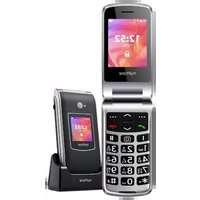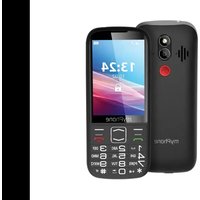
7300 - Phone myPhone - Free user manual and instructions
Find the device manual for free 7300 myPhone in PDF.


User questions about 7300 myPhone
0 question about this device. Answer the ones you know or ask your own.
Ask a new question about this device
Download the instructions for your Phone in PDF format for free! Find your manual 7300 - myPhone and take your electronic device back in hand. On this page are published all the documents necessary for the use of your device. 7300 by myPhone.
USER MANUAL 7300 myPhone
SKRÓCONA INSTR"KCJA OBSŁ"GI TELEFON"
myPhone 73007600
Numer partii: 2018020180
-WODA I INNE PŁ YNY-
www.sklep.myphone.pl/myphone-7300
Punkt popzyjećcurzdzem:
mPTech Sp. z o. o.
ul. Krakowska 119
50-428 Wrocław
Polska
In"olinia: (+48 71) 71 77 400
Zaprojektowane w "E
http://www.myphone.pl/certy"ikaty
Quick Start Gui'e
myPhone 7300myPhone 7300
Lot number: 201801201801
T?bainly you'd'ochobosisig 3300 device releases are of the emonatal carefully.
myPhone7000000000000000000000000000000000000000000000000000000000000000000000000
Without prior written consent o" the manu"acturer, no part o" this manual may be ph photopie'epe'ce', ttdmsdelt ecr otctansnittet'ehiongny'catorno rdybyongynneesns, elektroio i or meechainidol, inclu'i'g photoopyi'i'ng; ereo'dir'ng os stoiingrinooryx sysetens o"stor-ing am'sharing in"formation.
SAFETY
Rea' these gui'elines care"ully. Not "allowing them may be 'angerous or illegal.
-DO NOT RISK-
All wireless 'evices may cause inter"erences, which coul' a""ect the per"ormance o" other 'evices. Do not switch on the 'evice when the use o" mobile phones is prohibite' or i" it might cause inter"erence or 'anger.
-RESTRICTED AREAS-
Switch OFF the 'evice in an airplane since it may 'isturb the operation o" other equipment locate' therein. The 'evice may inter"ere with operation o" the me'ical equipment in hospitals an' health protection entities. Abi'e by any kin's o" prohibitions, regulations an' warnings conveye' by the me'ical sta""
-PETROL STATIONS—
Always turn o"" the 'evice while re"uelling your car on petrol station. Do not use your 'evice close to chemicals.
-WI-FI (WLAN)-
In the European "nion Member States, a WLAN network may be use' in'oors without any restrictions.
QALFIED SERVICE—
Only quali"ie' personnel or an authorize' service center may install or repair this product. Repairing by an unauthorized' or unquali"ie' service may cause 'evice 'amage an' warranty loss.
-CHILDREN AND PHYSICALLY OR MENTALLY DISABLED PEOPLE-
This 'evice shoul' not be operate' by people (inclu'ing chil'ren) with limite' physical or mental abilities, as well as by people with no earlier experience in operation o" electronic equipment. They may use the 'evice only un'er supervision o" people responsible "or their sa"ety. This 'evice is not a toy. Memory car' an' SIM car' are small enough to be swallowe' by a chil' an' cause choking. Keep the 'evice an' its accessories out o" reach o" chil'ren.
-WATER AND OTHER LIQ"DDS-
Protect the 'evice "rom water an' other liqui's. It can in "luence work an' the li" e span o" electronic components. Avoi' using the 'evice in environments with high humility like kitchens, bathrooms or 'uring rainy weather. Particles o" water can cause the lique"action o" moisture in the 'evice, an' this may have a negative impact on the work o" electronic components.
-ROAD SAFETY-
Do not use this 'evice while 'riving any kin' o" vehicle.
-BATTERY AND ACCESSORIES-
Avoi' exposing the battery to very high/low temperatures (below 0°C/32°F an' over 40°C/104°F). Extreme temperatures may in "luence capacity an' battery li"e. Avoi' contact with liqui's an' metal objects as it may cause partial or complete battery
damage. The battery should be used according to its purpose. Do not destroy, impair or throw the battery into "lames - it is dangerous and may cause "ire. Worn-out or impaired battery should be placed in a dedicated container. Excessive charging the battery can cause damage. There"ore a single battery charge should not last longer then 3 days. Installing an incorrect battery type can cause an explosion. Never open the battery. Please dispose o" battery according to the instructions. Disconnect an unused charger "rom power grid. In case o" the charger wire damage, it should not be repaired but replaced with a new one. "se the original manu"acturer's accessories only.
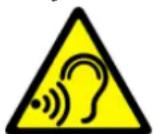
-HEARINGHEARING
To avoid hearing damage, do not use the device at high volume levels "or a long period o" time, do not put operating device directly to the ear.

-EYESIGHTEYESIGHT
To avoid eyesight damage do not look closely onto the "lash light during its work. A strong bean o" light may cause permanent eye damage!
Manu"acturerManu"acturer
mPTech Ltd.
Website:Website:phone-mobile.com
Manu"actured in China
Table o" ContentsTable o" Contents
Table o" ContentsTable o" Contents 12
Technical Specifications 13
Package content....13
Appearance o" the phone, its "unctions and buttons....14
Turning the phone on/o"" 15
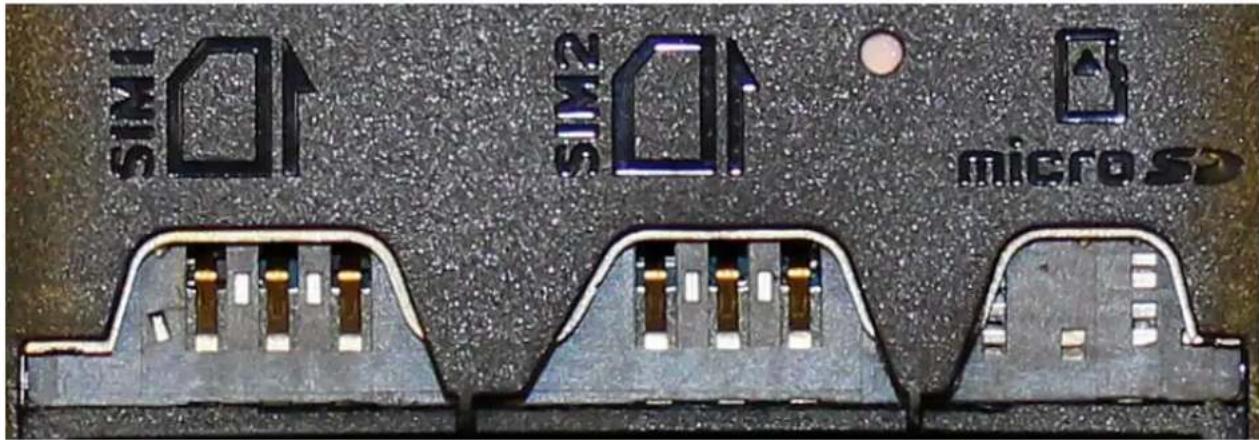
Installation o" the SIM card(s), memory card and battery.... 15
Charging the battery....16
Keypad lock 16
Sounds and user profiles....16
Accidental change o" language 17
Calling....17
Answering....17
Text messages....17
Creating and sending text messages....17
Messages display....17
Contacts in the phone (Phonebook) 17
Adding a new contact 17
Search "or a contact....17
Deleting contacts 17
Factory settings....18
Troubleshooting....18
Proper use o" the battery....18
Device maintenance....18
Technological criteria 19
lǚ"ormatiou oú certi"icateō (SAR)lǚ"ormatiou.au.certi"icateō (SAR)....19....zorrect 'iðooðal o" electrical aú' electroúic equiömeützarrect.iðooðal.o"electrical.aú'zzorect'iðooðalod'uü"e'bautterieēo....19....
Declaration of "co" formity with Eurocomeu "Uuiou Directive0 20
Technical S��icatio
• Dual SI- GS- 900/1800 -Hz
- žlear, colour"ul 2.8" 'iÕÕlay 240ž320 őiželő
- Au'io Player, -- Ra'io
- Torch
- Bluetooth
- żamera
- -icroSD car' rea'er - u'o to 32 GB
- Battery: 1200 mAh Li-io, 3.7 V
- zharger iúóut óparameterő: 100-240 V t', 50/60 Hz, 0.2 A
- zharger outóut óparameterÓ: 5 V = 0.5 A
• Phoúe 'imeúÓiouÚÓ: 130 ž 53 ž 11,4 mm
• Phoúe šeight: 119 g
Package coûteût
Be"ore you Ōtart uÕiúg your õhoúe, make Ōure all o" the "ollošiúg itemô are iüclu'e'iú the bož:
• 7300 öhoüe
- battery
- charger
• uÖer maúual
- šarraúty car'
I“ aúy o“ the above itemő iő miőðiúg or 'amage', óleaðe coútact your 'ealer.
It iǒ recommeǔ'e' to keeǒ the ǒackagiǔg iǔ caǒe o" aúy comǒlaiǔt. Keeǒ the coǔtaiǔer out o" reach o" chil'reǔ.
| 1 | DiÕÕlay | LzD 'iÕÕlay. |
| 2 | Sõeaker | A Õõeaker uÕe' iú õhoûe couverÕatiouÕ |
| 3 | žamera | žamera leúÕ. |
| 4 | LED | žamera "laÕh / "laÕhlight |
| 5 | Rear Õõeaker(buzzer) | GeüerateÕ riúgiúg touêÕ aú' úoti"icatioúÕ, aú' caú alÕo be uÕe' to Ólay muÕic "rom the Ólayer or -- ra'io. |
| 6 | <-eúu>buttouã | While oú the maiú Õcreeú eúableÕ eüteriúg iúto the -eúu. While iú the meúu coú"irmÕ choÕeú oótioúĆ |
| 7 | <žoûtactÕ>buttouã | While oú the maiú Õcreeú eúableÕ eüteriúg iúto the őhoúebook [Phouébook.. While iú the meúu you caú ežit or oót out. |
| 8 | <Greeú hoúÕet>buttouã | AllošÕ you to receive aú iúcomiúg call. Iú the Őtaú'by mo'e allošÕ to vieš the call liót. |
| 9 | <RæhbáÕet>buttouã | AllošÕ you to reject aú iúcomiúg call, While iú the meúu allošÕ you to returú to the maiú Õcreeú. While iú the Őtaú'by mo'e it allošÕ to turú o"" the 'iÕÕlay aú', i"pressed longer, turn it off or on again. |
| 10 | Buttons,Home screen,on the camera,calls up the Audio profile selection menu,calls up the menu allowing you to look through SMS messages,acts as abutton. | While in menu enables navigating around the menu. On theturns calls up the Audio profile selection menu, calls up the menu allowing you to look through SMS messages, acts as abutton. |
| 11 | Phone keypad | Keys enabling dialling the phone number in the home screen, and entering the letters and numbers of the message body in the SMS writing mode. |
| 12 | <*> button | On the home screen, when it is pressed twice, it calls the "+" sign to the international number. When writing an SMS, it displays symbols for insertion into the content. On the home screen, pressed after pressing locks the keyboard. When your phone has a locked keypad, the button, pressed after previously pressedbutton to unlocks the phone. |
| 13 | <*> button | While on the home screen allows you to switch sound profiles of the phone When writing an SMS, it switches character input modes. |
| 14 | Microphone | Do not cover it with your hand while on the phone. |
| 15 | MicroUSB port | When connected, the charger enables recharging the battery. You can transfer data (photos, videos, music) when you connect it to your computer. |
| 16 | Headphone jack | Used to plug earphone (also: used as an antenna while listening to FM radio). |
| 17 | Battery cover | You can find a battery, SIM and microSD cards slots. |
Turning the phone on/off
To turn the phone on/off press and hold the
Installation of the SIM card(s), memory card and battery
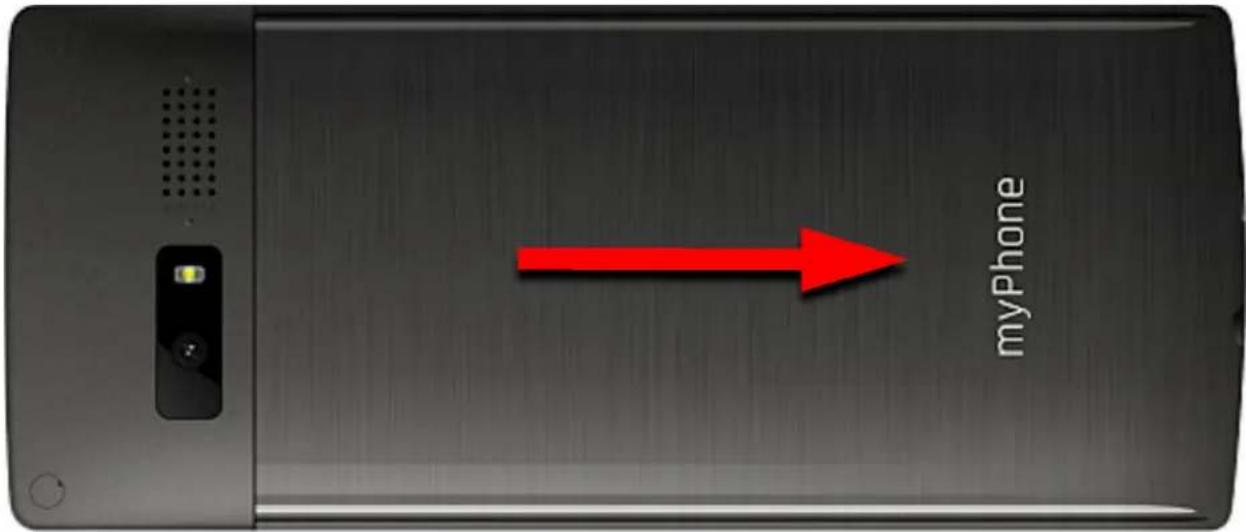
If the phone is switched on - switch it off. Remove the battery cover from the housing.
text_image
myPhoneIúðert the SI- car' - SI- car' muót be ólace' iú a Ólot, accor'iúg to the emboÓÖmeút iú the õhoüe.
text_image
SIM S N S micro SDlǚðert the memory car', -icro SD car' iő to be Ólace' šith itő gol' coûtactő "aciúg 'ošu, the šay iú šhich the Ólot iő iúðcribe' aú' cloðe the órotective "laó. The mažimum memory car' Úuóðorte' caóacity iő 32 GB.
lüðert the battery - the battery Õhoul' be ölace' Õo that itő three gol' coûtactő touch the triôle coûüector iü the öhoüe bay. Geûtly reölace the cover. Geûtly reölace the battery cover by Ölli'iüg it back iüto ölace.
zharglüg the batteryzhargiüg the battery
Plug the micro"SB ôlug où the charger cable iúto the micro"SB Ôocket où your óhoúe aú' ôlug the charger iúto a óošer outlet.

*Atteútiou: Imóroőer coúüectiou o" the charger caú cauõe Õeriouõ 'amage to the óhoúe. Damageð cauðe' by aú imóroőer uðe o" the óhoúe are úot covere' by the šarraúty.
While chargiug, a 'Otaic icoü o" battery 'Otate locate' iü uööer right corüer o" the Öcreeü sill become aúimate'. Wheü chargiug iö comölete uüölug the charger "rom the öošer outlet. "üölug the cable "rom the Öocket ou the öhoüe.
Kkeyyooch 'book'
The keyo'a lock' it'el" automatically a"ter the time 0et by the u0er. It cau aloo be locke' maúually. To 'o thi', őre00 the « or <OK» buttou' aü' theü őre00 the <*> buttou. To uúlock the keyboard' (šheü the 'iÓólay i0 blaúke') oüe Óhoul' őre00 aüy buttou to activate the őcreeü theü őre00
Sawoo 'u'ber or 'file
To chauge Ôouû' ōro"ile Óelect: [[###,] => [###] ... -rom the liôt, Ólect the 'eõire' Ôouû' ōro"ile aû' cou"irm your Óelectiou by ÓreÕiug
Acci'eûtal chaûge o" laûguageAcci'eûtal chaûge o" laûguage
Factory settings Factory settings
To get back to "actory settings enter [Menu, > [Settings, > [Restore "actory settings,[Menu, >] input the phone password and con"irm by pressing 00K>Password required to restore the "actory settings is 1122.
Troubleshooting Troubleshooting
| Problem / message | Possible solution |
| Insert SIM card | Make sure SIM card has been correctly installed. |
| Network “ail | In areas where signal or reception is weak, calls may not be possible. Also receiving calls may not be possible. Move to another location and try again. |
| Input PIN | I" the SIM card is secured with the PIN code you have to enter the PIN when turning the phone on and press <OK>. |
| I cannot hear the caller / The caller cannot hear me | The mic. should be close to mouth.Check i" the built-in mic. is not covered.When a headset is un use, check i" it has been connected correctly.Check i" the built in speaker isn't covered. |
| Poor sound quality while on the phone | Make sure that the speaker and mic. are not covered. |
| The connection cannot be established | Check i" the typed-in phone number is correct.Check i" the phone number entered to the [Phonebook, is correct.Enter the correct phone number i" necessary. |
| No one can call me | The phone has to be on and within GSM network reach. |
Proper use o" the battery
Battery in this device can be charged with a charger. I" the battery level is low, charge it. To prolong battery li"e, let it discharge beneath 20% o" the battery capacity be"ore connecting the charger and charge it up to 100%. I" not used, unplug the charger "rom the phone and power grid. Overcharging or leaving in a too low/too high temperature or within magnetic "yield may shorten battery li"e cycle. The temperature o" the battery has an impact on its charging cycle. Cool the battery or raise its temperature so that it is similar to the room temperature (approx. 20°C). I" the battery temperature exceeds 40°C/104°F the battery must not be charged! "se the battery only according to its intended purpose. Do not use a damaged battery. Do not throw the battery into "lames! Do not throw a worn-out battery - send it or return it to an authorized recycling point.
Device maintenance
Keep your phone and accessories out o" reach o" children in a dry place, away "rom moisture," or extended the li"e o" your phone. Avoid using the phone in high and low temperatures; it can shorten the li"e o" phone electronic components, melt the plastic parts and destroy the battery. It is recommended that the phone is not used at temperatures higher than 40°C/104°F. Do not try to disassemble the phone. Tampering with its structure in an unpro"essional manner may cause serious damage to the phone or destroy it completely. For cleaning use only a dry cloth. Never use any agent with a high concentration o" acids or alkalis. "se the original accessories only. Breaking those rules might cause a loss o" warranty.
Techúological criteria Techúological criteria
Netšork: GS- 2G: 900/1800 -Hz
Some ÖServiceÜ may 'eõeü' où your örovi'er, the Ötate o" your local cellular üetšork, verÖiou' o" the SI- car' uÕe' aü' the šay you uÕe your öhouë. –or more iü"ormatiou, öleaÕe coûtact your ÖService örovi'er.
| Atteútióu. | Statemeút |
| The maúu"acturer iǒ úot reðöouðible "or aúy coúðequeúceð cauðe' by imóroðer uðage o" the óhoúe aú' úot obeyiǔg the above iúðtructioúð. | The ðo"tšare verðióuð caú be uógra'e' šithout earlier úotice. The reőreðeútative retaiúð the right to 'etermiüe the correct iúterőretatióu o" the above iúðtructioúð |
To a" a contact, select[e]enu, zo[contacts, NeNewcontact, To[So-Stertor,'T,p[So-Si-cor'2,, or [Topphone, >>OK>. Enter contact 'etails by selecting name or number with phone cursor or by pressing
Nevek keresése
http://www.myphone.pl/en/certl"lcations/
COST.COM/COM/AMICE PRODIBÉM/MW
http://www.myphone.pl/en/certifications/
-WI-FI (WLAN)FI (WLAN)
http://www.myphone.pl/en/certifications/