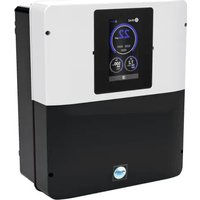
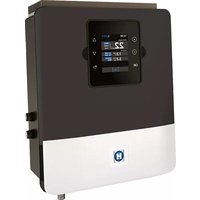
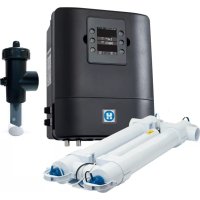
AquaRite HC Low Salinity - Water pump HAYWARD - Free user manual and instructions
Find the device manual for free AquaRite HC Low Salinity HAYWARD in PDF.


| Product Type | Electrolyzer / Hydrolyzer for pool |
| Brand | Hayward |
| Model | AquaRite HC Low Salinity (HC LS) |
| Category | Water pump (treatment system) |
| Power Supply | 210-230 V, 50 Hz, protected by 30 mA RCD and 16 A circuit breaker |
| Maximum Lighting Consumption | 12 VAC, 50 W max |
| Required Salt Concentration | 1.5 g/L (Low Salinity model) |
| Main Functions | Electrolysis/Hydrolysis, pH control (optional), Redox control (optional), Filtration (automatic, manual, smart), Lighting, Auxiliary relays (up to 4), Heat pump, Variable speed pump, WiFi/Ethernet |
| Touch Screen | Yes, home screen with measurement display and menu |
| Filtration Modes | Manual, Automatic (time slots), Smart (temperature), Intelligent (temperature + heat pump), Heating |
| Maintenance and Cleaning | Cell: acid cleaning if scaling; pH and Redox probes: monthly cleaning, calibration; Santoprene tube: annual replacement |
| Safety | Mechanical flow detector, gas detector, shutdown in case of water fault, electrical protection (30 mA RCD) |
| Spare Parts and Repairability | Original Hayward parts only; 3-year warranty (excluding wear parts: cell 8000 h, probes 1 year, seals 2 years) |
| General Information | Vertical installation, minimum pool distance 3.5 m, dry and ventilated technical room; ISO 9001 standard |
Frequently Asked Questions - AquaRite HC Low Salinity HAYWARD
User questions about AquaRite HC Low Salinity HAYWARD
0 question about this device. Answer the ones you know or ask your own.
Ask a new question about this device
Download the instructions for your Water pump in PDF format for free! Find your manual AquaRite HC Low Salinity - HAYWARD and take your electronic device back in hand. On this page are published all the documents necessary for the use of your device. AquaRite HC Low Salinity by HAYWARD.
USER MANUAL AquaRite HC Low Salinity HAYWARD
natural_image
Abstract geometric logo with stylized letter H inside a circular frame (no text or symbols)HAYWARD®
natural_image
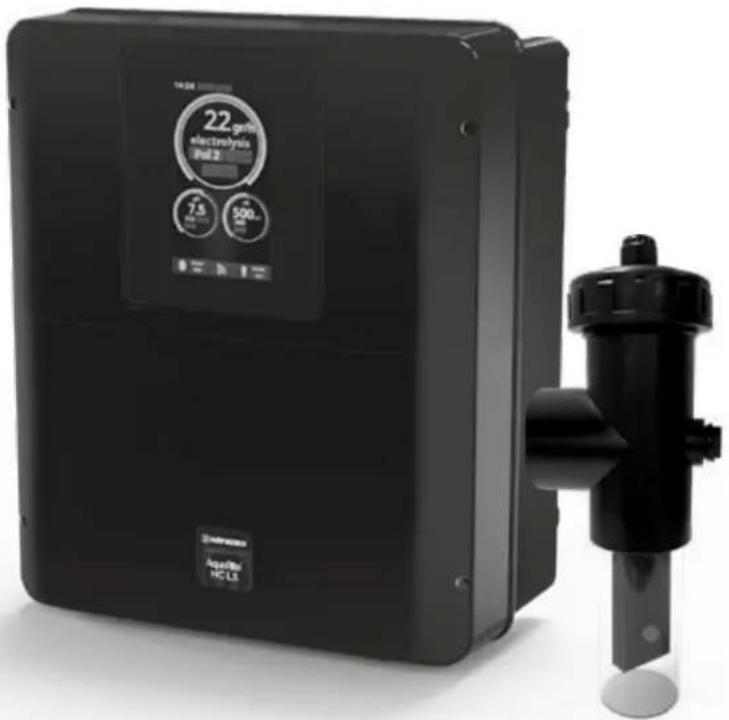
Exterior view of a black electrochemical device labeled '22 g/mL electrolysis Unit 2' and its side-mounted sensor assembly (no readable text beyond labels)AquaRite® HC Low Salinity
CE EHC UK CA

natural_image
Two simple line icons: an open book with an information symbol, and an open book with a closed section (no text or symbols present)GUIDE DE L'UTILISATEUR OWNER'S MANUAL MANUAL DEL USUARIO MANUAL DO UTILIZADOR ANWENDERHANDBUCH GEBRUIKERSHANDLEIDING MANUALE D'USO
HAYWARD
ISAQR+ Rev A 2023


HAYWARD®
natural_image
Black industrial water heater with control panel and cylindrical pump (no visible text or symbols)CE EAC UK CA

AquaRite® HC LS
GUIDE DE L'UTILISATEUR
CONSERVEZ CE MANUEL POUR UNE CONSULTATION ULTÉRIEURE
HAYWARD POOL EUROPE - 1070 Allée des Chênes - CS 20054 Saint Vulbas - 01154 Lagnieu Cedex - France
HAYWARD
HAYWARD


3b. Installation murale
3b. Installation murale
natural_image
Technical line drawing of a heat exchanger or cooling unit with fan and ventilation grilles (no text or symbols)4 Choc (Superchloration) : Apparant et al.
m = 311
· = 0
· = 0
· = 0
· = 0
EVE 100022
[EMPTY]
-
-
-
-
-
-
-
-
-
-
-
-
-
-
-
-
-
-
-
-
-
-
-
-
-
-
-
-
-
-
-
-
-
-
-
-
-
-
-
-
-
-
-
-
-
-
-
-
-
-
-
-
-
-
-
-
-
-
-
-
-
-
-
-
-
-
-
-
-
-
-
-
-
-
-
-
-
-
-
-
-
-
-
-
-
-
-
-
- 90.
-
-
-
-
-
-
-
-
-
-
-
-
-
-
-
-
-
-
-
-
-
-
-
-
-
-
-
-
-
-
-
-
-
-
-
-
-
-
-
-
-
-
-
-
-
-
-
-
-
-
-
-
-
-
-
-
-
-
-
-
-
-
-
-
-
-
-
-
-
-
-
-
-
-
-
-
-
-
-
-
-
-
-
-
-
-
-
(1) 本说明仅供参考。
The Ground Truth image displays a single, solid horizontal line. According to Rule 2 (UNDERSCORE & LINE RULES), this is a stylistic or background line, not a placeholder underscore. Therefore, the OCR result must ignore it and output nothing or only meaningful text. The provided OCR content is "____", which consists of four underscores. This is an incorrect interpretation of the line as a placeholder, violating the rule that stylistic lines must be ignored. The OCR has hallucinated placeholder underscores where none should exist in the GT. Hence, the OCR result is inconsistent with the Ground Truth.
UNIVERSITY
natural_image
Black industrial air purifier device with control panel and cylindrical port (no visible text or symbols)CE EAC UK CA

AquaRite® HC LS
OWNER'S MANUAL
PLEASE KEEP THIS MANUAL FOR FUTURE REFERENCE
HAYWARD POOL EUROPE - 1070 Allée des Chênes - CS 20054 Saint Vulbas - 01154 Lagnieu Cedex - France
HAYWARD

HAYWARD


WARNING: Electrical hazard
Failure to comply with these instructions can result in serious injuries or death.
THE EQUIPMENT IS INTENDED TO BE USED ONLY IN SWIMMING POOLS
⚠ WARNING – Carefully read the instructions that appear in this manual and on the device. Failure to comply with the instructions can cause injuries. This document must be given to every pool user, who should keep it in a safe place.
⚠ WARNING – Disconnect the equipment from the mains supply before any intervention.
⚠ WARNING – All electrical connections must be carried out by a qualified approved electrician in accordance with the standards currently in force in the country of installation or, failing this, in accordance with the international standard IEC 60334-7-702.
⚠ WARNING – Check that the device is plugged into a power outlet that is protected against short-circuits. The device must also be powered via an isolating transformer or a residual current device (RCD) with a nominal operating residual current not exceeding 30 mA.
⚠ WARNING – Ensure that children cannot play with the device. Keep your hands and any foreign object away from openings and moving parts.
⚠ WARNING – Check that the supply voltage required by the product corresponds to the voltage of the distribution network and that the power supply cables are suitable for the product power supply.
⚠ WARNING – Chemicals can cause internal and external burns. To avoid death, serious injury and/or damage to equipment, wear personal protective equipment (gloves, goggles, mask, etc.) when servicing or maintaining this device. This device must be installed in an adequately ventilated place.
⚠ WARNING – The unit must not be operated when there is no water flow in the cell.
⚠ WARNING – The cell must be located in a well ventilated environment so hazardous accumulation of hydrogen gas does not occur.
⚠ WARNING – To reduce the risk of electric shock, do not use an extension cable to connect the device to the mains. Use a wall socket.
⚠ WARNING – Use, cleaning or maintenance of the device by children over 8 years of age or by people with impaired physical, sensory or mental capacities, or a lack of experience or expertise, should only take place once they have received appropriate instruction and under adequate supervision of an adult who is responsible for them, to ensure the device is handled safely and avoid all risk of danger. This device must be kept out of reach of children.
⚠ WARNING – Use only original Hayward® parts.
⚠ WARNING – If the power supply cable is damaged, it must be replaced by the manufacturer, the after-sales service or similarly qualified persons to avoid danger.
⚠ WARNING – The device must not be used if the power cord is damaged. An electric shock could occur. A damaged power cord must be replaced by the after-sales service or similarly qualified persons to avoid danger.
^8 HC LS AquaRite Page 2 on 22 Page 3 on 22AquaRite
Only use spare parts supplied by Hayward brands®
HAYWARD
INDEX
-
General
-
Pack contents
-
Installation
3a. Diagram of overall installation
3b. Wall-mounted installation
3c. Installation and connection of the electronic circuit boards
3d. Cabling the unit
3e. Installation of the cell and the mechanical flow switch
- Prerequisites for starting up the hydrolysis
5.Operation
5a. View and description of the home screen
5b. Commissioning of the device
5c. Settings
5d. Hydrolysis menu
5e. Filtration control
5f. Power supply and control for the lighting
5g. Control of auxiliary relays
- Connecting and configuring peripherals
6a. Installing and starting up the pH option
6b. Installing and starting up the ORP option
6c. Installing and starting up the temperature probe
6d. Installing and starting up a heat pump
6e. Installing and starting up the free chlorine option (amperometric sensor)
6f. Installing and starting up the free chlorine option (membrane sensor)
6g. Installing the WIFI or Ethernet module
6h. Installing and starting up a variable-speed pump
-
Servicing
-
Troubleshooting Guide
-
Warranty conditions and exclusions for European union countries
-
Environmental information
* HC LS
Only use spare parts supplied by Hayward brands ^®
HAYWARD
1. GENERAL
The AquaRite ^® HC LS is a pool treatment system.
It sanitizes your pool water effectively using salt water hydrolysis and electrolysis. For the chlorinator to function, it requires a low concentration of salt (sodium chloride) in the pool water. The AquaRite® HC LS automatically disinfects your pool by converting the salt into free chlorine which kills the bacteria and algae in the pool. The chlorine reverts back to sodium chloride. This continuous cycle means that there is no need to treat your pool manually.
The AquaRite® HC LS is suitable for treating most residential swimming pools.
The chlorine quantity required to sanitize a swimming pool correctly varies depending on factors including the number of bathers, the amount of rainfall, the temperature and cleanliness of the water, and the number of filtration hours.
NOTE: Before installing this product on the filtration system of a pool or spa with an adjacent natural stone terrace or deck, consult a qualified installer who will advise you on the type, installation, sealant (if any) and maintenance of stone that can be laid around a saline pool.
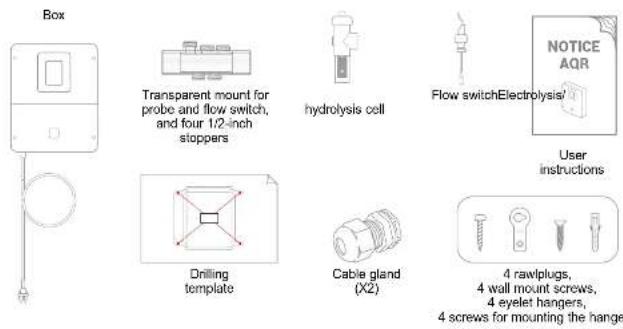
2. PACK CONTENTS
HAYWARD
3. INSTALLATION
3a. Diagram of overall installation
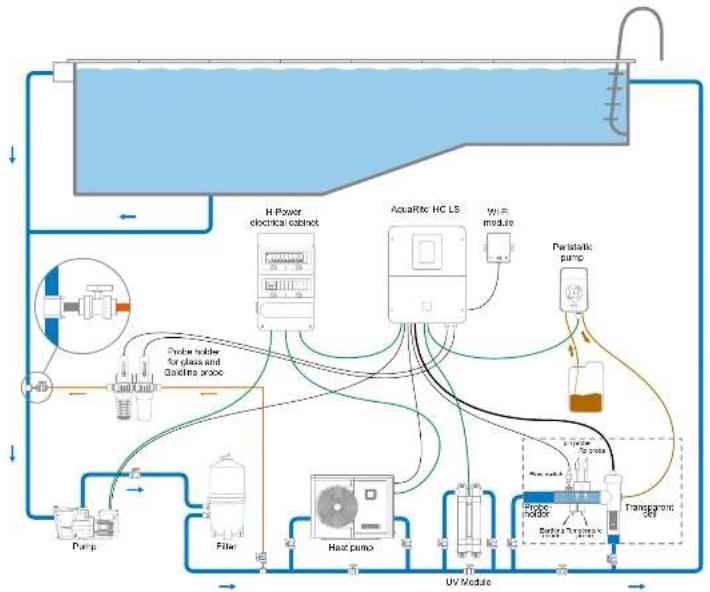
flowchart
graph TD
    A["HVAC System"] --> B["H-Power electrical cabinet"]
    A --> C["AcaRx HC LS"]
    A --> D["Paristatic pump"]
    A --> E["Probe holder for glass and pipeline probe"]
    A --> F["Pump"]
    A --> G["Filter"]
    A --> H["Heat pump"]
    A --> I["Probe holder"]
    A --> J["Transparent 36F"]
    B --> K["Sensor"]
    C --> L["Sensor"]
    D --> M["Sensor"]
    E --> N["Sensor"]
    F --> O["Sensor"]
    G --> P["Sensor"]
    H --> Q["Sensor"]
    I --> R["Sensor"]
    J --> S["Sensor"]

* HC LS AquaRite Page 4 on 22 Page 5 on 22AquaRite
Only use spare parts supplied by Hayward brands
* HC LS
Only use spare parts supplied by Hayward brands ^®
HAYWARD
3b. Wall-mounted installation
Mount the unit on the wall. The unit must be installed in the equipment room (dry, mild conditions, ventilated). Caution, acid vapours can cause irreversible damage to your device. Position the treatment product tanks accordingly.
Unplug the pool filter pump before you begin the installation. The installation must be performed in compliance with the regulations in effect in the country of installation.
The AquaRite ^+ HC LS must be fitted a minimum horizontal distance of 3.5 m (or more, if required by local regulations) from the pool, within 1 m of a protected outlet and within 4.5 m of the planned cell location. The unit must be placed vertically on a flat surface, with the cables downwards. As this box is also used to evacuate heat (heat dissipation from internal components), it is important that the four sides of the box remain unobstructed. Do not install the AquaRite ^+ HC LS behind a panel or in an enclosed space.
Before installing the unit in the intended location, check that the power cord can reach the protected outlet and that the cell cable can reach the intended cell location.
All the metal components of the swimming pool can be connected to the same earth as per local regulations.

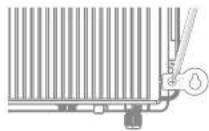
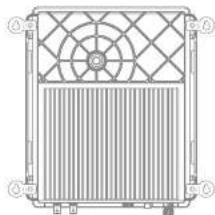
natural_image
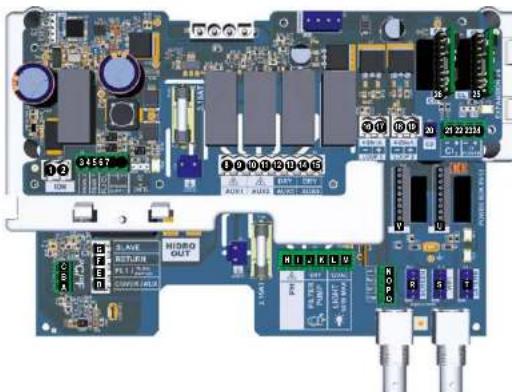
Technical line drawing of a heat exchanger or fan with grid pattern and ventilation slots (no text or symbols)3c. Installation and connection of the electronic circuit boards Connect the AquaRite\*HC LS to a permanent power outlet.
△: This circuit must be protected by a residual current device (RCD) (residual current: 30 mA max.) and a 16A time-delay circuit-breaker.
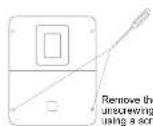
* HC LS AquaRite Page 6 on 22 Page 7 cn 22AquaRite
Only use spare parts supplied by Heyward brands
HAYWARD
Connection of inputs
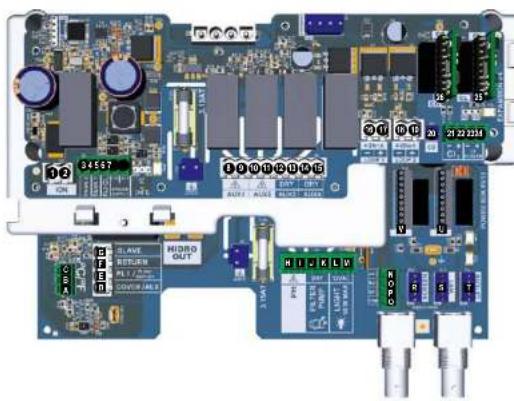
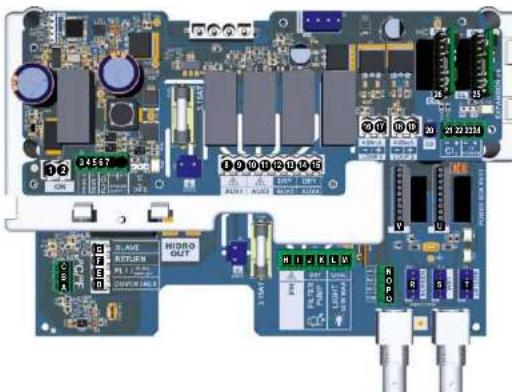
| Circuit board | Name | Description | Terminals | Type of input / output |
| Main | °C | Temperature probe (optional) | A-S-C | Red, yellow, black |
| Main | COVER / AUX | Pool shutter position sensor | D-F | Dry contact |
| Main | FL1 / FLOW SWITCH | Mechanism flow switch | E-F | Non-pointed dry contact |
| Main | SLAVE | Terminal for master or slave box | G-F | Dry contact |
| Main | PH | Peristaltic or electromagnetic injection pump | H-I | Output: Voltage 230 VAC 5A max |
| Main | FILTER PUMP | Control of filtration pump | J-K | Dry contact |
| Main | LIGHT 5kW | Control and power supply for lighting | L-M | Output: Voltage 12 VAC 50W max |
| Main | VARIABLE SPEED PUMP | Control of variable speed pump | N-O-P-Q | Dry contactV1 - V2 - V3 - Common |
| Main | SCREEN | Remote screen (optional) | R | Modbus RS485Fan to to other red/white/white/glassics |
| Main | WIFI | WiFi or Ethernet module (optional) | S | Modbus RS485Fan to to other red/white/white/glassics |
| Main | EXTERN | Standard communication connector | T | Modbus RS485Fan to to other red/white/white/glassics |
| Main | PH | pH Connection chip (optional), with markings and LED on the left | U | S VDC |
| Main | RX | DRP Connection chip (optional) with markings and LED on the left | V | S VDC |
| Extension | ION | Connector for power supply to copper electrode (not provided) | ||
| Extension | TANK1 | Empty container sensor 1 | 3-8 | Dry contact |
| Extension | TANK2 | Empty container sensor 2 | 4-8 | Dry contact |
| Extension | FL2 CL2 | Flow switch for free chlorine sensor | 5-6-7for temperature5-6for temperatures | Black - brown - blueBlack - led |
| Extension | AUX1 | Control and power supply by relay | 8-3 | Output: Voltage 230 VAC 5A max |
| Extension | AUX2 | Control and power supply by relay | 10-11 | Output: Voltage 230 VAC 5A max |
| Extension | AUX3 | Control by relay | 12-13 | Dry contact |
| Extension | AUX4 | Control of heat pump (temperature optioni or control by relay | 14-15 | Dry contact |
| Extension | 4-20mA LOOP1 | Reading from free chlorine sensor equipped with membrane | 18-17 | -, green (+12 VAC)/-, yellow (-20mA) |
| Extension | 4-20mA LOOP2 | Reading from 4-20 mA probe | 18-19 | 12 VAC 4-20mA |
| Extension | CD | Connection of conductivity probe | 20 | |
| Extension | CL2 | Connection of amperometric free chlorine sensor | 21-22 | |
| Extension | CL POWER | 23-24 | ||
| Extension | CL | CL Connection chip (optional) with markings and LED on the left | 25 | S VDC |
| Extension | CD | CD Connection chip (optional) with markings and LED on the left | 26 | S VDC |
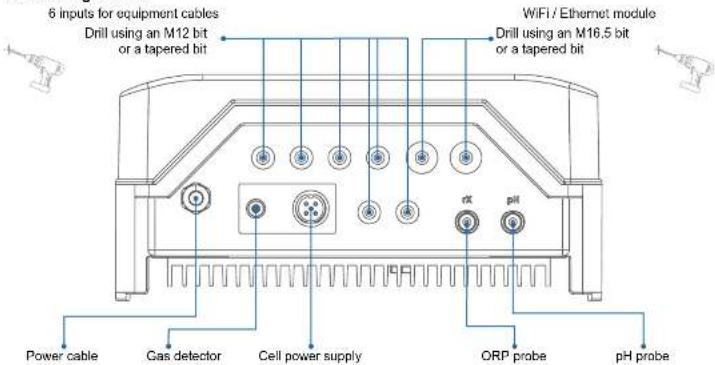
3d. Cabling the box
* HC LS
Only use spare parts supplied by Hayward brands*

HAYWARD
3e. Installation of the cell and the mechanical flow switch

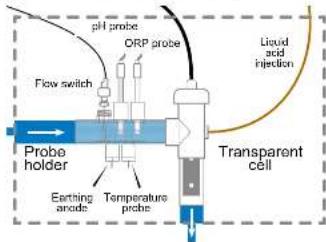

Installation and connection of the cell (see diagram):
• Install the cell mount vertically (if it is installed horizontally, please contact your installer for an update of the unit programming).
• Install the cell in a bypass.
- Connect the power supply cable to the 4-pin terminal on the underside of the box, and the gas detector to the RCA jack.
Installation and connection of the mechanical flow switch:
• Install the flow switch mount before the cell and on the bypass.
- Unscrew the white protective cover of the mechanical flow switch.
- Screw the flow switch onto the 3/4" male thread.
- Connect the red and black cables to the electronic circuit board terminals E and F.
HAYWARD
4. PREREQUISITES FOR STARTING UP THE HYDROLYSIS
Preparing the pool water
To prepare the pool water to enable the AquaRite'HC LS to function, its chemical composition must be balanced and salt added. This must be done BEFORE turning on the AquaRite'HC LS. Certain adjustments to the chemical balance of the pool can take several hours. The procedure must therefore be started well before the AquaRite'HC LS is turned on.
Adding salt: Add the salt several hours or, if possible, a day before turning on the Compass Salt Water salt chlorinator. Ensure that the recommended amount of salt is used. Measure the salt content 6 to 8 hours after adding the salt to the swimming pool.
NOTE: If the water in the pool is not fresh and/or if it is liable to contain dissolved metals, use a metal remover, according to the manufacturer's instructions.
If your water has previously been treated with a product other than chlorine (bromine, hydrogen peroxide, PHMB, etc.), neutralize this product or replace all the water in the pool.
Salt concentration
Use the following table to determine the quantity of salt (in kg) needed to reach the recommended concentrations. Use the formulae below if you do not know the volume of your swimming pool.
| m^3 (pool dimensions, in m) | |
| Rectangular | Length x width x average depth |
| Round | Diameter x diameter x average depth x 0.785 |
| Oval | Length x width x average depth x 0.893 |
The salt concentration depends on the unit model. Reference: 3 g/l for standard salinity units, and 1.5 g/l for low salinity units (displayed in % on the screen).
A low salt level reduces the efficiency of the AquaRite HC LS and causes a reduction in disinfectant production. The unit will display the message "Low" on the screen. There is no risk of premature deterioration of the box and cell.
There is no risk of damage to the box or the cell due to a high salt concentration. The effect of this is simply that it gives your pool water a salty taste.
As the salt in your pool is constantly being recycled, the loss of salt during the season is minimal. The salt concentration is primarily reduced when the water level must be topped up due to splashing or backwashing, or when rain adds fresh water to the pool. Salt is not lost through evaporation.
Type of salt to use
Use only salt that complies with standard EN 16401 and is intended for salt chlorinators. Use only sodium chloride (NaCl) that is more than 99% pure. Do not use food-grade salt, iodized salt, salt containing yellow prussiate of soda or salt containing anti-caking additives.
How to add or remove salt
For new pools, let the plaster dry for ten to fourteen days before adding salt. Start up the filtration pump, then add salt directly into the intake side of the pool. Make the water circulate to speed up the dissolution process. Do not allow salt to accumulate at the bottom of the pool. Run the filtration pump for 24 hours, opening the main drain valve fully to allow the salt to dissolve evenly throughout the pool.
The only way to lower the salt concentration is to partially empty the pool and refill it with fresh water.
Always check the stabilizer (cyanuric acid) when checking the salt concentration. The corresponding concentrations tend to decrease together. Refer to the following table to determine the quantity of stabilizer required in order to achieve a concentration of 25 ppm. Add stabilizer only if necessary. Do not add stabilizer to indoor pools
* HC LS
Only use spare parts supplied by Hayward brands ^®


* HC LS AquaRite Page 8 on 22 Page 9 on 22AquaRite
Only use spare parts supplied by Hayward brands
HAYWARD
Quantity of stabilizer (CYANURIC ACID in kg) required for 25 ppm
| Current salt consumption [gpm] | Volume of water in the pool in m^3 | |||||||||||||||
| 30 | 37.5 | 43 | 62.5 | 60 | 67.3 | 75 | 92.5 | 92 | 97.5 | 106 | 112.9 | 120 | 127.5 | 136 | 142.9 | |
| 0 ppm | 0.75 | 0.84 | 1.10 | 1.34 | 1.50 | 1.65 | 1.91 | 2.03 | 2.20 | 2.47 | 2.66 | 2.84 | 3.00 | 3.22 | 3.41 | 3.59 |
| 10 ppm | 0.45 | 0.56 | 0.65 | 0.87 | 0.93 | 1.09 | 1.14 | 1.26 | 1.37 | 1.48 | 1.59 | 1.71 | 1.82 | 1.93 | 2.04 | 2.16 |
| 20 ppm | 0.15 | 0.19 | 0.23 | 0.27 | 0.31 | 0.34 | 0.36 | 0.42 | 0.46 | 0.49 | 0.53 | 0.57 | 0.61 | 0.64 | 0.69 | 0.72 |
| 25 ppm | n | n | n | n | n | n | n | n | n | n | n | n | n | n | n | n |
Chemical water balance
The water must be balanced manually BEFORE the device is started up.
The following table summarizes the concentrations recommended by Hayward. Your water should be checked regularly to maintain these concentrations and minimize surface corrosion or deterioration.
CHEMISTRY RECOMMENDED CONCENTRATIONS
| Salt 1.5 g/l | |
| Free chlorine 0.5 to 2.5 ppm | |
| pH 7.2 to 7.6 | |
| Cyanuric acid (Stabilizer) | 20 to 30 ppm max.(Add stabilizer only if necessary)0 ppm in indoor pool |
| Total alkalinity 80 to 120 ppm | |
| Water hardness 200 to 300 ppm | |
| Metals 0 ppm | |
| Langelier index -0.2 to 0.2 (preferably 0) | |
HAYWARD
5. OPERATION
The device is designed to be connected to a protected outlet at all times. The AquaRite HC LS must not be disconnected unless the pool equipment is undergoing maintenance or the pool is to be closed (wintering).
If the water parameters are within the recommended ranges, the device can be started up.
5a. View and description of the home screen
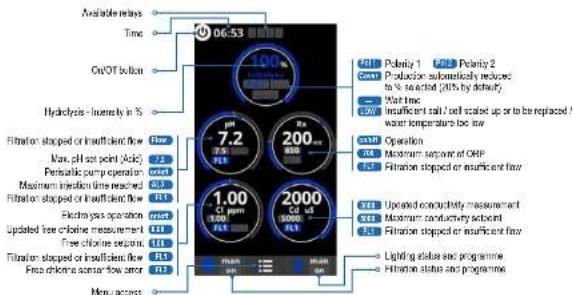
5b. Commissioning of the device
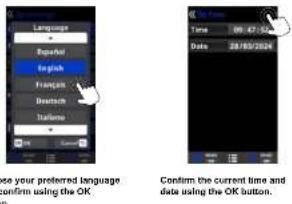
* HC LS AquaRite Page 10 on 22 Page 11 on 22AquaRite
Only use spare parts supplied by Hayward brands
* HC LS
Only use spare parts supplied by Hayward brands*
HAYWARD
5c. Settings
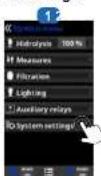
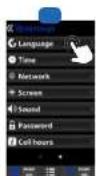

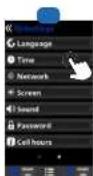
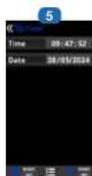
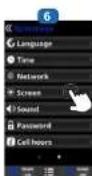
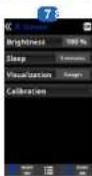
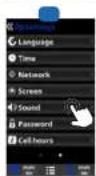
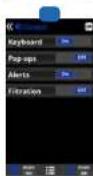
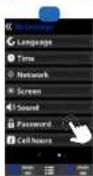
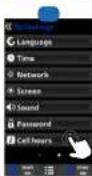

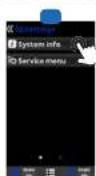
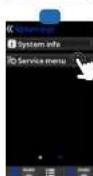
3 Settings: preferred language.
6 Settings: date and time.
7 Salings: school English (10-120%), some screen data clearly.
and calibration of the touchscreen.
Screen timed OnOff programming.
Sound: Programming the sound
transmission system for the following functions: (1) and (2)
Inductors: Keyboard (key phone), Ranums (racht messages). Alords
Pop-ups (argill mezzles). Alets (operational alarm).
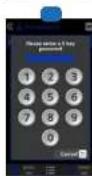
11 Password: Projects access to the
user men by selling up a password
combination of 6 numbers and the
system will merchandise the
13 Call hours: Excursion about the hours of operation of the cell and the
number of reets
14 System info: Information about the
software version available on the
scoring and the Paper media.
15 Service menu. Small section by
passhore. Ask you to select to more information.
5d. Hydrolysis menu
The hydrolysis has not reached the required production rate.
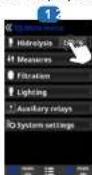
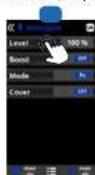
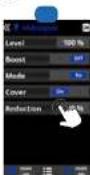
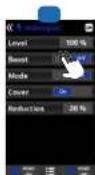
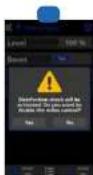
1 Hydrolysis: Programming of hydrolysis (Laritas)
2 Level: Chlorine production (90) required.
Reduction: 5% of chlorine production when the cover is closed (20% by default).
4 Bookl (Super Chlorination): Prenn On
5 Shock validation: Continuous airline production for 24 hours (the production level was at preconfigured in the maximum). Because for activation with an aircraft
DRP control
HAYWARD
5e. Filtration control
The electrolysis and measurements will not activate unless the fibrosis is running.
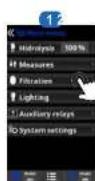
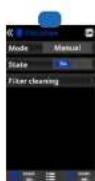
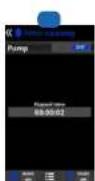
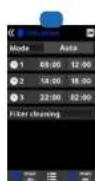
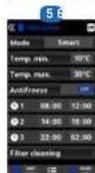
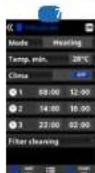
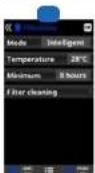
1 Filtration modes.
2 Manual: Alms the Illium process to be based on end of month.
- Filter cleaning: This mode is used to backwash
the filter.
4 Automatic: In this mode, filtration is turned on and
the second day in the week will be too. There Irsa skos must be unannounced within a single day
(micnight to midnight).
4 Smart mode may be activated if and only if the temperature probe has been advanced. This mode is based on the automatic mode, with its three filtration microscope, but the filtration times are adjusted according to the temperature. This is done by setting two temperature parameters: the maximum temperature above which the filtration times will be determined by the time steps, and the minimum temperature below which filtration will be reduced to five minutes. The minimum temperature is set off after these two temperature reductions the filtration times will be staggered linearly. The anti-freeze mode can be activated to turn the filtration at all the temperature falls below 2°C.
5 Heating: mode may be activated if and only if the temperature probe and heat pump are both activated and configured. This mode acts in the same way as the automatic mode, but it can also operate via a relay that controls the temperature. The set point temperature is determined in this mode, and the system operates with a system of one degree (for example; if the set point temperature is 23°C, the system will start up when the temperature falls below 22°C and shut down only when it drops above 23°C).
Heating control OFF: The heating operation only during the configured filtration periods. Heating control ON: Keeps the filtration on after the filtration period has expired if the temperature is below the set point temperature. When the setpoint temperature is reached, the filtration and heating stop and only resume when the most programming period begins.
6 Intelligent: mode may be activated if and only if the temperature probe and heat pump are both activated and configured. In this mode, the user has two operating parameters; select the required water temperature and the minimum filtration line
minimum two hours and maximum 24 hours. The flindian will operate for at least two minutes every two hours to check the temperature. The minimum flinding time varies in divided into two
Intranch time selection is divided into three sections that are added in these ten minutes.
Example 1: Over leave hours, the time is divided
between the twelve times a day when the fixation
Stairs up to check the temperature. Example 2
(12 hours x 60 minutes) / 12 = 60 minutes every two hours. This is the filtration and heating period every two hours. If the programmed filtration period ends and the required temperature has not been reached, the filtration and heating remain on until the required temperature is reached. To minimize the number of hours during which filtration operates each day, this additional time will be deducted from the next filtration periods occurring during the rest of the day. (See the chart below).
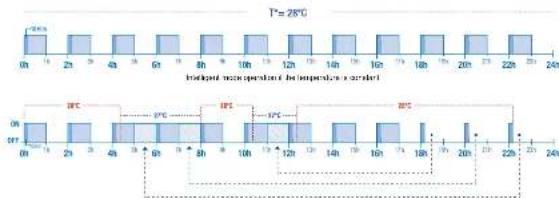
Intelligent mode operation if the temperature varies
* HC LS
Only use spare parts supplied by Hayward brands*

* HC LS AquaRite Page 12 on 22 Page 13 on 22AquaRite Only use spare parts supplied by Heyward brands
HAYWARD
5f. Control and power supply for lighting
The unit supplies a voltage of 12 VAC 50W max
△ Chlorine production is reduced by a third when the lighting is activated
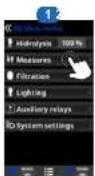
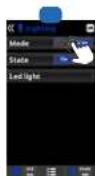
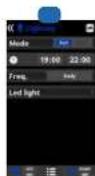
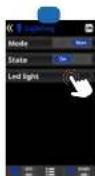
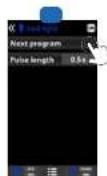
1 Lighting.
2 Manual mode (ON/OFF)
3 Automatic mode: starts up according to the time slots selected for the lighting. The time slots can be configured with the following frequencies: daily, every 2 days, every 3 days, every 4 days, every 5 days, weekly, every 2 weeks, every 3 weeks, every 4 weeks
4 LED light: If you are using a coloured LED light, go to the menu to configure it. Colour selection: This menu allows you to charge the colours manually and, according to the type of LED light, program the pulse length required to cycle through the colours and programs (by default, 0.5 s, maximum 10 s).
5g. Control of auxiliary relays
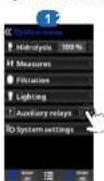
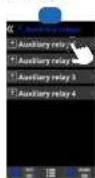
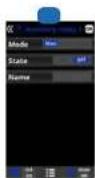
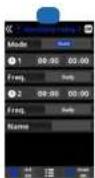
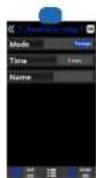
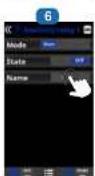
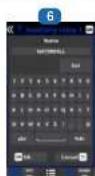
- Auxiliary relays.
- A maximum of four additional auxiliary relays (water features, furnains, garden lighting, etc.) can be controlled. The menu displays and shows you to configure the relays that remain available on your equipment.
- Manual mode (ON/OFF).
- Automatic mode: Starts up according to the selected time slots. They can be configured with the following frequency: daily, every 2 days, every 3 days, every 4 days, every 5 days, weekly, every 2 weeks, every 3 weeks, every 4 weeks.
5 Timer mode: An operating time can be programmed in minutes. Each time you press the front panel key associated with the relay, it will be activated for the programmed time. This function is recommended for timing the operation of space Nowers. 6 Relay name: It is possible to name the auxiliary relays individually according to the associated functions. To confirm press OK.
* HC LS AquaRite Page 14 on 22 Page 15 on 22AquaRite
Only use spare parts supplied by Heyward brands
HAYWARD
6. CONNECTING AND CONFIGURING PERIPHERALS
6a. Installing and starting up the pH option
△ Always begin the criterion procedure with a collision result.
1 Open the cover and connect the pH CHP sand to delivery tube on the right at the way into the control
the PH slot (see section 3G). The pH reading and connector, and tighten the damping rail.
the measures men.I will be displayed automatically, to carry on the relevant and carry out the 3 Connect the injection valve: Isonon the HU, Heart the (communt RT) delivery tube at the way into the
is corrugated to the support (and only let this
salibration.
This (specify) is fully used for use. This is
natural connector, and tighten the conanging out.
2 Connect the closing pump to the pH terminal using
a cable band (see section 3C and 3D) end close the cover.
3. Install the proof with its mount in the pipe and
connect the probe to the unit (see section 3D) The pump starts up depending on the selpoint
Follow the instructions for the pH pump to fix the load. Entered in the menu measures - Septins - set pH (setpoint's water pH). By default, the maximum
• The probe has a lifetime of 1 year. We
recommend celebrating it every month during the season, the real is to use.
Connecting the pH dosing pump
1 Connect the suction strainer; insert the (transparent) PVC suction tube all the way into the conical connector of the suction strainer, dington the damping nut and position the suction strainer in the bottom of the conifer holding the chimer to be dosed. The small can be closed (contact your installed). The pump is equipped with an on/off switch. The Sanoprone tube of the poststatic pump has a duration of 2 years. We recommend changing it once a year.
2 Connect the suction and delivery tube. Inson the pump clamping tube, insert the (transparent) PVC suction tube on the left and the (pouque) PE
Installing and preserving the pH probe.
1 The pH probe is "well" packed and protected by a plastic cap. The probes must always remain
The use of dry acid such as sodium sulfate to adjust the pH of the swimming pool is not recommended, especially in and regions where pool water is subject to significant evaporation and is not commonly diluted with main water. Dry acid can cause a build-up of by-products that can damage your chloromolar.
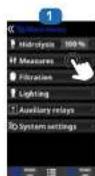
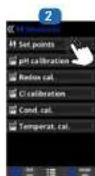
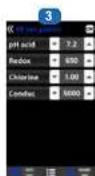
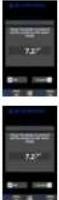
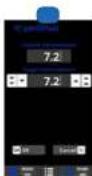
The default value is 72.
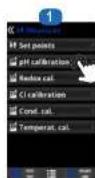
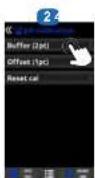


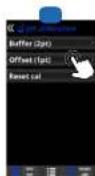
1 pH probe calibration: Recommended or less
month during the poor season.
2 Calibration using buffer solutions (buffer solutions pH7/pH10/neutral). Follow the instructions that appear on screen 3.
4 Manual calibration: Allows you to calibrate the probes using 1 point (without buffer solution) recommended only for adjusting small deviations in readings.
* HC LS
Only use spare parts supplied by Hayward brands

HAYWARD
6b. Installing and starting up the ORP option
△ Always begin the extension procedure with a radiation reset
1 Open the cover and connect the IX QHP card to the 80kV power conversion. 90k, The QDP operation and
the FX S&P (2008) index 3C, The GRP Index 4 and the Minutes mini will be discovered automatically.
to config the selpard and calibrate the probe.
2 Install the pipe with its mount in the pipe connect
the probe to the arm (see section 3D), and close the power.
[Non-Text]
The probe has a lifetime of 1 year. We
recommend attending a every month during the season the year is in use.

Operation of the ORP module:
By December, when the CRP option is connected, the retroactive cell starts up as soon as the measured
CRP value is less than the sequent.
balling and averaging the 257 pmbv
Installing and preserving the ORP probe. 1. The ORP probe is gentle parked and pro
by a plastic cap. The probes must always remain
and. If the probes are slowed to dry, they will be completely unpalled and
be permanent by insurance (not certified by the warranty and the OEP test kit will be in effect
2 Remove the ORP probe from its plastic protective
cap and set the cap aside for later use (wintering or maintenance).
3 Ful the probe into the probe holder or double probe
the proper way is to ensure interestingness.
4 Check that the probes are waterlight at start
Seal with Tefan, if required.
5 After installation, enter that the process are constantly in contact with the water in the p
When the filtration pump is not running lever for
long periods), the water remaining in the circuit may be sufficient to protect the probes.
The data is available for the research of the research
The product (liquid chlorine, etc.) injection device
must be installed last on the water return line, after any equipment heater, cell, etc. 1 Seal with Teller.
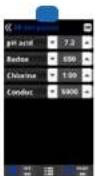
The default value is 700 mV.
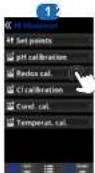
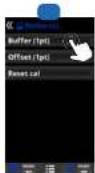
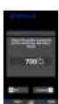


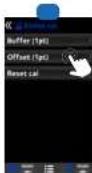
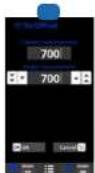
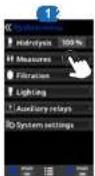
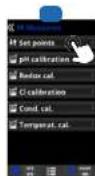
1 ORP probe calibration: Recommended every two months during the cool season.
2 Calibration with buffer solutions. With reference
solution 465 mV. Follow the instructions that appear
on screen 3
3 Calibration procedure involving 4 steps. 4 Manual calibration: Allows your to calibrate the probes using 1 point (without solution) – recommended only for adjusting small deviations in readings.
5 Without asking the probe out of the water, use the Up/Down arrows to adjust the measurement displayed so that it concludes with the reference value (ichotometer or other measuring instruments).
Setting the ORP level
The CRP level tells you the oddstion patents, i.e. the ciinfectant capacity of the
Setting the CRP set point is the last step in setting the acous| the^ HC LS
To find the optimum ORP level for your peak, follow the steps below:
-
Start up the pool filtration system (the salt in the pool must be evenly dissolved).
-
Add caffeine to the swimming pool and in-sense 1 to 1.5 ppm. This level is achieved with approximately 1 to 1.5 pinn of water.
The pH level must vary between 7.2 and 7.5.
3 After 30 min. checks that the level of free chlorine in the pool (manual DPD1 test kit) is between 0.8 and 1.0 ppm.
4 Look at the ORF value on the screen and enter it as the ORP set point.
- This next day, check the free charge level (manual LPDT see: rig) and his CDF-level, license to replace the selling, if required.
Remember to check all your water parameters at regular intervals (2-3 months) (see
table Chemical water balance) and adjust the CRP set point according to the steps listed above.
HAYWARD
6c. Installing and starting up the temperature probe
△ Always begin the calibration procedure with a calibration reset.
⚠️ Please contact your resolver to configure the temperature probe.
-
Open the cover, connect the temperature probe to the °C terminal using a cable gland (see section 3D and 3D) and close the cover.
2 Configure the temperature probe in the service
here. Finally the permitting shown that and could your regulator.
3 The temperature value appears in the top-right
corner of the screen. -
Temperature probe calibration: Akum you to see
the probes to 1 point.
2 Manual calibration. - Without asking the probe out of the water, use the Up
Down an issue to signal the measurement displayed so that it coincides with the reference value.
i Activation of the temperature probe gives access to
The Smart ltration mode.
6d. Installing and starting up a heat pump
⚠️ Please contact your resetler for installation and configuration of a heat pump.
1 Open the cover, and plug the heat pump cable into terminal AUX4 using a cable gland (see paragraph 3C and 3D) and close the cover again.



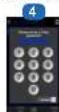




3 Enter the Service menu from the configuration menu.
4 Enter the password (contact your reader for the password)
5 Enter the Extra settings menu.
6 Select the Heat menu.
- School and Health Menu
i Activation of a best purpose gives access to the Heating and Intelligent filtration modes.
6e. Installing and starting up the free chlorine option (amperometric sensor)
△ Always begin the calibration procedure with a calibration reset.
⚠️ We recommend pelvising the low chlorine sensor with a high chlorine level between 1 noon and 1.2 noon
- Open the cover and connect the 5. Start sensor calibration
CL CHP care to the CL slot (see
section 3C) The chlorine reading
and the measures menu will be
the airport and carry out the
celtration
2 Place the sensor in a bypass,
following the sensor instructions.
3. Connect the 5 stations in the home to the extension circuit board (see
section 3C
4 Connect the 2 cables of the sensor
to the extension circuit board (see version 26)
5 Start sensor calibration
C
The low trough is transparent
mount must be of
The sensor has a lifetime of 1 year. We recommend calibrating it once a month during the season. The power is in use
The sensor has a lifetime of 1 year. We recommend calibrating it once a month during the season. The power is in use
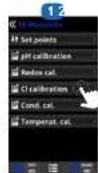
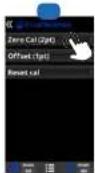
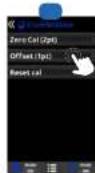
* HC LS AquaRite Page 16 on 22 Page 17 on 22AquaRite
Only use spare parts supplied by Heyward brands
* HC LS
Only use spare parts supplied by Hayward brands*


HAYWARD
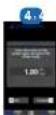
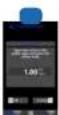
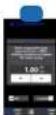
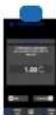
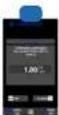
1 Calibration of free chlorine: it is recommended to do this once a month during the season the pool is in use.
2 Calibration using reference values (DPD1
photometer: Follow the 6-step instructions that
Кория по 1-й дядку ялено [ропів 3 та 7]
3. Manual Transaction: Paper, 100 mm fiber can wait until the free chlorine value displayed on the unit screen is stable. With the updown buttons, adjust the value displayed until it coincides with the free chlorine value measured during the DPOs procedure in view, where water OK
4 Step 1 of 6 - CL calibration of 1st point (0 ppm): Stop the flow of water through the sensor and wall until the value displayed on the
and screen drops below 0.10 ppm (between 5 and 60 minutes). Press OK when the value is close to 0.
5 Step 3 of 6 - CL calibration of 2nd point: Open the water plate to a rate of 90-100 inches then wait until the free chlorine value is stable (between 5 and 20 minutes). Press OK when the value is stable.
6 Step 6 of 6 - With the up/down buttons, adjust the displayed value until it coincides with the free chlorine concentration measured during the
DPD1 analysis [in ppm] [rec. p### OK
7 Step 6 of 6 - if this screen does
repeat the calibration process.

6f. Installing and starting up the free chlorine option (membrane sensor)
△ Always begin the calibration procedure with a calibration rear.
⚠️ Please contact your device for configuration of the free chlorine sensor equipped with a membrane.
We recommend colliding the low-ridrime series with a click-ridrime level, between 1-year and 2-year
-
Over the moment (concentive of CI-CLIP order to the CI-CLIP order to the CI-CLIP order to the CI-CLIP order to the CI-CLIP order to the CI-CLIP order to the CI-CLIP order to the CI-CLIP order to the CI-CLIP order to the CI-CLIP order to the CI-CLIP order to the CI-CLIP order to the CI-CLIP order to the CI-CLIP order to the CI-CLIP order to the CI
-
Open the 20% and connection to CL-CRP card to the CL-SEC (and section 3C). The shading making and for Measure men will be disposed automatically in
The claim is reading and the research results will be consistent for school and carry out the calibration
-
Carina the 4-20 m ^3 mbronn zener, in the region press
-
Place the sensor in a bypass, following the sensor instructions
-
Connect the 3 cables of the fuser to the extension circuit board (see section 3C).
5 Connect the 2 cables of the sensor to the selection circuit based (on section 3C).
- Letter the sensor to polarise for at least 24%.
7 Start sensor calibration after 24h in operation.
1 The flow through the transport route must be carried to ensure minimum
radina.
The sensor has a lifetime of 1 year. We recommend calibrating it every month
during the season for pack-in case
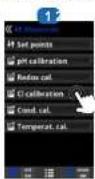
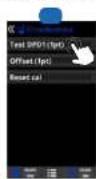
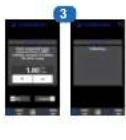
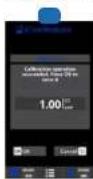
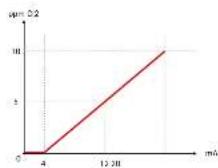
1 Calibration of the free chlorine sensor equipped with a membrane: it is
recommended to do this once a week during the season the pool is in vso. 2 Before beginning the calibration, measure the pool free chlorine (in port) by performing a DPD1 analysis and click on Test DPD1.
6g. Installing the WiFi or Ethernet module
1 Open the cover and connect the WiFi module to the WiFi slot (see section 3C). The Network menu appears automatically in the Settings menu. The power LLD remains directly and the connection LED boxes
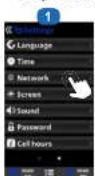
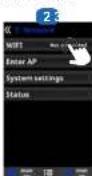
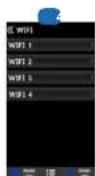
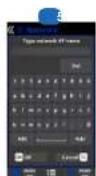
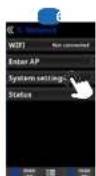
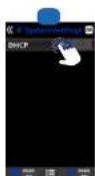
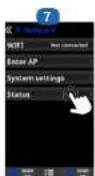
1 Internet: Once the models is corrected, switch on the device. A Network menu program in the Platform ready.
2. Will: Select the Will menu to start an automatic search for available networks.
3 Choose the relevant available network.
4 Enter the password for this network via the keyword. To confirm, press OK.
5 Configuration: If you want to configure your connection manually or if successfully configuration fails, you are chosen the antibody parameters in this way.
5. Too default setting: PHCP = OVE must be left as his
7. Status: Displays information about your current connection.
HAYWARD
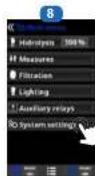
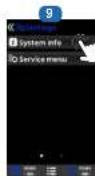
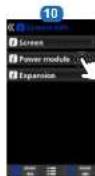
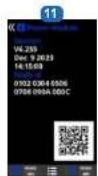


When the module is connected to the Wi-Fi network and the two LEDs are continuously on (steady) you can register at poolwatch.keyward.fr or on the Hayward Poolwatch app. Get your Node ID (slope 8 to 11) and follow the registration process. You can scan the QR code directly in the app to register your pool. Once you have registered, you can monitor all your AcuaRite® HC LE parameters remotely with Hayward PoolWatch.
Only WiFi networks with a frequency of 2.4 GHz are accepted by the module.
6h. Installing and starting up a variable-speed pump
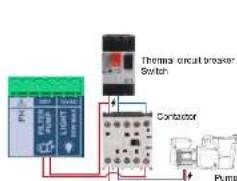
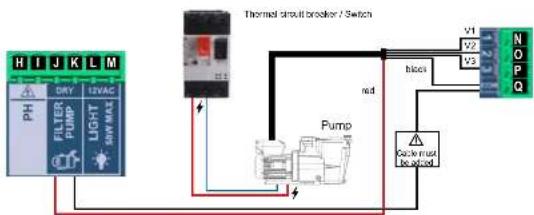
To install and control a 3-speed pump, please contact your dealer.
flowchart
graph TD
    A["PH FILTER PUMP"] --> B["PHY MAX"]
    B --> C["Pump"]
    C --> D["Thermal circuit breaker / Switch"]
    D --> E["V1 V2 V3"]
    E --> F["N O P Q"]
    C --> G["Clock must be locked"]
    G --> H["Red"]
    H --> I["Pump"]
    I --> J["Blue"]
    J --> K["Red"]
    K --> L["Control Unit"]
    style A fill:#99ccff,stroke:#333
    style B fill:#99ccff,stroke:#333
    style C fill:#99ccff,stroke:#333
    style D fill:#99ccff,stroke:#333
    style E fill:#99ccff,stroke:#333
    style F fill:#99ccff,stroke:#333
    style G fill:#99ccff,stroke:#333
    style H fill:#99ccff,stroke:#333
    style I fill:#99ccff,stroke:#333
    style J fill:#99ccff,stroke:#333
    style K fill:#99ccff,stroke:#333
    style L fill:#99ccff,stroke:#333
Diagram of variable-speed pump installation on the Aquafiler HCLS

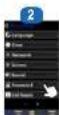




3 Enter the service menu from the configuration menu.
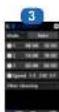
4 Enter the password (contact your dealer to obtain the password).
5 Enter the pump type menu.
6 Select the type of pump.
The default pump type is "standard" (single-speed).
When using a variable speed
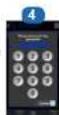
pump, seven; variable speed A, B or C. In this case, one of the 3 data.it speeds (V1, V2, V3) can be assigned to the heating and for when the cover is closed.
① Select Var. speed A for a Heyward variable-speed pump.
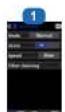
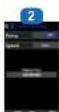

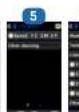


After connecting a variable speed pump, you can assign a different speed individually to each filtration period, so required. V1. S, V2: M, V3: F Filter cleaning: To clean the filter with a variable speed pump, it is hard to use the highest speed (V3).
* HC LS AquaRite Page 16 on 22 Page 19 on 22AquaRite
Only use spare parts supplied by Heyward brands
* HC LS
Only use spare parts supplied by Hayward brands*

HAYWARD
7. SERVICING
During the first 10-15 days, your system will require more attention:
- Check that the pH remains at the ideal level (7.2 to 7.4).
- If the pH is exceptionally unstable and uses a lot of acid, check the alkalinity (see table Chemical water balance).
If the balance is highly unstable, contact your pool installer/builder.
REMEMBER that the system needs a certain amount of time to adapt to your pool and will require additional chemicals during the first 3-5 days.
The pool must be regularly maintained and the skimmer baskets emptied whenever necessary. Also check that your filter is not clogged.
ADD WATER: It is preferable to add water via the skimmers so that it passes through the cell before entering the pool. Remember to check the salt percentage after adding water.
DOSING PUMPS: Regularly check the acid level to ensure that the pump does not run dry. The dosing pump must be checked and serviced at regular intervals. The Santoprene tube of the peristaltic pump has a lifetime of 2 years. We recommend that you change it once a year.
Servicing the pH probe
The probe must be clean and free from oil, chemical deposits and contamination to function properly. As it is in continuous contact with the water in the pool, the probe may need to be cleaned weekly or monthly, depending on the number of bathers and other specific characteristics of your pool. A slow response, more frequent pH calibration and inconsistent readings indicate that the probe needs to be cleaned.
To clean the probe, turn off the power to the AquaRite ^® HC LS.
Unplug the probe connector from the unit, unscrew the probe and carefully remove it from the chamber. Clean the probe bulb with a soft toothbrush and regular toothpaste.
A household washing-up liquid detergent may also be used to remove any oil.
Rinse with fresh water, replace the Tellon tape on the threads, and reinstall the probe.
If the probe continues to give inconsistent readings or requires excessive calibration after it has been cleaned, it should be replaced. The lifetime of the probes is 1 year. We recommend that you calibrate them every month during the season the pool is in use.
Servicing and cleaning the cell
Turn off the main power supply to the AquaRite' HC LS before removing the cell. Once it has been removed, examine the inside of the cell for any traces of scale (whillish brittle or flaky deposits) and debris struck to the plates. If no deposits are visible, put the cell back in place. If deposits are visible, try to remove them with a garden hose. If this method is unsuccessful, use a plastic or wooden tool to remove deposits stuck to plates (do not use a metal tool as this will damage their coating). A build-up material can be used to obtain a solution of calcium in the pool water. If you cannot find a solution of this situation, you will have to clean the cell at regular intervals. The best way to avoid this problem is to maintain the chemical composition of the water at the recommended concentrations.
Acid washing: This should only be done in severe cases where flushing will not remove most of the deposits. To acid wash, turn off the main power supply to the AquaRite' HC I.S. Remove the cell from the piping. In a clean plastic container, make up a solution of water and acetic or phosphoric acid (such as that used to remove scale from a coffee machine). ALWAYS ADD ACID TO WATER – NEVER ADD WATER TO ACID. Be sure to wear rubber gloves and protective goggles for this operation. The level of the solution in the container should just reach the top of the cell, so that the wire harness compartment IS NOT under water. It may be helpful to coil up the wire before submerging the cell. Allow the cell to soak for a few minutes, then rinse it with a garden hose. If the deposits are still visible, soak and rinse again. Put the cell back and examine it from time to time.
Probe storage
The end of the probe must always be in contact with water or a solution of KCl. If it is removed from the measuring chamber, it should be stored in the plastic cap provided (filled with water). If the storage cap has been mislaid, the probe should be stored separately in a small glass or plastic container with its end immersed in water.
The probe must always be in a frost-free environment.
^8 HC LS AquaRite Page 20 on 22 Page 21 on 22AquaRite
Only use spare parts supplied by Hayward brands®
HAYWARD
8. TROUBLESHOOTING GUIDE
No display
Check the connection cable between the display and the control box.
Check that the 4A fuse is not defective (located inside the control box).
Check the power supply: 210-230 V, 50 Hz.
If the problem persists, contact your pool installer/builder.
Excessive chlorine
Check and/or adjust the chlorine production setting.
If your pool has an automatic ORP control system, check the ORP setting.
Check the ORP probe and calibrate, if necessary.
The hydrolysis has not reached the required production rate
Check the concentration of salt in the water (depending on the model).
Check the condition of the cell (it may be dirty or covered in scale).
Clean the cell according to instructions.
Check the flow switch and clean if necessary.
Check that the cell is not worn (contact your pool installer/builder).
Cell scaled up in under a month
Very hard water with high pH and total alkalinity (balance and adjust the pH and total alkalinity of the water). Check that the system automatically changes polarity (see display).
Impossible to attain a free chlorine level of 1 ppm
Increase the filtration time.
Increase the chlorine production rate.
Check the concentration of salt in the water (see table Chemical water balance).
Check the level of isocyanuric acid in the pool (see table Chemical water balance).
Check that the reactive agents in your test kit are not out of date.
Adjust the chlorine production according to the temperature and the number of pool users.
Adjust the pH to ensure that it is always below 7.8.
Alarm AL3: pH dosing pump stopped
The maximum time allowed to attain the pH set point has been reached. The pH acid dosing pump is stopped to avoid overdosing and acidifying the water.
Please carry out the following checks:
Check that the can of liquid pH is not empty.
Check whether the pH read on the machine corresponds to the pH in the pool (use a pH analysis kit). Otherwise, please
calibrate the pH probe or replace it, if necessary.
Check that the pH pump is running normally
Check the correction time setting.
To make this message disappear and reset the dosing, press on the pH reading circle for 3 seconds.
The screen indicates LOW
Check the water balance and salinity.
Check that the cell is free of scale and clean it if necessary.
See *The hydrolysis has not reached the required production rate*.
Water temperature too low.
White flakes in the pool
This occurs when the water is unbalanced and very hard.
Balance the water, check the cell and clean it, if necessary.
The screen indicates FLOW
Check the flow switch and the gas detector.
Check that the filter pump is working.
Check that the pipes are not obstructed (valve closed, basket or strainer full, etc.).
Check that the 4A fuse is not defective.
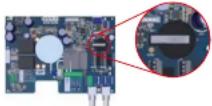
Changing the battery
Unplug the cables that are screwed to the "extension" circuit board.
Unscrew the "extension" circuit board.
Unscrew the black cover of the "main" circuit board.
Change the battery (CR2032 type).
Screw the black cover, the "extension" circuit board, and the cables back in place.
* HC LS
Only use spare parts supplied by Hayward brands ^4

HAYWARD
9. WARRANTY CONDITIONS AND EXCLUSIONS FOR EUROPEAN UNION COUNTRIES

All HAYWARD ^® products are covered for manufacturing defects or material defects for a warranty period of 3 years as of date of purchase. Proof of purchase, indicating the date of purchase, must be provided with all warranty claims. We would therefore advise you to keep your invoice.
The HAYWARD ^6 warranty is limited to repair or replacement, as chosen by HAYWARD ^6 , of the faulty products, provided that they have been used in compliance with the instructions given in the corresponding user guides, provided that the products have not been altered in any way, and provided that they have been used exclusively with HAYWARD ^7 parts and components. The warranty does not cover damage due to frost and to chemicals. Any other costs (transport, labour, etc.) are excluded from the warranty.
HAYWARD ^3 may not be held liable for any direct or indirect damage resulting from incorrect installation, incorrect connection, or incorrect operation of the product.
In order to claim on a warranty and in order to request repair or replacement of an article, please ask your dealer. Equipment returned to our factory will not be accepted unless prior approval has been given.
Wearing parts are not covered by the warranty.
The following wearing parts of the salt chlorinator must be maintained in accordance with their estimated lifetime: - Titanium cell: 8,000 hours
- Set of seals (titanium cell, probe mount): 2 years
- Santoprene tube (peristaltic pump) - Membrane (electromagnetic pump): 2 years
- Probe (pH, ORP, conductivity, free chlorine): 1 year (warranty 6 months)
10. ENVIRONMENTAL INFORMATION
Provision regarding professional waste from electrical and electronic equipment (WEEE). In compliance with directive 2012/19/EU regarding the management of waste from electrical and electronic equipment, this pump must be disposed of at a waste sorting site.
==> for more information contact your dealer. Good management of waste from electrical and electronic equipment contributes to the prevention of damage to the environment and human health.
In compliance with directive 2006/86/EC of the European Parliament and of the Council of 6 September 2006 on batteries and accumulators and waste batteries and accumulators, the symbol that accompanies this manual indicates that the battery incorporated into the pump must be disposed of via waste sorting. When the battery reaches the end of its life, it must be removed and disposed of at a waste sorting site. Instructions for replacement of the battery are given on the previous page.


* HC LS
Page 22 on 22AquaRile
Only use spare parts supplied by Hayward brands
ISAQR+ Rev A 2023

HAYWARD®
natural_image
Black industrial water heater with control panel and cylindrical pump (no visible text or symbols)CE EAC UK CA

AquaRite® HC LS
MANUAL DEL USUARIO
CONSERVE ESTE MANUAL PARA CONSULTAS ULTERIORES
HAYWARD POOL EUROPE - 1070 Allée des Chênes - CS 20054 Saint Vulbas - 01154 Lagnieu Cedex - Francia


HAYWARD


HAYWARD
The following table is provided in the image.
1.2.3.4.5.6.7.8.9.10.11.12.13.14.15.16.17.18.19.20.21.22.23.24.25.26.27.28.29.30.31.32.33.34.35.36.37.38.39.40.41.42.43.44.45.46.47.48.49.50.51.52.53.54.55.56.57.58.59.60.61.62.63.64.65.66.67.68.69.70.71.72.73.74.75.76.77.78.79.80.81.82.83.84.85.86.87.88.89.90.91.92.93.94.95.96.97.98.99.100
-
Розрахиновоссий
-
Agaque cens a la plicina hasta precar un nive de 1 o 1,5 ppm. Este nive se
natural_image
Black industrial water purifier device with control panel and cylindrical pump (no visible text or symbols)CE EAC UK CA

AquaRite® HC LS
MANUAL DO UTILIZADOR
GUARDE ESTE MANUAL PARA REFERÊNCIA FUTURA
HAYWARD POOL EUROPE - 1070 Allée des Chênes - CS 20054 Saint Vulbas - 01154 Lagnieu Cedex - França
HAYWARD
HAYWARD


2 Moda manual (ON/OFF).
3 Mode manual (ON/OFF)
6 Selectional Offered Heat
natural_image
Exterior view of a black industrial water heater with control panel and cylindrical device (no visible text or symbols)CE EAC UK CA

AquaRite ^® HC LS
ANWENDERHANDBUCH
BEWAHREN SIE DIESES HANDBUCH ZUM SPÄTEREN NACHSCHLAGEN AUF
HAYWARD POOL EUROPE - 1070 Allée des Chênes - CS 20054 Saint Vulbas - 01154 Lagnieu Cedex - Frankreich


HAYWARD

HAYWARD


The following table is in English:
•
(1) AD = BD = 1
[Non-Text]
[Non-Text]
Standarding of the Europe Standard®/mitiner
natural_image
Black industrial air purifier unit with control panel and cylindrical connector (no visible text or symbols)CE EAC UK CA

AquaRite ^® HC LS
GEBRUIKERSHANDLEIDING
BEWAAR DEZE HANDLEIDING VOOR TOEKOMSTIG GEBRUIK
HAYWARD POOL EUROPE - 1070 Allée des Chênes - CS 20054 Saint Vulbas - 01154 Lagnieu Cedex - Frankrijk
HAYWARD

HAYWARD


WAARSCHUWING: Elektrisch risico.
3. INSTALLATIE VAN HET APPARAAT
natural_image
Technical line drawing of a heat exchanger or cooling unit with fan and vent (no text or symbols)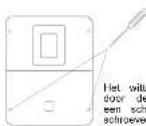

9 Galuia: Programming software
Trading for net open-for-salement
15 Servicemen: Mecu mclcegsng vs
system in working number-geseld wannee
The following in 2014, which obtained of the temperature to controlen.
Voorbeeld 2:
1 hydrolysis: Programming hydrolysis functions
8. PROBLEEMOPLOSSING
Geen beeld
natural_image
Black industrial water heater with control panel and cylindrical pump (no visible text or symbols)CE EAC UK CA

AquaRite ^® HC LS
MANUALE D'USO
CONSERVARE QUESTO MANUALE PER USO FUTURO


HAYWARD
HAYWARD


natural_image
Technical line drawing of a rectangular fan or vent with internal grid pattern (no text or symbols)
www.hayward-pool.co.uk
JOIN US AND
FOLLOW US ON OUR
SOCIAL NETWORK


- HAYWARD®
- AquaRite® HC Low Salinity
- HAYWARD
- 3b. Installation murale
- WARNING: Electrical hazard
- INDEX
- GENERAL
- PACK CONTENTS
- INSTALLATION
- 3b. Wall-mounted installation
- 3c. Installation and connection of the electronic circuit boards Connect the AquaRite\*HC LS to a permanent power outlet.
- 3e. Installation of the cell and the mechanical flow switch
- Installation and connection of the cell (see diagram):
- Installation and connection of the mechanical flow switch:
- PREREQUISITES FOR STARTING UP THE HYDROLYSIS
- Preparing the pool water
- Salt concentration
- Type of salt to use
- How to add or remove salt
- Chemical water balance
- OPERATION
- CONNECTING AND CONFIGURING PERIPHERALS
- 6g. Installing the WiFi or Ethernet module
- 6h. Installing and starting up a variable-speed pump
- SERVICING
- Servicing the pH probe
- Servicing and cleaning the cell
- Probe storage
- TROUBLESHOOTING GUIDE
- No display
- Excessive chlorine
- The hydrolysis has not reached the required production rate
- Cell scaled up in under a month
- Impossible to attain a free chlorine level of 1 ppm
- Alarm AL3: pH dosing pump stopped
- The screen indicates LOW
- White flakes in the pool
- The screen indicates FLOW
- Changing the battery
- WARRANTY CONDITIONS AND EXCLUSIONS FOR EUROPEAN UNION COUNTRIES
- ENVIRONMENTAL INFORMATION
- INSTALLATIE VAN HET APPARAAT
- PROBLEEMOPLOSSING
- Geen beeld
Brand : HAYWARD
Model : AquaRite HC Low Salinity
Category : Water pump