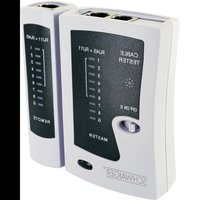
NWM1 - Measuring equipment Schwaiger - Free user manual and instructions
Find the device manual for free NWM1 Schwaiger in PDF.


| Product type | Network cable tester |
| Brand | Schwaiger |
| Model | NWM1 |
| Power supply | 9V battery (type 6LRG61) |
| Power consumption | Approx. 12 mA |
| Cable types tested | RJ45 CAT5, CAT6, CAT7, STP/FTP, UTP ; RJ11/RJ12 (6P6C, 6P4C, 6P2C) |
| Maximum cable length | Approx. 300 m |
| Main functions | Continuity test, detection of breaks, short circuits, wiring errors and shielding |
| Test modes | Fast (ON) and slow (S) |
| Result display | MASTER and REMOTE indicator LEDs |
| Operating temperature | 0 °C to +50 °C |
| Storage temperature | -10 °C to +60 °C |
| Allowed humidity | 10 % to 90 % (non-condensing) |
| Maintenance | Clean with a lint-free cloth; avoid any liquid |
| Safety | Do not disassemble; keep out of reach of children; use in a dry environment |
| Spare parts | 9V battery |
| Package contents | Master unit, Remote unit, instruction manual |
Frequently Asked Questions - NWM1 Schwaiger
User questions about NWM1 Schwaiger
0 question about this device. Answer the ones you know or ask your own.
Ask a new question about this device
Download the instructions for your Measuring equipment in PDF format for free! Find your manual NWM1 - Schwaiger and take your electronic device back in hand. On this page are published all the documents necessary for the use of your device. NWM1 by Schwaiger.
USER MANUAL NWM1 Schwaiger
GB OPERATING AND SAFETY INSTRUCTIONS
FOR NETWORK CABLE TESTER
MODE D'EMPLOI ET CONSIGNES DE SÉCURITÉ
POUR TESTEUR DE CÂBLE RÉSEAU
ISTRUZIONI PER L'USO E AVVERTENZE DI SICUREZZA
PER TESTER PER CAVI DI RETE
NÁVOD K OBSLUZE A BEZPEČNOSTNÍ POKYNY
PRO TESTER SÍTOVÝCH KABELŮ
AĞ KABLO TEST CIHAZI IÇIN
1. EINFÜHRUNG
natural_image
Pure electrical circuit lines without any symbolsRJ45

natural_image
Two identical line-drawn electrical connector pin symbols (no text or labels)RJ12 / RJ11
Congratulations and many thanks for the purchase of the network cable tester. All devices that we distribute comply with the safety regulations valid at the time of purchase, and are safe provided they are used for the intended purpose. Please observe the following instructions to avoid possible hazards, damage and malfunctions.
These Operating and Safety Instructions are included with the network cable tester. They contain important information on how to use the product. To facilitate the reading of the Operating and Safety Instructions, hereafter we refer to the network cable tester as "cable tester". Please read the instruction manual carefully, in particular the safety instructions, before using the cable tester. This particularly applies to the safety instructions. Failure to follow these operating instructions can result in serious injury or damage to the cable tester. Retain the instructions for future reference. If you give the cable tester to another person, make sure it is accompanied by this instruction manual.
2. PACKAGE CONTENT
- Master unit
- Remote unit
• Operating and Safety Instructions
3. INTENDED USE / PRODUCT CHARACTERISTICS
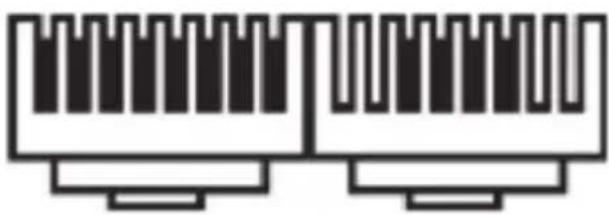
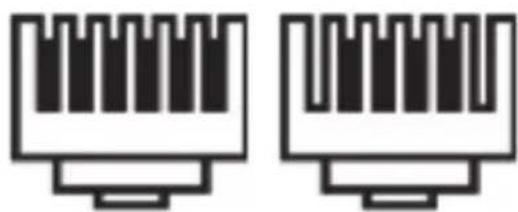
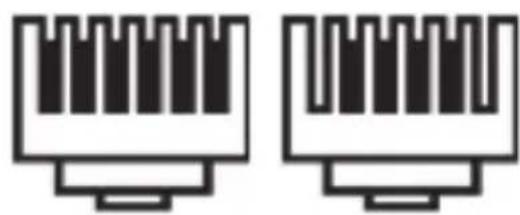
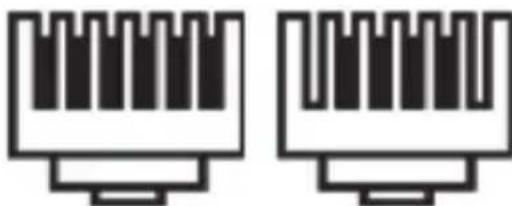
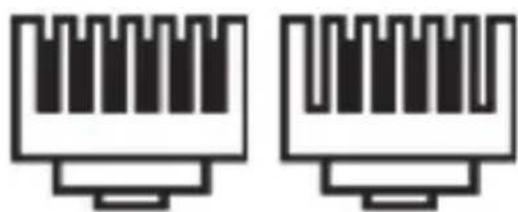
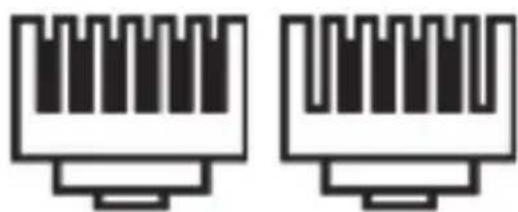
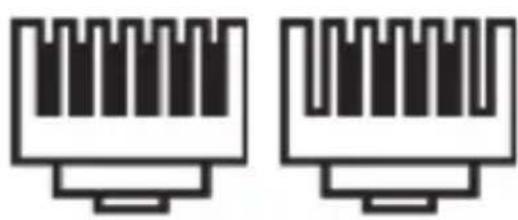
- Cable tester for unshielded (UTP) or shielded (STP/FTP) RJ45 modular plug systems or RJ11 (RJ12) modular network cable plugs
• Automatic test sequence - Easy-to-read cable status, including interruptions, short circuits, and miswires
- Remote unit checks and tests long cables
Connector/cable
natural_image
Pure electrical circuit lines without any symbolsRJ45
natural_image
Two identical line-drawn electrical connector pin symbols (no text or labels)RJ12 / RJ11
4. GENERAL SAFETY AND MAINTENANCE INSTRUCTIONS
- The cable tester is an electronic product that should not be left in the hands of children! Therefore, keep it out of the reach of children.
- Do not use the tester on live cables, as it could be damaged.
- Do not make alterations to it. The housing must not be opened.
- Use the product only in dry and closed environments. Protect the product from moisture.
- Do not drop the product or expose it to strong vibrations.
- Clean only with a lint-free cloth. In doing this, especially ensure that no water (no fluid or moisture) gets into the product.
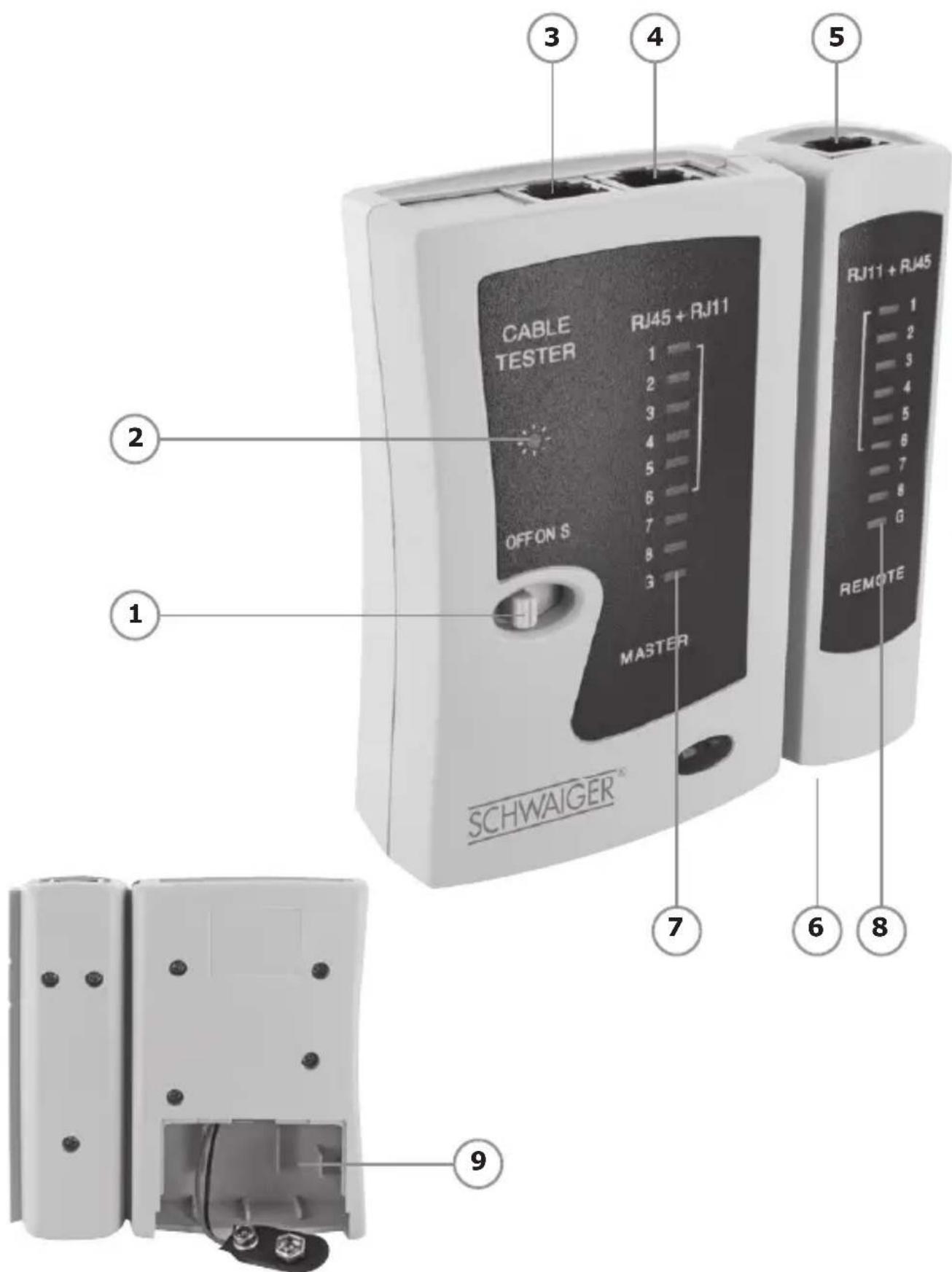
5. CONTROLS (see page 2)
1: ON/OFF/S (slow test)
2: Power LED
3: RJ11 output socket
4: RJ45 output socket
5: RJ45 input socket
6: RJ11 input socket
7: Master LED display
8: Remote LED display
6. STARTING UP THE TESTER
Please read the following paragraphs and execute the steps in the indicated order to avoid improper installation.
- Insert a new battery when you first use the tester, or if the Power LED is not blinking.
- Insert a 9V 6LRG61 battery in the master unit battery compartment (see page 2, fig. 9).
- To avoid damage due to battery leakage, remove the battery if you will not be using the tester for a long time.
7. INSTRUCTIONS
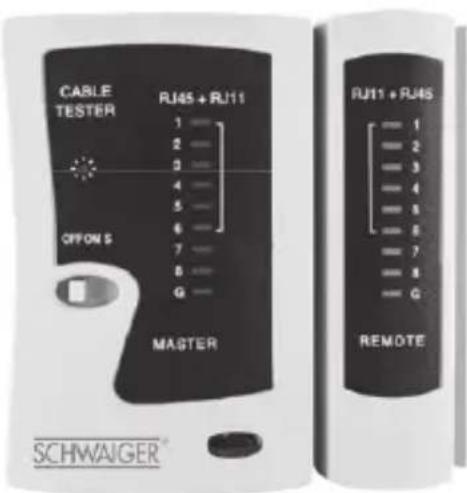
Plug the cable into the appropriate sockets of the master and remote devices. When you press the ON switch, the unit will go into Fast Test mode and check each cable contact in sequence. The electrical connection is displayed on LEDs on the master and remote units. Press the switch to S for Slow Test mode. Press the switch to position OFF to switch the unit off. The status LEDs on both units display the result. The "G" LED will also light for shielded cables
8. TEST RESULTS
| Cable Master display Remote display | ||
| RJ45 network cable (1:1, fully connected, shielded) | 1-2-3-4-5-6-7-8-G 1-2-3-4-5-6-7-8-G | |
| RJ45 network cable (cross-connect, fully connected, unshielded) | 1-2-3-4-5-6-7-8 1-4-3-2-5-6-7-8 | |
| 4-pin ISDN cable 3-4-5-6 3-4-5-6 | ||
| 6-pin RJ12 cable 2-3-4-5-6-7 2-3-4-5-6-7 | ||
| 4-pin RJ11 cable 2-3-4-5 2-3-4-5 |
9. TECHNICAL DATA
| Power supply: 9V battery pack |
| Input current: Approx. 12 mA |
| RJ45 cable CAT5, CAT6, CAT7, STP/FTP shielded, UTP unshielded |
| RJ-11/RJ-12 cable 6P6C, 6P4C, 6P2C |
| Max. cable length Approx. 300m |
| Operating conditions 0 to +50°C, 10% to 90% relative humidity (not condensing) |
| Storage conditions -10 to +60°C, 10% to 90% relative humidity (not condensing) |
Disposal
Do not dispose of batteries or electric and electronic devices in the normal household waste. The consumer is legally obliged to return electrical and electronic devices, and batteries that are at the end of their useful life to the point of sale or public collection points that have been set up for this purpose. Legislation in the country of use stipulate the specific requirements regarding disposal.
The symbol on the product, user guide or the packaging indicates this legal requirement.
Conformity
The CE marking is Schwaiger GmbH's declaration that the product meets the essential protection requirements stipulated in the applicable directives.
Manufacturer's information
Dear Customer,
Please contact our Technical Support if you need technical advice and your retailer is unable to help you.
Office Hours:
Monday to Friday: 8:00 a.m. - 5:00 p.m.
Schwaiger GmbH | Würzburger Straße 17 | 90579 Langenzenn
Direct line: +49 (0) 9101 702-299 | www.schwaiger.de | info@schwaiger.de
1. INTRODUCTION
natural_image
Pure electrical circuit lines without any symbolsRJ45
natural_image
Two identical line-drawn electrical connector pin symbols (no text or labels)RJ12 / RJ11
4. INSTRUCTIONS GÉNÉRALES DE SÉCURITÉ ET D'ENTRETIEN
natural_image
Pure electrical circuit lines without any symbolsRJ45
natural_image
Two identical line-drawn electrical connector pin symbols (no text or labels)RJ12 / RJ11
natural_image
Pure electrical connector pinout diagram without any text or symbolsRJ45
natural_image
Two identical line-drawn electrical connector pin symbols (no text or labels)RJ12 / RJ11
4. VŠEOBECNÉ BEZPEČNOSTNÍ POKYNY A POKYNY K ÚDRŽBĚ
natural_image
Pure electrical circuit lines without any symbolsRJ45
natural_image
Two identical line-drawn electrical connector pin symbols (no text or labels)RJ12 / RJ11
4. INDICACIONES GENERALES DE SEGURIDAD Y MANTENIMIENTO
natural_image
Pure electrical circuit lines without any symbolsRJ45
natural_image
Two identical electrical connector pin symbols (no text or labels)RJ12 / RJ11
4. ALGEMENE VEILIGHEIDS- & ONDERHOUDSINSTRUCTIES
natural_image
Pure electrical circuit lines without any symbolsRJ45
natural_image
Two identical line-drawn electrical connector pin symbols (no text or labels)RJ12 / RJ11
natural_image
Pure electrical circuit lines without any symbolsRJ45
natural_image
Two identical line-drawn electrical connector pin symbols (no text or labels)RJ12 / RJ11
4. VŠEOBECNÉ BEZPEČNOSTNÉ A ÚDRŽBOVÉ POKYNY
natural_image
Pure electrical circuit lines without any symbolsRJ45
natural_image
Two identical line-drawn electrical connector pin symbols (no text or labels)RJ12 / RJ11
4. SPLOŠNI VARNOSTNI NAPOTKI IN NASVETI ZA VZDRŽEVANJE
natural_image
Pure electrical circuit lines without any symbolsRJ45
natural_image
Two identical line-drawn electrical connector pin symbols (no text or labels)RJ12 / RJ11
Monday to Friday: 8:00 a.m. - 5:00 p.m.
- EINFÜHRUNG
- PACKAGE CONTENT
- INTENDED USE / PRODUCT CHARACTERISTICS
- GENERAL SAFETY AND MAINTENANCE INSTRUCTIONS
- CONTROLS (see page 2)
- STARTING UP THE TESTER
- INSTRUCTIONS
- TEST RESULTS
- TECHNICAL DATA
- Disposal
- Conformity
- Manufacturer's information
- Office Hours:
- INTRODUCTION
- INSTRUCTIONS GÉNÉRALES DE SÉCURITÉ ET D'ENTRETIEN
- VŠEOBECNÉ BEZPEČNOSTNÍ POKYNY A POKYNY K ÚDRŽBĚ
- INDICACIONES GENERALES DE SEGURIDAD Y MANTENIMIENTO
- ALGEMENE VEILIGHEIDS- & ONDERHOUDSINSTRUCTIES
- VŠEOBECNÉ BEZPEČNOSTNÉ A ÚDRŽBOVÉ POKYNY
- SPLOŠNI VARNOSTNI NAPOTKI IN NASVETI ZA VZDRŽEVANJE
Brand : Schwaiger
Model : NWM1
Category : Measuring equipment