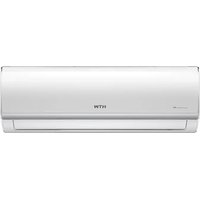
IX75 - Air Conditioning HTW - Free user manual and instructions
Find the device manual for free IX75 HTW in PDF.


User questions about IX75 HTW
0 question about this device. Answer the ones you know or ask your own.
Ask a new question about this device
Download the instructions for your Air Conditioning in PDF format for free! Find your manual IX75 - HTW and take your electronic device back in hand. On this page are published all the documents necessary for the use of your device. IX75 by HTW.
USER MANUAL IX75 HTW
natural_image
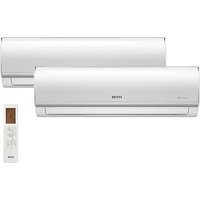
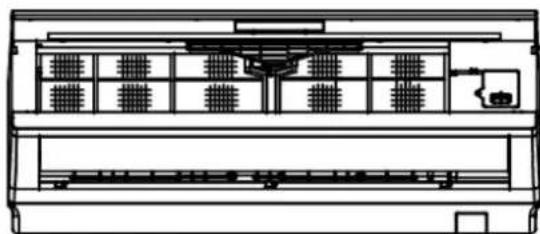
Exterior and front views of a white HTW air conditioner unit with fan blades (no text or symbols on main body)SPLIT 1x1
IX75
HTWS026IX75 | HTWS035IX75
HTWS052IX75 | HTWS075IX75
Por favor lea atentamente este manual antes de usar este producto.
Please, read carefully this manual before using the product.
HTWS052IX75 | HTWS075IX75
CONTENIDO
natural_image
Technical line drawing of a mechanical housing or enclosure with internal components (no text or symbols)natural_image
Simple line drawing of a plug with a coiled cable (no text or symbols)natural_image
Cartoon illustration of two children interacting with a large object on a diagonal line (no text or symbols)natural_image
Cartoon illustration of a child peeking from behind a window with potted plants and flowers (no text or symbols)natural_image
Cartoon illustration of a person running with a plug and newspaper, no text or symbols presentnatural_image
Simple line drawing of a person opening a window with curtains and a cloud above (no text or symbols)natural_image
Illustration of two children playing with musical instruments (no text or symbols)natural_image
Simple line drawing of a child holding a device, with no text or symbols presentnatural_image
Illustration of a person operating a power supply machine next to a device (no text or symbols visible)natural_image
Simple line drawing of a device connected to an air conditioner unit (no text or symbols)text_image
Hand-drawn cartoon showing a person pointing at an electrical meter connected to a wall-mounted device with visible circuit lines.natural_image
Illustration of a birdcage with plants and containers, no text or symbols presentnatural_image
Illustration of two people, one holding a computer and the other looking up at a computer monitor displaying a sad face (no text or symbols present)text_image
Cartoon illustration showing a person using a stethoscope to interact with a document, while another person holds a magnifying glass.natural_image
Cartoon illustration of a computer monitor with a smiling face and a person peeking out of its side (no text or symbols)natural_image
Illustration of a person using a smiling cylindrical tool to lift a cylindrical object (no text or symbols present)natural_image
Cartoon illustration of two children eating together with a bowl nearby (no text or symbols)natural_image
Pure technical line drawing of a curved mechanical component without any text, numbers, or symbolsFig. 5.2.1
natural_image
Line drawing of a door handle with a red arrow indicating direction (no text or symbols)Fig. 5.2.2
natural_image
Technical line drawing of a mechanical component with a red arrow indicating direction (no text or symbols)Fig. 5.2.3
natural_image
Technical line drawing of a mechanical device with multiple compartments and a central housing (no text or symbols)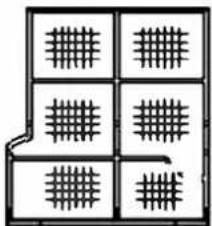
natural_image
Pure geometric grid pattern with no text, numbers, or symbolsFig. 5.2
natural_image
Technical line drawing of a mechanical housing or enclosure with internal components (no text or symbols)natural_image
Illustration of a person using a computer to press or install a keyboard (no text or symbols visible)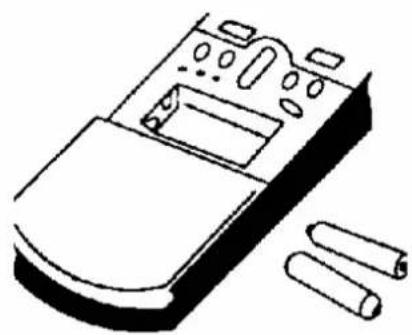
natural_image
Line drawing of a remote control panel with buttons and ventilation slots (no text or symbols)- Ahorro de energía
Introduzca la temperatura adecuada
natural_image
Simple line drawing of a person hanging from behind curtains (no text or symbols)natural_image
Illustration of a woman and a child playing with musical instruments (no text or symbols)natural_image
Simple line drawing of a person standing in front of a door, pointing to the side (no text or symbols)natural_image
Illustration of a person using a tool to spread a grid of tiles (no text or symbols present)Buena ventilación
natural_image
Cartoon illustration of a potted plant growing from a storage cabinet with books, no text or symbols presentnatural_image
Warning symbol of a flame inside a triangle (no text or numbers)Caution, risk of fire
text_image
At least 15cm At least 15cm At least 15cmFig 1
text_image
Air inlet Outdoor Unit Air outlet BlockageFig 2

text_image
Al menos 10cm Unidad exterior Al menos 15cm Al menos 40cm Al menos 2mnatural_image
Technical line drawing of two metal bracket assemblies (no text or symbols)natural_image
Symbol of a trash bin with crossed lines indicating no waste or restriction, and a solid black rectangle below (no text or labels)
HTWS052IX75 | HTWS075IX75
CONTENT
1. SECURITY INSTRUCTIONS
Symbol Description....1
Installation instructions....1
Operating instructions....2
Security instructions....3
2. PRODUCT PRESENTATION
Protection functions....4
3. COMPONENT DESCRIPTION
Unit view....5
Screen display....6
Indicators....7
Remote control....8
Remote control display....9
4. OPERATION MODE
Emergency functions....10
Air flow regulation....10
Sleep power saving function....11
5. MAINTENANCE
Cleaning the front panel and remote control....11
Filter cleaning....12
Maintenance when not in use for a long time....13
Energy saving....14
6. TROUBLESHOOTING
Air conditioning errors....15
Remote control errors....15
Error codes ....16
7. INSTALLATION
Foreword....17
Installation Guide....18
Position for Indoor Unit ....18
Position for Outdoor Unit 19
Tubing Selection 19
Fixing installation panel 20
Indoor unit installation 22
Outdoor unit installation 23
Tubing connection 23
Wire connection 24
Tube strapping 25
Exhaust 26
Gas leakage inspection 26
Drainage 27
Installation for the cover of valve ....27
1. SECURITY INSTRUCTIONS
• Description of symbols

Caution: harm to the person
Attention: material damage
- installation instructions

Caution

Don't ride it alone
The air conditioner will work for a long time if it is installed correctly. Incorrect installation may cause problems such as water or refrigerant leakage, electric shock, or fire.

Attention
Confirm the following before installation

Power specifications
Make sure the switch outlet and power cord have sufficient capacity, the voltage is correct, and the outlet or switch is grounded. Otherwise, there may be a risk of fire or electric shock.

Installation environment
Do not install the air conditioner in places where there are flammable corrosive liquids.

Correct connection of cables and pipes
Incorrect connection may decrease efficiency or cause the air conditioner to shut down. There may be a refrigerant or water leak.

Operating instructions
Please use the air conditioner in accordance with this manual.
- Operating instructions
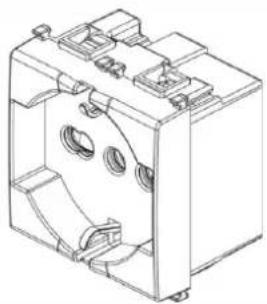
It is necessary to use single-phase voltage 220V - 50Hz
natural_image
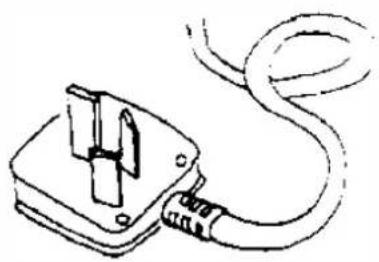
Technical line drawing of a mechanical housing or enclosure with internal components (no text or symbols)Use the specified power cord; don't change it
natural_image
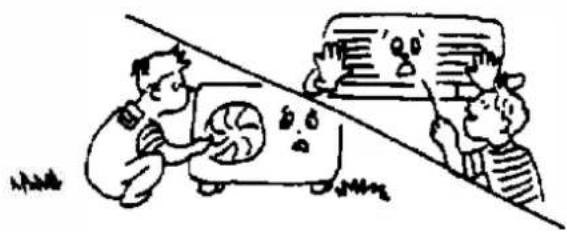
Simple line drawing of a plug with a coiled cable (no text or symbols)Do not insert fingers or sticks into the air conditioner inlet and outlet; the fan in operation can cause injury.
natural_image
Cartoon illustration of two people interacting with a device on a diagonal line (no text or symbols)Do not place anything on the outdoor unit.
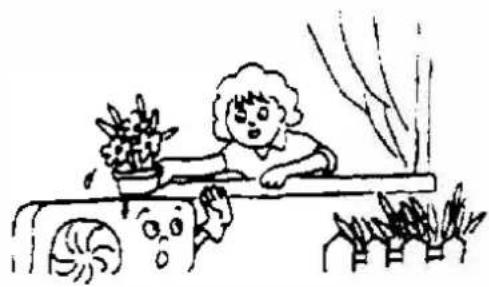
natural_image
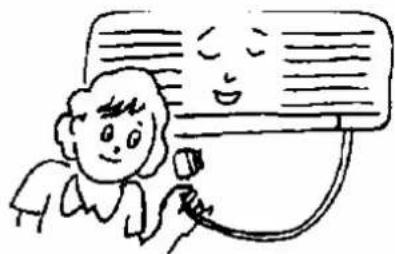
Simple line drawing of a child peeking from behind a window with potted plants and flowers (no text or symbols)Do not turn the appliance on or off by inserting or removing the plug or turning the circuit breaker on or off.
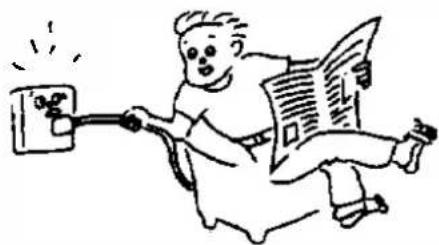
natural_image
Cartoon illustration of a person running with a newspaper and electric plug (no text or symbols)Maintain internal ventilation, especially when gas appliances are in operation.
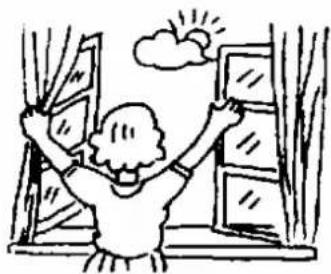
natural_image
Simple line drawing of a person opening a window with curtains and a cloud above (no text or symbols)Do not replace the fuse with a wire or other material.
natural_image
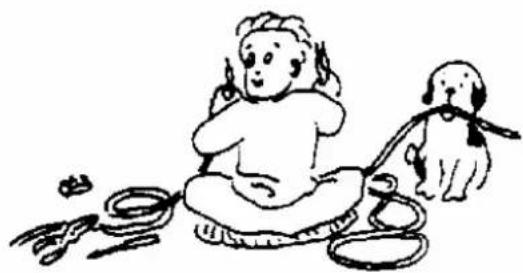
Illustration of two children playing with musical instruments (no text or symbols)Disconnect the power plug or turn off the circuit breaker if the air conditioner is not used for a long time.
natural_image
Simple line drawing of a child holding a device, with no text or symbols present• Security instructions

Warning
The appliance is not designed to be used by young children or the disabled without supervision. Young children should be supervised to ensure that they do not play with the device. If the power cord is damaged, it must be replaced by the manufacturer or its technical service or by a similarly qualified person to avoid any risk.
Do not connect the ground line to the gas pipe, water pipe. Improper grounding can cause electric shock.
natural_image
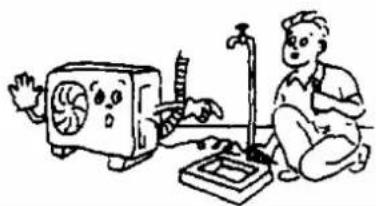
Illustration of a person kneeling beside a small electronic device with a fan, next to a computer (no text or symbols present)Do not unplug the power plug or turn off the circuit breaker when it is working.
natural_image
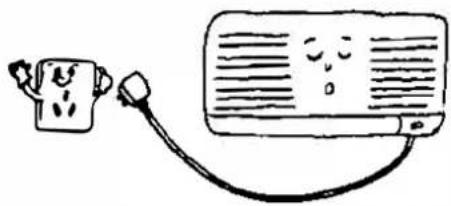
Simple line drawing of a device connected to an air conditioner unit (no text or symbols)Turn off the device; Please cut off the power supply and contact after-sales service in case of abnormal phenomena (for example, the smell of burning).
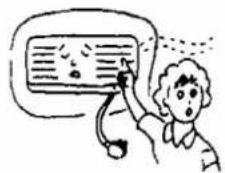
Do not install the air conditioner where there may be gas leaks or flammable substances.
natural_image
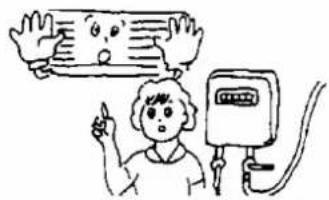
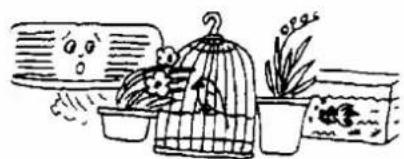
Simple line drawing of a person pointing at an electrical meter connected to a wall-mounted device (no text or symbols)Do not place plants or animals directly in the airflow path of the air conditioner. I could hurt them.
natural_image
Illustration of a birdcage with plants and containers, no text or symbols presentContact your authorized service center for help. Improper maintenance can cause accidents.
natural_image
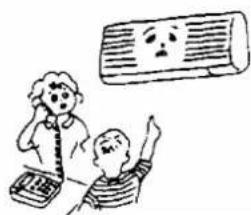
Illustration of two people, one holding a computer and the other looking up at a computer monitor with a sad face (no text or symbols present)Turn off the device, unplug the power, and make sure the fan stops before cleaning the device.

text_image
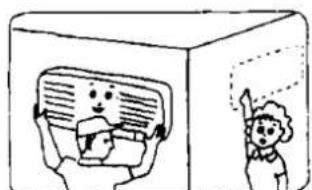
Cartoon illustration showing a person using a stethoscope to interact with a document, while another person holds a magnifying glass.For the removal and installation of the air conditioner, please consult professionals or contact the after-sales service.
natural_image
Cartoon illustration of a child peeking out of a computer screen, with no text or symbols present.2. PRODUCT PRESENTATION
- Protection functions
Protection functions can extend the life of the air conditioner and provide more comfortable airflow.
> Delayed start protection for the compressor
The compressor will start to work at least 3 minutes (5 minutes in heating mode) after it stops to maintain the pressure balance of the refrigeration system.
> Observations
It will take 1 minute for the compressor to run after the unit is turned on for the first time.
> Defrost
The outdoor heat exchanger may freeze if the outdoor temperature is low and the humidity is high. In this case, the automatic defrost will work for 3-10 minutes. the pause indicator will be on and the indoor and outdoor fans will not work.
HEAT overload protection (not available for cooling-only type of air conditioner) When the indoor pipe temperature is too high, the air conditioner enters heating overload protection mode, and the indoor fan speed should be set to a higher speed automatically. The outdoor fan and compressor can be stopped. When the indoor pipe temperature drops to a nominal value, the air conditioner exits overload protection mode. The indoor fan motor returns to its normal state.
Residual heat function (not available for refrigeration - refrigeration type only)
The indoor fan keeps running at low speed for 80 seconds when the air conditioner stops in heating mode.
Airflo Cooling Test (not available due to the raffreddamento - only of the type of conditioned air)
In the first minutes of heating operation, the PAUSE light will come on; the internal fan does not work and the flaps cannot be controlled. Approximately 5 minutes later, the air conditioner emits a stream of hot air, the PAUSE light is off.
> Avoid freezing
Parln order to prevent the indoor heat exchanger from freezing during cooling and drying, the compressor or outdoor fan may stop working; the indoor fan speed will automatically adjust to a higher speed.
> Auto reset (optional)
The unit memorizes the operating mode, airflow setting, temperature setting, etc., so that if there is a power outage when the unit is running, it will automatically return to the same operating condition when it is restored. energy.
> Anti drip
During cooling and dehumidifying operations, the louver flaps can automatically change position to prevent dripping.
3. COMPONENT DESCRIPTION
- Unit view
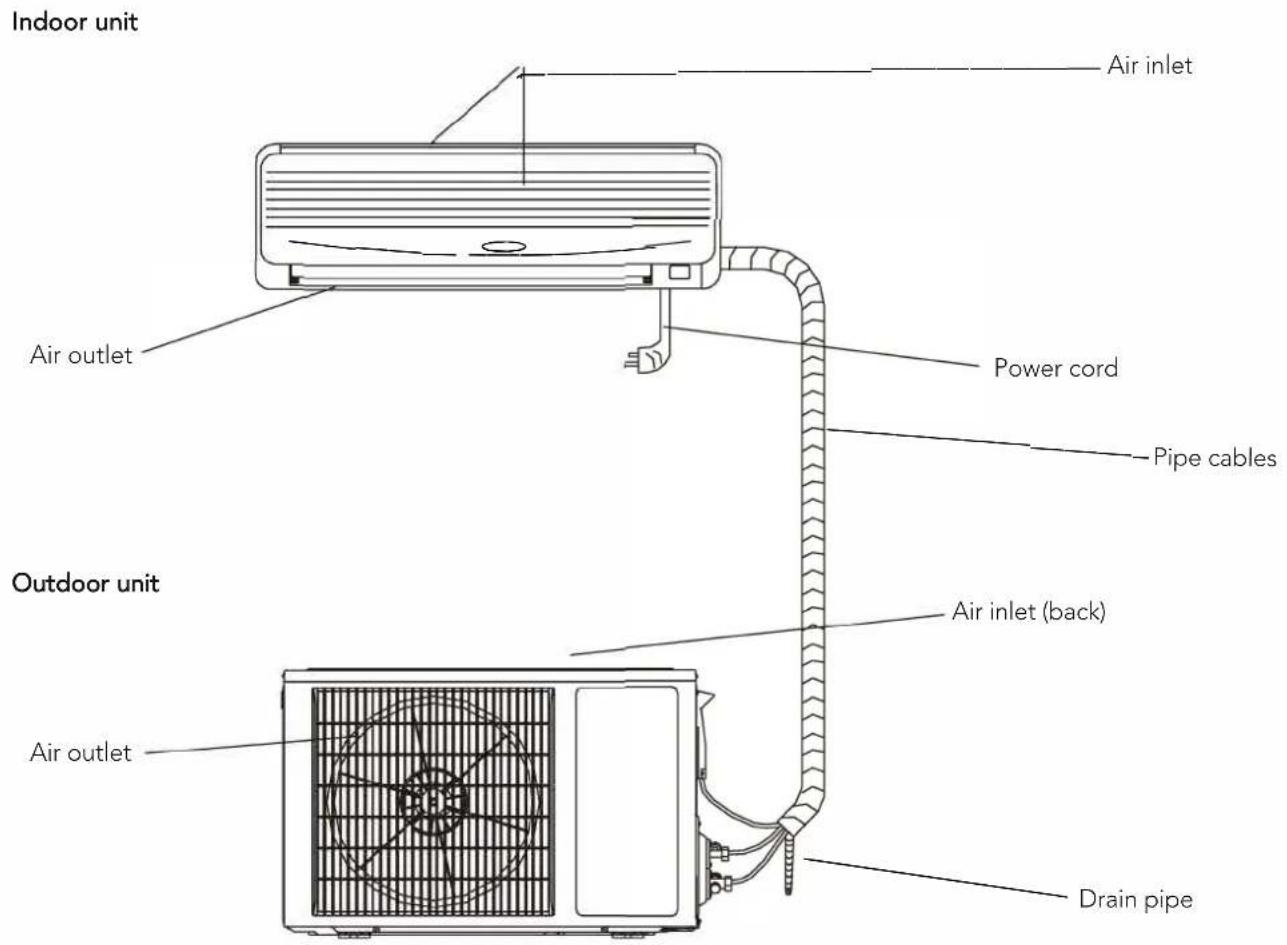
text_image
Indoor unit Air inlet Air outlet Power cord Pipe cables Outdoor unit Air inlet (back) Air outlet Drain pipeNote
Il air conditioner consists of an indoor unit, an outdoor unit and a remote control. The design and shape are different for different models. The above diagram is just a drawing and may differ slightly from the actual device.
- Display screen

Health indicator: this light is on when the UVC function or the Cold Plasma generator is working.

Timer indicator: this signal light is on when the unit is in timer.

Compressor indicator: this signal light is on when the compressor is running.

WiFi indicator: flashing on behalf of searching, lighting on behalf of WiFi completed connection, which means WiFi function can be operated and applied (for more details, please refer to the WiFi instruction manual).
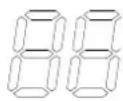
Temperature indicator: this display can show the set temperature, when the indicator display F4, F1 or F2, means the air conditioner runs abnormally.
(The above LED display is for reference only, subject to the actual product).
- Indicators
① "PAUSE" indicator
This indicator illuminates red when the air conditioner is in defrost or draft-proof cooling mode.
② "RUN" indicator
This indicator lights green when the unit is in "RUN" mode;
③ "TIMER" indicator
This indicator lights yellow when the unit is in TIMER mode.
④ "AIR REFRESH" indicator (optional)
This indicator lights green when the device is in Air Refresh mode and does not light if the device does not have an Air Refresh function.
⑤ "RECEIVER" indicator
Receives the signal from the remote control.
Note: If any of the "RUNNING", "PAUSE" or "TIMER" lights are blinking, contact Technical Services immediately.
- Remote Control
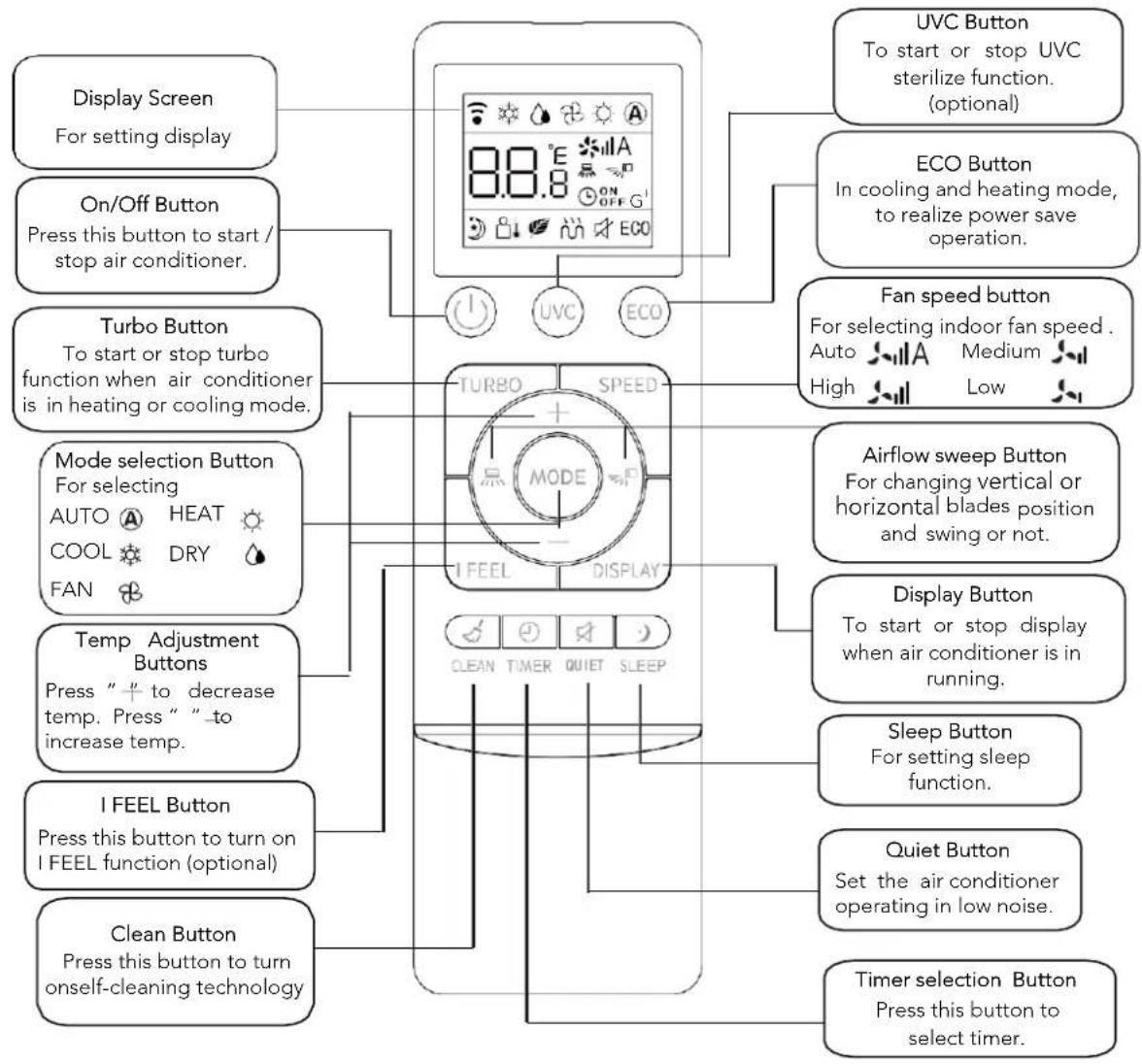
flowchart
graph TD
    A["Display Screen\nFor setting display"] --> B["On/Off Button\nPress this button to start / stop air conditioner."]
    B --> C["Turbo Button\nTo start or stop turbo function when air conditioner is in heating or cooling mode."]
    C --> D["Mode selection Button\nFor selecting\nAUTO HEAT COOL DRY FAN"]
    D --> E["Temp Adjustment Buttons\nPress " + to decrease temp. Press " " to increase temp."]
    E --> F["I FEEL Button\nPress this button to turn on I FEEL function (optional)"]
    F --> G["Clean Button\nPress this button to turn oneself-cleaning technology"]

    H["UVC Button\nTo start or stop UVC sterilize function. (optional)"] --> I["TURBO SPEED MODE"]
    J["ECO Button\nIn cooling and heating mode, to realize power save operation."] --> I
    K["Fan speed button\nFor selecting indoor fan speed .\nAuto Medium High Low"] --> I
    L["Airflow sweep Button\nFor changing vertical or horizontal blades position and swing or not."] --> I
    M["Display Button\nTo start or stop display when air conditioner is in running."] --> N["CLEAN TIMER QUIET SLEEP"]
    O["Sleep Button\nFor setting sleep function."] --> N
    P["Quiet Button\nSet the air conditioner operating in low noise."] --> N
    Q["Timer selection Button\nPress this button to select timer."] --> N
Remarks:
- HEAT,AUTO function and display are not available for cooling-only type air conditioner.
- If user want to make the room air cool or warm quickly, user can press "turbo" button in cooling or heating mode, air conditioner will run in power function. If press "turbo" button again, air conditioner will exit power function.
-
The above illustration of remote controller is only for reference, it may be slightly different from the actual product you selected.
-
Remote Control Display
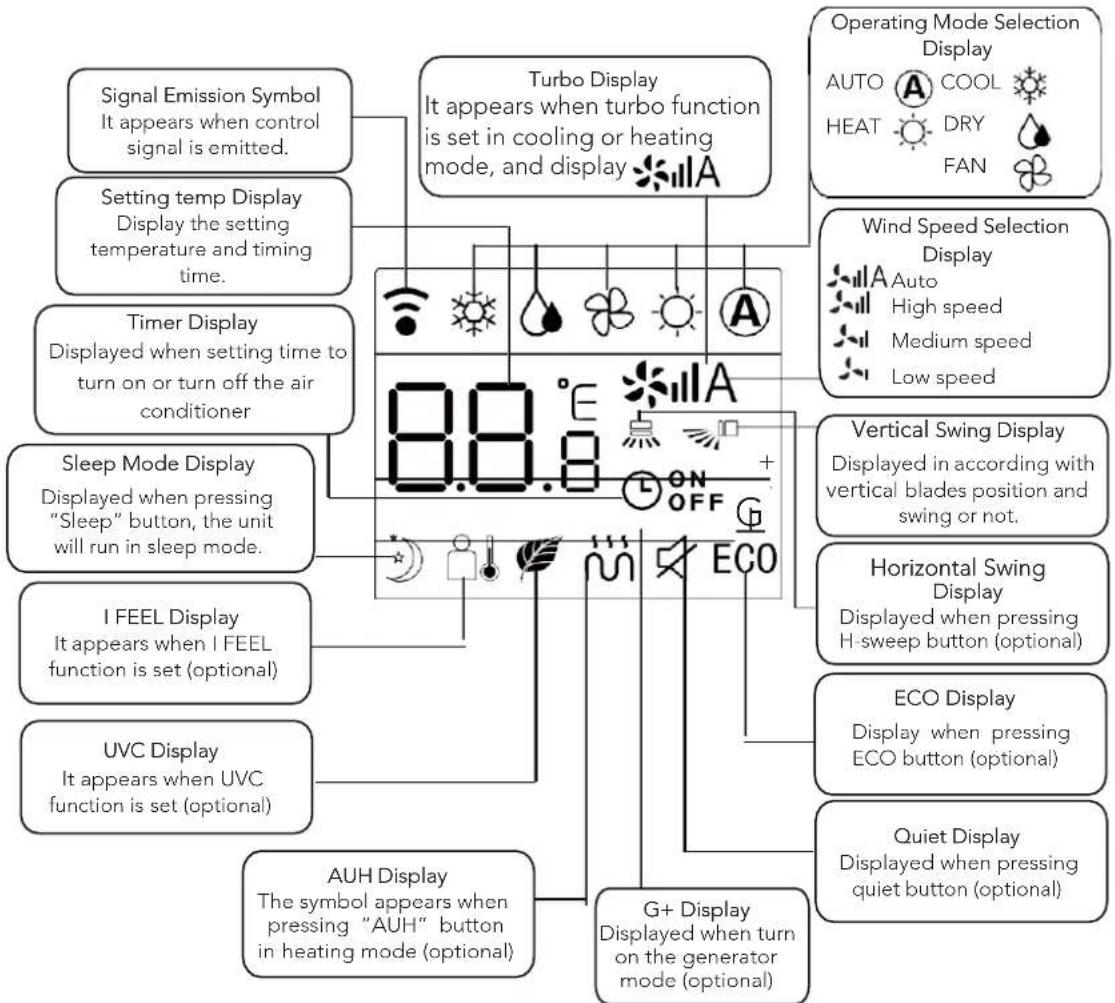
flowchart
graph TD
    A["Signal Emission Symbol\nIt appears when control signal is emitted."] --> B["Turbo Display\nIt appears when turbo function is set in cooling or heating mode, and display"]
    C["Setting temp Display\nDisplay the setting temperature and timing time."] --> B
    D["Timer Display\nDisplayed when setting time to turn on or turn off the air conditioner"] --> B
    E["Sleep Mode Display\nDisplayed when pressing "Sleep" button, the unit will run in sleep mode."] --> B
    F["I FEEL Display\nIt appears when I FEEL function is set (optional)"] --> B
    G["UVC Display\nIt appears when UVC function is set (optional)"] --> B
    H["AUH Display\nThe symbol appears when pressing "AUH" button in heating mode (optional)"] --> B
    I["G+ Display\nDisplayed when turn on the generator mode (optional)"] --> B
    J["Operating Mode Selection Display\nAUTO COOL\nHEAT DRY\nFAN"] --> B
    K["Wind Speed Selection Display\nAuto High speed\nMedium speed\nLow speed"] --> B
    L["Vertical Swing Display\nDisplayed in according with vertical blades position and swing or not."] --> B
    M["Horizontal Swing Display\nDisplayed when pressing H-sweep button (optional)"] --> B
    N["ECO Display\nDisplay when pressing ECO button (optional)"] --> B
    O["Quiet Display\nDisplayed when pressing quiet button (optional)"] --> B
Instruction for remote controller
- The remote controller uses two AAA batteries under normal condition, the batteries last for about 6 months. Please use two new batteries of similar type (pay attention to the poles in installing).
- When using remote controller, please point the signal emitter towards indoor unit receiver; There should be no obstacle between remote controller and indoor unit.
- Pressing two buttons simultaneously will result wrong operation.
- Do not use wireless equipment (such as mobile phone) near indoor unit. If interference occurs because of this, please switch off the unit, pull out power plug, then plug again and switch on after a while.
- There is no direct sunlight to the indoor receiver, or it can not receive the signal from the remote controller.
- Don't cast the remote controller.
- Don't put the remote controller under the sunlight or near the oven.
- Don't sprinkle water or juice on the remote controller, use soft cloth for cleaning if it occurs.
- The batteries must be removed from the appliance before it is scrapped and that they are disposed of safety.
• Emergency functions
If you can't find the remote control or if the remote control batteries are dead, use the emergency switch.
• Air flow regulation
To start the airflow function.
Maneuver mode
-
When the air conditioner is off,
-
When the air conditioner is off, press the "AIR REFRESH" button, the air conditioner will turn on, press the SWEEP button, the "HEALTH" function will be activated.
- Pressing the "HEALTH" button again cancels the function,
-
By pressing the "HEALTH" button again, the air conditioner will be turned off,
-
When the air conditioner is working in "HEALTH" mode, if you press the "ON/OFF" button, you can change the mode (COOL, HEAT, etc.) while keeping the "HEALTH" function, the air conditioner will turn on . off Le climatiseur est alumé. When the air conditioner is on, pressing the "HEALTH" button starts the cool air function.
• Air flow regulation
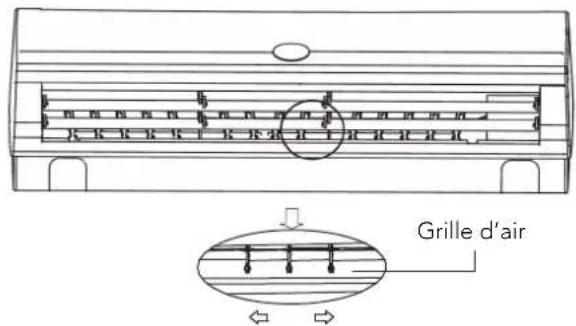
Horizontal airflow adjustment
Use your hands to adjust the air outlet to adjust the flow to the right or left (Fig.5,6,1).
text_image
Grille d'airFig. 5.6.1
Caution: There's a fan inside, don't get your hands on it!
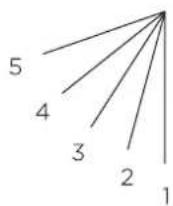
Fig. 5.6.2
Vertical airflow adjustment
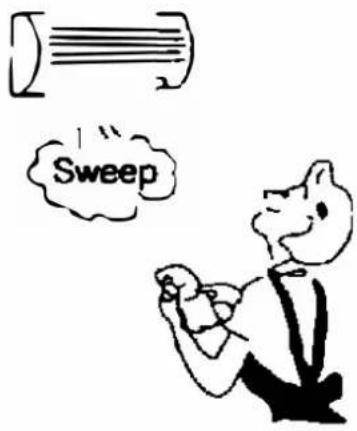
Repeatedly press the "SWEEP" button on the remote control, the flaps can be set to fixed position 1-5 (fig. 5.6.2) auto swing is activated in different modes, the flaps swing repeatedly in the defined range.
• Energy saving SLEEP function
- When the air conditioner is on, press the "SLEEP" button to enter "SLEEP" mode on the remote control, this symbol will appear.
-
- If you press the "SLEEP" button again, ✦ will disappear and the sleep (energy saving) function will be cancelled
Function A: in standby mode, the set temperature will rise after 1 hour of operation in cool and dry mode; will decrease after 1 hour of operation in heating mode. The set temperature will be controlled between 16°C and 32°C. When the air conditioner is in SLEEP mode, the indoor fan speed is set to a medium level, but the user can change the fan speed with the remote controller.
Function B: In standby mode, the set temperature and indoor fan speed will not change, but the display of the air conditioner will be off except for the "RUN" indicator.
5. MAINTENANCE
Careful maintenance and early inspection can extend the life of the air conditioner and reduce electricity bills.
Attention
- Turn off the air conditioner with the remote controller and unplug it before performing service and maintenance.
- Do not stand on unstable objects when cleaning or maintaining the air conditioner, otherwise it may cause injury.
- Do not touch the metal part of the air conditioner body when removing the front panel, otherwise it may cause injury.
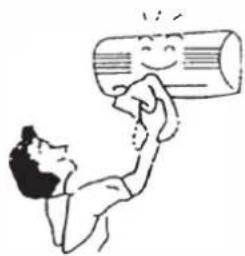
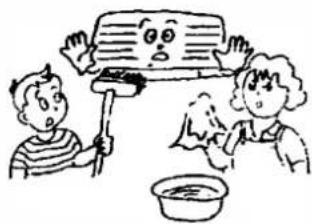
• Cleaning the front panel and remote control
If the dirt cannot be removed, wipe it with a warm damp cloth (soaked in warm water below 40!)
natural_image
Cartoon illustration of a person using a smiling cylindrical device to lift a beam (no text or symbols)Attention
- Do not clean the device with water, it may cause electric shock.
- Do not clean the remote control with water.
- Do not clean with alcohol, benzine, oil or polish.
- Please do not wipe the device violently, otherwise the front panel may fall off.
- Do not clean the front panel or remote control with metal brushes; may damage the surface.
natural_image
Cartoon illustration of two children washing dishes with a computer (no text or symbols)- Filter cleaning
natural_image
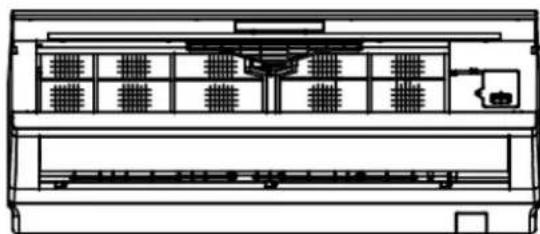
Pure technical line drawing of a curved mechanical component without any text, numbers, or symbolsFig. 5.2.1
natural_image
Line drawing of a mechanical component with a red arrow indicating direction (no text or symbols)Fig. 5.2.2
natural_image
Technical line drawing of a mechanical component with a red arrow indicating direction (no text or symbols)Fig. 5.2.3
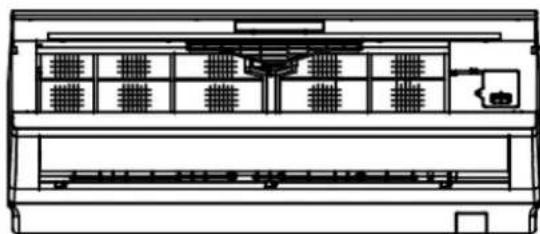
natural_image
Technical line drawing of a mechanical device with multiple compartments and a central housing (no text or symbols)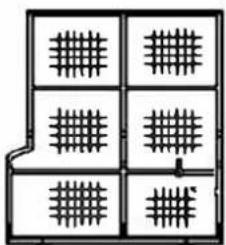
natural_image
Pure electrical circuit lines without any symbolsFig. 5.2
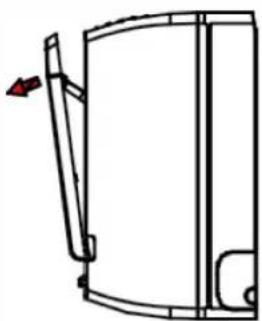
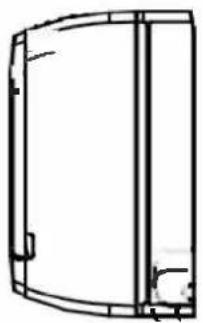
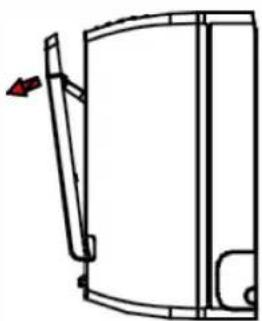
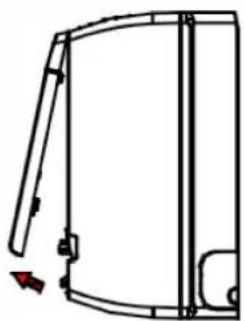
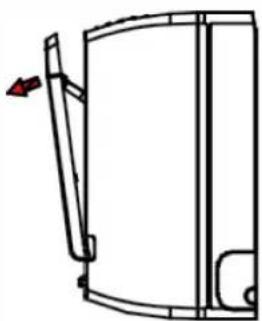
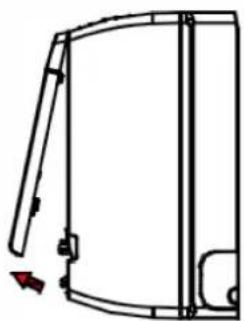
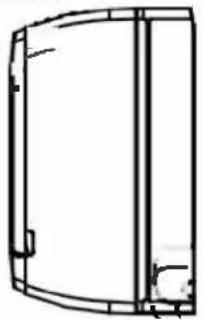
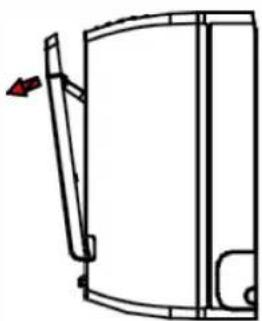
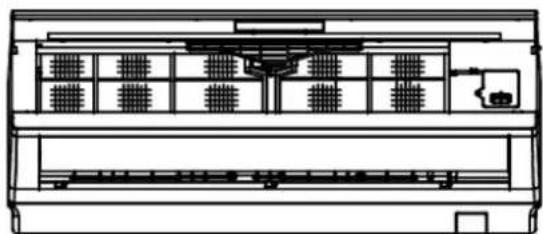
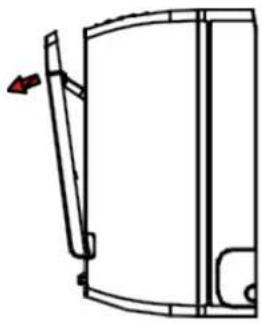
- Open the front panel.
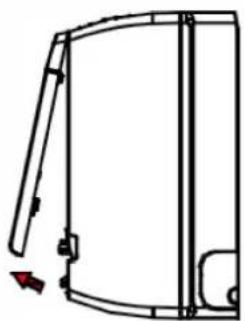
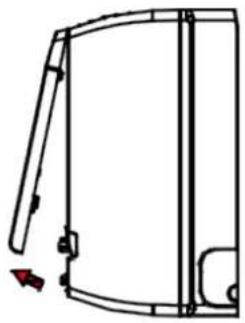
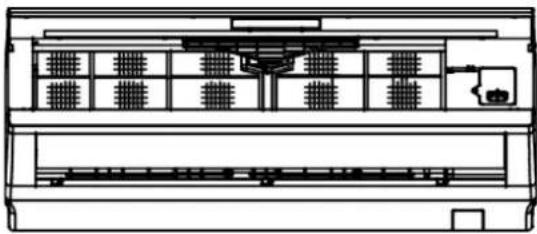
- Lift the protruding part, then pull it down and remove the air filter.
- Clean it with a vacuum cleaner or water. If the air filter is very dirty, clean it with warm water and a mild soap or detergent. Then dry it in the shade.
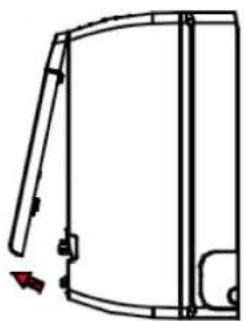
- Insert the air filter in the previous position and close the front panel.
Attention:
- The air filter should be cleaned at least once every two weeks, otherwise the heating or cooling capacity will be reduced.
- Do not clean the air filter with a metal brush; could be damaged.
- Maintenance for not using for a long time
-
Rotate for 3-4 hours to dry the inside of the air conditioner.
-
Power off by remote control and unplug the power plug
text_image
Sweep
natural_image
Technical line drawing of a mechanical housing or enclosure with mounting brackets and internal cutouts (no text or symbols)-
Clean the air filter
-
Remove the batteries from the remote
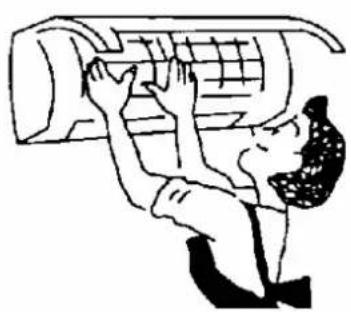
natural_image
Cartoon illustration of a person using a computer (no text or symbols present)
natural_image
Line drawing of a remote control device with buttons and two cylindrical components (no text or symbols)- Energy saving
Enter the proper temperature
Do not set the indoor temperature too low if the room is too cold. and harmful to health.
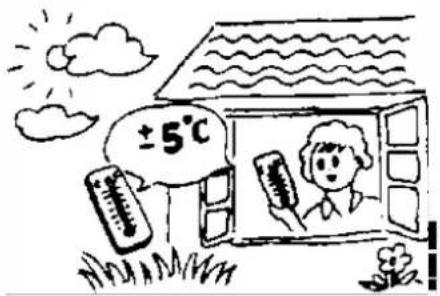
text_image
±5°CAvoid direct sunlight
When cooling a room, use a curtain to block direct sunlight.
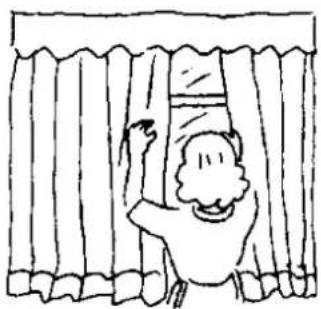
natural_image
Simple line drawing of a person hanging from behind curtains (no text or symbols)Avoid direct heat sources
When cooling a room, the use of heat sources can affect the cooling capacity.
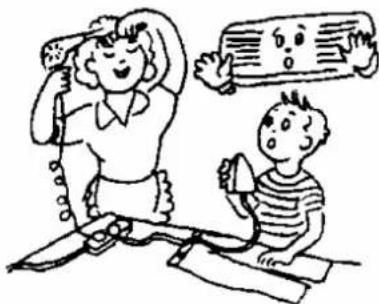
natural_image
Illustration of a woman and a child playing with musical instruments (no text or symbols present)Close doors and windows tightly
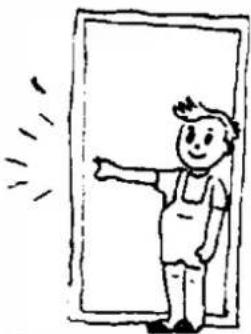
Incoming outside air will affect cooling or heating efficiency.
natural_image
Simple line drawing of a person standing in front of a door, pointing to the side (no text or symbols)Air Filter Cleaning
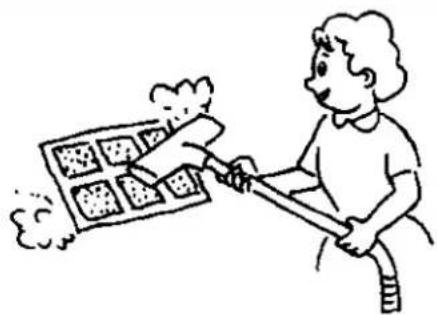
Keeping the air filter clean at all times ensures high efficiency of air conditioning operation.
natural_image
Illustration of a person using a tool to spread a grid of tiles with smoke (no text or symbols)Good ventilation
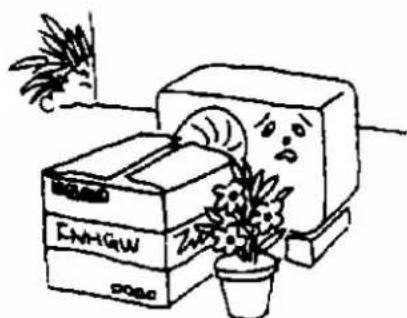
Do not place any objects in front of the entrance and exit of the outdoor unit.
natural_image
Cartoon illustration of a potted plant growing from a storage cabinet with books, no text or symbols present6. TROUBLESHOOTING
• The air conditioning is faulty
Check before repair
| Type of fault | Comprobaciones a realizar |
| The air conditioning does not work | 1. Check if the power is off. |
| 2. Check whether the switch is on or whether the fuse is blown. | |
| 3. Check the batteries in the remote. | |
| 4. Check whether the entered operating time has been reached. | |
| 5. Check if any working radio equipment works within 1 meter. | |
| Poor cooling or heating performance | 1. Check if the intake vents are blocked. |
| 2. Check whether the switch is on or whether the fuse is blown. | |
| 3. Check the batteries in the remote. | |
| 4. Check whether the entered operating time has been reached. | |
| 5. Check if any working radio equipment works within 1 meter. |
• The remote control has an error
Normal failure phenomena
| Failure phenomenon | Failure Reason |
| Unable to control stops or fan speed | 1. When the air conditioner is in DRY or SLEEP mode, the fan speed cannot be controlled. |
| 2. When the air conditioner is in COOL AIRFLOW TEST or DEFROST mode3. (in HEAT mode), the fan motor stops. | |
| 4. When the air conditioner is in COOL or DRY mode, if the air conditioner switches to antifreeze mode, the fan speed cannot be controlled. | |
| 5. When the air conditioner is in COOL or DRY mode, if the air conditioner enters freeze prevention mode, the speed cannot be controlled. | |
| 6. When the air conditioner is in HEAT mode, if the air conditioner enters heating overload prevention mode, the fan speed cannot be controlled. |
- Error codes
| 1. he. The EEPROM error on the indoor unit PCB --- EE |
| 2. PG --- FO motor failure |
| 3. Indoor unit coil temperature sensor failure --- F3 |
| 5. PG-El Motor Zero Crossing Abnormality Detection |
| 6. External system error-E8 |
| 7. EEPROM error on outdoor unit PC board --- EF |
| 8. Internal communications are not accepted---F6 |
| 9. Communication failure between outdoor unit and IPDU --- F8 |
| 10. Compressor failure --E4/E3 |
| 11. IPM module malfunction---F9 |
| 12. Discharge pipe temperature sensor fault---F5 |
| 13. Induction temperature sensor failure---ES |
| 14. Indoor unit coil temperature sensor failure --- F4 |
| 15. Outdoor temperature sensor failure --- F2 |
| 16. External DC motor failure --- E2 |
7. INSTALLATION
- Foreword
: DUQLQJ□6RP H□P RGH□V□DUH□5□□□RU□RWKHU□I0DP P DE□H□UHIULJHUDQWV□□ZKLFK□QHHG□WR□EH□RSHUDWHG□DQG□XVHG□LQ□DFFRUGDQFH□Z LWK□WKH□LQVWUXFWLRQV□IRU□XVH□□
\$ LUO FRQGLWLRQHUVVKRXCGEHVWRUHGLODUHDVZLWKQRSHUVLVWHQWVRXUFHVRIJQLWLRQVXFKDVRSHQQIDP HVOLJ KWHGJJ DVDDSSOLDQFHVHOHFWULFKHDWHUVWKDWDUHWWXUQHGROQHWF
□□ ' R□QRW□SXQFWXUH□RU□LJQLWH□WKH□DLU□FRQGLWLRQHU□
□□ %HIRUH□VHUYLFLQJ □RU□UHSDUQLQJ □DQ□DU□FRQGLWLRQHU□ZLWK□5□□□UHIULJHUDQW□□D□VDIHW□□LQVSHFWLRQ□P XVW□EH□FDUULHG□RXW
WR□HQVXUH□WKDW□WKH□ULVN□RI□GDQJ HU□LV□P LQLP □] HG□
□□, I□WKH□DLU□FRQGLWLRQHU□CHDNV□UHIULJ HUDQW□SCHDVH□RSHQ□DCC□GRRUV□DQG□ZLQGRZV□LP P HGLDWH□A □NHHS□WKH□URRP YHQWLQDHWG□NXUQ□RII□WKH□SRZHU□DQG□HDYH□WKH□URRP □DQG□FDC□IRU□UHSDLU□
☐ : KHQQLQVWDQLQJ ☐ RUDUHORFDWLQJ ☐ WKHDLUFRQGLWLRQHUQ EHQVXUHWR ☐ ECHHGQWKHOUHIULJ HUDQWFLUFXLWWRHQVXUHQWENPHI RI DLUDDQGDXVHQRQX ☐ WKHDSHFLILHGOUHIULJ HUDQW5 ☐ 7KHOSUHVQFHRI DI LUURURWKHUIRUHLJ QQP DWWHUOLQWKHOUHIULJ HUDQW FLUFXLWFDXVHVIDEQRUP DO SUHVVXUHULVHIZKLFKIPD ☐ UHVXOWLQHTXLSP HQMQGDP DJHDDQGHYHQLQWXUX
7KHYDFXXP SXP SJP XVWHEHXVHGIRUHYDFXDMLRQQDDQGOLWLLVVMULFWXA SURKLELWHGWRXVHWKHOUHIULJHUDQNQLQLNWKHIXVHDJHWRHYDFXDWH
\$ IWHUFRP SOHWLQJ LQVWDODWLRQFKHFNIRUUHIULJ HUDQWJDVCHDNDJH
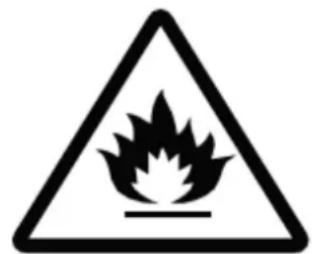
30HDVHFKHFNWKHIRRZLQJVDIHWVLJQVFDUHIXEHEIRUHLQWWDQLQJDQGXVLQJWKHDLUFRQGLWRQHU
text_image
Warning sign depicting a flame symbol inside a triangle, indicating hazardous materialCaution, risk of fire
● This air conditioner meets the safety and operation standards promulgated by the Nation.
- You need to invite professional air conditioner service and maintenance personnel to install or remove the air conditioner. Problems may occur and you may suffer losses if non-professionals install the air conditioner.
- User shall provide the power that meets installation and operation requirements. please refer to nameplate for details about the voltage for this product. Voltage beyond this scope will affect the normal operation of the air conditioner.
- Separate power point with delay fuse protector or automatic breaker should be used for the air conditioner.
● The air conditioner must be correctly and reliably grounded, or it may cause electric shock or fire.
- Do not switch on the power of the air conditioner before well connecting and carefully checking the tubing and wires.
● The appliance shall not be installed in laundry or bathroom.
- In case necessary, please consult your supply authority for system information.
● The plug shall be accessible after installed the appliance.
● This instruction is subject to change without notice.
Installation of Accessories
● Examine carefully the attached packing list and check whether the accessories are complete.
- Users may need to buy at their own expenses the articles not included in the packing list and may be needed in installing.
• Position for Indoor Unit
● Away from the place where there is heat source, steam source, leakage of flammable gas and smoke.
● No obstacles near the inlet and outlet, and keep good ventilation.
● Good discharge for water.
- At least 1m away from wireless equipment (such as TV, radio etc.).
- Mounted on the wall that can bear the weight of the air conditioner and won't produce noise while unit working.
● The distance between the indoor unit and the floor should be greater than 2.3m.
- The plug shall be accessible after installing the appliance.
● Ensure the distance as required in Fig.1.
● The back of the indoor unit should be close to the wall(Fig.1)
● The all figures are only schematic, and they may be slightly different from the actual appliances you selected.
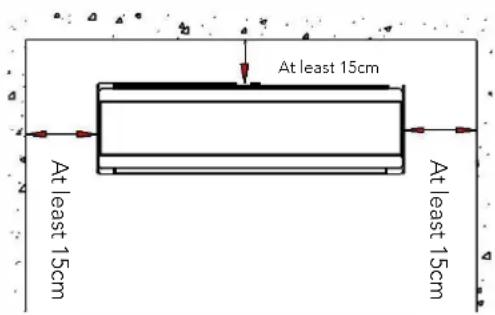
text_image
At least 15cm At least 15cm At least 15cmFig 1
• Position for Outdoor Unit
- Avoid direct sunlight.
● Away from heat source, steam source, leakage of flammable gas, smoke and dust. - Select a place that is away from rain (snow) and has good ventilation.
● Neighbors will not be affected by the blown wind and noise, or discharged water.
● The place that is easy to install and service. - Mounted on the solid and reliable foundation will not increase noise or shock.
- To get high cooling performance, make sure the unit's front, rear, left and right sides must be located in an open area.
● The outlet is proposed to be in open air, any obstacle will affect the performances.
● The installing distance must be required as Fig. 2 shows.
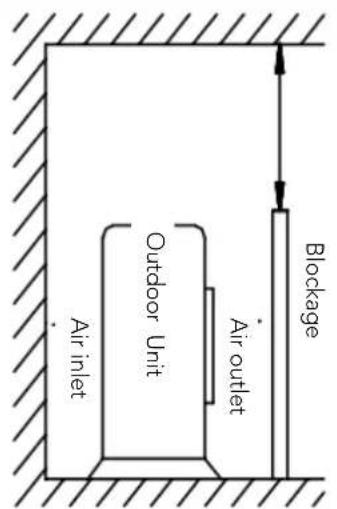
text_image
Air inlet Outdoor Unit Air outlet Blockage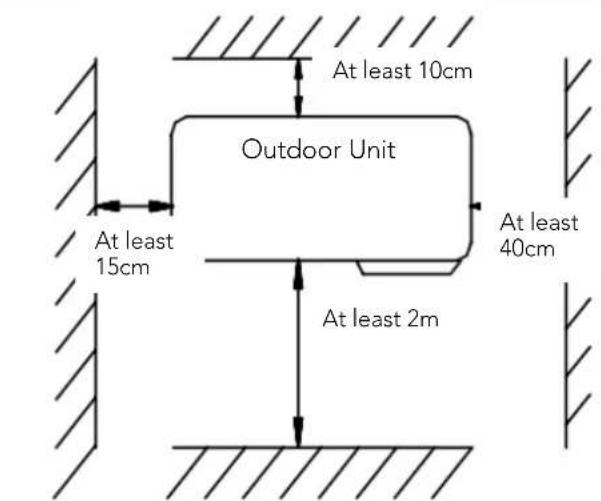
text_image
At least 10cm Outdoor Unit At least 15cm At least 2m At least 40cmFig 2
- Tubing Selection
- Ensure that the level (height) difference of indoor and outdoor units and the length of tubing meet the requirement In the Table 1.
- If the tubing is longer than 7m, but shorter than 15m, refrigerant should be supplemented according to Table 1.
- If the installation position of the outdoor unit is higher than indoor unit and the tubing is longer than 10m, added a oil trap on the gas tubing for every 8m.(Fig 3)
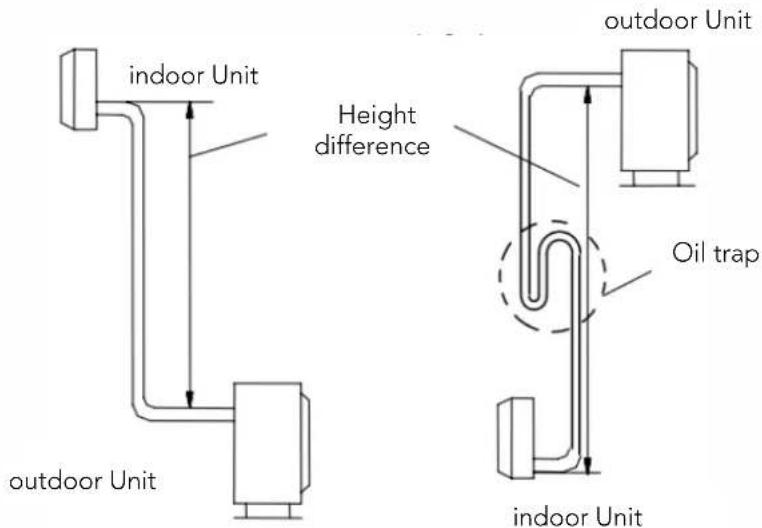
text_image
indoor Unit height difference outdoor Unit oil trap indoor UnitFig 3
Table 1
| • Tubing Size | Standard tubing Length (m) | Max tubing Length (m) | Height Difference(m) | Additional refrigerants (g/.m) | |
| Narrow (mm) | Wide (mm) | ||||
| φ6.35(6.0) φ9.52(9.0) | 3.5 9 5 15 | ||||
| φ6.35(6.0) φ12.7(12.0) | 3.5 12 7 15 | ||||
| φ6.35(6.0) φ15.88(5/8") | 4 15 8 15 | ||||
The above dimensions are for reference only, the actual product shall prevail.
- Fixing Installation Panel
- Dismantle the metal installation board of the indoor unit. Adjust the installation board to horizontal position. The height difference between the left and right sides of the installation board should less than 5mm.(Fig 4)
- Drill holes and insert plastic expansion tubes at the appropriate locations on the wall and fix the installation board on the wall with M5x30 screws. Ensure that there must be at least 4 fixed points in the wall. Ensure installation board to horizontal position.
- Drill holes as Fig. 5 shows. The hole, 80mm in diameter, should slightly slide down outwards..
● Cut PVC tubes at a slight angle in the length shorter than wall thickness and inset it into the hole.(Fig.5) - Mount the wall cap.
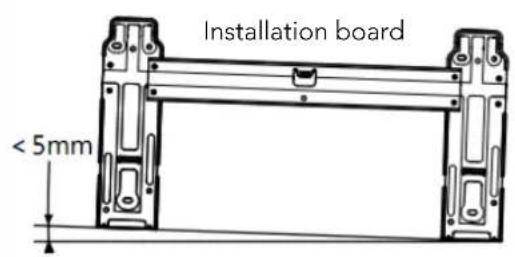
text_image
Installation board < 5mm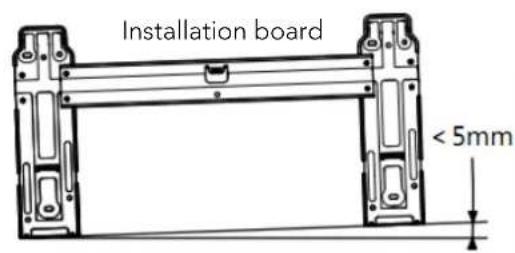
text_image
Installation board < 5mmFig 4
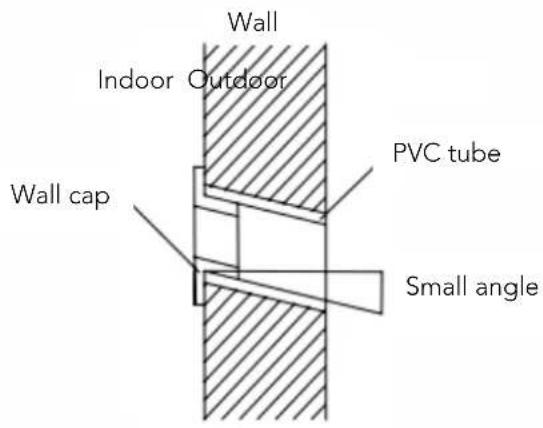
text_image
Wall Indoor Outdoor Wall cap PVC tube Small angleFig 5
Attachment: installation instructions for decorative cover plate
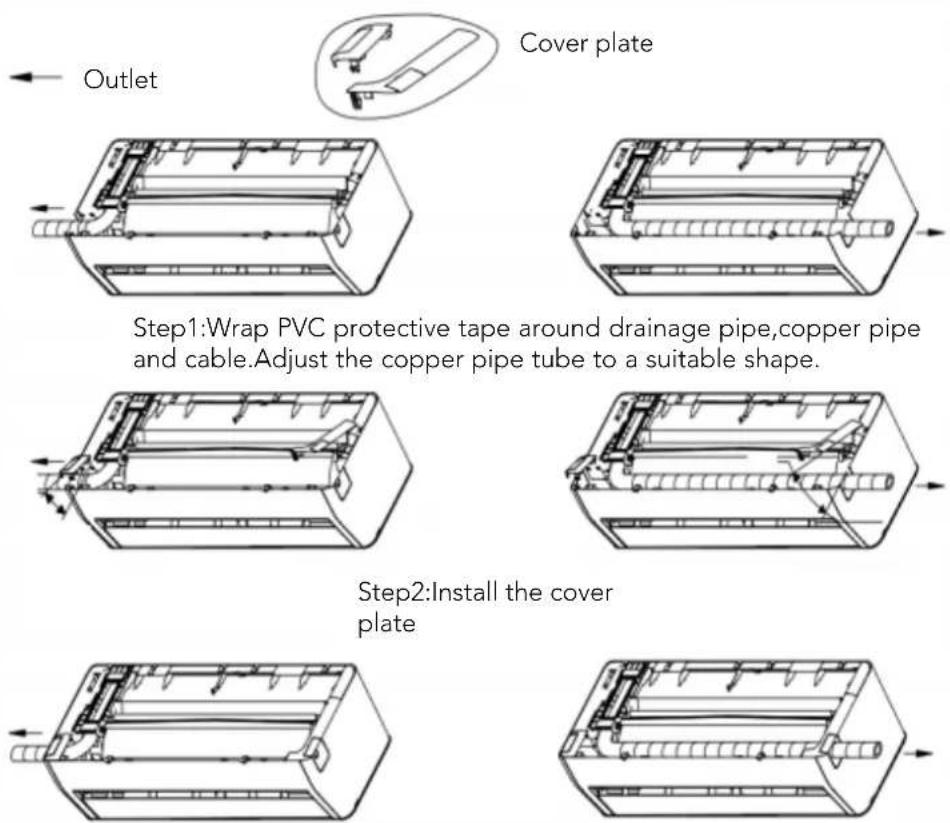
Step3:Finish
Note: The above diagram may be difference from the actual product, please refer to the actual product.
- Indoor Unit Installation
Pipeline
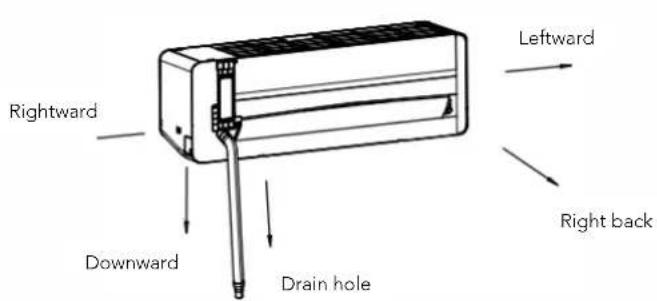
The tube may be connected in several directions as below shown Figures.
-
Connecting right back tube (similar to right lower tube) (optional, Refer to Fig.6)
-
Pull out the tubing from bottom of the chassis; and connect the drainpipe. Strap the joint of tubing reliably.
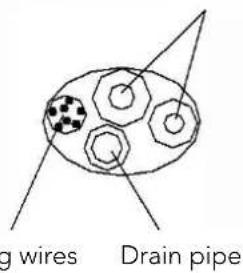
● Lead the connecting wire to the indoor unit (Do not connect to the power). - Strap together the tubes, discharge pipe and connecting wire with adhesive tape. The discharge pipe is put at the below. Remove the board which is onthe chassis.
- Check if the connections are reliable.
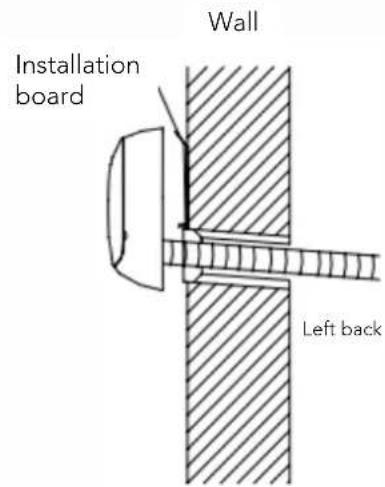
● Mount the indoor unit on the two hooks at the upper part of installation board.(Refer to Fig.8)
text_image
g wires Drain pipeFig 6
-
Connecting left back tube (similar to left lower tube). (optional, Refer to Fig9)
-
Move the discharge tube to the left side, and discharge cap to the right side.
● Fix the tubes in the slot of the indoor unit with the fix clamp.
● The following mounting steps are the same as those in "1. Connecting right back tube."
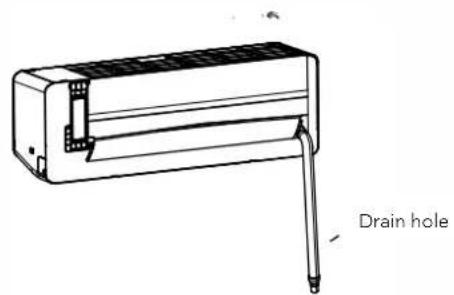
Notes: Left chart is available for the position of drain hose, refer to Fig 7.
Right chart is available for the position of drain hose, refer to Fig 9.
text_image
Rightward Downward Drain hole Leftward Right backFig 7
text_image
Wall Installation board Left backFig 8
text_image
Drain holeFig 9
• Outdoor Unit Installation
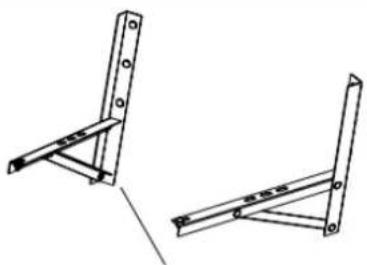
- If installation brackets for installing outdoor unit are needed, user could buy the brackets from our company or agents (Fig.10).
- Assemble the mounting frame and supports with the attached 6 screws (M12x25), plain washers, spring washers, and nuts.
- Drill 4 or more holes on the wall according to the feet size of the air conditioner. Determine the locations for mounting left and right supports. Ensure that the left and right supports are on the same level.
● Fix installation frame on the wall with expansive bolts.
● Fix outdoor unit with 4 bolts (M10x25) on the installation brackets.
● Fittings must be tightly screwed; Connection must be tight and reliable. - In installing outdoor unit, the body should be hung with ropes to prevent from falling.
- In installing or repair, tools and components should be prevented from falling.
● Regularly check the reliability of the installation frame.
natural_image
Technical line drawing of two metal bracket assemblies (no text or symbols)Installation support
Fig 10
- Tubing Connection
- Detach the valve cover of outdoor unit.
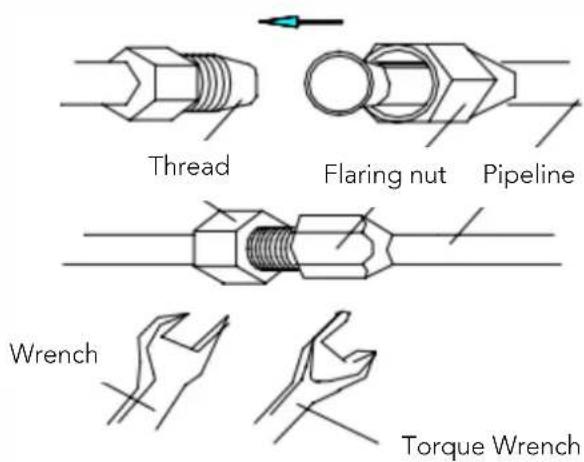
- Align flaring nut to the thread center, and screw the nut tightly by hand.
- Screw tightly the flaring nut with torque spanner until the torque spanner produces "click" sound.
- It is recommended to use torque spanner to connect the tubing. If other flexible or fixed spanner is used, it may damage the horn mouth due to improper force.
- The bending angle of the tube should not be too small or the tube may break up, so the service personnel should use tube bender to bend the tube.
● Never let water, dust or sand gets into the pipe.
text_image
Thread Flaring nut Pipeline Wrench Torque WrenchFig 11
| Table2 | |
| Tubingsize(mm/inch) | Torque(N.m) |
| Φ6(1/4") | 15~20 |
| Φ9.52(3/8") | 35~40 |
| Φ12(1/2") | 50~55 |
| Φ15.88(5/8") | 60~75 |
| Φ19.05(3/4") | 80~95 |
- Wire connection
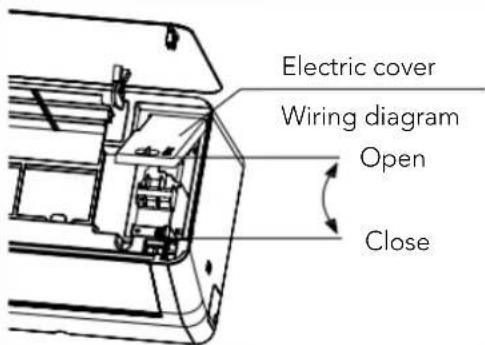
1. Indoor unit (fig. 12)
- Open the panel upwards and open directly to the maximum.
- Open the electrical cover.
- Secure the connection wires to the terminal block according to the wiring diagram on the electrical cover.
- Press the connecting wire tightly with the pressure plate.
- Close the electrical cover, secure the electrical cover with screws, and close the panel.
Note: Some models may not be able to directly pass through the cable hole into the electric control box, and the above steps need to be removed after removing the middle frame.
text_image
Electric cover Wiring diagram Open CloseFig 12
1. Outdoor unit (fig. 13)
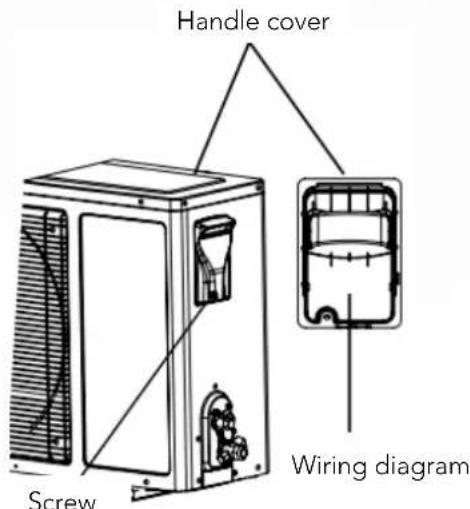
● Unscrew the handle cover fixing screw and open the handle cover.
- Secure the connection wires to the terminal block according to the wiring diagram on the handle cover.
- Press the connecting wire tightly with the pressure plate.
- Put the handle cover back and fasten with the screws.
- If customers need to extend or replace the power cord, please refer to Table 3 for specifications.
text_image
Handle cover Screw Wiring diagramFig 13
Table 3
| Power connecting wires | Power cord | ||
| Max Length 10m 5m | |||
| 5K/7K/9K/12K | Gross sectional ≥ 1.5mm^2 ≥ 1.5mm^2 | ≥ 1.0mm^2 ≥ 1.0mm^2 | |
| 16K/18K ≥ 1.5mm^2 ≥ 1.5mm^2 | |||
| 21K/24K/28K/30K/36K ≥ 2.5mm^2 ≥ 2.5mm^2 | |||
| 9K/12K (115V) | ≥ 1.5mm^2 ≥ 1.5mm^2 | ||
Notes:
- Earthing screw must use special screw(stainless machining screws or copper screws M4)
- Ensure that all wires are securely connected, will not loose or separate.
- Ensure that wire connections are carried out according to the wiring diagram of the air conditioner.
● The above figures are only schematic, and they may be slightly different from the actual appliances you select
- Tube Strapping
● Strapping with PVC Protective tape must be careful, do not damage the pipeline and drain pipe.
● Strapping should start from the lower part of the outdoor unit to the indoor unit.
● Fix the PVC tape with adhesive tape to prevent loosing.
- Drainpipe should slightly slide down outwards to ensure drainage well.
- When the indoor unit is lower than the outdoor unit, bend the tube to proper extent to prevent water draining into house.
● Fix the tube bundle with tube clamps on the wall.
- Allow enough space between discharge pipe and the ground. Do not put the discharge pipe in water or ditch.
- Seal the external wall holes with sealing gum or putty.
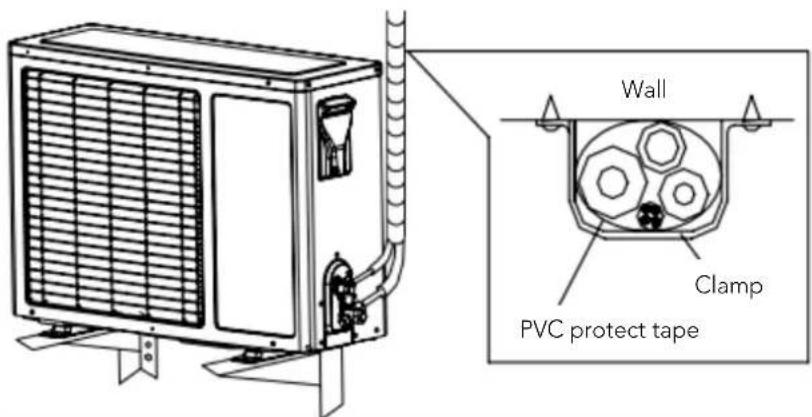
text_image
Wall Clamp PVC protect tapeFig 14
- Exhaust
● Make sure that all the tubes of indoor and outdoor unit are connecting well.
● Take off valve bonnet from two-way and three-way valves by spanner; connect vacuum pump and compound valve to the service valve bonnet.
- Open the low-pressure switch of compound valve, and run vacuum pump until units' internal pressure at 10 mmHg.
- After pump vacuum, close the low-pressure switch of compound valve, and then close vacuum pump. Turn anti-clockwise 90 Spool of narrow pipe service valve by hexagon spanner, tightly with clockwise turning after stopping for 10 seconds.
- Check with soap water or leak detector whether there is leakage at all connections of indoor and outdoor unit. Open wide and narrow pipe service valves by hexagon spanner for running.
● Take off the connection pipeline of wide pipe service valve.
- Screw tightly the entire valve bonnet by torque spanner.
- Check with soap water or leak detector whether there are leakage at all indoor and outdoors' connections.
● Put the valve bonnet and lid back to position.
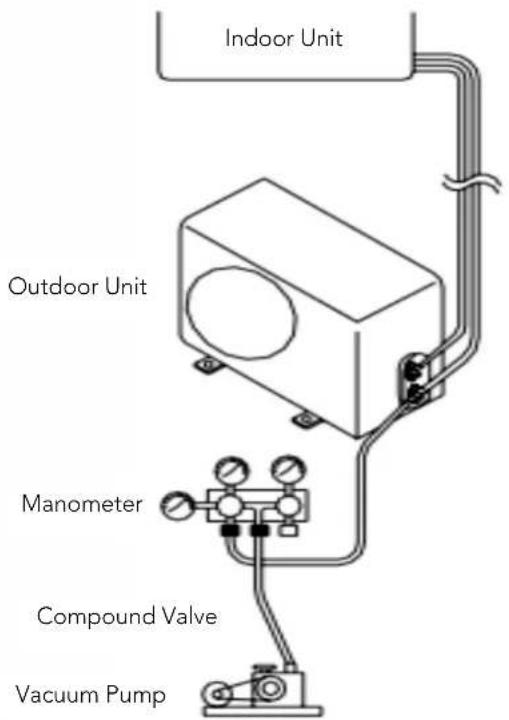
text_image
Indoor Unit Outdoor Unit Manometer Compound Valve Vacuum PumpFig 15
• Gas leakage inspection
After the pipeline connection is done, use a leakage inspection device or soap to carefully check if there is any leakage at the joints. This is an important step to ensure the quality of installation. If refrigerant leaks, ventilate the area immediately. Toxic gas may be produced if refrigerant gas comes into contact with fire. Never directly touch any accidentally leaking refrigerant. This could result in severe wounds caused by frostbite.
- Drainage
- No need drainage treatment
In regions where become cold in the winter, don't install the drain elbow joint to prevent drain water from freezing and causing the fan to be damaged. This drainage treatment is not necessary for cooling-only type air conditioner.
- When need drainage treatment
Please use drain elbow joint (in accessory bag). Outdoor unit should be placed on blocks.
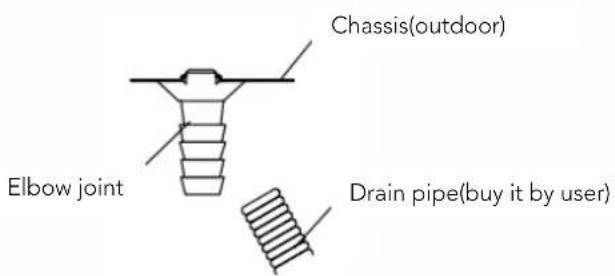
text_image
Chassis(outdoor) Elbow joint Drain pipe(buy it by user)Fig 16
• Installation for the cover of valve
- For the whole unit that individual cover of valve is available (refer to packing list), the installing method is as follow:
- After connecting the connection pipes between indoor and outdoor units followed by the installing method mentioned above, take out the cover of valve from the accessory bag, and fix it on the side of outdoor unit with three corresponding screws.(inside the accessory bag).
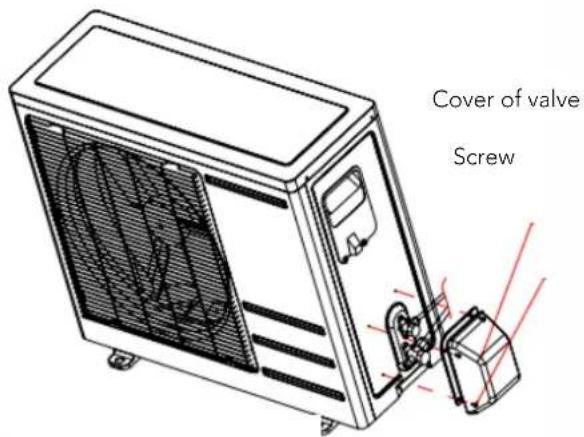
text_image
Cover of valve ScrewFig 17
natural_image
Symbol of a trash bin crossed with no text or labels, accompanied by a black rectangular block below (no readable text or symbols)
Air Conditioner Disposal
By ensuring this product is disposed of correctly, you will help avoid potential negative consequences for the environment and humand health, which could otherwise be caused by inappropriate waste handing of this product.
The symbol on the product or onthe documents accompanying the product, indicates that this appliance may not be treated as household waste. Instead it shall be handed over to the authorized collection center for the recycling of electrical and electronic equipment waster generated at the end of life of the product. Disposal must be carried out in accordance with local environmental regulations for e-waste disposal, which mandate channelization of e-waste authorized collection center's) or registered dismantler (s) or recycler(s) or returned to the pick-up or take back services provided by the manufacturer.
FRANÇAIS
MANUEL DE L'UTILISATEUR
SPLIT 1x1
IX75
HTWS026IX75 | HTWS035IX75
HTWS052IX75 | HTWS075IX75
CONTENU
1. CONSIGNES DE SÉCURITÉ
Description du symbole....1
Instructions d'installation....1
natural_image
Technical line drawing of a mechanical housing or enclosure with mounting brackets and internal components (no text or symbols)natural_image
Simple line drawing of a plug with a coiled cable (no text or symbols)natural_image
Cartoon illustration of two people interacting with a device, one holding a ball and the other pointing at a screen (no text or symbols present)natural_image
Simple line drawing of a child peeking from behind a window with potted plants and flowers (no text or symbols)natural_image
Cartoon drawing of a person running with a newspaper and electrical plug (no text or symbols)natural_image
Simple line drawing of a person opening a window with curtains and a cloud above (no text or symbols)natural_image
Illustration of two children playing with musical instruments (no text or symbols)natural_image
Cartoon drawing of a child holding a device, with no visible text or symbolsnatural_image
Illustration of a person operating a vintage air conditioner next to a test tube (no text or symbols present)natural_image
Simple line drawing of a computer connected to a small cup (no text or symbols)text_image
Hand-drawn illustration showing a person pointing at a screen with text, and another person gesturing with a pencil.text_image
Hand-drawn illustration showing a person pointing at an air conditioner unit with a digital display and power outlet nearby.natural_image
Illustration of a birdcage with plants and containers, no text or symbols presentnatural_image
Illustration of two people at a desk with a computer and a monitor, no text or symbols presenttext_image
Cartoon illustration showing a person using a stethoscope to interact with a document, while another person holds a magnifying glass.natural_image
Cartoon illustration of a computer monitor and a child peeking out of their face (no text or symbols)2. PRÉSENTATION DU PRODUIT
natural_image
Illustration of a person cleaning a cylindrical object with a smiling face (no text or symbols)natural_image
Cartoon illustration of two children eating together with a book on top (no text or symbols)natural_image
Pure technical line drawing of a cylindrical component with no text or symbolsFig. 5.2.1
natural_image
Line drawing of a mechanical component with a red arrow indicating direction (no text or symbols)Fig. 5.2.2
natural_image
Technical line drawing of a mechanical component with a red arrow indicating direction (no text or symbols)Fig. 5.2.3
natural_image
Technical line drawing of a mechanical device with multiple compartments and a central housing (no text or symbols)
natural_image
Simple line drawing of a four-quadrant room layout with grid patterns (no text or symbols)Fig. 5.2
natural_image
Technical line drawing of a mechanical housing or enclosure with mounting holes and internal components (no text or symbols)natural_image
Cartoon illustration of a person using a computer (no text or symbols present)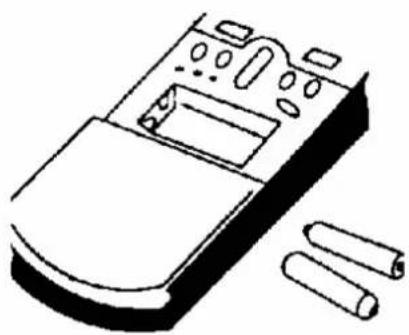
natural_image
Line drawing of a remote control panel with buttons and two cylindrical components (no text or symbols)natural_image
Simple line drawing of a person hanging from behind curtains (no text or symbols)natural_image
Cartoon illustration of a woman and a boy sitting on the floor, one holding a phone and the other looking up at a large screen (no text or symbols present)natural_image
Simple line drawing of a person standing in front of a door, pointing right (no text or symbols)natural_image
Cartoon illustration of a person using a tool to clean or exhaust a large sheet of food (no text or symbols)Bonne aération
natural_image
Cartoon illustration of a computer with a face and speech bubble, next to stacked boxes labeled 'ENHGW' and 'P000', plus a potted plant (no text or symbols on main objects)6. RÉSOLUTION DES PROBLÈMES
text_image
Warning sign depicting a flame symbol inside a triangle, indicating hazardous hazard or safety.Caution, risk of fire
natural_image
Technical line drawing of two mechanical bracket assemblies (no text or symbols)natural_image
Symbol of a trash bin crossed with no text or labels, accompanied by a black rectangular block below (no readable text or symbols)
HTWS052IX75 | HTWS075IX75
CONTEÚDO
1. INSTRUÇÕES DE SEGURANÇA
natural_image
Technical line drawing of a mechanical housing or enclosure with internal components (no text or symbols)natural_image
Simple line drawing of a plug with a coiled cable (no text or symbols)natural_image
Cartoon illustration of two people interacting with a large object on a diagonal line (no text or symbols)natural_image
Cartoon illustration of a child peeking from behind a window with potted plants and flowers (no text or symbols)natural_image
Cartoon illustration of a person running with a plug and newspaper, no text or symbols presentnatural_image
Simple line drawing of a person opening a window with curtains and a cloud above (no text or symbols)natural_image
Illustration of a child sitting on the floor with two dogs nearby, surrounded by tools (no text or symbols)natural_image
Simple line drawing of a child holding a device, with no text or symbols presentnatural_image
Cartoon illustration of a person kneeling beside a small electronic device with a thermometer and fan (no text or symbols)natural_image
Simple line drawing of a cartoon character connected to an air conditioner (no text or symbols)natural_image
Simple line drawing of a person pointing at an electrical meter connected to a wall-mounted device (no text or symbols)natural_image
Illustration of a birdcage with plants and containers, no text or symbols presentnatural_image
Illustration of two people, one holding a computer and the other looking up with raised hands (no text or symbols present)text_image
Cartoon illustration showing a person using a stethoscope to interact with a document, while another person holds a magnifying glass.natural_image
Cartoon illustration of a child peeking from behind a computer monitor, with no text or symbols present.natural_image
Technical line drawing of a mechanical component with internal channels and mounting holes (no text or symbols)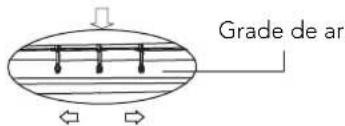
text_image
Grade de arFig. 5.6.1
Cuidado:
natural_image
Illustration of a person cleaning a cylindrical object with a smiling face (no text or symbols)- Limpando o painel frontal e o controle remoto
natural_image
Cartoon illustration of two children eating together with a book on top (no text or symbols)- Limpeza do filtro
natural_image
Pure technical line drawing of a cylindrical component with no text or symbolsFig. 5.2.1
natural_image
Line drawing of a door handle with a red arrow indicating direction (no text or symbols)Fig. 5.2.2
natural_image
Technical line drawing of a mechanical component with a red arrow indicating direction (no text or symbols)Fig. 5.2.3
natural_image
Technical line drawing of a mechanical device with multiple compartments and mounting bracket (no text or symbols)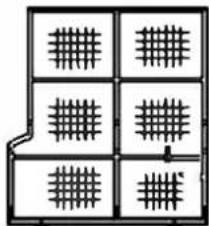
natural_image
Pure electrical circuit lines without any symbolsFig. 5.2
natural_image
Technical line drawing of a mechanical housing or enclosure with mounting holes and internal compartments (no text or symbols)natural_image
Cartoon illustration of a person using a computer to press or install a keyboard (no text or symbols present)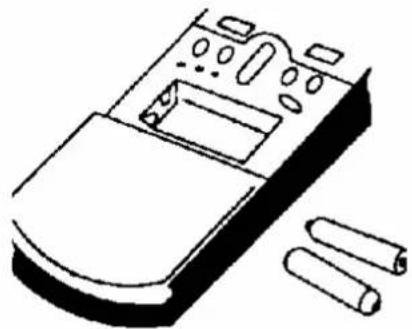
natural_image
Line drawing of a remote control panel with buttons and two cylindrical components (no text or symbols)natural_image
Simple line drawing of a person hanging from behind curtains (no text or symbols)natural_image
Illustration of a woman and a child playing with musical instruments (no text or symbols)natural_image
Simple line drawing of a person standing in front of a door, pointing to the side (no text or symbols)Limpeza do filtro de ar
natural_image
Illustration of a person using a tool to spread a grid of tiles (no text or symbols present)Boa ventilação
natural_image
Cartoon illustration of a computer with a mouse and a potted plant, no text or symbols presenttext_image
Caution, risk of fire
natural_image
Technical line drawing of two mechanical components with internal mechanisms and directional arrows (no text or symbols)natural_image
Technical line drawing of two mechanical components with internal channels and directional arrows (no text or symbols)Passo 3: Concluir
natural_image
Technical line drawing of two metal bracket assemblies (no text or symbols)natural_image
Symbol of a trash bin crossed with no text or numbers, representing waste sorting or disposal (no text present)
HTWS052IX75 | HTWS075IX75
CONTENUTI
1. ISTRUZIONI PER LA SICUREZZA
natural_image
Technical line drawing of a mechanical housing or enclosure with internal components (no text or symbols)natural_image
Simple line drawing of a plug with a coiled cable (no text or symbols)natural_image
Cartoon illustration of two people interacting with a computer and a document, separated by a diagonal line (no text or symbols)natural_image
Simple line drawing of a child peeking from behind a window with potted plants and flowers (no text or symbols)natural_image
Cartoon drawing of a person running with a newspaper and electrical plug (no text or symbols)natural_image
Simple line drawing of a person opening a window with curtains and a cloud above (no text or symbols)natural_image
Illustration of two children playing with musical instruments (no text or symbols)natural_image
Simple line drawing of a child holding a device, with no text or symbols presentnatural_image
Illustration of a person operating a device next to a fan-shaped machine (no text or symbols present)natural_image
Simple line drawing of a device connected to an air conditioner unit (no text or symbols)natural_image
Simple line drawing of a person pointing at a wall-mounted device (no text or symbols)natural_image
Simple line drawing of a birdcage with plants and a potted plant, no text or symbols presentnatural_image
Illustration of two people reacting to a computer monitor displaying a sad face (no text or symbols present)text_image
Cartoon illustration showing a person using a stethoscope to interact with a document, while another person holds up a magnifying glass.natural_image
Cartoon illustration of two children interacting with a computer monitor (no text or symbols present)text_image
Technical diagram of a front-mounted air conditioner unit with labeled components and airflow direction arrows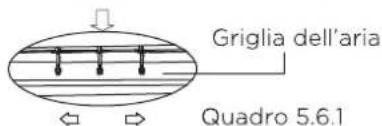
natural_image
Illustration of a person cleaning a cylindrical object with a smiling face (no text or symbols)natural_image
Cartoon illustration of three children watching a book with a bowl (no text or symbols)natural_image
Simple line drawing of a curved rectangular object with internal vertical lines and corner brackets (no text or symbols)Quadro 5.2.1
natural_image
Simple line drawing of a door frame with a handle and arrow indicator (no text or symbols)Quadro 5.2.2
natural_image
Diagram of a vehicle door frame with a handle and side-mounted sensors (no text or symbols)Quadro 5.2.3
natural_image
Technical line drawing of a mechanical or electronic device with multiple compartments and a central housing (no text or symbols)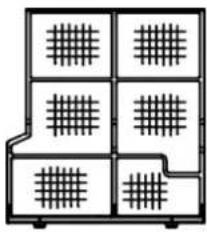
natural_image
Pure architectural floor plan lines without any text, numbers, or symbolsQuadro 5.2
text_image
[ ] Sweep ""natural_image
Technical line drawing of a mechanical housing or enclosure with internal components and mounting holes (no text or symbols)natural_image
Cartoon illustration of a person using a computer (no text or symbols present)natural_image
Line drawing of a remote control panel with buttons and two cylindrical components (no text or symbols)natural_image
Simple line drawing of a person peeking from behind curtains (no text or symbols)natural_image
Illustration of a woman and a boy engaged in a physical activity with tools and books (no text or symbols present)natural_image
Simple line drawing of a person standing in front of a door, no text or symbols presentnatural_image
Illustration of a person spraying a spray bottle with smoke (no text or symbols)Buona ventilazione
natural_image
Simple line drawing of a computer with books and a potted plant, no text or symbols present6. ANALISI GUASTO CONDIZIONATORE
text_image
Warning sign depicting a flame symbol inside a triangle, indicating hazardous hazard or safety.Caution, risk of fire
natural_image
Technical line drawing of two mechanical components with internal mechanisms and directional arrows (no text or symbols)natural_image
Technical line drawing of two mechanical components with internal channels and shafts (no text or symbols)natural_image
Line drawing of a device with a labeled component 'Scarico' (no other text or symbols)Fig 9
natural_image
Technical line drawing of two metal bracket assemblies (no text or symbols)natural_image
Symbol of a trash bin crossed with no text or labels, accompanied by a black rectangle below (no readable text or symbols)
info@htwspain.com - www.htwspain.com
ESPAÑA
info@htwspain.com
FRANCE
info@htwfrance.com
PORTUGAL
info@htw.pt
ITALY
info.it@htwspain.com
INFORMACIÓN SAT
sat@groupgia.com
+34 933904220
sat.fr@groupgia.com
+33 465430168
sat.pt@groupgia.com sat.it@groupgia.com
+39 05641715509
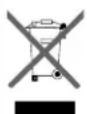
At the end of its working life, the product must not be disposed of as urban waste. It must be taken to a special local authority deifferentiated waste collection centre or to a dealer providing this service. Disposing of a household appliance separately avoids possible negative consequences for the environment and health deriving from inappropriate disposal and enables the constituent materials to be recovered to obtain significant savings in energy and resources. As a reminder of the need to dispose of household appliances separately, the product is marked with a crossed-outwheeled dustbin.
AVERTISSEMENTS POUR L'ÉLIMINATION CORRECTE DU PRODUIT AUX TERMES DE LA DIRECTIVE 2002/96 / CE.