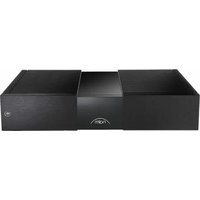
NPX 300 - Power Supply NAIM - Free user manual and instructions
Find the device manual for free NPX 300 NAIM in PDF.


| Product Type | High-performance Power Supply |
| Brand | Naim Audio |
| Model | NPX 300 |
| Dimensions (H x W x D) | 91.5 x 432 x 317.5 mm (feet included) |
| Weight | 14.4 kg |
| Supply Voltage | 115 V or 230 V, 50/60 Hz |
| Standby Consumption | < 0.5 W |
| Output Type | Type 3 (12-way) and Type 4 (23-way) connectors |
| Additional Connector | Micro USB (maintenance only) |
| Logo Illumination | White, brightness adjustable via rear button or from the source |
| Compatibility | Naim 200 Series, 300 Series and NVS TT turntable (Type 2 via adapter cable) |
| Legacy Mode | Compatible with certain Naim products using XPS power supply (adapter cables required) |
| Key Functions | Dedicated power supply to enhance source component performance; logo brightness synchronization; standby button; factory reset (3-second hold) |
| Included Items | 1 Type 4 cable, 1 Type 3 cable, cleaning cloth |
| Cleaning | Use only the supplied cloth for dusting; avoid cleaning products |
| Safety Precautions | Heavy weight: ensure the support can hold it; turn off amplifiers before connecting; use only supplied cables; replace fuse with identical type |
| Warranty | 2 years in France (statutory warranty); contact retailer for any issues |
| Recycling | Do not dispose with household waste; use collection points or return to retailer |
Frequently Asked Questions - NPX 300 NAIM
User questions about NPX 300 NAIM
0 question about this device. Answer the ones you know or ask your own.
Ask a new question about this device
Download the instructions for your Power Supply in PDF format for free! Find your manual NPX 300 - NAIM and take your electronic device back in hand. On this page are published all the documents necessary for the use of your device. NPX 300 by NAIM.
USER MANUAL NPX 300 NAIM
FIRST STEPS
WITH NPX 300


English 2
Français 14
Deutsch 26
Nederlands 38
Español 50
Italiano 62
Polski 74
Русский 86
中文 98
繁體中文 110
한국어 122
ภาษาไทย 134
6445
Introduction
Note: Full safety warnings can be found in the Statutory Safety Manual.
Naim Audio products are conceived with performance as the top priority. Careful installation will help ensure that their full potential is achieved. This manual covers the 300 Series Power Supply. It begins with some general installation notes. Product specific information begins in Section 4.
1. What's in the box
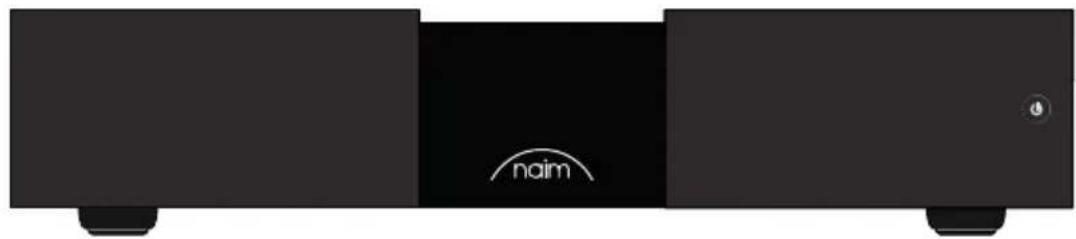
natural_image
Black rectangular electronic device with 'naim' branding and a small circular icon on the side (no readable text or symbols beyond branding)1x NPX 300

1x Document Pack

natural_image
Solid dark gray rectangle with a thin wavy border (no text or symbols)1x Cleaning Cloth

natural_image
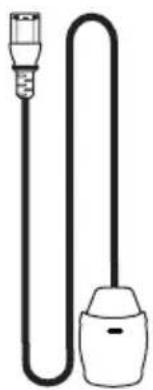
Simple line drawing of a U-shaped tube with two connectors (no text or symbols)1x Power-Line Lite
natural_image
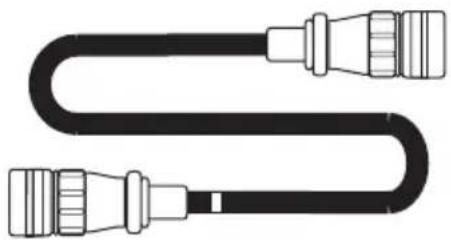
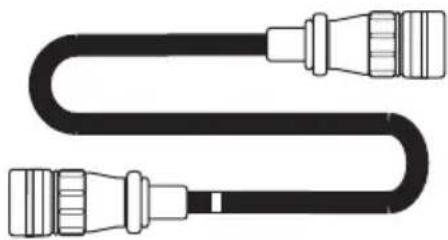
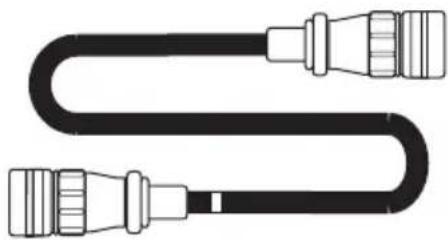
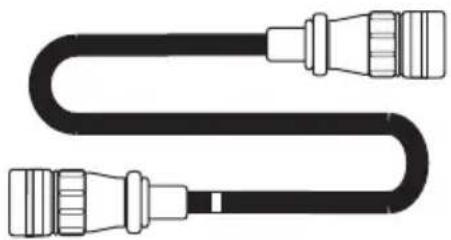
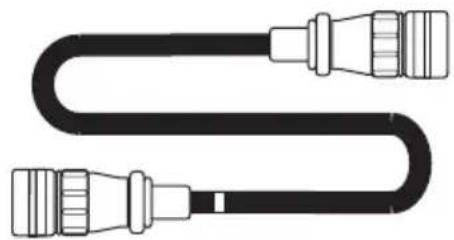
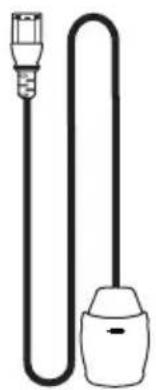
Pure diagram of a U-shaped cable with connectors (no text or symbols)1x Type 4 Power Supply Cable
natural_image
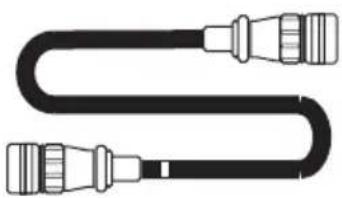
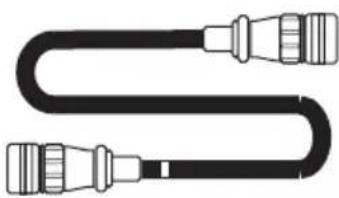
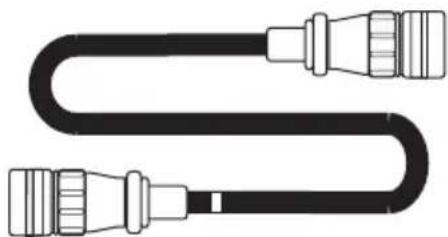
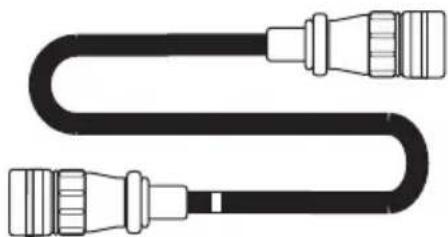
Pure diagram of a U-shaped cable with connectors (no text or symbols)1x Type 3 Power Supply Cable
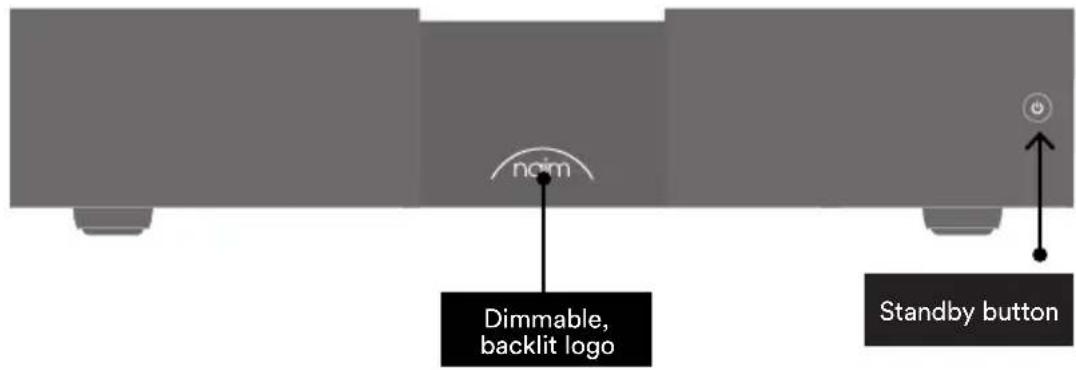
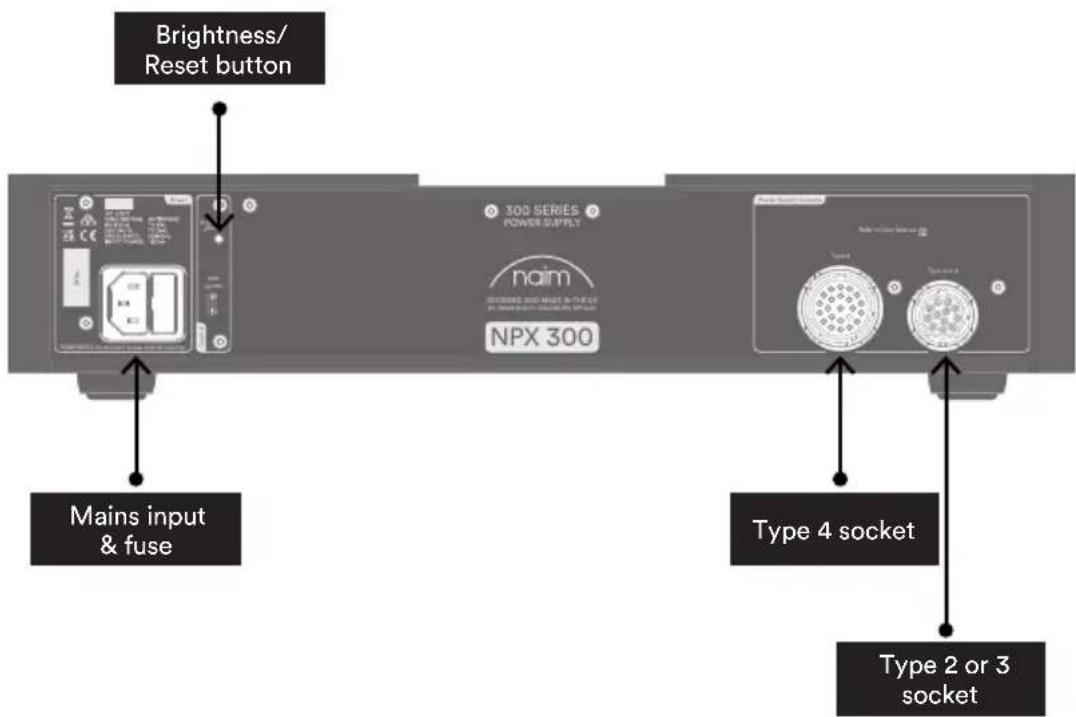
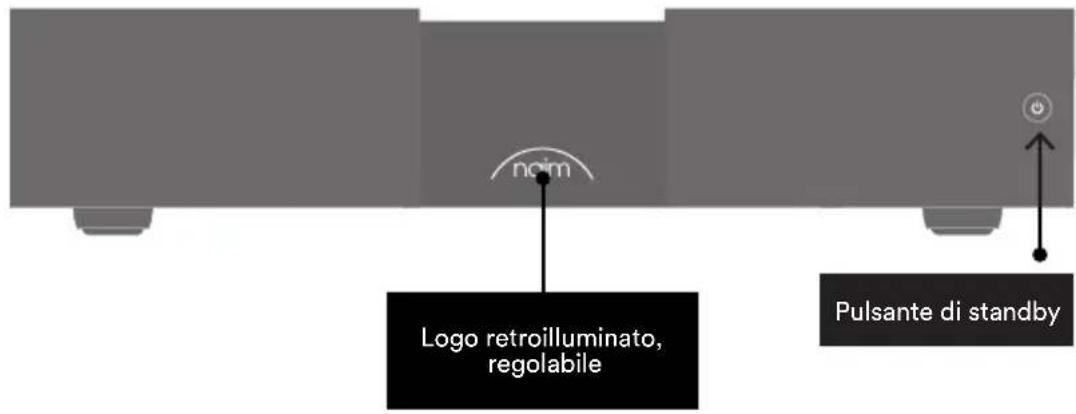
2. 300 Series Power Supply NPX 300 Features and Connections
3. 300 Series Power Supply NPX 300 Set Up
natural_image
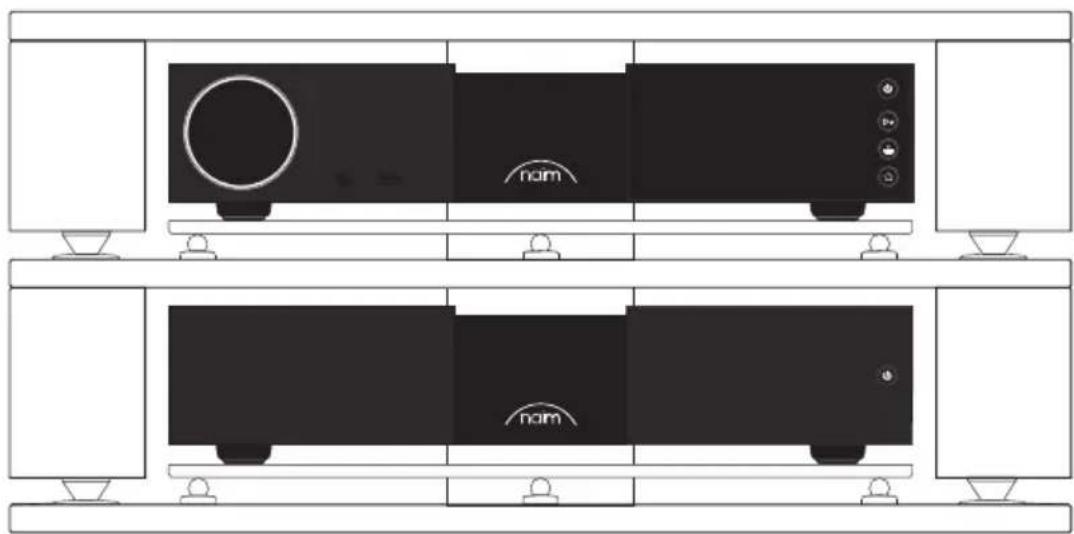
Technical line drawing of a two-tier electronic device with no visible text or symbolsPlace the NPX 300 and the source component in their final locations.
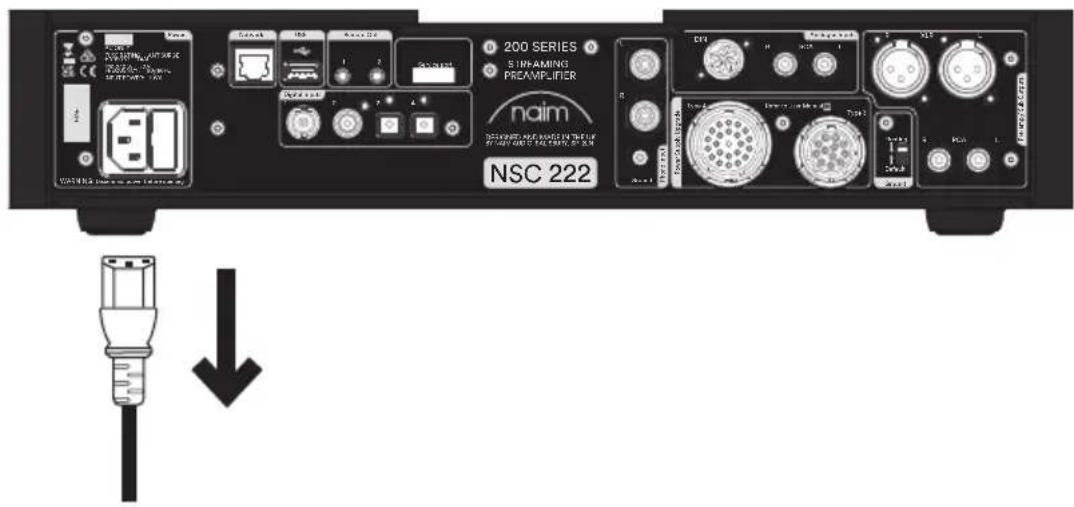
Ensure the mains lead is removed from the source component.
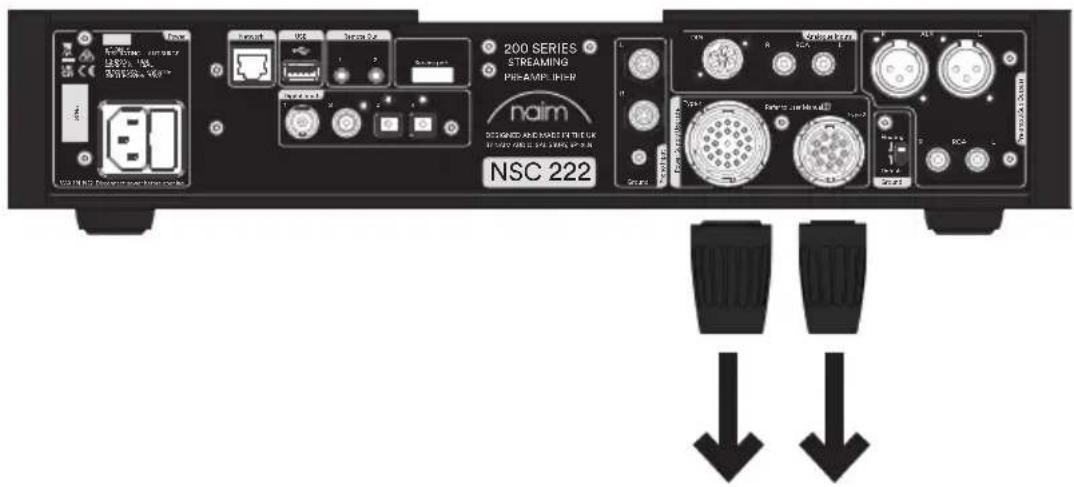
Remove the link plugs from the source component.
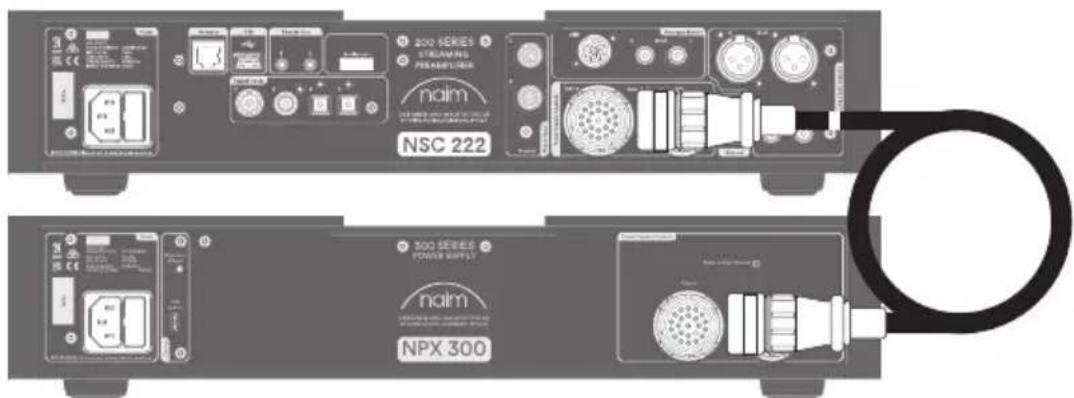
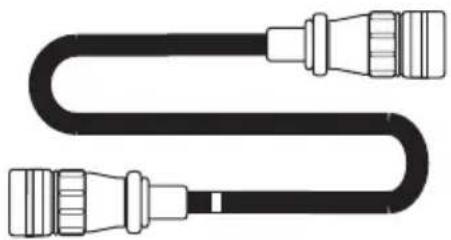
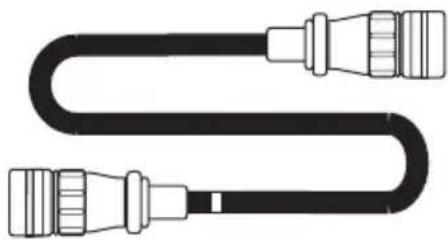
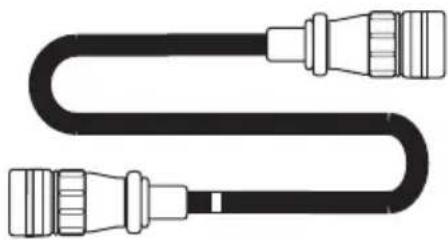
Connect the Type 4 cable between the NPX 300 and the source component. The end with cable direction marker should be connected to the source component.
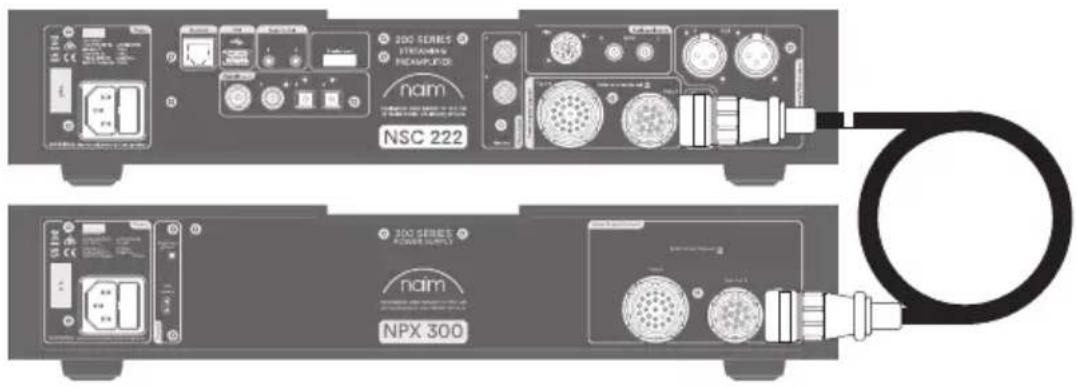
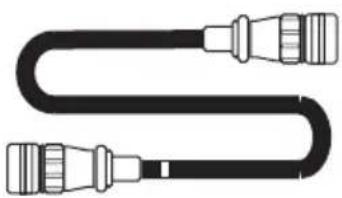
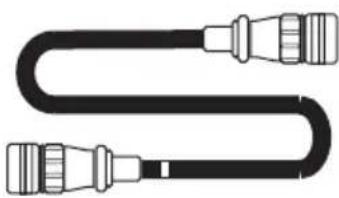
Next connect the Type 3 cable between the NPX 300 and the source component. The end with cable direction marker should be connected to the source component.
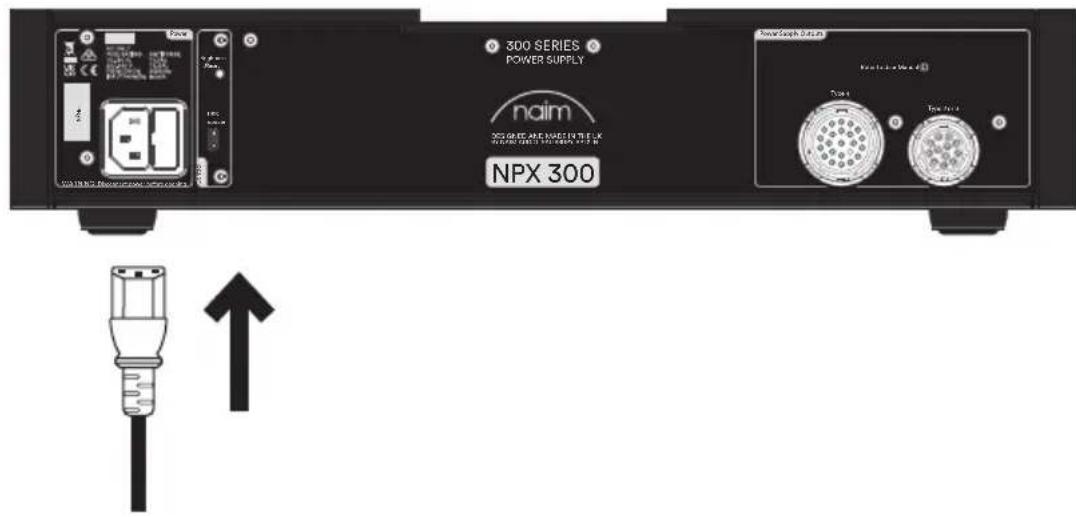
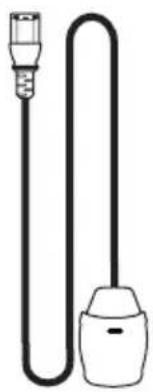
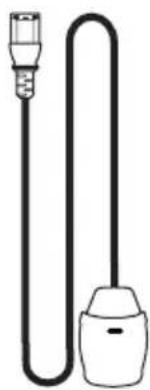
Finally connect the mains lead to the NPX 300 only.
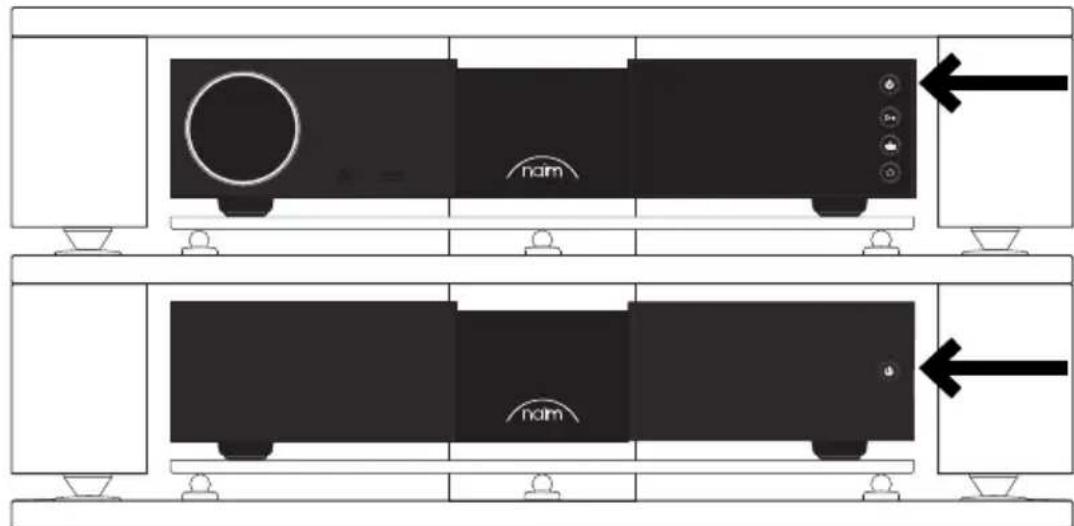
Now the source component can be turned on by pressing the NPX 300 standby button. If the NPX 300 is powering a source component capable of doing so pressing its standby button will also switch the units on.
4. 300 Series Power Supply NPX 300 Installation and Operation
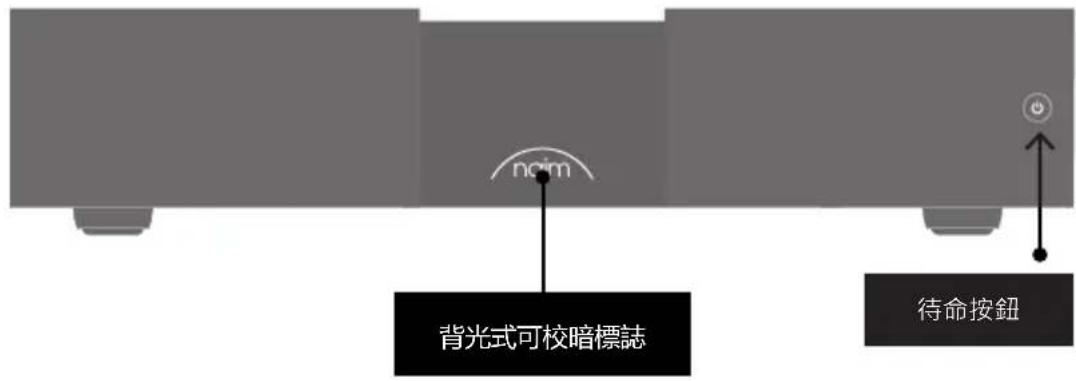
The NPX 300 performs best when installed on a dedicated equipment stand such as the Naim Fraim and should be in its final location before connecting cables or switching on. If upgrading your system with a power supply, ensure that preamplifiers and power amplifiers are switched off before connecting the power supply. The NPX 300 standby button is located on the front panel and will perform the same function as the standby button on a connected 200 or 300 Series Naim product.
The NPX 300 is heavy and care should be taken when lifting or moving it. Make sure that the surface it is to be placed on can support the full weight.
4.1 Installation - Type 3 And Type 4 Devices
The NPX 300 is a new design of power supply, able to be connected to any 200 Series or 300 Series Naim Audio source product. The NPX 300 supports operation of a low power, <0.5W standby mode and network standby mode with these products. Logo brightness is also synchronised from the connected device.
To install, power off your 200 Series or 300 Series product and remove both the link plugs.
Connect the Type 3 and Type 4 cables supplied with the NPX 300 to the device. Ensure the end of the cable marked with one or two bands is connected to the source unit to maintain the cable directionality.
Remove the power cable from the source device.
The NPX 300 can now be connected to the mains and powered up. Only the NPX 300 requires a mains power connection, the product it is connected to no longer requires a mains connection.
4.2 Installation – Type 2 Devices
The NPX 300 is capable of powering Naim Audio source products featuring a Type 2 connection, such as the Solstice Series NVS TT turntable.
The Type 2 cable supplied with the Solstice turntable can be connected to the Type 3 output on the NPX 300. Logo brightness is synchronised from the source device.
To install, power off your Type 2 product and remove the Type 2 cable from the supplied power supply. Connect the Type 2 cable to the Type 3 output on the NPX 300.
The NPX 300 can now be connected to the mains and powered up.
4.3 Installation - Legacy Mode
The NPX 300 is capable of powering some Naim Audio products that are also compatible with the XPS power supply. In this scenario, the standby button on the NPX 300 will turn the source device off completely. Special adaptor cables available from Naim Audio will be required to connect these devices.
Logo brightness synchronisation is not supported in this configuration and the connected product is not capable of entering network standby.
To install, power off your source product and remove the link plugs. Connect the Type 3 and Type 4 adaptor cable to the device.
The NPX 300 can now be connected to the mains and powered up. Only the NPX 300 requires a mains power connection, the product it is connected to no longer requires a mains connection.
4.4 Brightness Settings
The brightness of the product logo on the NPX 300 can be adjusted using the push button on the rear panel. If the NPX 300 is being used in Legacy Mode repeated short presses will cycle through the logo brightness levels. Pressing the button for about 3 seconds will cause the NPX 300 to do a factory reset.
If the NPX 300 is powering a source component capable of doing so the brightness will be controlled by the source.
4.5 USB Update
The NPX 300 power supply has a micro USB terminal for service use only.
5. General Installation
Naim equipment is designed to offer the finest performance possible avoiding compromise wherever practical. This can lead to circumstances that may be unfamiliar. The notes that follow contain advice specifically related to Naim equipment as well as more general warnings about the use of domestic audio products. Please read them carefully.
5.1 Sitting The Equipment
In order to reduce the risk of hum audible from the loudspeakers, power supplies and power amplifiers should be located a reasonable distance away from other equipment. The maximum separation distance for connected equipment is that allowed by the standard interconnect lead.
Some Naim equipment is extremely heavy. Check the weight of the equipment prior to lifting and if necessary use more than one person so that it can be moved safely. Ensure that your equipment rack or table can easily support the weight and is stable.
5.2 Switching On
Source components and power supplies should be switched on before the power amplifiers. Always switch amplifiers off and wait a minute before connecting or disconnecting any leads. Always use standby button on the product rather than a mains outlet switch.
5.3 Running In
Naim equipment takes a considerable time to run in before it performs at its best. The duration varies, but under some conditions the sound may continue to improve for over a month. Better and more consistent performance will be achieved if the system is left switched on for long periods.
5.4 Radio Interference
In some circumstances, depending on where you live and the earthing arrangements in your home, you may experience radio frequency interference. Controls on broadcasting in some territories allow very high levels of radio frequency radiation and both the choice and exact siting of equipment may be critical. Susceptibility to radio frequency interference is related to the wide internal bandwidth necessary for high sound quality.
5.5 Lightning Precautions
Your Naim hi-fi system can be damaged by lightning and should be turned off and disconnected from the mains when there is risk of lightning strike. For complete protection all mains plugs and any aerial cables should be disconnected when not in use.
6. Mains Power
Use only the mains leads and plugs supplied or the Naim Power-Line mains cable.
Where fused plugs are used 13 amp fuses should be fitted. Do not wire voltage dependent resistors or noise suppressors into mains plugs. They degrade the mains supply and the sound.
6.1 Mains Plug Wiring
In some territories a mains plug may need to be fitted to the supplied mains lead. As the colours of the wires in the mains lead may not correspond with the coloured markings identifying the terminals in the plug proceed as follows:
The wire coloured GREEN-AND-YELLOW must be connected to the terminal in the plug marked by the letter E or by the safety earth symbol or coloured GREEN or GREEN and YELLOW.
The wire coloured BLUE must be connected to the terminal in the plug marked with the letter N or coloured BLACK.
The wire coloured BROWN must be connected to the terminal in the plug marked with the letter L or coloured RED.
6.2 Equipment Fuses
Mains powered Naim Audio equipment is fitted with a mains fuse on the rear panel adjacent to the mains input socket.
Replace it if necessary only with the spare fuse supplied or with an identical fuse. Repeated failure of the fuse points to a fault that should be investigated by your retailer or Naim itself.
6.3 Non-rewirable Mains Plugs
If a non-rewirable plug is cut from a mains lead (for whatever purpose) the plug MUST be disposed of in a way to render it totally useless. Considerable shock hazard exists if the cut-off plug is inserted into a mains outlet.
6.4 Mains Circuits and Cables
A hi-fi system usually shares a mains circuit with other household equipment some of which can cause distortion of the mains waveform. This distortion can in turn lead to mechanical hum from mains transformers. Some Naim transformers are large in size, making them relatively sensitive to such distortion, and it may be necessary to take account of transformer hum when siting your equipment.
Transformer hum is not transmitted through the speakers and has no effect on the performance of the system; however, a separate mains circuit may reduce it. Such a circuit (ideally with a 30 or 45 Amp rating) will also generally improve system performance. Advice on the installation of a separate mains circuit should be sought from a qualified electrician.
7. Cleaning
Naim recommend using only the supplied cleaning cloth to lightly dust any product surfaces. Cleaning products may contain ingredients that can adversely affect cosmetic surface treatments and coatings.
8. Support
In the event of any non-compliant equipment, it must be sent to the dealer, in its original packaging, who will analyse it and determine where the breakdown comes from. If the equipment is under warranty and conditions are met, the equipment will be repaired or replaced according to the conditions applicable to the legal warranty on the date of purchase of the device. Otherwise, a repair estimate will be submitted. The legal guarantee does not cover damage from a misuse or a wrong connection (burnt mobile coils for instance). Naim equipment is covered by a warranty whose conditions are locally set or carried out by the official Naim dealer of each country, in compliance with the laws of the concerned territory. In France, every Naim equipment is covered by a two-year legal guarantee from the date of purchase.
A defect can be caused by a failure of the system or by the installation, contact your dealer.
Online support resources are also available on our website, please visit www.naimaudio.com
If you are still unable to resolve your issue, or have any questions, please contact
support@naimaudio.com
8.1 Service and Updates
It is essential that repairs and updates are only carried out by an authorised Naim retailer or at the factory by Naim itself. Many components are custom made, tested or matched and appropriate replacements are often unobtainable from other sources.
Direct contact to Naim for service or update information should be made initially through Customer Services:
Tel: +44 (0)1722 426600
Email: info@naimaudio.com
Please quote the product serial number (found on its rear panel) in all correspondence.
9. Power Supply Connection Details
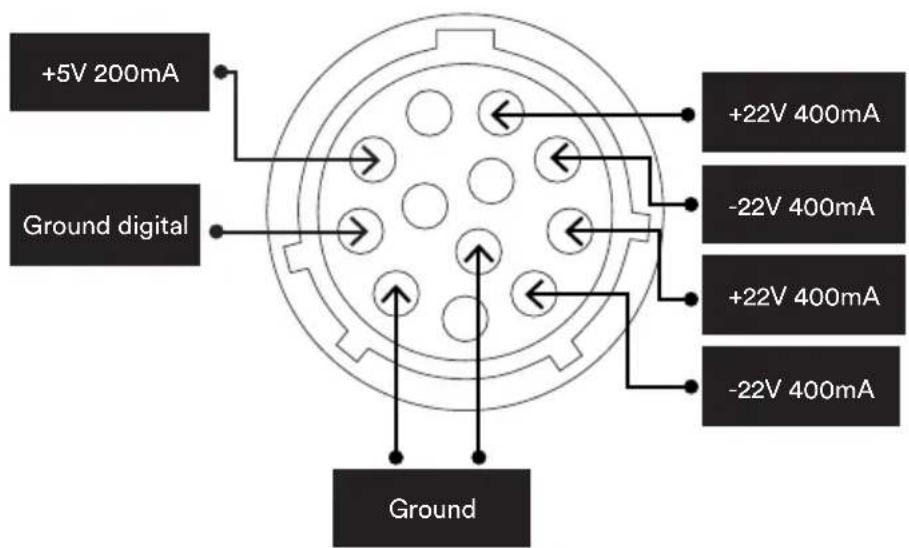
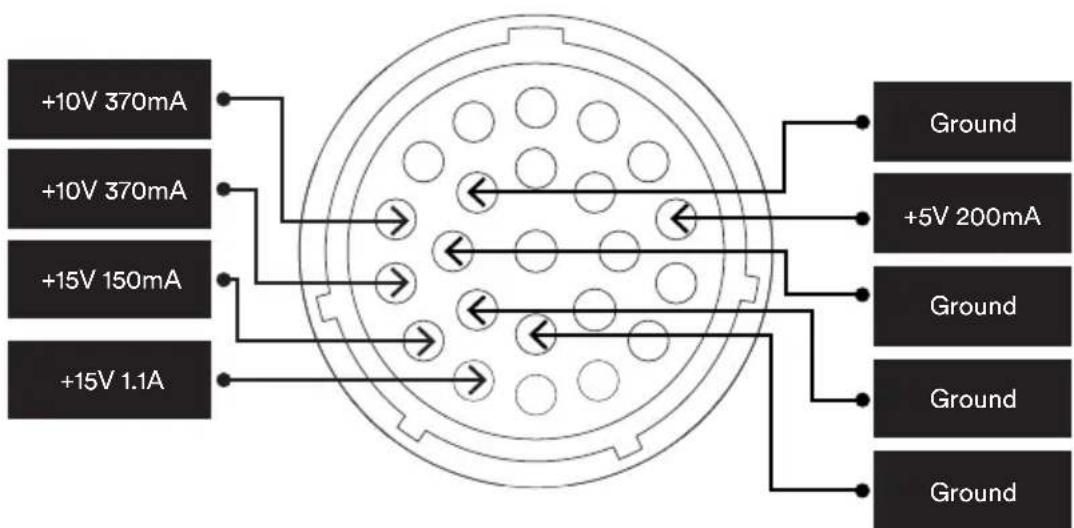
The NPX 300 power supply is capable of upgrading any Naim product featuring a Type 2, Type 3 or Type 4 connector.
Products with Type 3 and Type 4 connectors should have both cables attached to them after the link plugs have been removed.
9.1 Type 3: 12 way connector
9.2 Type 4: 23 way connector
10. Specifications
| Parameter 300 Series | Power Supply |
| Model Code NPX 300 | |
| Standby Power Consumption | <0.5W |
| Power Supply Output Type 3, Type 4 | |
| Other Connectors Micro USB (update only) | |
| Naim Logo White illuminated | |
| Mains Supply 115V or 230V, 50/60Hz | |
| Dimensions (H x W x D) 91.5 × 432 × 317.5mm (including feet) | |
| Weight 14.4kg | |
11. Product Recycling
This marking indicates that within the EU this product should not be disposed of with other household wastes. To prevent any risk to the environment or human health, please recycle them responsibly to encourage the reuse of material resources. To return your used device, please use the return and collection systems available, or contact the retailer where you purchased the product. They can recycle this product safely.
Introduction
natural_image
Black electronic device with 'naim' branding and a circular symbol on the front panel (no readable text beyond branding)1x NPX 300

1x Documentation

natural_image
Solid dark gray rectangle with a thin scalloped border (no text or symbols)1x Chiffon de nettoyage
natural_image
Simple line drawing of a U-shaped tube with two connectors (no text or symbols)1x Power-Line Lite

natural_image
Pure diagram of a U-shaped cable with connectors (no text or symbols)natural_image
Pure diagram of a U-shaped cable with connectors (no text or symbols)natural_image
Technical line drawing of a two-tier electronic device with no visible text or symbolsnatural_image
Exterior view of a black electronic device with 'naim' branding and a circular symbol on the front panel (no other text or symbols)1x NPX 300

natural_image
Solid dark gray rectangle with a thin wavy border (no text or symbols)1x Reinigungstuch
natural_image
Simple line drawing of a U-shaped tube with two connectors (no text or symbols)1x Power-Line Lite
natural_image
Pure diagram of a U-shaped cable with connectors, no text or symbols presentnatural_image
Pure diagram of a U-shaped cable with connectors (no text or symbols)natural_image
Technical line drawing of a two-tier electronic device with no visible text or symbolsnatural_image
Black rectangular electronic device with 'naim' branding and a small circular icon on the side (no readable text or symbols beyond branding)1x NPX 300

natural_image
Solid dark gray rectangle with a scalloped border (no text or symbols)1x Reinigingsdoek
natural_image
Simple line drawing of a U-shaped tube with two connectors (no text or symbols)1x Power-Line Lite
natural_image
Pure diagram of a U-shaped cable with connectors, no text or symbols present1x Type 4 Netvoedingskabel
natural_image
Pure diagram of a U-shaped cable with connectors (no text or symbols)1x Type 3 Netvoedingskabel
natural_image
Technical line drawing of a two-tier electronic device with no visible text or symbolsnatural_image
Exterior view of a black electronic device with 'naim' branding and a circular logo on the front panel (no other text or symbols)1x NPX 300

1x Documentación

natural_image
Solid dark gray rectangle with a thin scalloped border (no text or symbols)1x Paño
natural_image
Simple line drawing of a cord with two connectors (no text or symbols)1x Power-Line Lite
natural_image
Pure diagram of a U-shaped cable with connectors (no text or symbols)natural_image
Pure diagram of a U-shaped cable with connectors (no text or symbols)2. 300 Series Power Supply NPX 300 Features and Connections

natural_image
Technical line drawing of a two-tier electronic device with no visible text or symbolsnatural_image
Black rectangular electronic device with 'naim' branding and a small circular icon on the side (no readable text or symbols beyond branding)1x NPX 300

natural_image
Solid dark gray rectangle with a thin scalloped border (no text or symbols)natural_image
Simple line drawing of a cord with two connectors (no text or symbols)1x Power-Line Lite
natural_image
Pure diagram of a U-shaped cable with connectors (no text or symbols)natural_image
Pure diagram of a U-shaped cable with connectors (no text or symbols)2. 300 Series Power Supply NPX 300 Features and Connections
natural_image
Technical line drawing of a two-tier electronic device with no visible text or symbolsnatural_image
Black rectangular electronic device with 'naim' branding and a curved line on the front panel (no additional text or symbols)1x NPX 300

natural_image
Solid dark gray rectangle with a thin white border (no text or symbols)natural_image
Simple line drawing of a plug and socket connected by a coiled cable (no text or symbols)1x Power-Line Lite
natural_image
Pure diagram of a U-shaped cable with connectors, no text or symbols presentnatural_image
Pure diagram of a U-shaped cable with connectors (no text or symbols)natural_image
Technical line drawing of a two-tier electronic device with no visible text or symbolsnatural_image
Black rectangular electronic device with 'naim' branding on front panel (no other text or symbols)1x NPX 300

natural_image
Solid dark gray rectangle with a thin white border (no text or symbols)natural_image
Simple line drawing of a cord with two connectors (no text or symbols)1x Power-Line Lite
natural_image
Pure diagram of a U-shaped cable with connectors, no text or symbols presentnatural_image
Pure diagram of a U-shaped cable with connectors (no text or symbols)natural_image
Technical line drawing of a two-tier electronic device with no visible text or symbolsthe environment from contamination.
简介
natural_image
Black rectangular electronic device with 'naim' branding and a small circular icon on the side (no readable text or symbols beyond branding)1x NPX 300

1x 文件收纳袋

natural_image
Solid dark rectangle with a scalloped border, no visible text or symbols.1x 清洁布
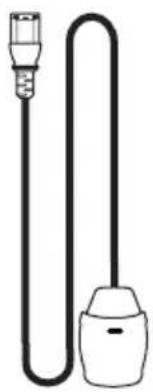
natural_image
Simple line drawing of a U-shaped tube with two connectors (no text or symbols)1x Power-Line Lite
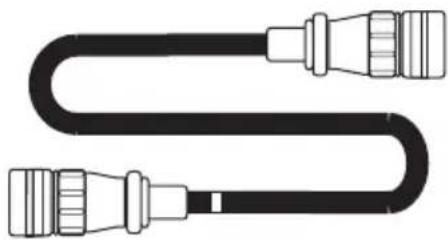
natural_image
Pure diagram of a U-shaped cable with connectors, no text or symbols present1x Type 4 电源线
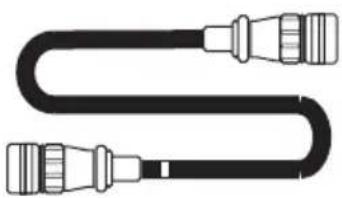
natural_image
Pure diagram of a U-shaped cable with connectors (no text or symbols)1x Type 3 电源线
natural_image
Technical line drawing of a two-tier electronic device with no visible text or symbolsnatural_image
Black rectangular electronic device with 'naim' branding and a small circular icon on the side (no readable text or symbols beyond branding)1x NPX 300

1x 文件包

natural_image
Solid dark rectangle with a scalloped border, no visible text or symbols.1x 清潔布
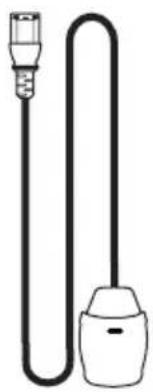
natural_image
Simple line drawing of a U-shaped tube with two connectors (no text or symbols)1x Power-Line Lite
natural_image
Pure diagram of a U-shaped cable with connectors (no text or symbols)1x Type 4 供電器纜線
natural_image
Pure diagram of a U-shaped cable with connectors (no text or symbols)1x Type 3 供電器纜線
2. 300 Series Power Supply NPX 300 Features and Connections
natural_image
Line drawing of a two-tier electronic device with no visible text or symbolsnatural_image
Exterior view of a black electronic device with 'naim' branding and a circular logo on the front panel (no other text or symbols)1x NPX 300

1x 문서 팩

natural_image
Solid dark gray rectangle with a thin white border (no text or symbols)1x 청소용 천
natural_image
Simple line drawing of a U-shaped tube with two connectors (no text or symbols)1x Power-Line Lite
natural_image
Pure diagram of a U-shaped cable with connectors, no text or symbols present1x Type 4 전원 공급 케이블
natural_image
Pure diagram of a U-shaped cable with connectors (no text or symbols)1x Type 3 전원 공급 케이블
natural_image
Technical line drawing of a two-tier electronic device with no visible text or symbolsnatural_image
Black rectangular electronic device with 'naim' branding and a curved line on the front panel (no other text or symbols)1x NPX 300

1x ขุดเอกสาร

natural_image
Solid dark gray rectangle with a thin white border, no text or symbols present.1x ผ้าทําความสะอาด
natural_image
Simple line drawing of a U-shaped tube with two connectors (no text or symbols)1x Power-Line Lite
natural_image
Pure diagram of a U-shaped cable with connectors, no text or symbols presentnatural_image
Pure diagram of a U-shaped cable with connectors (no text or symbols)natural_image
Technical line drawing of a two-tier electronic device with no visible text or symbolsnatural_image
Black electronic device with 'naim' branding and power button (no readable text beyond branding)1x NPX 300
natural_image
Simple line drawing of a cord with two connectors (no text or symbols)natural_image
Solid dark rectangle with a thin white border, no text or symbols present.natural_image
Pure diagram of a U-shaped cable with connectors (no text or symbols)natural_image
Pure diagram of a U-shaped cable with connectors, no text or symbols presentnatural_image
Line drawing of a two-tier electronic device setup with front and top views (no text or symbols)Designed in the UK by Naim Audio

- Introduction
- What's in the box
- 300 Series Power Supply NPX 300 Features and Connections
- 300 Series Power Supply NPX 300 Set Up
- 300 Series Power Supply NPX 300 Installation and Operation
- Installation - Type 3 And Type 4 Devices
- Installation – Type 2 Devices
- Installation - Legacy Mode
- Brightness Settings
- USB Update
- General Installation
- Sitting The Equipment
- Switching On
- Running In
- Radio Interference
- Lightning Precautions
- Mains Power
- Mains Plug Wiring
- Equipment Fuses
- Non-rewirable Mains Plugs
- Mains Circuits and Cables
- Cleaning
- Support
- Service and Updates
- Power Supply Connection Details
- Type 3: 12 way connector
- Type 4: 23 way connector
- Specifications
- Product Recycling
- 简介
Brand : NAIM
Model : NPX 300
Category : Power Supply