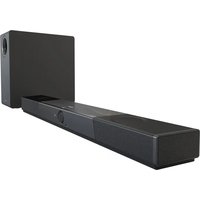
SXFI CARRIER - Speaker CREATIVE - Free user manual and instructions
Find the device manual for free SXFI CARRIER CREATIVE in PDF.


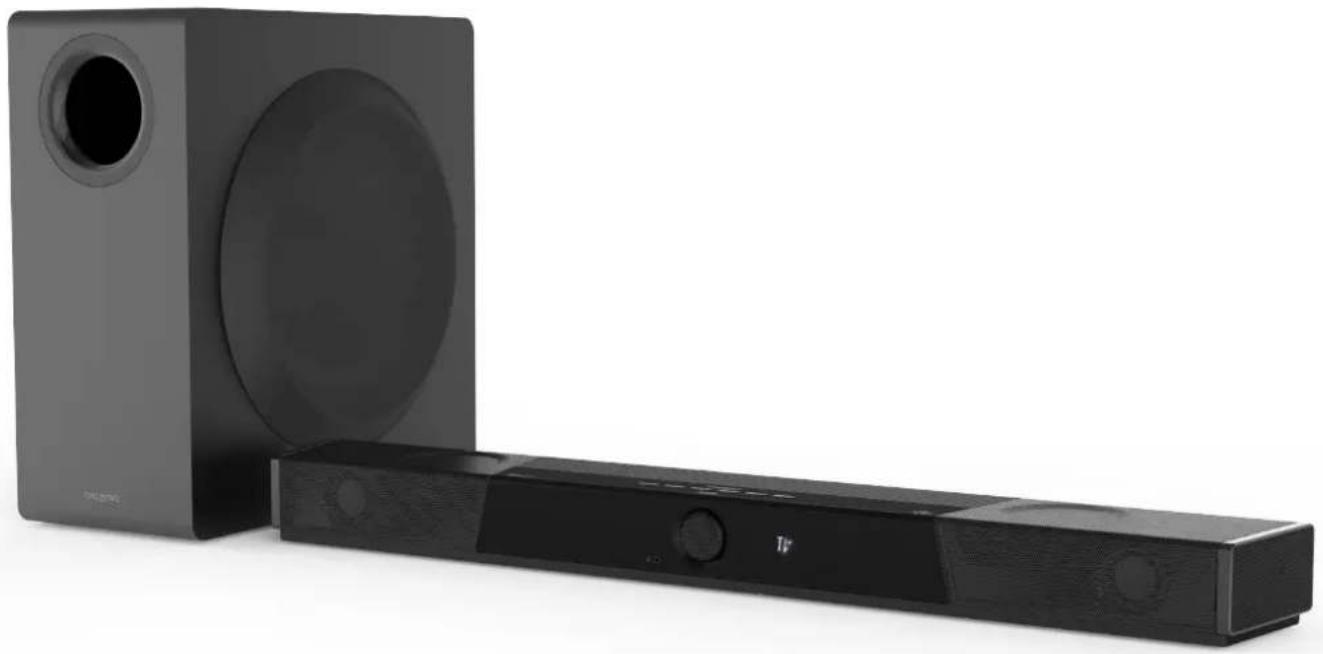
| Product type | 5.1.2 soundbar with wireless subwoofer |
| Brand | Creative |
| Model | SXFI CARRIER (soundbar: MF8345, subwoofer: MF8370) |
| Soundbar dimensions | 880 x 76 x 128 mm |
| Soundbar weight | 3.6 kg |
| Subwoofer dimensions | 225 x 450 x 430 mm |
| Subwoofer weight | 12.8 kg |
| Soundbar power supply | 24V ⎓ 4A (power adapter) |
| Subwoofer power supply | 100-240V ~ 50/60 Hz, 0.8A |
| Nominal output power | Soundbar: 36W x 7 channels; Subwoofer: 200W |
| Supported audio formats | LPCM 8-channel, Dolby Digital, Dolby Atmos (TrueHD / Digital Plus) |
| Bluetooth version | 5.0 (BR/EDR/LE) |
| Bluetooth range | Up to 10 m (open space) |
| HDMI connectivity | HDMI 2.1 with 8K passthrough, HDR10, HDR10+, Dolby Vision; 2 inputs, 1 output with ARC/eARC |
| Other inputs | Optical (Dolby Audio/PCM), USB-C audio, AUX 3.5 mm, headphone output 3.5 mm, SXFI USB output |
| Sound modes | Movie, Music, Night, Neutral, SuperWide |
| Super X-Fi technology | Holographic sound for headphones (enable/disable) |
| Subwoofer type | Wireless (2.4 GHz) or wired connection via 3.5 mm jack |
| Mobile app | Creative App (iOS and Android) for setup and customization |
| Remote control | Infrared with AAA batteries (x2 included); customizable buttons (C1-C6) |
| Wall mounting | Possible (mounting hardware not included); mounting spacing: 490 mm |
| Care and cleaning | Soft lint-free cloth; subwoofer grille cleanable with lint brush; avoid alcohol and abrasives |
| Safety | Heavy object: requires two people to lift; do not block speakers; avoid metal surfaces |
| Operating temperature | 0 °C to 40 °C |
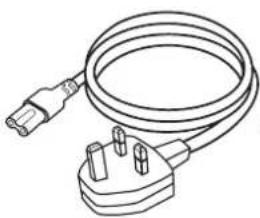
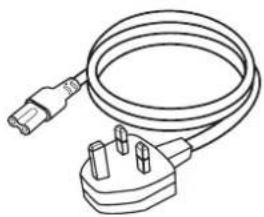
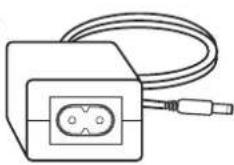
| Package contents | Soundbar, subwoofer, power cables (short and long), HDMI cable (optional), power adapter, remote control with batteries, user manual |
Frequently Asked Questions - SXFI CARRIER CREATIVE
User questions about SXFI CARRIER CREATIVE
0 question about this device. Answer the ones you know or ask your own.
Ask a new question about this device
Download the instructions for your Speaker in PDF format for free! Find your manual SXFI CARRIER - CREATIVE and take your electronic device back in hand. On this page are published all the documents necessary for the use of your device. SXFI CARRIER by CREATIVE.
USER MANUAL SXFI CARRIER CREATIVE
natural_image
Black electronic device with speaker and screen, no visible text or symbols on the device itself5.1.2 Soundbar and Wireless Subwoofer with Dolby Atmos® Support
使用产品前请阅读使用说明
creative.com/support/sxficarrier
Unpacking Creative SXFI CARRIER 1
Package Contents 2
Overview 3
Overview – Sound Modes 6
Setup and Care 7
Setting Up Creative SXFI CARRIER 8
Mobile App – Creative 13
Wall Mounting Creative SXFI CARRIER (Optional) 14
Technical Specification 16
Support Information 17
Unpacking Creative SXFI CARRIER
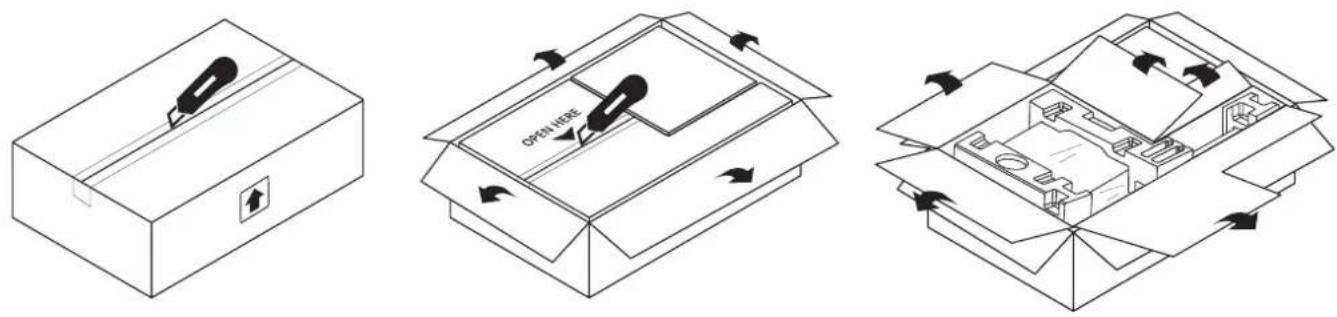
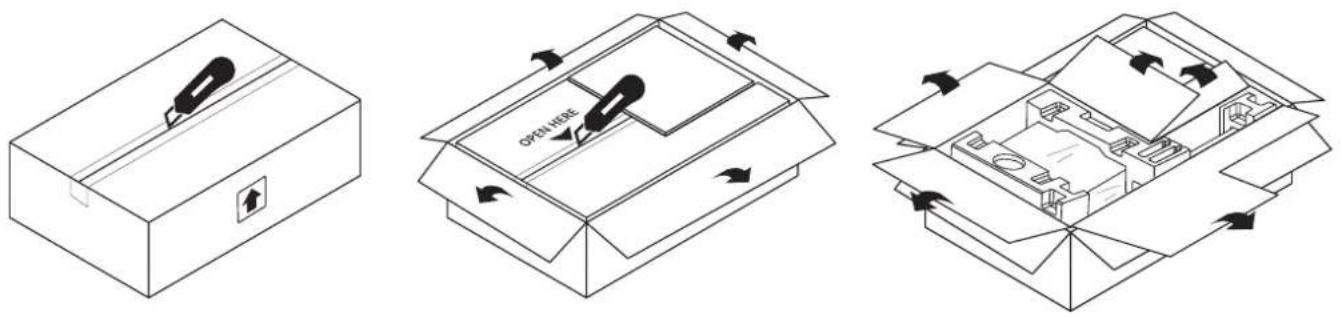
Ensure shipping box faces the correct direction
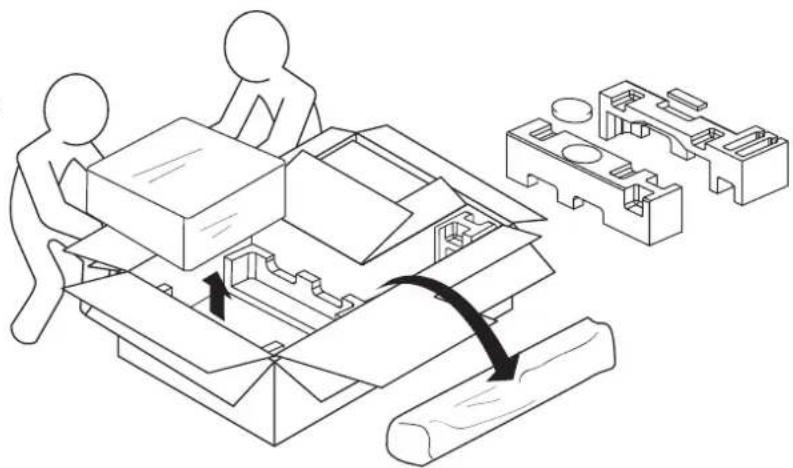
Carefully remove both soundbar and subwoofer from the box
natural_image
Technical line drawing showing two workers assembling a mechanical component with a magnified inset of its parts (no text or symbols)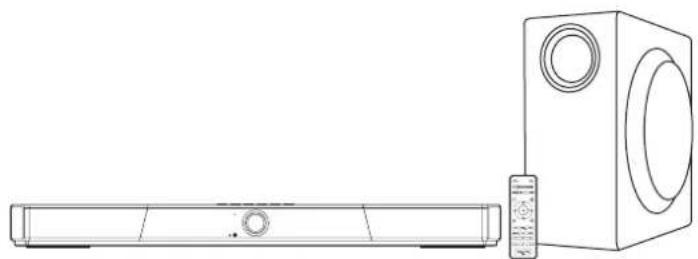
natural_image
Line drawing of a rectangular TV set next to a speaker tower (no text or symbols)Note: Ensure all parts and accessories are available before setting up. Be sure to retain the box and packaging materials. In the event of a defect or malfunction, the product must be returned along with its original box and packaging materials.

CAUTION:

HEAVY OBJECT
Two person lift required
Package Contents
EN
Soundbar

Creative SXFI CARRIER
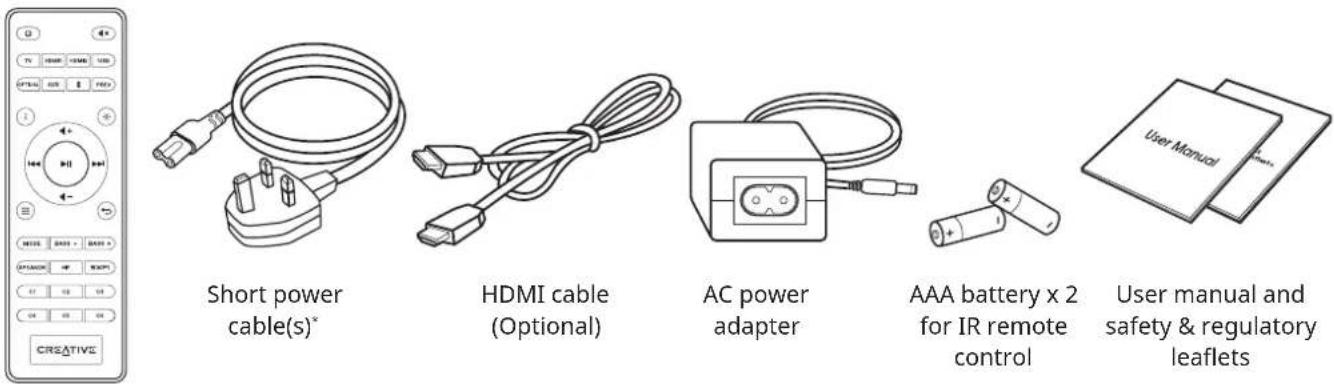
IR remote control
Subwoofer
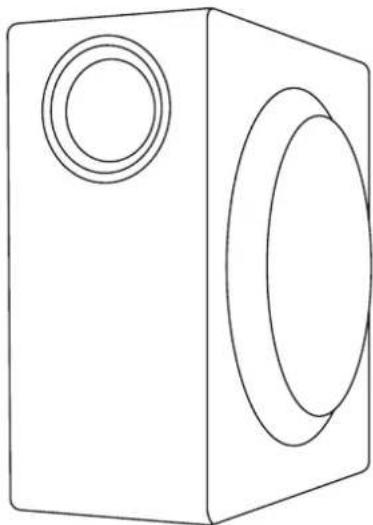
natural_image
Simple line drawing of a rectangular box with two circular cutouts on one side (no text or symbols)Creative SXFI CARRIER subwoofer
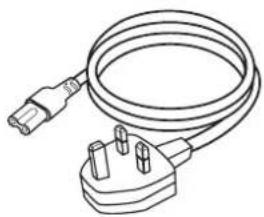
natural_image
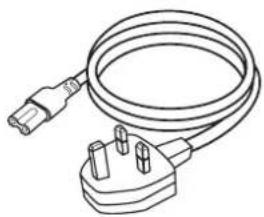
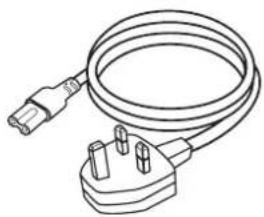
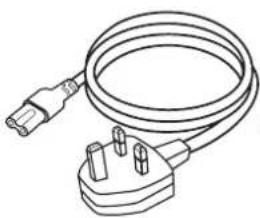
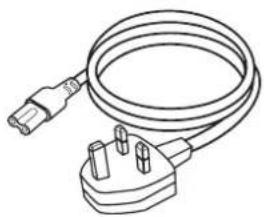
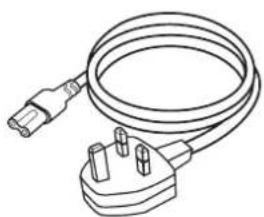
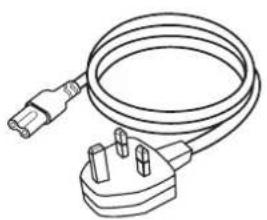
Line drawing of a cable with two terminal plugs, no text or symbols presentLong power cable(s) ^*
*Several geographical-dependent power cables may be included in the box
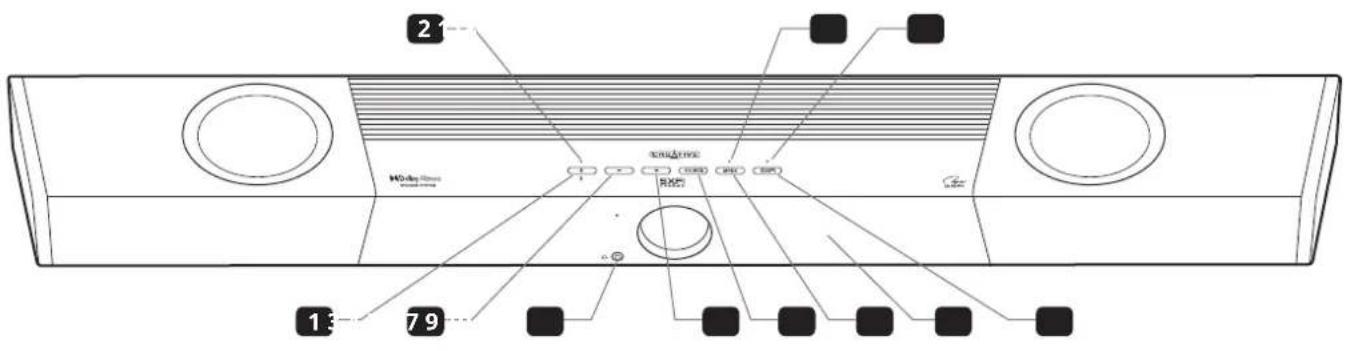
1 Power Button / Bluetooth® Pairing
2 Power Button LED
• Solid Red: Standby Mode
• Solid Yellow: Network Standby
• Solid White: Power On
• Solid Blue: Bluetooth Connected
- Flashing Blue: Bluetooth Pairing
- Flashing White: User Acknowledgment Required for Mobile App Pairing
3 Volume -
4 3.5 mm Headphone-out
5 Volume +
6 Input Sources
7 Mode Selection
Press once to cycle through available Sound modes (Movie > Music > Night > Neutral > SuperWide). Press and hold for 5s to enter subwoofer's Pairing mode
8 Mode Selection LED
- Flashing Green: Subwoofer Pairing
9 Built-in LED Display
10 Super X-Fi®
11 Super X-Fi LED
Headphone Mode:
• Solid Green: Super X-Fi Headphone Holography Enabled
• Solid Amber: Super X-Fi Headphone Holography Disabled
- Flashing Red: Super X-Fi Profile Transfer in Progress
Speaker Mode:
• OFF
Overview - Creative SXFI CARRIER
EN
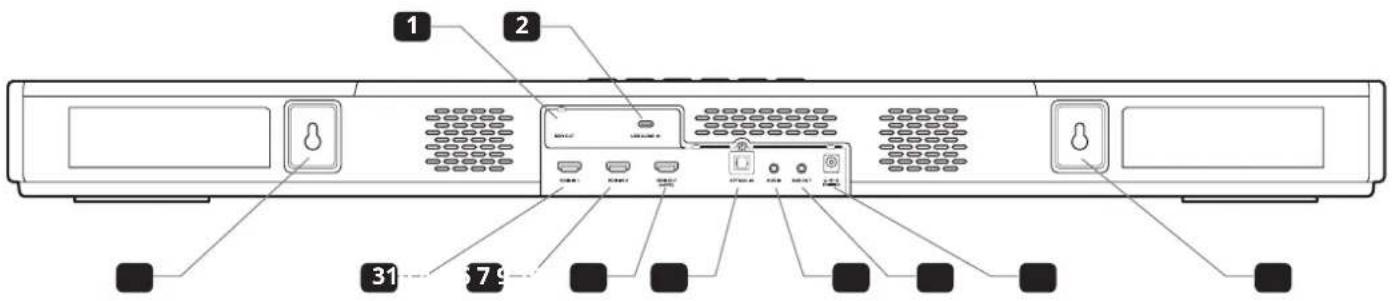
Rear Connectivity - Soundbar
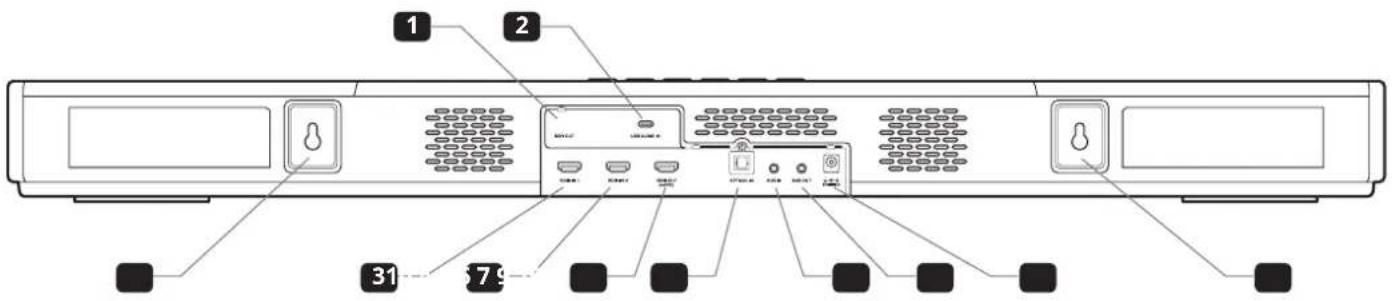
1 SXFI OUT
SXFI-enabled USB Audio Output
2 USB AUDIO IN
USB Audio-in
3 HDMI 1
HDMI-in 1
4 HDMI 2
HDMI-in 2
5 HDMI OUT
Output to TV
6 OPTICAL IN
Optical-in (Dolby Audio / 24-bit 96 kHz Stereo PCM)
7 AUX
3.5 mm AUX-in
8 SUB OUT
3.5 mm Subwoofer Analog-out
9 24V =4A
24V = 4A DC-in
10 Mounting Brackets
Rear Connectivity - Subwoofer
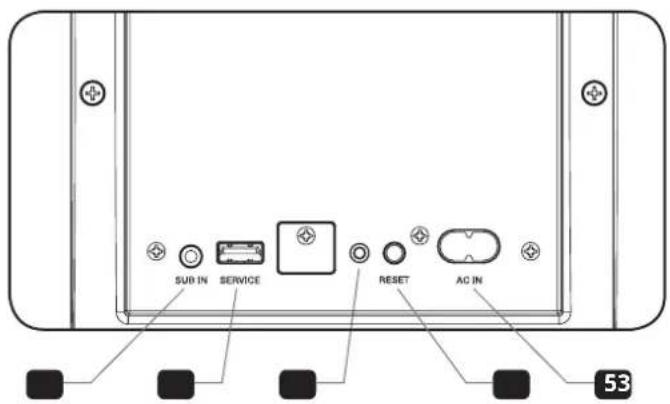
1 SUB IN
3.5 mm Subwoofer Analog-in
2 SERVICE
Strictly used for firmware updates only
3 Status LED
• Solid Red: Standby Mode
• Solid Green: Powered On and Connected
- Blinking Green: Pairing Mode
4 RESET
- Wireless Connection Reset: Press and hold for 8s or until LED blinks twice in red
5 AC IN
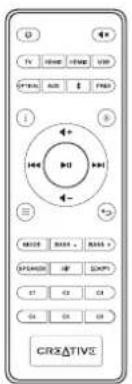
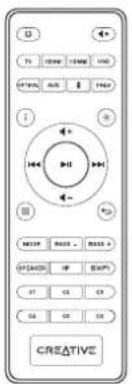
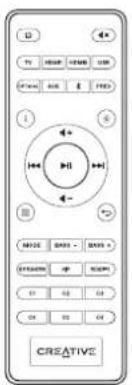
Remote Control
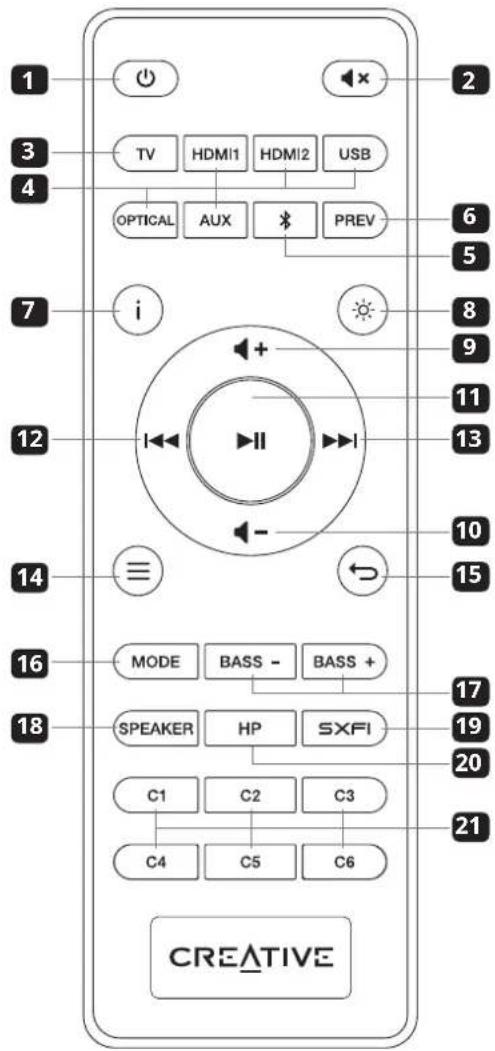
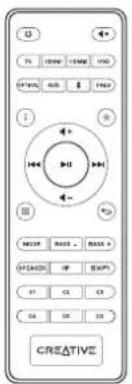
1 Power Button: Press once to turn on soundbar. Press once again to enter Standby mode
2 Mute Button: Press once to mute / unmute audio playback
3 TV: Press once to manually switch TV ARC / eARC
4 Source Selection Buttons (HDMI 1, HDMI 2, USB, Optical, AUX): Switch to corresponding input source
5 Bluetooth Button: Press once to switch to Bluetooth mode. Press and hold for 2s to enter Bluetooth Pairing mode
6 Previous Button: Press once to return to previously selected source
7 Info Button: Press to display the following: Audio format information (Dolby encoded / PCM), Sound mode, and current source
8 LED Display Button: Press to toggle between Bright mode, Dark mode, and OFF
• Bright Mode: 100% brightness
• Dark Mode: 50% brightness
• OFF: Lights up only when there is an interaction; turns off after 5s
9 Volume + Button: Increases volume. ^1 Press and hold to continuously increase the volume
10 Volume - Button: Decreases volume. ^1 Press and hold to continuously decrease the volume
11 Play / Pause Button: Press once to play / pause audio source (For USB audio and Bluetooth modes only)
12 Previous Track Button: Press once to return to previous track (For USB audio and Bluetooth modes only)
13 Next Track Button: Press once to skip to next track (For USB audio and Bluetooth modes only)
14 Menu Button: Press once to enter device's settings menu
15 Back Button: Press once to go back to parent menu or exit device's settings ^2 menu
16 Mode Button: Press once to cycle through available Sound modes (Movie > Music > Night > Neutral > SuperWide)
17 Bass - / + Button: Press once to adjust subwoofer's bass level
18 Speaker Button: Press once to switch to speaker-out
19 SXFI Button: Press once to turn on / off Super X-Fi Headphone Holography when in Headphone-out ^3 mode
20 HP Button: Press once to switch to Headphone-out mode
21 Custom (C1-C6) Buttons: Custom buttons are customizable using the Creative app
'Does not control volume setting of devices connected to SXFI-out. Please adjust device's volume directly on the connected SXFI-enabled device
^2 When in Device Settings' menu,
- Press the Play / Pause button once to enter the menu or apply selected settings
- Press the Volume - / Next Track button to go to the next menu selection
- Press the Volume + / Previous Track button return to the previous menu selection
- Press the Menu or Back button to exit device's Settings menu
^2 For SXFI-enabled devices connected via rear SXFI-out, please use the Super X-Fi button located on the device to enable / disable Super X-Fi Headphone Holography and the Volume Control Dial / Buttons to control playback volume. Super X-Fi Headphone Holography is available via Headphone-out only. When switched to Speaker Mode, Super X-Fi Headphone Holography, as well as the corresponding LED(s) will be turned off
Overview - Sound Modes
EN
| Sound Modes | Effects |
| MOVIE | Puts you at the heart of action with added realism and enhanced cinematic landscape.Recommended for all movie, games, and video content. |
| MUSIC | Intelligently improves tonal balance of music, while reducing the loudness difference between audio tracks.Recommended for most music content. |
| NIGHT | Minimizes loud sounds and makes soft passages easier to hear.Recommended for low volume playback of movie and video content. |
| NEUTRAL | Recommended for the purest playback performance of music recorded with wide dynamic range, such as Classical, Jazz, and titles from audiophile labels.Required volume setting may differ from Movie, Music, and Night modes. |
| SUPERWIDE | Enhances the spatial reproduction of movies and music which were recorded in stereo.Required volume setting may differ from Movie, Music, and Night modes. |
Creative SXFI CARRIER is designed to be placed on top of a console in front of a TV or to be wall mounted. For optimum performance, please observe the setup recommendation below. Wall mount information for professionals are also included in this quick start guide.
- In order to reproduce an immersive sound experience, the soundbar radiates sound from the front, top, and sides. To yield the best sound experience, please ensure that these sound waves are not obstructed by objects placed in their path. Do not place the soundbar within an enclosed fixture (cabinet, shelving unit, etc.), and ensure that nothing is obstructing the sides. The top firing speakers require a clear line of sight to the ceiling as well.
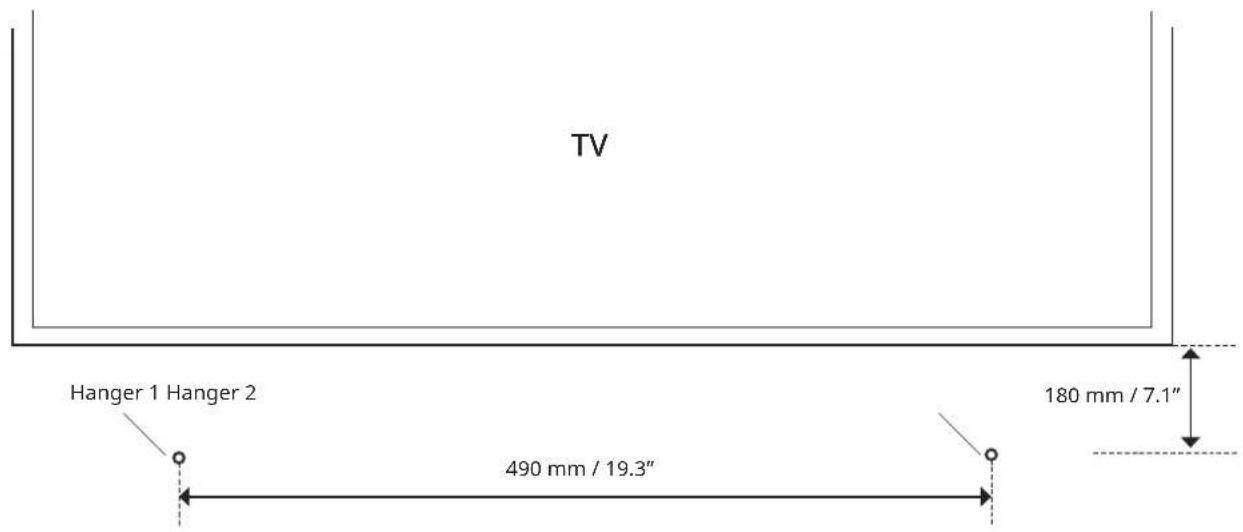
- The best sound quality is achieved if the height of the soundbar is as close as possible to the level of your ear when seated at the listening position. Avoid positioning the soundbar too low that you are looking down at the top of the main unit, as this will disrupt the audio and surround sound performance. If you are wall mounting the soundbar, install it with 15 cm (6") of space between the top of the soundbar and the bottom of the TV to avoid obscuring the top firing speaker.
- Avoid placing the soundbar on metal cabinets, as they tend to audibly ring, and could prevent reliable wireless communication between the soundbar and subwoofer.
- For the best listening experience, the listening position should be at least 1.2–1.5m (4–5 ft) away from the soundbar.
- The subwoofer unit is best placed at the corner of the room closest to the soundbar. This placement tends to yield the maximum output and smoothest response in most rooms. The cloth grille covered subwoofer driver should be at least 10 cm (4") away from the nearest wall.
- If a corner placement of the subwoofer is not possible, then placement close to the wall, and close to the soundbar will be a good compromise.
- Room acoustics has a major influence on sound quality. The ear is particularly troubled by standing waves and echoes which can be identified by moving around your room and loudly clapping your hands. Parallel surfaces such as opposite walls, floor, and ceiling encourage this issue. However, rearranging curtains, thick carpets, rugs, furniture, and bookcases can make major improvements as the sound waves are partially absorbed and diffused. The soundbar should be setup, as far as possible, with equal distance from the left and right wall.
- The ceiling surface is an important contributor to how overhead (height) effects perform. The ideal ceiling height is between 2.3–4.3m (7.5–14 ft). Ceiling should be constructed of an acoustically reflective material, such as wall board, plaster, hardwood, or any rigid, non-sound absorbing material. Avoid treating ceilings with acoustic damping materials. For optimal playback, the ceiling should be flat. A shallow vaulted ceiling will provide an acceptable performance.
- The soundbar comes pre-paired out of the factory with the included wireless subwoofer, and this is achieved through a pair of low latency wireless transceivers operating in the 2.4 GHz region. To avoid interference with other equipment operating at the same frequency, the transceivers operate at relatively low transmission power, and adaptively avoid frequency bands used by other equipment. For reliable operation, place the soundbar and subwoofer within a distance of 10m (33 ft), and avoid placing other equipment operating in the same frequency region, such as routers and microwave ovens, within the same area.
- When the shortest possible audio delay is required for gaming, or if the soundbar is unable to reliably connect to the subwoofer wirelessly due to adverse wireless interference, a wired connection could be used. A standard 3.5 mm stereo mini jack cable can be used to connect the soundbar (via the Sub-out port) to the subwoofer (to the Sub-in port). The wired connection will take precedence over the wireless connection.
Follow the instructions below to properly care for and clean Creative SXFI CARRIER:
- Dust lightly with a soft lint-free cloth, and avoid abrasives and spirit-based cleaners. If necessary, wipe gently and carefully with a cloth that is slightly dampened with glass cleaner to remove stubborn soil and marks.
- The acoustically transparent fabric grille protects the subwoofer driver unit, and must not be removed. This could be carefully cleaned using a lint brush. Be careful not to press and deform the drivers under the grille.
Setting up Creative SXFI CARRIER
EN
Connecting a Power Source
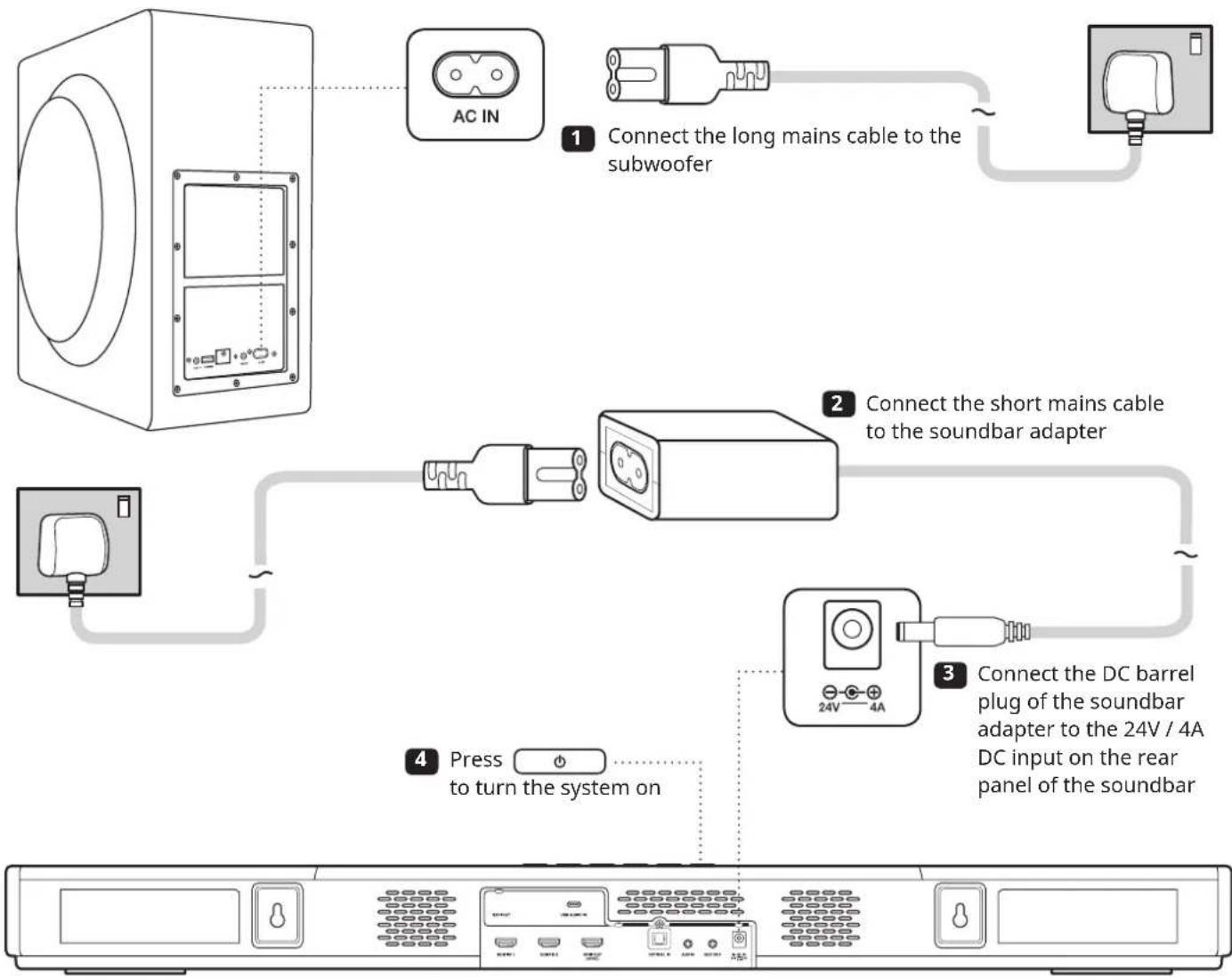
flowchart
graph TD
    A["AC IN"] -->|1 Connect the long mains cable to the subwoofer| B["Subwoofer"]
    B -->|2 Connect the short mains cable to the soundbar adapter| C["Adapter"]
    C -->|3 Connect the DC barrel plug of the soundbar adapter to the 24V / 4A DC input on the rear panel of the soundbar| D["Back panel"]
    D -->|4 Press to turn the system on| E["Switch"]
Note: To minimize power consumption, the soundbar will enter Network Standby Mode after 15 minutes of inactivity if no digital source device is connected. The soundbar will exit Network Standby Mode upon receiving user's input or with audio playback. You may encounter a few seconds of silence from the subwoofer while the wireless connection between the soundbar and the subwoofer is re-established. After 28 hours of inactivity, the soundbar will enter Standby Mode. To turn the soundbar on again, press the Power button on the Soundbar or Remote Control. If a connected HDMI CEC-compliant TV or source device is connected to the soundbar, the soundbar will turn on and enter standby mode in sync with the connected device. Standby timing, power synchronization over HDMI, and more are customizable using the Creative app.
Setting Up the Soundbar
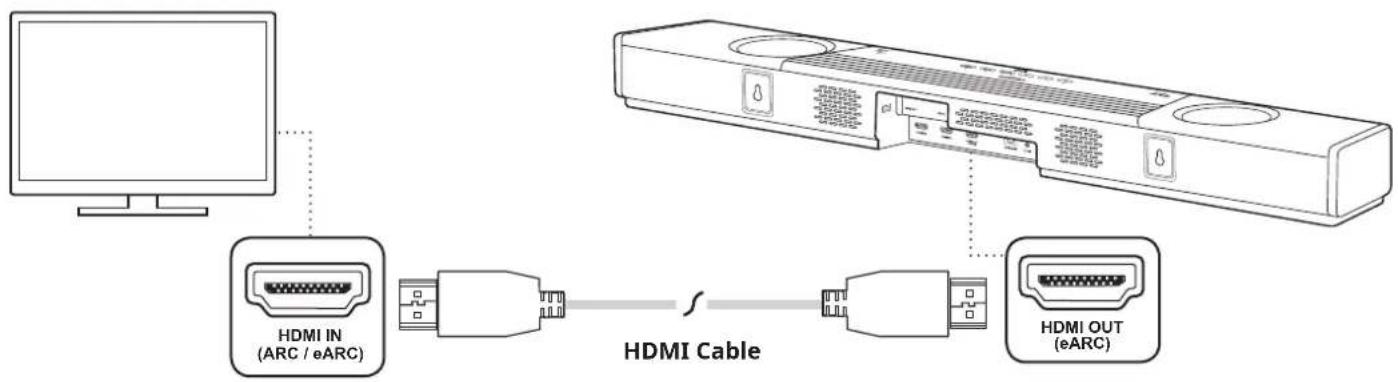
Connecting the Soundbar to your TV\*
- Creative SXFI CARRIER supports HDMI Audio Return Channel (ARC) and enhanced Audio Return Channel (eARC). This allows the soundbar to play lossless multichannel audio from the TV, or audio from sources connected to the TV. For convenience, we recommend that you connect all HDMI input sources to the TV, as this allows most of the interaction you would have with the system (Source Switching, Volume Control) to be carried out with the TV's remote control.
- Creative SXFI CARRIER supports HDMI 2.1 with 8K passthrough. If 8K capable sources are connected to the soundbar, please use a HDMI-certified ultra-high speed cable (48 Gbps) to establish the connection between the soundbar and TV.
- Connect Creative SXFI CARRIER'S HDMI-out to the HDMI-in of the TV marked with ARC (or eARC). Typically, only one of the TV's HDMI-ins will support ARC. If you cannot find the port, please consult your TV user manual.
Note: If your TV does not support HDMI ARC, connect the TV's Optical Digital-out to the Optical-in, and configure the TV's audio-out to Optical-out.
- For certain TVs, you will need to manually configure its audio settings to enable ARC (or eARC). Ensure that Creative SXFI CARRIER is turned on and connected to the TV while the settings are being configured.
Note: The HDMI ARC-in may be manually selected by pressing the TV's button on the remote control if necessary
*We recommend that the wired connections to the soundbar are made before wall mounting the soundbar or deciding on the final placement of the soundbar in the cabinet
Setting up Creative SXFI CARRIER
EN
Setting Up the Soundbar
Connecting External Devices to the Soundbar
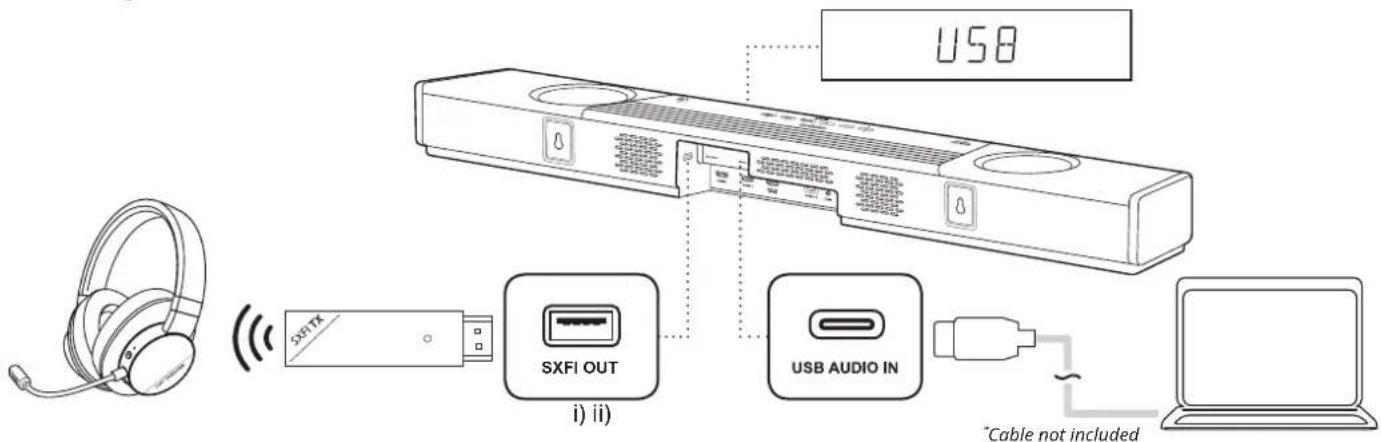
1. (i) SXFI-OUT
Creative SXFI CARRIER features a separate USB port catered specially for devices that support Super X-Fi Headphone Holography, such as SXFI THEATER, a low-latency wireless USB headphones.
(ii) USB Audio
Creative SXFI CARRIER also features a USB-C audio-in port that serves as an alternate audio connection for big-screen gaming, or to achieve high quality music playback.
Note: We recommend setting the audio output of your PC to 7.1 channel for gaming, or to 2.0 channel for audio playback
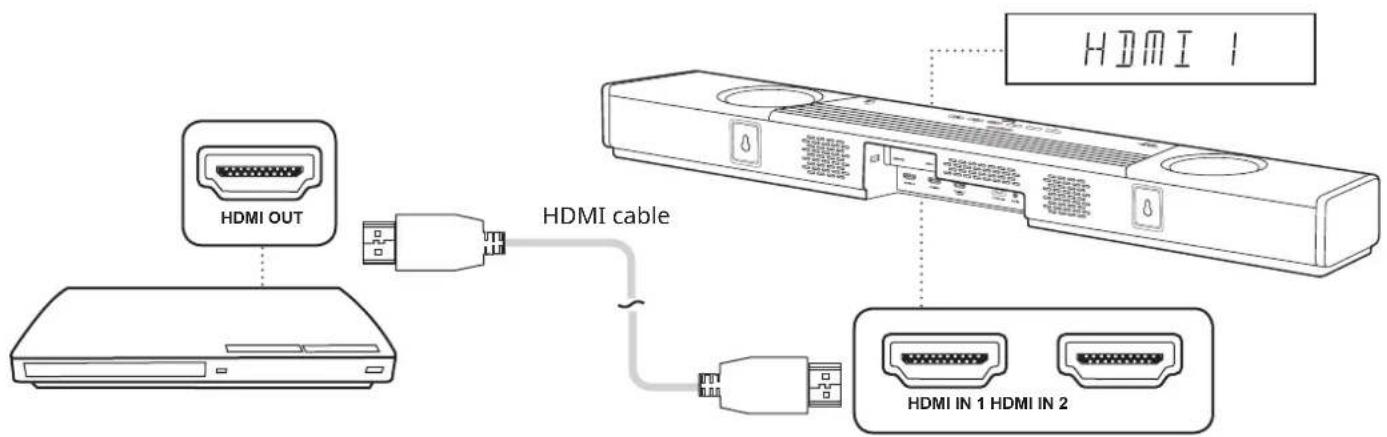
2. HDMI sources
Creative SXFI CARRIER features two Dolby Vision Compatible HDMI 2.1 inputs, with 8K support, HDR10, and HDR10+.
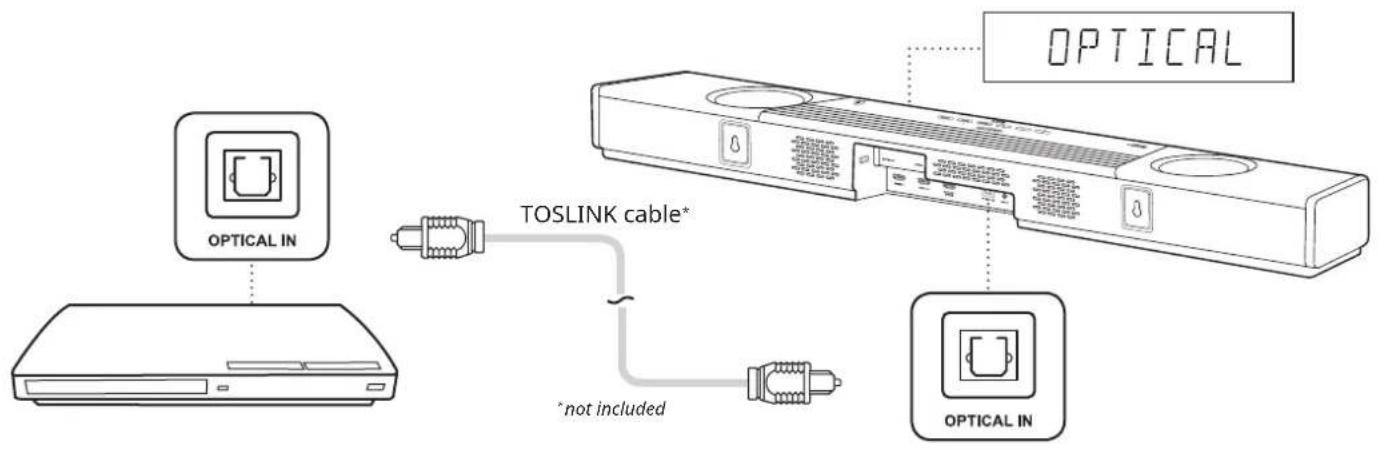
flowchart
graph TD
    A["Device"] -->|TOSLINK cable*| B["Device"]
    B -->|*not included| C["Device"]
    D["Optical IN"] --> E["Device"]
    F["OPTICAL"] --> G["Device"]
3. Optical-in (Dolby Audio / PCM)
Creative SXFI CARRIER features an Optical-in for use with personal assistant devices, streaming audio devices, or CD players. This input also works as a recommended alternative connection to the TV if you experience HDMI ARC / eARC compatibility issues.
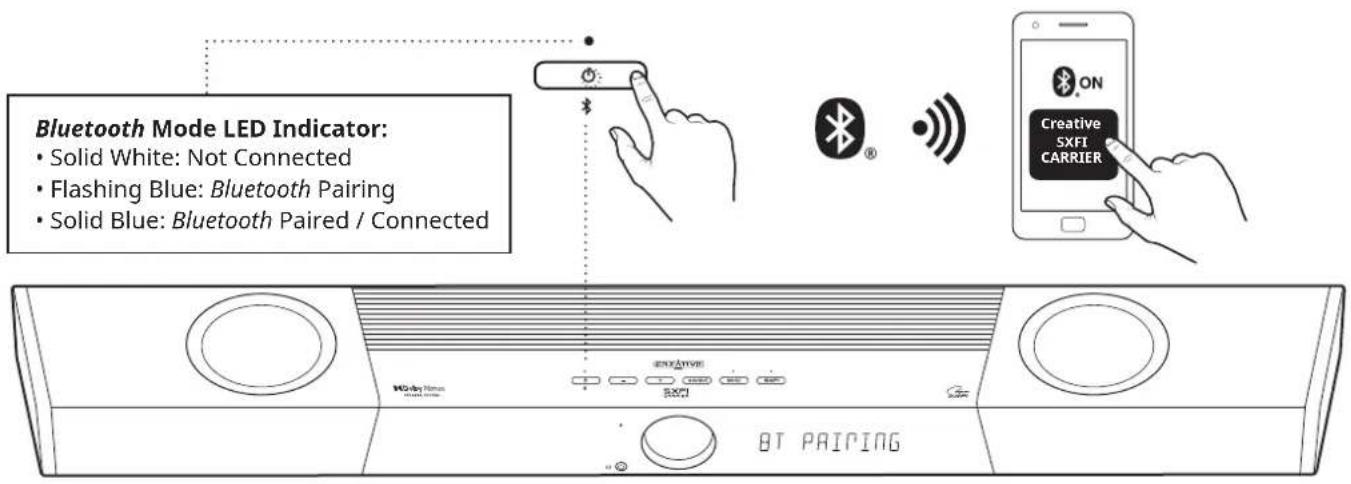
4. Bluetooth
i. Press the Bluetooth button once to switch to Bluetooth Mode
ii. Press and hold the Bluetooth button on the soundbar or remote control until the Power Button LED flashes in Blue or until the soundbar displays "BT PAIRING"
iii. Select "CREATIVE SXFI CARRIER" from the list of discovered Bluetooth devices to pair
iv. Press the Bluetooth button once again to exit Bluetooth Pairing mode
Setting up Creative SXFI CARRIER
EN
Setting Up the Subwoofer
natural_image
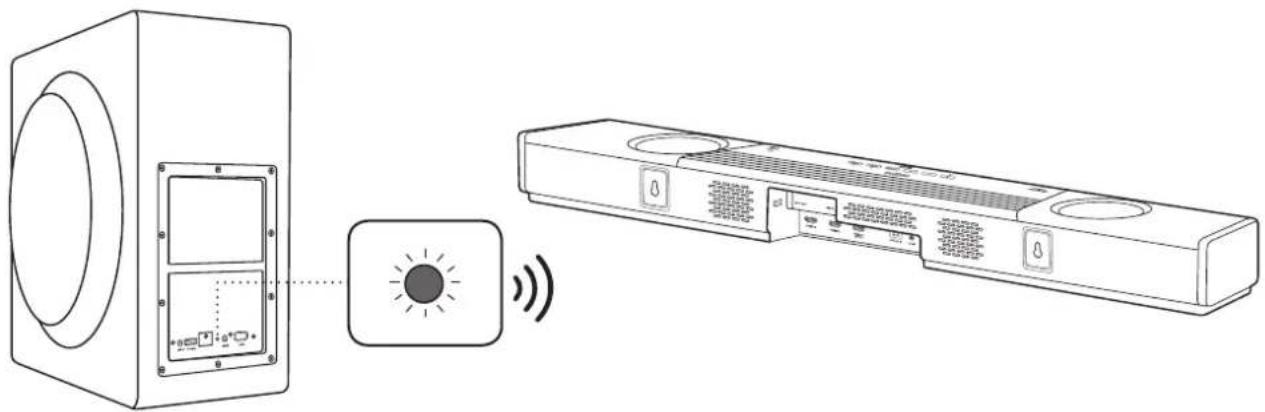
Line drawing of a front-mounted air conditioner unit connected to a speaker and a rear-mounted unit via a signal icon (no text or symbols present)Creative SXFI CARRIER soundbar and subwoofer are pre-paired at the factory; they will automatically and wirelessly connect to each other when connected to a power source and the status light on the subwoofer will light up in green. If the subwoofer's status light is not lit, please ensure that the subwoofer is plugged in and the power source is turned on.
If the subwoofer's status light remains in red when the soundbar is turned on, interference could have prevented the subwoofer from responding wirelessly to soundbar.
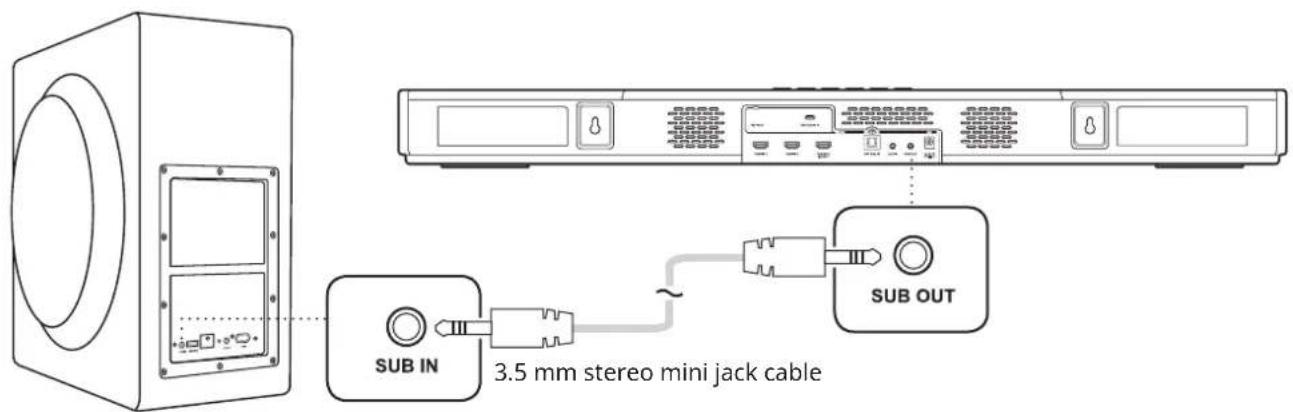
Alternatively, you may also use a standard 3.5 mm stereo mini jack cable* to establish a wired connection between the soundbar and subwoofer.
*Cable not included

natural_image
Gray square icon with a white upward-pointing triangle symbol (no text or numbers)The Creative app provides you with various configuration options to enhance the performance of your product, as well as to customize and personalize your audio settings. Available on both Apple's App Store and Google Play Store, the app allows you to customize and control your SXFI CARRIER, such as seamless device pairing, Super X-Fi setup, custom buttons configurations, speaker setup and calibration settings, and the ability to run diagnosis for technical support.
To start using the app, follow the on-screen instructions to connect to the soundbar.
Download Creative app from:


Download on the
App Store


ANDROID APP ON
Google play
With Creative app, enjoy the following:
- A complete, fuss-free SXFI CARRIER setup, including a calibration process, to fully optimize the placement and settings of both the soundbar and subwoofer in the user's home environment
- Direct access to basic controls of SXFI CARRIER's functions wirelessly; such as source selection, volume adjustment, and Sound Mode selection, without having to reach for the IR remote control
- Instant access to SXFI CARRIER's advanced settings, including custom-mapping buttons for IR remote control, subwoofer bass adjustment, auto standby and display brightness configuration, additional input / output setup, firmware update, and more
Note: For a complete Super X-Fi experience, please download the SXFI App from Apple's App Store or Google Play Store.
Wall Mounting Creative SXFI CARRIER (Optional)
EN

WARNING!
Improper installation could lead to damage of the wall and equipment, and might lead to injury. The following information does not constitute a complete set of wall mounting instruction, and are provided for use by qualified installers only.
Preparation Materials
Creative SXFI CARRIER can be wall mounted from a pair of keyhole mounts located on the back of the soundbar. A variety of mounting hardware are compatible with these mounts, and could be selected according to the type of wall construction, as well as local availability. An example of a suitable hanger for drywalls is the double-headed bear claw hanger from Hangman products, as illustrated.
Please ensure that the mounting hardware is suitable for the type of wall you have, and that the mounting hardware and the wall is able to bear the weight of the soundbar with adequate safety margins before proceeding. Please refer to the following drawing of the keyhole to assess the required specifications of the mounting hardware.
∅ 8.7 mm / 11/32"
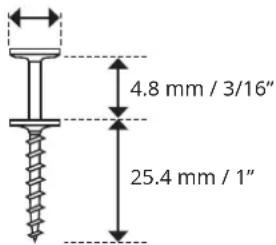
A double-headed bear claw hanger
Preparation Materials
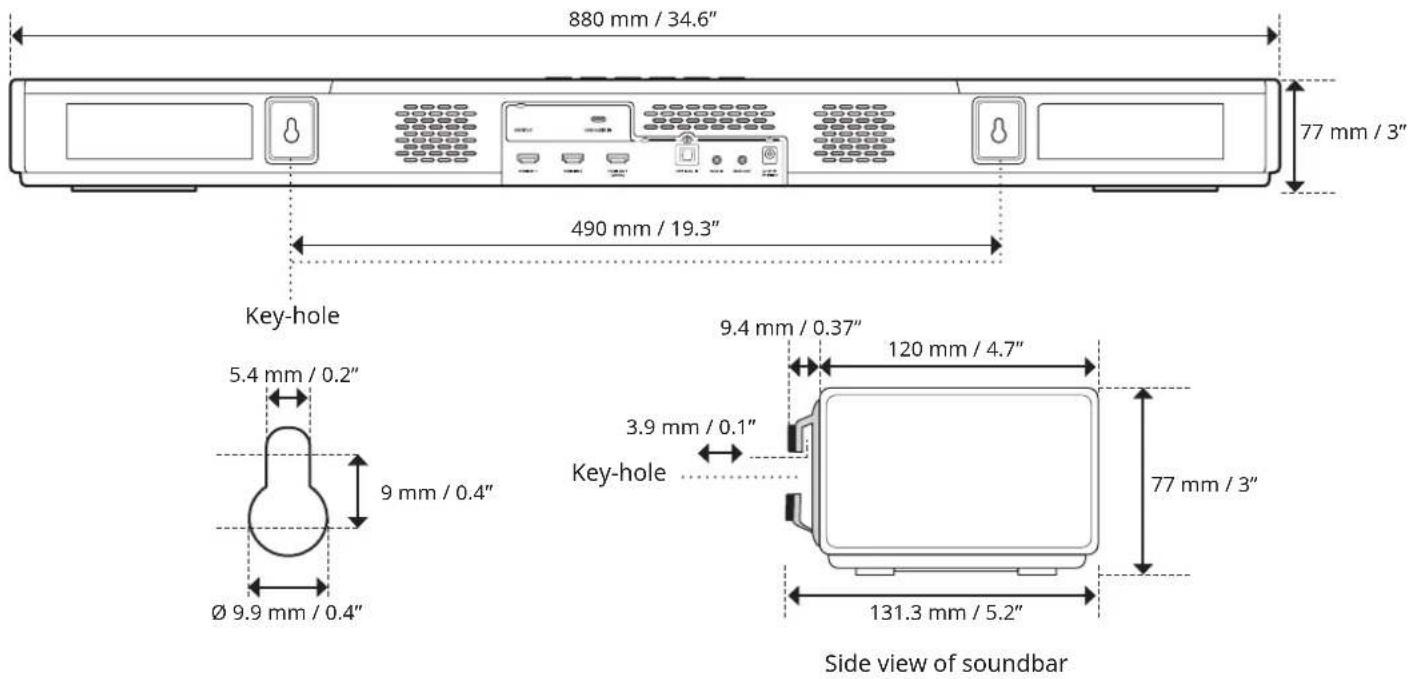
- Determine the mounting position of the soundbar. Ensure that it is properly centered relative to the TV and leveled horizontally
- Note and mark out the recommended hanger locations according to the diagram below. Ensure that they do not intersect with buried pipes, conduits, or cabling within the wall
Technical Specifications
EN
Soundbar Model MF8345
| Weight 3.6 kg / 7.9 lbs | |
| Dimensions 880 x 76 x 128 mm / 34.6 x 3 x 5 inches | |
| Operating Temperature Range 0–40°C | |
| Amplifier Rated Output Power 36W x 7 | |
| Supported Formats | LPCM 8 Ch, Dolby Digital,Dolby Atmos (TrueHD / Digital Plus) |
| Input Rating 24V 4A | --- |
| Bluetooth Version 5.0 (BR / EDR / LE) | |
| Operating Range 10m (33 ft), measured in open space | |
| Frequency Operating Range 2402–2480 MHz | |
| RF Output Power | Bluetooth: 9.77 dBm;Bluetooth Low Energy: 8.35 dBm;2.4G SRD: -2.04 dBm (For Europe) |
Subwoofer Model MF8370
| Weight 12.8 kg / 28.2 lbs | |
| Dimensions 225 x 450 x 430 mm / 8.9 x 17.7 x 16.9 inches | |
| Rated Amplifier Output Power 200W | |
| Operating Temperature Range 0-40°C | |
| Input Rating | 100-240V 50 / 60 Hz 0.8A |
| Operating Range | 10m (33 ft), measured in open space |
| RF Output Power | 2.4G SRD: -6.04 dBm (For Europe) |
| Frequency Operating Range 2402-2480 MHz | |
Adapter Model DYS9002-240400W
| Input | 100-240V AC 50 / 60 Hz 1.5A Max |
| Output | 24V =4A |
Product Registration
Registering your product ensures you receive the most appropriate service and product support available. You can register your product during installation or at creative.com/register.
Technical & Customer Support Services
Visit creative.com/support/sxficarrier to resolve and troubleshoot technical queries at Creative's 24-hour self-help Knowledge Base. You can also find customer support services and other helpful information here.
Other Information
Please visit creative.com/compliance/sxficarrier for the user guide, safety and regulatory information, and ErP information where applicable. Please visit creative.com/support for all other support related to your product.
In the event of a defect or malfunction, contact Creative for return authorization. The product must be returned along with its original box and packaging materials. Packing materials may be purchased from Creative if necessary.
CREATIVE®
SXFI CARRIER®
用户手册
Creative SXFI CARRIER
natural_image
Black electronic device with speaker and screen, no visible text or symbols on the device itselfcreative.com/support/sxficarrier
目录
Creative SXFI CARRIER开箱说明 1
盒内部件 2
综述 3
概述-声音模式 6
设置和保养 7
设置Creative SXFI CARRIER 8
移动应用 - Creative 13
壁挂Creative SXFI CARRIER(可选)....14
技术规格 16
支持信息 17
Creative SXFI CARRIER开箱说明
确保包装箱朝向正确的方向
小心地从包装箱中取出条形音箱和低音炮
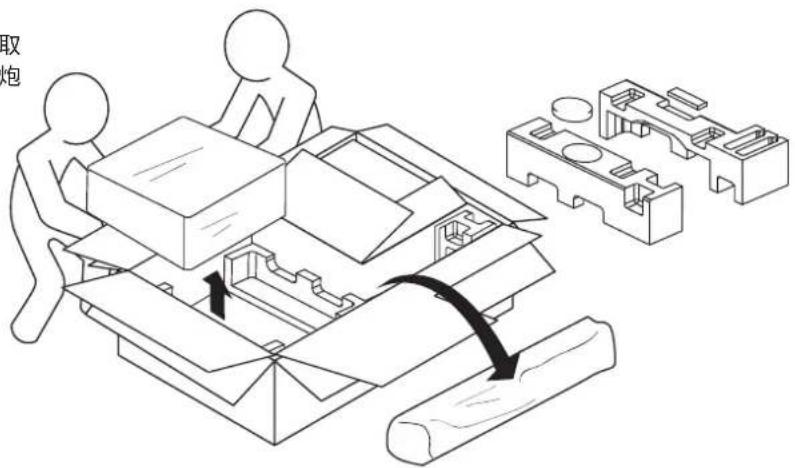
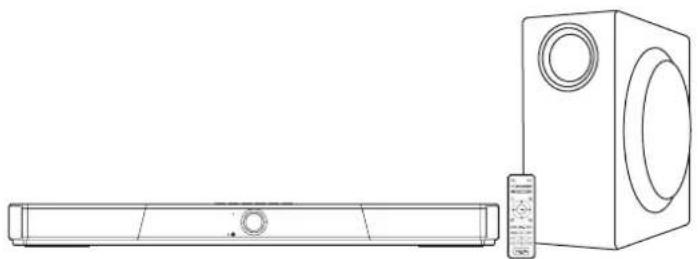
natural_image
Line drawing of a rectangular electronic device next to a speaker tower (no text or symbols)natural_image
Line drawing of a portable air conditioner unit with two circular fans and control buttons (no text or symbols)Creative SXFI CARRIER
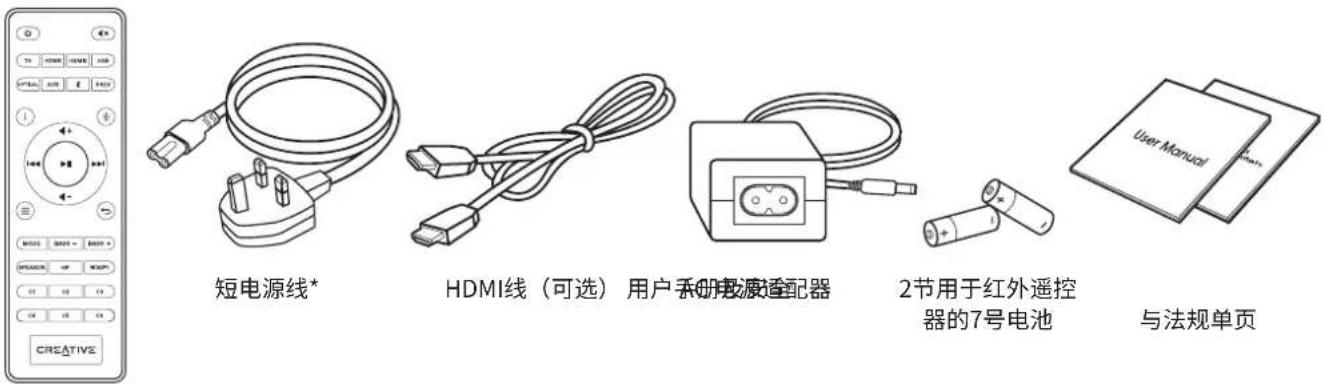
natural_image
Simple line drawing of a rectangular box with two circular cutouts on one side (no text or symbols)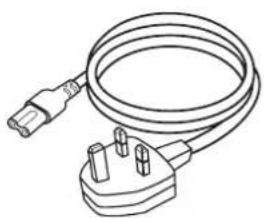
natural_image
Line drawing of a cable with two terminal connectors (no text or symbols)长电源线*
Creative SXFI CARRIER低音炮
遥控器
natural_image
Line drawing of a front-mounted air conditioner unit connected to a speaker with a light indicator (no text or symbols present)natural_image
Gray square icon with a white upward-pointing triangle symbol (no text or numbers)
Download on the App Store


ANDROID APP ON
Google play
natural_image
Black electronic device with speaker and screen, no visible text or symbols on the device itselfcreative.com/support/sxficarrier
目次
Creative SXFI CARRIERの開梱 1
パッケージ内容 2
概要 3
サウンド モードについて 6
セットアップの注意 7
natural_image
Technical line drawing showing two workers assembling a mechanical component with a magnified inset of its parts (no text or symbols)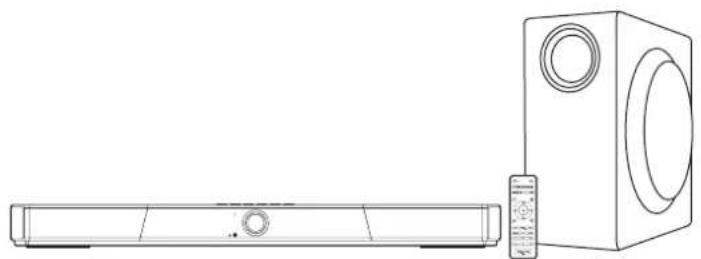
natural_image
Line drawing of a rectangular electronic device next to a speaker block (no text or symbols)natural_image
Line drawing of a portable air conditioner unit with two circular fans and control buttons (no text or symbols)Creative SXFI CARRIER
IR リモコン
natural_image
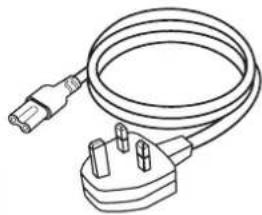
Line drawing of a cable with three terminal connectors (no text or symbols)電源アダプター用 電源ケーブル*

natural_image
Line drawing of a cable with two connectors (no text or symbols)HDMI ケーブル (オプション)
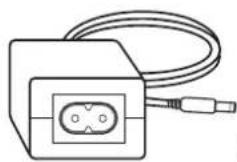
電源アダプター
リモコン用
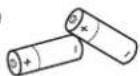
単4乾電池 x 2

natural_image
Simple line drawing of a rectangular box with two circular cutouts on one side (no text or symbols)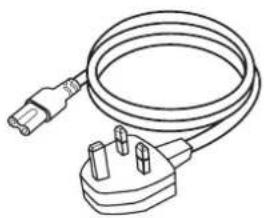
natural_image
Line drawing of a cable with two terminal plugs and a plug, no text or symbols presentnatural_image
Line drawing of a front-mounted air conditioner unit connected to a display unit with a sun icon and signal waves (no text or symbols)natural_image
Gray square icon with a white upward-pointing triangle symbol (no text or numbers)
Download on the App Store


ANDROID APP ON Google play
natural_image
Black and white photo of a modern audio speaker with a circular screen and rectangular base (no visible text or symbols)creative.com/support/sxficarrier
Contenu
FR
Déballage du Creative SXFI CARRIER .... 1
natural_image
Diagram showing two people assembling a mechanical component with a close-up of a mechanical assembly (no text or symbols)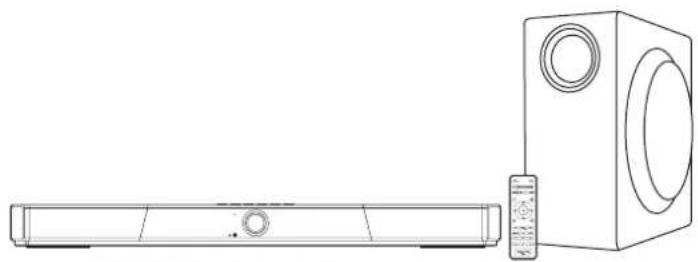
natural_image
Line drawing of a rectangular electronic device next to a speaker tower (no text or symbols)natural_image
Front view of a multi-panel computer with two circular fans and control buttons (no visible text or symbols)Creative SXFI CARRIER
Télécommande IR
natural_image
Line drawing of a cable with three connectors and a plug (no text or symbols)natural_image
Line drawing of a USB cable with two connectors (no text or symbols)natural_image
Simple line drawing of a rectangular box with two circular cutouts on one side (no text or symbols)Caisson de basses Creative SXFI CARRIER
natural_image
Line drawing of a cable with two terminal plugs and a plug, no text or symbols presentTélécommande
natural_image
Line drawing of a front-mounted air conditioner unit connected to a speaker and a rear-mounted unit via a signal icon (no text or symbols present)natural_image
Gray square icon with a white upward-pointing triangle symbol (no text or numbers)


Fixation double-headed bear claw
natural_image
Black electronic device with speaker and sound block, no visible text or symbolscreative.com/support/sxficarrier
Inhalte
DE
Entpacken des Creative SXFI CARRIER .... 1
Lieferumfang 2
Überblick 3
Mobile-App – Creative 13
Wandmontage des Creative SXFI CARRIER (Optional) ..... 14
Technische Daten 16
Support-Angaben 17
natural_image
Technical line drawing of a mechanical assembly with two workers and a close-up of internal components (no text or symbols)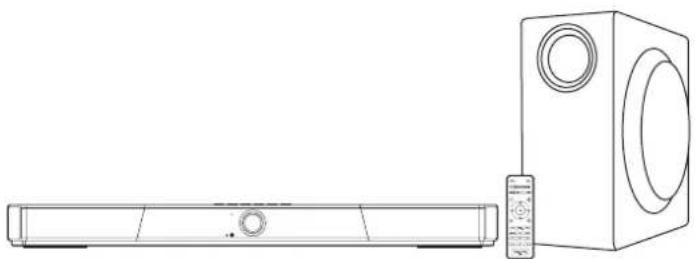
natural_image
Line drawing of a rectangular electronic device next to a speaker tower (no text or symbols)natural_image
Line drawing of a cable with two terminal connectors (no text or symbols)natural_image
Line drawing of a cable with two connectors (no text or symbols)HDMI-Kabel (Optional)
Netzteil
natural_image
Simple line drawing of a rectangular box with two circular cutouts on one side (no text or symbols)Creative SXFI CARRIER Subwoofer
natural_image
Line drawing of a cable with two terminal plugs and a plug, no text or symbols presentLange(s) Stromkabel*
Hintere Anschlüsse - Soundbar
1 SXFI-OUT
Hintere Anschlüsse – Subwoofer
1 SUB IN
3,5 mm Subwoofer-Analogeingang
2 SERVICE
Fernbedienung
natural_image
Line drawing of a front-mounted air conditioner unit connected to a speaker and a rear-mounted unit via a signal icon (no text or symbols present)natural_image
Gray square icon with a white upward-pointing triangle symbol (no text or numbers)
natural_image
Black electronic device with speaker and screen, no visible text or symbols on the device itselfcreative.com/support/sxficarrier
Contenido
Desembalaje de Creative SXFI CARRIER 1
natural_image
Technical line drawing showing two workers assembling a mechanical component with a close-up of the assembly (no text or symbols)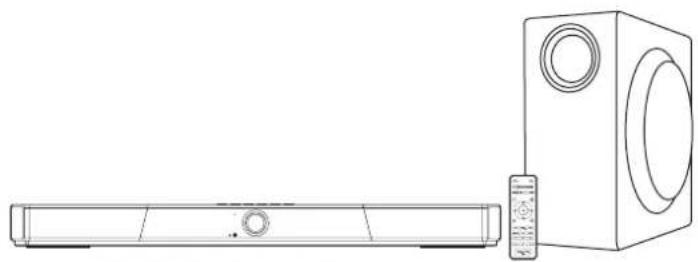
natural_image
Line drawing of a rectangular electronic device next to a speaker tower (no text or symbols)natural_image
Line drawing of a cable with two terminal connectors (no text or symbols)natural_image
Line drawing of a cable with two connectors (no text or symbols)natural_image
Simple line drawing of a rectangular box with two circular cutouts on one side (no text or symbols)Subwoofer Creative SXFI CARRIER
natural_image
Line drawing of a cable with two terminal pins and a plug (no text or symbols)24V --- Entrada 4A DC
Control remoto
natural_image
Line drawing of a front-mounted air conditioner unit connected to a speaker and a rear-mounted unit via a signal icon (no text or symbols)natural_image
Gray square icon with a white upward-pointing triangle symbol (no text or numbers)
Download on the App Store


ANDROID APP ON
Google play
natural_image
Black and white photo of a modern audio speaker with a circular screen and rectangular base (no visible text or symbols)Soundbar 5.1.2 e subwoofer wireless con supporto Dolby Atmos®
使用产品前请阅读使用说明
creative.com/support/sxficarrier
Indice
IT
App mobile: Creative 13
natural_image
Technical line drawing showing two workers assembling a mechanical component with a close-up of the assembly (no text or symbols)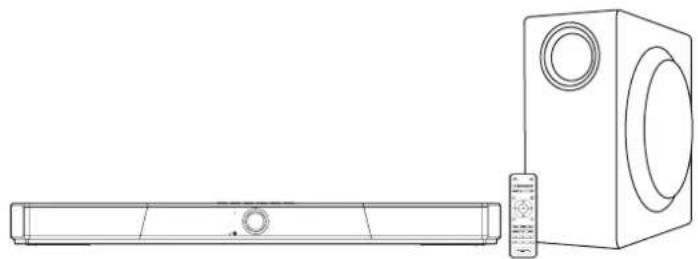
natural_image
Line drawing of a modern air conditioner unit with a rectangular base and a speaker tower (no text or symbols)natural_image
Front view of a microwave oven with two circular vented lights and control buttons (no text or symbols on the device itself)Creative SXFI CARRIER
Telecomando a infrarossi
natural_image
Line drawing of a cable with three connectors and a plug (no text or symbols)natural_image
Line drawing of a USB cable with two connectors (no text or symbols)natural_image
Simple line drawing of a rectangular box with two circular cutouts on one side (no text or symbols)Subwoofer Creative SXFI CARRIER
natural_image
Line drawing of a cable with two terminal plugs and a plug, no text or symbols presentTelecomando
natural_image
Line drawing of a front-mounted air conditioner unit connected to a speaker and a rear-mounted unit via a signal icon (no text or symbols present)natural_image
Gray square icon with a white upward-pointing triangle symbol (no text or numbers)


natural_image
Black and white photo of a modern audio speaker with a circular screen and rectangular base (no visible text or symbols)creative.com/support/sxficarrier
Zawartość
PL
natural_image
Technical line drawing showing two workers assembling a mechanical component with a close-up of the assembly (no text or symbols)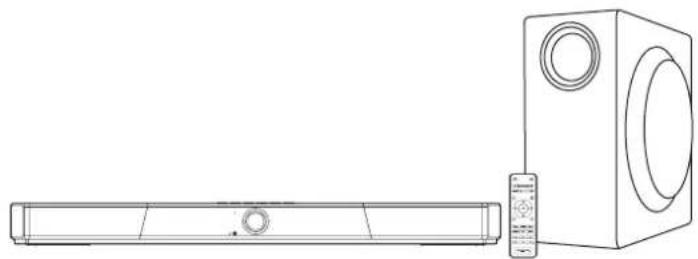
natural_image
Line drawing of a modern TV setup with a rectangular base and a speaker tower (no text or symbols)natural_image
Line drawing of a cable with two terminal connectors (no text or symbols)natural_image
Line drawing of a cable with two connectors (no text or symbols)natural_image
Illustration of a power adapter connected to two batteries (no text or symbols)natural_image
Simple line drawing of a rectangular box with two circular cutouts on one side (no text or symbols)Subwoofer Creative SXFI CARRIER
natural_image
Line drawing of a cable with two terminal connectors (no text or symbols)PL
natural_image
Line drawing of a front-mounted air conditioner unit connected to a speaker and a rear-mounted unit via a signal icon (no text or symbols present)natural_image
Gray square icon with a white upward-pointing triangle symbol (no text or numbers)


natural_image
Black electronic device with speaker and sound block, no visible text or symbolscreative.com/support/sxficarrier
natural_image
Diagram showing two people assembling a mechanical component with a directional arrow indicating motion (no text or symbols present)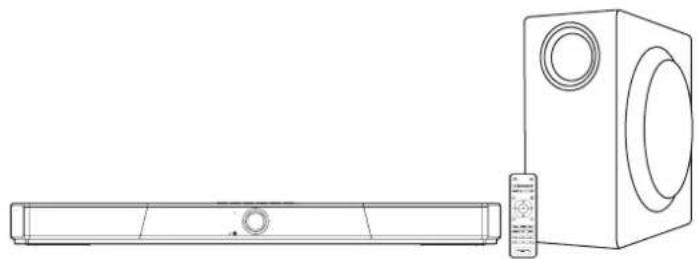
natural_image
Line drawing of a modern TV setup with a rectangular base and a speaker unit (no text or symbols)natural_image
Front view of a portable electronic device with two circular buttons and a central indicator light (no text or symbols on the device itself)Creative SXFI CARRIER
ИК-пульт ДУ

natural_image
Line drawing of a cable with two terminal connectors (no text or symbols)natural_image
Line drawing of a cable with two connectors (no text or symbols)natural_image
Line drawing of a rectangular electronic device with a cable and two ports, no text or symbols present.natural_image
Simple line drawing of a rectangular box with two circular cutouts on one side (no text or symbols)Сабвуфер Creative SXFI CARRIER
natural_image
Line drawing of a cable with two terminal connectors (no text or symbols)natural_image
Line drawing of a front-mounted air conditioner unit connected to a speaker and a rear-mounted unit via a signal icon (no text or symbols)natural_image
Gray square icon with a white upward-pointing triangle symbol (no text or numbers)


creative.com/warranty
[EN] Creative warrants that the accompanying product is free from material or workmanship defects for a period of 12 months (non-transferable Creative Warranty period) from your purchase date. In the event of a genuine product failure, Creative will assume repair or part replacement (new or refurbished) within the Creative Warranty period. However, this Creative Warranty does not cover (among other things) consumable parts, such as batteries or protective coatings that, due to their nature, tend to diminish over time, normal wear and tear, abnormal usage, improper storage and handling, unauthorised modifications or repair, damages arising from an Act of God and theft. In the event of a genuine product failure you must provide Creative with the product and proof of purchase of the product by a dated Itemised receipt.
This is a only a summary of the Creative Warranty terms. For the full details on the Creative Warranty period of your product, Creative Warranty terms, product returns and repair procedure, and Creative Customer Support services and contact information, you are advised to refer to the full version of the Creative Warranty at Web site http://creativecommons.org/warranty.
We also recommend you to register your product with us at www.creative.com/register to enjoy a host of additional product benefits that includes latest news and promotions. Note that your entitlement to the Creative Warranty is not dependent on product registration.
NOTE: This warranty gives you specific legal rights. You may have other rights, which vary from country to country. Certain limitations in this warranty are not permitted by the jurisdiction of some countries, so some limitations here may not apply to you.
http://creative.com/warranty
http://creative.com/warranty
http://creative.com/warranty
http://creative.com/warranty
http://creative.com/warranty
http://creative.com/warranty
http://creativecommons.org/warranty
http://creativecommons.org/warranty
http://creative.com/warranty
© 2020 Creative Technology Ltd. All rights reserved. Creative, the Creative logo, SXFI, the Super X-Fi logo, 声昕飞, and Headphone Holography are trademarks or registered trademarks of Creative Technology Ltd in the United States and/or other countries. Dolby, Dolby Vision, Dolby Atmos, and the double-D symbol are trademarks of Dolby Laboratories. The terms HDMI and HDMI High Definition Multimedia Interface, and the HDMI logo are trademarks or registered trademarks of HDMI Licensing LLC in the United States and other countries. The Bluetooth® word mark and logos are registered trademarks owned by Bluetooth SIG, Inc. and any use of such marks by Creative Technology Ltd is under license. Other trademarks and trade names are those of their respective owners. All specifications are subject to change without notice. Actual product may differ from slightly from images shown. All images are for illustration purposes only. State of California Proposition 65 WARNING: This product may expose you to chemicals known to the State of California to cause cancer and birth defects or other reproductive harm. Explanatory Note: To meet the requirements of Proposition 65, it is our responsibility to notify consumers in the State of California that they may be exposed to chemicals that are known to cause cancer and/or reproductive toxicity. It does not mean that the product is in violation of any product-safety standards or requirements. The exposure may be below the level of concern, or even zero. For additional information, visit www.P65Warnings.ca.gov.
Last Updated: Mar 2021