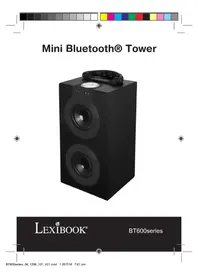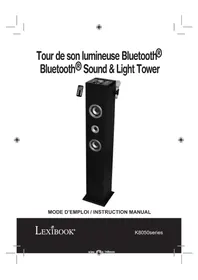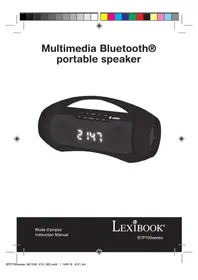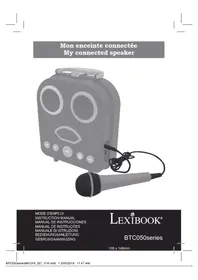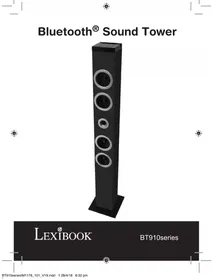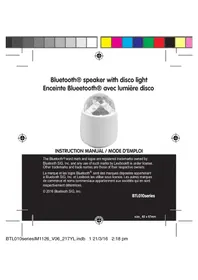
BTL010FZ - Bluetooth speaker LEXIBOOK - Free user manual and instructions
Find the device manual for free BTL010FZ LEXIBOOK in PDF.


| Brand | Lexibook |
| Model | BTL010FZ |
| Product type | Bluetooth® speaker with disco light |
| Bluetooth technology | Bluetooth 3.0+EDR |
| Bluetooth range | 10 m (direct line of sight without obstacles) |
| Speaker power | 3 W |
| Impedance | 3 Ω |
| Power supply | Built-in rechargeable lithium battery 2000 mAh / 3.7 V |
| Playback autonomy | Approximately 5 hours |
| Charging time | Approximately 3 hours |
| Charging input | Micro USB 5 V, 500 mA |
| Main functions | Bluetooth playback, 3.5 mm AUX input, built-in disco light, LED indicator |
| LED indicator | Blue (pairing/operation), Red (charging) |
| Included accessories | USB cable, 3.5 mm audio cable |
| Compatibility | Smartphones, tablets, MP3 players and other Bluetooth® devices or with headphone jack |
| Maintenance and cleaning | Wipe with a soft dry cloth. Do not use alcohol, gasoline or chemicals. Disconnect before cleaning. |
| Safety | Do not expose to excessive heat (sun, fire). Non-replaceable battery. Risk of explosion if replaced incorrectly. |
| Warranty | 2 years (excluding improper use) |
| Recycling | Do not dispose of with household waste. Deposit at an appropriate collection point. |
Frequently Asked Questions - BTL010FZ LEXIBOOK
User questions about BTL010FZ LEXIBOOK
0 question about this device. Answer the ones you know or ask your own.
Ask a new question about this device
Download the instructions for your Bluetooth speaker in PDF format for free! Find your manual BTL010FZ - LEXIBOOK and take your electronic device back in hand. On this page are published all the documents necessary for the use of your device. BTL010FZ by LEXIBOOK.
USER MANUAL BTL010FZ LEXIBOOK
natural_image
Gradient bar transitioning from dark gray to white with no text or symbols
natural_image
Color swatch bar with 12 solid color blocks (yellow, magenta, cyan, blue, green, red, black, yellow, pink) on white background
natural_image
Close-up of a transparent spherical object with a diamond-shaped top surface (no text or symbols visible)INSTRUCTION MANUAL / MODE D'EMPLOI
The Bluetooth® word mark and logos are registered trademarks owned by Bluetooth SIG, Inc. and any use of such marks by Lexibook® is under license. Other trademarks and trade names are those of their respective owners.
© 2016 Bluetooth SIG, Inc.
BTL010series

size_62 x 67mm



BTL010seriesIM1126_V06_217YL.indb 2 21/3/16 2:18 pm


natural_image
Pure geometric lines without any text, numbers, or symbols
natural_image
Color palette bar with grayscale shades and a central target symbol (no text or labels)DÉBALLAGE DE L'APPAREIL
EMPLACEMENT DES TOUCHES
natural_image
Color palette bar with grayscale shades and a central target symbol (no text or labels)FRANÇAIS
natural_image
Color palette bar with grayscale shades and a central target symbol (no text or labels)APPAIRAGE
natural_image
Color palette bar with grayscale shades and a central target symbol (no text or labels)FRANÇAIS
FONCTIONS ENCEINTE
Indicateur LED (1)
natural_image
Gradient bar transitioning from dark gray to white with no text or symbols
natural_image
Color swatch bar with 10 solid color blocks (yellow, magenta, cyan, blue, green, red, black, yellow, pink) in a horizontal row (no text or symbols)
DÉPANNAGE
natural_image
Color palette bar with grayscale shades and a central target symbol (no text or labels)FRANÇAIS
natural_image
Color palette bar with grayscale shades and a central crosshair symbol (no text or labels)FRANCIALS
EN 300 328 V1.9.1
EN 301 489-1 V1.9.2
EN 301 489-17 V2.2.1
EN 62479: 2010
natural_image
Color palette bar with grayscale shades and a central target symbol (no text or labels)FRANÇAIS
ENTRETIEN ET GARANTIE
natural_image
Color palette bar with grayscale shades and a central target symbol (no text or labels)
UNPACKING THE DEVICE
When unpacking, ensure that the following elements are included:
1 x Bluetooth® Speaker
1 x USB cable
1 x 3.5mm audio cable
WARNING: All packaging materials, such as tape, plastic sheets, wire ties and tags are not part of this product and should be discarded.
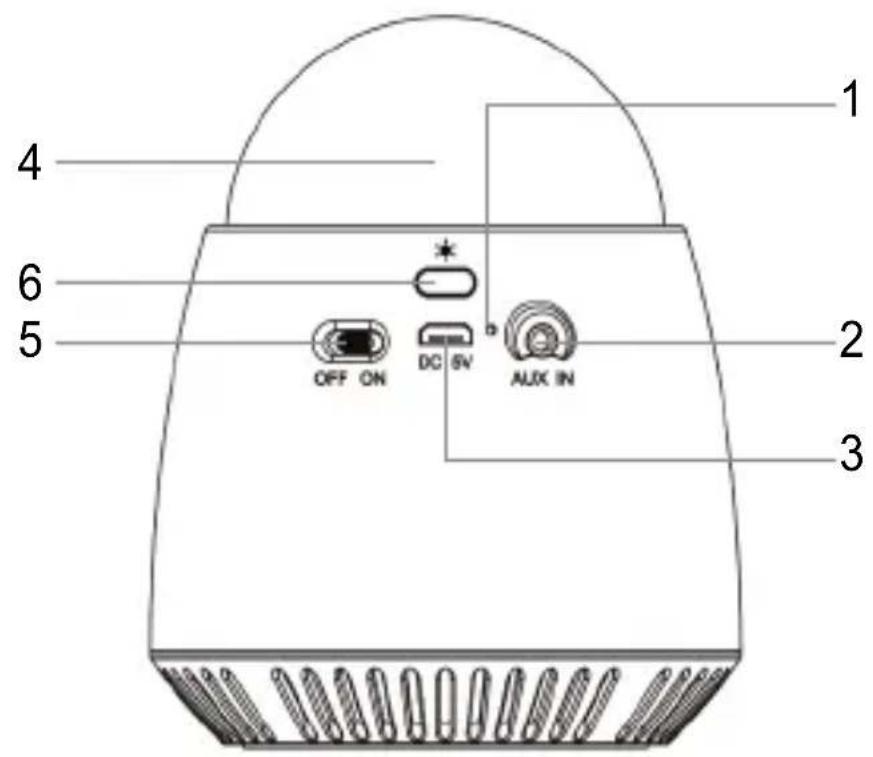
LOCATION OF CONTROLS
- LED Pairing/Aux in /Pair indicator
- 3.5mm audio in jack
-
Micro USB port
-
Disco light
- ON/OFF switch
- Lights button
TURNING THE DEVICE ON AND OFF
- To turn the Bluetooth® speaker on, slide the power switch (5) to the right. The LED light will flash quickly in blue for 5 seconds and then keep flashing steadily.
- Slide the switch to the left to turn it off.
WARNING: Significant electromagnetic interference or electrostatic discharges may cause the device to malfunction or lose data. If the device is not functioning correctly, switch it off and then on again, or unplug the USB cable.



natural_image
Color palette bar with grayscale shades and a central target symbol (no text or labels)CHARGING THE DEVICE
- Make sure the speaker is off.
- Connect the micro USB side of the cable (included) to the speaker and the cable's USB end to a computer.
- When the speaker is charging, the LED (1) lights up red.
- When the speaker is fully charged, the LED (1) turns off. Disconnect the cable.
Warning:
- Risk of explosion if battery is incorrectly replaced. Please only replace it with an identical or a similar battery.
- The battery should not be exposed to high temperatures, such as sunlight, fire or anything similar.
PAIRING
- Activate the Bluetooth® function on your personal device (smartphone, MP3 player, etc.). Please refer to your device's instruction manual on how to activate this function.
- Turn the speaker on; the LED (1) flashes in blue.
- Select "BTL010series" on your device to connect it to the speaker.
Notes:
- When turned on, the speaker automatically searches for a device that it has previously synchronized with.
- If your Bluetooth® device requires a password, the default password is 0000.
- You will hear a sound when pairing is successful.
- Use the controls on your device to listen to your desired audio

natural_image
Color palette bar with grayscale shades and a central target symbol (no text or labels)ENGLISH
file, change the volume etc...
- You can also listen to audio files from Internet. Open your internet browser and select an online player.
SPEAKER FUNCTIONS
LED indicator (1)
• flashes in blue when the speaker is turned on.
• lights up red when the speaker is charging.
Aux in function (without Bluetooth®)
- Connect a 3.5mm audio cable to the speaker's audio in jack (2) and the other end of the cable to your personal device.
- Turn the speaker on. The LED (1) flashes in blue.
- Click on your device's play button to make the sounds come out of the speaker and listen to your desired audio file.
- You can also listen to audio files from the Internet. Open your internet browser and select an online player.
- To turn the speaker off, slide the ON/OFF switch (5) to the left. The LED (1) light turns off.
- Unplug the cable from the speaker and the player.



TROUBLESHOOTING
| Problem | Solution |
| The unit does not work (indicator not illuminated) | Is the Bluetooth® speaker out of battery?Is the Bluetooth® speaker switched on? |
| No sound | Is the volume set too low or on mute?Is the song being paused?Is the Bluetooth® correctly paired? |
| The Bluetooth® does not work or cracks | Is the Bluetooth® correctly paired?Is the Bluetooth® device positioned over 10m away from the Bluetooth® speaker?Are there any solid objects between the Bluetooth® device and the Bluetooth® speaker?Is the battery too low? |
ENGLISH


15


natural_image
Color palette bar with grayscale shades and a central target symbol (no text or labels)SPECIFICATIONS
ENGLISH
- Bluetooth® V3.0+EDR
- Speaker 3W, impedance 3
• Built-in lithium rechargeable battery, 2000mAh / 3.7V - Charging current: DC 5V =500mA
- Charging time: around 3 hours
- Playing time: around 5 hours
• Effective distance: 10m (straight line without obstacle)
CONFORMITY DECLARATION
We, Lexibook® S.A.
Declare under our sole responsibility that the following product:
Kind of product: Bluetooth® Speaker
Type designation: BTL010series
16
BTL010seriesIM1126_V06_217YL.indb 16 21/3/16 2:18 pm


natural_image
Color palette bar with grayscale shades and a central target symbol (no text or labels)Is in compliance with the following standards:
EN 60065: 2002+A1: 2006+A11: 2008+A2: 2010:A12:2011
EN 55013: 2013
EN 55020: 2007+A11:2011
EN 300 328 V1.9.1
EN 301 489-1 V1.9.2
EN 301 489-17 V2.2.1
EN 62479: 2010
ENGLISH

We hereby declare that the above mentioned product is in compliance with the EMC Directive (2004/108/EC), with the Low Voltage Directive (2006/95/EC) and with the R&TTE Directive (1999/5/EC) of the European Commission.
Yiu Wai Man
Product Development Manager
15/03/2016 (Hong Kong)

C€0700
17
BTL010seriesIM1126_V06_217YL.indb 17 21/3/16 2:18 pm


natural_image
Color palette bar with grayscale shades and a central target symbol (no text or labels)MAINTENANCE AND WARRANTY
ENGLISH
Ensure that you switch off the device and unplug the power cable before cleaning. Wipe the device with a soft, dry cloth. If the surfaces are particularly dirty, clean them with a cloth that has been soaked in soapy water and then wrung out thoroughly. Wipe again with a dry cloth. Never use alcohol, petrol, solvents, cleaning products or other chemical products. And do not use compressed air to remove dust. At least charge the Bluetooth® speaker once every 3 months in order to maintain the battery life.
This product is covered by our 2-years warranty.
For any claim under the warranty or after sale service, please contact your distributor and present a valid proof of purchase. Our warranty covers any manufacturing material and workmanship defect, with the exception of any deterioration arising from the non-observance of the instruction manual or from any careless action implemented on this item (such as dismantling, exposition to heat and humidity, etc.). It is recommended to keep the packaging for any further reference.
NOTE: Please keep this instruction manual, it contains important information. In a bid to keep improving our services, we could implement modification on the colours and the details of the product shown on the packaging.

natural_image
Color palette bar with grayscale shades and a central target symbol (no text or labels)Reference: BTL010series
Designed and developed in Europe – Made in China © LEXIBOOK®
United Kingdom & Ireland
For any further information, please call 0808 100 3015
www.lexibook.com
ENGLISH


This product is not a toy.

Environmental Protection
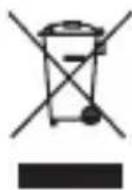
Unwanted electrical appliances can be recycled and should not be discarded along with regular household waste! Please actively support the conservation of resources and help protect the environment by returning this appliance to a collection centre (if available).


DESEMBALAJE DEL PRODUCTO
natural_image
Color palette bar with grayscale shades and a central target symbol (no text or labels)natural_image
Color palette bar with grayscale shades and a central target symbol (no text or labels)EMPAREJAMIENTO
natural_image
Color palette bar with grayscale shades and a central target symbol (no text or labels)natural_image
Gradient bar transitioning from dark gray to white with no text or symbols
natural_image
Color swatch bar with 10 solid color blocks (yellow, magenta, cyan, blue, green, red, black, yellow, pink) in a horizontal row (no text or symbols)
natural_image
Color palette bar with grayscale shades and a central target symbol (no text or labels)natural_image
Color palette bar with grayscale shades and a central target symbol (no text or labels)EN 300 328 V1.9.1
EN 301 489-1 V1.9.2
EN 301 489-17 V2.2.1
EN 62479: 2010
ESPAÑOL
15/03/2016 (Hong Kong)
C€0700
26
BTL010seriesIM1126_V06_217YL.indb 26 21/3/16 2:18 pm


natural_image
Color palette bar with grayscale shades and a central target symbol (no text or labels)natural_image
Color palette bar with grayscale shades and a central target symbol (no text or labels)Referencia: BTL010series
RETIRAR O APARELHO DA CAIXA
natural_image
Color palette bar with grayscale shades and a central target symbol (no text or labels)natural_image
Color palette bar with grayscale shades and a central target symbol (no text or labels)EMPARELHAMENTO
natural_image
Color palette bar with grayscale shades and a central target symbol (no text or labels)FUNÇÕES DO ALTIFALANTE
Indicador LED (1)
natural_image
Color palette bar with grayscale shades and a central crosshair symbol (no text or labels)natural_image
Color palette bar with grayscale shades and a central target symbol (no text or labels)ESPECIFICAÇÕES
CONFORMITY DECLARATION
Nós, Lexibook® S.A.
natural_image
Color palette bar with grayscale shades and a central target symbol (no text or labels)natural_image
Color palette bar with grayscale shades and a central target symbol (no text or labels)natural_image
Color palette bar with grayscale shades and a central target symbol (no text or labels)DISIMBALLARE IL DISPOSITIVO
natural_image
Color palette bar with grayscale shades and a central target symbol (no text or labels)RICARICA DELL'APPARECCHIO
natural_image
Color palette bar with grayscale shades and a central target symbol (no text or labels)RICERCA GUASTI
natural_image
Color palette bar with grayscale shades and a central target symbol (no text or labels)SPECIFICHE TECNICHE
natural_image
Color palette bar with grayscale shades and a central target symbol (no text or labels)15/03/2016 (Hong Kong)
ITALANDO
C€0700
43
BTL010seriesIM1126_V06_217YL.indb 43 21/3/16 2:18 pm


natural_image
Color palette bar with grayscale shades and a central target symbol (no text or labels)natural_image
Color palette bar with grayscale shades and a central target symbol (no text or labels)Riferimento: BTL010series
AUSPACKEN DES GERÄTS
natural_image
Color palette bar with grayscale shades and a central target symbol (no text or labels)AUFLADEN DES GERÄTES
natural_image
Color palette bar with grayscale shades and a central target symbol (no text or labels)Anmerkungen:
natural_image
Color palette bar with grayscale shades and a central target symbol (no text or labels)natural_image
Gradient bar transitioning from dark gray to white with no text or symbols
natural_image
Color swatch bar with 10 solid color blocks (yellow, magenta, cyan, blue, green, red, black, yellow, pink) in a horizontal row (no text or symbols)
FEHLERBEHEBUNG
natural_image
Color palette bar with grayscale shades and a central target symbol (no text or labels)TECHNISCHE DATEN
natural_image
Color palette bar with grayscale shades and a central target symbol (no text or labels)natural_image
Color palette bar with grayscale shades and a central target symbol (no text or labels)PFLEGE UND GARANTIE
natural_image
Color palette bar with grayscale shades and a central target symbol (no text or labels)UITPAKKEN VAN HET APPARAAT
natural_image
Color palette bar with grayscale shades and a central target symbol (no text or labels)HET APPARAAT LADEN
natural_image
Color palette bar with grayscale shades and a central target symbol (no text or labels)natural_image
Gradient bar transitioning from dark gray to white with no text or symbols
natural_image
Color swatch bar with 10 solid color blocks (yellow, magenta, cyan, blue, green, red, black, yellow, pink) in a horizontal row (no text or symbols)
PROBLEEMOPLOSSING
natural_image
Color palette bar with grayscale shades and a central target symbol (no text or labels)TECHNISCHE GEGEVENS
Type benaming: BTL010series
natural_image
Gradient bar transitioning from dark gray to white with no text or symbols
natural_image
Color swatch bar with eight distinct color blocks (yellow, magenta, cyan, blue, green, red, black, yellow, pink) in a horizontal row (no text or symbols)
EN 60065: 2002+A1: 2006+A11: 2008+A2: 2010:A12:2011
EN 55013: 2013
EN 55020: 2007+A11:2011
EN 300 328 V1.9.1
EN 301 489-1 V1.9.2
EN 301 489-17 V2.2.1
EN 62479: 2010
15/03/2016 (Hong Kong)
C€0700
NEDERLANDS
60

BTL010seriesIM1126_V06_217YL.indb 60 21/3/16 2:18 pm

natural_image
Color palette bar with grayscale shades and a central target symbol (no text or labels)ONDERHOUD EN GARANTIE
natural_image
Color palette bar with grayscale shades and a central target symbol (no text or labels)UDPAKNING AF ENHEDEN
natural_image
Color palette bar with grayscale shades and a central target symbol (no text or labels)DANSK
SÅDAN OPLADES ENHEDEN
natural_image
Color palette bar with grayscale shades and a central target symbol (no text or labels)
DANSK
natural_image
Gradient bar transitioning from dark gray to white with no text or symbols
natural_image
Color swatch bar with 10 solid color blocks (yellow, magenta, cyan, blue, green, red, black, yellow, pink) in a horizontal row (no text or symbols)
DANSK
FEJLFINDING
natural_image
Color palette bar with grayscale shades and a central target symbol (no text or labels)SPECIFICATIONER
natural_image
Color palette bar with grayscale shades and a central target symbol (no text or labels)VEDLIGEHOLDELSE OG GARANTI
natural_image
Color palette bar with grayscale shades and a central target symbol (no text or labels)DANSK
Reference: BTL010series
Designed and developed in Europe – Made in China © LEXIBOOK®
www.lexibook.com

PACKA UPP ENHETEN
natural_image
Color palette bar with grayscale shades and a central target symbol (no text or labels)LADDA ENHETEN
natural_image
Color palette bar with grayscale shades and a central target symbol (no text or labels)natural_image
Color palette bar with grayscale shades and a central target symbol (no text or labels)FELSÖKNING
natural_image
Color palette bar with grayscale shades and a central target symbol (no text or labels)SPECIFICATIONER
natural_image
Color palette bar with grayscale shades and a central target symbol (no text or labels)natural_image
Color palette bar with grayscale shades and a central target symbol (no text or labels)UNDERHÅLLNING OCH GARANTI
natural_image
Color palette bar with grayscale shades and a central target symbol (no text or labels)Referens: BTL010series
SVENSKA
Designed and developed in Europe – Made in China © LEXIBOOK®
www.lexibook.com