Space One - Earphones soundcore - Free user manual and instructions
Find the device manual for free Space One soundcore in PDF.


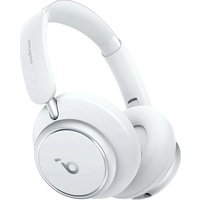
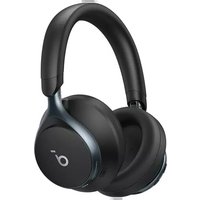
| Product Type | Bluetooth over-ear headphone |
| Brand | Soundcore |
| Model | Space One |
| Connectivity Technology | Bluetooth 5.3 |
| Bluetooth Range | 15 m (49 feet) |
| Active Noise Cancellation (ANC) | Yes, adaptive and customizable |
| Transparency Mode | Yes, customizable |
| Easy Chat | Yes (manual or automatic activation) |
| Wear Detection | Yes (auto pause/resume) |
| Dual Connection | Yes (up to 2 devices) |
| Audio Codec | LDAC, SBC, AAC |
| Speaker | Diameter 40 mm |
| Frequency Response | 20 Hz - 20 kHz |
| Impedance | 16 Ω |
| Battery Life (ANC off) | Up to 55 hours |
| Battery Life (ANC on) | Up to 40 hours |
| Charging Time | Approximately 2 hours |
| Battery Capacity | 580 mAh |
| Charging Input | 5 V ⎓ 0,58 A (USB-C) |
| Companion App | Soundcore (iOS and Android) |
| Included Accessories | 3.5mm AUX cable, USB-C cable, quick start guide |
Frequently Asked Questions - Space One soundcore
User questions about Space One soundcore
0 question about this device. Answer the ones you know or ask your own.
Ask a new question about this device
Download the instructions for your Earphones in PDF format for free! Find your manual Space One - soundcore and take your electronic device back in hand. On this page are published all the documents necessary for the use of your device. Space One by soundcore.
USER MANUAL Space One soundcore
natural_image
Line drawing of a pair of Apple headphones with a blue patterned background (no text or symbols)soundcore Space One
USER MANUAL

natural_image
Illustration of various electronic devices including desktops, laptops, headphones, and a monitor (no text or symbols)Say hello
to a more sustainable product
IT products are associated with a wide range of sustainability risks throughout their life cycle. Human rights violations are common in the factories. Harmful substances are used both in products and their manufacture. Products can often have a short lifespan because of poor ergonomics, low quality and when they are not able to be repaired or upgraded.
This product is a better choice. It meets all the criteria in TCO Certified, the world's most comprehensive sustainability certification for IT products. Thank you for making a responsible product choice, that help drive progress towards a more sustainable future!
Criteria in TCO Certified have a life-cycle perspective and balance environmental and social responsibility. Conformity is verified by independent and approved verifiers that specialize in IT products, social responsibility or other sustainability issues. Verification is done both before and after the certificate is issued, covering the entire validity period. The process also includes ensuring that corrective actions are implemented in all cases of factory non-conformities. And last but not least, to make sure that the certification and independent verification is accurate, both TCO Certified and the verifiers are reviewed regularly.
Want to know more?
Read information about TCO Certified, full criteria documents, news and updates at tcocertified.com. On the website you'll also find our Product Finder, which presents a complete, searchable listing of certified products.
| English 01 | |
| Čeština 05 | |
| Dansk 09 | |
| Deutsch 13 | |
| ελληνικά | 17 |
| Español 21 | |
| Suomi 25 | |
| Français 29 | |
| Magyar 33 | |
| Italiano 37 | |
| Nederlands 41 | |
| Norsk 45 | |
| Język polski 49 |
| Português 53 | |
| Portugues do Brasil 57 | |
| Русский | 61 |
| Slovenský Jazyk 65 | |
| Slovenski Jezik 69 | |
| Svenska | 73 |
| Türkçe | 77 |
| 한국어 | 81 |
| 简体中文 | 85 |
| 繁體中文 | 89 |
| 93 | |
| 97 |

soundcore


Apple and the Apple logo are trademarks of Apple Inc.

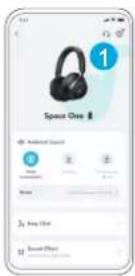
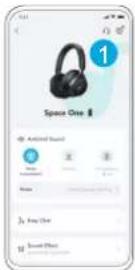
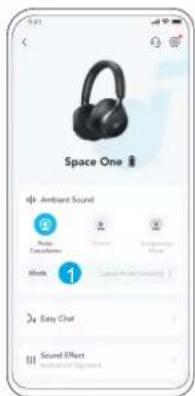
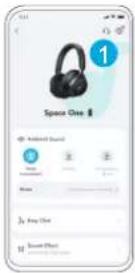
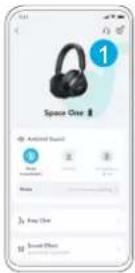
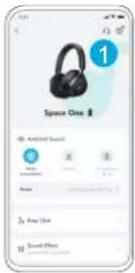
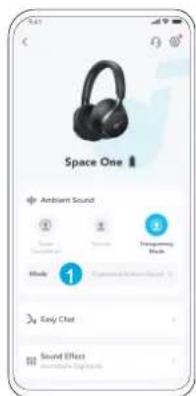
Download the soundcore app to switch ambient sound modes, adjust EQ settings, update firmware, and explore more.
If your headphones cannot connect with the soundcore app, re-install the app or update it to the latest version in your mobile app store.

CHARGING
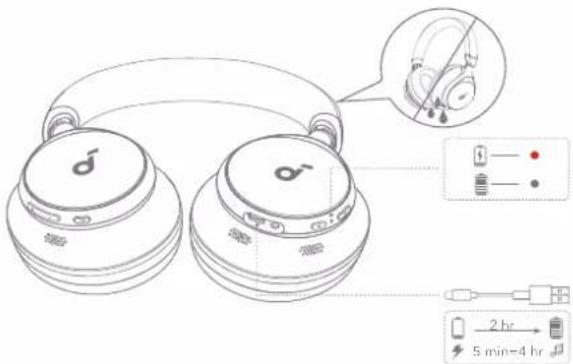
Fully dry the USB port before charging.
Do not turn on your headphones while charging.
Use a certified USB-C charging cable and charger to prevent any damage.

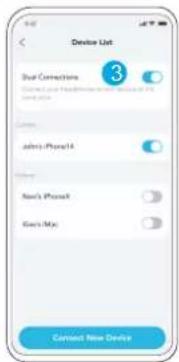
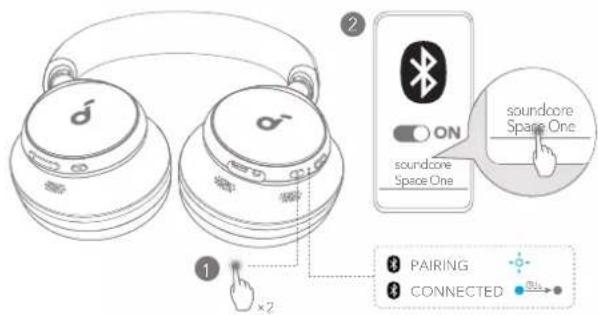
DUAL CONNECTIONS DUAL
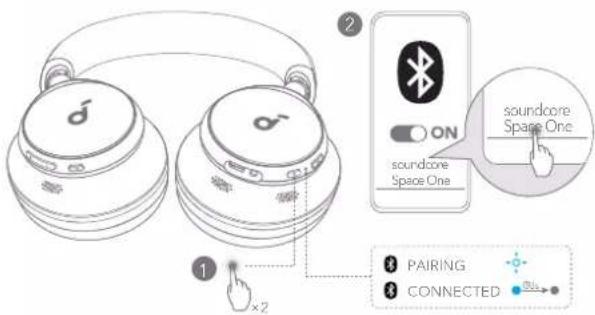
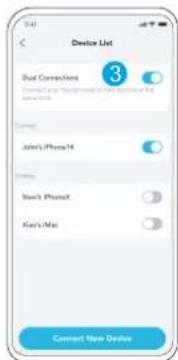
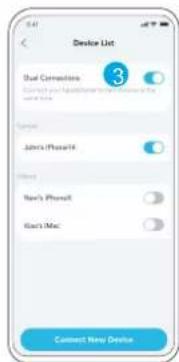
The headphones can connect with two devices at the same time.
When already connected to one device, press the power button twice to pair with another device.

WEARING
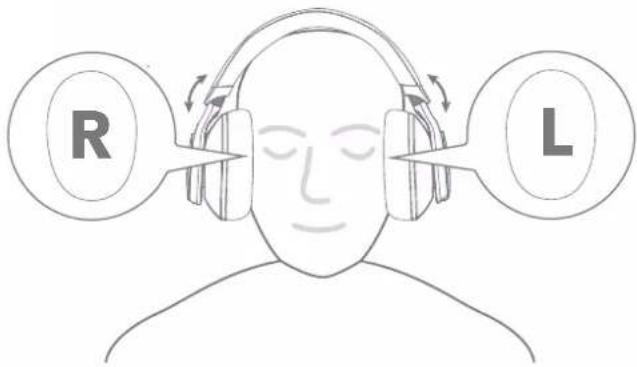
Wear the headphones with the "L" logo on your left ear and "R" logo on your right ear. Adjust the length of the headband for a comfortable fit.

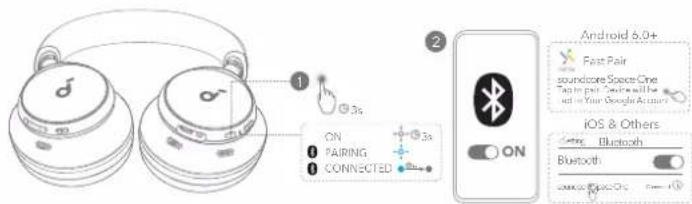
POWERING ON & PAIRING
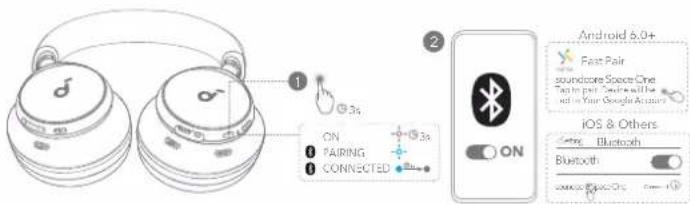
Auto Pairing: Press and hold the power button for 3 seconds to power on. The headphones will automatically enter Bluetooth pairing mode when connecting for the first time. Select "soundcore Space One" on your device's Bluetooth list to connect.
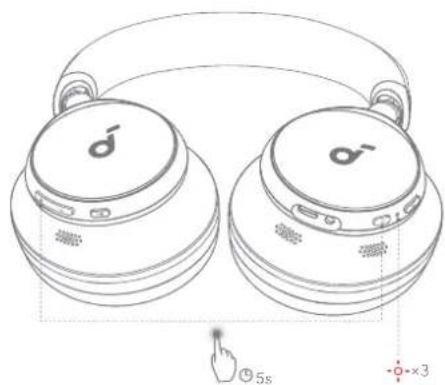
Google Fast Pairing: Enjoy instant pairing with your Android smartphone (running Android 6.0 and above) via Fast Pair enabled by Google. To manually enter Bluetooth pairing mode, when the headphones are powered off, press and hold the power button for 5 seconds to pair.

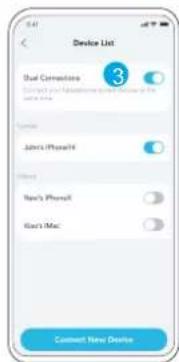
NECTIONS
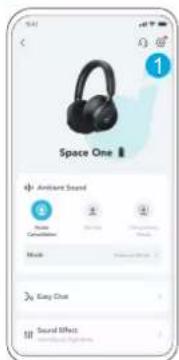
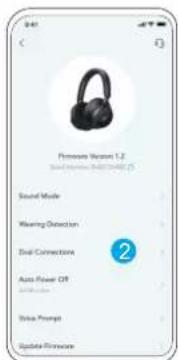
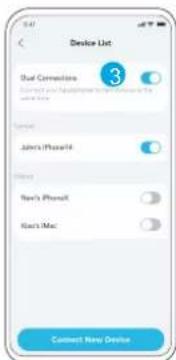
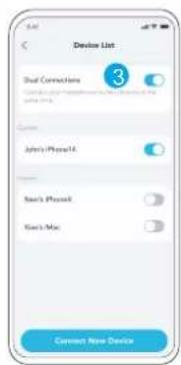
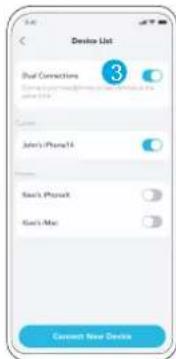
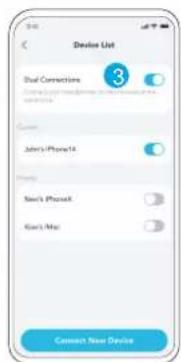
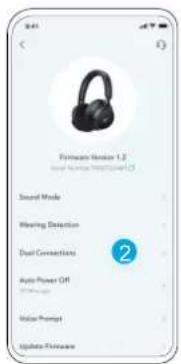
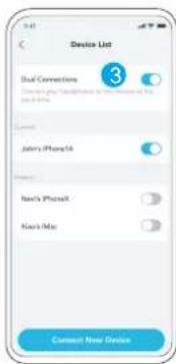
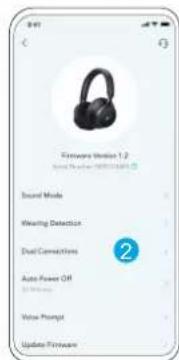
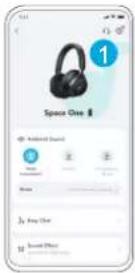
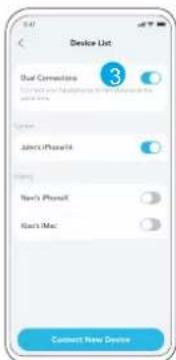
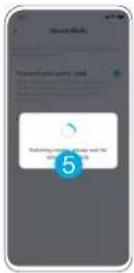
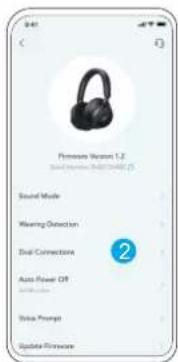
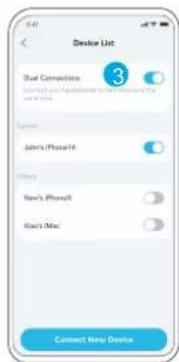
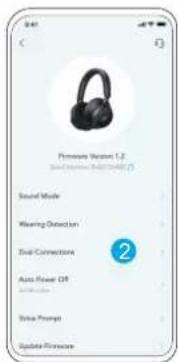
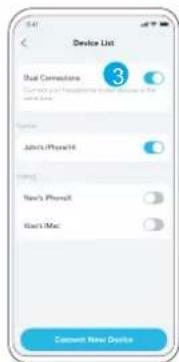
In the soundcore app, go to settings and select Dual Connections > Enable Dual Connections > Connect New Device.
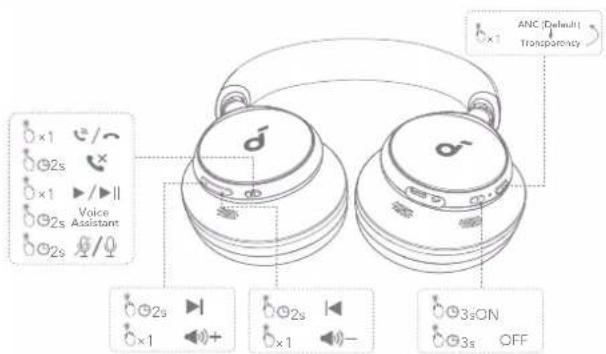
* You can enable Normal mode in the soundcore app.
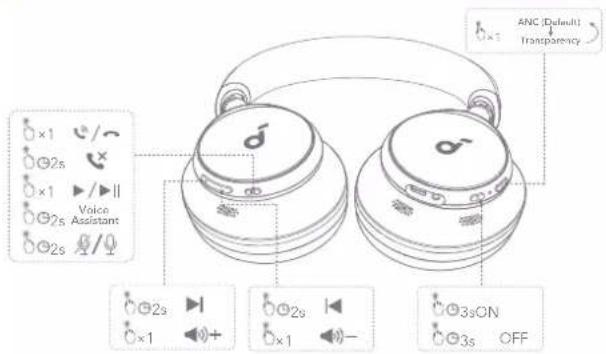
| (KKHW) | Switch ambient sound modes(ANC / Transparency) | NC | Press once |
| [OTWH] | Power on / off Press and hold for 3 seconds | ||
 | Play / Pause | Press once | |
| [4604] | Next track Press and hold for 2 seconds | ||
| [1204] | Previous track Press and hold for 2 seconds | ||
| [840W] | Volume up / down Press once | +/- | |
| [36K4] | Answer / End a call Press once | ||
| [CAVWS] | Reject a call Press and hold for 2 seconds | ||
 | Mute / Restore the microphone | Press and hold for 2 seconds | |
| Activate Voice Assistant Press and Hold for 2 seconds | |||

NOISE CANCELLATION TRA
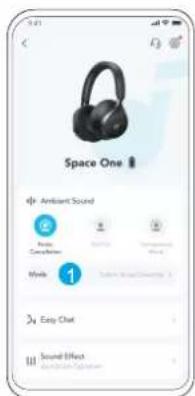
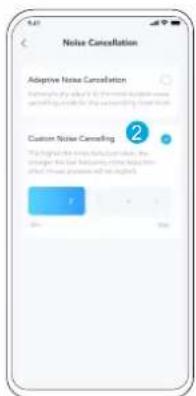
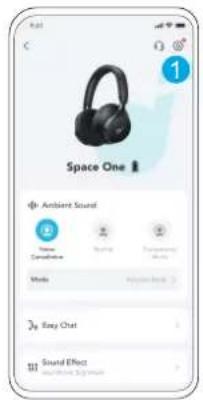
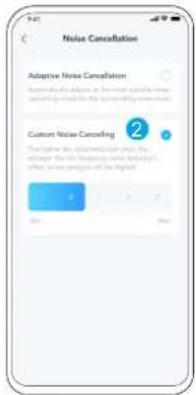
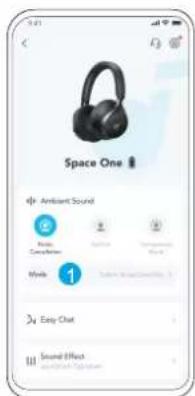
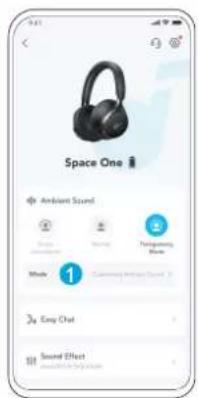
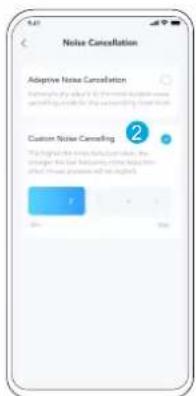
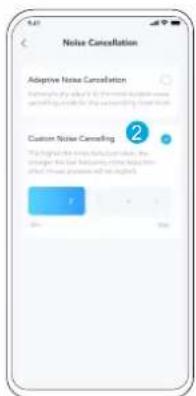
To reduce ambient noise, switch to noise cancellation (default) via the NC button and customize it in the soundcore app.
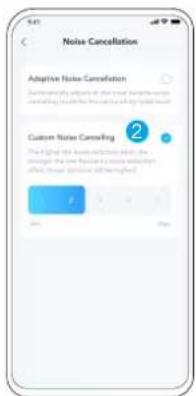
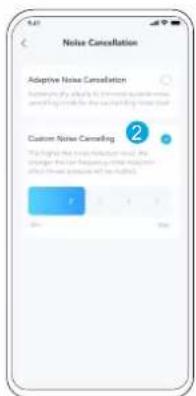
- Adaptive Noise Cancelling: Adjust the level of noise cancellation automatically for various scenarios.
- Custom Noise Cancelling: Set the level of noise cancellation manually.

EASY CHAT
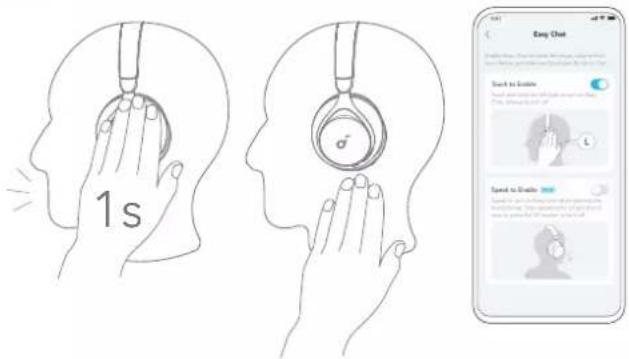
Easy Chat mode automatically lowers the volume of music and amplifies the voice of the person you're talking to so that you can communicate without taking the headphones off.
- To activate Easy Chat, hold the left panel for 1 second until you hear a notification sound. Turn off this mode by releasing your hand. (Enabled in app)
- Easy Chat will automatically turn on when you're talking, and off when you stop talking for 5 seconds. (Beta version is enabled in app)

ARENCY
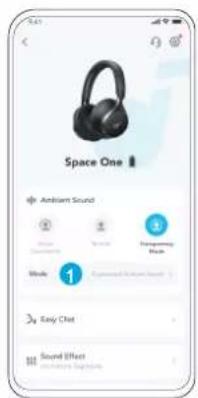
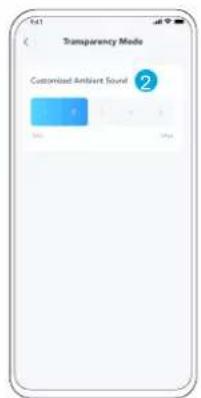
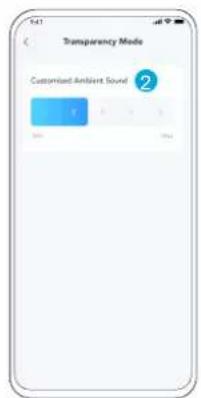
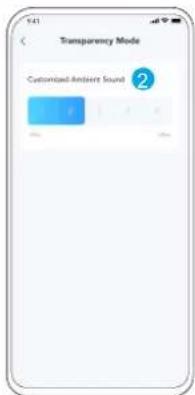
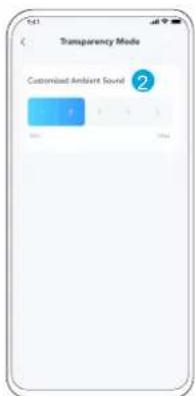
To stay aware of your surroundings while listening to music, switch to transparency mode via the NC button and customize it in the soundcore app.
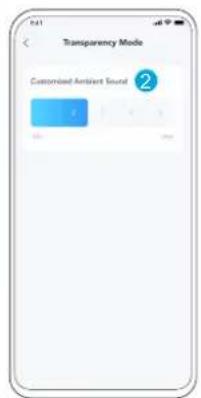
- Custom Transparency Mode: Set the level of transparency manually.

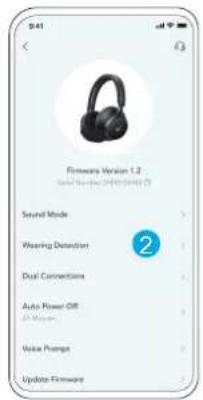
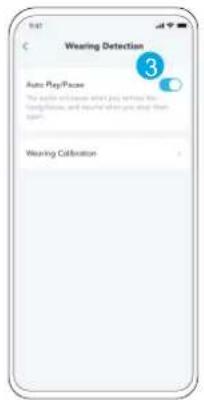
WEARING DETECTION
natural_image
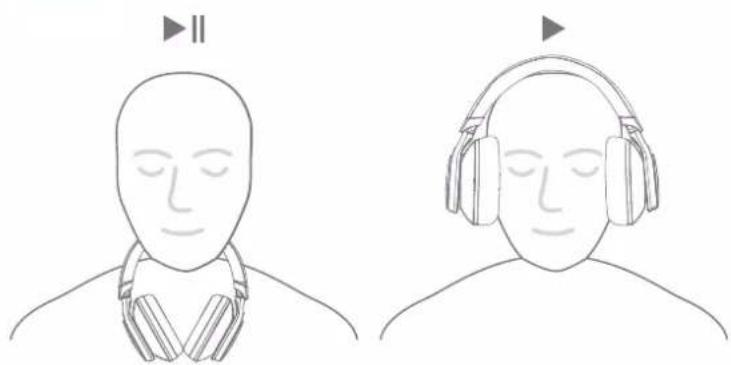
Line drawing of a person wearing headphones, showing head turned position (no text or symbols)Auto-pause music playback when removing the headphones, wear them again to resume.
*You can enable Wearing Detection in the soundcore app.

WEARING DETECTION
LDAC
LDAC
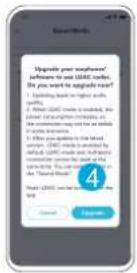
Enable LDAC in the soundcore app for higher-quality audio. *Only available on devices powered by Android 8.0 or later.
LDAC
LDAC WIRED LISTENING
- Use devices powered by Android 8.0 or later to experience LDAC quality sound.
- LDAC provides higher quality sound, increases power consumption, and reduces playtime.
-
Enable LDAC in a low-interference environment to ensure a stable Bluetooth connection.
-
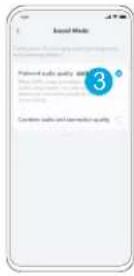
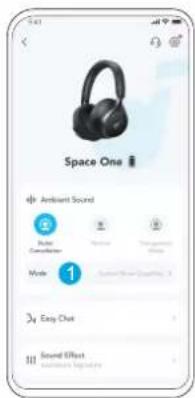
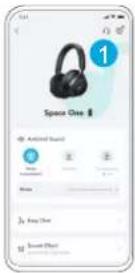
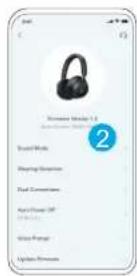
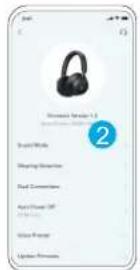
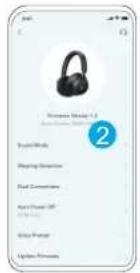
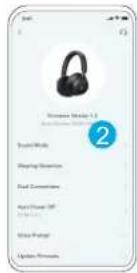
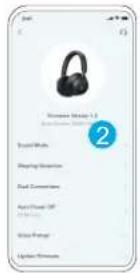
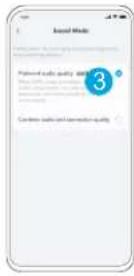
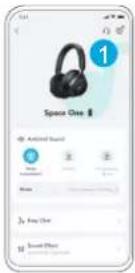
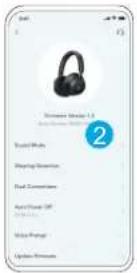
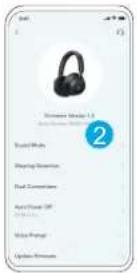
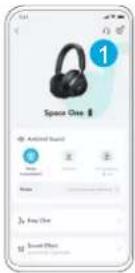
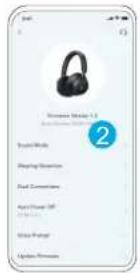
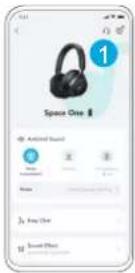
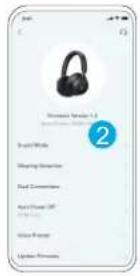
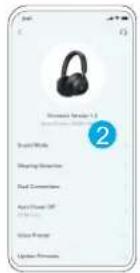
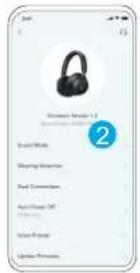
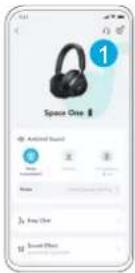
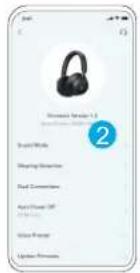
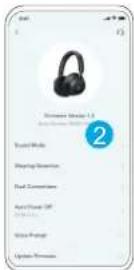
Go to settings in the soundcore app.
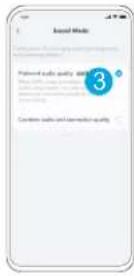
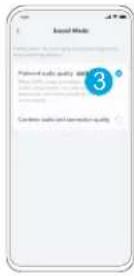
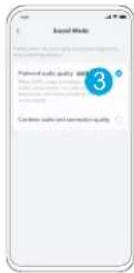
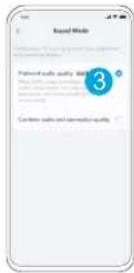
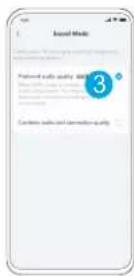
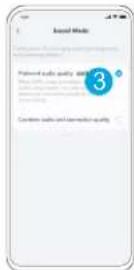
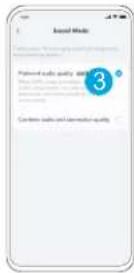
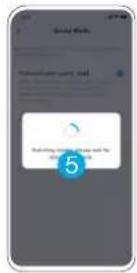
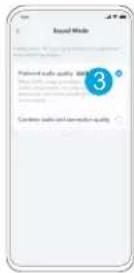
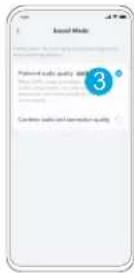
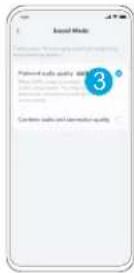
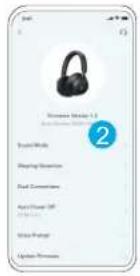
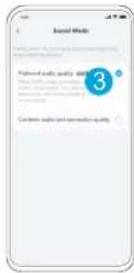
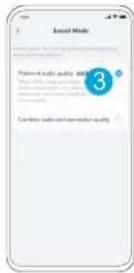
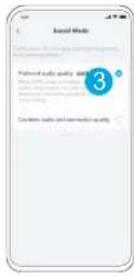
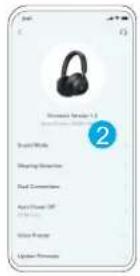
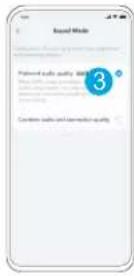
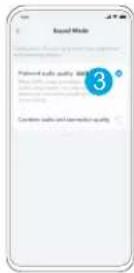
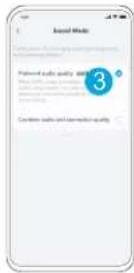
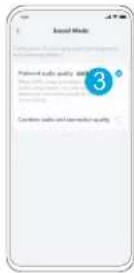
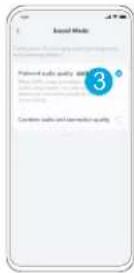
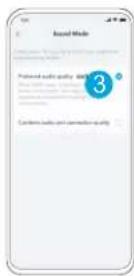
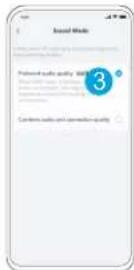
- Click on "Sound Mode".
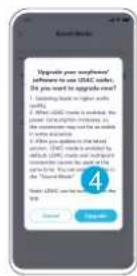
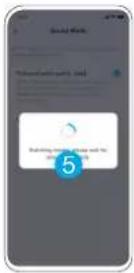
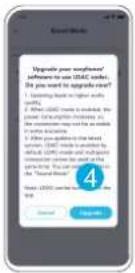
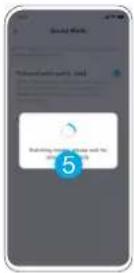
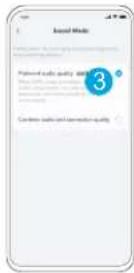
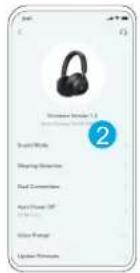
- Select "Preferred audio quality" to switch to LDAC codec.
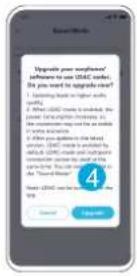
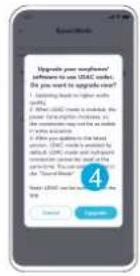
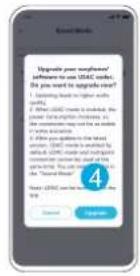
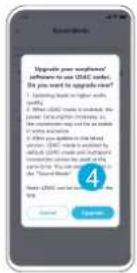
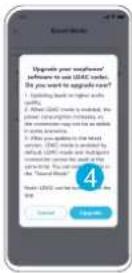
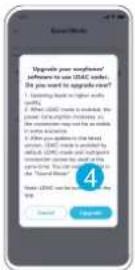
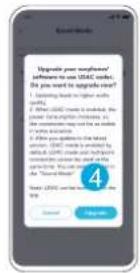
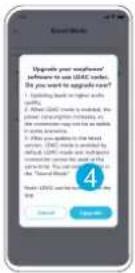
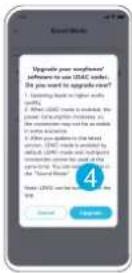
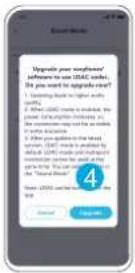
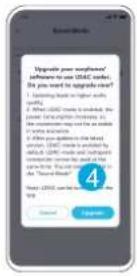
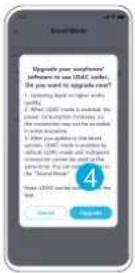
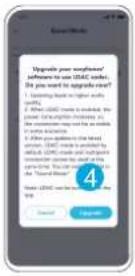
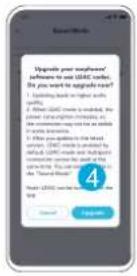
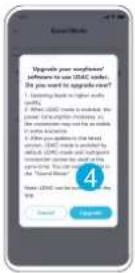
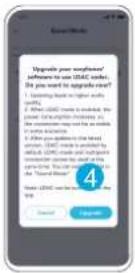
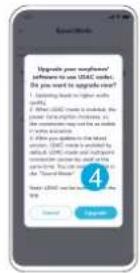
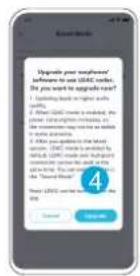
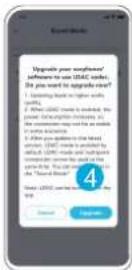
- You will be notified that the headphones do not support LDAC when connected to two devices. Select "Turn on" to continue.
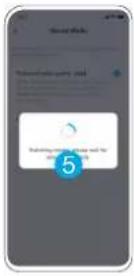
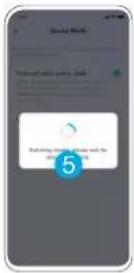
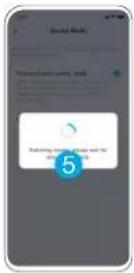
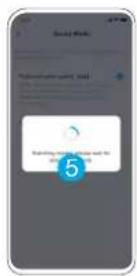
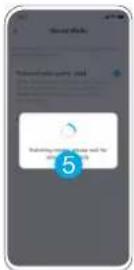
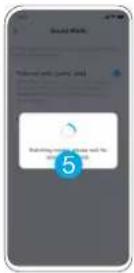
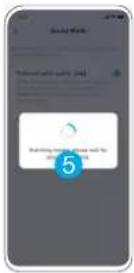
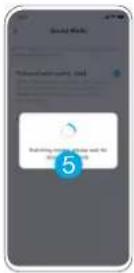
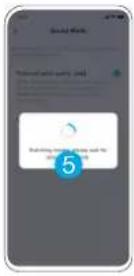
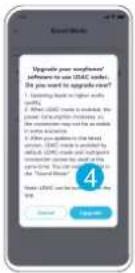
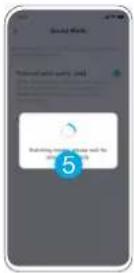
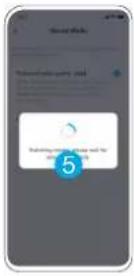
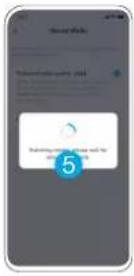
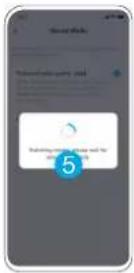
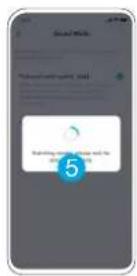
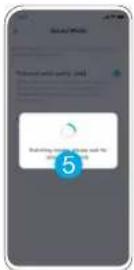
- It takes about 10 seconds to switch audio codecs. You may be requested to update the headphones' firmware if available.
AUX

natural_image
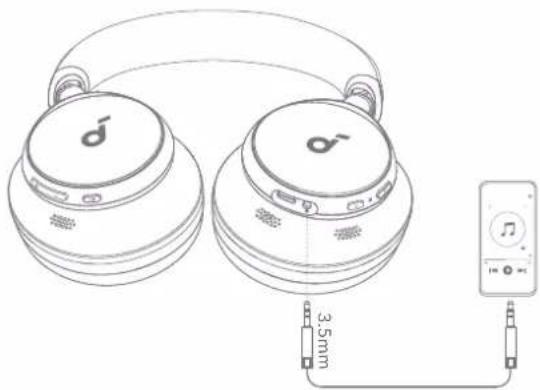
Line drawing of two earbuds connected to a music player via 3.5mm cable (no text or symbols)Play audio on an external device by plugging in a 3.5mm AUX cable. Wired listening will automatically turn off Bluetooth mode.

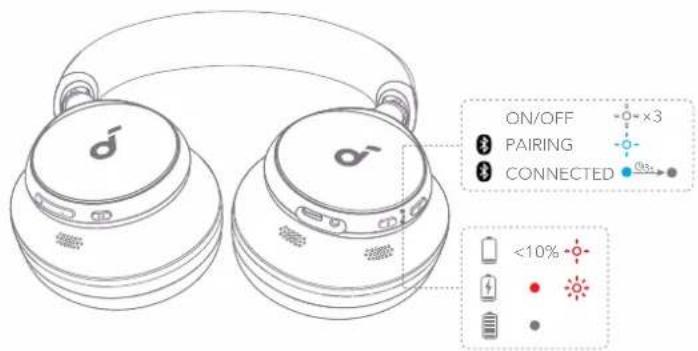
RESET LED LIGHT GUIDE

natural_image
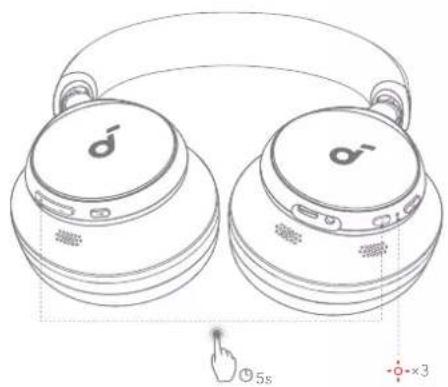
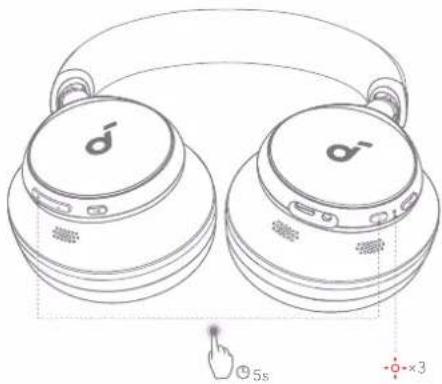
Line drawing of two SaaS headphones with earbuds and a finger pointing at the button (no text or symbols)You might need to reset your headphones if you experience connectivity or function issues.
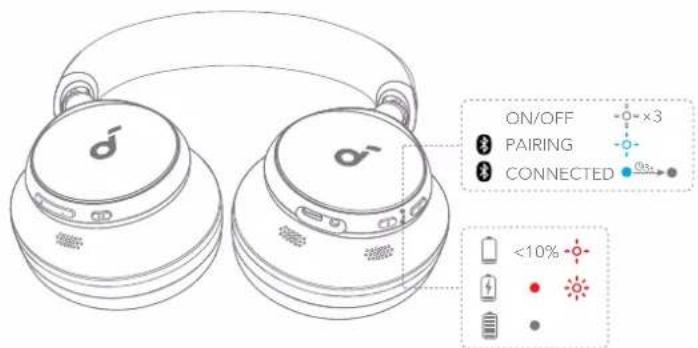
Delete the pairing history from your Bluetooth device first. Press and hold the volume up and power button simultaneously for 5 seconds until the LED flashes red three times.

| Flashing white | |
| Flashing red | |
| Flashing blue | |
| Steady blue | |
| Light off |
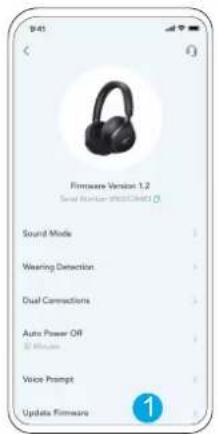
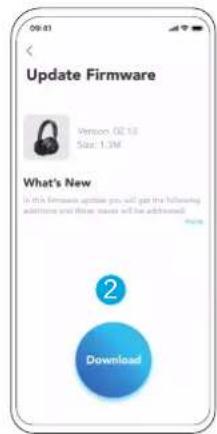
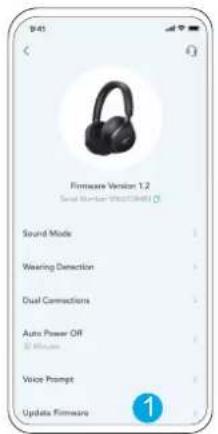
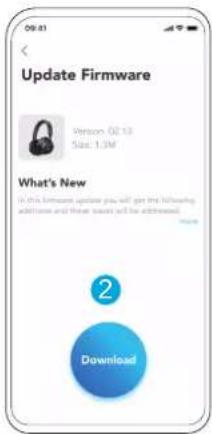
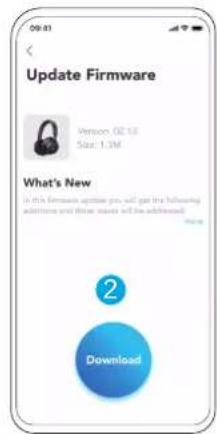
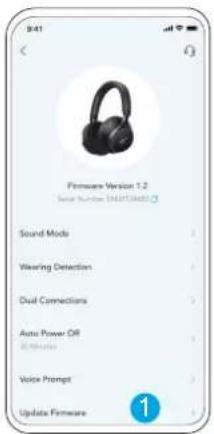
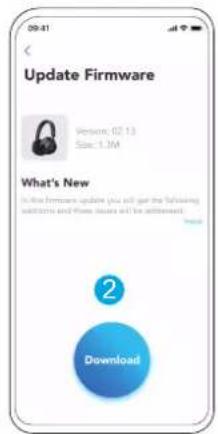
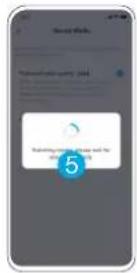
You will be informed once the new version of firmware is detected when you connect the headphones with the app. Ensure the headphones are powered on and connected to a device until the firmware update is complete. During the update, avoid any usage and ensure stable access to the internet.
Specifications are subject to change without notice.
| Input 5 V | --- 0,58 A |
| Rated output power 10mW | |
| Battery capacity 580mAh | |
| Charging time 2 hours | |
| Playtime (with ANC off) Up to 55 hours | |
| Playtime (with ANC on) Up to 40 hours | |
| Driver size 40mm | |
| Frequency response 20Hz - 20kHz | |
| Impedance 16Ω | |
| Bluetooth version 5.3 | |
| Bluetooth range 15m / 49ft |

soundcore

Google Play and the Google Play logo are trademarks of Google Inc.

Apple and the Apple logo are trademarks of Apple Inc.

natural_image
Line drawing of a person wearing headphones, showing head turned position (no text or symbols)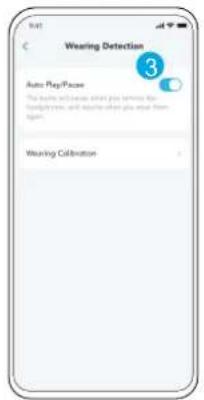
LDAC
LDAC
natural_image
Line drawing of two Gaia headphones with earbuds and front-mounted dials, showing front panel and rear panel (no text or symbols)natural_image
Line drawing of two headphones connected to a music player via 3.5mm cable (no text or symbols)Google Play and the Google Play logo are trademarks of Google Inc.

Apple and the Apple logo are trademarks of Apple Inc.

Du kan aktivere Normal tilstand i soundcore-appen.

ST∅JBEGRÆNSNING TRAN
natural_image
Line drawing of a person wearing headphones, showing head turned position (no text or symbols)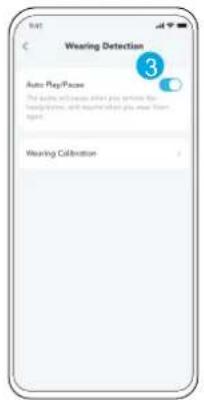
natural_image
Line drawing of two headphones connected to a music player via 3.5mm cable (no text or symbols)natural_image
Line drawing of two Gaia headphones with earbuds and a finger pointing at the bottom (no text or symbols)Google Play and the Google Play logo are trademarks of Google Inc.

Apple and the Apple logo are trademarks of Apple Inc.

natural_image
Line drawing of a person wearing headphones, showing head turned position (no text or symbols)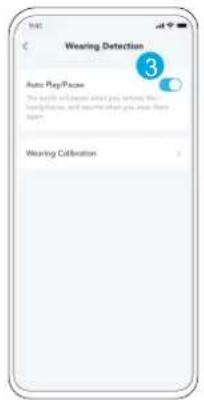

natural_image
Line drawing of two white headphones with male and female branding, showing front and side views (no text or symbols)natural_image
Line drawing of two headphones connected to an audio player via a 3.5mm cable (no text or symbols present)Google Play and the Google Play logo are trademarks of Google Inc.

Apple and the Apple logo are trademarks of Apple Inc.

natural_image
Line drawing of a person wearing headphones, showing head turned position (no text or symbols)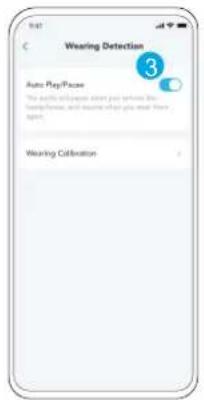
LDAC
LDAC
natural_image
Line drawing of two SaaS headphones with earbuds and a finger pointing at 5 seconds (no text or symbols on the devices themselves)natural_image
Line drawing of two ear headphones connected to a music player via 3.5mm cable (no text or symbols on devices)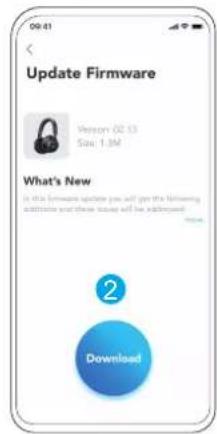
Google Play and the Google Play logo are trademarks of Google Inc.

Apple and the Apple logo are trademarks of Apple Inc.

natural_image
Line drawing of a person wearing headphones, showing head turned position (no text or symbols)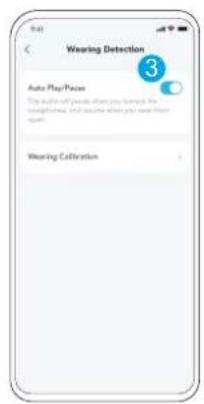
LDAC
LDAC
natural_image
Line drawing of two SaaS headphones with male and female branding, showing front and side views (no text or symbols)natural_image
Line drawing of two ear headphones connected to a music player via 3.5mm cable (no text or symbols on devices)Google Play and the Google Play logo are trademarks of Google Inc.


Apple and the Apple logo are trademarks of Apple Inc.
natural_image
Line drawing of a person wearing headphones, showing head turned position (no text or symbols)LDAC
LDAC
natural_image
Line drawing of two SaaS headphones with earbuds and a finger pointing at the button (no text or symbols)natural_image
Line drawing of two headphones connected to an audio player via a 3.5mm cable (no text or symbols present)
Apple and the Apple logo are trademarks of Apple Inc.

natural_image
Line drawing of a person wearing headphones, showing head turned position (no text or symbols)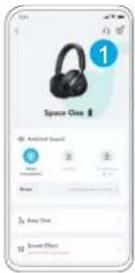
natural_image
Line drawing of two headphones connected to a music player via 3.5mm cable (no text or symbols on devices)natural_image
Line drawing of two Gaia headphones with earbuds and a finger pointing at the button (no text or symbols)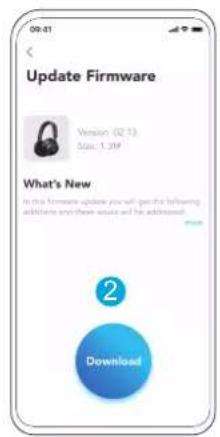
Google Play and the Google Play logo are trademarks of Google Inc.

Apple and the Apple logo are trademarks of Apple Inc.

natural_image
Line drawing of a person wearing headphones, showing head turned position (no text or symbols)LDAC
LDAC
natural_image
Line drawing of two Gaia headphones with earbuds and a finger pointing at the button (no text or symbols)natural_image
Line drawing of two headphones connected to a music player via 3.5mm cable (no text or symbols on devices)Google Play and the Google Play logo are trademarks of Google Inc.

Apple and the Apple logo are trademarks of Apple Inc.

natural_image
Line drawing of a person wearing headphones, showing head positions before and after (no text or symbols)LDAC
LDAC ASCOLTO CABLATO
RESET GUIDA LUCE LED
natural_image
Line drawing of two Gaia headphones with male and female branding, showing front and side views (no text or symbols)natural_image
Line drawing of two earbuds connected to a music player via 3.5mm cable (no text or symbols on devices)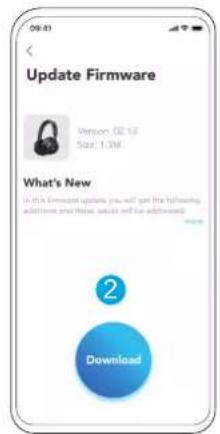

Apple and the Apple logo are trademarks of Apple Inc.

Je kunt de Normale modus inschakelen in de soundcore-app.

RUISONDERDRUKKING TRA
natural_image
Line drawing of a human head silhouette with a hand touching the lower face, showing a device on the upper head (no text or symbols)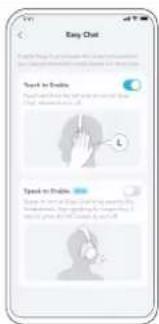
natural_image
Line drawing of a person wearing headphones, showing head turned position (no text or symbols)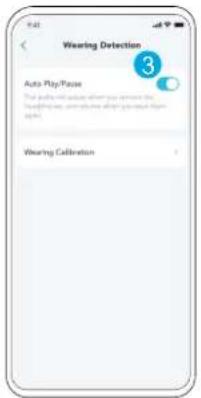
LDAC
LDAC
natural_image
Line drawing of two white headphones with male and female branding, showing front and side views (no text or symbols)STATUSANDUIDING INDICATIELED
Google Play and the Google Play logo are trademarks of Google Inc.

Apple and the Apple logo are trademarks of Apple Inc.

I soundcore-appen, gå til innstillinger og velg Dual Connections > Aktiver Dual Connections > Koble til ny enhet.
Du kan aktivere Normal modus i soundcore-appen.

RUISONDERDRUKKING TRA
natural_image
Line drawing of a person wearing headphones, showing head positions before and after (no text or symbols)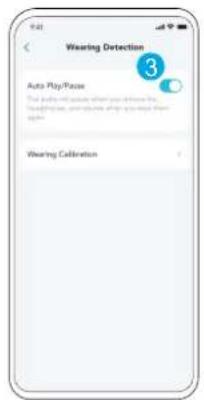
LDAC
LDAC
natural_image
Line drawing of two headphones connected to a music player via 3.5mm cable (no text or symbols on devices)Spill lyd på en ekstern enhet ved å koble til en 3,5 mm AUX-kabel. Trådtilkoblet lytting vil automatisk slå av Bluetooth-modusen.

RESETTEN LED-LYSVEILEDN
natural_image
Line drawing of two Gaia headphones with earbuds and a finger pointing to the front panel (no text or symbols)Apple and the Apple logo are trademarks of Apple Inc.
natural_image
Line drawing of a person wearing headphones, showing head positions before and after (no text or symbols)LDAC
LDAC
natural_image
Line drawing of two headphones connected to a music player via 3.5mm cable (no text or symbols on devices)natural_image
Line drawing of two Gaia headphones with male and female branding, showing front and side views (no text or symbols)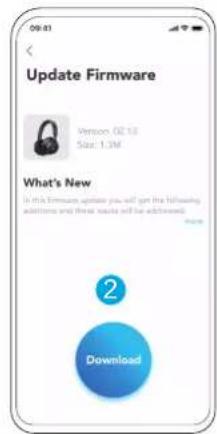
Google Play and the Google Play logo are trademarks of Google Inc.

Apple and the Apple logo are trademarks of Apple Inc.

natural_image
Line drawing of a person wearing headphones, showing head turned position (no text or symbols)LDAC
LDAC
natural_image
Line drawing of two ear headphones connected to a music player via cable (no text or symbols)natural_image
Line drawing of two Gaia headphones with earbuds and a finger pointing at the button (no text or symbols)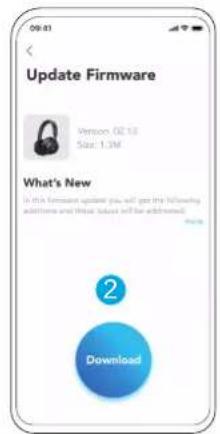

Apple and the Apple logo are trademarks of Apple Inc.
natural_image
Line drawing of a person wearing headphones, showing head turned position (no text or symbols)LDAC
LDAC
natural_image
Line drawing of two SaaS headphones with earbuds and a finger pointing at 5s (no text or symbols on the devices themselves)natural_image
Line drawing of two headphones connected to a music player via 3.5mm cable (no text or symbols)Google Play and the Google Play logo are trademarks of Google Inc.

Apple and the Apple logo are trademarks of Apple Inc.

natural_image
Line drawing of a person wearing headphones, showing head turned position (no text or symbols)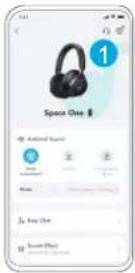
natural_image
Line drawing of two headphones connected to a music player via 3.5mm cable (no text or symbols)natural_image
Line drawing of two SaaS headphones with earbuds and headband, showing front and side views (no text or symbols)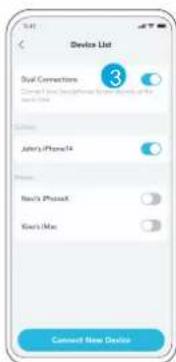
Pre zníženie okolitého hluku prepni na potlačenie hluku (predvolené) pomocou tlačidla NC a prispôsob si ho v aplikácii Soundcore.
REŽIM BEZ REDUKCIE HLUKU
natural_image
Line drawing of a person wearing headphones, showing head turned position (no text or symbols)LDAC
LDAC
natural_image
Line drawing of two earbuds with earphones and a finger pointing to a button (no text or symbols)natural_image
Line drawing of two headphones connected to a music player via 3.5mm cable (no text or symbols on devices)| Utripa belo | |
| Bliká na červeno | |
| Utripa modro | |
| Stálo rozsvietená modrá | |
| Nesvieti |
Google Play and the Google Play logo are trademarks of Google Inc.

Apple and the Apple logo are trademarks of Apple Inc.

Popolnoma posušite USB priključek pred polnjenjem.
natural_image
Line drawing of a person wearing headphones, showing head turned position (no text or symbols)LDAC
LDAC
natural_image
Line drawing of two headphones connected to an audio player via a 3.5mm cable (no text or symbols present)Na zunanji napravi predvajajte zvok, tako da priključite 3,5-mm AUX kabel. Žično poslušanje bo samodejno izklopilo način Bluetooth.

PONASTAVITEV LED SVETL
natural_image
Line drawing of two SaaS headphones with earbuds and a finger pointing at the button (no text or symbols)Google Play and the Google Play logo are trademarks of Google Inc.

Apple and the Apple logo are trademarks of Apple Inc.

natural_image
Line drawing of a person wearing headphones, showing head positions before and after (no text or symbols)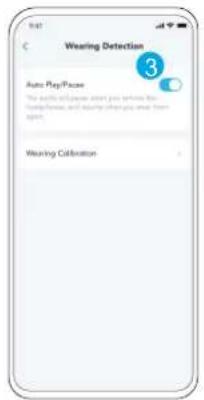
natural_image
Line drawing of two earbuds connected to a music player via 3.5mm cable (no text or symbols on devices)natural_image
Line drawing of two SaaS headphones with male and female branding, showing front and side views (no text or symbols)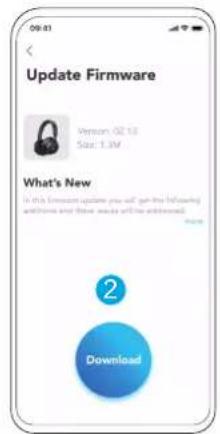
Google Play and the Google Play logo are trademarks of Google Inc.

Apple and the Apple logo are trademarks of Apple Inc.

natural_image
Line drawing of a person wearing headphones, showing head positions before and after (no text or symbols)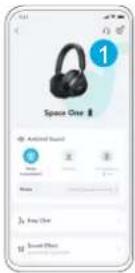

natural_image
Line drawing of two Gaia headphones with male and female branding, showing front and rear views (no text or symbols)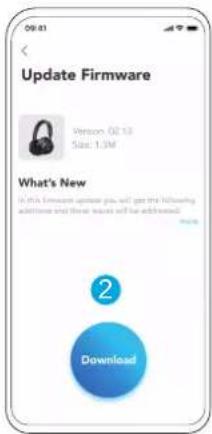
Google Play and the Google Play logo are trademarks of Google Inc.

Apple and the Apple logo are trademarks of Apple Inc.

natural_image
Line drawing of a person wearing headphones, showing head turned position (no text or symbols)LDAC
LDAC
natural_image
Line drawing of two Gaia headphones with earbuds and a finger icon, no text or symbols presentnatural_image
Line drawing of two headbuds connected to a music player via 3.5mm cable (no text or symbols)
Apple and the Apple logo are trademarks of Apple Inc.

在充电前请确保 USB 端口完全干燥。
充电时请勿打开耳机。
natural_image
Line drawing of a person wearing headphones, showing head turned position (no text or symbols)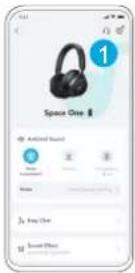
natural_image
Line drawing of two earbuds connected to a music player via 3.5mm cable (no text or symbols)natural_image
Line drawing of two SaaS headphones with earbuds and a finger icon, no text or symbols present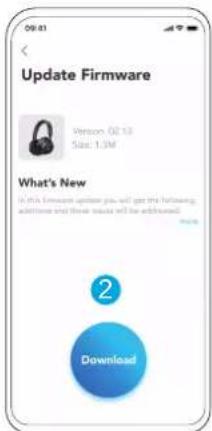

Apple and the Apple logo are trademarks of Apple Inc.

在充電之前,請完全乾燥 USB 端口。
充電時請勿開啟耳機。
natural_image
Line drawing of a person wearing headphones, showing head turned position (no text or symbols)LDAC
LDAC
natural_image
Line drawing of two earbuds connected to a music player via 3.5mm cable (no text or symbols)natural_image
Line drawing of two SaaS headphones with earbuds and a finger icon, no text or symbols present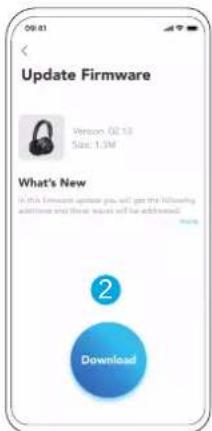
Google Play and the Google Play logo are trademarks of Google Inc.

Download on the App Store
Apple and the Apple logo are trademarks of Apple Inc.

natural_image
Line drawing of a person wearing headphones, showing head turned position (no text or symbols)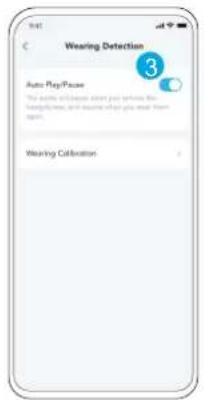
natural_image
Line drawing of two Gaia headphones with earbuds and a finger pointing at the front (no text or symbols)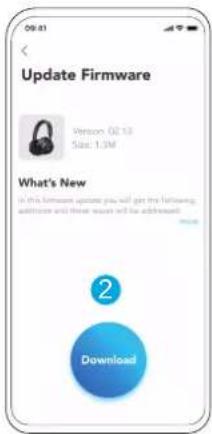
Google Play and the Google Play logo are trademarks of Google Inc.

Apple and the Apple logo are trademarks of Apple Inc.

. USB-7 USB-7 USB-7 USB-C 7
-
- Bluetooth "Space One" (Android 6.0)
תְקַרָה בְּרָה

תְרָבּ

. Soundcore
natural_image
Line drawing of a person wearing headphones, showing head turned position (no text or symbols)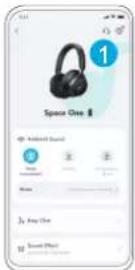
. Android 8.0
LDAC
LDAC
תְרַעָה בְרַעָה

.LDAC
.הכלה
.Υ'ν' Bluetooth
(הכלההוּרָהוּרָהוּרָהוּרָהוּרָהוּרָהוּרָהוּרָהוּרָהוּרָהוּרָהוּרָהוּרָהוּרָהוּרָה:3
.LDAC 76 codec-7 7127
natural_image
Line drawing of two SaaS headphones with male and female branding, showing front and side views (no text or symbols)