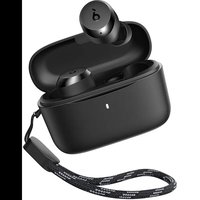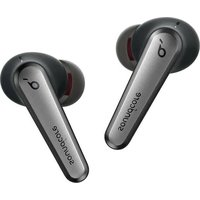
soundcore Liberty Air 2 Pro - Earphones

Liberty Air 2 Pro - Earphones soundcore - Free user manual and instructions

Find the device manual for free Liberty Air 2 Pro soundcore in PDF.

📄 184 pages English EN Download 💬 AI Question
Notice soundcore Liberty Air 2 Pro - page 3
Pick your language and provide your email: we'll send you a specifically translated version.

User questions about Liberty Air 2 Pro soundcore

0 question about this device. Answer the ones you know or ask your own.

Ask a new question about this device

The email remains private: it is only used to notify you if someone responds to your question.

No questions yet. Be the first to ask one.

Download the instructions for your Earphones in PDF format for free! Find your manual Liberty Air 2 Pro - soundcore and take your electronic device back in hand. On this page are published all the documents necessary for the use of your device. Liberty Air 2 Pro by soundcore.

USER MANUAL Liberty Air 2 Pro soundcore

natural_image Line drawing of three wireless earbuds with brand logos, no text or symbols present

Liberty Air 2 Pro

USER MANUAL

English 01Português 92
Čeština 08Portugues do Brasil 99
Dansk 15Русский106
Deutsch 22Slovenský Jazyk 113
ελληνικά29Slovenski Jezik 120
Español 36Svenska127
Suomi 43Türkçe134
Français 50日本語141
Magyar 57한국어148
Italiano 64简体中文155
Nederlands 71繁體中文162
Norsk 78لعربيya169
Język polski 85لاوي176

Charging

soundcore Liberty Air 2 Pro - Charging - 1

  • Remove the protective film from the earbuds before the first use.
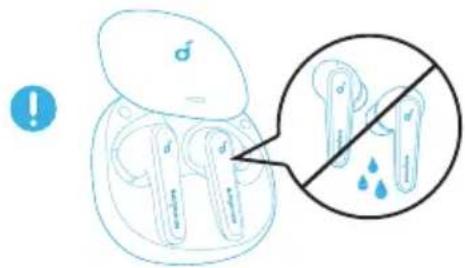
  • Fully dry off the earbuds and the USB port before charging.
  • Use a certified USB-C charging cable and charger to prevent any damage.
  • Fully charge both the earbuds and the charging case before the first use.

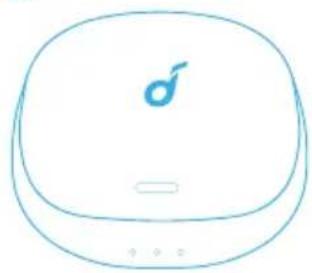
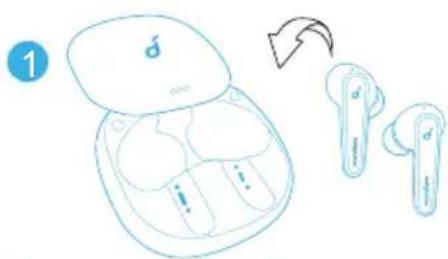
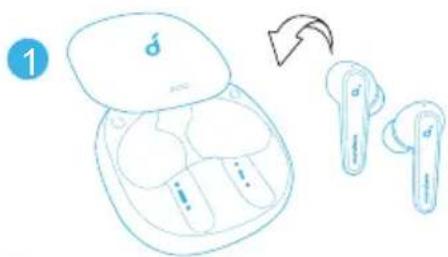
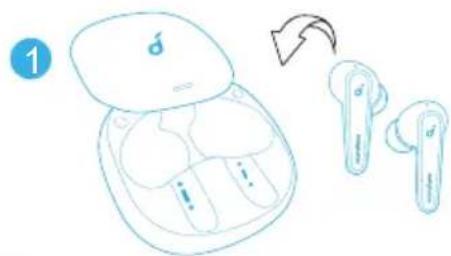
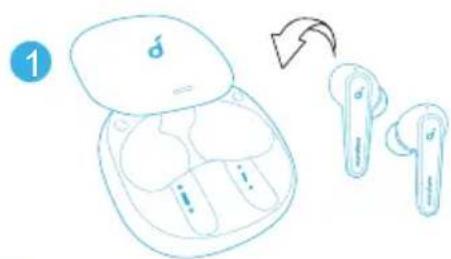
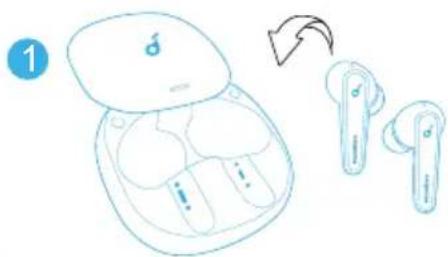
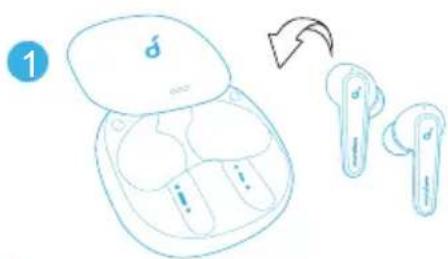
  • Place the earbuds in the charging case and close it.

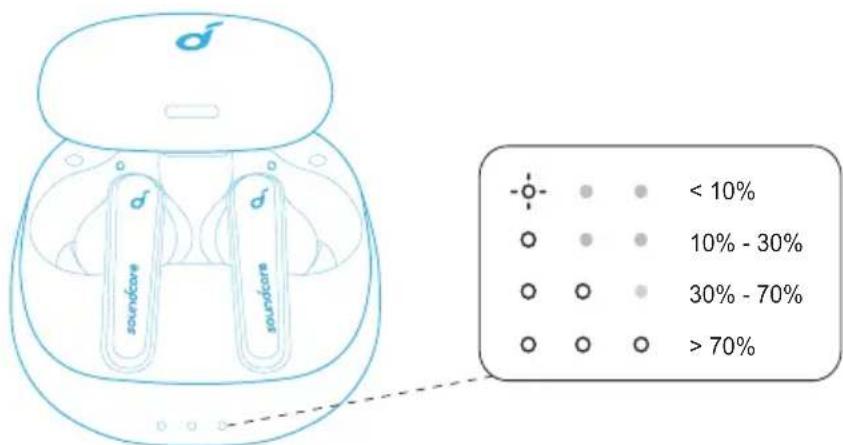
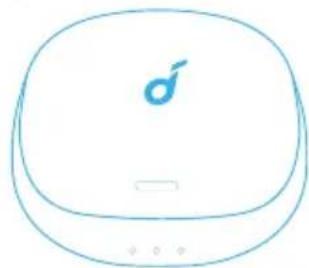
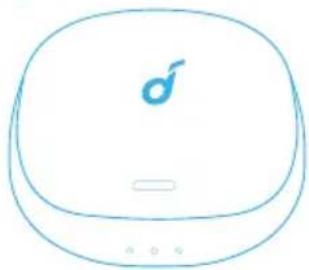
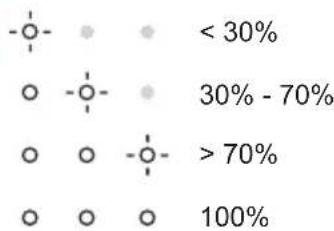
→ The first and the third LED indicators on the charging case will flash twice. This confirms that the earbuds are being charged.
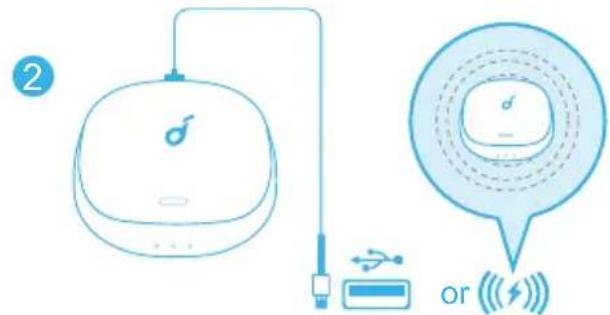
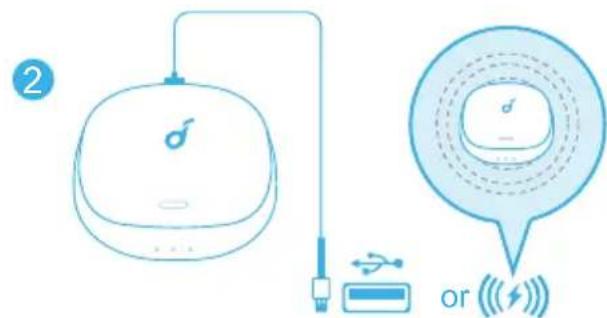
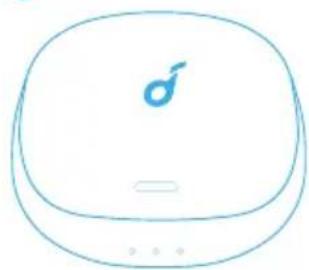
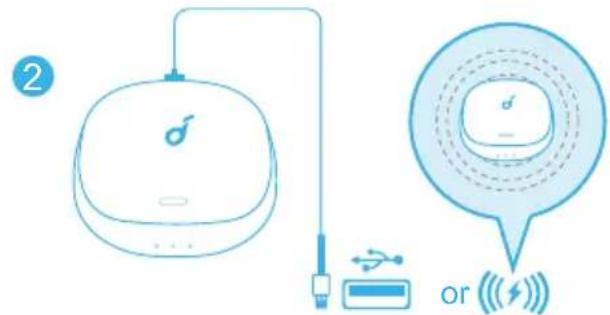
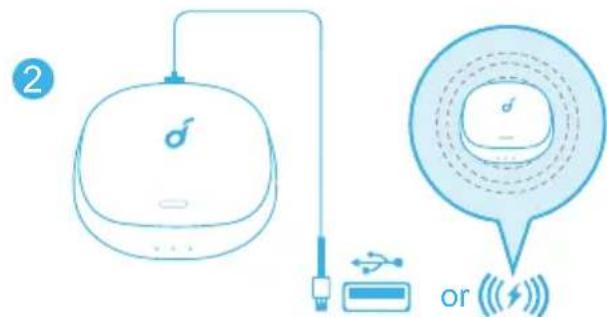
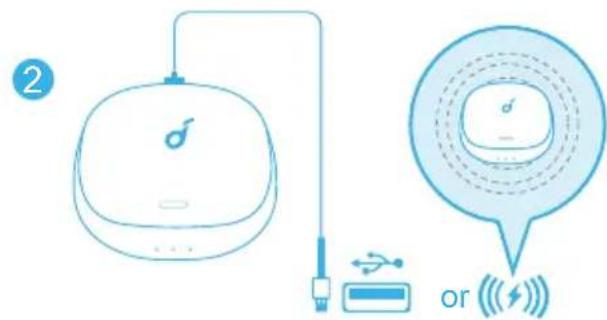
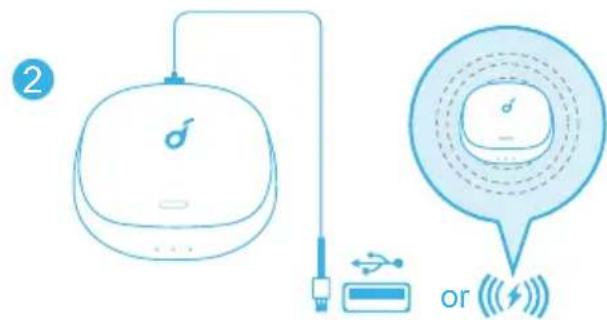
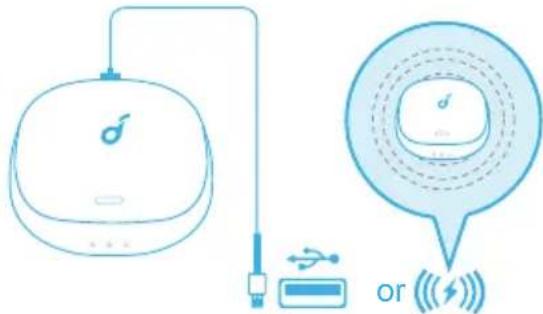
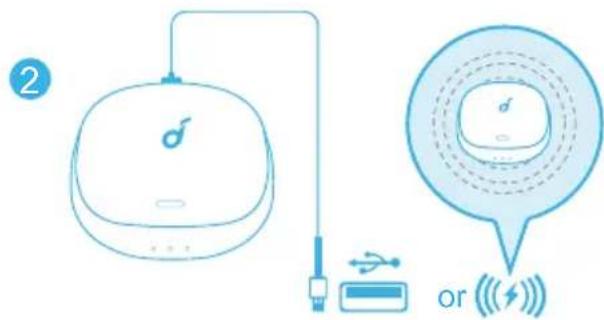
2. Connect the charging case to the power supply by using a USB-C charging cable. Alternatively, position the charging case at the center of your wireless charger for wireless charging.
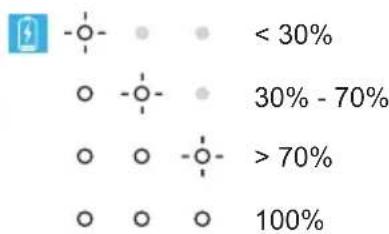
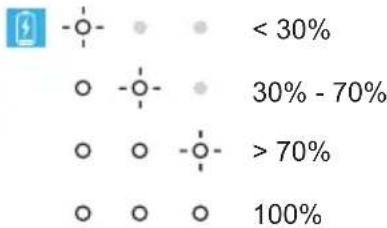
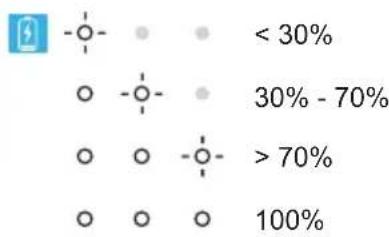
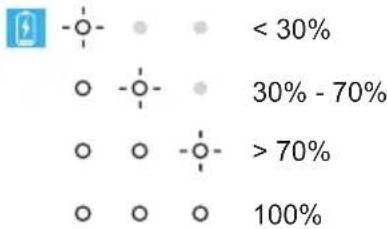
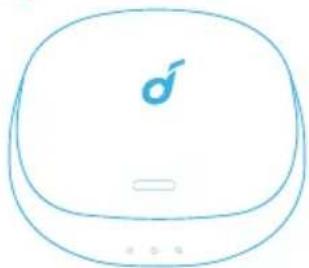
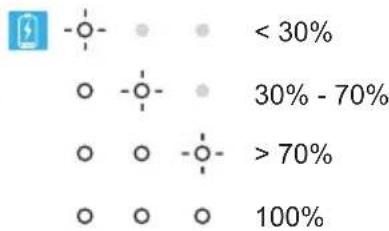
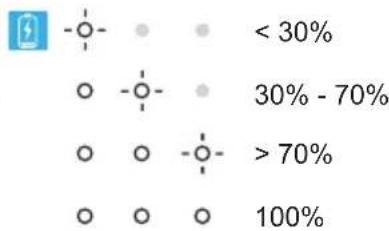
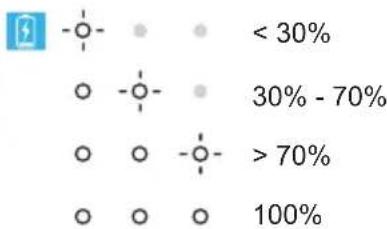
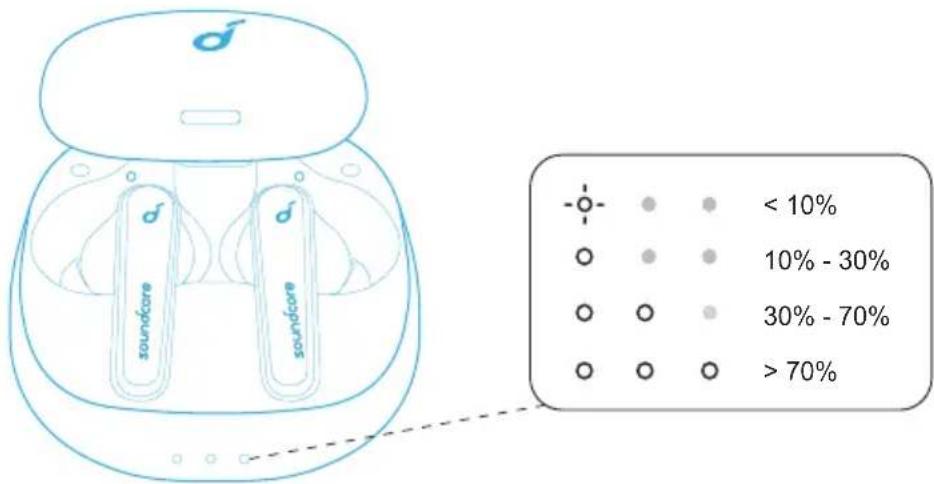
→ The LED indicators on the charging case indicate the charging status.
soundcore Liberty Air 2 Pro - Charging - 2

text_image Diagram showing a wireless earbuds with labeled components and a magnified view of the device's internal structure.

soundcore Liberty Air 2 Pro - Charging - 3

text_image 1

soundcore Liberty Air 2 Pro - Charging - 4

text_image ② or ( )

soundcore Liberty Air 2 Pro - Charging - 5

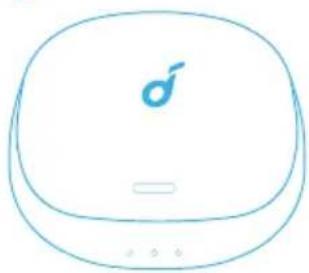
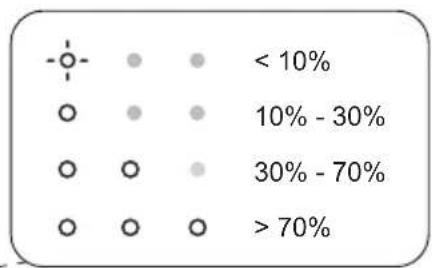
  1. To check the battery level of the charging case, open it to activate the LED indicator.
soundcore Liberty Air 2 Pro - Charging - 6

text_image soundcare soundcare < 10% 10% - 30% 30% - 70% > 70%

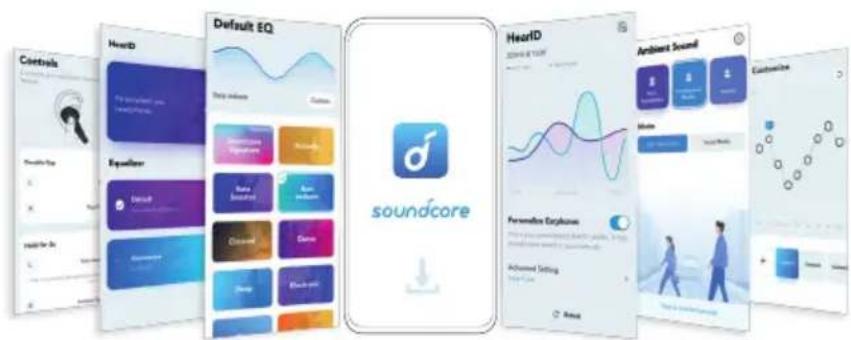
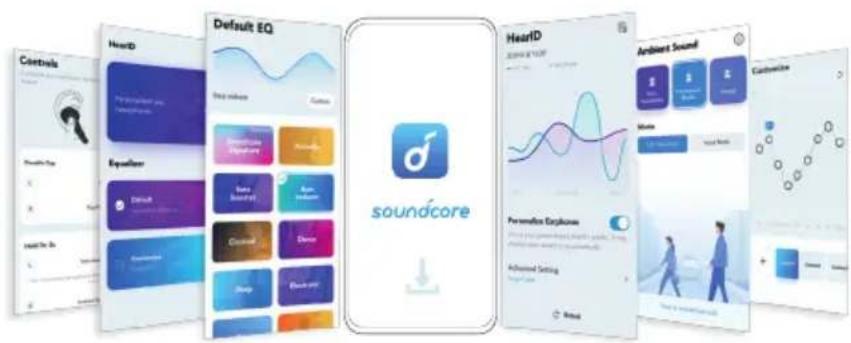
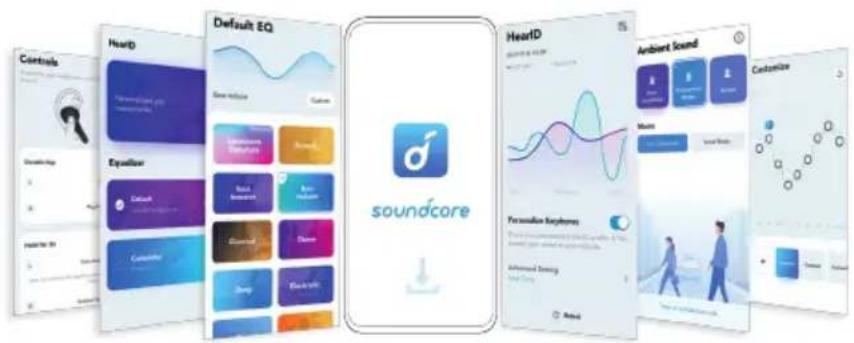
Soundcore App

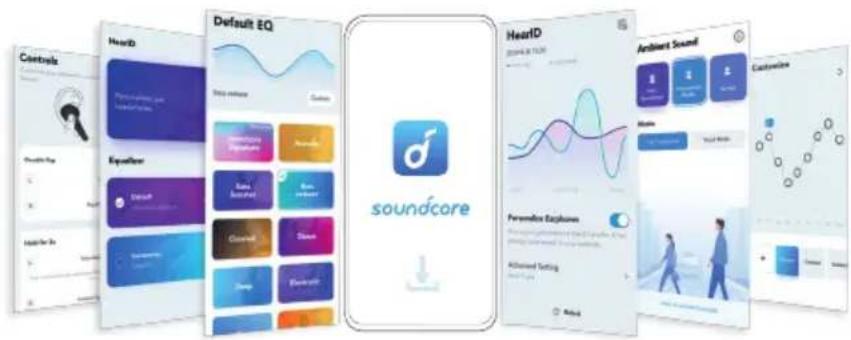
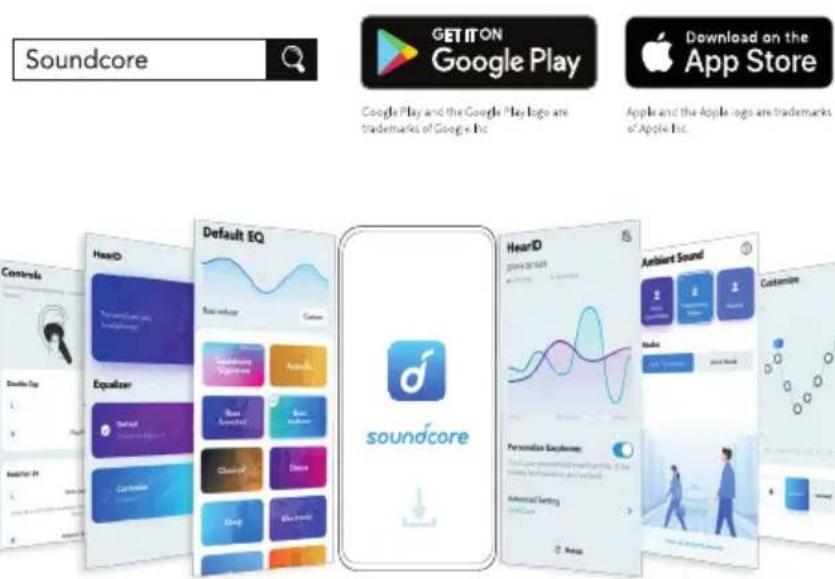
Download the Soundcore app to enhance your experience.

HearID: HearID maps your personal hearing sensitivity at multiple frequencies and analyzes the results. It traces the EQ settings and creates a personalized sound profile for you.

User interface customization: In stereo mode, all of the controls (e.g. adjust volume, control playback, activate Siri) can be customized in the app.

EQ settings: There are more than 20 EQ settings you can choose from in the app to optimize your experience while enjoying different music genres.

Noise cancellation: Choose an active noise cancellation mode to reduce ambient noise according to your surroundings.

  • Transport: Targets low-end frequencies like engine and road noise for peaceful journeys and commutes.
  • Outdoor: Reduces ambient sounds in cities for less distractions.
  • Indoor: Reduces voices and mid-frequency noise from coffee shops and other inside spaces.

Custom ANC: Adjust the noise cancellation level to suit you in the app.

Transparency mode: Stay aware of your surroundings by allowing ambient sounds in.

• Fully Transparent: Hear all ambient sounds.
- Vocal Mode: Voices stand out more clearly from other ambient sounds.

Earbuds firmware update: You will be informed once the new version of firmware is detected when you connect the earbuds with the app. Ensure the earbuds are placed in the charging case and the case remains open until the firmware upgrade is completed. During the upgrade, ensure the earbuds are being charged and avoid any operation.
soundcore Liberty Air 2 Pro - Soundcore App - 1

text_image Soundcore GET IT ON Google Play Download on the App Store Google Play and the Google Play logo are trademarks of Google Inc. Apple and the Apple logo are trademarks of Apple Inc. Default EQ Heard Equalizer soundcore HeardID Ambient Sound Customize Background Graphics Cloudsc Sleep Admiral Setting Back

Wearing

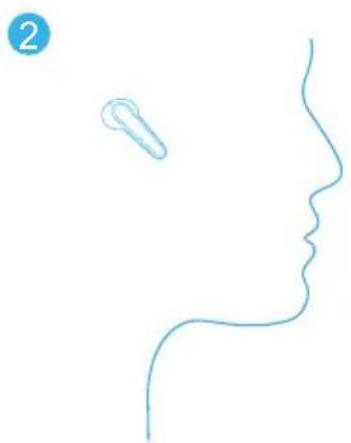
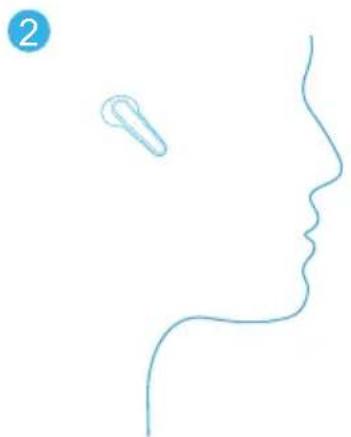
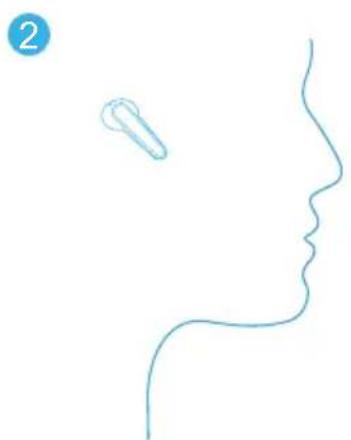
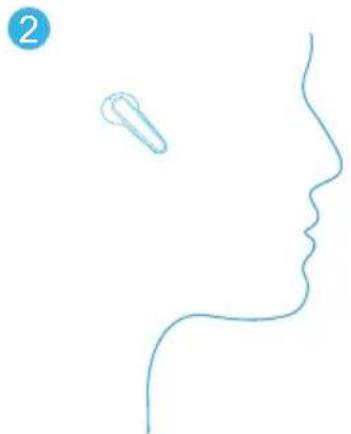
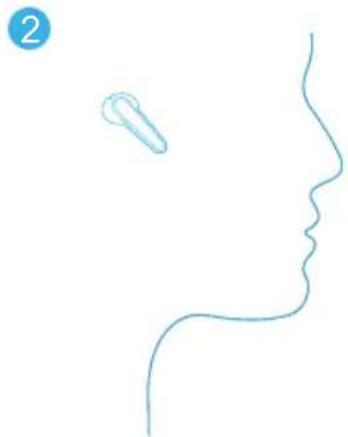
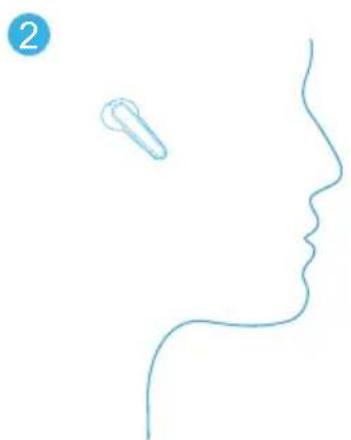
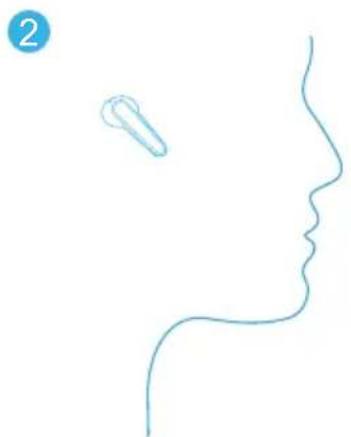
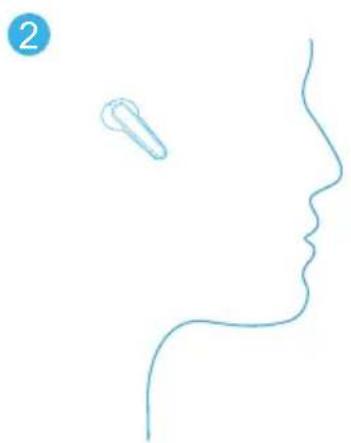
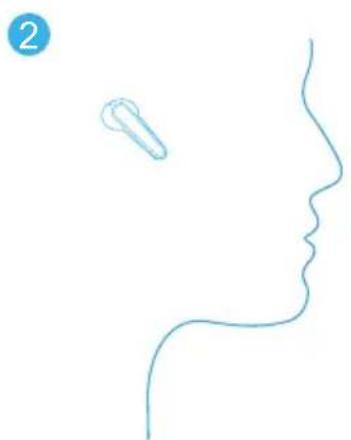
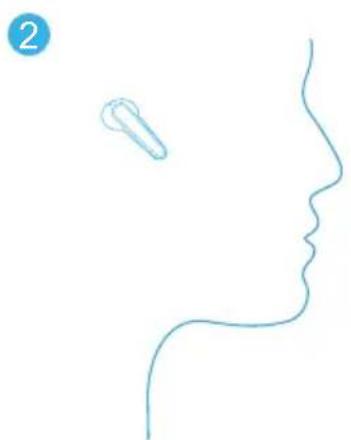
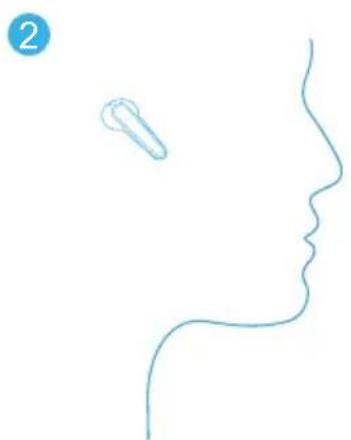
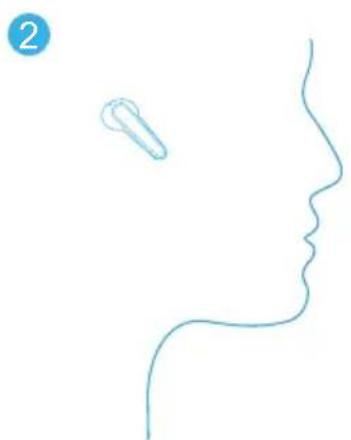
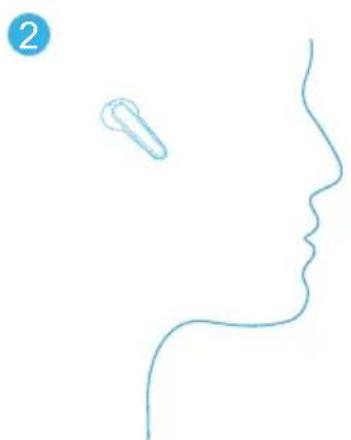
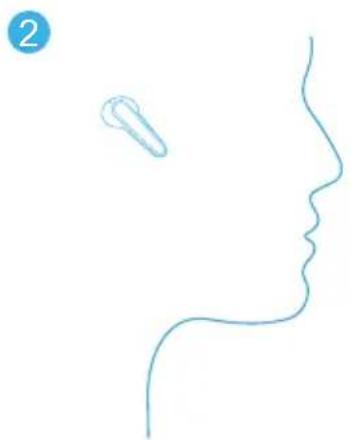
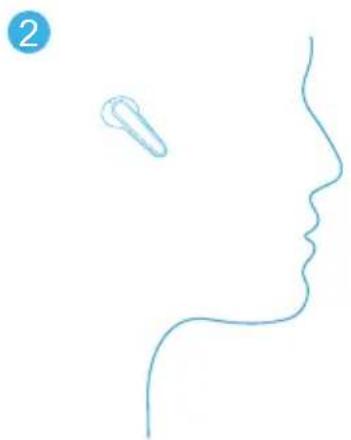
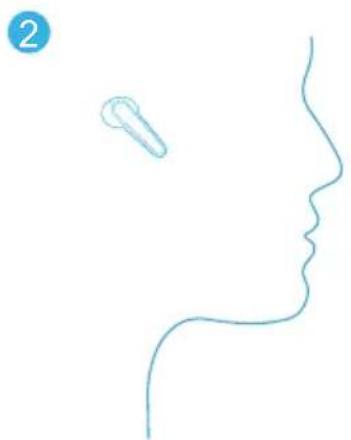
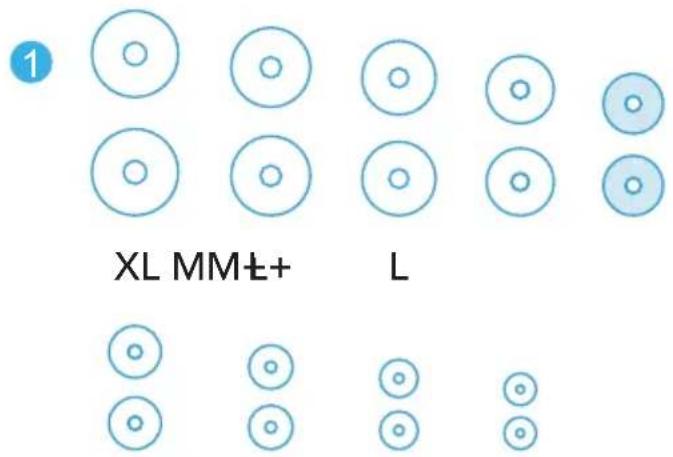
  1. Choose the EarTips that fit your ears best.
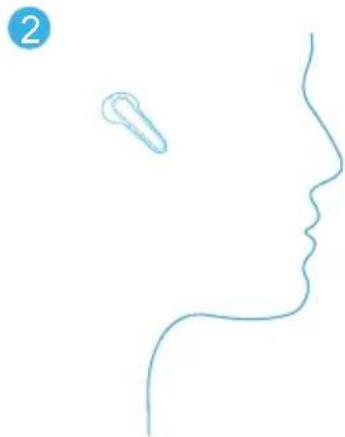
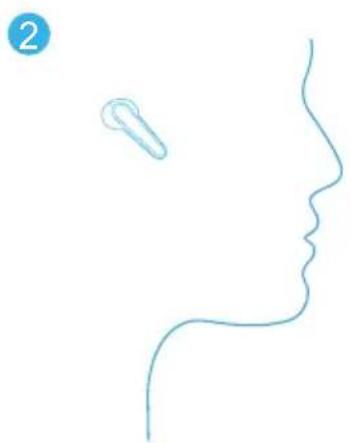
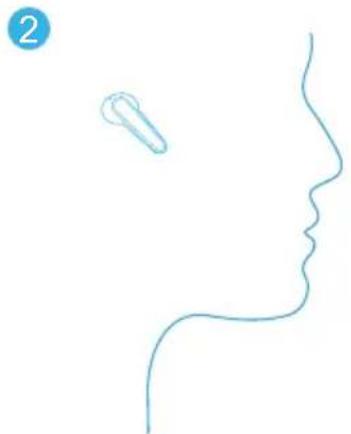
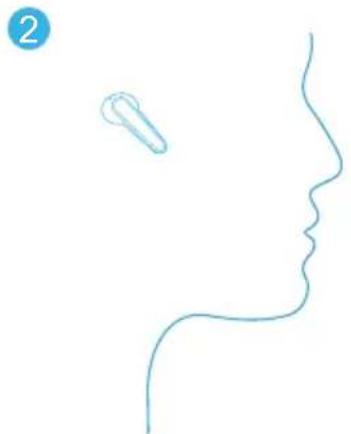
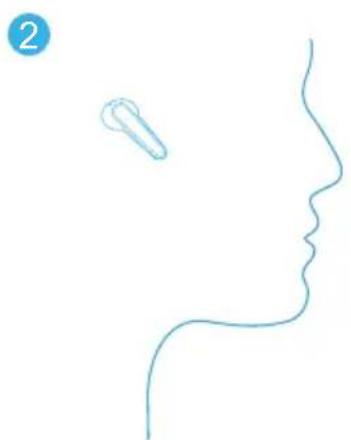
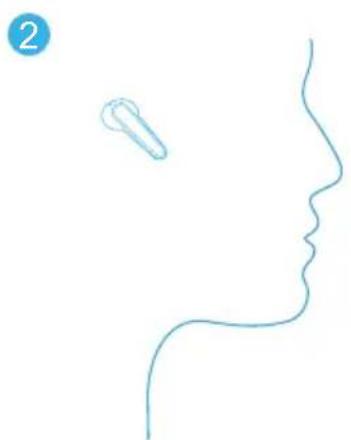
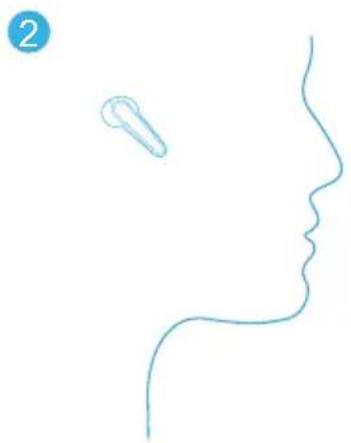
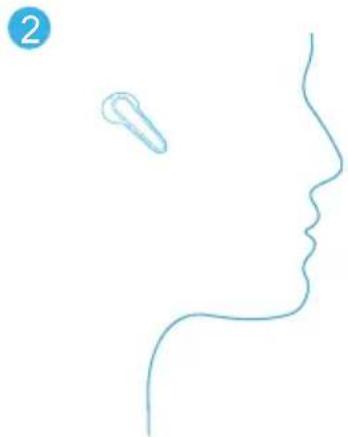
  2. Insert the earbuds into the inner canal of your ears and turn gently until you find the most comfortable and secure position.
soundcore Liberty Air 2 Pro - Wearing - 1

text_image 1 XL MM±+ L

soundcore Liberty Air 2 Pro - Wearing - 2

natural_image Simple line drawing of a human profile with a small object on the left side (no text or symbols)

XS XXS XXXSS

soundcore Liberty Air 2 Pro - Wearing - 3

Your earbuds come with multiple pairs of EarTips, among which Medium-sized are pre-installed.

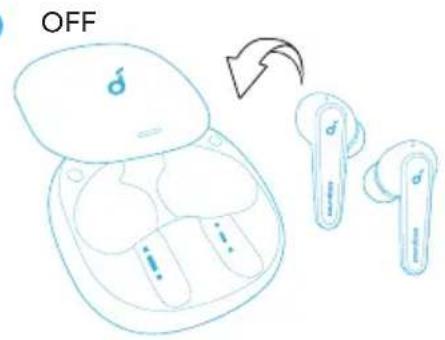
Powering On/Off

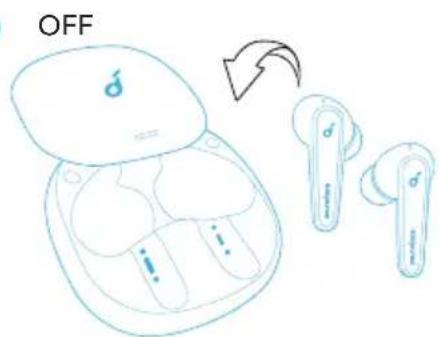
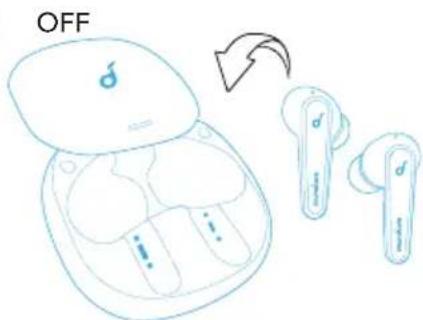
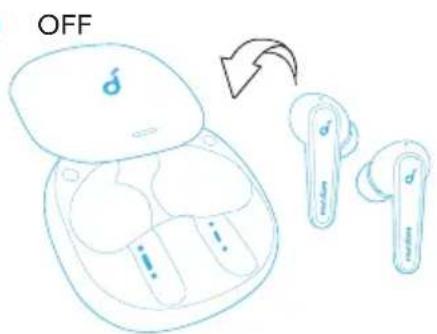
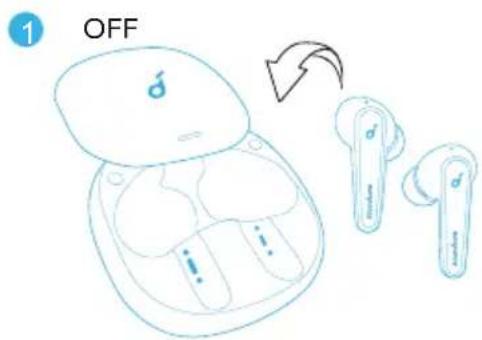
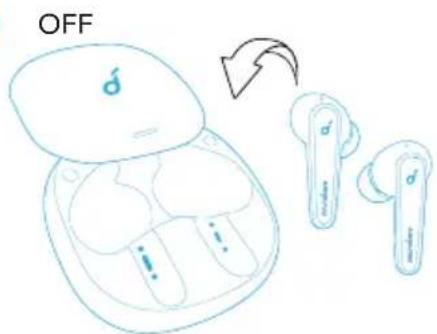
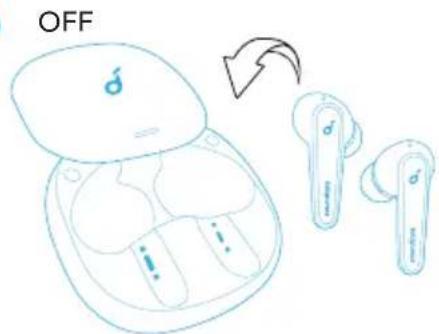
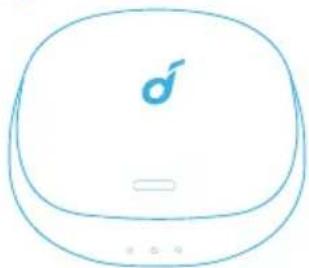
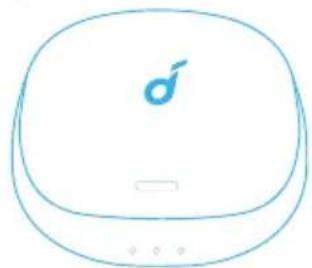
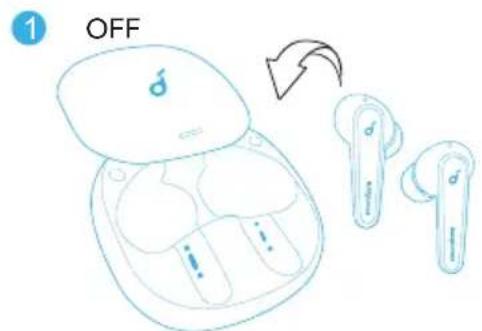
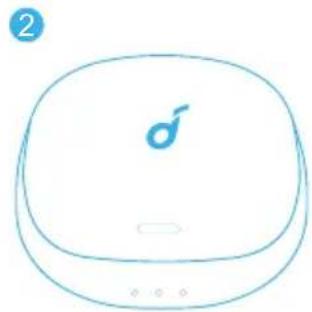
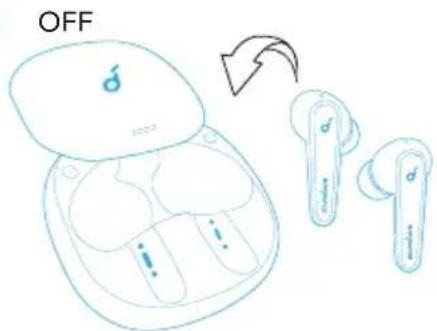
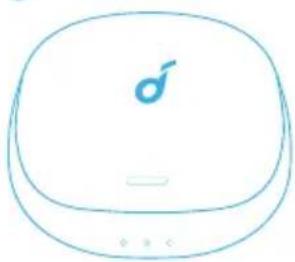
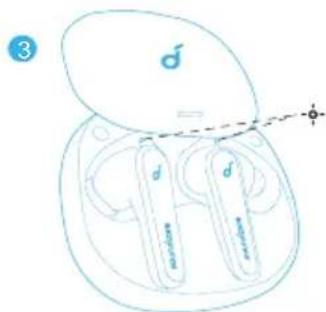
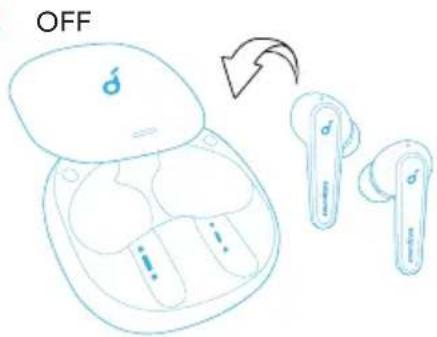
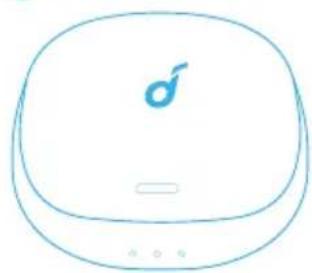
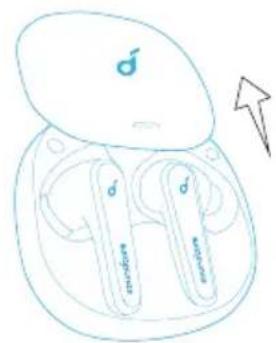
Open the charging case, the earbuds will automatically power on.

→ The LED indicator on earbuds will light up white for 1 second.

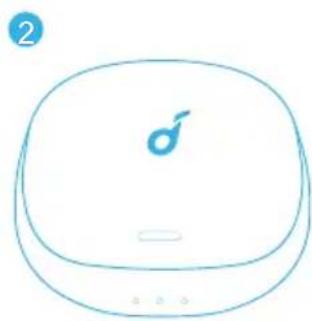
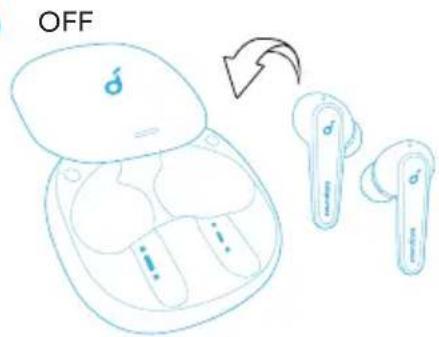
To power off, place the earbuds in the charging case and it.

ON
soundcore Liberty Air 2 Pro - Powering On/Off - 1

text_image sundate sundice

1
soundcore Liberty Air 2 Pro - Powering On/Off - 2

text_image OFF

2
soundcore Liberty Air 2 Pro - Powering On/Off - 3

natural_image Simple line drawing of a rounded rectangular device with a small symbol on the top face (no text or labels)

soundcore Liberty Air 2 Pro - Powering On/Off - 4

When you're wearing the earbuds, they will not power off until out of battery. When you remove the earbuds, they will automatically power off after 30 minutes if no device is connected.

Bluetooth Pairing

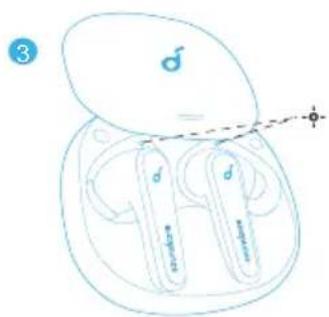
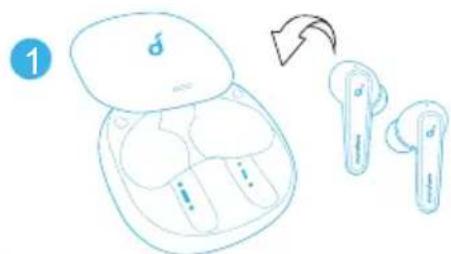
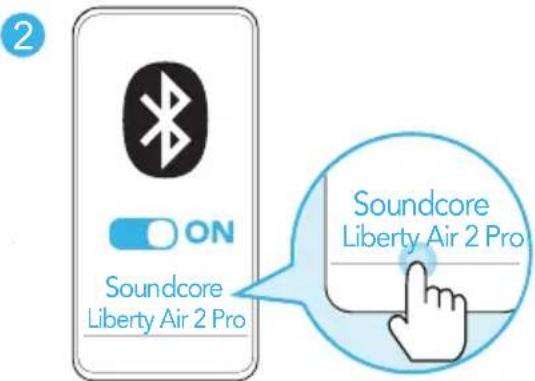
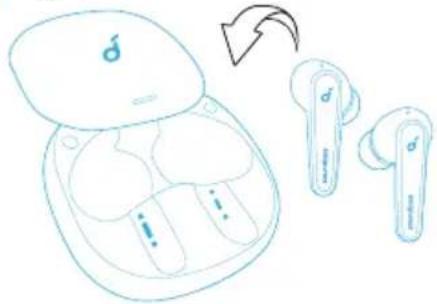
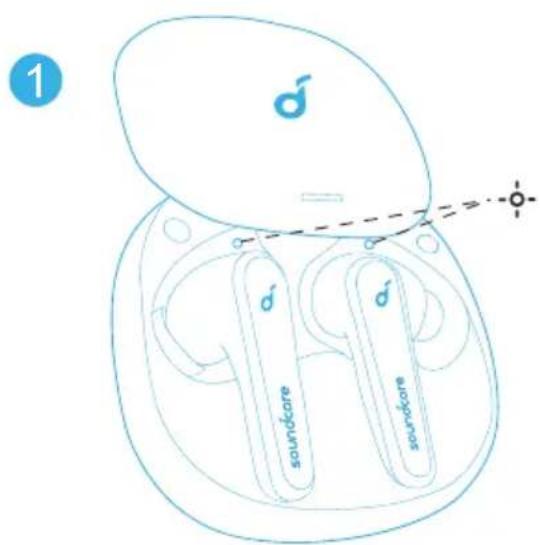
  1. Open the charging case, the earbuds will automatically enter the Bluetooth pairing mode.

→ The LED indicator on one earbud will flash quickly and on another earbud breathe slowly.

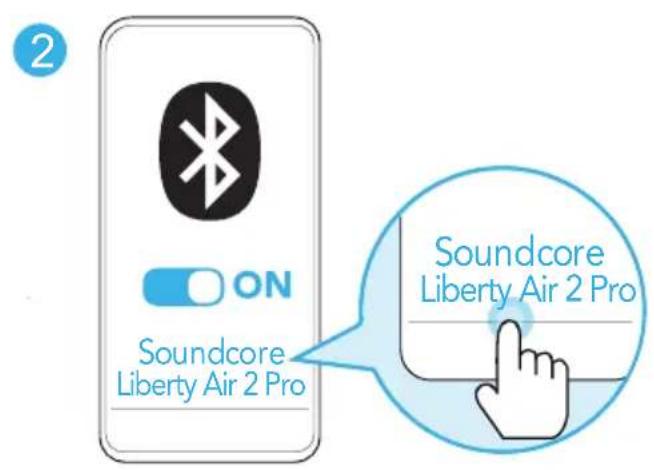
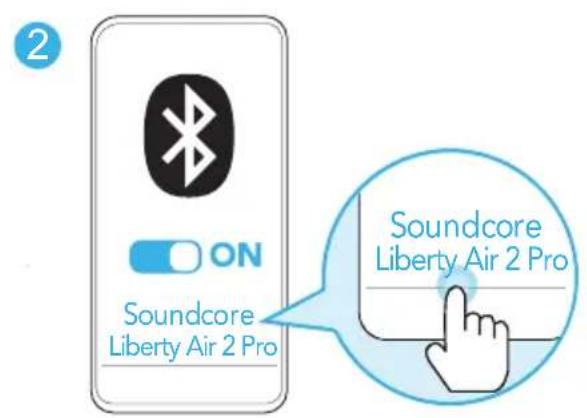
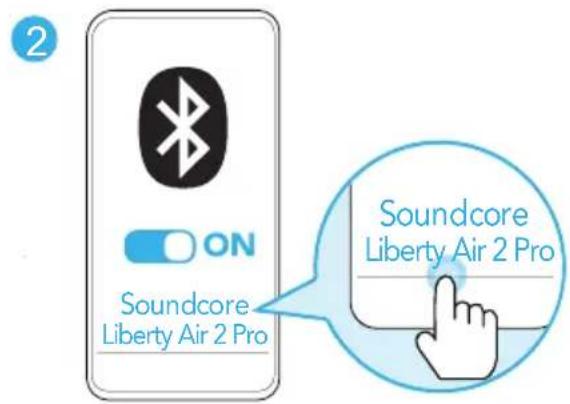
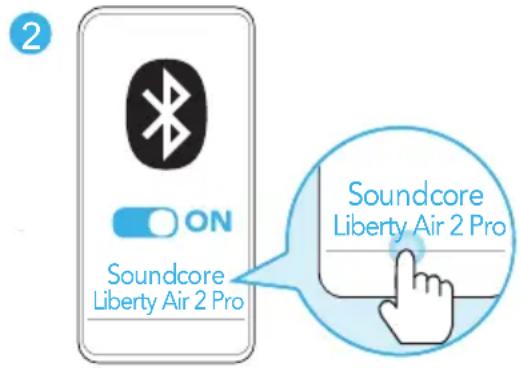
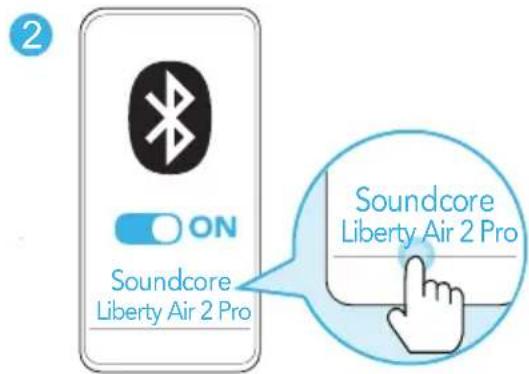
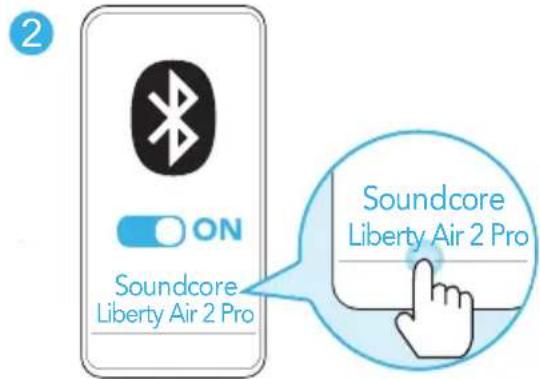
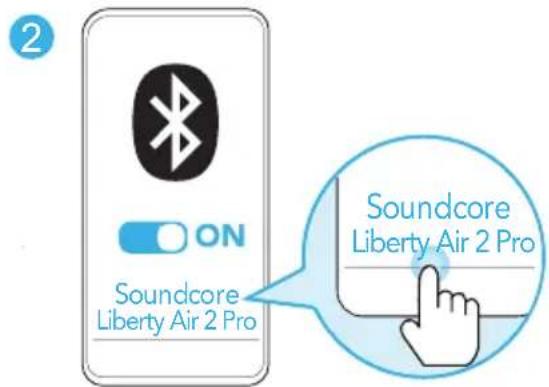
  1. Select "Soundcore Liberty Air 2 Pro" on your device's Bluetooth list to connect.

→ When successfully connected, the LED indicator on earbuds will light up white for 1 second.
soundcore Liberty Air 2 Pro - Bluetooth Pairing - 1

text_image 1 soundore euro

soundcore Liberty Air 2 Pro - Bluetooth Pairing - 2

text_image Soundcore Liberty Air 2 Pro ON Soundcore Liberty Air 2 Pro

• Each time you power on your Soundcore earbuds, they will automatically connect to your last successfully connected device if available within the Bluetooth range.
- Mono mode: When Bluetooth connected, you can use either one of the earbuds only by placing the other one into the charging case and closing it.
- When powered on and connected, if either one of the earbuds is out of battery and powered off, you can keep using the other one.
- When you are on a call, place either one of the earbuds into the charging case and close it, the microphone in the other earbud will be activated.

Pairing with another device

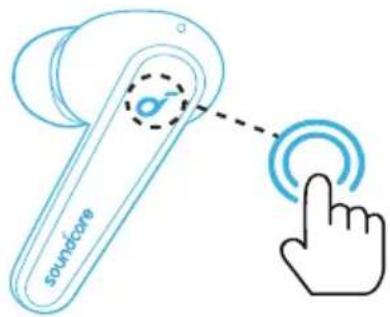
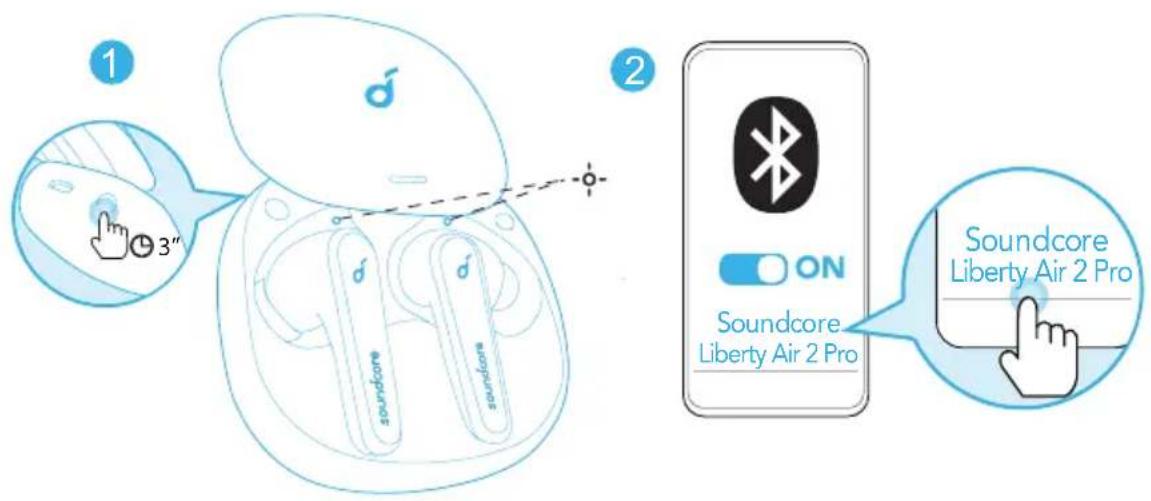
  1. Place the earbuds in the charging case and leave the case open. Press and hold the button on the case for 3 seconds until the earbud LED indicators flash white to enter the pairing mode.
  2. Select "Soundcore Liberty Air 2 Pro" on your device's Bluetooth list to connect.
soundcore Liberty Air 2 Pro - Pairing with another device - 1

text_image 1 3" 2 Soundcore Liberty Air 2 Pro ON Soundcore Liberty Air 2 Pro Soundcore Liberty Air 2 Pro

Controls

soundcore Liberty Air 2 Pro - Controls - 1

text_image soundcore
soundcore Liberty Air 2 Pro - Controls - 2
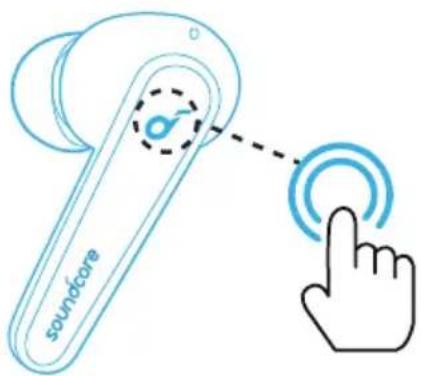
Play/Pause Tap twice (R)
Next track Tap twice (L)
soundcore Liberty Air 2 Pro - Controls - 3
Answer a callTap twice (L/R)
Answer a second incoming call and put the current call on hold
End/Reject a callPress and hold for 2 seconds (L/R)
Switch between a call on hold and an active call
soundcore Liberty Air 2 Pro - Controls - 4
Switch ambient sound modes(Noise Cancellation/Normal)Press and hold for 2 seconds (L/R)
Mono mode
Play/PauseTap twice
Answer a call
End/Reject a callPress and hold for 2 seconds
Activate Siri or other voice assistant software

  • All of the controls in stereo mode can be customized in the Soundcore app. In mono mode, controls cannot be customized in the app.
  • Music playback will auto-pause when removing the earbuds, wear them again to resume.
  • Adjust the volume level via the connected device or in the Soundcore app.
  • In stereo mode, noise cancellation mode is set by default. Each time you power on and connect, or switch to the stereo mode from mono mode, your earbuds will restore the last setting.
  • Noise cancellation or transparency mode is unavailable in mono mode.

Reset

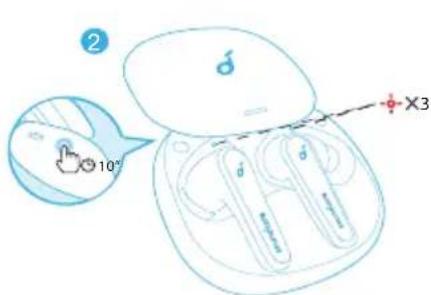
You might need to reset your earbuds if you experience any connectivity problems or function issues.

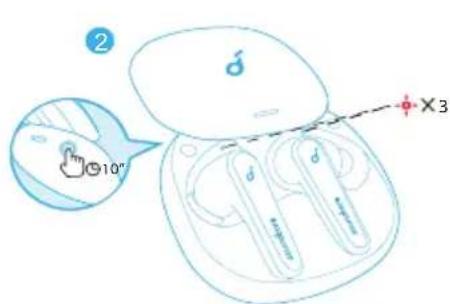
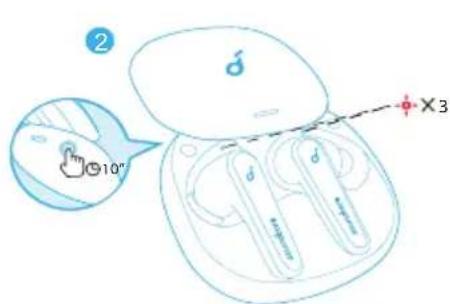
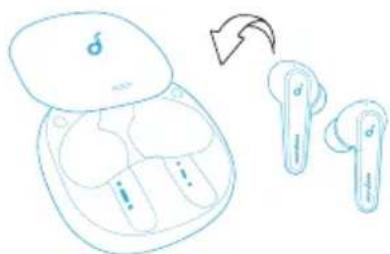
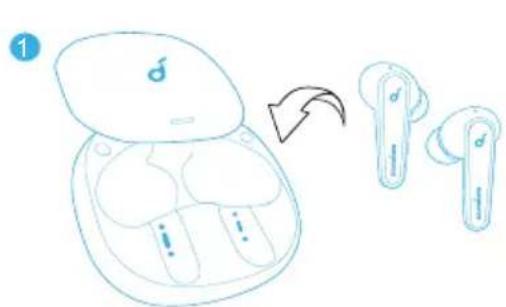
  1. Place the earbuds in the charging case and leave the case open.
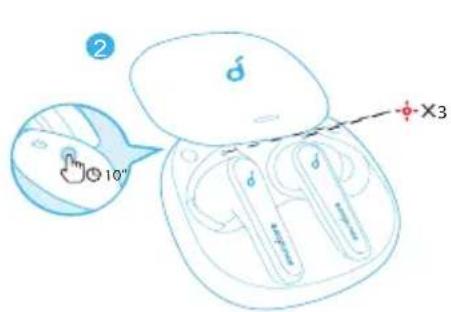
  2. Press and hold the button on the case for 10 seconds until the earbud LED indicators flash red 3 times and then turn white.
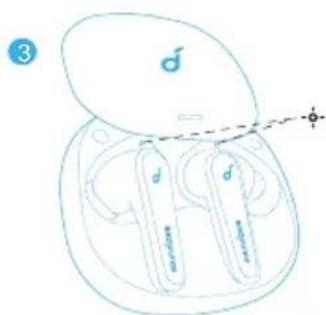
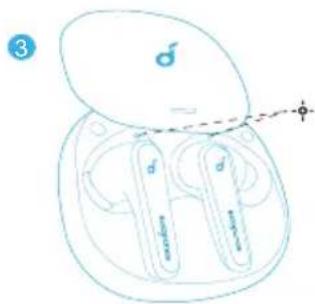
  3. Wait until the LED indicator on one of the earbuds flashes fast while the other breathes slowly. This confirms that the reset was successful and your earbuds can be connected normally.
soundcore Liberty Air 2 Pro - Reset - 1

text_image Diagram showing a wireless earbuds with labeled components and a directional arrow indicating rotation or change.

soundcore Liberty Air 2 Pro - Reset - 2

text_image 2 10" X3

soundcore Liberty Air 2 Pro - Reset - 3

text_image 3 ♂ ♂ ♂ ♂ ♂

The following two examples indicate the reset has not been successful and the previous steps should be repeated.

  • If only one earbud LED indicator flashes;
  • If both earbud LED indicators flash quickly.

Specifications

Specifications are subject to change without notice.

Input 5 V 0.5 A---
Rated output power 5 mW @ 1% THD
Battery capacity55 mA x 2 (earbuds);500 mA (charging case)
Charging time2 hours15-minute charge = 3-hour playtime
Playtime(varies by volume level and content)Up to 7 hours(Total 26 hours with the charging case)
Playtime(with ANC mode turned on)Up to 6 hours(Total 21 hours with the charging case)
Playtime(with transparency mode turned on)Up to 6.5 hours(Total 23 hours with the charging case)
Talk timeUp to 4 hours(Total 14 hours with the charging case)
Driver size 11 mm
Frequency response 20 Hz - 20 kHz
Impedance 16 Ω
Waterproof level(The waterproof level may reduce over time as a result of daily use)IPX4(The earbuds are not desig ned for swimming, showering, or exposure to pool or ocean water. Do not use in a sauna or steam room.The charging case is not waterproof.)
Bluetooth version V 5.0
Bluetooth range 10 m / 33 ft

Nabíjení

soundcore Liberty Air 2 Pro - Nabíjení - 1

text_image Diagram showing wireless earbuds with a magnified view of the device's internal structure and water droplets, with an exclamation mark.

soundcore Liberty Air 2 Pro - Nabíjení - 2

text_image 1

soundcore Liberty Air 2 Pro - Nabíjení - 3

text_image 2 or ( )

soundcore Liberty Air 2 Pro - Nabíjení - 4

text_image ≤ 10% 10% - 30% 30% - 70% > 70%

Aplikace Soundcore

text_image 1 XL MMt+ L

soundcore Liberty Air 2 Pro - Aplikace Soundcore - 1

natural_image Simple line drawing of a human head profile with a small object on the left side (no text or symbols)

XS XXS XXXSS

soundcore Liberty Air 2 Pro - Aplikace Soundcore - 2

text_image Hand-drawn sketch of a pair of wireless earbuds with brand logos and a pointing arrow, likely illustrating brand recognition or usage.

1
soundcore Liberty Air 2 Pro - Aplikace Soundcore - 3

natural_image Simple line drawing of a stylized male phone with a logo on the top (no text or symbols)
soundcore Liberty Air 2 Pro - Aplikace Soundcore - 4

text_image 1 soundwave soundwave

soundcore Liberty Air 2 Pro - Aplikace Soundcore - 5

text_image Soundcore Liberty Air 2 Pro Soundcore Liberty Air 2 Pro

soundcore Liberty Air 2 Pro - Aplikace Soundcore - 6

text_image Diagram illustrating the step-by-step installation of an wireless earbuds, showing body positioning and adjustment with a 10° angle indicator.

text_image Diagram illustrating wireless earbuds with color-coded usage ranges and a magnified view of the earbuds.
  1. For at kontrollere opladeetuiets batteriniveau, åbn det for at aktivere LED-indikatoren.

soundcore Liberty Air 2 Pro - 三 - 1

text_image d soundcare soundcare < 10% 10% - 30% 30% - 70% > 70%

Soundcore-App

Hent Soundcore-appen for at forbedre din produktoplevelse.

text_image Soundcore GET IT ON Google Play Download on the App Store Google Play and the Google Play logo are trademarks of Google Inc. Apple and the Apple logo are trademarks of Apple Inc. Controls HeartD Default EQ Soundcore HeardD Ambient Sound Customize Equifaxer Smartphone Expressors Smartphone Expressors Smartphone Expressors Smartphone Expressors Smartphone Expressors Smartphone Expressors Smartphone Expressors Smartphone Expressors Smartphone Expressors Smartphone Expressors Smartphone Expressors Smartphone Expressors soundcore Personalizer Expressors Personalizer Expressors Personalizer Expressors Personalizer Expressors Personalizer Expressors Personalizer Expressors Personalizer Expressors Personalizer Expressors Personalizer Expressors Personalizer Expressors Personalizer Expressors Personalizer Expressors Personalizer Expressors Personalizer Expressors Personalizer Expressors Personalizer Expressors Personalizer Expressors Personalizer Expressors

Montering i øre

text_image 1 XL MM+ L

soundcore Liberty Air 2 Pro - Montering i øre - 1

natural_image Simple line drawing of a human head profile with a small object near the nose (no text or symbols)

XS XXS XXXSS

soundcore Liberty Air 2 Pro - Montering i øre - 2

text_image Diagram of an wireless earbuds with labeled buttons and a speech bubble, showing brand logo and text.

1
soundcore Liberty Air 2 Pro - Montering i øre - 3

text_image OFF

2
soundcore Liberty Air 2 Pro - Montering i øre - 4

natural_image Simple line drawing of a rounded rectangular device with a small symbol on the top face (no text or labels)

soundcore Liberty Air 2 Pro - Montering i øre - 5

text_image 1 ♂ ♂ ♂ earbuds earbuds

soundcore Liberty Air 2 Pro - Montering i øre - 6

text_image Soundcore Liberty Air 2 Pro ON Soundcore Liberty Air 2 Pro

soundcore Liberty Air 2 Pro - Montering i øre - 7

text_image Diagram showing wireless earbuds with labeled components and a directional arrow indicating rotation or change.

soundcore Liberty Air 2 Pro - Montering i øre - 8

text_image ② 10" X3

soundcore Liberty Air 2 Pro - Montering i øre - 9

text_image 3 d d d

text_image Soundcore GETRON Google Play Download on the App Store Google Play and the Google Play logo are Information of Google Inc. Apple and the Apple logo and desktoping of Apple Inc. soundcore Debut EQ soundcore HeartID soundcore Adapted Sound Customer

Das Tragen

text_image 1 XL MM+ L

soundcore Liberty Air 2 Pro - Das Tragen - 1

natural_image Simple line drawing of a human head profile with a small object near the nose (no text or symbols)

XS XXS XXXSS

soundcore Liberty Air 2 Pro - Das Tragen - 2

natural_image Simple line drawing of a rounded rectangular device with a small symbol on the top (no text or labels)

soundcore Liberty Air 2 Pro - Das Tragen - 3

text_image Diagram illustrating the step-by-step installation of an wireless earbuds, showing body positioning and adjustment.
text_image < 30% 30% - 70% > 70% 100%
text_image d soundfores soundfores < 10% 10% - 30% 30% - 70% > 70%

Εφαρμογή Soundcore

text_image Soundcore GOTTON Google Play Download on the App Store Google Play and the Google Play logo are systemable of Google Inc. Apple and the Apple logo are systemable of Apple Inc. Controls HeadID Default EQ iSeeID Antioxid Sound Calendar Default EQ soundcore Automatic Enzyme Advanced Rating © © New

Διαδικασία χρήσης

text_image 1 XL MM+ L

XS XXS XXXSS

soundcore Liberty Air 2 Pro - Διαδικασία χρήσης - 1

natural_image Simple line drawing of a human head profile with a small object on the left side (no text or symbols)

soundcore Liberty Air 2 Pro - Διαδικασία χρήσης - 2

text_image Hand-drawn sketch of a wireless earbuds with brand logos and text labels

soundcore Liberty Air 2 Pro - Διαδικασία χρήσης - 3

text_image 1 OFF #d #d #d

soundcore Liberty Air 2 Pro - Διαδικασία χρήσης - 4

natural_image Simple line drawing of a rounded rectangular device with a small symbol on the top (no text or labels)

soundcore Liberty Air 2 Pro - Διαδικασία χρήσης - 5

text_image Diagram illustrating the step-by-step installation of a wireless earbuds device, showing part positioning and adjustment.
text_image soundproofer earpian < 10% 10% - 30% 30% - 70% > 70%
text_image Soundcore GETITON Google Play Download on the App Store Google Play and the Google Play logo are trademarks of Google Inc. Apple and the Apple logo are trademarks of Apple Inc. Company HeadID Default EQ soundcore HeardID Audient Sound Catalyst Equifax Baidu Search Baidu Search Baidu Search Baidu Search soundcore Personal Search Advanced Setting Home

Uso

text_image 1 XL MM+ L XS XXS XXXSS

soundcore Liberty Air 2 Pro - Uso - 1

text_image d s non-suit s non-suit

1
soundcore Liberty Air 2 Pro - Uso - 2

text_image OFF

2
soundcore Liberty Air 2 Pro - Uso - 3

natural_image Simple line drawing of a rounded rectangular device with a small symbol on the top face (no text or labels)

soundcore Liberty Air 2 Pro - Uso - 4

text_image Diagram illustrating the step-by-step installation of a wireless earbuds, showing body positioning and component positioning.

text_image d soundcore d soundcore < 10% 10% - 30% 30% - 70% > 70%

Soundcore-sovellus

Paranna kokemusta lataamalla Soundcore-sovellus.

text_image Soundcore GETITON Google Play Download on the App Store Google Play and the Google Play logo are trademarks of Google Inc. Apple and the Apple logo are trademarks of Apple Inc. Controls Heard Default EQ HeadID Ambient Sound Customer Equifax soundcore Personal Echoes Advanced Setting Soundcore

Käyttö

text_image 1 XL MM+ L

soundcore Liberty Air 2 Pro - Käyttö - 1

natural_image Simple line drawing of a human head profile with a small object near the nose (no text or symbols)

XS XXS XXXSS

soundcore Liberty Air 2 Pro - Käyttö - 2

text_image Hand-drawn sketch of a wireless earbuds with brand logos and brand text labels

1
soundcore Liberty Air 2 Pro - Käyttö - 3

text_image OFF

2
soundcore Liberty Air 2 Pro - Käyttö - 4

natural_image Simple line drawing of a rounded rectangular device with a small circular icon on top (no text or symbols)

soundcore Liberty Air 2 Pro - Käyttö - 5

text_image Diagram illustrating the step-by-step installation of an wireless earbuds, showing body positioning and component positioning.

text_image Diagram illustrating wireless earbuds with color-coded usage ranges and a warning icon for disconnection or disassembly.
text_image d d soundcore d soundcore < 10% 10% - 30% 30% - 70% > 70%

Application Soundcore

text_image Soundcore GETT ON Google Play Download on the App Store Soundcare Default HQ Soundcare HomeID Changebook Book Commerce Book Commerce Book Commerce Book Commerce Book Commerce Book Commerce Book Commerce Book Commerce Book Commerce Book Commerce Book Commerce Book Commerce Book Commerce Book Commerce Book Commerce Book Commerce Book Commerce Book Commerce Book Commerce Book Commerce Book Commerce Book Commerce Book Commerce Book Commerce Book Commerce Book Commerce Book Commerce Book Commerce Book Commerce Book Commerce Book Commerce Book Commerce Book Commerce Book CommerceBook

Insertion

text_image 1 XL MM+ L

XS XXS XXXSS

soundcore Liberty Air 2 Pro - Insertion - 1

natural_image Simple line drawing of a human profile with a small object near the head (no text or symbols)

soundcore Liberty Air 2 Pro - Insertion - 2

natural_image Simple line drawing of a rounded rectangular device with a small circular icon on the top (no text or symbols)

soundcore Liberty Air 2 Pro - Insertion - 3

text_image Diagram illustrating the step-by-step installation of an wireless earbuds, showing body positioning and adjustment with a magnified view.

text_image Illustrated guide showing wireless earbuds with color-coded size ranges and a warning dialog about dislocation of devices.
text_image soundcare soundcare < 10% 10% - 30% 30% - 70% > 70%

Soundcore App

Download the Soundcore app to enhance your experience.

text_image Soundcore GETITON Google Play Download on the App Store Google Play and the Google Play logo are Trademarks of Google Inc. Apple and the Apple logo are trademarks of Apple Inc. Controls Heard Default EQ Soundcore HeardID Ambient Sound Customer Equinix Personalos Explorax Accessed Setting Smart

Használat

text_image 1 XL MM±+ L

soundcore Liberty Air 2 Pro - Használat - 1

natural_image Simple line drawing of a human profile with a small object near the head (no text or symbols)

XS XXS XXXSS

soundcore Liberty Air 2 Pro - Használat - 2

text_image Diagram showing wireless earbuds with labeled components and a directional arrow indicating rotation or change.

2
soundcore Liberty Air 2 Pro - Használat - 3

natural_image Simple line drawing of a stylized electronic device with a logo and control buttons (no text or symbols)

soundcore Liberty Air 2 Pro - Használat - 4

text_image Diagram illustrating the step-by-step installation of an wireless earbuds, showing body positioning and adjustment with a 10° angle indicator.

soundcore Liberty Air 2 Pro - Használat - 5

text_image Diagram illustrating wireless ear device usage and brightness adjustment, showing two devices with color-coded thresholds for 30%–70% and >70% brightness.
text_image soundstore soundstore -○●●●< 10% ○●●● 10% - 30% ○○●● 30% - 70% ○○○○ > 70%

App Soundcore

text_image Soundcore BUTTON Google Play Download on the App Store Google Play and the Google Play helps to download of Google PC. Apple and the Apple logo and trademarks of Apple PC. Default EQ soundcore Authorial Sound Completion

Utilizzo

text_image 1 XL MM+ L

soundcore Liberty Air 2 Pro - Utilizzo - 1

natural_image Simple line drawing of a human face profile with a small object near the nose (no text or symbols)

XS XXS XXXSS

soundcore Liberty Air 2 Pro - Utilizzo - 2

text_image OFF eurobeams

2
soundcore Liberty Air 2 Pro - Utilizzo - 3

natural_image Simple line drawing of a rounded rectangular device with a small logo on the top (no text or symbols)

soundcore Liberty Air 2 Pro - Utilizzo - 4

text_image Diagram illustrating the step-by-step installation of an wireless earbuds, showing body positioning and adjustment with a 10-inch angle indicator.

soundcore Liberty Air 2 Pro - Utilizzo - 5

text_image zoundoore e-soundoore < 10% 10% - 30% 30% - 70% > 70%

Soundcore-app

text_image 1 XL MM+ L

XS XXS XXXSS

soundcore Liberty Air 2 Pro - Soundcore-app - 1

natural_image Simple line drawing of a human face profile with a small object nearby (no text or symbols)

soundcore Liberty Air 2 Pro - Soundcore-app - 2

natural_image Simple line drawing of a rounded rectangular device with a small logo on the top (no text or symbols)

soundcore Liberty Air 2 Pro - Soundcore-app - 3

text_image Diagram illustrating the step-by-step installation of an wireless earbuds, showing body positioning and adjustment.

soundcore Liberty Air 2 Pro - Soundcore-app - 4

text_image 1 2 or < 30% 30% - 70% > 70% 100%
text_image Soundproof Soundproof < 10% 10% - 30% 30% - 70% > 70%

Soundcore-app

Last ned Soundcore-appen for å få en forbedret opplevelse.

text_image Soundcore GET IT ON Google Play Download on the App Store Google Play and the Google Play logo are Trademarks of Google Inc. Apple and the Apple logo are trademarks of Apple Inc. Default EQ Soundcore HeadID HeadID Ambient Sound Cathamore Default EQ Ambient Sound Cathamore Default EQ Ambient Sound Cathamore

Bruk

text_image 1 XL MM+ L

XS XXS XXXSS

soundcore Liberty Air 2 Pro - Bruk - 1

natural_image Simple line drawing of a human head profile with a small object on the left side (no text or symbols)

soundcore Liberty Air 2 Pro - Bruk - 2

natural_image Simple line drawing of a rounded rectangular device with a small symbol on the top face (no text or labels)

soundcore Liberty Air 2 Pro - Bruk - 3

text_image 1 d soundone d soundone

soundcore Liberty Air 2 Pro - Bruk - 4

text_image Soundcore Liberty Air 2 Pro ON Soundcore Liberty Air 2 Pro

text_image Diagram illustrating the step-by-step installation of a wireless earbuds device, showing body positioning and adjustment.

text_image d d soundcare d soundcare < 10% 10% - 30% 30% - 70% > 70%

Aplikacja Soundcore

text_image Soundcore GET ON Google Play Download on the App Store Google Play and the Google Play logo are Sustainable of Soundcore Apple and the Apple logo are substore of App store. Controls Heart1 Default EQ Soundcore HeartD Addict Sound Editorial Search Personal Environment Controling Learning C-User

Zakładanie

text_image 1 XL MM+ L

soundcore Liberty Air 2 Pro - Zakładanie - 1

natural_image Simple line drawing of a human head profile with a small object near the nose (no text or symbols)

XS XXS XXXSS

soundcore Liberty Air 2 Pro - Zakładanie - 2

text_image ON sundan sundan

soundcore Liberty Air 2 Pro - Zakładanie - 3

text_image OFF

soundcore Liberty Air 2 Pro - Zakładanie - 4

natural_image Simple line drawing of a rounded rectangular device with a small circular symbol on the top face (no text or labels)

soundcore Liberty Air 2 Pro - Zakładanie - 5

text_image Diagram illustrating wireless ear device usage and color adjustment, showing two devices with a magnified view of their ear features.
text_image d soundforce soundforce < 10% 10% - 30% 30% - 70% > 70%

Aplicação Soundcore

Download the Soundcore app to enhance your experience.

text_image Soundcore GETITON Google Play Download on the App Store Google Play and the Google Play logo are trademnits of Google Inc. Apple and the Apple logo are trademarks of Apple Inc. Default 10 Soundcore HeadID Android Sound Android Sound Automatic Sound Customer Soundcore

Utilização

text_image 1 XL MM+ L

soundcore Liberty Air 2 Pro - Utilização - 1

natural_image Simple line drawing of a human face profile with a small object near the nose (no text or symbols)

XS XXS XXXSS

soundcore Liberty Air 2 Pro - Utilização - 2

text_image Hand-drawn sketch of a wireless earbuds with labeled buttons and an arrow indicating direction

1
soundcore Liberty Air 2 Pro - Utilização - 3

text_image OFF

2
soundcore Liberty Air 2 Pro - Utilização - 4

natural_image Simple line drawing of a rounded rectangular device with a small logo on the top (no text or symbols)

soundcore Liberty Air 2 Pro - Utilização - 5

text_image Diagram showing a wireless earbuds with labeled components and a directional arrow indicating rotation or change.

soundcore Liberty Air 2 Pro - Utilização - 6

text_image ② 10° X3

soundcore Liberty Air 2 Pro - Utilização - 7

text_image 3 ♂ ♂ ♂ ♂ ♂ ♂

Alcance do Bluetooth 10 m/33 pés

Carregando

soundcore Liberty Air 2 Pro - Carregando - 1

text_image Diagram illustrating wireless earbuds with color-coded size ranges and a smart speaker setup, showing step-by-step instructions for size adjustment.
text_image soundore soundore < 10% 10% - 30% 30% - 70% > 70%

Aplicativo Soundcore

text_image Soundcore GETT ON Google Play Download on the App Store Google Play and The Google Play logo are Standardization of Google Inc. Apple and the Apple logo are trademarks of Apple Inc. Combable HeadID Default EQ secondscore HiextID Android Sound Comcast Equifax Google Play MyTrip MyTrip MyTrip MyTrip MyTrip MyTrip MyTrip MyTrip MyTrip MyTrip MyTrip MyTrip

Como usar

text_image 1 XL MM+ L

XS XXS XXXSS

soundcore Liberty Air 2 Pro - Como usar - 1

natural_image Simple line drawing of a human profile with a small object near the head (no text or symbols)

soundcore Liberty Air 2 Pro - Como usar - 2

natural_image Simple line drawing of a stylized electronic device with a logo and control buttons (no text or symbols)

soundcore Liberty Air 2 Pro - Como usar - 3

text_image 1 2 or 30% - 70% > 70% 100%
text_image soundcare soundcare < 10% 10% - 30% 30% - 70% > 70%
text_image 1 XL MM+ L

soundcore Liberty Air 2 Pro - Como usar - 4

natural_image Simple line drawing of a human profile with a small object near the head (no text or symbols)

XS XXS XXXSS

soundcore Liberty Air 2 Pro - Como usar - 5

natural_image Simple line drawing of a rounded rectangular device with a small circular icon on top (no text or symbols)

soundcore Liberty Air 2 Pro - Como usar - 6

text_image Diagram illustrating the step-by-step installation of an e-branded ear with a 10-inch angle and X3 measurement indicator.

text_image ! 1 2 or ( ) 30% - 70% > 70% 100% < 30%
text_image d soundbare soundbare < 10% 10% - 30% 30% - 70% > 70%

Aplikácia Soundcore

Download the Soundcore app to enhance your experience.

text_image Soundcore GETITON Google Play Download on the App Store Google Play and the Google Play logo are Trademarks of Google Inc. Apple and the Apple logo are trademarks of Apple Inc. Default EQ Soundcore HeairID 2019-6-11/07 Perception Opticase Airborne Setting Ambient Sound Customer Soundcore

Nosenie

text_image 1 XL MM+ L

soundcore Liberty Air 2 Pro - Nosenie - 1

natural_image Simple line drawing of a human head profile with a small object near the nose (no text or symbols)

XS XXS XXXSS

soundcore Liberty Air 2 Pro - Nosenie - 2

natural_image Simple line drawing of a rounded rectangular device with a small symbol on the top face (no text or labels)

soundcore Liberty Air 2 Pro - Nosenie - 3

text_image 1 d d soundore d soundore

soundcore Liberty Air 2 Pro - Nosenie - 4

text_image Soundcore Liberty Air 2 Pro ON Soundcore Liberty Air 2 Pro

soundcore Liberty Air 2 Pro - Nosenie - 5

text_image Diagram illustrating the step-by-step installation of a wireless earbuds, showing device positioning and adjustment.

text_image Diagram showing wireless earbuds with a magnified view of the device's internal structure and water droplets, with an exclamation mark.

soundcore Liberty Air 2 Pro - 三 - 1

text_image 1

soundcore Liberty Air 2 Pro - 三 - 2

text_image ② or ( )

soundcore Liberty Air 2 Pro - 三 - 3

text_image d d soundcore d soundcore - ○ ● ● < 10% ○ ● ● 10% - 30% ○ ○ ● 30% - 70% ○ ○ ○ > 70%

Download the Soundcore app to enhance your experience.

text_image Soundcore GETITON Google Play Download on the App Store Google Play and the Google Play logo are Trademarks of Google Inc. Apple and the Apple logo are trademarks of Apple Inc. Default EQ Soundcore HeairID 2019-6-11/07 Perception Opticase Airborne Setting Ambient Sound Customer Soundcore

Uporaba

text_image 1 XL MM+ L

soundcore Liberty Air 2 Pro - Uporaba - 1

natural_image Simple line drawing of a human head profile with a small object near the nose (no text or symbols)

XS XXS XXXSS

soundcore Liberty Air 2 Pro - Uporaba - 2

text_image Diagram showing wireless earbuds with labeled components and a directional arrow indicating rotation or change.

2
soundcore Liberty Air 2 Pro - Uporaba - 3

natural_image Simple line drawing of a rounded rectangular device with a small logo on the top (no text or symbols)

soundcore Liberty Air 2 Pro - Uporaba - 4

text_image Diagram illustrating the step-by-step installation of an e-branded wireless ear with labeled parts and a magnified view showing a 10-inch angle.

text_image Diagram illustrating wireless ear device components with color-coded thresholds and a magnified view of the ear device.
text_image soundfare earpuno < 10% 10% - 30% 30% - 70% > 70%

Soundcore-app

text_image Soundcore GETT'ON Google Play Download on the App Store Google Play and the Google Play logo are trademarks of Google Inc. Apple and the Apple logo are trademarks of Apple Inc. Controls Heard Default EQ Soundcore Equifier Soundcore Soundcore HeardID 2019-07-15 Ambient Sound Controls Parameters Exposure Advanced Setting About

Användning

text_image 1 XL MM+ L

soundcore Liberty Air 2 Pro - Användning - 1

natural_image Simple line drawing of a human head profile with a small object near the nose (no text or symbols)

XS XXS XXXSS

soundcore Liberty Air 2 Pro - Användning - 2

natural_image Simple line drawing of a rounded rectangular device with a small circular icon on the top (no text or symbols)

soundcore Liberty Air 2 Pro - Användning - 3

text_image 1 d d d soundore

soundcore Liberty Air 2 Pro - Användning - 4

text_image Soundcore Liberty Air 2 Pro ON Soundcore Liberty Air 2 Pro

text_image Diagram showing wireless earbuds with labeled components and a directional arrow indicating rotation or change.

soundcore Liberty Air 2 Pro - 三 - 1

text_image ② 10" X3

soundcore Liberty Air 2 Pro - 三 - 2

text_image 3 ♂ = ♂ ♂ ♂ magnolia

text_image d soundcare d soundcare < 10% 10% - 30% 30% - 70% > 70%
text_image Soundcore GETITON Google Play Download on the App Store Google Play and the Google Play logo are Trademarks of Google Inc. Apple and the Apple logo are trademarks of Apple Inc. Controls Heard Default EQ HearID Ambient Sound Equifier soundcare Perimeter Explains Advanced Setting Airbox

Takma

text_image 1 XL MM+ L

soundcore Liberty Air 2 Pro - Takma - 1

natural_image Simple line drawing of a human head profile with a small object near the nose (no text or symbols)

XS XXS XXXSS

soundcore Liberty Air 2 Pro - Takma - 2

text_image Hand-drawn sketch of a wireless earbuds with brand logos and charging case labels

1
soundcore Liberty Air 2 Pro - Takma - 3

text_image OFF

2
soundcore Liberty Air 2 Pro - Takma - 4

natural_image Simple line drawing of a stylized electronic device with a small screen and antenna (no text or symbols)

soundcore Liberty Air 2 Pro - Takma - 5

text_image 1 Savindone Savindone

soundcore Liberty Air 2 Pro - Takma - 6

text_image Soundcore Liberty Air 2 Pro ON Soundcore Liberty Air 2 Pro

text_image Diagram illustrating the step-by-step installation of an wireless earbuds, showing transformation from one to three stages with a 10-inch angle and X3 mark.

text_image Diagram illustrating wireless ear device usage and color range settings, showing two devices with a magnified view of their ear packages.
text_image soundfore soundfore < 10% 10% - 30% 30% - 70% > 70%

Soundcore アプリ

text_image Soundcore GETTTON Google Play Google Play and the Google Play logo are Trademarks of Google Inc. Download on the App Store Apple and the Apple logo are trademarks of Apple Inc.

soundcore Liberty Air 2 Pro - Soundcore アプリ - 1

text_image Controls HeadID Default EQ Soundcore HeardID Ambient Sound Customer Equifier Default Soundcore Airway Airway Airway Airway Airway Airway Airway Airway Airway Airway Airway Airway Airway Airway Airway Airway Airway Airway Airway Airway Airway Airway Airway Airway Airway Airway Airway Airway Airway Airway Airway Airway Airway Airway

装着

text_image 1 XL MM+ L 2 XS XXS XXXSS

soundcore Liberty Air 2 Pro - 装着 - 1

text_image Diagram illustrating the step-by-step installation of an e-branded earbuds, showing body positioning and adjustment.

text_image Diagram showing a wireless earbuds with labeled components and a magnified view of the device's internal structure.

soundcore Liberty Air 2 Pro - 三 - 1

text_image 1 d d d

soundcore Liberty Air 2 Pro - 三 - 2

text_image ② or ( )

soundcore Liberty Air 2 Pro - 三 - 3

text_image d soundcare d soundcare < 10% 10% - 30% 30% - 70% > 70%

Soundcore 앱

text_image Soundcore GETIT ON Google Play Google Play and the Google Play logo are Trademarks of Google Inc. Download on the App Store Apple and the Apple logo are trademarks of Apple Inc.

soundcore Liberty Air 2 Pro - Soundcore 앱 - 1

text_image Controls HeadID Default EQ Soundcore Airbound Sound Airbound Sound Airbound Sound Airbound Sound Airbound Sound Airbound Sound Airbound Sound Airbound Sound Airbound Sound Airbound Sound Airbound Sound Airbound Sound Airbound Sound Airbound Sound Airbound Sound Airbound Sound Airbound Sound Airbound Sound Airbound Sound Airbound Sound Airbound Sound Airbound Sound Airbound Sound Airbound Sound Airbound Sound Airbound Soud Airbound Soud Airbound Soud Airbound Soud Airbound Soud Airbound Soud Airbound Soud Airbound Soud Airbound Soud Airbound Soud Airbound Soud Airbound Soud Airbound Soud Airbound Soud Airbound Soud Airbound Soud Airbound Soud Airbound Soud Airbound Soud Airbound Soud Airbound Sout Airbound Sout Airbound Sout Airbound Sout Airbound Sout Airbound Sout Airbound Sout Airbound Sout Airbound Sout Airbound Sout Airbound Sout Airbound Sout Airbound Sout Airbound Sout Airbound Sout Airbound Sout Airbound Sout Airbound Sout Airbound Sout Airbound Sout Airbound SOUT

착용

text_image 1 XL MM+ L

soundcore Liberty Air 2 Pro - 착용 - 1

natural_image Simple line drawing of a human head profile with a small object near the nose (no text or symbols)

XS XXS XXXSS

text_image Hand-drawn sketch of a wireless earbuds with labeled buttons and an arrow indicating direction

1
soundcore Liberty Air 2 Pro - 三 - 1

text_image OFF

2
soundcore Liberty Air 2 Pro - 三 - 2

natural_image Simple line drawing of a rounded rectangular device with a small circular icon on top (no text or symbols)

text_image Diagram illustrating the step-by-step installation of an e-branded wireless earbuds, showing body positioning and adjustment.

text_image Diagram showing wireless earbuds with labeled components and a magnified view of the device's internal structure.

soundcore Liberty Air 2 Pro - 三 - 1

text_image 1

soundcore Liberty Air 2 Pro - 三 - 2

text_image ② or ( )

soundcore Liberty Air 2 Pro - 三 - 3

text_image d d soundcore d soundcore < 10% 10% - 30% 30% - 70% > 70%

Soundcore 应用程序

text_image Soundcore GETITON Google Play Download on the App Store Google Play and the Google Play logo are Trademarks of Google Inc. Apple and the Apple logo are trademarks of Apple Inc. Controls Heard Default EQ HeardID Ambient Sound Equifax soundcore Permethode Epithesis Advanced Setting soundcore

佩戴

text_image 1 XL MM+ L XS XXS XXXSS

soundcore Liberty Air 2 Pro - 佩戴 - 1

natural_image Simple line drawing of a human profile with a small object nearby (no text or symbols)

soundcore Liberty Air 2 Pro - 佩戴 - 2

text_image Hand-drawn sketch of an e-budsuit with brand logo and Chinese text labels

1
soundcore Liberty Air 2 Pro - 佩戴 - 3

text_image OFF

2
soundcore Liberty Air 2 Pro - 佩戴 - 4

natural_image Simple line drawing of a stylized electronic device with a logo and control buttons (no text or symbols)

soundcore Liberty Air 2 Pro - 佩戴 - 5

text_image 1 3" soundcare soundcare

soundcore Liberty Air 2 Pro - 佩戴 - 6

text_image Soundcore Liberty Air 2 Pro ON Soundcore Liberty Air 2 Pro

控制

soundcore Liberty Air 2 Pro - 控制 - 1

text_image soundcore
text_image Diagram illustrating the step-by-step installation of an wireless earbuds, showing part positioning and 10-inch angle adjustment.

text_image Diagram showing a device with labeled parts and an inset illustrating blood drop behavior in the first two devices.

soundcore Liberty Air 2 Pro - 三 - 1

text_image 1

soundcore Liberty Air 2 Pro - 三 - 2

text_image ② or ( )

soundcore Liberty Air 2 Pro - 三 - 3

text_image d soundcore d soundcore < 10% 10% - 30% 30% - 70% > 70%

Soundcore 應用程式

text_image Soundcore GETITON Google Play Download on the App Store Google Play and the Google Play logo are Trademarks of Google Inc. Apple and the Apple logo are trademarks of Apple Inc. Controls Heard Default EQ HeardID Ambient Sound Equifax soundcore Permethode Epithesis Advanced Setting soundcore

穿戴

text_image 1 XL MMt+ L XS XXS XXXSS

soundcore Liberty Air 2 Pro - 穿戴 - 1

natural_image Simple line drawing of a human profile with a small object nearby (no text or symbols)

soundcore Liberty Air 2 Pro - 穿戴 - 2

text_image Hand-drawn sketch of an e-budsuit with brand logo and Chinese text labels

1
OFF
soundcore Liberty Air 2 Pro - 穿戴 - 3

natural_image Line drawing of two wireless earbuds with one open and one closed, showing internal components and a rotation arrow (no text or symbols)

2
soundcore Liberty Air 2 Pro - 穿戴 - 4

natural_image Simple line drawing of a stylized electronic device with a logo and control buttons (no text or symbols)

soundcore Liberty Air 2 Pro - 穿戴 - 5

text_image 1 d soundore d soundore

soundcore Liberty Air 2 Pro - 穿戴 - 6

text_image Soundcore Liberty Air 2 Pro Soundcore Liberty Air 2 Pro

soundcore Liberty Air 2 Pro - 穿戴 - 7

text_image Diagram illustrating the step-by-step installation of a wireless earbuds device, showing transformation from one to three stages with a 10-inch angle indicator.

text_image Diagram showing wireless earbuds with labeled parts and a magnified view of the device's internal structure.

1
soundcore Liberty Air 2 Pro - 三 - 1

text_image Diagram showing wireless earbuds with labeled parts and a transformation arrow indicating the process.

2
soundcore Liberty Air 2 Pro - 三 - 2

text_image Diagram showing a computer connected to a USB port and a circular sensor with 'or' signal, likely illustrating wireless or wireless communication.

The provided image is a graphic icon, not text. It does not contain any chart or data points that can be extracted and converted into a markdown table.
soundcore Liberty Air 2 Pro - 三 - 3

text_image soundcare soundcare

soundcore Liberty Air 2 Pro - 三 - 4

text_image -○●●< 10% ○●● 10% - 30% ○○● 30% - 70% ○○○ > 70%
text_image Soundcore GETTTON Google Play Google Play and the Google Play logo are Indemarks of Google Inc. Download on the App Store Apple and the Apple logo are trademarks of Apple Inc.

soundcore Liberty Air 2 Pro - 三 - 5

text_image Controls Healthy Face Default EQ Default EQ Soundcore Heard Audio Audio Audio Audio Audio Audio Audio Audio Audio Audio Audio Audio Audio Audio Audio Audio Audio Audio Audio Audio Audio Audio Audio Audio Audio Audio Audio Audio Audio Audio Audio Audio Audio Audio Audio Audio Audio Audio Audio Audio Audio Audio Audio Audio Audio Audio Audio Audio Audio Audio AUDIO Audio Audio Audio Audio Audio Audio Audio Audio Audio Audio Audio Audio Audio Audio Audio Audio Audio Audio Audio Audio Audio Audio Audio Audio Audio Audio Audio
text_image 1 XL MM+ L XS XXS XXXSS

soundcore Liberty Air 2 Pro - 三 - 6

natural_image Simple line drawing of a human head profile with a small object nearby (no text or symbols)

natural_image Simple line drawing of a stylized electronic device with a handle and control buttons (no text or symbols)

text_image Diagram illustrating the step-by-step installation of an e-branded earbuds, showing body positioning and angle measurement.

הכלהה, USB-C is not acting as a nuclear nuclear reactor.

text_image Diagram showing a device with labeled parts and a magnified view of test tubes with liquid droplets, accompanied by an exclamation mark.

soundcore Liberty Air 2 Pro - 三 - 7

text_image Diagram showing wireless earbuds with labeled parts and a directional arrow indicating rotation or change.

soundcore Liberty Air 2 Pro - 三 - 8

text_image ② or ( )

soundcore Liberty Air 2 Pro - 三 - 9

text_image soundore soundore < 10% 10% - 30% 30% - 70% > 70%

Soundcore meni

. Soundcore

text_image Soundcore GETIT ON Google Play Google Play and the Google Play logo are trademark of Google Inc. Download on the App Store Apple and the Apple logo are trademarks of Apple Inc.

soundcore Liberty Air 2 Pro - Soundcore meni - 1

text_image Controls HeadID Default EQ Soundcare Equifax Audio Audio Audio Audio Audio Audio Audio Audio Audio Audio Audio Audio Audio Audio Audio Audio Audio Audio Audio Audio Audio Audio Audio Audio Audio Audio Audio Audio Audio Audio Audio Audio Audio Audio Audio Audio Audio Audio Audio Audio Audio Audio Audio Audio Audio Audio Audio Audio Audio Audio Ardient Sound Customize
text_image 1 XL MM+ L

XS XXS XXXSS

soundcore Liberty Air 2 Pro - Soundcore meni - 2

natural_image Simple line drawing of a human head profile with a small object near the nose (no text or symbols)

soundcore Liberty Air 2 Pro - Soundcore meni - 3

natural_image Simple line drawing of a stylized electronic device with a logo on the top (no text or symbols)

soundcore Liberty Air 2 Pro - Soundcore meni - 4

text_image Diagram illustrating the step-by-step installation of an e-budsuit, showing body positioning and adjustment mechanism.

Manual assistant
Powered by Anthropic
Waiting for your message
Product information

Brand : soundcore

Model : Liberty Air 2 Pro

Category : Earphones