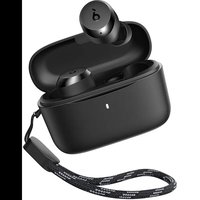
A25i - Earphones soundcore - Free user manual and instructions
Find the device manual for free A25i soundcore in PDF.


| Product Type | In-ear wireless headphones |
| Brand | Soundcore |
| Model | A25i |
| Bluetooth Version | 5.3 |
| Bluetooth Range | 10 m |
| Supported Audio Codecs | SBC, AAC |
| Driver Type | Dynamic |
| Driver Size | 6 mm |
| Frequency Response | 20 Hz - 20 kHz |
| Impedance | 16 Ω |
| Earbud Battery Life | Up to 9 hours |
| Total Battery Life with Case | Up to 28 hours |
| Battery Capacity (Earbuds) | 60 mAh each |
| Battery Capacity (Case) | 350 mAh |
| Charging Time | Approximately 2 hours |
| Charging Input | 5V — 0.5A |
| Rated Output Power | 5 mW |
| Protection Rating | IPX5 (earbuds only) |
| Key Features | Touch control, voice assistant, Soundcore app |
| Included Accessories | S/M/L ear tips, USB-C cable |
Frequently Asked Questions - A25i soundcore
User questions about A25i soundcore
0 question about this device. Answer the ones you know or ask your own.
Ask a new question about this device
Download the instructions for your Earphones in PDF format for free! Find your manual A25i - soundcore and take your electronic device back in hand. On this page are published all the documents necessary for the use of your device. A25i by soundcore.
USER MANUAL A25i soundcore
natural_image
Line drawing of a pair of wireless earbuds with attached earphones and straps, set against a patterned background (no text or symbols)soundcore A20i/A25i
USER MANUAL
| English01 | |
| Čeština 04 | |
| Dansk 07 | |
| Deutsch 10 | |
| ελληνικά | 13 |
| Español 16 | |
| Suomi 19 | |
| Français 22 | |
| Magyar 25 | |
| Italiano 28 | |
| Nederlands 31 | |
| Norsk 34 | |
| Język polski 37 |
| Português 40 | |
| Portugues do Brasil | 43 |
| Русский | 46 |
| Slovenský Jazyk 49 | |
| Slovenski Jezik 52 | |
| Svenska | 55 |
| Türkçe | 58 |
| 日本語 | 61 |
| 한국어 | 64 |
| 简体中文 | 67 |
| 繁體中文 | 70 |
| 73 | |
| 76 |

soundcore

Google Play and the Google Play logo are trademarks of Google Inc.

Apple and the Apple logo are trademarks of Apple Inc.

Download the soundcore app to enhance your experience (Gaming mode, Find device, EQ tuning, Firmware update, and more). If your earbuds cannot connect with the soundcore app, update it to the latest version in your mobile app store.
1


2
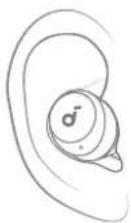
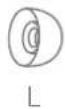
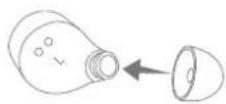
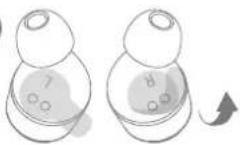
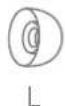
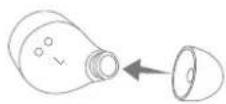
Choose the ear tips that fit your ears best.

CHARGING
1
2
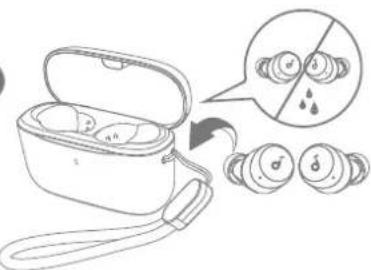
- Tear off the insulation sticker on the earbuds before first use.
- Place the earbuds in the charging case and close it.
- Fully dry off the earbuds and the USB-C charging port before charging.
3

- Connect the charging case to a power supply by using a certified USB-C charging cable.
- Fully charge both the earbuds and the charging case before first use.

POWERING ON & PAIRING
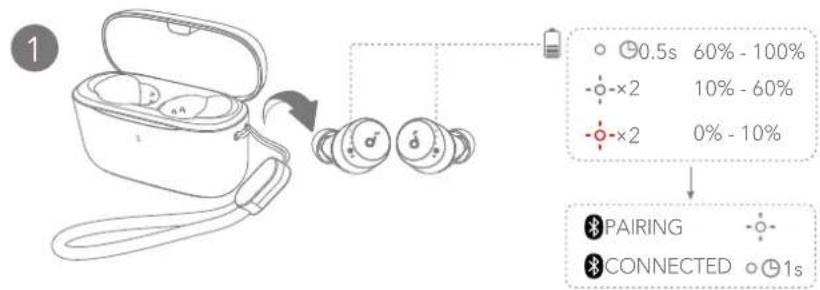
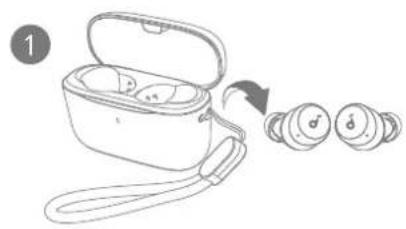
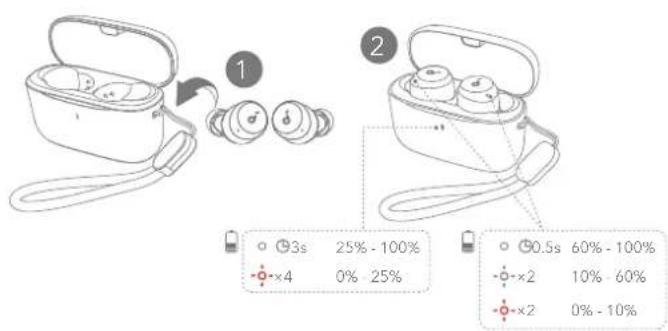
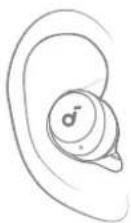
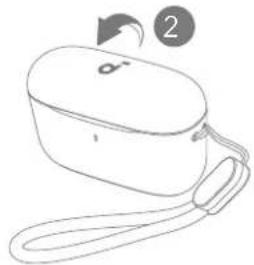
Open the charging case and take the earbuds out. They will automatically power on and enter Bluetooth pairing mode.
2
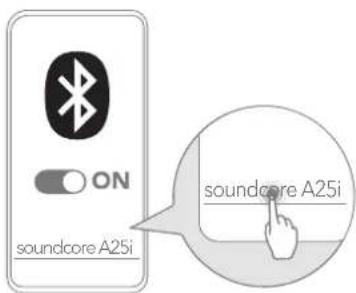
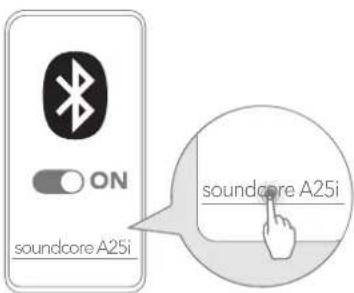
Select "soundcore A20i / A25i" * on your device's Bluetooth list when connecting for the first time.
*The device name may vary depending on the region.

MANUAL PAIRING
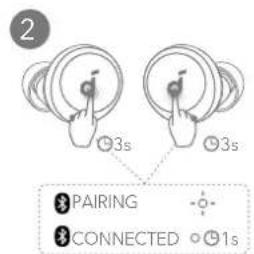
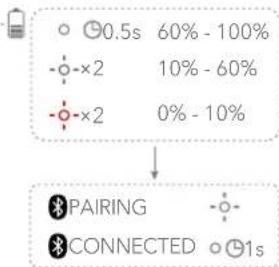
To manually enter Bluetooth pairing mode, take the earbuds out of the case, then tap and hold the touchpads on both earbuds for 3 seconds until the earbuds' LED indicators flash white rapidly.

CONTROLS
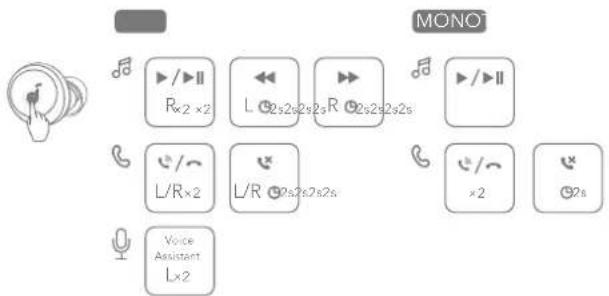
You can also customize controls in the soundcore app.

CONTROLS
| TWS mode Mono mode | |||
 | Play / Pause Tap twice (R) | Tap twice | |
| Previous track | Tap and hold for 2 seconds (L) | / | |
| Next track | Tap and hold for 2 seconds (R) | / | |
| [X07E] | Answer / End a call Tap twice (L/R) Tap twice | ||
| Reject a call | Tap and hold for 2 seconds (L/R) | Tap and hold for 2 seconds | |
 | Activate voice assistant software | Tap twice (L) / | |

POWERING OFF
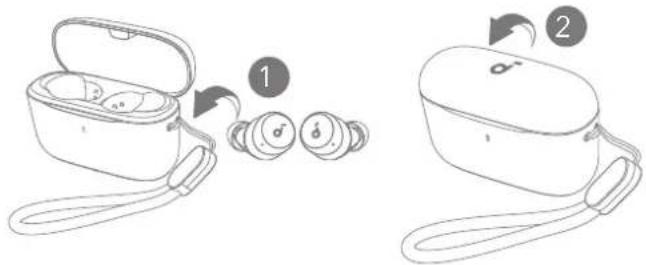
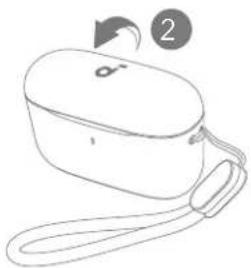
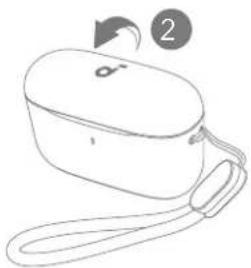
To power off, return the earbuds to the charging case and close it. The earbuds will automatically power off after 30 minutes if they are not connected.

RESET LED LIGHT GUIDE
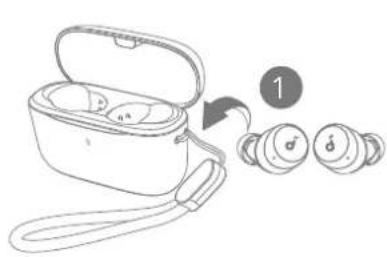
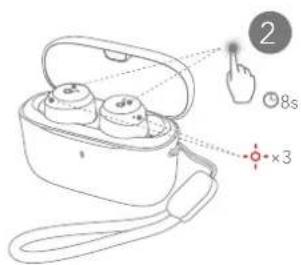
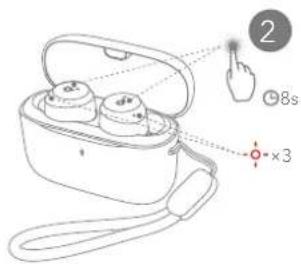
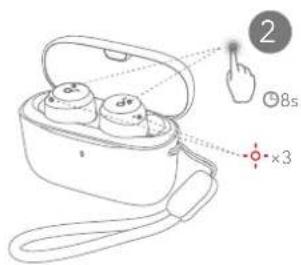
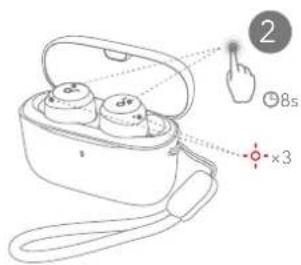
Reset if the earbuds have issues pairing with each other or with other devices. Place the earbuds in the charging case and leave the case open, then tap and hold the touchpads on both earbuds for 8 seconds until the earbuds' LED indicators flash red rapidly three times.


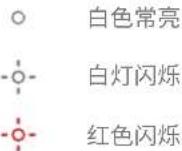
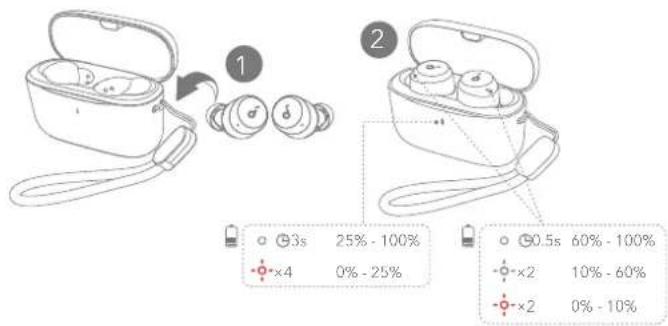
Steady white

Flashing white

Flashing red
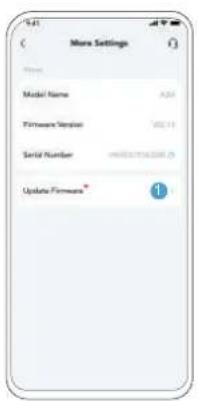
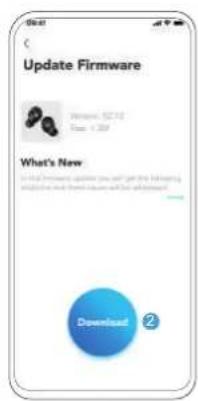
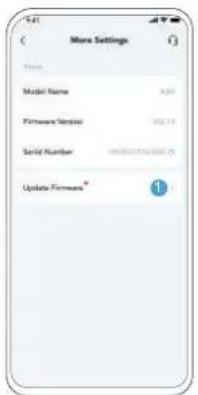
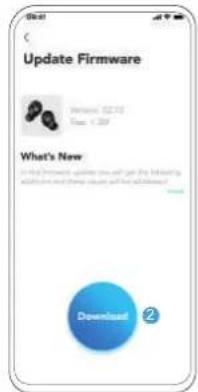
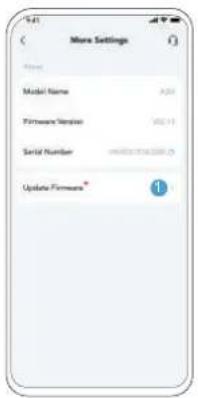
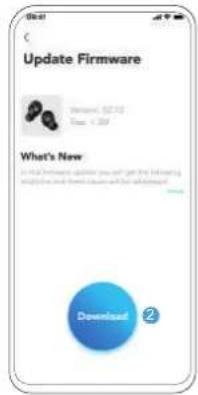
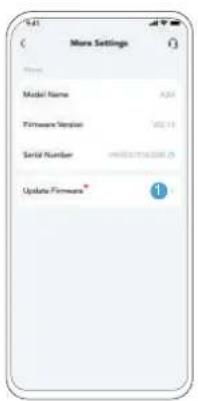
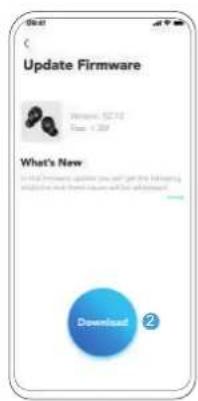
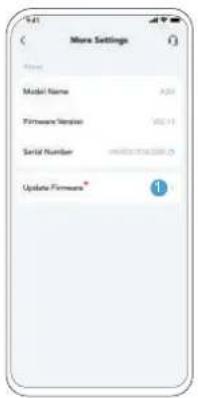
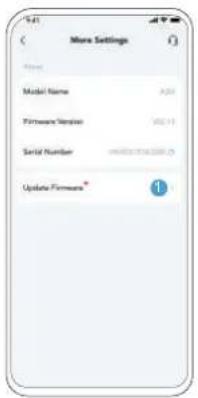
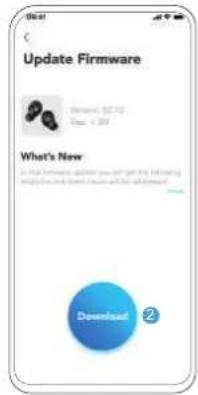
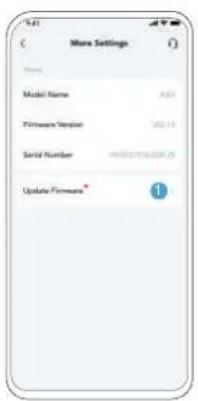
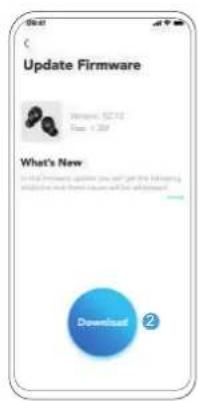
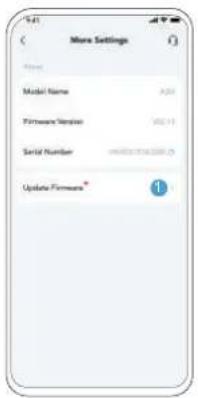
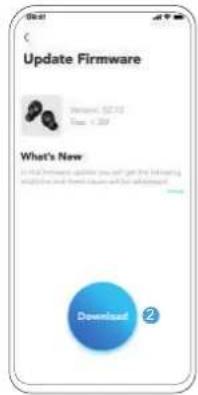
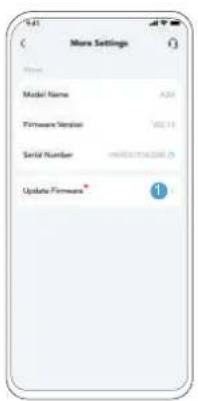
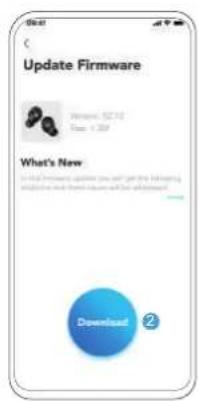
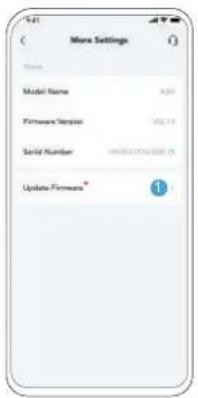
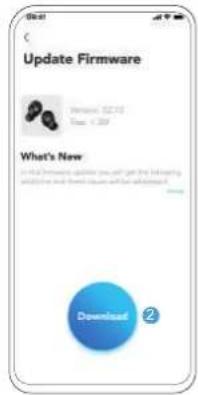
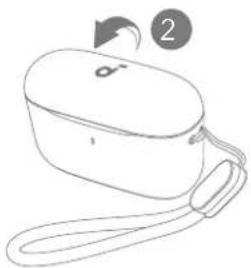
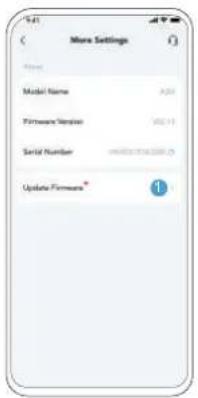
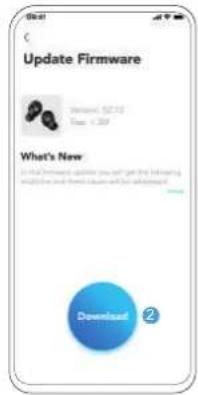
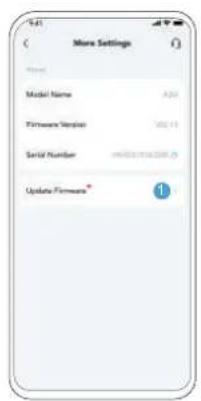
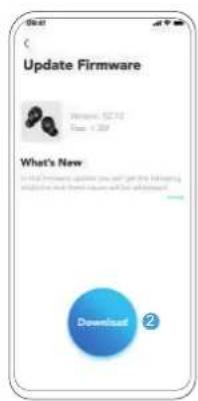
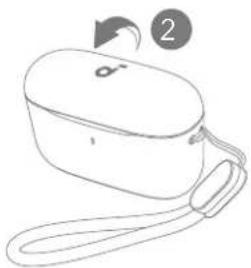
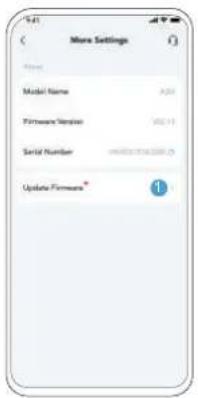
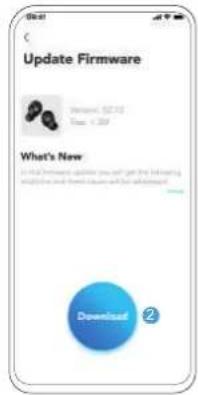
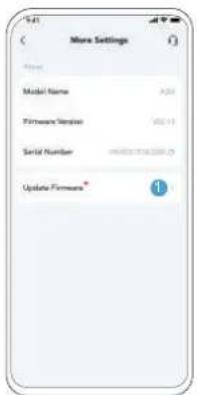
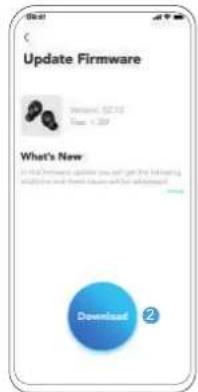
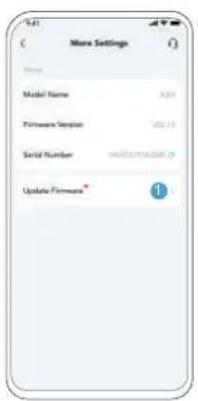
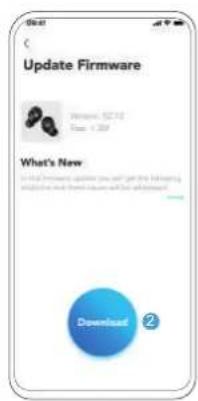
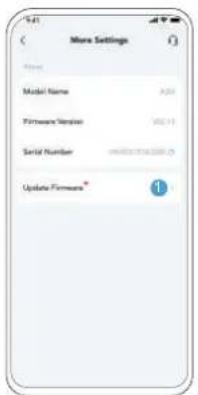
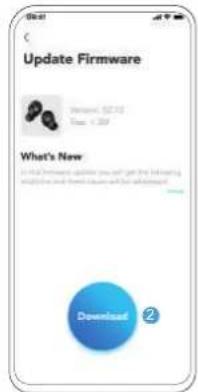
You will be notified once a new firmware version is detected when you connect the earbuds to the app. Ensure the earbuds are placed in the charging case and the case remains open until the firmware update is complete. During the update, make sure the earbuds are being charged and avoid any usage.
Specifications are subject to change without notice.
| Input | 5V = 0.5A |
| Rated output power 5mW | |
| Battery capacity | 60mAh × 2 (earbuds);350Ah (charging case) |
| Charging time Up to 2 hours | |
| Playtime (varies by volume level and content) | Up to 9 hours (up to 28 hours with the charging case) |
| Driver unit 6mm dynamic driver | |
| Frequency response 20Hz - 20kHz | |
| Impedance 16Ω | |
| Waterproof level (earbuds) IPX5 | |
| Bluetooth version 5.3 | |
| Bluetooth range 10m / 33ft |

soundcore

Google Play and the Google Play logo are trademarks of Google Inc.

Apple and the Apple logo are trademarks of Apple Inc.


Google Play and the Google Play logo are trademarks of Google Inc.

Apple and the Apple logo are trademarks of Apple Inc.


Konstant hvidt

Blinker hvidt

Blinker rødt
Google Play and the Google Play logo are trademarks of Google Inc.

Apple and the Apple logo are trademarks of Apple Inc.


Leuchtet weiß

Blinkt weiß

Blinkt rot
Google Play and the Google Play logo are trademarks of Google Inc.

Apple and the Apple logo are trademarks of Apple Inc.


Google Play and the Google Play logo are trademarks of Google Inc.

Apple and the Apple logo are trademarks of Apple Inc.


Blanco fijo

Blanco intermitente

Rojo intermitente
Google Play and the Google Play logo are trademarks of Google Inc.

Apple and the Apple logo are trademarks of Apple Inc.

natural_image
Line drawing of an open wireless earbuds with a strap, connected to three small earbuds (no text or symbols)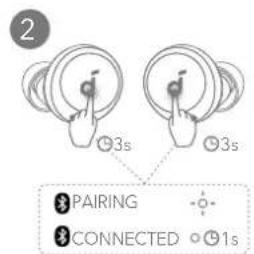
Google Play and the Google Play logo are trademarks of Google Inc.

Apple and the Apple logo are trademarks of Apple Inc.


Blanc fixe

Blanc clignotant

Rouge clignotant
Google Play and the Google Play logo are trademarks of Google Inc.

Apple and the Apple logo are trademarks of Apple Inc.

。
Folyamatos fehér

Villogó fehér

Villogó vörös
Google Play and the Google Play logo are trademarks of Google Inc.

Apple and the Apple logo are trademarks of Apple Inc.


Bianco fisso

Bianco lampeggiante

Rosso lampeggiante
Google Play and the Google Play logo are trademarks of Google Inc.

Apple and the Apple logo are trademarks of Apple Inc.

U kunt de bediening in de soundcore-app aanpassen.

BEDIENING
natural_image
Line drawing of an open wireless earbuds with a strap, connected to three small earbuds (no text or symbols)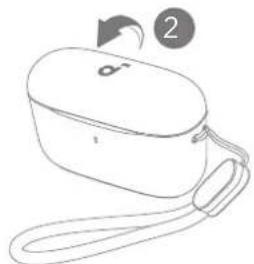
natural_image
Line drawing of a closed electronic device with a strap and handle, no text or symbols presentSTATUSANDUIDING INDICATIELED
○ Brandt wit
-○- Knippert wit
Knippert rood
Google Play and the Google Play logo are trademarks of Google Inc.

Apple and the Apple logo are trademarks of Apple Inc.

Du kan tilpasse kontrollene i soundcore-appen.

KONTROLLER

Google Play and the Google Play logo are trademarks of Google Inc.

Apple and the Apple logo are trademarks of Apple Inc.

Google Play and the Google Play logo are trademarks of Google Inc.

Apple and the Apple logo are trademarks of Apple Inc.


Branco fixo

Branco intermitente

Google Play and the Google Play logo are trademarks of Google Inc.

Apple and the Apple logo are trademarks of Apple Inc.


Luz branca constante

Luz branca intermitente

Google Play and the Google Play logo are trademarks of Google Inc.

Apple and the Apple logo are trademarks of Apple Inc.


Горит белым светом

Мигает белым светом

Мигает красным
Google Play and the Google Play logo are trademarks of Google Inc.

Apple and the Apple logo are trademarks of Apple Inc.

Ak chcete slúchadlá vypnút, vrátte ich do nabíjacieho puzdra a zatvorte ho.

Google Play and the Google Play logo are trademarks of Google Inc.

Apple and the Apple logo are trademarks of Apple Inc.

natural_image
Line drawing of a stylized open box with a loop arrow and label '2' (no text or symbols on the object itself)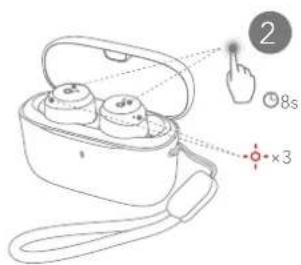

Sveti belo

Blikajúca biela

Utripa rdeče
Google Play and the Google Play logo are trademarks of Google Inc.

Apple and the Apple logo are trademarks of Apple Inc.


Lyser vitt

Blinkar vitt

Blinkar rött
Google Play and the Google Play logo are trademarks of Google Inc.

Apple and the Apple logo are trademarks of Apple Inc.

natural_image
Line drawing of a stylized open box with a loop arrow and label '2' (no text or symbols on the object itself)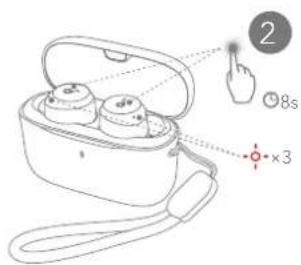

Sabit yanan beyaz

Yanıp sönen beyaz

Yanıp sönen kırmızı
Google Play and the Google Play logo are trademarks of Google Inc.

Apple and the Apple logo are trademarks of Apple Inc.

Google Play and the Google Play logo are trademarks of Google Inc.

Apple and the Apple logo are trademarks of Apple Inc.

natural_image
Line drawing of a stylized open box with a loop arrow and label '2' (no text or symbols on the object itself)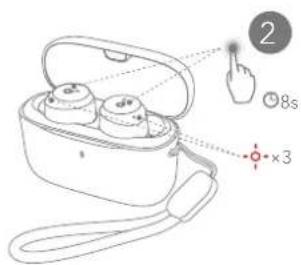

흰색으로 유지됨

흰색으로 깜박임

빨간색으로 점멸
Google Play and the Google Play logo are trademarks of Google Inc.

Apple and the Apple logo are trademarks of Apple Inc.

Google Play and the Google Play logo are trademarks of Google Inc.

Apple and the Apple logo are trademarks of Apple Inc.


穩定亮起白燈

閃爍白燈

閃爍紅燈
Google Play and the Google Play logo are trademarks of Google Inc.

Apple and the Apple logo and trademarks of Apple Inc.

1


2
3

2

♪

m = 311

-
♪

C

The Ground Truth image displays a single, solid horizontal line. According to Rule 2 (UNDERSCORE & LINE RULES), this is a stylistic or background line, not a placeholder underscore. Therefore, the OCR result must ignore it and output nothing or only meaningful text. The provided OCR content is "____", which consists of four underscores. This is an incorrect interpretation of the line as a placeholder, violating the rule that stylistic lines must be ignored. The OCR has hallucinated underscores where none should exist based on the GT's visual context. Hence, the OCR result is inconsistent with the Ground Truth.

[Non-Text]
C


[Non-Text]

[Non-Text]

[Non-Text]
[Non-Text]


natural_image
Line drawing of a closed electronic device with a strap and handle (no text or symbols)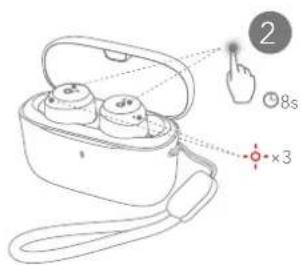
Google Play and the Google Play logo are trademarks of Google Inc.

Apple and the Apple logo are trademarks of Apple Inc.

natural_image
Line drawing of a closed electronic device with a strap and handle, no text or symbols present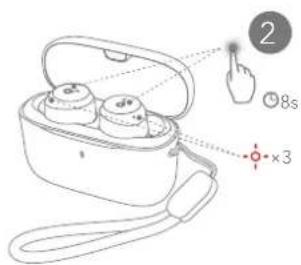
אַלְרָה
。
הכלה

תְרָה בְּרָה אַלְא