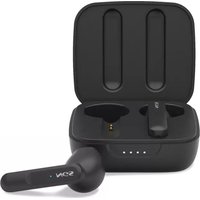
Artica MOVE - Earplug NGS - Free user manual and instructions
Find the device manual for free Artica MOVE NGS in PDF.


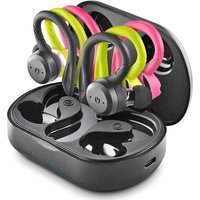
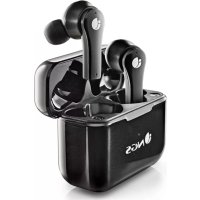
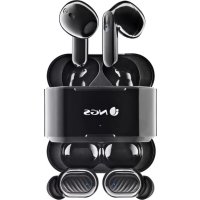
| Product Type | In-ear wireless headphones |
| Model | Artica MOVE |
| Brand | NGS |
| Connection Technology | Bluetooth |
| Bluetooth Frequency Range | 2402 MHz - 2480 MHz |
| Frequency Response | 20 Hz - 20 kHz |
| Signal-to-Noise Ratio | >101 dB |
| Nominal Power | 3 mW |
| Working Distance | Up to 10 m |
| Earphone Battery Capacity | 35 mAh |
| Base Battery Capacity | 400 mAh |
| Base Voltage | 3.7 V |
| Earphone Battery Life | 6 h at 100% volume, 7 h at 70%, 8 h at 50% |
| Battery Life with Base | 28 h |
| Number of Recharges via Base | 3 times |
| Base Charging Time | 3 hours |
| Charging Type | USB-C |
| Control | Touch and multifunction button |
| Functions | Play/pause, volume, track navigation, call management, voice assistant |
| Maintenance | Clean with a soft dry cloth |
| Safety | Recyclable battery, do not throw in fire |
| Warranty | 2 years (battery: 12 months) |
| Recycling | Do not throw with household waste, take to recycling center |
Frequently Asked Questions - Artica MOVE NGS
User questions about Artica MOVE NGS
0 question about this device. Answer the ones you know or ask your own.
Ask a new question about this device
Download the instructions for your Earplug in PDF format for free! Find your manual Artica MOVE - NGS and take your electronic device back in hand. On this page are published all the documents necessary for the use of your device. Artica MOVE by NGS.
USER MANUAL Artica MOVE NGS
Welcome to use these Bluetooth earphones, Artica Move. Please read this user's manual carefully before using it.
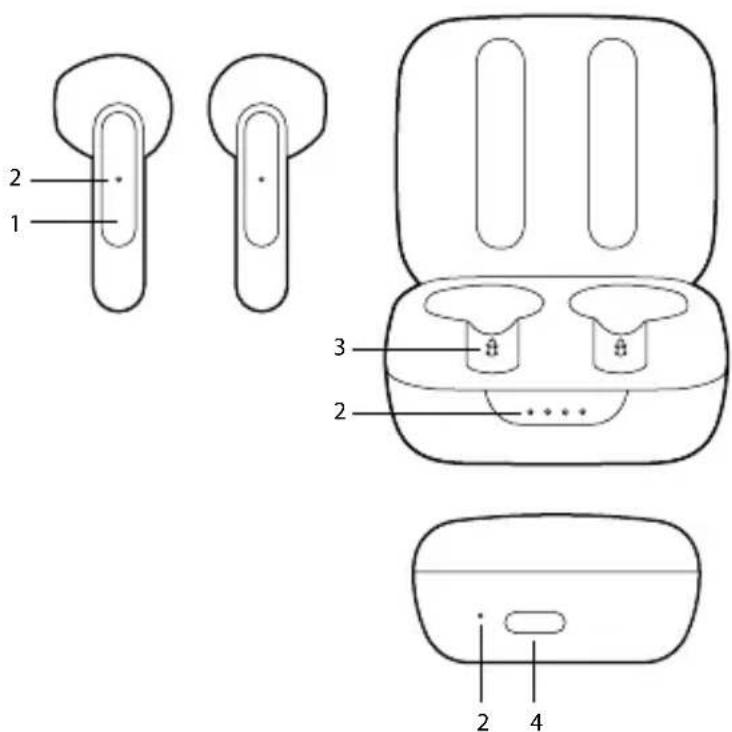
OVERVIEW
1 Touch area
2 LED indicator
3 Charging connection points
4 USB type C input
ENGLISH

CHARGE STATUS
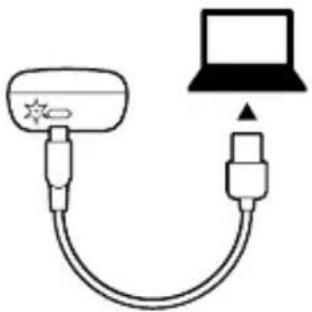
First time charging
Before you use these Bluetooth earphones, please charge the battery fully.
Dock charge status
Charging - Red charging LED on the base is on.
Charged - LED off.
Low battery:
When the charging base's battery is below 10%, the blue LED on the front flashes to indicate that it needs to be charged.
natural_image
Simple line drawing of a cable with a connector and a laptop icon (no text or symbols)Earphones charge status
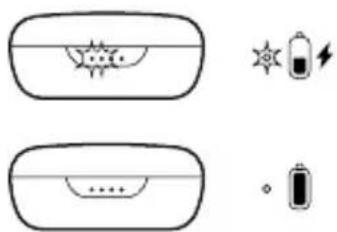
Blue LED on the front of the base is steady - Charging Front LED of the base is off - Charged
natural_image
Simple line drawings of a device with internal components and battery symbols (no text or labels)
Warning:
-
The battery is recyclable.
-
Do not dispose of the battery in fire, as it may cause explosion.
USER'S MANUAL
| L | R | |
| Remove the earphones to turn them on. | 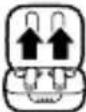 | |
| Insert the earphones into the base and they will turn off automatically | 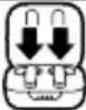 | |
| Press for 10 seconds to turn off | 10s 1 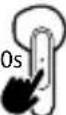 | 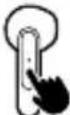 |
| Press for 5 seconds to turn them on again | 5s 5 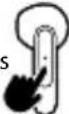 | |
PAIRING EARPHONES WITH BLUETOOTH DEVICES
| 1 | 2 |
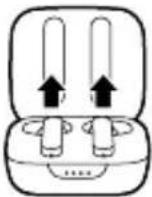 | 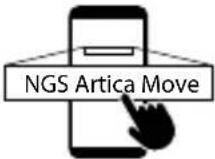 |
| Remove the earphones to turn them on | Search your mobile for the Bluetooth options NGS ARTICA MOVE to pair them |
MULTIFUNCTION BUTTON CONTROLS
L  | R  | L  | R  | ||
| Press once to play or pause | x1 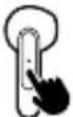 | Hold down to increase or decrease the volume | 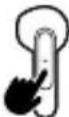 | ||
| Press twice to go back or forward a track | x2 x: 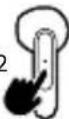 | 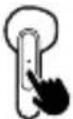 | Press for 2 seconds to reject an incoming call | 2s 2 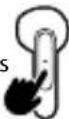 | |
| When receiving a call, press once to answerDuring a call, press once to hang up | x1 x' 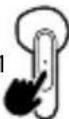 | 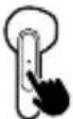 | Press once to activate the voice assistant | x1 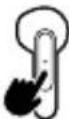 |
USER'S MANUAL
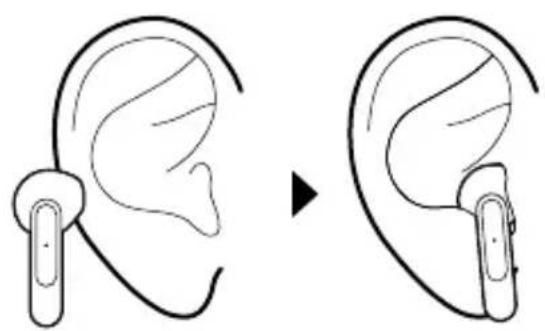
HOW TO USE SPECIFICATIONS
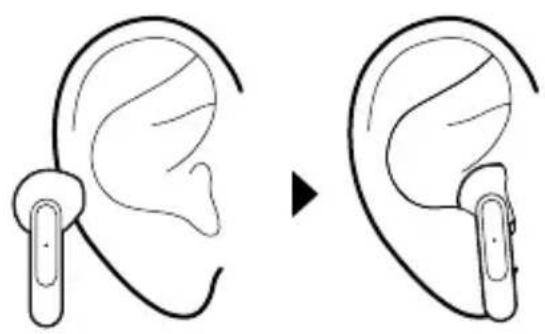
natural_image
Diagram showing ear replacement process: before and after ear positioning (no text or symbols)Bluetooth version: 5.3
Chipset: JL6983
Earphones battery: 35mAh
Base battery: 400mAh
Rated power: 3mW
Frequency response: 20-20kHz
Signal-to-noise ratio: >101dB
Frequency range: 2402MHz\~2480MHz
Charging dock: 400mAh / 3,7 V
Charge earphones 3 times
Dock charging time: 3 hours
Working distance: up to 10m
* 6 hours at 100% volume
7 hours at 70% volume
8 hours at 50% volume
** 28 hours with charging base
ENGLISH

WARRANTY
Limited warranty. NGS warrants that any hardware products accompanying this documentation shall be free from significant defects in material and workmanship for a period of two (2) years, three (3) years or five (5) years from the date of purchase. NGS's limited warranty is non-transferable and is limited to the original purchaser. This warranty gives you specific legal rights, and you may also have other rights, which vary under local laws.
Battery warranty. The battery is a consumer product, and as such it is under warranty for 12 months.
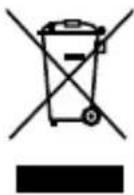
If at any time in the future you should need to dispose of this product please note that: Waste electrical products should not be disposed of with household waste. Please recycle where facilities exist.
Check with your Local Authority or retailer for recycling advice.
(Waste Electrical and Electronic Equipment Directive)
MANUEL DE L'UTILISATEUR

natural_image
Simple line drawing of a cable with a connector and a laptop icon (no text or symbols)natural_image
Simple line drawings of battery components including a sun icon, battery symbol, and battery with lightning bolt (no text or labels)
Attention :
natural_image
Line drawing showing ear before and after insertion, illustrating the change in ear device usage (no text or symbols present)Version Bluetooth : 5.3
Chipset: JL6983
natural_image
Simple line drawing of a cable with a connector and a laptop icon (no text or symbols)natural_image
Simple line drawings of a device with internal components and battery symbols (no text or labels)
Precaución:
natural_image
Diagram showing ear replacement process: before and after ear positioning (no text or symbols)ESPECIFICACIONES
natural_image
Simple line drawing of a cable connector with a laptop icon (no text or symbols)natural_image
Simple line drawings of battery components and a stylized sun icon (no text or symbols)
Warnung:
natural_image
Line drawing showing ear before and after using a wireless ear device (no text or symbols)Bluetooth-Version: 5.3
Chipset: JL6983
natural_image
Simple line drawing of a device with a bulb and connector, connected to a laptop (no text or symbols)natural_image
Simple line drawings of battery symbols and components (no text or labels)
Attenzione:
natural_image
Line drawing showing ear before and after using a wireless earbell device (no text or symbols)Versione Bluetooth: 5.3
Chipset: JL6983
natural_image
Simple line drawing of a device with a bulb and connector, connected to a laptop (no text or symbols)natural_image
Simple line drawings of battery symbols and components (no text or labels)
Aviso:
natural_image
Line drawing showing ear before and after using a wireless ear device (no text or symbols)natural_image
Simple line drawing of a cable connector with a laptop icon (no text or symbols)natural_image
Simple line drawings of a battery and its internal components (no text or symbols)
Ostrzeżenie:
natural_image
Line drawing showing ear before and after using a wireless ear device (no text or symbols)natural_image
Simple line drawing of a cable with connector and antenna, no text or symbols presentnatural_image
Diagram showing battery and charging symbol configurations (no text or labels)
Noteer:
natural_image
Line drawing showing ear before and after using a wireless ear device (no text or symbols)Bluetooth-versie: 5.3
Chipset: JL6983
natural_image
Simple line drawing of a cable with a connector and a laptop icon (no text or symbols)Nabíjení sluchátek
natural_image
Simple line drawings of a device with internal components and battery symbols (no text or labels)
Varování:
natural_image
Line drawing showing ear before and after using a wireless ear device (no text or symbols)Verze Bluetooth: 5.3
Chipset: JL6983
natural_image
Simple line drawing of a connector with a lamp and antenna (no text or symbols)Stav batérie slúchadiel
natural_image
Simple line drawings of battery symbols and components (no text or labels)
Varovanie:
natural_image
Diagram showing ear replacement process: before and after ear positioning (no text or symbols)Verze Bluetooth: 5,3
Chipset: JL6983
natural_image
Simple line drawing of a cable connector with a laptop on top (no text or symbols)natural_image
Simple line drawings of battery compartments and icons (no text or symbols)
Προσοχή:
natural_image
Line drawing showing ear before and after insertion, illustrating the change in ear device usage (no text or symbols present)natural_image
Simple line drawing of a device with a sun icon and connected to a laptop (no text or symbols)natural_image
Simple line drawings of battery, battery icon, and electrical symbols (no text or labels)
Vigyázat:
natural_image
Line drawing showing ear before and after using a wireless ear device (no text or symbols)natural_image
Simple line drawing of a cable with a connector and a laptop icon (no text or symbols)Polnjenje slušalk
natural_image
Simple line drawings of battery symbols and electrical components (no text or labels)
Opozorilo:
natural_image
Diagram showing ear replacement process: before and after ear positioning (no text or symbols)SPECIFIKACIJE
Baterija slušalk: 35mAh
Baterija podstavka: 400mAh
Nazivna moč: 3mW
Odziv frekvence: 20-20kHz
Razmerje signal/šum: >101dB
natural_image
Simple line drawing of a cable with a connector and a laptop icon (no text or symbols)Punjenje slušalica
natural_image
Simple line drawings of battery symbols and components (no text or labels)
Upozorenje:
-
Baterija se može reciklirati.
-
Ne bacajte bateriju u vatru, jer može da izazove eksploziju.
UPUTSTVO ZA UPOTREBU
UKLJUČIVANJE/ISKLJUČIVANJE SLUŠALICA
| L [055W] | R  | |
| Izvucite slušalice da ih uključite |  | |
| Ubacite slušalice u bazu i automatski će se isključiti |  | |
| Držite pritisnuto 10 sekundi da biste ih isključili | 10s 1 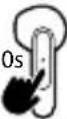 | 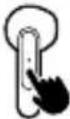 |
| Držite pritisnuto 5 sekunde da biste ih ponovo uključili | 5s 5: 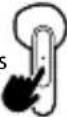 | |
POVEZIVANJE SLUŠALICA SA BLUETOOTH UREĐAJEM
| 1Izvucite slušalice da ih uključite | 2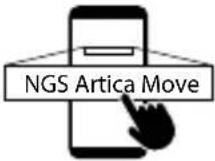 Pronadite NGS ARTICA MOVE Bluetooth opcije na svom mobilnom uređaju da biste uparili uređaje. Pronadite NGS ARTICA MOVE Bluetooth opcije na svom mobilnom uređaju da biste uparili uređaje. |
KOMANDE VIŠENAMENSKOG DUGMETA
| L | R | L | R | ||
| ▶II Pritisnite jednom da biste reprodukovali ili pauzirali | x1 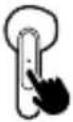 | ||||
| I◀◀ Dva puta pritisnite za prethodnu ili sledeću pesmu | I◀◀ x2 x: 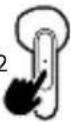 | ▶◀ I 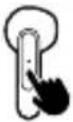 | Držite pritisnuto da biste povećali ili smanjili jačinu zvuka | 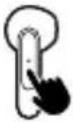 | |
| ◀◀ Pritisnite jednom da biste se javili kada dobijete poziv Tokom poziva pritisnite jednom da biste prekinuli poziv | x1 x' 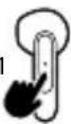 | 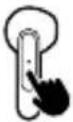 | Držite pritisnuto 2 sekunde da biste odbili dolazni poziv | 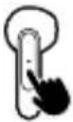 | |
| Pritisnite jednom da biste otvorili glasovnog asistenta | x1 |
UPUTSTVO ZA UPOTREBU
KAKO KORISTITI
natural_image
Line drawing showing ear before and after using a wireless earbell device (no text or symbols)SPECIFIKACIJE
Verzija Bluetooth-a: 5.3
Čipset: JL6983
Baterija slušalica: 35mAh
Baterija baze: 400mAh
Nominalna snaga: 3mW
Frekvencijski odziv: 20-20kHz
Odnos signal/šum: >101dB
natural_image
Simple line drawing of a cable with a connector and a laptop icon (no text or symbols)Ladestatus for øretelefoner
natural_image
Simple line drawings of a device with internal components and battery symbols (no text or labels)
Advarsel:
-
Batteriet er resirkulerbart.
-
Ikke kast batteriet i brann da det kan forårsake eksplosjon.
BRUKERVEILEDNING
SLÅ AV OG PÅ ∅RETELEFONENE
natural_image
Line drawing showing ear before and after using a wireless ear device (no text or symbols)natural_image
Simple line drawing of a cable with a connector and a laptop icon (no text or symbols)natural_image
Simple line drawings of a device with internal components and battery symbols (no text or labels)
Varoitus:
MONITOIMINPAINIKKEEN TOIMINNOT
natural_image
Line drawing showing ear before and after using a wireless ear device (no text or symbols)Bluetooth-versio: 5.3
Piirisarja: JL6983
natural_image
Simple line drawing of a USB cable connecting a device to a laptop (no text or symbols)natural_image
Simple line drawings of a device with internal components and battery symbols (no text or labels)
Varning:
natural_image
Diagram showing ear replacement process: before and after ear positioning (no text or symbols)Bluetooth-version: 5.3
Chipset: JL6983
natural_image
Simple line drawing of a device with a bulb and connector, connected to a laptop (no text or symbols)Høretelefoners opladningsstatus
natural_image
Simple line drawings of a device with internal components and battery symbols (no text or labels)
Advarsel:
natural_image
Line drawing showing ear before and after using a wireless ear device (no text or symbols)Bluetooth-version: 5.3
Chipset: JL6983
natural_image
Simple line drawing of a device with a sun icon and connected to a laptop (no text or symbols)natural_image
Simple line drawings of battery, battery icon, and electrical symbols (no text or labels)
lspėjimas:
natural_image
Line drawing showing ear before and after using a wireless ear device (no text or symbols)Bluetooth versija: 5.3
Chipset'as: JL6983
HAS BEEN TESTED AND FOUND IN CONFORMITY WITH THE FOLLOWING HARMONIZED EUROPEAN STANDARDS:
HA SIDO TESTADO EN CONFORMIDAD CON LAS SIGUIENTES NORMAS STANDARD EUROPEAS ARMONIZADAS:
ETSI EN 301 489-1 V2.2.3 (2019-11) IEC 62321-1:2013
ETSI EN 301 489-17 V3.2.5 (2022-08) IEC 62321-2:2021
EN 55032:2015/A11:2020 IEC 62321-3-1:2013
EN 55035:2017/A11:2020 IEC 62321-5:2013
ETSI EN 300 328 V2.2.2 (2019-07) IEC 62321-4:2013+AMD1:2017
EN 62479: 2010 IEC 62321-6:2015
EN 50663:2017 IEC 62321-7-1:2015
EN 62368-1:2014+A11+:2017 IEC 62321-7-2:2017
IEC 62321-8:2017
AND THEREFORE COMPLY WITH THE ESSENTIAL REQUIREMENTS AND PROVISIONS OF THE FOLLOWING DIRECTIVES OF THE EUROPEAN PARLIAMENT AND EUROPEAN COUNCIL:
Y, POR LO TANTO, CUMPLE CON LOS REQUERIMIENTOS Y PROVISIONES DE LAS SIGUIENTES DIRECTIVAS DEL PARLAMENTO EUROPEO:
RADIO EQUIPMENT DIRECTIVE 2014/53/EU
ROHS DIRECTIVE 2011/65/EU & (EU) 2015/863
technical support: www.ngs.eu/support
www.ngs.eu

FR

- OVERVIEW
- CHARGE STATUS
- First time charging
- Dock charge status
- Earphones charge status
- Warning:
- HOW TO USE SPECIFICATIONS
- WARRANTY
- MANUEL DE L'UTILISATEUR
- Attention :
- Precaución:
- ESPECIFICACIONES
- Warnung:
- Attenzione:
- Aviso:
- Ostrzeżenie:
- Noteer:
- Nabíjení sluchátek
- Varování:
- Stav batérie slúchadiel
- Varovanie:
- Προσοχή:
- Vigyázat:
- Polnjenje slušalk
- Opozorilo:
- SPECIFIKACIJE
- Punjenje slušalica
- Upozorenje:
- UPUTSTVO ZA UPOTREBU
- Ladestatus for øretelefoner
- Advarsel:
- Varoitus:
- Varning:
- Høretelefoners opladningsstatus
- lspėjimas:
Brand : NGS
Model : Artica MOVE
Category : Earplug