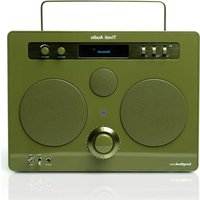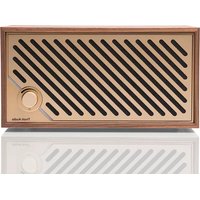
Model Two Digital - Speaker TIVOLI AUDIO - Free user manual and instructions
Find the device manual for free Model Two Digital TIVOLI AUDIO in PDF.


| Product Type | Wi-Fi / Bluetooth Speaker |
| Brand | Tivoli Audio |
| Model | Model Two Digital |
| Dimensions (W x H x D) | 252 mm x 152 mm x 158 mm |
| Weight | 2.2 kg |
| Power Supply | 15 V DC, 2 A (adapter included) |
| Drivers | 1 x 3.5" woofer and 1 x 0.75" tweeter |
| Rated Power | 20 W |
| Wireless Connectivity | Wi-Fi (AirPlay 2, Chromecast built-in, Spotify Connect, TIDAL Connect) |
| Bluetooth | Yes (pair with a device) |
| Auxiliary Input | 3.5 mm jack |
| Service Port | USB (for service use only) |
| Source Modes | Wi-Fi, Bluetooth, Auxiliary |
| Volume Control | Rotary knob on front panel |
| Auto Standby | After 20 minutes of inactivity (normal standby < 0.5 W, network standby < 2 W) |
| Firmware Update | Automatic via Wi-Fi |
| Factory Reset | Press and hold Wi-Fi and BT buttons simultaneously until purple flashing |
| Operating Temperature | 0 to 45 °C |
| Care and Cleaning | Dry cloth, do not expose to water |
| Warranty | 1 year (USA) / 2 years (European Union) |
Frequently Asked Questions - Model Two Digital TIVOLI AUDIO
User questions about Model Two Digital TIVOLI AUDIO
0 question about this device. Answer the ones you know or ask your own.
Ask a new question about this device
Download the instructions for your Speaker in PDF format for free! Find your manual Model Two Digital - TIVOLI AUDIO and take your electronic device back in hand. On this page are published all the documents necessary for the use of your device. Model Two Digital by TIVOLI AUDIO.
USER MANUAL Model Two Digital TIVOLI AUDIO
Limited Warranty....17
Specifications....18
Willkommen....19
Declaration of Conformity....193
WELCOME
Thank you for your purchase! Model Two Digital mixes classic design and the latest technology to create a simple solution for wireless audio in the home. Encased in a furniture grade wood cabinet and finished with a high-quality metal grill, this piece elevates the craftsmanship and technology of the ART by Tivoli Audio product line.
To take full advantage of what your new speaker is capable of, please take a moment to read this owner's manual and the safety instructions. If you have any questions, please do not hesitate to contact your dealer or Tivoli Audio directly.
Please save the carton and original packing should you ever need to ship your radio, as shipping damage is not covered by the factory warranty.
On behalf of all of us, thank you for choosing Tivoli Audio, and enjoy your new Model Two Digital!
Included with your Model Two Digital you should find:
• One (1) External Power Supply and accompanying plugs
• Four (4) Rubber Feet
Please contact your dealer or Tivoli Audio if any of these items are missing.
Tivoli Audio
Boston, MA
USA
www.tivoliaudio.com
info@tivoliaudio.com
Guide to Features
Front Panel
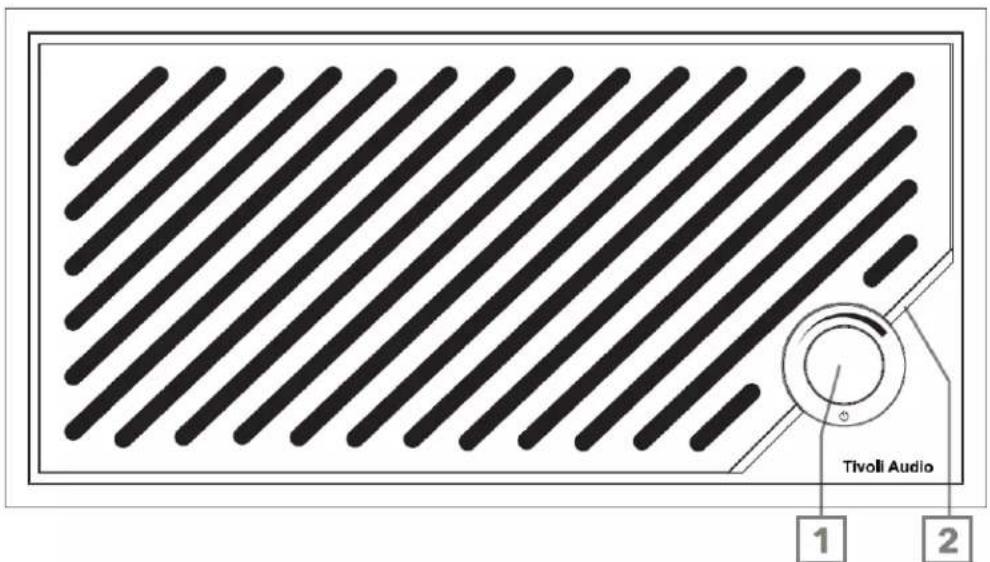
- POWER/SOURCE/VOLUME KNOB: Short press to turn on, press and hold to turn off. Short press to cycle between Wi-Fi, Bluetooth and Aux In sources. Rotate right to increase volume, rotate left to decrease volume.
- LED Light Bar: Used to indicate source mode. In normal operation the LED will glow soft white. The source color will be displayed for 5 seconds after the source is selected before reverting to white.
White: Speaker is powered on and ready to use.
Green: Wi-Fi Mode.
Blue: Bluetooth Mode.
Orange: Auxiliary Mode.
Rear Panel
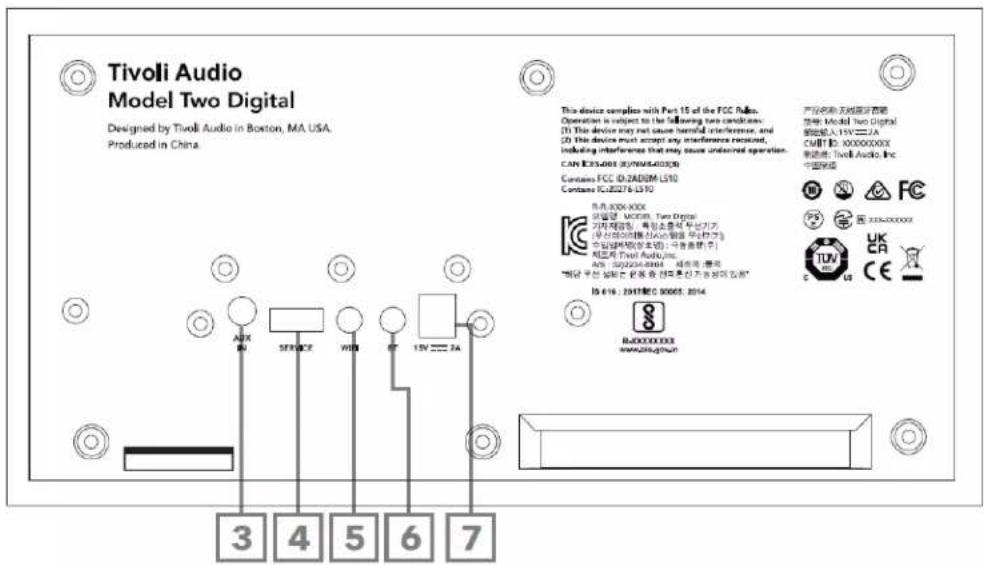
- AUX IN: Plug in music directly with a 3.5mm for a standalone experience.
- SERVICE: USB Service port. Only for use by an Authorized Tivoli service center.
- WI-FI Button: Single Press to enter Wi-Fi Setup Enabled Mode.
- BT Button: Single Press to enter Bluetooth pairing mode.
- DC Power: Plug in the provided Tivoli Audio 15V 2A power adapter to power your Model Two Digital.
Auxiliary Mode
Your Model Two Digital can be used as a standalone speaker. Simply use an 1/8" stereo cable to attach any line or headphone level source into the AUX input on the back of your speaker. On the front of your speaker, short press the power knob until the LED is Orange. You can control the volume of the speaker using the volume control on the Model Two Digital or with the volume control of your audio source.
Bluetooth Mode
Pairing
Your Model Two Digital can act as a standalone Bluetooth speaker.
- Turn on your unit by short pressing the power knob.
- On your speaker, short press the power knob until the LED Light Bar is Blue.
- The LED light will flash blue, indicating pairing mode. If your speaker is not in pairing mode, press the BT Button on the rear of the speaker.
- Go to the Bluetooth settings on your phone or tablet.
- Select the device that has a name similar to "Tivoli Audio M2D_XXXXXX".
- Once the LED Light Bar shines solid blue, you are paired to the radio. After 5 seconds, the light will revert to soft white.
- You can begin playing your music via Bluetooth.
WiFi Mode
Wi-Fi Setup with Apple AirPlay 2
- Turn on your unit by short pressing the power knob.
- Set your speaker to Wi-Fi mode by short pressing the power knob until the LED light is Green. The LED will blink green, indicating Wi-Fi Setup mode. If your speaker is not in Wi-Fi Setup mode: short press the "Wi-Fi" button on the rear of the unit.
-
On your iOS device, go to Wi-Fi Settings. Make sure to connect your iOS device to the network that you intend to use your Model Two Digital.
-
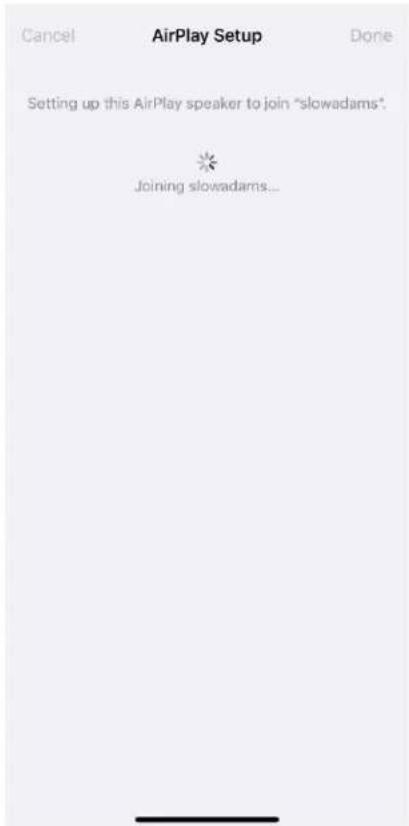
Scroll down to "Set Up New AirPlay Speaker..." and select "Tivoli Audio M2D_XXXXXX".
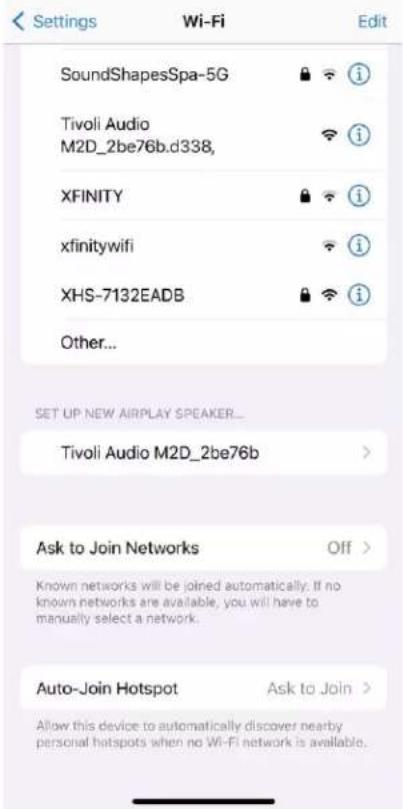
- Rename your speaker (recommended) and create a password (optional).
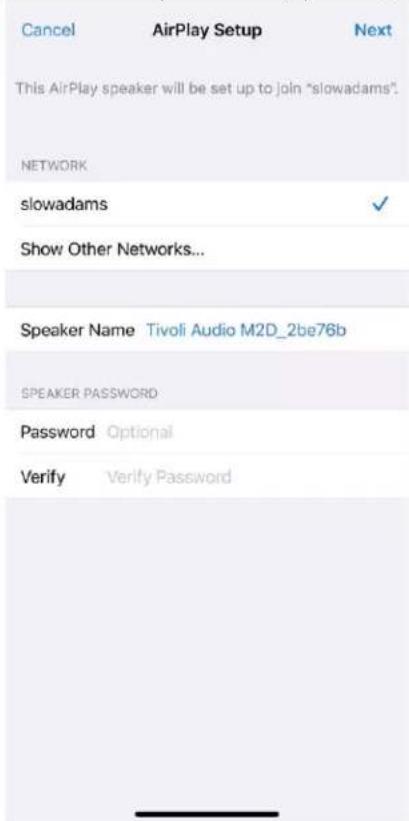
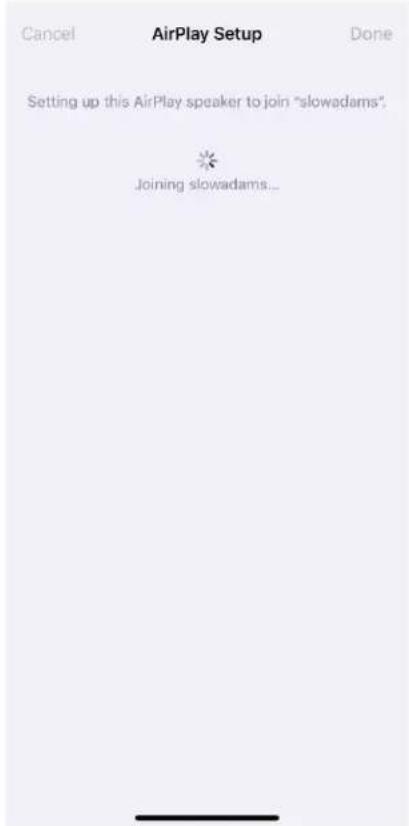
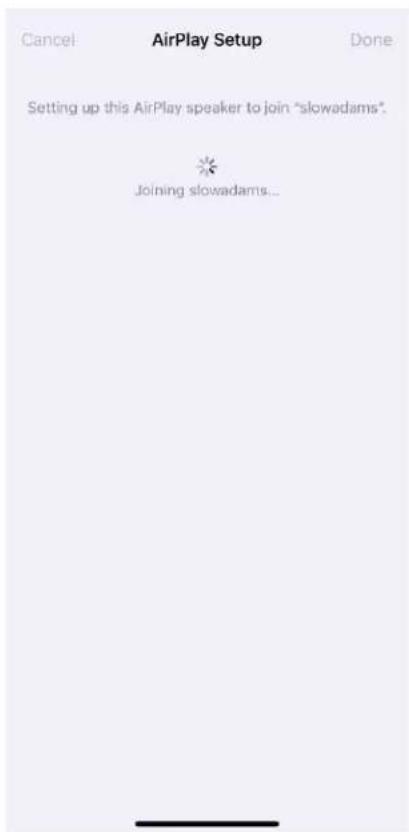
- Select "Next" and wait for the connection.
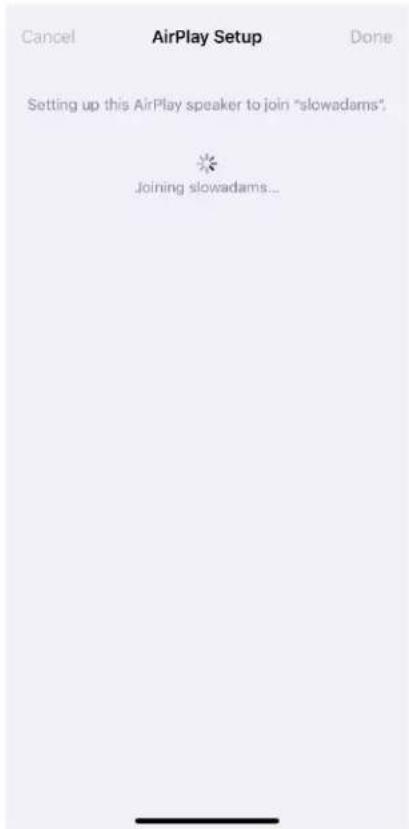
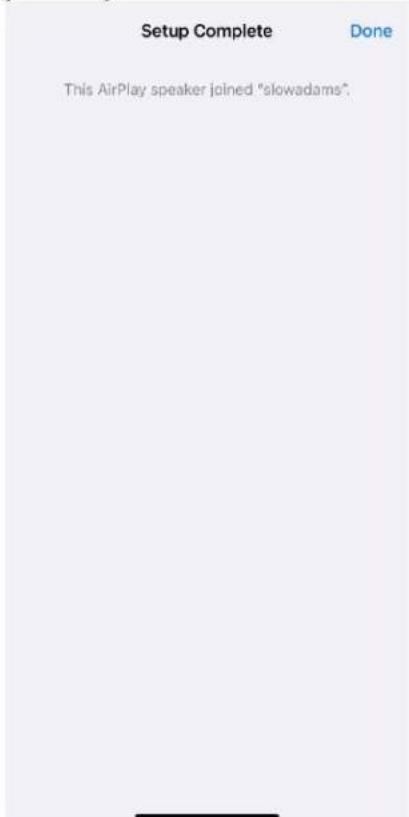
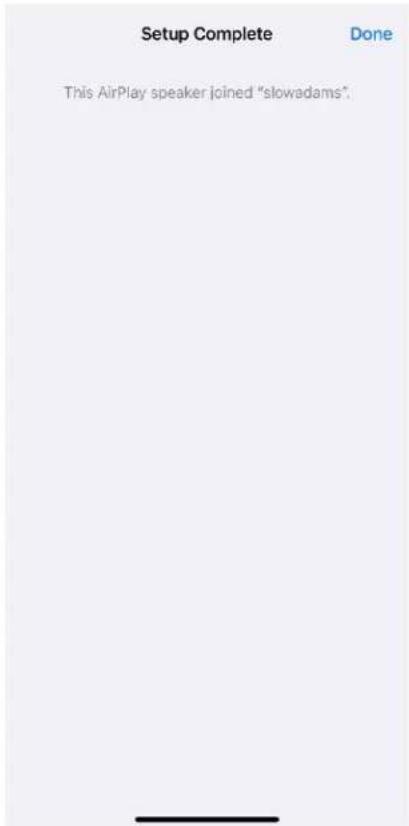
- Wait for the connection confirmation, select "Done".
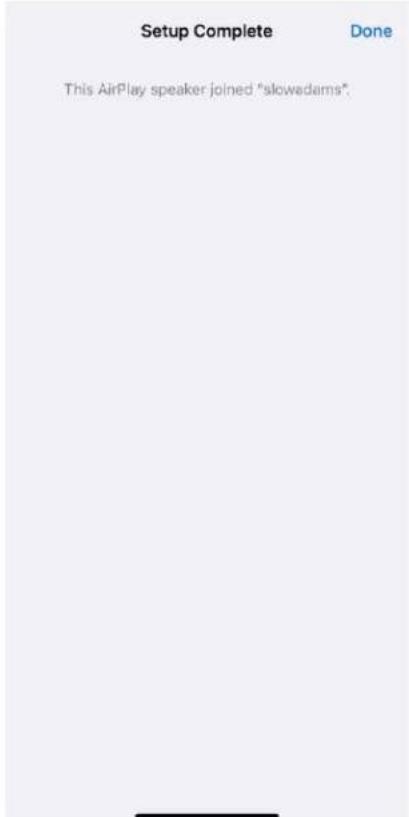
- Once connected the LED Light Bar displays solid green. After 5 seconds the light will revert to soft white.
- Your speaker is now ready to use with AirPlay 2. With AirPlay 2, you're in control of your audio.
For additional support, please visit support.apple.com
Wi-Fi Setup with Google Home
- Turn on your unit by short pressing the power knob.
- Install the Google Home app by downloading the Google Home app on your Chromecast-enabled smart phone/tablet.
- Make sure to connect your smart phone/tablet to the same network that you intend to use to set up your Model Two Digital with Chromecast built-in.
- Set your speaker to Wi-Fi mode by short pressing the power knob until the LED Light Bar is Green.
- The LED will blink green, indicating Wi-Fi Setup mode. If your speaker is not in Wi-Fi Setup mode, press the Wi-Fi button on the rear of the unit.
-
Open the Google Home app on your smart phone/tablet.
-
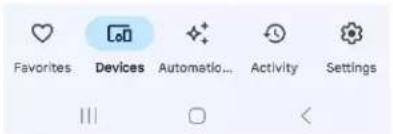
Tap "Devices", then "+ Add" and follow the on-screen directions.
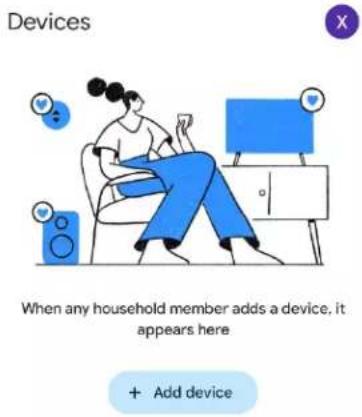
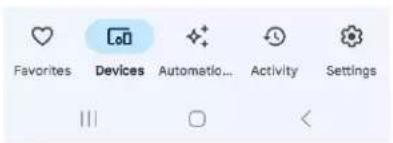
- Tap set up a device a new devices.

Set up a device
Set up a new device or add an existing device or service to your home
New device Add a Chromecast, Google Nest speaker or display, Nest Wifi, a Matter-enabled smart home device, or a partner device, including those labeled "Seamless Setup with the Google Home App."
Works with Google Link one of your existing devices or services, like connected light bulbs or plugs.

- Create a new home or choose an existing home.
:
Choose a home
You will be able to control the devices and services in this home

Tivoli Audio
28 Atlantic Ave, Boston, MA 02110, USA

Add another home

III
□
<
- You should see "Tivoli Audio Model Two Digital" Found. Tap "Yes".
:
Model Two Digital
Speaker found
Would you like to set up this device?

Set up a different device
Skip
Yes
III
□
<
- Wait for your device to connect.
:
Connecting to Model Two Digital Speaker...
Your phone or tablet may disconnect from Wi-Fi during setup

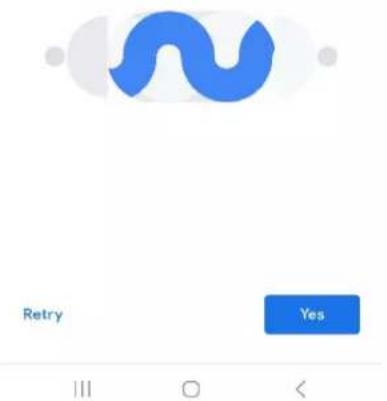
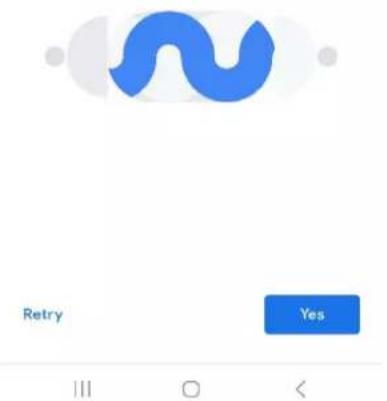
- Select "yes" when you hear the sound from the speaker.
:
Did you hear the sound?
This lets you know you're connected to the right Model Two Digital Speaker

Retry

III
□
<
- Decide whether or not you would like to opt in to Google's device stats and crash reports. There are no wrong answers!
:
Help improve Model Two Digital Speaker
Automatically share device stats and crash reports with Google to improve everyone's experience. Learn more

natural_image
Abstract graphic with blue, yellow, and green circular shapes over a geometric grid (no text or symbols)No thanks
Yes, I'm in
|||
□
<
- Choose a location for your device, for example "Living Room".
:
Where is this device?
Choose a location for your Model Two Digital Speaker. This will help name and organize your devices.
My rooms

Living Room
Create new
Attic
Back door
Backyard
Basement
Next
|||
□
<
- Create a unique name for your Model Two Digital.
- Select the WiFi network you would like your speaker to be connected to.
:
Connect to Wi-Fi
Choose the Wi-Fi network you would like to use with your Model Two Digital Speaker

SoundShapesSpa

XHS-7132EADB

slowadams

fastadams

Accucom Wifi

CypressEXT2.4G

xfinitywifi
Cancel
Next
III
□
<
- Wait while your Model Two Digital connects to your WiFi network. Once your device is connected the LED will show solid Green for 5 seconds, before reverting to white.
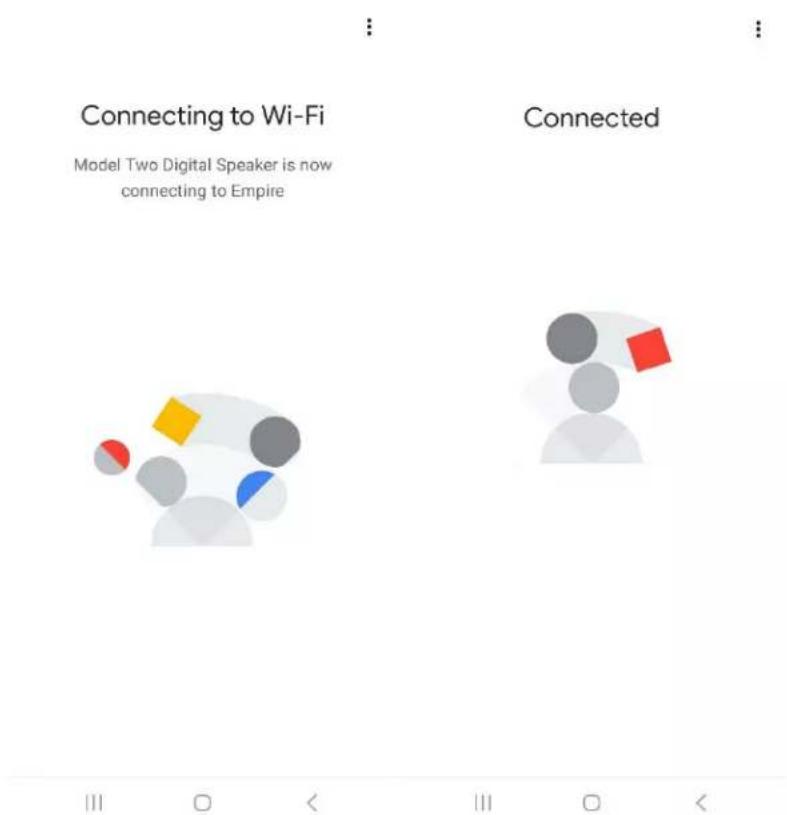
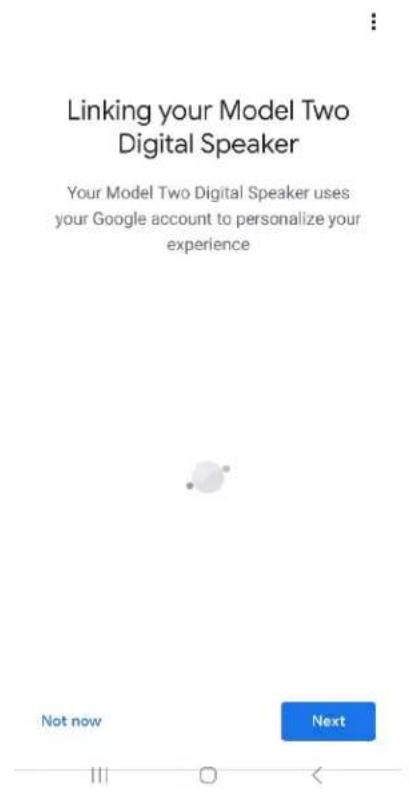
- If you would like to link your Google account to your Model Two Digital, you can choose to do so on this screen.
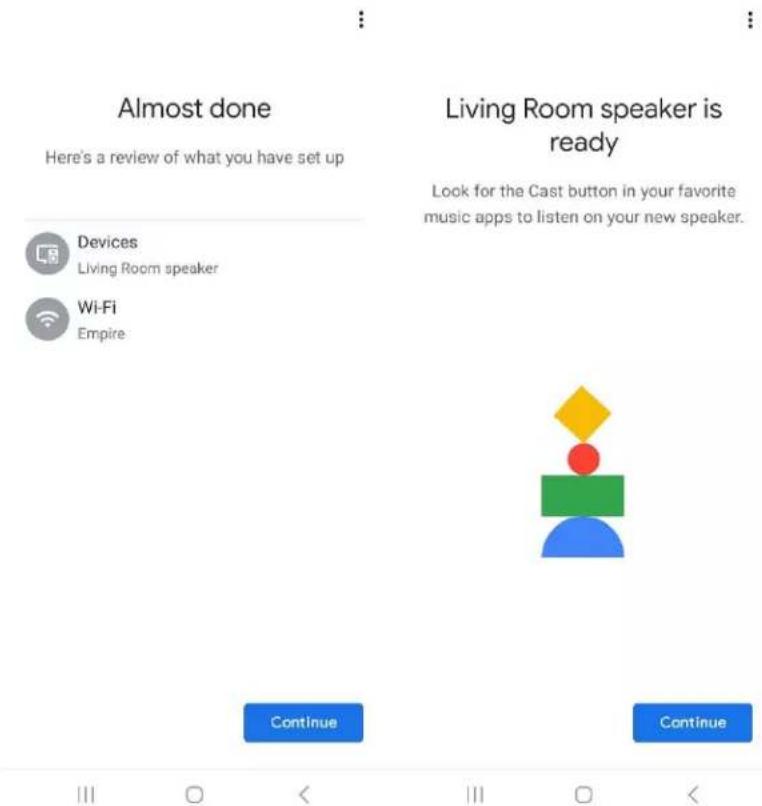
- After reviewing your setup, your Model Two Digital is ready to use. Look for the Cast button in your favorite music apps to listen on your new speaker.
- Once connected, stream the entertainment you love from your phone, tablet or laptop to your Model Two Digital.
For additional support, please visit support.google.com/chromecast
How to use Chromecast built-in:
- Open any Chromecast-enabled app.
- Select the CAST button in the app.
- Select the Model Two Digital.
- Press the PLAY button in the app.
For additional support, please visit support.google.com/chromecast
How to use AirPlay 2:
- Connect your iOS device to the same network as your Model Two Digital.
- On your iOS device, open the Control Center.
- Press and hold the audio card in the upper-right corner, then tap AirPlay.
- Select your Model Two Digital from the list of available AirPlay devices and start playing.
For additional support, please visit support.apple.com
How to use Spotify Connect:
Use your phone, tablet or computer as a remote control for Spotify. Go to spotify.com/connect to learn how.
The Spotify Software is subject to third party licenses found here: https://www.spotify.com/connect/third-party-licenses
English
How to use TIDAL Connect:
Play a song and tap on the 'Now Playing' bar.
Tap on the device selector at the top right.
Choose a TIDAL Connect-enabled device.
Other Information
Firmware Updates
Your Model Two Digital will have periodic software updates about every 4 months (and also possibly when you first use the product). The speaker will automatically update itself when it is connected to WiFi. No need to do anything!
Factory Reset
A factory reset will restore all features on your Model Two Digital to their default settings. When your speaker is powered on and displaying a solid white LED, press and hold the WiFi and BT buttons until the LED blinks purple. Release the buttons. Model Two Digital will automatically reboot once the factory reset is complete.
Standby Mode
If your Model Two Digital is powered on and sitting idle, it will automatically enter a standby mode.
Normal Standby: When the Model Two Digital has not been connected to WiFi, or paired to Bluetooth, the speaker will enter normal standby after 20 minutes of not playing audio. To wake the speaker, single press the Power/Source Knob. Power consumption in Normal Standby mode is less than 0.5W.
Network Standby: When the Model Two Digital has been connected to WiFi and/or paired, the speaker will enter network standby after 20 minutes of not playing audio. Network standby mode is indicated by a dim white LED. To wake the speaker, single press the Power/Source knob or select the speaker from the Control Center, CAST menu, Spotify Connect menu or Tidal Connect menu. Power consumption in Network Standby mode is less than 2W.
Care
A dry cloth is recommended to clean the back and wooden cabinet and metal grill of your Model Two Digital. Do not expose to water.
Limited Warranty
Tivoli Audio manufactures its products to very high standards and we are confident our products will perform well. Accordingly, we warranty our products against manufacturing defects in material and workmanship to the original owner, for a period of one year in the United States and two years in the European Union from the original date of purchase. For countries where minimum warranty terms are determined by statute, the warranty term is the statutory period required. In all other locations, the warranty term is one year.
This warranty does not extend to damage caused by improper installation, faulty ancillary equipment, modifications, unauthorized repair, shipping damage or loss, abuse, accidents, use on improper voltage/current, lightning or other acts of God, normal wear and tear, commercial use, or purchase from unauthorized dealers. Proof of purchase as evidence the unit was purchased from an authorized dealer within the warranty period may be required for warranty service. Should service be necessary, please do NOT return the product without first contacting your dealer or Tivoli Audio.
This warranty is non-transferable. Tivoli Audio will not pay for loss of time, inconvenience, loss of use of the product, or damages caused by this product.
This warranty gives you specific legal rights and you may also have other rights which vary from state to state. Some states do not allow limitations on implied warranties or the exclusion of consequential damages, therefore, these restrictions may not apply to you.
For more warranty information please visit us at www.tivoliaudio.com For European warranty information please visit us at www.tivoliaudio.eu
Specifications
| Model: | Model Two Digital |
| Type: | WiFiTM / Bluetooth®Speaker |
| Drivers: | 1x 3.5" Driver, 1x 0.75" Tweeter |
| Rated Output: | 20W |
| Rated Input: | 15Vdc, 2A |
| AC Adapter: | DYS830-150200W-K |
| Dimensions: | 252mm W x 152mm H x 158mm D |
| Weight: | 4.9lbs, 2.2kgs |
| Operating Temperature: | 0-45°C |
WILLKOMMEN
natural_image
Illustration of a person sitting on a chair using a smartphone, with sound bubbles and a monitor nearby (no text or symbols)When any household member adds a device, it appears here
+ Add device
Set up a new device or add an existing device or service to your home
New device
display, Nest Wifi, a Matter-enabled smart home device, or a partner device, including those labeled "Seamless Setup with the Google Home App."
Works with Google Link one of your existing devices or services, like connected light bulbs or plugs.
III O <
You will be able to control the devices and services in this home

Tivoli Audio
28 Atlantic Ave, Boston, MA 02110, USA

Add another home
Next
III
□
<
Would you like to set up this device?

Set up a different device
Skip
Yes
III
□
<
Connecting to Model Two Digital Speaker...
Your phone or tablet may disconnect from Wi-Fi during setup

Cancel
III
□
<
Did you hear the sound?
This lets you know you're connected to the right Model Two Digital Speaker

Retry

III
□
<
Help improve Model Two Digital Speaker
Automatically share device stats and crash reports with Google to improve everyone's experience. Learn more

natural_image
Abstract graphic with blue, yellow, and green circular shapes over a geometric grid (no text or symbols)No thanks
Yes, I'm in
|||
□
<
Where is this device?
Choose a location for your Model Two Digital Speaker. This will help name and organize your devices.
My rooms

Living Room
Create new
Attic
Back door
Backyard
Basement
Next
|||
□
<
Choose the Wi-Fi network you would like to use with your Model Two Digital Speaker

SoundShapesSpa

XHS-7132EADB

slowadams

fastadams

Accucom Wifi

CypressEXT2.4G

xfinitywifi
Cancel
Next
III
□
<
Model Two Digital Speaker is now connecting to Empire.
Connected


III □ < III □ <
Linking your Model Two Digital Speaker
Your Model Two Digital Speaker uses your Google account to personalize your experience

Not now
Next
111
□
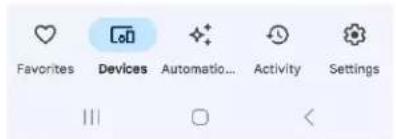
Set up a new device or add an existing device or service to your home.

New device
Add a Chromecast, Google Nest speaker or display, Nest Wifi, a Matter-enabled smart home device, or a partner device, including those labeled "Seamless Setup with the Google Home App."

Works with Google
Link one of your existing devices or services, like connected light bulbs or plugs.
III □ <
You will be able to control the devices and services in this home

Tivoli Audio
28 Atlantic Ave, Boston, MA 02110, USA

Add another home

III □ <
Model Two Digital Speaker found
Would you like to set up this device?

Set up a different device
Skip

III
□
<
:
Connecting to Model Two Digital Speaker...
Your phone or tablet may disconnect from Wi-Fi during setup

Cancel
|||
□
<
Did you hear the sound?
This lets you know you're connected to the right Model Two Digital Speaker

Retry

III
□
<
Help improve Model Two Digital Speaker
Automatically share device stats and crash reports with Google to improve everyone's experience. Learn more

natural_image
Abstract graphic with geometric shapes and color blocks (no text or symbols)No thanks
Yes, I'm in
|||
□
<
Where is this device?
Choose a location for your Model Two Digital Speaker. This will help name and organize your devices.
My rooms

Living Room
Create new
Attic
Back door
Backyard
Basement
Choose the Wi-Fi network you would like to use with your Model Two Digital Speaker

SoundShapesSpa

XHS-7132EADB

slowadams

fastadams

Accucom Wifi

CypressEXT2.4G

xfinitywifi
Cancel
Model Two Digital Speaker is now connecting to Empire.
Connected



Linking your Model Two Digital Speaker
Your Model Two Digital Speaker uses your Google account to personalize your experience

Not now
Next
This AirPlay speaker joined "slowadams".
natural_image
Illustration of a person sitting on a chair using a smartphone, with sound waves and a monitor nearby (no text or symbols)When any household member adds a device, it appears here
+ Add device
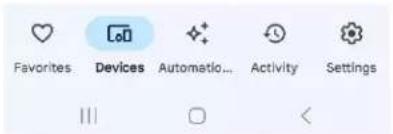
Set up a new device or add an existing device or service to your home
New device
display, Nest Wifi, a Matter-enabled smart home device, or a partner device, including those labeled "Seamless Setup with the Google Home App."
Works with Google Link one of your existing devices or services, like connected light bulbs or plugs.
III O <
You will be able to control the devices and services in this home

Tivoli Audio
28 Atlantic Ave, Boston, MA 02110, USA

Add another home

III
□
<
Would you like to set up this device?

Set up a different device
Skip
Yes
III
□
<
Connecting to Model Two Digital Speaker...
Your phone or tablet may disconnect from Wi-Fi during setup

Cancel
III
□
<
Did you hear the sound?
This lets you know you're connected to the right Model Two Digital Speaker

Retry

III
□
<
Help improve Model Two Digital Speaker
Automatically share device stats and crash reports with Google to improve everyone's experience. Learn more

natural_image
Abstract graphic with blue, yellow, and green circular shapes over a geometric grid (no text or symbols)No thanks
Yes, I'm in
|||
□
<
Where is this device?
Choose a location for your Model Two Digital Speaker. This will help name and organize your devices.
My rooms

Living Room
Create new
Attic
Back door
Backyard
Basement
Next
|||
□
<
Choose the Wi-Fi network you would like to use with your Model Two Digital Speaker

SoundShapesSpa

XHS-7132EADB

slowadams

fastadams

Accucom Wifi

CypressEXT2.4G

xfinitywifi
Cancel
Next
III
□
<
Model Two Digital Speaker is now connecting to Empire.
Connected



Linking your Model Two Digital Speaker
Your Model Two Digital Speaker uses your Google account to personalize your experience

Not now
Next

natural_image
Illustration of a person sitting on a chair using a smartphone, with sound waves and a monitor nearby (no text or symbols)When any household member adds a device, it appears here
+ Add device
Set up a new device or add an existing device or service to your home
New device
display, Nest Wifi, a Matter-enabled smart home device, or a partner device, including those labeled "Seamless Setup with the Google Home App."
Works with Google Link one of your existing devices or services, like connected light bulbs or plugs.
III O <
You will be able to control the devices and services in this home

Tivoli Audio
28 Atlantic Ave, Boston, MA 02110, USA

Add another home
Next
III
□
<
Would you like to set up this device?

Set up a different device
Skip
Yes
III
□
<
Connecting to Model Two Digital Speaker...
Your phone or tablet may disconnect from Wi-Fi during setup

Did you hear the sound?
This lets you know you're connected to the right Model Two Digital Speaker
Help improve Model Two Digital Speaker
Automatically share device stats and crash reports with Google to improve everyone's experience. Learn more

natural_image
Abstract graphic with geometric shapes and color blocks (no text or symbols)No thanks
Yes, I'm in
|||
□
<
Where is this device?
Choose a location for your Model Two Digital Speaker. This will help name and organize your devices.
My rooms

Living Room
Create new
Attic
Back door
Backyard
Basement
Next
|||
□
<
Choose the Wi-Fi network you would like to use with your Model Two Digital Speaker

SoundShapesSpa

XHS-7132EADB

slowadams

fastadams

Accucom Wifi

CypressEXT2.4G

xfinitywifi
Cancel
Next
III
□
<
Linking your Model Two Digital Speaker
Your Model Two Digital Speaker uses your Google account to personalize your experience

Not now
Next
111
□
This AirPlay speaker joined "slowadams".
natural_image
Illustration of a person sitting on a chair using a smartphone, with sound waves and a monitor nearby (no text or symbols)When any household member adds a device, it appears here
+ Add device
Set up a new device or add an existing device or service to your home
New device
display, Nest Wifi, a Matter-enabled smart home device, or a partner device, including those labeled "Seamless Setup with the Google Home App."
Works with Google Link one of your existing devices or services, like connected light bulbs or plugs.
III O <
- Tap a device set a new devices.
:
Choose a home
You will be able to control the devices and services in this home

Tivoli Audio
28 Atlantic Ave, Boston, MA 02110, USA

Add another home
Next
III
□
<
Would you like to set up this device?

Set up a different device
Skip
Yes
III
□
<
- Wacht tot je apparaat verbinding maakt.
:
Connecting to Model Two Digital Speaker...
Your phone or tablet may disconnect from Wi-Fi during setup

Cancel
III
□
<
Did you hear the sound?
This lets you know you're connected to the right Model Two Digital Speaker

Retry

III
□
<
Help improve Model Two Digital Speaker
Automatically share device stats and crash reports with Google to improve everyone's experience. Learn more

natural_image
Abstract graphic with geometric shapes and color blocks (no text or symbols)No thanks
Yes, I'm in
|||
□
<
Where is this device?
Choose a location for your Model Two Digital Speaker. This will help name and organize your devices.
My rooms

Living Room
Create new
Attic
Back door
Backyard
Basement
Next
|||
□
<
Choose the Wi-Fi network you would like to use with your Model Two Digital Speaker

SoundShapesSpa

XHS-7132EADB

slowadams

fastadams

Accucom Wifi

CypressEXT2.4G

xfinitywifi
Cancel
Next
III
□
<
Model Two Digital Speaker is now connecting to Empire.
Connected



Linking your Model Two Digital Speaker
Your Model Two Digital Speaker uses your Google account to personalize your experience

Not now
Next
- Velg "Neste" og vent på tilkoblingen.
- Vent på tilkoblingsbekreftelsen, og velg "Ferdig".
natural_image
Illustration of a person sitting on a chair using a smartphone, with sound waves and a monitor nearby (no text or symbols)When any household member adds a device, it appears here
+ Add device
- Trykk på Konfigurer en enhet en nye enheter.


Set up a device
Set up a new device or add an existing device or service to your home

New device
Add a Chromecast, Google Nest speaker or display, Nest Wifi, a Matter-enabled smart home device, or a partner device, including those labeled "Seamless Setup with the Google Home App."

Works with Google
Link one of your existing devices or services, like connected light bulbs or plugs.


You will be able to control the devices and services in this home

Tivoli Audio
28 Atlantic Ave, Boston, MA 02110, USA

Add another home
Next
III
□
<
Would you like to set up this device?

Set up a different device
Skip
Yes
III
□
<
Connecting to Model Two Digital Speaker...
Your phone or tablet may disconnect from Wi-Fi during setup

Did you hear the sound?
This lets you know you're connected to the right Model Two Digital Speaker
Help improve Model Two Digital Speaker
Automatically share device stats and crash reports with Google to improve everyone's experience. Learn more

natural_image
Abstract graphic with geometric shapes and color blocks (no text or symbols)No thanks
Yes, I'm in
|||
□
<
Where is this device?
Choose a location for your Model Two Digital Speaker. This will help name and organize your devices.
My rooms

Living Room
Create new
Attic
Back door
Backyard
Basement
Next
|||
□
<
Choose the Wi-Fi network you would like to use with your Model Two Digital Speaker

SoundShapesSpa

XHS-7132EADB

slowadams

fastadams

Accucom Wifi

CypressEXT2.4G

xfinitywifi
Cancel
Next
III
□
<
Linking your Model Two Digital Speaker
Your Model Two Digital Speaker uses your Google account to personalize your experience

Not now
Next
111
□
This AirPlay speaker joined "slowadams".
natural_image
Illustration of a person sitting on a chair using a smartphone, with sound waves and a monitor nearby (no text or symbols)When any household member adds a device, it appears here
+ Add device
Set up a new device or add an existing device or service to your home

New device
Add a Chromecast, Google Nest speaker or display, Nest Wifi, a Matter-enabled smart home device, or a partner device, including those labeled "Seamless Setup with the Google Home App."

Works with Google
Link one of your existing devices or services, like connected light bulbs or plugs.


You will be able to control the devices and services in this home

Tivoli Audio
28 Atlantic Ave, Boston, MA 02110, USA

Add another home

III
□
<
Would you like to set up this device?

Set up a different device
Skip
Yes
III
□
<
Connecting to Model Two Digital Speaker...
Your phone or tablet may disconnect from Wi-Fi during setup

Did you hear the sound?
This lets you know you're connected to the right Model Two Digital Speaker
Help improve Model Two Digital Speaker
Automatically share device stats and crash reports with Google to improve everyone's experience. Learn more

natural_image
Abstract geometric design with colored bars and a circle, no text or symbols presentNo thanks
Yes, I'm in
III
□
<
Where is this device?
Choose a location for your Model Two Digital Speaker. This will help name and organize your devices.
My rooms

Living Room
Create new
Attic
Back door
Backyard
Basement
Next
|||
□
<
Choose the Wi-Fi network you would like to use with your Model Two Digital Speaker

SoundShapesSpa

XHS-7132EADB

slowadams

fastadams

Accucom Wifi

CypressEXT2.4G

xfinitywifi
Cancel

III
□
Next
<
Model Two Digital Speaker is now connecting to Empire

Connected

III
□
<
|||
□
<
Linking your Model Two Digital Speaker
Your Model Two Digital Speaker uses your Google account to personalize your experience

Not now
Next


Here's a review of what you have set up

Devices
Living Room speaker

Wi-Fi
Empire
Living Room speaker is ready
Look for the Cast button in your favorite music apps to listen on your new speaker.

Continue
Continue


natural_image
Illustration of a person sitting on a chair using a smartphone, with sound waves and a monitor nearby (no text or symbols)When any household member adds a device, it appears here
+ Add device
Set up a new device or add an existing device or service to your home
New device
display, Nest Wifi, a Matter-enabled smart home device, or a partner device, including those labeled "Seamless Setup with the Google Home App."
Works with Google Link one of your existing devices or services, like connected light bulbs or plugs.
III O <
You will be able to control the devices and services in this home

Tivoli Audio
28 Atlantic Ave, Boston, MA 02110, USA

Add another home

III
□
<
Would you like to set up this device?

Set up a different device
Skip
Yes
III
□
<
Connecting to Model Two Digital Speaker...
Your phone or tablet may disconnect from Wi-Fi during setup

Did you hear the sound?
This lets you know you're connected to the right Model Two Digital Speaker
Help improve Model Two Digital Speaker
Automatically share device stats and crash reports with Google to improve everyone's experience. Learn more

natural_image
Abstract geometric design with colored bars and a circle, no text or symbols presentNo thanks
Yes, I'm in
III
□
<
Where is this device?
Choose a location for your Model Two Digital Speaker. This will help name and organize your devices.
My rooms

Living Room
Create new
Attic
Back door
Backyard
Basement

|||
□
<
Choose the Wi-Fi network you would like to use with your Model Two Digital Speaker

SoundShapesSpa

XHS-7132EADB

slowadams

fastadams

Accucom Wifi

CypressEXT2.4G

xfinitywifi
Cancel

III
□
Next
<
Linking your Model Two Digital Speaker
Your Model Two Digital Speaker uses your Google account to personalize your experience

Not now
Next


Here's a review of what you have set up

Devices
Living Room speaker

Wi-Fi
Empire
Living Room speaker is ready
Look for the Cast button in your favorite music apps to listen on your new speaker.

Continue
Continue


- 「次へ」を選択し、接続を待ちます。
- 接続確認を待ち、「完了」を選択します。
Setup Complete
Done
This AirPlay speaker joined "slowadams".
natural_image
Illustration of a person sitting on a chair using a smartphone, with sound bubbles and a monitor nearby (no text or symbols)When any household member adds a device, it appears here
+ Add device
Set up a new device or add an existing device or service to your home

New device
Add a Chromecast, Google Nest speaker or display, Nest Wifi, a Matter-enabled smart home device, or a partner device, including those labeled "Seamless Setup with the Google Home App."

Works with Google
Link one of your existing devices or services, like connected light bulbs or plugs.


日本語
You will be able to control the devices and services in this home

Tivoli Audio 28 Atlantic Ave, Boston, MA 02110, USA

Add another home
Next
III O <
Model Two Digital Speaker found
Would you like to set up this device?

Set up a different device
Skip
Yes
11
□
<
日本語
- デバイスが接続されるまで待ちます。
:
Connecting to Model Two Digital Speaker...
Your phone or tablet may disconnect from Wi-Fi during setup

Cancel
|||
□
<
Did you hear the sound?
This lets you know you're connected to the right Model Two Digital Speaker

Retry

11
□
<
日本語
Help improve Model Two Digital Speaker
Automatically share device stats and crash reports with Google to improve everyone's experience. Learn more

natural_image
Abstract graphic with colored bars and a donut shape, no text or symbols present.No thanks
Yes, I'm in
III
□
<
Where is this device?
Choose a location for your Model Two Digital Speaker. This will help name and organize your devices.
My rooms

Living Room
Create new
Attic
Back door
Backyard
Basement
Next
III
□
<
日本語
Choose the Wi-Fi network you would like to use with your Model Two Digital Speaker

SoundShapesSpa

XHS-7132EADB

slowadams

fastadams

Accucom Wifi

CypressEXT2.4G

xfinitywifi
Cancel
Next
III
□
<
Linking your Model Two Digital Speaker
Your Model Two Digital Speaker uses your Google account to personalize your experience

Not now
Next
日本語
- 다음을 선택하고 연결을 기다립니다.
- 기기 설정, 새 기기를 탱하세요.
← :
Set up a device
Set up a new device or add an existing device or service to your home

New device
Add a Chromecast, Google Nest speaker or display, Nest Wifi, a Matter-enabled smart home device, or a partner device, including those labeled "Seamless Setup with the Google Home App."

Works with Google
Link one of your existing devices or services, like connected light bulbs or plugs.
III O <
:
Choose a home
You will be able to control the devices and services in this home

Tivoli Audio
28 Atlantic Ave, Boston, MA 02110, USA

Add another home
Next
III □ <
Would you like to set up this device?

Set up a different device
Skip

III
□
<
:
Connecting to Model
Two Digital Speaker...
Your phone or tablet may disconnect from
Wi-Fi during setup

Cancel
III
□
<
Did you hear the sound?
This lets you know you're connected to the right Model Two Digital Speaker

Retry

|||
□
<
Help improve Model Two Digital Speaker
Automatically share device stats and crash reports with Google to improve everyone's experience. Learn more

natural_image
Abstract geometric logo with colored bars and a circular shape (no text or symbols)No thanks
Yes, I'm in
|||
□
<
Where is this device?
Choose a location for your Model Two Digital Speaker. This will help name and organize your devices.
My rooms

Living Room
Create new
Attic
Back door
Backyard
Basement

III
□
<
Choose the Wi-Fi network you would like to use with your Model Two Digital Speaker

SoundShapesSpa

XHS-7132EADB

slowadams

fastadams

Accucom Wifi

CypressEXT2.4G

xfinitywifi
Cancel
Next
|||
□
<
Linking your Model Two Digital Speaker
Your Model Two Digital Speaker uses your Google account to personalize your experience

Not now
Next
111
□
Chromecast built-in사용방법:
- 选择“下一步”并等待连接。
中国人
- 等待连接确认,选择“完成”。
- 点击设置设备和新设备。
← :
Set up a device
Set up a new device or add an existing device or service to your home
New device

Add a Chromecast, Google Nest speaker or display, Nest Wifi, a Matter-enabled smart home device, or a partner device, including those labeled "Seamless Setup with the Google Home App."

Works with Google
Link one of your existing devices or services, like connected light bulbs or plugs.
III O <
中国人
- 创建一个新家或选择一个现有的家。
:
Choose a home
You will be able to control the devices and services in this home

Tivoli Audio 28 Atlantic Ave, Boston, MA 02110, USA

Add another home

III
□
<
Model Two Digital Speaker found
Would you like to set up this device?

Set up a different device
Skip

III
□
<
中国人
11. 等待您的设备连接。
:
Connecting to Model Two Digital Speaker...
Your phone or tablet may disconnect from Wi-Fi during setup

Cancel
Did you hear the sound?
This lets you know you're connected to the right Model Two Digital Speaker

Retry

III
□
<
中国人
Help improve Model Two Digital Speaker
Automatically share device stats and crash reports with Google to improve everyone's experience. Learn more

natural_image
Abstract graphic with colored bars and a geometric shape (no text or symbols)No thanks
Yes, I'm in
III
□
<
:
Where is this device?
Choose a location for your Model Two Digital Speaker. This will help name and organize your devices.
My rooms

Living Room
Create new
Attic
Back door
Backyard
Basement
Next
III
□
<
- 为您的设备选择一个位置,例如“客厅”。
中国人
Choose the Wi-Fi network you would like to use with your Model Two Digital Speaker

SoundShapesSpa

XHS-7132EADB

slowadams

fastadams

Accucom Wifi

CypressEXT2.4G

xfinitywifi
Cancel
Next
III
□
<
Model Two Digital Speaker is now connecting to Empire
Connected


III O < III O <
Linking your Model Two Digital Speaker
Your Model Two Digital Speaker uses your Google account to personalize your experience

Not now
Next
中国人
©2023 Tivoli Audio and the Tivoli Audio logo are trademarks of Tivoli Audio.
The Wi-Fi Certified ^TM Logo is a trademark of Wi-Fi Alliance®.
The Bluetooth® word mark and logos are registered trademarks owned by Bluetooth SIG, Inc. and any use of such marks by Tivoli Audio, Inc. is under license. Other trademarks and trade names are those of their respective owners.
Use of Works with Apple AirPlay badge means that an accessory that has been designed to work specifically with the technology identified in the badge and has been certified by the developer to meet Apple performance standards.
Google, Google Home, Chromecast built-in are trademarks of Google LLC.
The Spotify Software is subject to third party licenses found here: https://www.spotify.com/connect/third-party-licenses
DECLARATION OF CONFORMITY
Company: Tivoli Audio, Inc.
28 Atlantic Ave, Suite 133, Boston MA 02110, USA
Manufacturer: Tivoli Audio, Inc.
28 Atlantic Ave Suite 133, Boston MA 02110, USA
Product: Model Two Digital
Brand Name: Tivoli Audio
Model No: Model Two Digital
The above model complies with the following Directives:
Low Voltage Directive 2014/35/EU
RED Directive 2014/53/EU
ERP Directive 2009/125/EC
The product described above is in conformity with the requirements of the following documents:
| Test Report: | Conformity with the standards: | Report NO: | Issued Date: |
| ERP | PPP 10068A:2023(EU) 2023/826:2023-04-17 | 48.420.23.1481.00 | 11/09/2023 |
| LVD | EN 62368-1:2014+A11:2017 | 48.420.23.1479.00 | 11/09/2023 |
| RED | EN55032:2015+A11:2020EN55032:2015+A1:2020EN55035:2017+A11:2020EN301489 -17 V3.2.4;EN301489 -1 V2.2.3;EN 300328 V2.2.2EN 301893 V2.1.1EN 300440 V2.1.1EN 300440 V2.2.1EN IEC 62311:2020 | 2307RSU068-E12307RSU068-E22307RSU068-E32307RSU068-E42307RSU068-E52307RSU068-E62307RSU068-E7 | 01/09/2023 |
This product which is defined herein was manufactured under the conditions of the European Union directive and standards.
Manufactured by
Tivoli Audio, Inc
Boston, MA USA
European Importer
Tivoli Audio, Cooperatief
Mariaplaats 3
3511 LH Utrecht
The Netherlands
www.tivoliaudio.com

tivoliaudio

@tivoliaudio