USER MANUAL 8078 ABUS
natural_image
Technical line drawing of a car dashboard and steering wheel assembly (no text or symbols)

Security Tech Germany
CE FC®
© ABUS | D 58292 Wetter (Germany)
www.abus.com
GB Fitting and operating instructions 21 - 37
natural_image
Simple line drawing of a waveform with no text or symbols
2,402 GHz - 2,480 GHz
Schutzklasse IP 44
4
1.1
natural_image
Line drawing of a handheld electronic device with circular button layout and red indicator highlights (no text or symbols)
Signaltöne
natural_image
Simple line drawing of a smartphone with a Bluetooth symbol on screen (no text or labels)
natural_image
Technical illustration of a mechanical assembly with red annotation arrows indicating motion or force (no text or symbols present)
natural_image
Technical illustration of a mechanical assembly with red annotation arrows indicating motion or force (no text or symbols present)
natural_image
Technical line drawing of a mechanical assembly with red highlighted components (no text or symbols)
12
natural_image
Simple line drawing of a smartphone with a Bluetooth symbol on the screen (no text or labels)
natural_image
Technical line drawing of a mechanical component with red annotation arrow (no readable text or symbols)
natural_image
Technical line drawing of a mechanical assembly with red annotation arrows indicating motion or force (no text or symbols)
14
7.4
natural_image
Mechanical assembly diagram showing a hand pressing a component on a circular track (no text or symbols)
8.1
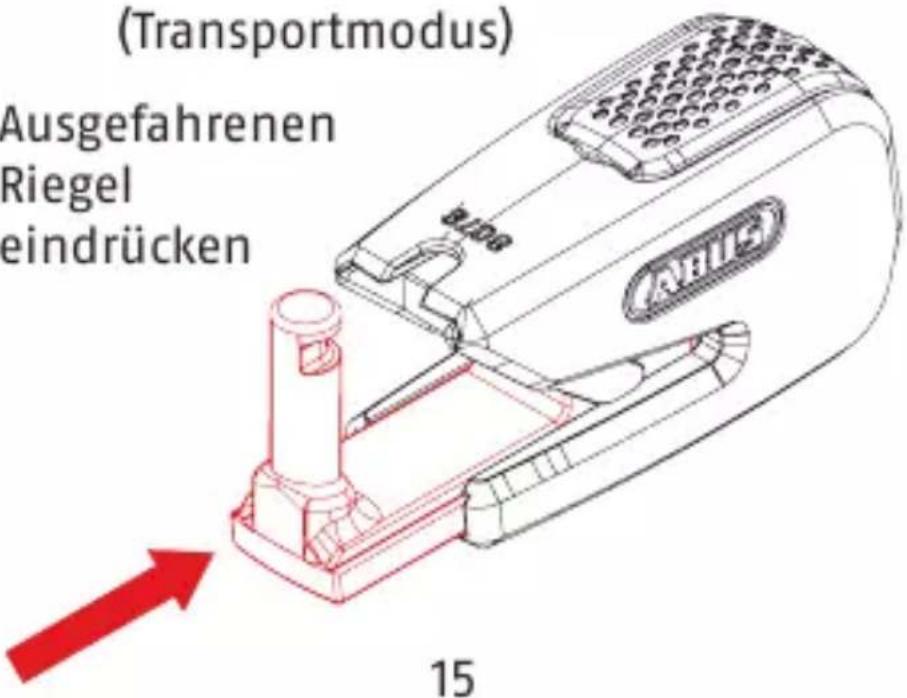
ohne Bremsscheibe
(Transportmodus)
Ausgefahrenen
Riegel
eindrücken
Observe the safety information on page 34-36!

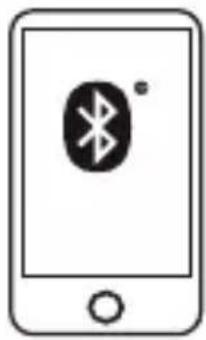
A bluetooth®-enabled smart-phone and the ABUS SmartX app are required in order to correctly operate the lock.
Tecnical data
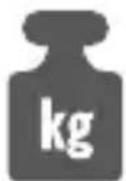
approx. 865 g
< 10 mW
natural_image
Simple line drawing of a continuous waveform with no text or symbols
2,402 GHz - 2,480 GHz
Protection class IP 44
1.1
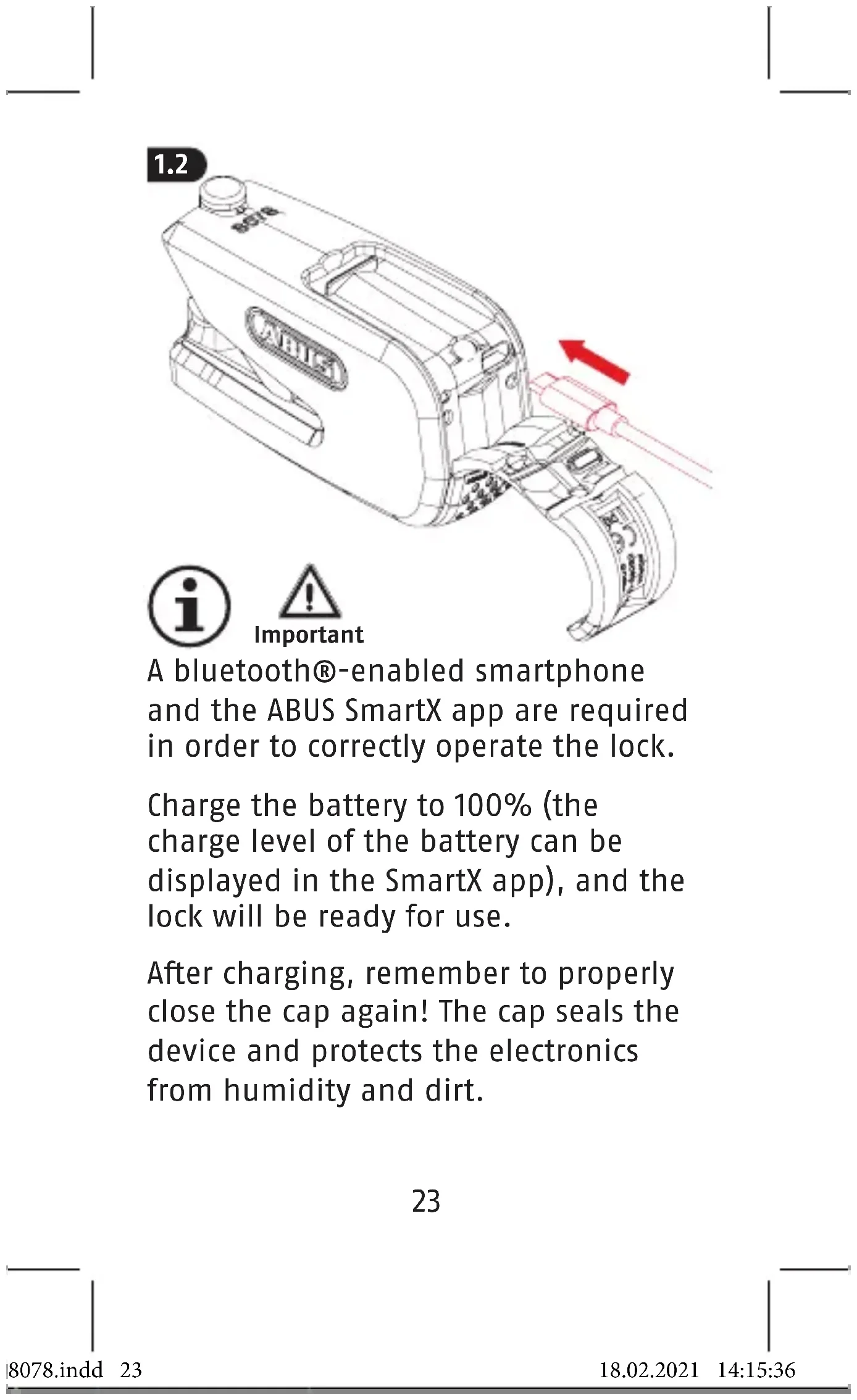
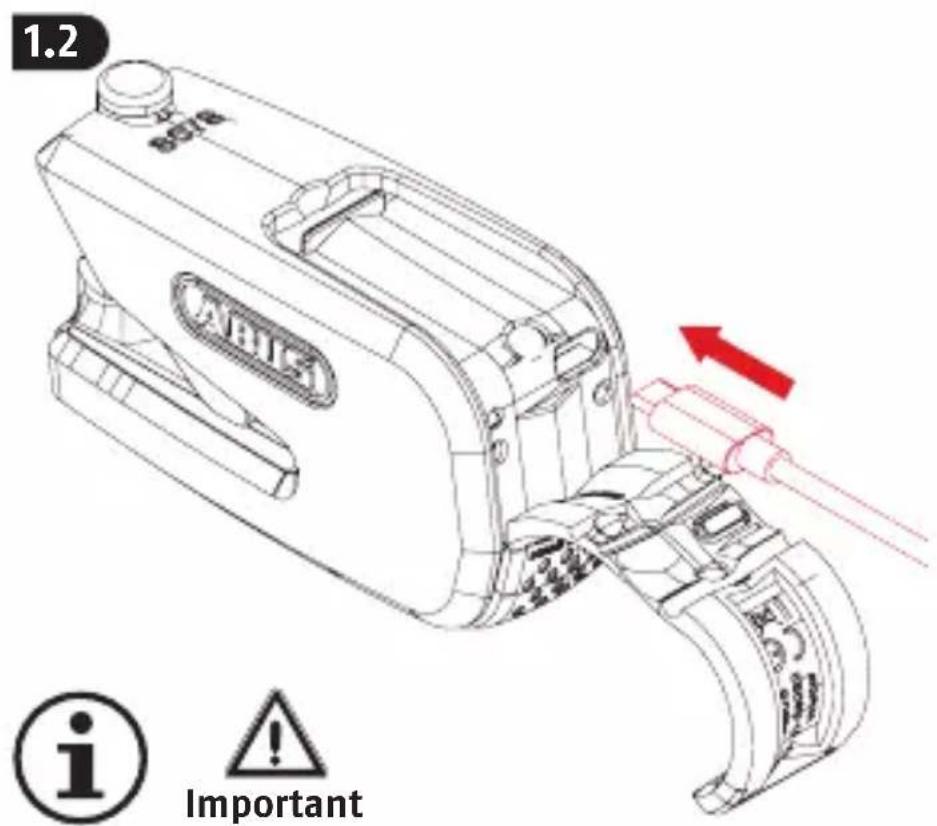
In order to use the lock, the battery must first be fully charged. Please observe the safety information.
A bluetooth®-enabled smartphone and the ABUS SmartX app are required in order to correctly operate the lock.
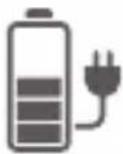
Charge the battery to 100% (the charge level of the battery can be displayed in the SmartX app), and the lock will be ready for use.
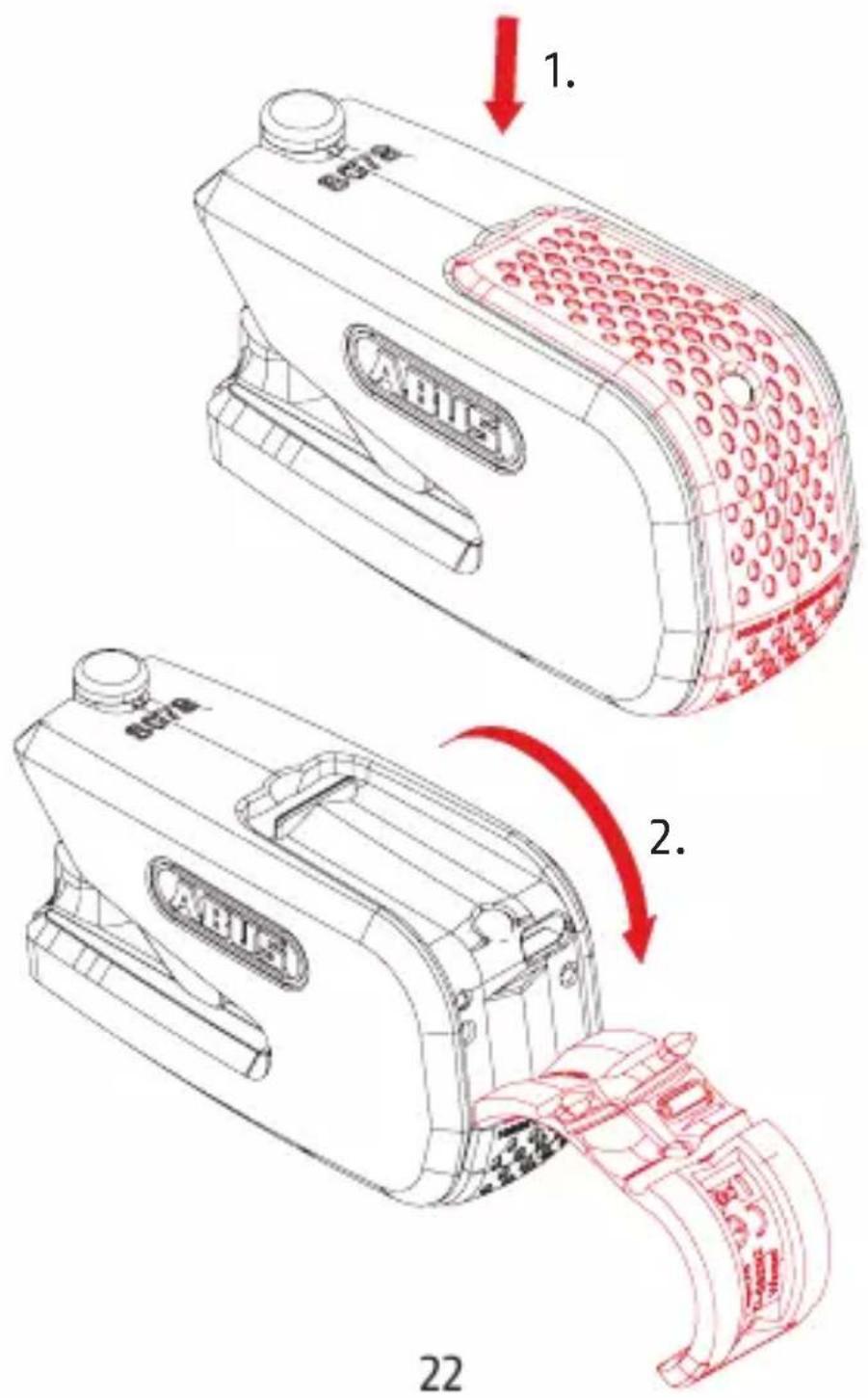
After charging, remember to properly close the cap again! The cap seals the device and protects the electronics from humidity and dirt.
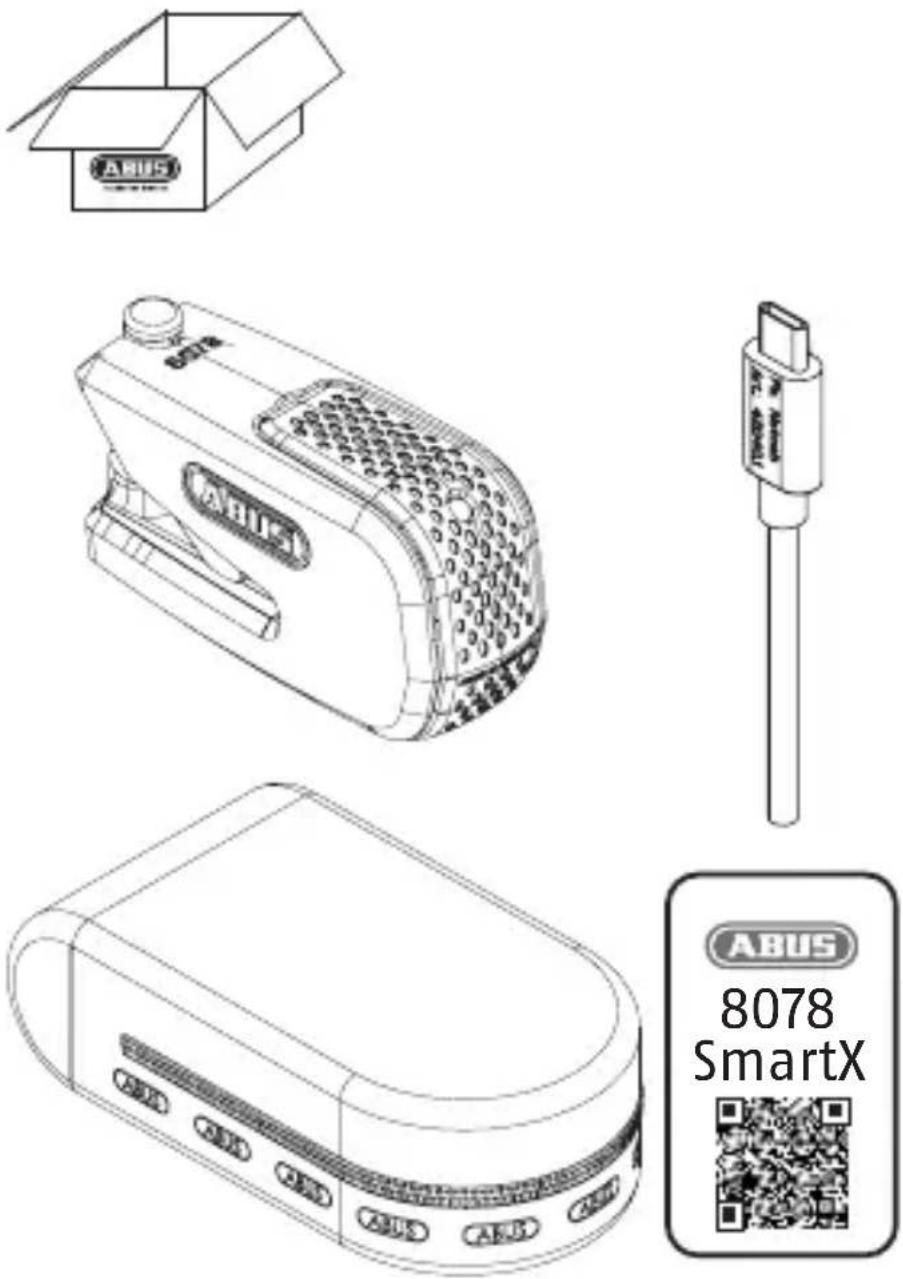
Download the ABUS SmartX app, install it and follow the instructions in the app until you have scanned the QR code on the ABUS code card provided.
It is imperative to keep the code card in a safe place even after completing the setup. You need the code card for software updates, if you lose your smartphone, and for proof of ownership for matters related to warranty claims and repair. Do not give the card to third parties.
The Bluetooth® function must be switched on in your smartphone to operate the lock electronics. The smartphone must be connected to the Internet and not be in flight mode.
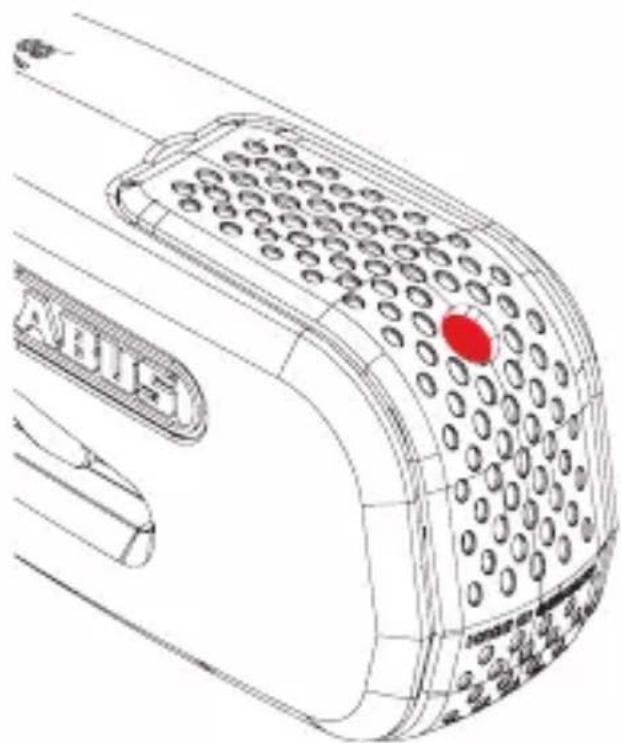
3. Signal tones and LED display
When delivered, and if the lock is closed without a brake disc, the lock will be in transport mode.
It does not communicate or search for an authorised smartphone while in transport mode. Moving the lock will not trigger the alarm.
If the lock is closed with a brake disc, monitoring mode automatically enabled. In monitoring mode, the lock additionally provides electronic monitoring for shock/movement and triggers a loud alarm upon detection.
natural_image
Line drawing of a mobile phone receiver with a red indicator light on the screen (no text or symbols on the device itself)
25
Signal tones
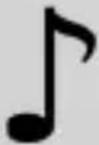 | Action1x 5xdetected | 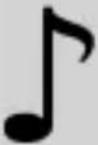 | Error (e.g. no smart-phone detected) |
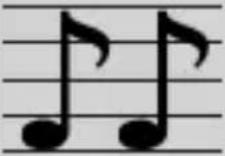 | 2 deep tones |  | 2 high tones |
| Transport mode enabled | Monitoring mode enabled |
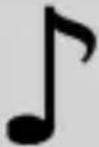 | 8x Pre-alarm | 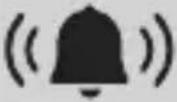 | Alarm |
LED
- USB inserted:
LED lights up orange = charging
LED lights up green = charging complete
- upon enabling:
LED lights up green = battery full
LED lights up orange = battery level
low: charge as soon as possible
LED lights up red = battery empty: charge immediately
- Lock enabled:
LED lights up orange = Bluetooth®
search LED lights up red = alarm
26
441.1


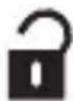
from transport mode
authorised smartphone with functioning SmartX app in range (approx. 2-5 m)
natural_image
Simple line drawing of a smartphone with a Bluetooth symbol on the screen (no text or labels)
4481
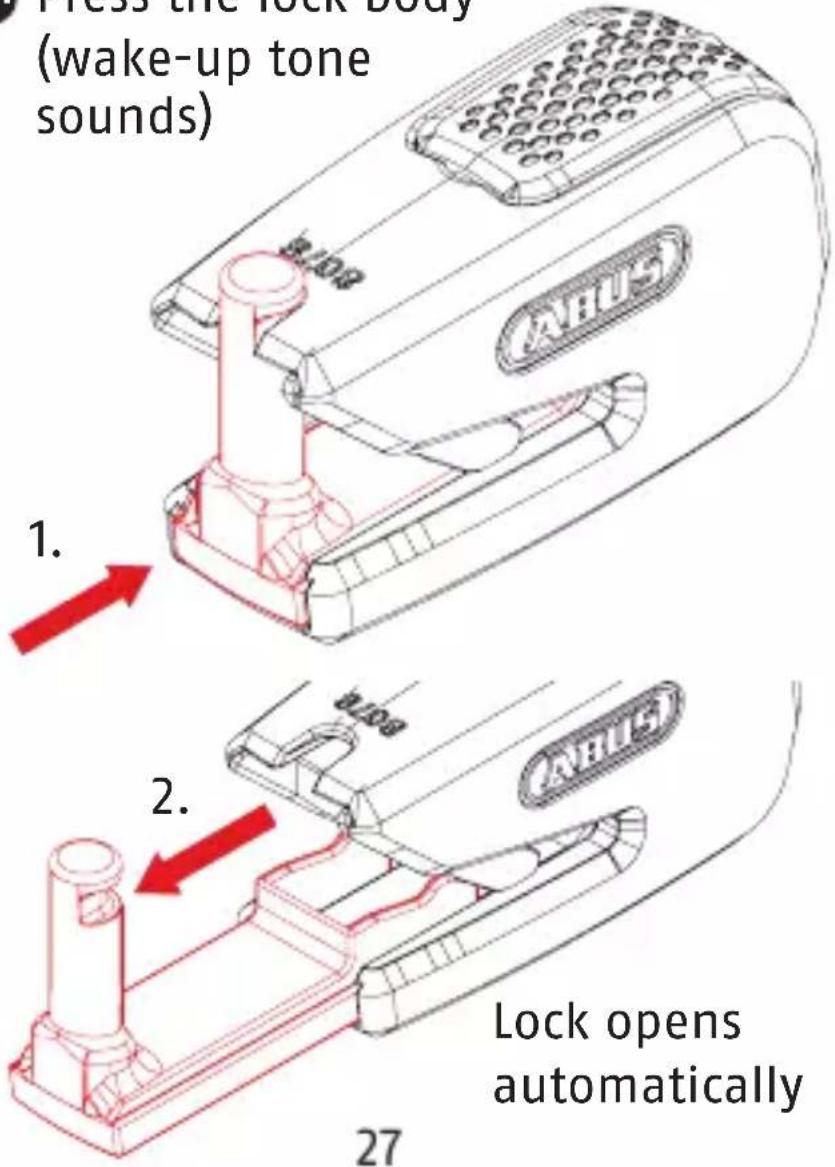
Press the lock body (wake-up tone sounds)
1.
5.1


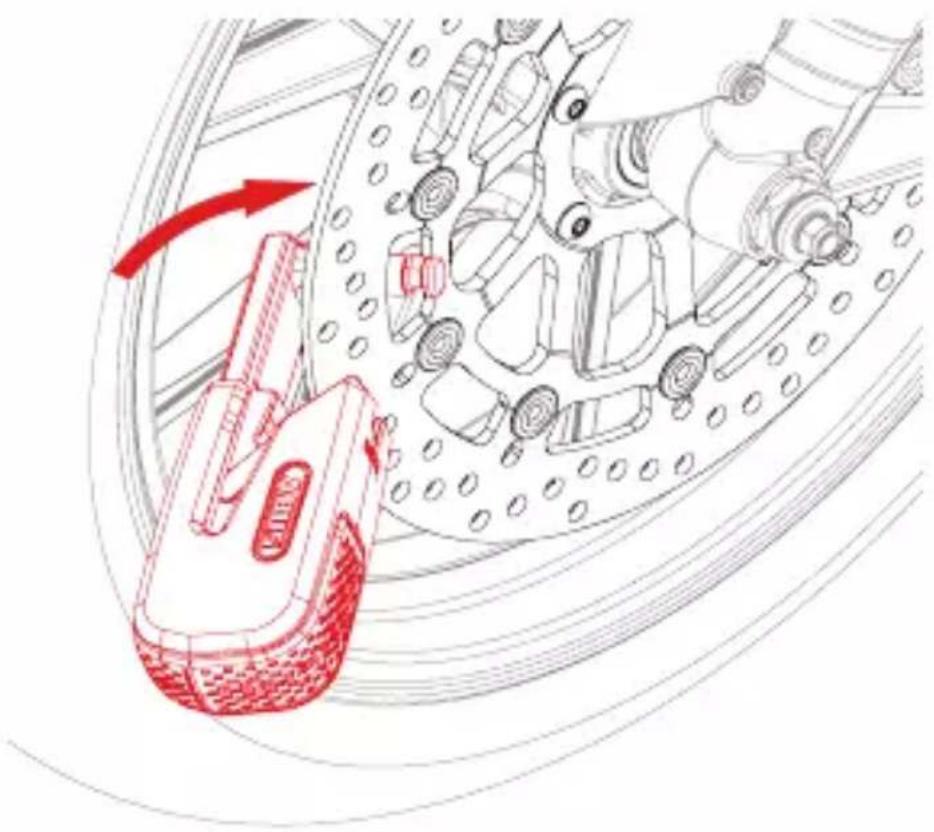
at the brake disc
Hook the extended bolt onto the brake disc
natural_image
Technical illustration of a mechanical assembly with red annotation arrows indicating motion or force (no text or symbols present)
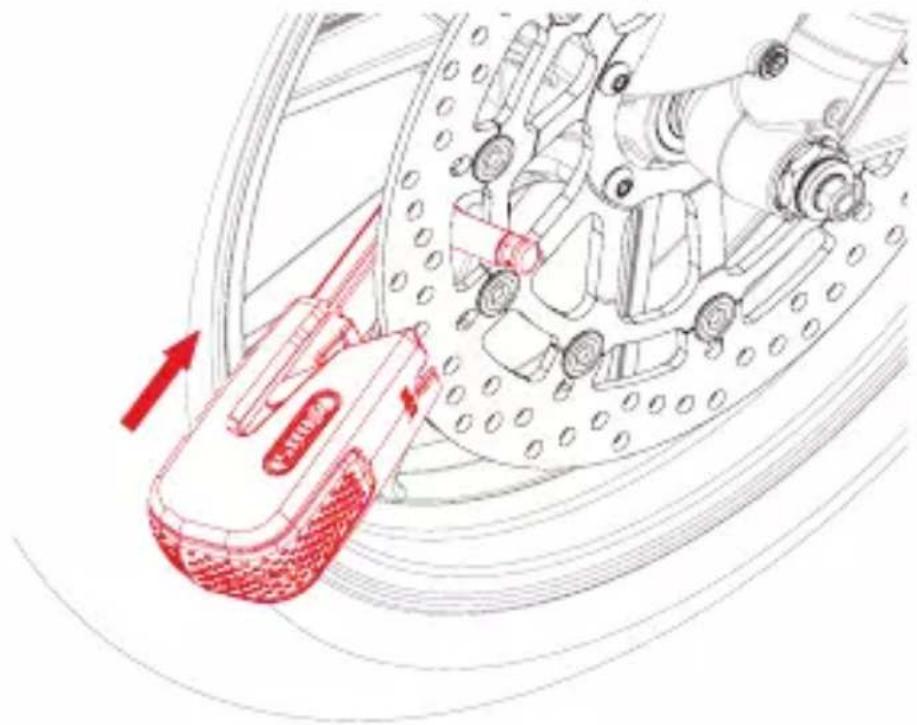
5.2 Press the lock to close it (confirmation tone sounds twice) after 5 sec.
natural_image
Diagram of a robotic hand operating a vehicle, showing motion lines and control components (no text or symbols)
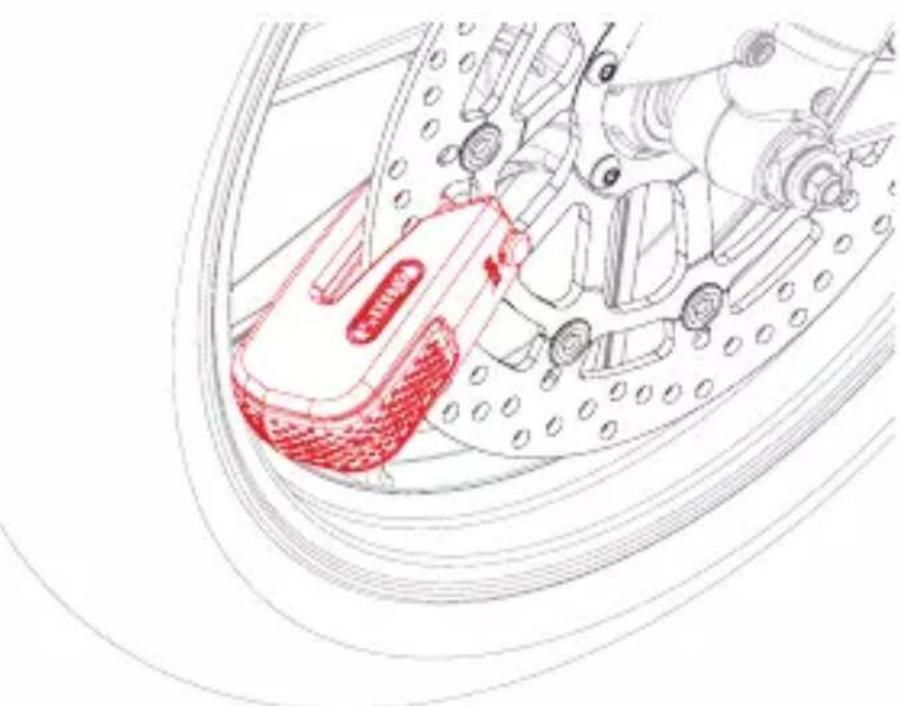
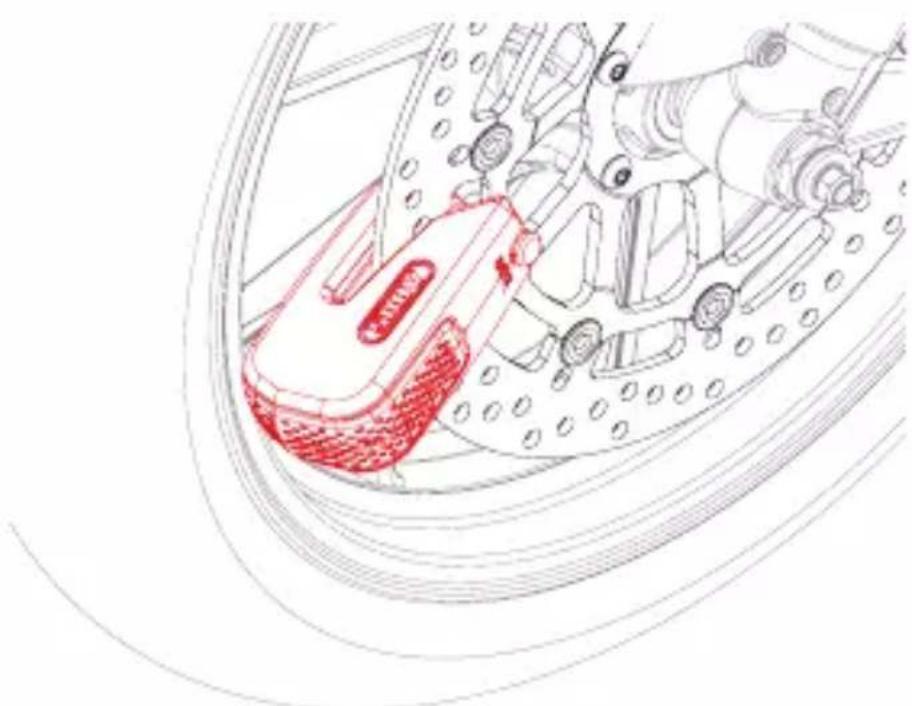
5.3 Monitoring mode is now active
natural_image
Technical line drawing of a mechanical assembly with red highlighted components (no text or symbols)
29
6. In monitoring mode
- Reminder function: authorised smartphone with functioning SmartX app in range and lock still on the brake disc, light movement = pre-alarm sounds (5 sec duration)
- Alarm triggering:
- Pre-alarm in the event of light movement (5 sec duration)
- Full alarm in the event of strong movement. If someone attempts to press the lock, the pre-alarm will sound first, followed by the full alarm (15 sec duration)
- The alarm can be interrupted by an authorised smartphone and by pressing again
7.1
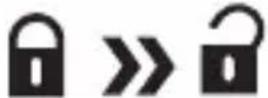
from monitoring mode
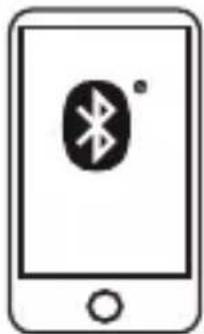
authorised smartphone with functioning SmartX app in range (approx. 2–5 m)
natural_image
Simple line drawing of a smartphone with a Bluetooth symbol on the screen (no text or labels)
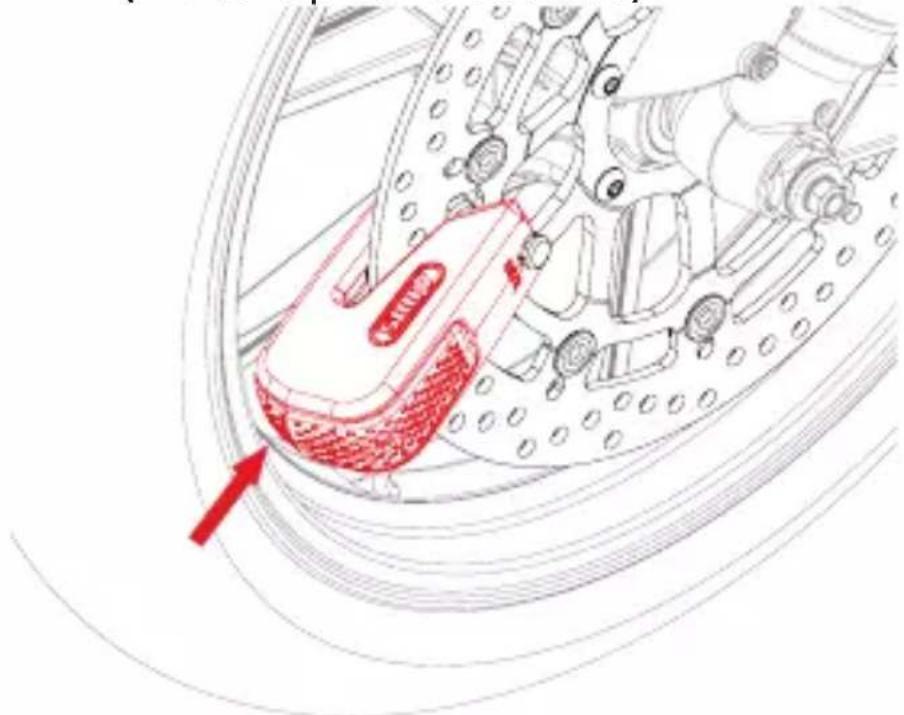
7.2 Press the lock body (wake-up tone sounds)
natural_image
Technical line drawing of a mechanical assembly with red annotation arrow (no text or symbols)
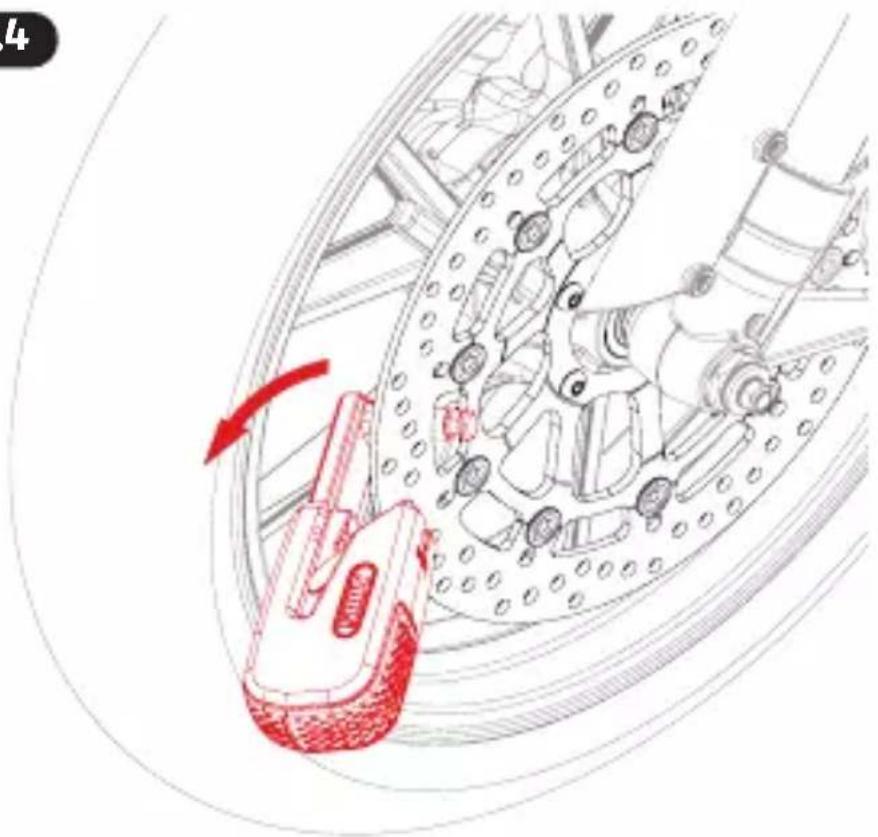
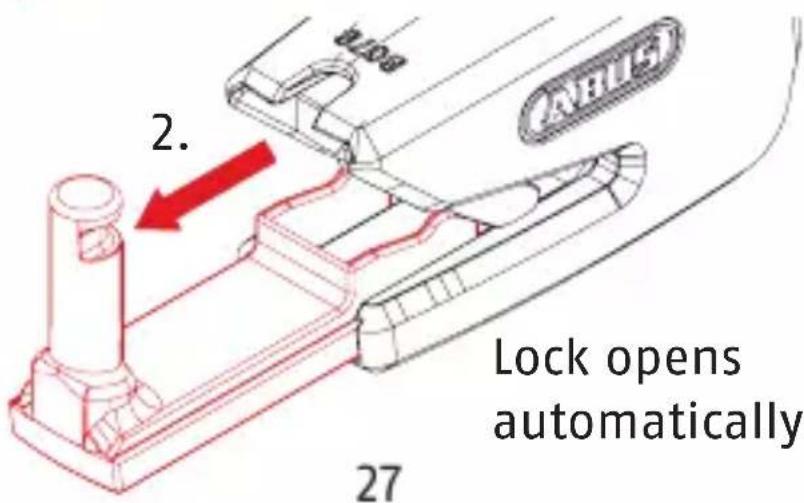
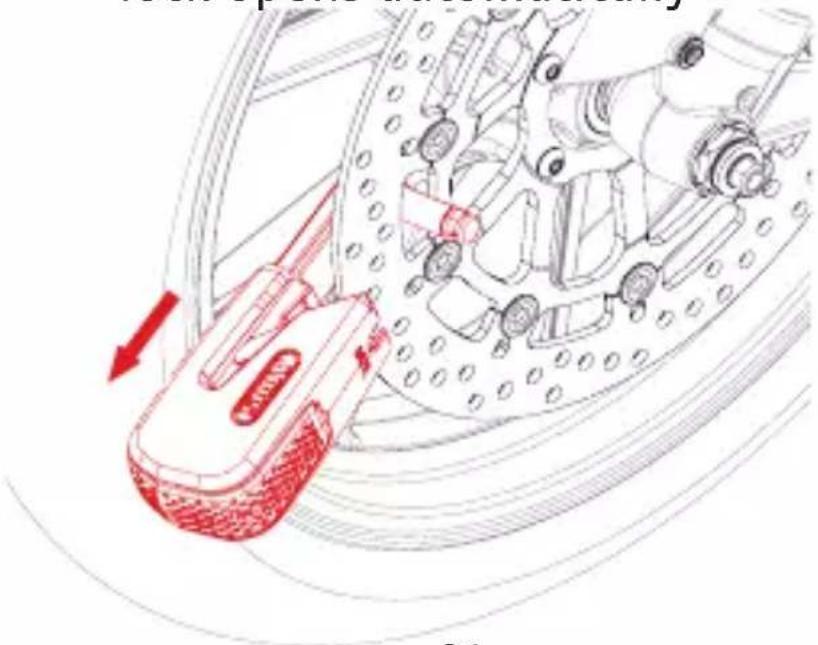
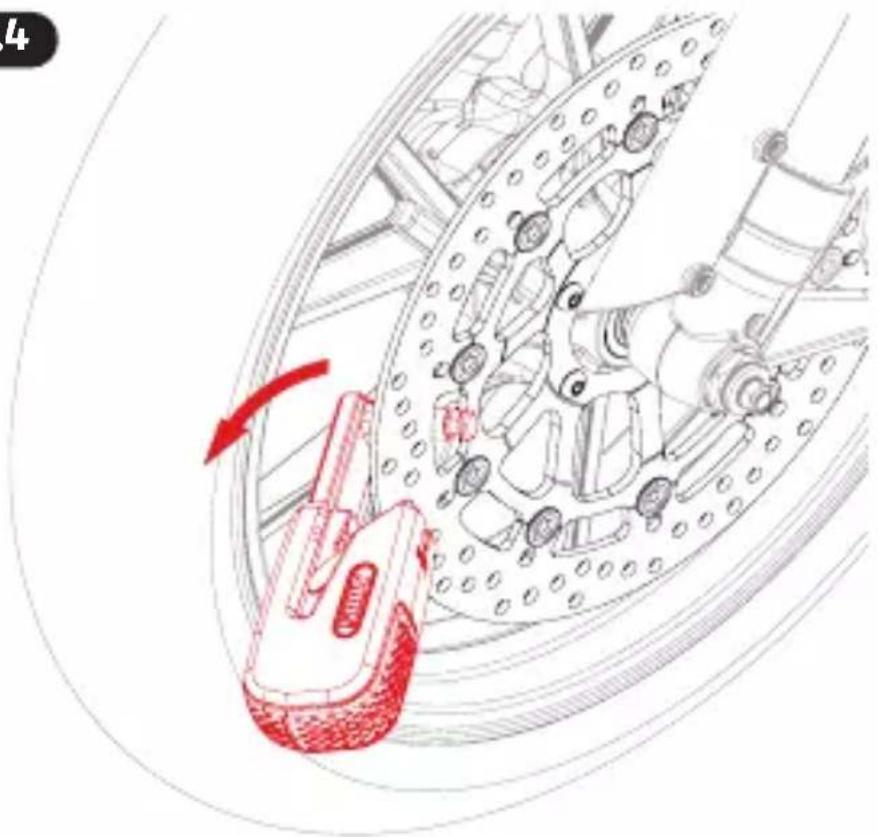
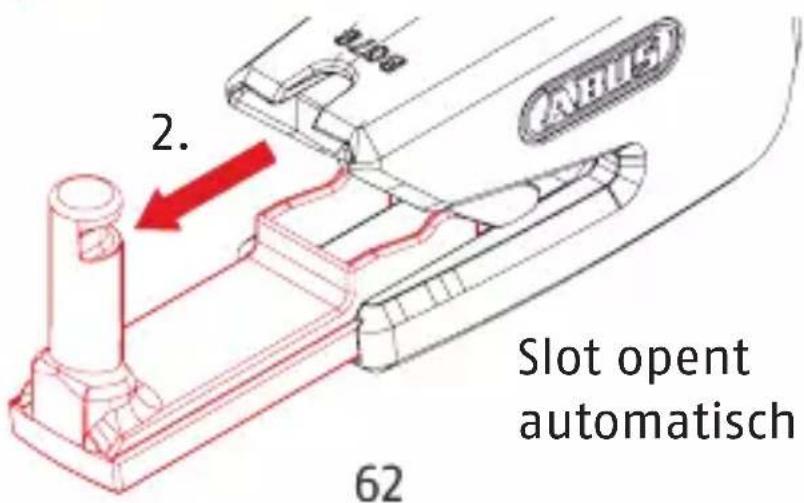
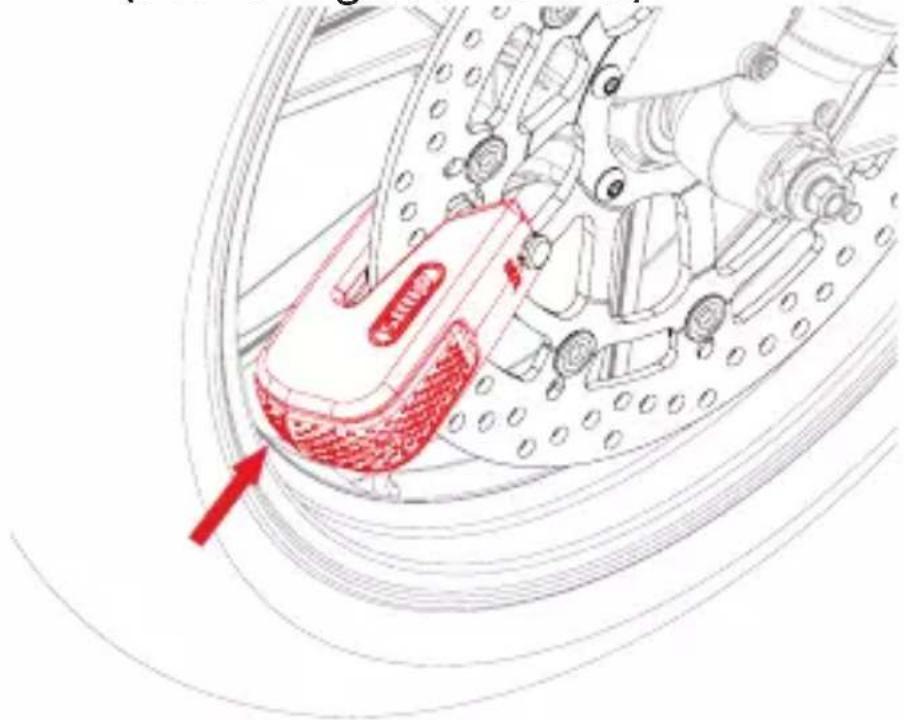
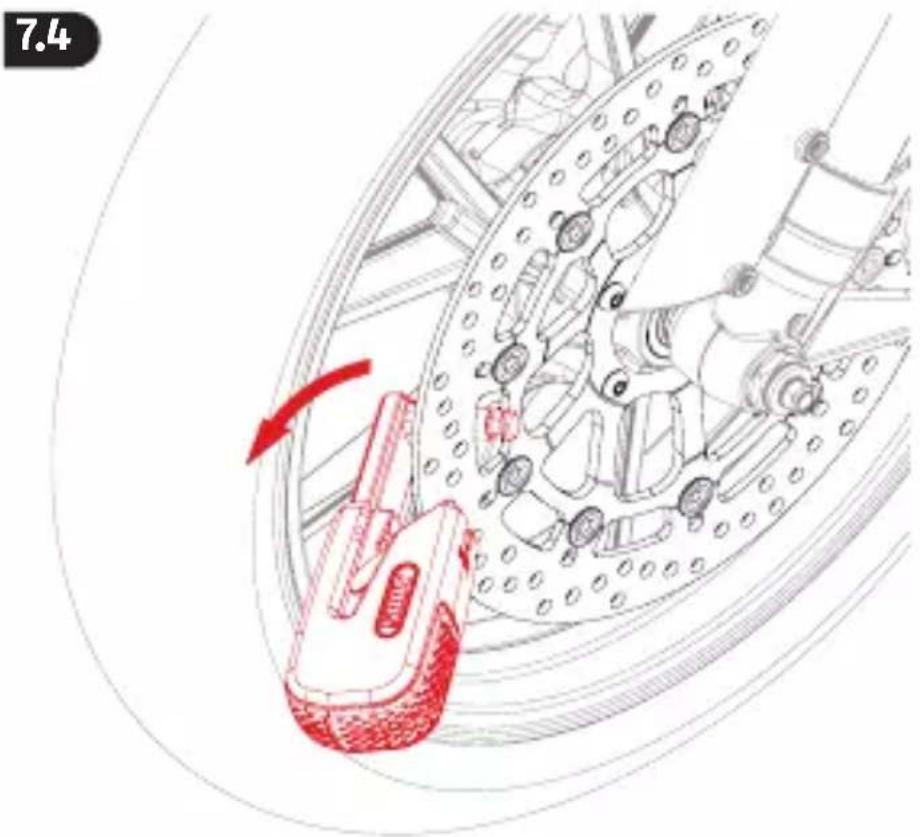
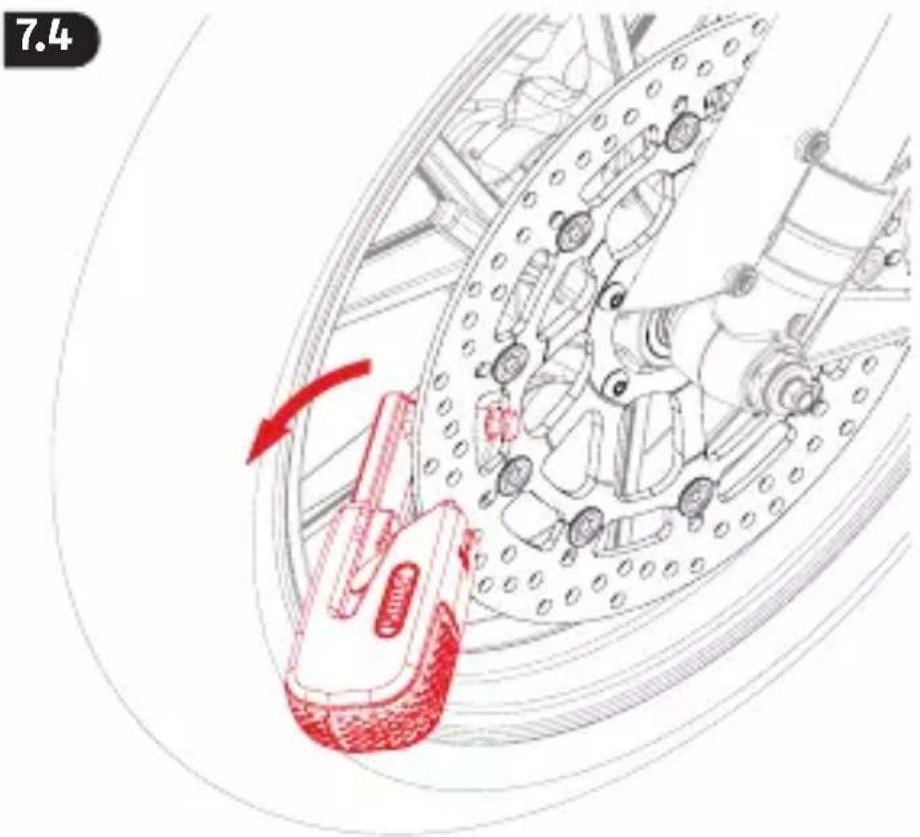
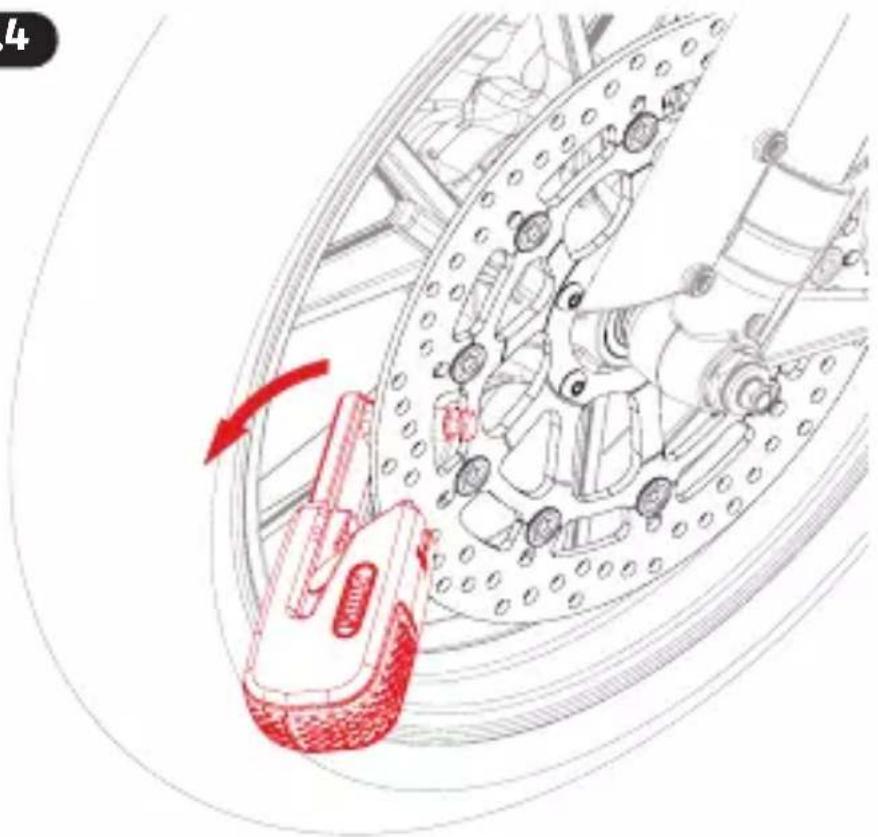
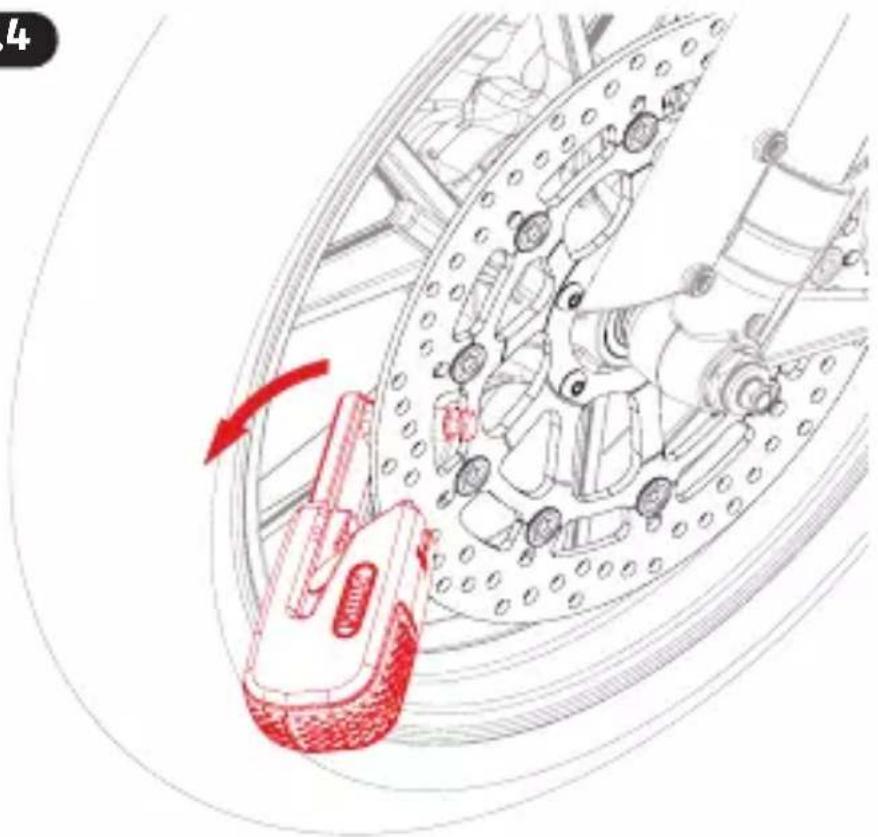
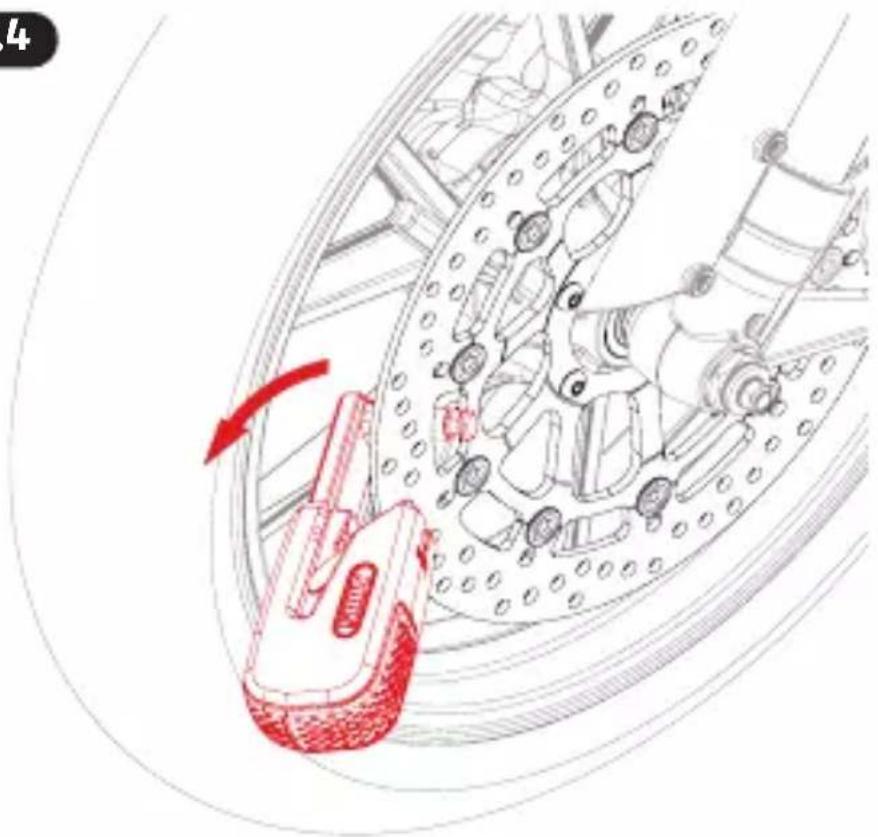
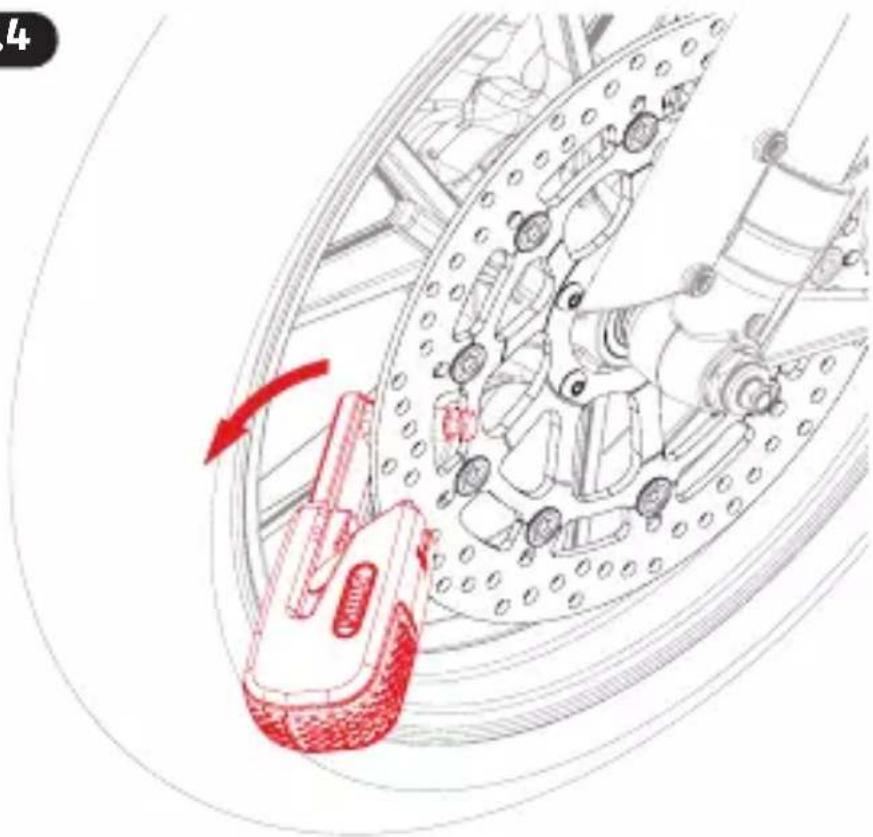
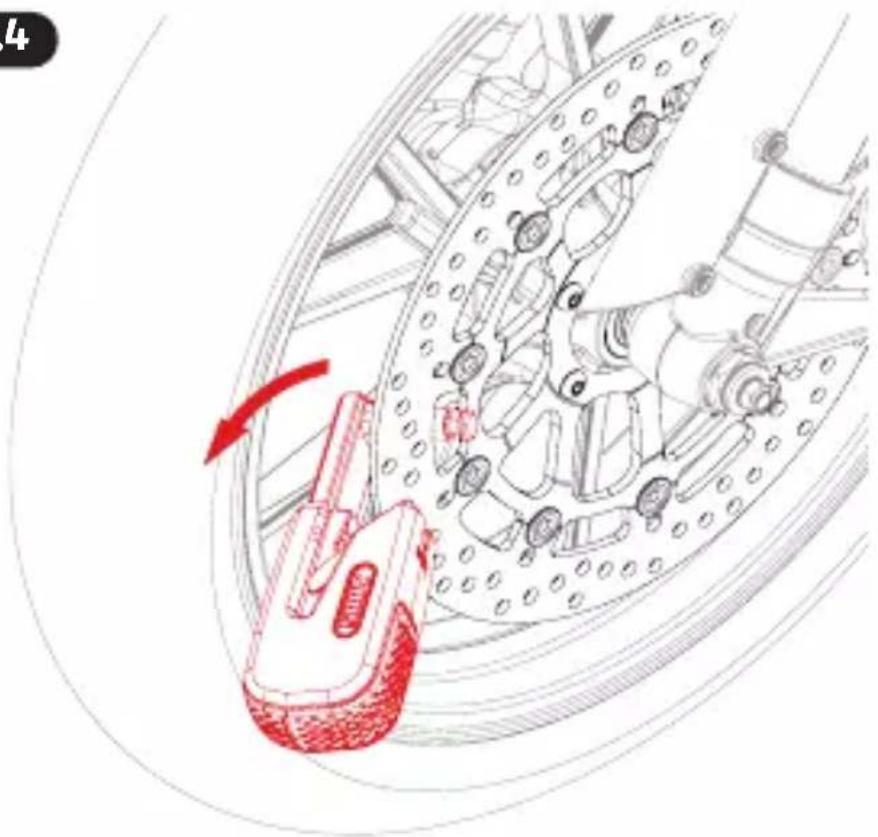
7.3 Pull the lock body away from the brake disc using light force, the lock opens automatically
natural_image
Technical diagram of a mechanical assembly with red arrows indicating motion or force direction (no text or symbols)
31
7.4
natural_image
Technical illustration of a mechanical assembly with a red hand operating a component, showing no text or symbols.
8.1
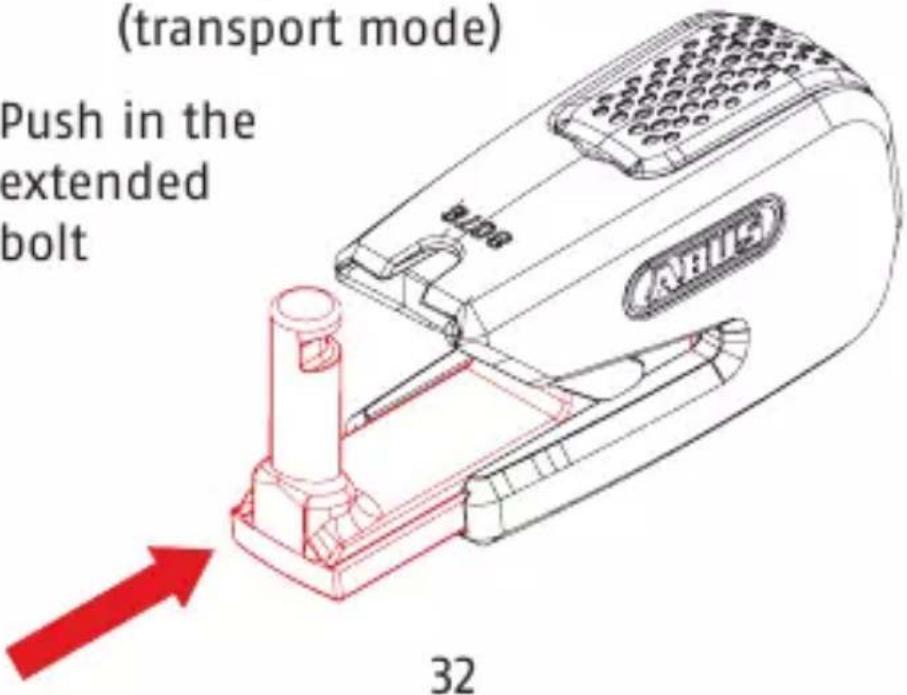
Closing without a brake disc (transport mode)
Push in the extended bolt
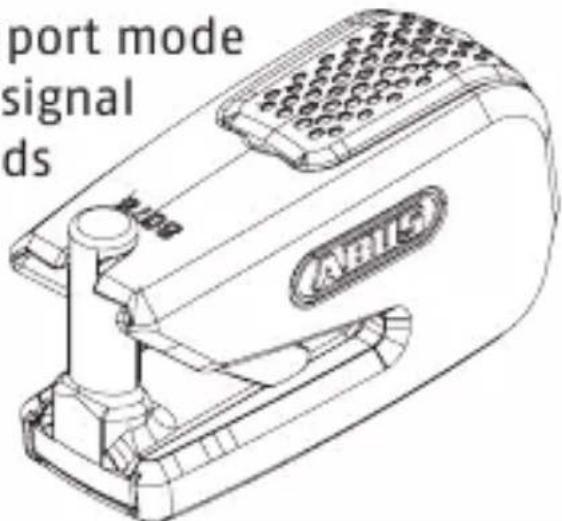
8.2 The „Transport mode enabled“ signal tone sounds

Charging the battery
You can view the battery charge status on the SmartX app. Charge your 8078 lock as soon as the app prompts you to do so. The lock cannot be opened or closed if the battery is depleted. Charging process >> 1.1–1.2 under consideration of the following safety information!
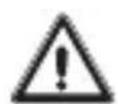
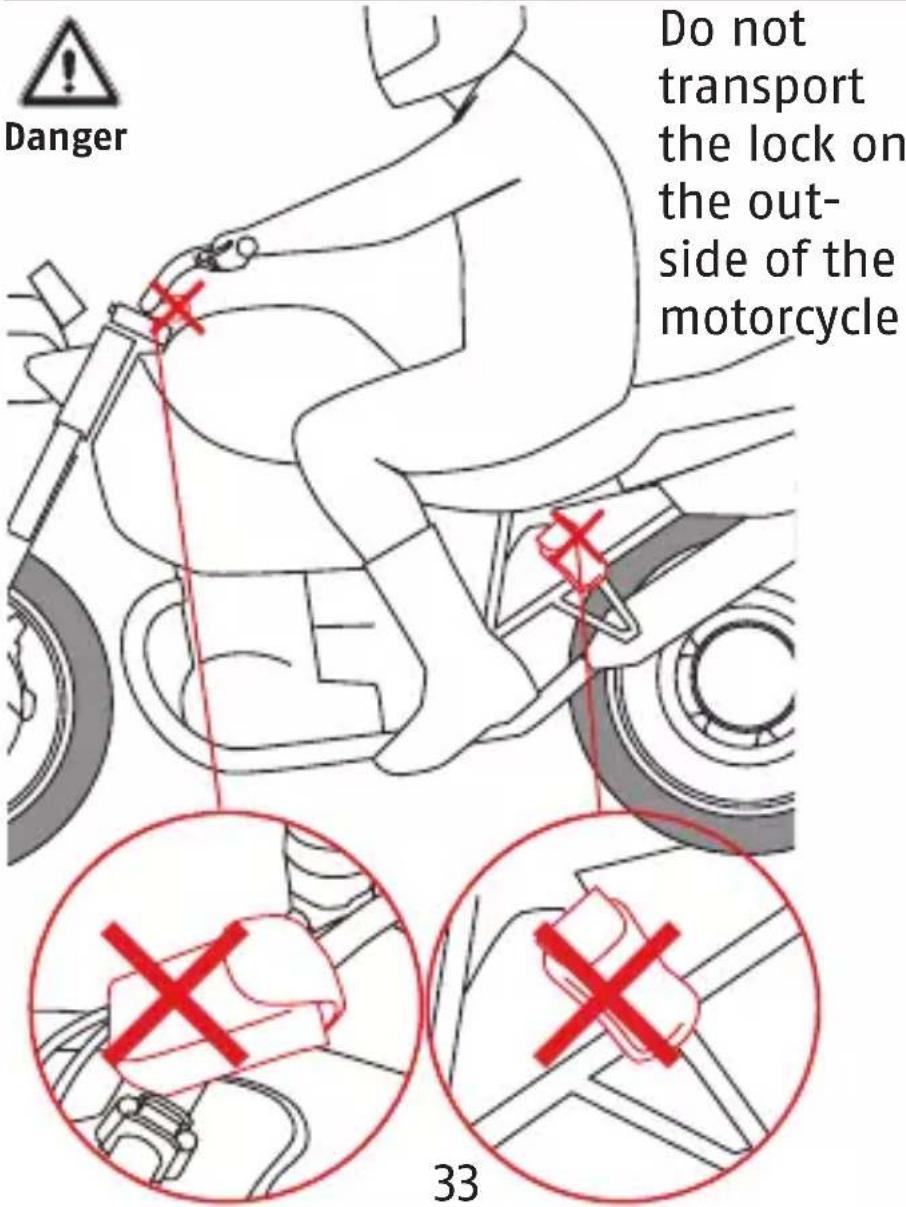
Danger

Important

This product contains a lithium-ion battery and a lithium button cell. Changing the batteries is not required and is only permissible if performed by the manufacturer (ABUS). Please read and observe these safety instructions. Non-observance of these instructions could lead to fire, injury to persons and/or device damage!
- Do not use or store the product in areas where the temperature could reach below
-20°C or above +40°C. Do not expose the product to direct sunlight for long periods of time.
- Do not use or charge the product in areas with a risk of explosion, e.g. due to flammable liquids, gases or dust.
- Never attempt to open the product and remove the battery. This could lead to damage (battery outgassing, short circuit, etc.)
- Batteries must be kept out of the reach of children. Children may put batteries in their mouths and swallow them. This can cause serious harm to their health. Seek immediate medical attention in this event!
- A damaged battery could irritate your airways, skin and eyes. In the event of contact, immediately rinse the affected area with water and seek medical attention. The liquid inside the battery is flammable.
- The battery may only be charged if the lock body housing is not damaged. If there is visible damage on the lock body such as cracks or holes, the battery must not be charged.
- Only use the USB cable provided and a suitable charging device (5V DC power supply unit, charging current at least 500 mA) to charge the device. Do not leave the lock unattended while it is charging.
- Never burn the product. Batteries could explode in the fire. This would also release
toxic substances.

- Do not use a high-pressure cleaner or aggressive cleaning agents to clean the lock.
- Check the lock for damage at least once a year. If there is visible damage on the lock body such as cracks or holes, the lock must no longer be used.
Declaration of Conformity ABUS August Bremicker Söhne KG, Altenhofer Weg 25, 58300 Wetter hereby declares that the radio system type 8078 complies with the essential requirements and other relevant provisions of Directive 2014/53/EU if used in line with its intended use. The full EU Declaration of Conformity text can be found at the following internet address: www.abus.com.
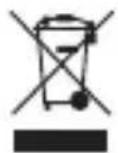
Disposal Do not dispose of a damaged or undesired lock with normal household waste. Dispose of the device in accordance with EU Directive 2012/19/EU – WEEE (Waste Electrical and Electronic Equipment). If you have any questions, please contact the municipal authority responsible for disposal. Information on collection points for waste equipment can be obtained from your local authority, from local waste disposal companies or your
retailer, for example.
Subject to technical modifications. We assume no liability for mistakes and printing errors.

natural_image
Simple line drawing of a waveform with no text or symbols
2,402 GHz - 2,480 GHz
natural_image
Technical line drawing of a device with grid pattern and red highlight (no readable text or symbols)
natural_image
Simple line drawing of a smartphone with a Bluetooth symbol on the screen (no text or labels)
4481
Appuyez sur le
corps de l'antivol
natural_image
Technical illustration of a mechanical assembly with red annotation arrows indicating motion or force (no text or symbols present)
natural_image
Technical line drawing of a mechanical assembly with red highlighted components (no text or symbols)
46
natural_image
Simple line drawing of a smartphone with a Bluetooth symbol on screen (no text or labels)
natural_image
Technical line drawing of a mechanical component with red annotation arrow (no readable text or symbols)
natural_image
Technical line drawing of a mechanical assembly with red annotation arrows indicating motion or force (no text or symbols)
48

8.1
natural_image
Simple line drawing of a continuous waveform with no text or symbols
2,402 GHz - 2,480 GHz
natural_image
Technical line drawing of a handheld device with circular grid pattern and red highlight (no text or symbols)
Signaaltonen
natural_image
Simple line drawing of a smartphone with a Bluetooth symbol on the screen (no text or labels)
4.21 Slotlichaam indrukken (activeringstoon klinkt)
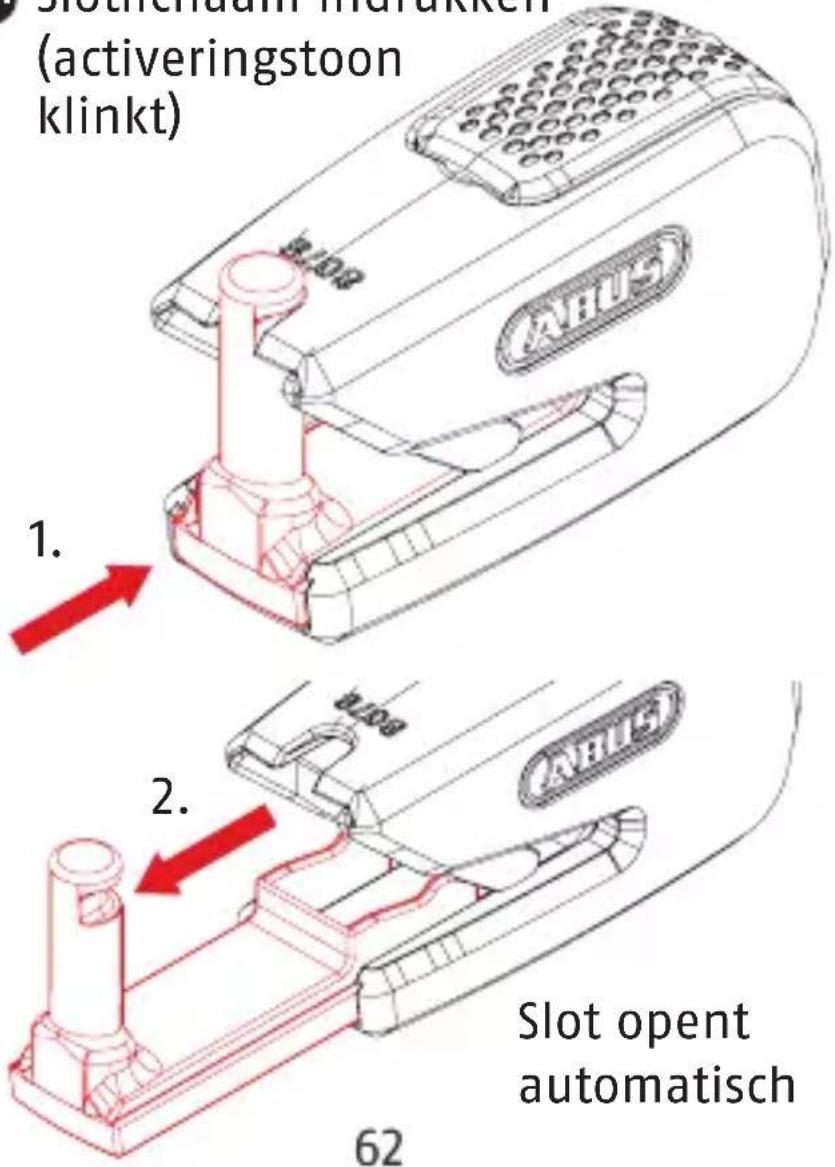
1.
5.1


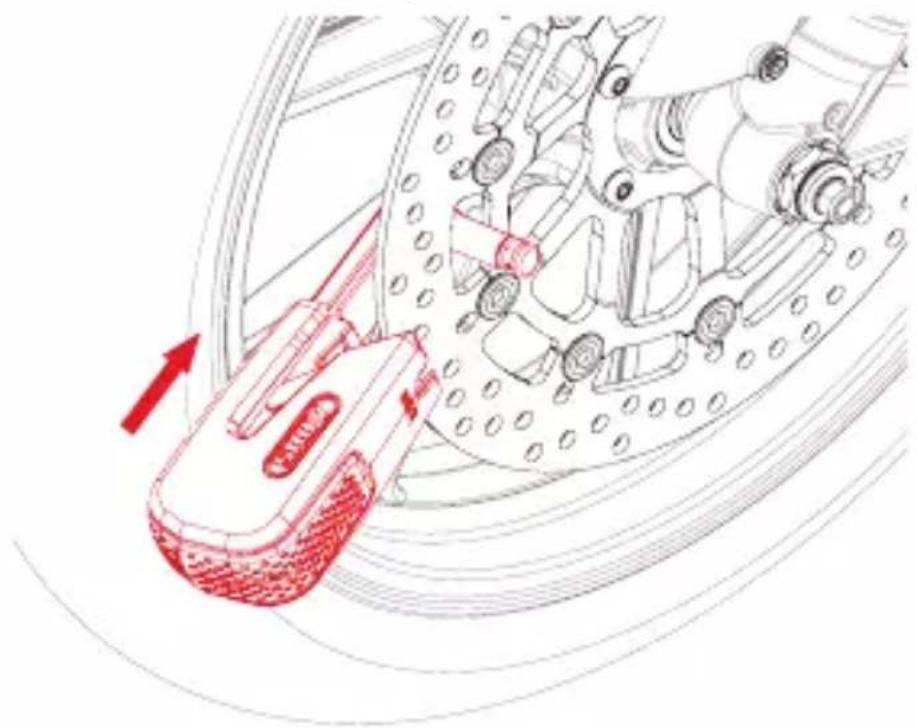
aan remschijf
natural_image
Technical illustration of a mechanical assembly with red annotation arrows indicating motion or force (no text or symbols present)
5.2 Slot dichtdrukken (bevestigings-toon klikt 2x) na 5 sec.
natural_image
Technical line drawing of a mechanical assembly with a red arrow indicating motion direction (no text or symbols)
natural_image
Technical line drawing of a mechanical assembly with red highlighted components (no text or symbols)
64
6. In bewakingsmodus
natural_image
Simple line drawing of a smartphone with a Bluetooth symbol on the screen (no text or labels)
7.2 Slotlichaam indrukken (activeringstoon klinkt)
natural_image
Technical line drawing of a mechanical component with red annotation arrow (no readable text or symbols)
natural_image
Technical line drawing of a mechanical assembly with red annotation arrows indicating motion or force (no text or symbols)
66
8.1
zonder remschijf
(transportmodus)
Gevaar Let op!
natural_image
Simple line drawing of a waveform with no text or symbols
2,402 GHz - 2,480 GHz
natural_image
Technical line drawing of a handheld device with circular grid pattern and red highlight (no text or symbols)
Segnali acustici
natural_image
Simple line drawing of a smartphone with a Bluetooth symbol on the screen (no text or labels)
4481
natural_image
Technical illustration of a mechanical assembly with red annotation arrows indicating motion or force (no text or symbols present)
natural_image
Diagram of a robotic arm with red motion arrow indicating movement, no text or symbols present
natural_image
Technical line drawing of a mechanical assembly with red highlighted components (no text or symbols)
82
natural_image
Simple line drawing of a smartphone with a Bluetooth symbol on the screen (no text or labels)
natural_image
Technical line drawing of a mechanical component with red highlighted area and arrow indicating direction (no text or symbols)
natural_image
Technical illustration of a mechanical assembly with red arrows indicating motion or force direction (no text or symbols)
84
8.1
senza freno a disco

natural_image
Simple line drawing of a continuous waveform with no text or symbols
2,402 GHz - 2,480 GHz
natural_image
Technical line drawing of a handheld electronic device with grid pattern and red highlight (no readable text or symbols)
Señales acústicas
natural_image
Simple line drawing of a smartphone with a Bluetooth symbol on the screen (no text or labels)
4421
natural_image
Technical illustration of a car brake system with red motion arrow indicating clockwise motion (no text or symbols)
natural_image
Technical illustration of a mechanical assembly with red annotation arrows indicating motion or force (no text or symbols present)
natural_image
Technical line drawing of a mechanical assembly with red annotation highlighting a component (no text or symbols present)
natural_image
Simple line drawing of a smartphone with a Bluetooth symbol on screen (no text or labels)
natural_image
Technical line drawing of a mechanical component with red annotation arrow (no readable text or symbols)
natural_image
Technical line drawing of a mechanical assembly with red annotation arrows indicating motion or force (no text or symbols)
102
7.4
natural_image
Technical illustration of a mechanical assembly with a red hand operating a component, showing no text or symbols.
8.1


sin disco de freno
(modo transporte)
natural_image
Simple line drawing of a continuous waveform with no text or symbols
2,402 GHz - 2,480 GHz
natural_image
Simple line drawing of a smartphone with a Bluetooth symbol on screen (no text or labels)
4481
natural_image
Technical illustration of a mechanical assembly with red annotation arrows indicating motion or force (no text or symbols present)
natural_image
Technical illustration of a mechanical assembly with a red arrow indicating motion or force direction (no text or symbols present)
5.3 Overvågningstilstand er nu aktiv
natural_image
Technical line drawing of a mechanical assembly with red highlighted components (no text or symbols)
118
natural_image
Simple line drawing of a smartphone with a Bluetooth symbol on screen (no text or labels)
natural_image
Technical line drawing of a mechanical component with red annotation arrow (no readable text or symbols)
natural_image
Technical line drawing of a mechanical assembly with red annotation arrows indicating motion or force (no text or symbols)
120
7.4
natural_image
Technical illustration of a mechanical assembly with a red hand operating a component, showing no text or symbols.
8.1
uden bremseskive
(transporttilstand)
Fare Vigtigt
natural_image
Simple line drawing of a continuous waveform with no text or symbols
2,402 GHz - 2,480 GHz
Skyddsklass
IP 44
1.1
LED lyser orange = laddar
natural_image
Simple line drawing of a smartphone with a Bluetooth symbol on the screen (no text or labels)
4481
natural_image
Technical illustration of a mechanical assembly with red annotation arrows indicating motion or force (no text or symbols present)
natural_image
Technical illustration of a mechanical assembly with a red arrow indicating motion or force direction (no text or symbols present)
natural_image
Technical line drawing of a mechanical assembly with red highlighted components (no text or symbols)
135
natural_image
Simple line drawing of a smartphone with a Bluetooth symbol on the screen (no text or labels)
natural_image
Technical line drawing of a mechanical assembly with a red arrow indicating motion or force direction (no text or symbols)
137
7.4
natural_image
Technical illustration of a mechanical assembly with a red hand operating a component, showing no text or symbols.
8.1
Fara OBS
natural_image
Simple line drawing of a waveform with no text or symbols
2,402 GHz - 2,480 GHz
natural_image
Line drawing of a mobile phone receiver with a red indicator light on the screen (no text or symbols on the device itself)
Sygnały dźwiękowe
natural_image
Simple line drawing of a smartphone with a Bluetooth symbol on the screen (no text or labels)
4481
natural_image
Technical illustration of a mechanical assembly with red arrows indicating motion or force direction (no text or symbols)
natural_image
Simple line drawing of a smartphone with a Bluetooth symbol on screen (no text or labels)
natural_image
Diagram of a mechanical device with red annotation arrows indicating motion or force direction (no text or symbols present)
154
7.4
natural_image
Technical illustration of a mechanical assembly with a red hand pointing to a component, no visible text or symbols
8.1


natural_image
Simple line drawing of a waveform with no text or symbols
natural_image
Technical line drawing of a mobile phone receiver with a red indicator light on the grille (no text or symbols)
Звуковые сигналы
natural_image
Simple line drawing of a smartphone with a Bluetooth symbol on the screen (no text or labels)
natural_image
Diagram of a car dashboard with red annotation arrows indicating motion or movement, showing internal components and no readable text or symbols.
natural_image
Technical line drawing of a mechanical device with a red arrow indicating motion or force direction (no text or symbols)
natural_image
Technical line drawing of a mechanical component with red annotation (no readable text or symbols)
170
natural_image
Simple line drawing of a smartphone with a Bluetooth symbol on screen (no text or labels)
natural_image
Technical line drawing of a mechanical assembly with red annotation arrow (no text or symbols)
natural_image
Technical illustration of a mechanical assembly with red arrows indicating motion or force direction (no text or symbols)
172
7.4
natural_image
Mechanical assembly diagram showing a hand pressing a component on a circular mechanical part (no text or symbols)
8.1



natural_image
Simple line drawing of a continuous waveform with no text or symbols
2,402 GHz - 2,480 GHz
natural_image
Simple line drawing of a smartphone with a blank screen and rounded body (no text or symbols)


natural_image
Line drawing of a mobile phone receiver with a red indicator light on the screen (no text or symbols)
Ηχητικά σήματα
natural_image
Simple line drawing of a smartphone with a Bluetooth symbol on the screen (no text or labels)
4481