TECTIQ TTCO10000 - Security System ABUS - Free user manual and instructions
Find the device manual for free TECTIQ TTCO10000 ABUS in PDF.


Pick your language and provide your email: we'll send you a specifically translated version.
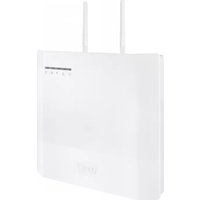
| Product Type | Security System Control Panel |
| Brand | ABUS |
| Model | TECTIQ TTCO10000 |
| Dimensions (H x W x D) | 200 x 150 x 50 mm |
| Weight | 0.5 kg |
| Power Supply | 12 V DC, 1 A (adapter included) |
| Backup Battery | Lithium-ion, 7.4 V, 2000 mAh |
| Communication | Wi-Fi (2.4 GHz) and Ethernet |
| Main Functions | Intrusion detection, motion sensor, door/window contact, siren, smartphone notification via app |
| Number of Zones | 8 wireless zones |
| Siren Output | Internal piezo siren, 105 dB |
| Operating Temperature | -10°C to 50°C |
| Humidity Range | 10% to 90% non-condensing |
| Maintenance | Clean with dry cloth; check battery status monthly |
| Safety Features | Tamper protection, emergency power-off, encrypted communication |
| Spare Parts / Repairability | Battery and power adapter replaceable; contact ABUS service for other parts |
| General Information | Compatible with ABUS TECTIQ sensors and remote control; certification: CE, RoHS |
Frequently Asked Questions - TECTIQ TTCO10000 ABUS
How do I set up the ABUS TECTIQ TTCO10000 for the first time?
Download the ABUS TECTIQ app, create an account, plug in the panel, and follow the in-app instructions to add sensors.
Can I use the system without an internet connection?
Yes, the system works locally with the siren, but remote notifications require Wi-Fi or Ethernet.
How do I add additional sensors to the system?
In the app, select 'Add Device' and follow the pairing mode instructions for each sensor.
What should I do if the alarm goes off accidentally?
Enter your PIN on the panel or use the app to disarm. Check the event log to identify the trigger.
How often should I replace the backup battery?
The battery lasts up to 24 hours on backup. Replace every 3-4 years or when the app indicates low battery.
Is the system compatible with smart home platforms?
It works with Amazon Alexa and Google Assistant via the TECTIQ app.
What is the maximum range between sensors and the control panel?
Typically 100 meters in open air; obstacles reduce range.
Can I arm or disarm the system remotely?
Yes, through the ABUS TECTIQ app on your smartphone from anywhere.
How do I clean the device?
Use a soft, dry cloth. Avoid liquids and abrasive cleaners.
What should I do if the device is not responding?
Restart by unplugging power and removing the backup battery for 10 seconds, then reconnect.
User questions about TECTIQ TTCO10000 ABUS
0 question about this device. Answer the ones you know or ask your own.
Ask a new question about this device
No questions yet. Be the first to ask one.
Download the instructions for your Security System in PDF format for free! Find your manual TECTIQ TTCO10000 - ABUS and take your electronic device back in hand. On this page are published all the documents necessary for the use of your device. TECTIQ TTCO10000 by ABUS.
USER MANUAL TECTIQ TTCO10000 ABUS



Manual assistant
Powered by Anthropic
Waiting for your message
Product information
Brand : ABUS
Model : TECTIQ TTCO10000
Category : Security System