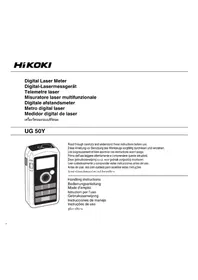
UG50Y - Rangefinder HiKOKI - Free user manual and instructions
Find the device manual for free UG50Y HiKOKI in PDF.



| Brand | HiKOKI |
| Model | UG50Y |
| Product type | Laser distance meter |
| Dimensions (L x H x D) | 111 x 58 x 32 mm |
| Weight (with battery) | 140 g |
| Power supply | 9V alkaline battery (not included) |
| Measurement accuracy | ±1.5 mm (repeated) |
| Laser | Visible semiconductor laser 650 nm, class II, max. power 1 mW |
| Measuring range | Up to 30 m (varies with conditions) |
| Measuring modes | Distance, continuous, area, volume, side (Pythagorean theorem) |
| Display units | Feet, inches, meters |
| Battery life | Approximately 30,000 measurements |
| Protection | IP54 (splash and dust resistant, except battery compartment) |
| Operating temperature | 0°C to 40°C |
| Auto power off | Laser beam after approx. 30 s, display after approx. 3 min |
| Included accessories | Carrying case, 9V battery, shoulder strap, multilingual label |
| Additional functions | Addition, subtraction, memory, backlight, reference point selection (front, rear, W1/4 socket), spirit level |
| Maintenance and cleaning | Clean the lens with a soft cloth; store in the case; remove the battery if not used for an extended period |
| Safety | Do not look directly into the laser beam; keep out of reach of children; do not use in the presence of flammable liquids |
| Warranty | Complies with national regulations; warranty does not cover damage due to misuse |
Frequently Asked Questions - UG50Y HiKOKI
User questions about UG50Y HiKOKI
0 question about this device. Answer the ones you know or ask your own.
Ask a new question about this device
Download the instructions for your Rangefinder in PDF format for free! Find your manual UG50Y - HiKOKI and take your electronic device back in hand. On this page are published all the documents necessary for the use of your device. UG50Y by HiKOKI.
USER MANUAL UG50Y HiKOKI
| 1 ① ② ③ ④ ⑤ ⑥ | 2 ⑧ ⑨ ⑩ ⑪ | 3 ⑫ ⑬ ⑭ ⑮ ⑯ ⑰ ⑱ ⑲ ⑳ | 4 (a) (b) (c) |
| 6 | 7 | 8 |
| 9 | 1 | 0 |
| 12 13 14 | 66 67 68 69 69 | |
| Symbols WARNING The following show symbols used for the machine. Be sure that you understand their meaning before use. | Symbole WARNING Die folgenden Symbole werden für diese Maschine verwendet. Achten Sie darauf, diese vor der Verwendung zu verstehen. | |
| Read all safety warnings and all instructions. Failure to follow the warnings and instructions may result in electric shock, fi re and/or serious injury. | Lesen Sie sãmtliche Sicherheitshinweise und Anweisungen durch. Wenn die Warnungen und Anweisungen nicht befolgt werden, kann es zu Stromschlag, Brand und/oder ernsthaften Verletzungen kommt. | |
| Only for EU countries Do not dispose of electric tools together with household waste material! In observance of European Directive 2002/96/EC on waste electrical and electronic equipment and its implementation in accordance with national law, electric tools that have reached the end of their life must be collected separately and returned to an environmentally compatible recycling facility. | Nur für EU-Länder Werfen Sie Elektrowerkzeuge nicht in den Hausmüll! Gemäß Europäischer Richtlinie 2002/96/EG über Elektro- und Elektronik- Altgeräte und Umsetzung in nationales Recht mussen verbrauchte Elektrowerkzeuge getrennt gesammelt und einer umweltgerechten Wiederverwertung zugeführrt werden. | |
| Do not look directly into the laser beam or point the laser at anyone. This instrument uses a Class II laser (based on EN60825-1). If the light gets in your eyes, it may damage your eyes. | Blichen Sie nicht direkt in den Laserstrahl undrichten Sie den Laserstrahl nie auf eine andere Person. Dieses Instrument verwendet einen Laser der Klasse II (gemäß EN60825-1). Falls der Laserstrahl direkt auf ihre Augen trift t, konnten diese dadurch beschädigt werden. | |
| Symboles AVERTISSEMENT Les symboles suivants sont utilisés pour l'outil. Bien se familiariser avec leur signifi cation avant d'utiliser l'outil. | Simboli AVVERTENZA Di seguito mostriamo i symboli usati per la macchina. Assicurarsi di comprendre il significi cato prima dell'uso. | |
| Lire tous les avertissements de sécurité et toutes les instructions. Tout manquement à observer ces avertissements et instructions peut engendrer des chocs électriques, des incendies et/ou des blessures graves. | Leggere tutti gli avertimenti di sicurezza e tutte le istruzioni. La mancata osservanza degli avertimenti e delle istruzioni potrebbe essere causa di scosse elettriche, incendi e/o gravi lesioni. | |
| Pour les pays européens uniquement Ne pas jeter les apparciels électriques dans les ordures ménagères! Conformément à la directive européen 2002/96/EG relative aux déchets d'équipements électriques ou électroniques (DEEE), et à sa transposition dans la législation nationale, les apparciels électriques doivent être collectés à part et être soumis à un recyclage respectieux de l'environnement. | Solo per Paesi UE Non gettarle le apparecchiature elettriche tra i rifiuti domestici. Secondo la Direttiva Europea 2002/96/CE sui rifi uti di apparacchiature elettriche ed elettroniche e la sua attuazione in conformità alle norme nazionali, le apparacchiature elettriche这样一uste devono essere raccolte separatamente, al fi ne di essere reimpiegate in modo eco-compatible. | |
| Ne regardez jamais directement le faisceau laser et ne pointez jamais ce dernier vers une autre personne. Cet instrument est équipé d'un laser de Classe II (selon EN60825-1). La lumière risque de provoquer des lésions oculaires en cas de contact avec les yeux. | Non guardare direttamente il fascio laser né punctare il laser verso nessuno. Questo strumento utilizzato un laser di Classe II (sulla base di EN60825-1). Se la luce entra negli occhi, potrebbe danneggiare la vista. | |
| Symbolen WAARSCHUWING Hieronder staan symbolen afgebeeld die van toepassing+zijn op deze machine. U moet de betekenis hiervan begrijpen voor gebruik. | Símbolos ADVERTENCIA A continually se muestran los símbolos usados para laística. Asegúrese de comprender su significi cado antes del uso. | |
| Lees alle waarschuwingen en instructies aandachtig door. Nalating om de waarschuwingen en instructies op te volgen kan in een elektrische schok, brand en/of ernstig letsel resulteren. | Lea todas las instrucciones y advertencias de seguridad. Si no se siguen las advertencias e instructiones, podrá producirse una descarga electrica, un incendio y/o daños graves. | |
| Alleen voor EU-landen Geef elektrisch gereedschap Niet met het huisvuil mee! Volgens de Europese richtig 2002/96/EG inzake oude elektrische en elektronische apparaten en de toepassing waarvan binnen de nationale wetgeving, dient gezruikt elektrisch gereedschap gescheden te worden ingezameld en te worden afgevoerd maar een recycle bedrivjat dat voldoet aan de geldende milieu-eisen. | Sólo para paises de la Unión Europea ;No deseches los aparatos electricos+junto con los residuos dométricos! De conformidad con la Directiva Europea 2002/96/CE sobre residuos de aparatos electricos y electrónicos y su aplicación de acuerdo con la legislación nacional, las ferramentas electricas cuya vida útil haya llegado a su fin sedeferán recoger porSeparated y trasladar a una planta de reciclaje que cumpla con las exigencies ecologíaicas. | |
| Kijk Nietrechtstreeks in de laserstraal enricht de laser ook Niet op iemand. In dit instrument worden een klassie II laser gebruikt (gebaseerd op EN60825-1). Als hetlicht in uw ogen komt, kan dit oogletsel veroorzaken. | No mire directamente al rayo láser ni apunte con él a nadie. Este instrumento utilizes un láser de Clase II (basado en la norma EN60825-1). Si la luz le da en los ojos, podrá sufrir lesiones. | |
| Símbolos A AVISO A seguir aparecem os símbolos realizados pela boaquina. Assimile bem seu signifi cados antes do uso. | ||
| Leia todas as instruções e avisos de segurar. Se não seguir todas as instruções e os avisos, pode provoc umCHOque eletrico, inciendio e/ou ferimentos graves. | ||
| Apenas para paises da UE Não deixe ferramentas electrolyicas no lixo dométrico! De acordo com a directa européia 2002/96/CE sobre ferramentas electrolyicas e electréticas usadas e a transposação para as leis nationais, as ferramentas electrolyicas usadas devem ser recolhidas em separado e encaminhadas a uma instalação de reciclagem de materiais ecologicos. | ||
| Não olhe direcção para o feixe do laser nem aponte o laser para as pessoas. Este instrumento utilizes um laser de Classe II (com base em EN60825-1). Se a luz atingir os olhos, pode danifi sé-los. |
English
GENERAL POWER TOOL SAFETY WARNINGS
WARNING
Read all safety warnings and all instructions.
Failure to follow the warnings and instructions may result in electric shock, fire and/or serious injury.
Save all warnings and instructions for future reference.
The term "power tool" in the warnings refers to your mains-operating a power tool in a damp location is unavoidable, (corded) power tool or battery-operated (cordless) power tool. use a residual current device (RCD) protected supply.
1) Work area safety
a) Keep work area clean and well lit.
Cluttered or dark areas invite accidents.
b) Do not operate power tools in explosive atmospheres, such as in the presence of flammable liquids, gases or dust.
Power tools create sparks which may ignite the dust or fumes.
c) Keep children and bystanders away while operating a power tool.
Distractions can cause you to lose control.
2) Electrical safety
a) Power tool plugs must match the outlet.
Never modify the plug in any way.
Do not use any adapter plugs with earthed (grounded) power tools.
Unmodified plugs and matching outlets will reduce risk of electric shock.
b) Avoid body contact with earthed or grounded surfaces, such as pipes, radiators, ranges and refrigerators.
There is an increased risk of electric shock if your earthed or grounded.
c) Do not expose power tools to rain or wet conditions.
Water entering a power tool will increase the risk of electric shock.
d) Do not abuse the cord. Never use the cord for carrying, pulling or unplugging the power tool.
Keep cord away from heat, oil, sharp edges or moving parts.
Damaged or entangled cords increase the risk of electric shock.
e) When operating a power tool outdoors, use an extension cord suitable for outdoor use.
Use of a cord suitable for outdoor use reduces the risk of electric shock.
operating a power tool in a damp location is unavoidable, use a residual current device (RCD) protected supply.
Use of an RCD reduces the risk of electric shock.
3) Personal safety
a) Stay alert, watch what you are doing and use common sense when operating a power tool.
Do not use a power tool while you are tired or under the influence of drugs, alcohol or medication.
A moment of inattention while operating power tools may result in serious personal injury.
b) Use personal protective equipment. Always wear eye protection.
Protective equipment such as dust mask, shoes, hard hat, or hearing protection used for conditions will reduce personal injuries.
c) Prevent unintentional starting. Ensure the switch is in the off -position before connecting to power source and/or battery pack, picking up or carrying the tool.
Carrying power tools with your finger on the switch or energising power tools that have the switch on invites accidents.
d) Remove any adjusting key or wrench before turning the Our power tool .
A wrench or a key left attached to a rotating part of the power tool may result in personal injury.
e) Do not overreach. Keep proper footing and balance at all times.
This enables better control of the power tool in unexpected situations.
English
f) Dress properly. Do not wear loose clothing or jewellery. Keep your hair, clothing and gloves away parts.
Loose clothes, jewellery or long hair can be caught in moving parts.
g) If devices are provided for the connection of dust extraction and collection facilities, ensure these are connected and properly used.
Use of dust collection can reduce dust related hazards.
4) Power tool use and care
a) Do not force the power tool. Use the correct power tool for your application.
The correct power tool will do the job better and safer at the rate for which it was designed.
b) Do not use the power tool if the switch does not turn it on and off.
Any power tool that cannot be controlled with dangerous and must be repaired.
c) Disconnect the plug from the power source and/or the battery pack from the power tool before making any adjustments, changing accessories, or storing power tools.
Such preventive safety measures reduce the risk of starting the power tool accidentally.
d) Store idle power tools out of the reach of children and do not allow persons unfamiliar with the power tool or these instructions to operate the power tool.
Power tools are dangerous in the hands of untrained users.
e) Maintain power tools. Check for misalignment or binding of moving parts, breakage of parts and any other condition that may affect the power tools' operation.
If damaged, have the power tool repaired before use.
Many accidents are caused by poorly maintained power tools.
f) Keep cutting tools sharp and clean.
Properly maintained cutting tools with sharp cutting edges are less likely to bind and are easier to control.
g) Use the power tool, accessories and tool bits etc. in from maccoglance with these instructions, taking into account the working conditions and the work to be performed.
Use of the power tool for operations different from those intended could result in a hazardous situation.
5) Battery tool use and care
a) Use power tools only with specifically designated battery packs.
Use of any other battery packs may create a risk of injury and fire.
b) When battery pack is not in use, keep it away from other metal objects like paper clips, coins, keys, nails, screws, or other small metal objects that can make a connection from one terminal to another.
Shorting the battery terminals together may cause burns or a fire.
6) i under abusive conditions, liquid may be ejected from the battery; avoid contact. If contact accidentally occurs, fl ush with water. If liquid contacts eyes, additionally seek medical help.
Liquid ejected from the battery may cause irritation or burns.
6) Service
a) Have your power tool serviced by a qualified repair person using only identical replacement parts.
This will ensure that the safety of the power tool is maintained.
PRECAUTION
Keep children and infirm persons away.
When not in use, tools should be stored out of reach of children and infants persons.
English
PRECAUTIONS FOR DIGITAL LASER METER

WARNING
- Do not look directly at the laser beam through an optical instrument.
Looking at the laser beam through a telescope, binoculars or magnifying glass may damage your eyes. - If you feel the instrument is not working normally, do not under any circumstances use it.
If the laser is too powerful or too weak, send the instrument for repair. - Do not look directly into the laser beam.
Looking directly into the laser beam may damage your eyes. - Avoid using the laser at eye level.
If the laser beam hits your eyes directly, it may damage your eyes. - Do not stand in the path of the laser beam.
- Do not under any circumstances disassemble or modify the instrument.
In the event of breakdown or repair, contact the dealer where you purchased the instrument or your nearest HiKOKI power tool service centre.
- Do not place any reflective object in the path of the laser beam. If the laser beam is reflected into your eyes, it may damage your eyes.
- If you suspect any injury due to the laser beam, consult a doctor immediately.
- Do not point the laser beam at anyone.
- Do not allow the instrument to be used by a child.
CAUTION
- Be sure to check the measuring accuracy before and after use. Using the instrument in a faulty condition may result in error.
- Use the instrument in an ambient temperature of 0^ to 40^ . Use in any other environment may result in loss of accuracy or failure to emit the laser beam.
- Do not leave the instrument in the following places. Doing so may result in loss of accuracy or breakdown.
9
Where it will be exposed to direct sunlight or high temperature such as near a heating appliance
On the dashboard, in the trunk, on the luggage platform or in direct sunlight inside a vehicle with the windows closed
Where it will be exposed to magnetism, vibration, dust, moisture or humidity
- Do not use the instrument if there is condensation on it.
Doing so may result in loss of accuracy or breakdown.
- Do not use in a faulty condition.
Stop using the instrument immediately and contact the dealer where it was purchased or your nearest HiKOKI power tool service centre.
- Do not subject the instrument to strong impact by dropping it or knocking it over.
If dropped or knocked over, check the accuracy or send it for repair.
- Do not expose the instrument to rain or water.
The performance or service life will be adversely affected and malfunction may result.
- Turn the power off before moving the instrument.
- Do not touch the laser aperture or receiver lens.
Doing so may result in loss of accuracy.
- Place the instrument in the soft case for carrying.
Vibration or impact may result in loss of accuracy or breakdown.
- Store the instrument in the soft case.
Humidity or dust may cause breakdown. - Remove the battery when not in use.
Leakage of battery fluid may cause breakdown.
- User safety training
The user should have adequate understanding of the properties, harmful effects, etc. of lasers. - Perform measuring in a safe place.
Disclaimer
- Observe all safety warnings and instructions in this manual when using the instrument.
HiKOKI assumes no responsibility for damages (including losses due to interruption of business) arising from use of the product other than in accordance with the instructions in the manual.
English
Be sure to check the accuracy before and after use. Similarly, check the accuracy after the instrument has been subjected to impact by being knocked over or dropped. HiKOKI assumes no responsibility for damages arising from error due to non-performance of the accuracy check.
HiKOKI assumes no responsibility for damages arising from use of the laser meter other than for the intended purpose.
HiKOKI assumes no responsibility for damages arising from fire, earthquakes, floods, lightning and other disasters.
| ① | Laser aperture |
| ② | Receiver lens |
| ③ | Side measure button |
| ④ | Bubble tube |
| ⑤ | Operation panel |
| ⑥ | Display |
| ⑦ | Measure button |
| ⑧ | Mode select button (Volume) |
| ⑨ | Add button |
| ⑩ | Memory (beep) button |
| ⑪ | Unit select button |
| ⑫ | Display light button |
| ⑬ | Mode select button (Distance/Continuous/Side (Pythagoras' theorem)) |
| ⑭ | Subtract button |
| ⑮ | Measuring reference point select button |
| ⑯ | On/Off (Clear) button |
| ⑰ | Battery level indicator |
| ⑱ | Beep indicator |
| ⑲ | Area/Volume indicator |
| ⑳ | Side indicator |
| ⑴ | Distance/Continuous measurement indicator |
| ⑵ | Measuring reference point indicator |
| 23 | Measurement/Result display |
| 24 | Measurement display |
| 25 | [=] [+] [-] indicator |
| 26 | Unit indicator |
| 27 | Digital laser meter |
| 28 | Hole |
| 29 | 9 V alkaline battery |
| 30 | Hook |
| 31 | Battery cover |
| 32 | Connecting terminal |
| 33 | Distance indicator |
| 34 | Continuous measurement indicator |
| 35 | Area indicator |
| 36 | Volume indicator |
| 37 | Side indicator (Pythagoras' theorem) |
| 38 | Front reference point indicator |
| 39 | W1/4 socket hole reference point indicator |
| 40 | Rear reference point indicator |
| 41 | Laser indicator |
| 42 | Instrument front (Reference point) |
| 43 | Target reference point |
| 44 | Target |
| 45 | Measured distance |
| 46 | Instrument rear (Reference point) |
| 47 | W1/4 socket hole (Reference point) |
| 48 | Tripod |
| 49 | Bubble |
| 50 | Area |
| 51 | Length |
| 52 | Lengthwise target |
| 53 | Instrument (placed lengthwise) |
| 54 | Width |
| 55 | Widthwise target |
| 56 | Instrument (placed widthwise) |
| 57 | Volume |
| 58 | Height |
| 59 | Heigthwise target |
| 60 | Instrument (placed heightwise) |
| 61 | Side C |
| 62 | Side A |
| 63 | Side B |
| 64 | Side A target |
| 65 | Instrument (placed lengthwise to side A) |
| 66 | Side B target |
| 67 | Instrument (placed lengthwise to side B) |
| 68 | Mode select button (Area) |
| 69 | Label |
SPECIFICATIONS
| Power source 9 V alkaline battery (1) | ||
| Measuring modes Distance, continuous, area, vol. | me, side | |
| Measurable range * 1 | 0.5 m to 50 m | |
| Display unit Feet, inches and meters | ||
| Laser | Laser: Visible light semiconductor laser 650 nm Output: 1 mW or less (Class II * 2) | |
| Measuring accuracy (repeated) * 3 | ±1.5 mm | |
| Measuring time * 4 | 0.5 to 3 sec. | |
| Minimum measurement unit 1 mm | ||
| Splash proof & dust-proof Protection Class IP54 * | 5 (excluding battery compartment) | |
| Battery life Approx. 30,000 measurements * | 6 | |
| Operating temperature range 0°C to 40°C | ||
| Storage temperature range -20°C to 60°C | ||
| Auto power off *7 | Laser beam Approx. 30 sec. | |
| Display Approx. 3 min. | ||
| Dimensions (H x W x D) 111 x 58 x 32 mm | ||
| Weight | 140 g (including battery) | |
*1 The measurable range may vary depending on the characteristics of the laser beam reflected from the target surface and the surrounding brightness.
2 Laser class based on EN60825-1
*3 The measuring accuracy may vary depending on the characteristics of the laser beam reflected from the target surface and the surrounding brightness.
4 The measuring time may vary depending on the characteristics of the laser beam reflected from the target surface and the surrounding brightness.
5 Water splashes and dust have no harmful effect.
6 Battery life may be reduced depending on usage environment and type of battery.
*7 Time until the power turns off automatically when left unoperated.
STANDARD ACCESSORIES
Soft case 1
9 V alkaline battery 1
O Strap 1
Label 1
Standard accessories are subject to change without notice.
OPTIONAL ACCESSORIES (sold separately)
Target plate
Optional accessories are subject to change without notice.
APPLICATIONS
Measuring distance, area, volume and side length at building sites
INSERTING/CHANGING THE BATTERY (See Fig. 4)
The battery is not installed in the instrument when it leaves the factory. Follow the instructions below and insert the battery before use.
- Press the hook of the battery cover in the direction of the arrow and remove the battery cover. (a)
- Connect a new battery, paying attention to the correct polarity. (b)
- Insert the battery with the terminal at the bottom. Match the hook to the hole in the main unit and press the battery cover shut. (c)
ATTACHING THE LABEL (See Fig. 14)
A label in English is attached to the instrument when it leaves the factory. Select a supplied label in the required language and attach it to the label frame on the instrument.
HOW TO USE THE DIGITAL LASER METER
Operation
WARNING
Never look directly into the laser beam or point the beam at anyone.
If the light gets in your eyes, it may damage your eyes.
1. Turn on the power (Fig. 1, 2)
Press the power on/off (clear) button on the operation panel, and when the power is turned on, the display appears.
To turn off the power, press and hold the power on/off (clear) button for at least 2 seconds.
2. Select a measuring mode (Fig. 2, 5)
- There are five measuring modes to choose from: distance, continuous, area, volume and side. Select a mode by using the appropriate button on the operation panel:
Mode select button (Volume),
Mode select button (Distance/Continuous/Side (Pythagoras theorem)) or
Mode select button (Area).
The selected mode is indicated on the display.
The default setting is the distance mode. You can change the selected mode or measure in the selected mode for as long as the power is on.
3. Select a unit (Fig. 2, 3)
Press the unit select button on the operation panel. There are three units to choose from: feet, inches and meters. The selected unit is indicated on the display.
4. Select a reference point (Fig. 2, 6)
There are three reference settings to choose from: front, W1/4 socket hole and rear.
Select a reference point by pressing the Measuring reference point select button. The selected reference point is indicated on the display.
When the power is turned on, the last reference point that was set is selected. If necessary, select a diff erent reference point.
English
Examples of measuring using different reference points
① Measuring using front reference point (Fig. 7)
Place the front (reference point) of the instrument against the measuring surface.
② Measuring using rear reference point (Fig. 8)
Place the rear (reference point) of the instrument against the measuring surface.
③ Measuring using the W1/4 socket hole (for the tripod) as the reference point (Fig. 9)
Use the center of the socket hole for attaching the tripod as the reference point.
NOTE
If the instrument needs to be level with the target, adjust the level using the bubble tube. (Fig. 10)
5. Measuring procedures in each mode
NOTE
Check that there is nothing obstructing measurement by the laser.
- Do not move the instrument during measuring (except during continuous measurement).
The center of the laser beam is measured. The same applies when the beam is aimed diagonally at the target.
The measuring range may vary depending on the characteristics of the laser beam reflected from the target surface or the surrounding brightness.
To measure quickly and accurately outdoors in bright sunlight, use a target plate (sold separately) or put the target in the shade.
Measuring errors may occur with transparent surfaces (such as glass or water) or mirror surfaces, as well as in the case of surfaces with holes in, uneven surfaces, different temperatures and indirectly reflected light.
If the power is turned on and no button is pressed, the power will turn off automatically after approximately 3 minutes. Press the power button again to resume operation.
If the instrument is used and then left with no the laser will turn off after approximately 30 seconds. Press the measure button again to resume operation.
The length of time after the power is turned on until the instrument is ready to measure may vary depending on the usage environment.
If an error occurs while measuring, remedy the cause before resuming measuring.
Measuring distance (Fig. 2, 6)
① Select distance mode. (See "Selecting a measuring mode")
② Press the measure button and aim the laser beam at the target. The status is indicated on the display.
③ Press the measure button again to stop measuring. A beep sounds and the measurement is indicated on the display. When measuring is finished, the laser goes off.
④ To continue measuring distance, repeat steps ② and ③.
The side button on the side of the instrument has the same function as the measure button on the operation panel.
For convenient operation in narrow spaces, the instrument can be placed in a vertical position.
Continuous measurement
Use continuous measurement to set the desired position from the target.
① Select continuous measurement mode. (See "Selecting a measuring mode")
② Press the measure button and aim the laser beam at the target.
③ Move the instrument until the desired measurement is indicated on the display.
④ Press the measure button again to finish continuous measurement. The last measurement is indicated on the display.
Measurements are successively indicated on the display with a beep sound every 0.5 to 3 seconds.
The previous measurement is deleted when the next measurement is taken.
In continuous measurement mode, the power does not turn off automatically. Be sure to press the power button after operation to end continuous measurement.
button pressed,
English
Measuring area (Fig. 11)
If you measure the length and the width, the area is automatically calculated.
① Select area mode. (See "Selecting a measuring mode")
Measure the length.
Press the measure button and aim the laser at the target length.
Press the measure button again to finish measuring. A beep sounds and the length measurement is indicated on the display. The laser does not go off at this time.
Measure the width.
Press the measure button and aim the laser at the target width.
Press the measure button again to finish measuring. A beep sounds and the width measurement and calculated area are indicated on the display.
| Display Content | ||
| Before measuring ---- m2---- m | ||
| After measuring length | 3.083 m | →Length measurement |
| 3.083 m | →Length measurement | |
| After measuring width | 6.289 m2 | →Area calculation result |
| 2.040 m | →Width measurement | |
Measuring volume (Fig. 12)
If you measure the length, width and height, the volume is automatically calculated.
① Select volume mode. (See "Selecting a measuring mode")
② Measure the length.
Follow the instructions for measuring the length in area mode.
Measure the width.
Follow the instructions for measuring the width in area mode.
Measure the height.
Press the measure button and aim the laser at the target height.
Press the measure button again to finish measuring. A beep sounds and the height measurement and calculated volume are indicated on the display.
| Display Content | ||
| Before ---- m | 3---- m | |
| After measuring length | 3.083 m | →Length measurement |
| 3.083 m | →Length measurement | |
| After measuring width | 6.289 m² | →Area calculation result |
| 2.040 m | →Width measurement | |
| After measuring height | 5.333 m³ | →Volume calculation result |
| 0.848 m | →Height measurement | |
Measuring sides (Pythagorean theorem)
If you measure the two sides of a right triangle, the length of the third side is calculated automatically.
Use this mode when you cannot measure the distance because there is an obstacle or there is no elevated target surface.
To obtain side C (Fig. 13)
① Select side mode. (See "Selecting a measuring mode")
② Measure the length of side A.
Follow the instructions for measuring the length in area mode and measure side A.
Measure side B.
Follow the instructions for measuring the length of side A and measure the length of side B.
When you have finished measuring, a beep sounds and the measured length of side B and calculated result of side C are indicated on the display.
English
| Display Content | ||
| Before measuring --- m ---- m | ||
| After measuring side A | 1.862 m 1.862 m | →Side A measurement →Side A measurement |
| After measuring side B | 5.039 m 5.372 m | →Calculated result of side C →Side B measurement |
Deleting a measurement (Fig. 2)
Press the power on/off (clear) button on the operation panel to delete a measurement.
Turning on the display light (Fig. 2)
Press the display light button to turn the green backlight on and off.
The backlight goes off automatically after approximately 8 seconds if no button is pressed.
The backlight cannot be turned on and off while measuring.
Muting the beep (Fig. 2)
Press and hold the memory button on the operation panel for at least 2 seconds to turn the beep on and off.
Changing the unit (Fig. 2)
Press the unit select button on the operation panel to change the measurement unit.
Turning off the power (Fig. 2)
Press and hold the power on/off (clear) button on the operation panel for at least 2 seconds to turn the power off.
6. Saving, adding, subtracting and deleting a measurement
Saving (Fig. 2, 3)
Press the memory button to save the measurement indicated on the display. [=] appears in the top row of the display and the saved measurement is indicated next to it.
The saved measurement is not deleted when the power is turned off and it is indicated in the top row of the display the next time the power is turned on.
Adding (Fig. 2, 3)
A new measurement can be added to a previous measurement already stored in the memory.
Press the add button when a measurement is displayed. The calculated result and [+] next to it blink 3 times in the top row on the display.
Measurements in different units (,^2,^3) cannot be added.
Subtracting (Fig. 2, 3)
A new measurement can be subtracted from a measurement already stored in the memory.
Press the subtract button when a measurement is displayed. The calculated result and [-] next to it blink 3 times in the top row on the display.
Measurements in different units (,^2,^3) cannot be subtracted.
NOTE
- You can continue adding or subtracting when a measurement is indicated on the display.
- Pressing the memory button when a measurement is already saved in the memory and the latest measurement is shown on the display deletes the existing measurement.
Deleting a saved measurement (Fig. 2, 3)
① Press the memory button to move the measurement indicated on the display to the top row.
② Press the power on/off (clear) button to delete the memory.
CHECKING THE ACCURACY (before and after use)
If the accuracy is found to be faulty, contact the dealer for repairs.
WARNING
Be sure to check the following before and after use.
Using the instrument in a faulty condition may lead to errors.
Checking repeated measuring accuracy
Fix the position of the instrument and measure a distance of approximately 1 m to 5 m ten times.
English
② Accuracy is normal if the variation in the measurements 3mm.
Measuring accuracy may vary depending on the characteristics of the laser beam reflected from the target surface or the surrounding brightness. Measure the target surface under the following conditions.
Dark place away from direct sunlight
Smooth surface
Not too strongly reflecting surface (mirror, etc.)
White or gray wall
Free from steam, mirage or dust
Causes of error and remedies
| Error code | Cause Remedy | |
| 201 | Outside measuring range | Use within measuring range. |
| 202 | Reflected signal is too weak | Measure target surface in good condition. |
| 203 | Exceeded display range | Press on/off button to reset. |
| 204 | Calculation error (Pythagorean theorem) | Measure in correct order. |
| 205 | Exhausted battery Replace with new battery. | |
| 206 | Temperature too high | Use in range of 0°C to 40°C. |
| 207 | Temperature too low | Use in range of 0°C to 40°C. |
| 208 | Surroundings too bright | Measure away from strong light (direct sunlight, etc.). |
STORING
After use, be sure to turn off the power and store the instrument in the provided case.
iSWthie instrument is not to be used for a long period, remove the battery.
- Avoid storing the unused instrument or accessories in the following places. Store in a safe, dry place.
NOTE
O Keep out of reach of children
- Keep out of the rain, such as under the eaves, and away from humidity
Store out of direct sunlight
- Store away from rapid changes in temperature
- Store away from vibration
DISPOSAL
Dispos of the instrument appropriately by a method specified by the local government of the area.
Disposing of the instrument inappropriately may result in the following problems.
- Burning plastic components generates noxious fumes that may present a danger to public health.
- If the battery is damaged or is heated and explodes, it may lead to poisoning, burns, corrosion or fire or cause environmental pollution.
- Disposing of the instrument irresponsibly may lead to someone with no knowledge of the product using it in violation of the regulations. This may lead to serious injury not only to yourself but to others, as well as causing environmental pollution.
EU only: Do not dispose of the instrument with household garbage. Observe EU Directive 2002/96/EC (Waste electrical and electronic equipment) and the rules of the respective country. Dispose of the instrument by sorting for environment-friendly recycling.
Disposal of battery
Do not dispose of the used battery with household garbage or throw into fire or water. Disposc of it in a legally defined and environmentally friendly manner.
English
REPAIRS
This product is a high-precision instrument. If it does not operate normally, do not attempt to repair it yourself. Contact the dealer.
GUARANTEE
We guarantee HiKOKI Power Tools in accordance with statutory/ country specific regulation. This guarantee does not cover defects or damage due to misuse, abuse, or normal wear and tear. In case of complaint, please send the Power Tool, undismantled, with the GUARANTEE CERTIFICATE found at the end of this handling instruction, to a HiKOKI Authorized Service Center.
NOTE
Due to HiKOKI's continuing program of research and development, the specific cations herein are subject to change without prior notice.
Deutsch
Addition (Fig. 2, 3)
STANDAARD ACCESSORIES
O Etui 1
9 V alkalibatterij 1
Riem 1
Label 1
| 0.5 W 50 W | ||
| 120V DC 5A 1W 650 V | ||
| ±1.5 mm | ||
| 0.5 W 3 W | ||
yin
H
HANNNN (50070/0000000000000000000000000000000000000000000000)
a
Lnnnneanennnnnnnnnnnnnnnnnnnnnnnnnnnnnnnnnnnnnnnnnnnnnnnnnnnnnnnnnnnnnnnnnnnnnnnnnnnnnnnnnnnnnnnnnnnnnnnnnnnnnnnnnnnn
O 1
- taannnnae (5) 2 uae 3)
nannnnnnnnnnnnnnnnnnnnnnnnnnnnnnnnnnnnnnnnnnnnnnnnnnnnnnnnnnnnnnnnnnnnnnnnnnnnnnnnnnnnnnnnnnnnnnnnnnnnnnnnnnnnnnnnnnnnnnnnnnnnnnnnnnnnnnnn
- taonqanov (Jn 2 uz6)
Og qanwqan 3 qn: nwnnn W1/4 uazn
O
1
1
① mnaeaeaaanannn (7)
()()
(2) mnnnnaaennnnnnnnnnnnnnnnnnnnnnnnnnnnnnnnnnnnnnnnnnnnnnnnnnnnnnnnnnnnnnnnnnnnnnnnnnnnnnnnnnnnnnnnnnnnnnnnnnnnnnnn
TJ()
③ mnaeaeanen W1/4 (aannan) 9
H
(10)
| ...... | ||
| ...... | ||
| 3.083 | →n729999999999999999999999999999999999999999999999999999999999999999999999999999999999999999999999999999 | →n729999999999999999999999999999999999999999999999999999999999999999999999999999999999999999999999 |
| 6.289 | →n72999999999999999999999999999999999999999999999999999999999999999999999999999999999999999999999 | →n7290000000000000000000000000000000000000000000000000000000000000000000000000000000000000000000000000000 |
| 2.040 | →n729999999999999999999999999999999999999999999999999999999999999999999999999999999999999999999999 | →n728999999999999999999999999999999999999999999999999999999999999999999999999999999999999999999999999999 |
n73nnn 12)
1
①
2
3
④
O
0
| 3.083 | →→→→→→ | |
| 3.083 | →→→→→→ | |
| 6.289 | →→→→→→ | |
| 2.040 | →→→→→→ | |
| 5.333 | →→→→→→ | |
| 0.848 | →→→→→→ | |
(1)
2 3
nun C (51 13)
① 1
②
A
(3) 钢筋HRB
O
O 1
Siemensring 34, 47877 willich, Germany
Tel: +49 2154 49930
Fax: +49 2154 499350
URL: http://www.hikoki-powertools.de
Hikoki Power Tools Netherlands B.V.
Brabanthaven 11, 3433 PJ Nieuwegein, The Netherlands
Tel: +31 30 6084040
Fax: +31 30 6067266
URL: http://www.hikoki-powertools.nl
Hikoki Power Tools (U.K.) Ltd.
Precedent Drive, Rooksley, Milton Keynes, MK 13, 8PJ, United Kingdom
Tel: +44 1908 660663
Fax:+441908606642
URL: http://www.hikoki-powertools.uk
Hikoki Power Tools France S.A.S.
Hikoki Power Tools Belgium N.V./S.A.
Koningin Astridlaan 51, B-1780 Wemmel, Belgium
Tel: +32 2 460 1720
Fax: +32 2 460 2542
URL http://www.hikoki-powertools.be
Hikoki Power Tools Italia S.p.A
Via Piave 35, 36077, Altavilla Vicentina (VI), Italy
Tel: +39 0444 548111
Fax: +39 0444 548110
URL: http://www.hikoki-powertools.it
Hikoki Power Tools Ibérica, S.A.
C/ Puigbarral, 26-28, Pol. Ind. Can Petit, 08227 Terrassa
(Barcelona), Spain
Tel: +34 93 735 6722
Fax: +34 93 735 7442
URL: http://www.hikoki-powertools.es
84, 88 Krungthepkreetha Road,
Huamark Sub-district,
Bangkapi District, Bangkok 10240
Tel: +66-2-379-4460-3
Fax: +66-2-379-4712
URL: http://www.hikoki-powertools.co.th/index.aspx
Koki Holdings Co., Ltd.
806
Code No.C99182371 A
Printed in China
- English
- GENERAL POWER TOOL SAFETY WARNINGS
- WARNING
- PRECAUTION
- PRECAUTIONS FOR DIGITAL LASER METER
- CAUTION
- Disclaimer
- STANDARD ACCESSORIES
- OPTIONAL ACCESSORIES (sold separately)
- APPLICATIONS
- INSERTING/CHANGING THE BATTERY (See Fig. 4)
- ATTACHING THE LABEL (See Fig. 14)
- HOW TO USE THE DIGITAL LASER METER
- Operation
- Turn on the power (Fig. 1, 2)
- Select a measuring mode (Fig. 2, 5)
- Select a unit (Fig. 2, 3)
- Select a reference point (Fig. 2, 6)
- Examples of measuring using different reference points
- NOTE
- Measuring procedures in each mode
- Measuring distance (Fig. 2, 6)
- Continuous measurement
- Measuring area (Fig. 11)
- Measuring volume (Fig. 12)
- Measuring sides (Pythagorean theorem)
- To obtain side C (Fig. 13)
- Deleting a measurement (Fig. 2)
- Turning on the display light (Fig. 2)
- Muting the beep (Fig. 2)
- Changing the unit (Fig. 2)
- Turning off the power (Fig. 2)
- Saving, adding, subtracting and deleting a measurement
- Saving (Fig. 2, 3)
- Adding (Fig. 2, 3)
- Subtracting (Fig. 2, 3)
- Deleting a saved measurement (Fig. 2, 3)
- CHECKING THE ACCURACY (before and after use)
- Checking repeated measuring accuracy
- STORING
- DISPOSAL
- Disposal of battery
- REPAIRS
- GUARANTEE
- Deutsch
- Addition (Fig. 2, 3)
- STANDAARD ACCESSORIES
- yin
- n73nnn 12)
- (1)
- Hikoki Power Tools Netherlands B.V.
- Hikoki Power Tools (U.K.) Ltd.
- Hikoki Power Tools France S.A.S.
- Hikoki Power Tools Belgium N.V./S.A.
- Hikoki Power Tools Italia S.p.A
- Hikoki Power Tools Ibérica, S.A.
Brand : HiKOKI
Model : UG50Y
Category : Rangefinder