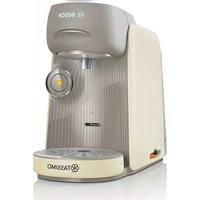
Tassimo Finesse TAS16B7 - Coffee maker BOSCH - Free user manual and instructions
Find the device manual for free Tassimo Finesse TAS16B7 BOSCH in PDF.



| Product Type | Multi-beverage capsule coffee maker |
| Brand | Bosch |
| Model | Tassimo Finesse TAS16B7 |
| Power Supply | 220-240 V ~, 50 Hz |
| Power | 1400 W |
| Dimensions (approx.) | Height: 30 cm, Width: 20 cm, Depth: 30 cm |
| Weight (approx.) | 3.5 kg |
| Water tank capacity | 1.2 L (approx.) |
| Capsule type | Original Tassimo T DISC |
| Main functions | Automatic preparation of hot beverages (coffee, tea, hot chocolate, etc.), barcode reading of T DISC, automatic water volume adjustment, IntensityBoost function for a more intense taste, manual stop and prolongation |
| Control panel | Yellow LED (ready), red LED (fill water), calc LED (descaling), IntensityBoost button |
| Maintenance and cleaning | Dishwasher-safe parts (tank, drip tray, cup support, grid), system cleaning with service T DISC, programmed automatic descaling |
| Safety | Protected heating surface, child safety (supervision required), automatic shut-off, brewing lock system |
| Spare parts and repairability | Original spare parts available via Bosch after-sales service, repairs by qualified personnel only |
| General information | For domestic use, max altitude 2000 m, do not use extension cord, follow cleaning and descaling instructions |
Frequently Asked Questions - Tassimo Finesse TAS16B7 BOSCH
User questions about Tassimo Finesse TAS16B7 BOSCH
0 question about this device. Answer the ones you know or ask your own.
Ask a new question about this device
Download the instructions for your Coffee maker in PDF format for free! Find your manual Tassimo Finesse TAS16B7 - BOSCH and take your electronic device back in hand. On this page are published all the documents necessary for the use of your device. Tassimo Finesse TAS16B7 by BOSCH.
USER MANUAL Tassimo Finesse TAS16B7 BOSCH
natural_image
Abstract floral design with six colored petals on a blue background (no text or symbols)TASSIMO
finesse
natural_image
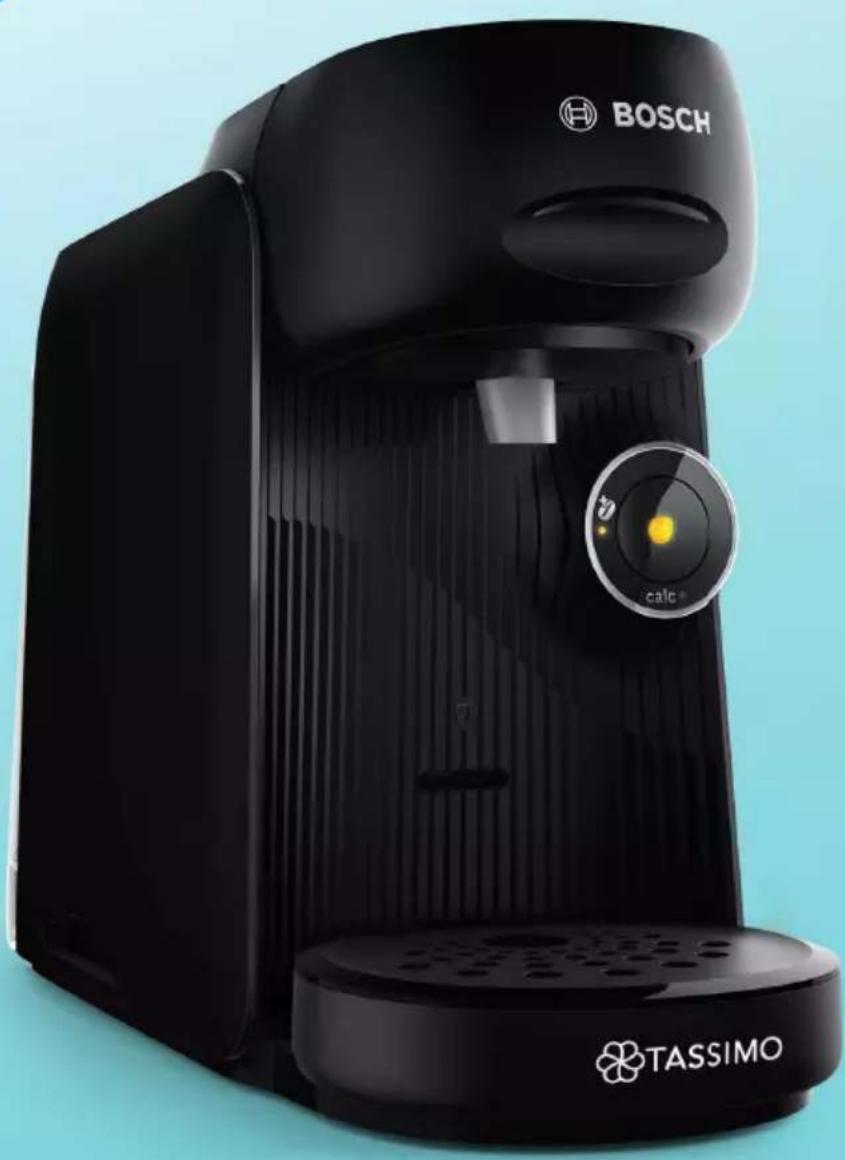
Black Bosch BOSCH self-service milk pump with TASSIMO branding, no visible text or symbols on the device itself.
https://digitalguide.bsh-group.com?mat-no=8001247842

| [de] | Scannen Sie den QR-Code oder besuchen Sie die Webseite, um die erweiterten Hinweise zur Benutzung zu öffnen. Dort finden Sie zusätzliche Informationen zu Ihrem Gerät oder Zubehör. |
| [en] | Scan the QR code or visit the website to open the Further Notices for Use. You can find additional information about your appliance or accessory here. |
| [fr] | Scanner le code QR ou visiter le site Web pour ouvrir les informations d'utilisation complémentaires. Vous y trouverez des informations supplémentaires concernant votre appareil ou accessoire. |
| [es] | Para abrir las indicaciones ampliadas sobre el uso, visite la página web o escanee el código QR. Allí encontrará más información sobre el aparato o los accesorios. |
| [sv] | Scanna QR-koden eller gå till webbplatsen och öppna de utökade användningsanvisningarna. Där finns mer information om din apparat eller dina tillbehör. |
| [da] | Scan QR-koden, eller besøg hjemmesiden, for at åbne de udvidede anvisninger om anvendelse. Der kan der findes yderligere oplysninger om apparatet eller tilbehøret. |
| [no] | Skann QR-koden eller besøk nettstedet for å åpne mer informasjon om bruken. Der finner du mer informasjon om apparatet eller tilbehøret. |
| [el] | Σαρώστε τον κωδικό QR ή επισκεφτείτε την ιστοσελίδα, για να ανοίξετε τις διευρυμένες υποδείξεις για τη χρήση. Εκεί θα βρείτε πρόσθετες πληροφορίες για τη συσκευή σας ή τα εξαρτήματα. |
| [pl] | Aby uzyskać rozszerzone informacje na temat zastosowań urządzenia, należy zeskanować kod QR albo wejść na stronę internetową. Można tam znaleźć dodatkowe informacje na temat posiadanego urządzenia i akcesoriów. |
| [cs] | Pro další informace k používání načtěte QR kód nebo navštivte webovou stránku. Tam najdete další informace ke spotřebiči nebo příslušenství. |
| [sk] | Naskenujte QR kód alebo navštívte webovú stránku, aby ste sa dozvedeli rozšírené informácie o používaní. Tam nájdete d’alšie informácie o vašom spotrebiči alebo príslušenstve. |
| [ro] | Scanați codul QR sau accesati site-ul web pentru a obține mai mult recomandări privind utilizarea. Acolo veți găsi mai multe informații privind aparatul dumneavoastră sau accesoriile. |
| [ru] | Чтобы узнать больше о пользовании, отсканируйте QR-код или зайдите на сайт. Там вы найдете более подробные сведения о приборе и принадлежностях. |
1

natural_image
Illustration of a blue open box with black arrows indicating rotation or movement, no text or symbols present.2

natural_image
Illustration of a hand using a blue tool to clean or adjust a white appliance (no text or symbols visible)3

4



5

natural_image
Illustration of a person holding a tool near a blue object, with no visible text or symbols6


natural_image
Illustration of a hand pouring liquid into a small machine with a black arrow indicating flow direction (no text or symbols)7
8

natural_image
Illustration of a hand washing a blue appliance from a stainless steel kitchen machine (no text or symbols)9

[Non-Text]

10
flowchart
graph TD
    A["1: calc"] --> B["2: 3x"]
    B --> C["3x speedup"]
    C --> D["4: 3x"]
    D --> E["5: 3x"]
    E --> F["6: 3x"]
    F --> G["7: 3x"]
    G --> H["8: 3x"]
    H --> I["9: 3x"]
    I --> J["10: 3x"]
The image is too blurry to recognize any text content.

12
natural_image
Line drawing of a modern coffee maker with a blue checkmark indicating inspection or certification (no text or symbols on the device itself)The image is too blurry to recognize any text content.

14

natural_image
Illustration of a hand holding a blue container with a black arrow, no text or symbols present15

16

natural_image
Illustration of a hand pouring liquid into a blue mug using a digital coffee machine (no text or symbols)The image is too blurry to recognize any text content.

18
20

IntensityBoost


22
The image is too blurry to recognize any text content.

24

The image is too blurry to recognize any text content.

26
[Non-Text]

natural_image
Illustration of a hand placing a blue object into a trash bin with a person symbol below (no text or labels)27
natural_image
Illustration of a washing machine with a mug and a checkmark (no text or symbols)
28
29

30
m = 311
32
m = 311

34
natural_image
Illustration of two steps of cleaning a washing machine, showing hand cleaning and cleaning process (no text or symbols)The image is too blurry to recognize any text content.
flowchart
graph TD
    A["Start"] --> B["Step 1"]
    B --> C["Step 2"]
    C --> D["Step 3"]
    D --> E["Step 4"]
    E --> F["End"]
    style A fill:#f9f,stroke:#333
    style F fill:#bbf,stroke:#333
36


38
natural_image
Illustration of a hand holding a blue spray bottle with a black arrow indicating direction (no text or symbols)
40


42

44
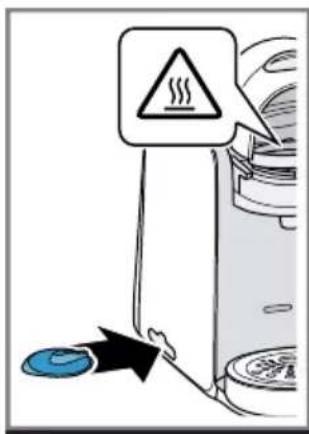
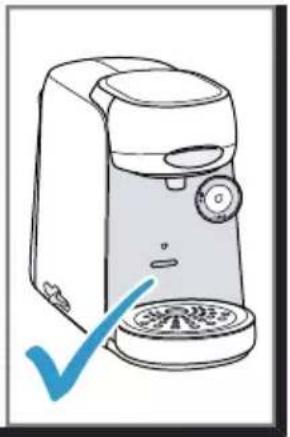
natural_image
Line drawing of a hand washing machine with a blue checkmark indicating inspection (no text or symbols present)45
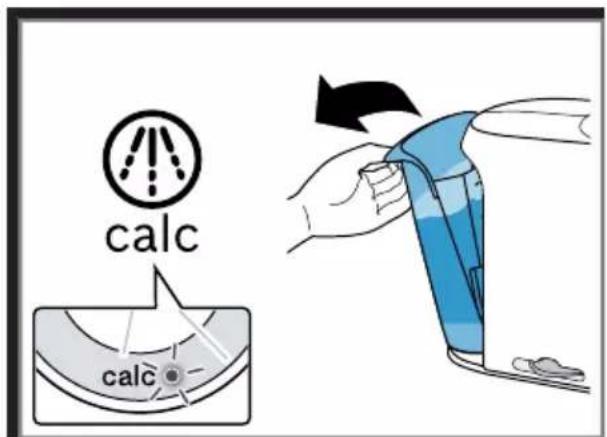
46
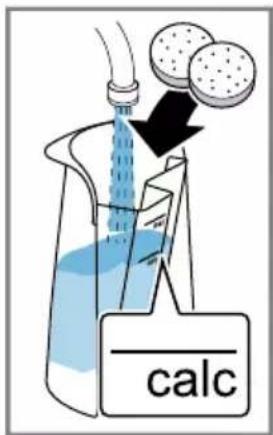

47

natural_image
Illustration of a hand washing a white appliance with blue liquid, showing mechanical components and a small container (no text or symbols)48

The image is too blurry to recognize any text content.
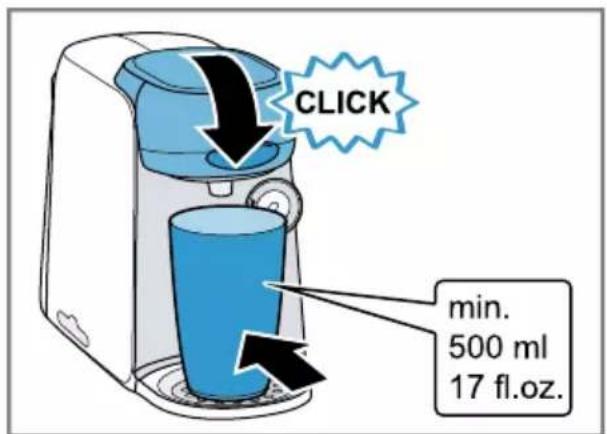
50
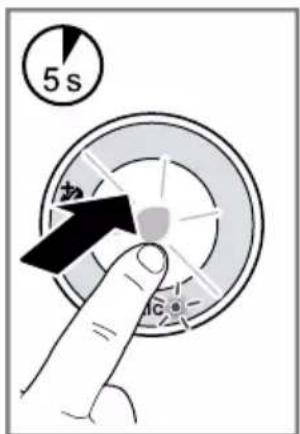


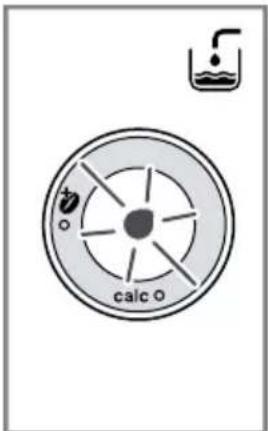
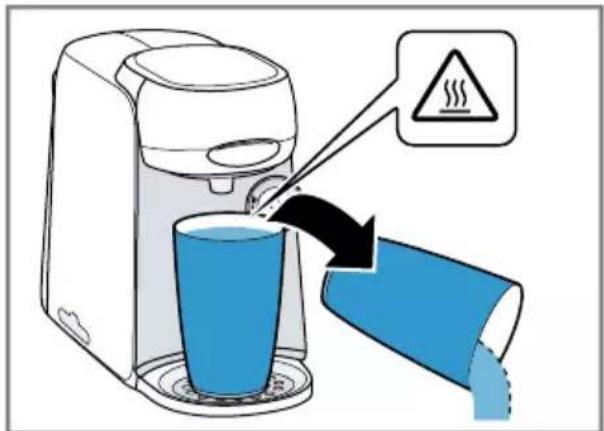
52
natural_image
Illustration of a hand holding a blue spray bottle with a black arrow indicating direction (no text or symbols)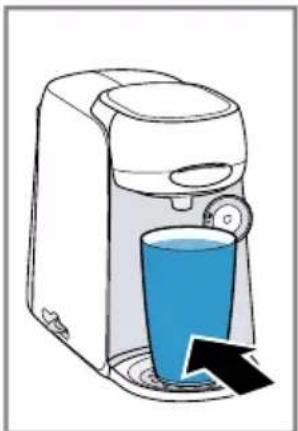
natural_image
Illustration of a white coffee maker with a blue cup and a black arrow indicating liquid level (no text or symbols)54
flowchart
graph TD
    A["Step 1: Heating"] --> B["Step 2: Cooling"]
    B --> C["Step 3: Reduction"]
    C --> D["Warning: 3x"]

56

natural_image
Illustration of a hand holding a blue spray bottle with a black arrow indicating direction (no text or symbols)58
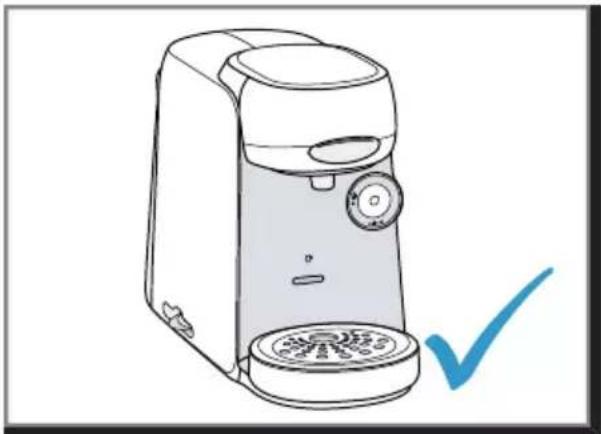
natural_image
Line drawing of a modern coffee maker with a checkmark indicating inspection (no text or symbols present)de
Inhaltsverzeichnis
bosch-infoteam@bshg.com
1.1 General information ...... 21
1.2 Intended use.... 21
1.3 Restriction on user group 21
1.4 Safety information.... 21
2 Overall view 23
2.1 Control panel 23
3 Performing initial start-up 23
4 Preparing a drink.... 23
5 IntensityBoost.... 23
6 Dishwasher-safe components...... 23
7 Cleaning the appliance 23
8 Descale the appliance.... 24
9 Troubleshooting...... 24
10 Technical specifications .... 25
11 Disposing of old appliance...... 25
12 Warranty conditions 25

Safety
- Read this instruction manual carefully.
- Keep the instruction manual and the product information safe for future reference or for the next owner.
■ Do not connect the appliance if it has been damaged in transit. Only use this appliance:
■ for preparing hot drinks.
■ In private households and in enclosed spaces in a domestic environment.
■ Up to an altitude of max. 2000 m above sea level.
This appliance may be used by children aged 8 or over and by people who have reduced physical, sensory or mental abilities or inadequate experience and/or knowledge, provided that they are supervised or have been instructed on how to use the appliance safely and have understood the resulting dangers.
Do not let children play with the appliance.
Children must not perform cleaning or user maintenance unless they are at least 8 years old and are being supervised.
Keep children under the age of 8 years away from the appliance and power cable.
- Keep packaging material away from children.
- Do not let children play with packaging material.
- Keep small parts away from children.
▶ Do not let children play with small parts. - Connect and operate the appliance only in accordance with the specifications on the rating plate.
- Connect the appliance to a power supply with alternating current only via a properly installed socket with earthing.
- The protective conductor system of the domestic electrical installation must be properly installed.
▶ Never operate a damaged appliance.
▶ Never operate an appliance with a cracked or fractured surface.
▶ Never pull on the power cord to unplug the appliance. Always unplug the appliance at the mains. - If the appliance or the power cord is damaged, immediately unplug the power cord or switch off the fuse in the fuse box.
▶ Call customer services.
en Safety
- Repairs to the appliance should only be carried out by trained specialist staff.
▶ Only use genuine spare parts when repairing the appliance.
If the power cord of this appliance is damaged, it must be replaced by the manufacturer, the manufacturer's Customer Service or a similarly qualified person in order to prevent any risk.
▶ Never immerse the appliance or the power cord in water. - Liquids must not be spilled on the appliance plug connection.
▶ Only use the appliance in enclosed spaces.
▶ Never expose the appliance to intense heat or humidity. - Do not use steam- or high-pressure cleaners to clean the appliance.
▶ Ventilate the appliance adequately.
▶ Never operate the appliance in a cupboard.
▶ Never leave the appliance unattended while it is switched on. - Do not use extension cables or multiple socket strips.
▶ If the power cord is too short, contact Customer Service.
▶ Only use adapters approved by the manufacturer.
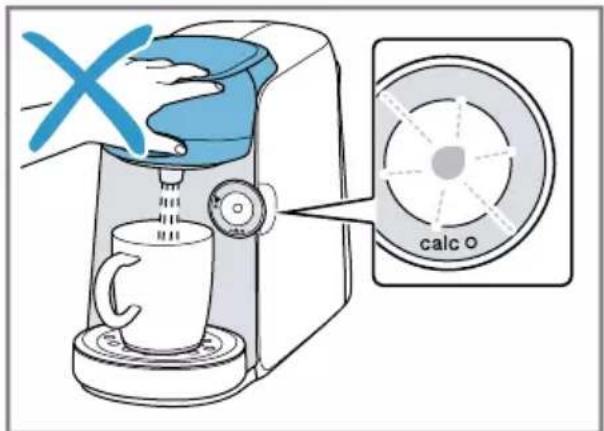
▶ Never open the brewing system during operation.
▶ Only use the original Tassimo T DISCs.
▶ Never use a damaged T DISC.
▶ Never use a drinks T DISC more than once.
▶ Never touch hot appliance parts. - Allow hot appliance parts to cool down before touching.
Leave drinks to cool down if necessary. - Do not let escaping liquids or steam come into contact with your skin.
▶ To avoid injuries, only use the appliance for its intended purpose.
▶ Be careful of your fingers when inserting or cleaning the T DISC.
▶ People with electronic implants must stand at least 10 cm away from the appliance. - This minimum distance of 10 cm must also be observed for the water tank when removed.
- To ensure hygiene, follow the cleaning instructions for the appliance.
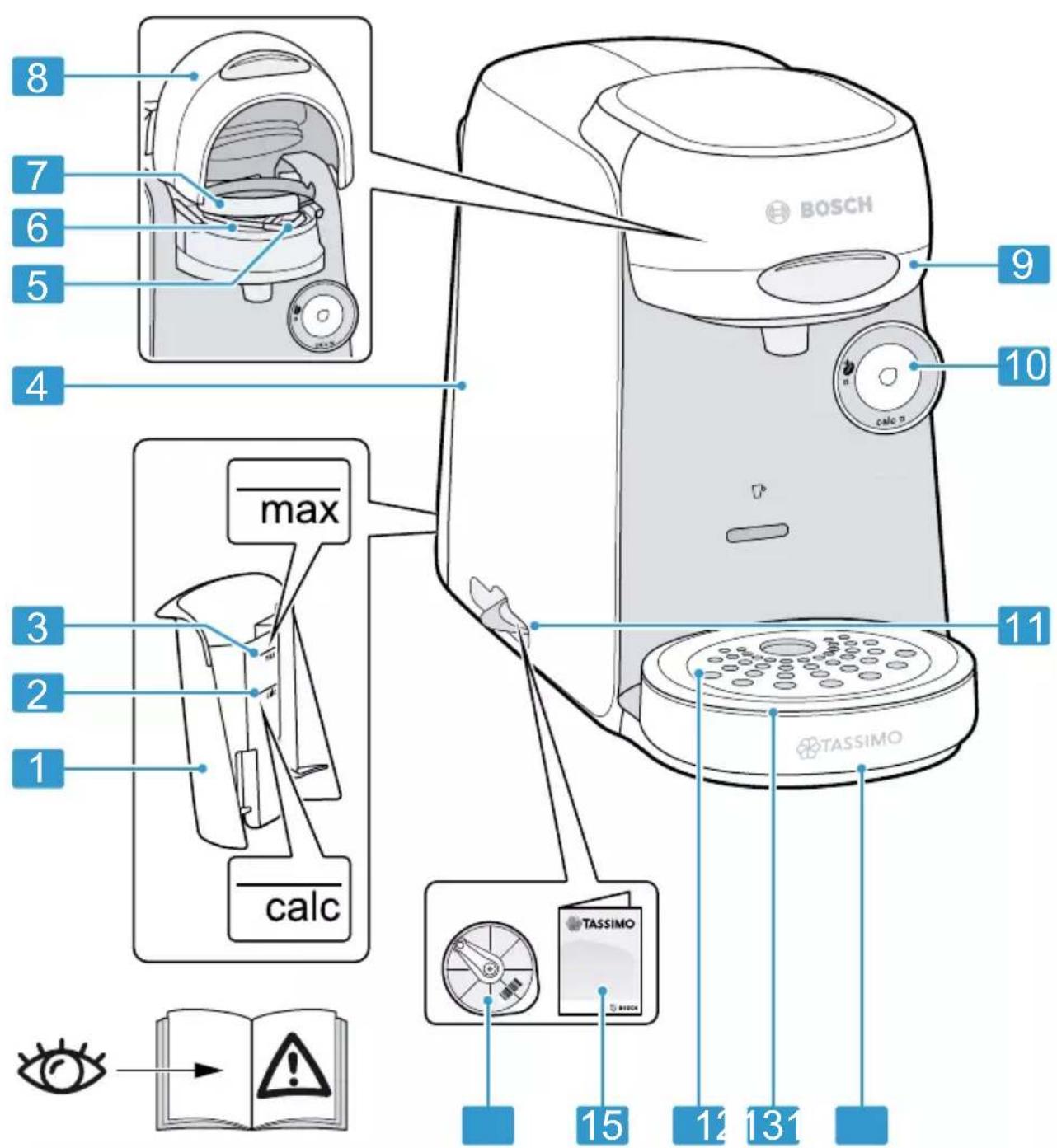
Overall view
You can find an overview of the parts of your appliance here.
Note: Individual details and colours may differ, depending on the appliance model.
→ Fig. 1
| 1 | Float |
| 2 | Calc mark |
| 3 | Max mark |
| 4 | Water tank |
| 5 | T DISC reading window |
| 6 | T DISC piercing unit |
| 7 | T DISC holder |
| 8 | Lock |
| 9 | Brewing unit |
| 10 | Control panel |
| 11 | Storage compartment |
| 12 | Bowl |
| 13 | Cup stand |
| 14 | Drip grate |
| 15 | Brief cleaning / descaling instructions |
| 16 | Service T DISC |
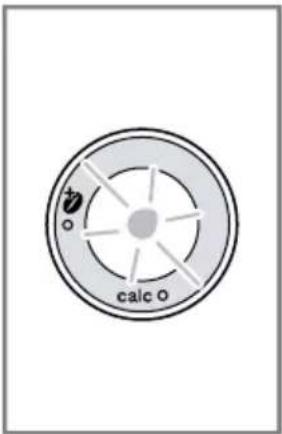
Control panel
You can use the control panel to configure all functions of your appliance and to obtain information about the operating status.

■ Activate the appliance.
■ Start standard drinks dispensing.
■ Start IntensityBoost drinks dispensing.
■ Stop drinks dispensing.
■ Prolong drinks dispensing.

LED lights up yellow, appliance is ready for use.

LED flashes yellow, drinks dispensing is running.

LED lights up red, fill water tank.
| LED lights up yellow, Intensity-Boost is activated. | |
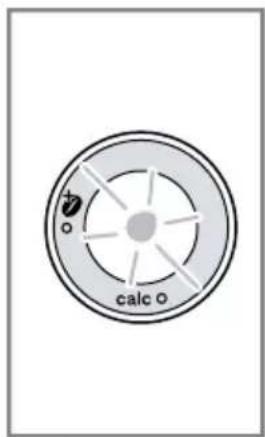
| calc | LED lights up or flashes red, appliance needs to be descaled or descaling programme is running. |
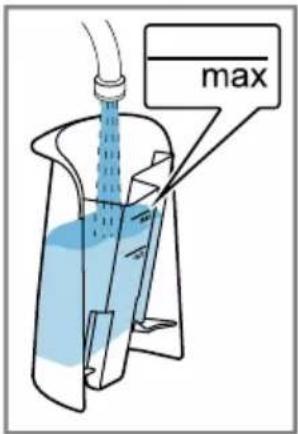
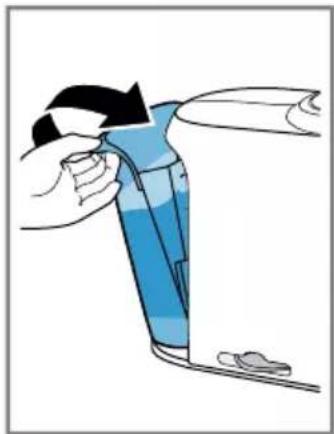
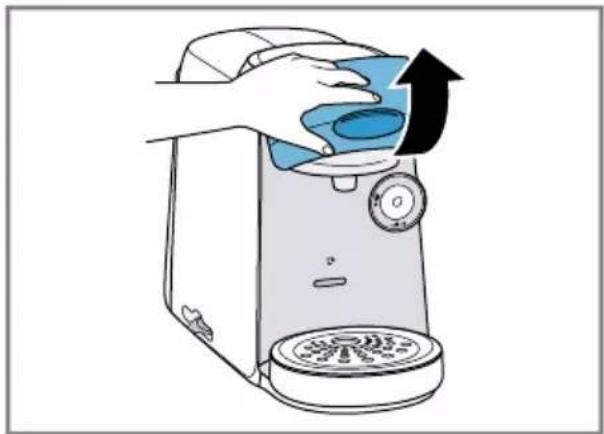
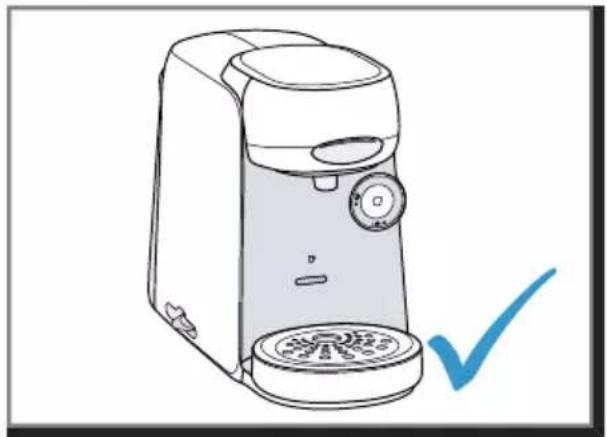
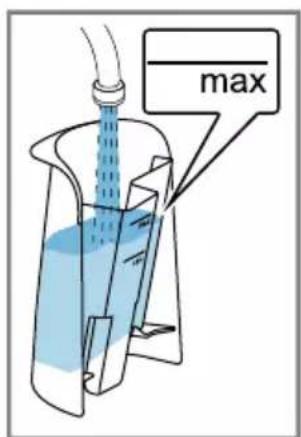
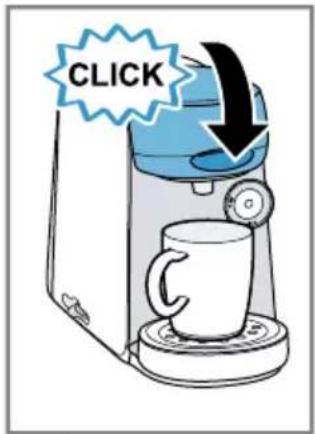
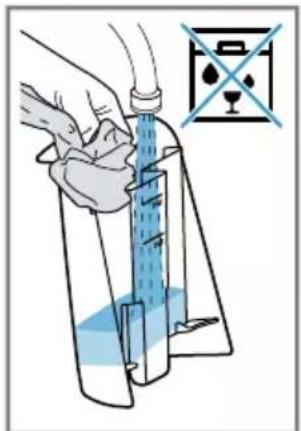
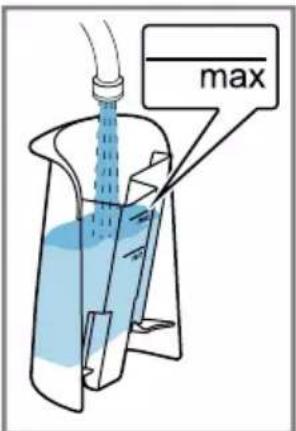
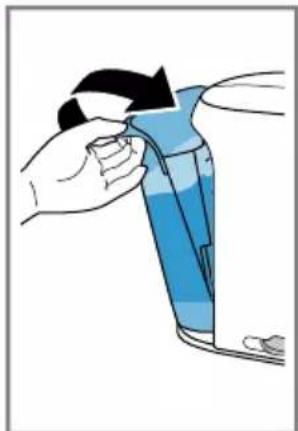
Performing initial start-up
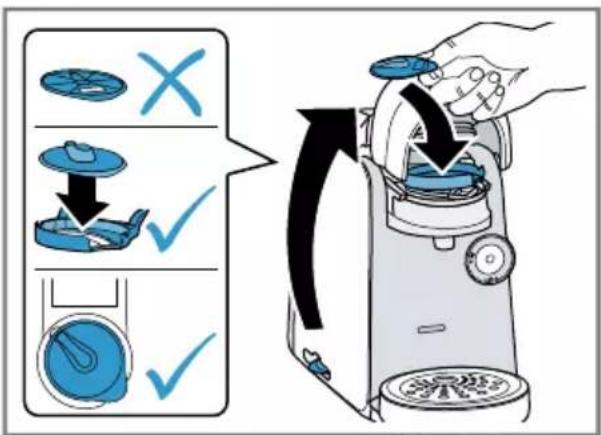
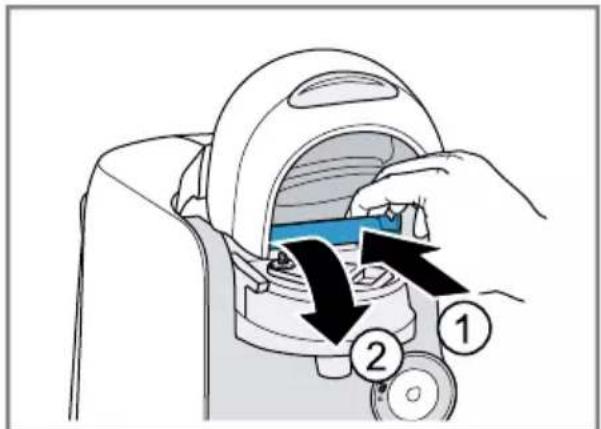
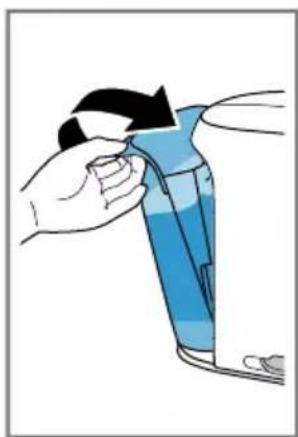
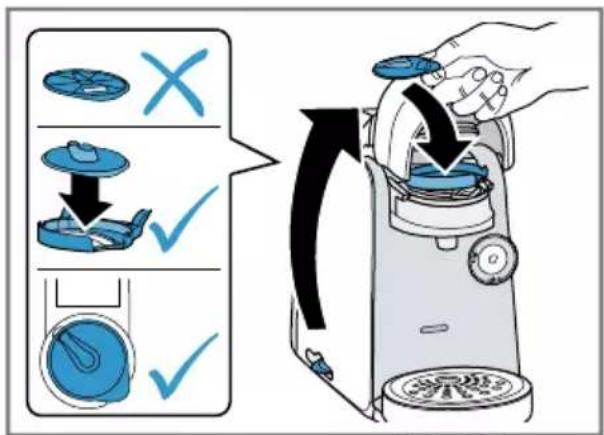
Follow the pictorial instructions at the start of these instructions.
→ Fig. 2 - 14
Note: You can prepare a wide range of hot beverages with the multiple hot drinks machine. When you insert a T DISC, the scanner reads the barcode and controls the flow of hot water automatically.
Preparing a drink
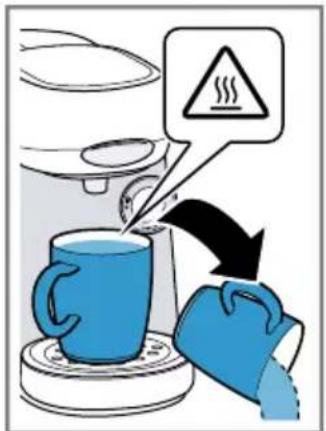
Find out how to prepare a drink of your choice. Follow the pictorial instructions at the start of these instructions.
→ Fig. 15 - 27
Note: Fill the water tank each day with fresh, cold, non-carbonated water.
Tips
■ Do not use chemically decalcified water.
■ To interrupt the dispensing process, briefly press Ⓞ.
■ To prolong dispensing, press and hold ⓞ until the required quantity is reached.
IntensityBoost
To obtain coffee with a stronger flavour, press ⓞ button for 3 seconds. The LED lights up and your appliance automatically adjusts the brewing process.
Dishwasher-safe components
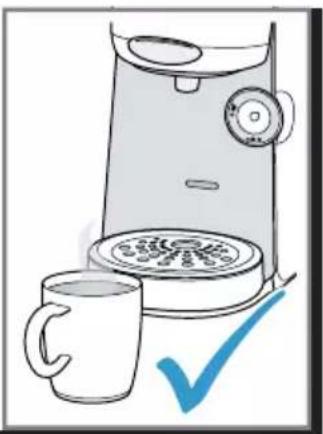
Here you can find an overview of the components you can clean in the dishwasher.
→ Fig. 28
Cleaning the appliance
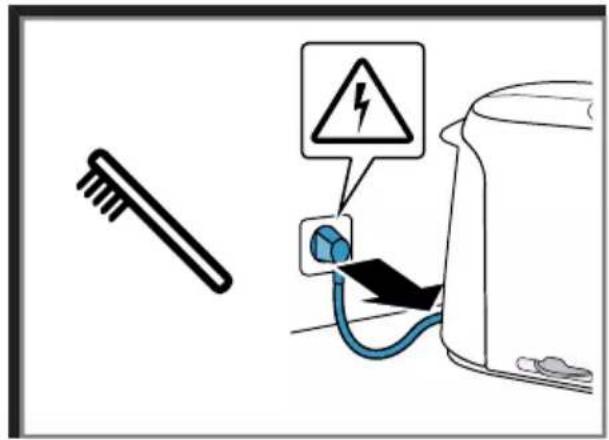
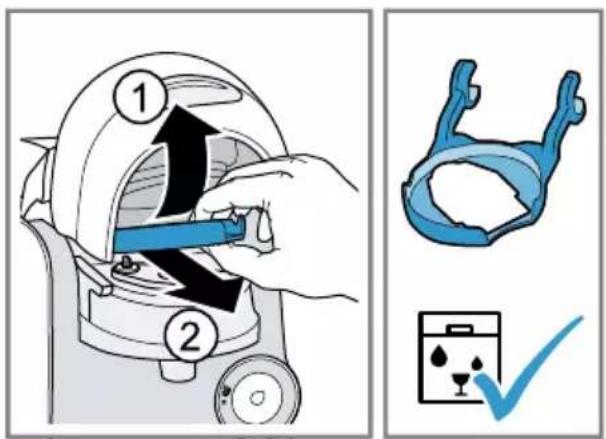
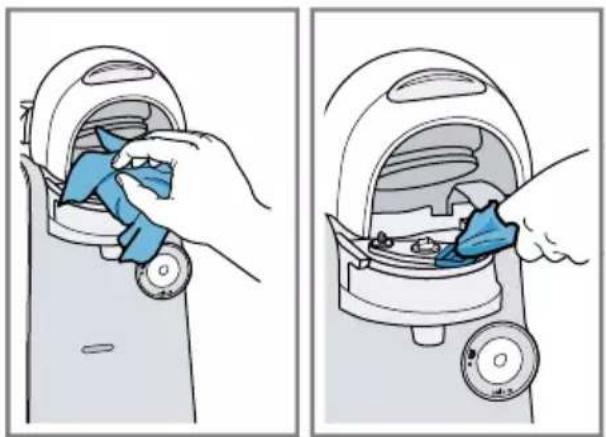
Follow the pictorial instructions at the start of these instructions.
→ Fig. 29 - 45
Descale the appliance
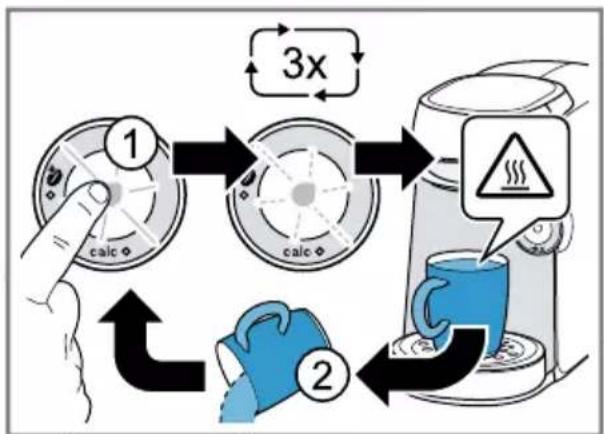
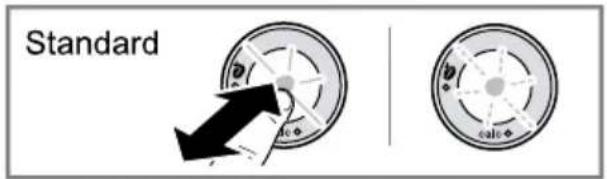
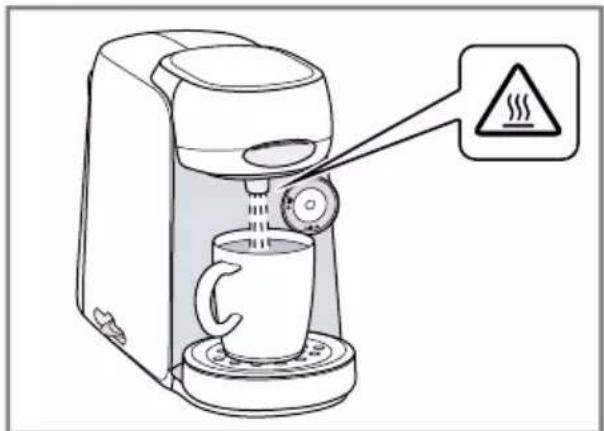
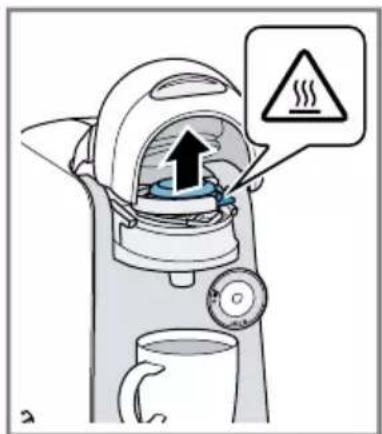
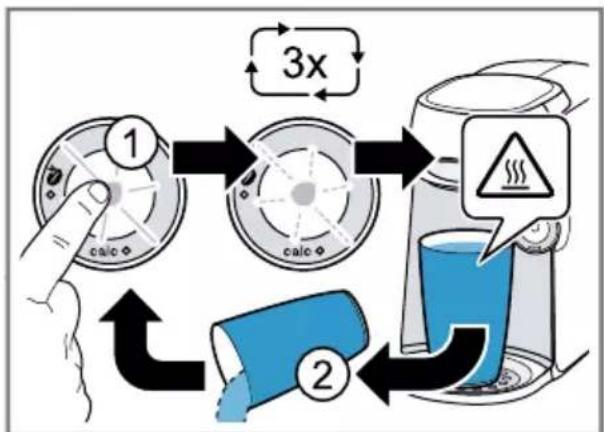
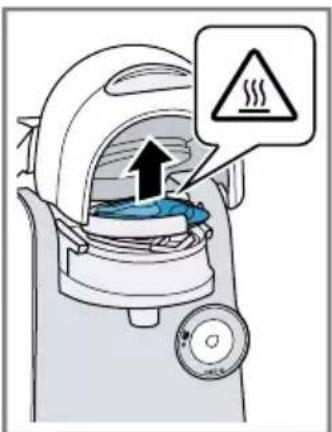
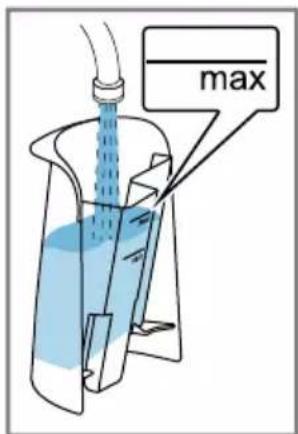
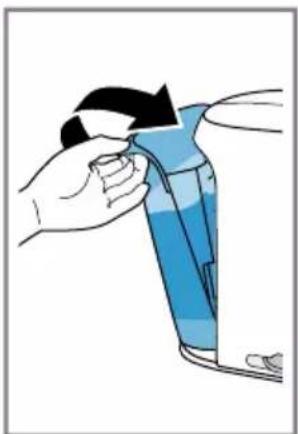
If the calc LED lights up, run the descaling programme. Follow the illustrated instructions at the beginning of this manual.
▶ Immediately perform the descaling process in accordance with the instructions.
- Do not use descaling agent with phosphoric acid.
→ Fig. 46 - 60
Troubleshooting
▶ Repairs to the appliance should only be carried out by trained specialist staff.
▶ Only use genuine spare parts when repairing the appliance.
If the power cord of this appliance is damaged, it must be replaced by the manufacturer, the manufacturer's Customer Service or a similarly qualified person in order to prevent any risk.
The appliance is not working.
LEDs do not light up.
The appliance has no power supply.
- Check to see whether the appliance is connected to the mains.
Brewing process starts, drink is not dispensed.
Water tank was removed during brewing and inserted again or appliance has not been used for a long time.
- Start cleaning with the Service T DISC.
Float is stuck in the water tank.
- Descale the appliance.
→ "Descale the appliance", Page 24 - Reach into the water tank and move the float up and down.
Brewing process does not start, status display lights up red.
Water tank has not been sufficiently filled.
- Fill the water tank with fresh, cold water up to the mark max.
- Insert the water tank.
Brewing process does not start, status display flashes red.
T DISC has not been correctly inserted.
▶ Check whether the T DISC is inserted.
The T DISC bar code is not recognised.
- Clean the T DISC reading window with a soft, damp cloth.
▶ Smooth out the film of the T DISC.
▶ Remove the used T DISC. - Contact the TASSIMO careline if the problem persists.
The appliance not connected to the power supply when the T DISC was inserted.
- Connect the appliance to the power supply before inserting the T DISC.
Brewing unit cannot be closed.
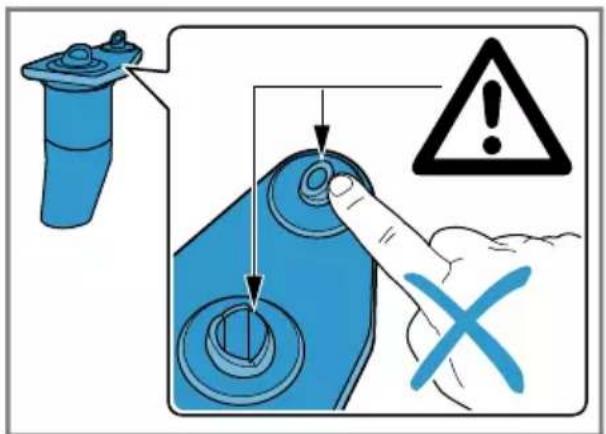
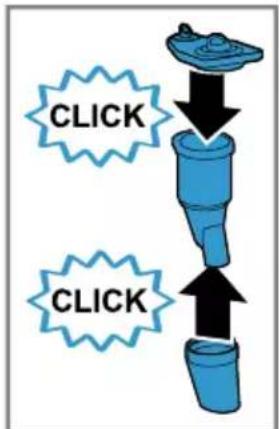
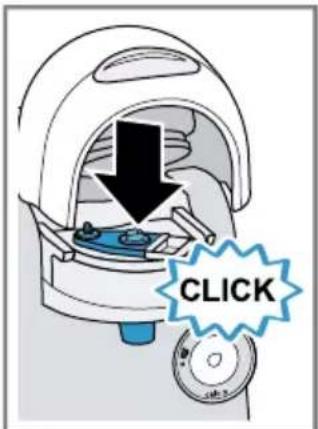
T DISC piercing unit or T DISC holder is not correctly inserted.
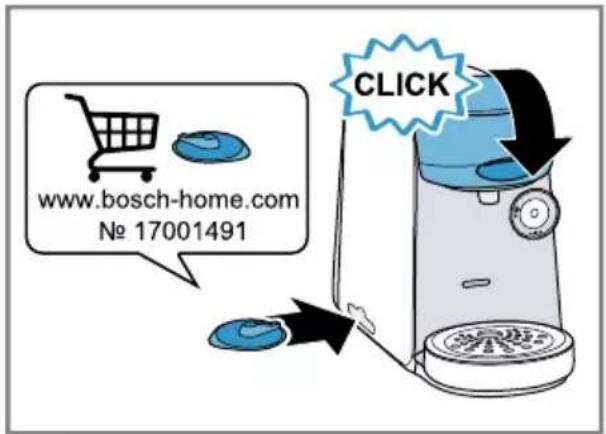
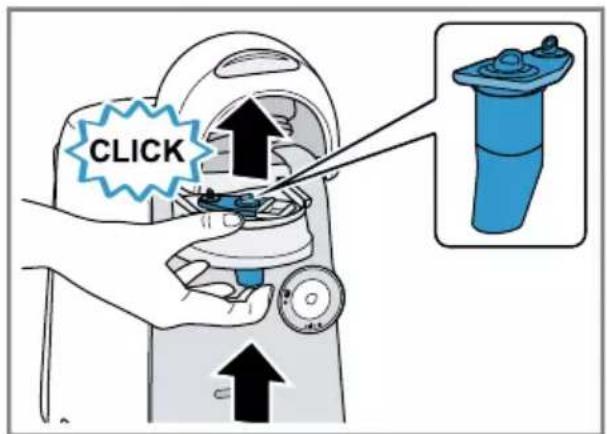
- Press the T DISC piercing unit into the holder until it clicks audibly into place.
-
Check the position of the T DISC holder.
T DISC has not been correctly inserted. -
Insert the T DISC with the printed side facing downwards.
- Check whether the tab of the T DISC is in the recess.
Brewing unit cannot be opened.
Brewing unit is locked.
▶ Only open the brewing unit when the status display remains lit continuously.
▶ If the brewing unit remains locked, contact the TASSIMO careline.
Water is dripping from the brewing unit.
T DISC is damaged or not correctly inserted.
▶ Use a new T DISC.
T DISC piercing unit is not correctly inserted.
- Press the T DISC piercing unit into the holder until it clicks audibly into place.
There is water under the cup stand.
Condensation has formed due to technical reasons or valves are clogged with limescale.
▶ Descale the appliance.
→ "Descale the appliance", Page 24
No LED is lit.
Appliance is in idle mode.
- Press ⓞ or open or close the brewing system.
All LEDs flashing.
There are problems with the power supply.
-
Pull out the mains plug, wait 5 minutes and plug it back in.
-
If the problem persists, contact the TASSIMO careline.
LED lights up red even though there is enough water in the water tank.
Float is stuck in the water tank.
-
Descale the appliance. → "Descale the appliance", Page 24
-
Reach into the water tank and move the float up and down.
calc LED lights up although softened water has been used.
Decalcified water still contains small amounts of lime.
▶ Descale the appliance. → "Descale the appliance", Page 24
LED and LED flash, brewing is not possible.
Appliance has a fault.
- Unplug the mains plug.
- Contact the TASSIMO careline.
Quality of beverages has deteriorated, e.g. crema or volume.
Beverage outlet is soiled.
▶ Clean the beverage outlet.
- Clean the brewing unit with the T DISC.
Build-up of limescale in the appliance.
▶ Descale the appliance.
→ "Descale the appliance", Page 24
Drink volume has reduced.
Drink dispensing halts.
Water tank has not been sufficiently filled.
- Fill the water tank with fresh, cold water up to the mark max.
- Keep ⓞ pressed until the desired fill volume is reached.
Technical specifications
Voltage 220-240 V \~
Frequency 50 Hz
Power rating 1400 W
Disposing of old appliance
- Unplug the appliance from the mains.
- Cut through the power cord.
- Dispose of the appliance in an environmentally friendly manner.
Information about current disposal methods are available from your specialist dealer or local authority.

This appliance is labelled in accordance with European Directive 2012/19/EU concerning used electrical and electronic appliances (waste electrical and electronic equipment - WEEE).
The guideline determines the framework for the return and recycling of used appliances as applicable throughout the EU.
Warranty conditions
You can make warranty claims for your appliance under the following conditions.
The guarantee conditions for this appliance are as defined by our representative in the country in which it is sold. Details regarding these conditions can be obtained from the dealer from whom the appliance was pur-
en Warranty conditions
chased. The bill of sale or receipt must be produced when making any claim under the terms of this guarantee.
Table des matières
Central Service Contacts
GB Great Britain BSH Home Appliances Ltd. Grand Union House, Old Wolverton Road, Wolverton Milton Keynes MK12 5PT To arrange an engineer visit, to order spare parts and accessories or for product advice please visit www.bosch- home.co.uk Or call Tel.: 0344 892 8979* *Calls are charged at the basic rate, please check with your telephone service provider for exact charges.
GR Greece, Ελλάς BSH Ikiakes Siskeves A.B.E. Central Branch Service 17 km E.O. Athinon-Lamias & Potamou 20 14564 Kifisia Τηλέφωνο: 210 4277 500, -701 mailto:nkf-CustomerService@bshg.com www.bosch-home.gr
IE Republic of Ireland BSH Home Appliances Ltd. M50 Business Park, Ballymount Road Upper, Walkinstown Dublin 12 To arrange an engineer visit, to order spare parts and accessories or for product advice please call Tel.: 01450 2655* www.bosch-home.ie *Calls are charged at the basic rate, please check with your telephone service provider for exact charges
LU Luxembourg BSH électroménagers S.A. 13-15, ZI Breedeweues 1259 Senningerberg Tel.: 26349 811 Reparaturen: lux-repair@bshg.com Ersatzteile: lux-spare@bshg.com www.bosch-home.com/lu
NO Norge, Norway BSH Husholdningsapparater A/S Grensesvingen 9 0661 Oslo Tel.: 22 66 05 54 mailto:Bosch-Service-NO@bshg.com www.bosch-home.no
| GB TASSIMO carelineFor information, questions or locations of authorised Bosch service centres nearest you, please contact TASSIMO:Phone: 0800 0328833www.tassimo.co.uk |
| IE | TASSIMO carelineFor information, questions or locations of authorised Bosch service centres nearest you, please contact TASSIMO:Careline: 1800 454501www.Tassimo.ie |
Looking for help? You'll find it here.
Expert advice for your Bosch home appliances, need help with problems or a repair from Bosch experts.
Find out everything about the many ways Bosch can support you:
www.bosch-home.com/service
Contact data of all countries are listed in the attached service directory.
Visit tassimo.com for registration, accessories and more.



- TASSIMO
- finesse
- https://digitalguide.bsh-group.com?mat-no=8001247842
- de
- Inhaltsverzeichnis
- Overall view 23
- Performing initial start-up 23
- Safety
- en Safety
- Overall view
- Control panel
- Performing initial start-up
- Preparing a drink
- Tips
- IntensityBoost
- Dishwasher-safe components
- Cleaning the appliance
- Descale the appliance
- Troubleshooting
- The appliance is not working.
- Brewing process starts, drink is not dispensed.
- Brewing process does not start, status display lights up red.
- Brewing process does not start, status display flashes red.
- Brewing unit cannot be closed.
- Brewing unit cannot be opened.
- Water is dripping from the brewing unit.
- There is water under the cup stand.
- No LED is lit.
- All LEDs flashing.
- LED lights up red even though there is enough water in the water tank.
- calc LED lights up although softened water has been used.
- LED and LED flash, brewing is not possible.
- Quality of beverages has deteriorated, e.g. crema or volume.
- Drink volume has reduced.
- Technical specifications
- Disposing of old appliance
- Warranty conditions
- en Warranty conditions
- Table des matières
- Central Service Contacts
Brand : BOSCH
Model : Tassimo Finesse TAS16B7
Category : Coffee maker