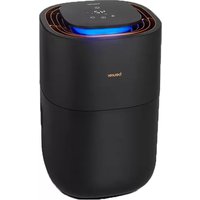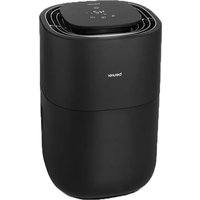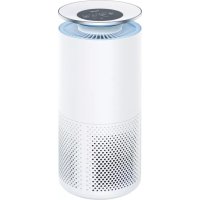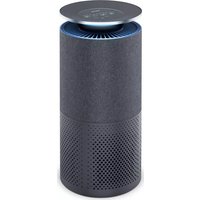
LR 401 - Air purifier BEURER - Free user manual and instructions
Find the device manual for free LR 401 BEURER in PDF.

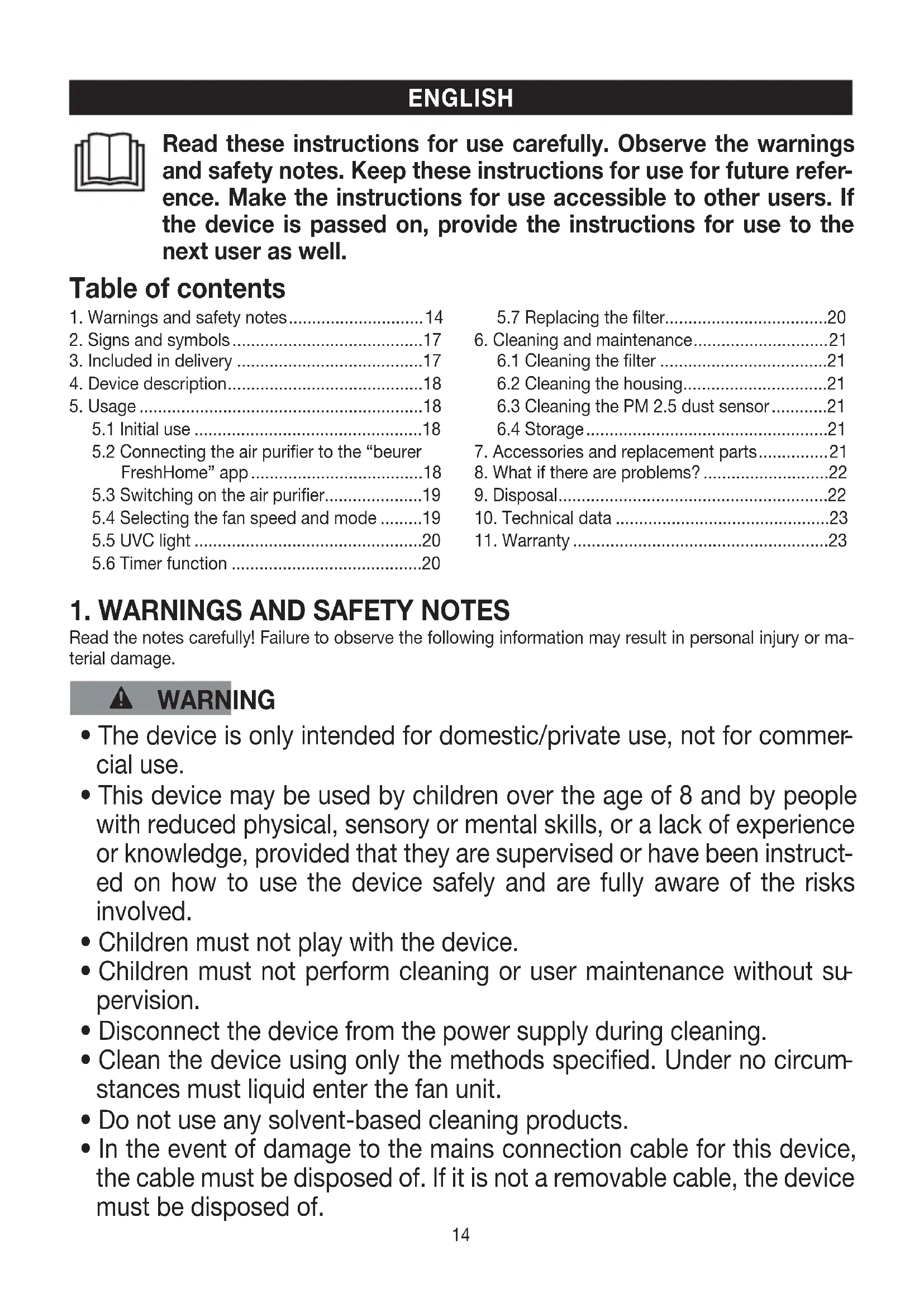


| Product type | Air purifier |
| Model | LR 401 |
| Brand | Beurer |
| Dimensions (height × diameter) | 50.5 cm × 21.5 cm |
| Weight (without filter) | Approx. 3.3 kg |
| Power supply | 220–240 V, 50/60 Hz (see rating plate) |
| Power consumption | See rating plate |
| Filter type | Pre-filter + HEPA H13 filter + Activated carbon filter (3 layers) |
| Purification technologies | Mechanical filtration, UVC lamp (germ and odor elimination) |
| Maximum recommended room size | Up to 69 m² (according to NRCC-54013-2011) |
| Ventilation levels | 4 speeds (I to IV) + Auto, Turbo, Night modes |
| Noise level | Night mode: < 30 dB(A); Turbo: approx. 52 dB(A) |
| Programmable timer | 2, 4 or 8 hours (via panel); 1–24 hours (via app) |
| Particle sensor | PM2.5 sensor with LED ring air quality indicator (blue, yellow, orange, red) |
| Connectivity | Wi-Fi and Bluetooth® Low Energy; beurer FreshHome app |
| Safety class | II (double insulation) |
| Maintenance and cleaning | Monthly filter cleaning with vacuum cleaner; filter replacement every 4320 hours; cleaning of PM2.5 sensor |
| Spare parts | Replacement filter (ref. 693.09) available at www.beurer.com |
| Warranty | Refer to the enclosed warranty card |
| General information | Indoor use only; ambient temperature: +5 °C to +40 °C; humidity ≤ 90% non-condensing |
Frequently Asked Questions - LR 401 BEURER
User questions about LR 401 BEURER
0 question about this device. Answer the ones you know or ask your own.
Ask a new question about this device
Download the instructions for your Air purifier in PDF format for free! Find your manual LR 401 - BEURER and take your electronic device back in hand. On this page are published all the documents necessary for the use of your device. LR 401 by BEURER.
USER MANUAL LR 401 BEURER
natural_image
White cylindrical smart air purifier with perforated base and digital display (no visible text or symbols)EN App-controlled air purifier Instructions for use......14
natural_image
Illustration of an open book with a geometric window and horizontal lines, no text or symbols presentEN Unfold page 3 before reading the instructions for use.
text_image
Labeled diagram of a smart air purifier with numbered components from top to bottom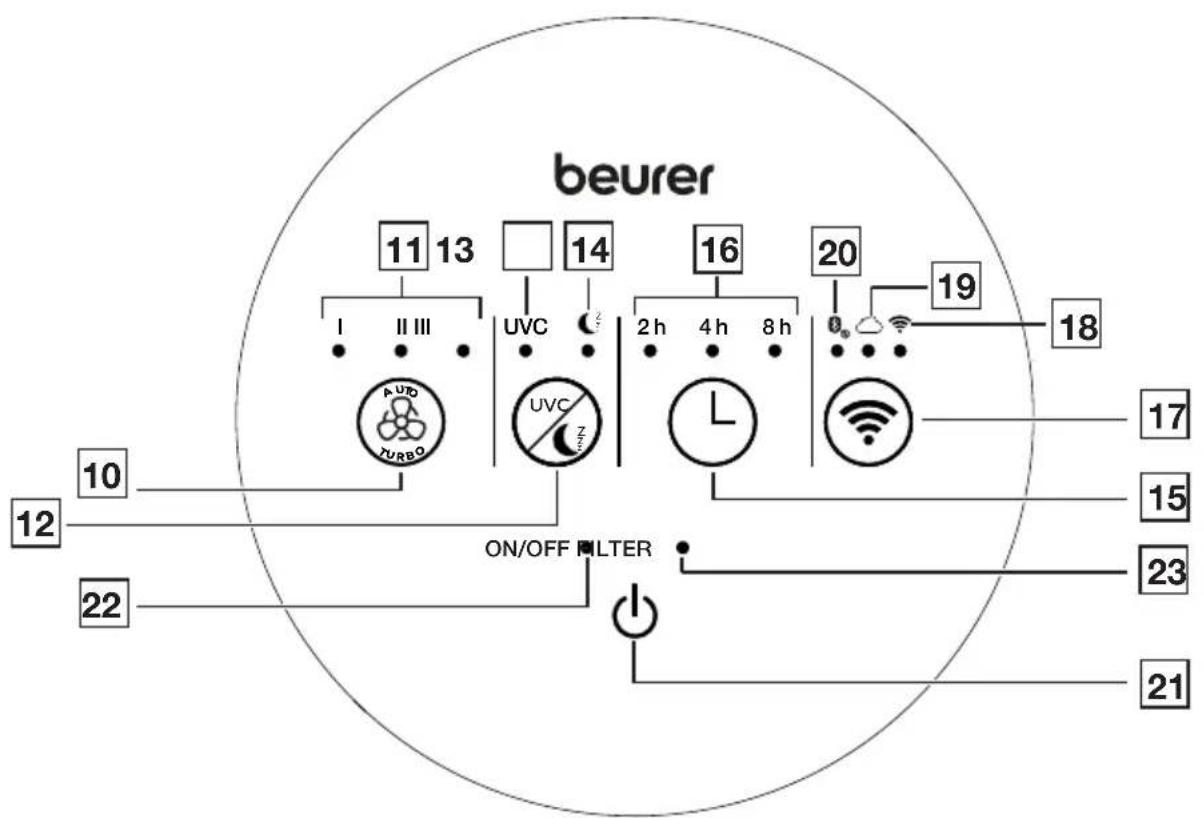
flowchart
graph TD
    A["beurer"] --> B["11 13"]
    A --> C["14"]
    A --> D["16"]
    A --> E["20"]
    A --> F["19"]
    B --> G["I II III"]
    C --> H["UVC"]
    D --> I["2h 4h 8h"]
    E --> J["18"]
    F --> K["17"]
    G --> L["AUDO TURBO"]
    H --> M["UVC"]
    I --> N["L"]
    J --> O["Wi-Fi"]
    K --> P["ON/OFF FILTER"]
    L --> Q["12"]
    M --> R["22"]
    N --> S["23"]
    O --> T["21"]
DEUTSCH

Read these instructions for use carefully. Observe the warnings and safety notes. Keep these instructions for use for future reference. Make the instructions for use accessible to other users. If the device is passed on, provide the instructions for use to the next user as well.
Table of contents
- Warnings and safety notes....14
- Signs and symbols....17
- Included in delivery .....17
- Device description.....18
- Usage ....18
5.1 Initial use ....18
5.2 Connecting the air purifier to the "beurer FreshHome" app....18
5.3 Switching on the air purifier....19
5.4 Selecting the fan speed and mode .....19
5.5 UVC light 20
5.6 Timer function .....20
5.7 Replacing the filter....20
- Cleaning and maintenance.....21
6.1 Cleaning the filter .....21
6.2 Cleaning the housing....21
6.3 Cleaning the PM 2.5 dust sensor......21
6.4 Storage....21
-
Accessories and replacement parts......21
-
What if there are problems? 22
-
Disposal....22
-
Technical data ......23
-
Warranty 23
1. WARNINGS AND SAFETY NOTES
Read the notes carefully! Failure to observe the following information may result in personal injury or material damage.
WARNING
- The device is only intended for domestic/private use, not for commercial use.
- This device may be used by children over the age of 8 and by people with reduced physical, sensory or mental skills, or a lack of experience or knowledge, provided that they are supervised or have been instructed on how to use the device safely and are fully aware of the risks involved.
• Children must not play with the device. - Children must not perform cleaning or user maintenance without supervision.
- Disconnect the device from the power supply during cleaning.
- Clean the device using only the methods specified. Under no circumstances must liquid enter the fan unit.
- Do not use any solvent-based cleaning products.
- In the event of damage to the mains connection cable for this device, the cable must be disposed of. If it is not a removable cable, the device must be disposed of.
Intended use
This device is intended exclusively for cleaning the air indoors.
This device must only be used for the purpose for which it was designed and in the manner specified in the instructions for use. Any improper use may be dangerous. Any other use not recommended by the manufacturer may result in fire, electric shock or personal injury. The manufacturer is not liable for damage resulting from improper or careless use.
WARNING
- If you suffer from a severe respiratory or lung disease, consult your doctor before using the device.
- Danger of suffocation! Keep packaging material away from children.
WARNING
Electric shock
As with every electrical device, use this device carefully and cautiously, in order to avoid hazards due to electric shock.
- Do not use the device if there is visible damage to the device or accessories (e.g. if the cable or mains plug is damaged, if the motor fan does not rotate, after a malfunction of the device or if it has been dropped or damaged in any way. In any of these cases, contact Customer Services).
- Only operate the device at the voltages indicated on the device (the type plate is located on the back of the device).
- Do not operate the device during a storm.
- In the event of defects or operational faults, switch the device off immediately and disconnect it from the mains socket.
- Do not pull on the mains cable or on the device to disconnect the mains plug from the socket.
- Never hold or carry the device by the mains cable. Keep the cable away from hot surfaces.
- Always switch off the device before disconnecting the mains plug.
- Never disconnect the mains plug with wet or damp hands.
- To avoid the risk of fire or electric shock, plug the device directly into a proper power outlet.
- In order to protect persons against electrical hazards, DO NOT immerse the device in water or other fluids. Do not use near water.
- Children cannot assess the dangers associated with the use of electrical devices. Therefore, children must always be supervised when they are near the device.
- Always unplug the air purifier before moving it, opening the housing base, changing or cleaning the filters or when the device is not in use.
- Do not place any objects in device openings or in rotating parts. Ensure that the moving parts can move freely at all times. Never drop objects into the openings of the device.
- Do not operate the device outside.
- Never block the air intake or air outlet or grilles/outlets. Do not place the device on a soft surface such as a bed or sofa, as this could cause the device to tip over and the air intake or outlet to become blocked.
- Do not place ANY objects on the device.
- DO NOT cover the cable with carpets, runners or anything similar.
- DO NOT run the cable under furniture or equipment.
- DO NOT run the cable in high traffic areas.
-
Run the cable so that it does not pose a trip hazard.
-
DO NOT attempt to repair or adjust any electrical or mechanical functions on this device. Failure to follow this rule shall void your warranty. Apart from the filter, there are no user-serviceable parts inside the device. Any maintenance work must be carried out by qualified personnel only.
- To reduce the risk of fire or electric shock, do not use this device with a solid-state speed controller (dimmer).
- Ensure that the openings of the device and the mains cable do not come into contact with water, steam or other liquids.
- Never reach for a device that is submerged in water. Disconnect the mains plug immediately.
WARNING
Risk of fire
There may be a risk of fire if the device is used improperly or these instructions for use are ignored.
- Never operate the device underneath a cover, such as a blanket, pillow, etc.
- Never operate the device near petrol or other highly flammable substances.
- To reduce the risk of fire, do not place the cable near heating coils, heating pads, ovens or radiators.
- Do not operate the device in close proximity to flammable or explosive gas mixtures.
- Keep the device away from sources of heat, as the housing could melt and trigger a fire.
WARNING
Repairs
- Only specialist personnel may perform repairs on electrical devices. Improper repairs may subject users to considerable danger. For repairs, please contact Customer Services or an authorised retailer.
- Do not open the fan unit.
- It is not intended to replace the UVC lamp. It is not permitted for the user to perform the replacement.
NOTE
Handling
- After each use and before each cleaning, switch off the device and pull the plug out of the socket.
- Do not place any objects on the device.
- Do not expose the device to high temperatures.
- Protect the device against sunlight and impact, and do not drop it.
- Never shake the device.
- Place the device on a firm, level and dry surface.
- Ensure that the cable does not pose a trip hazard.
2. SIGNS AND SYMBOLS
The following symbols are used on the device, in these instructions for use, on the packaging and on the type plate for the device:
 | Read the instructions Manufacturer |  | |
| Indicates a potentially imminent danger. If it is not avoided, there is a risk of death or serious injury. |  | Indicates a potentially harmful situation. If it is not avoided, the system or something in its vicinity may be damaged. | |
 | For indoor use only |  | Dispose of packaging in an environmentally friendly manner |
 | The products demonstrably meet the requirements of the Technical Regulations of the EAEU |  | Protection class II deviceThe device is double-protected and thus corresponds to protection class 2 |
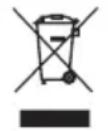 | Disposal in accordance with the Waste Electrical and Electronic Equipment EC Directive – WEEE |  | CE labellingThis product satisfies the requirements of the applicable European and national directives. |
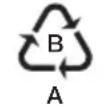 | Marking to identify the packaging material.A = Material code,B = Material number:1-6 = Plastics,20-22 = Paper and cardboard |  | United Kingdom Conformity Assessed Mark |
3. INCLUDED IN DELIVERY
Check that the device packaging has not been tampered with and make sure that all contents are present. Before use, ensure that there is no visible damage to the device or accessories and that all packaging material has been removed. If you have any doubts, do not use the device and contact your retailer or the specified Customer Services address.
- 1 air purifier
• 1 filter (prefilter / HEPA filter class H13 / activated carbon)
• 1 instruction manual - 1 quick start guide
4. DEVICE DESCRIPTION
The associated drawings are shown on page 3.
1 Control panel
2 LED light ring
3 Air outlet
4 Housing
5 Sensor flap
6 Air intake
7 UVC light
8 Filter (prefilter / HEPA filter class H13 / activated carbon)
9 Housing base
10 Fan speed button
11 Fan speed indicator
12 UVC/sleep button
13 UVC indicator (lights up when UVC light is active)
14 Sleep indicator (lights up when sleep mode is active)
15 Timer button
16 Timer indicator (lights up when timer is active)
17 WIFI button
18 WIFI indicator (lights up when WIFI connection is active)
19 Server indicator (lights up when server connection is active)
20 Bluetooth® indicator (lights up when Bluetooth® connection is active)
21 ON/OFF button
22 ON/OFF indicator (lights up when the device is switched on)
23 Filter indicator (lights up when the filter needs to be replaced)
5. USAGE
5.1 Initial use
- Open the cardboard packaging.
- Remove the device from the top of the box without opening the film bag.
- Remove all plastic films. Remove the filter 8 from the device (see "Replacing the filter" section) and take it out of the plastic film. Then re-insert the filter 8 into the device.
- Check the device, mains plug and cable for damage.
- Place the air purifier on a firm, level surface to prevent vibrations and noise.
- If you want to reposition the air purifier, always use both hands to carry it upright.
- Set up the air purifier in such a way that provides 30 cm clearance on all sides.
- Make sure that the air intake 6 and air outlet 3 are never blocked.
5.2 Connecting the air purifier to the "beurer FreshHome" app
You can also use the basic functions of the air purifier without the “beurer FreshHome” app. The additional features, such as recording the ambient air values and setting a cleaning schedule, as well as controlling and monitoring your device when you are on the go, are only available in conjunction with the “beurer FreshHome” app.
- Ensure that your smartphone is connected to your WIFI network.
- Activate Bluetooth ^® on your smartphone.
- Download the free “beurer FreshHome” app from the Apple App Store (iOS) or at Google Play (Android™). Depending on the settings for your smartphone, additional charges may be incurred for connecting to the internet or transferring data.
- Start the "beurer FreshHome" app and follow the instructions.
- If you want to use the air purifier without WIFI, briefly press the WIFI button 17. The WIFI display 18 goes out, WIFI is now switched off. To switch on WIFI again, briefly press the WIFI button 17 again. The WIFI display 18 lights up, WIFI is now switched on again.
5.3 Switching on the air purifier
- Follow the instructions in the "Initial use" section.
- Insert the mains plug into a suitable socket. Ensure that the cable does not pose a trip hazard.
- Press the ON/OFF button 21 to switch on the air purifier. When the air purifier is used for the first time, it starts on the lowest fan speed setting I.
- The LED light ring 2 switches on automatically. After approx. 30 seconds, the colour of the LED light ring 2 will indicate the current air quality, which corresponds to the concentration of particles in the ambient air around the device.
| LED light ring colour Air quality PM | 2.5 value in μg / m3 | |
| Blue Good ≤ 12 | ||
| Yellow Acceptable 12.1 – 35.4 | ||
| Orange Poor 35.5 – 55.4 | ||
| Red Very poor ≥ 55.5 |
5.4 Selecting the fan speed and mode
The air purifier has a total of four fan speeds (I, II, III, IV) and three modes (TURBO mode, AUTO mode, NIGHT mode).
- Switch on the air purifier using the ON/OFF button 21.
- Select your desired fan speed by pressing the fan speed button ^10 . The fan speed indicator ^11 shows the fan speed that is currently set.
| I Low | fan speed |
| II Medium | fan speed |
| III High | fan speed |
| IV | Very high fan speed (all LEDs on the fan speed indicator 11 light up) |
| AUTO | (LEDs I, II and III all flash at the same time)In AUTO mode, the fan speed is automatically adjusted in line with the ambient air quality. This means that the poorer the quality of the ambient air, the higher the fan speed automatically set by the air purifier.To activate AUTO mode, press the fan speed button 10 until all LEDs on the fan speed indicator 11 flash. To deactivate AUTO mode, press the fan speed button 10 again. |
| TURBO | (LEDs I, II and III and the UVC indicator 13 flash at the same time)To activate TURBO mode, press and hold the fan speed button 10 . In TURBO mode, the air purifier is operated at the highest speed, and the UVC light is also switched on. The TURBO mode switches off after 15 minutes and the device then switches to AUTO mode. To deactivate TURBO Mode early, press the fan speed button 10 or the UVC/sleep button 12 . |
| NIGHT 7/2 | (Sleep indicator 14 lights up)In NIGHT mode, the air purifier is ultra-quiet and all light sources on the control panel 1 are switched off.To switch on the NIGHT mode, press and hold the UVC/sleep button 12 while the air purifier is switched on. The sleep indicator 14 lights up. After 5 seconds, all light sources on the control panel 1 are automatically switched off and the lowest fan speed I is activated. To exit NIGHT mode again, press and hold the UVC/sleep button 12 . The sleep indicator 14 goes out. |
5.5 UVC light
The UVC light eliminates germs in the air. When this happens, the UVC light activates titanium oxides that break down foul-smelling odour molecules (caused by tobacco smoke, cooking smells or animals).
-
To switch on the UVC light, briefly press the UVC/sleep button 12 while the air purifier is switched on. The UVC indicator 13 lights up as soon as the UVC light is active.
-
To switch off the UVC light, briefly press the UVC/sleep button 12 again. The UVC indicator 13 goes out.
5.6 Timer function
The air purifier features a timer function that you can use to determine the number of hours the air purifier should run for before it automatically switches itself off. You can set three different timer times (2, 4 or 8 hours) on the control panel of the air purifier 1.
NOTE: If you have connected the air purifier to the "beurer FreshHome" app, you can set an individual timer from 1 to 24 hours in the app.
-
Use the timer button 15 to select your desired timer (2, 4 or 8). The timer that is currently set lights up in the timer indicator 16.
-
To switch off the timer, press the timer button 15 repeatedly until all the LEDs are off in the timer indicator 16.
5.7 Replacing the filter
We recommend replacing the filter 8 with a new one after 4320 operating hours.
The filter indicator 23 will light up automatically after 4320 operating hours.
To change the filter, proceed as follows:
-
Press the ON/OFF button 21 to switch off the air purifier. Disconnect the air purifier from the socket.
-
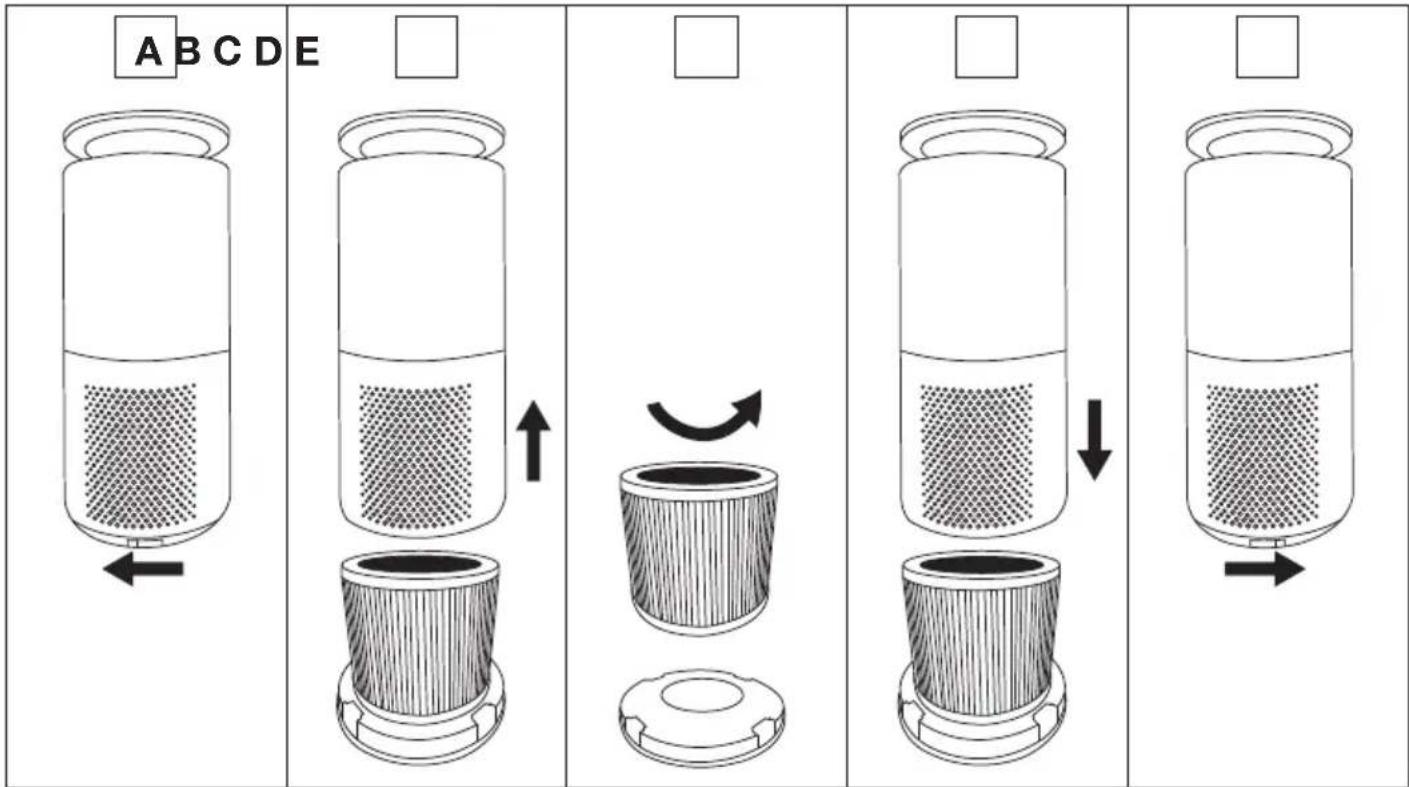
Open the device using the slider at the side of the housing base (Figure A).
-
Lift the device up and off (Figure B).
-
Remove the old filter 8 . Dispose of the old filter properly (see chapter "Disposal").
-
Insert a new filter in the designated position on the housing base (Figure C).
-
Re-insert the housing base (Figure D). Close the device again using the slider at the side (Figure E).
-
Press and hold the ON/OFF button on the activated air purifier for 10 seconds until the filter indicator goes out.
text_image
A B C D E ↑ ↓6. CLEANING AND MAINTENANCE
WARNING
Before cleaning, always ensure that the mains plug of the air purifier has been properly disconnected.
6.1 Cleaning the filter
Regular cleaning of the filter 8 (once a month) is required to ensure hygienic and fault-free operation. Clean the outside of the filter with the brush attachment of a vacuum cleaner or a dry cloth.
NOTE
The three-layered filter should be changed after 4320 operating hours (see “Replacing the filter” section). The three-layered filter cannot be washed.
If you wish to change the filter at specific personal intervals (e.g. every 6 months), there is a sticker on the upper edge of the filter on which a date can be entered.
6.2 Cleaning the housing
Clean the housing of the air purifier with a slightly damp cloth (water or a mild cleaning solution). Do not use solvents, other aggressive cleaning/scrubbing agents or alcohol, as these could damage the surface.
6.3 Cleaning the PM 2.5 dust sensor
Regular cleaning of the dust sensor and its associated channel (once a month) is required to ensure fault-free operation. To do this, open the sensor flap 5 on the side of the device. Use a dry cotton bud to remove coarse dust from the open channel. For even better cleaning results, you can now also run the device at the highest setting to clear the loose dust. Close the sensor flap once cleaning is complete.
NOTE
Please note that using the device in a very dirty environment (such as a workshop with large amounts of dust) can cause excessive soiling of the sensor. As this contamination can cause incorrect measurements, clean the sensor more frequently in these environments.
6.4 Storage
If you do not plan to use the device for a long period of time, we recommend that you clean it and store it in the original packaging in a dry environment, ensuring it is not weighed down by additional items.
7. ACCESSORIES AND REPLACEMENT PARTS
To purchase accessories and replacement parts, please visit www.beurer.com or contact the service address for your country (see the service address list). Accessories and replacement parts are also available from retailers.
| Designation Item number and/or order number | |
| Filter (prefilter / HEPA filter class H13 / activated carbon) 693.09 | |
- WHAT IF THERE ARE PROBLEMS?
| Problems Cause Solution | ||
| The air purifier will not switch on. | The housing cover is not correctly installed. | Ensure that the housing cover is correctly installed. |
| The three-layered filter is not correctly inserted. | Ensure that the three-layered filter is correctly inserted. | |
| The mains adapter plug is not plugged in. | Plug the mains adapter plug into a suitable socket. | |
| Insufficient passage of air. | The filters are dirty. Clean the filters (see “Cleaning and maintenance” section). | |
| The air intake/air outlet is blocked. | Ensure that the air intake/air outlet is not blocked. | |
| The Air purifier is very loud. | There is a foreign body in the air intake/air outlet. | Remove the foreign body from the air intake/air outlet. |
| The filters are clogged. Clean the filters (see “Cleaning and maintenance” section). | ||
| The filters are not correctly inserted. | Insert the filters correctly. | |
| The air purifier is positioned on an uneven surface. | Position the air purifier on a level surface. | |
| Control panel does not light up/ nothing displayed. | The mains plug is not connected to the socket and/or is not switched on. | Connect the mains plug and switch on the air purifier. |
| The device is in NIGHT mode. | Press the sleep button. The NIGHT mode is now switched off and the control panel lights up brightly. | |
The WIFI indicator “  flashes. flashes. | The Air purifier is attempting to establish a connection to the WIFI router. | If this process takes more than 1 minute, check the status of your WIFI router and/or reconfigure the WIFI access of the air purifier via the app. |
| The server indicator “ [ ] flashes. | The Air purifier is attempting to establish a connection to the server. | If this process takes more than 1 minute, try again later or reconfigure the WIFI access of the air purifier via the app. |
9. DISPOSAL
For environmental reasons, do not dispose of the device in household waste at the end of its service life. Dispose of the device at a suitable collection point in your country. Observe the local regulations for material disposal. Dispose of the device in accordance with EC Directive – WEEE (Waste Electrical and Electronic Equipment).
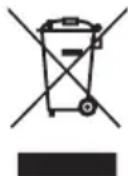
If you have any questions, please contact the local authorities responsible for waste disposal. You can obtain the location of collection points for old devices from the local or municipal authorities, local waste disposal company or your retailer, for example.
Dispose of the filter in a separate disposable bag. Then wash your hands thoroughly. Follow the advice of your local health authorities concerning how to handle potentially infected surfaces.
10. TECHNICAL DATA
| Model: LR 400 | |
| Voltage/power: See type plate on | the device |
| Dimensions: Circumference: 21.5 | cmHeight: 50.5 cm |
| Weight: approx. 3.3 kg (without filter) | |
| Suitable for room sizes: up to 69 | m2 (acc. to NRCC-54013-2011) |
| Volume: NIGHT mode: < | 30 dB; TURBO: approx. 52 dB |
| Perm. operating conditions: +5°C | to +40°C, ≤ 90% relative humidity (non-condensing) |
| Protection class: | Protection class II /☐ |
Subject to technical changes.
The Declaration of Conformity for this product can be found at the following address: https://www.beurer.com/web/we-landingpages/de/cedeclarationofconformity.php
Data transfer
The product uses Bluetooth ^® low energy technology and WIFI, frequency band 2400.0 MHz – 2483.5 MHz, Bluetooth ^® transmission power max. 0 dBm, WIFI transmission power max. 18 dBm, compatible with Bluetooth ^® 4.0 smartphones/tablets.
11. WARRANTY
Further information on the warranty and warranty conditions can be found in the warranty leaflet supplied.
FRANÇAIS

text_image
A B C D E ↑ ↓ →6. NETTOYAGE ET ENTRETIEN

AVERTISSEMENT
text_image
A B C D E ↑ ↓ → ←6. LIMPIEZA Y CUIDADO
ADVERTENCIA
text_image
A B C D E ↑ ← ← ← ← ←6. PULIZIA E CURA
AVVERTENZA
7. ACCESSORI E RICAMBI
text_image
A B C D E ↑ ← ← ← ← ←6. TEMİZLİK VE BAKIM
! UYARI
text_image
A B C D E ↑ ← ← ← ← ←6. ОЧИСТКА И УХОД
ПРЕДУПРЕЖДЕНИЕ
https://www.beurer.com/web/we-landingpages/de/cedeclarationofconformity.php.
Передача данных
text_image
A B C D E ↑ ↓ → ←6. CZYSZCZENIE I PIELEGNACJA
OSTRZEŻENIE
https://www.beurer.com/web/we-landingpages/de/cedeclarationofconformity.php
Transmisja danych
1. WAARSCHUWINGEN EN VEILIGHEIDSRICHTLIJNEN
4. BESCHRIJVING VAN HET APPARAAT
text_image
A B C D E ↑ ← ← ← ← ←6. REINIGING EN ONDERHOUD

WAARSCHUWING
https://www.beurer.com/web/we-landingpages/de/cedeclarationofconformity.php
Gegevensoverdracht
text_image
A B C D E ↑ ↓ → ←6. RENG∅RING OG VEDLIGEHOLDELSE
ADVARSEL
https://www.beurer.com/web/we-landingpages/de/cedeclarationofconformity.php
Dataoverførsel
Dette produkt anvender Bluetooth® low energy technology og WIFI, frekvensbånd 2400,0 MHz – 2483,5 MHz Bluetooth®-sendeeffekt på maks. 0 dBm, WIFI-sendeeffekt på maks. 18 dBm, kompatibel med smartphones/tablets med Bluetooth® 4.0.
11. GARANTI
text_image
A B C D E ↑ ← ← → ← ←6. RENGÖRING OCH UNDERHÅLL
WARNING
https://www.beurer.com/web/we-landingpages/de/cedeclarationofconformity.php
Dataöverföring
6.1 Rengjøre filter .....127
text_image
A B C D E ↑ ↓ →6. RENGJ∅RING OG VEDLIKEHOLD

ADVARSEL
https://www.beurer.com/web/we-landingpages/de/cedeclarationofconformity.php
Dataoverføring
Produktet bruker Bluetooth® lavenergiteknologi og WIFI, frekvensbånd 2400,0–2483,5 MHz, Bluetooth® sendeeffekt maks. 0 dBm, WIFI sendeeffekt maks 18 dBm, kompatibel med Bluetooth® 4.0 smarttelefoner/nettbrett.