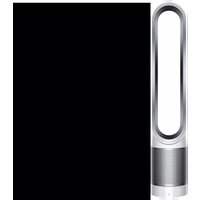
Pure Cool Cryptomic - Vacuum Cleaner DYSON - Free user manual and instructions
Find the device manual for free Pure Cool Cryptomic DYSON in PDF.



| Brand | Dyson |
| Model | Pure Cool Cryptomic |
| Product Type | Air Purifier Fan |
| Color | White/Silver (depending on model) |
| Power Supply | Mains via included adapter |
| Input Voltage | 100-240 V AC |
| Connectivity | Wi-Fi 2.4 GHz and 5 GHz, Bluetooth Low Energy |
| Compatible App | Dyson Link (iOS 10+ / Android 5+) |
| Display | Color LCD Screen |
| Sensors | Fine particles (PM2.5, PM10), VOCs, NO2, temperature, humidity |
| Filtration Technology | HEPA filter + activated carbon + permanent catalytic Cryptomic filter |
| Airflow Rate | Up to 290 l/s (variable) |
| Oscillation | 0° to 350° adjustable |
| Operating Modes | Auto, Night, Schedule, Back Airflow |
| Continuous Monitoring | Yes, even in standby (manually activated) |
| Remote Control | Infrared, with magnet, CR2032 battery |
| Filter Maintenance | Not washable; replacement according to LCD indicator or app |
| Cleaning the Appliance | Dry or damp cloth; no detergent |
| Warranty | 2 years parts and labor (excluding filters) |
| Country of Manufacture | United Kingdom (Dyson) |
| Dimensions (approx.) | Height 105 cm, diameter 20 cm (base) |
| Weight (approx.) | 5 kg |
Frequently Asked Questions - Pure Cool Cryptomic DYSON
User questions about Pure Cool Cryptomic DYSON
0 question about this device. Answer the ones you know or ask your own.
Ask a new question about this device
Download the instructions for your Vacuum Cleaner in PDF format for free! Find your manual Pure Cool Cryptomic - DYSON and take your electronic device back in hand. On this page are published all the documents necessary for the use of your device. Pure Cool Cryptomic by DYSON.
USER MANUAL Pure Cool Cryptomic DYSON
dyson pure cool cryptomic
User manual
Gebrauchsanleitung
Manual del usuario
natural_image
Pure diagram of a vertical oval structure with a horizontal dotted layer underneath, no text or symbols present.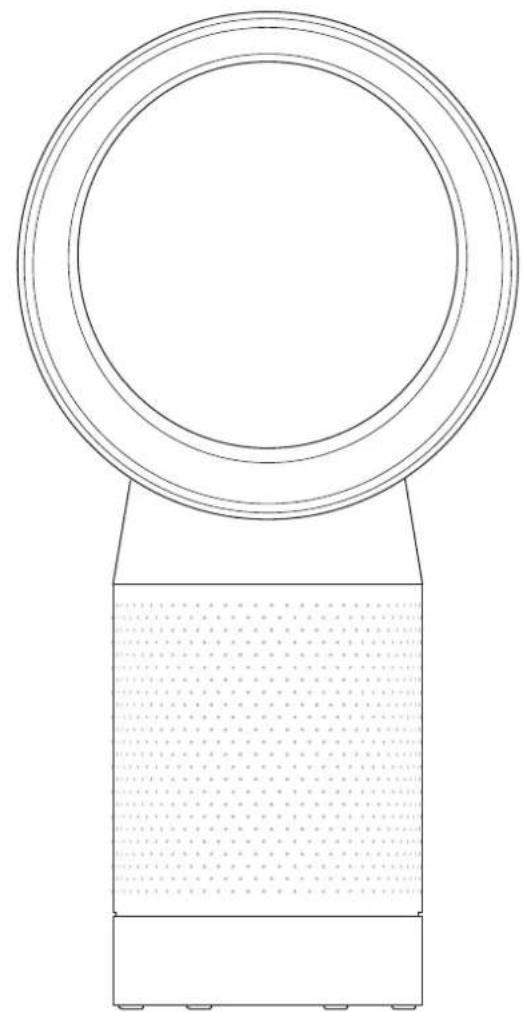
natural_image
Technical line drawing of a circular mechanical component with a textured base and mounting base (no text or symbols)Thank you for choosing to buy a Dyson purifying fan
To read your manual in English go to page 3.
4 Activating your guarantee
4 Important safety instructions
6 Assembling your machine
6 Using your machine
6 Power and continuous monitoring
7 Information menu
8 Auto mode
8 Airflow
8 Oscillation
8 Night mode and Sleep timer
9 Looking after your machine
9 Additional information
Thank you for choosing to buy a Dyson purifying fan
Take full control with the Dyson Link app
Get step-by-step setup and support.
Control how and when your
Dyson purifying fan operates.
Monitor air quality with visual updates.
Automatically keep up to date with the latest software updates.
Download the Dyson Link app
Download the Dyson Link app from the App Store or Google Play.
Open the app and follow the on-screen instructions to create a new account.


Apple and the Apple logo are trademarks of Apple Inc., registered in the U.S. and other countries.
App Store is a service mark of Apple Inc., registered in the U.S. and other countries.
Google Play and the Google Play logo are trademarks of Google Inc.
For further information and support:
Online
www.dysan.com
On the phone
Call our dedicated Helpline.
Activating your guarantee
We don't stop caring about our machines once they're yours.
After registering your free two year guarantee, your Dyson purifying fan will be covered for parts and labour (excluding filters) for two years from the date of purchase, subject to the terms of the guarantee.
Even after your guarantee has ended, we'll still be on hand to help.
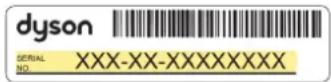
Your serial number can be found on your rating plate which is on the base of your machine.
Note your serial number for future reference.
This illustration is for example purposes only.
Three easy ways to activate your free 2-year guarantee

On your mobile
Download the Dyson Link app and you will be taken through registration as part of the set up.
Online
Visit our website to register your full parts and labour guarantee online.
www.dyson.co.uk/register

Register by phone
Call our dedicated Helpline.
(+44) 0800 345 7788
Free Dyson parts and labour
Hassle-free replacement
Expert advice. 7 days a week
'How to' videos and helpful tips
IMPORTANT SAFETY INSTRUCTIONS
BEFORE USING THIS APPLIANCE READ ALL INSTRUCTIONS AND CAUTIONARY MARKINGS IN YOUR USER MANUAL AND ON THE APPLIANCE.
When using an electrical appliance, basic precautions should always be followed, including the following:
WARNING
Chemical Burn and Choking Hazard. Keep batteries away from children. This product contains a lithium button/coin cell battery. If a new or used lithium button/coin cell battery is swallowed or enters the body, it can cause severe internal burns and can lead to death in as little as 2 hours. Always completely secure the battery compartment. If the battery compartment does not close securely, stop using the product, remove the batteries, and keep it away from children. If you think batteries might have been swallowed or placed inside any part of the body, seek immediate medical attention.
WARNING
THE APPLIANCE AND THE REMOTE CONTROL BOTH CONTAIN MAGNETS.
-
Pacemakers and defibrillators may be affected by strong magnetic fields. If you or someone in your household has a pacemaker or defibrillator, avoid placing the remote control in a pocket or near to the device.
-
Credit cards and electronic storage media may also be affected by magnets and should be kept away from the remote control and the top of the appliance.
WARNING
These warnings apply to the appliance, and also where applicable, to all tools, accessories, chargers or mains adaptors.
TO REDUCE THE RISK OF FIRE, ELECTRIC SHOCK, OR INJURY:
- This appliance can be used by children aged from 8 years and above and persons with reduced physical, sensory or reasoning capabilities, or lack of experience and knowledge, only if they have been given supervision or instruction by a responsible
person concerning use of the appliance in a safe way and understand the hazards involved. Cleaning and user maintenance shall not be made by children without supervision.
-
Ensure that the appliance is fully assembled in line with the instructions before use.
-
Do not allow to be used as a toy. Close attention is necessary when used by or near children. Children should be supervised to ensure that they do not play with the appliance.
-
Use only as described in your Dyson User manual. Do not carry out any maintenance other than that shown in your User manual, or advised by the Dyson Helpline.
-
Suitable for dry locations ONLY. Do not use outdoors or on wet surfaces and do not expose to water or rain.
-
Do not handle any part of the plug or appliance with wet hands.
-
Do not operate any appliance with a damaged cable or plug. Discard the appliance or return to an authorised service facility for examination and/or repair. If the supply cable is damaged it must be replaced by Dyson, its service agent or similarly qualified persons in order to avoid a hazard.
-
If the appliance is not working as it should, if it has received a sharp blow, if it has been dropped, damaged, left outdoors, or dropped into water, do not use and contact the Dyson Helpline.
-
Do not stretch the cable or place the cable under strain. Keep cable away from heated surfaces.
-
Do not route the cable under furniture or appliances. Do not cover cable with throw rugs, runners or similar coverings. Arrange cable away from traffic area and where it will not be tripped over.
-
Do not unplug by pulling on the cable. To unplug, grasp the plug, not the cable. The use of an extension cable is not recommended.
-
Do not put any objects into openings or the inlet grille. Do not use with any openings blocked; keep free of dust, lint, hair, and anything that may reduce airflow.
-
Do not use any cleaning agents or lubricants on this appliance. Unplug before cleaning or carrying out any maintenance.
-
Always carry the appliance by the base, do not carry it by the loop amplifier.
-
Turn off all controls before unplugging. Unplug from the socket when not in use for extended periods. To avoid a tripping hazard, safely coil the cable.
-
Do not use near furnaces, fireplaces, stoves or other high temperature heat sources.
-
Do not use in conjunction with or directly next to an air freshener or similar products. Do not spray or apply perfumes directly on or near the filter. Keep essential oils and chemicals away from the appliance.
-
This appliance must only be supplied at safety extra low voltage corresponding to the marking on the base. Dyson recommends that this appliance is only to be used with the power supply unit provided with it.
READ AND SAVE THESE INSTRUCTIONS
This Dyson appliance is intended for household use only.
Assembling your machine
Dyson Pure Cool™ purifying fan
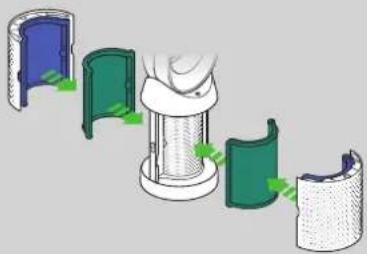
Supplied with separate carbon and glass HEPA filters.
Remove the shrouds and filters from any protective packaging.
Push the carbon filters into place on the machine.
Put the shrouds, with the HEPA filters in place, into position on the base and push firmly until they both click securely into place.
natural_image
Diagram showing a mechanical assembly with four stages of a cylindrical component, no text or symbols present.

Use both hands to lift your machine out of the box, by its base.
Do not lift out by the loop amplifier.
Dyson Pure Cool™ purifying fan with Dyson Cryptomic™ technology
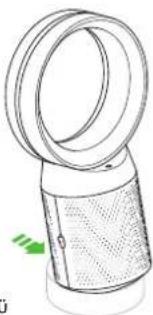
Push down the Shroud release buttons on both sides of your machine to release the shrouds.
Your machine comes with a permanent Dyson Cryptomic™ filter and a Combination filter.
Remove the Combination and Dyson Cryptomic ^™ filters from any protective packaging.
Push the Dyson Cryptomic ^™ filter into position on the machine.
Push both the Combination filters into the shrouds until the tabs on the top and bottom click into place.
Put the shrouds into position on the main body and push gently until they click securely into place.

text_image
Diagram illustrating the process of a device with labeled components and Clik labelPlace the remote control on top of the machine with the buttons facing down.
Plug in and switch on.
Using your machine
Power and continuous monitoring
text_image
Standby ON/OFF
text_image
Tilt controlStandby on/off
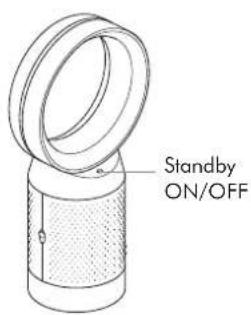
Press the Standby on/off button on your Dyson purifying fan or remote control to stop your machine. It will continue to monitor the air quality.
Continuous monitoring on/off Press and hold the Auto mode button on the remote control for 5 seconds to turn it on. The LCD screen will indicate when continuous monitoring is on or off.

text_image
Remote control Pc Standby on/offPower on/off
Airflow speed
on/off


Information menu
Auto mode
Airflow
direction
Night modeOscillation
Continuous monitoring
With continuous monitoring turned on, your Dyson purifying fan will gather air quality, temperature and humidity information, which is displayed on the LCD screen and in the Dyson Link app.
Continuous monitoring is turned off by default. Once turned on, it will always be active until you turn it off again.
Wi-Fi Connectivity
Wi-Fi is on by default. To turn the Wi-Fi on or off, press and hold the Standby on/off button on your machine for 5 seconds.
Information menuInformation menu
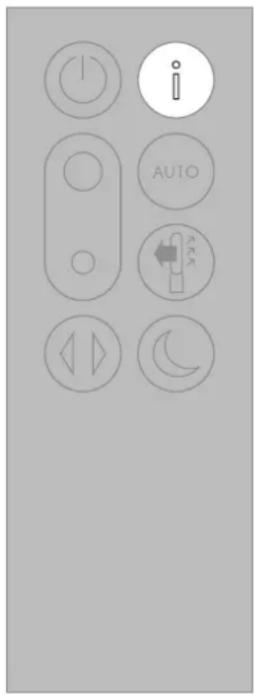
Press this button to scroll through the information being monitored by your Dyson purifying fan.
Information about air quality, temperature, humidity and filter levels is shown on the LCD screen.
When a particular type of pollutant causes air quality to decrease, a symbol for the pollutant will show on the LCD screen.
text_image
Control panel icons with labels including power, current, and auto buttons
Indoor air quality - 12 seconds Monitors the current air quality with a graph showing the last 12 seconds of data.

Particulate matter (PM2.5) Monitors the presence of microscopic particles up to 2.5 microns in size, suspended in the air we breathe. These include smoke, bacteria and allergens.

Particulate matter (PM10)
Monitors the presence of larger microscopic particles, up to 10 microns in size, suspended in the air we breathe. These include dust, mould and pollen.

Volatile organic compounds VOCs are typically odours that may be potentially harmful. These can be found in cleaning products, paints and new furnishings.

Nitrogen dioxide and other oxidising gases
These potentially harmful gases are released into the air by combustion, for example, the burning gas when cooking and in vehicle exhaust emissions.

Indoor temperature
Monitors the ambient temperature to help maintain a comfortable environment.
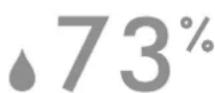
Indoor humidity
Displays the amount of water vapour in the air, shown as a percentage of the maximum possible humidity at the current temperature.

natural_image
Illustration of two containers with different shapes and a checkmark indicating inspection or verification (no text or symbols present)Filters
The remaining filter life is shown on the LCD screen and will indicate when your filters need replacing.

Wi-Fi
Displays the current status of the connection to the Wi-Fi network.
Auto mode
Airflow
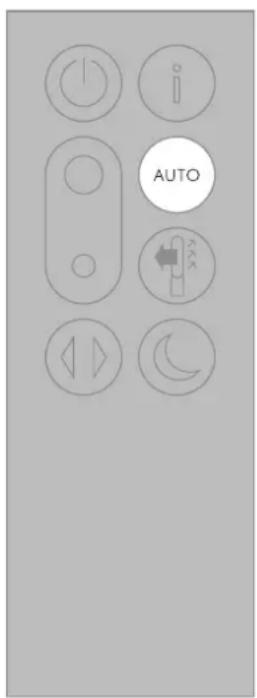
Set your Dyson purifying fan to Auto mode and the on-board sensors will intelligently adjust the settings of the machine according to the air quality.
Air quality: your machine will pause when the target air quality has been reached, switching on again when the air quality levels drop.
Airflow speed: the airflow speed will increase until the target air quality and temperature have been reached.
text_image
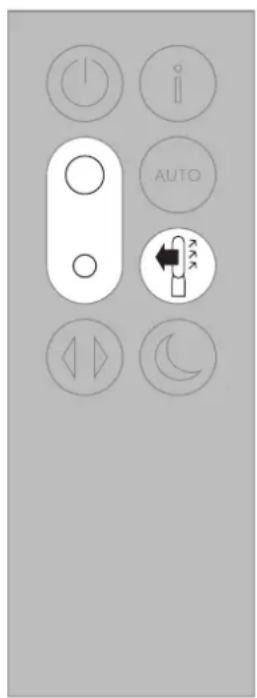
AUTOPress the Airflow speed button to increase and decrease the airflow speed.
Press the Airflow direction button to change the direction of airflow from front to back. Your machine will continue to purify in both settings.
text_image
i AUTO 2 2 2Oscillation Night mode and Sleep timer
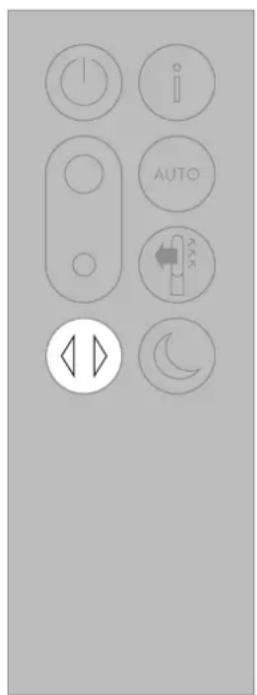
Press the Oscillation button to circulate the air around the room and scroll through the oscillation settings from 0^ to 350^ .
Customise your oscillation settings in the Dyson Link app.
text_image
Control panel interface with labeled buttons including power, info, AUTO, and directional iconsIn Night mode, your Dyson purifying fan will continue to monitor and respond to changes in air quality, but only using its quietest settings – and with its LCD screen dimmed.
Press the Night mode and Sleep timer button to scroll through the timer options.

text_image
i AUTO SUNIONLooking after your machine
To always get the best performance from your Dyson purifying fan, it's important to regularly clean it and check for blockages.
Cleaning
If dust accumulates on the surface of your machine, wipe dust from the loop amplifier, filter unit and other parts with a dry or damp cloth.
Look for blockages in the air inlet holes on the filter and the small aperture inside the loop amplifier.
Use a soft brush to remove dust and debris.
Don't use detergents or polishes to clean your machine.
Changing your filters
The Dyson Link app and LCD screen on your machine will indicate when to change your filters.
Order new filters from the Dyson Link app or visit www.dyson.com. Your new filters will come with instructions or go online for further support and videos.
Do not use your machine without the filters in place. Unplug your machine from the mains electricity supply before cleaning or changing filters.
Error codes
If your machine shows an error code, try turning it off and then on again. If this doesn't clear the error code, contact Dyson.
For further information and support about the care and maintenance of your machine and replacing the filters, go to the Dyson Link app or visit our website at www.dyson.com
Additional information
CONTROL WITHOUT THE REMOTE
• This machine can be controlled through your Dyson Link app.
DYSON LINK APP CONNECTIVITY
- You must have a live internet connection and app enabled device in order for the Dyson Link app to work.
- This machine can connect to either 2.4GHz or 5GHz networks which includes most modern routers. Check your router documentation for compatibility.
- The Dyson Link app requires an iOS device with at least iOS version 10^* or an Android device with at least Android version 5.
- Your mobile device must have Bluetooth® wireless technology 4.0 support (Bluetooth Low Energy) in order to set up a connection with the machine. Check your device specification for compatibility.
- The Bluetooth® word mark and logos are registered trademarks owned by the Bluetooth SIG, Inc. and any use of such marks by Dyson is under license.
- BLE/Wi-Fi 2.4GHz – 2.5GHz, 0.1W max
- Wi-Fi 5.170GHz – 5.835GHz, 0.1W max
• Supported Wi-Fi protocols:
• IEEE802.11a
• IEEE802.11b (Not recommended) - IEEE802.11g
- IEEE802.11n
• Networked standby: 0.9 W

CONFORMITY INFORMATION
Hereby, Dyson declares that this environmental control radio equipment is in compliance with Directive 2014/53/EU. The full text of the EU Declaration of Conformity is available at the following internet address: www.dyson.co.uk/inside-dyson/terms/compliance
REPLACEABLE PARTS
BATTERY REPLACEMENT

CAUTION
- Unscrew the battery compartment on the remote control. Loosen the base and pull to remove the battery.
-
Do not install backwards or short circuit the batteries.
-
Do not attempt to dismantle or charge the batteries. Keep away from fire.
- Follow battery manufacturers' instructions when installing new batteries (battery type CR 2032).
- Always replace the screw in the remote control and refer to the battery hazard in the warning section.
NON-WASHABLE FILTER UNITS
- Your filter units are non-washable and non-recyclable.
- Failure to replace the filter units when prompted may result in changes to product performance and appearance.
- Order new filters from the Dyson Link app or visit www.dyson.com. Your new filters will come with instructions or go online for further support and videos.
AUTO MODE
- A period of 6 days is required after the machine is first used for the sensor to calibrate. During this period the machine may be more sensitive to VOCs (such as odours) than normal.
DISPOSAL INFORMATION
• Dyson products are made from high grade recyclable materials. Recycle where possible.
- Dispose of or recycle the battery in accordance with local ordinances or regulations.
- This symbol indicates that this machine should not be disposed with your general household waste. To prevent possible harm to the environment or human health from uncontrolled waste disposal, recycle it responsibly to promote the sustainable reuse of material resources. When this machine has reached the end of its serviceable life, please take it to a recognised WEEE (Waste Electrical and Electronic Equipment) collection facility such as your local civic amenity site for recycling. Your local authority or retailer will be able to advise you of your nearest recycling facility.
• The battery should be removed for separate recycling.
- Keep the used batteries away from children as these can still harm children if swallowed
- Your filter units are non-washable and non-recyclable.
- Dispose of the exhausted filter units in accordance with local ordinances or regulations.
- The battery should be removed from the machine before disposal.

DYSON CUSTOMER CARE
After registering your two-year guarantee, your Dyson machine will be covered for parts and labour (excluding filters), for two years from the date of purchase, subject to the terms of the guarantee. If you have any queries regarding your Dyson machine, visit www.dyson.com for online help, general tips and useful information about Dyson.
Alternatively, you can call the Dyson Helpline with your serial number and details of where and when you bought the machine.
Your serial number can be found on your rating plate which is on the base of your machine. If your Dyson machine needs a service, call the Dyson Helpline so we can discuss the available options. If your Dyson machine is under guarantee, and the repair is covered, it will be repaired at no cost.
PLEASE REGISTER AS A DYSON MACHINE OWNER
To help us ensure you receive a prompt and efficient service, please register as a Dyson machine owner. There are three ways to do this:
• Online at www.dyson.com
• Telephone the Dyson Helpline.
- Smartphone. Download the Dyson Link app and you will be taken through registration as part of the set up.
This will confirm ownership of your Dyson machine in the event of an insurance loss, and enable us to contact you if necessary.
LIMITED 2-YEAR GUARANTEE
TERMS AND CONDITIONS OF THE DYSON 2-YEAR LIMITED GUARANTEE
WHAT IS COVERED
- The repair or replacement of your Dyson machine (at Dyson's discretion) if it is found to be defective due to faulty materials, workmanship or function within two years of purchase or delivery (if any part is no longer available or out of manufacture, Dyson will replace it with a functional replacement part).
- Where this machine is sold outside of the EU, this guarantee will only be valid if the machine is used in the country in which it was sold.
- Where this machine is sold within the EU, this guarantee will only be valid (i) if the machine is used in the country in which it was sold or (ii) if the machine is used in Austria, Belgium, France, Germany, Ireland, Italy, Netherlands, Spain or the United Kingdom and the same model as this machine is sold at the same voltage rating in the relevant country.
WHAT IS NOT COVERED
- Replacement filter units. The machine's filter units are not covered by the guarantee. Dyson does not guarantee the repair or replacement of a product where a defect is the result of:
- Damage caused by not carrying out the recommended machine maintenance.
- Accidental damage, faults caused by negligent use or care, misuse, neglect, careless operation or handling of the machine which is not in accordance with the Dyson User manual.
- Use of the machine for anything other than normal domestic household purposes.
- Use of parts not assembled or installed in accordance with the instructions of Dyson.
- Use of parts and accessories which are not genuine Dyson components.
• Faulty installation (except where installed by Dyson).
• Repairs or alterations carried out by parties other than Dyson or its authorised agents.
- Blockages – Please refer to the 'Looking after your machine' section and illustrations in your Dyson User manual for details on how to look for and clear blockages.
• Normal wear and tear (e.g. fuse etc.).
- Reduction in battery discharge time due to battery age or use (where applicable).
If you are in any doubt as to what is covered by your guarantee, please contact the Dyson Helpline.
SUMMARY OF COVER
- The guarantee becomes effective from the date of purchase (or the date of delivery if this is later).
- You must provide proof of (both the original and any subsequent) delivery/purchase before any work can be carried out on your Dyson machine. Without this proof, any work carried out will be chargeable. Keep your receipt or delivery note.
- All work will be carried out by Dyson or its authorised agents.
• Any parts which are replaced by Dyson will become the property of Dyson. - The repair or replacement of your Dyson machine under guarantee will not extend the period of guarantee.
- The guarantee provides benefits which are additional to and do not affect your statutory rights as a consumer.
IMPORTANT DATA PROTECTION INFORMATION
You will need to provide us with basic contact information when you register your Dyson machine or the Dyson Link app.
When registering your Dyson machine:
- You will need to provide us with basic contact information to register your machine and enable us to support your guarantee.
When registering via the Dyson Link app:
- You will need to provide us with basic contact information to register the Dyson Link app. This enables us to securely link your machine to your instance of the app.
- When you register, you will have the opportunity to choose whether you would like to receive communications from us. If you opt-in to communications from Dyson, we will send you details of special offers and news of our latest innovations.
- We never sell your information to third parties and only use information that you share with us as defined by our privacy policies which are available on our website at privacy.dyson.com.
- You will need to provide us with basic contact information to register the Dyson Link app. This enables us to securely link your machine to your instance of the app. - When you register, you will have the opportunity to choose whether you would like to receive communications from us. If you opt-in to communications from Dyson, we will send you details of special offers and news of our latest innovations. - We never sell your information to third parties and only use information that you share with us as defined by our privacy policies which are available on our website at privacy.dyson.com.
Erste Schritte
natural_image
Diagram showing a mechanical assembly with four stages of a cylindrical component, no text or symbols present.
text_image
Diagram illustrating the process of a device with labeled components and directional arrows, including a circular inset showing the 'Clik' (Click) mechanism.Die
text_image
Control panel icons with labels including power, current, AUTO, and directional controls
natural_image
Illustration of cylindrical containers and a container with particles, connected by a line (no text or symbols)Filter
text_image
Control panel icons with labels including power, info, AUTO, and directional buttonsnatural_image
Diagram showing a mechanical assembly with four stages of a cylindrical component, no text or symbols present.
text_image
Diagram illustrating the process of a device with labeled components and Clik indicatortext_image
Control panel icons with labels including power, current, AUTO, and directional controls
natural_image
Illustration of two containers with different shapes and a checkmark symbol (no text or labels)Filtros
text_image
Control panel icons with labels including power, info, AUTO, and directional buttonsnatural_image
Diagram showing a mechanical assembly with four stages of a cylindrical component, no text or symbols present.

text_image
Diagram illustrating the process of a device with labeled components and directional arrows, including a circular inset showing the 'Clik' (Click) mechanism.text_image
Control panel icons with labels including power, current, AUTO, and directional controls
natural_image
Illustration of two containers with different internal shapes and a checkmark indicating inspection or testing (no text or symbols present)Filtres
text_image
Control panel interface with labeled buttons including power, info, AUTO, battery, and directional iconsINFORMATIONS RELATIVES À LA CONFORMITÉ
INFORMATIONS DE MISE AU REBUT
SERVICE CONSOMMATEURS DYSON
IT: www.dyson.it/support
CH: www.dyson.ch/support
Al telefono
IT: 800 976 024
CH:0800-740183
www.dyson.it/register (IT)
www.dyson.ch/register (CH)

Per telefono
natural_image
Diagram showing a mechanical assembly with four stages of a cylindrical component, no text or symbols present.
text_image
Diagram illustrating the process of a device with labeled components and Clik label, showing step-by-step assembly.text_image
Control panel icons with labels including power, current, AUTO, and directional buttons
natural_image
Illustration of cylindrical containers and a container with particles, connected by a line (no text or symbols)Filtri
text_image
Control panel icons with labels including power, info, AUTO, and directional buttonsCONNETTIVITÀ APP DYSON LINK
IT: www.dyson.it/support
CH: www.dyson.ch/support
natural_image
Diagram showing a mechanical assembly with four stages of a cylindrical component, no text or symbols present.
text_image
Diagram illustrating the process of a device with labeled components and Clik label, showing step-by-step assembly.text_image
Control panel icons with labels including power, current, AUTO, and directional controls
natural_image
Illustration of cylindrical containers and a container with particles, no text or symbols presentFilters
text_image
Control panel interface with labeled buttons including power, info, AUTO, battery, and directional iconsnatural_image
Diagram showing a mechanical assembly with four colored components and directional arrows indicating motion (no text or symbols)
text_image
Diagram illustrating the process of a device with labeled components and a circular inset showing the 'Clik' (Click) operation.text_image
Control panel icons with labels including power, current, and auto buttons
natural_image
Illustration of cylindrical containers and a container with particles, connected by a line (no text or symbols)Filtros
text_image
Control panel interface with labeled buttons including power, info, AUTO, and directional iconswww.dyson.pt/support
natural_image
Diagram showing a mechanical assembly with four colored components and directional arrows indicating motion (no text or symbols)

text_image
Diagram illustrating a cleaning or cleaning process with labeled components and directional arrows indicating flow or movement.natural_image
Technical line drawing of a cylindrical mechanical component with a flanged top and textured base (no text or symbols)natural_image
Technical line drawing of a mechanical device with a curved top and textured base (no text or symbols)Eğim kontrolü
natural_image
Line drawing of a handheld air conditioner unit with a green indicator arrow (no text or symbols)
natural_image
Line drawing of a cylindrical device with a mesh base and handle, no text or symbols presentKumanda
text_image
Control panel icons with labels including power, current, AUTO, and directional controls
natural_image
Illustration of cylindrical containers and a container with particles, no text or symbols presentFiltreler
text_image
i AUTO A B C D E F G H I J K L M N O P Q R S T U V W X Y ZSalınım
text_image
Control panel icons with labels including power, info, AUTO, and directional buttonsnatural_image
Diagram showing a mechanical assembly with four colored components and directional arrows indicating motion (no text or symbols)
text_image
Diagram illustrating the process of a device with labeled components and directional arrows, including a circular inset showing the 'Clik' (Click) mechanism.text_image
Control panel icons with labels including power, current, AUTO, and directional controls
natural_image
Illustration of cylindrical containers and a container with particles, no text or symbols presentFiltre
text_image
Control panel icons with labels including power, info, AUTO, and directional buttonsnatural_image
Diagram showing a mechanical assembly with four colored components and directional arrows indicating motion (no text or symbols)

text_image
Diagram illustrating a cleaning or cleaning process with labeled components and directional arrows indicating flow or movement.text_image
Control panel icons with labels including power, current, AUTO, and directional buttonsnatural_image
Illustration of cylindrical containers and a container with particles, no text or symbols presentSuodattimet
text_image
i AUTO A B C D E F G H I J K L M N O P Q R S T U V W X Y ZKääntyminen
text_image
Control panel icons with labels including power, info, AUTO, and directional buttonsDYSONIN HUOLTOPALVELU
natural_image
Diagram showing a mechanical assembly with four stages of a cylindrical component, no text or symbols present.
text_image
Diagram illustrating the process of a device with labeled components and directional arrows, including a circular inset showing the 'Clik' (Click) mechanism.text_image
Control panel icons with labels including power, current, and auto buttons

Innendørs luftkvalitet - 12 sekunder
natural_image
Illustration of cylindrical containers and a container with particles, connected by a line (no text or symbols)text_image
Control panel icons with labels including power, info, AUTO, and directional buttonsDYSON LINK-APPTILKOBLING
natural_image
Diagram showing a mechanical assembly with four stages of a cylindrical component, no text or symbols present.
text_image
Diagram illustrating the process of a device with labeled components and directional arrows, including a circular inset showing the 'Clik' (Click) mechanism.natural_image
Technical line drawing of two types of Lutningskontroll components with green arrows indicating motion (no text or symbols on the components themselves)Ström PÅ/AV
text_image
Control panel icons with labels including power, current, AUTO, and directional controls
natural_image
Illustration of cylindrical containers and a container with particles, connected by a line (no text or symbols)Filter
text_image
Control panel icons with labels including power, info, AUTO, and directional buttonsANSLUTNING MED DYSON LINK-APP
SAMMANFATTNING AV GARANTIN
Dyson Technology Limited, Tetbury Hill, Malmesbury, Wiltshire, SN16 ORP
IE
Dyson customer care
askdyson@dyson.ie
01 475 7109
Dyson Ireland Limited, Office 2, Central Park, Leopardstown,
Dublin 18, Ireland
AT
Dyson Kundendienst
help@dyson.at
0800 - 28 67 45
Thetaco Traders Ltd., Tapeinoseos 6, Aradhippou Industrial Estate,
Larnaka 7100, Cyprus, PO Box 41070
CZ
Burotek sarl (Member of Antaki Group)
info@antaki.com.lb
01-252 474
Moutran Bldg., Sin El Fil Boulevard, P.O.Box: 90-720, Beirut
LT
Dyson servisas
remontas@bcsc.lt
8 700 555 95
UAB Baltic Continent, P. Lukšio g. 23, Vilnius LT-09132, Lietuva
MA
Ideaplus sarl
info@idea-group.ma
0801 001 424
18 Rue Sidi Bennour, Quartier Ain Borja, Casablanca, Maroc
NL
Dyson Helpdesk
help@dyson.nl
080 002 06 203
Dyson BV, Fred. Roeskestraat 109, 1076 EE Amsterdam, Nederland
NO
Dyson Kundeservice
help@dyson.no
80069196
CPM International Telebusiness SL, Edificio Ono,
Carrer de Lepant 350, Planta 1a, 08025 Barcelona, España
PL
Sector 3, Bucuresli, Romania
RU
Tudortech, 4th floor Park On Long, 66 Long Street, Cape Town, 8001,
South Africa