EasyManual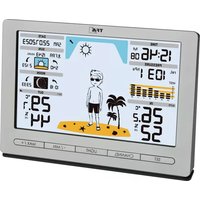
METEO JACK 35.1097.54 - Weather Station TFA - Free user manual and instructions
Find the device manual for free METEO JACK 35.1097.54 TFA in PDF.



User questions about METEO JACK 35.1097.54 TFA
0 question about this device. Answer the ones you know or ask your own.
Ask a new question about this device
Download the instructions for your Weather Station in PDF format for free! Find your manual METEO JACK 35.1097.54 - TFA and take your electronic device back in hand. On this page are published all the documents necessary for the use of your device. METEO JACK 35.1097.54 by TFA.
USER MANUAL METEO JACK 35.1097.54 TFA
Thank you for choosing this instrument from TFA. Before you use this product
Please make sure you read the instruction manual carefully.
The operating instructions are enclosed with the device or can be downloaded at www.tfa-dostmann.de/en/ service/downloads/instruction-manuals
This product should only be used as descri- bed within these instructions.
Following and respecting the instructions in your manual will prevent damage to your instrument and loss of your statutory rights arising from defects due to incorrect use. We shall not be liable for any damage occurring as a result of non-following of these instructi- ons.
Please take particular note of the safety advice!
Please keep this instruction manual safe for future reference.
- Wireless weather station (base station)
2. Range of application and all the benefits of your new instrument at
- Outdoor temperature and humidity wireless (433 MHz), distance range up to 100 m (open field)
- Indoor temperature and humidity
- Maximum and minimum values for temperature, humidity and atmos- pheric pressure with time and date of recording
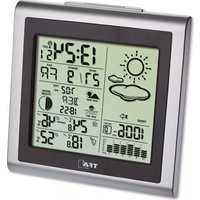
- Weather forecast by symbols and “Meteo Jack”
- Atmospheric pressure with bar graph for the last 24 hours, tendency of atmospheric pressure
- Time of sunrise and sunset with day length
- Time of moonrise and moonset with moon phase
- Site selection for 150 European cities
- Radio-controlled clock with entire date and weekday in English (6 lan- guages)
- Manual setting option and time zone correction
- Backlight with 4 brightness levels and auto-dim function (with mains connection)
- Wall mounting or table stand
- Optional: Expandable up to 3 temperature-humidity-transmitters (sold separately), also for the climate control of remote rooms, e.g. chil- dren's room, wine-cellar etc.
- This product is exclusively intended for the range of application described above.
- This product should only be used as described within these instruc- tions. Caution! Risk of electrocution!
- Plug the base station only into a mains socket installed within your country’s electrical safety regulations and with a correct mains voltage (see nameplate).
- The mains socket must be located near the equipment and it must be easily accessible.
- Unplug the device immediately if any fault occurs.
- The base station and the power adapter must not come into contact with water or moisture. Suitable for indoor use only.
- Do not use the device if the housing or the power adapter are damaged.
- Operate the device out of reach of persons (including children) who cannot fully appreciate the potential risks of handling electrical equip- ment.
- Only use the supplied power adapter.
- Do not pull the plug out of the socket by its cable.
- Route the mains cable so it does not come into contact with sharp- edged or hot objects. WARNING! Risk of injury!
- Keep the devices and the batteries out of reach of children.
- Small parts can be swallowed by children (under three years old). Wireless weather station
- Batteries contain harmful acids and may be hazardous if swallowed. If a battery is swallowed, this can lead to serious internal burns and death within two hours. If you suspect a battery could have been swallowed or otherwise caught in the body, seek medical help immediately.
- Batteries must not be thrown into a fire, short-circuited, taken apart or recharged. Risk of explosion!
- Low batteries should be changed as soon as possible to prevent dam- age caused by leaking. Make sure the polarities are correct. Never use a combination of old and new batteries together, nor batteries of different types. Remove the batteries if the device will not be used for an extend- ed period of time. Avoid contact with skin, eyes and mucous mem- branes when handling leaking batteries. In case of contact, immediately rinse the affected areas with water and consult a doctor. CAUTION
- Unauthorised repairs, alterations or changes to the devices are prohib- ited.
- Do not expose the devices to extreme temperatures, vibrations or shocks.
- Clean the devices with a soft damp cloth. Do not use solvents or scour- ing agents.
- The transmitter is splashproof, but not watertight.
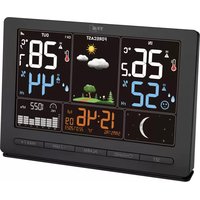
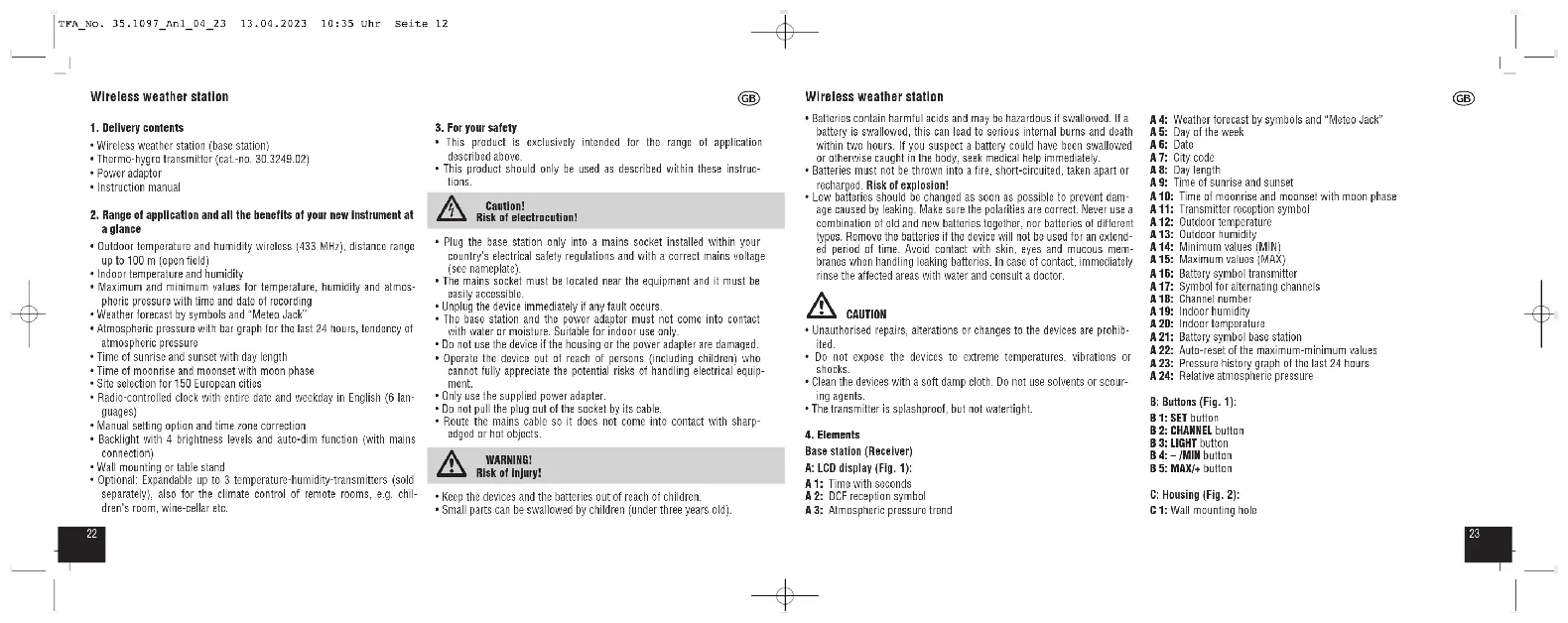
Base station (Receiver) A: LCD display (Fig. 1): A 1: Time with seconds A 2: DCF reception symbol A 3: Atmospheric pressure trend A 4: Weather forecast by symbols and “Meteo Jack” A 5: Day of the week A 6: Date A 7: City code A 8: Day length A 9: Time of sunrise and sunset A 10: Time of moonrise and moonset with moon phase A 11: Transmitter reception symbol A 12: Outdoor temperature A 13: Outdoor humidity A 14: Minimum values (MIN) A 15: Maximum values (MAX) A 16: Battery symbol transmitter A 17: Symbol for alternating channels A 18: Channel number A 19: Indoor humidity A 20: Indoor temperature A 21: Battery symbol base station A 22: Auto-reset of the maximum-minimum values A 23: Pressure history graph of the last 24 hours A 24: Relative atmospheric pressure B: Buttons (Fig. 1): B 1: SET button B 2: CHANNEL button B 3: LIGHT button B 4: – /MIN button B 5: MAX/+ button C: Housing (Fig. 2): C 1: Wall mounting hole TFA_No. 35.1097_Anl_04_23 13.04.2023 10:35 Uhr Seite 122524 Wireless weather station
C 2: Battery compartment C 3: Power adaptor jack C 4: Table stand (removable) D: Transmitter: Display (Fig. 3): D 1: Channel 1/2/3 D 2: Transmission signal D 3: Outdoor temperature D 4: Battery symbol for the transmitter D 5: Outdoor humidity Housing (Fig. 3): D 6: Battery compartment D 7: Support for wall mounting or table standing D 8: Indentations for the holder for wall mounting Buttons in the battery compartment (Fig. 3): D 9: TX button D 10: 1/2/3 switch for channel selection
- Place the base station and the transmitter on a table at a distance of about 1.5 meters from each other. Avoid being close to possible sources of interference such as electronic devices and radio equipment.
- Open the battery compartment of the transmitter and insert two new AA
1.5 V batteries, polarity as illustrated. All LCD segments will be dis-
played for a short moment.
- The transmitter's display shows the current temperature and humidity. The switch is set to channel 1.
- Close the battery compartment.
5.2 Getting the base station started
- The base station can be operated with a mains adapter and/or with 3 x
1.5 V AA batteries (not included). The batteries maintain the function in
the event of a power failure, so that no readjustment has to be made and the memory values are retained. For a permanent backlight and to conserve battery power, use the supplied power adapter.
- Insert the power adapter pin into the device jack and connect the plug to a wall socket.
- The device is ready for use.
- All LCD segments will be displayed for a short moment.
- Optional: Open the battery compartment and insert three new AA 1.5 V batteries, polarity as illustrated. Close the battery compartment.
5.3 Reception of outdoor transmitter
- The base station will scan the outdoor values and the reception symbol flashes
- If the reception is successful, the temperature, humidity and the recep- tion symbol appear steadily on the base station display.
- If the reception of the outdoor values fails, “- -. -” remains on the base station display. Check the batteries and try it again.
- You can also start the transmitter search manually later (e.g. if the transmitter signal is lost or if the batteries are changed). Wireless weather station
- Press and hold the CHANNEL button on the base station for three se- conds. The reception symbol for the outdoor transmitter will be flash- ing. Press the TX button in the transmitter's battery compartment. The transmission of the data takes place immediately and if the reception is successful, the outdoor values appear on the base station display.
- If the transmitter signal is lost, the device automatically starts a trans- mitter search for 60 seconds after 30 or 60 minutes.
5.4 Reception of the DCF frequency signal
- After the reception of the outdoor values, the clock will now scan the DCF frequency signal and the DCF symbol flashes on the display.
- When the time code is successfully received after 3-10 minutes, the radio-controlled time and the DCF symbol will be shown steadily on the display.
- The DCF reception always takes place at 1:00, 2:00 and 3:00 o'clock in the morning. If the signal is not successfully received, further attempts will be taken at 4:00 and 5:00 o'clock.
- You can also activate the DCF reception manually. Press and hold the – /MIN button in normal mode for 3 seconds. The DCF reception symbol will be flashing.
- Press and hold the – /MIN button again for 3 seconds to stop the recep- tion process. The DCF reception symbol disappears.
- There are 3 different reception symbols: flashing symbol – reception is active solid – reception is successful no symbol – no DCF reception
- If the clock cannot detect the DCF-signal (e.g. due to interference, transmitting distance, etc.), the time can be set manually.
- The clock will then work as a normal quartz clock (see: “Manual set- tings”).
5.5 Note on radio-controlled time
- The time is transmitted from an atomic clock near Frankfurt am Main by a DCF-77 (77.5 kHz) frequency signal with a range of about 1,500 km. Your radio-controlled clock receives the signal, converts it and always shows the exact time. The adjustment of Daylight Saving Time and Standard Time is also automatic.
- Avoid being close to possible sources of interference that may affect radio reception (see “Location and mounting”).
- During night-time, the atmospheric interference is usually less severe. A single daily reception is adequate to keep the accuracy deviation under 1 second.
- The device will automatically quit the setting mode if no button is pressed for 20 seconds.
- Press and hold the MAX/+ or – /MIN button in setting mode for fast mode.
- Press and hold the SET button for three seconds to enter the setting mode.
- The first adjustable value flashes on the display.
- Use the MAX/+ or – /MIN button to make the desired setting, while the value flashes.
- Confirm with the SET button and go to the next setting.
- By default, the DCF reception is activated (DCF ON) and after success- ful reception of the DCF signal no manual time setting is necessary.
- In the setting mode, you can deactivate (DCF OFF) or activate again the DCF reception using the MAX/+ or – /MIN button.
- Once the DCF time reception is deactivated the clock must be manually set. No time zone will appear.
- If the DCF reception is activated, the manually set time will be overwrit- ten by the DCF time when the signal is received successfully.
6.1.2 Time zone setting
- In the setting mode you can make the time zone correction +12/-12).
- The time zone correction is needed for countries where the DCF signal can be received but the time zone is different from the DCF time (e.g. +1=one hour plus).
6.1.3 Automatic reset of the maximum and minimum values
- In the setting mode, you can activate (AUTO MIN MAX ON) or deacti- vate again the automatic reset of the maximum and minimum values.
- If the automatic reset is activated, AUTO appears on the display.
- In the setting mode, the relative atmospheric pressure at the installa- tion site must be entered. Ask for the current atmospheric pressure of your home area (Local weather service, Internet, optician, calibrated instruments in public buildings and airport).
6.1.5 Site selection
- Select the country and city of your location in setting mode.
- A table with the codes for site selection can be found at the end of the instructions. It can be chosen from 150 European cities.
6.1.6 Day-of-the week language
- You can set the day-of-the week language in setting mode: German (GE), French (FR), Spanish (ES), Italian (IT), Dutch (NE) and English (EN).
- Press the – /MIN button in normal mode. MIN flashes on the display.
- You can now see the lowest measuring value since the last reset with time and date of recording.
- The sequence is shown as follows: Outdoor temperature, outdoor humidity, indoor temperature, indoor humidity, atmospheric pressure.
- If you have installed more than one transmitter, press the CHANNEL button to change between the outdoor transmitters.
- Press the – /MIN button once more to go back to the current values dis- play.
- Repeat the process by pressing the MAX/+ button to see the maximum values. MAX flashes on the display. Wireless weather station
- Press and hold the SET button for 3 seconds while the highest or low- est values are displayed. The values will be deleted and reset to the cur- rent state. b) Automatic reset
- Provided that in the setting mode the automatic reset is activated (AUTO MIN MAX ON). AUTO appears permanently on the display.
- All maximum and minimum values will be reset automatically every midnight at 0:00.
- An interim manual reset is still possible.
8.1 Atmospheric pressure
- The relative atmospheric pressure in hPa and the graphic development of the last 24 hours will appear on the display. If the bars go down, it means the atmospheric pressure has dropped and the weather is expected to get worse. If the bars are rising it means that the weather is getting better.
8.2 Weather forecast symbols (Fig. 4)
- The weather station has 6 different weather symbols: sunny, slightly cloudy, cloudy, rainy, thunderstorm, snowfall.
- A snow crystal is shown if rain is forecasted and the outdoor tempera- ture on channel 1 is under 0°C.
- The weather forecast relates to a range of 12 to 24 hours and indicates only a general weather trend. For example, if the current weather is cloudy and the rain symbol is displayed, it does not mean the product is faulty because it is not raining. It simply means that the air pressure has dropped and the weather is expected to get worse but not neces- sarily rain. The accuracy is about 70-75 %. Note!
- Please note that the forecast symbol will become more defined in the course of operation. The forecast symbol is active right from the start, however, the reliability of the forecasts increases with the amount of data collected. To begin with, the sensor must adapt initially to the reference level at the site.
8.3 Meteo Jack (Fig. 4)
- Weather forecast by “Meteo Jack”: Shorts, scarf, gloves or umbrella? The “Meteo Jack” shows in 28 variations always the correct clothing for the current weather and the outdoor temperature.
- Please keep in mind that the clothing state is based on the information of the transmitter received on channel 1. If this transmitter is not situat- ed outside or if there is no transmitter connected to channel 1, a wrong or no display will be the result.
9. Time of rise and set for sun and moon
- After entering your location in the settings mode, the rise and set times for the sun and moon, and the length of the day for today's date, are automatically calculated.
- In mains operation: Press the LIGHT button to adjust the brightness in 4 levels (LVL 4-1) or to switch it off (OFF). The default setting is LVL 3.
- The last selected level will remain permanently active.
- To temporarily activate the display light in pure battery operation, press the LIGHT button. Each button press will activate the backlight for 10 seconds.
11.1 Automatic dimming mode
(during permanent backlight in mains operation)
- If the auto-dim mode is activated, the weak backlight (LVL 1) turns on automatically for the set time.
- Press and hold the LIGHT button for 3 seconds. DIM appears on the display.
- By default, the automatic dimming function is disabled. OFF flashes on the display.
- To activate the function, press the MAX/+ or – /MIN button (ON).
- Confirm with the LIGHT button.
- The start time flashes (22:00 default) Press the MAX/+ or – /MIN button to set the time (full hours).
- Confirm with the LIGHT button.
12. Location and mounting
- When placed outdoors, choose a shady and dry place for the transmit- ter. Direct sunlight may trigger incorrect measurement and continuous humidity damages the electronic components needlessly.
- Place the base station in any room of the house.
- Avoid being close to possible sources of interference that may affect radio reception. It is recommended to keep a distance of at least 2 metres to possibly interfering sources (TV, computer, microwave, wire- less phones, baby monitors) and large metal objects (e.g. refrigerator). Within solid walls, especially ones with metal parts, the transmission range can be reduced considerably. In extreme cases, please place the unit close to a window to improve reception.
- Check whether the transmission from the transmitter to the base sta- tion is possible and whether the DCF radio clock signal can be received.
- If necessary, choose, another position for the outdoor transmitter and/or receiver.
- If the transmission is successful, you can place or wall mount the base station and the outdoor transmitter with the suspension device.
- To wall-mount the transmitter, screw the holder to the wall and click the outdoor transmitter into the holder.
- Do not use the base station in the vicinity of radiators, other sources of heat or in direct sunlight. Wireless weather station
13. Battery replacement
- As soon as the battery symbol will appear on the outdoor values dis- play of the base station or on the display of the outdoor transmitter, change the batteries of the outdoor transmitter.
- Change the batteries of the base station, when the battery symbol appears on the indoor values display. The instrument also works with- out batteries. Than the battery symbol for the base station is perma- nently shown on the display.
- Please note: When the batteries are changed, the contact between the outdoor trans- mitter and the base station must be restored – so always restart both devices or start a manual transmitter search.
14. Additional outdoor transmitters (optional)
- When having more than one external transmitter, select a different channel for each one with the 1/2/3 switch inside the transmitter's bat- tery compartment. Insert two new AA 1.5 V batteries, polarity as illu- strated. Start the base station operation or the manual search for the outdoor transmitter: – Choose the respective channel by pressing the CHANNEL button. – Press and hold the CHANNEL button for three seconds. The last re- gistered transmitter (channel) will be cancelled and the transmitter search begins. – Press the TX button in the corresponding transmitter's battery com- partment. The transmission of the outdoor data will take place imme- diately.
- The outdoor values and the channel number will be shown on the base station display. If you have installed more than one outdoor transmitter, press the CHANNEL button on the base station to change between the channels 1 to 3.
- You can also choose an alternating channel display. Press the CHANNEL button. After the last registered channel (1 to 3) a circle symbol will appear. To deactivate the function press the CHANNEL button again.
- After a successful installation close the outdoor transmitter's battery compartment carefully.
Problem Solution No display ➜ Control the power adapter on the base station Battery operation ➜ Ensure the batteries' polarities are correct ➜ Change the batteries No display on the transmitter ➜ Ensure the batteries' polarities are correct ➜ Change the batteries No transmitter reception ➜ No transmitter installed Display “- -. -” ➜ Check the outdoor transmitter's for channel 1/2/3 batteries (only use batteries/ rechargeable batteries with 1.5V voltage!) ➜ Restart the transmitter and the base station according to the manual ➜ Start the outdoor transmitter manual search ➜ Choose another place for the out- door transmitter and/or the base station TFA_No. 35.1097_Anl_04_23 13.04.2023 10:35 Uhr Seite 153130 Wireless weather station
➜ Reduce the distance between the outdoor transmitter and the base station ➜ Check if there is any source of inter- ference No DCF reception ➜ Activate (DCF ON) the DCF recep- tion in setting mode ➜ Press and hold the – /MIN button for 3 seconds to activate the recep- tion manually ➜ Wait for an attempt reception during the night ➜ Choose another place for your device ➜ Set the clock manually ➜ Check if there is any source of inter- ference ➜ Restart the instrument according to the manual No permanent backlight ➜ Set the brightness with the LIGHT button ➜ Connect the device to the power adapter Incorrect indication ➜ Restart the device Battery operation ➜ Change the batteries If your device fails to work despite these measures, please contact the retailer where you purchased the product from for advice.
This product and its packaging have been manufactured using high-grade materials and components which can be recycled and reused. This reduces waste and protects the environment. Dispose of the packaging in an environmentally friendly manner using the collection systems that have been set up. Disposal of the electrical device Remove non-permanently installed batteries and rechargeable batteries from the device and dispose of them separately. This product is labelled in accordance with the EU Waste Elec- trical and Electronic Equipment Directive (WEEE). This product must not be disposed of in ordinary household waste. As a consumer, you are required to take end-of-life devices to a designated collection point for the disposal of elec- trical and electronic equipment, in order to ensure environmen- tally-compatible disposal. Observe the current regulations in place! Disposal of the batteries Never dispose of empty batteries and rechargeable batteries with ordinary household waste. They contain pollutants which, if improperly disposed of, can harm the environment and human health. As a consumer, you are required by law to take them to your retail store or to an appropriate collection site depending on national or local regu- lations in order to protect the environment. The return service is free of charge. The symbols for the contained heavy metals are: Cd=cadmium, Hg=mercury, Pb=lead. Wireless weather station
Temperature Measuring range indoor 0 °C… +50 °C Measuring range outdoor -40 °C… +60 °C Resolution 0.1°C Accuracy ±1°C (0…+50°C), ±1,5°C (-40…0°C, +50…60°C) Humidity 10…99% RH Accuracy ±5% RH (@25°C, 30%...80%RH Range max. 100 m (open field) Transmission frequency 433 MHz Maximum radio-frequency power < 10mW Base station Power consumption: Power supply (included) Input: 230-240V AC 50Hz 50mA Output: 5.0V AC 0.15A 0.75W Average active efficiency: ≥53.50% No-load power consumption: ≤0.21 W Batteries 3 x AA 1.5 V (not included) Dimensions 194 x 31 (47) x 133 mm Weight 356 g (device only) Transmitter Power consumption Outdoor transmitter: 2 x 1,5 V AA (not included) We recommend Alkaline batteries Dimensions 48 (54) x 26 (44) x 129 (135) mm Weight 62 g (device only) No part of this manual may be reproduced without written consent of TFA Dostmann. The technical data are correct at the time of going to print and may change without prior notice. The latest technical data and information about this product can be found in our homepage by simply entering the product number in the search box. EU Declaration of conformity Hereby, TFA Dostmann declares that the radio equipment type 35.1097 is in compliance with Directive 2014/53/EU. The full text of the EU declaration of conformity is available at the following internet address: www.tfa-dostmann.de/service/downloads/ce www.tfa-dostmann.de E-Mail: info@tfa-dostmann.de TFA Dostmann GmbH & Co.KG, Zum Ottersberg 12, 97877 Wertheim, Germany Commercial registration number: Reg. Gericht Mannheim HRA 570186 04/23 TFA_No. 35.1097_Anl_04_23 13.04.2023 10:35 Uhr Seite 163332 Station météo radio-pilotée