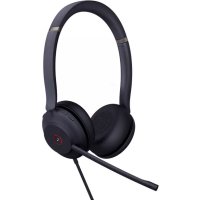
UH37 - Headphones Yealink - Free user manual and instructions
Find the device manual for free UH37 Yealink in PDF.


User questions about UH37 Yealink
0 question about this device. Answer the ones you know or ask your own.
Ask a new question about this device
Download the instructions for your Headphones in PDF format for free! Find your manual UH37 - Yealink and take your electronic device back in hand. On this page are published all the documents necessary for the use of your device. UH37 by Yealink.
USER MANUAL UH37 Yealink
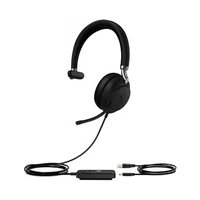
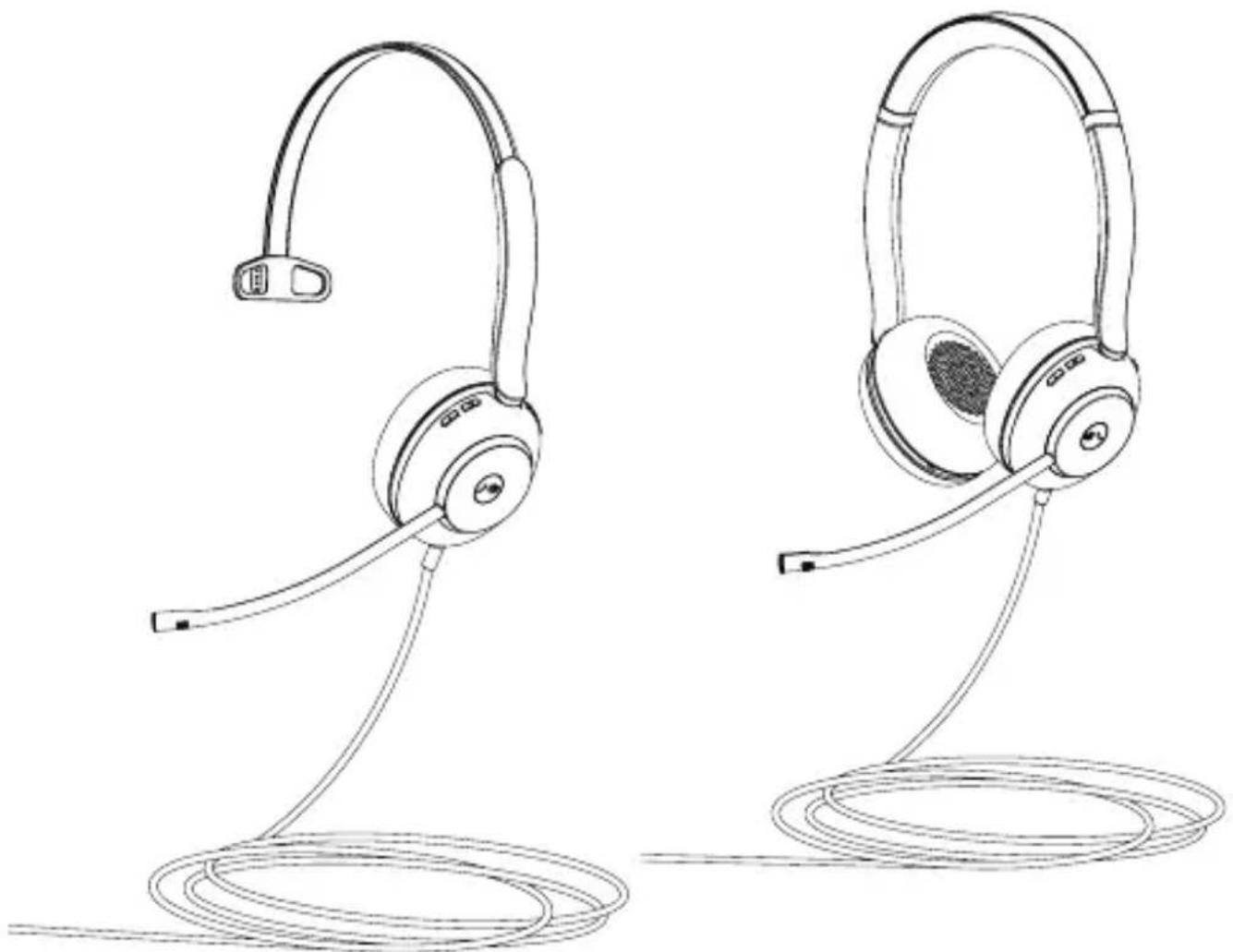
UH37 Mono & UH37 Dual
USB Wired Headset
natural_image
Line drawing of two SNA6 headphones with earbuds and a coiled cord, no text or symbols presentEnglish | Deutsch | Español | Français
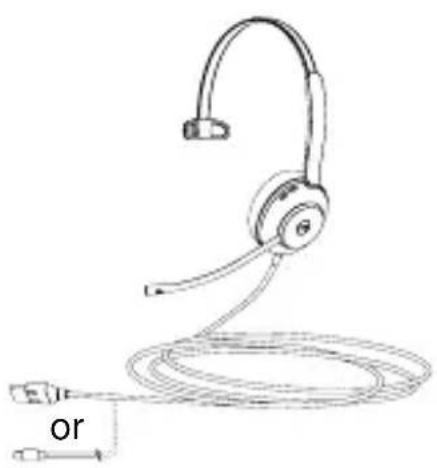
1 Package List
natural_image
Line drawing of a headset with attached cable and connector (no text or symbols)UH37 Mono Headset
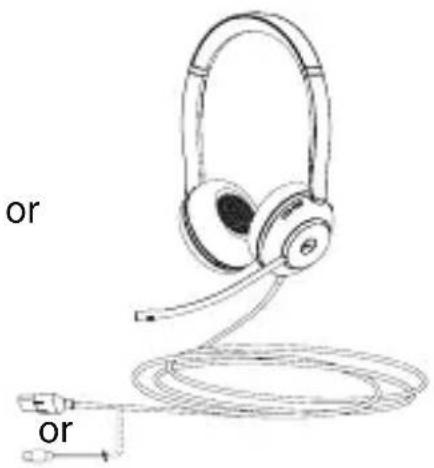
UH37 Dual Headset
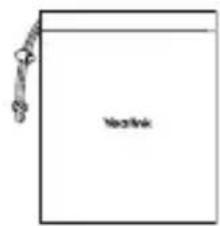
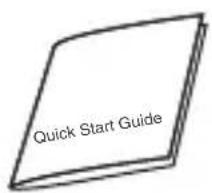
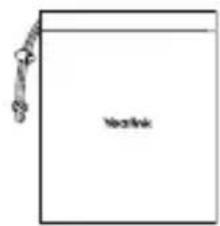
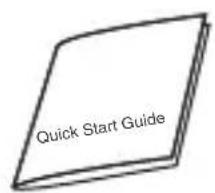
Drawstring Bag Quick Start Guide
Note: We recommend that you use the included accessories, and other accessories may have compatibility issues that prevent them from working properly.
2 Connection
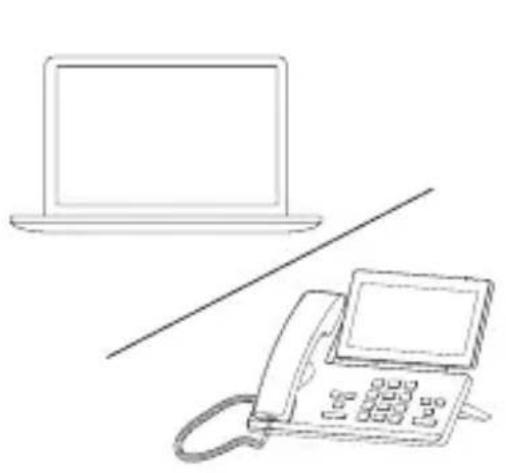
Plug the headset into either a USB-A or USB-C port on your computer, depending on the USB variant of the headset.
natural_image
Line drawing of a laptop and a telephone handset (no text or symbols)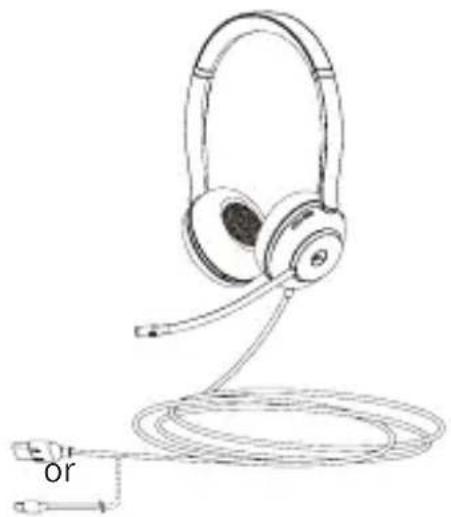
natural_image
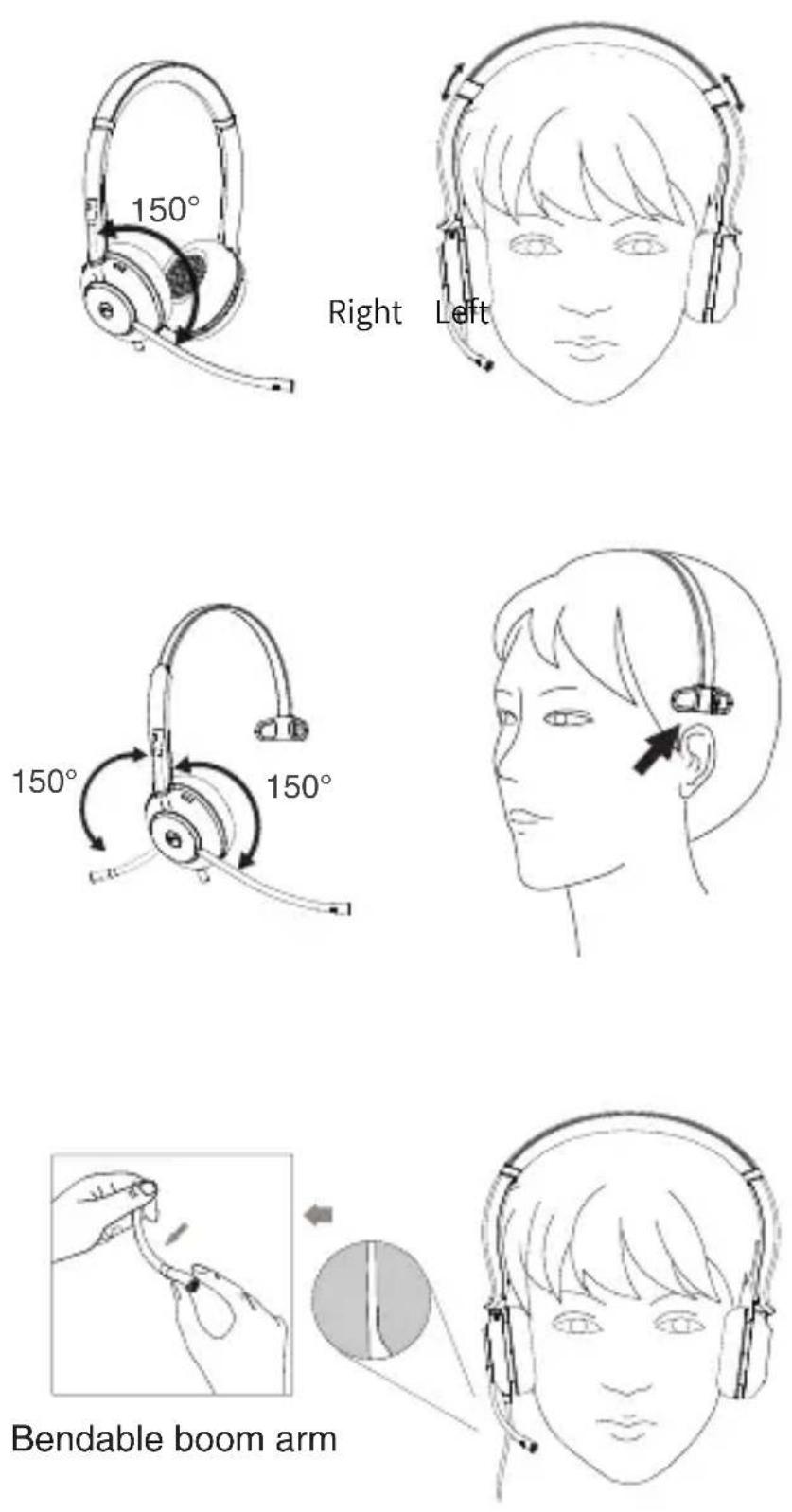
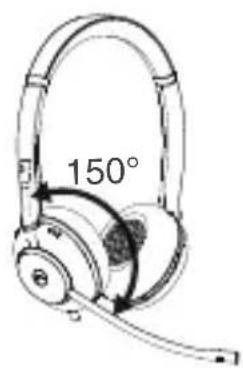
Line drawing of a headboard with earbuds and cord, no text or symbols present3 Wear the Headset
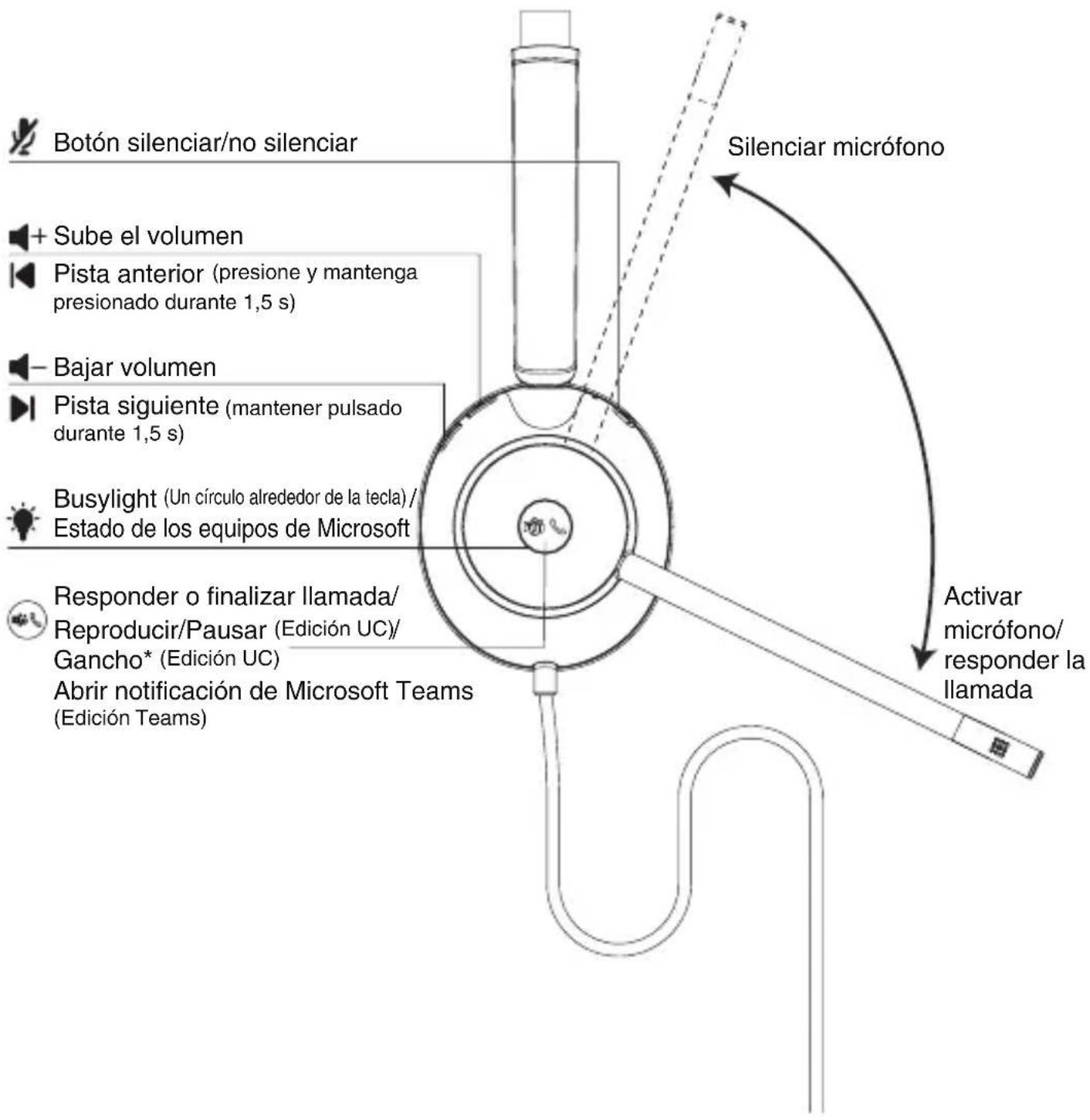
4 Overview
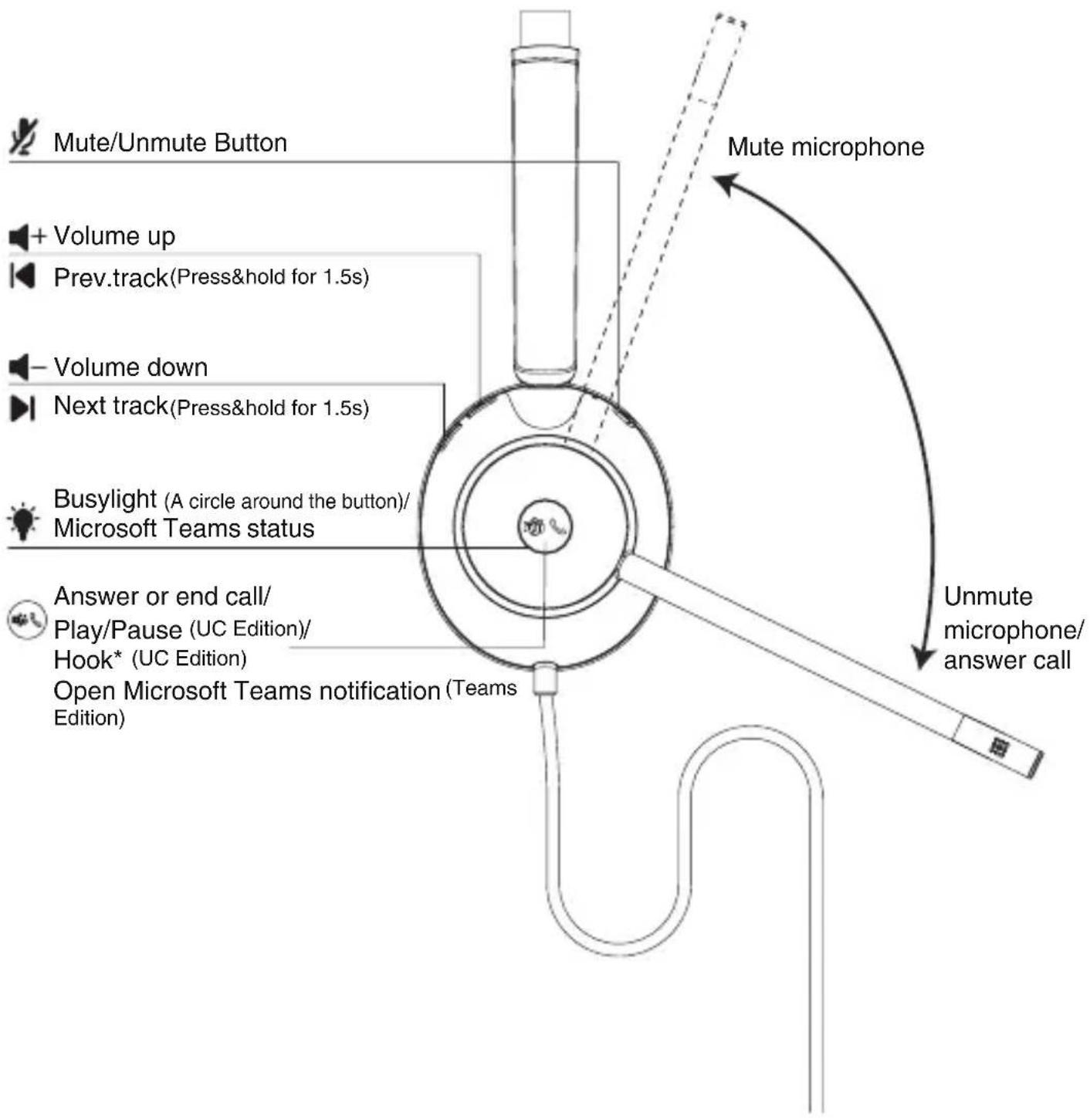
* You need to go to the Yealink USB Connect application to enable this feature.
- Click Device settings->Advanced Settings->Platform to select UC.
- Click MFB Button to select HOOK.
5 Calls & music
natural_image
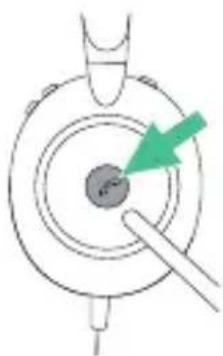
Diagram of a mechanical component with a green arrow pointing to a circular feature (no text or symbols)UC Edition
Press once
- Play/pause the music
- Answer/end a call
• End the current call and answer an incoming call
Double-press
- Reject a call/reject the incoming call when on a call
- Redial
Hold for 1.5 sec
- Put the current call on hold and answer an incoming call
- Switch between held call and active call
natural_image
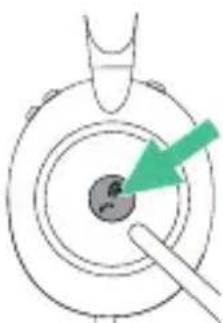
Diagram showing a green arrow pointing to a circular object with a small symbol inside, no text or labels present.Teams Edition
Press once
- Answer/end the call
• End the current call and answer an incoming call
- Invoke the Teams client
Double-press
- Reject a call/reject an incoming call when on a call
- Redial
Hold for 1.5 sec
- Dismiss/invoke raise hand during the meeting
- Activate Cortana (requires Microsoft's support)
natural_image
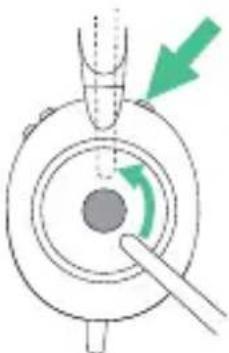
Diagram of a mechanical component with a green arrow indicating rotation or force direction (no text or symbols)Press the Mute button once
- Mute/unmute microphone
Alternatively, move up/down the microphone boom-arm
6 Replace Ear Cushions
Align the new cushion with the four grooves of the headset base and press firmly together.
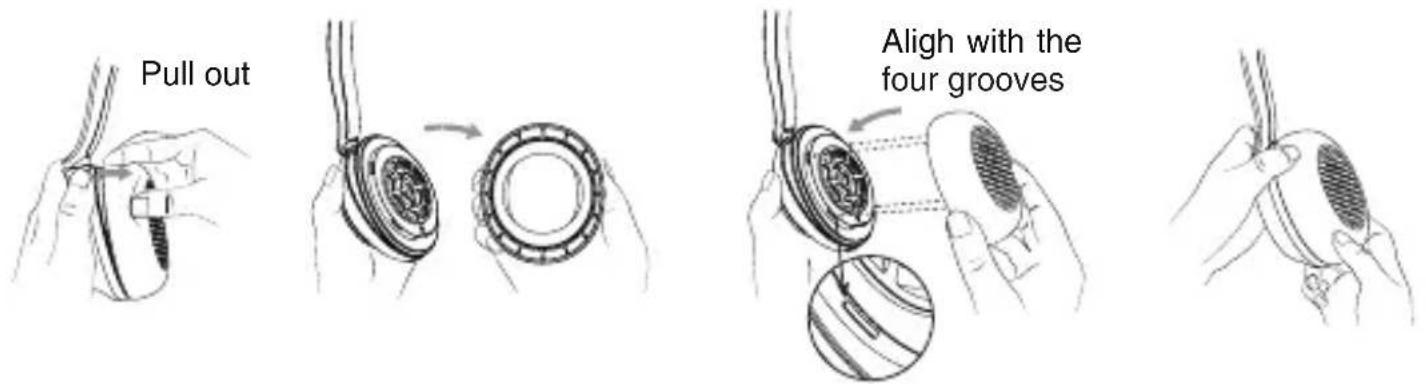
Note: The replaceable ear cushions need to be purchased separately.
Software
You can update or manage your Yealink headsets through the Yealink USB Connect.
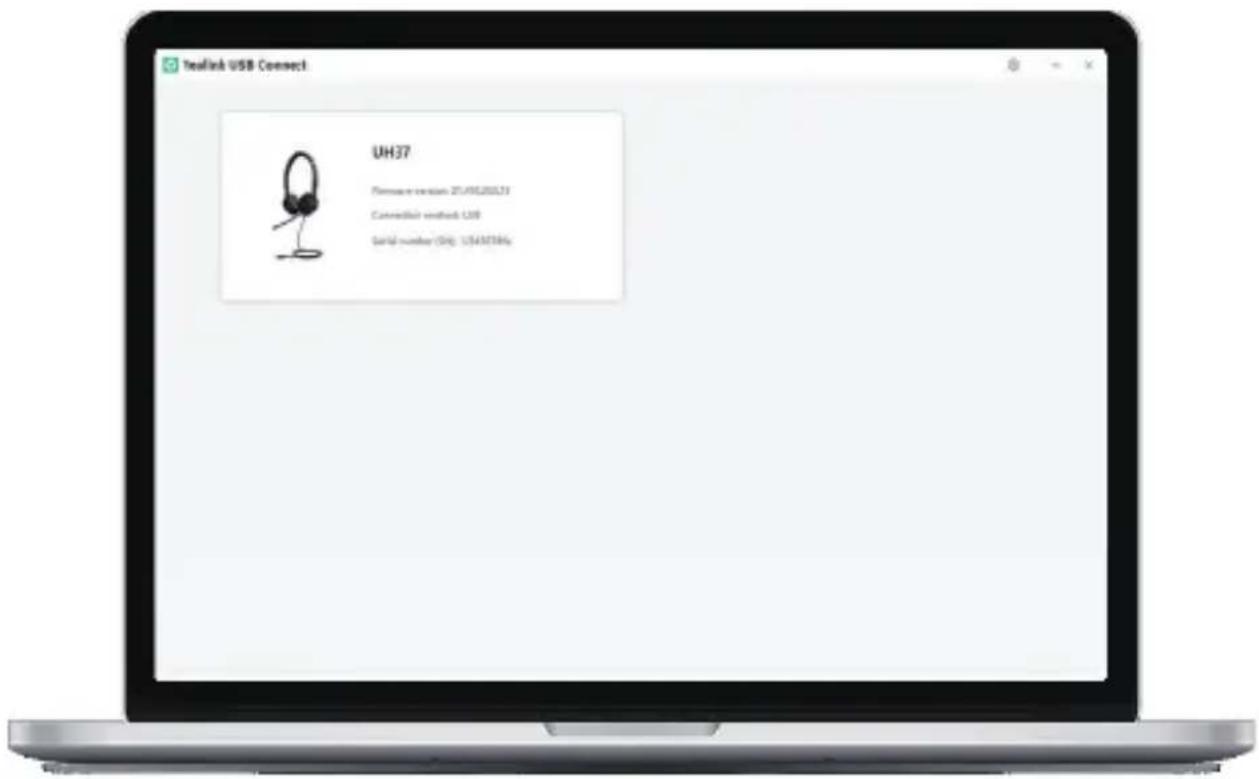
Download it from the Yealink website https://www.yealink.com/product/yuc.
Note: It needs to be used with Yealink USB Connect of version 0.34.x.x or higher.
Regulatory Notices
Operating Ambient Temperatures
- Operating temperature: +14 to 113°F (-10 to 45°C)
• Relative humidity: 5% to 90%, noncondensing
• Storage temperature: -22 to +158°F (-30 to +70°C)
Warranty
Our product warranty is limited only to the unit itself, when used normally in accordance with the operating instructions and the system environment. We are not liable for damage or loss resulting from the use of this product, or for any claim from a third party. We are not liable for problems with Yealink device arising from the use of this product; we are not liable for financial damages, lost profits, claims from third parties, etc., arising from the use of this product.
DC symbol
is the DC voltage symbol.
Restriction of Hazardous Substances Directive (RoHS)
This device complies with the requirements of the EU RoHS Directive. Statements of compliance can be obtained by contacting support@yealink.com.
Safety Instructions
Save these instructions. Read these safety instructions before use! The following basic safety precautions should always be followed to reduce risk of fire, electrical shock, and other personal injury.
Environmental Requirements
- Place the product on a stable, level and non-slip surface.
- Do not place the product close to heat sources, in direct sunlight or next to any house hold appliance with strong magnetic field or electromagnetic field, such as a microwave oven or a refrigerator.
- Do not allow the product to come into contact with water, dust and chemicals.
- Protect the product from aggressive liquids and vapors.
- Do not place the product on or near any inflammable or fire-vulnerable object, such as rubber-made materials.
- Do not install the product in rooms with high humidity, for example, in bathrooms, laundry rooms and wet basements.
Safety Notes During Operation
- Do not cover ventilation openings, this equipment is not intended to be used on soft support.
- The marking information is located at the exterior of the bottom
- Place the device at a well-ventilated place. Do not expose the device under direct sunlight.
- Keep the device dry and free of dusts.
- Do not place the device on or near any inflammable or fire-vulnerable object, such as rubber-made materials.
- Keep the device away from any heat source or bare fire, such as a candle or an electric heater.
Battery Precautions
- Do not immerse the battery into water, which could short-circuit and damage the battery.
- Do not expose the battery to an open flame or leave the battery where it could be subjected to extremely high temperatures, which could cause the battery to explode.
- Do power the handset off before removing the battery.
- Do not try to use the battery for the power supply of any device other than this handset.
- Do not open or mutilate the battery, released electrolyte is corrosive and may cause damage to your eyes or skin.
- Use only the rechargeable battery pack delivered with the handset or those rechargeable battery packs expressly recommended by Yealink.
- Defective or exhausted battery should never be disposed of as municipal waste. Return old battery to the battery supplier, a licensed battery dealer or a designated collection facility.
⚠️Notices of Cleaning
- Before cleaning the base station, stop using it and disconnect it from the power supply.
- Remove the battery before cleaning the handset to reduce risk of electric shock.
- Only clean your product with a piece of slightly moist and anti-static cloth.
- Keep the power plug clean and dry. Using a dirty or wet power plug may lead to electric shock or other perils.
ENVIRONMENTAL RECYCLING
natural_image
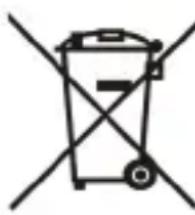
Simple line drawing of a trash bin with two crossed lines indicating no waste or no litter (no text or symbols)Never dispose of the device with domestic waste
Ask your Town Council about how to dispose of it in an environmentally friendly way. The cardboard box, plastic packaging and player components may be recycled in accordance with prevailing recycling regulations in your country.
Always adhere to prevailing regulations
Those who fail to do so may be fined or prosecuted in accordance with the law. The crossed out garbage can that appears on the device means that when it has reached the end of its useful life, it should be taken to a special waste disposal center and treated separately to general urban waste.
Batteries: Be sure that the batteries have been placed in the right position. This phone use rechargeable batteries only. Compulsory information according to regulations for battery-operated devices. Caution: Risk of explosion if battery is replaced with a battery of a wrong kind. Dispose of batteries in accordance with the instructions.
Troubleshooting
The unit cannot supply power to Yealink device.
There is a bad connection with the plug.
-
Clean the plug with a dry cloth.
-
Connect it to another wall outlet.
The usage environment is out of operating temperature range.
- Use in the operating temperature range.
The cable between the unit and the Yealink device is connected incorrectly.
- Connect the cable correctly.
You cannot connect the cable properly.
-
You may have connected a wrong Yealink device.
-
Use the correct power supply.
Some dust, etc., may be in the port.
- Clean the port.
Contact your dealer or authorized service facility for any further questions. FCC CAUTION:
This device complies with part 15 of the FCC Rules. Operation is subject to the following two conditions: (1) This device may not cause harmful interference, and (2) this device must accept any interference received, including interference that may cause undesired operation. Any changes or modifications not expressly approved by the party responsible for compliance could void the user's authority to operate the equipment.
ISED WARNING:
This device complies with Innovation, Science and Economic Development Canada licence-exempt RSS standard(s). Operation is subject to the following two conditions: (1) this device may not cause interference, and (2) this device must accept any interference, including interference that may cause undesired operation of the device.
309, 3rd Floor, No.16, Yun Ding North Road, Huli District, Xiamen City, Fujian, P.R.C
YEALINK (EUROPE) NETWORK TECHNOLOGY B.V.
Strawinskylaan 3127, Atrium Building, 8th floor, 1077ZX Amsterdam, The Netherlands
YEALINK (USA) NETWORK TECHNOLOGY CO., LTD.
999 Peachtree Street Suite 2300, Fulton, Atlanta, GA, 30309, USA
Made in China
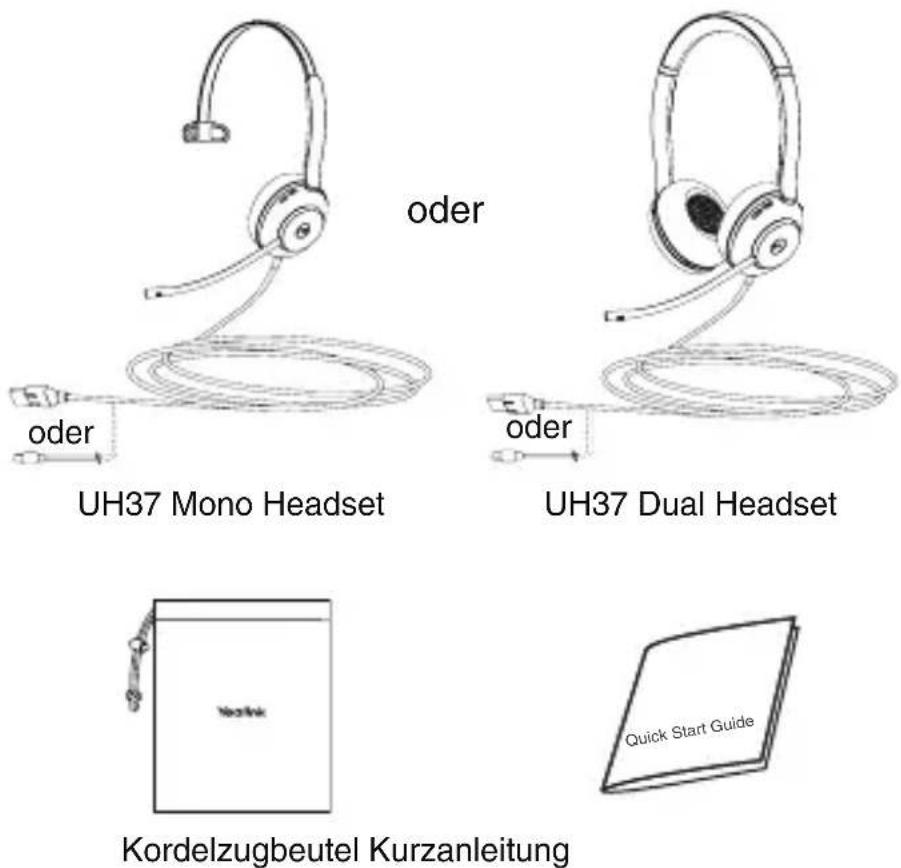
1 Verpackungsinhalt
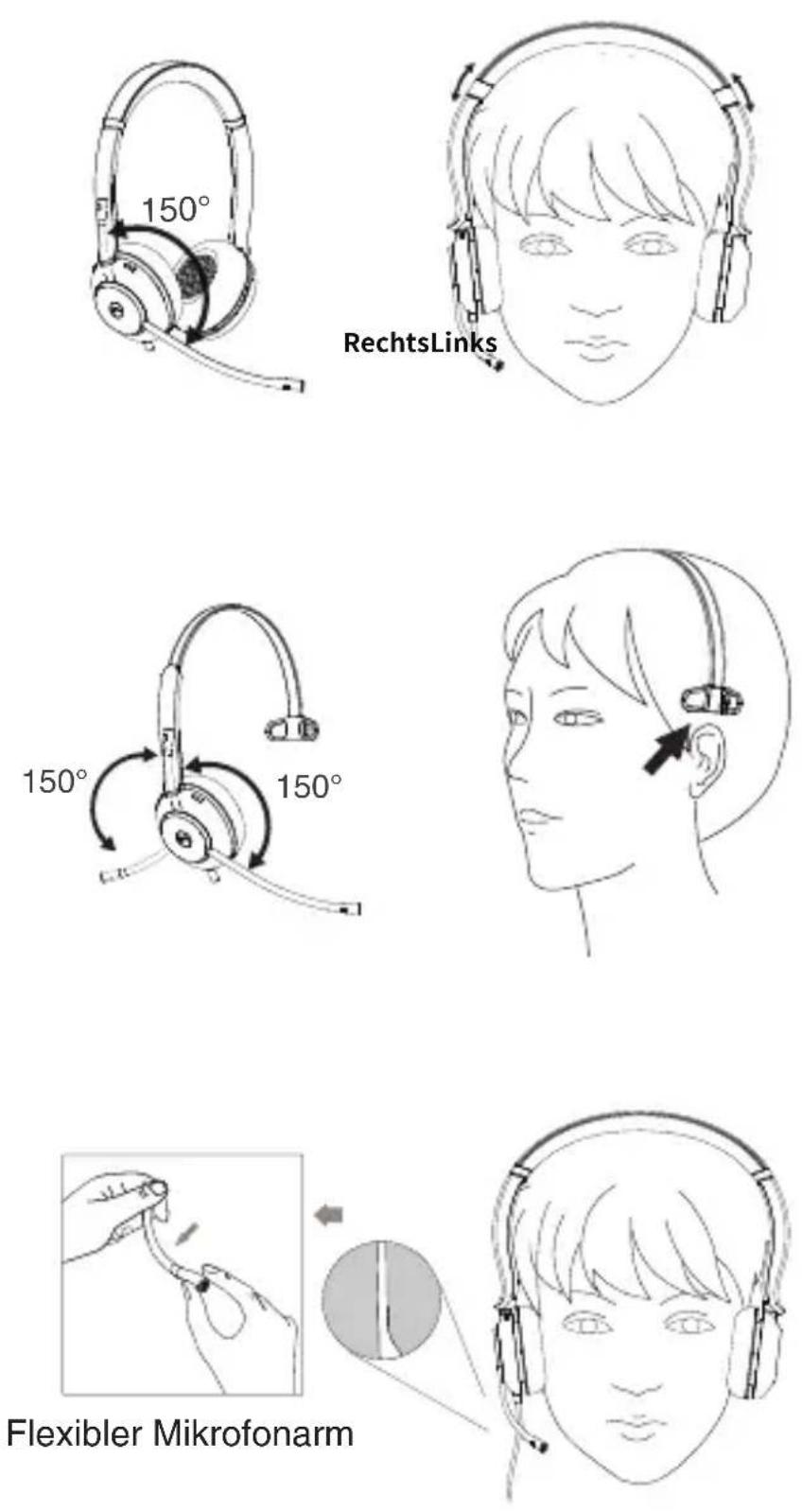
3 Tragen des Headsets
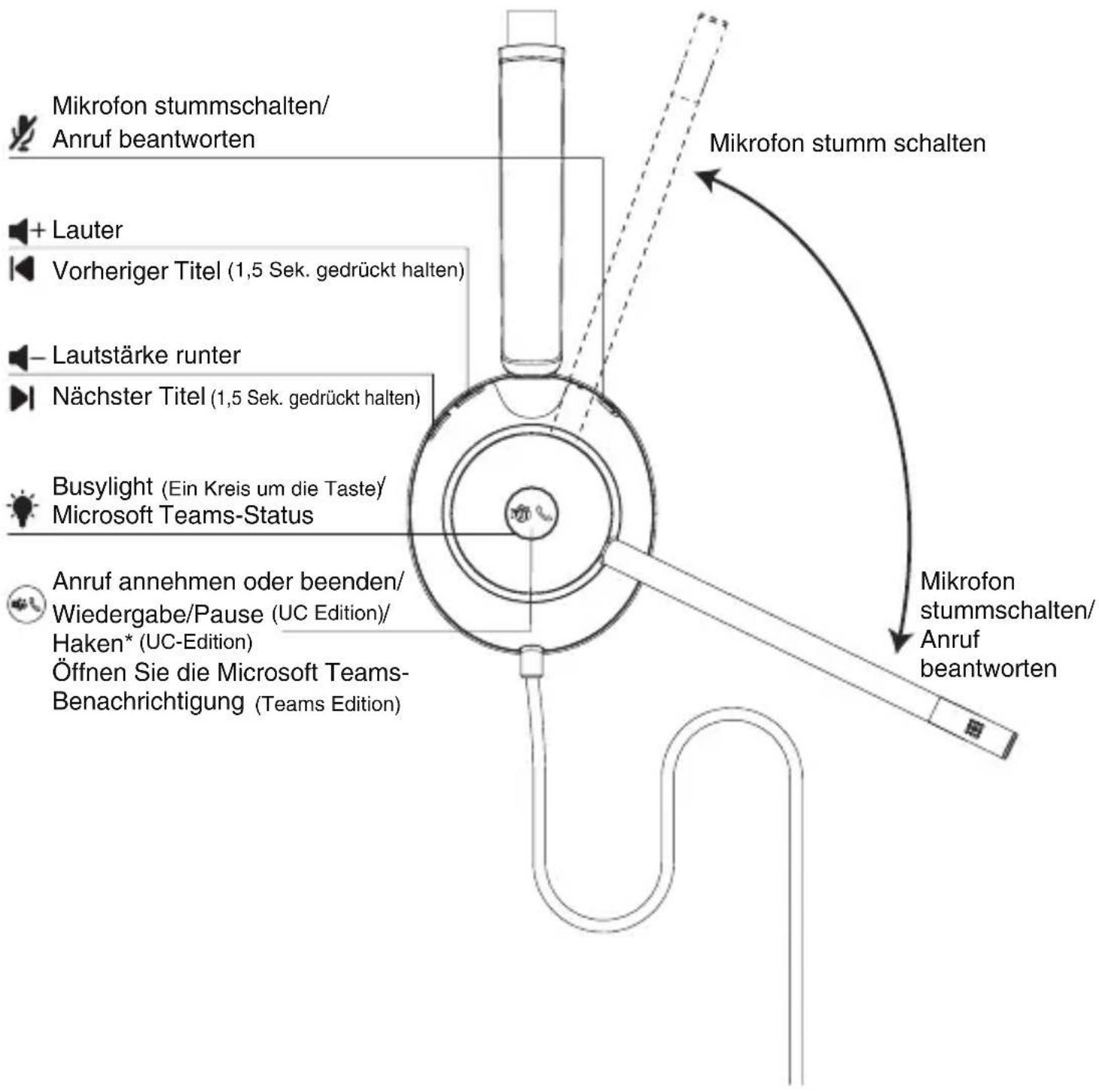
4 Überblick
UC Edition
Einmal drücken
natural_image
Diagram showing a finger pressing a circular object with a green arrow pointing to it (no text or symbols present)Teams Edition
Einmal drücken
natural_image
Diagram of a mechanical component with a green arrow indicating rotation or force direction (no text or symbols)natural_image
Simple line drawing of a trash bin with crossed lines indicating no waste or discharge (no text or symbols)309, 3rd Floor, No. 16, Yun Ding North Road, Huli District, Xiamen City, Fujian, VR China
YEALINK (EUROPE) NETWORK TECHNOLOGY B.V.
Strawinskylaan 3127, Atrium Building, 8th floor, 1077ZX Amsterdam, Niederlande
YEALINK (USA) NETWORK TECHNOLOGY CO., LTD.
999 Peachtree Street Suite 2300, Fulton, Atlanta, GA, 30309, USA
natural_image
Diagram showing a finger pointing to a circular target with a green arrow indicating direction (no text or symbols)UC Edition
Appuyez une fois
natural_image
Diagram of a mechanical component with a green arrow pointing to a circular feature (no text or symbols)Teams Edition
Appuyez une fois
natural_image
Diagram of a mechanical component with a green arrow indicating rotation or force direction (no text or symbols)natural_image
Simple line drawing of a trash bin with crossed lines indicating no waste or plastic, and a solid black rectangle below (no text or symbols)309, 3rd Floor, No.16, Yun Ding North Road, Huli District, Xiamen City, Fujian, Chine YEALINK (EUROPE) NETWORK TECHNOLOGY B.V.
Strawinskylaan 3127, Atrium Building, 8th floor, 1077ZX Amsterdam, Pays-Bas YEALINK (USA) NETWORK TECHNOLOGY CO., LTD.
natural_image
Line drawing of a headset with attached cable and connector (no text or symbols)UH37 Mono Headset
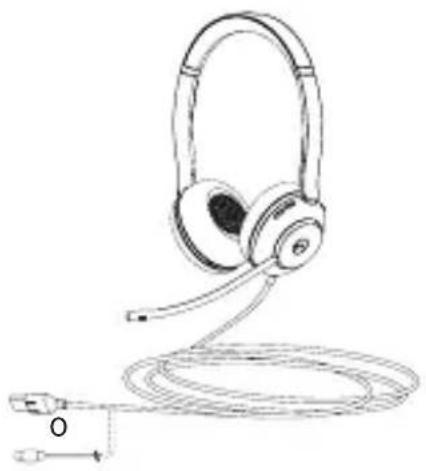
natural_image
Line drawing of a multi-band headphones connected to a cable, with a small connector labeled 'O' at the bottom (no text or symbols on the devices themselves)UH37 Dual Headset
Estuche de transporte Guide de démarrage rapide
natural_image
Line drawing of a laptop and a telephone handset (no text or symbols)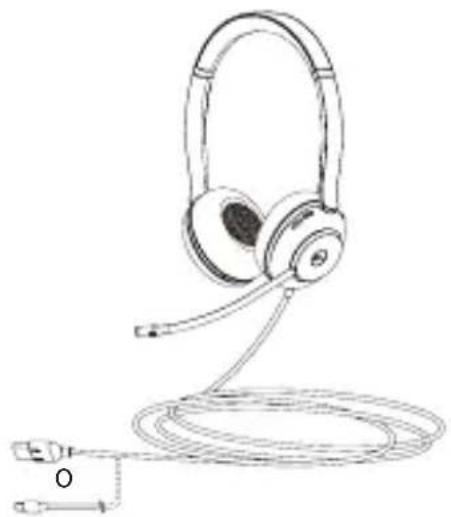
natural_image
Line drawing of a headboard with attached microphone and cable (no text or symbols)3 Use el auricular
Derecha
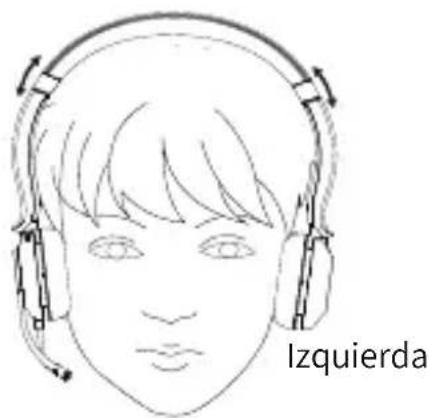
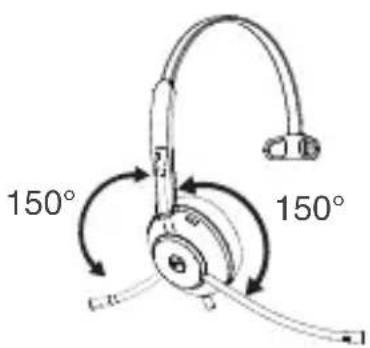
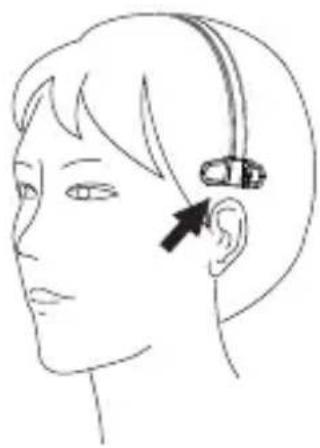
natural_image
Side profile illustration of a person's head with an ear and ear device (no text or symbols)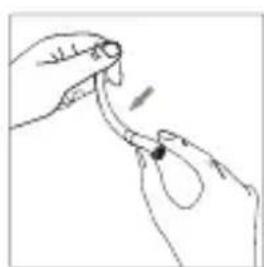
natural_image
Line drawing of a hand holding a small object with an arrow indicating motion (no text or symbols)
natural_image
Simple diagram showing a circle with a vertical line and a diagonal line, labeled 'kible' below (no text or symbols within the diagram itself)natural_image
Line drawing of a person's head wearing headphones (no text or symbols)4 Overview
natural_image
Diagram of a mechanical component with a green arrow pointing to a circular feature (no text or symbols)UC Edition
Presiona una vez
natural_image
Diagram showing a green arrow pointing to a circular object with a small symbol inside, no text or labels present.Teams Edition
Presiona una vez
natural_image
Diagram of a mechanical component with a green arrow indicating rotation or force direction (no text or symbols)natural_image
Simple line drawing of a trash bin with two crossed lines indicating no waste or discharge (no text or symbols)309, 3rd Floor, No.16, Yun Ding North Road, Huli District, Xiamen City, Fujian, Repubblica Popolare cinese
YEALINK (EUROPE) NETWORK TECHNOLOGY B.V.
Strawinskylaan 3127, Atrium Building, 8th floor, 1077ZX Amsterdam, Paesi Bassi
YEALINK (USA) NETWORK TECHNOLOGY CO., LTD.
999 Peachtree Street Suite 2300, Fulton, Atlanta, GA, 30309, USA
Made in China
CE
Declaration of Conformity
We,
YEALINK(XIAMEN) NETWORK TECHNOLOGY CO.,LTD
Address: 309, 3rd Floor, No.16, Yun Ding North Road, Huli District, Xiamen City, Fujian, P.R. China
CE DATE: 27 ^th /September/2022
declare that the product
Type: USB Wired Headset
Model: UH37 Dual、UH37 Mono
meets the essential requirements and other relevant provisions according to the following EC directive
Directive: 2014/30/EU, 2014/35/EU
The presumption of conformity with the essential requirement is ensure according to :
Safety: EN IEC 62368-1:2020+A11:2020
EMC: EN 55032:2015+A11:2020, EN 55035:2017+A11:2020,
Directive 2011/65/EU and (EU)2015/863 of the European Parliament and of the Council of 8 June 2011 and 4 June 2015 on the restriction of the use of certain hazardous substances in electrical and electronic equipment(RoHS 2.0)
Directive 2012/19/EU of the European Parliament and of the Council of 4.July.2012 on Waste electrical and electronic equipment(WEEE)
Regulation (EC) No.1907/2006 of the European Parliament and of the Council of 18.December.2006 on Registration, Evaluation, Authorization, and Restriction of Chemicals (REACH)
NAME: Huahu Wang
DATE:
TITLE: Senior Manager

Huan Wang
27/Sept/2022.
Note: UH37 supports Yealink T27G/T4xS/T4xU/T53/T5xW/T58/VP59 through the USB connection. To have a better experience, the phone firmware is recommended to be v86 (xx.86.x.xx) or higher. You can find more detail in the “Yealink Headset Compatibility Guide” from the Yealink support website.
If your headset needs warranty service, the process is quick and easy. Please go to https://ticket.yealink.com/page/headset/warranty-service.html and submit the RMA Claim to Yealink.
Technical Support
Yealink (Stock Code: 300628) is a global-leading provider of Unified Communication & Collaboration Solutions specialized in video conferencing, voice communications, and collaboration, dedicated to helping every person and organization embrace the power of “Easy Collaboration, High Productivity”.
With best-in-class quality, innovative technology, and user-friendly experiences, Yealink is one of the best providers in more than 140 countries and regions, ranks No.1 in the global market share of IP Phone, and is the Top 5 leader in the video conferencing market (Frost & Sullivan, 2021).
YEALINK(XIAMEN) NETWORK TECHNOLOGY CO.,LTD.
Web: www.yealink.com
Copyright©2022 YEALINK(XIAMEN) NETWORK
TECHNOLOGY CO.,LTD. All rights reserved.