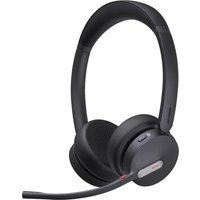
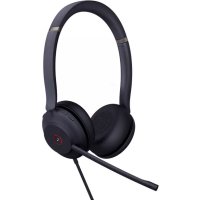
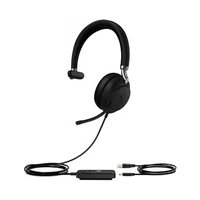
BH70 - Headphones Yealink - Free user manual and instructions
Find the device manual for free BH70 Yealink in PDF.


| Product Type | Bluetooth Headset |
| Brand | Yealink |
| Model | BH70 |
| Connectivity | Bluetooth 2.4 GHz, power <20 dBm |
| Charging time | 1.5 hours (full charge) |
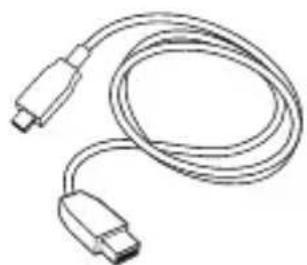
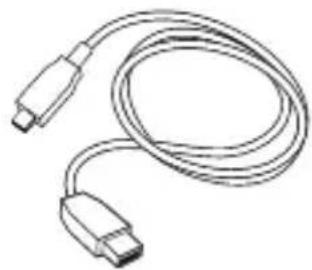
| Charging port | USB-C (USB-A to USB-C cable included) |
| Microphone | Yes, with adjustable boom |
| Call control | Accept/reject calls, mute, volume, track (previous/next) |
| Special features | Teams button, voice assistant, busylight |
| Compatibility | PC, desk phone (via BT51 dongle), Bluetooth mobile devices |
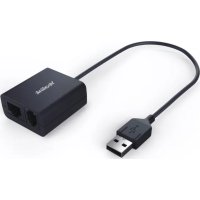
| Included accessories | USB 2.0 cable (USB-A to C), BT51-A dongle, quick start guide |
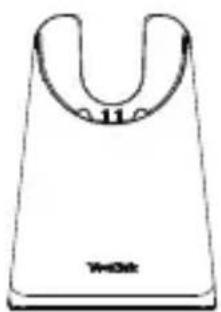
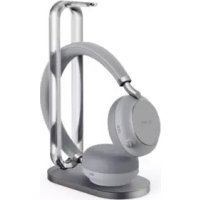
| Optional accessories | BHC70 charging stand, replacement ear cushions |
| Operating temperature | -10 °C to 50 °C |
| Operating humidity | 5% to 90%, non-condensing |
| Storage temperature | -30 °C to 70 °C |
| LED indicator | Green (charging, status), red (low battery, pairing) |
| Warranty | Limited, normal use |
| Compliance | ICES-003, license-exempt RSS, EU RoHS |
| Maintenance | Slightly damp antistatic cloth, avoid water/dust |
Frequently Asked Questions - BH70 Yealink
User questions about BH70 Yealink
0 question about this device. Answer the ones you know or ask your own.
Ask a new question about this device
Download the instructions for your Headphones in PDF format for free! Find your manual BH70 - Yealink and take your electronic device back in hand. On this page are published all the documents necessary for the use of your device. BH70 by Yealink.
USER MANUAL BH70 Yealink
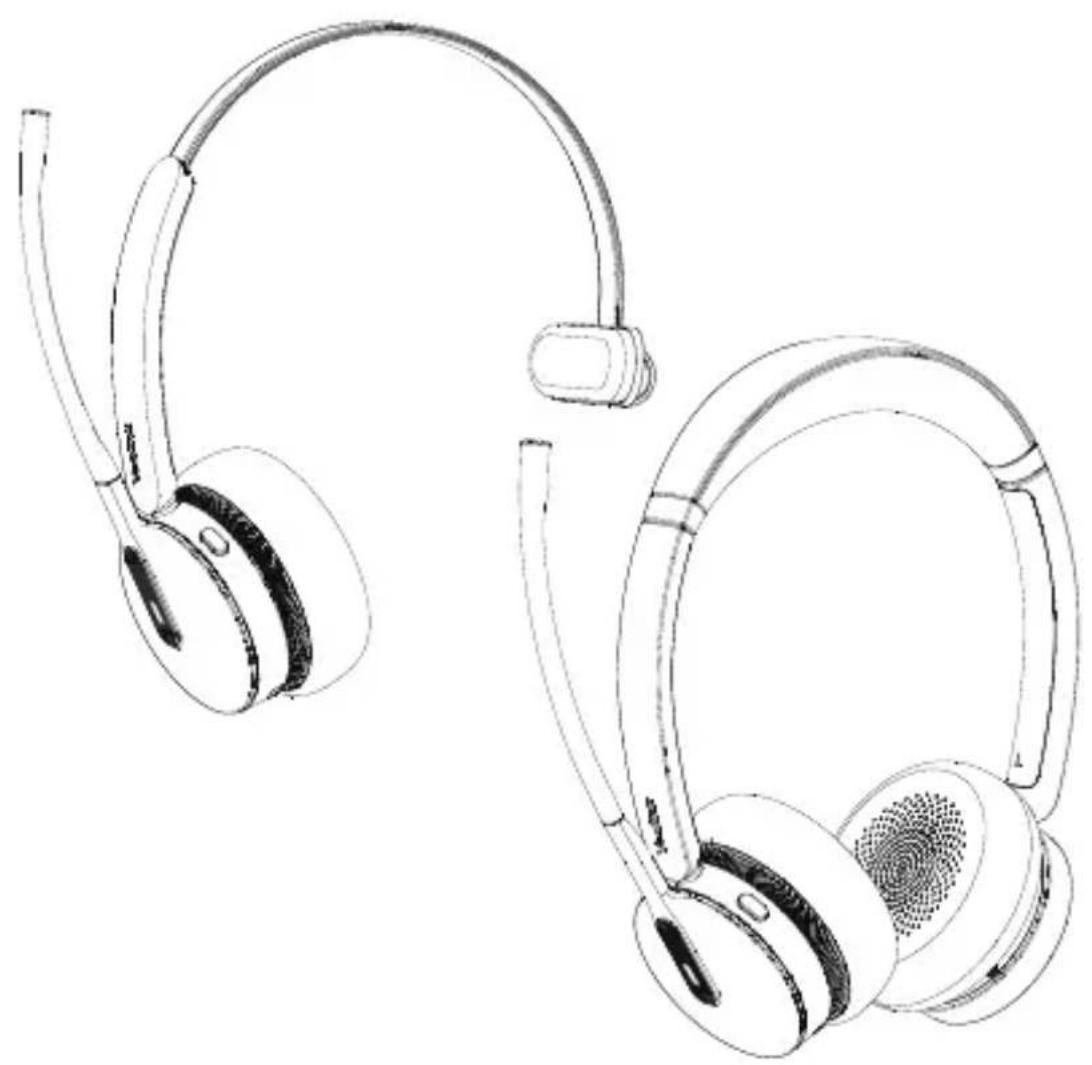
BH70 Mono & BH70 Dual
Bluetooth Headset
natural_image
Line drawing of two hardcover headsets with earbuds and earplands (no text or symbols)English | Deutsch | Español | Français
Quick Start Guide V1.0
Notes
- The signal range of Bluetooth headset typically spans around 10 meters. Please ensure the distance between your device and the headset is close to prevent signal interruption or degradation.
- It is advised to minimize proximity to other Bluetooth devices or wireless signal sources, such as Wi-Fi routers, to reduce the likelihood of interference.
- Please do not place any metal and magnetic cards on the charging stand to avoid abnormalities and damage to the charger.
- Please do not charge too far away from the charging sign to get a more efficient charging experience.
Safety Guide
- Do not disassemble the product by yourself or bring it near fire and water to avoid short circuit leakage or damage to the product.
- Do not use the product in high temperature, humidity, and corrosive environment to avoid damaging the circuit and causing failure to charge or other failures.
- Do not expose the product to corrosive liquids. Otherwise, it will cause severe damage.
- Do not disassemble or re-equip the product for any reason to avoid secondary failure and burnout.
- Do not place the product below -10^ or above 60^ .
- Do not knock, throw or shake the product because rough methods will damage the internal circuit board structure.
1 Package List
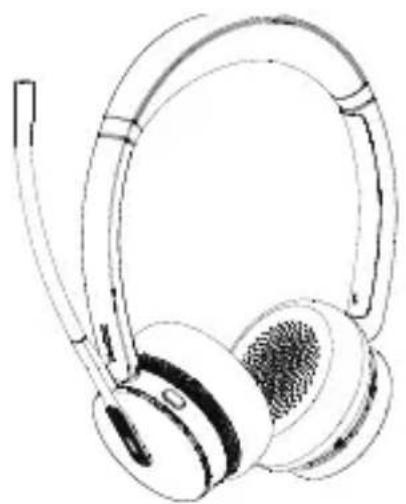
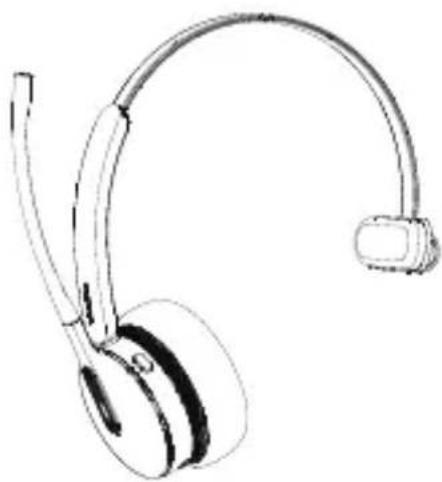
- Standard
natural_image
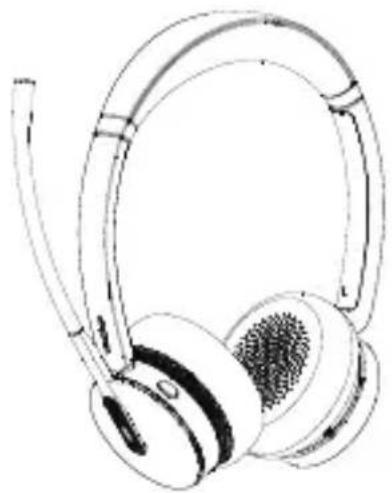
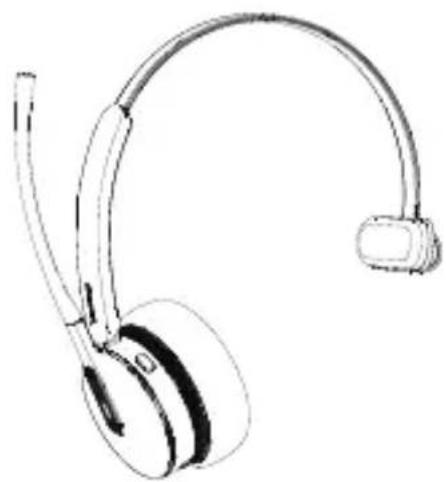
Line drawing of a pair of white headphones with earbuds and earships (no text or symbols)or
natural_image
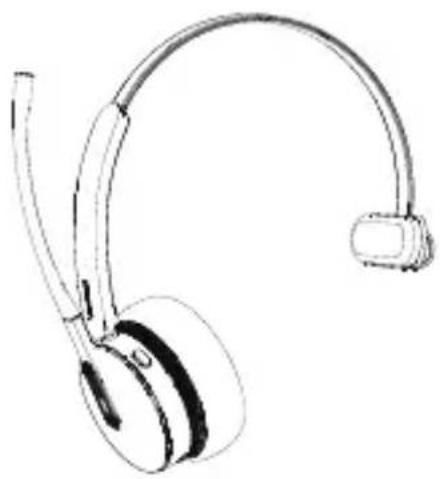
Line drawing of a pair of headphones with earbuds (no text or symbols)BHD702 Headset BHM701 Headset
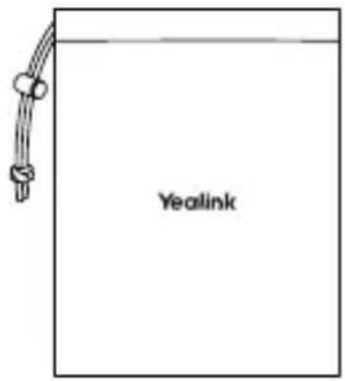
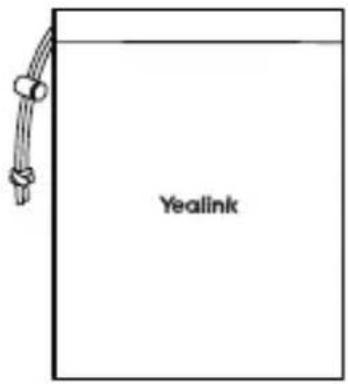
Carrying Case
natural_image
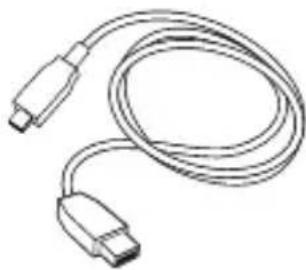
Line drawing of a USB cable with two connectors (no text or symbols)USB 2.0 Cable (USB-A to USB-C)

Quick Start GuideBT51-
- Optional
natural_image
Simple line drawing of a U-shaped object with a label '11' and 'Wetek' at the base (no other text or symbols)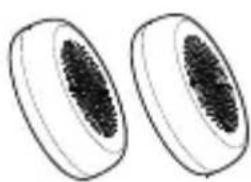
natural_image
Two oval-shaped objects with textured surfaces, resembling biological or decorative fragments (no text or symbols)BHC70 Charging Stand Replacement Ear Cushions
Note: We recommend that you use the included accessories, and other accessories may have compatibility issues that prevent them from working properly.
2 Overview
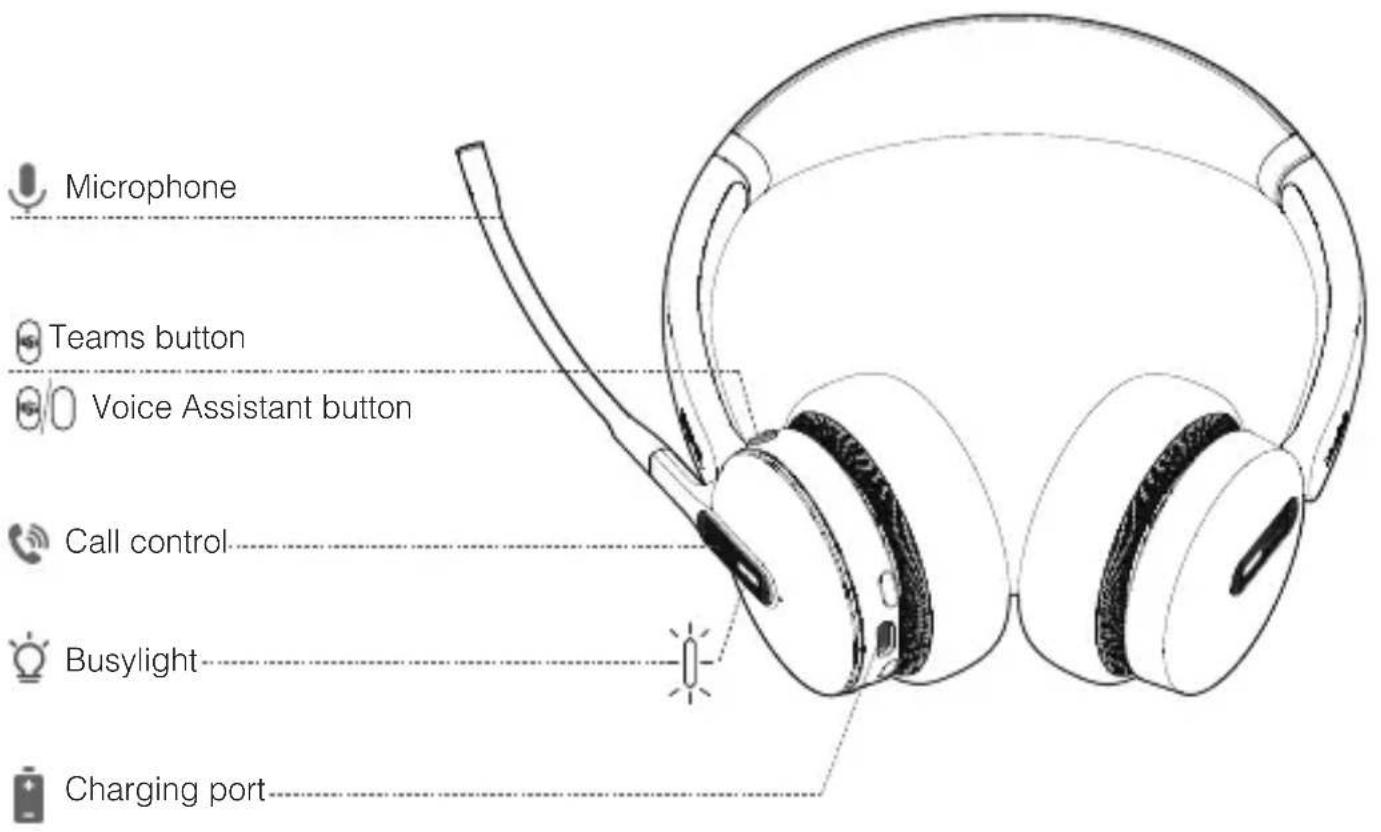
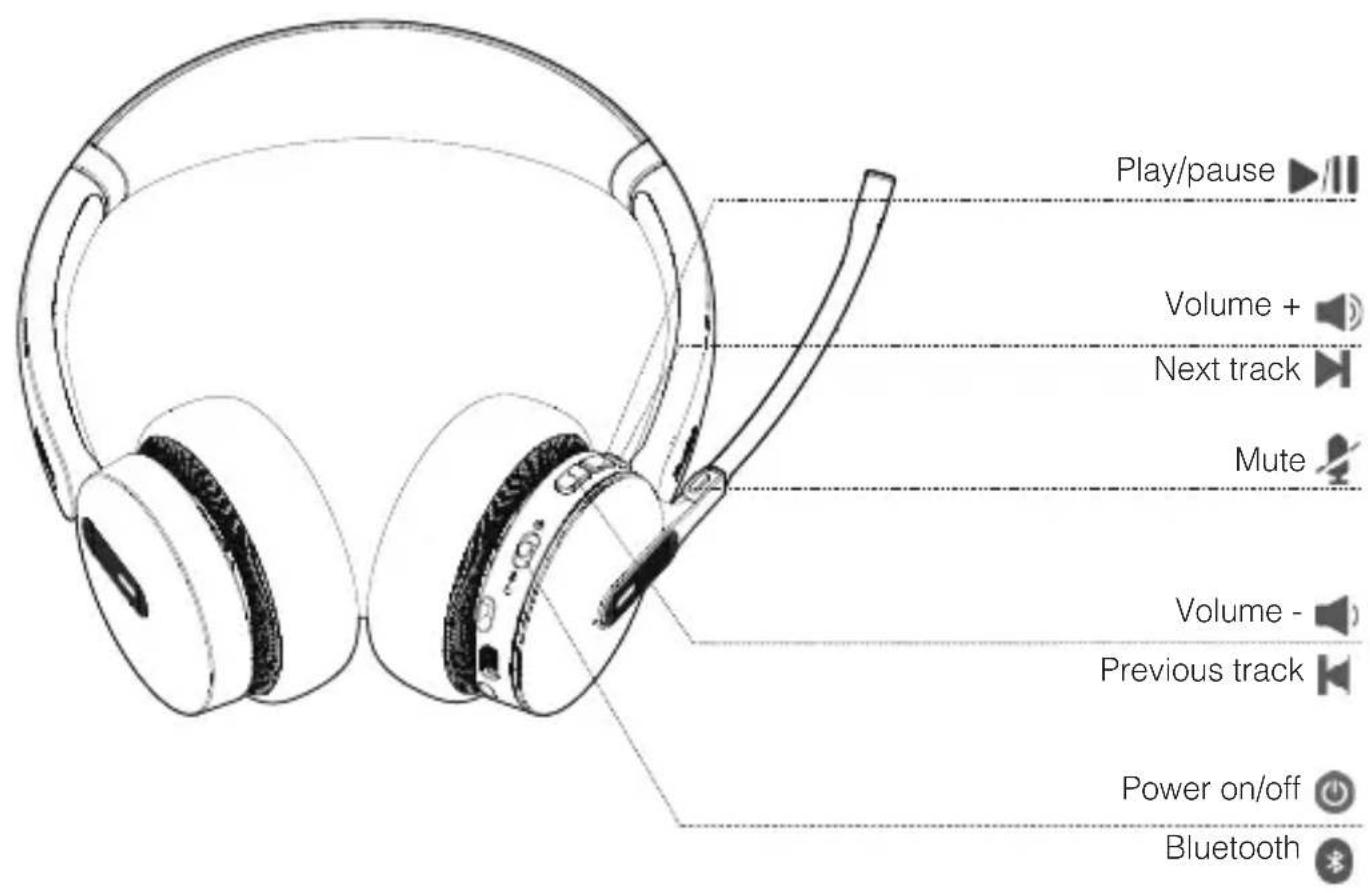
3 Charging
USB Charging
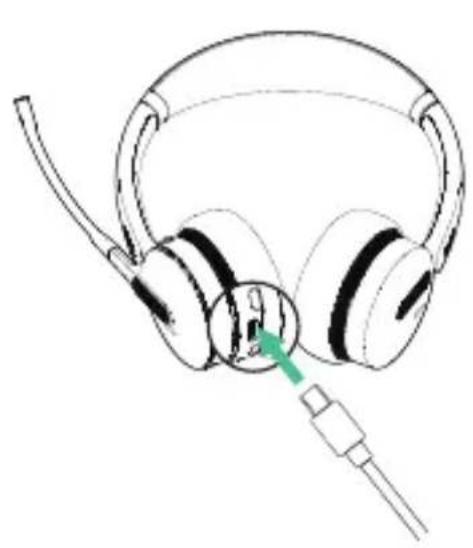
natural_image
Line drawing of a pair of headphones with a cable inserted, no text or symbols presentCharging stand (optional)
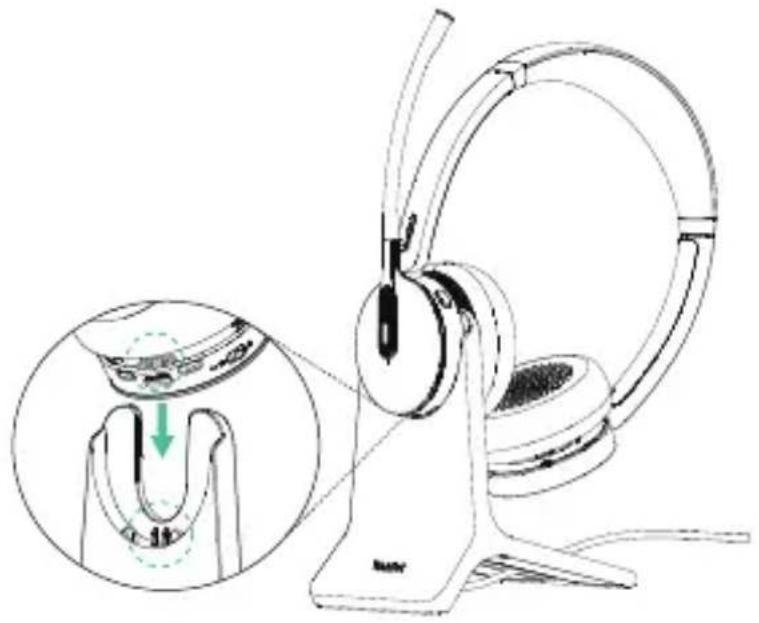
natural_image
Line drawing of a headboard with earphones and a stand, showing a close-up of the ear being held by a clip (no text or symbols present)Note: We recommend to fully charge the headset when using it for the first time.
LED Indicator Status
Charging
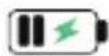
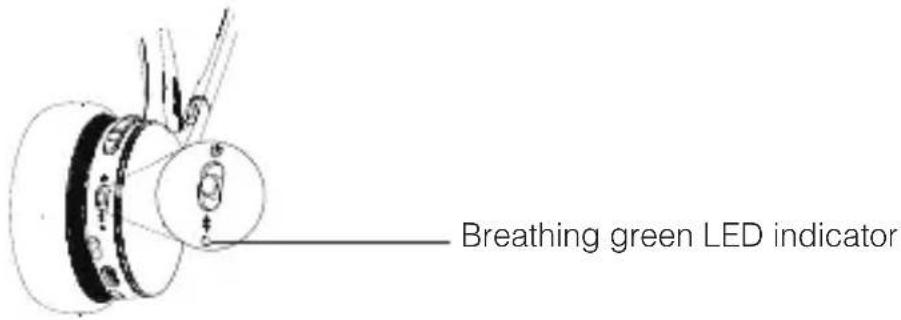
Fully Charged
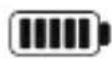
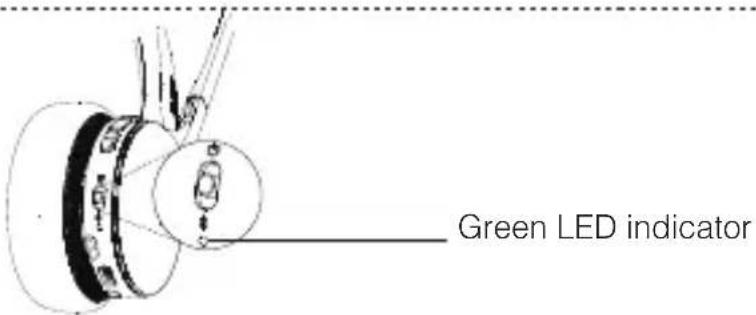
Note: It takes 1.5 hours to fully charge the headset.
4 Power on/off
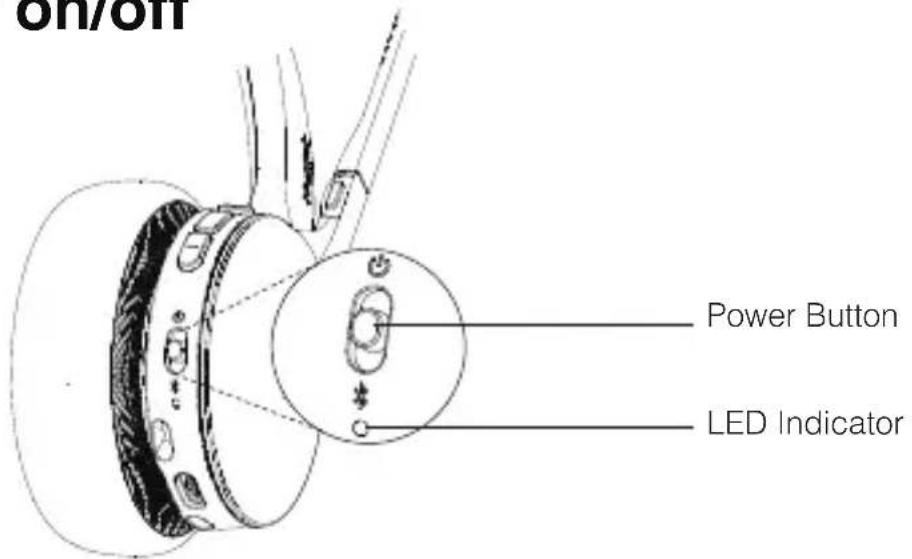
| Power Button LED Indicator Prompt Sound | |||
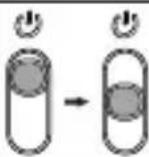 | Power on | Green |  wer on, battery low/medium/high" wer on, battery low/medium/high" |
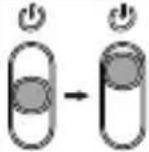 | Power off | Red "power off |  |
5 Pairing and Connecting Device
- Enter Pairing Mode
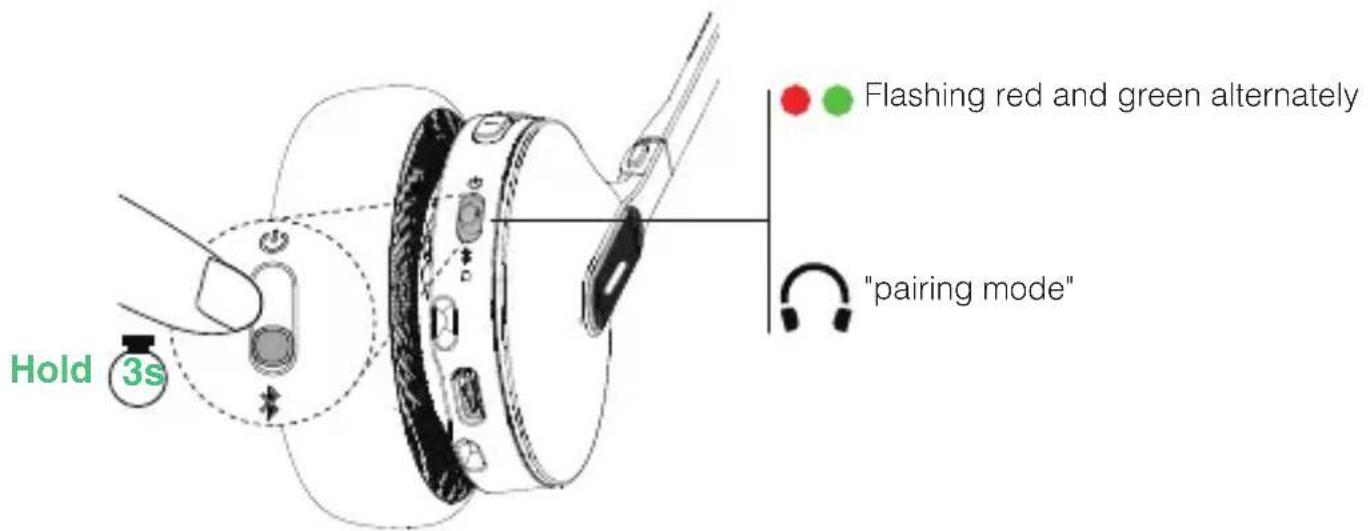
- Pair with PC
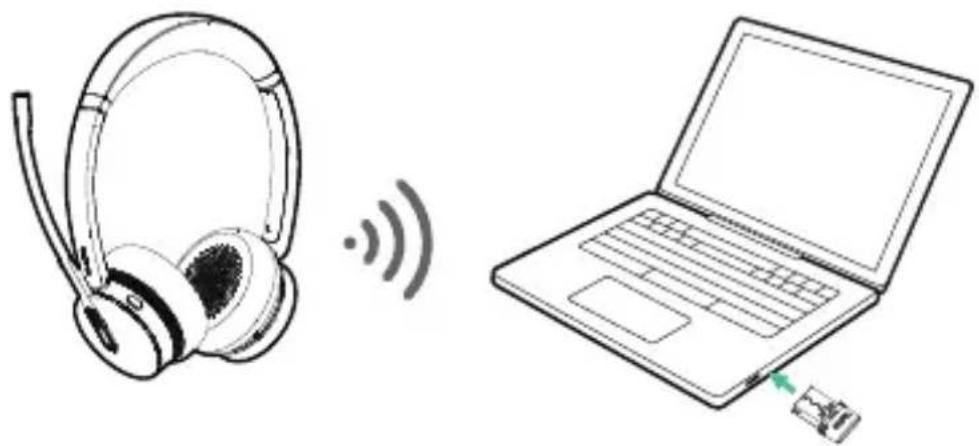
natural_image
Illustration of a pair of headphones connected to a laptop via wireless signal waves (no text or symbols)- Pair with Desk Phone
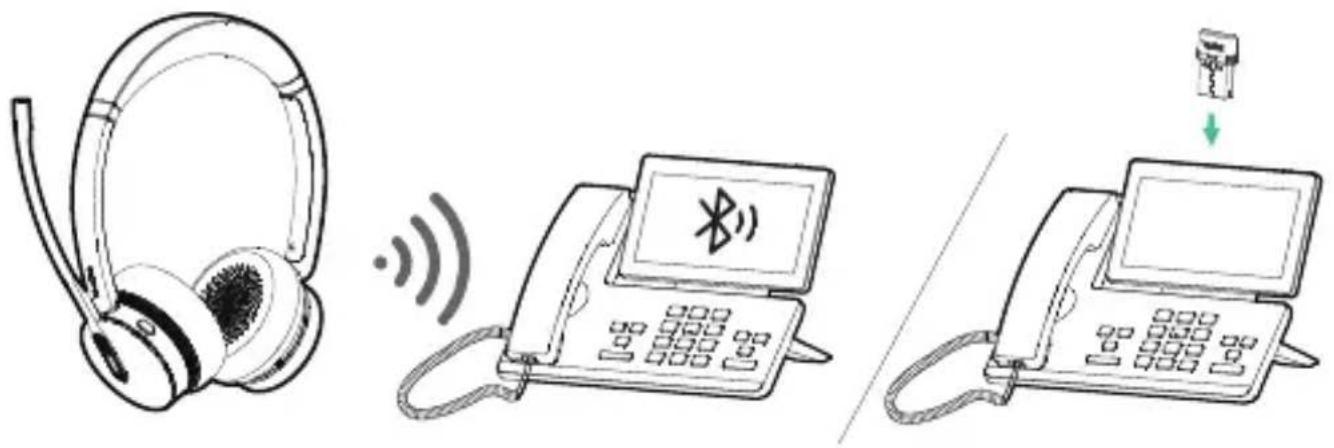
Note:
- If your desk phone does not have built-in Bluetooth, you need to use the BT51 dongle to pair the headset.
- The BT51 and headset are already pre-paired when leaving the factory. They can automatically connect after powering on.
- Pair with Mobile Device
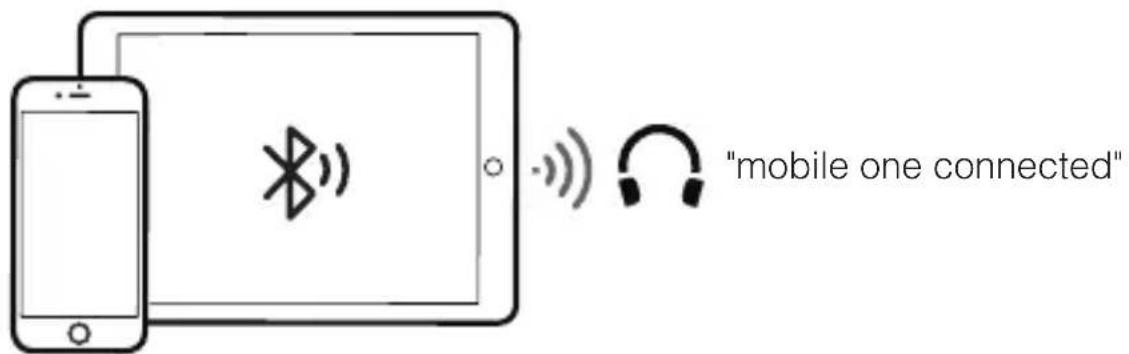
6 Call & Music Control
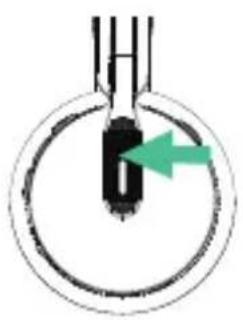
natural_image
Simple diagram of a mechanical component with a green arrow indicating direction (no text or symbols)Press once
- Answer call
- End call
- Accept the incoming call and end the active call
Double-press
- Redial
- Reject the incoming call and continue the active call
Hold for 2 sec
- Hold call
- Put the current call on hold and answer an incoming call
- Switch between held call and active call
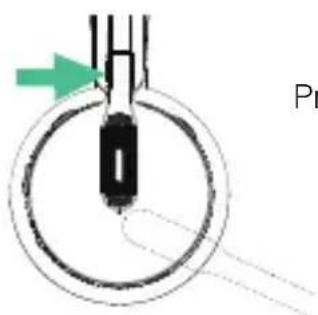
Press once
- Mute/unmute the microphone
• Alternatively, move up/down the microphone boom-arm
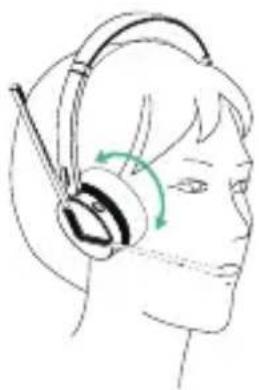
natural_image
Line drawing of a person wearing a headset with a green circular arrow indicating rotation (no text or symbols)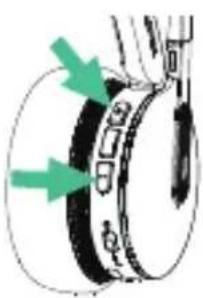
natural_image
Diagram of a mechanical component with green arrows indicating direction (no text or symbols)Press once
• Volume up (+)/volume down (-)
Hold for 1.5 sec
- Next track (volume +) Previous track (volume -)
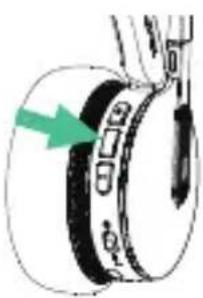
natural_image
Diagram of a mechanical component with a green arrow indicating a specific part (no text or symbols present)Press once
- Play/pause music
7 Customers Button
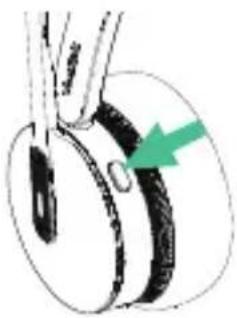
natural_image
Diagram of a mechanical component with a green arrow indicating a specific part (no text or symbols present)Teams Edition
Press once
- Open Teams Notification
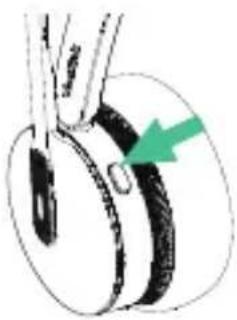
natural_image
Diagram of a mechanical component with a green arrow indicating direction (no text or symbols)Teams/UC Edition
Hold for 2 sec
- Activate Voice Assistant
- Dismiss/invoke raise hand during the meeting
- Dismiss/invoke raise hand during the meeting
Siri, Google assistant..., depending on mobile phone.
8 Replace Ear Cushions
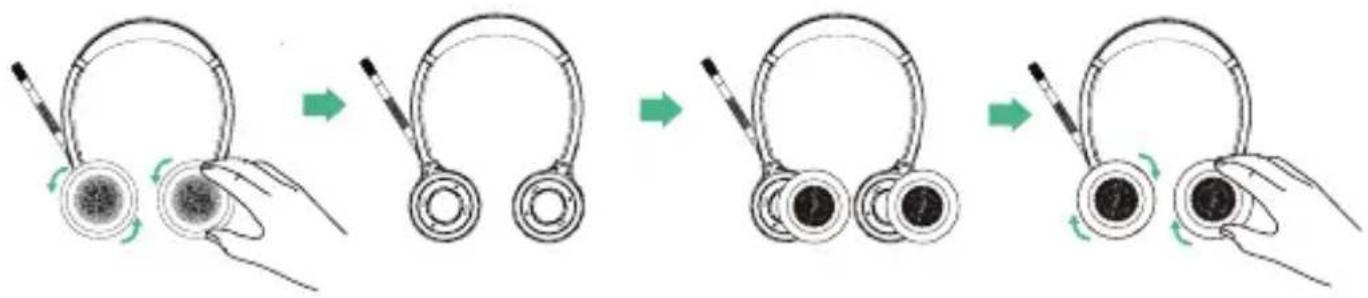
flowchart
graph LR
    A["Early Headset"] --> B["Second Headset"]
    B --> C["Third Headset"]
    C --> D["Final Headset"]
9 Software Management
• Yealink USB Connect (PC)
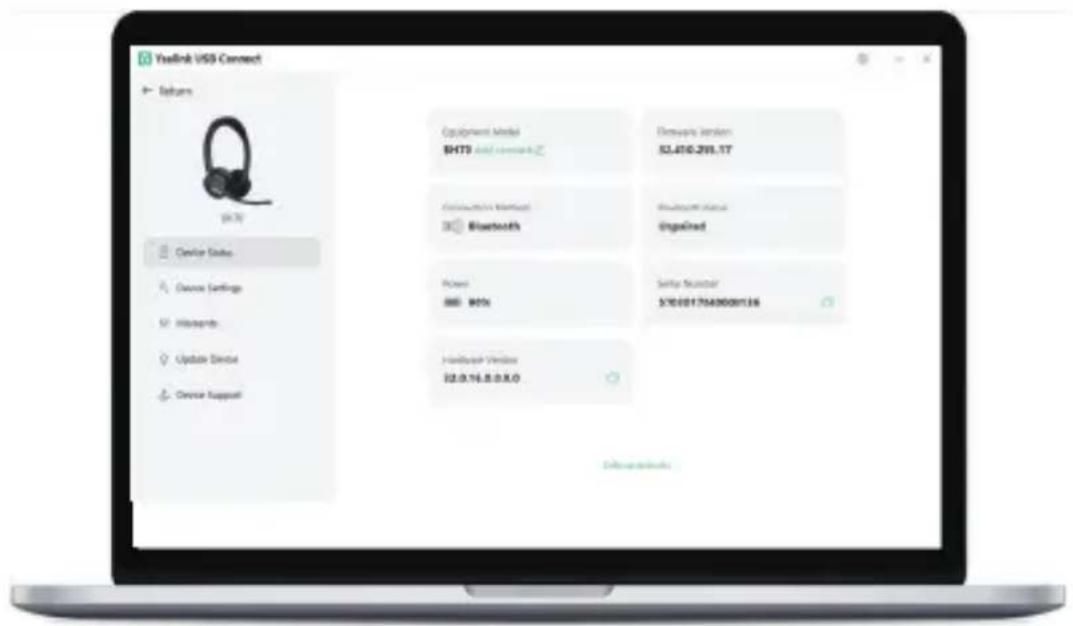
Download it from the Yealink website https://www.yealink.com/product/yuc.
Note: It needs to be used with Yealink USB Connect of version 0.36.x.x or later.
- Yealink Connect App (Mobile)

Apple and the Apple logo are trademarks of Apple Inc.
Download the Yealink Connect App from IOS App Store or Android App Store.
Regulatory Notices
Operating Ambient Temperatures
- Operating temperature: +14 to 113°F (-10 to 45°C)
• Relative humidity: 5% to 90%, noncondensing
• Storage temperature: -22 to +160°F (-30 to +70°C)
Warranty
Our product warranty is limited only to the unit itself, when used normally in accordance with the operating instructions and the system environment. We are not liable for damage or loss resulting from the use of this product, or for any claim from a third party. We are not liable for problems with Yealink device arising from the use of this product; we are not liable for financial damages, lost profits, claims from parties, etc., arising from the use of this product.
Explanation of the symbols
- DC symbol
is the DC voltage symbol.
• WEEE Warning symbol

To avoid the potential effects on the environment and human health as a result of the presence of hazardous substances in electrical and electronic
equipment, end users of electrical and electronic equipment should understand
the meaning of the crossed-out wheeled bin symbol. Do not dispose of WEEE as unsorted municipal waste and have to collect such WEEE separately.
Restriction of Hazardous Substances Directive (RoHS)
This device complies with the requirements of the EU RoHS Directive. Statements of compliance can be obtained by contacting support@yealink.com.
Safety Instructions
Save these instructions. Read these safety instructions before use!

General Requirements
- Before you install and use the device, read the safety instructions carefully and observe the situation during operation.
- During the process of storage, transportation, and operation, please always keep the device dry and clean, avoid collision and crash.
- Please attempt not to dismantle the device by yourself. In case of any discrepancy, please contact the appointed maintenance center for repair.
- Please refer to the relevant laws and statutes while using the device. Legal rights of others should be respected as well.

Environmental Requirements
- Do not cover ventilation openings, this equipment is not intended to be used on soft support.
- The marking information is located at the exterior of the bottom
- Place the device at a well-ventilated place. Do not expose the device under direct sunlight.
- Keep the device dry and free of dusts.
- Do not place the device on or near any inflammable or fire-vulnerable object, such as rubber-made materials.
- Keep the device away from any heat source or bare fire, such as a candle or an electric heater.

Operating Requirements
- Do not let a child operate the device without guidance.
- Do not let a child play with the device or any accessory in case of accidental swallowing.
- Please use the accessories provided or authorized by the manufacturer only.
- Do not spill liquid of any kind on the product or use the equipment near water, for example, near a bathtub, washbowl, kitchen sink, wet basement or near a swimming pool.
- When there is smoke emitted from the device, or some abnormal noise or smell, disconnect the device from the power supply, and unplug the power plug immediately.
- Contact the specified maintenance center for repair.
- Do not insert any object into equipment slots that is not part of the product or auxiliary product.

Battery Requirements
- Do not immerse the battery into water, which could short-circuit and damage the battery.
- Do not expose the battery to an open flame or leave the battery where it could be subjected to extremely high temperatures, which could cause the to explode.
- Do power the handset off before removing the battery.
- Do not try to use the battery for the power supply of any device other than this handset.
- Do not open or mutilate the battery, released electrolyte is corrosive and may cause damage to your eyes or skin.
- Use only the rechargeable battery pack delivered with the handset or those rechargeable battery packs expressly recommended by Yealink.
- Defective or exhausted battery should never be disposed of as municipal waste. Return old battery to the battery supplier, a licensed battery dealer or a designated collection facility.

Cleaning Requirements
- Use a piece of soft, dry and anti-static cloth to clean the device.
Troubleshooting
The usage environment is out of operating temperature range.
- Use in the operating temperature range.
The cable between the unit and the Yealink device is connected incorrectly.
- Connect the cable correctly.
You cannot connect the cable properly.
-
You may have connected a wrong Yealink device.
-
Use the correct power supply.
Some dust, etc., may be in the port.
- Clean the port.
Contact your dealer or authorized service facility for any further questions.
FCC CAUTION:
This device complies with part 15 of the FCC Rules. Operation is subject to following two conditions: (1) This device may not cause harmful interference, and (2) this device must accept any interference received, including interference that may cause undesired operation. Any changes or modifications not expressly approved by the party responsible for compliance could void the user's authority to operate the equipment.
Note: This equipment has been tested and found to comply with the limits for a Class B digital device, pursuant to part 15 of the FCC Rules. These limits are designed to provide reasonable protection against harmful interference in a residential installation. This equipment generates, uses and can radiate radio frequency energy and, if not installed and used in accordance with the instructions, may cause harmful interference to radio communications. However, there is no guarantee that interference will not occur in a particular installation. If this equipment does cause harmful interference to radio or television reception, which can be determined by turning the equipment off and on, the user is encouraged to try to correct the interference by one or more of the following measures:
—Reorient or relocate the receiving antenna.
—Increase the separation between the equipment and receiver.
—Connect the equipment into an outlet on a circuit different from that to which the receiver is connected.
—Consult the dealer or an experienced radio/TV technician for help.
The equipment complies with FCC radiation exposure limits set forth for an uncontrolled environment.
This transmitter must not be co-located or operating in conjunction with any of antenna or transmitter.
ISED WARNING:
EU Regulatory Information
Support Frequency Bands and Power:
Bluetooth 2.4GHz< 20 dBm
Contact Information
YEALINK NETWORK TECHNOLOGY CO.,LTD.
No.666 Hu'an Rd, Huli District Xiamen City, Fujian, P.R.C
YEALINK (EUROPE) NETWORK TECHNOLOGY B.V.
Keizersgracht 62,1015CS Amsterdam
YEALINK (USA) NETWORK TECHNOLOGY CO., LTD.
999 Peachtree Street Suite 2300, Fulton, Atlanta, GA, 30309, USA
Made in China
battery
1 Packungsliste
- Standard
natural_image
Line drawing of a pair of white headphones with earbuds and earplands (no text or symbols)or
natural_image
Line drawing of a pair of headphones with earbuds (no text or symbols)natural_image
Line drawing of a USB cable with two connectors (no text or symbols)USB 2.0 Cable (USB-A to USB-C)
KurzanleitungBT51-A
- Optional

natural_image
Simple line drawing of a U-shaped object with a label 'Veilish' at the bottom (no other text or symbols)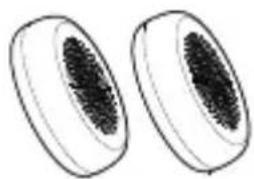
natural_image
Two oval-shaped objects with textured surfaces, resembling biological or decorative fragments (no text or symbols)natural_image
Line drawing of a headset with a connector inserted, showing ear and cable (no text or symbols)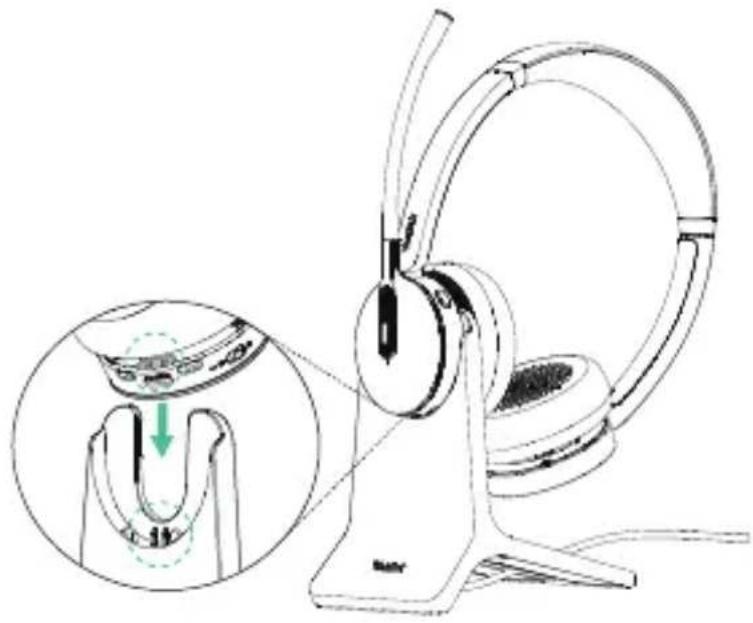
natural_image
Illustration of a pair of hardcover headsets with earbuds, showing mechanical adjustment (no text or symbols)natural_image
Technical line drawing of a mechanical component with no visible text or symbolsnatural_image
Technical line drawing of a mechanical assembly with no visible text or symbolsGrüne LED-Anzeige
natural_image
Illustration of a pair of headphones connected to a laptop via wireless signal waves (no text or symbols)Hinweis:
natural_image
Simple diagram of a mechanical component with a green arrow indicating direction (no text or symbols)Drücken Sie X1
natural_image
Diagram of a mechanical or electrical component with a green arrow pointing to a circular feature, labeled 'D' (no text or symbols on the diagram itself)Drücken Sie X1
natural_image
Line drawing of a person wearing a headset with earplugs, showing head rotation and motion arrows (no text or symbols)
natural_image
Diagram of a mechanical component with green arrows indicating direction (no text or symbols)Drücken Sie X1
natural_image
Diagram of a mechanical component with a green arrow indicating direction (no text or symbols)Drücken Sie X1
natural_image
Simple line drawing of a mechanical component with a green arrow pointing to a circular feature (no text or symbols)Teams-Ausgabe
Drücken Sie X1
natural_image
Diagram of a mechanical component with a green arrow indicating direction (no text or symbols)Teams/UC-Ausgabe
flowchart
graph LR
    A["Start: Earbuds with shunting"] --> B["Close-up: Earbuds open"]
    B --> C["Close-up: Earbuds closed"]
    C --> D["Close-up: Earbuds open"]
    D --> E["Close-up: Earbuds closed"]
natural_image
Symbol of a trash bin crossed with two crossed lines, no text or labels presentNo.666 Hu'an Rd,Huli District Xiamen City, Fujian, P.R. China
YEALINK (EUROPE) NETWORK TECHNOLOGY B.V.
Strawinskylaan 3127, Atrium Building, 8th floor, 1077ZX Amsterdam, Niederlande
YEALINK (USA) NETWORK TECHNOLOGY CO., LTD.
999 Peachtree Street Suite 2300, Fulton, Atlanta, GA, 30309, USA
natural_image
Line drawing of a pair of white headphones with earbuds and earplands (no text or symbols)or
natural_image
Line drawing of a pair of headphones with earbuds and headband (no text or symbols)BHD702 Casque BHM701 Casque
Sac à cordon
natural_image
Line drawing of a USB cable with two connectors (no text or symbols)Cable USB 2.0 (USB-A a USB-C)
BT51-A Dongle
natural_image
Simple line drawing of a U-shaped object with 'Veeltek' branding at the bottom (no other text or symbols)natural_image
Simple line drawing of two oval-shaped objects with textured surfaces (no text or symbols)natural_image
Line drawing of a headset with a cable inserted, showing ear and head components (no text or symbols)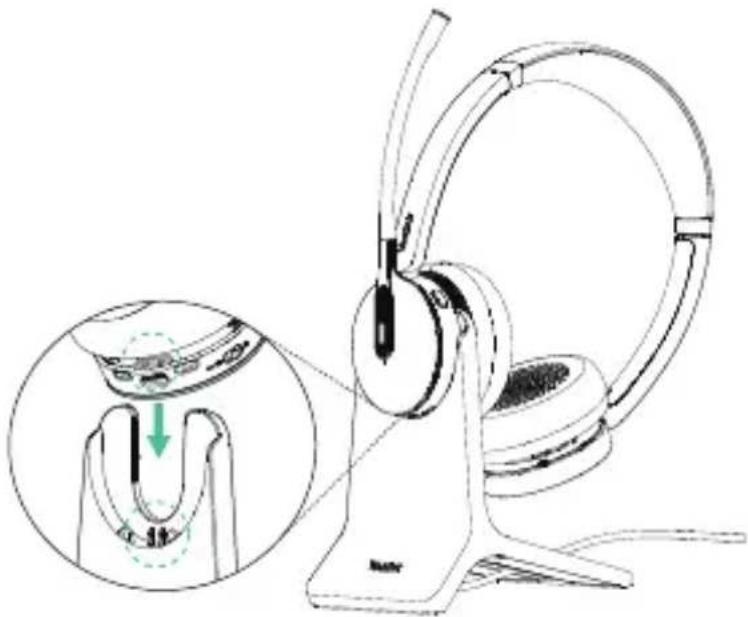
natural_image
Illustration of a pair of hardcover headsets with an inset showing the ear being adjusted (no text or symbols present)natural_image
Technical line drawing of a mechanical component with no visible text or symbolsnatural_image
Mechanical assembly diagram showing a rotating component with mounting holes and a close-up inset (no text or labels)Indicateur LED vert
natural_image
Illustration of headphones connected to a laptop with signal waves (no text or symbols)Nota:
natural_image
Simple diagram of a mechanical component with a green arrow indicating direction (no text or symbols)Presse X1
- Aceptar
• Fin
natural_image
Diagram of a circular device with a black component and green arrow indicator, no readable text or symbolsnatural_image
Line drawing of a person wearing a headset with earphones and a green circular motion arrow (no text or symbols)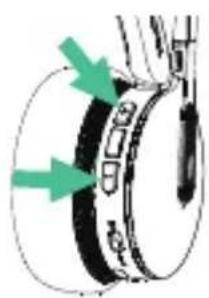
natural_image
Diagram of a mechanical component with green arrows indicating direction (no text or symbols)Presse X1
- Augmenter le volume (+)/diminuer le volume (-)
Presse 1.5s
natural_image
Diagram of a mechanical component with a green arrow indicating a specific part (no text or symbols present)Presse X1
natural_image
Simple line drawing of a mechanical component with a green arrow indicating direction (no text or symbols)Edición Teams
Presse X1
natural_image
Simple line drawing of a mechanical component with a green arrow indicating direction (no text or symbols)Edición Teams/UC
flowchart
graph LR
    A["Step 1: Hand grip with ear"] --> B["Step 2: Use of ear with headband"]
    B --> C["Step 3: Use of ear with ear"]
    C --> D["Step 4: Use of ear with headband"]
natural_image
Symbol of a trash bin crossed out by two diagonal lines (no text or labels)No.666 Hu'an Rd, Huli District Xiamen City, Fujian, P.R. China
YEALINK (EUROPE) NETWORK TECHNOLOGY B.V.
Strawinskylaan 3127, Atrium Building, 8th floor, 1077ZX Amsterdam, Pays-Bas
YEALINK (USA) NETWORK TECHNOLOGY CO., LTD.
natural_image
Line drawing of a pair of white headphones with earbuds and earplands (no text or symbols)or

natural_image
Line drawing of a pair of headphones with earbuds and headband (no text or symbols)BHD702 Auriculares BHM701 Auriculares
Bolsa con cordón
natural_image
Line drawing of a USB cable with two connectors (no text or symbols)natural_image
Simple line drawing of a U-shaped object with a label 'wetek' at the bottom (no other text or symbols)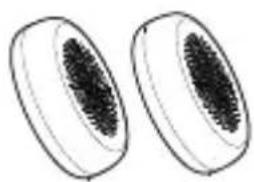
natural_image
Two oval-shaped objects with a central textured pattern, resembling seed or fruit (no text or symbols)natural_image
Line drawing of a pair of headphones with a cable inserted, no text or symbols present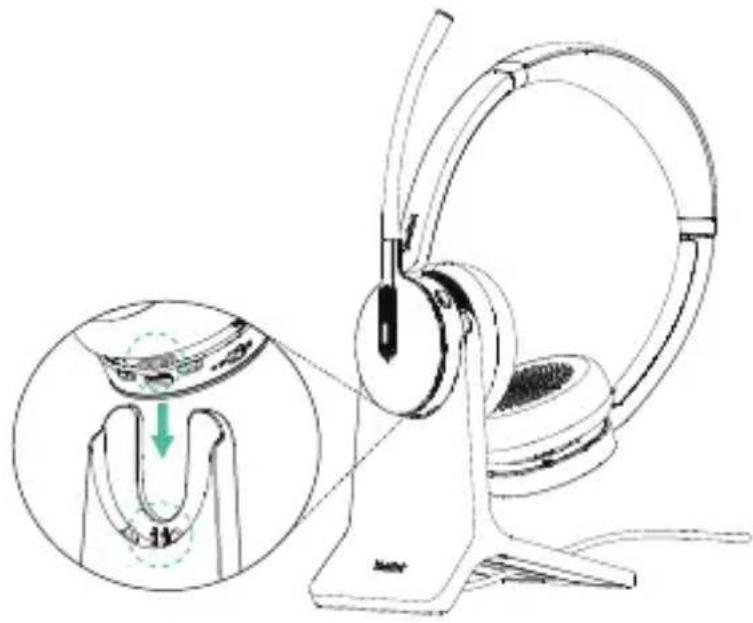
natural_image
Illustration of a pair of headphones with earbuds and a stand, showing mechanical components and a magnified inset (no text or symbols)natural_image
Illustration of a pair of headphones and a laptop connected by a wireless signal icon (no text or symbols present)Remarque :
natural_image
Simple diagram of a mechanical component with a green arrow indicating direction (no text or symbols)Prensa X1
natural_image
Diagram of a mechanical or electrical component with a green arrow pointing to a circular feature, labeled 'P' (no text or symbols on the diagram itself)natural_image
Line drawing of a person wearing a headset with a green circular motion indicator (no text or symbols)
natural_image
Diagram of a mechanical component with green arrows indicating direction (no text or symbols)Prensa X1
- Subir Volumen (+)/Bajar Volumen (-)
Prensa 1.5s
natural_image
Diagram of a mechanical component with a green arrow indicating a specific part (no text or symbols present)Prensa X1
natural_image
Simple line drawing of a mechanical component with a green arrow pointing to a circular feature (no text or symbols)Teams Edition
Prensa X1
natural_image
Diagram of a mechanical component with a green arrow indicating direction (no text or symbols)Teams/UC Edition
flowchart
graph LR
    A["Before press"] --> B["After press"]
    B --> C["After press with microphone"]
    C --> D["After press with headset"]
9 Software Management
- Yealink USB Connect (PC)
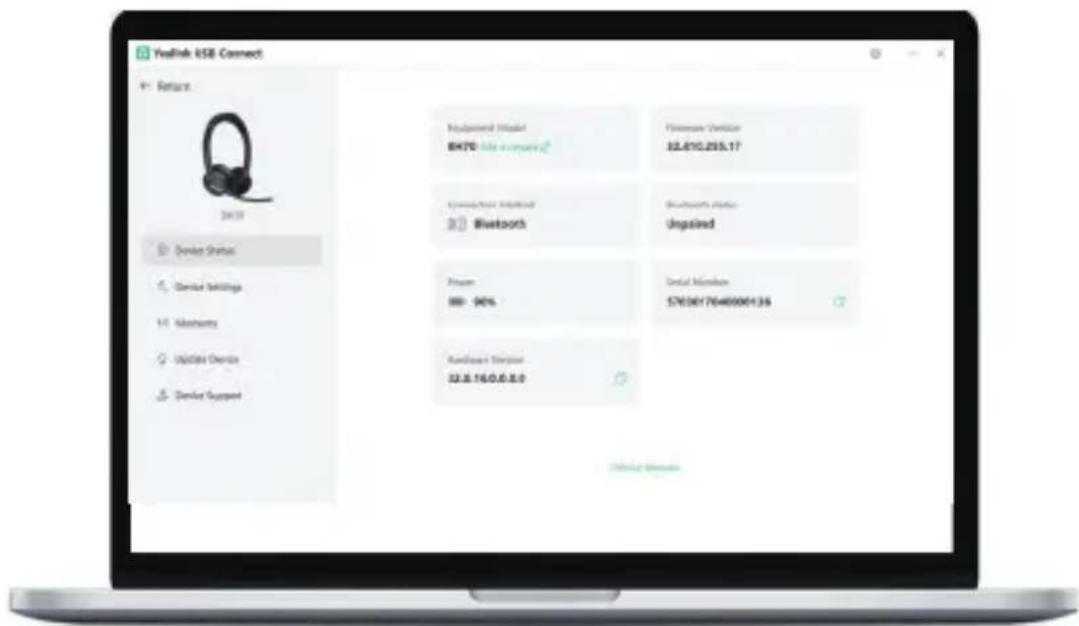
Download it from the Yealink website https://www.yealink.com/product/yuc.
Note: It needs to be used with Yealink USB Connect of version 0.36.x.x or later.
• Yealink Connect App (Mobile)

Apple and the Apple logo are trademarks of Apple Inc.
Download the Yealink Connect App from IOS App Store or Android App Store.
No.666 Hu'an Rd, Huli District Xiamen City, Fujian, P.R. China
YEALINK (EUROPE) NETWORK TECHNOLOGY B.V.
Strawinskylaan 3127, Atrium Building, 8th floor, 1077ZX Amsterdam, The Netherlands
YEALINK (USA) NETWORK TECHNOLOGY CO., LTD.
999 Peachtree Street Suite 2300, Fulton, Atlanta, GA, 30309, USA Electrica in China
About Yealink
Yealink (Stock Code: 300628) is a global-leading provider of Unified Communication & Collaboration Solutions specialized in video conferencing, voice communications, and collaboration, dedicated to helping every person and organization embrace the power of "Easy Collaboration, High Productivity".
With best-in-class quality, innovative technology, and user-friendly experiences, Yealink is one of the best providers in more than 140 countries and regions, ranks No.1 in the global market share of IP Phone, and is the Top 5 leader in the video conferencing market (Frost & Sullivan, 2021).
Copyright
Copyright © 2023 YEALINK(XIAMEN) NETWORK TECHNOLOGY CO., LTD.
All rights reserved. No parts of this publication may be reproduced or transmitted in any form or by any means, electronic or mechanical, photocopying, recording, or otherwise, for any purpose, without the express written permission of Yealink(Xiamen) Network Technology CO., LTD.
Need more help?

Yealink Knowledge Base

YealinkDocumentation & Video

Yealink Headset Compatibility Guide
430104002484
YEALINK(XIAMEN) NETWORK TECHNOLOGY CO.,LTD.
Web: www.yealink.com
Copyright©2023YEALINK(XIAMEN) NETWORK
TECHNOLOGY CO.,LTD. All rights reserved.

- BH70 Mono & BH70 Dual
- Bluetooth Headset
- Notes
- Safety Guide
- Package List
- - Standard
- - Optional
- Overview
- Charging
- LED Indicator Status
- Power on/off
- Pairing and Connecting Device
- - Pair with PC
- - Pair with Desk Phone
- Note:
- - Pair with Mobile Device
- Call & Music Control
- Customers Button
- Replace Ear Cushions
- Software Management
- Regulatory Notices
- Operating Ambient Temperatures
- Warranty
- Explanation of the symbols
- Restriction of Hazardous Substances Directive (RoHS)
- Safety Instructions
- General Requirements
- Environmental Requirements
- Operating Requirements
- Battery Requirements
- Cleaning Requirements
- Troubleshooting
- FCC CAUTION:
- ISED WARNING:
- Contact Information
- Packungsliste
- Hinweis:
- Nota:
- Remarque :
- Prensa X1
- Prensa 1.5s
- About Yealink
- Copyright
Brand : Yealink
Model : BH70
Category : Headphones