ManualGo.com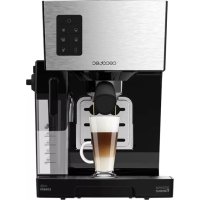
Power Instantccino 20 - Coffee machine CECOTEC - Free user manual and instructions
Find the device manual for free Power Instantccino 20 CECOTEC in PDF.



Download the instructions for your Coffee machine in PDF format for free! Find your manual Power Instantccino 20 - CECOTEC and take your electronic device back in hand. On this page are published all the documents necessary for the use of your device. Power Instantccino 20 by CECOTEC.
USER MANUAL Power Instantccino 20 CECOTEC
1. Parts and components 34
4. Cleaning and maintenance 39
7. Disposal of old electrical appliances 42
8. Technical support and warranty 43
4. Milk tank release button
13. Fold-down cup support
Warning: Clean the product before using it for the first time to remove all possible manufacturing
residues. See the “Cleaning and maintenance” section at the end of this instruction manual.
1. Take the product out of the box and remove all packaging materials.
2. Wipe down the device with a clean, soft dampened cloth.
3. Rinse the water tank (1), the milk tank (9), the portafilter (12), both filters, the drip tray (10),
the cover (11) and the spoon with soapy water.
4. Place the device on a flat, stable and safe surface.
5. Completely unwind the mains cable and plug it into a properly installed plug socket that
is easily accessible.
6. Prepare a test coffee with coffee powder in order to make sure all manufacturing residues
inside the water system are removed. Repeat this step 2 times.
Warning: a slight odour and smoke might appear when operating the device for the first time.
This is due to manufacturing material residues and does not affect the appliance’s operating.
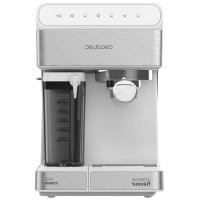
Drip tray The drip tray is designed to collect the coffee which drips from the coffee spout or the milk from the milk tank’s nozzle. Note: always remove or insert the drip tray when the milk tank is not inserted in the device. Place the removable grid (11) on the drip tray. Use the guides on the bottom part of the device to slide the drip tray into its correct position. Water tank Open the water tank lid (1). Take out the water tank (2) by the handle. Pour water into the water tank without exceeding the MAX mark. Reinsert the water tank and flip the handle down. Make sure that the water tank fits correctly. Close the water tank lid. Note: If the water is not used within two days, pour away the remaining water and refill the water tank before you use it again. Milk tank Remove the milk tank from the device by pressing the release button (4) and pulling the milk tank to the side at the same time. Remove the milk tank cover (6) from the milk tank (9) by pressing the release button on the milk tank cover’s side. Pour milk into the milk tank without exceeding the MAX mark. Close the milk tank with its cover and make sure it fits properly. Insert the milk tank back in the device until a little “click” is heard. Make sure it is in its correct position. Note: If the milk is not used within two days, pour away the remaining water and refill the water tank before you use it again.POWER INSTANT-CCINO 20
ENGLISH ENGLISH Filters Insert the desired filter in the portafilter (12). The filter must fit securely in the portafilter so that it cannot fall out when coffee powder is removed. Note: Use the small filter for single espresso, normal cappuccino or normal latte macchiato and the large filter for double espresso or two espressos, a strong cappuccino or a strong latte macchiato. Manually remove the filter from the portafilter. To fill the filter with coffee powder: Use the measuring spoon to measure and pour the desired amount of coffee powder into the selected filter. One full measuring spoon is equivalent to one filled small filter, approx. Use the spoon to press down the coffee in the filter. Note: Do not use coffee which is grounded too fine, coffee substitutes or coffee extracts, as these may contain sticky substances and could block the device. Portafilter Insert the portafilter (12) into the device and twist it anticlockwise to secure it. To remove the portafilter from the device, turn it clockwise and pull it out downwards. To remove the used coffee powder, tap the portafilter gently against an edge (e.g. of a dustbin, a bowl or similar object) so that the tamped coffee powder can be released. Cup warmer The device features a cup warmer (15) which is heated automatically as soon as the device is switched on. Place the cups to be warmed on the cup warmer for approx. 5 – 10 minutes. Switch ON When the device is turned on, the red light indicator and all the buttons will blink, indicating the machine is not ready to use yet. Place a cup under the coffee spout. Press any button, the device will carry out a self-cleaning cycle. Place a cup under the coffee and milk spout and wait until it finishes. Once this cycle is finished, the coffee machine will be ready for use. Press the on/off button to switch on the device and preheat water. During the preheating process, the control panel will flash. Preparing coffees Espresso Fill the water tank (1). Insert the desired filter in the portafilter (12). Fill the filter with coffee powder and tamp it with the measuring spoon’s end. Insert the portafilter into the device. Press the on/off button to (16) turn the device on and preheat water. During the preheating process, the control panel will flash. Note: If the milk tank is not inserted, only these 2 buttons will be turned on, indicating that only the button (24) for an espresso or the button (17) for two espressos can be selected. Place one or two suitable cup(s) under the coffee spout (14). For small cups, the device has a fold-down deposit surface (13) on the housing. Open it if necessary. As soon as the device has heated up, the control panel will stop flashing. Press the button for an espresso (24) or the button for two espressos or a double espresso (17). The machine will produce a beep, and the selected button will flash. Once the coffee or coffees are ready, the machine will beep, the control panel will light up again and the device will automatically switch to stand-by mode. Cappuccino/Latte Macchiato Fill the water tank (1). Fill the tank (1) with cold, fresh milk in order to obtain optimal results (9). Note: This device is compatible with all types of milk, including whole, skimmed, organic milk or soy drink. Insert the desired filter in the portafilter (12). Fill the filter with coffee powder and tamp it with the measuring spoon’s end. Insert the portafilter into the device. Fold out the milk tank’s nozzle (8) using the lever (7). Use the milk froth knob (5) to adjust milk froth. (5). Press the on/off button to (16) turn the device on and preheat water. During the preheating process, the control panel will flash. Place a suitable cup below the coffee spout (14) and the milk tank’s nozzle. As soon as the device has heated up, the control panel will stop flashing. Press the button (23) for cappuccino or the button (19) for latte macchiato, the machine will produce a beep, and the selected button will flash. Once the coffee is ready, the machine will beep, the control panel will light up again and the device will automatically switch to stand-by mode.POWER INSTANT-CCINO 20
ENGLISH ENGLISH Milk froth Fill the water tank (1). Fill the tank (1) with cold, fresh milk in order to obtain optimal results (9). Note: This device is compatible with all types of milk, including whole, skimmed, organic milk or soy drink. Fold out the milk tank’s nozzle (8) using the lever (7). Use the milk froth knob (5) to adjust milk froth. (5). Press the on/off button to (16) turn the device on and preheat water. During the preheating process, the control panel will flash. Place a suitable cup below the milk tank’s nozzle. As soon as the device has heated up, the control panel will stop flashing. Press the milk froth button (21), the machine will beep, and the selected button will flash. Once the coffee is ready, the machine will beep, the control panel will light up again and the device will automatically switch to stand-by mode. Note: The device will remain in operation and the control panel will be lighted up for up to 30 minutes after the last operation. During this time, the cup warmer (15) keeps on heating. Once 30 minutes have elapsed, the device needs to be switched on again using the on/off button (16) to prepare another coffee. Note: The coffee process can be stopped at any moment by pressing the selected coffee button again. This will switch the device to standby mode. Coffee customization The machine includes a customization function which allows selecting the exact amount of coffee and milk for each coffee, saving the desired settings for future uses. The set quantities are saved until a new quantity is set. Espresso, double espresso, milk froth Fill the coffee or milk tank, depending on the drink to be prepared, as it is explained in the previous section. Long press the selected coffee button (2 beeps) until you have the desired amount of coffee or milk. Only stop pressing the button when there is enough coffee or milk in the cup. Once you stop pressing, the machine will beep 3 times indicating that this quantity has been saved. Cappuccino and Latte Macchiato In order to prepare these coffees, the process has to be repeated twice, once for the quantity of espresso and once for the quantity of milk. Fill the coffee and milk tank. Make sure the milk tank’s nozzle (8) is folded out and that there is a cup below the milk tank’s nozzle. Select the desired amount of milk: long press the selected coffee button (1 beep) and let go once you have enough milk. Select the desired amount of coffee: long press the same selected coffee button (1 beep) and let go once you have enough coffee. Once you stop pressing, the machine will beep 3 times indicating that this quantity has been saved. Setting milk froth quantity Use the knob on the milk tank’s side to select more or less milk froth. Turn the knob clockwise for more froth and anticlockwise for less froth. Reset to factory settings In order to delete the coffee and milk amounts set previously and restore factory settings: Press the on/off button (16) to switch the device off. Press buttons (24) and (17) simultaneously and keep them held down. Press the on/off button (16) to switch the device on again. The control panel will flash 5 limes and the machine will beep 5 times. Stop pressing the button. The amounts have now been reset to the factory settings.
4. CLEANING AND MAINTENANCE
Clean the milk tank (9) and the filters after every use with mild detergent and warm water or in the dishwasher. Rinse through the tube in the milk tank with clear hot water to remove milk residues after every use. If necessary, clean the water tank (2) and the drip tray (10) and the cover (11) with mild detergent and warm water or in the dishwasher. Regularly run the cleaning programme (see “Self-Cleaning”) to clean the milk tank system as well as the coffee spout (14) or the portafilter (12). Wipe down the housing with a damp cloth. If necessary, use a little mild detergent to remove more intense soiling.POWER INSTANT-CCINO 20
ENGLISH ENGLISH Thoroughly dry the device and all accessories before assembling it again. Do not use any toxic, corrosive or abrasive cleaning agents or scouring sponges to clean the device, these can damage the surface. Auto-cleaning Quick cleaning of the milk tank system: Fill the milk tank with water. Fold out the milk tank’s nozzle (8) using the lever (7). Press the on/off button to (16) turn the device on and preheat water. During the preheating process, the control panel will flash. Place a suitable cup below the milk tank’s nozzle. As soon as the device has heated up, the control panel will stop flashing. Press button (20), the machine will beep indicating that the self-cleaning cycle has started. Once the cycle is over, pour away all the cleaning rests. Repeat this process if necessary. Intensive cleaning of the portafilter and milk tank system: Fill the milk and water tank with water. Fold out the milk tank’s nozzle (8) using the lever (7). Press the on/off button to (16) turn the device on and preheat water. During the preheating process, the control panel will flash. Place a suitable cup below the coffee spout (14) and the milk tank’s nozzle. As soon as the device has heated up, the control panel will stop flashing. Press button (20) for 5 seconds approx., the machine will beep indicating that the self-cleaning cycle has started. The cleaning cycle can be stopped by pressing the same button again, the device will switch to standby mode. Once the cycle is over, pour away all the cleaning rests. Repeat this process if necessary. Descaling Limescale deposits have an adverse effect not only on the quality of the espresso and the water, but they also cause power losses and shorten the lifespan of the device. Possible signs that indicate that descaling is required are a large amount of steam being produced and slower brewing. The machine indicates when cleaning or descaling is required by lighting up the yellow light indicator (22). Use anti-scale cleaning agents regularly, every 2-6 weeks, in order to avoid the machine from blocking and from operating in bad conditions. Storage Disconnect the device from the mains power when it is not going to be used for a long period of time. Clean the device again if necessary and let it dry completely. Store the device and all accessories in a dry, clean, safe place that is protected from direct sunlight and cannot be accessed by children or animals.
Warning: Do not attempt to repair defective electrical devices by yourself!
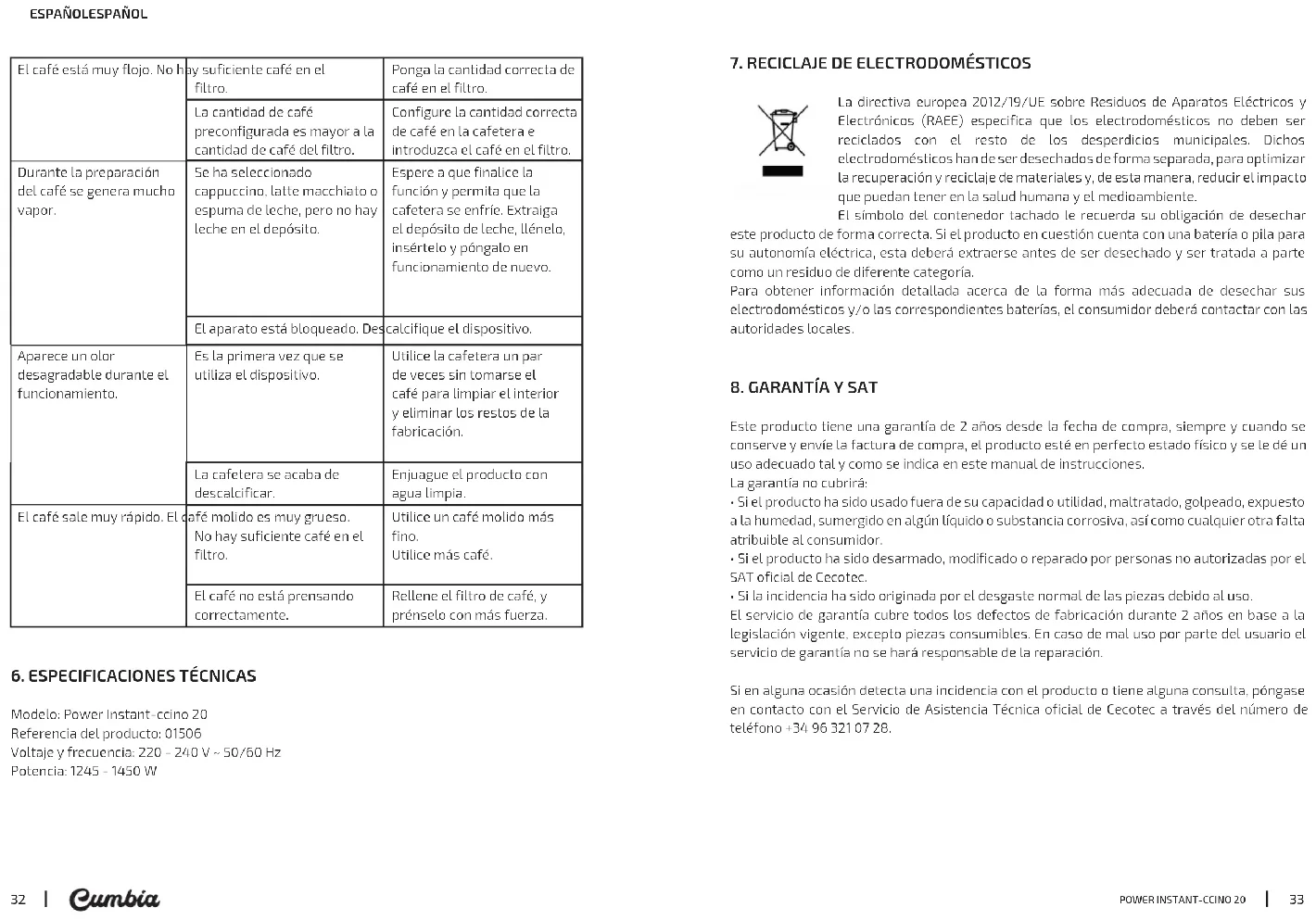
Problem Possible cause Solution The red light indicator is on. There is not enough water in the tank. Fill the water tank. The yellow light indicator blinks. The device is blocked. Descale the device. Espresso comes out very slow Coffee spout or filter is blocked. Clean the portafilter and filter. The device is blocked. Descale the device. Coffee is tamped too hard. Refill the filter basket with coffee, do not tamp too much. Coffee is ground too finely. Use coffee with thicker grinding level. Coffee is too weak. Not enough coffee in filter. Pour the exact amount of coffee in the filter. The preset amount of coffee is more than the amount of coffee powder in the filter. Set the correct amount of coffee in the machine and in the filter. A lot of steam is produced during the brewing process. Cappuccino, latte macchiato or milk froth has been selected but there is no milk in the milk tank. Wait until the programme has finished and allow the machine to cool down. Remove the milk tank, fill it and put it back, then operate again. The device is blocked. Descale the device.POWER INSTANT-CCINO 20
ENGLISH ENGLISH An unpleasant smell appears during operation. The device is being used for the first time. Run the machine a few times without drinking coffee in order to clean it and to remove any manufacturing residues. The machine has just been descaled. Rinse the device with clear water. Coffee comes out too quickly. Ground coffee is too coarse. Not enough coffee in filter. Use a finer grind. Use more coffee. Coffee is not properly tamped. Fill the filter with coffee and tamp it harder.
The European directive 2012/19/EU on Waste Electrical and Electronic Equipment (WEEE), specifies that old household electrical appliances must not be disposed of with the normal unsorted municipal waste. Old appliances must be collected separately, in order to optimize the recovery and recycling of the materials they contain, and reduce the impact on human health and the environment. The crossed out “wheeled bin” symbol on the product reminds you of your obligation to dispose of the appliance correctly. If the product has a built-in battery or uses batteries, they should be removed from the appliance and disposed of appropriately. Consumers must contact their local authorities or retailer for information concerning the correct disposal of old appliances and/or their batteries.
8. TECHNICAL SUPPORT AND WARRANTY
This product is under warranty for 2 years from the date of purchase, as long as the proof of purchase is submitted, the product is in perfect physical condition, and it has been given proper use, as explained in this instruction manual. The warranty will not cover the following situations:
- The product has been used for purposes other than those intended for it, misused, beaten, exposed to moisture, immersed in liquid or corrosive substances, as well as any other fault attributable to the customer.
- The product has been disassembled, modified, or repaired by persons, not authorised by the official Technical Support Service of Cecotec.
- Faults deriving from the normal wear and tear of its parts, due to use. The warranty service covers every manufacturing defects of your appliance for 2 years, based on current legislation, except consumable parts. In the event of misuse, the warranty will not apply. If at any moment you detect any problem with your product or have any doubt, do not hesitate to contact Cecotec Technical Support Service at +34 963 210 728.POWER INSTANT-CCINO 20