Sirene 2151 - Alarm system Burg Wächter - Free user manual and instructions
Find the device manual for free Sirene 2151 Burg Wächter in PDF.



| Product type | Outdoor alarm siren |
| Brand | Burg Wächter |
| Model | Sirene 2151 |
| Dimensions (L x W x H) | 240 x 220 x 70 mm |
| Weight (without batteries) | 951 g |
| Weight (with batteries) | 1 370 g |
| Main power supply | DC 12V 1A power adapter (included) |
| Backup power supply | 3 D batteries (LR20) |
| Standby battery life | Up to 36 months |
| Siren volume | 120 dB at 30 cm |
| Protection rating | IP54 |
| Radio frequency band | 433.05 – 434.79 MHz |
| Outdoor range | Up to 200 m (without obstacles) |
| Indoor range | Up to 50 m |
| Max. operating current (alarm) | 350 mA |
| Max. standby current | 20 μA |
| LED indicator | Red LED (left/right) for armed, disarmed, home mode, SOS |
| Main functions | Optical and acoustic alarm, tamper protection, connection to BURGprotect base, configuration via app |
| Maintenance and cleaning | Clean with a slightly damp cloth, without aggressive products |
| Safety | Do not install near heat sources, direct sunlight, or in damp rooms |
| Warranty | 2 years, excluding batteries and usage defects |
| Compatible accessories | Starter kit, motion detectors, door contacts, indoor siren, etc. |
Frequently Asked Questions - Sirene 2151 Burg Wächter
User questions about Sirene 2151 Burg Wächter
0 question about this device. Answer the ones you know or ask your own.
Ask a new question about this device
Download the instructions for your Alarm system in PDF format for free! Find your manual Sirene 2151 - Burg Wächter and take your electronic device back in hand. On this page are published all the documents necessary for the use of your device. Sirene 2151 by Burg Wächter.
USER MANUAL Sirene 2151 Burg Wächter
text_image
Mobile phone icons with signal and warning symbols, including maximum distance limits of 50m and 200m

Lieferumfang
en
natural_image
Close-up of a black plastic object with a small circular mark on the side (no text or symbols visible)natural_image
Close-up of a white rectangular object with a black arrow pointing to it, no visible text or symbols.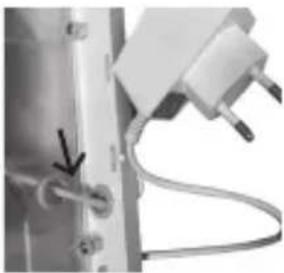
natural_image
Close-up of a mechanical or electrical component with wires and connectors (no visible text or symbols)natural_image
White electronic device casing with two ventilation fans and mounting brackets (no text or symbols)text_image
Street photo showing a hand scanning a QR code on a smartphone, with a mobile app interface visible in the background.text_image
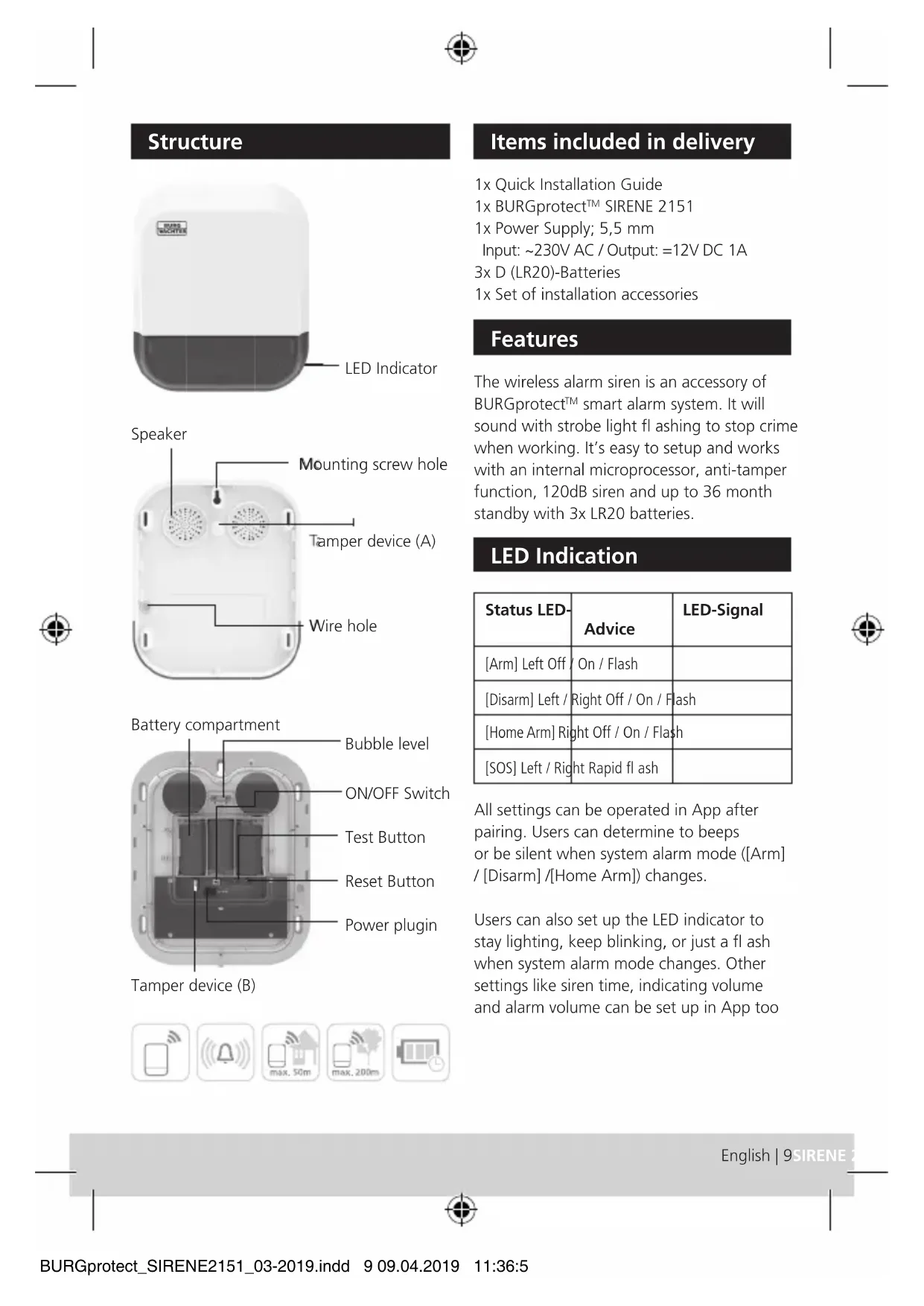
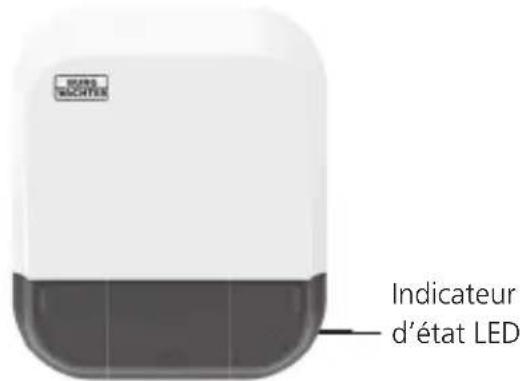
WIRE TACCHER LED Indicator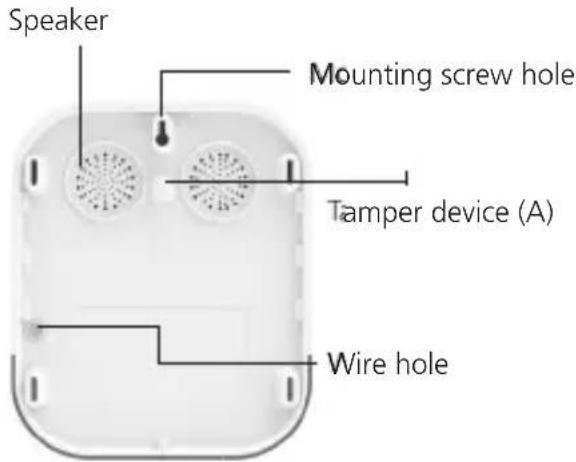
text_image
Speaker Mounting screw hole Tamper device (A) Wire hole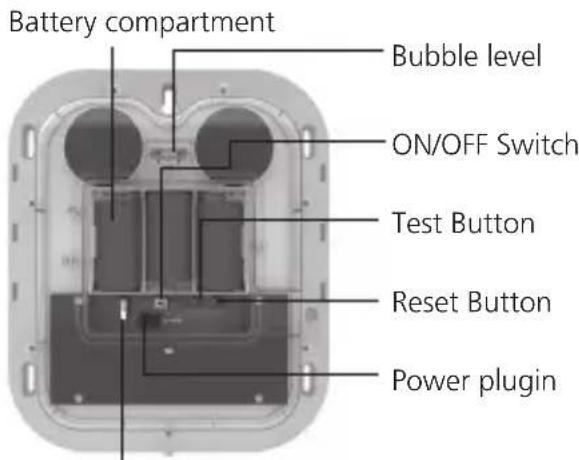
text_image
Battery compartment Bubble level ON/OFF Switch Test Button Reset Button Power pluginTamper device (B)

text_image
Mobile phone icons with signal and warning symbols, including maximum distance limits of 50m and 200mItems included in delivery
1x Quick Installation Guide
1x BURGprotect™ SIRENE 2151
1x Power Supply; 5,5 mm
Input: \~230V AC / Output: =12V DC 1A
3x D (LR20)-Batteries
1x Set of installation accessories
Features
The wireless alarm siren is an accessory of BURGprotect™ smart alarm system. It will sound with strobe light fl ashing to stop crime when working. It's easy to setup and works with an internal microprocessor, anti-tamper function, 120dB siren and up to 36 month standby with 3x LR20 batteries.
LED Indication
| Status LED- | Advice | LED-Signal |
| [Arm] Left Off / On / Flash | ||
| [Disarm] Left / Right Off / On / Flash | ||
| [Home Arm] Right Off / On / Flash | ||
| [SOS] Left / Right Rapid flash |
All settings can be operated in App after pairing. Users can determine to beeps or be silent when system alarm mode ([Arm] / [Disarm] / [Home Arm]) changes.
Users can also set up the LED indicator to stay lighting, keep blinking, or just a flash when system alarm mode changes. Other settings like siren time, indicating volume and alarm volume can be set up in App too


Technical data
| Power supply DC 12V 1A | |
| Backup battery 3x D (LR20) | |
| Max. Working current (Alarm) | 350 mA |
| Max. standby current 20 μA | |
| Transmission Distance Without obstacle 200 m* Indoor max 50 m* | |
| Transmission Frequency 483.05 – 434.79 MHz | |
| Siren volume 120 dB @ 30 cm | |
| LED indicator Red (left) / Red (right) | |
| IP class IP54 | |
| Working temperature -10 °C bis 40 C° | |
| Humidity ≤90%rh | (non- condensing) |
| Weight 951 g | (without Batteries)1.370 g (incl. Batterien) |
| Dimensions (L x W x H) | 240 x 220 x 70 mm |
* The real transmission distance can be different, pending on local scenario.
Features
| Pairing | Supports scanning QR code on App |
| Low Battery Warning Advice on App | |
| Tamper Alarm | Supported |
| Reset | Supported |
Preparation before use
Remove the fixing screw on the downside of the device.
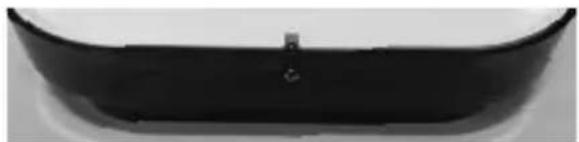
natural_image
Close-up of a black plastic car rear bumper (no visible text or symbols)Remove the splash guard (left).
Note: It is recommended to install the power plug, in order to provide a permanent power supply.
Therefore, pass the cable through the two holes provided (right).
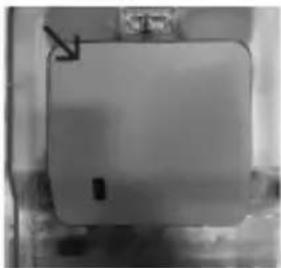
natural_image
Close-up of a plain white rectangular object with a small black square and arrow pointing to it (no visible text or symbols)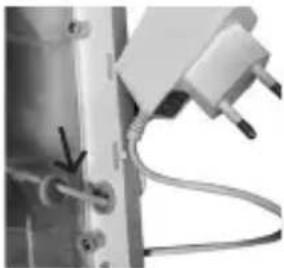
natural_image
Close-up of a mechanical component with wires and connectors (no visible text or symbols)Enter the batteries and connect device the power plug to injector. Move ON/OFF switch to ON position
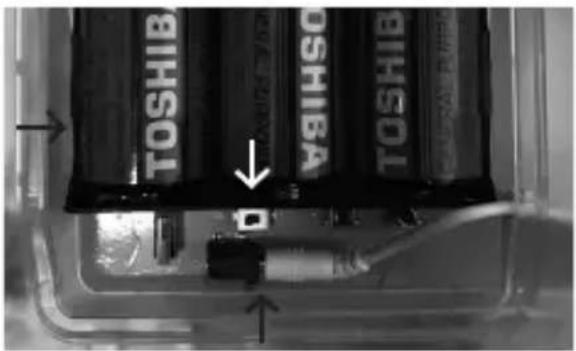
text_image
TOSHIB TOSHIB TOSHIB TOSHIBPair device with BURGprotect™ BASE before mount to mounting location.
Pairing sensor with Base
- Start App.
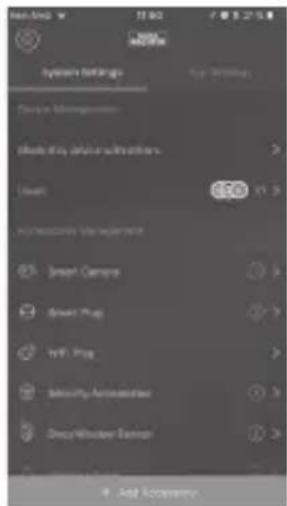
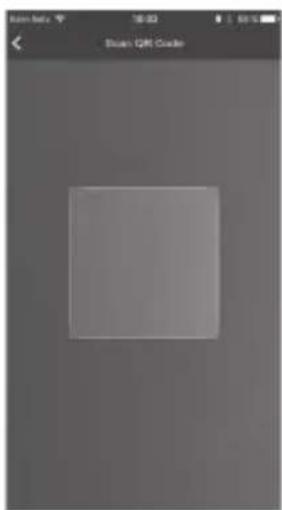
- Expand menu "Dashboard" -> "Add Accessory" -> "Scan QR Code"
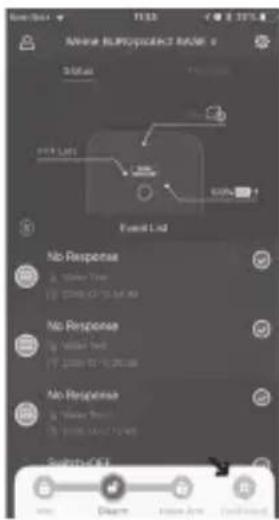
text_image
Event List No Response □ Yes/ No □ No Response □ Yes/ No □ No Response □ Yes/ No □ No Response □ Yes/ No □ No Response □ Yes/ No □ No Response □ Yes/ No □ No Response □ Yes/ No □ No Response □ Yes/ No □ No Response □ Yes/ No □ No Response □ Yes/ No □ No Response □ Yes/ No □ No Response □ Yes/ No □ No Application Status: 0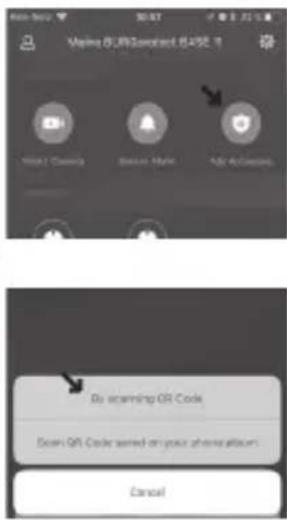
text_image
Vina 6.0/8/Standard 845E No scanning QR Code Scan QR Code sorted on your phone album Cancel- Scan the QR code, printed on this accessory.
- The APP will auto recognize this accessory and add it to your list. Rename it with a perspicuous name, which says you the exact location of the sensor in case of alarm, e.g. "Bathroom".
natural_image
Grayscale image of a blank square frame with no visible text, numbers, or symbols.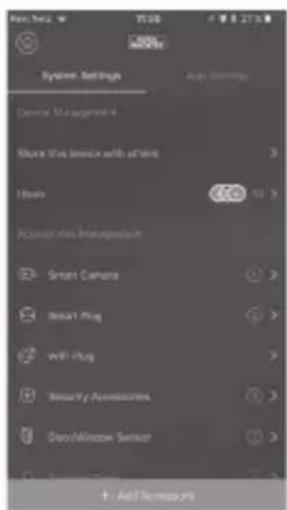
text_image
System Settings Device Management 4 Share this service with a time Hours Accessories Management Smart Camera Smart Plug WiFi Plug Security Assistors Data/Window Sensor + Add Frequency 2%- Test Alarm function e.g. by triggering an SOS alarm.
Light and sound setup
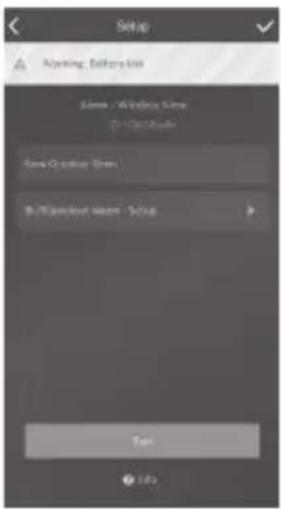
Light and sound setup can be adjusted in App:
„Dashboard“
text_image
Setup Marketing: Batterybox ASM - Wireless Shell 21-224 Cloud New Outdoor Skin Background Features - Setup Next Info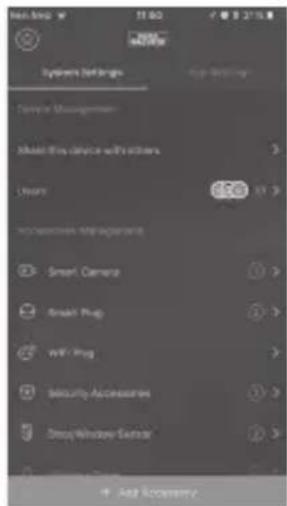
text_image
System Settings System Settings Center Management Make Fire Device with robustness Lock 650 Accessories: My Properties Smart Camera Break Plug WIFI Plug Security Accessories Deep Window Sensor Add SecurityBattery replacement instructions
Device will show note in App when battery power is low.
e.g. Device list (left side of device entry)

text_image
Warning: Battery lowe.g. Device state


Correct location for installation
The radio signal of the sensor is highly dependent on environmental conditions. Metal objects, concrete surfaces, walls, and metal cables all reduce its range, etc. Other radio devices and environmental conditions can also interfere with its operation.
IMPORTANT NOTE: The alarm can only work as well as permitted by its installation and environment. The alarm can indicate dangerous situations but it cannot prevent them.
The device must not be painted, varnished or altered in any way.
Installation & Notice
- When Pairing was succeed, test function at desired location before mouting, e.g. by triggering an SOS alarm.
- Use the mounting material to mount the device at desired location.
- Avoid installing the device in area with a large amount of metal or electric wire. This will considerably affect the radio range of the device.
-
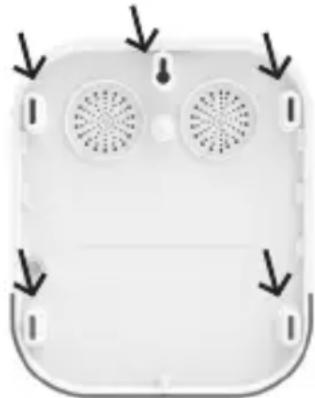
Use the mounting hole and the bubble level to align the position of the alarm. Mark the 5 drill points through the bracket.
-
Drill the holes for screw anchors and fi x the bracket with screws and anchors to the wall.
natural_image
Top-down view of a white electronic device with two ventilation fans and mounting brackets (no text or symbols visible)General safety precautions and safety instructions
Attention
Any changes or modifications to this appliance which have not been explicitly approved of by the respective regulatory authority, may lead to a prohibition of usage of this appliance.
Limitation of liability
This device complies with the technical standards in force at the time of production. We constantly strive to ensure that our products are technologically cutting edge and that our handbooks are kept up to date. We therefore reserve the right to undertake technical changes and modifications or adjustments to the instructions without providing advance notice.
The instructions must be carefully followed. We accept no liability for damage, as a result of e.g. incorrect use or installation, improper handling, insufficient or poor maintenance, disregard of safety guidelines or general conditions of use.
When installed and used correctly and under the conditions specified, this device performs the functions described in the handbook.
As the alarm is dependent upon the specific arrangement put in place by the customer, there is no guarantee that it will be triggered.


Safety guidelines
Please read the instructions carefully.
No liability can be assumed for any damage which may result from failure to follow instructions.
The device must be used only for the purpose specified in the instructions. The device should work effectively as an alarm in an emergency! Please check regularly that the device is in working order and that the batteries are charged. This will ensure that it functions correctly in the event of a (hopefully unlikely) emergency.
The device may malfunction when exposed to unexpectedly high electromagnetic radiation, manipulation or other influences. The device must not be installed in damp areas or near electrical devices which emit radiation.
Battery-operated devices must not be used in high temperatures, near sources of heat or exposed to direct sunlight.
Ensure that packaging and contents are kept well away from children to avoid any risk of suffocation.
Please keep instructions in a safe place.
IMPORTANT NOTE: The device may not function correctly if installed in an inappropriate location.
If you require an EC Declaration on
Conformity for this device for this device,
please send a request to: info@burg.biz
Cleaning
Use only a damp cloth for cleaning. Ensure that no water enters the device. Do not use any readily inflammable, chemical, corrosive, abrasive or sharp cleaning materials.
Guarantee
BURG-WÄCHTER products comply with the technical standards in force at the time of production and adhere to our own quality standards.
The guarantee only covers defects which can be proved to have resulted from production or material defects at the time of purchase.
The guarantee expires after two years; further claims are excluded.
A short description of any defects identified must be made in writing and the device returned to the place it was bought, together with the original packaging. After the device has been tested, and within an appropriate period of time, the guarantor will decide whether or not to repair or exchange the item.
Any defects or damage which may have resulted from transport, inappropriate or improper use, wear and tear etc. are not included in the guarantee.
The battery is not included in the guarantee.


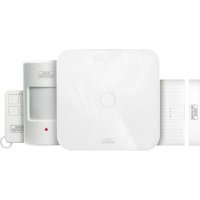
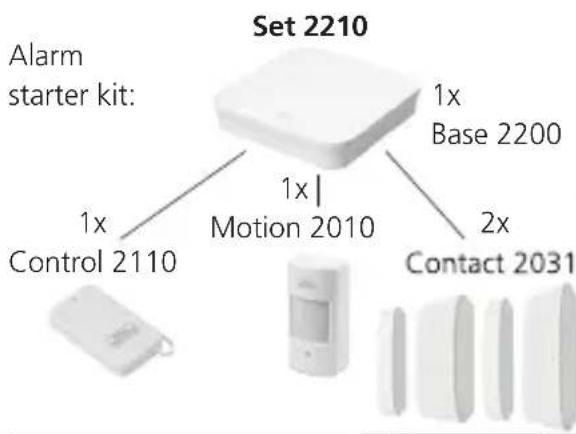
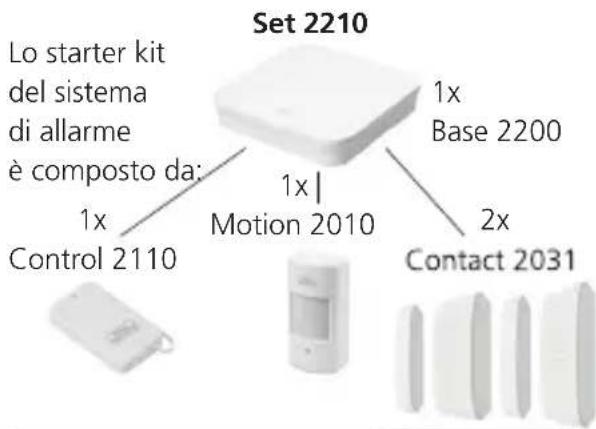
Additional accessory (e.g.)
flowchart
graph TD
    A["Set 2210"] --> B["1x Base 2200"]
    A --> C["1x Control 2110"]
    A --> D["1x Motion 2010"]
    A --> E["2x Contact 2031"]
Sirene 2151
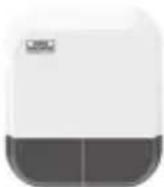
Outdoor Siren
Noise 2160
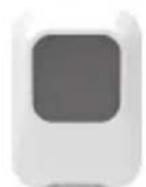
Indoor Siren
Smoke 2050
Smoke detector
Vibrancy 2020
Vibrancy sensor
Motion 2010
PIR-sensor
Contact 2031
Door- and window contact
Water 2060
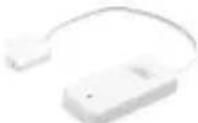
Water detector
Keypad 2100
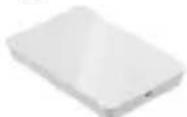
RFID-Keypad
Control 2110
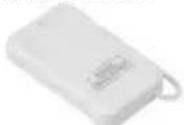
Remote control
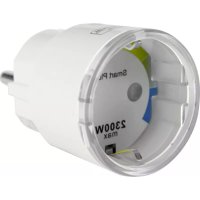
Plug 2141
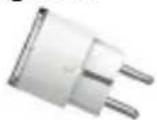
Plug socket
You can find more Accessories on our homepage www.burg.biz or by App:
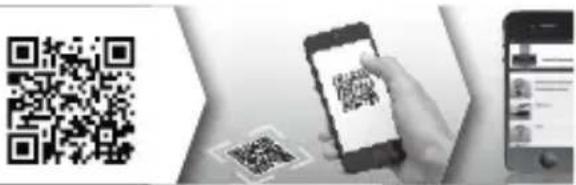
text_image
QR code scanning interface with smartphone and mobile app, showing QR code and payment optionsDisposal
Please be aware that electrical and electronic equipment and batteries shall not be disposed of as household waste, but rather collected separately. Please obtain information on the collecting points for electrical waste from the responsible authority of you municipality.
BURG-WÄCHTER KG hereby declares that this device complies with Directive 2014/53/EU, (RED) 2014/30/EU, (EMC), 2011/65/EU (RoHS), and (2014/35/EU).
xt of the EU Declaration of y can be found on www.burg.biz.
If you have technical questions about this device, please read the detailed user manual and the FAQ sheet which you will find on the following website: www.burg.biz.
If, however, you still have questions, please send an e-mail to: alarm-service@burg.biz


Copyright
All rights reserved. This publication may not be reproduced, stored in a retrieval system or transmitted, in any form or by any means (electronic, mechanical, photocopying, recording or otherwise), without the written prior permission of BURG-WÄCHTER KG.
No reproduction of any part or excerpts thereof are permitted. Errors excepted.
Specifications are subject to change without notice for quality improvement.
All companies or products mentioned in this publication are trademarks, registered trademarks or brands of the respective company.
Subject to technical changes without notice. Errors excepted.
Notes
English | 15SIRENE


Structure
text_image
max. 50m max. 200mnatural_image
Close-up of a black plastic object with a small hole, possibly a component or part (no visible text or symbols)natural_image
Close-up of a rectangular object with a small square and arrow, possibly a device or component (no visible text or symbols)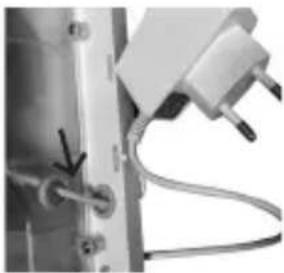
natural_image
Close-up of a mechanical device with wires and connectors (no visible text or symbols)text_image
TOSHIB BISHIB BISHIBA TOSHIB BISHIBA BISHIBA Dtext_image
Market Multi-Connect Install Status Event List No Response No Response No Response No Response Balance OFF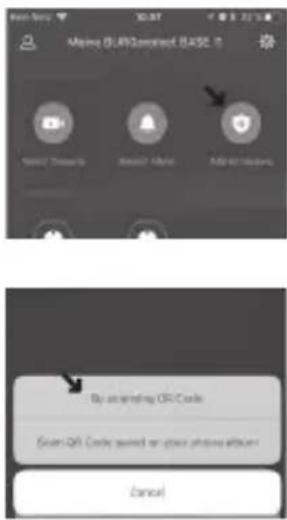
text_image
New! iSearch Add to Web By answering OFF Code Scan QR Code pushed on your phone album Canceltext_image
Options, Battery Icon New Customer Icon Background Website - Setup New Info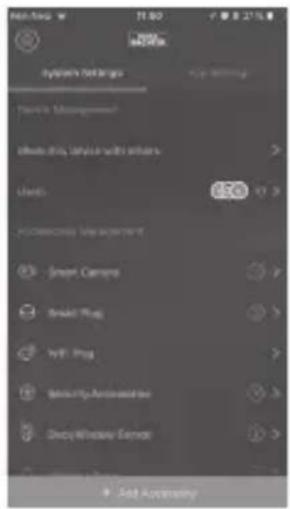
text_image
System Settings Device Management Effects by: Service with Others Users 650 Accessories Help Window Smart Camera Smart Plug Hybrid Plug Security Automation Deep Window Control + Send AccessoryInstallation & indication
natural_image
Top-down view of a white electronic device with two circular fans and directional arrows indicating orientation (no text or symbols)Lisez attentivement la notice.
text_image
QR code scanning interface with smartphone and mobile app, showing QR code and payment optionstext_image
max. 50m max. 200mLeveringspakket
natural_image
Close-up of a black plastic object with a small hole, possibly a component or part (no visible text or symbols)natural_image
Close-up of a square electronic component with a small rectangular component and a diagonal arrow pointing to it (no visible text or symbols)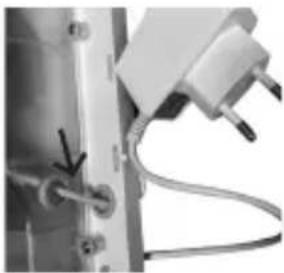
natural_image
Close-up of a mechanical device with wires and connectors (no visible text or symbols)text_image
Marina (RJ)Standard BASE Mobile Products Desktop Audio Adj AudioTools Bo scanning QR Code Green QR Code turned on voice phone album Cancel"Settings"
"Toebehorensetup"
"Sirene-instelling"
"Uw apparaatnaam"
text_image
Setup Starting Entity Name: Windows Time Date: 01/03/2016 Send Connection Time B:\Named User\Stop Text Info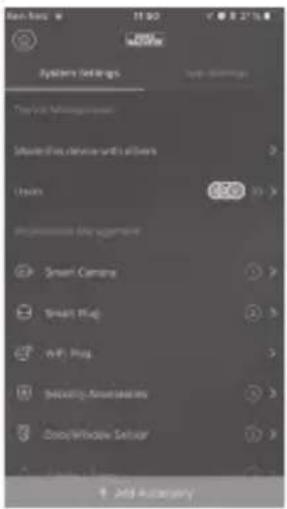
text_image
System Settings Type 1: Management Smart Plus device with all users Users 650 Properties the usage Smart Camera Smart Plug vW Plug Security Automatics DeepWindow Setup Add AutomaticBatterij wissel
natural_image
Top-down view of a white electronic device with two ventilation fans and mounting brackets (no text or symbols visible)text_image
QR code payment interface with smartphone and mobile app screenshot showing QR code scanningtext_image
Mobile phone icons with signal and distance labels: Wi-Fi, alarm, max. 50m, max. 200m, batteryVolume di consegna
natural_image
Close-up of a black plastic car bumper with a small circular mark on the side (no text or symbols visible)natural_image
Close-up of a square electronic component with a small rectangular component and a diagonal arrow pointing to it (no visible text or symbols)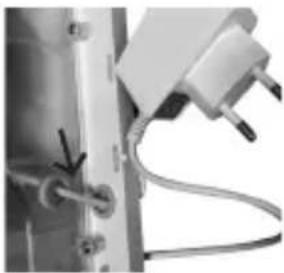
natural_image
Close-up of a mechanical device with wires and connectors (no visible text or symbols)text_image
TOSHIB DSHIBA TOSHIB DISHIBAtext_image
Maine Rein Progression Base Status Event List No Response No User No Response No User No Response No User Balance OK OK Cancel Help Finish/Sales Cancel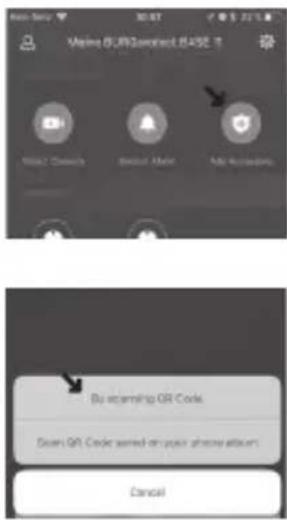
text_image
VMMA (U/R)Contact (E45E 1) Microsoft Access Microsoft Audio Auto Accessories Bu scanning QR Code Down QR Code sorted on your phone album! Canceltext_image
Setup Newing: Battery Line Form - Wireless Snail On 12th Group New Outdoor Snail Multi-protect Snail - Setup OK Info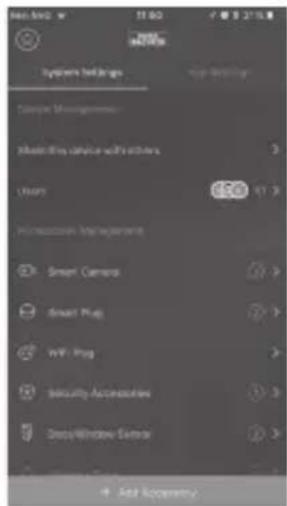
text_image
System Settings Smart Management Measure this device with options Users 650 In My own Improvement Smart Camera Smart Plug WiFi Plug Security Accessories DeepWindow Center Add Transparencynatural_image
Top-down view of a white electronic device with two ventilation fans and mounting brackets (no text or symbols visible)text_image
QR code scanning interface with smartphone and mobile app screenshot showing QR code scanning instructions

Altri accessori:
text_image
max. 50m max. 200mVolume de fornecimento
natural_image
Close-up of a black plastic object with a small hole, possibly a component or part (no visible text or symbols)natural_image
Close-up of a square object with a small rectangular mark and an arrow pointing to it (no visible text or symbols)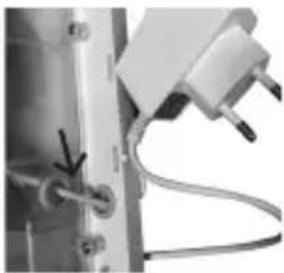
natural_image
Close-up of a mechanical device with wires and connectors (no visible text or symbols)text_image
Maine Reprisector Base Status Event List No Response No User Type No Response No User Type No Response No User Type Security OFF OK Cancel Help/Help Cancel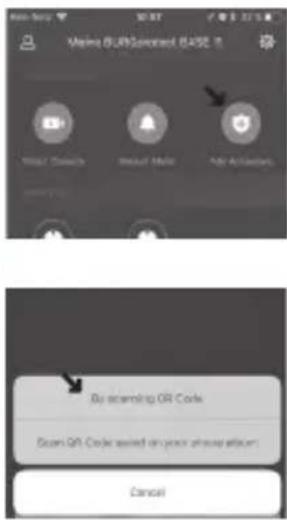
text_image
Marina SolarService Base No. 10 Binary/Download Binary/Download Auto Accessories Bo scanning QR Code Scan QR Code saved on your phone album Canceltext_image
System Settings Device Management Smart Only Device with buttons Tools 650 PC Monitoring Help Window Smart Camera Smart Plug wIFI Plug Security Automation DeepWindow Sensor + Add App Storenatural_image
Top-down view of a white electronic device with two circular fans and mounting brackets (no text or symbols visible)text_image
QR code scanning interface with smartphone and mobile app, showing QR code and payment optionstext_image
Mobile phone icons with signal and distance labels: Wi-Fi, alarm, max. 50m, max. 200m, batteryPakkens indhold
1x kort vejledning
1x BURGprotect™ SIRENE 2151
1x strømforsyning; 5,5 mm
input: \~230V AC / output: =12V DC 1A
3x D (LR20)-batteri
1 sæt installationstilbehør
Produktbeskrivelse
natural_image
Close-up of a black plastic object with a small hole, possibly a component or part (no visible text or symbols)natural_image
Close-up of a square electronic component with a small rectangular slot and a small arrow pointing to it (no visible text or symbols)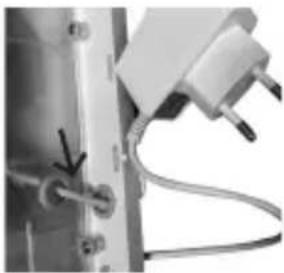
natural_image
Close-up of a mechanical device with wires and connectors (no visible text or symbols)text_image
Event List No Response No Response No Response No Response Search OFF OK Clean Finish/Loss Cancel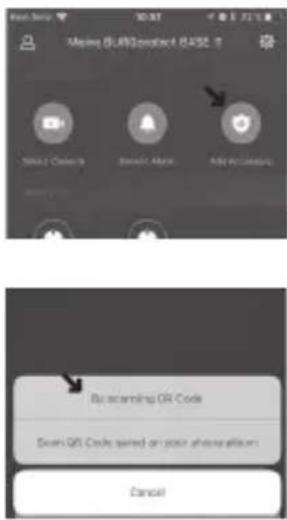
text_image
Message (SAR)contact (BASE 8) Send a Cookie Send your Access Add to an access By scanning QR Code Scan QR Code turned on your phone album Canceltext_image
Setup Running Battery Box Name - Wrench Box OK/Exported Name - Setup OK Yes No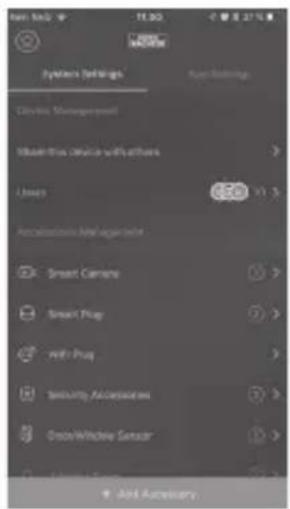
text_image
System Settings Circuit Management Smart this device with others Lines 650 V1 % Retrospective Manager Smart Camera Smart Plug with Plug Security Accessories Onset Window Sensor Add Auxiliarytext_image
Warning: Battery lowF.eks. enhedsstatus


natural_image
Top-down view of a white electronic device with two ventilation fans and mounting brackets (no text or symbols visible)

text_image
QR code scanning interface with smartphone displaying QR code and mobile app screenshot showing text contenttext_image
Mobile phone icons with signal and distance labels: Wi-Fi, alarm, max. 50m, max. 200mObsah balení
natural_image
Close-up of a black plastic object with a small hole, possibly a component or part (no visible text or symbols)natural_image
Close-up of a square metallic object with a small rectangular feature and a diagonal arrow, no visible text or symbols.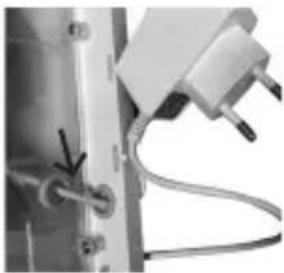
natural_image
Close-up of a mechanical device with wires and connectors (no visible text or symbols)text_image
Move Multi-Operational Roll-up France Event List No Response No Response No Response Balance OFF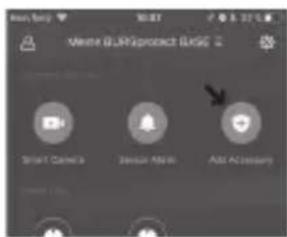
text_image
Waste GLIP Project BASIC Smart Camera Sensor Alert Add Accessory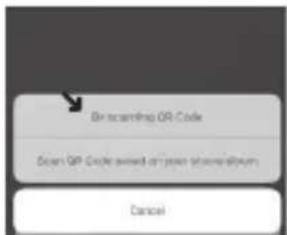
text_image
On incoming OR Code Open QIP Code would allow your password. Canceltext_image
Setup Newing - Battery Size Room - Wireless Group On Cloudy New Outdoor Group Built-protected Group - Setup 1002 refs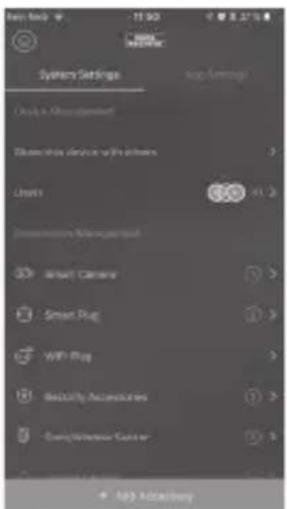
text_image
System Settings Only in Advanced Remove this device to the users. Users Accessories Management Smart Camera Smart Plug WiFi Plug Security Accessories Delivery/Receive Center Add OKVý měna baterie
natural_image
Front view of a white electronic device with two circular fans and mounting brackets (no text or symbols visible)text_image
QR code payment interface with smartphone and mobile app screenshot showing QR code scanningLikvidace prístroje
text_image
max. 50m max. 200mnatural_image
Close-up of a black plastic object with a small circular mark on the side (no text or symbols visible)natural_image
Close-up of a square electronic component with a small rectangular slot and a black arrow pointing to it (no visible text or symbols)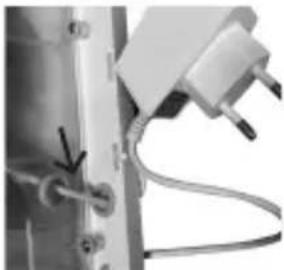
natural_image
Close-up of a mechanical or electrical component with wires and connectors (no visible text or symbols)text_image
Main: R12(Quasi) 0.03P Event List No Response No Response No Response Follow On OK OK Change Save in Delete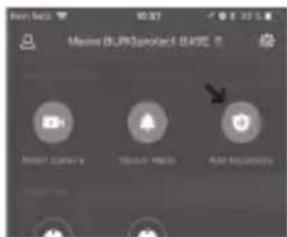
text_image
Macron 15.0K DV6V-4 (BASE) Smart Camera Touch Add Options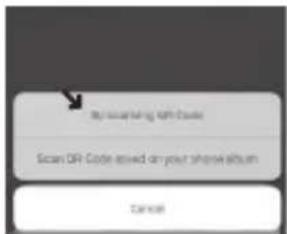
text_image
By改革开放, with Code Scan QR Code issued on your phone album Canonnatural_image
Grayscale image of a blank square frame with no visible text, numbers, or symbols.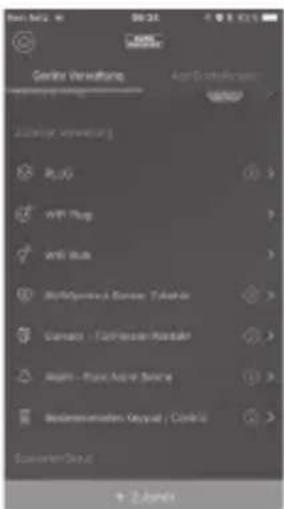
text_image
Gerdita Verwaltung Aerl-Deutschland R200 WPI Plug WPI Plug Multi-Generali Konsen - Taktika Carmace - Forder-Border Kapital - Rass-Ander-Sector Recommendation Output / Clustio Sunder-Group + 2 handstext_image
Setup Running Batterylow Airline - Wireless Pump On Line Cable New Outdoor Pump Background Level - Setup Bar Info