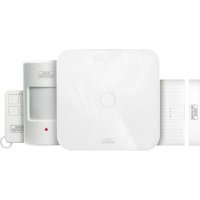
SET 2210 - Alarm system Burg Wächter - Free user manual and instructions
Find the device manual for free SET 2210 Burg Wächter in PDF.


| Product type | Wireless alarm system |
| Model | SET 2210 |
| Brand | Burg Wächter |
| Central unit | BURGprotect BASE 2200 |
| Processor | ARM Cortex-A7 |
| Power supply | DC 5V, 2A (power adapter included) |
| Backup battery | Rechargeable lithium polymer 2300 mAh |
| Backup battery life | Up to 8 hours (full charge) |
| Radio frequency | 433.05 – 434.79 MHz |
| Max. range in open field | 200 m (depends on local conditions) |
| LAN network interface | Ethernet RJ45 10/100 Mbps |
| WLAN network interface | 802.11 b/g/n (2.4 GHz) |
| GSM network interface | GSM 850/900/1800/1900 MHz (optional) |
| Integrated siren | 100 dB at 30 cm |
| Operating temperature | -20°C to +60°C |
| Mounting | Desk or wall mounting (dry interior) |
| Housing material | ABS/PC |
| Max. number of accessories | 200 |
| Keypad compatibility | Yes (RFID keypad 2100 optional) |
| Smartphone app | BURGprotect (Android/iOS) |
| SOS alarm | Supported |
| Battery level warning | Supported |
| Notification | Push notification (app) / SMS (smartphone) |
| Quick accessory configuration | Via QR code |
| Firmware updates | Online (OTA) |
Frequently Asked Questions - SET 2210 Burg Wächter
User questions about SET 2210 Burg Wächter
0 question about this device. Answer the ones you know or ask your own.
Ask a new question about this device
Download the instructions for your Alarm system in PDF format for free! Find your manual SET 2210 - Burg Wächter and take your electronic device back in hand. On this page are published all the documents necessary for the use of your device. SET 2210 by Burg Wächter.
USER MANUAL SET 2210 Burg Wächter
natural_image
White square electronic device with a circular top and small circular hole, shown against a neutral gray background (no text or symbols visible)natural_image
Close-up of a small electronic component with a circular arrow pointing to a small black button (no text or symbols visible)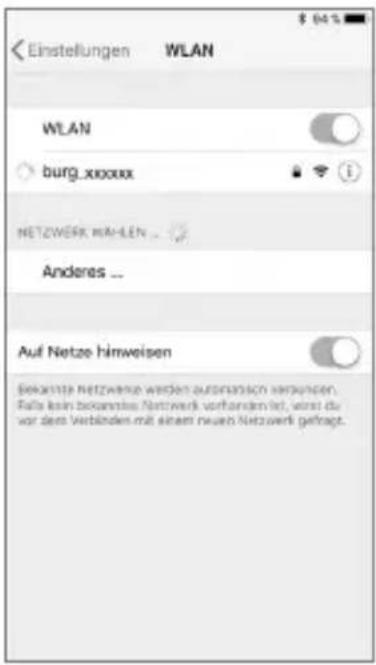
natural_image
Close-up of a mechanical component with a circled feature and arrow indicator (no text or symbols)BASE 2200
Deutsch | 7


text_image
Black-and-white photo showing a smartphone scanning a QR code, with a smartphone displaying a webpage and a small QR code nearby.Items included in delivery
1x Quick Installation Guide
1x BURGprotect™ BASE 2200
1x Power supply, incl. rechargeable lithium polymer battery 2300mAh
1x Network cable
1x Fixing material
Features
BASE 2200 base station of the universal DIY* BURGprotect wireless alarm system. Supports alerting via 3 types of connection (LAN, WiFi, GSM (SIM card)).
(*Do it yourself construction / individual assembly)
Status LED
| Status LED Description | ||
| Normal on | Arm / Disarm /Home Scenario /SOS | |
| Setup Flashing quickly | Networkconfi guration | |
| Reset | ||
| Update procedure | ||
| Error Flashingslowly | Backup currentbattery must becharged | |
| Networkconnecting error | ||
| Miscellaneouserrors | ||
Structure
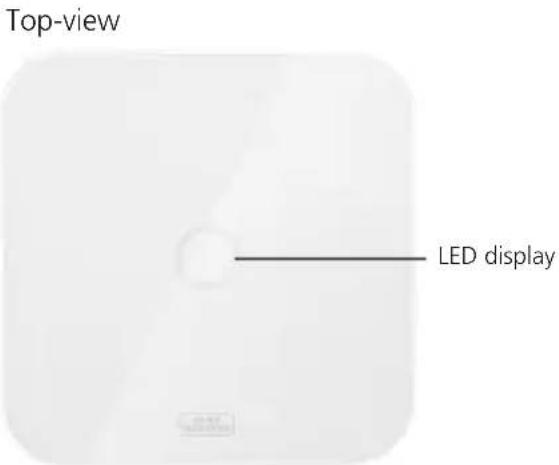
text_image
Top-view LED display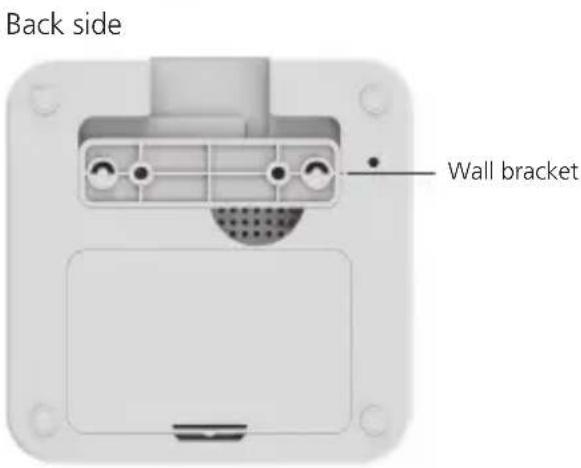
text_image
Back side Wall bracket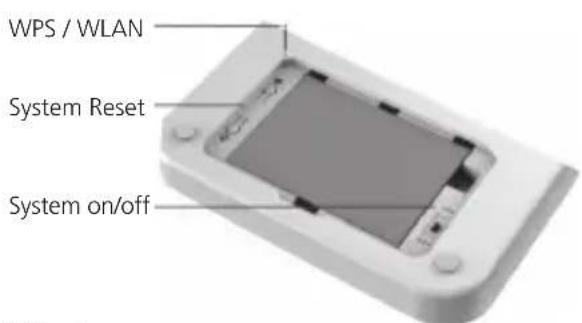
text_image
WPS / WLAN System Reset System on/off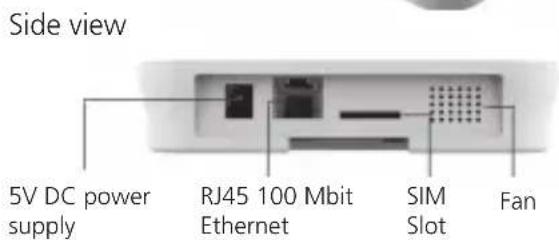
text_image
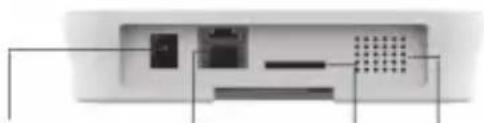
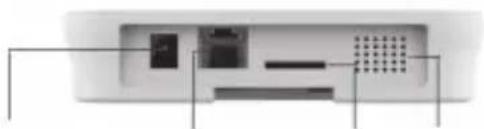
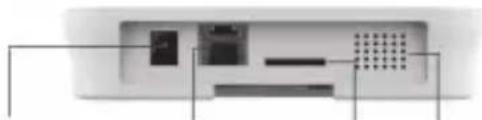
Side view 5V DC power supply RJ45 100 Mbit Ethernet SIM Slot Fan
text_image
WLAN LAN GSM max. 200km max.5km Incl.BASE 2200 English | 23


Commissioning
1. Download the "BURGprotect" App
Search for the App "BURGprotect" in the Android Play Store or iOS App Store. Install the App after successful download.
2. Switch on
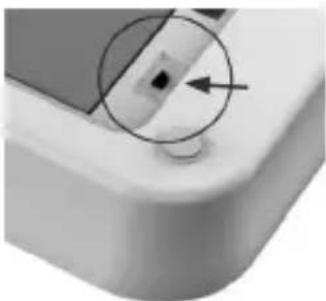
Connect the device using the power supply contained in the scope of supply and insert this into a socket. Now switch on the BURGprotect BASE. For this purpose, open the battery compartment at the rear and slide the switch to the "on" position. A beeping tone sounds approx. one minute after switching on and the LED status display starts to flash.
natural_image
Close-up of a mechanical component with a circular annotation and an arrow pointing to a small feature (no text or symbols visible)3. Connect your Smart Device with the BASE
Preparation:
• Have your router WLAN password ready.
• Make sure that your router has an active connection to the internet.
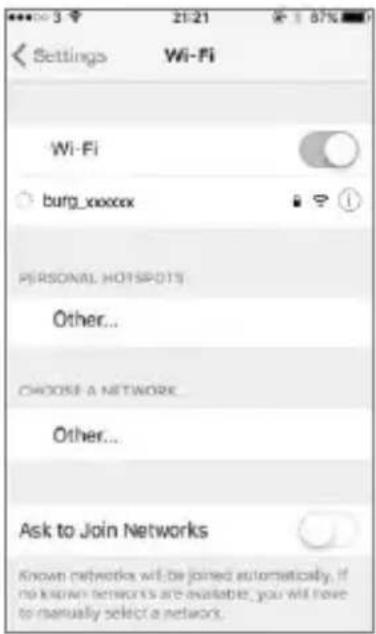
Open the WLAN menu of your Smart Device and search for available networks.
Connect your Smart Device with the network "burg_xxxxx".
The default password is 1234567890
text_image
Settings Wi-Fi Wi-Fi burg_xxxxxx PERSONAL HOTSPOT1S Other... CHOOSE A NETWORK Other... Ask to Join Networks Known networks will be joined automatically. If no known networks are available, you will have to manually select a network.

Commissioning
4. Network configuration
Start the "BURGprotect" App and carry out the following steps
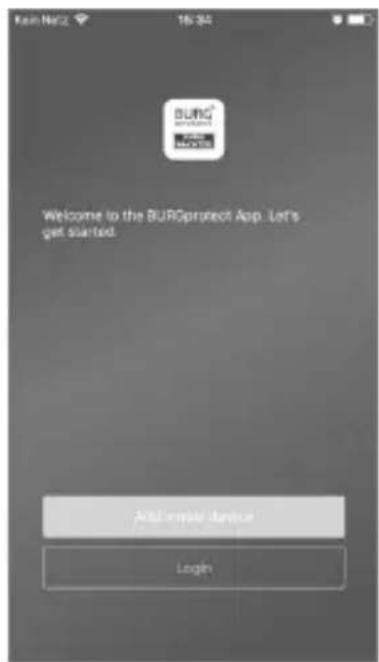
text_image
Welcome to the BURQprotect App. Let's get started. Add create device LoginTap on "Add device".
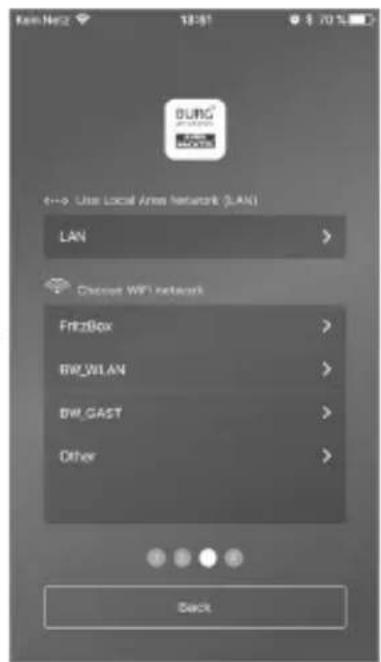
text_image
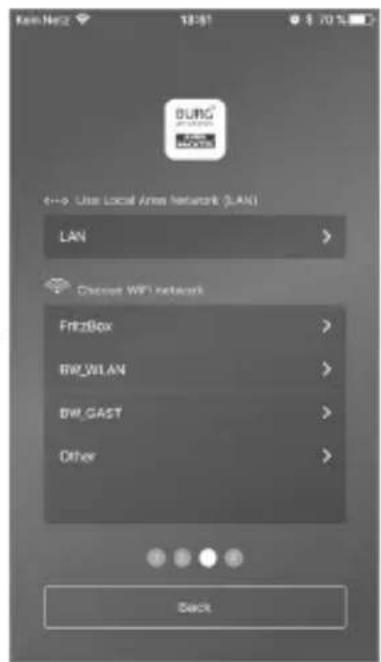
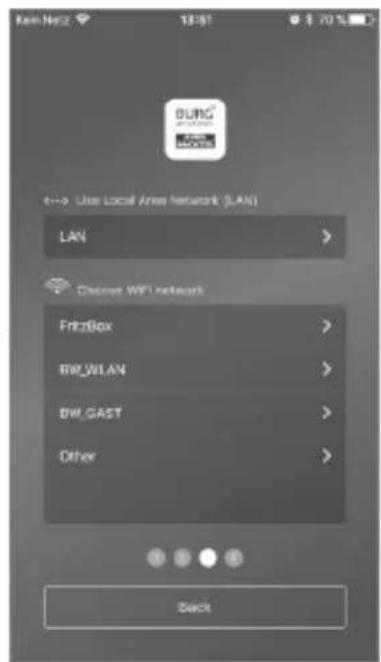
Kain Net2 13:51 $ 70 % BUNG Local 6--> Use Local Area Network (LAN) LAN Choose WiFi network FreeBox BW_WLAN BW_GAST Other BackSelect LAN or WLAN for connecting to the internet.
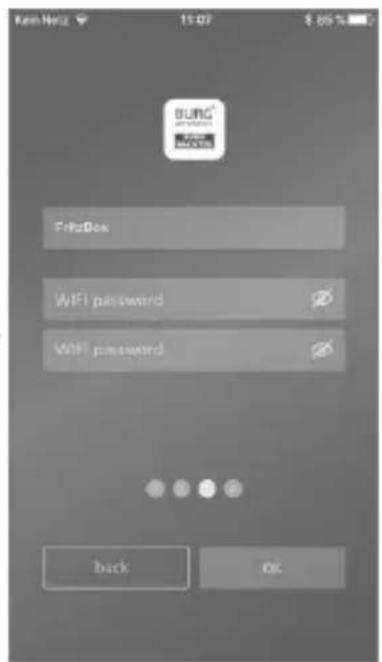
text_image
Ken Netz 15:07 $ 89 % BUNG FritzBox WiFi password WiFi password back OKEnter the WLAN password. Note: 2.4 GHz b/g/n networks are supported.
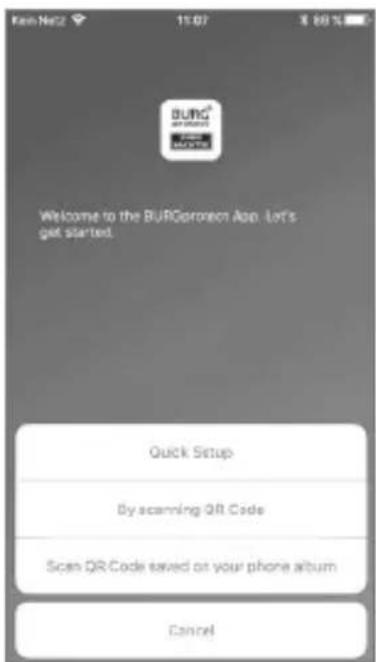
text_image
BURG Welcome to the BURGorphone App. Let's get started. Quick Setup By scanning QR Code Scan QR Code saved on your phone album CancelSelect if your device should obtain an IP per DHCP or if you want to allocate an IP manually.
text_image
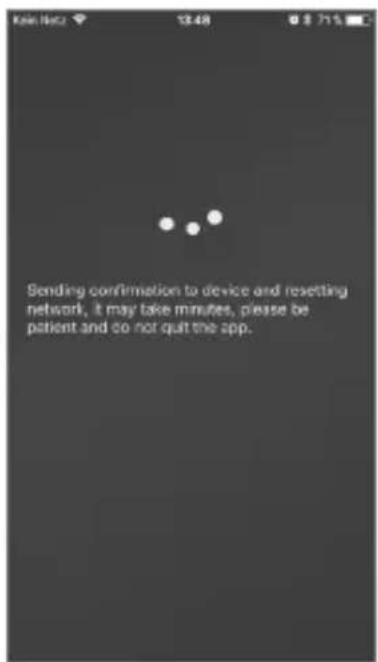
Sending confirmation to device and resetting network, it may take minutes, please be patient and do not quit the app.Now the data is sent to the BASE and checked. This procedure takes approx. 1 minute.
BASE 2200
English | 25


Commissioning
- Changing the password and designation
text_image
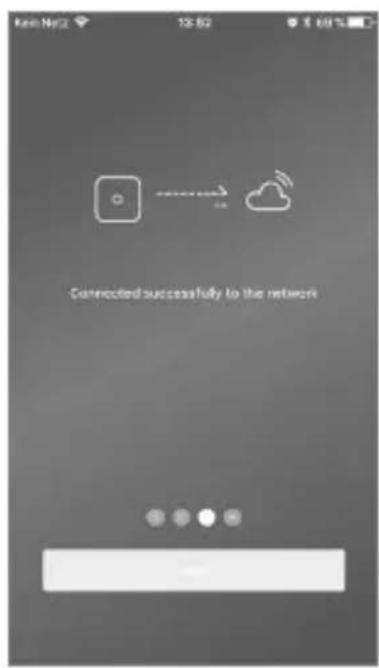
Connected successfully to the networkThe App indicates the successful connection build-up. Tap on "Next".
text_image
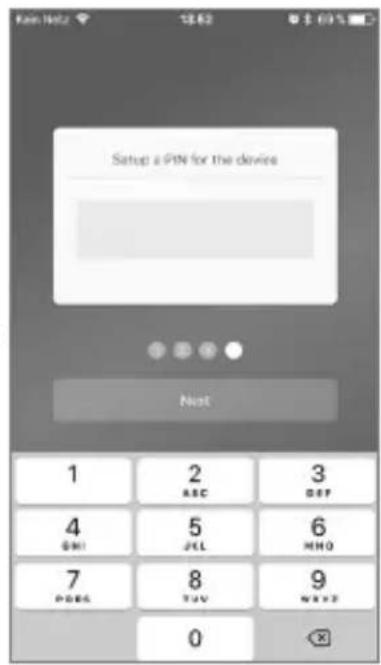
Setup a PIN for the device 1 2 3 ABC GAP 4 5 6 GMI JCL MHO 7 8 9 PDBS TAV WREF 0Award a new password for the BASE.
text_image
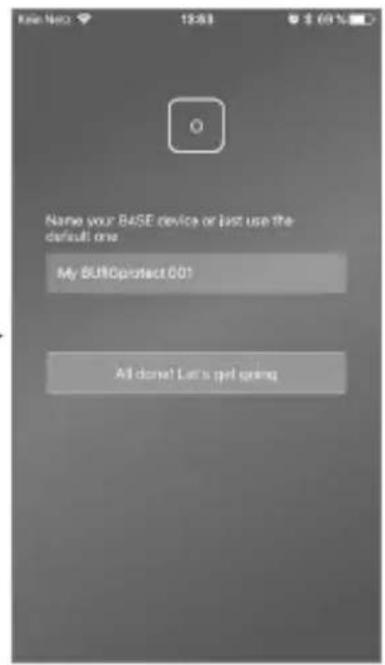
Name your BASE device or last use the default one My BURCprotect 601 All done! Let's get goingAward a new name for the device
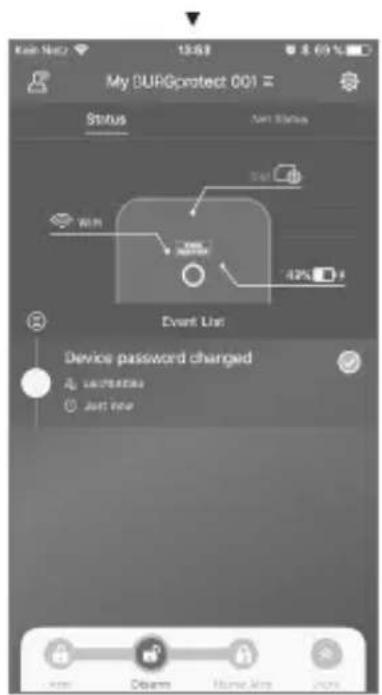
text_image
My DURGprotect 001 Status Event Status Start 42% Event User Device password changed unferrates just nowSetup completed. The LED Status display illuminates permanently.


FAQ – Commissioning
Question 1: What should I do when the panel still flashes after the configuration?
Answer: Switch the device off and back on again. Then start the configuration from step 2, Switching on. Reduce the distance between the BASE and your WLAN router.
Question 2: Why could no connection be established?
Answer: Please check the network data entered and if your router is connected to the internet and that the BURGprotect BASE is in the wireless range of your router. Tap on "Restore connection" in order to check the connection again, or "Back" to correct the entry.
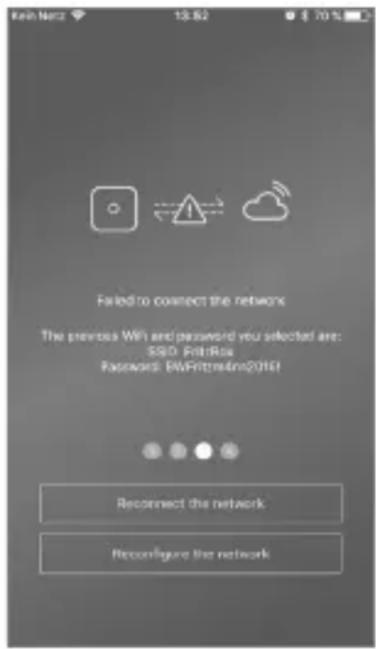
text_image
Fail to connect the network The previous Wi and password you selected are: SSID: FbitRox Password: BWFrittm4m2016! Reconnect the network Reconfigure the networkQuestion 3: What can I do when the network "burg\_xxxxx" is not found?
Answer: Please keep the Reset button on the back side of the device pressed for approx. 5 seconds and wait until the device has restarted (approx. 1 minute). Then carry out the WLAN search again.
Note:
Devices supported: iPhone or Android smartphone with iOS version 7.0 or newer as well as Android version 4.3 or newer. BURGprotect BASE supports WLAN in a 2.4GHz b/g/n frequency band. Before commissioning, make sure that DHCP is activated on the router and that an internet connection is established. The BURGprotect BASE supports the IPV4 protocol. As SIM card, use a GSM/WCDMA/LTE SIM card and no CDMA!
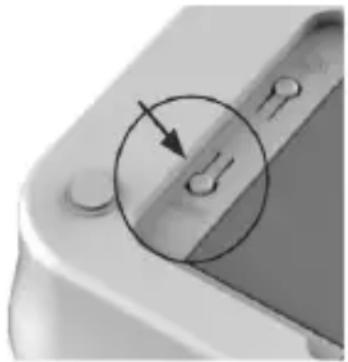
natural_image
Close-up of a mechanical component with a circular arrow pointing to a small hole or feature (no text or symbols visible)BASE 2200
English | 27


Insert the SIM card (optional)
the BURGprotect BASE and switch the device to the OFF position using the slide switch. Before inserting the SIM card, activate and deactivate the PIN at your provider, e.g. by inserting the SIM card into your smartphone. Insert the SIM card in the slot of the device side.
As SIM card, use a standard GSM/WCDMA/LTE SIM card and no CDMA SIM card! If you have a Nano SIM or Micro SIM card, please use a corresponding adapter.
Note:
- Use a SIM card capable of SMS and not a data SIM card.
- An internet connection is necessary for the first configuration, this is not carried out via the SIM card.
- Deactivation / activation of the system via SMS is not possible. For this purpose, please use the respective accessories, e.g. CONTROL or KEYPAD.
SIM card status in the App: Open the battery flap on the und
| Red No valid SIM card detected.Check if the PIN of the card is still active and remove it. | |
| Yellow SIM card detected, possible error: No network connection, card locked, possible compatibility problems, connection to the network insufficiently ensured. | |
| Green The card has been successfully detected and has a connection to the network. |
IMPORTANT NOTE: Test the correct function before completing the commissioning.

Safety instructions
The BURGprotect system serves as a deterrent against burglars and other criminals as well as records of suitable sensor data and information sharing. The product has been designed such that it is as easy to install as possible and can be operated by end customers that also have limited IT or system knowledge.
The system cannot prevent a break-in, theft, fire, water ingress or where applicable, other life-threatening situations. It serves only as support for the early detection of incidents.
The transmission of information (e-mail, push notifications, etc.) is bound to a network / internet connection as well as other factors that cannot be influenced by the manufacturer (provider, connection rate / signal strength, etc.) and service of third-party providers (© Goolge and © Apple).
The signal range depends strongly on the local circumstances. Test the correct function of the system after the installation of each accessory part.
Check the function of the system and their components at regular intervals.

System system and user accounts
System status
Most sensors of the BURGprotect systems are battery-operated, have a long stand-by time and notify you automatically when the battery has to be replaced.
If sensors do not have any connection to the BASE, e.g. due to environmental influences and this has not been restored within an hour, a respective message is generated.
The system detects jam attempts and reports these if the connection is impaired.
If the external power supply (power adapter) should fail, the system will switch to the internal backup battery.
The following system states are present:
| Arm All sensors are active | An alarm is triggered when the sensor triggers. |
| Disarm All sensors are inactive. No alarm has been triggered. The smoke detector still remains active. | |
| Home scenario In this mode, a part of the sensors previously defined by you remains active. E.g. attics / cellars / garages, etc. | |
| SOS This mode sends an alarm message to the stored persons and activates the alarm. The mode must only be used in absolute emergencies. | |

User accounts
There are three user groups:
ADMINISTRATOR:
An administrator can manage all system settings.

Users can change the system states and, e.g. control the BURGprotect Plug radio-controlled socket, etc. Moreover, you can add users and invite guests.

GUEST:USER:
Guests can only set and query the system state.

BASE 2200
English | 29

Operation of the APP
Overview:
User
User management.
- Smart Device
E-mail - Account and password, etc.
Realtime connection display
Shows the connection data to the internet. You can see the availability of the system via the network status.
Shortcuts
Arm and Disarm are both set configured shortcut buttons. The user can also define other buttons.
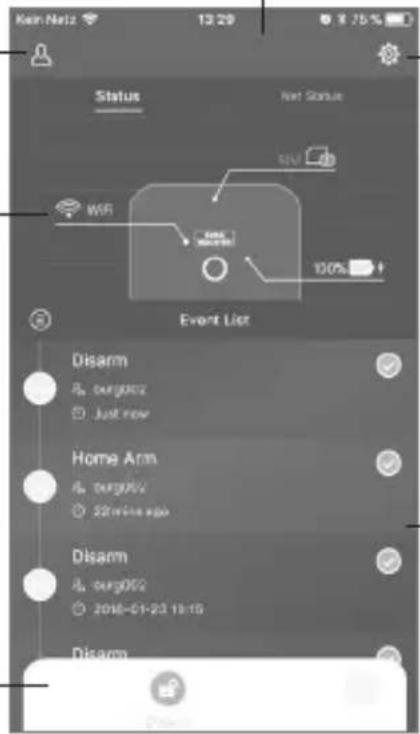
text_image
Kein Nellz 13:29 8.75% Status Next Status WRF Event List Disarm A. surgery Just now Home Arm A. surgery 20 min ago Disarm A. surgery 2016-01-23 13:15 DisarmDevice list
Switching between different devices, if present.
System & App settings
Network and App settings. Adding & Deleting accessories. Adjustment of system and sensor settings, e.g. for Home Scenario.
Incident list
List of all system state changes carried out and incidents.

Set system status and other functions
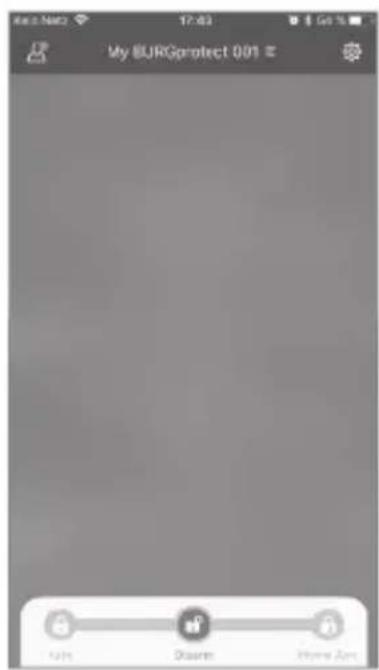
The quickest way you can make changes to the system state is via the shortcuts.
- The system indicates the change of state using a beep tone.
- If you want to adapt the toolbar, click on "Advanced" and then on "Adapt".
text_image
My BJRGprotect 0.01 € Kurs Disarm Home Zone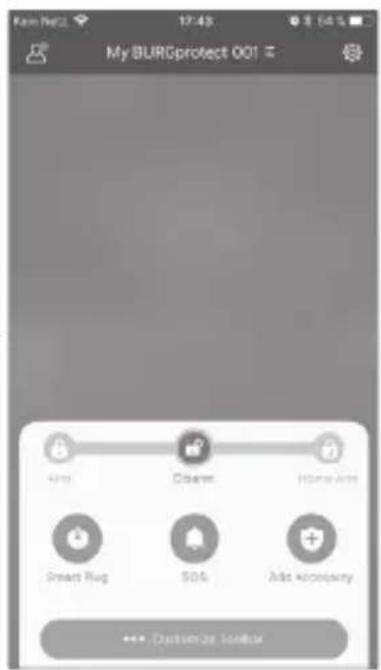
text_image
My BURGprotect 001 Home Arm Smart Rug SOA Add Security >>> Customize Legend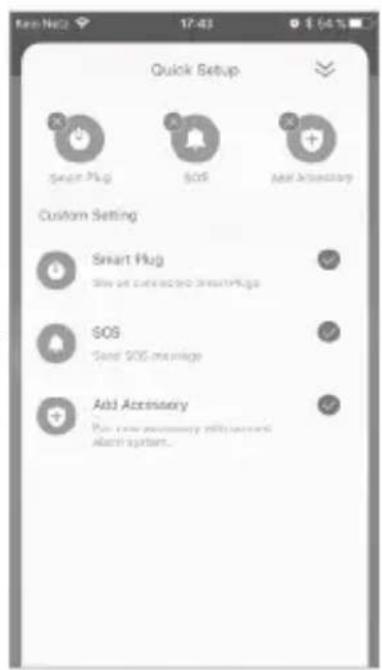
text_image
Quick Setup Smart Plug SOS Add Accessory Custom Setting Smart Plug Show all customed to SmartPlug SOS Send SOS message Add Accessory Put some necessary with access to access system...

BASE 2200 English | 31
Add new accessories
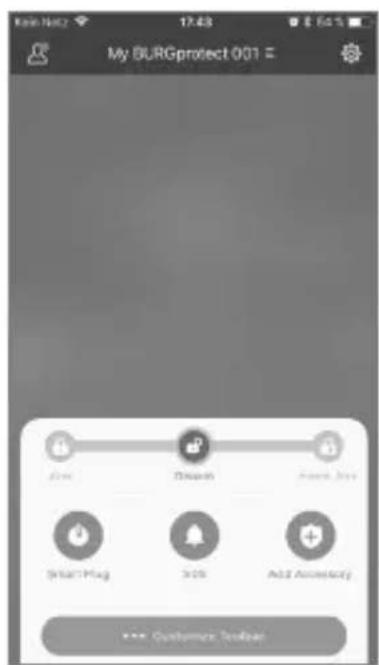
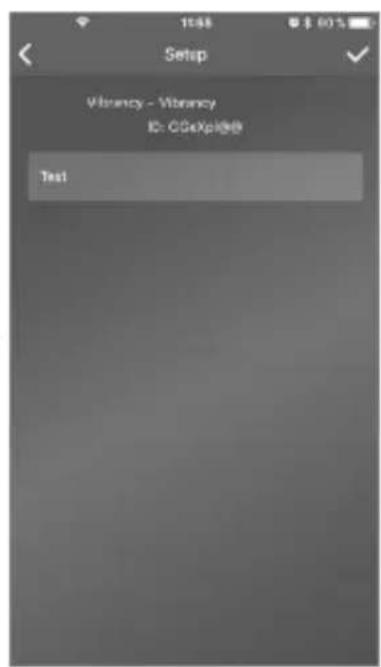
Scan the QR code.
Note: Accessories included in the SET are already connected to the system ex-factory and do not have to be taught.
text_image
My BURGprotect 001 Add Start/Flag Show Add Security Customer Toolbar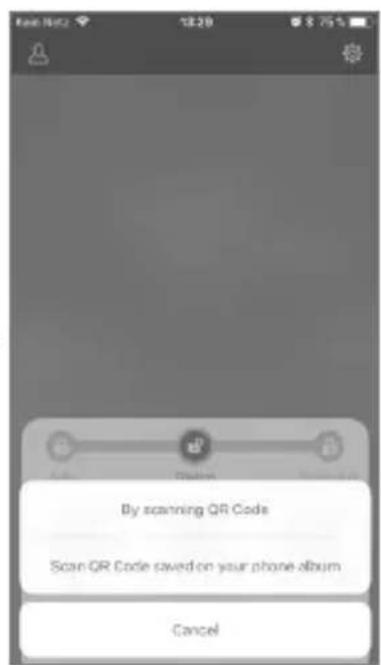
text_image
By scanning QR Code Scan QR Code saved on your phone album Cancel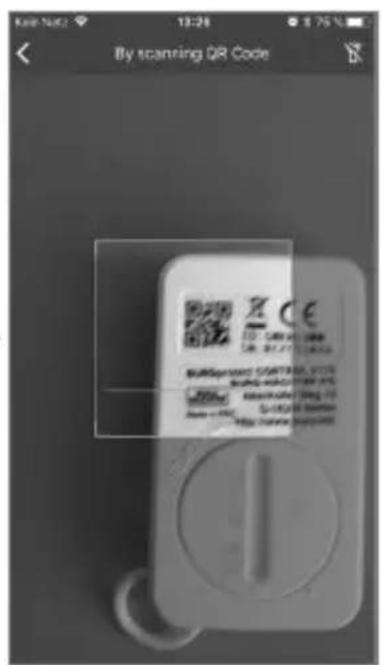
text_image
By scanning QR Code Burspramant CONTROL, LLC Burspramant Control, LLC Burspramant Control, LLC Burspramant Control, LLC Burspramant Control, LLC Burspramant Control, LLC Burspramant Control, LLC Burspramant Control, LLC Burspramant Control, LLC Burspramant Control, LLC Burspramant Control, LLC Burspramant Control, LLC Burspramant Control Burspramant Control, LLC Burspramant Control, LLC Burspramant Control, LLC Burspramant Control, LLC Burspramant Control, LLC Burspramant Control, LLC Burspramant Control, LLC Burspramant Control, LLC Burspramant Control, LLC Burspramant Control, LLC Burspramant Control, LLC[Scan QR code]. Scan device code from the device.
text_image
Setup Vibrancy - Vibrancy ID: CGxXp368 Test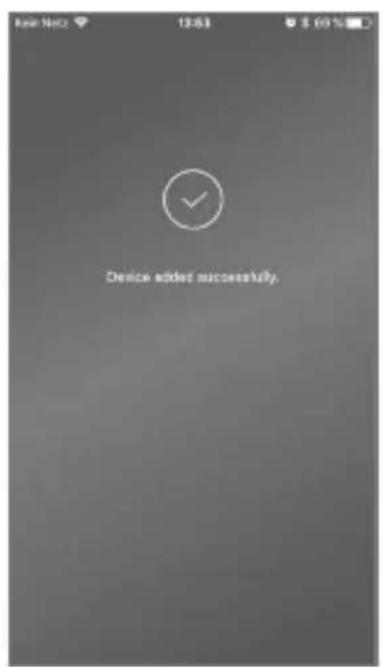
text_image
Device added successfully.Assign a name and confirm adding the device by tapping on the tick at the top right.
32 | English
BASE 2200


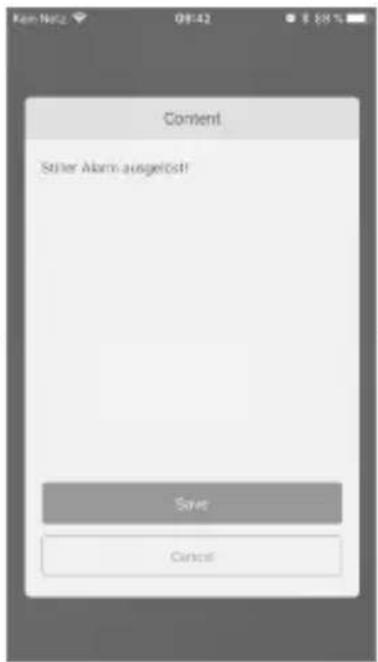
Setup Emergency / Silent alarm
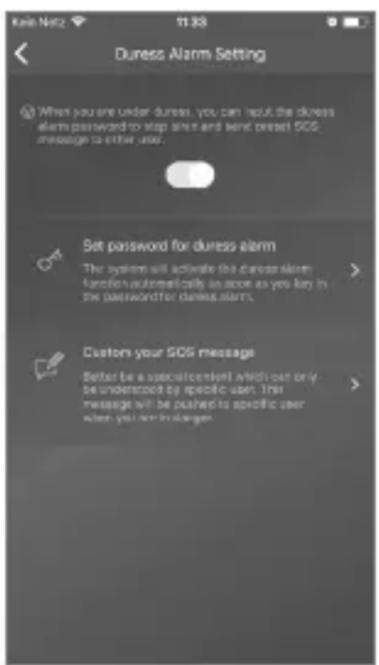
If the PIN for the silent alarm is entered on the keypad, an acoustic alarm is not triggered. All users of the system are however, immediately notified per Push notification and / or SMS.
Activate the respective alerting settings in the user management.
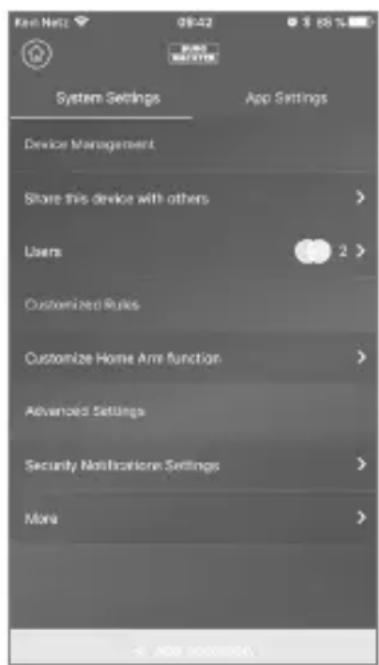
- For this purpose, open the system settings
("gearwheel")
text_image
System Settings App Settings Device Management Store this device with others Users Customized Rules Customize Home Arm function Advanced Settings Security Notifications Settings More - APP DOWN- Scroll down and tap on "Security settings".
text_image
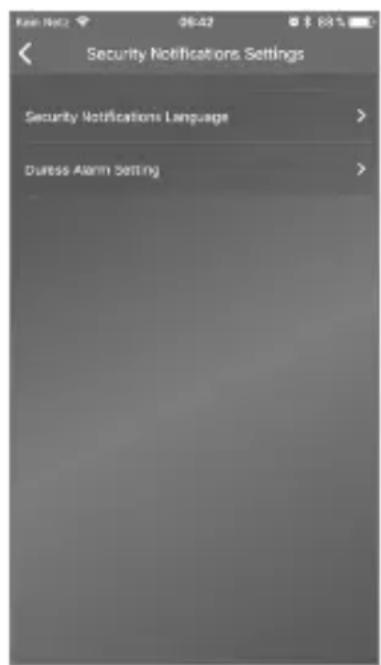
Security Notifications Settings Security Notifications Language > Durss Alarm Setting >- Set the language of the security notifications.
text_image
Duress Alarm Setting When you are under dures, you can reset the dures alarm password to stop dures and send preset SOS message to other users. Set password for dures alarm The system will activate the dures alarm function automatically as soon as you key in the password for dures alarm. Custom your SOS message Better be a specific content available only be understood by specific user. This message will be pushed to specific user when you are blanger.- Select "SOS Alarm" and activate the function.
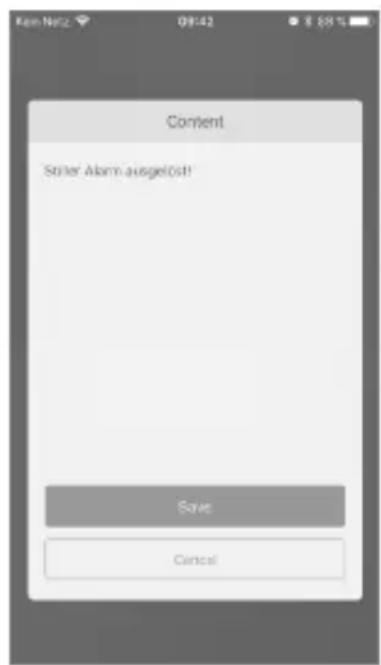
- Assign and confirm the SOS password.
- Under "Customise SOS notifications", enter your personal emergency message.
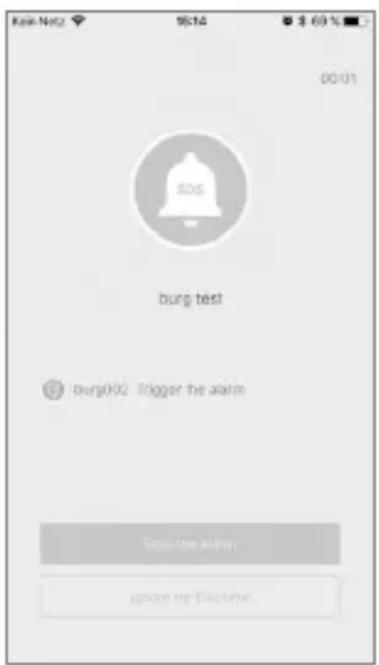
text_image
Kai-Net2 16:14 $ 60 % 00:01 SOS burg test burg002 Trigger the alarm Stop the alarm ignore my previousExemplary alarm
BASE 2200
English | 33


Home Scenario
If you are at home and want to keep a part of the system activated, Home Scenario is the right choice.
When you tap on "Home Scenario" for the first time, you will be taken to the setup. Here, you can set which sensors should remain active and which not. The App only lists the sensors that support the "Home Scenario".
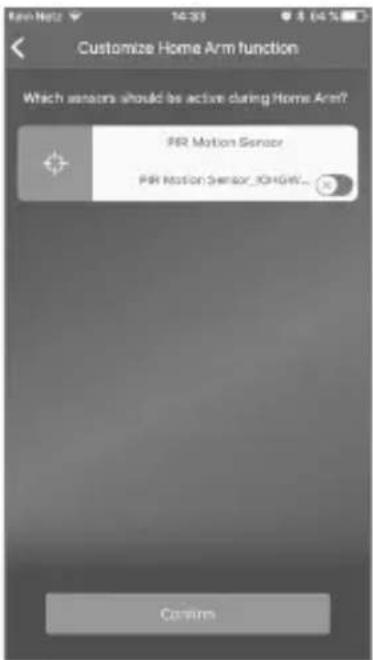
text_image
Customize Home Arm function Which sensors should be active during Home Arm? PR Motion Sensor PR Motion Sensor_OriG4W... CommAccessory management
All accessory parts are listed in the device settings / accessory management and sorted according to their types.
Users can add, remove and change their settings in this area.
Users can also control their PLUG (radio-controlled socket) in one App.
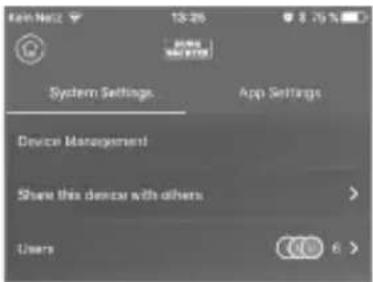
text_image
System Settings App Settings Device Management Share this device with others UsersApp settings
Change language
Select a language to be used for the App text.
App password
If you want to ensure unauthorised access to the App, activate the App password.
Help & Feedback:
Here you can find help and send feedback to support.
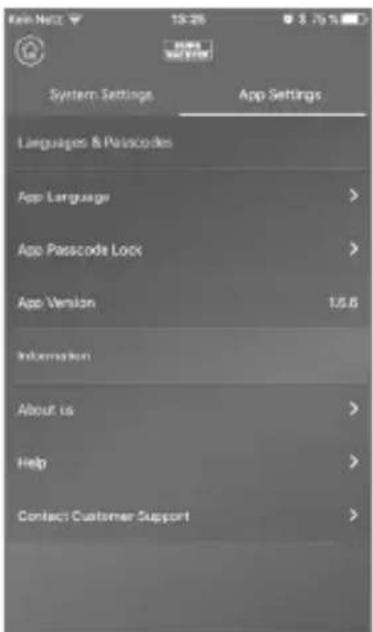
text_image
Kelt Netz 13:26 8.75% System Settings App Settings Languages & Passcodes App Language App Passcode Lock App Version 1.5.6 Information About us Help Contact Customer Support

Home Scenario
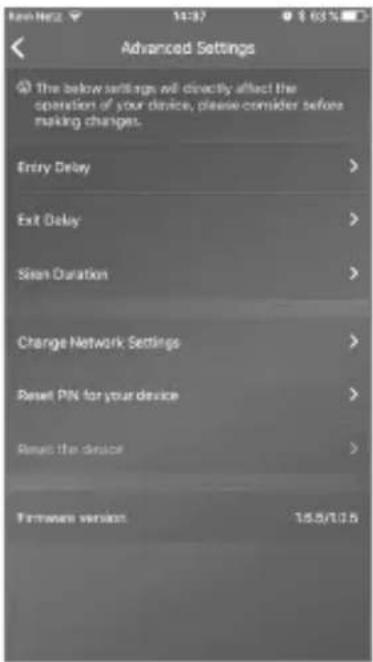
Advanced settings
Coming Home delay:
Users can configure a delay time where the system does not trigger an alarm, even if a sensor detects an event, e.g. in order to be able to enter the code on the keypad without the alarm being triggered.
Leaving Home delay:
The system delays the armed / Home Scenario of the system by the time entered. E.g. to allow you to leave the garage before the system changes its status.
Alarm siren duration:
Specifies how long the sirens should remain switched on in event of an alarm. Legal provisions apply. Please contact your local authorities / town hall for information.
text_image
Advanced Settings The below settings will directly affect the operation of your device, please consider before making changes. Entry Delay > Exit Delay > Scan Duration > Change Network Settings > Reset PIN for your device > Reset the device > Firmware version: 15.5/10.5Network & password setting:
Here you can manage the system settings for network and access password.
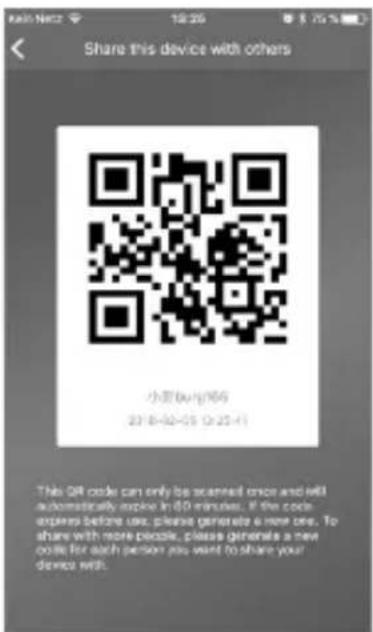
Add user
To share access to the system with other users, you can generate a QR code that is valid for a limited period. [Device Setup]-[Share device] Generates a one-time QR code that is valid for a limited period. After installing the App, users can scan in this code or import it from the photo album in order to gain access to the system. Thus, sharing via chat programmes or MMS is very easy.
text_image
Share this device with others 小豆(杭州)66 23 8-02-05 0:25:41 This QR code can only be scanned once and will automatically expire in 60 minutes. If the code expires before use, please generate a new one. To share with more people, please generate a new code for each person you want to share your device with.BASE 2200
English | 35


FAQ BURGprotect
Question 1: If there is no internet connection present, will I still be informed about any incidents?
Answer: The BURGprotect BASE system has LAN / WLAN / mobile radio (optional) communication options. If the LAN / WLAN connection is interrupted, the mobile communication can be used as a backup, provided that an active functional SIM card is present.
Usually, internet downtimes are caused by an electric failure which would still allow a connection to be established via the mobile communication network. In the worst-case scenario that all communication channels to the outside are cut-off, the system can still be operated for several hours using the backup battery. In event of an incident, an acoustic alarm can be triggered locally to attract attention.
Question 2: The SIM card is not recognised
Answer: Please check if this is a GSM based SIM card supported by the system. Before inserting into the Base, please make sure that the SIM card has been activated via a smart device and that the PIN has been deactivated.
Question 3: Can the system be reset? Will all data be deleted in the process?
Answer: To reset the system, please keep the Reset button pressed for 5 seconds. The system deleted all settings carried out. Once you have created an account, you can restore the data via this during the initialisation process.
Question 4: The operation of the App is jerky.
Answer: Please check the following before contacting the service department:
- Check the "Network Status" in the main menu. High values indicate a slow / poor connection.
- Connect the BURGprotect BASE to the router using a LAN cable.
- Start the router / repeater again and check the network / internet connection.
- Deactivate all Proxy Server and VPN connections and establish a direct connection with the internet.


Specifications
| System CPU ARM Cortex-A7 | ||
| Electronics Power supply DC 5V 2A | ||
| Emergency battery Rechargeable lithium polymer battery 2300mAh | ||
| Stand-by time (battery) Max. 8 hours when fully charged | ||
| BURGprotect alarm frequencies | Frequency 433.05 – 434.79 MHz | |
| Max. range 200 m / 656 ft * | ||
| Max. transmission power < 10 mW (10 dBm) | ||
| Network LAN 1 X RJ45 | 10/100M Ethernet interface | |
| WLAN standards 802.11 b/g/n (2.4 Ghz) | ||
| GSM GSM 850/900/1800/1900MHz | ||
| Audio Internal alarm siren | 100 dB / 30 cm | |
| Ambient conditions | Temperature range | -20 °C ~ 60 °C |
| Area of ue | Only in dry indoor rooms | |
| Installation | Desktop, wall mounting | |
| Housing material | ABS/PC | |
| Key Features | Max. number of accessories | 200 |
| Keypad support Yes | ||
| Smart Devices | Smartphone App | |
| SOS Alarm | Supported | |
| Battery charge warning | Supports | |
| Notifications | Push notifications (App) / SMS (Smart Device) | |
| Quick teaching of accessories | Per QR Code | |
| Quick setup of users | Per QR Code | |
| Online firmware updates | Supports | |
* The actual range is subject to the circumstances on-location.
BASE 2200
English | 37


General safety instructions and preventive measures
Caution
Changes and modifications that have not been explicitly approved by the responsible approval authority may lead to the approval for operation of the device being withdrawn.
Limitation of liability
This device complies with the technical standards in force at the time of production. We constantly strive to ensure that our products are in line with the latest technologically and that our handbooks are kept up to date. We therefore reserve the right to undertake technical changes and modifications or adjustments to the instructions without providing advance notice. The instructions must be carefully followed. We accept no liability for damage, as a result of e.g. incorrect use or installation, improper handling, insufficient or poor maintenance, disregard of safety guidelines or general conditions of use. When installed and used correctly and under the conditions specified, this device performs the functions described in the handbook. As the alarm is dependent upon the specific arrangement put in place by the customer, there is no guarantee that it will be triggered.
Safety guidelines
Please read the instructions carefully.
No liability can be assumed for any damage which may result from failure to follow instructions.
The device must be used only for the purpose specified in the instructions.
The device should work effectively as an alarm in an emergency! Please check regularly that the device is in working order and that the batteries are charged. This will ensure that it functions correctly in the event of a (hopefully unlikely) emergency.
Due to unusually high electromagnetic radiation, manipulation or other influences, malfunctions may be triggered. The device must not be installed in damp areas or near electrical devices which emit radiation. Battery-operated devices must not be used in high temperatures, near sources of heat or exposed to direct sunlight.
Ensure that packaging and contents are kept well away from children to avoid any risk of suffocation.
Please keep instructions in a safe place.
IMPORTANT NOTE: The device may not function correctly if installed in an inappropriate location.
If you need an EC Declaration of Conformity for this device, please send your request to: info@burg.biz
Cleaning
Use only a damp cloth for cleaning. Ensure that no water enters the device. Do not use any readily inflammable, chemical, corrosive, abrasive or sharp cleaning materials.


Correct location for installation
The radio signal of the sensor is highly dependent on environmental conditions. Metal objects, concrete surfaces, walls, and metal cables all reduce its range, etc. Other radio devices and environmental conditions can also interfere with its operation.
IMPORTANT NOTE: The alarm can only work as well as permitted by its installation and environment. The alarm can indicate dangerous situations but it cannot prevent them.
The device must not be painted, varnished or altered in any way.
Warranty
BURG-WÄCHTER products comply with the technical standards in force at the time of production and adhere to our own quality standards.
The guarantee only covers defects which can be proved to have resulted from production or material defects at the time of purchase.
The guarantee expires after two years; further claims are excluded.
A short description of any defects identified must be made in writing and the device returned to the place it was bought, together with the original packaging. After the device has been tested, and within a appropriate period of time, the guarantor will decide whether or not to repair or exchange the item.
Any defects or damage which may have resulted from transport, inappropriate or improper use, wear and tear etc. are not included in the guarantee. The battery is not included in the guarantee.
Other accessories (amongst others)
text_image
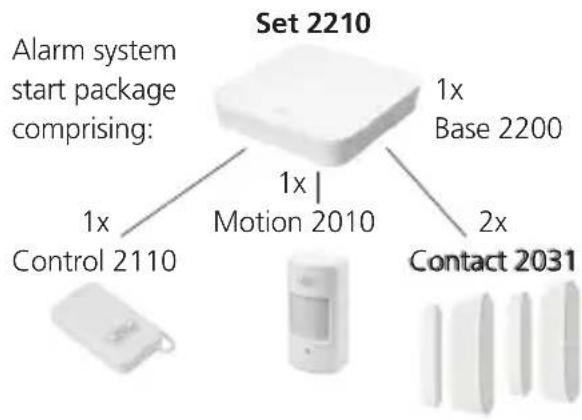
Set 2210 Alarm system start package comprising: 1x Control 2110 1x Motion 2010 1x Base 2200 2x Contact 2031Sirene 2151
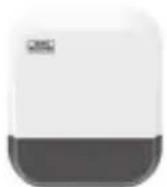
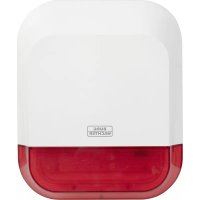
Outdoor siren
Noise 2160
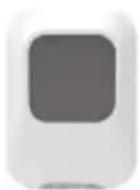
Indoor siren
Smoke 2050
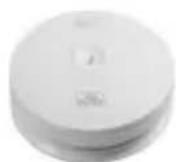
Smoke detector
Vibrancy 2020
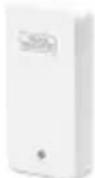
Vibration sensor
Motion 2010
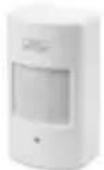
PIR
motion detector
Contact 2031
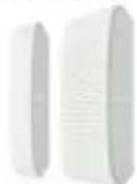
Door and window contact
Water 2060
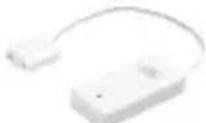
Water detector
Keypad 2100
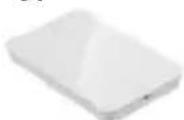
RFID keypad
Control 2110
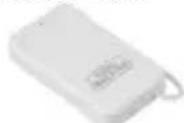
Remote control
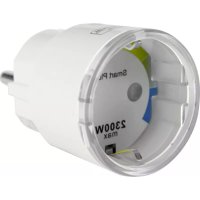
Plug 2141
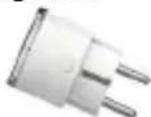
Wall socket adapter
BASE 2200 English | 39


Other accessories can be found on our homepage: www.burg.biz or by scanning the following QR code links:
text_image
QR code scanning interface with smartphone and mobile app, showing QR code and payment optionsDisposal of the device
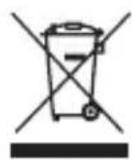
Please be aware that electrical and electronic equipment and batteries marked in this way must not be disposed of with household waste but collected separately. Please obtain information on the collecting points for electrical waste from the responsible authority of your city/municipality.

BURG-WÄCHTER KG hereby declares that this device complies with Directive 2014/53/EU, (RED) 2014/30/EU, (EMC) and 2011/65/EU (RoHS) and the Low Voltage Directive (2014/35/EU).
The complete text of the EU Declaration of Conformity is available at the following Internet address: www.burg.biz
If you have any technical questions concerning the product, please observe the detailed operating instructions and observe the FAQ that can be found on the following homepage: www.burg.biz.
If you should still have any questions, please contact per e-mail at Alarm-Service@burg.biz
Imprint
The copyright for these operating instructions are held exclusively by BURG-WÄCHTER KG. Any reproduction, even into digital storage media requires the written consent of BURG-WÄCHTER KG. Reprinting, even excerpts, is forbidden. Subject to errors and technical changes. All company and product names are trademarks or registered trademarks or brands of the respective owners.
Printing and typesetting errors as well as technical changes reserved.
GNU general public license information Please note that this product, amongst others, contains Open Source Software that is licensed under the GNU General Public License (GPL). We refer to the license terms of the GPL in order to ensure the GPL compliant use of the programme.
The license text of the GPL V2 printed out is enclosed with this product. The license text of the GPL can also be downloaded from the homepage www.santec-video.com/Download/GNU_GPL/GNU_GPL_V2.pdf.
On request, you and other third parts can be provided with the complete and machine-readable Open Source source code of the software licensed under the GPLv2. The source code can either be provided as download link or as an alternative, on a conventional data carrier (at your own costs).
This offer is valid for a period of three years from the time you have downloaded the software, or from the time that we have sent the product to you. Please direct your respective query to:
Please note that we cannot provide any support or guarantee for the accuracy of the source code.
The source code only represents a part of the overall software.


natural_image
Back view of a computer monitor with ports and indicator lights (no visible text or labels)natural_image
Close-up of a mechanical component with a circular annotation and an arrow pointing to a small feature (no text or symbols visible)text_image
Settings Wi-Fi Wi-Fi burg_xxxxx PERSONAL HOTSPOTS Other... CHOOSE A NETWORK Other... Ask to Join Networks Known networks will be joined automatically. If no known networks are available, you will have to mutually select a network.

Mise en service
text_image
Welcome to the BURQprotect App. Let's get started. Add create device Logintext_image
BURG Welcome to the BURGoroneon App. Let's get started. Quick Setup By scanning QR Code Scan QR Code saved on your phone album Canceltext_image
Sending confirmation to device and resetting network, it may take minutes, please be patient and do not quit the app.text_image
Connected successfully to the networktext_image
Setup a PIN for the device 1 2 3 ABC GDP 4 5 6 GMI JCL MHO 7 8 9 PDBS TAV WADD 0text_image
Name your Base device or last use the default one My BUSEprotect.001 All done! Let's get goingtext_image
My DURGprotect 001 Status SIFT STATUS Event List Device password changed LA27888884x Just rise Yes Disarm Shared Yes Offstext_image
Fail to connect the network The previous Wi and password you selected are: SSD. FitRiRis Password: BWFitm4mn2016! Reconnect the network Reconfigure the networknatural_image
Close-up of a mechanical component with a circular arrow pointing to a small hole or feature (no text or symbols visible)

text_image
Kein Nellz 13:29 8.75% Status Next Status WRF Event List Disarm A. surgery Just now Home Arm A. surgery 20 min ago Disarm A. surgery 2018-01-23 13:15 DisarmListe des appareils
text_image
My 6URGprotect.001 Area Dissept Home Area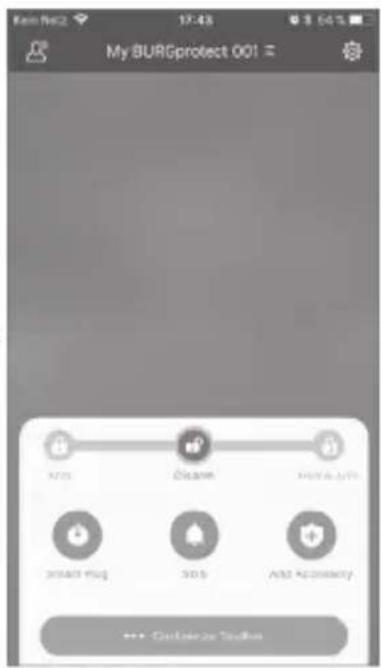
text_image
My BURGprotect 001 Access Clean Add App Add Plug SaaS Add Security >>> Customize Tools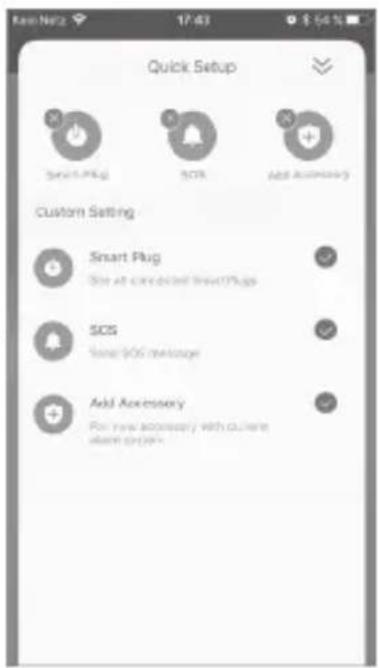
text_image
Quick Setup Smart Plug SOS Add Accessory Custom Setting Smart Plug Size at click click SmartPlug SOS Size 906 message Add Accessory For new accessory with online store project

text_image
By scanning QR Code Scan QR Code saved on your phone album Cancel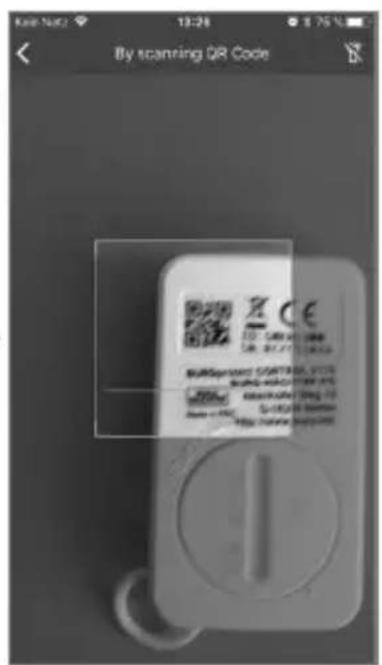
text_image
By scanning QR Code Burspramant STARTBOX, VCTC Burspramant STARTBOX, VCTC Burspramant STARTBOX, VCTC Burspramant STARTBOX, VCTC Burspramant STARTBOX, VCTC Burspramant STARTBOX, VCTC Burspramant STARTBOX, VCTC Burspramant STARTBOX, VCTC Burspramant STARTBOX, VCTC Bursprrnqrrnqrrnqrrnqrrnqrrnqrrnqrrnqrrnqrrnqrrnqrrnqrrnqrrnqrrnqrrnqrrnqrrnqrrnqrrnqrrnqrrnqrrnqrrnqrrnqrrnqrrnqrrnqrrnqrrnqrrnqrrnqrrnqrrnqnrnnnnnnnnnnnnnnnnnnnnnnnnnnnnnnnnnnnnnnnnnnnnnnnnnnnnnnnnnnnnnnnnnnnnnnnnnnnnnnnnnnnnnnnnnnnnnnnnnnnnnnnnnnnnnnnnnnnnnnnnnnnnnnnnnnnnnnnnnnnnnnnnnnnnnnnnnnnnnnnnnnnnnnnnnnnnnnnnnnnnnnnnnnnnnnnnnnnnnnnnntext_image
Device added successfully.text_image
System Settings App Settings Device Management Store this device with others Users Customized Rules Customize Home Arm function Advanced Settings Security Notifications Settings Mona 1. APP Accountstext_image
Security Notifications Settings Security Notifications Language > Durese Alarm Setting >text_image
Dunez Alarm Setting When you are under dunes, you can input the dunez alarm password to stop ahead and bend preset SOS message to other user. Set password for durez alarm The system will activate the durez alarm function automatically as soon as you key in the password for durez alarm. Custom your SOS message Better be a specific content identified only be understood by specific user. This message will be pushed to specific user when you are deleted.text_image
Customize Home Arm function Which sensors should be active during Home Arm? PIR Motion Sensor PIR Motion Sensor_0164W... Consumtext_image
Kein Netz 13:20 $ 75 % System Settings. App Settings Device Management Share this device with others Users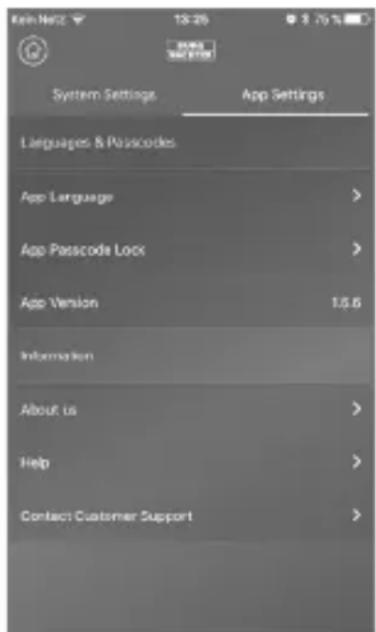
text_image
System Settings App Settings Languages & Passcodes App Language > App Passcode Lock > App Version 1.5.6 Information About us > Help > Contact Customer Support >

Mode foyer
Paramètres avancés
text_image
Advanced Settings The below send signs will directly affect the operation of your device, please consider before making changes. Entry Delay > Exit Delay > Slew Duration > Change Network Settings > Reset PIN for your device > Reset the device > Firmware version: 15.5/10.5text_image
Share this device with others 小羽(0196) 23 8-02-05 13:25:41 This QR code can only be scanned once and will automatically expire in 00 minutes. If the code expires before use, please generate a new one. To share with more people, please generate a new code for each person you want to share your device with.

FAQ BURGprotect
Lisez attentivement la notice.
text_image
QR code scanning interface with smartphone and mobile app, showing QR code and payment optionstext_image
Wandhouser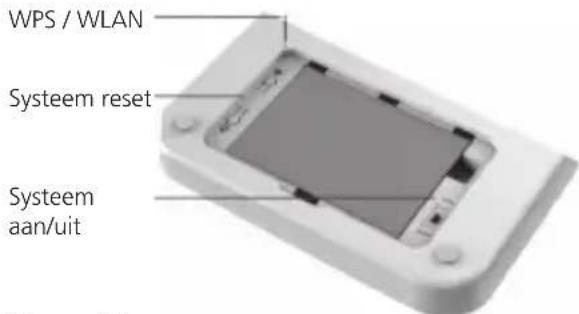
text_image
WPS / WLAN Systeem reset Systeem aan/uitZij aanzicht
natural_image
Back view of a computer monitor with ports and indicator lights (no visible text or labels)natural_image
Close-up of a mechanical component with a circular annotation and an arrow pointing to a small feature (no text or symbols visible)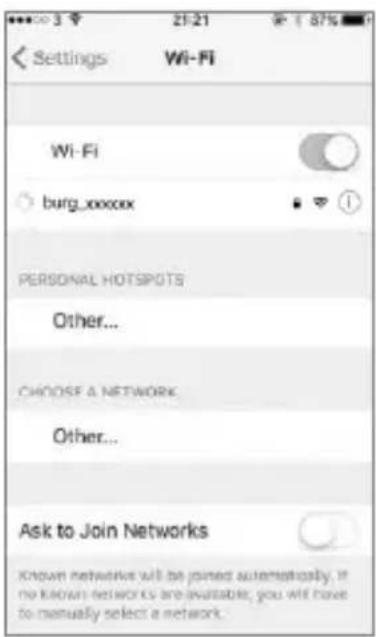
text_image
Settings Wi-Fi Wi-Fi burg_xxxxx PERSONAL HOTSPOTS Other... CHOOSE A NETWORK Other... Ask to Join Networks Known networks will be joined automatically. If no known networks are available, you will have to manually select a network.

Inbedrijfstelling
text_image
Welcome to the BURQprotect App. Let's get started. Add create device Logintext_image
Ken Netz 11:07 89% BURG Welcome to the BURGorphone App. Let's get started. Quick Setup By scanning QR Code Scan QR Code saved on your phone album Canceltext_image
Sending confirmation to device and resetting network, it may take minutes, please be patient and do not quit the app.text_image
Connected successfully to the networktext_image
Setup a PIN for the device Next 1 2 3 ABC GAP 4 5 6 GMIJKL MHO 7 8 9 PAGE TUV WNTZ 0text_image
Name your BASE device or just use the default one My BUIOprotect 001 All done! Let's get goingtext_image
My DURGprotect.001 Status NET STATUS Start Add 49% 49% Event List Device password changed Use ID/IDs Just Use Add Obear Home Sort ShareInstallatie voltooid. De LED statusindicatie brandt permanent.


text_image
Fail to connect the network The previous Wi and password you selected are: SSID: FbitRox Password: BWFrittm4m2016! Reconnect the network Reconfigure the networknatural_image
Close-up of a mechanical component with a circular arrow highlighting a specific feature (no text or symbols visible)

text_image
Quick Setup Smart Plug SOS App Accessories Custom Setting Smart Plug Smart courses/SmartPlugs SOS Save left average Add Accessories Put any necessary with current access system.

text_image
By scanning QR Code Scan QR Code saved on your phone album Cancel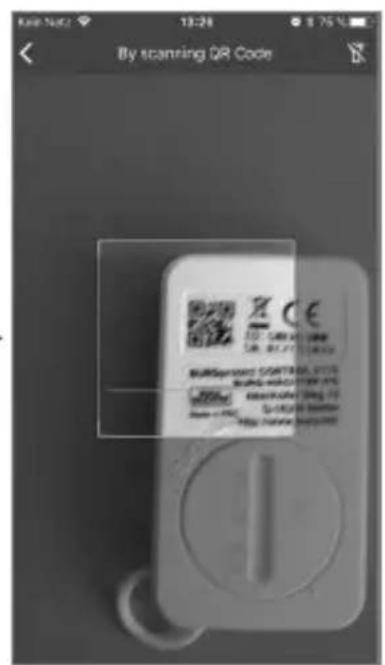
text_image
By scanning QR Code Z CE 100 245 367 489 601 723 845 967 1089 1201 1323 1445 1567 1689 1811 1933 2055 2177 2309 2431 2563 2685 2817 2949 3071 3203 3335 3467 3599 3731 3863 3995 4127 4269 4391 4523 4655 4787 4919 5051 5183 5315 5447 5579 5711 5843 5975 6107 6239 6371 6503 6635 6767 6899 7031 7163 7295 7427 7569 7691 7823 7955 8087 8219 8351 8483 8615 8747 8879 8991 9123 9255 9387 9519 9651 9783 9895 9917 10039text_image
Ean No. 13:53 $ 60 % Device added successfully.text_image
System Settings App Settings Device Management Store this device with others Users Customized Rules Customize Home Arm function Advanced Settings Security Notifications Settings More < . APP download>text_image
Security Notifications Settings Security Notifications Language > Durese Alarm Setting >text_image
Dunez Alarm Setting When you are under dunes, you can input the dunez alarm password to stop tired and send preset SOS message to other user. Set password for durez alarm The system will activate the durez alarm function automatically as soon as you key in the password for durez alarm. Custom your SOS message Better be a specific content article or if be understood by specific user. This message will be pushed to specific user when you are in danger.text_image
Kai-Net2 16:14 $ 60 % 00:01 burg test burg002 Trigger the alarm Borg the alarm ignore for please.Voorbeeldalarm
BASE 2200
Nederlands


Homescenario
text_image
Customize Home Arm function Which sensors should be active during Home Arm? PR Motion Sensor PR Motion Sensor_XrGrW... CommToebehorenbeheer
text_image
System Settings App Settings Device Management Share this device with others Usersapp-instellingen
Taal wijzigen:
text_image
Kelt Netz 13:26 8.75% System Settings App Settings Languages & Passcodes App Language App Passcode Lock App Version 1.5.6 Information About us Help Contact Customer Supportapp-wachtwoord:
Leaving Home vertraging:
text_image
Advanced Settings The below settings will directly affect the operation of your device, please consider before making changes. Entry Delay > Exit Delay > Scan Duration > Change Network Settings > Reset PIN for your device > Reset the device > Firmware version: 15.5/10.5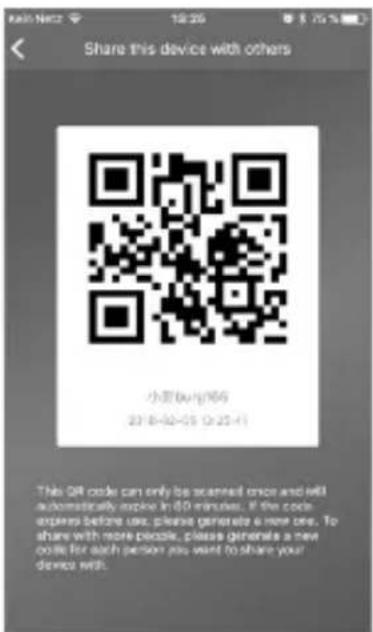
text_image
Share this device with others 小豆(杭州)66 23 8-02-05 0:25:41 This QR code can only be scanned once and will automatically expire in 60 minutes. If the code expires before use, please generate a new one. To share with more people, please generate a new code for each person you want to share your device with.

FAQ BURGprotect
text_image
Mobile phone scanning QR code with accompanying app interface screenshot showing a QR code and user interactiontext_image
Supporto a parete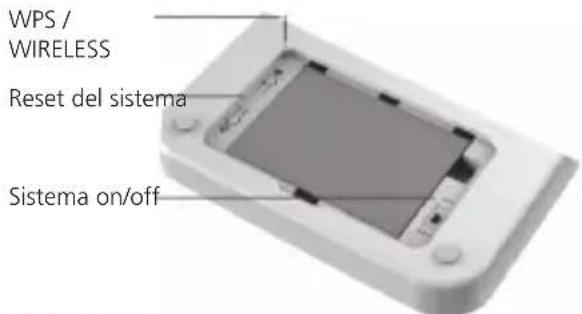
text_image
WPS / WIRELESS Reset del sistema Sistema on/offVista laterale
natural_image
Back panel of a computer with ports and ventilation grille (no visible text or symbols)natural_image
Close-up of a mechanical component with a circular arrow pointing to a small dark feature (no text or symbols visible)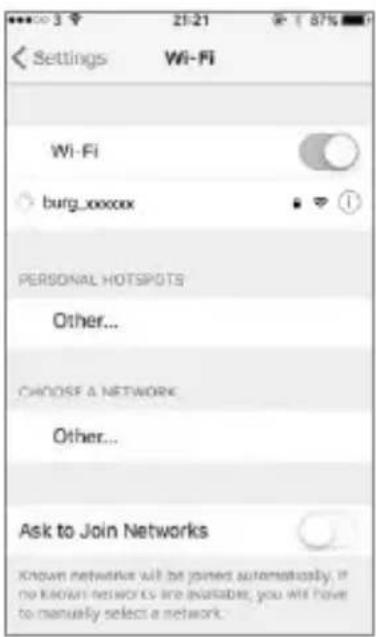
text_image
Settings Wi-Fi Wi-Fi burg_xxxxx PERSONAL HOTSPOTS Other... CHOOSE A NETWORK Other... Ask to Join Networks Known networks will be joined automatically. If no known networks are available, you will have to manually select a network.

Messa in funzione
text_image
Welcome to the BURQprotect App. Let's get started. Add create device LoginSfiorare il comando „Aggiungi apparecchio“.
text_image
Kain Net2 13:51 $ 70 % BUNG Local 6--> Use Local Area Network (LAN) LAN Choose WiFi network FreeBox BW_WLAN BW_GAST Other Backtext_image
BUNQ Welcome to the BURQorreon App. Let's get started. Quick Setup By scanning QR Code Scan QR Code saved on your phone album Canceltext_image
Sending confirmation to device and resetting network, it may take minutes, please be patient and do not quit the app.text_image
Connected successfully to the networktext_image
Setup a PIN for the device Next 1 2 3 ABC GFF 4 5 6 GHI JEL MHO 7 8 9 PAGE TUV NEXT 0text_image
Name your B4SE device or just use the default one My B4S protect CO1 All done! Let's get goingtext_image
My BURGprotect 001 Status Start Status MOR Event List Device password changed us76853a Just new Area Obsmr Storage Area Infotext_image
Fail to connect the network The previous Wi and password you selected are: SSD: FitRiRis Password: BWFitm4mn2016! Reconnect the network Reconfigure the network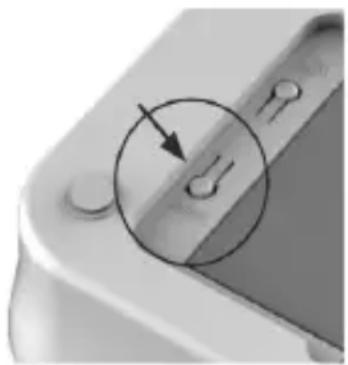
natural_image
Close-up of a mechanical component with a circular arrow indicating a specific feature (no text or symbols visible)

text_image
Kein Nellz 13:29 8.75% Status Next Status WRF Event List Disarm & surgery Just now Home Arm & surgery 20 min ago Disarm & surgery 2018-01-23 13:16 Disarmtext_image
Quick Setup Smart Plug SOS App Accessories Custom Setting Smart Plug Smart courses/SmartPlugs SOS SOS: Self Average Add Accessories Put any necessary with current access system.

text_image
By scanning QR Code Scan QR Code saved on your phone album Canceltext_image
Device adder successfully.

text_image
System Settings App Settings Device Management Store this device with others Users Customized Rules Customize Home Arm Function Advanced Settings Security Notifications Settings Moretext_image
Security Notifications Settings Security Notifications Language > Dress Alarm Setting >text_image
Durez Alarms Setting What you are under dures, you can input the dures alarm password to wrap a red and brown preset SOS message to other user. Set password for dures alarm The system will activate the dures alarm function automatically as user as you key in the password for dures alarm. Customs your SOS message Better be a specific prompt and can only be understood by specific user. This message will be pushed to specific user when you are unable.- Selezionare „Allarme SOS“ e attivare la funzione.
text_image
Ken.Netz 09:42 8.68% Content Stifter Alarm ausgekost! Save Cancel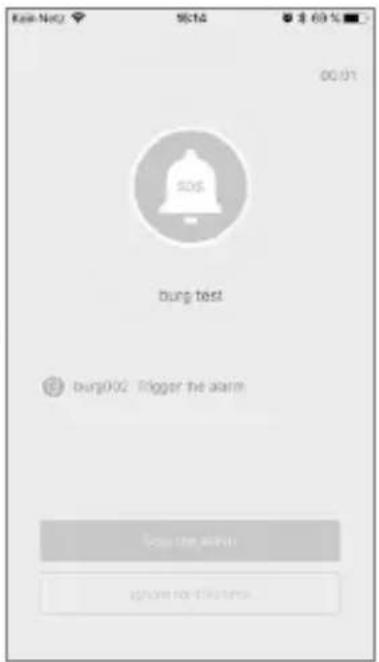
text_image
Kai-Nay 9616 $ 60 % 00:01 burg test burg002 Trigger the alarm Stop the alarm ignore no details...text_image
Customize Home Arm function Which sensors should be active during Home Arm? PR Motion Sensor PR Motion Sensor_XtGtW... Commntext_image
System Settings App Settings Device Management Share this device with others Userstext_image
System Settings App Settings Languages & Passcodes App Language > App Passcode Lock > App Version 1.5.6 Information About us > Help > Contact Customer Support >Suono della app:
Ritardo Leaving Home:
text_image
Advanced Settings The below settings will directly affect the operation of your device, please consider before making changes. Entry Delay > Exit Delay > Scan Duration > Change Network Settings > Reset PIN for your device > Reset the device > Firmware version: 15.5/10.5text_image
Share this device with others 小豆(杭州)96 23 8-02-05 12:25:41 This QR code can only be scanned once and will automatically expire in 60 minutes. If the code expires before use, please generate a new one. To share with more people, please generate a new code for each person you want to share your device with.BASE 2200
Italiano


FAQ BURGprotect
text_image
QR code scanning interface with smartphone and mobile app, showing QR code and payment optionsnatural_image
Back view of a computer monitor with ports and a speaker grille (no visible text or symbols)natural_image
Close-up of a mechanical component with a circular arrow pointing to a small dark feature (no text or symbols visible)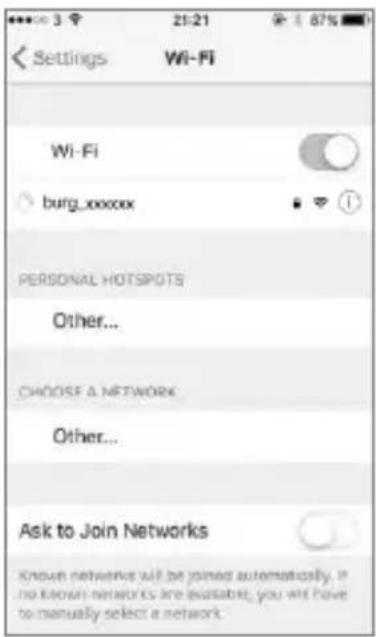
text_image
Settings Wi-Fi Wi-Fi burg_xxxxxx PERSONAL HOTSPOTS Other... CHOOSE A NETWORK Other... Ask to Join Networks Known networks will be joined automatically. If no known networks are available, you will have to manually select a network.

text_image
Welcome to the BURQprotect App. Let's get started. Add create device LoginDigite "Adicionar aparelho".
text_image
Kain Net2 13:51 $ 70 % BUNG Local 6--> Use Local Area Network (LAN) LAN Choose WiFi network FreeBox BW_WLAN BW_GAST Other Backtext_image
BURG Welcome to the BURGorionic App. Let's get started. Quick Setup By scanning QR Code Scan QR Code saved on your phone album Canceltext_image
Sending confirmation to device and resetting network, it may take minutes, please be patient and do not quit the app.text_image
Connected successfully to the networktext_image
Setup a PIN for the device 1 2 3 ABC GAP 4 5 6 SMI JEL MHO 7 8 9 PAGE TUY WAYS 0text_image
Name your B4SE device or just use the default one My B4SEprotect001 All done! Let's get goingtext_image
My BURGprotect 001 Status SET STARTkey Event List Device password changed Link28888888 Just miss Auto Dreamt Shared Info Sharetext_image
Fail to connect the network The previous Wi and password you selected are: SSD: FbitRas Password: BWFrittm4mn2016! Reconnect the network Reconfigure the networknatural_image
Close-up of a mechanical component with a circular arrow pointing to a small feature (no text or symbols visible)BASE 2200
Português


text_image
Kein Nellz 12:29 8.75% Status Next Status WRF Event List Disarm & surgery ○ Just now Home Arm & surgery ○ 20 min ago Disarm & surgery ○ 2016-01-23 13:15 DisarmLista de aparelhos
text_image
My BURGprotect 001 E New Resume Paste/Exit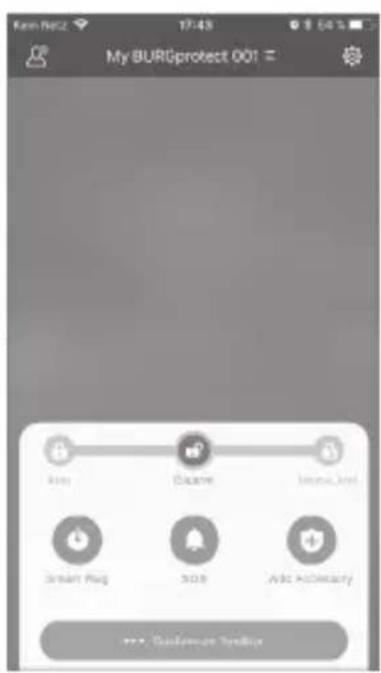
text_image
My BURGprotect 001 Send App Send Message Ask Activity >>> Customize https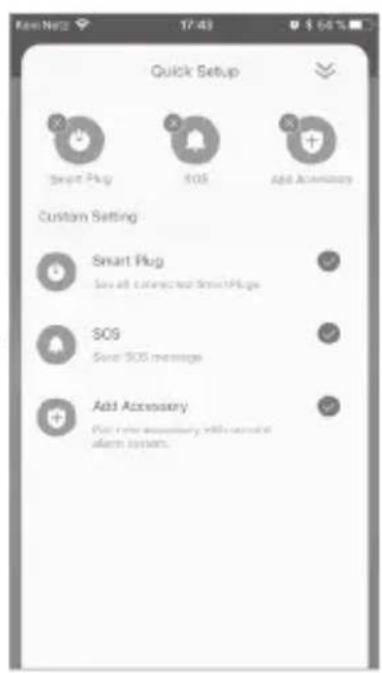
text_image
Quick Setup Smart Plug SOS Add Accessories Custom Setting Smart Plug Save all connected SmartPlug SOS Save SOS messages Add Accessory Post time necessary will install alert system.

text_image
By scanning QR Code Scan QR Code saved on your phone album Cancel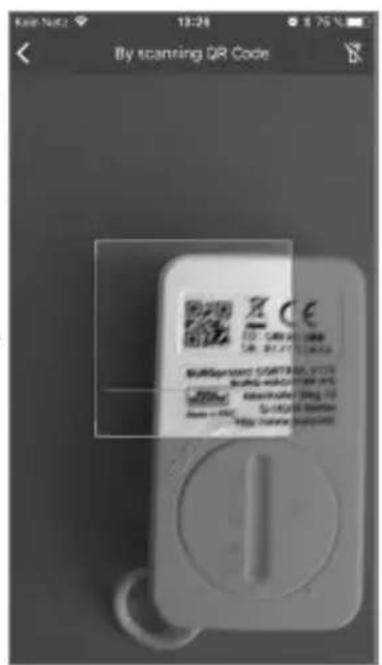
text_image
By scanning QR Code Burspramant STARTBOX, VCTC Burspramant STARTBOX, VCTC Burspramant STARTBOX, VCTC Burspramant STARTBOX, VCTC Burspramant STARTBOX, VCTC Burspramant STARTBOX, VCTC Burspramant STARTBOX, VCTC Burspramant STARTBOX, VCTC Burspramant STARTBOX, VCTC Bursprrmst 10000000000000000000000000000000000000000000000000000000000000000000000000000000000000000000000000000 Burspramant STARTBOX, VCTC Burspramant STARTBOX, VCTC Burspramant STARTBOX, VCTC Burspramant STARTBOX, VCTC Burspramant STARTBOX, VCTC Burspramant STARTBOX, VCTC Burspramant STARTBOX, VCTC Burspramant STARTBOX, VCTC Bursplrml 12345688888888888888888888888888888888888888888888888888888888888888888888888888888888text_image
Device adder successfully.text_image
System Settings App Settings Device Management Store this device with others Users Customized Rules Customize Home Arm function Advanced Settings Security Notifications Settings Mona 1. APP DOWNEXTtext_image
Security Notifications Settings Security Notifications Language > Durese Alarm Setting >text_image
Duness Alarm Setting When you are under dunes, you can input the duneas alarm password to stop direct and send preset SOS messages to other user. Set password for dureas alarm The system will activate the duneas alarm function automatically as soon as you key in the password for duneas alarm. Custom your SOS message Better be a specific content article or only be understood by specific user. This message will be pushed to specific user when you are unable.text_image
Kai-Net2 16:14 $ 60 % 00:01 SOS burg test burg002 Trigger the alarm Stop the alarm ignore for please.Exemplo de alarme
BASE 2200
Português


Home Szenario
text_image
Customize Home Arm function Which sensors should be active during Home Arm? PR Motion Sensor PR Motion Sensor_XrGrW... Commtext_image
System Settings App Settings Device Management Share this device with others Users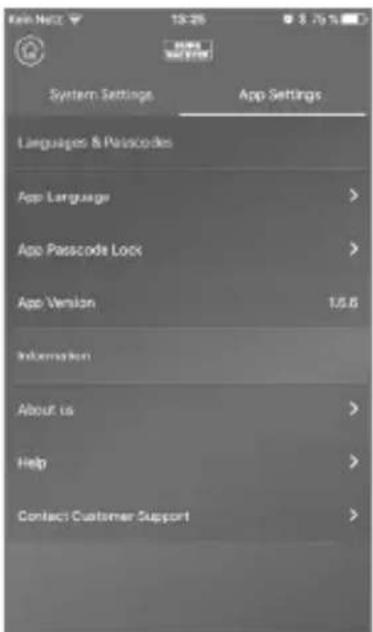
text_image
Kelt Netz 13:26 8.75% System Settings App Settings Languages & Passcodes App Language App Passcode Lock App Version 1.5.6 Information About us Help Contact Customer Support

Home Szenario
Ajustes avançados
Atraso Coming Home:
Atraso Leaving Home:
text_image
Advanced Settings The below settings will directly affect the operation of your device, please consider before making changes. Entry Delay > Exit Delay > Scan Duration > Change Network Settings > Reset PIN for your device > Reset the device > Firmware version: 15.5/10.5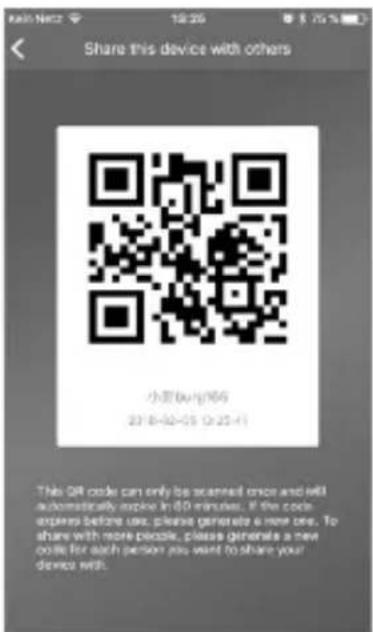
text_image
Share this device with others 小豆(杭州)66 23 8-02-05 0:25:41 This QR code can only be scanned once and will automatically expire in 60 minutes. If the code expires before use, please generate a new one. To share with more people, please generate a new code for each person you want to share your device with.

FAQ BURGprotect
text_image
QR code scanning interface with smartphone and mobile app screenshot showing QR code and document contentnatural_image
Close-up of a mechanical component with a circular annotation and an arrow pointing to a small feature (no text or symbols visible)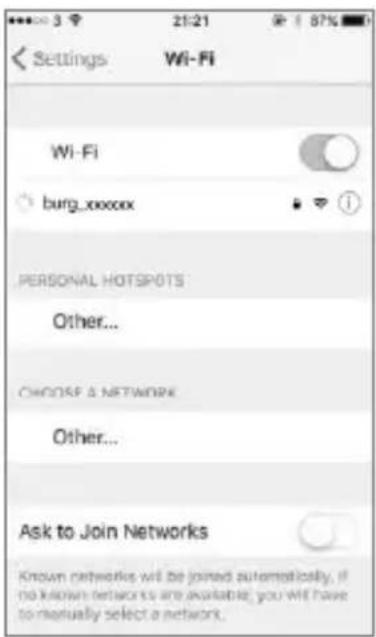
text_image
Settings Wi-Fi Wi-Fi burg_xxxxx PERSONAL HOTSPOTS Other... CHOOSE & NETWORK Other... Ask to Join Networks Known networks will be joined automatically, if no known networks are available, you will have to manually select a network.

Ibrugtagning
text_image
Welcome to the BURGprotect App. Let's get started. Add enable device Logintext_image
BURG Welcome to the BURGorionic App. Let's get started. Quick Setup By scanning QR Code Scan QR Code saved on your phone album Canceltext_image
Sending confirmation to device and resetting network, it may take minutes, please be patient and do not quit the app.text_image
Connected successfully to the networktext_image
Setup a PIN for the device 1 2 3 ABC GAP 4 5 6 SMI JEL MHO 7 8 9 PAGE TUY WAYS 0text_image
Name your B4SE device or just use the default one My B480protect 601 All done! Let's get going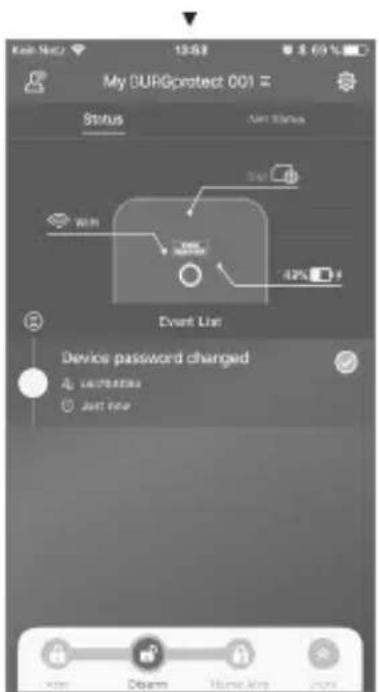
text_image
My DURGprotect 001 Status Event Status Event User Device password changed Start User Start Timetext_image
Fail to connect the network The previous WiFi and password you selected are: SSD. FdR-Ros Password: BMWF02m4mn20161 Reconnect the network Reconfigure the network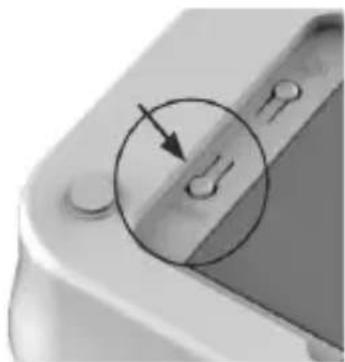
natural_image
Close-up of a mechanical component with a circular arrow pointing to a small feature (no text or symbols visible)

text_image
Ken Nellz 13:29 8.75% Status Not Status WRI 100% Event List Disarm A. surgery Just now Home Arm A. surgery 50 minutes ago Disarm A. surgery 2016-01-23 19:16 DisarmListe over enheder
text_image
By scanning QR Code Scan QR Code saved on your phone album Cancel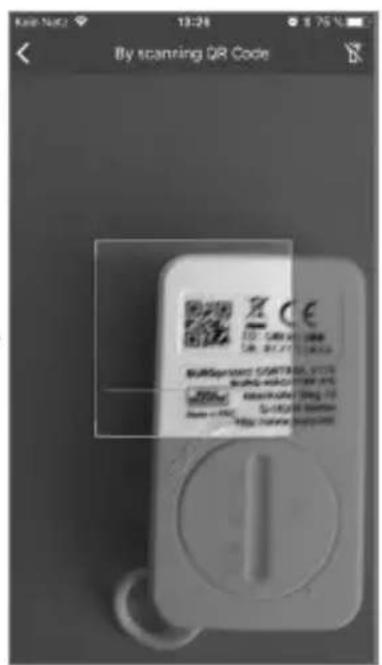
text_image
By scanning QR Code Burspramant STARTBOX, VCTC Burspramant STARTBOX, VCTC Burspramant STARTBOX, VCTC Burspramant STARTBOX, VCTC Burspramant STARTBOX, VCTC Burspramant STARTBOX, VCTC Burspramant STARTBOX, VCTC Burspramant STARTBOX, VCTC Burspramant STARTBOX, VCTC Bursprrmst 10000000000000000000000000000000000000000000000000000000000000000000000000000000000000000000000000000text_image
Device added successfully.text_image
System Settings App Settings Device Management Store this device with others Users Customized Rules Customize Home Arm function Advanced Settings Security Notifications Settings More < . APP download>text_image
Security Notifications Settings Security Notifications Language > Durese Alarm Setting >text_image
Durex Alarm Setting When you are under dures, you can input the dures alsm password to stop direct and bind preset SOS message to other user. Set password for dures alarm The system will activate the dures alarm function automatically as soon as you key in the password for dures alarm. Custom your SOS message Better be a specific content rated can only be understood by specific user. This message will be pushed to specific user when you are damaged.text_image
Kai-Net2 16:14 $ 60 % 00:01 burg test burg002 Trigger the alarm Borg the alarm ignore for please.Eksempel på alarm
BASE 2200
Dansk | 123


Home-scenario
text_image
Customize Home Arm function Which sensors should be active during Home Arm? PK Motion Sensor PK Motion Sensor_OHOrNT... ConfirmTilbehørsadministration
text_image
System Settings App Settings Device Management Share the device with others Users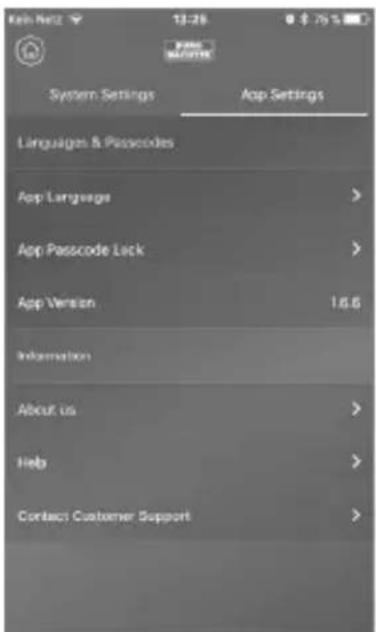
text_image
System Settings App Settings Linguigen & Passcodes App Language > App Passcode Lock > App Version 16.6 Information About us > Help > Contact Customer Support >

Home-scenario
Avancerede indstillinger
Coming Home forsinkelse:
Leaving Home forsinkelse:
text_image
Advanced Settings The below settings will directly affect the operation of your device, please consider before making changes. Entry Delay > Exit Delay > Scan Duration > Change Network Settings > Reset PIN for your device > Reset the device > Firmware version: 15.5/10.5text_image
Share this device with others 小豆(杭州)66 23 8-02-05 0:25:41 This QR code can only be scanned once and will automatically expire in 60 minutes. If the code expires before use, please generate a new one. To share with more people, please generate a new code for each person you want to share your device with.BASE 2200
Dansk | 125


FAQ BURGprotect
text_image
QR code scanning interface with smartphone and mobile app, showing QR code and payment optionsnatural_image
3D rendering of a rectangular electronic device with internal components and mounting holes (no text or symbols visible)Pohled ze strany
natural_image
Back view of a computer monitor with ports and ventilation slots (no visible text or labels)natural_image
Close-up of a mechanical component with a circular annotation and an arrow pointing to a small feature (no text or symbols visible)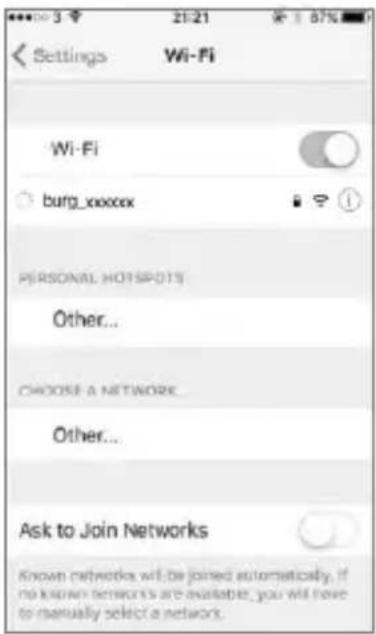
text_image
Settings Wi-Fi Wi-Fi burg_xxxxx PERSONAL HOTSPOT15 Other... CHOOSE A NETWORK Other... Ask to Join Networks Known networks will be joined automatically. If no known networks are available, you will have to manually select a network.

Uvedení do provozu
4. Konfigurace sítě
text_image
Welcome to the BURQprotect App. Let's get started. Add create device Logintext_image
BURG Welcome to the BURGorionic App. Let's get started. Quick Setup By scanning QR Code Scan QR Code saved on your phone album Canceltext_image
Sending confirmation to device and resetting network, it may take minutes, please be patient and do not quit the app.text_image
Connected successfully to the networktext_image
Setup a PIN for the device 1 ABC 3 OFF 4 SMI 5 JEL 6 MNO 7 POGS 8 TGV 9 WAVE 0text_image
Name your Base device or last use the default one My BUSEprotect 601 All done! Let's get goingtext_image
My DURGprotect 001 Status Event Status Start Start 42% Event Us Device password changed unipartite Just new new Dream Home Also Jackstext_image
Failed to connect the network The previous WiFi and password/you selected are: SSD, Airbnb Password: DWFnBm4mn201M Reconnect the network. Reconfigure the networknatural_image
Close-up of a mechanical component with a circular arrow pointing to a small circular feature (no text or symbols visible)

text_image
Kein Nellz 13:29 8.75% Status Next Status WRF Event List Disarm A. surgic2 ○ Just Now Home Arm A. surgic2 ○ 20 min ago Disarm A. surgic2 ○ 2016-01-23 13:15 DisarmSeznam prístrojů
text_image
My BURGprotect 001 Add Delete Add Activity Smart Ping 303 Add Activity Customer Tools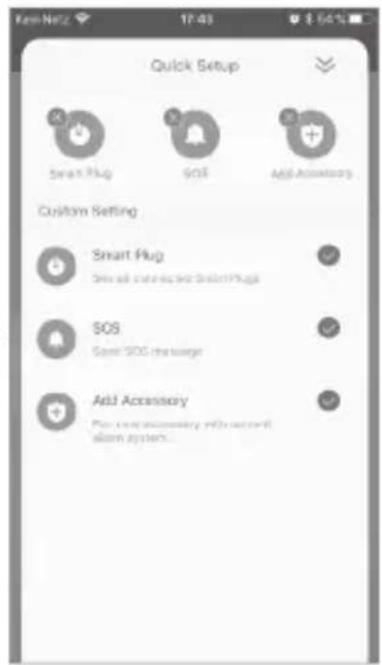
text_image
FemNetz 17:43 $ 56% Quick Setup Smart Plug SOS Add Accessory Custom Setting Smart Plug Smart plug connected to SmartPlug SOS SOS message Add Accessory For complete accessory with network alarm system...

text_image
By scanning QR Code Scan QR Code saved on your phone album Cancel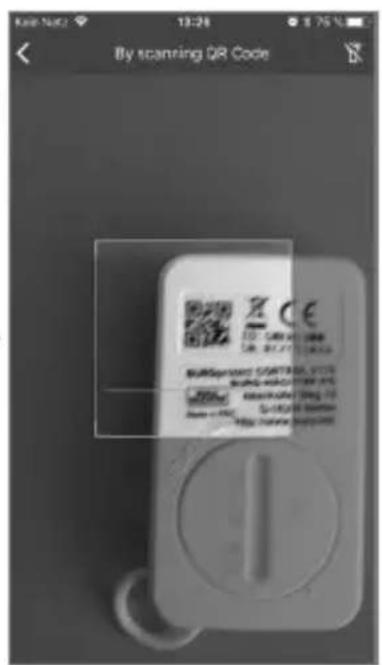
text_image
By scanning QR Code Burspramant STARTBOX, VCTC Burspramant STARTBOX, VCTC Burspramant STARTBOX, VCTC Burspramant STARTBOX, VCTC Burspramant STARTBOX, VCTC Burspramant STARTBOX, VCTC Burspramant STARTBOX, VCTC Burspramant STARTBOX, VCTC Burspramant STARTBOX, VCTC Bursprrmst 10000000000000000000000000000000000000000000000000000000000000000000000000000000000000000000000000000text_image
Device added successfully.text_image
System Settings App Settings Device Management Store this device with others Users Customized Rules Customize Home Arm function Advanced Settings Security Notifications Settings More x. APP Accountstext_image
Security Notifications Settings Security Notifications Language > Duress Alarm Setting >text_image
Duneas Alarm Setting When you are under dunes, you can input the duneas alarm password to stop direct and bend preset SOS message to other user. Set password for dureas alarm The system will activate the dureas alarm function automatically as close as yes key in the password for dureas alarm. Custom your SOS message Better be a specific content. And you are only be understood by specific user. This message will be pushed to specific user when you are masked.text_image
Kai-Net2 16:14 $ 60 % 00:01 burg test burg002 Trigger the alarm. Stop the alarm ignore me before.Příklad alarmu
BASE 2200
Čeština


text_image
Customize Home Arm function Which sensors should be active during Home Arm? PR Motion Sensor PR Motion Sensor_XtGtW... Commntext_image
System Settings App Settings Device Management Share this device with others Users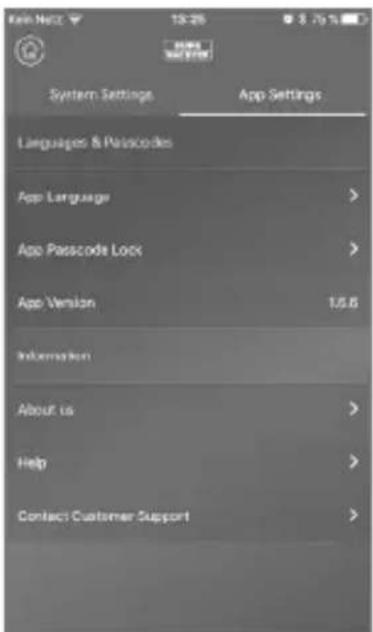
text_image
Kelt Netz 13:26 8.75% System Settings App Settings Languages & Passcodes App Language App Passcode Lock App Version 1.5.6 Information About us Help Contact Customer Support

text_image
Advanced Settings The below settings will directly affect the operation of your device, please consider before making changes. Entry Delay > Exit Delay > Scan Duration > Change Network Settings > Reset PIN for your device > Reset the device > Firmware version: 15.5/10.5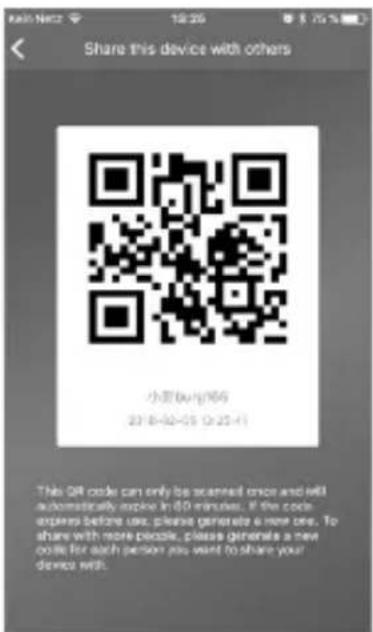
text_image
Share this device with others 小豆(杭州)66 23 8-02-05 0:25:41 This QR code can only be scanned once and will automatically expire in 60 minutes. If the code expires before use, please generate a new one. To share with more people, please generate a new code for each person you want to share your device with.

text_image
QR code scanning interface with smartphone and mobile app screenshot showing QR code scanningLikvidace zařízení
natural_image
Back view of a computer monitor with ports and a grid screen (no visible text or symbols)natural_image
Close-up of a mechanical component with a circular annotation and an arrow pointing to a small feature (no text or symbols visible)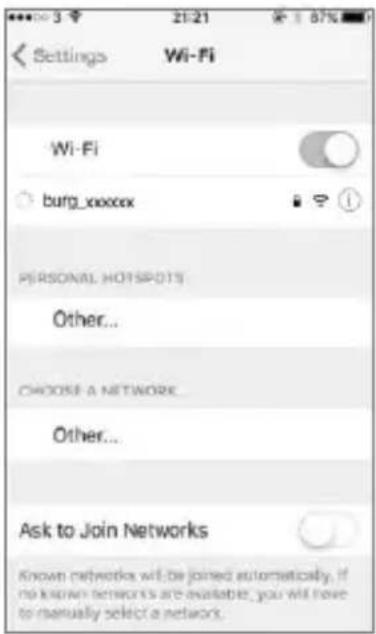
text_image
Settings Wi-Fi Wi-Fi burg_xxxxx PERSONAL HOTSPOT15 Other... CHOOSE A NETWORK Other... Ask to Join Networks Known networks will be joined automatically. If no known networks are available, you will have to manually select a network.

Üzembe helyezés
text_image
Welcome to the BURQprotect App. Let's get started. Add create device Logintext_image
BURG Welcome to the BURGorionic App. Let's get started. Quick Setup By scanning QR Code Scan QR Code saved on your phone album Canceltext_image
Sending confirmation to device and resetting network, it may take minutes, please be patient and do not quit the app.text_image
Connected successfully to the networktext_image
Setup a PIN for the device Next 1 2 3 ABC GFF 4 5 6 GHI JEL MHO 7 8 9 PAGE TUV WNTZ 0text_image
Name your Base device or just use the default one My BUICprotect GO1 All done! Let's get goingtext_image
My BURGprotect 001 Status Start Status MOR Event List Device password changed us76853a Just new Area Obsmr Storage Area Infotext_image
Failed to connect the network The previous Wi and password you selected are: SSID: FbitRise Password: BWFrittm4m2016! Reconnect the network Reconfigure the network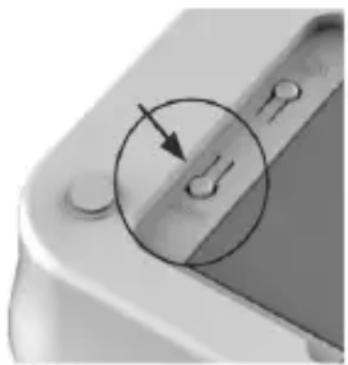
natural_image
Close-up of a mechanical component with a circular arrow indicating a specific feature (no text or symbols visible)BASE 2200
Magyar


text_image
Ken Nellz 13:29 8.75% Status Not Status WRF 100% Event List Disarm A, surgery Just new Home Arm A, surgery $20m age Disarm A, surgery 2018-01-23 19:16 DisarmKészülékek jegyzéke
text_image
My BURGprotect 001 -User Smart Mag Azure Add Nextary Customer Service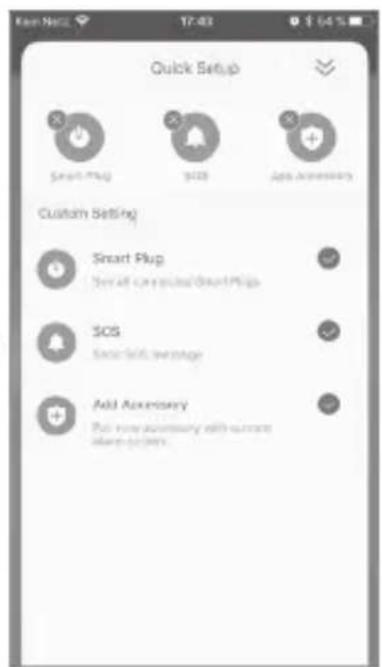
text_image
Quick Setup Smart Plug SOS App Accessories Custom Setting Smart Plug Smart courses/SmartPlugs SOS SOS: Self Average Add Accessories Put any necessary with current access system.

text_image
By scanning QR Code Scan QR Code saved on your phone album Cancel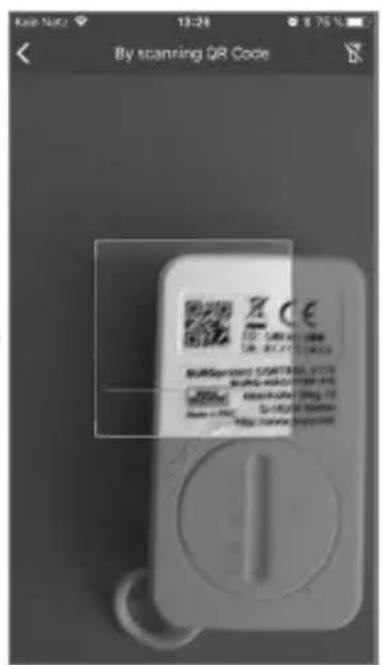
text_image
By scanning QR Code Burspramant CONTROL VS 100 WING-HAUSTOR VS 100 RMS/RSN 100 S-100/2000 100 http://www.burspramanttext_image
Kee Note 12:63 8:09% Device added successfully.text_image
System Settings App Settings Device Management Store this device with others Users Customized Rules Customize Home Arm function Advanced Settings Security Notifications Settings Monatext_image
Security Notifications Settings Security Notifications Language > Durss Alarm Setting >text_image
Duness Alarm Setting When you are under dunes, you can input the duneas alarm password to stop shot and burst press! SGS message to other user. Set password for dureas alarm The system will activate the dureas after function automatically as soon as yes key in the password for dureas alerts. Customs your SGS message Better be a specific prompt and/or only be understood by specific user. This message will be placed to specific user when you are bluggers.text_image
K86-Net2 9614 $ 69 % 00:01 SOS burg test burg002 Trigger the alarm No the link Approve to first baseRiasztási példa
BASE 2200
Magyar


Home forgatókönyv
text_image
Customize Home Arm function Which sensors should be active during Home Arm? PR Motion Sensor PR Motion Sensor_90+Get... ConfirmTartozékok kezelése
text_image
Kein Netz 13:26 $ 75% System Settings. App Settings Device Management Share this device with others. Users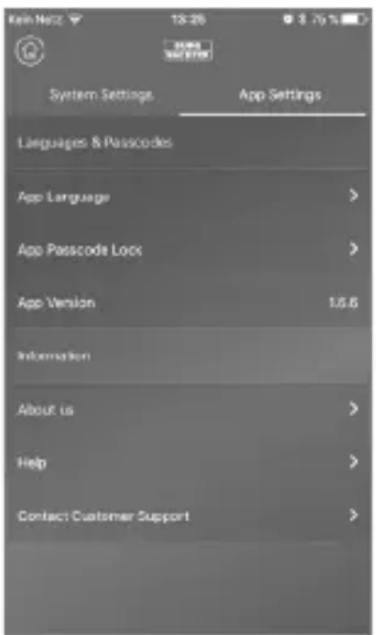
text_image
Kein Netz 13:26 8.75% System Settings App Settings Languages & Passcodes App Language App Passcode Lock App Version 16.6 Information About us Help Contact Customer Support

Home forgatókönyv
text_image
Advanced Settings The below settings will directly affect the operation of your device, please consider before making changes. Entry Delay > Exit Delay > Scan Duration > Change Network Settings > Reset PIN for your device > Reset the device > Firmware version: 15.5/10.5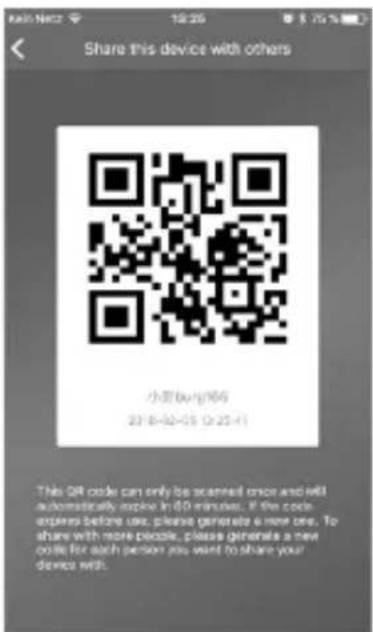
text_image
Share this device with others 小豆(杭州)66 23 8-02-05 0:25:41 This QR code can only be scanned once and will automatically expire in 60 minutes. If the code expires before use, please generate a new one. To share with more people, please generate a new code for each person you want to share your device with.