IAN 391021 - Educational toy Playtive - Free user manual and instructions
Find the device manual for free IAN 391021 Playtive in PDF.



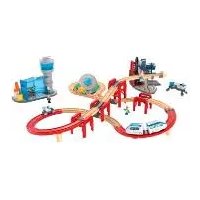
| Product type | Educational toy – Train set with space station |
| Brand | Playtive |
| Model | IAN 391021 |
| Recommended age | From 3 years |
| Power supply – Investigation vehicle | 2 LR44 batteries (1.5 V) |
| Power supply – Space shuttle | 1 CR2032 battery (3 V) |
| Power supply – USB vehicle | Li-Po battery 3.7 V 500 mAh (1.85 Wh), rechargeable via USB-C |
| Light functions | LED on the underside of the investigation vehicle (fast/slow flashing, permanent light, off) |
| Sound functions | Space shuttle with sound activation via button |
| Color recognition technology | Color plates on rails: purple (pause), blue (sound), red (LED), green (direction change) |
| Package contents | Space station (15 pieces), launch platform, satellite, investigation vehicle with drone, space shuttle, USB vehicle with trailer, 27 track pieces, 6 bridge bases, 8 color plates, 2 vehicles, 4 figurines, 2 backpacks, USB cable, batteries (LR44, CR2032) |
| Maintenance | Clean with a damp cloth; the tracks must be cleaned before first use |
| Safety instructions | Not suitable for children under 36 months (small parts, choking hazard). Contains magnets. Light flashes (risk of epilepsy). Non-rechargeable batteries (except built-in battery). Caution with button batteries. |
| Batteries and battery | LR44 and CR2032 batteries are non-rechargeable; Li-Po battery rechargeable via USB-C (charging time ~300 min, operating time ~180 min) |
| Warranty | 3 years (subject to proper use and presentation of receipt) |
| Customer service (France) | Tel. 0800 919270, Email: deltasport@lidl.fr |
| Customer service (Belgium) | Tel. 0800 12089, Email: deltasport@lidl.be |
| Recycling | Do not dispose of with household waste. Dispose of batteries at a collection point. |
Frequently Asked Questions - IAN 391021 Playtive
User questions about IAN 391021 Playtive
0 question about this device. Answer the ones you know or ask your own.
Ask a new question about this device
Download the instructions for your Educational toy in PDF format for free! Find your manual IAN 391021 - Playtive and take your electronic device back in hand. On this page are published all the documents necessary for the use of your device. IAN 391021 by Playtive.
USER MANUAL IAN 391021 Playtive
Instructions for use
NL BE
TRAIN SET SPACE STATION
Gebruiksaanwijzing
CZ
DREVENÁ ZELEZNICE „VESMÍRNÁ STANICE"
Návod k použití
ES
SET DETREN «ESTACION ESPACIAL»
Energieversorgung Batterie (Raumschiff):
3 V = = CR 2 0 3 2
You have chosen to purchase a high-quality product. Familiarise yourself with the product before using it for the first time.

Read the following instructions for use carefully.
Use the product only as described and only for the given areas of application. Store these instructions for use carefully. When passing the product on to third parties, please also hand over all accompanying documents.
Scope of delivery (fig. A)
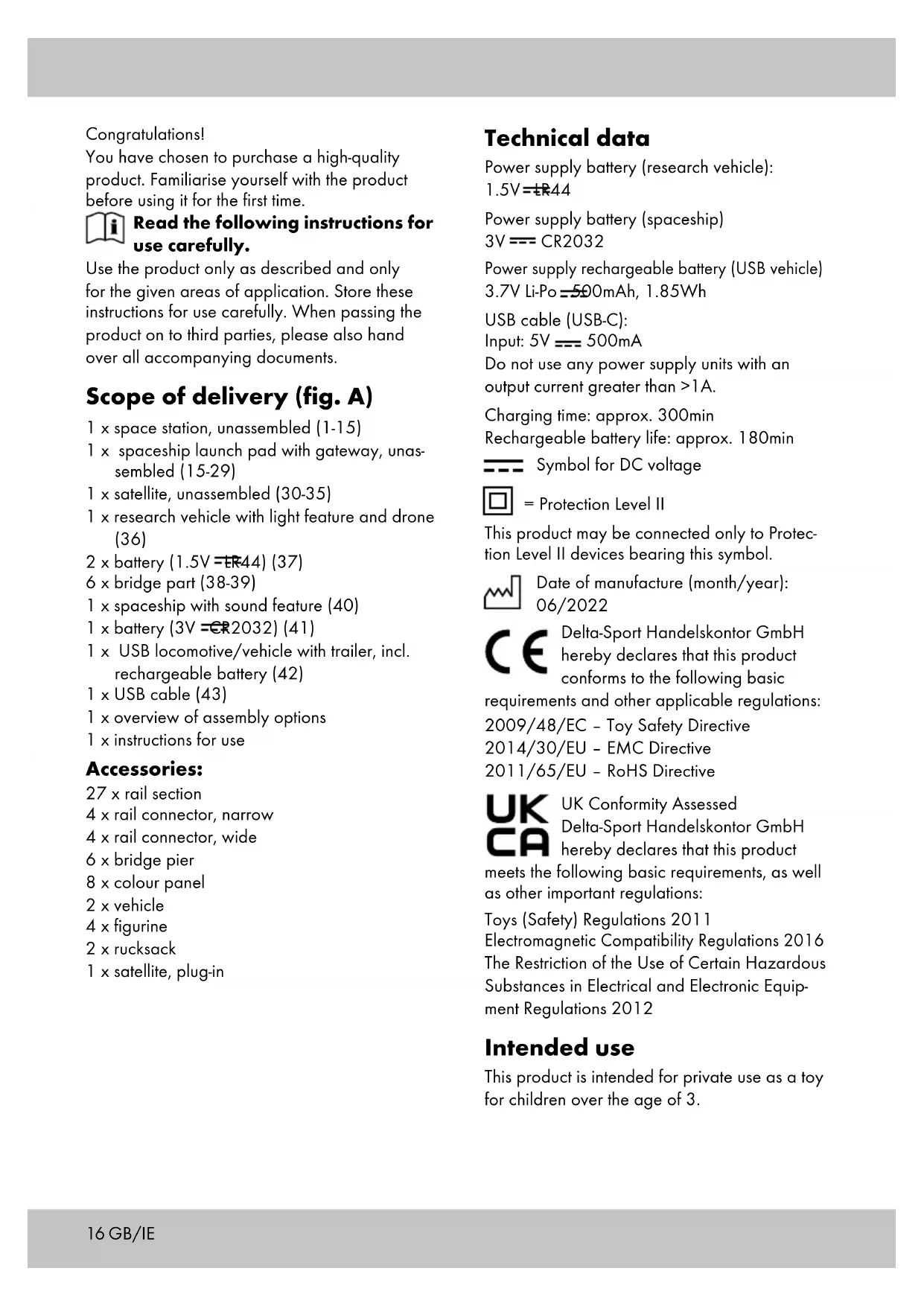
1 x space station, unassembled (1-15)
1 x spaceship launch pad with gateway, unassembled (15-29)
1 x satellite, unassembled (30-35)
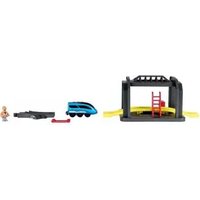
1 x research vehicle with light feature and drone (36)
2xbattery(1.5V=ER44)(37)
6xbridge part (38-39)
1 x spaceship with sound feature (40)
1 x battery (3V =CR2032) (41)
1 x USB locomotive/vehicle with trailer, incl. rechargeable battery (42)
1xUSB cable (43)
1 x overview of assembly options
1 x instructions for use
Accessories:
27 x rail section
4 x rail connector, narrow
4 x rail connector, wide
6 x bridge pier
8xcolour panel
2 x vehicle
4 x figurine
2 x rucksack
1 x satellite, plug-in
Technical data
Power supply battery (research vehicle):
1. 5 V = ± R 4 4
Power supply battery (spaceship)
3 V = = CR 2 0 3 2
Power supply rechargeable battery (USB vehicle)
3.7V Li-Po=500mAh, 1.85Wh
USB cable (USB-C):
Input: 5V = 500mA
Do not use any power supply units with an output current greater than >1A .
Charging time: approx. 300min
Rechargeable battery life: approx. 180min

Symbol for DC voltage

= Protection Level II
This product may be connected only to Protection Level II devices bearing this symbol.

Date of manufacture (month/year): 06/2022

Delta-Sport Handelskontor GmbH hereby declares that this product conforms to the following basic
requirements and other applicable regulations:
2009/48/EC - Toy Safety Directive
2014/30/EU - EMC Directive
2011/65/EU - RoHS Directive

UK Conformity Assessed Delta-Sport Handelskontor GmbH hereby declares that this product
meets the following basic requirements, as well as other important regulations:
Toys (Safety) Regulations 2011
Electromagnetic Compatibility Regulations 2016
The Restriction of the Use of Certain Hazardous
Substances in Electrical and Electronic Equipment Regulations 2012
Intended use
This product is intended for private use as a toy for children over the age of 3.

Safety instructions
- Warning. Not suitable for children under 36 months. Suffocation hazard. Small parts.
Children may only play with the product under adult supervision.
Adult assembly required. Make sure that the product and all parts and components are only given to the child after assembly. - Warning. Neither the packaging/mounting materials nor the 'SUPER DRY' pouch (desiccant) are a constituent part of the toy and for safety reasons they must be removed before the product is given to children to play with.
- Warning. Desiccant contains calcium chloride (CAS 10043-52-4). Keep out of reach of children.
- This product contains small magnets. Swallowing a magnet can cause serious injuries! Seek immediate medical attention if a magnet is swallowed. The product is manufactured with the greatest care, but should it become damaged take it away from children immediately for disposal.
- Check the product for damage or wear before each use. The product may be used only when in good working order and condition!
- LEDs are not interchangeable.
- This toy contains non-replaceable batteries.
- Warning. The toy creates flashes of light that may trigger epilepsy in sensitive persons.
- Use only battery type: LR44 and CR2032.

Warnings regarding batteries!
- Remove the batteries if they are dead or if the product is not being used for an extended period of time.
- Do not mix different types and makes of batteries and do not use new and used batteries or batteries of different capacities together since they can leak and cause damage.
- Observe the polarity (+ / -) when installing.
- Replace all batteries together at the same time and dispose of the old batteries in accordance with the regulations.
- Warning! Batteries may not be charged or reactivated by other means, nor may they be disassembled, thrown onto a fire, or short-circuited.
Always store batteries out of reach of children. - Do not use any rechargeable batteries!
- Cleaning and user maintenance may not be performed by children without supervision.
- When needed, clean the battery and device terminals before inserting.
- Do not expose the batteries to extreme conditions (e.g. radiators or direct sunlight). Otherwise there is an increased risk of leakage.
- Warning. This product contains a coin battery (button cell with lithium). If swallowed, a coin battery can cause internal chemical burn injuries.
- Warning. Used batteries must be disposed of immediately. Keep new and used batteries out of the reach of children. Seek medical help immediately if you suspect that batteries have been swallowed or ingested.

Danger!
- Handle a damaged or leaking battery with extreme care and dispose of it immediately as per regulations. Wear gloves for this.
If you come into contact with battery acid, wash the affected area with soap and water. If battery acid gets into your eye, rinse it out with water and seek medical treatment immediately! - The terminals must not be short-circuited.

Warnings regarding integrated rechargeable batteries!
- Never leave rechargeable batteries unattended while charging.
- Never charge the rechargeable battery immediately after use. Always allow the rechargeable battery to cool down first (min. 5-10 minutes).
- Only use the USB charging cable supplied to charge the rechargeable battery.
- Since the rechargeable battery gets hot during charging, ensure adequate ventilation. Never leave the product covered.
- Should electrolyte solution leak from the rechargeable battery and the product, avoid contact with eyes, mucous membranes, and skin.
Rinse off affected areas with plenty of clean water and consult a doctor immediately. The electrolyte solution may cause irritations.
- Disconnect the product from the charging cable when it is fully charged.
- The product may be charged only in dry, enclosed interior spaces.
Never charge and store the product near major sources of heat or near open flame as this could lead to explosion of the rechargeable battery.
-
If the rechargeable battery catches fire during charging, do not use water to extinguish it, instead use for instance dry sand.
-
Do not leave the product unattended during charging and be sure to guard against any possible overheating.
- Charge the rechargeable battery only at an ambient temperature of between 5 and 35°C .
- The charging contacts on the device may not come into contact with metallic objects.
- If the product has received a heavy blow, store it for the next 30 minutes in a very safe location (e.g. in a metal box).
- Never try to manipulate, modify, or repair a rechargeable battery or the product.
Charging the rechargeable battery (fig. Q)
- Connect the USB plug (43a) of the USB cable (43) to the rechargeable battery plug connector(42d) of the locomotive/vehicle (42).
- Connect the USB plug (43b) of the USB cable to a USB port of a switched-on laptop/notesbook or of a charging station with a USB port.
Inserting/replacing batteries (fig. J/fig. P)
WARNING! Comply with the following instructions to prevent mechanical and electrical damage.
Remove the protective foil (36c)(40a) from the product before first use (fig.1/fig. O).
For inserting and replacing the batteries (37)/ (41) proceed as shown in fig. J/fig. P.
Note: You will need a suitable screwdriver (not contained in delivery).
Note: Pay attention to the plus/minus polarity of the batteries and their correct installation.
The batteries must be located entirely inside the battery compartment.
Assembly
Space station
For assembly you need the individual components 1-15. Assemble the individual components as shown in fig.B.
Note: First put together components 2 and 7 and then components 3 to 7.
Component 15 is only required once here.
Spaceship launch pad with gateway
For assembly you need the individual components 15-29. Assemble the individual components as shown in figs. C-E.
Note: When assembling the individual components 22 and 24 be sure to position them correctly (fig. C). Component 15 is required twice here (fig. D).
Satellite
For assembly you need the individual components 30-35. Assemble the individual components as shown in fig. G.
Bridge parts
Assemble the bridge parts as shown in figs. K-M. The height of the bridge is individually adjustable.
Assembly options
You will find options for assembly in the enclosed overview.
Note: In assembly options with many consecutive curved sections, the vehicles might derail! Clean the rails with a damp cloth before first use!
Use
Spaceship launch pad (fig. F)
- Move the spaceship onto the unfolded spaceship launch pad up to the end point.
-
Slide the locating pin (28) to the right.
-
Fold the spaceship launch pad together with the spaceship upwards, and slide the locating pin to the left. The spaceship is now in the launch position.
Research vehicle
The drone (36a) and the roof (36b) can be detached from the research vehicle (36). The wheels and the doors can be folded out and in (fig. H).
- Remove the protective foil (36c) from the product before first use (fig. 1).
- Press the button (36d) to activate or deactivate the underside lighting (fig. 1).
| Pressing the buttons | Lighting button |
| 1 x light flashes | rapidly |
| 2 x light flashes | slowly |
| 3 x light stays on | |
| 4 x light switches off |
Spaceship
The spaceship (40) can be folded up and it has a mobile crane (40c) (fig. N).
- Remove the protective foil (40a) from the product before first use (fig. O).
- Press the button (40b) to activate the sound (fig. O).
Vehicle (fig. R)
- Press the button (42a) to make the locomotive/vehicle (42) move forwards.
- Press the button (42b) to stop the vehicle.
- Press the button (42c) to make the vehicle move backwards.
Warning! The vehicle has not been designed to move backwards on bridges or inclines.
Note: The vehicle is switched off when the control stick (42e) is at OFF.
Colour detection technology
To make use of the colour detection technology attach the colour panels to the rails (fig. S).
Note: The colour panels can be placed only on straight rail sections.
When the locomotive/vehicle (42) travels over a colour panel it is controlled in accordance with the colour:
| Colour Reaction |
| Purple Vehicle stops briefly |
| Blue Sound activated |
| Red LED switches the light status between on and off |
| Green Vehicle changes direction of travel |
Storage, cleaning
When not in use, always store the product dry, clean, without batteries, and at room temperature.
Only clean the product with a damp cloth and wipe dry afterwards.
Warning: The rails should be cleaned before first use!
IMPORTANT! Never clean the product with harsh cleaning agents.
Disposal

The accompanying symbol indicates that this device complies with Directive 2012/19/EU. This directive indicates that you may not dispose of this device
along with basic household waste at the end of its useful life and instead must hand it in to specifically designated collection sites, valuable substance collection stations, or waste disposal facilities.
Look after the environment and dispose of waste properly.
Batteries may not be disposed of with household waste. They may contain toxic heavy metals and are subject to hazardous waste treatment. The chemical symbols of the heavy metals are as follows: Cd = cadmium, Hg = mercury, Pb = lead. Dispos of used batteries at a municipal collection site.

For further information about disposal of the product no longer needed, contact your local council. Dispose of the product and the packaging in an
environmentally friendly manner. Store the packaging materials (foil bags, for example) out of the reach of children.

Note the label on the packaging materials when separating waste, as these are labelled with abbreviations (a)
and numbers (b) with the following meaning:
1-7: plastics / 20-22: paper and cardboard / 80-98: composite materials.
The product and the packaging materials can be recycled, dispose of them separately for better treatment of waste.
The Triman logo only applies to France.
Notes on the guarantee and service handling
The product was produced with great care and under continuous quality control. DELTA-SPORT HANDELSKONTOR GmbH gives private end customers a three-year guarantee on this product from the date of purchase (guarantee period) in accordance with the following provisions. The guarantee is only valid for material and manufacturing defects. The guarantee does not cover parts subject to normal wear and tear that are thus considered wear parts (e.g. batteries) or fragile parts such as switches, rechargeable batteries, or parts made of glass.
Claims under this guarantee are excluded if the product has been used incorrectly, improperly, or contrary to the intended purpose, or if the provisions in the instructions for use were not observed, unless the end customer proves that a material or manufacturing defect exists that was not caused by one of the aforementioned circumstances.
Claims under the guarantee can only be made within the guarantee period by presenting the original sales receipt. Please therefore keep the original sales receipt. The guarantee period is not extended by any repairs carried out under the guarantee, under statutory guarantees, or as a gesture of goodwill. This also applies to replaced and repaired parts.
If you wish to make a claim please first contact the service hotline mentioned below or contact us by e-mail. If there is a guarantee case, then the product will be repaired or replaced free of charge to you or the purchase price will be refunded, depending on our choice.
Your legal rights, in particular guarantee claims against the respective seller, are not limited by this guarantee.
IAN:391021_2201
GB Service Great Britain
Tel.: 0800 404 7657
E-Mail: deltasport@lidl.co.uk
IE Service Ireland
Tel.: 1800 101010
E-Mail: deltasport@lidl.ie
Felicitations!
3 V = = CR 2 0 3 2
2011/65/UE - Directive RoHS
3 V = = CR 2 0 3 2
Napajeni akumulatoru (USB vozidlo):
3,7V Li-Po = = = 500mAh,1,85Wh
USB-kabel (USB-C):
Vstop:5V= 500mA
3 V = = CR 2 0 3 2
3 V = = CR 2 0 3 2
Energiforsyning, LiPo-batteri (USB-fartj):
3,7V LiPo = = 500mAh,1,85Wh
USB-kabel (USB-C):
Indgang: 5V = = 500mA
Symbol for jaevnstrøm

3 V = = CR 2 0 3 2
3, 7 VLi - Po = = = 5 0 0 mAh, 1, 8 5 Wh
Cavo USB (USB-C):
Ingresso: 5V = 500mA
3 V = = CR 2 0 3 2
Energetsko napajanje na akumulatorsko baterijo (USB-vozilo):
3, 7 VLi - Po = = = 5 0 0 mAh, 1, 8 5 Wh
USB-kabel (USB-C):
Vhod:5V = = = 500mA
- TRAIN SET SPACE STATION
- DREVENÁ ZELEZNICE „VESMÍRNÁ STANICE
- SET DETREN «ESTACION ESPACIAL
- READ THE FOLLOWING INSTRUCTIONS FOR USE CAREFULLY
- SCOPE OF DELIVERY (FIG. A)
- ACCESSORIES
- TECHNICAL DATA
- INTENDED USE
- SAFETY INSTRUCTIONS
- WARNINGS REGARDING BATTERIES
- DANGER
- WARNINGS REGARDING INTEGRATED RECHARGEABLE BATTERIES
- CHARGING THE RECHARGEABLE BATTERY (FIG. Q)
- INSERTING/REPLACING BATTERIES (FIG. J/FIG. P)
- WARNING! COMPLY WITH THE FOLLOWING INSTRUCTIONS TO PREVENT MECHANICAL AND ELECTRICAL DAMAGE
- ASSEMBLY
- SPACE STATION
- SPACESHIP LAUNCH PAD WITH GATEWAY
- SATELLITE
- BRIDGE PARTS
- ASSEMBLY OPTIONS
- USE
- SPACESHIP LAUNCH PAD (FIG. F)
- RESEARCH VEHICLE
- SPACESHIP
- VEHICLE (FIG. R)
- COLOUR DETECTION TECHNOLOGY
- STORAGE, CLEANING
- DISPOSAL
- NOTES ON THE GUARANTEE AND SERVICE HANDLING
Brand : Playtive
Model : IAN 391021
Category : Educational toy