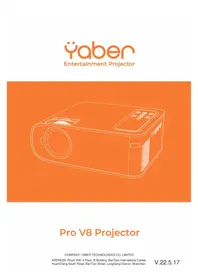
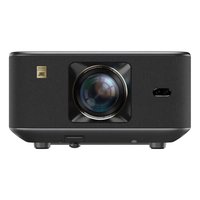
Pro V8 - Projector Yaber - Free user manual and instructions
Find the device manual for free Pro V8 Yaber in PDF.



| Product type | Projector |
| Brand | Yaber |
| Model | Pro V8 |
| Native resolution | 1920 x 1080 pixels (Full HD) |
| Display technology | LCD |
| Light source | LED |
| Color temperature | 18000 - 23000 K |
| Aspect ratio | 4:3 / 16:9 |
| Projection distance | 1.1 to 6.2 m |
| Maximum screen size | 200 inches (at 6.2 m) |
| Weight | 1.4 kg |
| Power supply | AC 100-240 V |
| Ports | HDMI, USB (x2), 3.5 mm audio output, AV |
| Projection methods | Front/rear table or ceiling mount |
| Keystone correction | Quadrilateral and vertical |
| Lens | Optical coated glass |
| Speakers | Stereo 5 W |
| Supported video formats | 3GP, AVI, FLV, MP4, MPG, VOB, TS, MKV |
| Supported audio formats | MP3, AAC, FLAC, OGG, WAV, MID, M4A |
| Supported image formats | JPG, JPEG, BMP, PNG |
| Wireless connectivity | Wi-Fi, Bluetooth |
| Warranty | 3 years |
| Maintenance | Lens cleaning with soft cloth, removable dust filter |
| Safety precautions | Do not block vents, avoid extreme temperatures (5-35 °C) |
| Included accessories | Remote control, HDMI cable, 3-in-1 AV cable, power cord, carry bag, cleaning kit |
Frequently Asked Questions - Pro V8 Yaber
User questions about Pro V8 Yaber
0 question about this device. Answer the ones you know or ask your own.
Ask a new question about this device
Download the instructions for your Projector in PDF format for free! Find your manual Pro V8 - Yaber and take your electronic device back in hand. On this page are published all the documents necessary for the use of your device. Pro V8 by Yaber.
USER MANUAL Pro V8 Yaber
natural_image
Line drawing of a projector device on an orange background (no text or symbols)Pro V8 Projector
COMPANY: YABER TECHNOLOGIES CO., LIMITED
ADDRESS: Room 406, 4 Floor, B Building, BanTian International Center,
HuanCheng South Road, BanTian Street, LongGang District, Shenzhen
LANGUAGE
English 01
Français 29
Italian 57
Espanol 84
Deutsche 112
日本語 139
CONTENTS
YABER Lifetime Professional Support 02
TIPS 02
PACKAGE LIST 02
PROJECTOR SPECIFICATIONS 02
PROJECTOR OVERVIEW 04
REMOTE CONTROL 06
INSTALLATION 07
-
Installation Method 07
-
Projection Distance and Size 08
-
Install on the Ceiling 08
STARTING PROJECTOR 09
IMAGEADJUSTMENT 09
-
Focus Adjustment 09
-
Manual Trapezoidal Correction 10
SETTING UP THE PROJECTOR 11
-
Select The Input Signal Source 11
-
USB Disk Input Mode 11
2.1.Play Video/Music/Picture/Office in the USB Disk Input Mode 11
2.2.Video Play Interface 12
2.3.Music Play Interface 13
2.4.Picture Play Interface 14
- WiFi Setting 14
3.1 iOS Cast(for iOS Devices) 15
3.2 Miracast(for Android Devices) 16
3.3 Control your projector from the app"MHshare TV" 16
-
Bluetooth Setting 17
-
Projector Settings 18
5.1 Network Setting 18
5.2 Bluetooth Setting 19
5.3 Projection Setting 20
5.4 System Update 23
5.5 General Setting 23
SIGNAL LINES CONNECTION 24
-
Connect USB Disk 24
-
Connect the Devices via the HDMI ports 24
-
Connect to the DVD Player 24
-
Connect to the Soundbar/Speaker 25
SAFE SHUTDOWN 25
WARRANTY 25
TROUBLESHOOTING 26
WARNINGS 27
YABER Lifetime Professional Support
Dear customer,
Thank you very much for supporting YABER!
Please read this manual thoroughly before using the projector. If you have any issues, email your order number and the problem to
Support@yabertech.com. We will provide a fast solution in 24 hours.
Actually, many problems can be easily solved by setting, such as no signal, no sound, bluetooth connection failed, WiFi connection failed, dark spots, choppy animation etc. We promise all the projectors have been 100% carefully checked and packaged before shipping.
If you have any questions, could you please contact us so that the problem can be solved. And give us an opportunity to improve. We guarantee we will provide you a satisfactory solution.
Thanks for your understanding!
YABER Service Team
TIPS:
-
Do not place projector in too warm or too cold room, because the high temperature or low temperature will shorten lifespan of the device. The working environment would be 5°C\~35°C better.
-
If there are black spots on the projection screen, please don't worry, please contact Support@yabertech.com via email, we can send you a video about how to remove the dust.
-
The ventilation is equipped for the projector to work stably. Don't cover the vent with cloth, blanket or other things. Don't insert anything into the slit of the projector, or it may produce a short circuit or an electric shock to your device and cause damage.
-
The projector shall be strictly protected from strong impact, extrusion and vibration. Do not try to move and on strong impact, extrusion and vibration. Do not try to move and the internal circuit faults.
-
Lens, as the core component of the projector, is directly related to the picture definition and effect. The excessive dust thereon will affect image quality. The dirty lens shall be wiped with soft cotton cloth for the glass lens surface. Hard cloth or abrasives shall not be used.
PACKAGE LIST
| YABER V8 Projector*1 | Remote Control*1 | Power Cord*1 |
| HDMI Cable*1 | 3-in-1 AV Cable | Lens Cover*1 |
| Projector Backpack*1 | User Manual*1 | Cleaning Kit*1 |
PROJECTOR SPECIFICATIONS
| Model No. V8 | |||
| Native Resolution | 1920*1080P | Keystone Correction | Quadrangle/ Vertical Trapezoid |
| Display Technology | LCD | Light Source | LED |
| Color Temperature | 18000-23000K | Aspect Ratio | 4:3/16:9 |
| Recommended Projection Distance | 3.6-20.3 ft | Minimum Projection Distance | 3.6 ft |
| Power Voltage | AC100-240V | Projector Weight | 3.1 lb |
| Picture File | JPG/JPEG/ BMP/PNG | Interfaces | HDMI*1/USB*2/3.5mm Headphone jack/AV |
| Projection Method | Front/Rear on Desk, Front/ Rear on Ceiling | ||
| Video File | 3GP/AVI/FLV/MP4/MPG/VOB/TS/MKV | ||
| Audio File | MP3/AAC/FLAC/OGG/WAV/MID/M4A | ||
PROJECTOR OVERVIEW

natural_image
Technical line drawing of a mechanical device with labeled parts (no text or symbols present)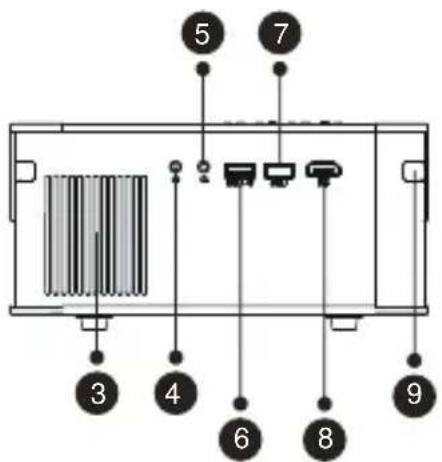
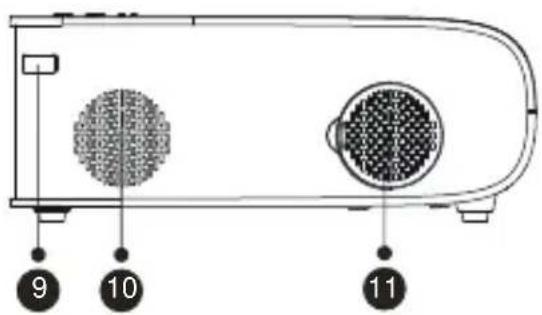
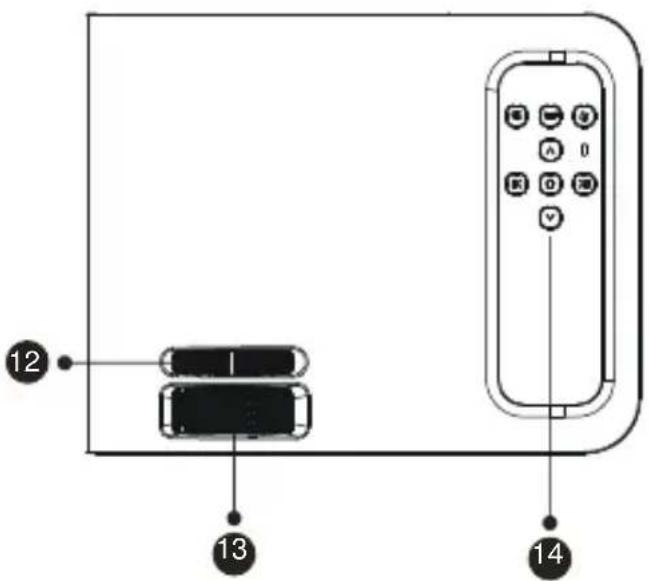
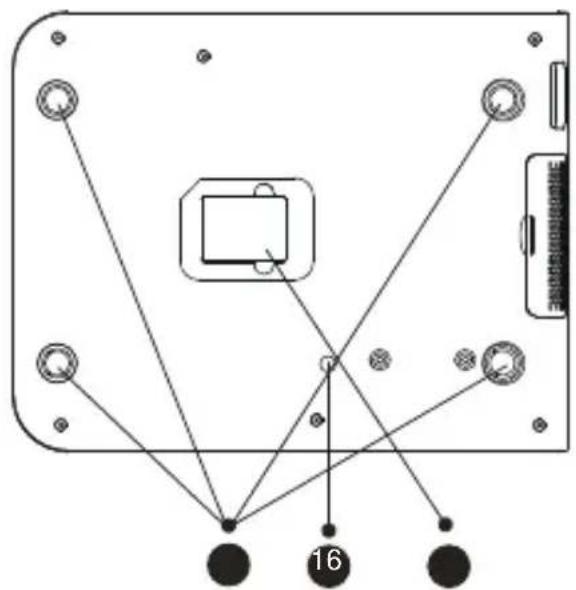
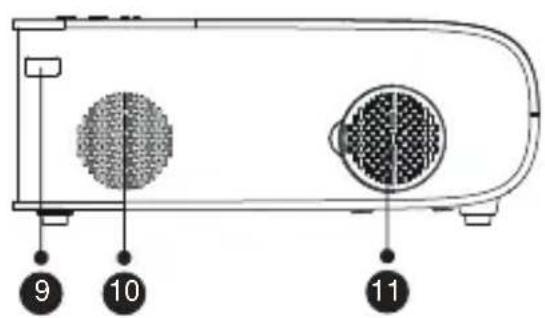
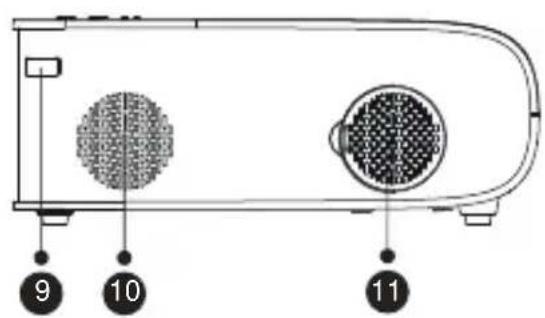
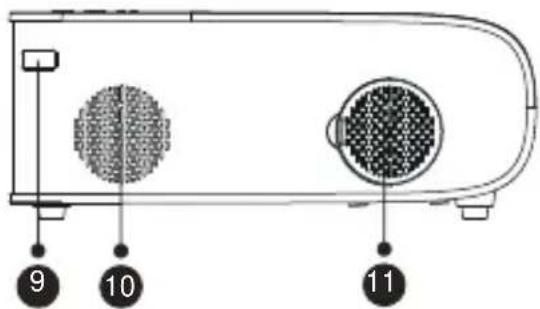
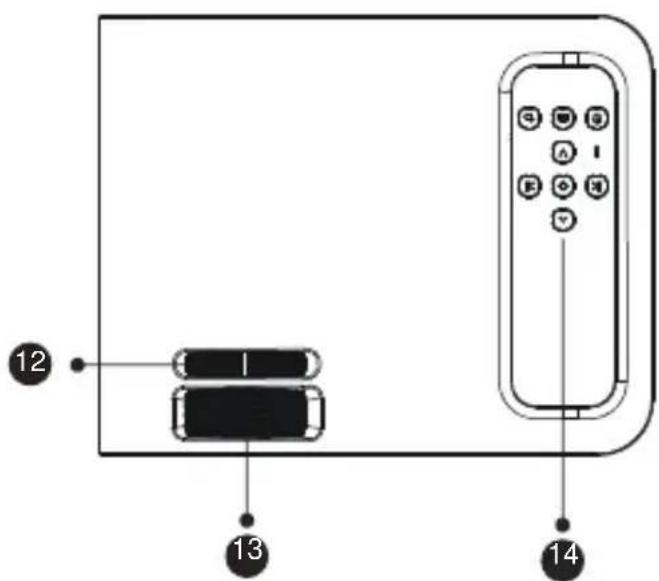
| 1 | Projector lens | Optical coated glass lens |
| 2/9 | IR Window | Infrared signal receiver |
| 3 | Speakers | Speakers stereo 5w |
| 4 | Headphone Jack | 3.5mm Headphone Output |
| 5 | AV Port | Audio and video input |
| 6/7 | USB Port | USB-T Port/USB port |
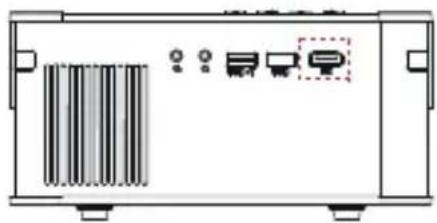
| 8 | HDMI Port | HDMI input |
| 10 | Dust Filter | Filter dust from the air |
| 11 | Detachable Dust Filter | Clean the dust (if the screen has a black spot) |
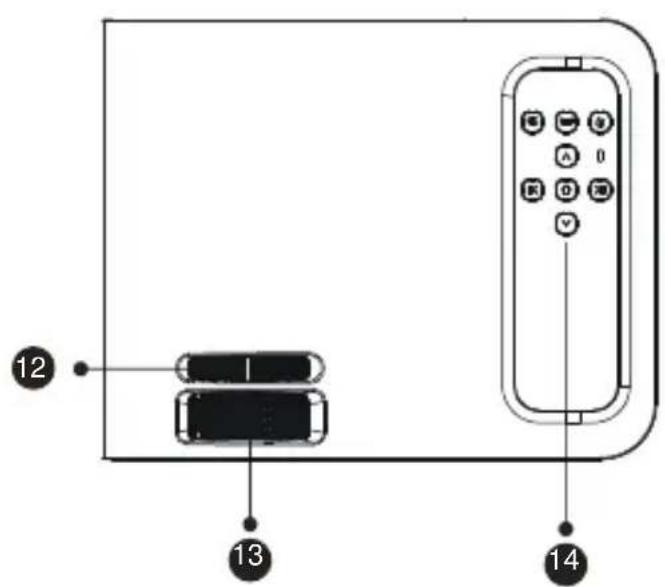
| 12 | Manual Ladder Correction | Adjust the shape of the projector |
| 13 | Focus Ring | Adjust the focus ring to get the clearest image |
| 14 | Panel key | Control projector |
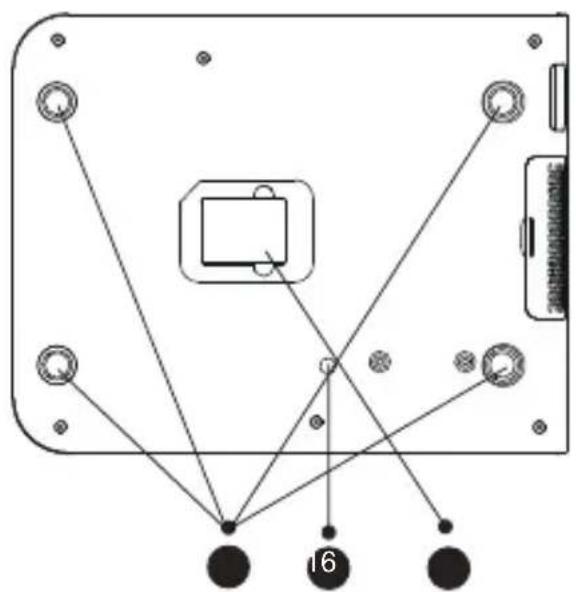
| 15 | Rubber Pads | Protective pade/remove to install mount |
| 16 | Height Adjusting Screw | Adjust the height of the projector |
| 17 | Bottom Label | Nameplate on the bottom of the projector |
REMOTE CONTROL
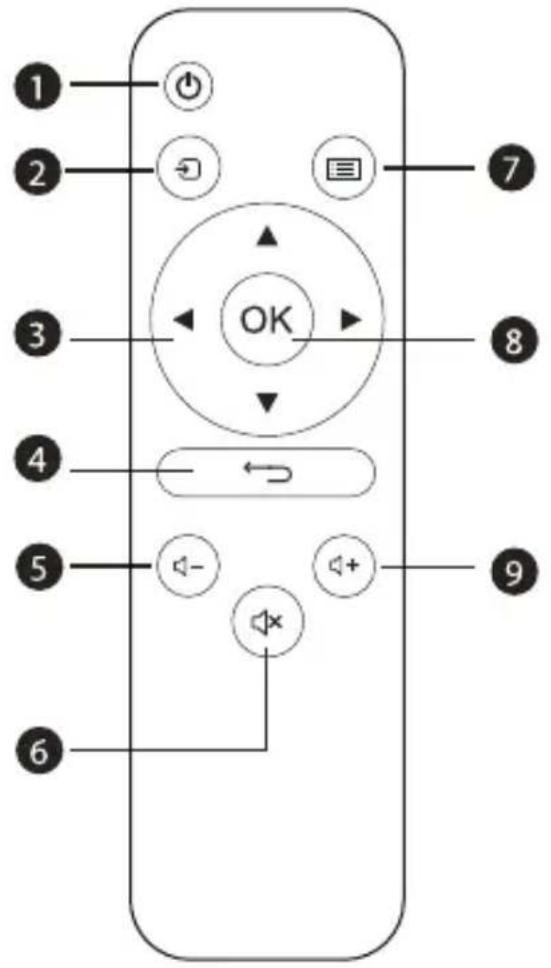
- Power
- Source
- Arrow keys
- Return
- Volume -
- Mute
- Menu
- Confirmation Key
- Volume +
| 1 |  | Turn on/off the power |
| 2 |  | Select the input signal source |
| 3 |  | Used to adjust the parameter of the projector in the menu mode |
| 4 |  | Return to the previous menu |
| 5 |  | Volume down |
| 6 |  | Close the sound |
| 7 |  | Back to the menu interface |
| 8 |  | Confirm the option |
| 9 |  | Volume up |
Note:
1). Install 2 pieces of AAA batteries into the remote before using it. Do not combine new batteries with old ones in remote controller, which can cause operation failure due to insufficient power supply.
2). When using the remote controller, please make sure that the signal transmitter of the remote controller aims at infrared signal receiver of the projector.
3). If you are not using the remote controller for an extended period, please take out batteries to prevent batteries leakage.
INSTALLATION
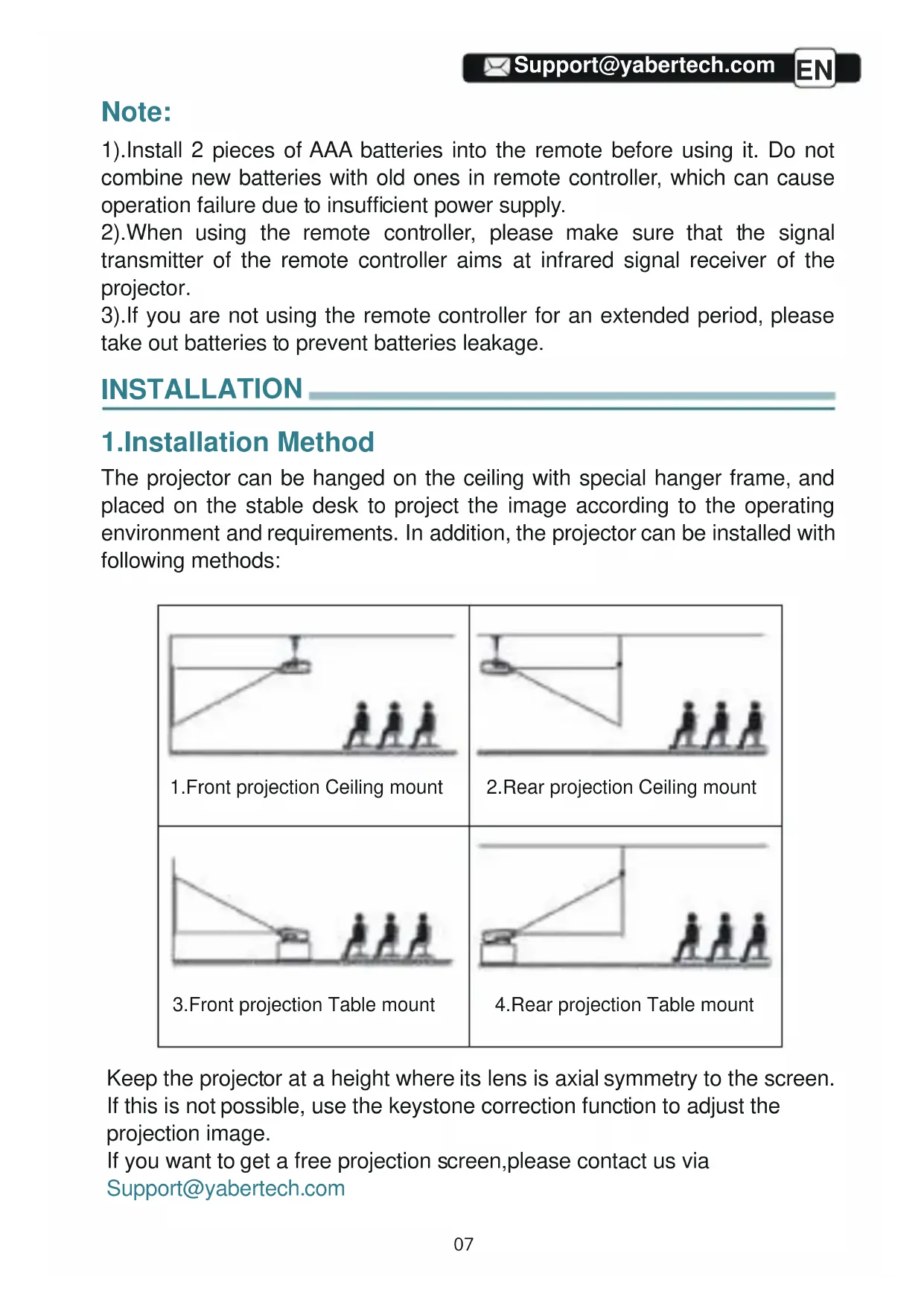
1. Installation Method
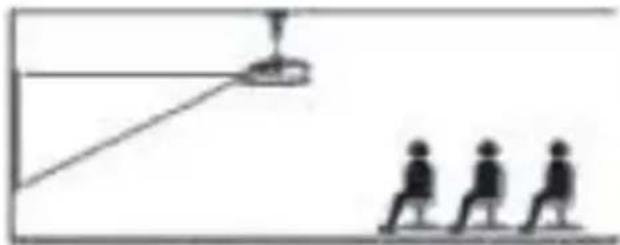
The projector can be hanged on the ceiling with special hanger frame, and placed on the stable desk to project the image according to the operating environment and requirements. In addition, the projector can be installed with following methods:

Keep the projector at a height where its lens is axial symmetry to the screen. If this is not possible, use the keystone correction function to adjust the projection image.
If you want to get a free projection screen,please contact us via
Support@yabertech.com
2.Projector Distance and Size
| Aspect Ratio: 16:9 | |
| Distance (ft.) Screen Size | |
| 3.6 | 35" |
| 5.1 | 50" |
| 6.6 | 70" |
| 9.8 | 100" |
| 11.8 | 120" |
| 14.4 | 150" |
| 20.3 | 200" |
The recommended projection distance is about 8ft, the shortest projection distance is 3.6ft.
The image size depends on the distance between projector and screen, there may be 3% deviation among above listed data. Different settings cause various distances.
3. Install on the Ceiling
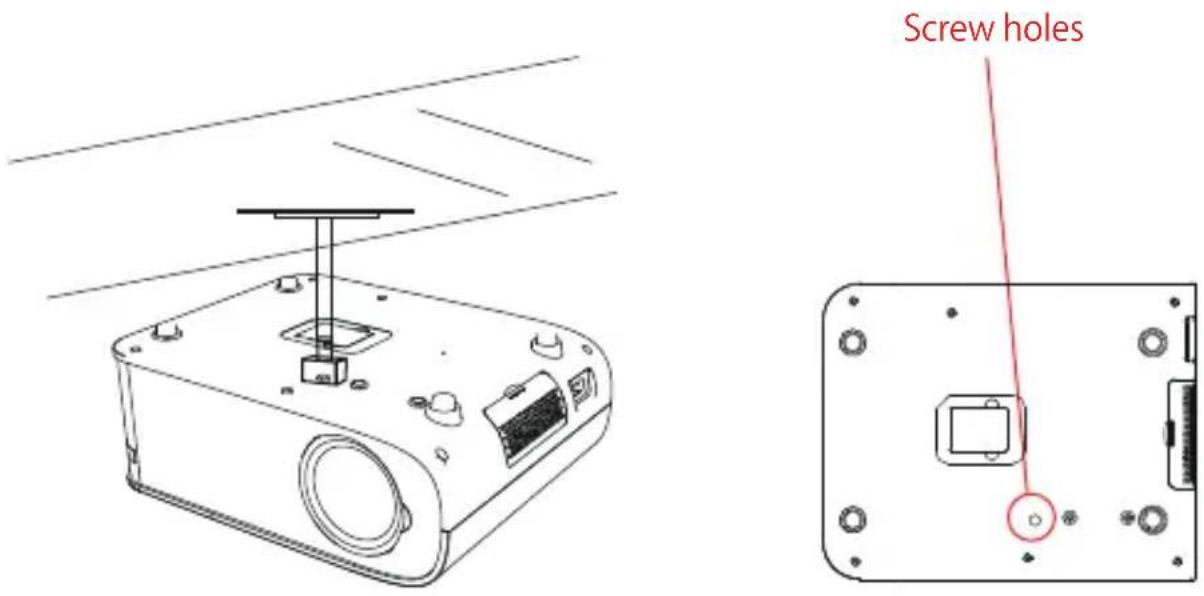
A. Please purchase an universal projector ceiling mount; B. Install using the screw hole in the bottom of the projector.
STARTING PROJECTOR
1) Press the power button on the remote control until the red light goes off;
2) Adjust the focus ring on the left side of the projector to get the best image performance; (If it is still blurry, please try to adjust the projection distance.)
3) Use the vertical/horizontal Trapezoid of the projector to get a rectangle projection screen;
4) Connect the external device (Smart phone, iPad, Fire TV, TV box, DVD player, Computer, etc.) in the corresponding interfaces of the projector, please be sure to select the corresponding source. If you do not select the correct source, the projector will not be able to detect the signal.
5) Select the [Setting] icon, enter the [General setting] menu, and then you can select the option [Language setting] to set the preferred language of your main system.
IMAGE ADJUSTMENT
When using the projector for the first time, it normally displays an unclear image. This is due to the lens being out of focus or the incorrect trapezoid setting.
Please follow the below steps to correct:
1.Focus Adjustment
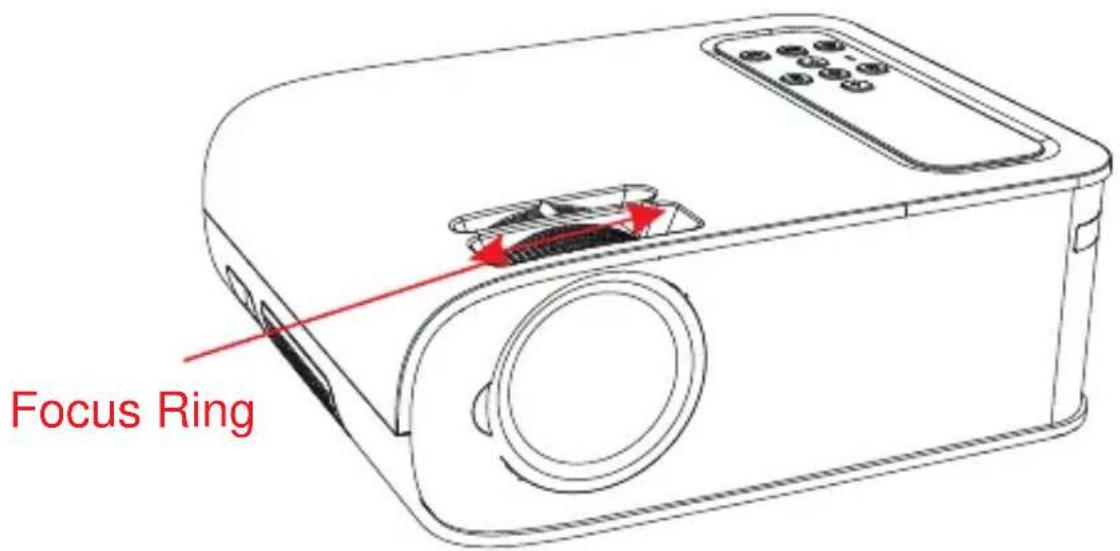

flowchart
graph LR
    A["Fish Icon"] --> B["Single Fish Icon"]
    B --> C["Arrow Left"]
    C --> D["Single Fish Icon"]
Rotate the focus ring slowly. At the same time, check the focus point carefully.
The best focus point for the lens would be where the image most clear.
Note: If it is still blurry, please try to adjust the projection distance.
2. Manual Trapezoidal Correction
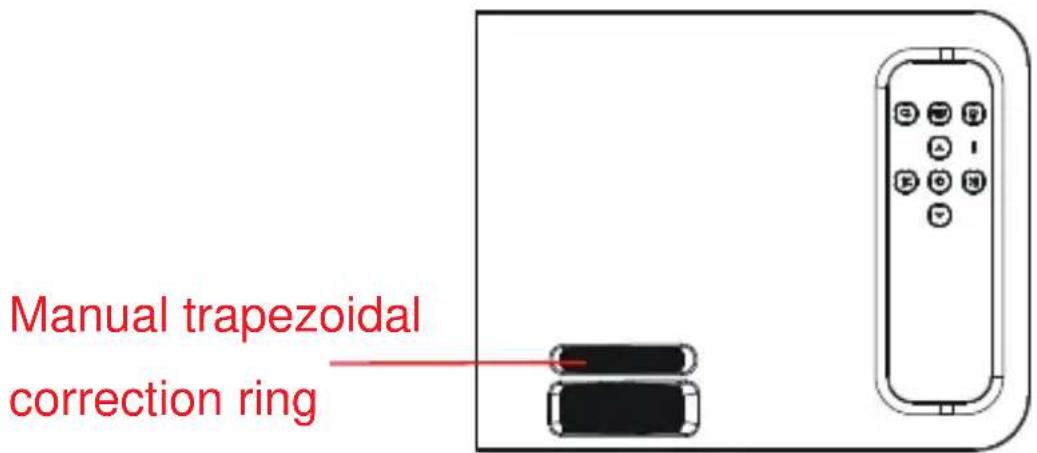
Please follow the below steps to correct:
Adjust the image size to get the best image size by moving the projector back and forth, then rotate the lens to get the best focus. Use the manual trapezoidal correction of the projector to get a rectangle projection screen.
SETTING UP THE PROJECTOR
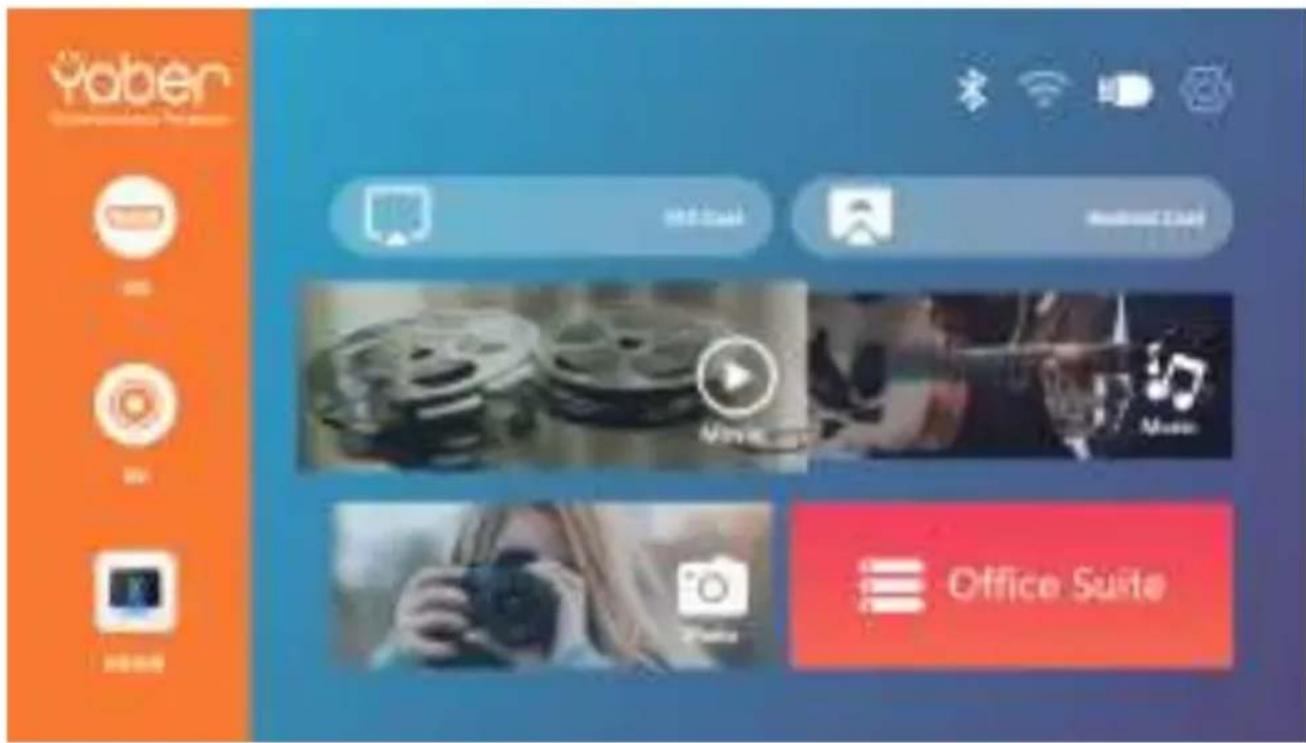
The projector's home page is as follow.
1. Select The Input Signal Source
Select the desired input signal source (HD/AV) on the home-page.
2.USB Disk Input Mode
2.1.Play Video/Music/Picture/Office in the USB Disk Input Mode
1).Input the USB Disk,Select the option [ Video/Music/Picture/Office ]
2).Select the desired file (or folder to enter the subfolder) in the USB disk, then press the [OK] button to play it.
PS:
a.Pro V8 upgraded projector supports U disk to directly play PPT, Word, Excel files.
b. If you enter from the [Video] menu, you can only play the video, The same as other 3 options.
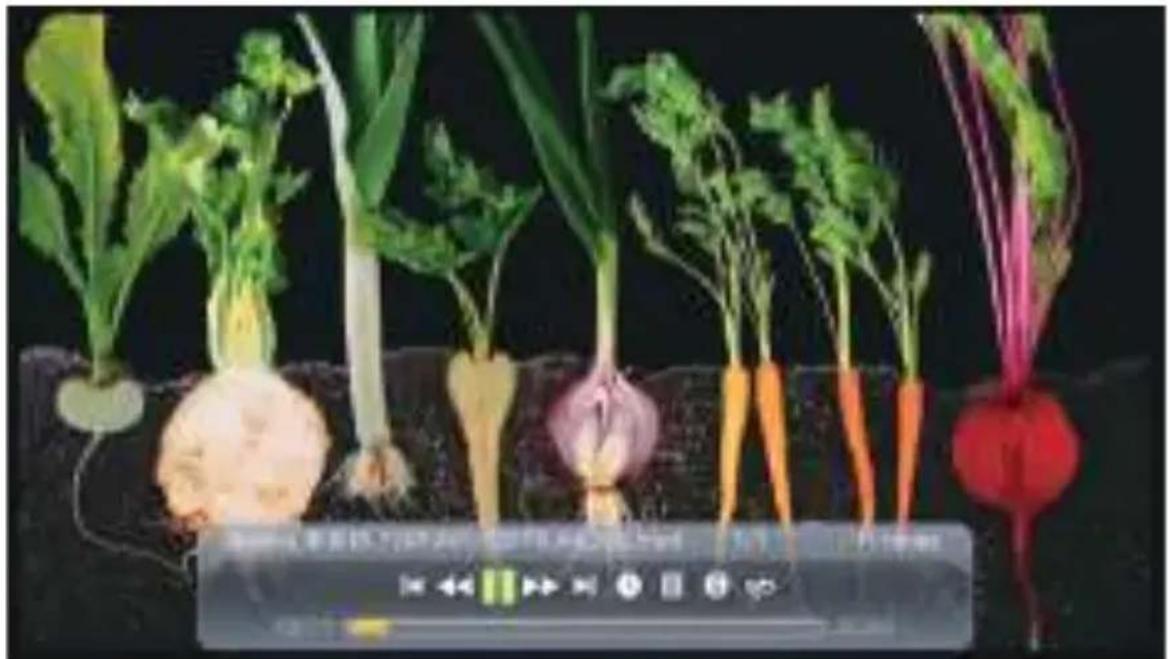
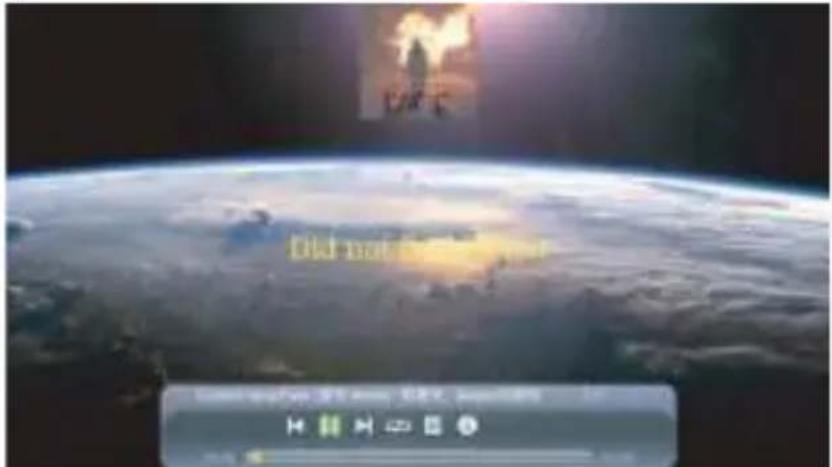
2.2.Video Play Interface
natural_image
Plant growing from soil with radishes and carrots, no visible text or symbols| Menu | Function |
 | Switch to the previous video. |
 | Fast Backward, rewinds the video back quickly while playing it. |
 | Play or pause the current video. |
 | Fast Fast, pushes the video move forward quickly while playing it. |
 | Switch to the next video. |
 | Select the time when the video starts. |
 | Select the video list. |
 | Check the format of the video. |
 | Repeat the video. |
2.3. Music Play Interface
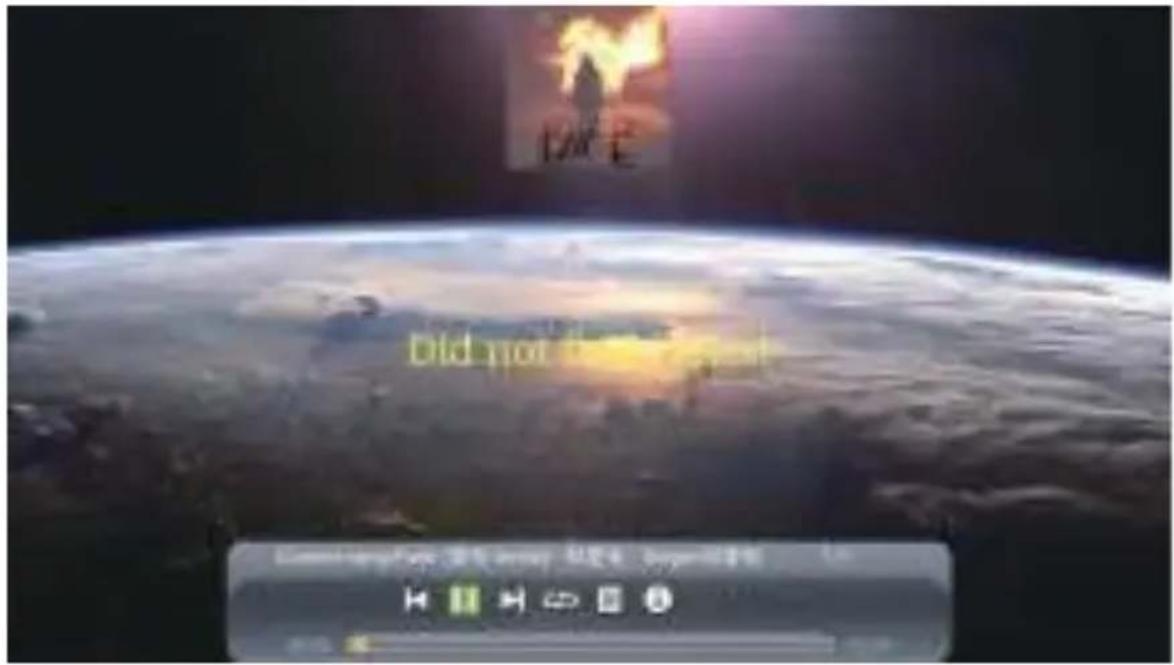
| Menu | Function |
 | Switch to the previous music. |
 | Play or pause the current music. |
 | Switch to the next music. |
 | Repeat the music. |
 | Select the music list. |
 | Check the format of the music. |
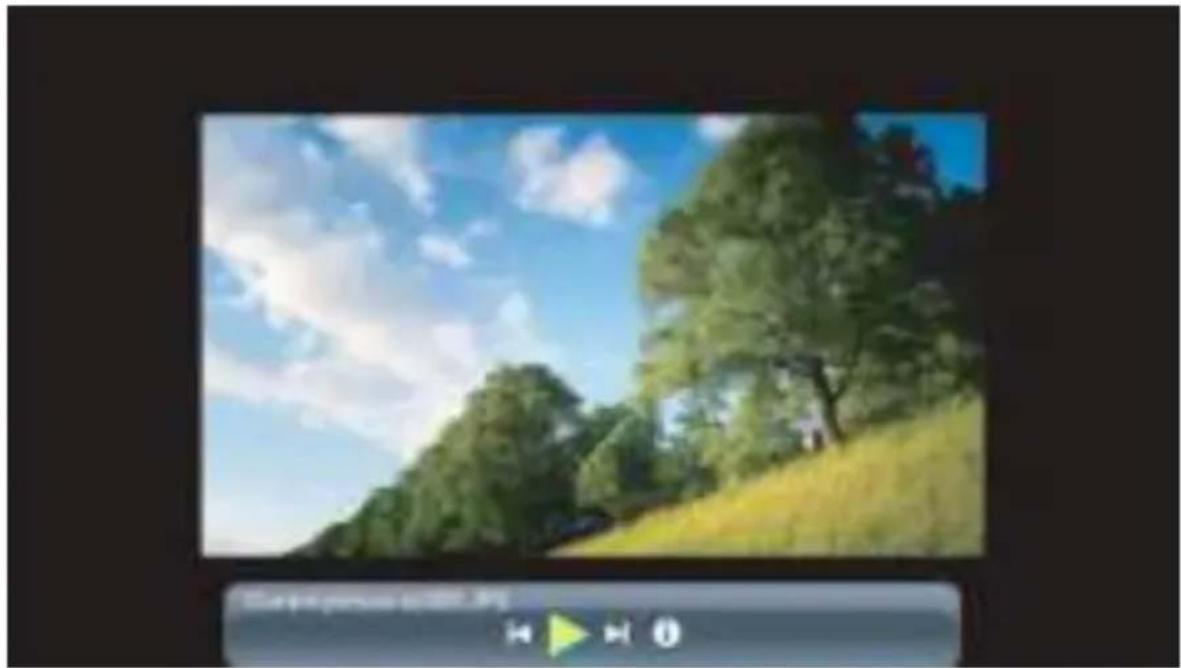
2.4.Picture Play Interface
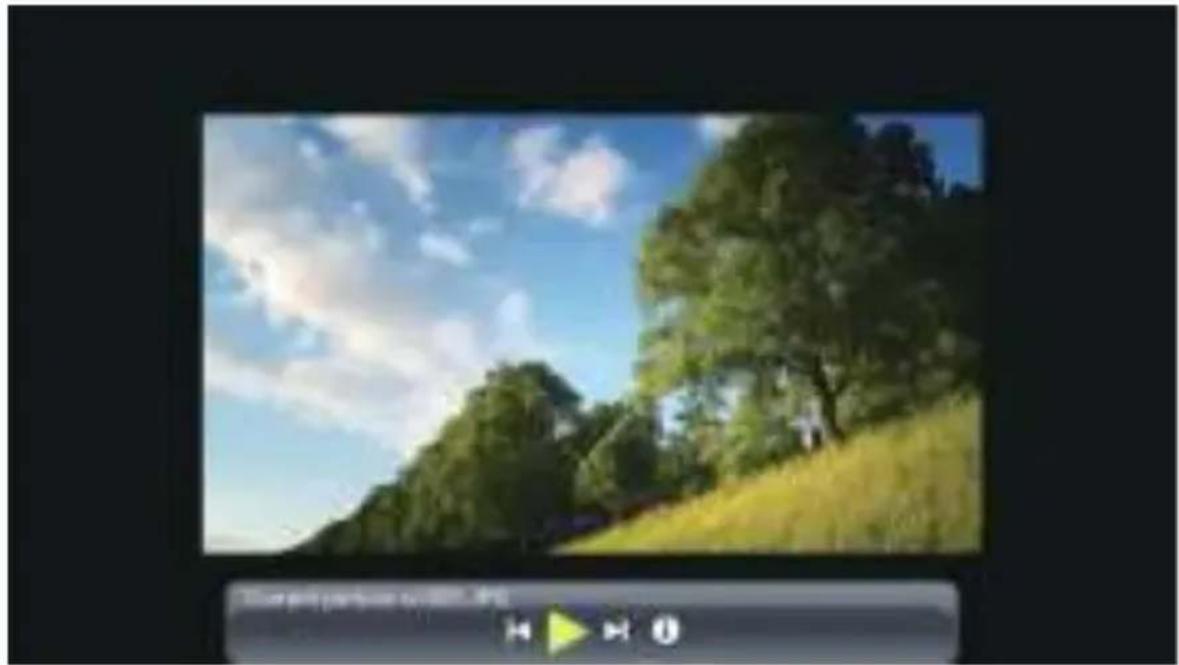
natural_image
Landscape photo of a forested hillside under a blue sky with scattered clouds, no visible text or symbols.| Menu | Function |
 | Switch to the previous picture. |
 | Pause the auto - play mode of a picture. |
 | Switch to the next picture. |
 | Check the format of the picture. |
3.WiFi Setting
Wireless Connection
Warming Tips:
①The fluency of screen mirroring with wireless connection will be affected by the network environment. A bandwidth of 100Mbit or more is recommended when using screen mirroring.
②Make sure your mobile device is close to the projector when using wireless connection. A distance within 1 meter is recommended.
③Some mobile devices may not support screen mirroring due to the compatibility.
④Any questions, please feel free to email YABER via Support@yabertech.com.
3.1.iOS Cast (for iOS Devices)
- Turn on the projector, select IOS CAST as the input source to enter the interface of Screen Mirroring for iOS system.
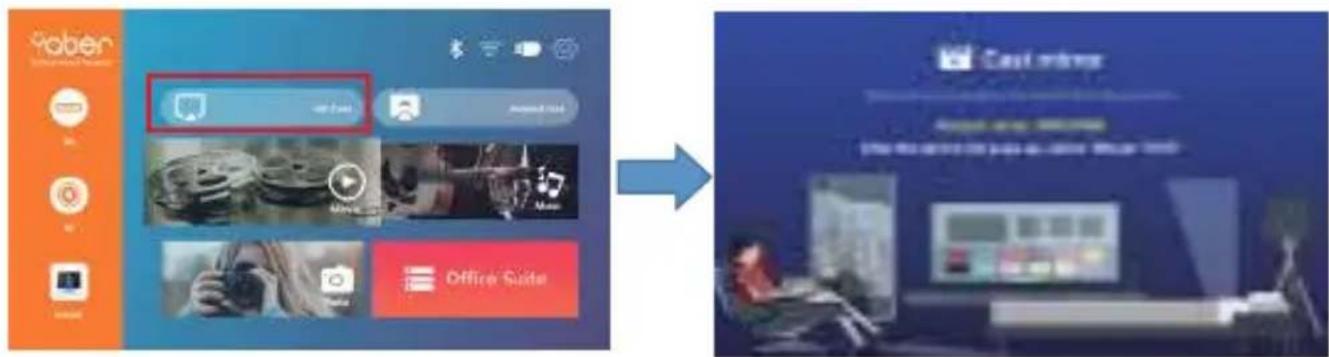
- Go to the setting of your projector and connect it to your home wifi. Select your home WIFI to make sure that the projector connect to the same wifi to your phone. Press the "^" and "V" on the operation panel to select the correct WiFi. Press the "OK" key to enter the password page.

- Get back to the Wi-Fi setting of your iOS mobile device, then connect it to the same router's Wi-Fi.
- Swipe up the screen of your iOS mobile device and tap Screen Mirroring to search for the projector, then select MCast-XXXX from the searching results to connect.
- The display of your iOS mobile device will be projected to the wall/screen via wifi after a successful connection.
3.2.Miracast (for Android Devices)
To activate this function, your android device must support Multi-Screen/Wireless display. Names may differ from different devices. (This function is only available for IOS/ANDROID Devices.)
- Turn on the projector, select Android Cast as the Input Source

3.3.Control your projector from the app "MHshare TV"
Scan the QR code or learn more on http://tvweb.cvtColorapi.com/html/tv/max-hub-share-download/ to download the MaxhubShare for your smartphone.

-
Open the app "MHshare TV" and connect to the projector device MCast-XXXX.
-
The display of your Android mobile device will be projected to the wall/screen via wifi after a successful connection. You can control your projector from the app after the successfully connection.
Note:
- Different brands of Android phones have different operations for select Screen Mirroring Display, please refer to your phone's manual.
[Multiscreen/Wireless display/WLAN display/Screen mirroring/Wireless projection/Smart view etc.] - Not all Android phones support this function. Please make sure it is supported before use.
4. Bluetooth Setting
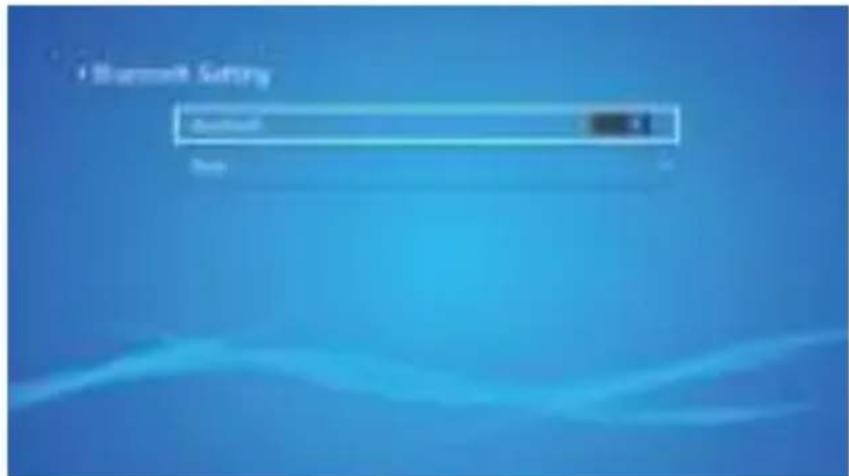
(1)Move the cursor to the "Bluetooth" icon and press OK to enter the Bluetooth setting interface.
(2)Press "OK" on the "Bluetooth ON/OFF" option to turn on and off the Bluetooth function, as shown in the figure below.
(3)After turning on the Bluetooth function, please scan your Bluetooth devices by clicking the scan button.
(4)Scan and Select your Bluetooth devices to connect to the projector. Press the "^" and "V" on the operation panel to select the correct Bluetooth device. Press the "OK" key to connect.
Note:
- The V8 projector is compatible with the Bluetooth headsets, Bluetooth speakers and Airpods, but not the Bluetooth keyboards or Bluetooth phones.
- If you have any question, please feel free to email YABER via:
support@yabertech.com
5.Projector Settings
Get a better viewing effect with appropriate settings. The main content of the projection can be set in the following steps.
(1) If needs setting, first select "Settings" on the main screen, and then press the "OK" key on the operation panel.
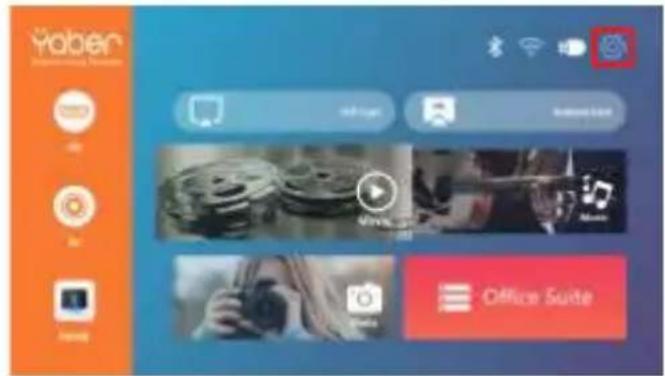

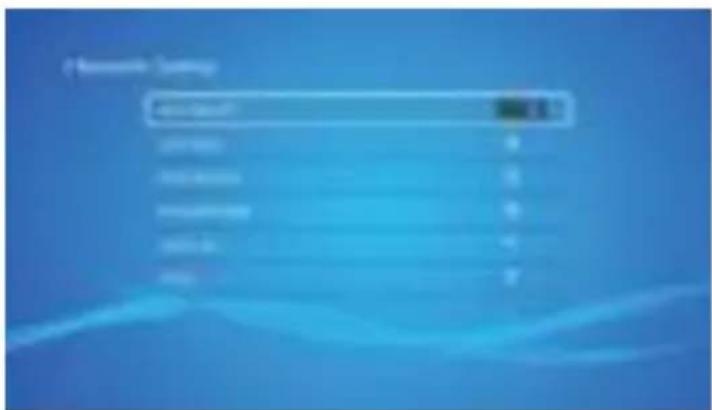
(2) "Network setting", "Bluetooth setting", "Projection Setting", "System Update", "General Setting" can be set. "System Info" can be obtained. Press the and ">” on the operation panel to select the range of settings.
5.1 Network Setting
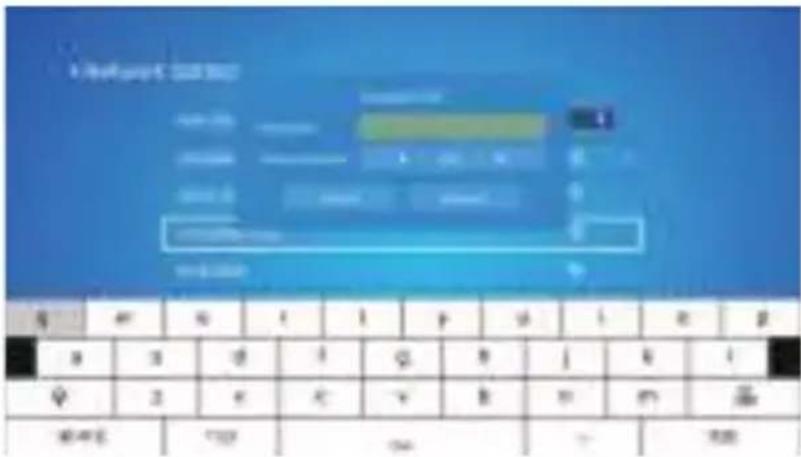
- Move the cursor to the "WIFI" icon and press OK to enter the WI-FI setting interface.
- Press "OK" on the "wifi ON/OFF" option to turn on and off the wifi function, as shown in the figure below.
- After turning on the wifi function, the projector will search for wifi hotspots automatically.
- Select your WIFI to make sure that the projector connect to the same wifi to your phone. Press the "^" and "∨" on the operation panel to select the correct WiFi. Press the "OK" key to enter the password page.
5.2 Bluetooth Setting
-
Move the cursor to the "Bluetooth" icon and press OK to enter the Bluetooth setting interface.
-
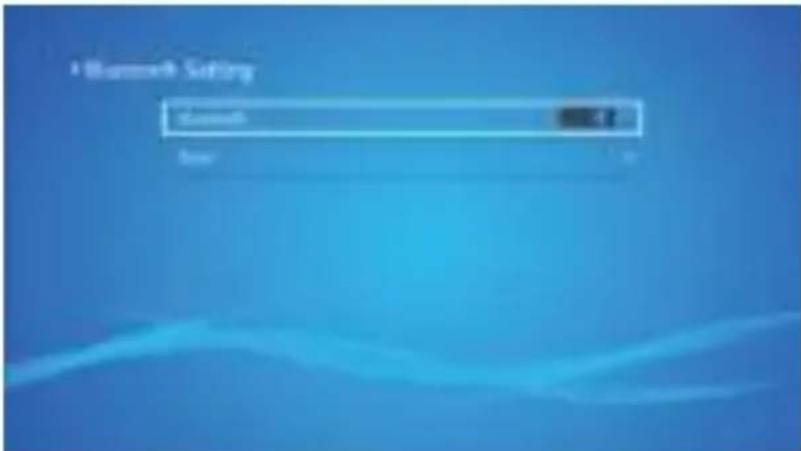
Press "OK" on the "Bluetooth ON/OFF" option to turn on and off the Bluetooth function, as shown in the figure below.
-
After turning on the Bluetooth function, please scan your Bluetooth devices by clicking the scan button.
-
Scan and Select your Bluetooth devices to connect to the projector. Press the "^" and "V" on the operation panel to select the correct Bluetooth device. Press the "OK" key to connect.
5.3 Projection Setting
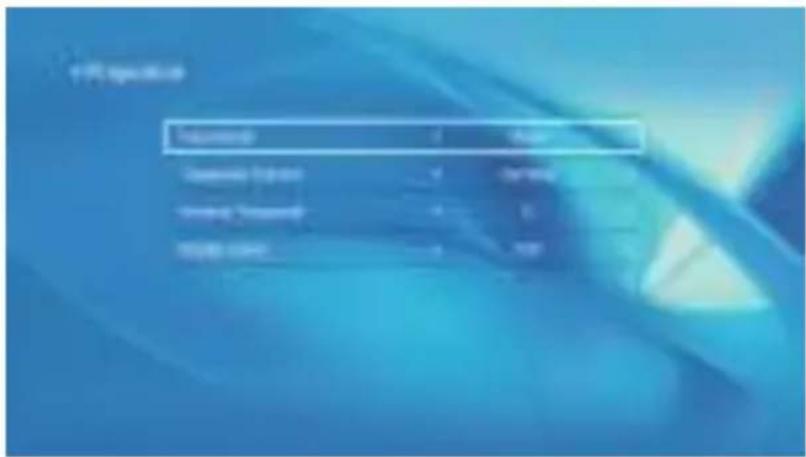
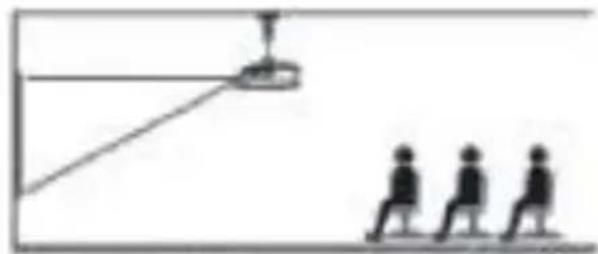
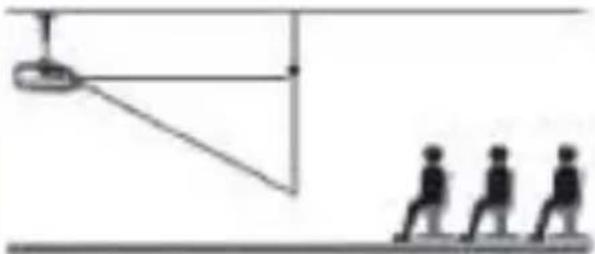
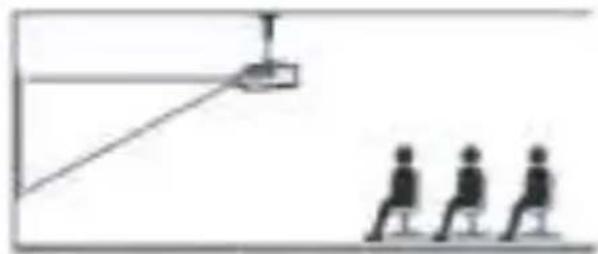
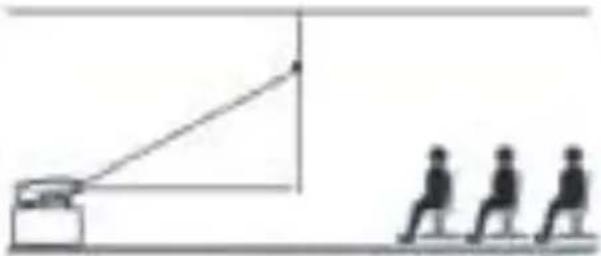
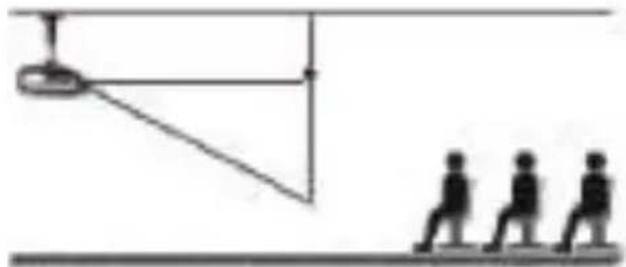
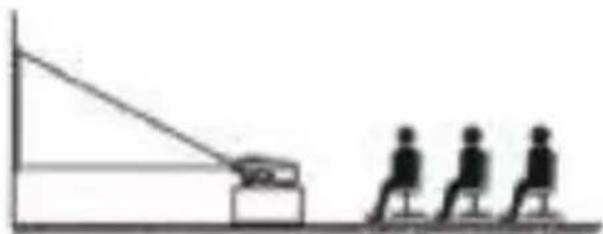
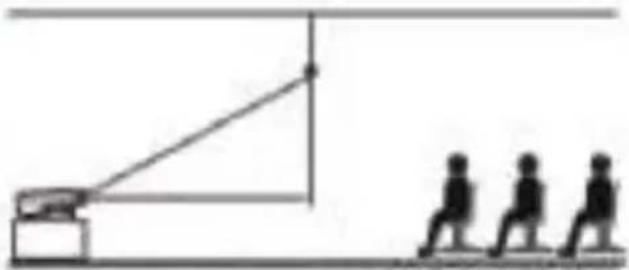
5.3.1. Cast Mode: Front, Rear, Front -Ceiling, Rear-Celling
natural_image
Simple line drawing of a person walking with three figures below, connected by a rope and a device (no text or symbols)- Front projection Ceiling mount
natural_image
Simple line drawing of a pendulum with three human figures on a horizontal surface (no text or symbols)- Rear projection Ceiling mount

natural_image
Simple line drawing of a person sitting on a chair facing a camera and a triangular screen, with no text or symbols present.3.Front projection Table mount

natural_image
Simple line drawing of a person walking toward a target with a flagpole and two silhouettes (no text or symbols)- Rear projection Table mount
5.3.2.Trapezoid Correct: Quadrangle, Vertical
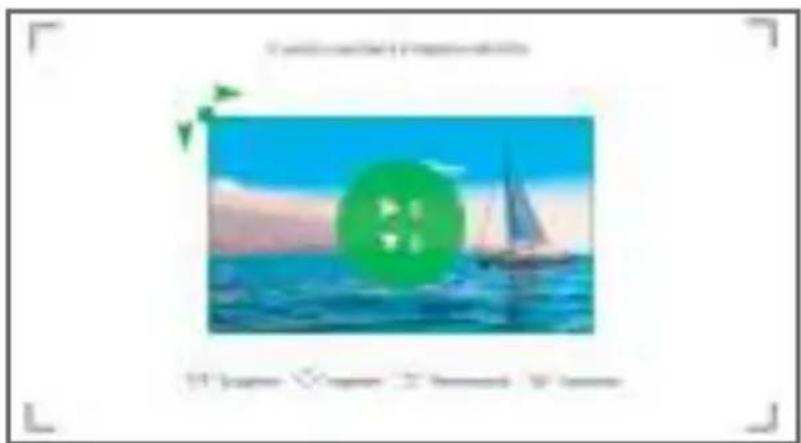
1) Quadrangle Trapezoid: 0\~100
You can enter the setting of Quadrangle Trapezoid to get a better view.
Step 1: Press the button to select the [Quadrangle] menu, then press the [OK] bottom to enter the submenu.
Step 2: Keep pressing the OK button on the remote control or projector to select the point
Step 3: Press the arrow keys on the remote or projector to adjust the horizontal or vertical parameters, until the projection screen becomes the desired rectangle.
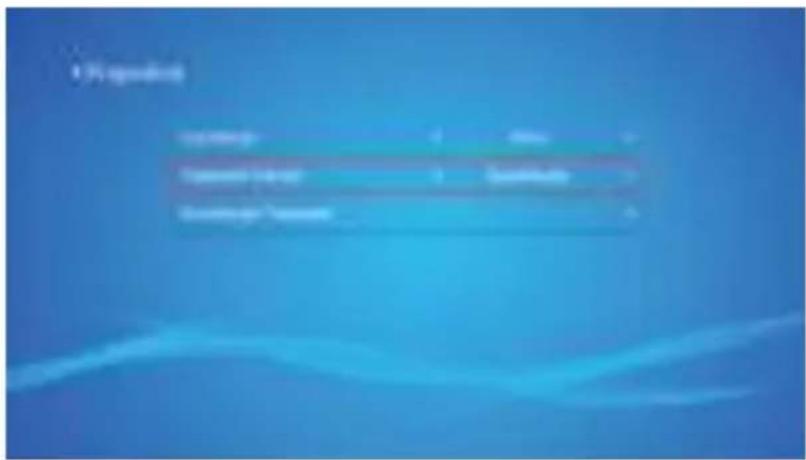

2) Vertical Trapezoid: -50\~50
You can set-up the zoom and vertical trapezoid when you Select the Vertical as the Trapezoid correct mode.
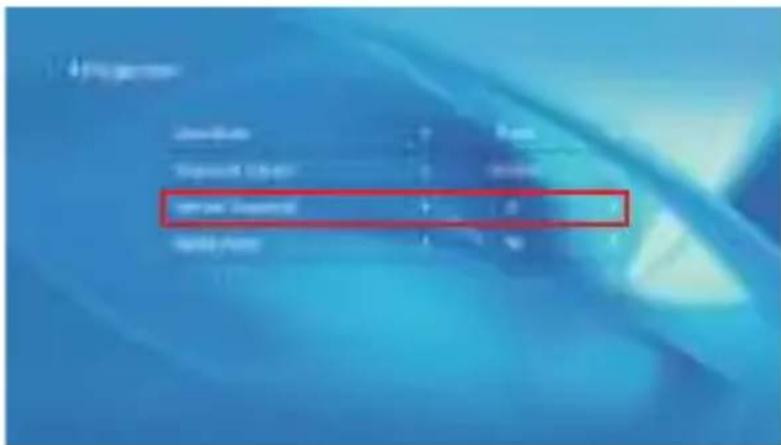
Step 1: Press the button to select the [Vertical] menu, then press the [OK] bottom to enter the submenu.
Step 2: If the projection image shows as (1), press the [Vertical trapezoid] on the remote or projector to increase the vertical parameter (-50\~0), until to achieve the projection image (2).
Step 3: If the projection image shows as (3), then press the [Vertical trapezoid] the remote or projector, and decrease the vertical parameter (0\~50), until to achieve the projection image (4)

(1)


(2)

(3)


(4)
3) Digital zoom: 50% \~100%
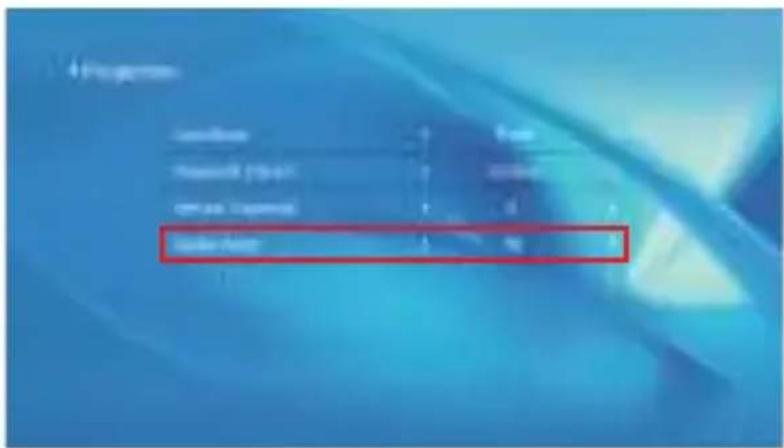
Step 1: Press the button to select the [Digital Zoom] menu, then press the [OK] bottom to enter the submenu.
Step 2: Click the "◀", TURN the Scaling function, you can reduce the height and width of projection size up to 50 % in the same proportion.
Step 3: Click the "▶", OFF the Scaling, you can reduce the horizontal ZOOM and Vertical zoom of projection size up to 50% apartly.
5.4 System Update
- You can online update the system of the projector when you select the Online Update.
- You can restore to the factory mode if you need to re-set all settings. Please refrain from doing this since it may damage the system.
Note: During the process of restoring factory settings, the projector cannot be powered off or operated, otherwise the system will crash.

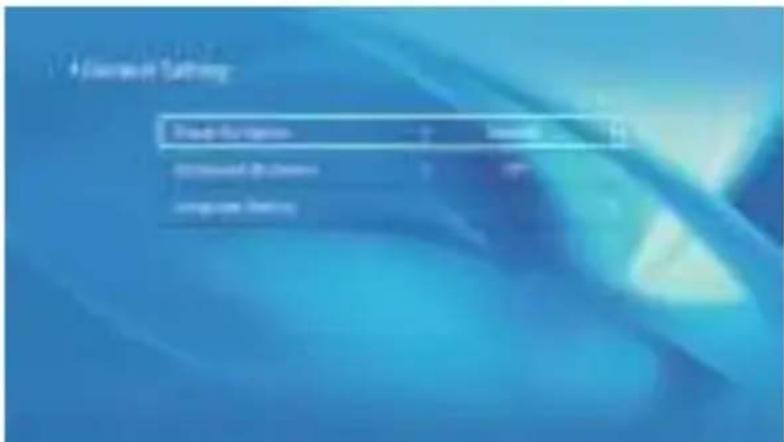
5.5 General Setting
| Menu | Function |
| Power on Option | You can choose immediate shutdown or delay shutdown. |
| Scheduled Shutdown | You can set the time about the regular shutdown. |
| Language Setting | You can set the language of the projector, English, Deutsch, France, Italiano, Espano, etc. |
SIGNAL LINES CONNECTION
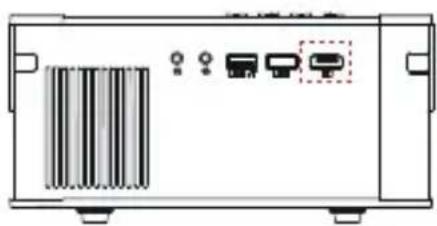
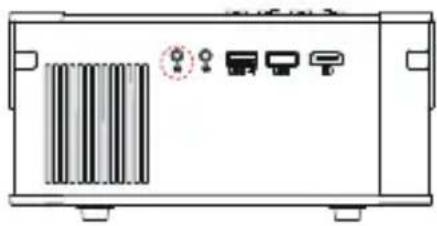
YABER Pro V8 projector has 5 interfaces, HDMI ports/USB ports*2/AV output/AUDIO output. Please select the correct connecting port to connect your device (PC, Phone, DVD Player, Sound bar, USB, PS4 etc.)

1. Connect USB Disk
1) Input the USB Disk, Select the option [ Video/Music/Picture/Office ]
2) Select the desired file (or folder to enter the subfolder) in the USB disk, then press the [OK] button to play it.
2. Connect the Devices via the HDMI ports
1) Connect your TV stick or laptop to any HDMI port of the projector;
2) Enter the home page to select the corresponding HDMI as the signal source.
3. Connect to the DVD Player
Use the 3-in -1 AV cable in the package

natural_image
Front view of a rectangular electronic device with internal components and a vertical bar (no text or symbols visible)
Or connect to the DVD Player with the HDMI cable in the package.
natural_image
Front view of a device chassis with ports and a barcode-like pattern on the left side (no text or symbols visible)
flowchart
graph LR
    A["网络"] --> B["电缆"]
    B --> C[" Cable "]
    C --> D[" Mobile Device"]
    D --> E[" Car"]
4. Connect to the Sound bar/Speaker
If your speaker has AUX port, please use your 3.5mm audio cable connect the projector and your speaker as the picture shows, enter the home page to select [AV] as the signal source.
natural_image
Front view of a device chassis with labeled ports and a barcode-like pattern on the left (no text or symbols)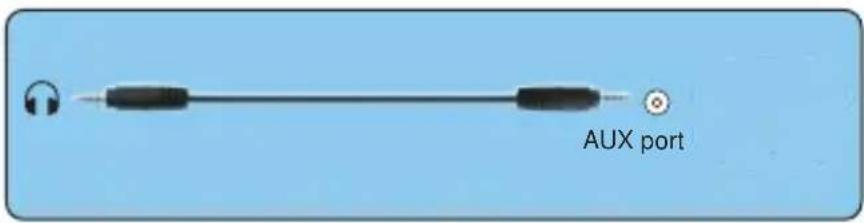
SAFE SHUTDOWN
- Press the ⏻ button on the projector or remote.
- Unplug the power cord of the projector.
3.Cover the lens and store the projector in a cool and dry place.
WARRANTY
Thank you so much for your purchase and support! We provide 3-year warranty for V8 projector. If you have any questions, please feel free to contact us via Support@yabertech.com.
TROUBLESHOOTING
Problems listed below might occur during the operation of your projector. Please refer to the possible factors which might cause the issue to do troubleshooting.
- When turning on the power switch, the indicator light does not work.
1) The power might not be connected well.
2) Check the over-heat protection system.
- The remote control does not communicate with the projector.
1) The power switch at the back of the projector is turned on or off?
2) The remote control's batteries are depleted?
3) Something obstructing the signal between the remote and IR
4) Strong light on IR directly.
- No image on the screen.
1) Is the channel set-up correct?
2) Is there an input signal?
3) Is the input cable plugged well?
4) Under PC mode, is the refresh rate > 75KHz ?
- Blue screen, no picture, no sound.
Input cables connected right?
5.Picture right, no sound.
1) Input cables connected right?
2) Volume at min or on Mute.
6.Can't play the movies.
1) The format of the video is right?
2)Files are broken?
3)Device is broken?
- There is picture, no sound?
The decode system doesn't match.
- Can't find devices when connected with hard drive or flash drive.
Check if the device is broken.
- Auto-off after working for a while.
1) The projector ventilation is blocked.
2) The voltage is not stable.
3) The over-heat protection system.
FCC STATEMENT :
This device complies with Part 15 of the FCC Rules. Operation is subject to the following two conditions:
(1) This device may not cause harmful interference, and
(2) This device must accept any interference received, including interference that may cause undesired operation.
Warning: Changes or modifications not expressly approved by the party responsible for compliance could void the user's authority to operate the equipment.
NOTE: This equipment has been tested and found to comply with the limits for a Class B digital device, pursuant to Part 15 of the FCC Rules. These limits are designed to provide reasonable protection against harmful interference in a residential installation. This equipment generates uses and can radiate radio frequency energy and, if not installed and used in accordance with the instructions, may cause harmful interference to radio communications. However, there is no guarantee that interference will not occur in a particular installation. If this equipment does cause harmful interference to radio or television reception, which can be determined by turning the equipment off and on, the user is encouraged to try to correct the interference by one or more of the following measures:
Reorient or relocate the receiving antenna.
Increase the separation between the equipment and receiver.
Connect the equipment into an outlet on a circuit different from that to which the receiver is connected.
Consult the dealer or an experienced radio/TV technician for help.
FCC RADIATION EXPOSURE STATEMENT:
This equipment complies with FCC radiation exposure limits set forth for an uncontrolled environment. This equipment should be installed and operated with minimum distance 20cm between the radiator & your body.
This device contains licence-exempt transmitter(s)/receiver(s) that comply with Innovation, Science and Economic Development Canada's licence-exempt RSS(s). Operation is subject to the following two conditions:
(1) This device may not cause interference.
(2) This device must accept any interference, including interference that may cause undesired operation of the device.
Correct Disposal of this product
Do not dispose this product as unsorted municipal waste.
Collection of such waste separately for special treatment is necessary.
DECLARATION OF CONFORMITY
We (Manufacturer is responsible for this declaration)
YABER TECHNOLOGIES CO., LIMITED. (Company name)
Room 406, 4 Floor, B Building, BanTian International Center, HuanCheng South Road, BanTian Street, LongGang District, Shenzhen (Company address)
declare under our sole responsibility that the product
Trade name: YEBAR
Equipment: Entertainment Projector
Model No.: Pro V8
To which this declaration relates is in conformity with the essential requirement set out in the Council Directive on the Approximation of the laws of the Member States relating to RED Directive(2014/53/EU) & RoHS(2011/65/EU) product is responsible to affix CE marking, the following standards were applied:
EN 62368-1:2014+À11:2017
EN IEC 62311:2020
ETSI EN 301 489-1 V2.2.3(2019-11)
ETSI EN 301 489-17 V3.2.4(2020-09)
EN 55032:2015
EN 55035:2017
EN 61000-3-2:2019
EN 61000-3-3:2013+A2019
ETSI EN 300 328 V2.2.2(2019-07)
IEC62321-3-1:2013
IEC62321-4:2013
IEC62321-5:2013
IEC62321-6:2015
IEC62321-7-1:2015
IEC62321-7-2:2017
IEC62321-8:2017
Full Name: George.wang
Signature: George.wang
Position: Approbation Manager
Place/Date: Shenzhen,China/Mar.11-2022
CONTENU
natural_image
Simple line drawing of a person standing on a platform with a device above, no text or symbols present.natural_image
Simple line drawing of a pendulum with three human figures on a horizontal surface (no text or symbols)natural_image
Simple line drawing of a person sitting on a chair facing a camera and a triangular screen, with no text or symbols present.natural_image
Simple line drawing of a projector with three human figures in the background (no text or symbols)natural_image
Line drawing of a projector with a mounted sensor and control panel (no text or symbols)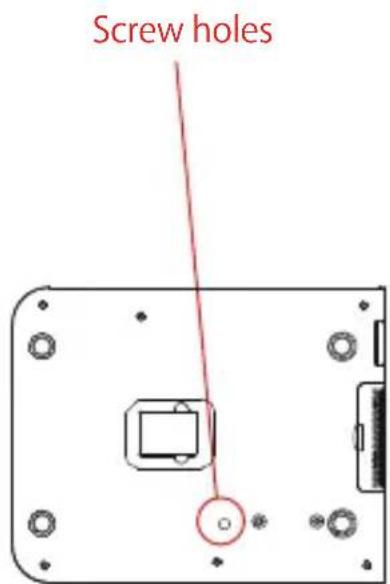
flowchart
graph LR
    A["Fish Icon"] --> B["Single Fish Icon"]
    B --> C["Arrow Left"]
    C --> D["Single Fish Icon"]
natural_image
Plant growing with radishes and carrots in a dark field (no text or symbols visible)natural_image
Landscape photo of a forested hillside under a blue sky with scattered clouds, no visible text or symbols.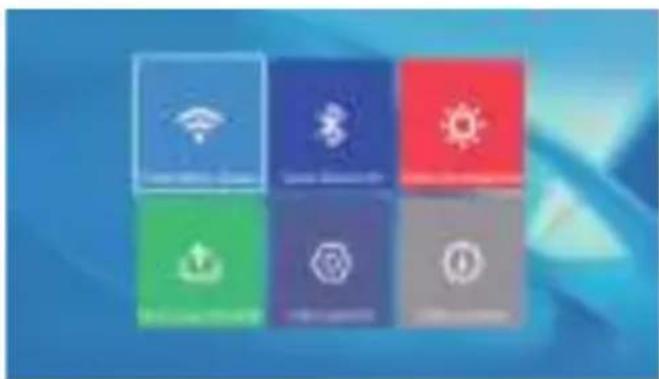
natural_image
Six colored square icons representing smart home functions (no text or symbols)5.2 Paramètre Bluetooth
natural_image
Simple line drawing of a person standing on a platform with three figures nearby, no text or symbols present.natural_image
Simple line drawing of a pendulum with three human figures below (no text or symbols)natural_image
Simple line drawing of a person sitting on a chair facing a desk with a triangular pointer (no text or symbols)natural_image
Simple line drawing of a projector with three human figures below, no text or symbols present5.5 Réglage général
CONNEXION DES LIGNES DE SIGNAL
natural_image
Front view of a device chassis with rack-mounted components and indicator lights (no text or symbols visible)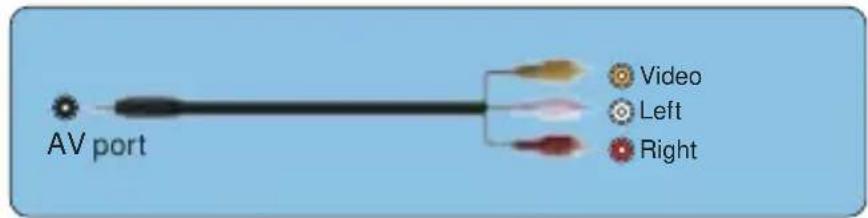
Or connect to the DVD Player with the HDMI cable in the package.
natural_image
Front view of a device chassis with ports and a barcode-like pattern on the left side (no text or symbols visible)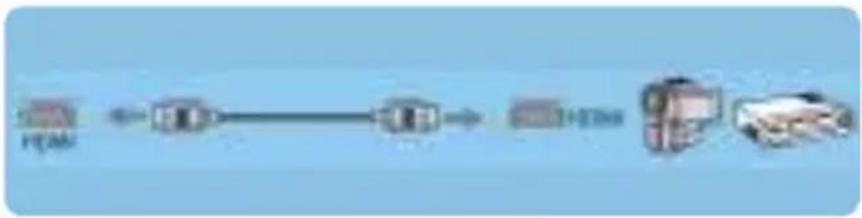
flowchart
graph LR
    A["http"] --> B["12300"]
    B --> C["12300"]
natural_image
Front view of a device chassis with ports and a barcode bar (no text or symbols visible)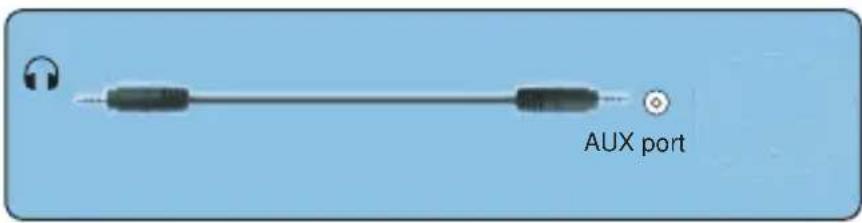
ARRÊT SÉCURISÉ
Correct Disposal of this product
Do not dispose this product as unsorted municipal waste. Collection of such waste separately for special treatment is necessary.
DECLARATION OF CONFORMITY
We (Manufacturer is responsible for this declaration)
YABER TECHNOLOGIES CO., LIMITED. (Company name)
Room 406, 4 Floor, B Building, BanTian International Center, HuanCheng South Road, BanTian Street, LongGang District, Shenzhen (Company address)
declare under our sole responsibility that the product Trade name: YEBAR Equipment: Entertainment Projector Model No.: Pro V8
To which this declaration relates is in conformity with the essential requirement set out in the Council Directive on the Approximation of the laws of the Member States relating to RED Directive(2014/53/EU) & RoHS(2011/65/EU) product is responsible to affix CE marking, the following standards were applied: EN 62368-1:2014+A11:2017 EN IEC 62311:2020 ETSI EN 301 489-1 V2.2.3(2019-11) ETSI EN 301 489-17 V3.2.4(2020-09) EN 55032:2015 EN 55035:2017 EN 61000-3-2:2019 EN 61000-3-3:2013+A2019 ETSI EN 300 328 V2.2.2(2019-07) IEC62321-3-1:2013 IEC62321-4:2013 IEC62321-5:2013 IEC62321-6:2015 IEC62321-7-1:2015 IEC62321-7-2:2017 IEC62321-8:2017
Full Name: George.wang Signature: George.wang
Position: Approbation Manager Place/Date: Shenzhen, China/Mar.11-2022
SOMMARIO
natural_image
Technical line drawing of a mechanical device with labeled components (no text or symbols present)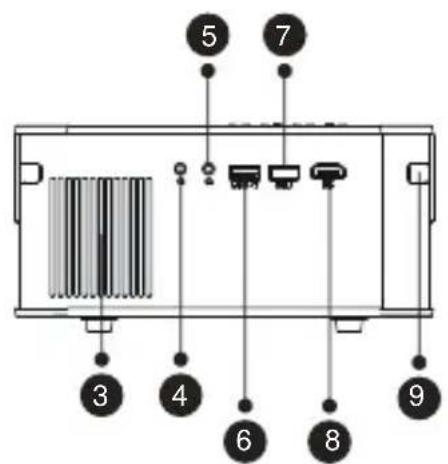

natural_image
Diagram showing a remote control with a black rectangular device and a red pointer, no text or symbols present.natural_image
Plant growing in soil with various colored vegetables and a digital play button (no text or symbols on the plants themselves)| Menu | Function |
 | Switch to the previous video. |
 | Fast Backward, rewinds the video back quickly while playing it. |
 | Play or pause the current video. |
 | Fast Fast, pushes the video move forward quickly while playing it. |
 | Switch to the next video. |
 | Select the time when the video starts. |
 | Select the video list. |
 | Check the format of the video. |
 | Repeat the video. |
2.3.Music Play Interface
| Menu | Function |
 | Switch to the previous music. |
 | Play or pause the current music. |
 | Switch to the next music. |
 | Repeat the music. |
 | Select the music list. |
 | Check the format of the music. |
2.4.Picture Play Interface
natural_image
Landscape photo of a forested hillside under a blue sky with scattered clouds, no visible text or symbols.| Menu | Function | |
 | Switch to the previous picture. | |
 | Pause the auto - play mode of a picture. | |
 | Switch to the next picture. | |
 | Check the format of the picture. | |

natural_image
Six colored square icons representing smart home control and connectivity (no text or symbols)

natural_image
Simple line drawing of a person standing on a platform with a device above, no text or symbols present.- Front projection Ceiling mount

natural_image
Simple line drawing of a pendulum setup with three human figures on a platform (no text or symbols)- Rear projection Ceiling mount
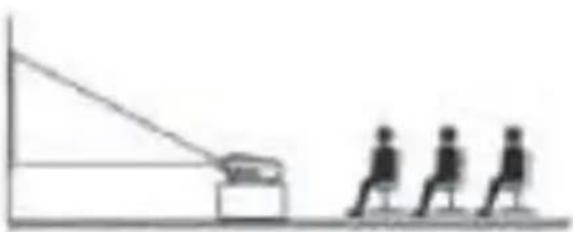
natural_image
Simple line drawing of a person sitting on a chair facing a large screen, with no text or symbols present.3.Front projection Table mount
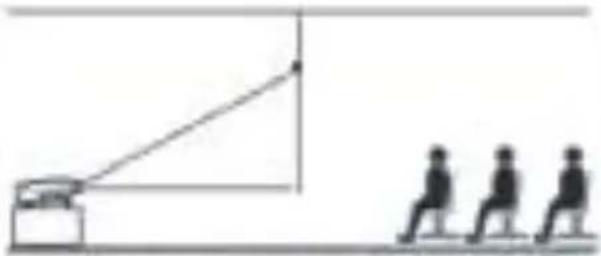
natural_image
Simple line drawing of a person walking toward a camera with a triangular pointer (no text or symbols)- Rear projection Table mount
5.3.2.Trapezoid Correct: Quadrangle, Vertical
1) Trapezio quadrilatero: 0\~100
natural_image
Scenic view of a sailboat on water with a green circular logo in the foreground (no text or symbols)2) Trapezio verticale: -50\~50
natural_image
Front view of a rectangular electronic device with internal components and indicator lights (no text or symbols visible)
natural_image
Front view of a device chassis with ports and a barcode-like pattern on the left side (no text or symbols visible)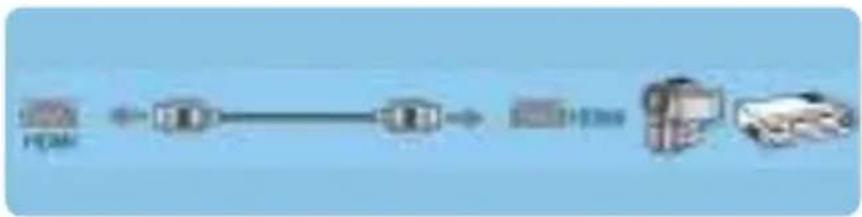
flowchart
graph LR
    A["输入"] --> B["处理"]
    B --> C["输出"]
    C --> D["反馈"]
    D --> E["结束"]
natural_image
Front view of a device casing with ports and a barcode-like pattern on the left side (no text or symbols)
ARRESTO SICURO
Position: Approbation Manager
Place/Date: Shenzhen,China/Mar.11-2022
Índice
natural_image
Technical line drawing of a mechanical device with labeled parts (no text or symbols present)


natural_image
Plant growing in soil with various colored radishes and roots, displayed in a digital interface (no text or symbols on the plants themselves)| Menu | Function |
 | Switch to the previous music. |
 | Play or pause the current music. |
 | Switch to the next music. |
 | Repeat the music. |
 | Select the music list. |
 | Check the format of the music. |
natural_image
Landscape photo of a green tree on a grassy hill under a blue sky with clouds (no text or symbols visible)

natural_image
Simple line drawing of a person standing on a platform with a device above, no text or symbols present.- Front projection Ceiling mount

natural_image
Simple line drawing of a pulley system with three human figures below (no text or symbols)- Rear projection Ceiling mount

natural_image
Simple line drawing of a person sitting on a chair facing a large screen, with no text or symbols present.3.Front projection Table mount
natural_image
Simple line drawing of a person walking toward a camera and another person standing nearby, with no text or symbols present.- Rear projection Table mount
natural_image
Scenic sunset view with a sailboat on water, no visible text or symbols2) Trapecio vertical: -50\~50
natural_image
Two gray geometric shapes: a trapezoid and a rectangle, with a right-pointing arrow between them (no text or symbols)
natural_image
Two gray geometric shapes with a right-pointing arrow, no text or symbols present(3) (4)(1) (2)
3) Zoom digital: 50% \~100%

1. Conectar disco USB
natural_image
Front view of a portable electronic device with ports and a rack-mounted panel (no visible text or symbols)
natural_image
Front view of a device chassis with ports and a barcode-like pattern on the left (no text or symbols visible)
flowchart
graph LR
    A["输入"] --> B["处理"]
    B --> C["输出"]
    C --> D["反馈"]
    D --> E["结束"]
natural_image
Front view of a device chassis with four ports and a barcode-like pattern on the left (no text or symbols)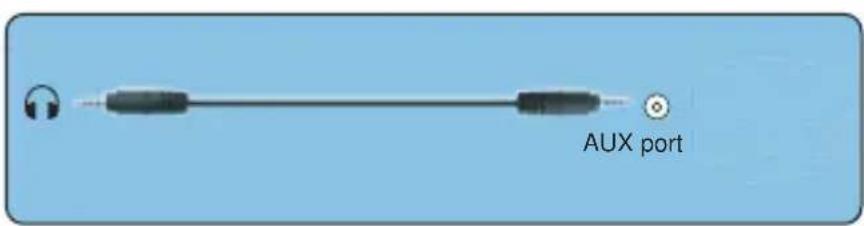
APAGADO SEGURO
Correct Disposal of this product
This marking indicates that this product should not be disposed with other household wastes throughout the EU. To prevent possible harm to the environment or human health from uncontrolled waste disposal, recycle it responsibly to promote the sustainable reuse of material resources. To return your used device, please use the return and collection systems or contact the retailer where the product was purchased. They can take this product for environmental safe recycling.
DECLARATION OF CONFORMITY
We (Manufacturer is responsible for this declaration)
YABER TECHNOLOGIES CO., LIMITED.
(Company name)
Room 406, 4 Floor, B Building, BanTian International Center,
HuanCheng South Road, BanTian Street, LongGang District, Shenzhen
(Company address)
declare under our sole responsibility that the product
Trade name: YEBAR
Equipment: Entertainment Projector
Model No.: Pro V8
To which this declaration relates is in conformity with the essential requirement set out in the Council Directive on the Approximation of the laws of the Member States relating to RED Directive(2014/53/EU) &
RoHS(2011/65/EU) product is responsible to affix CE marking, the following standards were applied:
EN 62368-1:2014+A11:2017
EN IEC 62311:2020
ETSI EN 301 489-1 V2.2.3(2019-11)
ETSI EN 301 489-17 V3.2.4(2020-09)
EN 55032:2015
EN 55035:2017
EN 61000-3-2:2019
EN 61000-3-3:2013+A2019
ETSI EN 300 328 V2.2.2(2019-07)
IEC62321-3-1:2013
IEC62321-4:2013
IEC62321-5:2013
IEC62321-6:2015
IEC62321-7-1:2015
IEC62321-7-2:2017
IEC62321-8:2017
Full Name: George.wang
Signature: George.wang
Position: Approbation Manager
Place/Date: Shenzhen,China/Mar.11-2022
KATALOG
LEBENSLANGE PROFESSIONELLE UNTERSTÜTZUNG VON YABRE …… 117
TIPPS 117
LISTE DER PAKETE 118
BEAMER SPEZIFIKATIONEN 118
IMAGE ADJUSTMENT 124
- Focus Adjustment 124
- Manuelle Trapezkorrektur 125
natural_image
Line drawing of a mechanical device with labeled parts (1 and 2), no text or symbols present.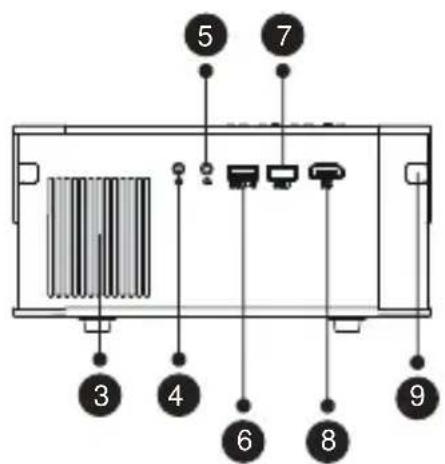

| 1 | [40K5] | Turn on/off the power |
| 2 |  | Select the input signal source |
| 3 |  | Used to adjust the parameter of the projector in the menu mode |
| 4 |  | Return to the previous menu |
| 5 |  | Volume down |
| 6 |  | Close the sound |
| 7 | [K9ZT] | Back to the menu interface |
| 8 |  | Confirm the option |
| 9 | [0D7W] | Volume up |
Anmerkungen:
natural_image
Line drawing of a projector with a mounted sensor and control panel (no text or symbols)
natural_image
Plant growing with various vegetables under dark lighting (no visible text or symbols)natural_image
Landscape photo of a forested hillside under a blue sky with scattered clouds, no visible text or symbols.natural_image
Blue background with six colored square icons representing smart devices (no text or symbols)
5.2 Bluetooth Setting
natural_image
Illustration of a green globe with a sun and sail on water, no text or symbols present.2) Vertikales Trapez: -50\~50
natural_image
Front view of a rectangular electronic device with internal components and indicator lights (no visible text or symbols)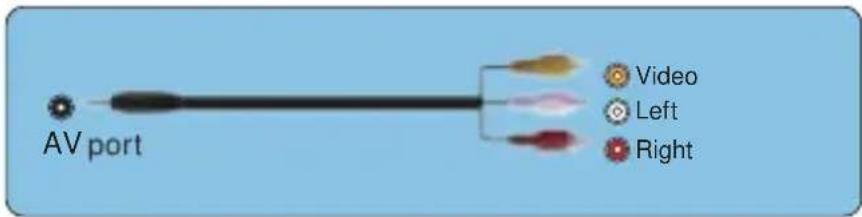
natural_image
Front view of a device chassis with ports and a barcode-like pattern on the left (no text or symbols visible)
flowchart
graph LR
    A["H266"] --> B["Central Node"]
    B --> C["Output"]
natural_image
Front view of a rectangular electronic device with indicator lights and a barcode-like pattern on the left side (no text or symbols)
Sichere Abschaltung
This device complies with Part 15 of the FCC Rules. Operation is subject to the following two conditions:
(1) This device may not cause harmful interference, and
(2) This device must accept any interference received, including interference that may cause undesired operation.
Warning: Changes or modifications not expressly approved by the party responsible for compliance could void the user's authority to operate the equipment.
NOTE: This equipment has been tested and found to comply with the limits for a Class B digital device, pursuant to Part 15 of the FCC Rules. These limits are designed to provide reasonable protection against harmful interference in a residential installation. This equipment generates uses and can radiate radio frequency energy and, if not installed and used in accordance with the instructions, may cause harmful interference to radio communications. However, there is no guarantee that interference will not occur in a particular installation. If this equipment does cause harmful interference to radio or television reception, which can be determined by turning the equipment off and on, the user is encouraged to try to correct the interference by one or
more of the following measures:
Reorient or relocate the receiving antenna.
Increase the separation between the equipment and receiver. Connect the equipment into an outlet on a circuit different from that to which the receiver is connected.
Consult the dealer or an experienced radio/TV technician for help.
FCC RADIATION EXPOSURE STATEMENT:
This equipment complies with FCC radiation exposure limits set forth for an uncontrolled environment. This equipment should be installed and operated with minimum distance 20cm between the radiator & your body.
This device contains licence-exempt transmitter(s)/receiver(s) that comply with Innovation, Science and Economic Development Canada's licence-exempt RSS(s). Operation is subject to the following two conditions:
(1) This device may not cause interference.
(2)This device must accept any interference, including interference that may cause undesired operation of the device.
DECLARATION OF CONFORMITY
We (Manufacturer is responsible for this declaration)
YABER TECHNOLOGIES CO., LIMITED.
(Company name)
Room 406, 4 Floor, B Building, BanTian International Center, HuanCheng South Road, BanTian Street, LongGang District, Shenzhen (Company address)
declare under our sole responsibility that the product Trade name: YEBAR Equipment: Entertainment Projector Model No.: Pro V8
To which this declaration relates is in conformity with the essential requirement set out in the Council Directive on the Approximation of the laws of the Member States relating to RED Directive(2014/53/EU) & RoHS(2011/65/EU) product is responsible to affix CE marking, the following standards were applied:
EN 62368-1:2014+A11:2017 EN IEC 62311:2020
ETSI EN 301 489-1 V2.2.3(2019-11)
ETSI EN 301 489-17 V3.2.4(2020-09)
EN 55032:2015
EN 55035:2017
EN 61000-3-2:2019
EN 61000-3-3:2013+A2019
ETSI EN 300 328 V2.2.2(2019-07) IEC62321-3-1:2013
IEC62321-4:2013 IEC62321-5:2013 IEC62321-6:2015 IEC62321-7-1:2015
IEC62321-7-2:2017 IEC62321-8:2017
Full Name: George.wang
Signature: George.wang
Position: Approbation Manager
Place/Date: Shenzhen, China/Mar.11-2022
目录
前言 140
付属品 142
仕様書 142
プロジェクター各部の説明……143
リモコン各部の説明 …… 144
プロジェクターの設置……146
1.投影方式 146
2.投影距離と投影サイズ…… 146
3.天井取り付け 147
プロジェクターを起動方法…… 147
投写イメージの調整 …… 148
1.ピント合わせ…… 148
2.手動台形補正 149
プロジェクターを起動……150
natural_image
Technical line drawing of a mechanical device with labeled parts (no text or symbols present)

natural_image
Simple line drawing of a person standing on a platform with a ceiling-mounted device and three silhouettes below (no text or symbols)- 固定位置での投影
natural_image
Simple line drawing of a pendulum with three human figures on a platform (no text or symbols)2.マウント搭載
natural_image
Simple line drawing of a person sitting on a platform facing a ramp and a box, with no text or symbols present.3.リアプロ
natural_image
Simple line drawing of a projector with three silhouettes walking nearby (no text or symbols)4.ラック搭載リアプロ
natural_image
Line drawing of a projector with a central display and mounting base (no text or symbols)
flowchart
graph TD
    A["Top panel: Hand pointing to circular component"] --> B["Arrow indicating rotation"]
    B --> C["Bottom panel: Fish with fish icon moving right"]
    C --> D["Arrow indicating movement to bottom panel"]
    D --> E["Bottom panel: Fish with fish icon moving left"]
2. 手動垂直/水平補正

natural_image
Plant growing from soil with various root vegetables and a colorful carrot, displayed in a video player interface (no text or symbols on the plants themselves)natural_image
Landscape photo of a forested hillside under a blue sky with scattered clouds, no visible text or symbols.
設備との接続
1. USB入力端子でデバイスに接続
natural_image
Front view of a rectangular electronic device with internal components and indicator lights (no text or symbols visible)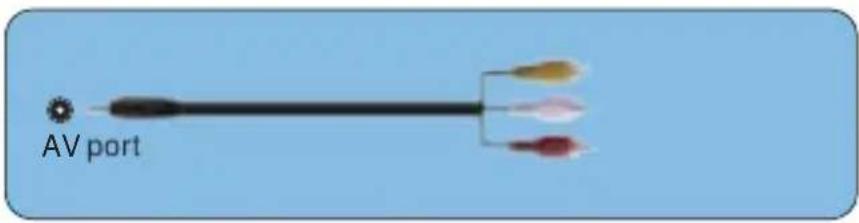
natural_image
Front view of a device chassis with ports and connectors (no visible text or symbols)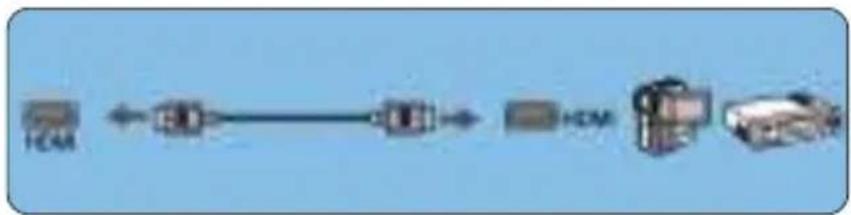
flowchart
graph LR
    A["HCM"] <--> B["Data Transmission Line"]
    B --> C["HCM"]
    C --> D["Vehicle"]
4.外部スピーカー/サウンドバーの接続
natural_image
Front view of a device chassis with ports and a barcode-like pattern on the left side (no text or symbols visible)
ご注意:
外部設備に音声が出ない場合
This device complies with Part 15 of the FCC Rules. Operation is subject to the following two conditions:
(1) This device may not cause harmful interference, and
(2) This device must accept any interference received, including interference that may cause undesired operation.
Warning: Changes or modifications not expressly approved by the party responsible for compliance could void the user's authority to operate the equipment.
NOTE: This equipment has been tested and found to comply with the limits for a Class B digital device, pursuant to Part 15 of the FCC Rules. These limits are designed to provide reasonable protection against harmful interference in a residential installation. This equipment generates uses and can radiate radio frequency energy and, if not installed and used in accordance with the instructions, may cause harmful interference to radio communications. However, there is no guarantee that interference will not occur in a particular installation. If this equipment does cause harmful interference to radio or television reception, which can be determined by turning the equipment off and on, the user is encouraged to try to correct the interference by one or
more of the following measures:
Reorient or relocate the receiving antenna.
Increase the separation between the equipment and receiver. Connect the equipment into an outlet on a circuit different from that to which the receiver is connected.
Consult the dealer or an experienced radio/TV technician for help.
FCC RADIATION EXPOSURE STATEMENT:
This equipment complies with FCC radiation exposure limits set forth for an uncontrolled environment. This equipment should be installed and operated with minimum distance 20cm between the radiator & your body. This device contains licence-exempt transmitter(s)/receiver(s) that comply with Innovation, Science and Economic Development Canada's licence-exempt RSS(s). Operation is subject to the following two conditions:
(1)This device may not cause interference.
(2)This device must accept any interference, including interference that may cause undesired operation of the device.
Correct Disposal of this product
Do not dispose this product as unsorted municipal waste. Collection of such waste separately for special treatment is necessary.
DECLARATION OF CONFORMITY
We (Manufacturer is responsible for this declaration)
YABER TECHNOLOGIES CO., LIMITED.
(Company name)
Room 406, 4 Floor, B Building, BanTian International Center, HuanCheng South Road, BanTian Street, LongGang District, Shenzhen (Company address)
declare under our sole responsibility that the product Trade name: YEBAR Equipment: Entertainment Projector Model No.: Pro V8
To which this declaration relates is in conformity with the essential requirement set out in the Council Directive on the Approximation of the laws of the Member States relating to RED Directive(2014/53/EU) & RoHS(2011/65/EU) product is responsible to affix CE marking, the following standards were applied:
EN 62368-1:2014+A11:2017 EN IEC 62311:2020
ETSI EN 301 489-1 V2.2.3(2019-11)
ETSI EN 301 489-17 V3.2.4(2020-09)
EN 55032:2015
EN 55035:2017
EN 61000-3-2:2019
EN 61000-3-3:2013+A2019
ETSI EN 300 328 V2.2.2(2019-07) IEC62321-3-1:2013
IEC62321-4:2013 IEC62321-5:2013 IEC62321-6:2015 IEC62321-7-1:2015
IEC62321-7-2:2017 IEC62321-8:2017
Full Name: George.wang
Signature: George.wang
Position: Approbation Manager
Place/Date: Shenzhen, China/Mar.11-2022

natural_image
Simple illustration of a smiling face with two circular eyes (no text or symbols)
- Pro V8 Projector
- LANGUAGE
- CONTENTS
- YABER Lifetime Professional Support
- TIPS:
- PROJECTOR OVERVIEW
- REMOTE CONTROL
- Note:
- INSTALLATION
- Installation Method
- 2.Projector Distance and Size
- Install on the Ceiling
- STARTING PROJECTOR
- IMAGE ADJUSTMENT
- 1.Focus Adjustment
- Manual Trapezoidal Correction
- SETTING UP THE PROJECTOR
- Select The Input Signal Source
- 2.USB Disk Input Mode
- PS:
- 2.2.Video Play Interface
- Music Play Interface
- 2.4.Picture Play Interface
- 3.WiFi Setting
- Wireless Connection
- Warming Tips:
- 3.1.iOS Cast (for iOS Devices)
- 3.2.Miracast (for Android Devices)
- 3.3.Control your projector from the app "MHshare TV"
- Bluetooth Setting
- 5.Projector Settings
- Network Setting
- Bluetooth Setting
- Projection Setting
- Cast Mode: Front, Rear, Front -Ceiling, Rear-Celling
- 5.3.2.Trapezoid Correct: Quadrangle, Vertical
- System Update
- General Setting
- SIGNAL LINES CONNECTION
- Connect USB Disk
- Connect the Devices via the HDMI ports
- Connect to the DVD Player
- Connect to the Sound bar/Speaker
- SAFE SHUTDOWN
- WARRANTY
- TROUBLESHOOTING
- FCC STATEMENT :
- This device complies with Part 15 of the FCC Rules. Operation is subject to the following two conditions:
- FCC RADIATION EXPOSURE STATEMENT:
- DECLARATION OF CONFORMITY
- CONTENU
- Paramètre Bluetooth
- Réglage général
- CONNEXION DES LIGNES DE SIGNAL
- ARRÊT SÉCURISÉ
- Correct Disposal of this product
- SOMMARIO
- 2.3.Music Play Interface
- ARRESTO SICURO
- Índice
- Conectar disco USB
- APAGADO SEGURO
- KATALOG
- LEBENSLANGE PROFESSIONELLE UNTERSTÜTZUNG VON YABRE …… 117
- TIPPS 117
- LISTE DER PAKETE 118
- BEAMER SPEZIFIKATIONEN 118
- IMAGE ADJUSTMENT 124
- Anmerkungen:
- Sichere Abschaltung
- more of the following measures:
- 目录
- 手動垂直/水平補正
- 設備との接続
- USB入力端子でデバイスに接続
- 4.外部スピーカー/サウンドバーの接続
- ご注意:
Brand : Yaber
Model : Pro V8
Category : Projector