HG07408A - Headphones SILVERCREST - Free user manual and instructions
Find the device manual for free HG07408A SILVERCREST in PDF.



| Product type | Wireless Bluetooth earphones with charging case and built-in speaker |
| Model | HG07408A |
| Brand | SilverCrest |
| Dimensions (earphones) | 26 × 19.8 × 24.3 mm (per earphone) |
| Dimensions (case) | 102 × 78 × 42 mm |
| Weight (earphones) | 11 g (both) |
| Weight (case) | 188 g |
| Power supply (earphones) | Li-Ion polymer battery 3.7 V, 55 mAh |
| Power supply (case) | Li-Ion polymer battery 3.7 V, 1000 mAh |
| Battery life (earphones) | Approximately 6 hours (music and phone at medium volume) |
| Battery life (speaker case) | Approximately 6 hours (audio playback at medium volume) |
| Charging time (earphones) | Approximately 2 hours (full cycle) |
| Charging time (case) | Approximately 3 hours (full cycle) |
| Connectivity | Bluetooth 5.0, range about 10 m |
| Supported Bluetooth profiles | A2DP, AVRCP, HSP, HFP |
| Main functions | Play/pause, call control, Siri/Google Assistant voice assistant, built-in speaker |
| Maintenance and cleaning | Clean with a slightly damp cloth and mild cleaner; avoid solvents |
| Safety | Do not open the product; avoid moisture; use at moderate volume to protect hearing |
| Available spare parts | Ear cushions (small, medium, large) and USB type C cable |
| Warranty | 3 years |
| Operating temperature | +10 to +35 °C |
Frequently Asked Questions - HG07408A SILVERCREST
User questions about HG07408A SILVERCREST
0 question about this device. Answer the ones you know or ask your own.
Ask a new question about this device
Download the instructions for your Headphones in PDF format for free! Find your manual HG07408A - SILVERCREST and take your electronic device back in hand. On this page are published all the documents necessary for the use of your device. HG07408A by SILVERCREST.
USER MANUAL HG07408A SILVERCREST
Operation and safety notes
FR BE
ÉCOUTEURS BLUETOOTH® AVEC BOÎTIER HAUT- PARLEUR
natural_image
Line drawing of a mechanical component with a curved handle and arrow indicator (no text or symbols)E
natural_image
Diagram of a showerhead with directional arrows indicating flow or movement (no text or labels)natural_image
Symbol of a hand gripping a ring, enclosed in a black circular border (no text or numbers)LEDs Ladestatus Akku
natural_image
Silhouette of a person sorting trash into a bin (no text or symbols)natural_image
Simple line drawing of a trash bin with no text or symbolsOperation...... Page 88
Charging/storage box
(speaker) Page 88
Connecting the speaker via
Bluetooth ...... Page 89
Headphones..... Page 91
Turning on the headphones . . . Page 91
Turning off the headphones . . . Page 91
Manually turning the
headphones on and off ..... Page 92
LED status..... Page 93
Pairing the headphones to
each other ...... Page 93
Pairing the headphones with
a Bluetooth device ..... Page 94
Reset..... Page 95
Using the MF buttons ..... Page 96
Voice control function with
Siri / Google Assistant..... Page 99
Changing ear cushions ..... Page 100
Cleaning and maintenance .. Page 101
Storage during periods
of non-use..... Page 102
Troubleshooting ...... Page 103
Disposal..... Page 105
Simplified EU declaration
of conformity.... Page 108
Warranty Page 109
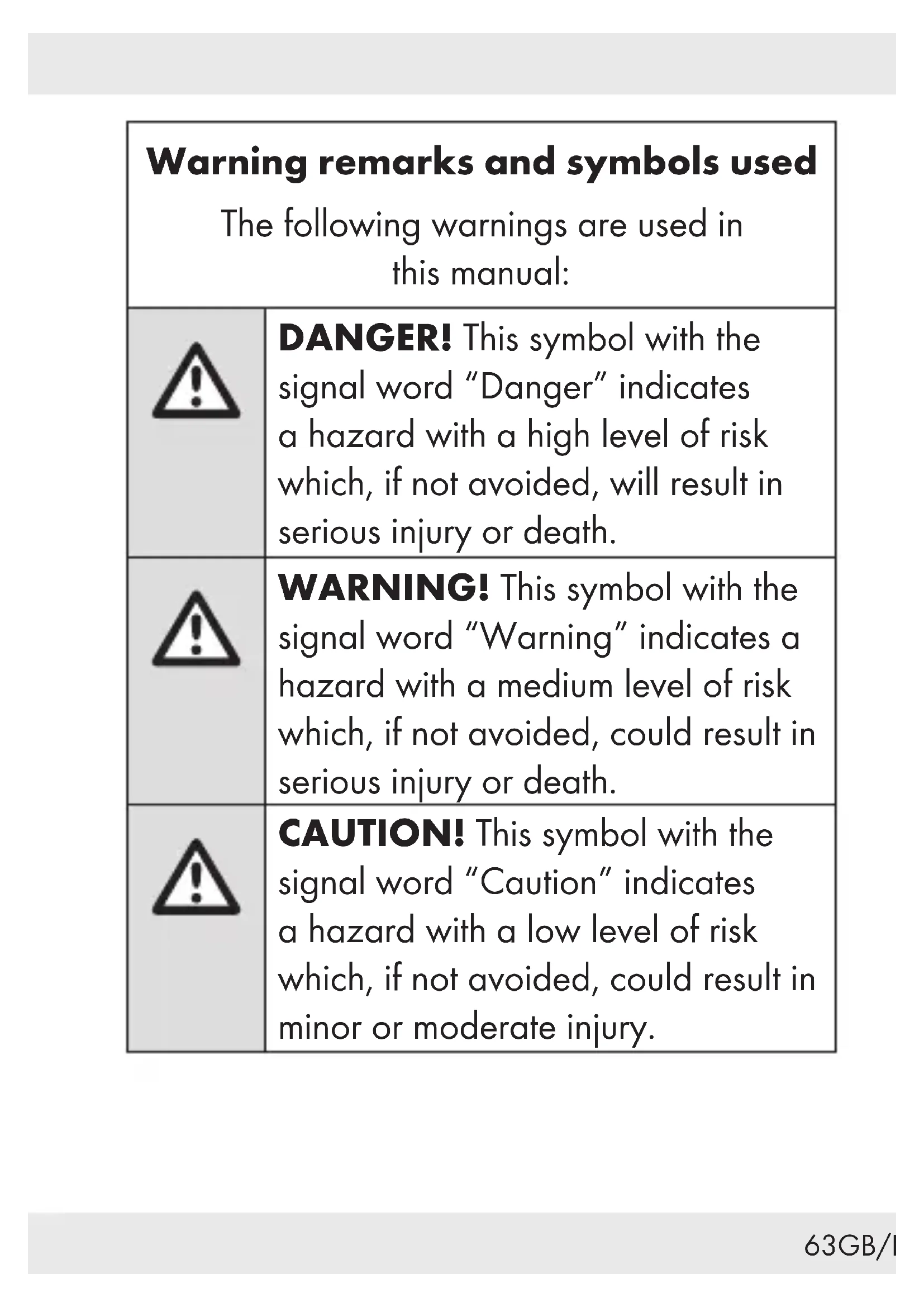
| Warning remarks and symbols usedThe following warnings are used in this manual: | |
 | DANGER! This symbol with the signal word “Danger” indicates a hazard with a high level of risk which, if not avoided, will result in serious injury or death. |
 | WARNING! This symbol with the signal word “Warning” indicates a hazard with a medium level of risk which, if not avoided, could result in serious injury or death. |
 | CAUTION! This symbol with the signal word “Caution” indicates a hazard with a low level of risk which, if not avoided, could result in minor or moderate injury. |
 | ATTENTION! This symbol with the signal word “Attention” indicates a potential property damage. |
 | NOTE: This symbol with the signal word “Note” provides additional useful information. |
  | WARNING! EXPLOSION HAZARD! A warning with this symbol and word “WARNING! EXPLOSION HAZARD” indicates the potential threat of explosion.Failure to observe this warning may result in serious or fatal injuries and potential property damage.■ Follow the instructions in this warning to prevent serious injuries, a danger to life or property damage!This symbol reminds the user to wear suitable protective hand wear! Follow this warning to prevent hand injury by objects or contact with hot or chemical materials! |
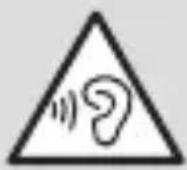 | A warning with this symbol notifies the user of possible hearing damage. Avoid listening at excessive volumes for prolonged periods. |
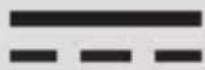 | Direct current/voltage |
 | This symbol means that the operating instructions must be read prior to using the product. |
BLUETOOTH® IN-EAR
HEADPHONES WITH
SPEAKER CASE
Introduction
We congratulate you on the purchase of your new product. You have chosen a high quality product. The instructions for use are part of the product. They contain important information concerning safety, use and disposal. Before using the product, please familiarise yourself with all of the safety information and instructions for use. Only use the product as described and for the specified applications. If you pass the product on to anyone else, please ensure that you also pass on all the documentation with it.

Intended use
This product is a consumer electronics device. The product is intended for playback of audio material via a Bluetooth® connection.
If the headphones are connected to a smartphone, the headphones can also be used as a headset.
The charging and storage box is intended for charging and storing the headphones. The charging and storage box can also be used as a speaker.
The product is intended for private use only.
Any other use beyond what is specified is not intended. Do not use the product for industrial or commercial purposes.
Any claims for damages resulting from unintended use, improper repairs, unauthorized modifications or the use of unapproved replacement parts are excluded. The user carries the sole risk.
● Trademark notices
■ USBa registered trademark of USB Implementers Forum, Inc.
The Bluetooth® word mark and logos are registered trademarks owned by Bluetooth SIG, Inc. and any use of such marks by OWIM GmbH & Co. KG is under license.
The SilverCrest trademark and trade name is the property of their respective owners.
Any other names and products may be trademarks or registered trademarks of their respective owners.
Scope of delivery
After unpacking the product, check if the delivery is complete and if all parts are in good condition. Remove all packaging materials before use.
If you notice any damage or missing parts, please contact the dealer from whom you have purchased this product.
2 x Headphones (1 x left and 1 x right)
1 x Charging/storage box (speaker)
1 x USB cable (type A to type C)
2 x Ear cushions - large
2 x Ear cushions - medium (pre-installed)
2 x Ear cushions - small
1 x Quick start guide
1 x Instruction manual
- You will need
USB voltage source (output voltage 5 V, min. 1000 mA output current)
Bluetooth® adaptable playback device
● Description of parts
Before reading, unfold the page containing the illustration and familiarise yourself with all functions of the product.
1 Headphones (1 x left and 1 x right)
2 Multifunction button (MF button)
3 LED / Microphone
4 Ear plug (detachable ear cushions)
5 Charging pins
6 Charging/storage box (speaker)
7 Charging ports
8 ON/OFF button (for activating the built-in battery's charging status indicator)
9 Bluetooth ON/OFF button
10 USB-C charging port
11 Battery / Charging status indicator
12 Ear cushions – large
13 Ear cushions - medium
14 Ear cushions - small
15 USB cable (USB-A to USB-C)
16 Quick start guide
17 Instruction manual

Technical data
Charging/storage box (speaker)
USB-C input voltage 5 V

USB-C input current 1000 mA
Rechargeable battery Li-ion polymer, 3.7 V,
1000 mAh, 3.7 Wh
Audio power max. 1 x 5 W
(RMS)
Operating time approx. 6 hours
audio playback
(at medium volume)
Charging time of the
charging/storage boxes'
built-in battery
approx. 3 hours
(complete charging
cycle)
| Charging capacity up to 8 completecharge cycles forfully dischargedheadphones |
| Operating temperature +10 to +35 °C |
| Humidity(no condensation) | 10 to 70 % relative humidity |
| Storage temperature 0 to +40 °C |
| Dimensions approx. 102 x 78 x42 mm |
Weight approx. 188 g
Headphones
Wireless standard Bluetooth ^® 5.0
Supported profile A2DP, AVRCP, HSP, HFP
Frequency band 2400 to 2483.5 MHz
Max. transmitted
power < 20 mW
Range approx. 10 m
| Rechargeable battery | Li-ion polymer, 3.7 V, 55 mAh, 0.2035 Wh |
| Charging time approx. 2 hours | |
| (complete charging cycle) | |
| Operating time (music & phone) | approx. 6 hours (at medium volume) |
| Operating temperature +10 to +35 °C |
| Humidity(no condensation) | 10 to 70 % relative humidity |
| Storage |
| temperature 0 to +40 °C |
| Dimensions approx. 26 x 19.8 x 24.3 mm |
| Weight approx. 11 g(both headphones) |

Safety
Before using the product, familiarise yourself with all of the safety information and instructions for use! When passing this product on to others, also include all the documents!
In the case of damage resulting from non-compliance with these operating instructions the guarantee claim becomes invalid! No liability is accepted for consequential damage! In the case of material damage or personal injury caused by incorrect handling or non-compliance with the safety instructions, no liability is accepted!
Children and persons with disabilities
⚠ WARNING! DANGER TO LIFE AND RISK OF ACCIDENT FOR INFANTS AND CHILDREN!
⚠️ DANGER! Risk of suffocation! Never
leave children unsupervised with the product, its accessories and the packaging materials.
The packaging materials pose a suffocation hazard. Children frequently underestimate the dangers. The packaging materials are not toys.
This product may be used by children age 8 years and up, as well as by persons with reduced physical, sensory or mental capacities or lacking experience and/or knowledge, so long as they are supervised or instructed in the safe use of the product and understand the associated risks.
- Do not allow children to play with the product.
- Cleaning and user maintenance shall not be performed by children without supervision.
The product is not a toy.
⚠️ DANGER DUE TO DIMINISHED PERCEPTION!
Do not use the headphones while driving a vehicle or riding a bicycle, operating machinery, or in other situations, where diminished perception of ambient noise could endanger you or others. Also observe the laws and regulations of the country in which you use the headphones.
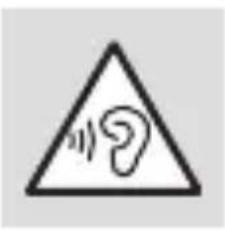
Caution high sound pressure
Be careful when using the headphones. Using headphones for a long period of time and at high volume can lead to hearing damage to the user. Always set the volume to a low level first and adjust it to a comfortable level. Always use headphones so that the perception of the surrounding noise is guaranteed.
⚠️ ATTENTION! RISK OF PROPERTY DAMAGE
This product does not contain any parts which can be serviced by the user. The rechargeable battery cannot be replaced. The product (headphones and charging box) shall not be opened.
- Keep the product away from moisture, dripping and splash water!
- Do not place burning candles or other open fire on or next to the product.
- Check the product before every use! Discontinue use if any damage to the product or the charging cable is detected!
If you notice smoke or unusual noise or odour, switch the product off immediately and remove the USB cable.
■ Sudden temperature changes may cause condensation inside the product. In this case, allow the product to acclimate for some time before using it to prevent short circuits!
Do not operate the product near heat sources, e.g. radiators or other devices emitting heat!
The charging/storage box battery must not be charged via the USB port of PCs, notebooks etc.
⚠ WARNING – Radio interference
■ Switch the product off on airplanes, in hospitals, service rooms, or near medical electronic systems.
Do not place the product near flammable gases or potentially explosives areas (e.g. paint shops) with the wireless components on, as the radio waves emitted can cause explosions and fire.
The radio waves could impact the functionality of sensitive electronics. The radio waves could cause interference in hearing aids.
- Keep the product at least 20 cm from pacemakers or Implantable Cardioverter Defibrillators (IDC), as the electromagnetic radiation may impair the functionality of pacemakers and IDCs.
The range of the radio waves varies by environmental conditions. In the event of wireless data transmission, unauthorised third parties receiving the data cannot be excluded.
The OWIM GmbH & Co KG is not responsible for interference with radios or televisions due to unauthorised modification of the product.
The OWIM GmbH & Co KG further assumes no liability for using or replacing cables and products not distributed by OWIM.
The user of the product is fully responsible for correcting interference caused by unauthorised modification of the product (refer to previous 2 paragraphs).
● Safety instructions for built-in rechargeable batteries

WARNING! RISK OF
EXPLOSION! Do not throw the
product (charging/storage box and headphones) into fire.
- Avoid extreme environmental conditions and temperatures, which could affect rechargeable batteries, e.g. radiators / direct sunlight.

natural_image
Symbol of a hand gripping a ring, enclosed in a black circular border (no text or numbers)If rechargeable batteries have leaked, avoid contact with skin, eyes and mucous membranes with the chemicals! Flush immediately the affected areas with fresh water and seek medical attention! For this reason, wear suitable protective gloves.
Do not cover the product during operation or charging. Otherwise the product can overheat.
This product contains a rechargeable battery, which can lead to fire, explosion or leakage of hazardous substances in case of incorrect application.
Prior to first use
● Charging the charging/storage box battery
Before first use, the charging/storage box battery must be charged.
i NOTES:
The charging/storage box battery must not be charged via the USB port of PCs, notebooks etc. Use a USB power adaptor with 5 V and 1 A output.
If only 1 LED of the charging status indicator 11 lights up, the charging/storage box battery is almost drained. Charge the battery as soon as possible in such case.
Depending on the sound volume of the speaker 6 and the age of the rechargeable battery, the operating time is approx.6 hours (music playback) at medium sound volume level, when the battery is fully charged.
The charging time for a drained battery is approx. 3 hours.
- You can use the speaker 6 while it is charging. However, doing so will at least double the charging time.
- Place the charging/storage box 6 on an even surface.
- Connect the USB-C plug of the USB cable 15 with the USB-C charging port 10.
- Connect the USB-A plug of the USB cable 15 with a USB power adaptor with 5 V and 1 A output (not included).
- The charging status indicator 11 lights up white during charging.
- Once charging is completed, all lamps of the charging status indicator 11 light up.
- Remove the USB cable 15 from the USB-C charging port 10.
Charging the headphones
Before first use, the headphones must also be charged.
i NOTES:
The headphones 1 and the charging/storage box 6 can be charged simultaneously (when the speaker is switched off).
The headphones only fit into one of the charging ports 7 respectively.
- Insert the headphones in the charging ports 7 of the charging/storage box 6.
- Charging begins automatically.
- The indicator LEDs 3 of the headphones 1 show the current status.
LED Status
Red Charging
White Fully charged
Off Not charging
Operation
● Charging/storage box (speaker)
The headphones 1 begin charging automatically when at least one headphone is inserted into a charging port 7 (when the speaker is switched off).
- Checking current battery capacity status of the charging/storage box 6:
Briefly press the ON/OFF button 8.
The current battery capacity status is indicated by the charging status indicator 11 on the charging/storage box:
LEDs Battery charging status

natural_image
Simple geometric shapes: a star-like symbol with two circles, no text or symbols presentapprox. 25 %
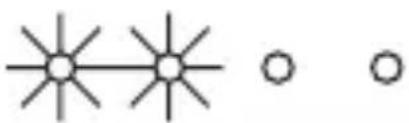
natural_image
Simple diagram with three star-like shapes connected by lines and two empty circles (no text or symbols)approx. 50 %
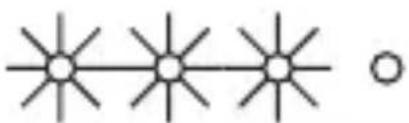
natural_image
Simple diagram of three vertical lines with star-like ends and a circle, no text or symbols presentapprox. 75 %
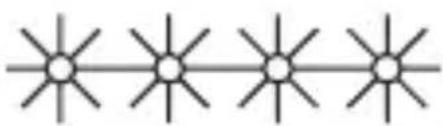
natural_image
Four identical starburst symbols arranged horizontally on a line (no text or labels)approx. 100 %
Connecting the speaker via Bluetooth
-
Turning on the speaker 6: Press and hold the ON/OFF button 8 for 3 seconds.
-
Once the speaker 6 is turned on, the charging status indicator 11 lights up and a signal tone is emitted.
-
Open the cover of the speaker 6.
-
Make sure the headphones 1 are inserted into the charging ports 7.
-
When the LED 3 flashes red and white, the headphones 1 are ready for pairing via Bluetooth.
-
Activate Bluetooth on your mobile device.
-
On your mobile device, search for a product named SKTL 40 A1 and pair with the headphones 1.
-
Once the headphones 1 are connected to your mobile device via Bluetooth, the LED 3 flashes slowly in white and the speaker 6 emits a signal tone.
-
If you start audio playback on your mobile device, the audio content is played through the speaker 6.

NOTE: You can also remove both
headphones 1 from the charging ports 7 for Bluetooth pairing (see "Pairing the headphones with a Bluetooth device").

Headphones

Turning on the headphones
To turn on the headphones, remove them from the charging ports 7.

Turning off the headphones
To turn off the headphones, insert the headphones in the charging ports 7 of the charging/storage box 6 (when the speaker is switched off).
Manually turning the headphones on and off
To save energy, the headphones automatically switch to off mode after 3 minutes if they are not receiving a signal (e.g. if the playback device is too far away) or they have not been paired.
Turning the headphones to off mode manually: In paired mode, press and hold the MF button 2 for 5 seconds. When the headphones are paired to each other, this turns both headphones to off mode. The Bluetooth connection is ended automatically.
Power on the headphones again: Press and hold the MF button 2 for approx. 3 seconds.

LED status
LED Status
| Flashes red/white | Waiting for Bluetooth device to pair |
| Flashes white | Headphones paired with Bluetooth device |

NOTE: If the headphones have already been paired to each other, the right headphone is already connected to the left and flashes white only.
● Pairing the headphones to each other
To hear sound through both headphones in stereo, they must be paired to each other.
When you remove the headphones from the charging ports 7, they automatically pair.
If the headphones do not pair to each other, reset them to the default settings (see "Reset").
When the headphones are paired to each other and are awaiting connection to a Bluetooth device, the master headphone flashes red / white and the slave headphone white only.

NOTE: The slave headphone connects to the master headphone only. The master headphone connects to the Bluetooth device.
● Pairing the headphones with a Bluetooth device
■ Remove the headphones from the charging ports 7.
When the headphones are ready to pair, the indicator LED 3 on the master headphone flashes red/white.
On your Bluetooth playback device, search for a product named SKTL 40 A1 and pair with the product. If your Bluetooth device prompts you to enter a password, enter 0000.
Reset
To reset the headphones, follow below steps:
■ Disconnect the left and the right headphone 1 from a playback device: -Remove one of the headphones (left or right) from the charging/storage box 6.
- Press the MF button 2 3 times in quick succession until the LED 3 briefly flashes red/white.
-Insert the previously removed headphone back into the charging/storage box 6 to complete the reset.
■ Both headphones 1 are now successfully reset and turned off automatically.
Using the MF buttons
Use the two MF buttons on the headphones to operate the various call and playback functions.
The following table describes the operation in connection with a paired smartphone. Please note that due to different software statuses and software versions, not all functions may be available.
| MF button 2 | Call functions | Number of signal tone(s) |
| Press 1 x | Accept call End call | 21 |
| Press 2 x Redial 1 | ||
| Press and hold for 2 seconds | Reject call 1 | |
| Press 1 x | End the current call and answer call waiting* | 2 |
| Press and hold for 2 seconds | Switch between 2 calls (toggle)* | - |
| MF button 2 | Playback functions |
| Press 1 x Pause/playback | |
| Press and hold right MF button 2 for 2 seconds | Start next track |
| Press and hold left MF button 2 for 2 seconds | Activate voice control function |
i NOTES:
* These functions must be supported by your mobile service provider.
The ring tone and the caller's voice are rendered through the speaker.
The microphone 3 captures your voice.
■ Music playback is automatically paused when a call is received. Music continues after the call has been ended.
● Voice control function with Siri / Google Assistant
Please follow below steps to activate the voice control function:
■ Activate Siri or Google Assistant on your mobile device.
iOS devices: Complete the Siri setup. Then, use Siri to activate this product's voice control function.
Android devices: Open Google Assistant. Follow Google Assistant's instructions to complete settings before using this product's voice control function.
NOTE: Google Assistant is available on Android 5.0 or above devices.
■ Activate the Bluetooth function. Pair this product with your mobile device.
■ Press and hold the left MF button 2 for 2 seconds to activate the voice control function.
■ Now you can use the voice control function.
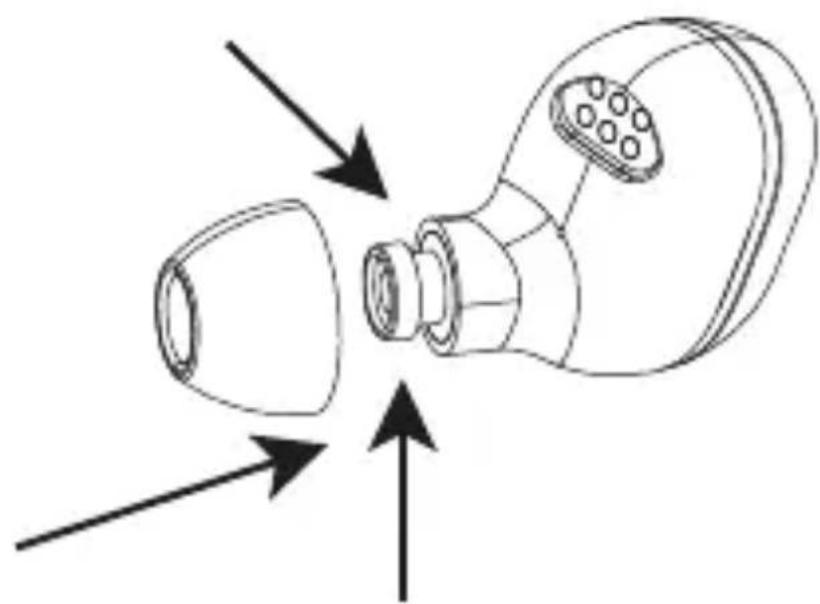
● Changing ear cushions
Before changing the ear cushions: Power OFF the product.
■ Remove the medium size ear cushions 13 from the headphones 1 (fig. D).
Select the small or large size ear cushions 12 14 and push them onto the headphones 1 (fig. E).

Cleaning and maintenance

ATTENTION!
Potential damage to the product!
■ Switch the product off and remove all plugs before cleaning!
Be sure moisture does not enter the product during cleaning to prevent damage to the product and related repairs.
■ Only clean the product with a slightly dampened cloth and a mild cleaning agent!
- Do not use solvent-based or abrasive cleaning agents.
● Storage during periods of non-use
■ Store the product in a dry environment, protected from dust and direct sunlight.
■ Store the headphones in the charging/storage box 6.
■ Prolonged storage: To prevent battery deterioration, the rechargeable battery has to be charged at least once every 12 months.
Troubleshooting
● = Fault
● = Possible cause
O = Action
● = No functions
● = Battery drained.
O = Recharge the battery as described in "Charging the charging/storage box battery" and "Charging the headphones".
● = No Bluetooth connection
● = Error operating the headphones.
O = Switch the headphones off and on again.
● = Bluetooth device error.
O = Separate the connection to the headphones. Reconnect.
O = Check if the headphones work in combination with another Bluetooth device.
= Bluetooth connection error.
O = Move closer to the device connected via Bluetooth.
● = No sound
● = Error operating the Bluetooth device.
O = Increase the volume on the playback device.
● = Bluetooth connection error.
O = Move closer to the device connected via Bluetooth.
O = Disconnect the Bluetooth devices.
Reconnect.
● = Not all functions are available
● = Error with Bluetooth device.
○ = Check whether your Bluetooth device supports all functions.
● Disposal
Packaging:
The packaging is made of environmentally friendly materials, which may be disposed of through your local recycling facilities.
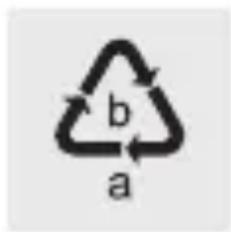
chemical
Recycling symbol with labels a and b, indicating two cycles of recyclingObserve the marking of the packaging materials for waste separation, which are marked with abbreviations (a) and numbers (b) with following meaning: 1–7: plastics / 20–22: paper and fibreboard / 80–98: composite materials.
Product:
natural_image
Silhouette of a person sorting trash into a bin (no text or symbols)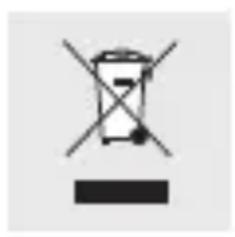
natural_image
Simple line drawing of a trash bin with crossed lines indicating no waste or discharge (no text or symbols)Contact your local refuse disposal authority for more details of how to dispose of your worn-out product.
The adjacent symbol of a crossed out dustbin on wheels indicates this product is subject to directive 2012/19/EU. This directive states at the end of the life this product must not be disposed of through regular household refuse but must be returned to special collection sites, recycling depots or waste management companies.
This disposal is free of charge to you.
Protect the environment and dispose of properly.

duct is recyclable, subject to extended manufacturer responsibility, and collected separately.
The built-in rechargeable battery cannot be removed for disposal. Return the product completely to a collection site for used electronics.
● Simplified EU declaration of conformity
Hereby, OWIM GmbH & Co. KG, Stiftsbergstraße 1, 74167 Neckarsulm, GERMANY declares that the product BLUETOOTH® IN-EAR HEADPHONES WITH SPEAKER CASE, HG07408A / HG07408B / HG07408C, is in compliance with Directive 2014/53/EU and 2011/65/EU.
The full text of the EU declaration of conformity is available at the following internet address:
www.owim.com
Warranty
The product has been manufactured to strict quality guidelines and meticulously examined before delivery. In the event of product defects you have legal rights against the retailer of this product. Your legal rights are not limited in any way by our warranty detailed below.
The warranty for this product is 3 years from the date of purchase. Should this product show any fault in materials or manufacture within 3 years from the date of purchase, we will repair or replace it – at our choice – free of charge to you.
The warranty period begins on the date of purchase. Please keep the original sales receipt in a safe location. This document is required as your proof of purchase. This warranty becomes void if the product has been damaged, or used or maintained improperly.
The warranty applies to defects in material or manufacture. This warranty does not cover product parts subject to normal wear, thus possibly considered consumables (e.g. batteries) or for damage to fragile parts, e.g. switches, rechargeable batteries or glass parts.
Warranty claim procedure
To ensure quick processing of your case, please observe the following instructions:
Please have the till receipt and the item number (e.g. IAN 123456_7890) available as proof of purchase.
You will find the item number on the rating plate, an engraving, on the front page of the instructions for use (bottom left), or as a sticker on the rear or bottom of the product.
If functional or other defects occur, please contact the service department listed either by telephone or by e-mail.
You can return a defective product to us free of charge to the service address that will be provided to you. Ensure that you enclose the proof of purchase (till receipt) and information about what the defect is and when it occurred.
Service

Service Great Britain
Tel.:08000569216
E-Mail:owim@lidl.co.uk

Service Ireland
Tel.:1800200736
E-Mail:owim@lidl.ie

natural_image
Symbol of a hand gripping a ring, enclosed in a black circle (no text or numbers)natural_image
Silhouette of a person sorting trash into a bin (no text or symbols)natural_image
Simple line drawing of a trash bin with crossed lines indicating no waste or discharge (no text or symbols)⚠ WAARSCHUWING - Radiostoringen
natural_image
Symbol of a hand gripping a ring, enclosed in a black circular border (no text or numbers)● = De accu is leeg.
chemical
Recycling symbol with labels a and b, indicating two types of recyclable materialsnatural_image
Silhouette of a person sorting trash into a bin (no text or symbols)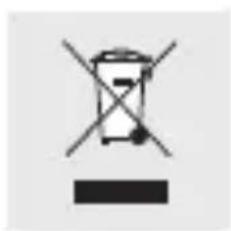
natural_image
Simple line drawing of a trash bin with crossed lines indicating no waste or discharge (no text or symbols)natural_image
Symbol of a hand gripping a ring, enclosed in a black circular border (no text or numbers)natural_image
Silhouette of a person sorting trash into a bin (no text or symbols)natural_image
Simple line drawing of a trash bin with crossed lines indicating no waste or discharge (no text or symbols)natural_image
Symbol of a hand gripping a ring, enclosed in a black circular border (no text or numbers)natural_image
Silhouette of a person sorting trash into a bin (no text or symbols)natural_image
Simple line drawing of a trash bin with crossed lines indicating no waste or discharge (no text or symbols)natural_image
Warning symbol with exclamation mark inside a triangle (no text or numbers)VÝSTRAHA! NEBEZPEČENSTVO VÝBUCHU! Produkt (nabíjací a odkladací box a slúchadlá) nehádžte do ohňa.
natural_image
Symbol of a hand gripping a ring, enclosed in a black circle (no text or numbers)Ked' je batéria vytečená, zabráňte kontaktu chemikálií s pokožkou, očami a sliznicami! Postihnuté miesta ihned' opláchnite čistou vodou a vyhl'adajte lekársku pomoc! Pri takýchto prípadoch noste vhodné ochranné rukavice.
natural_image
Silhouette of a person sorting trash into a bin (no text or symbols)natural_image
Simple line drawing of a trash bin with crossed lines indicating no waste or discharge (no text or symbols)natural_image
Symbol of a hand gripping a ring, enclosed in a black circular border (no text or numbers)chemical
Recycling symbol with 'a' and 'b' labels, indicating a two-part cycle in materialsnatural_image
Silhouette of a person throwing trash into a bin (no text or symbols)natural_image
Simple line drawing of a trash bin with crossed lines indicating no waste or discharge (no text or symbols)natural_image
Symbol of a hand gripping a ring, enclosed in a black circle (no text or numbers)natural_image
Silhouette of a person sorting trash into a bin (no text or symbols)natural_image
Simple line drawing of a trash bin with crossed lines indicating no waste or discharge (no text or symbols)




- ÉCOUTEURS BLUETOOTH® AVEC BOÎTIER HAUT- PARLEUR
- Operation...... Page 88
- Headphones..... Page 91
- Changing ear cushions ..... Page 100
- Cleaning and maintenance .. Page 101
- Troubleshooting ...... Page 103
- Disposal..... Page 105
- Simplified EU declaration
- of conformity.... Page 108
- Warranty Page 109
- BLUETOOTH® IN-EAR
- HEADPHONES WITH
- SPEAKER CASE
- Introduction
- Intended use
- ● Trademark notices
- Scope of delivery
- - You will need
- ● Description of parts
- Technical data
- Charging/storage box (speaker)
- Headphones
- Safety
- Children and persons with disabilities
- ⚠ WARNING! DANGER TO LIFE AND RISK OF ACCIDENT FOR INFANTS AND CHILDREN!
- ⚠️ DANGER! Risk of suffocation! Never
- ⚠️ DANGER DUE TO DIMINISHED PERCEPTION!
- Caution high sound pressure
- ⚠️ ATTENTION! RISK OF PROPERTY DAMAGE
- ⚠ WARNING – Radio interference
- ● Safety instructions for built-in rechargeable batteries
- WARNING! RISK OF
- EXPLOSION! Do not throw the
- Prior to first use
- ● Charging the charging/storage box battery
- i NOTES:
- Charging the headphones
- LED Status
- Operation
- ● Charging/storage box (speaker)
- LEDs Battery charging status
- Connecting the speaker via Bluetooth
- NOTE: You can also remove both
- Turning on the headphones
- Turning off the headphones
- Manually turning the headphones on and off
- ● Pairing the headphones to each other
- ● Pairing the headphones with a Bluetooth device
- Reset
- Using the MF buttons
- ● Voice control function with Siri / Google Assistant
- ● Changing ear cushions
- Cleaning and maintenance
- ATTENTION!
- ● Storage during periods of non-use
- Troubleshooting
- ● Disposal
- Packaging:
- Product:
- This disposal is free of charge to you.
- ● Simplified EU declaration of conformity
- Warranty
- Warranty claim procedure
- Service
- Service Great Britain
- Service Ireland
- ⚠ WAARSCHUWING - Radiostoringen
Brand : SILVERCREST
Model : HG07408A
Category : Headphones