G60B4 - Battery GREENWORKS - Free user manual and instructions
Find the device manual for free G60B4 GREENWORKS in PDF.



| Product type | Rechargeable lithium-ion battery |
| Brand | Greenworks |
| Model | G60B4 |
| Nominal voltage | 54 V |
| Maximum voltage | 60 V |
| Capacity | 2.0 Ah (2918307) / 4.0 Ah (2918407) |
| Energy | 108 Wh / 216 Wh |
| Number of cells | 15 / 30 |
| Voltage per cell | 3.6 V |
| Charging time (with charger 2918507) | 60 min (2.0 Ah) / 120 min (4.0 Ah) |
| Recommended charger type | 2918507 (60 V, 2 A) |
| Charge indicator | 4 LED indicator lights on the battery casing |
| Charging temperature range | 7 °C to 40 °C |
| Maintenance | Wipe with a dry, soft cloth; do not use water or detergent |
| Storage | Cool, dry place away from sunlight; recharge for 2 hours every 2 months if unused |
| Important safety instructions | Do not disassemble, do not expose to water, do not short-circuit |
| Warranty | 2 years for DIY tools; 30 days for professional use |
| Disposal | Do not discard with household waste; recycle at an approved center |
Frequently Asked Questions - G60B4 GREENWORKS
User questions about G60B4 GREENWORKS
0 question about this device. Answer the ones you know or ask your own.
Ask a new question about this device
Download the instructions for your Battery in PDF format for free! Find your manual G60B4 - GREENWORKS and take your electronic device back in hand. On this page are published all the documents necessary for the use of your device. G60B4 by GREENWORKS.
USER MANUAL G60B4 GREENWORKS
English (Original Instructions)
BATTERY
SPECIFICATIONS
2918307
Battery: 54V = 2.0Ah, 108Wh, 60V MAX
Voltage per cell: 3.6V ; Number of cells: 15
Charge time: 60 min. (use 2918507 Charger)
2918407
Battery: 54V = 4.0Ah, 216Wh, 60V MAX
Voltage per cell: 3.6V ; Number of cells: 30
Charge time: 120 min. (use 2918507 Charger)
For the proper use, maintenance and storage of this battery, it is crucially important that you read and understand the instructions given in this manual.
To avoid serious injury, risk of fire, explosion and danger of electric shock or electrocution:
■ If the battery pack case is cracked or damaged, DO NOT insert into the charger. Replace with a new battery pack.
■ DO NOT charge these battery packs with any other type of charger.
■ DO NOT try to short circuit any terminals of battery pack.
WARNING
If the battery fluid gets in your eyes, rinse immediately with clean water for at least 15 minutes. Get immediate medical attention. Do not charge the battery pack in rain or in wet conditions. Do not immerse the tool, battery pack, or charger in water or other liquid.
■ Do not allow the battery pack or charger to overheat. If they are warm, allow them to cool down. Recharge only at room temperature.
■ Do not place the battery pack in the sun or in a warm environment. Keep at normal room temperature.
- Keep in shady, cool and dry condition, if the battery is not charged for a long time; charge the battery for 2 hours every 2 months.
■ The battery pack cells may develop a small leak under extreme usage or temperature conditions. If the outer seal is broken and the leakage gets on your skin:
- Use soap and water to wash immediately.
- Neutralize with lemon juice, vinegar, or other mild acid.
■ If leakage gets in your eyes, follow instructions above and seek medical attention.
■ Please check prior use, if output voltage and current of the battery charger is suitable for the charging battery pack.
CHECKING BATTERY CAPACITY
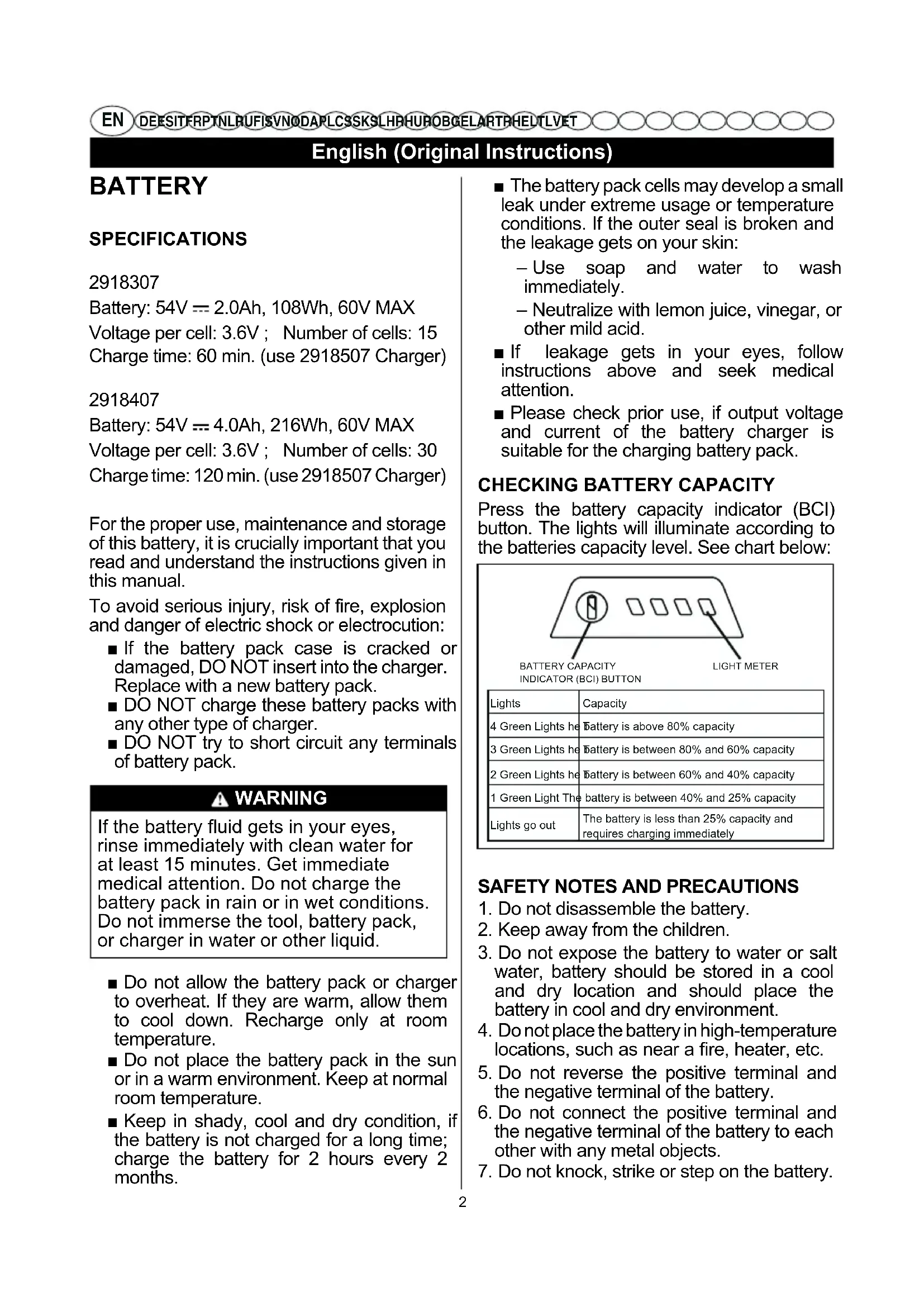
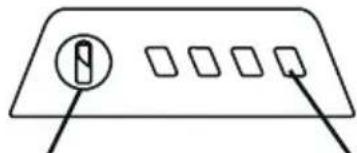
Press the battery capacity indicator (BCI) button. The lights will illuminate according to the batteries capacity level. See chart below:
natural_image
Simple diagram of a device panel with four square buttons and a circular button, no text or symbols present.BATTERY CAPACITY INDICATOR (BCI) BUTTON
| Lights | Capacity |
| 4 Green Lights he | Battery is above 80% capacity |
| 3 Green Lights he | Battery is between 80% and 60% capacity |
| 2 Green Lights he | Battery is between 60% and 40% capacity |
| 1 Green Light The | battery is between 40% and 25% capacity |
| Lights go out | The battery is less than 25% capacity and requires charging immediately |
SAFETY NOTES AND PRECAUTIONS
-
Do not disassemble the battery.
-
Keep away from the children.
-
Do not expose the battery to water or salt water, battery should be stored in a cool and dry location and should place the battery in cool and dry environment.
-
Do not place the battery in high-temperature locations, such as near a fire, heater, etc.
-
Do not reverse the positive terminal and the negative terminal of the battery.
-
Do not connect the positive terminal and the negative terminal of the battery to each other with any metal objects.
-
Do not knock, strike or step on the battery.
English (Original Instructions)
- Do not solder directly onto the battery and pierce the battery with nails or other edge tools.
- In the event that the battery leaks and the fluid gets into one's eye, do not rub the eye. Rinse well with water. Immediately discontinue use of the battery, if, while using the battery emits an unusual smell, feels hot, changes color, changes shape, or appears abnormal in any other way.
BATTERY CHARGER
SPECIFICATIONS
60V Charger: 2918507
Input: 220-240V \~ 50/60Hz 1A
Output: 60V == 2A
■ DO NOT probe the charger with conductive materials.
■ DO NOT allow liquid inside the charger.
■ DO NOT try to use the charger for any other purpose than what is presented in this manual.
■ Unplug the charger before cleaning and when there is no battery pack in the charger.
■ Do not try to connect two chargers together.
■ Do not use the charger in the circumstances that the output Polarity does not match the load polarity.
■ For indoor use only.
■ The cover may under no circumstances be opened. If the cover is damaged, then the charger may no longer be used.
■ Do not recharge non-rechargeable batteries.
WARNING
To avoid risk of fire, electric shock, or electrocution:
- Do not use a damp cloth or detergent on the battery or battery charger.
- Always remove the battery pack before cleaning, inspecting, or performing any maintenance on the tool.
CLEANING
Wipe the outside of the charger with a dry, soft cloth. Do not hose down or wash with water.
| Class II | |
 | For indoor use only |
 | Before charging, read the instructions |
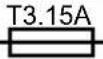 | Fuse |
WARNING
This appliance can be used by children aged from 8 years and above and persons with reduced physical, sensory or mental capabilities or lack of experience and knowledge if they have been given supervision or instruction concerning use of the appliance in a safe way and understand the hazards involved.
- Children shall not play with the appliance.
- Cleaning and user maintenance should not be made by children without supervision.
- If the supply cord is damaged, it must be replaced by manufacturer, its service agent or similarly qualified persons in order to avoid a hazard.
- Do not cover the ventilation slots on the top of the charger. Do not set the charger on a soft surface i.e. blanket, pillow. Keep the ventilation slots of the charger clear.
- Do not allow small metal items or material such as steel wool, aluminum foil, or other foreign particles into the charger cavity.
- Use only 2918307/2918407 rechargeable Li-ion batteries.
ENVIRONMENTALLY SAFE BATTERY DISPOSAL

The following toxic and corrosive materials are in the batteries used in this tool battery pack:
English (Original Instructions)
Li-ion, a toxic material
WARNING
All toxic materials must be disposed of in a specified manner to prevent contamination of the environment. Before disposing of damaged or worn out Lithium-ion battery packs, contact your local waste disposal agency, or the local Environmental Protection Agency for information and specific instructions. Take the batteries to a local recycling and/or disposal centre, certified for Li-ion disposal.
WARNING
If the battery pack cracks or breaks, with or without leaks, do not recharge it and do not use. Dispose of it and replace with a new battery pack. DO NOT ATTEMPT TO REPAIR IT!
To avoid injury and risk of fire, explosion, or electric shock, and to avoid damage to the environment:
- Cover the battery's terminals with heavy-duty adhesive tape.
- DO NOT attempt to remove or destroy any of the battery pack components.
- DO NOT attempt to open the battery pack.
WARNING
- If a leak develops, the released electrolytes are corrosive and toxic. DO NOT get the solution in the eyes or on skin, and do not swallow it.
- DO NOT place these batteries in your regular household trash.
- DO NOT incinerate.
- DO NOT place them where they will become part of any waste landfill or municipal solid waste stream.
- Take them to a certified recycling or disposal centre.
CHARGING PROCEDURE
NOTE: The battery is not shipped fully charged. It is recommended to fully charge before use to ensure that maximum run time can be achieved. This lithium-ion battery will not develop a memory and may be charged at any time.
- Plug the charger into an AC power outlet.
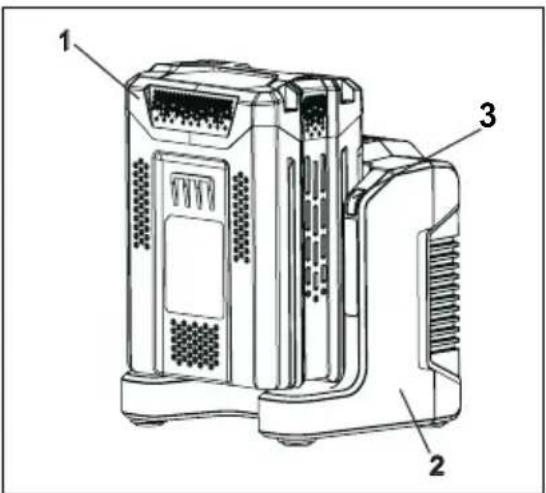
- Insert the battery pack (1) into the charger (2).
text_image
Technical diagram of a device with labeled parts 1, 2, and 3This is a diagnostic charger. The Charger LED Light (3) will illuminate in specific order to communicate the current battery status. They are as follows:
| LED STATUS DESCRIPTION | |
| Blinking Green Charging | |
| Solid Green Fully Charged | |
| Solid Red Over Temperature | |
| Blinking Red Charging Fault |
False Defect Note:
When the battery is inserted into the charger, and the status LED flashes, remove the battery from the charger for 1 minute, then reinsert. If the status LED indicates normal than the battery pack is good. If the status LED is still blinking, remove the battery pack and unplug the charger. Wait 1 minute and plug the charger back in and reinsert the battery pack. If the status LED indicates normal than the battery pack is good. If the status LED is still blinking then the battery pack is defective and needs to be replaced.
NOTE: When the red indicator flickers, pull out the battery from the charger and insert again within 2 hours. If the indicator shows charging, that means the battery is good. After 2 hours,
English (Original Instructions)
please pull out the battery and also pull out the AC power plug of the charger for 1 minute, and then insert the AC power plug and the battery again. If the indicator shows charging, that means the battery is good. If not, the battery needs to be changed.
CHECKING THE CHARGER
If the battery pack does not charge properly:
- Check the current at the power outlet with another tool. Make sure that the outlet is not turned off.
- Check that the charger contacts have not been shorted by debris or foreign material.
- If the surrounding air temperature is not normal room temperature, move the charger and battery pack to a location where the temperature is between 7 °C and 40°C.
WARNING
If the battery is inserted into the charger when warm or hot, the CHARGING LED indicator light on the charger may switch on and illuminate RED. If this occurs allow the battery to cool outside of the charger for approximately 30 minutes.
CHARGER MOUNTING
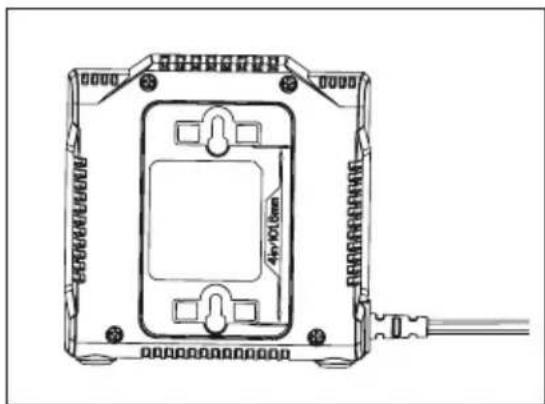
- This charger can be installed hanging on a wall using two #8 screws (not supplied).
- Locate the placement for the charger to be wall mounted.
- If fastening to wood studs use 2 wood screws (not included).
- Drill two holes on center 101.6mm apart ensuring that they are vertically aligned.
- If fastening to drywall use wall anchors (not included) and screws to secure the charger to the wall.
natural_image
Technical line drawing of an electrical enclosure with mounting brackets and a central panel, no text or symbols present.NOTE: If the battery and the charger won't be used for a long time, please remove the battery from the charger and pull out the AC power plug.
IMPORTANT SAFETY INSTRUCTIONS
- SAVE THESE INSTRUCTIONS - DANGER: TO REDUCE RISK OF FIRE OR ELECTRIC SHOCK CAREFULLY FOLLOW THESE INSTRUCTIONS.
- Confirm the voltage available at each country location before using the charger.
- If the sharp of the plug does not fit the power outlet, use an attachment plug adaptor of the proper configuration for the power outlet.
CORRECT DISPOSAL OF THIS PRODUCT:
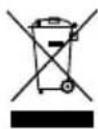
This marking indicates that this product should not be disposed with other household wastes throughout the EU. To prevent possible harm to the environment or human health from uncontrolled waste disposal, recycle it responsibly to promote the sustainable reuse of material resources. To return your used device, please use the return and collection systems or contact the retailer where the product was purchased. They can take this product for environmental safe recycling.
REMOVAL OF WASTE BATTERIES AND ACCUMULATORS
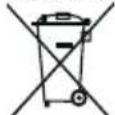
Li-ion Member States shall ensure that manufacturers design appliances in such a way that waste batteries and accumulators can be readily removed. Where they cannot be readily removed by the end-user. Member States shall ensure that manufacturers design appliances in such a way that waste batteries and accumulators can be readily removed by qualified professionals that are independent of the manufacturer. Appliances in which
English (Original Instructions)
batteries and accumulators are incorporated shall be accompanied by instructions on how those batteries and accumulators can be safely removed by either the end-user or by independent qualified professionals. Where appropriate, the instructions shall also inform the end-user of the types of battery or accumulator incorporated into the appliance.
text_image
Technical diagram of a device with numbered parts labeled 1, 2, and 3natural_image
Technical line drawing of a mechanical or electronic component with mounting holes and a central rectangular housing (no text or symbols)text_image
Technical diagram of a device with numbered parts labeled 1, 2, and 3natural_image
Technical line drawing of a rectangular electronic device with mounting holes and internal components, no text or symbols present.text_image
Technical diagram of a device with labeled parts 1, 2, and 3, showing internal components and ventilation slots.natural_image
Technical line drawing of a device housing with mounting brackets and internal components (no text or symbols)text_image
Technical diagram of a device with labeled parts, showing internal components and mounting structure.text_image
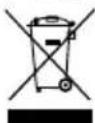
Technical diagram of a device with labeled parts, showing internal components and mounting points.MISE AU REBUT CORRECTE DE CE PRODUIT :
natural_image
Simple diagram of a device panel with two labeled buttons and four square buttons (no text or symbols)text_image
Technical diagram of a device with numbered parts labeled 1, 2, and 3natural_image
Technical line drawing of a device enclosure with mounting holes and wiring (no text or symbols)text_image
Technical diagram of a device with labeled parts 1, 2, and 3, showing internal components and ventilation slots.natural_image
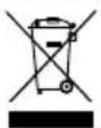
Technical line drawing of a device housing with mounting holes and internal components (no text or symbols)CORRECTE AFVOER VAN DIT PRODUCT:
text_image
Technical diagram of a device with numbered parts labeled 1, 2, and 3natural_image
Technical line drawing of a rectangular electronic device with mounting holes and a central internal component, connected to a cable (no text or symbols)text_image
Technical diagram of a device with labeled parts 1, 2, and 3, showing internal components and ventilation slots.natural_image
Technical line drawing of a rectangular electronic device with mounting holes and a central component, connected to a cable (no text or symbols)text_image
Technical diagram of a device with labeled parts, showing internal components and mounting points.natural_image
Technical line drawing of a rectangular electronic device with mounting holes and a central square component, connected to wires (no text or symbols)text_image
Technical diagram of a device with numbered parts labeled 1, 2, and 3natural_image
Technical line drawing of a mechanical or electronic component with mounting holes and internal components (no text or symbols)text_image
Technical diagram of a device with numbered parts labeled 1, 2, and 3natural_image
Technical line drawing of a mechanical or electronic component with mounting holes and internal cavity (no text or symbols)Akumulator: 54V == 2.0Ah, 108Wh, 60V maks.
text_image
Technical diagram of a device with numbered parts labeled 1, 2, and 3natural_image
Technical line drawing of a rectangular electronic device with mounting holes and a central display (no text or symbols)text_image
Technical diagram of a device with numbered parts labeled 1, 2, and 3natural_image
Technical line drawing of a device housing with mounting holes and a central rectangular component, no text or symbols present.text_image
Diagram showing a device panel with labeled buttons and a circular icon containing a letter 'N'TLAČIDLO INDIKÁTORA NABITIA AKUMULÁTORA (ICB)
text_image
Technical diagram of a device with numbered parts labeled 1, 2, and 3natural_image
Technical line drawing of a rectangular electronic device with mounting holes and internal components, no text or symbols present.DÔLEŽITÉ BEZPEČNOSTNÉ POKYNY
text_image
Technical diagram of a device with labeled parts, showing internal components and mounting points.natural_image
Technical line drawing of a rectangular electronic device with mounting holes and internal components, no text or symbols present.natural_image
Simple diagram of a device panel with two labeled buttons and four square buttons (no text or symbols)MJERENJE
TIPKA INDIKATOR NAPUNJENOSTI BATERIJE (INB)
| Svjetla | Stanje napunjenosti |
| 4 zelena svjetla | Napunjenost baterije je veća od 80% |
| 3 zelena svjetla | Napunjenost baterije je između 80% i 60% |
| 2 zelena svjetla | Napunjenost baterije je između 60% i 40% |
| 1 zeleno svjetlo | Napunjenost baterije je između 40% i 25% |
| Svjetla se gase | Napunjenost baterije je manja od 25%Bateriju treba odmah napuniti. |
SIGURNOSNE NAPOMENE I MJERE OPREZA
- NE rastavljajte bateriju.
- Držite izvan dohvata djece.
- Bateriju NE izlažite slanoj ili slatkoj vodi, pohranite je na hladnom i suhom mjestu.
text_image
Technical diagram of a device with labeled parts 1, 2, and 3, showing internal components and ventilation slots.natural_image
Technical line drawing of a rectangular electronic device with mounting holes and a central component, connected to a cable (no text or symbols)NAPOMENA: Ako punjač i bateriju ne koristite duže vrijeme, izvadite bateriju iz punjača i punjač iskopčajte iz strujne utičnice.
VAŽNI SIGURNOSNI UPUTI
- SAČUVAJTE OVE UPUTE OPASNOST: KAKO BI SE SMANJIO RIZIK OD POŽARA ILI STRUJNOG UDARA, VAŽNO JE PAŽLJIVO SLIJEDITI OVE UPUTE.
- Prije uporabe punjača provjerite napon dostupan u svakoj zemlji korištenja.
- Ako utikač ne odgovara utičnici, koristite adapter s prikladnim izlazom.
PRAVILNO ZBRINJAVANJE PROIZVODA:
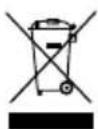
Ova oznaka naznačuje da se ovaj proizvod ne smije odlagati s ostalim kućanskim otpadom u cijeloj EU. Kako biste spriječili moguće štete za prirodno okruženje ili ljudsko zdravlje od nekontroliranog zbrinjavanja otpada, odgovorno ga reciklirajte kako biste promicali održivu ponovnu upotrebu materijalnih resursa. Za vraćanje vašeg korištenog uređaja molimo vas da koristite postojeće sustave za vraćanje i prikupljanje ili kontaktirajte vašeg prodavača gdje je
natural_image
Simple diagram of a device panel with a circular button and four square buttons, no text or symbols present.AKKUMULÁTORTÖLTÖM
JELZÖ GOMB (ICB)
ÉRÉS
text_image
Technical diagram of a device with labeled parts, showing internal components and mounting points.natural_image
Technical line drawing of a rectangular electronic device with mounting holes and internal components, connected to a cable (no text or symbols)text_image
Technical diagram of a device with numbered parts labeled 1, 2, and 3natural_image
Technical line drawing of a rectangular electronic device with mounting holes and internal components, no text or symbols present.natural_image
Simple diagram of a device panel with four square buttons and a circular button (no text or symbols)text_image
Technical diagram of a device with labeled parts, showing internal components and ventilation slotsnatural_image
Technical line drawing of a rectangular electronic device with mounting holes and internal components, no visible text or symbolsnatural_image
Simple diagram of a device panel with two labeled buttons and a circular button (no text or symbols)text_image
Technical diagram of a device with labeled parts 1, 2, and 3, showing internal components and ventilation slots.natural_image
Technical line drawing of a mechanical or electrical enclosure with mounting holes and a central rectangular component (no text or symbols)text_image
Technical diagram of a device with labeled parts 1, 2, and 3, showing internal components and ventilation slots.natural_image
Technical line drawing of a device housing with mounting brackets and a central component, no text or symbols present.natural_image
Simple diagram of a device panel with four square buttons and a circular button, no text or symbols present.PİL ŞARJ GÖSTERGEÖİ
(PŞG) TUŞU
LÇÜM
text_image
Technical diagram of a device with labeled parts, showing internal components and structural layoutnatural_image
Technical line drawing of a mechanical or electronic component with mounting holes and a central rectangular housing (no text or symbols)natural_image
Simple line drawing of a device panel with a circular button and four square buttons (no text or symbols)הכלה (BCI)
תְרָהּ
text_image
Technical diagram of a device with labeled parts, showing internal components and labeled parts 1 and 2.natural_image
Technical line drawing of a device housing with mounting brackets and a central component, no text or symbols present.natural_image
Simple diagram of a device panel with four square slots and a circular button, no text or symbols presentAKUMULIATORIAUS M
KROVIKLIO INDIKATORIUS (ICB)
ATAVIMAS
text_image
Technical diagram of a device with labeled parts 1, 2, and 3, showing internal components and mounting structure.If the battery is inserted into the charger when warm or hot, the CHARGING LED indicator light on the charger may switch on and illuminate RED. If this occurs allow the battery to cool outside of the charger from approximately 30 minutes.
IKROVIKLIO MONTAVIMAS
natural_image
Technical line drawing of a rectangular electronic device with mounting holes and a central component, connected to a cable (no text or symbols)natural_image
Simple line drawing of a device panel with a circular button and two arrows pointing to the bottom panel (no text or symbols)AKUMULATORA UZLÄDES
LİMENÄ INDIKATORA (ICB)
TAUSTINŠ
MÉRÎJUMS
text_image
Technical diagram of a device with numbered parts labeled 1, 2, and 3natural_image
Technical line drawing of a mechanical or electronic component with mounting holes and a central rectangular housing (no text or symbols)natural_image
Simple diagram of a device panel with four buttons and a circular button, no text or symbols presentAKULAETUVUSE
KONTROLLNUPP (ICB)
MÕÖTMINE
text_image
Technical diagram of a device with numbered parts labeled 1, 2, and 3natural_image
Technical line drawing of a rectangular electronic device with mounting holes and internal components, no text or symbols present.All new Greenworks Tools machinery is supplied with a 2 year parts and labour warranty from original date of purchase. A 30 day warranty is available for machines used professionally as Greenworks Tools are designed primarily to be used by DIY consumers.
This warranty is non-transferable.
LIMITATIONS
This warranty applies only to defective parts/components and does not cover repairs due to:
- Normal wear and tear.
- Routine tune up or adjustment.
- Damage caused by improper handling/abuse/misuse or neglect.
- Overheating due to lack of maintenance.
- Damage due to fittings/fasteners becoming loose/detached through lack of maintenance.
- Damage caused by cleaning with water.
- Machines serviced or repaired by non-authorised Greenworks Tools service centres.
- Machines incorrectly assembled or adjusted.
- Damage caused by improper use of the machine.
- Damage caused by improper winterisation (pressure washers)
-
Items considered as consumable parts are not normally covered by the warranty, including but not limited to:
-
Batteries
- Electric cables
- Blade and blade assemblies
- Belts
-
Filters
• Chucks and tool holders -
Certain products may contain components such as engines, transmissions from an alternative manufacturer, these items will be subject to the appropriate manufacturer's warranty policy except where Greenworks Tools Europe GmbH agrees to underwrite any claims outside the said manufacturer's warranty period.
-
Second hand goods are not covered under this warranty policy.
- The fitting of spares, replacements or extra components which are not supplied or approved by Greenworks Tools Europe GmbH.
Warranty
To claim a warranty on any product under this policy a proof of original purchase is required. Credit card statement do not qualify as sufficient proof of purchase. In the first instance of a warranty event occurring the consumer should return the product to the original place of purchase with their proof of purchase. The machine will be sent to our central service facility and an inspection made. If the machine be found to be at fault it will be repaired and sent back to the address of the consumer free of charge. Machines that retail for less than €100 euros including sales taxes will generally be replaced.
If the central service facility finds that machine is not found to be at fault then the consumer will be advised they will need to pay for the cost of the repair.
This warranty policy is subject to change from time to time to accommodate the needs of new products. A copy of the latest warranty policy will be available at www.greenworkstools.eu.

Greenworks Tools garantibetingelser for gjør-det-sely-maskiner
GARANTIPERIODE
-
Among the former, among the second, among the third, among the fourth, among the fifth, among the sixth, among the seventh, among the eighth, among the sixth, among the seventh, among the eighth, among the sixth, among the sixth, among the sixth, among the sixth, among the sixth, among the sixth, among the sixth, among the sixth, among the sixth, among the sixth, among the sixth, among the sixth, among the sixth, among the sixth, among the sixth, among the sixth, among the sixth, among the sixth, among the sixth, among the sixth, among the sixth, among the sixth, among the sixth, among the sixth, among the sixth, among the fourth
-
乾物の変化を変化する
-
Among the 70-75% of the 70-75% of the 70-75% of the 70-75% of the 70-75% of the Greenworks Tools Europe GmbH.
אַתְרָה
EC DECLARATION OF CONFORMITY
Manufacturer: Changzhou Globe Co., Ltd.
Address: No.65 Xinggang Road Zhonglou Zone Changzhou, Jiangsu 213000 P.R.China
Name and address of the person authorised to compile the technical file:
Name: Ted Qu Haichao (Quality Director)
Address: Greenworks Tools Europe GmbH, Wankelstrasse 40. 50996
Cologne Germany
Herewith we declare that the product
Category: 60V battery charger
Model: 2918507
Serial number: See product rating label
Year of Construction: See product rating label
■ is in conformit with the relevant provisions of the Low Voltage Directive 2014/35/EU
■ is in conformit with the provisions of the following other EMC directive (2014/30/EU).
And furthermore, we declare that
the following (parts/clauses of) European harmonised standards have been used
EN 60335-2-29, EN 60335-1, EN 62233, EN 55014-1,
EN 55014-2, EN 61000-3-2, EN 61000-3-3
Place, date: Changzhou, 14/12/2016
Signature: Ted Qu Haichao
Quality Director
Ted Qu

DÉCLARATION DE CONFORMITÉ CE
Fabricant: Changzhou Globe Co., Ltd.
Adresse : No.65 Xinggang Road Zhonglou Zone Changzhou, Jiangsu 213000 R. P. de Chine
Endereço: No.65 Xinggang Road Zhonglou Zone Changzhou, Jiangsu 213000 China
DEKLARACJA ZGODNOŚCI WE
Producent: Changzhou Globe Co., Ltd.
Adres: Nr 65 Xinggang Road Zhonglou Zone Changzhou, Jiangsu 213000, ChRL
Naslov: No. 65 Xinggang Rd., Zhonglou Zone, Changzhou, Jiangsu, Kitajska
Adresa: No.65 Xinggang Road Zhonglou Zone Changzhou, Jiangsu 213000, Republica Populară Chineză
50996 Cologne Germany
Adrese: No.65 Xinggang Road Zhonglou Zone Changzhou, Jiangsu 213000 P.R.China